GeistHaus
log in · sign up

Yakir Havin

Part of yakirhavin.com

Sharing some things that I know, mostly tech-related. Feel free to contact me at y.havin@gmail.com. I answer every email because I don't have 14,829 unread items in my inbox.

stories primary
Yak's Kitchen: Utensils

I've been posting cooking reels and stories on Instagram for just over three years now, but I've never written much on the topic. However, through the countless hours I've spent watching YouTube videos, reading recipes, and actually cooking, I've picked up quite a bit that I'd love to share with the world.

So here is the first piece in my new series of articles called Yak's Kitchen.

(To be clear, there will be no affiliate links. Any links I provide are just for your convenience, and I do not make money from them. What there will be is thoughtful discussion on the topics at hand to help you learn about the art of cooking and managing your home kitchen. This series is purely about sharing my cooking passion and knowledge with whomever is interested to read.)

We'll be looking at pots and pans, managing food inventory, deciding what to cook, how to follow recipes (or not), and plenty more for as long as I can keep going. If you want to be notified by email of the next instalments in this series, subscribe here.

Utensils

My utensil drawer is a mess. Not because I can't be bothered organising it, but because I have too many to organise inside a drawer of my one-bedroom NYC apartment's kitchen. The thing is, I pride myself on being an intentional spender, buying things that I think I'll actually need and use, so perhaps it's the drawer size that's the issue. Or the kitchen size. It seems that newer apartments these days target millennials who spend more time on UberEats than in the kitchen.

And yet, even though the utensil drawer is technically a mess, I have no trouble finding anything, never have to stuff things in to push it closed, never have it jam when I open it. Everything is fine, just the utensils themselves are not in neat straight lines with dividers.

So here are all my utensils, one by one (in no specific order), with my thoughts on how useful they are for me, whether I recommend them based on your cooking interest and level, and which ones are worth spending on. I'm not a professional and never have been (except for one time a friend and I cooked for a 40-person Pesach retreat in Texas in 2017, but looking back, I barely knew anything then anyway), so these thoughts are focused around cooking at home.

Note: This is a long article, so feel free to jump to the utensils that catch your eye!

IMG_5644

Chef's knife

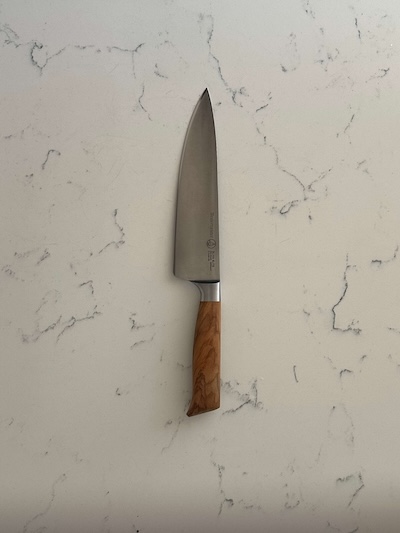
A chef's knife is arguably the most important utensil in the kitchen. Don't be confused by the word "chef's"; it just refers to the size and shape, which is usually around an 8" blade. Some people get by on small serrated knives for everything, but once I started using a chef's knife, it was game over. It just cuts stuff better, simple as that. And a nice side benefit of the larger blade is being able to scoop up cut food and slide it into a bowl.

That said, your first chef's knife need not cost $150. A more expensive knife doesn't automatically make you a better cook, and a good philosophy to follow — especially in the kitchen where things can get expensive fast — is to buy a medium-low price item to start, and once you're sure you use it a lot, you can treat yourself to something better. I had three chef's knives in the $20-$60 range before buying the one pictured above (Messermeister Oliva Elite). A perfect starter chef's knife I own and recommend is from Brian Lagerstrom, and if that's sold out, a Victorinox Fibrox Pro, which is also sitting in my drawer as backup to the backup.

Make sure you hand-wash and dry your chef's knife after each use. Don't dump it in the sink with the rest of your dirty dishes, or you'll blunt it pretty quickly. I keep mine in a cheap sleeve for protection.

And please, for the love of G-d, do not buy a knife block set. The "deal" price hides the fact that you're still paying a few hundred bucks for a bunch of useless knives. Tell me when you last used those "steak knives" or the long skinny one. Be intentional, buy a chef's knife.

Recommendation: must have, start with $40-$60 and increase if you feel the need

IMG_5638

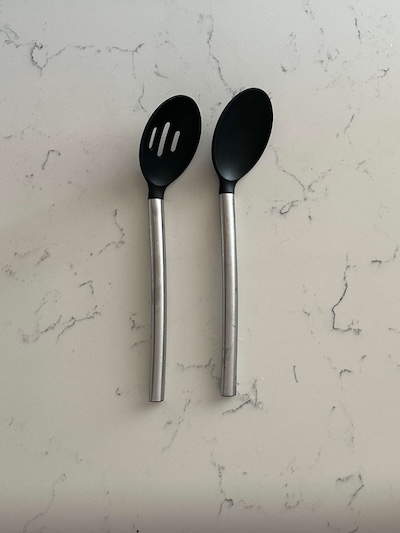
Silicone-tipped spoons

If you use any nonstick pots or pans (I do), you'll need some silicone-tipped utensils, because metal ones will scratch the nonstick coating. Stirring with a wooden spoon probably won't scratch, but they are harder to use for scooping and serving. These are cheap, come in a set (the slotted one is sometimes useful), and do a simple job.

One thing to look for is that they are just silicone-tipped, not fully made from silicone, since those are much more flimsy.

Recommendation: must have if you cook on nonstick, spend under $20

IMG_5645

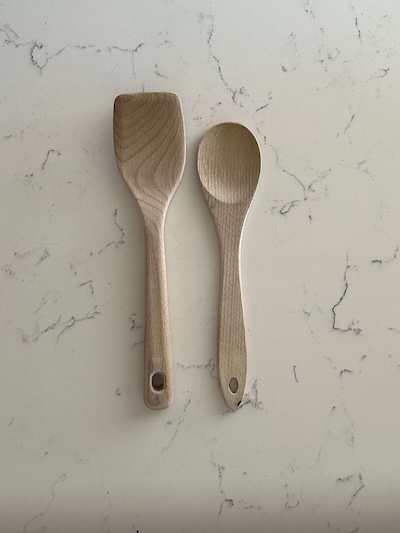
Wooden spoons

I was gifted the round wooden spoon for my birthday in 2023, and it's still going strong. I bought the flat-edge one about a year ago to help with deglazing, but I don't much love it, and usually just reach for the round one. Deglazing is a cooking technique where after searing some protein, leaving brown bits of flavour on the bottom of the pan, you add some liquid (often wine or stock), and the heat reaction lets you easily scrape up the brown bits, with the threefold benefit of adding flavour to your food, keeping the pan clean, and preventing burning. This is often done when making sauces, soups, and stews, and silicone utensils often aren't sturdy enough to get this job done.

Due to their shallow form factor, most wooden spoons are not much good for serving, but they can be more fun, look nicer, and feel more "authentic" than silicone for some.

Recommendation: good to have if you do anything requiring deglazing (or dough stirring), spend under $20

IMG_5639

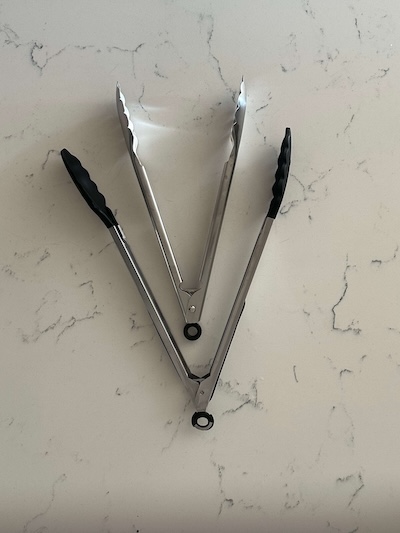
Tongs

It is written in chapter five of Ethics of the Fathers that G-d created the first set of tongs at twilight on the sixth day of creation, since "tongs are made with other tongs".

Regardless of your stance on G-d, tongs are an extremely useful kitchen utensil for precise food handling. Anything where there are "pieces", like turning over a steak, searing chicken breast or cubes of beef, roughing up a stir fry, fishing spaghetti out of a pot. I don't need to explain much more. I have a silicone-tipped pair for my nonstick cooking, thought they're old and a bit out of shape, and a metal pair for everything else. Go with 12" rather than 9" so you can reach into deeper pots.

Recommendation: must have, spend under $20

IMG_5637

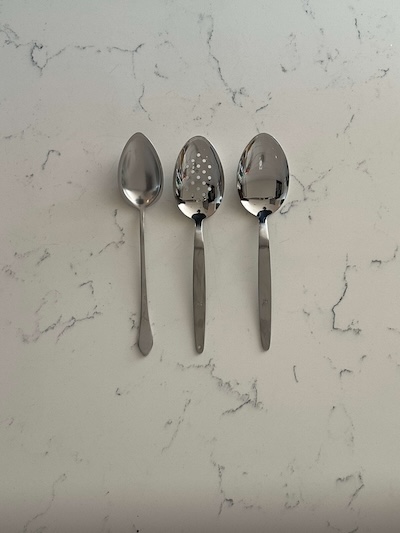
Metal spoons

The spoon on the right is my current favourite kitchen utensil, having just bought it a month or so ago. I bought it together with the slotted one in the middle, more because I wanted to take advantage of the high shipping cost (they're not available on Amazon), but in hindsight I should have just bought another regular one. These are called Kunz Spoons, and they have a worship-level following all of their own.

I have a lot of fun using the Kunz Spoon. Sometimes I'll opt for my stainless steel or cast iron pan just so that I can use it, even though it means more washing effort for the pans. Fun is definitely a feature when it comes to cooking, and any hobby for that matter. If you're serious about cooking, grab yourself a Kunz Spoon. It's larger than a typical cutlery spoon and has a larger volume, so you can use it for stirring, flipping, and serving.

The one on the left is a Gestura 01 spoon that I bought a couple years ago. It has a one tablespoon volume for precision (not relevant for me) and the tapered tip helps with plating sauces (again, not that relevant for me). Now that I have the Kunz, I rarely opt for the Gestura, because the tip can be annoying for stirring; in hindsight, I wouldn't have bought it.

Recommendation: no need for starters, but nice to have and lots of fun if you're more serious

IMG_5636

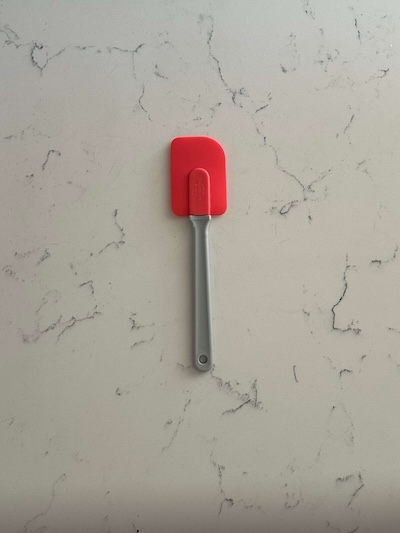
Rubber spatula

Flexible rubber spatulas are also a lot of fun to use when stirring, as they leave clear trails and let you clean down the sides of your pan really well. When it comes to pouring sauce from a bowl or pan, a rubber spatula is your best friend, as you can get every last drop of it, unlike a spoon. That said, I'm thinking to "upgrade" to a symmetrical maryse, which is similar but can scrape in both directions, is a bit sturdier, and slightly deeper, allowing for better serving and handling of foods like mashed potatoes.

Recommendation: no need for starters, but nice to have if you're more serious, spend under $20

IMG_5640

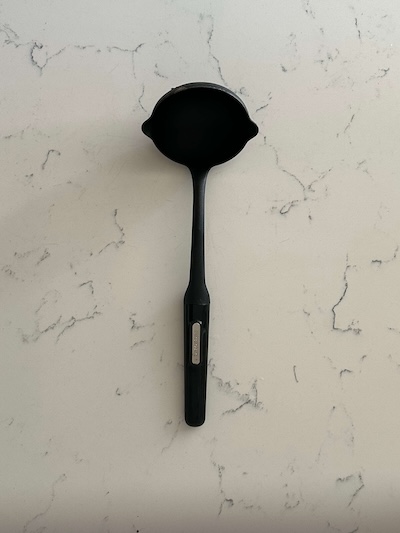
Ladle

This is an obvious one if you ever make soup (and if you don't, why not?). Mine is silicone because I need it to work for nonstick as well, although I don't love my exact model as it's silicone all the way through and therefore a bit too flexible. Stainless ladles are very pretty (in a utilitarian way), but it's not important enough for me to go and buy at this point, since mine gets the job done just fine.

Recommendation: must have, spend under $20

IMG_5635

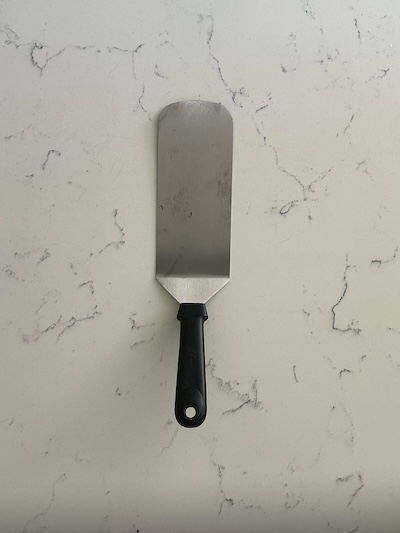
Burger turner

I bought this when I wanted to make smash burgers and realised that I needed something that could smash the patties and also scrape underneath them to flip them over. For burgers, I'm doing it on cast iron, stainless steel, or the grill, so a silicone tip was unnecessary, and in fact would be inferior for scraping due to the thickness. I've since found this turner useful for other ad-hoc uses like lifting a hot focaccia out of my cast iron or chopping the meat and onions in the pan and then slapping onto a roll for my kosher Philly Cheesesteak (reel here).

Recommendation: must have for smash burgers, otherwise useful here and there but not really needed, spend under $20

IMG_5642

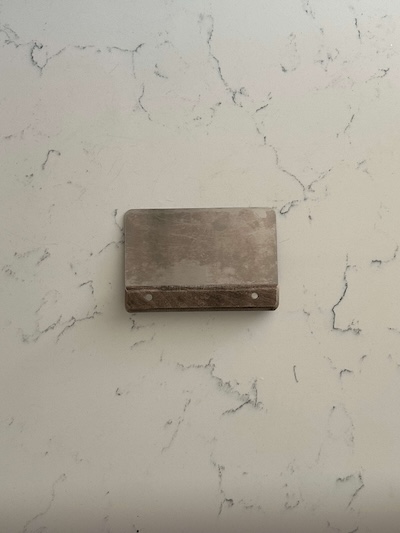
Bench scraper

The other tool I used in that Philly Cheesesteak video for chopping in the pan was this bench scraper. But that's not its primary use. I'm sure you've seen Internet chefs use bench scrapers everywhere for scooping chopped food from the cutting board to a mixing bowl or into a pot. Debate abounds whether a chef's knife is good enough for this task, and for me it depends. If I'm not cutting too much, I'll often just use my knife to collect the food, but if I'm doing lots of chopping and using several bowls (e.g., for a stew), the bench scraper is easier and can hold more pieces than a knife.

Other fun uses of the bench scraper are, as the name suggests, (1) scraping food off your counter, especially small bits of stuck dough, (2) shoving water off your wooden cutting board after rinsing it, giving the towel an easier job, and (3) cutting dough into portions (this is actually a "main" use of the utensil, which is also commonly referred to as a dough cutter).

Recommendation: no need if you prefer collecting with a knife, but useful for lots of chopping, spend under $20.

IMG_5646

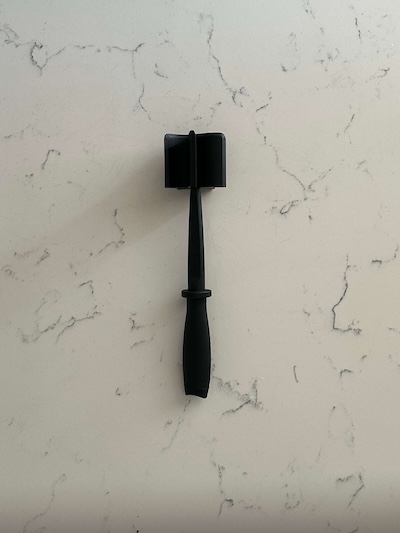
Ground meat chopper

I first learned of this tool from Brian Lagerstrom, one of my favourite YouTube cooks. It is surprisingly adept at its main use, which is for crumbling up ground beef while cooking, which turns out is quite an important technique for getting good browning and flavour for your bolognese or taco meat. More crumbled up meat means more surface area available for browning, but also better texture compared to chunks. A sturdy spoon can get you most of the way there, but this tool does it better and with much less elbow grease.

One newer use I have for this chopper is for crushing whole tinned tomatoes. Sure, it's fun to do it by hand in a bowl, but this is another solid option if you want to do it directly in the pan.

Recommendation: no need, but a great step up from spoons, spend under $10

IMG_5643

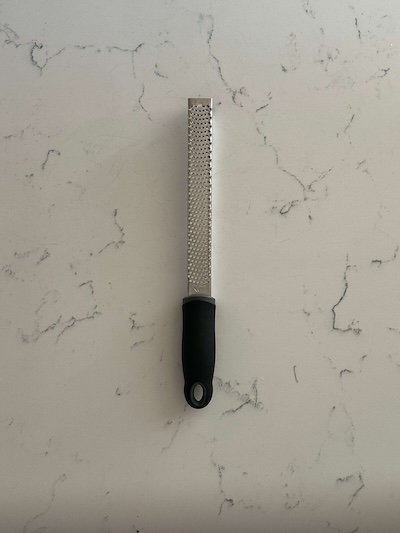
Microplane

My relationship with my microplane has soured over the years. My original idea in buying one was for grating garlic and ginger, but I found that the long and thin form factor meant that garlic would often slip off the side of the plane, which was pretty annoying. I also feel like no matter how hard I try, there are always shredded bits that I can't get off the plane into the food. I've seen wider ones with rims and convenient slots for sliding the grated food into your bowl or pot, so maybe I'd like those more. But the truth is, these days, most of my garlic use is smashing it under my knife and then rock-chopping to get a solid mince. Grated garlic does have a different flavour profile, but most of the time, it doesn't make enough of a difference for me to whip out the microplane.

I will note that for zesting lemons and limes, this microplane is actually fine, but I don't zest all that often. And if you're grating cheese, a wider model is way more helpful.

Recommendation: don't buy this type, maybe a wider one, but also not much real need, spend $10

IMG_5641

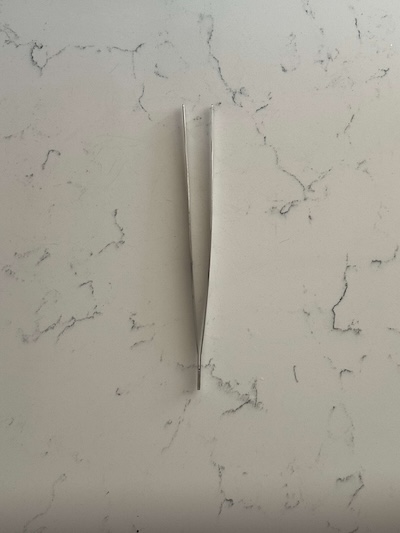
Tweezers

Perhaps the most cheffy of the utensils in this article is the tweezers. Initially designed for precision restaurant plating (think microgreens), kitchen tweezers have become more popular on the Internet, and I succumbed to buying a pair a couple years back. Maybe my skills aren't good enough, but I find that they're not always strong enough to turn steaks or chicken, or that tongs just get a better grip. My main use for tweezers these days is for getting pickles or pickled onions out of a jar, and they do excel there, however a fork would do just fine for most.

Recommendation: not needed unless you really care about plating, spend under $20

IMG_5652

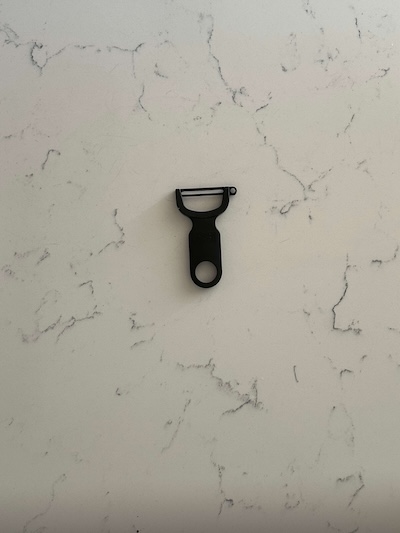
Y-shaped peeler

I grew up using straight peelers to help my mum peel potatoes or carrots, and quickly grew to hate the things. And in general, I'm not much of a peeler. For mashed potatoes, I often do not peel them (see the potato masher and potato ricer sections next for more on my current mashed potato technique), and for stews or braises, I'm often okay with just rinsing carrots before chopping.

However, whenever I have decided to peel something, a Y-shaped peeler has been a blessing. Mine is a Kuhn Rikon that cost me all of $5, and it's a real pleasure to use. It never slips off, and you can get nice, long peels in one motion.

Recommendation: must have if you don't like peels, spend under $10

IMG_5651

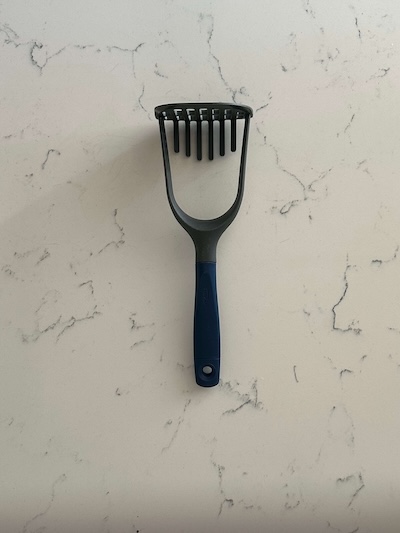
Potato masher

Mashed potatoes takes more time and effort than its commonality as a side dish would suggest, and for me it's probably fewer than 10 times a year. Nowadays for mashed potatoes, I use a ricer as discussed below, but even when I used to use this masher, I never loved it much. It did the job, but I imagine a metal one would probably have required less force and easier cleaning. I hardly reach for this utensil anymore.

Recommendation: pretty much must have for mashed potatoes, probably get a metal one, but rendered almost useless if you have a ricer, spend under $25

IMG_5653

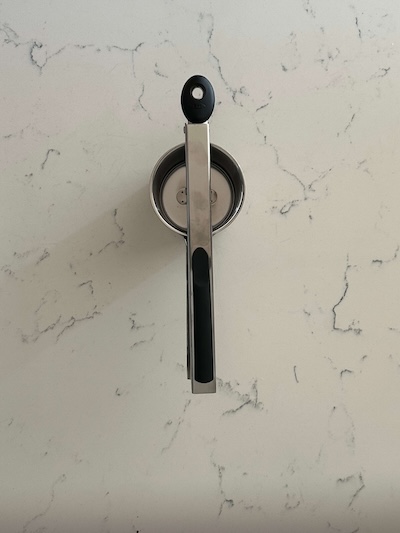
Potato ricer

We're still talking about mashed potatoes, yes. Who knew the humble potato would get so much airtime? Once you use a ricer, there's really no going back. It's very satisfying watching the potato dissolve into thin, soft strands under the easy leverage of your forearms. The texture is far better than a potato masher, and requires much less effort, which means you don't need to "work" the potatoes as much, resulting in less gluey mash. This is a bit of a bulky utensil storage-wise, and I'm thankful for my dishwasher each time I use it, but I'd agree with Internet Shaquille that it's worth buying one over a masher even for one use a year.

When it comes to peeling the potatoes, you can technically skip that since the ricer retains the skin for you, but then you have to remove that before loading in the next few chunks of potatoes, and I've found that annoying. My mash sample size isn't big enough yet to have properly compared the effort of peeling the potatoes before cooking versus removing the peels from the ricer. I did make gnocchi a few times in 2025, however, and here the ricer is close to essential to get the required texture.

Recommendation: strongly preferred if you make mash, must have if you want gnocchi, spend around $30

IMG_5648

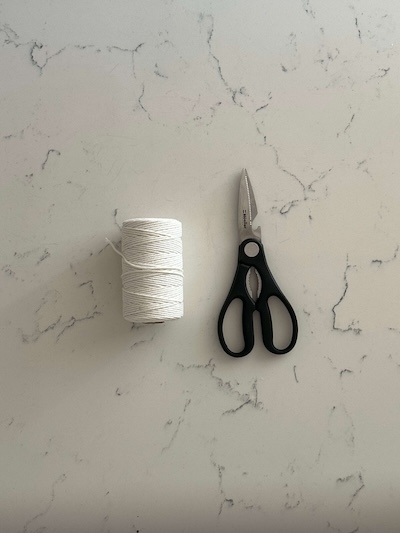
Shears and twine

By rights, these two items should be separate, but I included them together since my primary use for the shears is to cut kitchen twine. And my primary use for twine is to tie up a bundle of herbs and drop it in a stew or braise, making it much easier to fish out later before serving. Other good uses for the kitchen shears are cutting scallions for garnish (let's say you forgot to slice them and you've already cleaned and put away your knife and cutting board), cutting raw chicken into cubes, and for breaking down poultry (I used to eat a lot of chicken wings, just ask my old roommates, and I always preferred separating them into drums and flats).

But if I'm not making wings, I could easily get by without the shears, and they're definitely not essential. Any time I break down poultry now, for example a raw or cooked chicken, my knife is more than fine. Only if you plan to crack through the backbone for whatever reason would the shears come in handy.

Regarding the twine, as I've said, my main use is for herbs, but if you're a bit more advanced, this would be useful for trussing whole chickens or roasts. I have never bothered learning how to truss a chicken (sorry, Thomas Keller), so I cook mine either as-is or spatchcocked, and my beef roasts often come with a netting.

Shears recommendation: no need, but nice to have here and there, spend under $30
Twine recommendation: only if you care about the herbs or trussing like I mentioned, but for $2 for a roll that will probably outlive you, why not?

IMG_5655

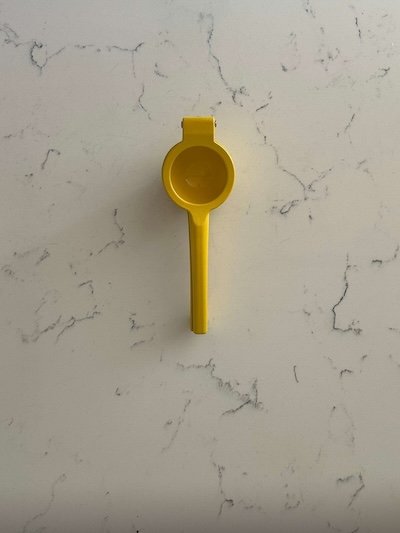
Citrus squeezer

Unlike some, I don't keep lemons and limes around much, so I don't find myself using the squeezer all that often (I get a lot of my cooking or salad acids from vinegar), but it's very useful whenever I do. You can extract more juice than just using your hands, and it's easier. I still remember when someone told me that the lemon should be placed cut side down into the squeezer... that was quite a revelation. All that being said, you can definitely go without one of these in the average kitchen.

Recommendation: no need, just easier, spend under $20

IMG_5649

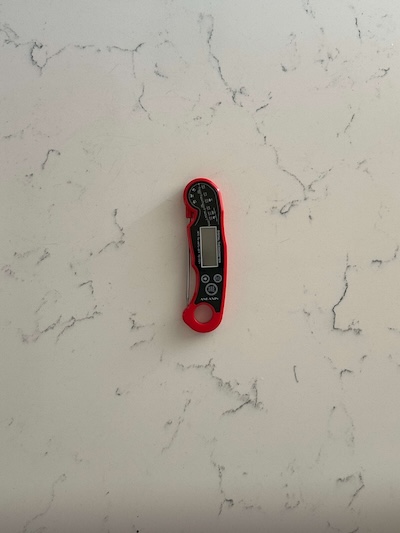
Probe thermometer

Owning a probe thermometer is a telltale sign you've started to take cooking more seriously. While I'm sure everyone has a friend who can cook great steaks with his fingers for gauging temperature, a thermometer is nonetheless an objectively more accurate instrument, and when it comes to chicken breast, there's real food safety to take into account. My thermometer has gotten quite a bit more use since I started baking bread and needed to measure the water temperature before adding it to the flour, so for me it's an essential tool at this point.

Recommendation: good to have if you're getting more serious or cooking things needing precise temperature, spend under $10

IMG_5650

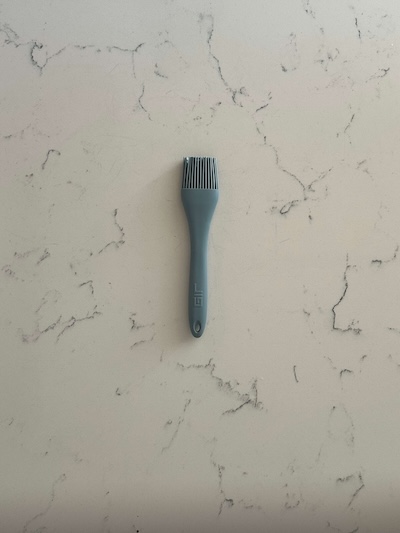
Brush

I'll be honest, I got this brush (along with the bench scraper and citrus squeezer) using my signup credit for the 14 seconds that I had the Flip app. My main uses are to to apply sauce to salmon, glaze ribs (reel here), or egg washing certain breads like bagels or burger buns (or that one time I made sausage rolls). These are definitely more niche use cases, so I'm happy I got the brush for free, but overall, it gets fewer than 10 uses a year.

Recommendation: no need unless you're doing lots of pastries, spend under $10

IMG_5654

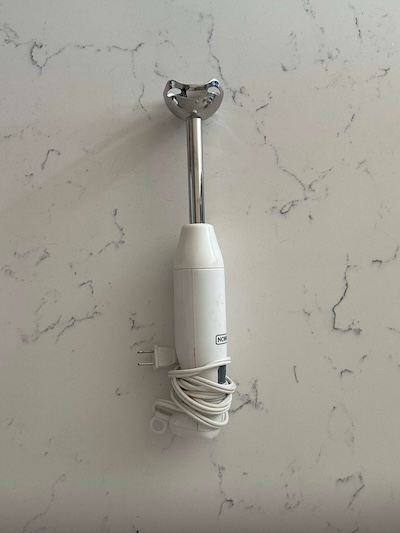
Immersion blender

A couple weeks ago, my delusions of invincibility were shattered when I was blending a tomato soup using a NutriBullet, and the cup burst open when I twisted the lid, causing the hot soup to go absolutely everywhere (I'm still finding tiny droplets on obscure parts of my cupboards). This was my fault, of course, for not obeying the golden rule of blending hot liquid, which is not to fill the cup more than a third or half. Thankfully, the cup itself did not shatter, but it was not a fun experience and I hope my mental scars heal soon.

And although this story is not the reason to use immersion blenders (because for some soups, tomato included, I want the super duper smooth texture only achieved by a standing blender), they are a great tool and one I use several times a year, especially come winter, for soups and curries. I don't make my own mayonnaise for some reason (I really should start), but they're very useful for that, too, and much easier than whipping out a standing blender.

There might be differences between more expensive models of immersion blenders, but I'm not sure. Mine cost around $20, has two speed settings, has survived countless dishwasher cycles, and still blends well, so that's good enough for me to recommend.

Recommendation: not strictly needed if you already have a standing blender, but a very convenient and affordable alternative if you start blending often, spend under $30.


So that brings us to the end of my utensils list. There's more to say on each utensil (especially when it comes to knives), but 4,000 words is enough for one article. If you like, please share this with your cooking-curious friends. Cooking is a huge passion of mine and I'm happy to share what I've learned along the way. I hope this article encourages you to be more deliberate with what utensils you spend money on, and which you can skip altogether.

Remember that Rome wasn't built in a day, and nor should your kitchen be. Let your interest in cooking guide your utensil purchasing decisions rather than the other way round.

Next up, I plan to write about pots and pans, managing food inventory, deciding what to cook, how to follow recipes (or not), and plenty more. Stayed tuned by subscribing below.


https://yakirhavin.com/blog/yaks-kitchen-utensils/
Just Read Because It's Fun

There’s something about the end of one year and the start of a new one that gets people absolutely slam dunk crazy about lists. 

Top 5 Personal Achievements of 2025.

My Favourite New Songs of 2025.

Top 10 Places to Travel in 2026.

3 New Year’s Resolutions to Supercharge Your Life.

The internet is rife with this kind of garbage, positively brimming with the stuff. As we become increasingly surrounded by data and information, it feels like we have created a new need to document everything for posterity. To summarise periods of time and keep the data archived for future generations.

I’m not really hating on this phenomenon. I have to admit that as a numbers guy, I obviously enjoy Spotify Wrapped. I like watching Google Photos recaps of places I’ve been and people I’ve spent time with. So if I were to hone in on what really drives me up the wall, it’s the reading lists and the number of books people have read.

What began as a nice, educational challenge in third grade to try to read 20 books in a school year has now taken on a sickly, competitive, crazed natured that misses the entire point of reading. But instead of merely asking “who cares how many books you read in 2025?”, I’m going to steadily dismantle the entire idea of “number of books read”.

From a quantitative standpoint, all books were not created equal. Place The Great Gatsby next to The Count of Monte Cristo on your kitchen table and you’ll see what I mean. The former clocks in at around 200 pages, with the latter at a whopping 1200. Clearly, reading one cannot be compared to reading the other.

Ah, you may think, so let’s instead compare page counts. Six Great Gatsbys equals one Monte Cristo. Well, that doesn’t work either. Books are published with different numbers of lines per page, something I as a complete nerd have counted more times that I care to admit. It often ends up in the range of 32-40. Okay, okay, so we’re going to compare lines read now? No, of course not, because books are printed in different font sizes and page widths, leading to different number of words per line. Ah, you’ve got me. So it’s number of words read, and maybe you’ve heard that an average book is 80,000 words, and that starts to ring true and feel good. For the final time, I’m sorry to disappoint you, but life isn’t Wordle, and words come in all shapes and sizes too.

So it turns out that the only valid method of reading comparison is the number of characters (i.e., letters) read, and even then the real nitpickers out there will be up in arms about whether or not spaces are included as a character.

And if you haven’t gotten it by now, the point of this diatribe is not to encourage comparisons of how many characters you read in 2025, but rather to point out the absurdity of trying to compare how many books you read at all. The whole concept of reading comparison is predicated upon a misunderstanding of the point of reading. 

Books, especially fiction, are not there for value-extraction and the supercharging of your mind in a relentless effort to transcend the rat-racing common folk and achieve unlimited wealth and eternal life. Would you prefer to watch Fight Club or just get the AI-generated bullet points that tell you the narrator is schizophrenic? Would you rather your NFL team win the Super Bowl or just be injected with a few drops of liquid that make you feel like they won? Would you rather eat delicious food or have an IV drip of required nutrients?

It’s not about the content that you have consumed, but rather about the act of consumption itself. Good feelings don’t last. A few days after your team does win the Super Bowl, people have moved on and now it’s about the draft, the trades, the predictions for next year. If you didn't enjoy each game and the highs and lows of the season, then sorry, but you missed out on all the fun. The enjoyment is in the journey.

And this is all common knowledge, but for some reason when it comes to books and reading, people have simply lost their way.

I’m intentionally not going to wax on about the benefits of reading, because that is just another exercise in value-extraction and optimisation. If you’ve read a good book before, you know what did it for you, and it’s probably worth doing again. Just read a book and have fun, and see what happens. (If you need somewhere to start, go with City of Thieves by David Benioff. I read it in November and think it has the perfect length and punchiness to grab you by the collar, while also not being a soulless page-turner.)

So enough with the reading comparisons, the must-read lists, the shaming of those who have read fewer books than you, or the lauding of those who have somehow read 130 in a year. Just read because it’s fun, and everything else is a bonus.

https://yakirhavin.com/blog/just-read-because-its-fun/
Tidy Up Your Data

One of the very first things I teach in my spreadsheets course is how to structure data properly. In order to take advantage of the power of spreadsheet functions and to do any basic analysis, the underlying data needs to be organised in the right way, and unfortunately, this is not always so intuitive to the average user. Once learned, however, it is very simple to do in practice. 


What usually happens

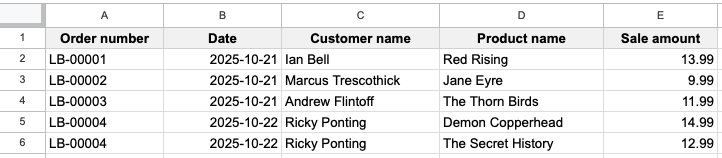
Let’s use an example of a bookstore called Lighthouse Books. Fred, the owner, wants to record information about each book sale that he makes: who bought it, what they bought, what he charged, and so on. So, being a normal business owner who knows his way around a computer, Fred fires up a new spreadsheet and adds in some column headings: order number, date, customer name, product name, and sale amount (we’re keeping things simple for now).

Screenshot 2025-10-21 at 12.07.07 PM.png

By 9:30am, Fred has already made three sales, so he enters the data as follows.1

Screenshot 2025-10-21 at 12.12.48 PM.png

There are a couple interesting patterns to note about these book sales (any cricket fans here?), one of which is that each customer only purchased one book. What happens, however, when someone wants to buy two books? Fred’s first thought is to add two new columns like so.

Screenshot 2025-10-21 at 12.19.56 PM.png

But this only “solves” the problem if someone wants to buy two books. What about three? Or six? Is Fred going to start adding new columns for product name and sale amount for every possible number of books someone could buy? Definitely not. As soon as you start to notice an open-ended, list-like nature to some part of your data, this should trigger an alarm bell.

Here's why adding more columns doesn’t work. Say Fred wants to add up his sales. You probably know about the SUM function, but which column should he sum? In the image above, it’s columns E and G. But if Fred has added more columns to allow for the purchase of multiple books, then he will also need to sum columns I, K, M, and so on (every second column). This is an extremely tedious process, but more importantly, there’s no limit to the number of books a customer might buy, so is Fred just going to keep adding more and more columns, needing to constantly edit his SUM function? 

Or let’s say Fred wants to know how many of each book was sold for inventory purposes. He would have to combine the product name columns somehow, leading to the same open-ended issues. So we can see that more columns isn’t the way.


Tidy data

The answer to this is tidy data, an approach formalised by statistician Hadley Wickham. This comprises three simple rules:

  1. Every event gets its own row
  2. Every piece of information about an event gets its own column
  3. Every type of thing we want to observe gets its own table

Fred unknowingly followed the first two rules by putting each sale in its own row and then having columns for the different pieces of information about the sale. But it’s in the third rule that he went wrong. If we were to name Fred’s table, we would probably call it orders, since each row represents an order by a single customer. And this table structure works if Fred wants to observe order-level information, like the amount of orders made per day, but here he is trying to calculate more detailed information — the book names and prices within each order. So what Fred really needs is a table of order line items. Let’s see how that would look.

Screenshot 2025-10-21 at 12.39.59 PM.png

The values in columns A, B, and C have been copied from row 5 into the new row 6, and the second book purchased by Ricky Ponting has been put into the original product name and sale amount columns. Plus we’ve deleted the second set of product name and sale amount columns. For Fred’s purposes, and those of the typical spreadsheet user, it’s completely fine to have these order number, date, and customer name values duplicated.2 And yes, if Ricky Ponting had in fact purchased three books, then we would once again copy the order number, date, and customer name into row 7 for the third book.

So, as a result, each row represents a line item within an order, not an order itself. And it becomes trivial for Fred to calculate his total sales (SUM column E) and to see how many of each book was sold (Pivot Table using the counts of column D). The table directly above is now considered tidy.


Pivot Tables

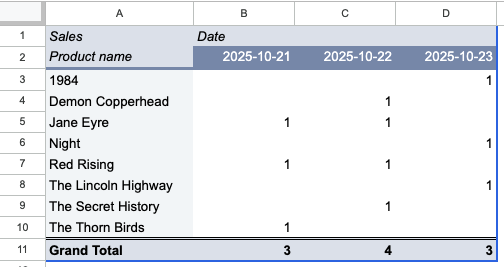
A lot of the confusion around storing data tidily comes from Pivot Tables, which are aggregations or summaries of raw data. In Pivot Tables (or any sort of summarised table), there can be column headings and row headings, and then data points in the middle. In the following Pivot Table example, we are looking at how many of each book was sold on each day (I added some more orders).

Screenshot 2025-10-21 at 3.25.26 PM.png

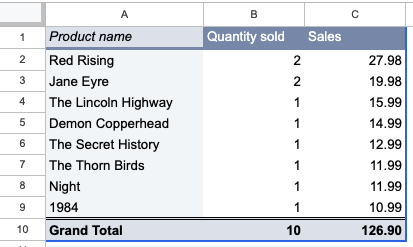
Since Pivot Tables are often used in reports and other published communications, people get the idea that the data is stored like that. Or more specifically, people aren’t really thinking about data storage at all, and just tend to copy whatever they see. But a Pivot Table — as anyone who’s made one can tell you — has to come from a source table of raw data, which is what we’ve been working on in this article. The entire point of structuring the raw data properly in the first place is to be able to easily create such Pivot Tables and get quick insight into your data.3 We could just as easily have summed up sales revenue per book to see our bestsellers.

Screenshot 2025-10-21 at 3.28.50 PM.png

Big wins for authors Pierce Brown and Charlotte Brontë.


Exceptions

Of course, there are no hard rules when it comes to data; there’s just better and worse. And the context of what you’re trying to do is always important in making decisions. There are times where having multiple columns for list-like data makes sense, for example when you’re storing contacts and want to keep a mobile number and business number. Since it’s a small and fixed list, they can be treated just like regular columns. You probably shouldn’t start duplicating your contact rows just to have a single phone number column. It’s only when the list is open-ended that problems start to arise.


Practical application

Keeping your data tidy is a commitment from the very first cell. Think about what an "event" means in your business, and what kind of questions you want to be able to ask of your data. It helps to think of a name for your table, like we did above with orders and order line items. Consider if your data might contain any list-like values, and if so, determine if it's a small, fixed list that you can handle with a few extra columns, or an open-ended one that requires the kind of restructuring we did for Fred and Lighthouse Books.

Tidy data unlocks the ability to use functions and Pivot Tables to get quick answers from your data, and if you don't want that, then why is your data in a spreadsheet to begin with?


Further reading

If you’ve received data in “pivoted” format, i.e., not tidy, and want to tidy it up to make for easier storage and analysis, Ben L. Collins has a great tutorial. I’ve learned a lot from Ben’s articles over the years.


  1. Those dates are in the YYYY-MM-DD format, also known as ISO 8601, which is a useful format for preventing month/day confusions that arise in the more common MM/DD/YYYY and DD/MM/YYYY formats. You can find this in the “Custom date and time” section of the Google Sheets format menu. 

  2. If having duplicated data seems counterintuitive, your mind is on the right track, and that track will lead you to learn about normalisation and third normal form, both of which are beyond the scope of this article (but are extremely interesting for the data-inclined). 

  3. That's where the name "Pivot Tables" comes from: you are pivoting the raw data's rows, columns, and values, resulting in the summarised table. 

https://yakirhavin.com/blog/tidy-up-your-data/
Spreadsheets: The Second Best Tool for the Job

Abraham Maslow, creator of the most famous pyramid outside of Egypt, once said that “it is tempting, if the only tool you have is a hammer, to treat everything as if it were a nail.” This is known as the law of the instrument, and it refers to the human tendency to over-rely on a familiar tool, specifically in cases where it is not appropriate.

In the six years that I’ve been teaching spreadsheet courses and doing spreadsheet contract work, this phenomenon has reared its head more than a few times. In 2025 alone, I had four separate Zoom meetings where potential clients showed me the One Spreadsheet to Rule Them All that had their business in a mighty chokehold.

You know what sheet I’m talking about. It has more tabs than even the ultra-wide, ultra-productive screen can handle, mostly with vague names that don’t clearly differentiate their uses; there are far too many colours being used, and they are far too bright; mismatched fonts and formatting abound due to someone copy-pasting from a website or email without doing paste-as-values; it is littered with eyesores such as #VALUE!, #REF!, and #N/A; and the entire thing is held together by a twelve-line formula written by a former employee who is probably uncontactable because he’s enjoying the cool breeze of a wheat farm in Montana.


So where did it all go wrong?

The way it often happens is that one of the early people in the business, usually a founder or partner, starts putting things into a spreadsheet. This is a good thing, because Post-It notes definitely don’t cut it. With only a handful of columns and rows to start with, things appear manageable and organised, and it feels good. As the business starts to grow, however, a column gets added here, a tab there, and within a few weeks the labyrinth is in full swing.

For a while, it’s more of an inconvenience than an actual problem. New employees learn the sheet, and as it existed before their employment began, they often regard it with a certain measure of respect. They add more rows as new things happen, try not to break things, and the wheels keep turning. More months go by, and now there are a handful of people accessing the sheet on a daily basis, each having carved out their own corner that they love best.

But bit by bit, as new features get baked in with more tabs, dropdown menus, and lookup formulas, the balance of power shifts, and before long the deathgrip of the One Spreadsheet tightens. It’s at this point that I get an email or WhatsApp message wanting to jump on that Zoom call.

It’s hard to point the finger at any single action that brought the spreadsheet to this undesirable place. No calamitous mistake was made. Rather, the culprit is exponential decay, the evil twin of compound interest. Let’s say your spreadsheet begins at being 100% “Good”. After that, if you do something 95% properly, your spreadsheet is now 95% Good. Do another thing 95% properly and now your spreadsheet is 90.25% Good. After only ten such occurrences (0.95^10), your spreadsheet stands at a measly 60%. And this is by doing things that were 95% correct at each turn. With several employees handling the sheet on a daily basis, things can quickly spiral out of control. Making a decision that’s 95% correct seems pretty good at any single juncture, but string together several 95% decisions, and soon you’re in over your head. Go have some fun and see how fast things decrease when you do 0.95^11, 0.95^12, and so on. (If you’ve been using the word “exponential” incorrectly your whole life, you’re welcome.)

Of course, there is no such quantifiable measure of a spreadsheet’s Goodness, but the lesson here is that spreadsheets are often the second best tool for the job. It’s much easier to open a new sheet than sign up for a new software. Spreadsheet adoption, too, is far simpler than software adoption. You share edit or view access with whoever needs, and away you go. No admin panel buried in the My Account section of a menu. And best of all, it comes free bundled with your Google or Microsoft account.


So all of this is understandable. But it is not sustainable.

Guess how much in fees I’ve charged from the clients to which I referred earlier? If you guessed more than zero, you’re wrong. You may think it’s bad business acumen to turn away projects that don’t make sense, but that’s a discussion for a different article. After looking over the sheets in as much detail as 15-30 minutes can give me, I’ve told the clients similar things. You really need a proper CRM; I have a friend who can help get you set up. You probably shouldn’t do that Apps Script because it’s liable to break and ChatGPT won’t be able to save you. You can’t do two-way syncing between a master and child spreadsheet in a way that resembles even a shadow of user-friendliness. Sure, I’d love to build this thing you’re asking for, but you’d be hamstringing your business even further and I don’t advise that.

The trouble is, by the time the spreadsheet is knocking against the ceiling of possibility and the client is coming to me for help, they often feel that it is insurmountable to shift things over to a new software. It would take a substantial interruption of operations or an investment of one person’s time and effort more than they can squeeze in order to get it done. Most small businesses don’t have a staff member — even someone in operations — dedicated to organising systems or managing migrations. There’s not enough work to justify a full-time salary. And contracting a consultant or software expert can be costly. I fully sympathise with the situation the businesses are in, and in all likelihood the One Spreadsheet will continue to Rule Them All.

For businesses that are not yet in this predicament but can see some of the symptoms emerging, my advice is to think critically about whether a spreadsheet is really the right tool for that next feature you want to add. Even half an hour of considered research into the different softwares available will get you further than most people. Watch a couple YouTube tutorials and see if you like the user interface. Check the pricing page and see if you can fit it into your budget. The more you do this, the more you will start to get a feel for the software landscape, and the next time you think to add something to the spreadsheet, you might get a healthy little alarm bell in your head that says “maybe it’s time”.

If you want your spreadsheet to send you an email each time a status column dropdown menu contains a certain value, it might be time to go. If you’ve Googled around a bit for a solution to a problem and the only answer is Apps Script and you’ve never coded in your life, it’s probably time to go. If you start a new tab and the automatic name is Sheet53, it’s definitely time to go.

Expand your toolkit beyond the hammer and reap the rewards of well-structured business systems that can last long into the future.

https://yakirhavin.com/blog/spreadsheets-the-second-best-tool-for-the-job/
Baptisms of Fire

The crickets had just started to chirp peacefully outside the dining room window as I lay on the couch, knees up, watching something on my laptop. I can’t remember exactly what it was — maybe Kyrie Irving highlights — but I know that I wasn’t engrossed. Whatever I was watching was just filling space, occupying time until bedtime came around. That’s just how some nights went after work and dinner in 2019. And the relaxing if uneventful evening probably would have continued just like that, if a certain itch hadn’t made me open a new tab.


If you ask someone how they learned what they know in their field of work, the answers you would typically hear revolve around formal education like university and informal education like learning on the job. In terms of total knowledge gained, these learning paths usually progress along constant upward trajectories. In university, you start with easier introductory classes and advance to harder ones, hopefully improving your knowledge and skills enough so that when you look three or four years back, you’re quite a way ahead of where you started. On the job, the path is less organised, and your learning is likely more frontloaded, but nonetheless it is a constant increase of aptitude and fluency that amounts over time to something substantial.

For many people the answer is both, myself included. But one type of learning is missing here, and it’s one that I have reflected on many times since that 2019 evening. I call these baptisms of fire. And while I’m loath to use violent anthropomorphoses for work-related activity (think “in the trenches”), I haven’t been able to come up with a better name, so I’m sticking with it.

A baptism of fire — in the way I mean it — is a short and continuous period of time where you work obsessively on something when you probably shouldn’t. On that 2019 evening, that meant opening a new tab on my laptop and thinking that I’ll just spend half an hour trying to figure out that Google Sheets formula for a spreadsheet I was building at work. But eventually the crickets stopped chirping and the clock moved from double digit hours to single, and there I was, still hammering away at the damned formula, throwing myself and my good night’s sleep into the fire.

Throughout the hours of far-from-perfect ergonomic activity, my search history included things like “sheets filter function unknown column”, “sheets get column letter from value”, “sheets filter function toggle all sometimes”, and other such technical non-sentences. And by the time I finally closed my laptop and crept into bed, lamenting how few hours I had until my alarm and berating my lack of discipline, the formula did work and there were no errors and I had made abundant progress on the spreadsheet. And in doing so, I had rapidly learned a lot. I had probably covered five new functions (sometimes you need to chain several obscure functions together to do something you want), learned more about how Google Sheets works under the hood, and benefited from the osmosis that only six hours of flow can give you.

But I didn’t feel very good, because the work had been obsessive and crazed, and it hadn’t come from a healthy place. If you have a 9-5 style job, you shouldn’t be choosing to work outside those hours. If you are forced to by deadlines, an imbalanced work culture, or an overreaching boss, that’s one thing. I thankfully did not suffer from that trifecta, and yet there I was, doing it anyway.

In the seven years of my professional life, I’ve probably had about ten to fifteen such nights, and they all follow a similar pattern. A quiet evening after a less-than-fulfilling day, an unfinished and stimulating task waiting at work, a laptop within reach, and an itch that says “just do a bit”. I thought that spending half an hour accomplishing something discrete and productive after a disappointing day would fill some void in me and give me the equilibrium I craved. But after the second or third time, I knew that the void was far deeper than a bite-sized achievement could reach. Sometimes I’d resist the temptation, but on other nights it was just too strong. And once I moved on from spreadsheets to coding, the phenomenon metastasised; fixing errors in code — known as debugging — can sometimes take several hours, even for what seems to be a relatively small issue.

So besides my years of university and good ol’ learning on the job, the trendline of my career knowledge progression is also stamped by these intermittent baptisms of fire. There are some things I know now that I simply would not if not for those nights of uninterrupted and frenzied work. They felt like flow because I was completely engaged, to the point where I believed that if I stopped before finishing, my train of thought would be irrevocably expunged. I wasn’t doing any meta-level work like taking notes or thinking about what tomorrow-me needed. I was wholly given over to the task at hand and absorbed in a soundproof bubble. And how often during the day do you get opportunities for work like that?

Yet each baptism was mingled with regret when I reflected soon after on why I had really opened the laptop and from the knowledge that I had done so eyes wide open, not even fooling myself, but outright lying that it would be quick and fulfilling. And even when I finished for the night, there was no soothing exhale of contentment, just a wretched ache from hunching over a screen with muscles and mind unknowingly clenched. Sometimes I would literally not move for these long stretches. Not to check my phone. Not to go to the bathroom. Not to walk around and take a break. Nothing. And so the physical toll was handsomely paid.


How, then, do I judge baptisms of fire? Are they necessary for today's knowledge worker? Are they something to be proud of?

What I’ve come up with is that I would not prescribe them, and I would not proscribe them. I would not tell someone to try to get into some flow state of work late at night. It’s not something I think you can actively seek out; the work has to be available in such a way that a baptism is possible (in some fields this never happens at all), but more so, it has to come from within, and as I’ve said, I don’t believe it came from the healthiest place in me. But if such a feeling does arise in you, I wouldn’t flat out say “don’t do it” or “go to bed”, because I know I wouldn’t be where I am today without those rare pockets of bursty knowledge gain that came in the wee hours.

https://yakirhavin.com/blog/baptisms-of-fire/