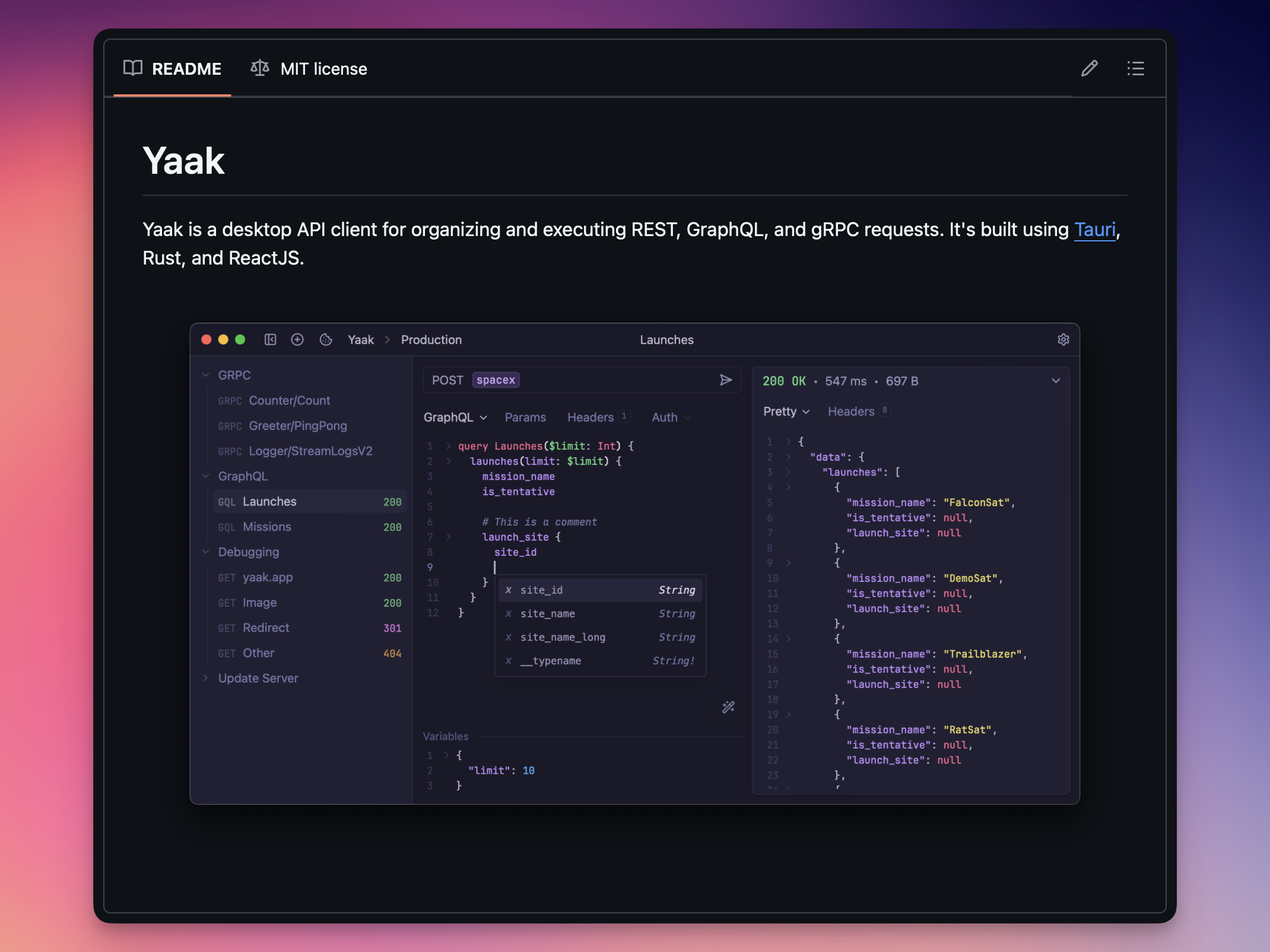
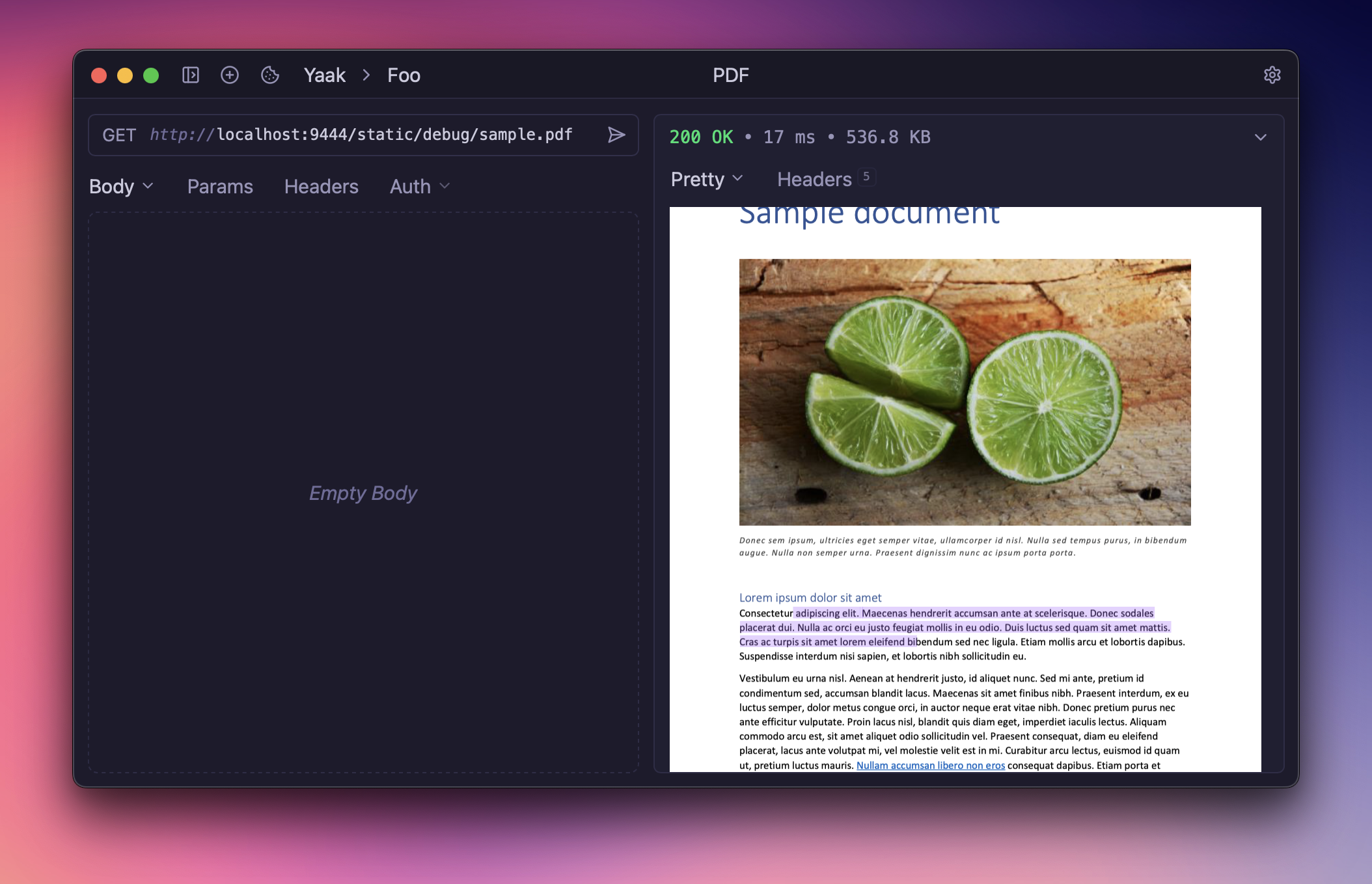
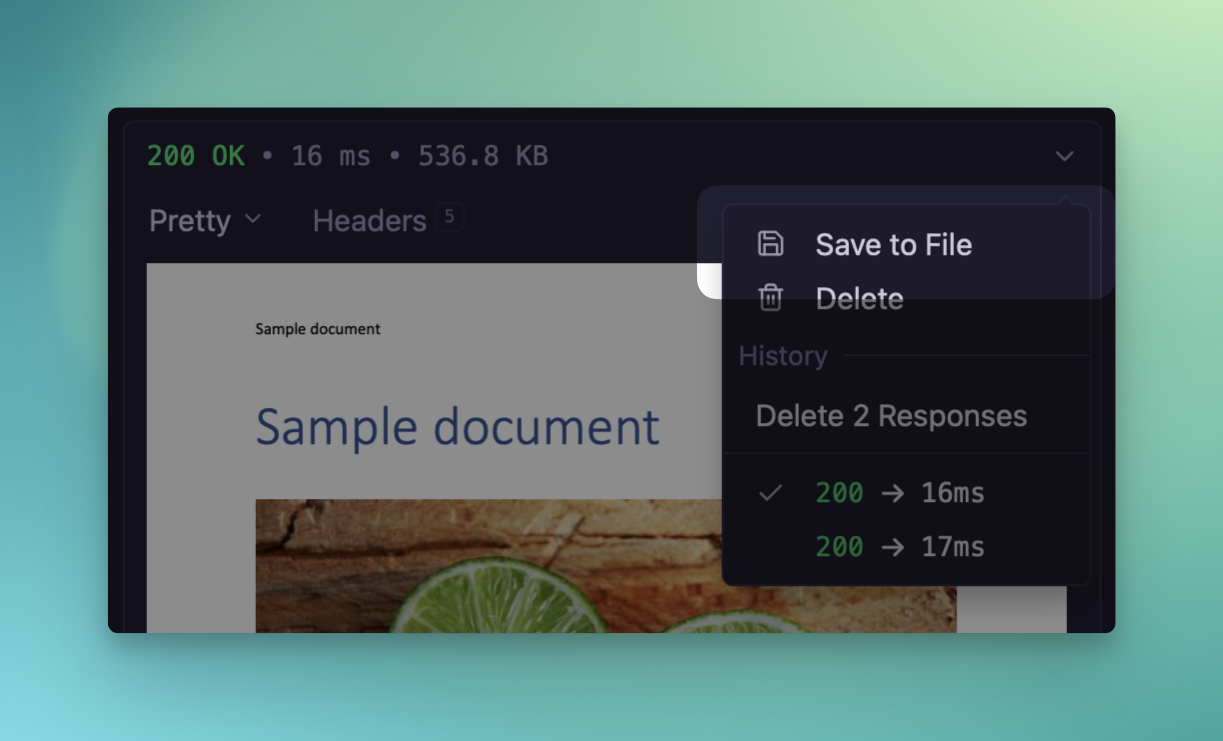
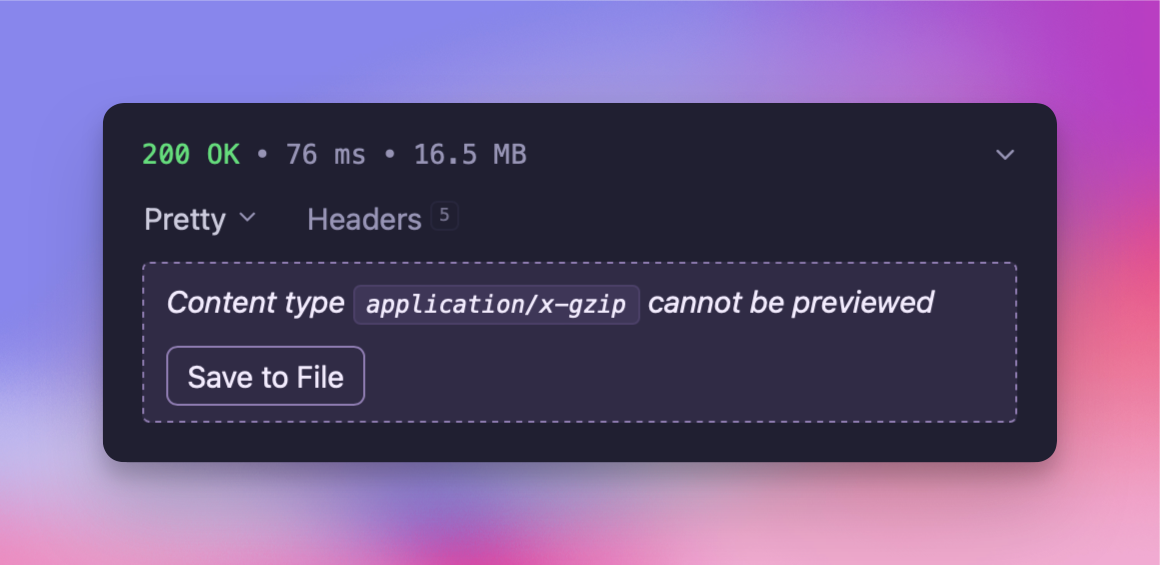
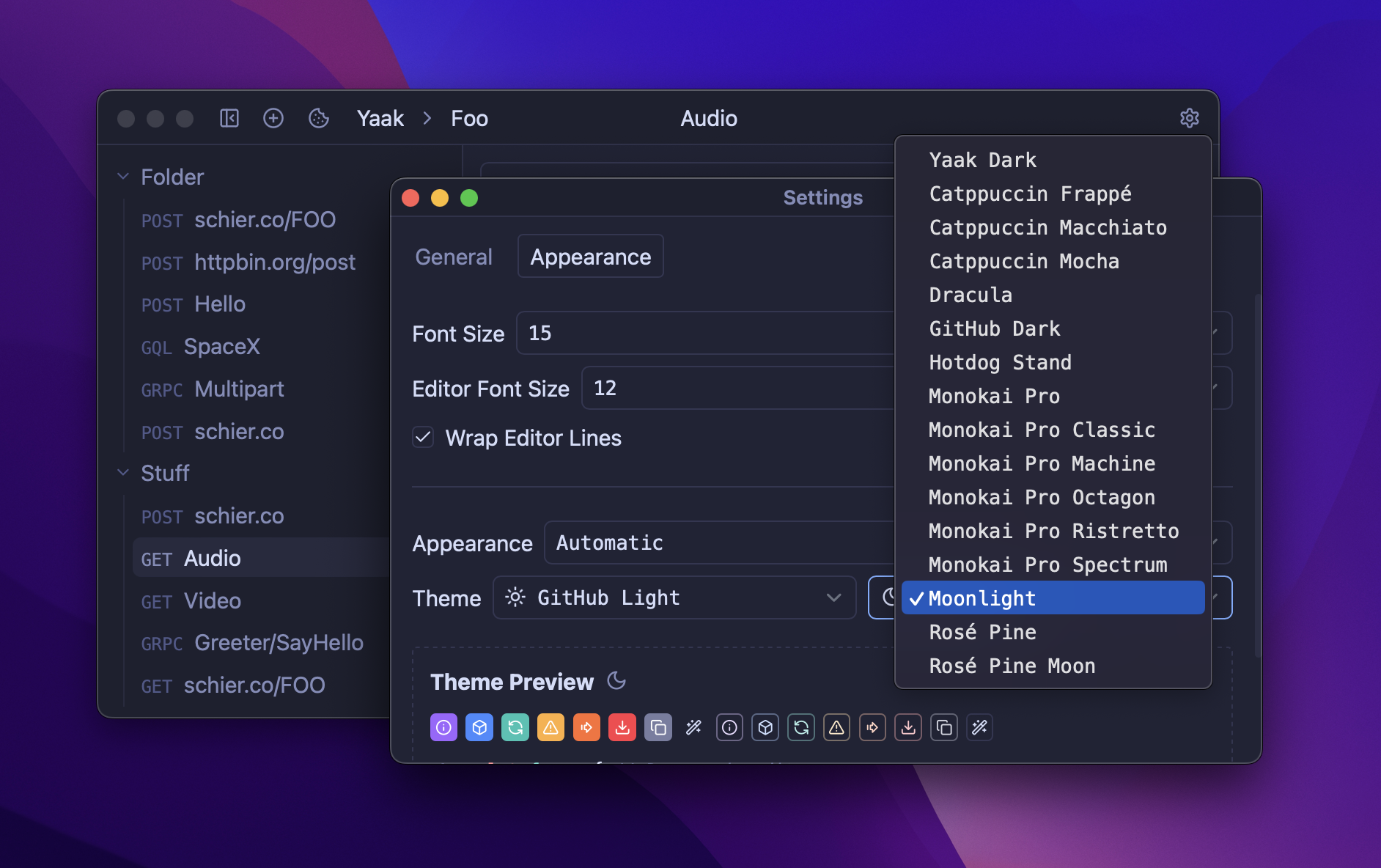
This release brings JSON comment support in request bodies and an all new agent-friendly CLI, allowing tools like Claude and Codex interact with Yaak workspaces directly.
🤖 New agent-friendly CLI
The new yaak CLI lets you manage workspaces, send requests, and inspect responses from the command line. It can be used directly by you, but is primarily designed for AI agents like Claude and Codex. Simply say “use the yaak CLI to…” and it will figure out the rest.
Install it with NPM and point your favorite agent at it:
npm install -g @yaakapp/cli
Use the CLI to interact with your Yaak workspaces
The CLI connects to the same local database as the desktop app, so any changes made are reflected immediately in both directions. The best part? It’s self-describing, so agents can use it without installing any skills.
JSON Schemas use schema subcommands to get exact data structure
Structured CRUD with --json '{...}' for complete data manipulation
Send anything with --parallel and --fail-fast flags
Troubleshoot with --verbose mode for debugging
Give it a try by asking Claude or Codex something like “Scan my API routes and create a Yaak workspace with all the requests I need for manual testing.”
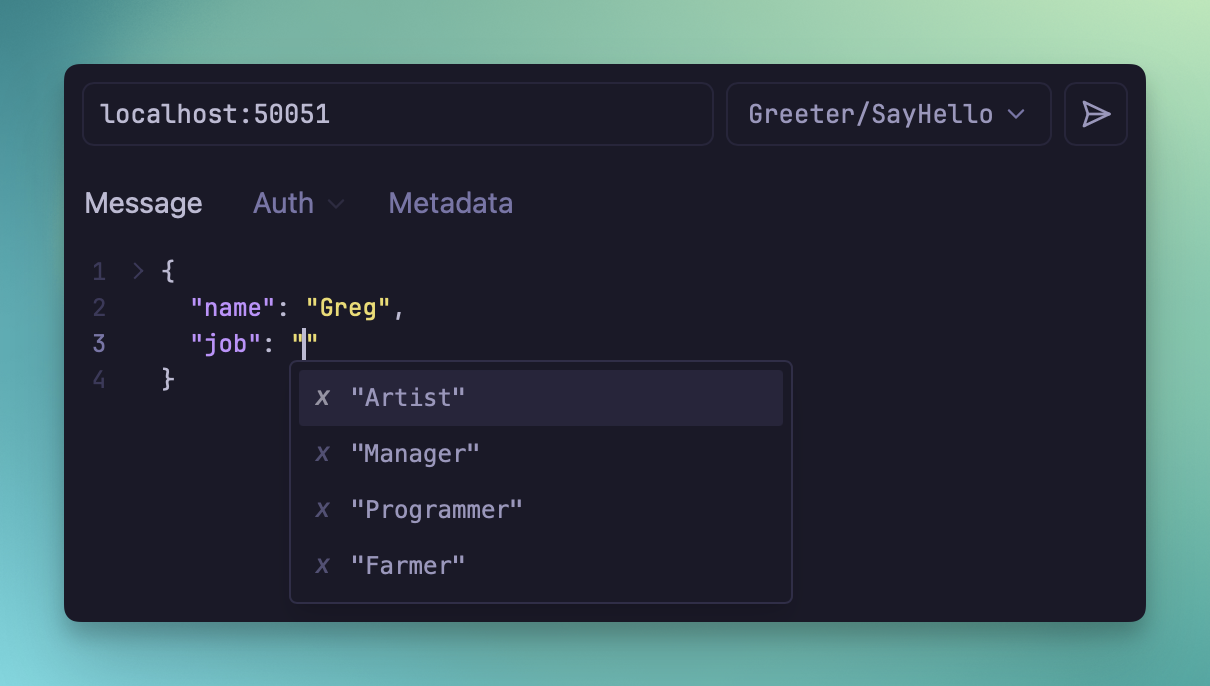
You can now use Cmd+/ to comment out lines in JSON request bodies instead of deleting them when you want to temporarily disable part of a payload.
This works across HTTP, WebSocket, gRPC, and the GraphQL variables editor. When Yaak sends the request, it strips comments and removes trailing commas left behind by commented lines.
Comment out part of a JSON body without deleting it
If you need to send the body exactly as written, disable Automatically Fix JSON in the editor. With that off, linting becomes strict again and Yaak stops rewriting the payload before sending it.
Redirects can change a request in ways that are easy to miss, especially when a body or headers are dropped on the way to the final URL.
Yaak now shows a warning badge in the response pane when that happens. The timeline also includes the dropped header and body details so you can see which redirect caused the change.
See when a redirect dropped request data before the final response
This makes it easier to tell whether a failed request is caused by the destination server or by redirect handling before the final hop.
You can now review diffs before committing with the new Git diff viewer, complete OAuth2 flows in your
default browser, and generate code snippets from any HTTP request with the new httpsnippet
plugin. Here’s everything that changed.
🔍 Git diff viewer and more
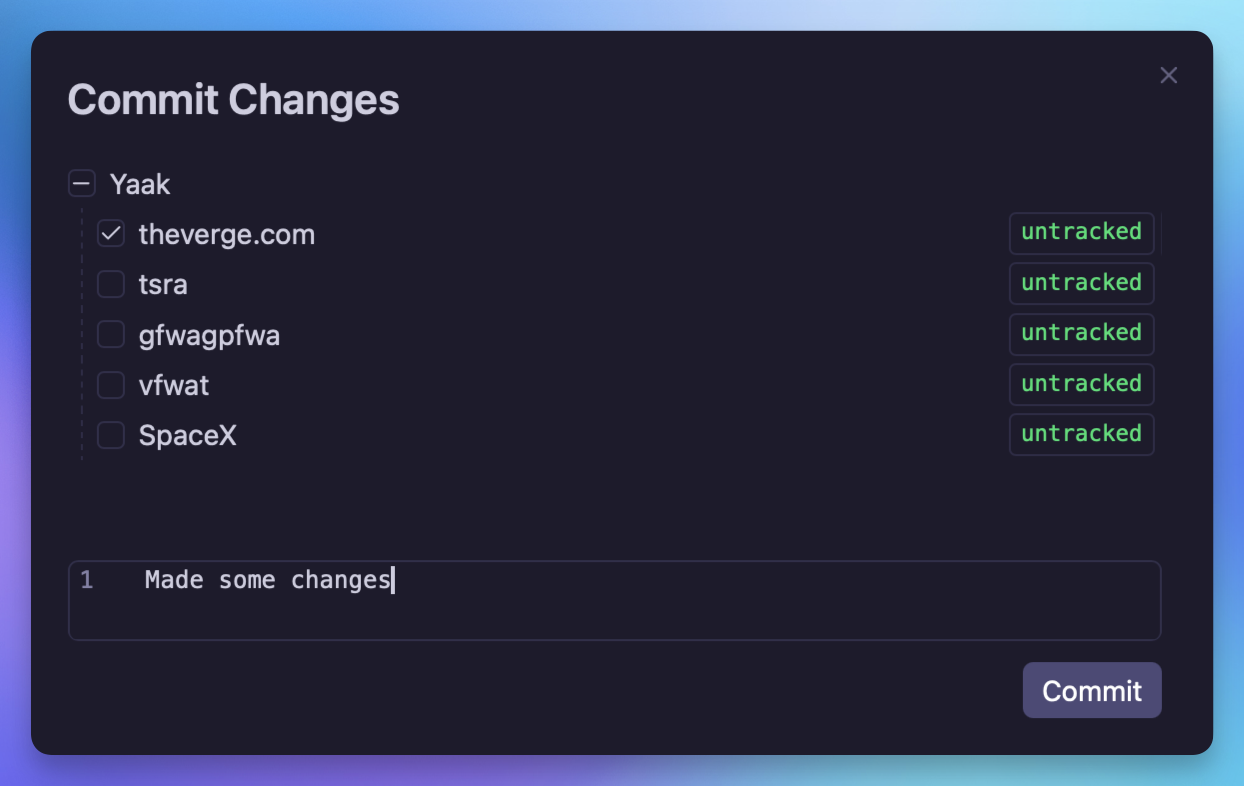
The Git commit dialog now includes a visual diff viewer, so you can review exactly what changed
before committing.
Diff viewer in the Git commit dialog
Several other Git workflow improvements ship in this release:
Pulling with uncommitted changes now shows a dialog prompting you to reset and pull, instead of
a raw error message
A new “Reset Changes” menu item in the git dropdown lets you discard all uncommitted changes
Ahead/behind indicators (↗N ↙N) are shown next to the branch name in the git dropdown button
Push, Pull, and Commit menu items are disabled when not applicable
OAuth2 authorization (authorization code and implicit grants) can now be completed in an external
browser instead of the embedded webview. This is useful when OAuth providers block embedded browsers
or when you need access to existing browser sessions.
External browser checkbox in OAuth2 settings
Enable the “Use External Browser” checkbox in the OAuth2 settings to open the authorization URL
in your default browser. Two callback modes are available:
Hosted Redirect (default) uses a Yaak-hosted endpoint (oauth.yaak.app) as an intermediary
that forwards the redirect back to Yaak
Localhost starts a local callback server on a configurable port (default 8765) for direct
callback
A computed Redirect URI is displayed in the form so you know exactly which URI to register with
your OAuth provider. A 5-minute timeout automatically cleans up the callback server if no response is
received.
The new HTTP Snippet plugin lets you generate code
snippets from any HTTP request. Select a language and library, and get a ready-to-use code snippet
for your request.
Generate code snippets from HTTP requests
Supported languages include JavaScript (fetch, axios, jQuery), Python (requests, http.client), Go,
Ruby, PHP, cURL, and many more via the
httpsnippet library.
This plugin also uses the new dynamic() support in the prompt.form() plugin API, which allows
form fields to update reactively when values change. For example, selecting a different language
automatically updates the available libraries and regenerates the code preview.
Other fixes and improvements🎁 New
Pulling with uncommitted changes shows a dialog to reset and pull
New “Reset Changes” menu item in the git dropdown
Ahead/behind indicators in the git dropdown button
“Copy from Folder/Workspace” action for authentication config
Add dynamic() support to prompt.form() plugin API(#386
)
Add delete folder and copy id actions to folder settings(#380
)
🛠️ Fixed
Fix implicit grant not respecting the Response Type dropdown
Fix dynamic auth form becoming unresponsive after first request
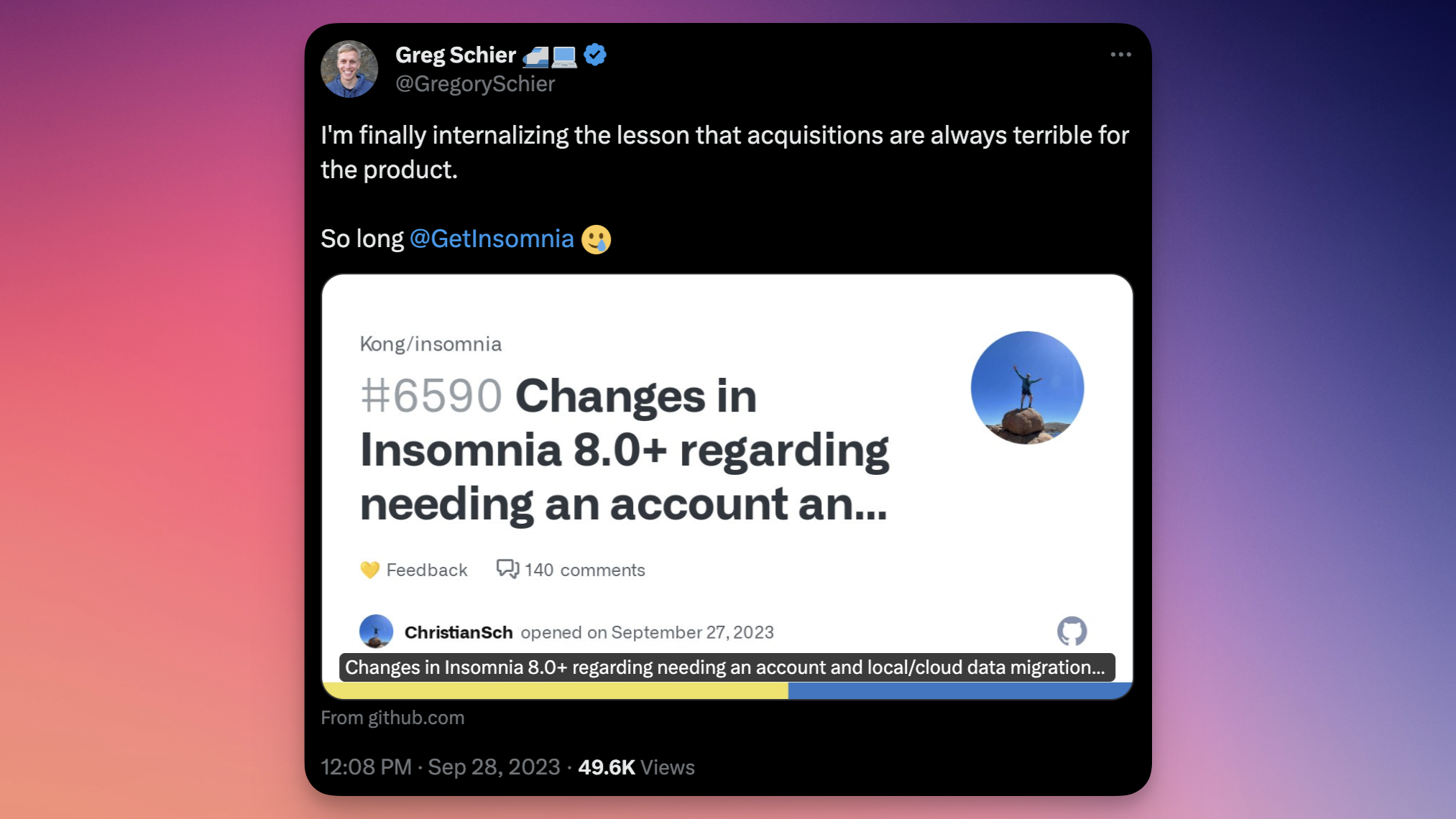
In 2014, I created Insomnia because
existing API tools were bloated and hard to use. It grew organically to thousands of users as a
side project before becoming my full-time job. After five years and $20k/month in revenue,
I was burnt out. I accepted an
acquisition offer in 2019 as a way to
move on to the next chapter of my career.
Over time, Insomnia drifted from my original vision. The fun and powerful app I’d built
turned into a do-it-all tool, prioritizing growth and enterprise above its users. Changes
like forcing users to have a cloud account
were not taken well by the community.
Yaak is the best Insomnia alternative if you want a local-first, Git-friendly API client that's a joy to use.
After stepping away from Kong and spending time at
Railway, I was in need of another API client. Every other app left
something to be desired. I wanted an open-source, fast, and easy to use app that was still
powerful enough to do everything. Yaak is the result of rethinking the API client using
everything I’d learned from building Insomnia.
Yaak is a clean and modern desktop app
🔐 Plain files with encryption
One of the biggest lessons from Insomnia’s history how much developers care about
data ownership. Yaak stores everything locally on the filesystem. No cloud sync,
no mandatory account, no telemetry. Workspaces, environments, and secrets stay on
your machine unless you explicitly choose to share them, either through data
export or Yaak’s built-in Git sync.
No account required to use the app
No cloud dependency for any core functionality
No telemetry for data collection or tracking
Secrets encrypted using your OS keychain
Sensitive values obscured by default in the UI
Using the secure(...) function within a header value
🧩 Git-friendly and extensible
Yaak can store workspaces as plain files on disk, making it straightforward to sync
workspaces with DropBox, or version control with Git using the built-in Git integration.
Confirmation for when changed files will modify or delete data
Beyond Git, Yaak’s plugin system supports custom authentication flows, template
functions, themes, and data importers, including an Insomnia importer to make the
switch easy.
Having been on both sides—indie developer and acquisition—the difference in
incentives is real. Yaak is fully open source
and independently funded, which means product decisions are driven by the things developers
actually need.
Fully open source with a transparent, auditable codebase
Funded by the community for aligned incentives
Guided by users public feedback
🎁 Try Yaak: A Developer-First Insomnia Alternative
Insomnia served me well for years, but its enterprise direction has left developers feeling left behind. For a focused,
local-first API client that puts developers first, Yaak is a strong fit.
Import your Insomnia collections into Yaak and get back to building.
This is one of the biggest updates since Yaak’s launch. The HTTP layer has been completely
rewritten to give you full visibility into redirects, headers, cookies, and compression—the
most requested feature with 157
votes.
Also shipping: configurable keyboard shortcuts, reorderable tabs, 30+ VSCode themes, and an
experimental MCP Server plugin for AI integrations.
🔬 Debug Redirects, Headers, Cookies, and More!!!
This was the most upvoted feedback item (157 votes). You can now view the entire request/response
flow in plain text, similar to curl -v.
The HTTP layer has been rewritten to handle redirects, compression, and cookies inside Yaak
instead of delegating to the underlying HTTP library. This means Yaak now tracks the full request
lifecycle.
Request headers & body
Request headers are now captured and stored, so you can see exactly what Yaak sent.
Request headers shown in the response pane
The request body is also visible in the UI.
Request body shown in the response pane
Timeline tab
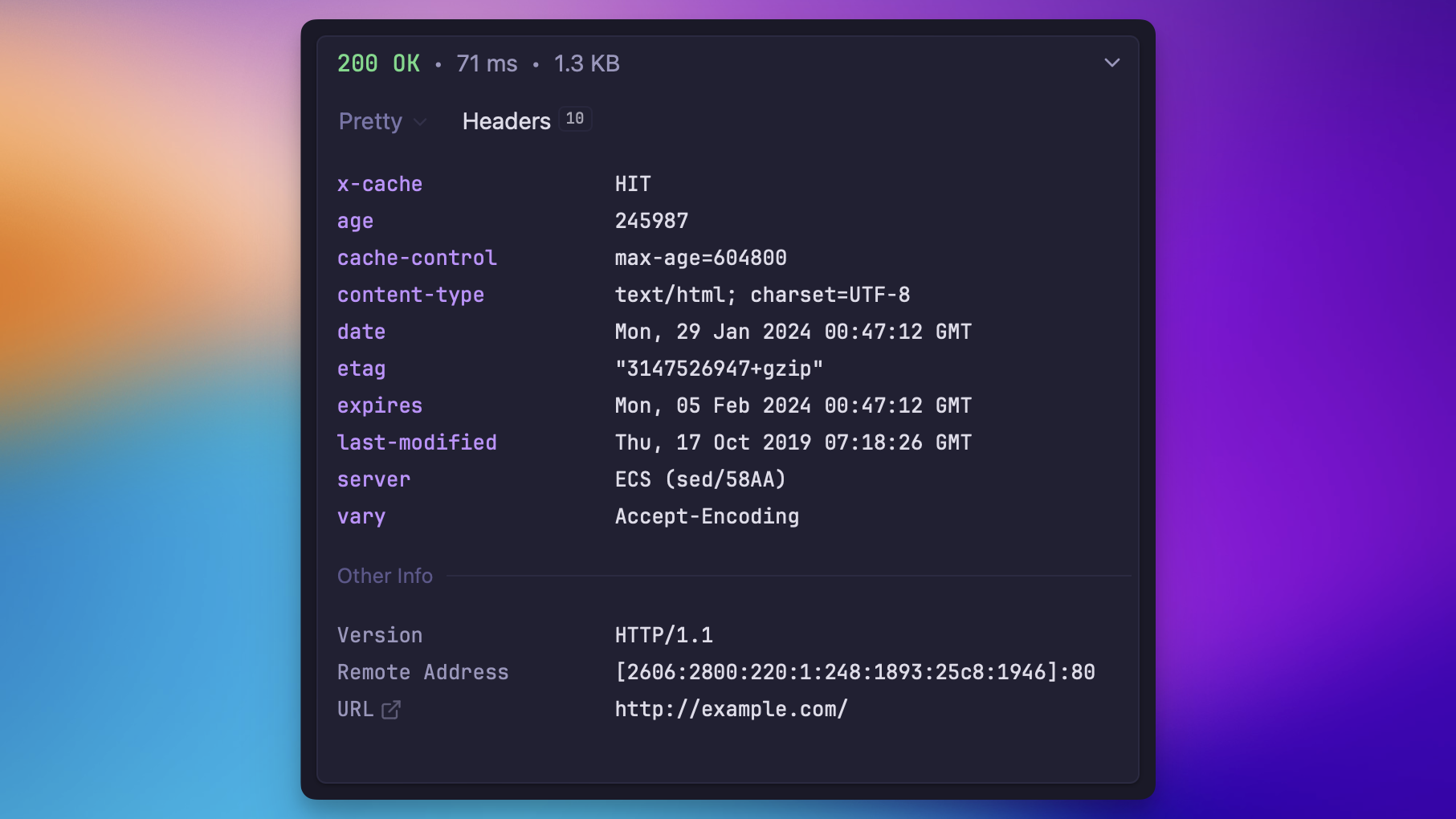
The new Timeline tab shows request and response headers in collapsible sections, including the full redirect chain. Think curl -v but in a GUI.
View full HTTP transaction in the response Timeline tab
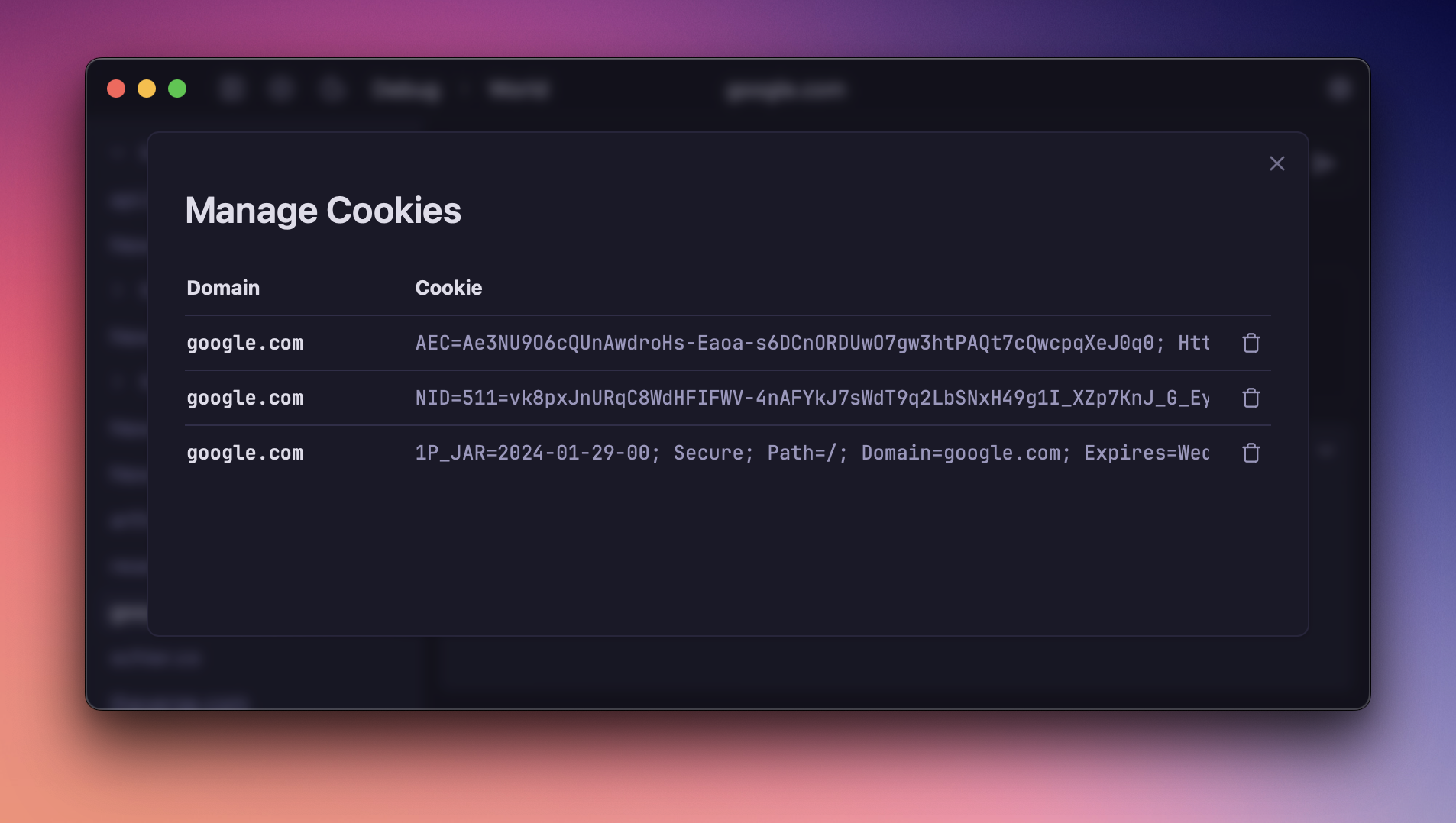
Cookies tab
The Cookies tab shows both sent and received cookies with detailed attributes (domain, path,
expires, secure, httpOnly, sameSite). Sent cookies appear in pink, received in teal. Deleted
cookies (Max-Age=0 or expired) are visually marked.
Cookies tab showing sent and received cookies
DNS timings and resolution overrides
The Timeline tab now includes DNS resolution timing, so you can see how long DNS lookups take.
DNS resolution timing in the Timeline tab
You can also configure custom DNS resolution overrides in workspace settings to map hostnames to specific IP addresses.
Configure DNS resolution overrides in workspace settings
Compression support
Compression is now handled internally instead of by the HTTP library, so Yaak can show both
compressed and decompressed sizes in the response. This update also adds zstd support.
The MCP Server plugin exposes your API workspace to AI assistants like Claude Desktop.
It provides tools for creating, viewing, and sending HTTP requests—even supporting multiple windows.
The MCP plugin is still experimental so expect it to evolve and change over time.
Get started by installing the official Yaak MCP Server Plugin
and following the documentation to configure it with Claude (or other apps).
A year ago I had just launched Yaak’s commercial-use license and was sitting at
$160 MRR. It was a gamble to choose a business model that offered no actual incentive to upgrade
other than good-faith compliance, but it’s been paying off. My bet was that larger organizations
would purchase for legal compliance (and support) and it’s proving to be true. Multiple teams of 30+
seats have signed on!
Today, MRR sits at $1900—over 10x growth in one year—and total revenue has crossed
$25,000!
While the numbers are moving in the right direction, 2025 was a struggle. As always, marketing and
user acquisition was the main challenge.
⏸️ Six months of flat growth
Around mid-year, active users plateaued for ~6 months. Revenue continued to climb, but nothing
meaningfully accelerated growth. In hindsight, this seems to be due to two factors: API clients
aren’t especially exciting right now, and teams already have deeply ingrained workflows with other
tools.
Individuals clearly enjoy using Yaak, but turning that enthusiasm into team-wide adoption has proven
difficult.
Here’s a quote from the survey I sent out at the beginning of the year:
The thing preventing most people from using Yaak more is the inability to convince their coworkers
and friends to switch.
It seems that the only path forward is hoping early adopters become advocates and push Yaak within
their companies… or by waiting for the competition to screw up.
🍀 Then Postman went down
On October 20, AWS experienced a major regional outage. Postman was unusable as a result—even for
local APIs—so there were suddenly a lot of angry users looking for alternatives. Since Yaak works
fully offline and can never have downtime, it was an easy sell.
I was able to capitalize on X and
Hacker News with some good posts, which led to ~20k
new downloads and a 6x increase in daily active users!
This was a huge win. Growth has settled down again but it seems like this was the spike that’s been
driving larger companies to sign on.
🚢 Shipped 11 major releases
Of course, marketing wins are nothing without a good product. I’m extremely proud of how far Yaak
has come in just a couple of short years, and this pace of improvement is only going to increase.
Git and Team Workflows → Directory sync, Git compatibility, 1Password integration, encryption
My goal for 2026 is to bring Yaak to the sustainable revenue number of $10k/mo. By MRR alone that
means a 10x increase. However, because subscriptions are annual, revenue is actually 3x MRR and so
only a 3x increase is needed if this ratio holds true.
I still have close to 2 years of runway to do this so I’m not overly worried, but reaching this
milestone would take that looming doubt off my shoulders and start thinking further into the future.
To get there, I’ll be focusing on a few core things:
Migration & onboarding → Keep reducing friction for teams switching from other tools.
Team workflows → Git integration, sharing, and more import/export control.
Plugin ecosystem → Expand APIs and community contributions to support more use cases.
Product onboarding → Improve the first-user experience, and feature discovery.
I’m super excited for 2026. This year proved to me that Yaak can work as a product in the long
term. As long as growth keeps going at the same rate, 2026 is going to be the year Yaak proves
itself.
This release focuses on making Yaak feel more at home in real-world teams and
environments: better Git integration, Windows authentication, first-class
1Password support, smarter template functions, and a big batch of UI polish.
🦾 ARM Linux and Windows support!
Before jumping into features, I’m happy to announce new native ARM builds for Linux and
Windows! Head over to Downloads to get started.
Download the ARM installers from the Yaak websit
🔑 Access 1Password secrets
Yaak already
provides end-to-end encryption
for sharing secrets securely, but this still required copying secrets from 1Password or
other tools. Now you can use the official 1Password template function to access secrets
directly from Yaak!
Access secrets directly from Yaak using the 1password.item() function
This function is implemented as
a bundled plugin
and uses the official @1password/sdk JS package
to interact securely with 1Password. The only requirement is to create a new
service account from the 1Password website (Developer → Service Accounts) and copy the generated
API key into Yaak.
It is now possible to enable authentication based on variables within the active
environment. This makes it easy to interact with APIs that require authentication in
production but not in development.
Enable authentication conditionally with the new “Enabled When…” option
When the new Enabled When… option is selected, an input appears where you can
enter any template expression. If the expression renders to a non-empty string,
authentication will be enabled. If it errors or renders to an empty string,
authentication will be disabled.
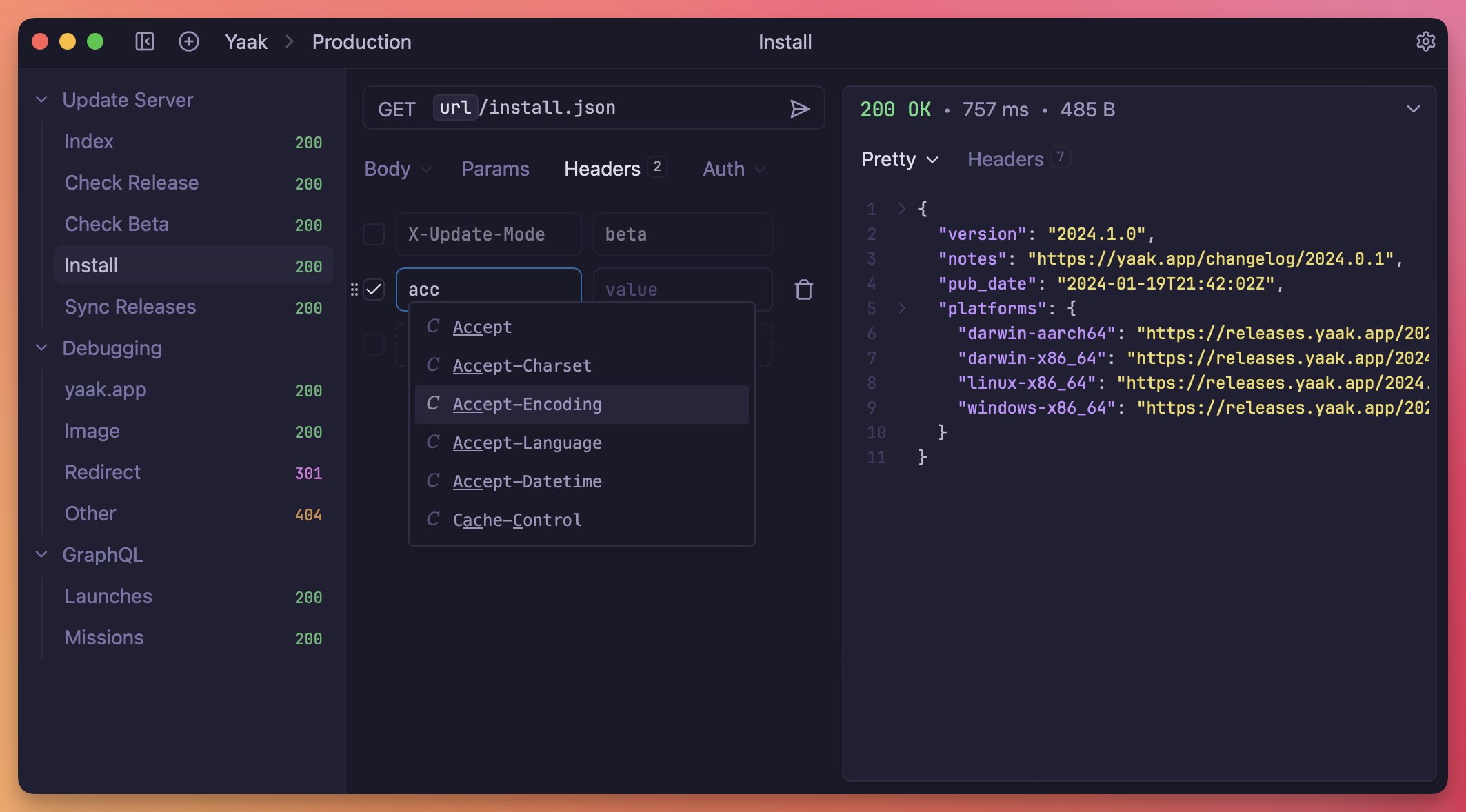
🪄 Header completion for request/response functions
Yaak now provides autocomplete for headers in the request.headers() and
response.headers() template functions, making it easier to find the right header
for any request or response. Simply start typing, or press Control+Space, to see
available headers.
Header autocomplete for request.headers() and `response.headers()
💾 Prompt value persistence
The prompt.* template functions let you ask for input on every request—useful
when you require a unique value each time.
This release adds the ability to persist these values across multiple requests.
You can now:
Expire values after a chosen time
Persist values per active environment
Persist values per request
🎋 Improved Git compatibility
This release brings a batch of improvements to working with Git:
Manage remotes directly in Yaak
Prompt to select a remote on push/pull if none exist
Support for HTTP remotes that require authentication
Yaak prompts to add a remote if none are configured ye
Yaak now automatically lints JSON in the request body (and other fields) and displays
any errors. Linting is template-aware, so you can still use template functions inside JSON.
JSON errors are displayed anywhere JSON is edited in Yaa
🛡️ Windows NTLM authentication
Yaak now supports Windows NTLM authentication! Not much more to say—go try it out and
let me know if you run into any issues.
Configure NTLM at the request/folder/workspace leve
The new Triangle theme is for those who love pure-black backgrounds—based on the Vercel
dashboard.
The new Triangle theme features a pure black backgroun
👀 Show relevant arguments in template function tags
The template function plugin API now supports a new previewArgs parameter. When
configured, the values of these preview arguments are displayed inside the template
function tag—providing more context when scanning requests.
Preview template function arguments directly in the ta
📄 Override file names for multi-part form files
When uploading multi-part files, it’s now possible to override the file name in the
request body. Previously, the name was always derived from the selected file, which
wasn’t always desirable.
This release brings the long-awaited ability to filter requests in the sidebar,
plus a bunch of quality-of-life improvements that I know you’ll enjoy.
🔍 Sidebar request filtering
Let’s start with the big one. You can now quickly filter the sidebar using a
simple-yet-powerful query language. This makes it much easier to navigate
large workspaces, especially when you have deeply nested folder structures.
Filter requests in the sidebar using a simple query language
Filtering works recursively, so Yaak automatically shows matching descendants
and ancestors, ensuring you never lose context while searching.
The environment edit dialog got an upgrade! The same sidebar tree component that
was released in the last update is now being used for the environments dialog.
This means you can:
Multi-select environments to perform actions
Drag-n-drop reorder environments
Double-click to rename
Navigate the sidebar with hotkeys
New environment sidebar with multi-select and reordering
Environiment colors also got an upgrade! It is now possible to assign a theme
color to an environment. This means selecting “red” will automatically adapt to
match whatever theme is active. (Selecting a custom color (last option) will
assign a fixed color value like it used to.)
You will also be prompted to select a color during environment creation.
New environment creation dialog with sharable and color option
📬 Import more postman auth types
The Postman importer now supports OAuth, JWT, and API key authentication. This
should make it much easier to transition to Yaak if you’re looking for a faster
or more secure API client.
A sample OAuth 2 configuratio
📴 Opt-out of notifications
Yaak already does not include any tracking or analytics, but some of you also
wanted the ability to opt out of checking for notifications. Now you can!
Opt out of checking for notifications from Settings > Genera
Other fixes and improvements🎁 New
Left/right arrow support for sidebar navigation
Clicking a missing environment variable now creates one automatically
Clicking a variable now opens directly to the value input
Add hotkey for creating a new environment within the environment editor
Add API-key auth to “copy as gRPCurl”
Add AWS auth to “copy as Curl”
Add the ability to click to copy text on “Type ___ to confirm delete” dialog
Add the ability to disable notification check
Add hotkey to show context menu in sidebar (Control+Enter on macOS, or Alt+Insert)
Bruno launched in 2022, but got its break in 2023 when
Insomnia forced its users to sign up for a
cloud account. Bruno’s plain-text file format and ability to integrate with Git made
it a safe choice for developers looking for a local-first API client.
Yaak is the best Bruno alternative if you're looking for a polished, secure, and extensible API client.
Bruno continues to be a popular choice for developers, but there are a few key reasons to
consider alternatives.
🦬 Introducing Yaak
Bruno and Yaak share a similar mission: bring back fast, local-first API tools that work
with Git. Where Yaak differs is in its focus on performance, customization, and
overall experience. It’s a joy to use.
Yaak is a clean and modern desktop app
🚀 Fast and polished
Yaak is built using Rust and React. It opens instantly, handles large workspaces with
ease, and feels more native than other API clients.
Launches in milliseconds
Lightweight memory footprint
Zero lag for common interactions
Yaak just feels better is difficult to convey, so here’s a demo of Yaak’s multi-select
sidebar—one of many examples of Yaak getting the fundamentals right.
It’s details like this that make Yaak stand apart from Bruno.
🔒 Security that scales with you
Since working with APIs often requires sending sensitive secrets for things like
authentication, security is a top priority for Yaak.
App data never leaves your computer (unless you share explicitly)
Secrets can be encrypted using your OS keychain
Sensitive values are obscured by default
No telemetry, error tracking, or other analytics included
In Yaak, secrets can optionally be encrypted using your OS keychain, keeping things safe,
but also allowing secure sharing of workspaces using Yaak’s Git integration.
Using the secure(...) function within a header value
Then, use Yaak’s built-in Git integration to securely share workspaces with your team.
Confirmation for when changed files will modify or delete data
🧩 Extensible via plugins
Yaak is built from the ground up to be extensible. In fact, much of Yaak’s functionality
is already powered by its plugin system, including template functions, authentication,
themes, and data importers (Postman, etc).
This makes Yaak more adaptable for advanced use cases like internal APIs, advanced
workflows, and custom authentication.
💜 Indie and open source
Yaak is fully open source whereas Bruno is “open core” and does not share the source
of its premium features. This is crucial for large companies who want to run security
audits on the software they use.
As an indie, I’m able to focus on performance, privacy, and long-term sustainability,
without pressure from VCs or large payroll requirements.
No signup required, no telemetry, and no cloud lock-in
Fully open source with a transparent, auditable codebase
Funded by the community for aligned incentive
Guided by users using public feedback
If you value developer-owned tools and want to support software that respects your
workflow, Yaak is for you.
🎁 Try Yaak: A Developer-First Bruno Alternative
Bruno is becoming more and more popular, and for many good reasons, but if you’re
looking for a premium-feeling, secure, and extensible API client, Yaak is the way to go.
Yaak is the best Bruno alternative if you're looking for a polished, secure, and extensible API client.
If you found Yaak during the recent Postman outage, hello! 👋
A bunch of you asked to be able to import Postman environments, so you can now do that in
this release.
Along with that, there’s a brand-new multi-select sidebar, TTL for request chaining, AWS
v4 authentication, and a bunch more goodies. 🎁
✨ All new multi-select sidebar
It looks mostly the same, but under the hood it’s rebuilt from scratch to support
multi-select for re-ordering and context menu actions. You can also now drag items into
closed folders (finally 🎉).
Yaak is a local-first API client that focuses on security, ease of use, and collaboration
(using Git). Thousands of developers trust Yaak every day to interact with APIs securely,
without sending any data to the cloud.
If you’re evaluating Yaak for your company or team, this page covers everything you need
to know about how it fits into professional environments—from pricing to privacy and
compliance.
Summary
PriceSee pricingLicense model
Annual per-user license required for commercial use
Storage
100% local. No cloud accounts or data sync
Codebase
Fully open source on GitHubPlatforms
macOS, Windows, Linux
Support
Private email support
🔐 Secure and private by design
Unlike other API clients, Yaak runs fully offline, stores data locally, includes no
telemetry or 3rd-party tracking libraries, and is
100% open source, making it easy to reason about
security and compliance.
Privacy: App data is stored locally. No cloud accounts. No telemetry.
Security: Local data. Optionally, encrypt secrets for secure collaboration.
Code transparency: 100% open source and auditable.
Predictable cost: Simple annual pricing, no surprise cloud fees.
Fast onboarding: Import from Postman, Insomnia, and other tools.
Developer friendly: Lightweight, Git-friendly, and built for real workflows.
👥 Built for collaboration
Yaak can optionally sync requests and environments to a folder on your local machine,
which enables collaboration via its built-in Git integration.
Modified/deleted filesystem changes will show a confirmation
Yaak also supports encrypting secrets with your OS keychain, so you can safely check in
your entire workspace, including environment variables.
Using the secure(...) function within a header value
🧩 Deployment & IT Compatibility
Yaak is a desktop application with no servers, agents, or background daemons required.
It runs entirely within your company’s network perimeter and requires no outbound
connections.
No external dependencies, works offline once installed.
No administrator privileges required to run.
Automatic updates can be disabled for controlled environments.
Compatible with MDM tools for silent installs and version pinning.
🧾 Licensing and Team Management
Team administrators can manage seats and billing from
the Yaak dashboard.
Add or remove team members anytime.
Invite users in bulk, by email.
Inactive members do not take up a seat.
Up to 3 devices per seat
🛡️ Security overview
Yaak’s security model is intentionally simple:
Data residency: All data is stored locally on the user’s machine.
Encryption: Secrets and tokens can be securely encrypted using the OS keychain
(macOS Keychain, Windows Credential Vault, or Linux Secret Service).
No telemetry: Yaak never transmits workspace data unless you choose to share
it via Git or export it manually.
Transparency: Full source code is public for audit and review.
📊 Comparison to other tools
Feature
Postman
Insomnia
Yaak
Local-first
❌
⚪️ Partial
✅
Git integration
✅
✅
✅
Cloud sync
✅
✅
❌
Encrypted secrets
⚪️ Partial
⚪️ Partial
✅
Open source
❌
⚪️ Core only
✅
Offline mode
⚪️ Limited
⚪️ Limited
✅
💁🏼♂️ Common questions
Can we use Yaak for free?
A license is required to use Yaak for commercial use (for work or revenue-generating activities).
Is there a trial period?
A 30-day free trial is available, and is automatically activated by downloading and
launching the app. Please reach out to sales@yaak.app if you need more time.
Is Yaak GDPR or SOC2 compliant?
Yaak doesn’t process or store customer data in the cloud. All data stays local,
so there are no ongoing compliance risks.
Can we self-host it?
No hosting is required. Yaak runs entirely on your local machine.
Can we pay by invoice or purchase order?
Please email sales@yaak.app to discuss purchasing options.
What happens if we stop paying?
Licenses include perpetual fallback rights so you can keep using all versions released
during your active license period.
🏁 Ready to bring Yaak to your team?
Yaak is trusted by thousands of developers worldwide.
It’s local, transparent, and backed by a simple license — no vendor lock-in, no surprise
bills.
This release introduces folder variables, a keychain access template function for secure
credential handling, and high-contrast themes to improve readability.
You’ll also find a new toggle for horizontal / vertical layout switching, along with a
refreshed update experience that doesn’t interrupt your focus.
🎥 Yaak’s has a YouTube channel! Every release
will also now feature a video explaining the new features.
📂 Folder environment variables
You can now create (or override) environment variables for all requests within a folder,
by navigating to Folder > Settings > Variables.
Autocomplete displaying the source of a variable
This makes it easy to scope values like URL paths, resource IDs, and other values to all
requests inside a folder, like https://api.example.com/users/${[user_id]}
You can now toggle between horizontal and vertical layouts by clicking on
the “layout” icon in the top-right corner of the window.
Yaak previously tried to automatically select the correct layout based on window size,
but it wasn’t always the desired outcome. Many of you wanted the ability to use the
vertical layout at large window sizes as well. Now you can!
Postman is the most popular desktop API client by a long shot, but it forces you to
store all API requests and secrets in a proprietary cloud. Fortunately, there are
local-first alternatives that allow you to back up and share requests via Git, Dropbox, or
other file-based solutions.
This article will compare the best Git-friendly Postman alternatives, ranging from desktop
apps to IDE and CLI-based workflows.
🦬 Yaak (Desktop)
Execute requests in a user-friendly interface
Yaak is an open-source and Git-friendly Postman alternative that runs
on Mac, Windows, and Linux desktop environments.
Yaak defaults to internal local storage, but file sync can be enabled for any workspace.
From there, use any file-based tool (Git, Dropbox, etc.) or the built-in Git interface to
commit and track changes to requests.
As a bonus, Yaak supports built-in encryption, so you can safely commit even secrets to
Git without compromising security.
📦 Type: Desktop app (macOS, Windows, Linux)
🟢 Pros: Fast startup, local-first, Git-friendly, supports REST, gRPC, GraphQL, and
WebSockets.
🟠 Cons: Newer project compared to Postman and Insomnia.
⭐ Best for: Devs who want a polished, Git-integrated API client without bloat.
🐶 Bruno (Desktop)
Create and run collections in a desktop app
Bruno a cross-platform desktop app, loved for
its human-editable file format. It gained popularity in 2023 after
Insomnia forced users to have a cloud account
—precisely the same reason people are shying away from Postman.
Bruno is the most popular open-source Postman alternative for those wanting a Postman-like
workflow without cloud lock-in.
📦 Type: Desktop app (macOS, Windows, Linux)
🟢 Pros: Open source, simple file structure that commits well.
🟠 Cons: No built-in encryption. Can be slow at times.
⭐ Best for: Teams that want a Postman-like experience but with file-based storage.
↔️ Hurl (Command Line)
Execute .hurl files from the command line
Hurl provides a command-line-first approach that lets you define
requests in a git-friendly text format and execute them using the hurl CLI. If you’re
already familiar with other command line tools like Curl, Hurl is likely a great fit for
you.
📦 Type: CLI + text files
🟢 Pros: Lightweight, testable, easily versioned with Git.
🟠 Cons: No GUI — you’ll live in the terminal.
⭐ Best for: Developers who prefer scripting and automation over UI-driven API
clients.
📦 JetBrains HTTP Client (IDE-based)
Execute .http files right within JetBrains IDEs
If you use IntelliJ IDEA, WebStorm, or other JetBrains IDEs, you already have a built-in
HTTP client. Simply create a .http file to get started, then commit to Git.
📦 Type: IDE-integrated (file-based)
🟢 Pros: Always at your fingertips, Git-friendly, no extra app needed.
🟠 Cons: Tied to JetBrains IDEs, lacks rich API testing features.
⭐ Best for: JetBrains users who want lightweight request testing without leaving
their editor.
💻 VSCode Rest Client (IDE-based)
Execute .http files right from VSCode
VS Code users can install the REST Client extension. Like the JetBrains approach,
.http files can be used to create executable API requests.
🟠 Cons: Lacks advanced features (GraphQL, gRPC, environments).
⭐ Best for: VS Code users who want a lightweight Git-integrated workflow.
↔️ Postman alternative comparison
Tool
Type
Git-Friendly
Open Source
GUI/UX
Yaak
Desktop app
✅ With UI
✅ Yes
✅ Yes
Bruno
Desktop app
✅ With UI
✅ Yes
✅ Yes
Hurl
CLI
✅ Yes
✅ Yes
❌ No
JetBrains HTTP
IDE
✅ Yes
❌ No
⚠️ Minimal
VS Code REST
IDE
✅ Yes
✅ Yes
⚠️ Minimal
💁🏼♂️ What’s the best Postman alternative for you?
If your team already relies on Git for code, these tools are the best Postman
alternatives to consider:
Yaak and Bruno if you want desktop apps that feel closer to Postman but are
Git-native
Hurl if you value CLI tools and easy automated testing
JetBrains HTTP and VS Code REST Client if you prefer editor integration
Yaak is the best Postman alternative if you're looking for a clean, local first, and Git friendly API client.
Wow. It’s been almost two months since I’ve typed on a keyboard, and it feels good to
be back. As an indie developer, sustainability is a huge priority, and vacationing is a
key part of that. I spent time with family, hung out at the beach, and
even built a truck camper!
Installing a window, with some help
The first thing I did after coming back was read all 177 responses to the 2025
user survey, and I’m excited to summarize the results and share the plan for the next
year or so (jump to the plan 👇🏼).
📊 2025 survey questions
(1/6) How likely are you to recommend Yaak to a friend or colleague?
Users are 93% likely to recommend Yaak to someone else. This was mostly expected, as
most people talking about Yaak online absolutely love it. Hopefully, it’ll increase
even further as Yaak improves over time.
Previous Tool
Responses
😃 5 (most likely)
121 (68%)
🙂 4
47 (27%)
😐 3
7 (4%)
🙁 2
1 (0.6%)
😫 1 (least likely)
1 (0.6%)
(2/6) What tool did you come from?
The tools people migrate from are actually quite boring since they align exactly with the
popularity of each. Though it is nice to see Bruno users coming over because it’s
the most common choice of people getting fed up with Postman and Insomnia.
Previous Tool
Responses
🧑🏼🚀 Postman
43.5%
👁️ Insomnia
36.2%
🐶 Bruno
12.4%
🐾 RapidAPI
4.5%
🛸 Hoppscotch
3.4%
(3/6) What would you say is Yaak’s biggest advantage over other tools?
Most users agree that Yaak’s largest advantage is simplicity and intuitive UI,
followed closely by its offline nature and the ability to sync requests with Git and other
file-based tools. This aligns nicely with the reasons I created Yaak in the first place.
It’s open source and has no features locked behind a paywall, which every other client
chooses to have.
Has streaming output for http and it doesn’t overcomplicate things by putting everything
in your face
Directory Sync, I’m able to sync my data between devices using my existing file sync
solution (Seafile).
Does not have a paywall like Bruno, but has the same good features
(4/6) Is there something preventing you from using Yaak for more of your work?
The thing preventing most people from using Yaak more is the inability to convince their
coworkers and friends to switch. And, since word of mouth is the main growth channel,
the result has been a flat active-user count for the past ~6 months.
Even though Yaak is able to import directly from Postman and other sources, the
switching cost for this kind of tool is huge.
To help persuade more people to switch, I’ll be prioritizing:
Sharable resources on migrating from existing tools
More comparisons with other tools
More documentation
Improved import utilities
Another barrier to switching is the commercial-use license because (1) referring Yaak
to a coworker requires them to spend money and (2) less frequent users find it difficult
to justify the cost.
Switching to a freemium model (putting features behind a paywall) would definitely improve
revenue growth. However, it would also introduce an incentive to gradually move more and
more features behind the paywall over time, to juice profit. Incentives like this are
exactly how enshittification happens and I want to avoid that at all costs.
I was initially planning to adopt an open source donation model, but not being able to
find any other success stories besides Blender made me stick with a
commercial-use license (essentially suggested donation) as the closest alternative.
Along with providing resources to help with switching, there are some missing features
that should help adoption as well. All of them were already being tracked on the roadmap,
so I’ve linked them here, ordered by priority.
The last thing I noticed in the responses was some users requesting features that
already exist. One user even asked for variables—one of the most fundamental features
of Yaak, so there’s still some work to do within the app to ensure users can discover what
they don’t know.
(5/6) Have you heard anything from others about why they don’t or can’t use Yaak?
This question should have been combined with the previous one, as there’s a lot of
overlap, but it was nice to hear that people are trying to convince others to use
Yaak. This is a huge positive signal and something that will get easier
as Yaak approaches critical mass.
(6/6) Any other feedback or comments?
Most of the open-ended feedback was filled with encouragement and kindness. Here are a few
that stood out.
I hope you guys succeed
Congratulations on the good work and transparency as always
Don’t enshittify this app also
Only keep it fast, free and not add bloat features please
What to do with all this information? Well, get to work, of course. 😃
💫 Looking forward
The survey results, combined with the Feedback on the
roadmap, allowed me to come up with clear priorities for the next phase of Yaak.
Keep the pricing model:
The pricing model aligns closely with my values and Yaak’s mission to be a private, open,
and accessible API client. Since revenue is headed towards sustainability, the
commercial-use pricing model is here to stay.
Keep the core focused:
Yaak is an API client at its core, and that won’t change. New features will only be added
if they make sense for everyone, with lesser-used features remaining out of the way until
needed. The survey results confirm this is Yaak’s largest advantage so it’s a priority to
keep it that way.
Polish the core:
Development on Yaak has mostly been focused on checking off features, meaning Yaak is
useful for a lot of use cases, but a lot of them are not as polished or complete as I’d
like. Keep an eye out for upcoming improvements to core features like Git integration,
data import, and general usability.
Add plugin APIs:
Yaak’s advantage is simplicity, but I don’t want to alienate those with more advanced
use cases. This is why plugins exist. Similar to programming IDEs like VSCode or IntelliJ,
plugins help extend the app without negatively affecting the broader user base. I’ll
continue adding more APIs over time to further support more use cases.
Publish more content:
Word of mouth has been the most consistent driver of growth so far, but hard-hitting
content has had a larger impact over Yaak’s lifetime. To fuel the next phase of growth,
I’ll be working on sharing more interesting content (like this) while also building out
documentation and resources to help drive organic traffic (SEO).
🙏🏼 Thanks for being part of the journey
Yaak has come a long way since its public launch, less than two years ago. It improves the
lives of thousands of developers every single day, and the survey results prove that
things are moving in the right direction.
The next phase is about continuing what’s already working—refining the core
experience, adding flexibility through plugin APIs, and making it easier for new users and
teams to switch.
I’m more confident than ever that Yaak will reach long-term sustainability without
compromising on the values that got it this far, so
keep submitting feedback, telling your friends, and
publishing plugins.
How’s that saying go? “All good features come in threes?” Never mind… 😅
Here are the three big things included in this release.
Official Plugin Directory
GraphQL Documentation Explorer
Embeddable Run-in-Yaak button
Plus a pile of fixes based on your feedback. Let’s dig in.
🧩 Official Plugin Directory
It was previously possible to create custom plugins for yourself, but there was no
easy way to discover or share them. Now you can browse and install plugins directly
from
Yaak’s settings dialog!
Install community plugins from Settings → Plugins
Plugins also show up on the Plugins Directory on this website. It’s still
early, so if you have an idea and want to submit your own, visit
the Quick Start Guide.
To learn how.
The following plugin types are currently supported:
Template functions
Custom themes
Authentication
Custom data importer
Request actions like “Copy as Curl”
Most plugins are only a couple dozen lines of TypeScript, and can be published in less
than 5 minutes using the Yaak CLI.
Postman is by far the most dominant API client on the market. Since launching in
2014, it has amassed 40 million users, thousands of employees, and hundreds of
millions in VC funding.
Yaak is the best Postman alternative if you're looking for a clean, local first, and Git friendly API client.
Over time, Postman has shifted from a lightweight tool to a broader enterprise platform.
Its wide variety of features has increased complexity, and its company nature
has forced it to prioritize growth over user experience by doing things like
requiring cloud accounts.
🦬 Introducing Yaak
Yaak is a local-first API client that focuses on the essentials: sending requests,
working with a wide range of protocols and APIs, and getting out of your way. Built by an
indie developer (hi 👋), Yaak feels snappy, intuitive, and fun.
Yaak is a clean and modern desktop app
🧁 The best API client. Nothing more.
Postman is much more than an API client, offering everything from API mocking to test
automation and monitoring. These features are useful but each adds complexity, making
Postman harder to learn and use—especially if you don’t need all that.
Yaak takes a different approach: it’s purpose-built to be the best API client, and
nothing more.
Clean, focused UI that’s easy to learn and stays out of your way
Dynamic requests powered by template functions and plugins
Filesystem and Git integration for async collaboration
Fits in small windows, perfect for side-by-side dev workflows
If you need a tool to interact with APIs and/or share those requests with your team,
Yaak is the perfect Postman alternative.
💜 Indie and open source
Postman is backed by hundreds of millions in venture capital. That means growth, metrics,
and monetization often take priority.
“It seems that postman now forces me to store my collections and environments in the
cloud”
– Postman community member
Yaak is proudly independent and open source.
As a solo developer, I’m able to focus on performance, privacy, and
long-term sustainability, without outside pressure.
No signup required, no telemetry, and no cloud lock-in
Fully open source with a transparent, auditable codebase
Funded by the community for aligned incentive
Guided by users using public feedback
If you value developer-owned tools and want to support software that respects your
workflow, Yaak is for you.
🎁 Try Yaak: A Developer-First Postman Alternative
Postman has grown into a powerful platform, but if you’re just looking for a focused
API client that works the way you do, Yaak is a better fit.
See for yourself what Yaak has to offer by importing your existing Postman collections today.
While Apple was cooking up some sweet liquid glass, I’ve been tackling some design
features of my own. Hopefully these will be greeted with slightly better fanfare. 🙈
🎨 Assign colors to environments
Have you ever accidentally sent some requests with the wrong active environment? We’ve all
been there. To help prevent this, it’s now possible to assign a color to each environment,
which will be displayed prominently in the app header.
It’s now possible to set a custom font for both the interface and editors within Yaak.
The Appearance tab in settings has also been split into Theme and Interface for better
organization.
Choose a custom font for both interface and editors (monospace
Along the same lines as environment colors, it’s now possible to enable colors for HTTP
methods to better differentiate between safe and dangerous methods (eg. DELETE). This
one is not enabled by default, so head over to Settings > Interface to give it a try if
that suits your fancy.
Enable HTTP method colors from the interface setting
It’s been just a week since 2025.2 release with encrypted
text and sharable environments, so be sure to peep that if you missed it 👀
It’s only been a week since the last major release, but this one contains such a
highly requested feature that I thought I’d ship it early: Request Inheritance.
Before we dig in, though, I’d like to give an update on Yaak’s sustainability.
💰 10% sustainability achieved!
I want to start by sharing my gratitude for those who have purchased a license for Yaak.
Thank you so much! 🤗
I quit my job last May to take a second crack at building an API client. It was a huge
risk, but it looks like it’s going to pay off. Yaak has been growing steadily over the
past year and just hit $500 MRR, which is 10% of the way to a sustainable income.
That’s over 100 customers and almost 50k total downloads!
Chart from Stripe showing $500 MRR
We still need to 10x to reach this goal, so if you’re interested in helping out, the
best things you can do are:
While going over feedback last week, I noticed a few people mention that not being able to
set authentication for an entire folder was a dealbreaker—especially from those using
Yaak as a Postman alternative. Reading this broke
my heart, so I worked my butt off for a few days and implemented it! 🍑
Configure auth or headers via folder or workspace settings
Here’s a quick breakdown of how request inheritance works:
It’s now possible to securely share variables and other sensitive fields
via Directory / Git Sync!
Whether collaborating with a team or simply backing up your workspaces, you can REST 😉
easy knowing your secrets are safe. There are a few different features that make this
possible, so let’s dig into them one by one.
🔐 Encrypted text and variables
Encryption is the main element behind sharing secrets. Without it, you’d be exposing
your secrets to the world as plain-text. 🙈
The new
secure(...)Template Function
can be used to encrypt any portion of text within Yaak—anywhere environment variables
are supported.
Using the secure(...) function within a header value
Encryption must be enabled for each workspace, which will generate and store an encryption
key using your host OS’s keychain. Back this key up and share it with your team, as it
will be necessary to access secure values on other devices.
Workspace encryption keys are encrypted using a master key stored in your OS’s keyring
before being saved to Yaak’s local database.
To avoid remembering to use the secure(...) function, Yaak will use a secure input when
it guesses that a value may contain sensitive text.
Fields like passwords or bearer tokens are obviously sensitive, but Yaak will also try to
guess headers and other fields (eg. a header named X-Token).
Potentially-sensitive fields will automatically use secure inpu
🔄 Sharable environments
Environments were previously excluded from directory sync to prevent accidentally exposing
sensitive values to Git or other tools. With the new encryption feature, environments can
now be marked as “sharable” which will cause them to be included in data exports and
directory sync.
When encryption is enabled, any variable added will automatically be encrypted, and Yaak
will provide a stern warning if a public environment happens to contain unencrypted
values.
Warning when a sharable environment contains unencrypted variable
Secure values needed to be usable within template function arguments, so I made it happen.
Yaak now also supports nested template functions and variables!
It’s now possible to chain functions to do useful things like get the hash of a password.
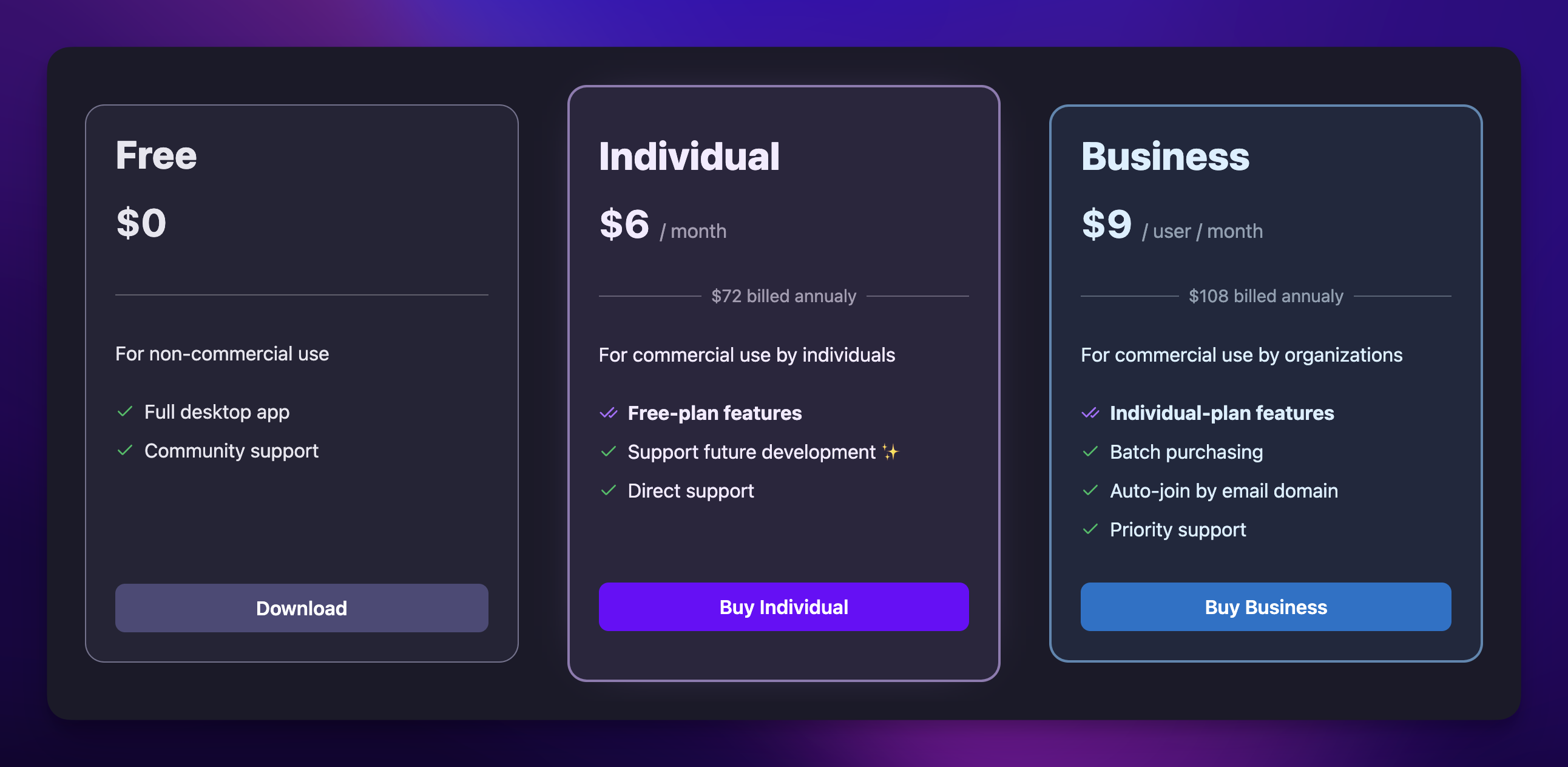
Big news! Yaak’s commercial license is now simpler and more accessible.
Both Business and Individual plans have been consolidated into a single
$50/year license. 🌟
New, simpler pricing plan
If you’re already subscribed annually, you’re now paying
just $50/year. Monthly subscribers have been moved to a special $5/month plan (not
available for new users).
Plan
Period
Old Price
New Price
Individual
Year
$72
$50
Organization
Year
$108
$50
Individual
Month
$8
$5
Organization
Month
$12
$5
All Purchasing Power Parity (PPP) and other discounts are still applied.
But… why the change?
👌🏼 Simple app, simple pricing
Yaak is praised for its simplicity and ease of use. Why should pricing be different?
Any startup founder will tell you to never lower your prices, but Yaak is
not any startup. I’m just an indie developer, bootstrapping an app that wins on
simplicity.
…And the previous pricing was far from simple.
Do I need a commercial license?
Should I buy the individual or organization plan?
What’s the difference between the plans?
Can I switch plans?
Should I pay monthly or yearly?
This confusion meant users often gave up on buying a license, since it didn’t unlock any
new features anyway.
Now there’s less chance of confusion. Using Yaak at work? Purchase for $50/year.
Simple.
But there’s still the problem of incentive. Which brings me to the next addition.
🚂 Come along for the ride
You can now follow Yaak’s journey to sustainability with the introduction of public
stats on the pricing page.
I’ve been an indie dev for over a decade and have discovered the greatest advantage
is showing people that a product is made by a real person. This is especially true
with API clients where the big players have hundreds or thousands of employees.
Public revenue and other stats, displayed on the pricing page
I believe that if you can see your purchase making a difference, you’ll be more likely to
support Yaak. I’ll be adding more public stats in the future as well, so stay tuned for
more updates.
So that’s that.
Yaak’s pricing is now simpler and easier to understand. If you use Yaak for
work, it’s just $50/year. No more confusion.
And if you want to see how your support makes a difference, check out the new
public stats. Every purchase helps Yaak stay independent and continue
improving.
It’s hard to believe that at the start of 2024, Yaak was still just a side project. Fast-forward
a year, and it’s at 6k monthly active users and 25k total installs.
Yaak is also on its way to sustainability—reaching $160 in monthly recurring revenue since
introducing a paid plan just a few weeks ago.
Monthly recurring revenue
I originally planned to make this post a simple recap of the year’s milestones, but I’ve instead
decided to share some more personal reflections. I hope you like it!
🔍 Finding motivation to start
My original plan was to keep Yaak a fun side project. But that changed after starting a family in
late 2023, when I realized just how much time and energy my full-time job required. I wanted a life
that would allow me to balance work and family, and decided that Yaak would be the key to getting
there.
It’s a lot of pressure to put on one project, but I went all in,
leaving my job in May to focus on Yaak full-time. So far,
it seems like the right decision.
🏝️ Working less while growing
Having previously founded another API client, Insomnia, I learned some hard lessons about burnout.
With less than a year of runway, I overworked and overstressed while trying to reach success as
quickly as possible. The result?
Too many hours worked.
An endless cycle of refreshing analytics and iterating on growth ideas.
A mountain of technical debt I couldn’t climb out of.
Things got bad.
I burned out multiple times and spent a year with chronic pain so bad that I couldn’t sit for more
than a few minutes at a time.
This time, things are different. With multiple years of runway and the benefit of hindsight, I’ve
traded urgency for patience. I’m focusing on building a product people will recommend to their
peers, and occasionally playing the content lottery to build the initial growth snowball. That’s the
entire strategy.
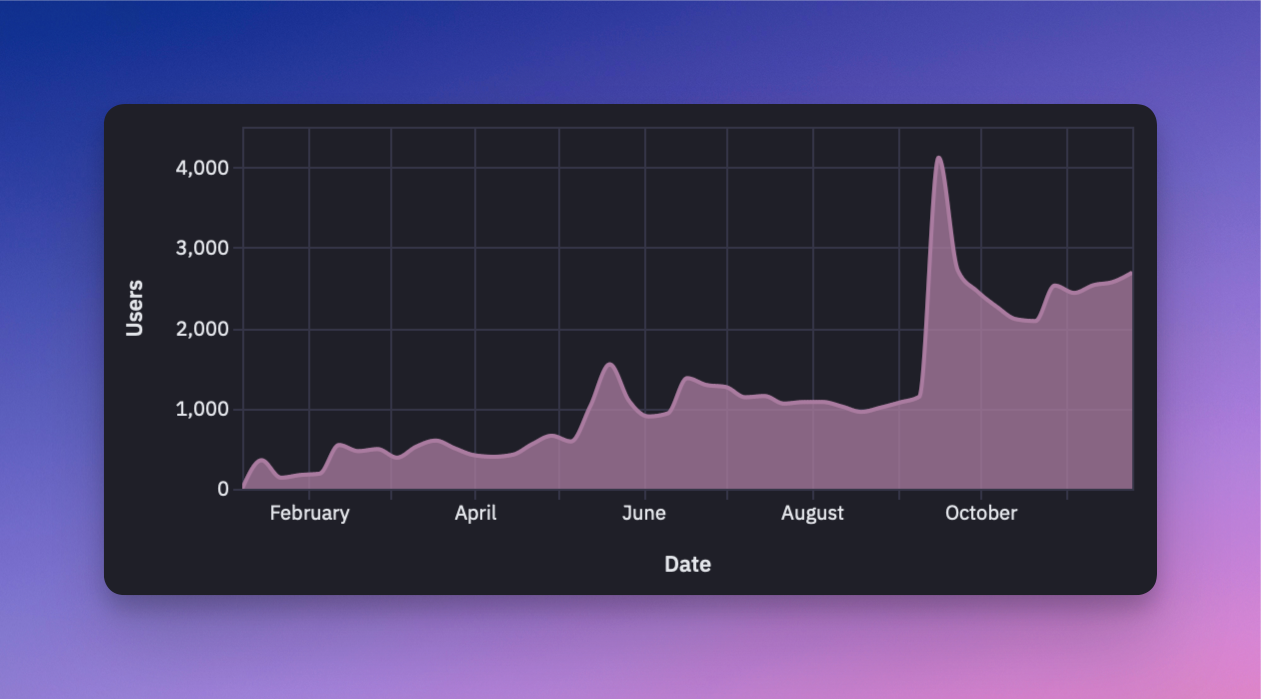
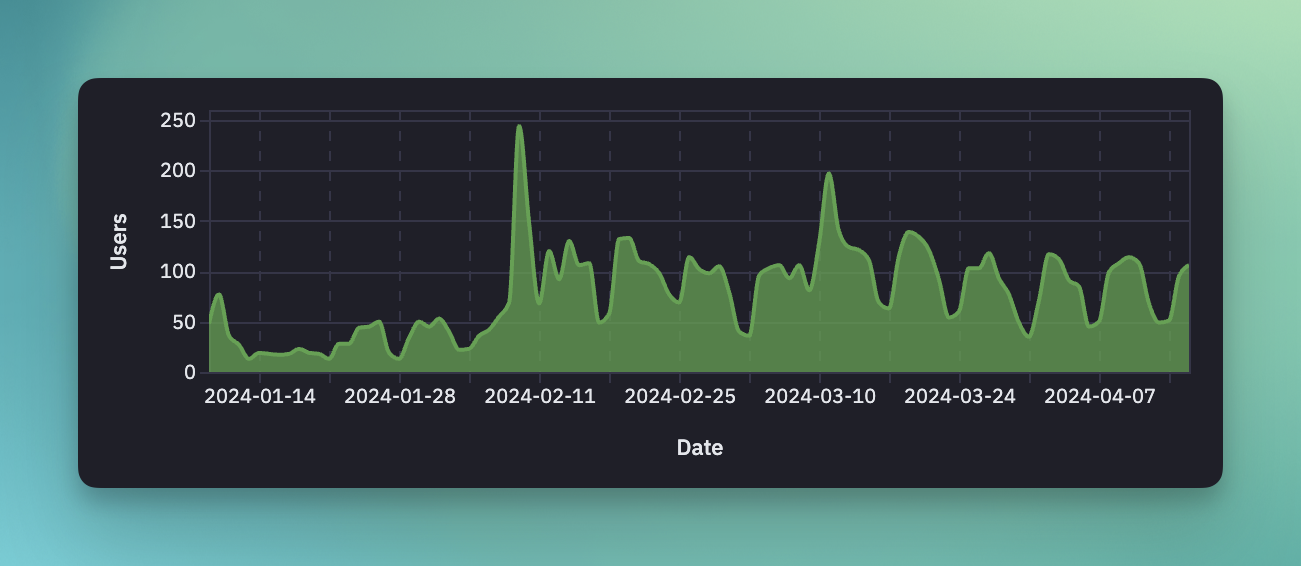
Daily active users since launch
The chart above shows Yaak’s three successful blog posts from 2024. The first two spikes were
followed by declines, but the third post in September broke the trend. Ignoring the holiday dip,
Yaak’s daily active user metric is now growing organically for the first time. 🤯
If there’s one takeaway from 2024, it’s that Yaak will succeed if I just keep going.
🕰️ Time tracking for work/life balance
One concrete thing that helped immensely was using Toggl to track my time. In 2024, I averaged 23
hours per week of at-computer work, likely bumping to ~30 hours when counting untracked time spent
planning or brainstorming (usually on walks or while driving).
Weekly hours worked since going
full-time in May
Time tracking has provided an objective metric of expended effort, which helps keep focused and
prevents overworking. If you’re starting your own project, I highly recommend it—it’s too easy to
underestimate how much time you’re actually putting.
Now let’s talk a bit about Yaak itself.
🔄 Revisiting open source
After Insomnia, I swore I’d never do open source again, as it was a large contributor to burnout.
I’ve written about it in Why Not Open Source so I won’t
elaborate, but I’m glad I changed my mind (see
Yaak Is Now Open Source).
It turns out that, for the same reason I like sharing in posts like this, I love working in the
open. To avoid burnout, Yaak’s open-source model focuses on transparency rather than
contribution—it’s open for bug fixes but not feature development. This keeps the benefits of open
source without adding to my workload.
💰 Choosing a sustainable business model
Leaning on experience, my initial plan was to charge for cloud data sync, but y’all made it clear
that you value offline apps. The market has shifted, and users want control over their data, and
many are wary of cloud-dependent tools.
So I introduced a commercial-use license which went… okay?
It’s hard to analyze the data with the holiday slump, but I think there was a noticeable drop in
active users since the announcement. I’m hoping this is just a temporary blip and I’ll take another
look in the coming months.
Gross revenue since
introducing a commercial-use license
That said, paying users are trickling in. While Yaak’s MRR is only at $160, it’s already grossed
over $1.5k due to most subscribers opting for the annual plans. If this trend of ~$200 per week
continues, Yaak is already 10% of the way to financial sustainability!
🌈 Looking forward to 2025
I’m extremely excited for 2025 because most of the foundational work is in the past. I’ve proved
that Yaak is valuable, kick-started the word-of-mouth snowball, incorporated a company, added a
business model, and implemented most of the low-hanging fruit features that prevented initial
adoption.
So, here are my priorities for 2025:
Publish one blog post per month
Improve plugins and ship a plugin directory
Add filesystem sync and Git UI
Add Websocket support
2024 was the year of building the foundation. Now, it’s time to deliver on Yaak’s potential. I’m
looking forward to continuing this journey and can’t wait to see what the next year brings!
After months of conversing with users and some (misguided) prototyping,
I’m excited to finally settle on a business model that feels right—one that
prioritizes sustainability and puts local-first development, well… first.
A visual overview of the pricing page
💫 Pricing overview
Let’s start with what’s not changing. Yaak remains open-source under the MIT license
so you can still view, modify, and run the source code directly.
Here’s what’s new for use of the prebuilt binaries.
Personal Use: Free access to all features continues as before
Commercial Use: A paid license is required to use Yaak’s prebuilt and signed
binaries for revenue-generating or work-related activities
Purchasing a license not only supports Yaak’s ongoing development but also unlocks these
benefits:
Direct Support: Help for technical issues
Prioritized Feedback: Influence Yaak’s roadmap
Prebuilt & Signed Binaries: Convenience and authenticity
Automatic Updates: Access new features and security fixes
Licenses are available for individuals at $8/month and companies at $12/user/month,
with a 25% discount for billing annually.
Commercial-use licensing operates on the honor system—I trust you to decide if a
license is right for you. The goal is sustainability, not barriers and purchasing a
license helps ensure Yaak’s continued growth and improvement.
Be sure to check out the Pricing Page for details on the trial period,
purchasing power parity, bulk purchasing, and more.
Now, let’s talk about how this came to be.
☁️ Ditching cloud sync
Remember those months of “prototyping the wrong thing?” Well, that was cloud sync. So
why’d it get scrapped?
A while back, I shared
an RFC for data synchronization
to gather feedback. Many of you had asked for a way to store Yaak data in a folder for
seamless Git integration, so I wanted to explore whether cloud sync still had a place
alongside filesystem storage. Your response was loud and clear:
No one wants cloud sync 🫠
As long as the app never wants to connect anywhere unless I ask it to
– feedback
Using git would definitely be the best solution here
– feedback
Turns out, you just want local files to easily integrate with Git, Dropbox, or other
tools; not another company holding your sensitive API data hostage in the
cloud. And you know what? You’re absolutely right.
🤝🏼 Aligning incentives
Without cloud sync, I needed a different way of supporting Yaak’s future. I
considered freemium models but dislike how they incentivize pushing core features behind a
paywall
(see enshittification).
That’s why I chose commercial use—looking to apps with similar pricing models like
Obsidian, Orbstack,
and WebStorm.
This model feels fair for both Yaak and its users. If Yaak helps you
earn money, Yaak earns money. It lets me focus fully on building the features
you’ve been asking for:
No usage limits. No upselling. No cloud lock-in. Just a solid, privacy-respecting
desktop API client that gets the job done.
📖 Open source, as usual
Initially, open source made sense because I planned to offer a hosted cloud sync service.
You’d pay for the cloud, not the app.
While I considered moving to a Fair Source license to align with the
commercial-use model, I ultimately decided against it. I love that Yaak is open source and
don’t want to change that. So, for those who prefer to compile the source code for their
own use, the option remains open.
🎯 What’s next?
This commercial model ensures that I can continue working on Yaak while keeping it true
to its goal: a powerful, private, local-first desktop API client that puts you in
control.
Yaak’s weekly active user growth, since inception
It’s been an amazing ride so far but Yaak wouldn’t exist without you, the community. So
if you have feature requests, ideas, or questions about the pricing, be sure to drop
them on the Feedback Board or find me on
BlueSky @schier.co.
There are some important updates to Yaak’s licensing: going forward, a paid license is
required for commercial use of prebuilt binaries. Personal use and running the
open-source code remain free.
I won’t go into detail here, so be sure to check out
the Announcement Post.
✍🏼 Signed Windows Binaries
Now, you can finally install Yaak on Windows operating systems without seeing the “Running
this app may put your PC at risk” warning. And for those working inside a larger
organizations, Yaak will no longer be blocked by corporate security policies.
The warning dialog shown when trying to install Yaak on Windows
I’ve taken a bit of a break from app development to focus on the upcoming sync system
(more on that below). In the meantime, here’s a release containing some important bug
fixes and GraphQL introspection improvements.
🧑🏼🔧 GraphQL Introspection Controls
This release adds more controls to GraphQL introspection.
The previous JSON formatting logic would parse the text and re-serialized it with proper
indentation. This would cause subtle mutations, however, like converting
1.000 to 1. This release includes a custom JSON formatter that does not include a
parsing step.
The new formatter operates on the raw JSON string and simply adds whitespace as necessary,
leaving all tokens in raw form. Not only does this mean your numbers will keep their
precision, but it will also work with invalid JSON! How cool is that?
I’ve been heads-down on the sync system (paid subscription) for the past few week and am
quite happy with the progress. You can follow along in the
WIP Pull Request if you’d like.
Select the entities to commit, just like Git
Here’s the current state of progress.
On the application side:
New sync menu at the bottom of the sidebar
Commit dialog to stage and commit changes
History dialog to see change history
On the server side:
A login system for email/password, GitHub, and Google
Basic team invitation functionality
Email notifications
The main items remaining are to have the sync system mutate the local database (eg. for
branch checkout), hook it up to the remote API to enable collaboration, and integrate
Stripe to manage billing.
The Git-like functionality will be available locally without the need
to pay or create a cloud account.
I’m excited to be able to see the light at the end of the tunnel, as it will be a major
step towards making Yaak a sustainable business. As for timeline, I hope to open it up for
beta testing early next year.
As usual, please let me know if you have any thoughts on this via
the Feedback Board.
This week is big, so let’s skip the preamble and jump right in to what’s new.
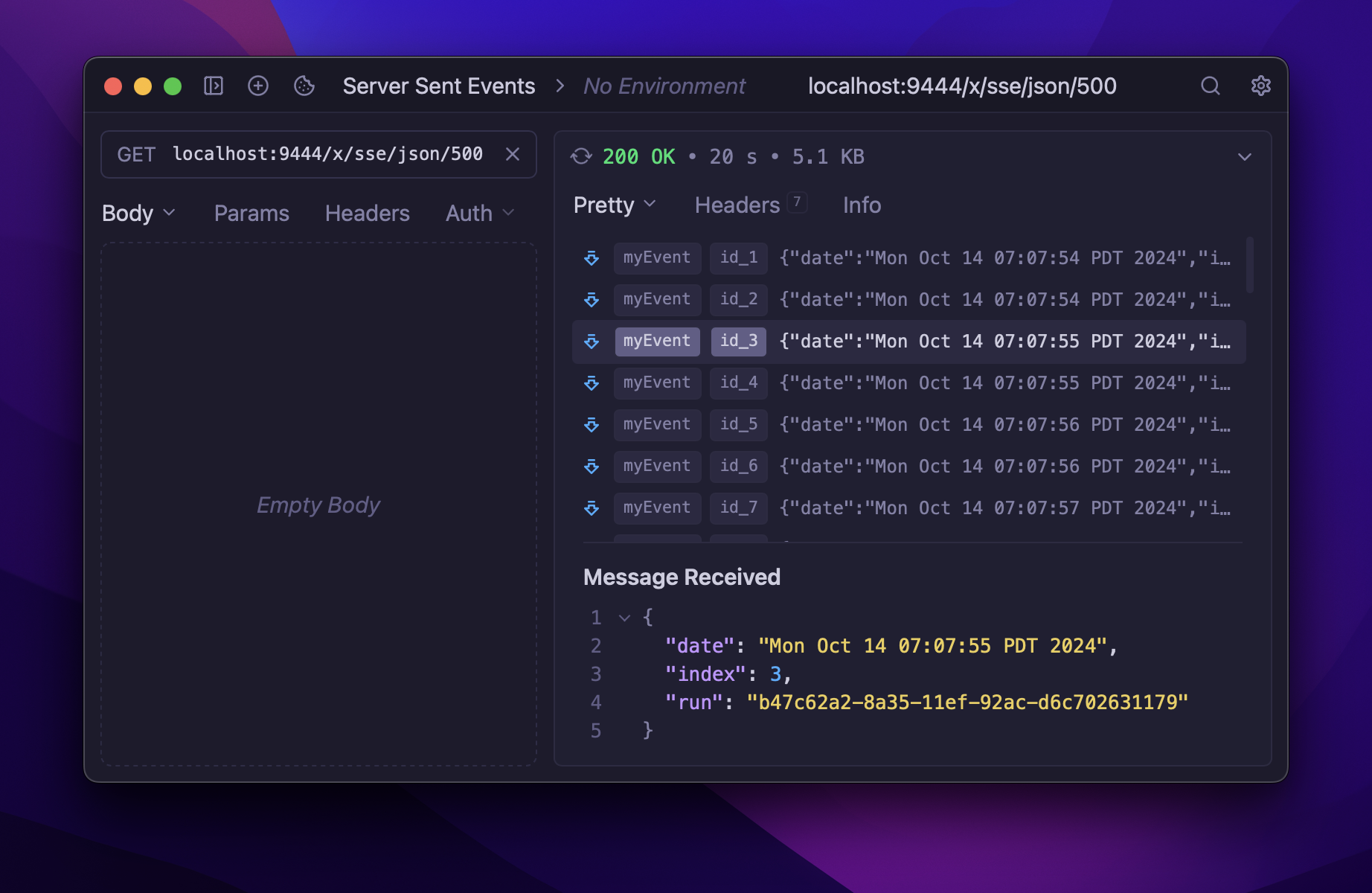
⛲ Server Sent Events
Server sent events (SSE)
are is a relatively new way to push data from server to browser in real-time, and are now
natively supported in Yaak. But this change also brings with it another major improvement:
Streaming responses.
Server sent events stream live into the response pane
To support SSE, Yaak needed to be able to show the contents of a response as it streamed
to the client. So, along with SSE, you also get the following benefits for all other
responses:
Responses show as “Connecting” until headers are received
Response status is shown as soon as headers are received
Size and Time now update as each response body chunk is received
Text responses will re-render after each chunk is received
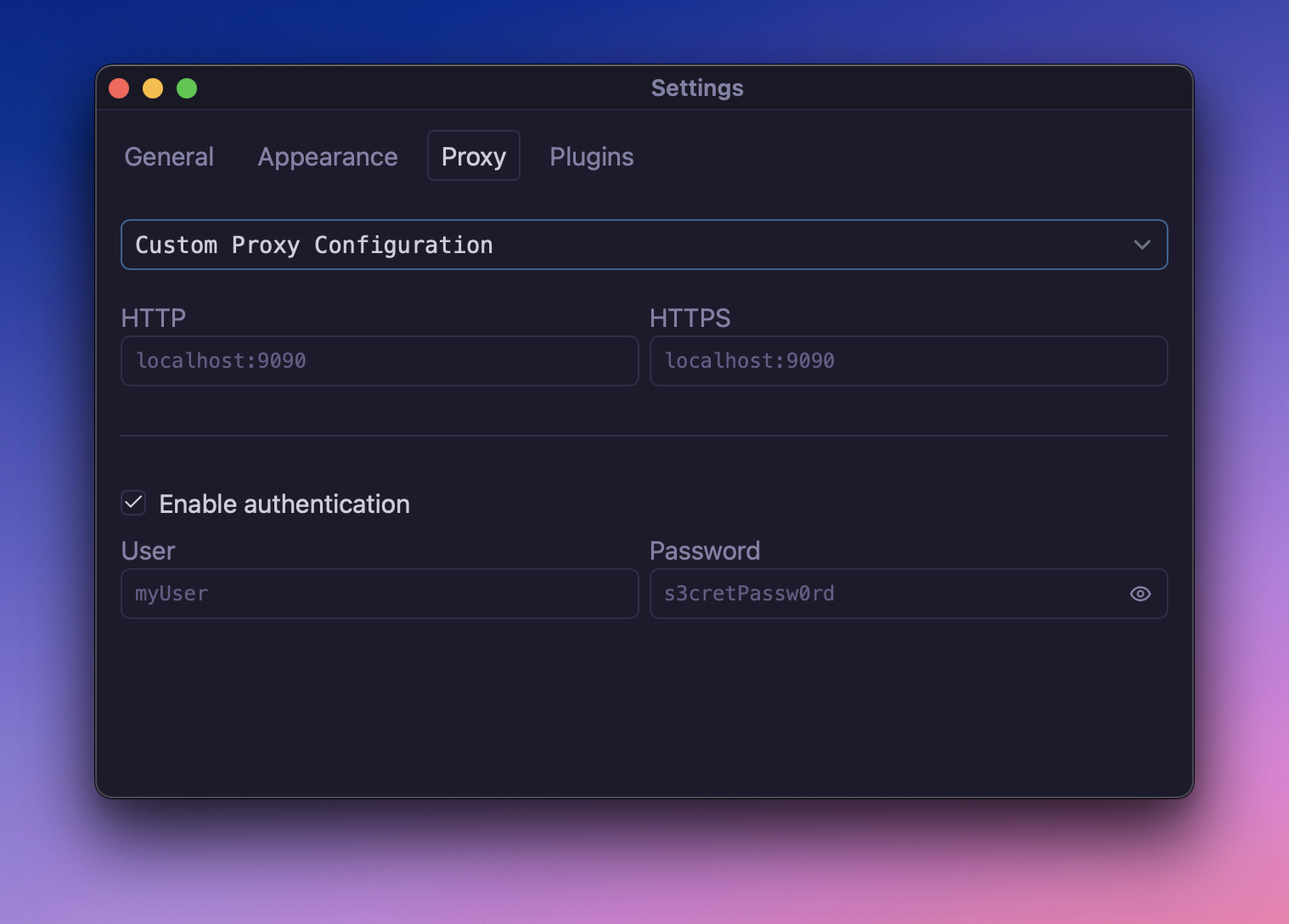
If you work inside a corporate network, you’ll be greatly aware of the need to send
traffic through a proxy server. And, if you don’t, the ability to configure a proxy might
not be that interesting. But it does allow other interesting use-cases, like forwarding
traffic to a debug proxy like Proxyman for better debugging.
You can configure the proxy settings under Settings > Proxy.
Configure a proxy in the new Proxy tab, under Setting
The plugin system was intentionally introduced in an early state, to start getting
feedback. One of the core use-cases for plugins is creating Template functions which you
clearly wanted more of.
So, the following template functions are now bundled with Yaak:
prompt.text() → Prompt the user for input at send-time
fs.readFile() → Read the contents of a file
hash.* → Hash a value with md5, sha1, etc.
response.header → Access the value of a response header
response.body.raw → Access the entire response body
There aren’t any earth-shattering new features in this release so don’t get too excited.
However, a FakerJS plugin is available to install and
a plan for implementing data synchronization
is now open for comment!
🎁 Yaak's First Plugin: FakerJS
The plugin system has been in the works for a long time and—as you may already
know—plugins already power a lot of core features including import, copy-as-curl, and the
new response() tag. With the plugin APIs becoming more robust, it’s now possible to
build some cool stuff.
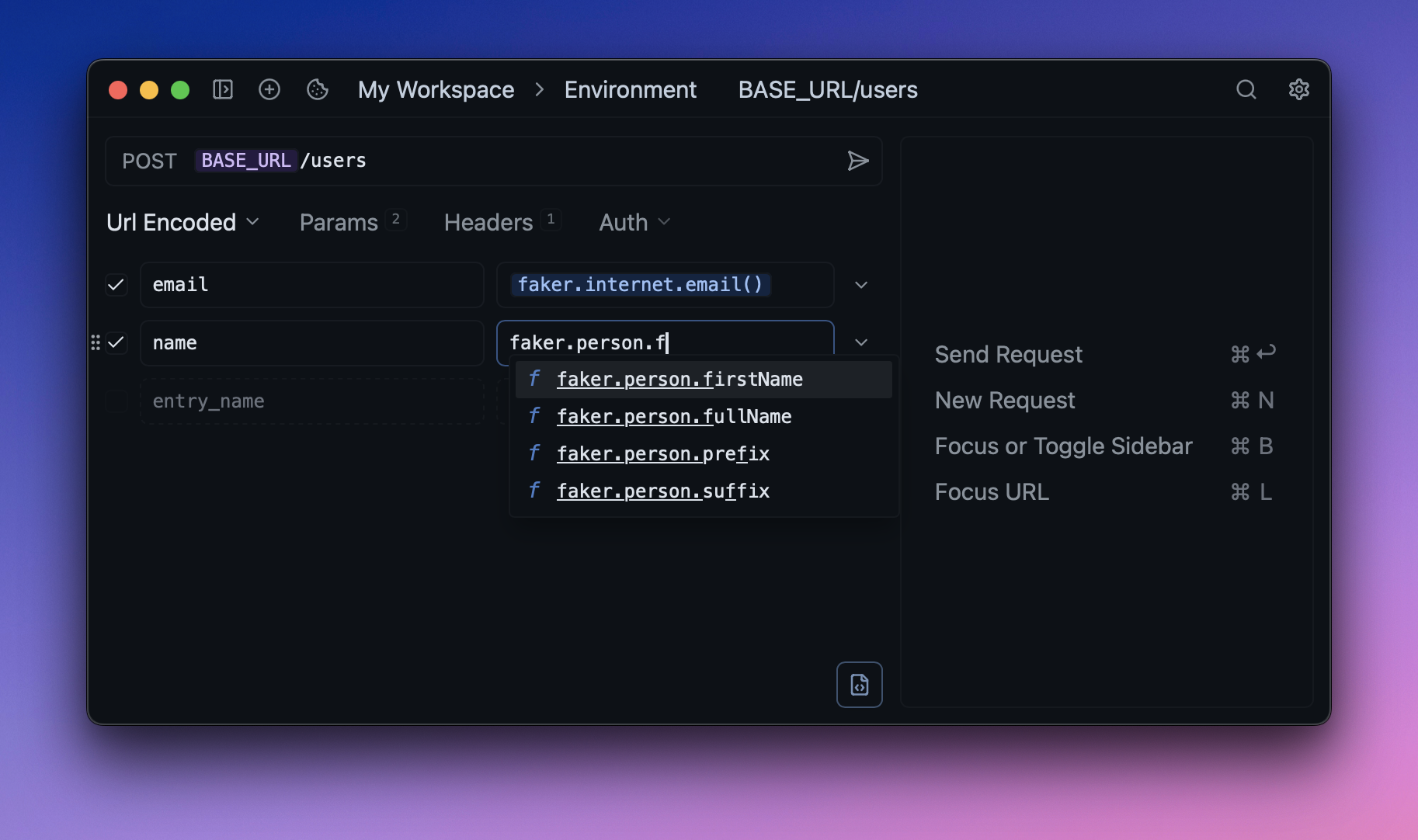
With the Faker plugin installed, you’ll have access to the dozens of FakerJS APIs for
generating dummy data like airport codes, numbers, animals, colors, and more. And the
entire plugin is
only ~20 lines of code!
Install the Faker plugin to start sending dummy data to your APIs
The installation process is still very manual and mostly meant for writing your own
plugins, but you can follow these steps to get started:
Download the Faker plugin GitHub repo
Open Yaak > Settings > Plugins
Select the plugin code directory
This process will be vastly improved in the future, providing the ability to install from
a URL or search from a first-party plugin registry.
If you’re curious about plugin development, there’s also a
new Plugin Development / Quick Start
guide to show you how to get started. Plugin development is done
in TypeScript so most things are discoverable through
your favorite text editor’s autocomplete.
This release also comes with some really nice quality-of-life improvements that will make
Yaak feel more at home on your desktop.
The biggest of these is a 2x faster startup time. This was achieved by splitting the main
JavaScript bundle into multiple parts so the webview can render the important bits right
away. You’ll notice this the most when opening the settings window.
The next improvement is mostly for the Windows users. You see, Windows isn’t very good at
respecting your dark mode preferences out of this box. This caused new Yaak windows to
flash a white background for a split second while it loaded the active theme. This issue
has been fixed by hiding new windows by default, and only showing them once the theme data
has become available.
Those are the two most noteworthy improvements but be sure to check the bottom of this
changelog for a ton of other important fixes! Now let’s talk about the next big upcoming
feature.
I’ve been hard at work this week building a proof-of-concept for data synchronization in
Yaak. The details are in the linked RFC above, so I won’t go over it again, but here’s a
quick summary:
There will be two forms of data synchronization:
Directory sync → continuously import/export data from your filesystem
Cloud sync → collaborate using an end-to-end encrypted Git-like workflow
Directory sync will hopefully fit the need of those looking to integrate their Yaak
workspaces with a local Git repository, while Cloud sync will be the easiest possible way
to collaborate with others (or simply back up your data). Note that cloud sync will be
available as a paid subscription, and the foundation of Yaak’s business model going
forward.
I’ll have more to share on soon but, again, please give
the Sync RFC
a read and submit your thoughts.
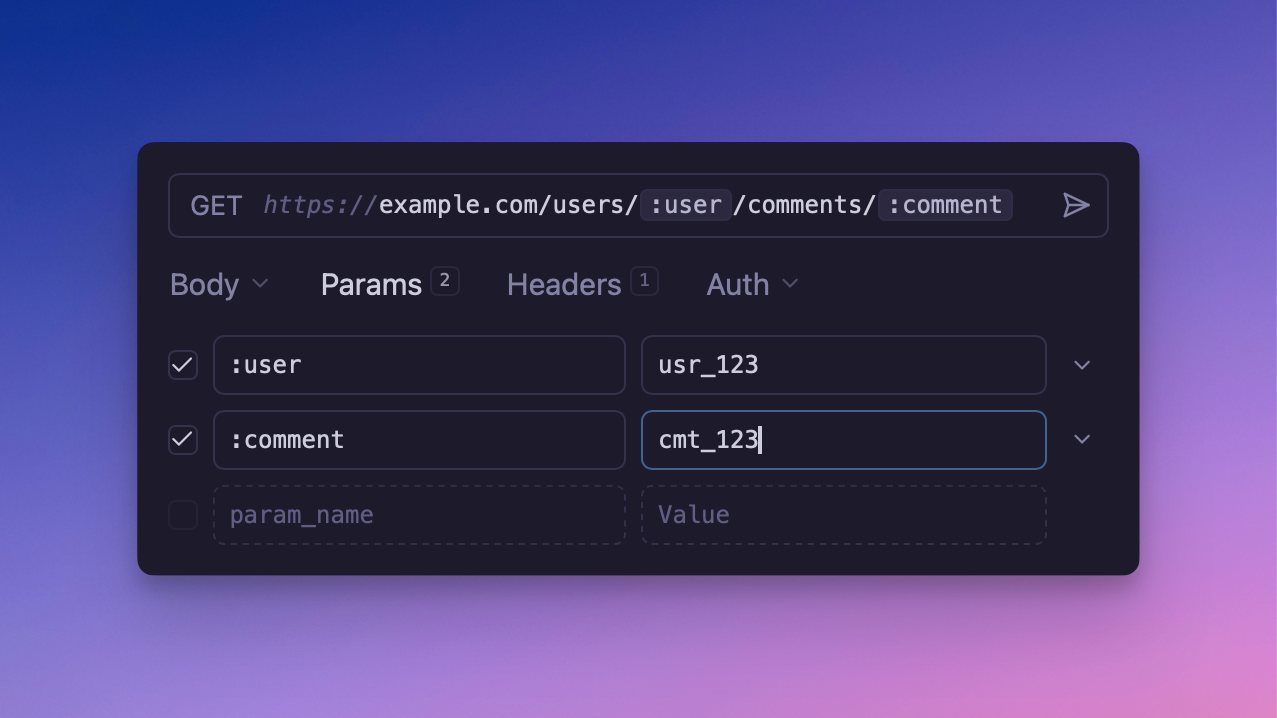
This is a pain because it can be challenging to edit the segments of a URL. Now you can
use the :placeholder syntax to populate a URL path segment. Yaak will automatically
add these placeholders as entries in the Params tab.
Path parameter placeholders for easy editing
Tip: Click the placeholders in the URL to navigate directly to the Param!
Yaak will now automatically import any querystring parameters into the Params tab after
pasting into the URL bar. This is a huge time-saver for those who frequently copy-paste
URLs into Yaak.
I hate to admit it, but the Reddit, HackerNews, and Lobsters folks were right. 🙈
Three months ago I published Why Not Open Source as an
attempt to explain why the Yaak wouldn’t be open source. Having burnt out maintaining
open source in the past, I figured others might find my decision-making process useful, so
I shared it to the usual places.
Users of the Yaak’s users mostly agreed, which makes sense as they were already happy with
the close-source reality. The broader open-source community, however, strongly disagreed
with almost everything I wrote.
Don’t conflate “open source”/“free software” with github’s specific social model of
drive-by contributions, or even contributions at all…
→ lobste.rs
But all of those things are also true of closed source software.
→ ycombinator.com
The claims of this text are complete bullshit. No idea what this “app” is about,
anyways.
Dont need it. Can go to the trash can of history
→ reddit.com
While most of the replies weren’t constructive, this
500-word lobste.rs comment
is absolute gold. It immediately got me thinking that maybe I was wrong. 🙈
I wanted feedback, and that’s exactly what I got.
My main takeaway was that open source doesn’t mean open contribution. You can still
get most of the benefits by simply making the code public:
Open to security audits
Transparent functionality (no shady stuff)
Flexibility (can still fork and modify)
Runnable even if the developer disappears
I wanted Yaak users to experience these benefits too, which is why Yaak is now open source
but closed (mostly) for contribution.
🙈 Open source, closed(ish) contribution
Many commenters pointed to projects like SQLite which are open-source but don’t allow
outside contribution. For some reason, I never even considered this as a possibility.
A while later, while searching for more examples of closed-contribution projects, I came
across Litestream,
which was initially closed to contribution but eventually opened for bug-fixes only.
This model made perfect sense to me, so it’s exactly what I chose to do. Yes, even though
I said I’d never open-source… Yaak is now open source under the MIT license and open
to contribution for bug fixes only.
Now the desktop Linux users can fix their own bugs (please don’t hate me) 😅
You might be thinking, a month of work for a single changelog item?!
Yes, indeed! But not only was Request Chaining
the most-requested feature
on the roadmap, it required an entire new concept (template functions) to be introduced,
as well as a large restructuring of how plugins communicate with the application.
Let’s first dig into Request Chaining, then talk about some of the changes that had to
happen to get there.
⛓️ Request Chaining
When working with APIs, there are often dependencies between requests. For example, you
might
POST /users to create a new user, then PATCH /users/<id> to update the user’s email
address.
But how do you get the ID of the created user into the update? You’d better not be
copy/pasting! There’s now a better way.
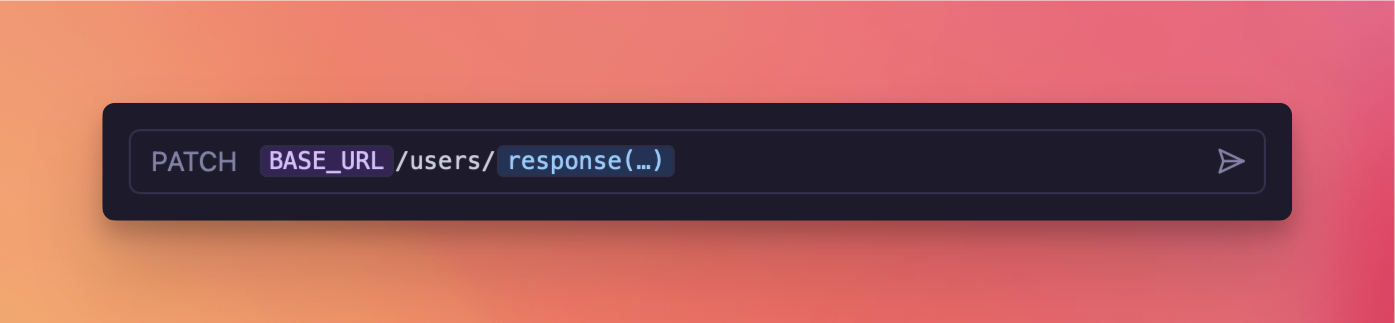
Just like how environment variables allow dynamic reuse of values across requests, the new
response(…) function allows something like PATCH /users/<id> to directly reference the
id from the response body of POST /users. Here’s how.
Step 1 → Select the response() function from the autocomplete menu in any text
field.
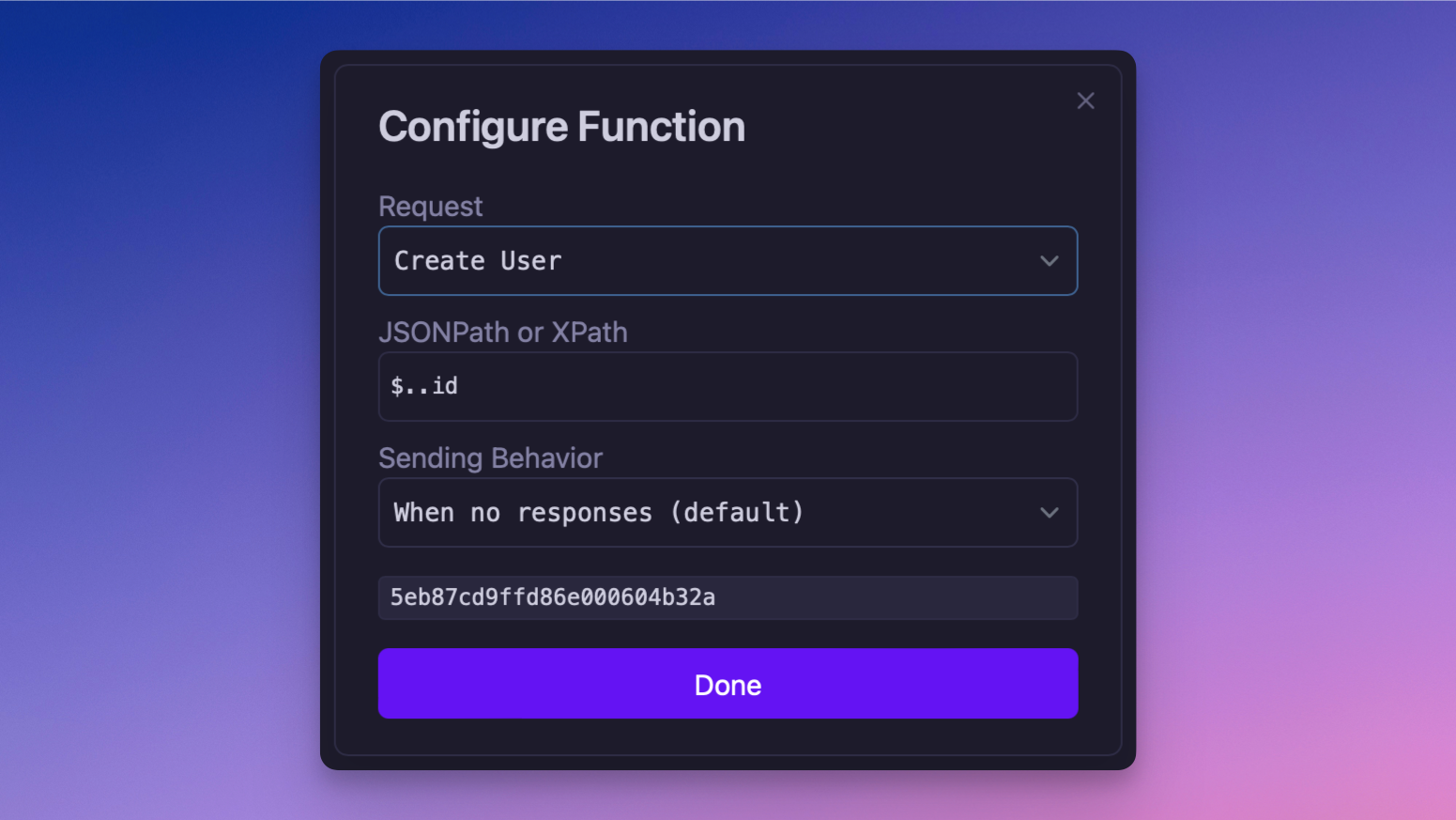
Step 2 → Click the blue template tag to configure the function arguments.
URL showcasing the use of the new response function
Step 3 → Select the request you want to depend on.
Step 4 → Enter either JSONPath
or XPath query to select just the value you want.
Function editor interface, for configuring arguments
Step 5 → Send the request!
Sending the request will render the template and inject the referenced value – just like
using regular variables. If no response exists yet for that request, it will be sent
automatically.
So why did this take a month to ship? Let’s cover that now.
Template functions could have been implemented in a more direct way. However, I really
wanted them to be extendable by the community. This meant having the necessary plugin APIs
to provide dynamic template functions.
📣 Heads up! 3rd-party plugins are the next big item on the to-do list
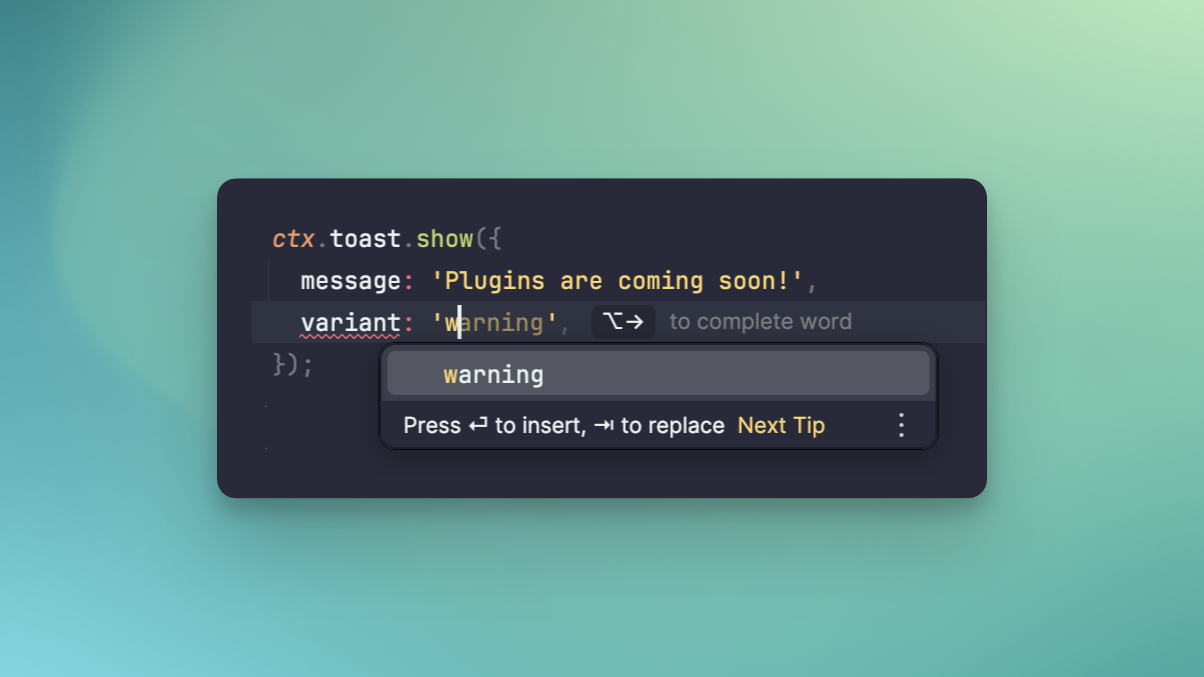
Here’s a very simplified version of how the response() function plugin is implemented
(or view the
full source on GitHub).
The big lift in this release was implementing the APIs for the ctx object (that you see
above) to allow plugins to do useful things like show dialogs, copy text, fetch responses,
and send requests. It’s this plugin→app communication that needed to be implemented for
this release.
I’m saving the full details for a dedicated blog post, but the gist is that there’s now a
bidirectional RPC API between the app (Rust) and plugin runtime (NodeJS). A functional
interface is then implemented on top of this using strongly typed Request/Response events.
For example, the ctx.httpResponse.find({ requestId }) function emits a
FindHttpRequestRequest{event_id: 123, ...}
event to the app, then waits for a FindHttpRequestResponse{reply_id: 123, ...} to come
back.
All event types are defined in Rust and TypeScript equivalents are generated using
ts-rs, meaning plugin development is as easy as
Ctrl+Spacing your way to success!
Friendly autocomplete while writing plugin code
That’s enough details for today, though. Look forward to a future blog post outlining the
full plugin stack once the architecture has fully settled.
Patch 2024.8.1
Fix some plugins not executing on Windows, due to not finding the focused window
Other fixes and improvements🎁 New
Add rename/send/delete to command palette
Always enable params when switching from bulk editor to regular
New plugin runtime communication layer
Enable JSONPath filtering for more content types
New setting to disable usage statistics
🛠️ Fixed
Fix automatic content-type on body change(feedback
)
Fix backwards fold gutter icons
Properly invalidate bulk parameter editor when switching environments
There’s been a lot of behind-the-scenes movement on the plugin system so this release is
fairly small. However, it does add long-awaited support for OpenAPI as well as a few other
goodies!
🚚 OpenAPI Support
By popular demand, you can now import OpenAPI
spec files into Yaak. Specifically Swagger 2.0, OpenAPI 3.0, and OpenAPI 3.1 documents.
Many public APIs publish an OpenAPI specification and some web frameworks will generate
them automatically. Now you can import these specs into Yaak to get started even more
quickly.
The short answer is no, there are no plans of going open source. Instead, Yaak will add a
plugin system to its closed-core model, achieving the benefits of open source without the
burden.
This post expands on the reasons behind this choice.
Let’s kick things off with some context. The last post
mentioned how the open-source nature of my previous endeavour was a large contributor
burnout—ultimately leading to my departure. The opinions in this post are informed by
this experience.
✨ The product is the priority
Users want a great product.
While potential contributors will vote for open source, the most important thing is
providing a great product. So, does open source lead to a better product?
That’s the question I’m trying to answer.
🤔 Naive assumptions on open source
In the past, I assumed open source would provide a huge benefit. Unfortunately, these
assumptions didn’t match reality. I’ll cover the important ones here.
Bugs will get fixed
🟩 Yes, they are an easy contribution candidate
In open source, any motivated user can jump into the code and submit a fix. These
contributions have a narrow scope and thus lower the bar compared to other types of
contributions.
Features will be added
🟥 Difficult, in reality
For desktop applications, new features often require design and usability consideration.
Unfortunately, most programmers don’t possess these skills, necessitating many
back-and-forth cycles to ensure the feature looks good and is integrated thoughtfully.
This means it’s often quicker for the maintainer to just implement the feature
themselves. 💀
Conversely, extending existing features is easier—like adding support for OAuth
1.0—because the existing feature provides a UI paradigm to work from, reducing the
barrier to entry. This would also be a great candidate for plugins.
see where this is going?
Transparency will increase
🟧 Doesn’t require open source
You can’t get much more transparent than publishing the entire codebase and its history.
With so many privacy-abusing companies in the world, open source provides assurance that
nothing shady is happening.
Transparency doesn’t just mean code, however. There are many ways for closed-source
projects to be transparent as well. For example, having
a Public Roadmap and sharing posts like this.
Security will improve
🟧 It depends
It’s possible for users to audit the code of an open-source project and disclose any
issues. The key word here is “possible.” I don’t actually remember this happening, but it
did while I worked at Railway, a closed-source product. Maybe
this is due to the simpler nature of desktop applications.
Community will grow
🟧 Only if the effort is invested
There’s nothing specific about open source that builds community, other than the
repository providing a place to congregate. Communities grow from the interactions within
them, like openly discussing roadmap, which can also be done in closed-source.
Open source wasn’t what I thought it was, but why? I think most of the discrepancy can be
attributed to the very nature of open source. Let me explain.
💩 The problem with open source
Imagine working at a company that hired anyone who applied. It would quickly fill with
people bringing irrelevant experience and misaligned incentives. This is the unfortunate
reality of open source, and requires a huge time and emotional investment.
Imagine working at a company that hired anyone who applied
The benefits of open source must make up for the fact that:
It’s hard to deal with unappreciative or rude feedback
It’s hard to manage long back-and-forth feedback cycles
It’s hard to decline a contribution that was submitted without approval
It’s hard to say no to most things once the project has matured
It’s hard when a good contributor leaves
It’s hard to accept that people are working for no pay
It’s hard to feel good about 1000+ open issues
It’s hard that it never stops.
The list could go on, but you get the point; open source is hard and it takes a toll on
your emotional well-being. The only way open source can work is in a corporate setting
where full-time maintainers are paid to manage the project, can take breaks, and be
replaced if desired.
Unfortunately, the fact that Yaak is a small indie project means this isn’t possible.
So what’s the answer then? Can we get the benefits of open source without the burden?
Yes, I think plugins can do just that!
🔌 Plugins solve the maintenance burden
A plugin system can garner the same collaborative attributes as open source. It’s kind of
cheating, though, because the plugins would be open source. However, open-source plugins
are much different than an open core because of their confined scope. This makes
contributing easier and thus lowers the maintenance burden.
So let’s cover some of the same assumptions as before, but in the context of plugins.
Bug fixes
🟨 It depends
Plugins are not as good as open source in terms of getting bugs fixed simply because not
all code is open source. However, this is a great motivation to put as much logic into
plugins as possible (which is the plan).
More features
🟩 Yes
Contributing to open source gets harder for larger projects because more knowledge is
required to implement something properly. Imagine getting hired as a developer and
shipping something meaningful your first day. It’s possible, but extremely challenging and
likely requires help from your team.
Imagine getting hired as a developer and being shipping something meaningful on your
first day
Plugins avoid this problem because they are small and specific. It’s totally reasonable to
comprehend a 200-line plugin codebase in order to make a proper contribution.
Also, since plugins don’t have to be integrated into the core application, features can be
added even faster than in open source.
Community growth
🟩 Yes
Plugins grow community by giving authors the ability to share their creations and retain
ownership of them. Something like the Raycast Store has
thousands of users contributing high-quality plugins. People share their creations on
social media, and good plugins are promoted. This incentive alignment creates a mutually
beneficial relationship.
Open source also provides ownership, but it’s often buried within the source code
repository so it not nearly as public.
Now some of these assumptions about plugins could also turn out to be false, but my
observations of popular projects seem to indicate a good chance of success.
🏖️ An exciting future
Hopefully you got a satisfactory answer to why Yaak won’t be open source. If not, feel
free to leave a question on
the Open Source Feedback Thread
and so I can clarify it in this post.
I’m extremely excited about plugins, specifically because they won’t be confined to my
specific vision for Yaak. Users can get creative and extend Yaak in ways I couldn’t
imagine.
So when will plugins be ready?
The plugin system currently exists already, but for internal use. The plan is to prepare
it for public release in the coming months so keep an eye out for that. 👀
This release is jam-packed full of goodness, including the long-awaited command palette
and bulk editor for params!
We’re also going to dive a little deeper this changelog, covering foundational topics like
the template engine that powers variables, as well as the plugin system.
🎨 Command Palette
Let’s kick it off by talking about the new command palette. Almost every modern app has
one, and it’s for good reason. A command palette makes it easy to access more niche
features as well as making other features more discoverable.
The pallet can be triggered from anywhere via CmdOrCtrl+k and currently supports easy
switching between requests, environments, and workspaces; plus the ability to trigger
common actions (more of these coming soon).
The goal of the command palette is to expose everything Yaak can do in a friendly and
accessible way. From a technical standpoint, this the beginning of a codebase
restructuring where every action in Yaak will start as a command, which is subsequently
exposed to user interface components, hotkey handler, and even the upcoming plugin system!
For larger edits to query parameters or headers, you often wish that Yaak would just give
you a damn text box! Well, now it does!
For most key/value interfaces, you can now switch to a bulk editor that presents you with
a text-editor interface. And, since Yaak uses the same <PairEditor/> component for many
things, it’s been enabled for the following inputs:
I know, I know, we all hate working with PDFs. But they’re a necessary evil when when
working on payment systems (generating invoices), amongst other things. Now, if a response
returns a PDF, Yaak will render a rich preview right in the response pane! Not only that,
but text will be selectable and links clickable.
This is all thanks to the amazing pdf.js project which Yaak is interfacing with through
the react-pdf library.
⬇️ Save Responses to File
Sure, Yaak can now render PDFs, but there are plenty of content types that it has no idea
about.
For these occasions, you can now save response bodies to your filesystem for use in other
places. This action can be found in the response history menu for all HTTP responses and
Yaak will even try to guess the correct file extension based on the returned mimetype.
Oh, and one other thing. Previously, when Yaak encountered a mimetype it couldn’t preview,
it would simply show… nothing. 🤨 Now, when this happens, you’ll be presented with a
prompt to save the response somewhere useful.
Yaak’s grand vision is to put as much functionality as possible into plugins. While the
plugin system isn’t public yet, it is being used internally for things like data
importers (Postman, Insomnia, Curl, etc).
Plugins are small JavaScript programs, and were previously executed using
the Boa JavaScript engine—a native Rust project. This worked great
in theory, but performance was a problem in practice. For example, importing Stripe’s
Postman collection (~800 requests) took upwards of 5 minutes! This was surprising
because the all the importers do is JSON parsing, iteration, and object construction.
To get around this, Yaak now uses
deno_core—a core component of
the Deno project—to execute plugins. deno_core provides a thin
wrapper around the v8 APIs (the same engine backing Chrome and
NodeJS) making plugins super fast!
That same Stripe collection now imports in less than a second. Yes, a whopping 100x
improvement! 🏎️
The new engine also exposed nicer stack traces as well as access to other Deno features
like the ability to execute TypeScript directly.
🪄 New Variable Syntax Parser
A new plugin runtime isn’t the only major change in this release that you won’t notice.
Yaak’s template parser for rending environment variables was completely rewritten, from
scratch! 🤓
You probably won’t know this, but Yaak uses a custom syntax to power environment variables
which the UI hides behind pretty-colored decorations. But, under each of those tags is
something like ${[ MY_VAR ]}.
But why write a new parser? Well, the previous one nothing more than a regular
expression that replaced the variable syntax with the value for each variable. However,
to support one of the most popular feature
requests Request Chaining
, We need to be able to invoke asynchronous functions, something like:
${[ responseValue("<ID>", "$.user.id") ]}
This function needs to do a number of things before it can render a value, such as pull
responses from the Sqlite database, send requests, and extract a value using a JSONPath
query. Sure, it’s probably possible to do this with regular expressions, but it wouldn’t
be easy to understand and definitely wouldn’t be fun to implement.
Along with request chaining, these functions will also be able to power other things like:
Timestamp and UUID generation
Fake data generation
File system access
And, of course, you’ll be able to provide your own functions in the future, via plugins.
Onslow: Did you bring any beer? Rose: No, I didn’t. Onslow: I’m sitting here, completely surrounded by no beer!
The above quote is from the classic
sitcom Keeping Up Appearances,
which is exactly what this release is all about. Yaak is about to get an appearance
upgrade.
🎨 Selectable Themes
You know how the first comment when anyone posts a screenshot of their editor is what
theme is that? Well now you can say the same thing about Yaak screenshots!
Thanks to your suggestions on Twitter,
you can now choose between six popular themes (many with multiple variants):
But this is just the beginning of the story. A new “Theme Studio” is in the works, which
will make it trivial to create and share custom themes of your own! So stay tuned for
that.
Themes presented a tricky problem. How do you know what the theme looks like if the
settings menu covers the entire window? It took a while to come to a solution, but it was
simple; move settings to a native window so that it can be moved out of the way. Perfect!
This also makes Yaak feel much more desktop-native.
Settings have now also been split into two tabs to accommodate the new theme and font
settings.
📖 Configurable Font Size and Wrapping
Accessibility is crucial to any application. And, one of the biggest things for
accessibility is being able to change font size to suite your needs, whether you need
larger text for readability or smaller text to get more out of your display.
Now you can customize both UI and editor font sizes separately, as well as configure
editor wrapping for those unwieldy responses.
🎥 Video and Audio Responses Previews
This release adds two more content types to the response preview: Video and Audio. If
you deal with APIs that return either of these, you’ll now be able to play the media
natively within Yaak.
🤔 Is Yaak now also a podcast player?
If you’re not aware, Yaak now supports the following content types:
Images
Video
Audio
CSV/TSV
JSON/XML
Web pages
gRPC
And more will be added in future releases so leave a suggestion
if you need others!
bro: How much you curl? me: Almost every day bro: No, I mean how much weight? me: My p95 is under 100ms! bro: Huh?
Get ready for Yaak to get supercharged, because I just left my full-time job
to pursue it full-time 🥳
The first release is all about Curl–the most popular command line tool for sending network requests. You can now
import and export Curl in a number of different ways, so let’s talk about those.
🪂 Import Curl
We, as developers, come in contact with Curl commands all the time. Here are just a few examples where you might be
given one:
Exporting a single request from Chrome devtools
Reading API documentation
Installing a library
Reproducing a customer’s support request
Now you can quickly import any of these Curl commands into Yaak.
The flags and arguments will be parsed from the command and used to populate a request within Yaak.
Curl commands can be imported in three ways:
Click “Import Curl” to create a new request from your clipboard
Paste Curl into the URL to overwrite the current request
Import a newline-separated file of Curl commands
It’s that easy, but it’s only one side of the story.
For those that don’t know, Yaak is built on Tauri–a framework for building cross-platform
desktop apps with Rust and web technologies.
This release includes an upgrade to the Tauri 2.0 beta which brings a
number of cool new APIs, but also a faster RPC framework (how the web frontend shared data with the Rust backend).
Yes, yes, I see your glazed-over expression. All you need to know, however, is that things will be snappier when
dealing with larger requests and responses.
Other fixes and improvements🎁 New
Support Insomnia YAML format
Add QUERY HTTP method
New community-maintained Arch Linux package
🛠️ Fixed
Fix “Create Dropdown” not selecting first item on CmdOrCtrl+N
Postman, RapidAPI, Insomnia, Hoppscotch, Httpie,
Bruno, …, and
now Yaak? Why do we need another REST Client? I’ve seen variations of this question
many times since launch, so I thought it’d be a great topic to kick off the blog.
💫 The tools can still be better
Let me start by introducing myself. My name is Greg and I
launched Insomnia in 2014 (under the
initial name Bodybuilder 😅) because I needed to interact with the APIs I was building at
work and found
existing tools to be bloated and hard to use.
With the help of the Chrome Web Store (now defunct), my little side project gained a few
thousand organic users in the first year, which was enough to convince me to pursue it
full time. I added a paid plan, released it as open-source, and eventually grew revenue to
$20k/month in 2019 as a solo founder. Objectively, it was a huge success…
but I was totally burnt out 😮💨
After five years of grinding, I
accepted an acquisition offer
because I was drowning in support tickets (mostly related to technical debt) and
open-source discussions (mostly saying “no” to new features) and couldn’t see myself
sticking with it for much longer. I’d dug myself into an unsustainable hole and an
acquisition was an easy escape.
The combination of burnout and a 9-5 job wasn’t for me. I needed a break and wanted to
explore new creative ideas, so I made the tough decision to cut my acquisition term short
and return to self-employment. About six months after this transition I
discovered Railway, fell in love, and joined as an early engineer.
I was building cool stuff again, but just like before
I found myself in need of an API client.
Insomnia was still my app of choice at the time, but it was steadily drifting from my
initial vision. It transformed from a simple API client to a do-it-all tool for designing,
debugging, and testing APIs at a big-company scale. The once-simple app was now full of
features I’d never use, just cluttering the experience. It was time for me to find a new
tool.
I tried them all, but every tool left me wanting more. It was 2014 all over again.
👨💻 An API client for me
Some time later I found myself driving back from a 20-hour road trip alone–due to vehicle
troubles–with an empty podcast queue. I spent the trip reflecting on difficult questions;
could I build a better app? Was open-source worth it? Could I have avoided burnout? Is
it worth trying again?
The thought disappeared after settling back into my daily routine, until
a coworker
shared Tauri–a cross-platform framework for building desktop apps
with web technology and Rust. I was excited to try it but couldn’t think of anything to
build… I’m sure you can guess what happened next.
I spent a day making a very bare-bones proof-of-concept, and Yaak was born.
I kept working on it, getting more excited as things took shape, until I was spending
upwards of 30 hours per week outside my day job. Before work, after work, during lunch, on
weekends. I would lay in bed for hours at night writing thoughts in my journal. *
Calling it an obsession would be an understatement.* I knew exactly what to build and
sprinted towards the finish.
🚢 Deciding to ship
After a month of work I sent an early release to friends and coworkers while continuing to
tinker in my spare time. I was happy to finally have a tool I enjoyed using but still
wasn’t considering a public release, until a handful of Insomnia’s actions changed my
mind.
The first was adding
a persistent GitHub stars widget, taking
up valuable real-estate for no user benefit. It was a small thing, but it made clear a
shift toward valuing growth above user experience. I was frustrated, but there was nothing
I could do.
More recently, Insomnia
forced users to create an account
to use the app. This one really hit hard because one of the reasons I started Insomnia was
because other apps in the space did exactly this.
Users can tell when they’re not valued, and it feels like shit. This was the first time
I felt like the acquisition
was a mistake.
The app I poured 7 years of my life into was now trading its user loyalty for meaningless
GitHub stars. The community was
outraged [1][2]
and it was my fault.
That’s when the switch flipped in my head. It was time to ship Yaak as a roundabout way of
making things right, so I put in another month of work to get a release ready for the
public, and announced it.
👀 What the future holds
My goal for the launch was to get enough traction to see if it resonated, and that
definitely happened. The launch was modest, only bringing in a few hundred active users,
but people have been submitting to the roadmap
and even doing weird things
like cloning the app
and making themes. The signal
is high. I’m doing something right, but I need to get it in front of more people.
If there’s one thing I’ve learned over the years, it’s that success takes time and is 95%
luck. All of Insomnia’s growth can be attributed to a handful of lucky breaks, so I’m
sticking with a simple strategy for now.
Focus on upcoming core features like Websocket and plugin system
Continue sharing my story in posts like this
I’m not sure where Yaak is headed, but I’m excited to find out. Worst case, I have the
exact tool I want to use, and that’s a win in my book.
Building great products is a collaborative process, so please take Yaak for a spin
and submit your thoughts. Or, if there are any topics you’d like
to see covered on this blog, let me
know on Twitter/X. I’m always excited to share!
Great news! Yaak now speaks gRPC, adding yet another tool to the
toolkit of REST and GraphQL.
That’s not all you get today though. Be sure to stay ’till the end of the changelog so
you don’t miss the other goodies that came along for the ride.
🚀 gRPC Support
gRPC is a performance-focused RPC framework, mostly used for internal communication in
microservice architectures. There’s actually 4 types of gRPC calls, all of which are
supported in this release of Yaak.
Unary → A single request and response, similar to a traditional HTTP request
Server Streaming → A single client request resulting in a stream of server
messages
Client Streaming → A stream of client messages resulting in a single server
response
Bidirectional Streaming → A stream of client messages server messages
intermingled
Protocol buffers and reflection
Unlike text-based formats like JSON or XML, gRPC uses
binary protocol buffers (protobuf), making it faster to encode
and decode, and more compact. The downside is that humans like you and me can’t read or
write protobuf messages, making manually debugging difficult. This is where Yaak comes
in.
To construct a protobuf message Yaak must know the correct structure. For servers with
reflection enabled,
Yaak will automatically fetch the type descriptions. 🪄 Otherwise, you’ll be prompted to
select the *.proto definitions manually.
Like GraphQL, these definitions provide autocomplete and linting to help construct message
bodies. To get around the binary format, messages are defined in JSON, which getsn
converted to protobuf behind the scenes. Cool, right? gRPC, as easy as JSON.
Authentication and metadata
gRPC uses HTTP/2 for transport so, naturally, also supports standard authentication
techniques like Basic Auth and Bearer tokens.
Metadata is also supported and is sent via HTTP/2 headers on the initial client request.
Yaak will also show the response metadata from the initial server response, as well as the
trailers (like headers, but at the end) on connection close.
Missing in this release
There’s a lot to cover with gRPC, and Yaak doesn’t support everything yet. Two notable
missing features are:
Binary Metadata → A compliment to the text-based metadata Yaak currently
supports
Client Certificates → Authenticate using TLS client certificates
Be sure to submit some Feedback if you require these and so
they can be prioritized.
🌍 Global Environment Variables
Environments are great for defining things like authentication tokens that differ between
development and production. However, sometimes you only need one environment or have
something like user_role that has the same value no matter which environment.
Now you can define variables in a global environment any use them anywhere, independent
of which “sub environment” is active. Note that conflicting variables within
sub-environments will get priority.
🕵️ Filterable Menus
Inspired by the wonderful JetBrains IDEs, you can start typing in any dropdown menu to
filter. This came about because the CmdOrCtrl+N hotkey now opens the “create” menu
instead of creating a new HTTP request. Simply type a few characters to select between
HTTP, GraphQL, gRPC, or folder, and continue on your way.
Yet another step towards ditching the mouse 🤘🐭
Also don’t worry, HTTP is still the first option so you can simply hit Enter to quickly
create a new HTTP request like before.
Cookies are a large part of managing state on the web. Now, any cookies received will be
stored in a persistent cookie jar per-workspace. For example, if you submit a
POST /login on one request, the auth cookie will also be sent with GET /profile.
You can also create additional cookie jars and switch between them, useful if testing a
multiple users of a single web service.
🔍 Additional Response Info
Yaak now shows more response information like the HTTP version, remote address, and final
URL (after redirects).
Other fixes and improvements💄 Improved
URL bar no longer jumps 1px on focus
Improved experience when wrapping URL contents on focus
Change environment hotkey to CmdOrCtrl+Shift+E to avoid Linux/Windows conflicts
Yaak launched just a week ago, but there’s already some new stuff to check out! Let’s dive into the changes.
💽 Windows and Linux Support
Yaak now supports Windows and Linux–available now, from the Downloads Page.
Note:
the Windows binary is unsigned so you will need to click through a warning dialog to install it.
🕵️ Response Body Filtering
You can now filter response bodies using JSONPath
and XPath. This can be extremely useful for large responses where you
only care about a small subset of data.
Fun fact, each of these filter mechanisms is implemented as a plugin so, when the plugin system is ready to go, you’ll
be able to extend this as you wish!
🛠️ New Settings Dialog
Say hello to the new settings dialog for configuring preferences like auto-redirect, timeout, and TLS validation. Settings are divided into two sections: global and per-workspace, allowing you to have different configurations for
different projects.
💁 Keyboard Shortcuts Help
One of Yaak’s goals is to be usable without a mouse. There’s still some work left to do in this area, but things are
quickly heading in that direction. To learn the ropes, you can now press CmdOrCtrl+? to see a list of all
the keyboard shortcuts available in the app.
Improvements
Add support for custom HTTP methods
Add sidebar menu item to send the request
New and duplicated request now appear directly below the active one
This is the initial public release of the Yaak desktop app!
It’s still early and is not yet feature-complete so please head over to
the Roadmap to see what’s upcoming and leave your own
feedback.
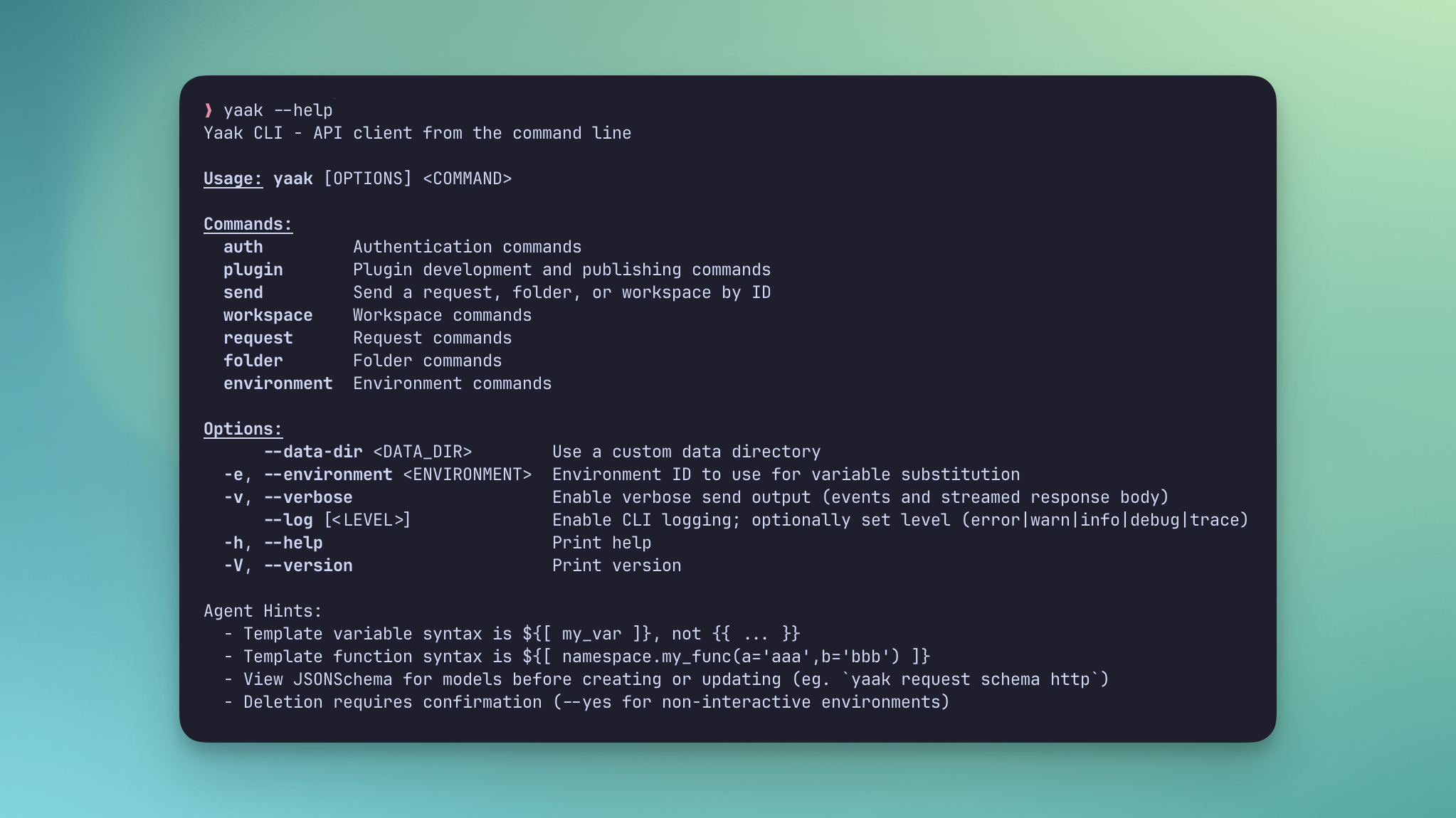
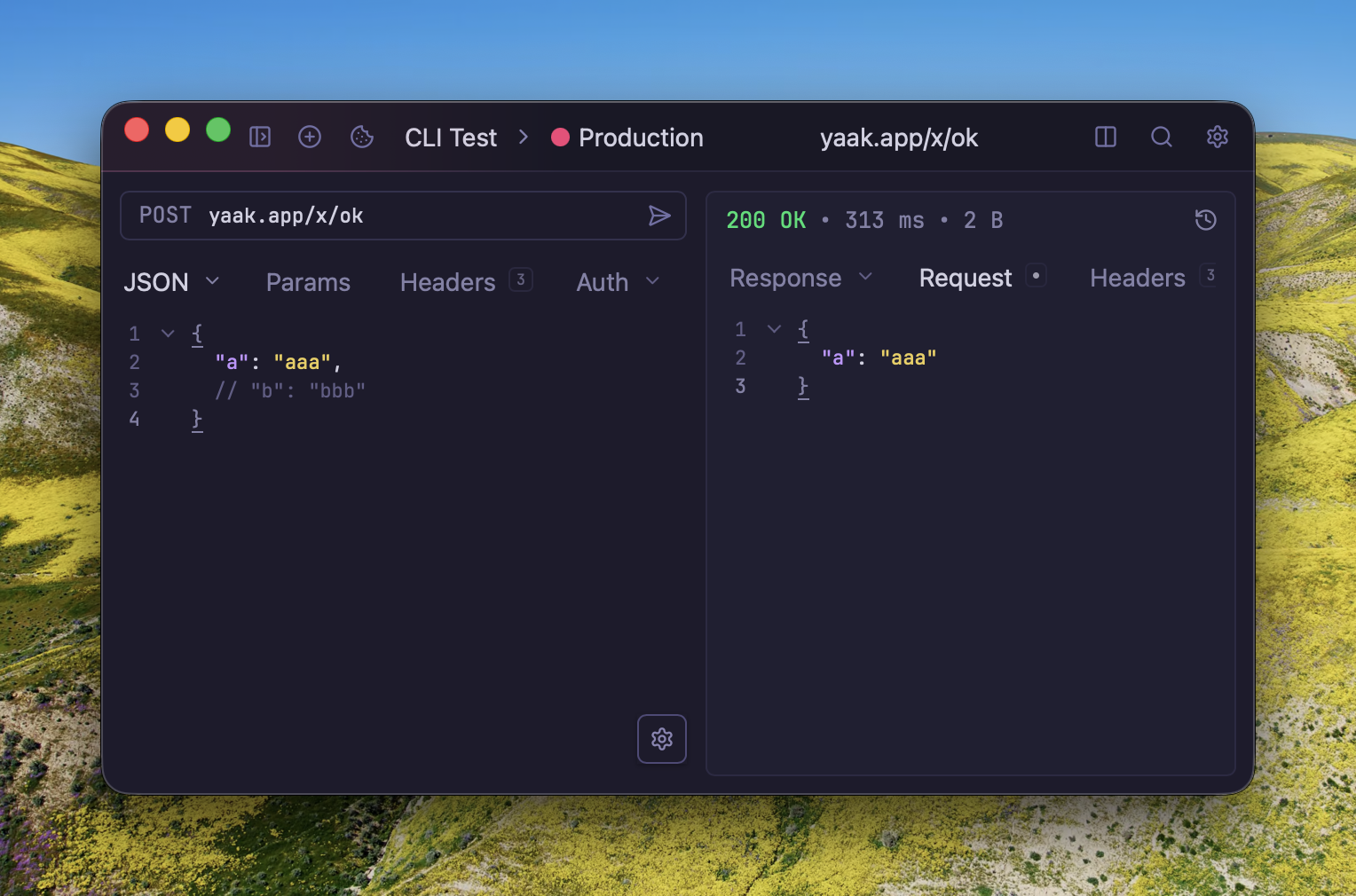
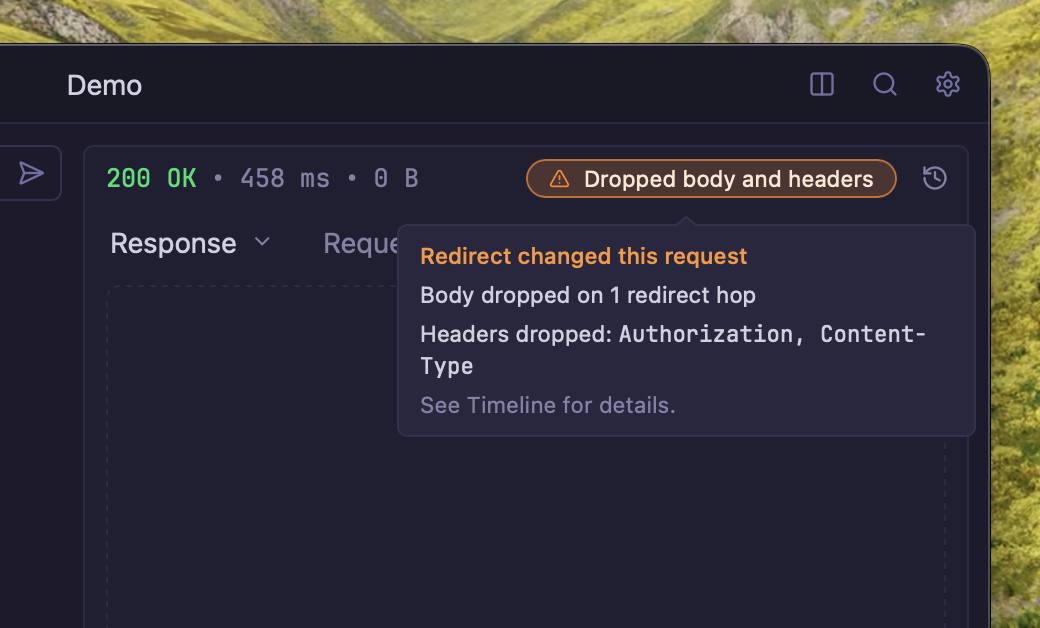
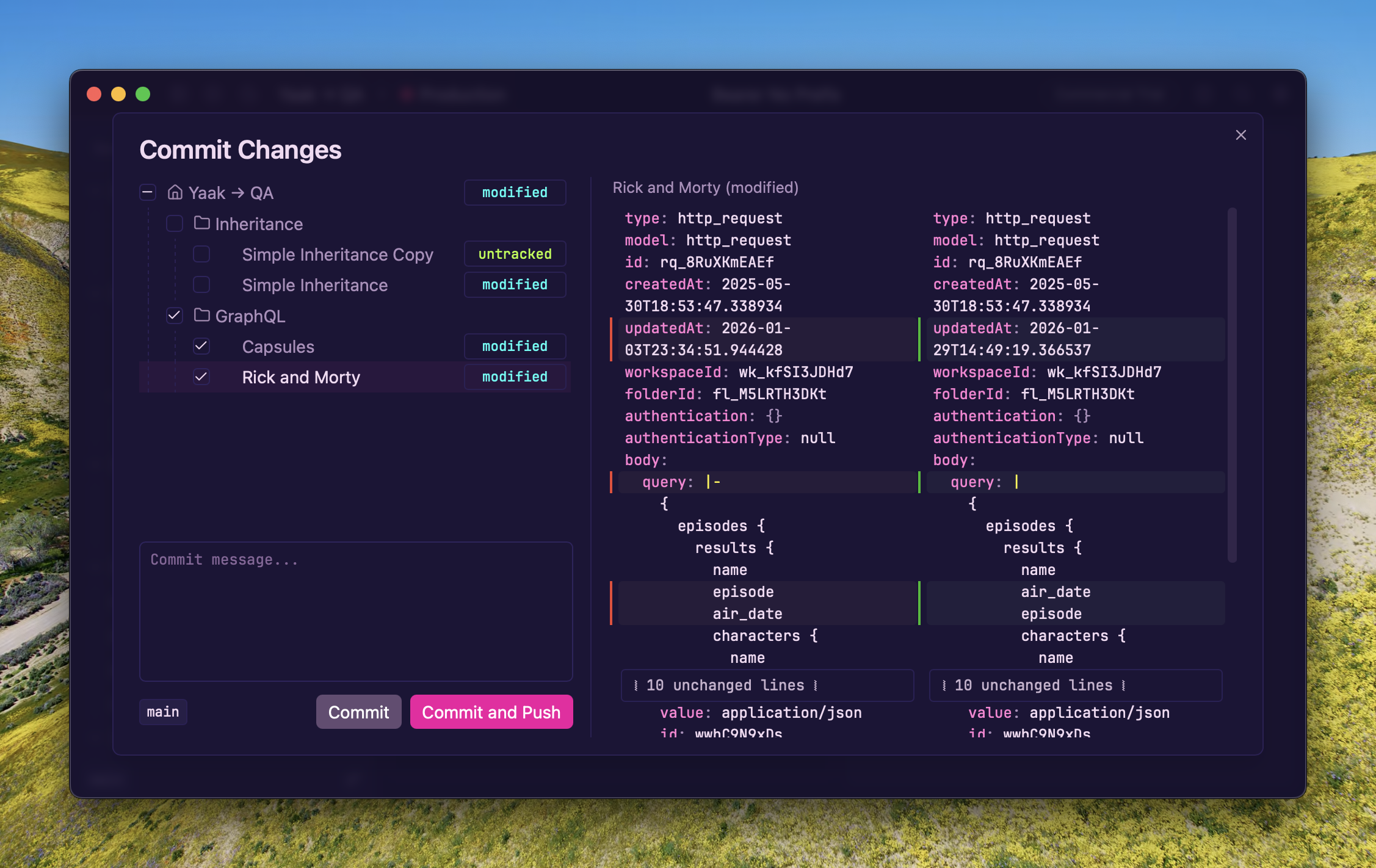
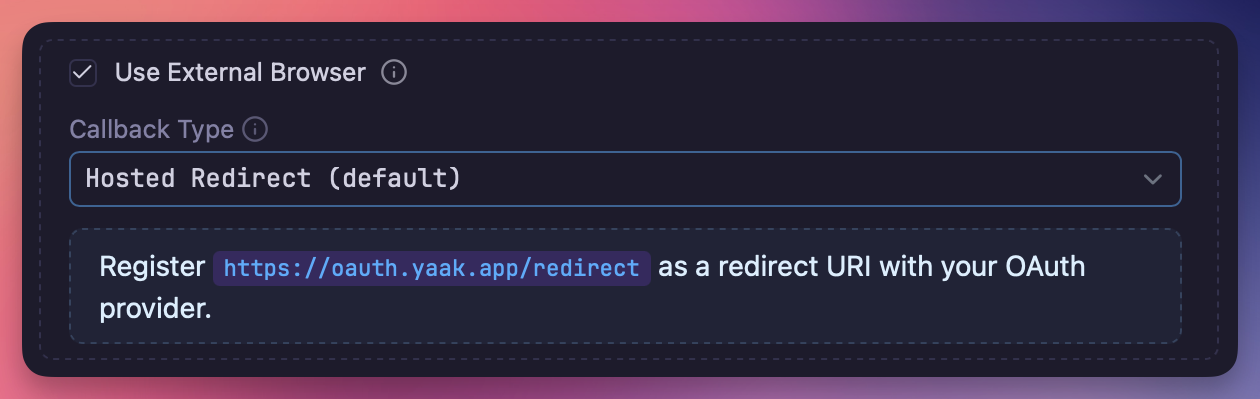
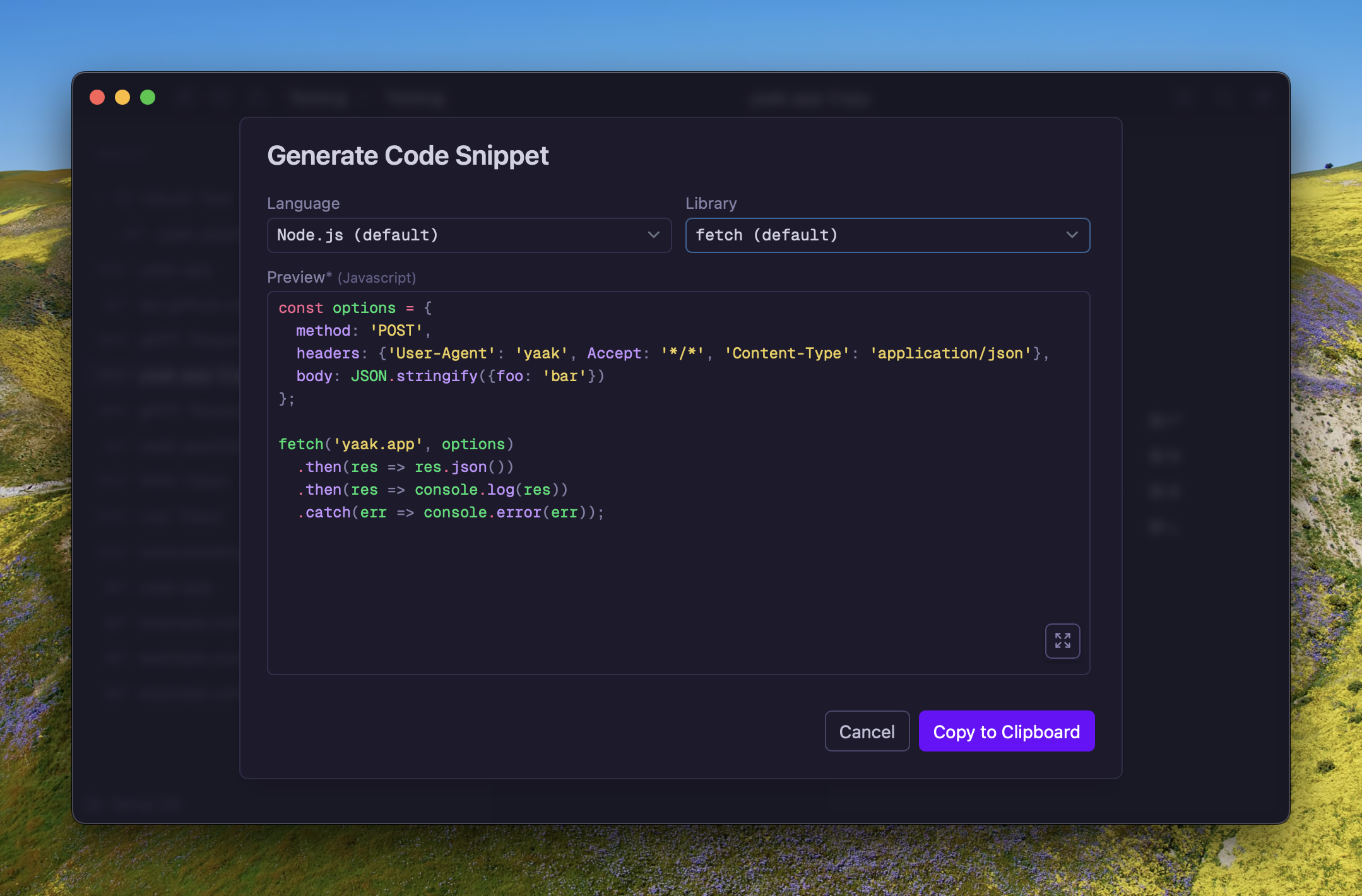


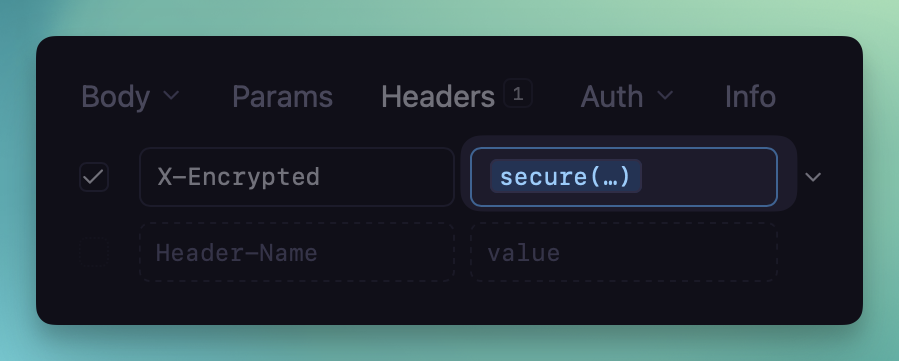
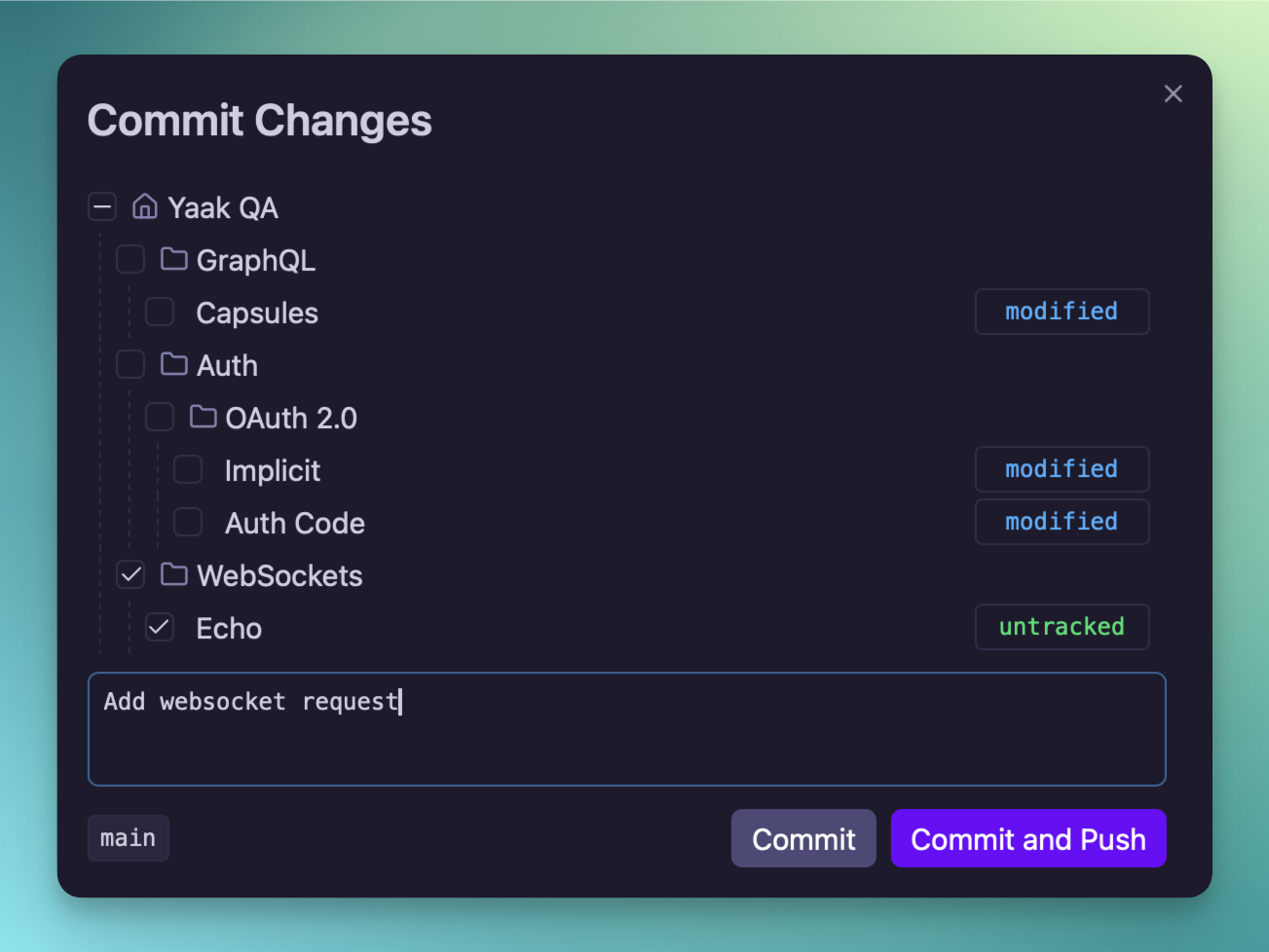
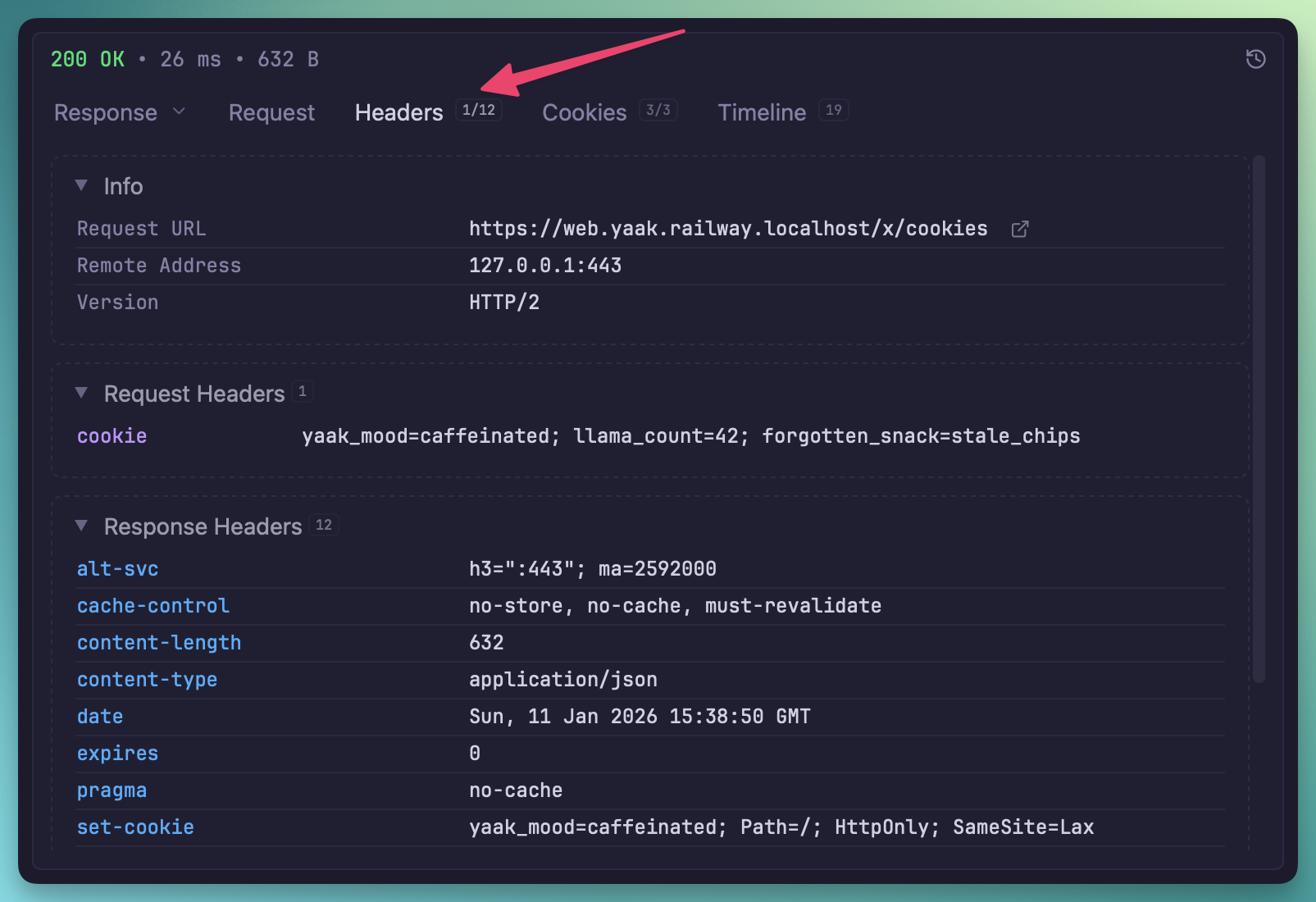
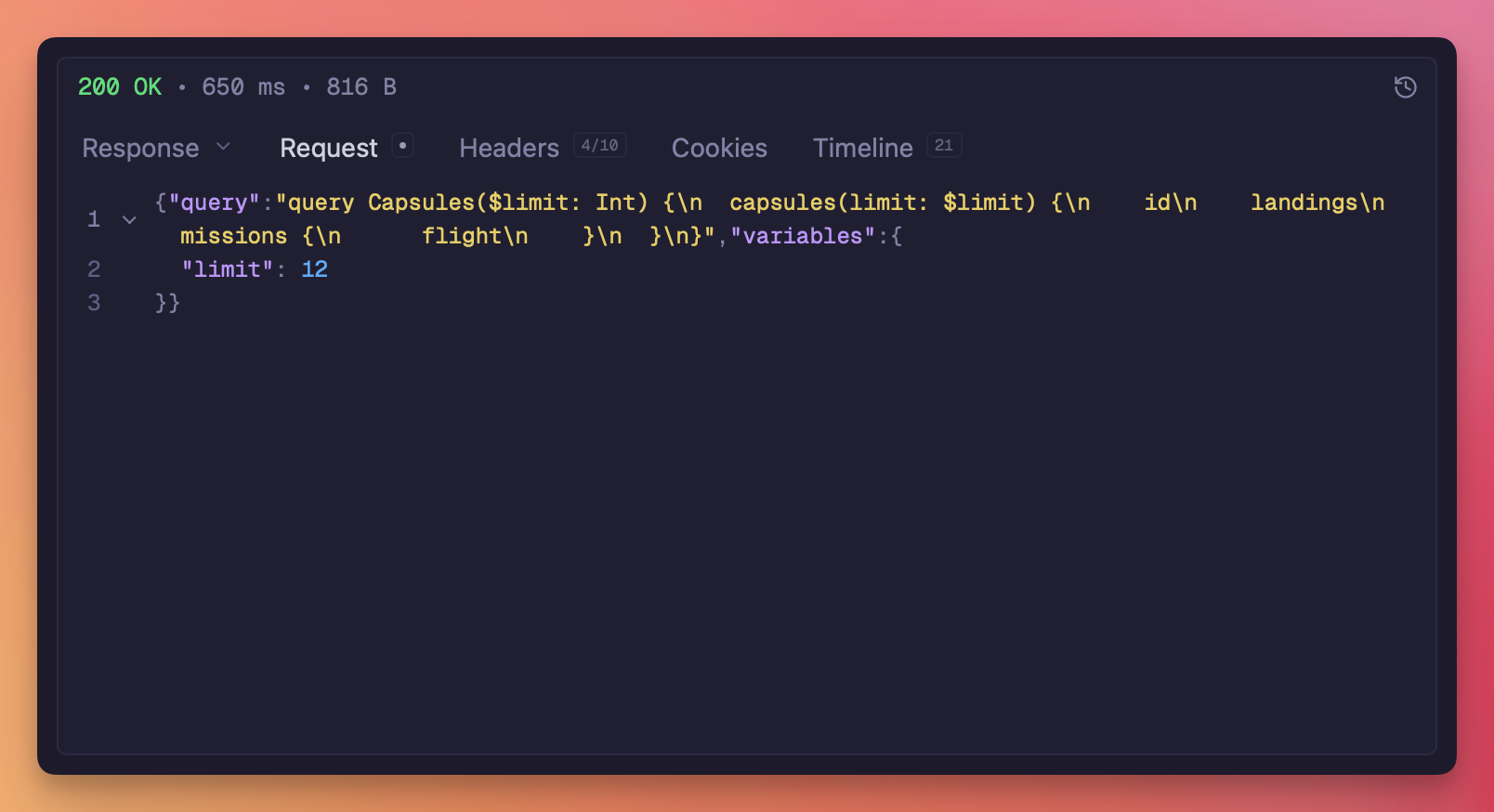
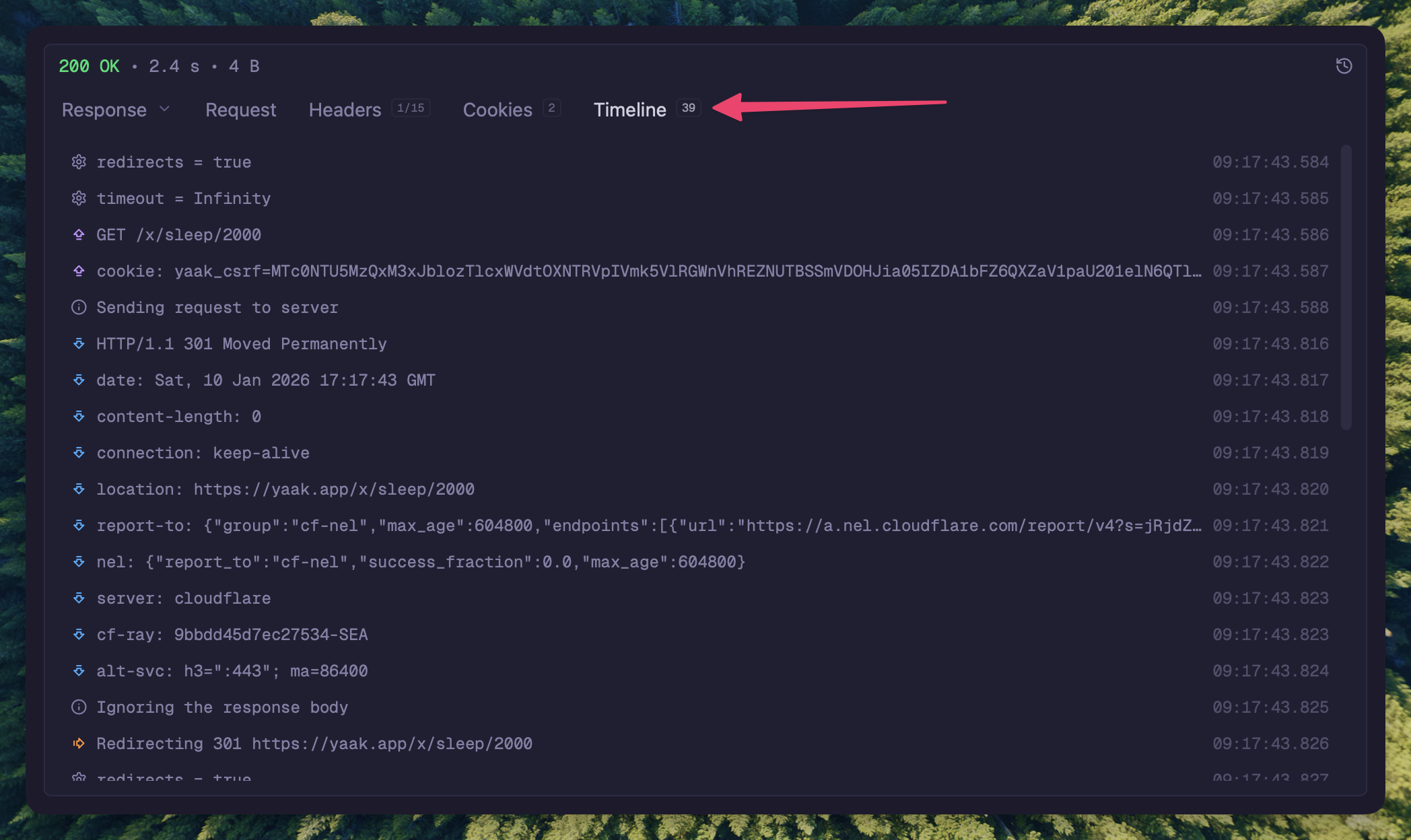
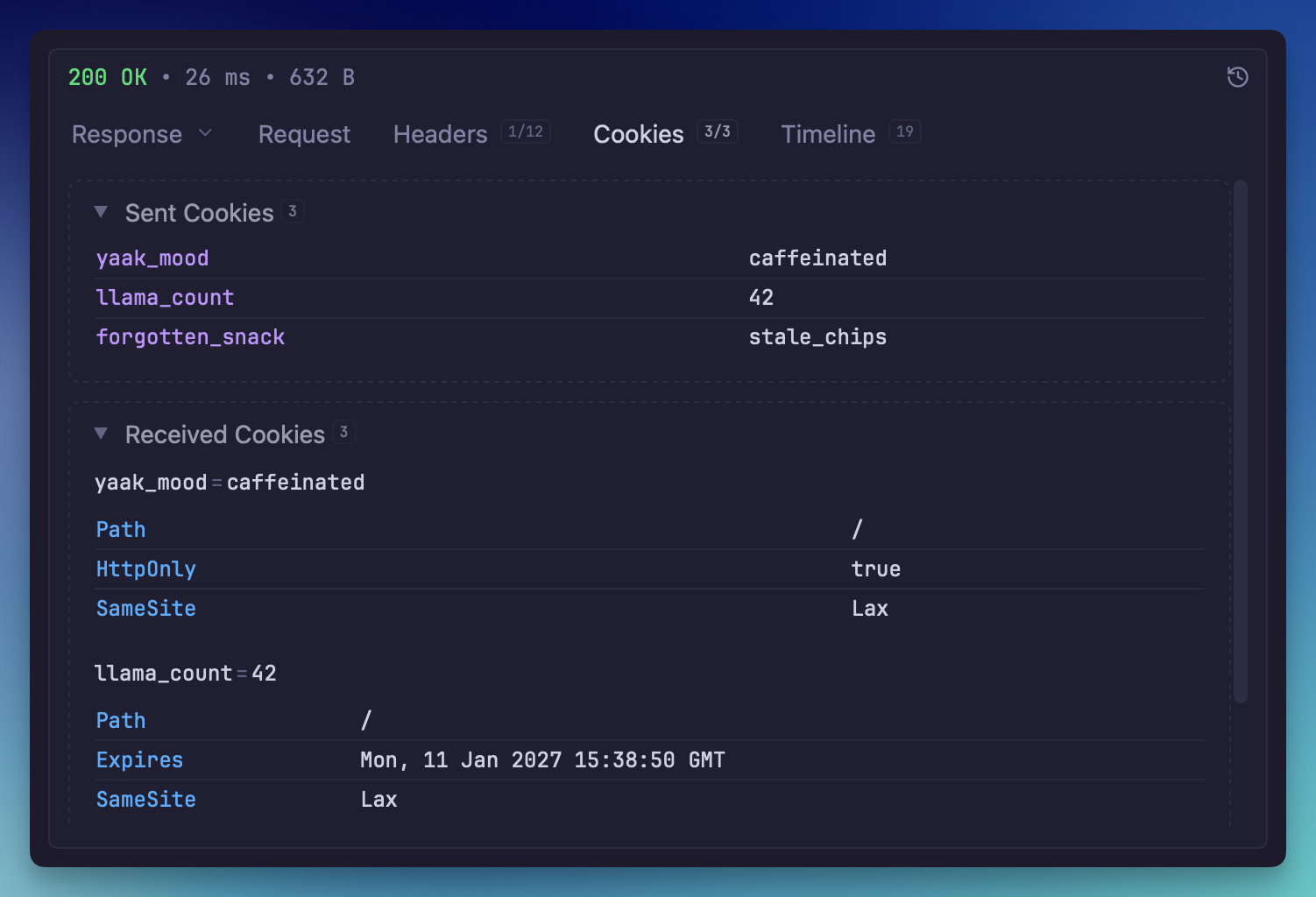
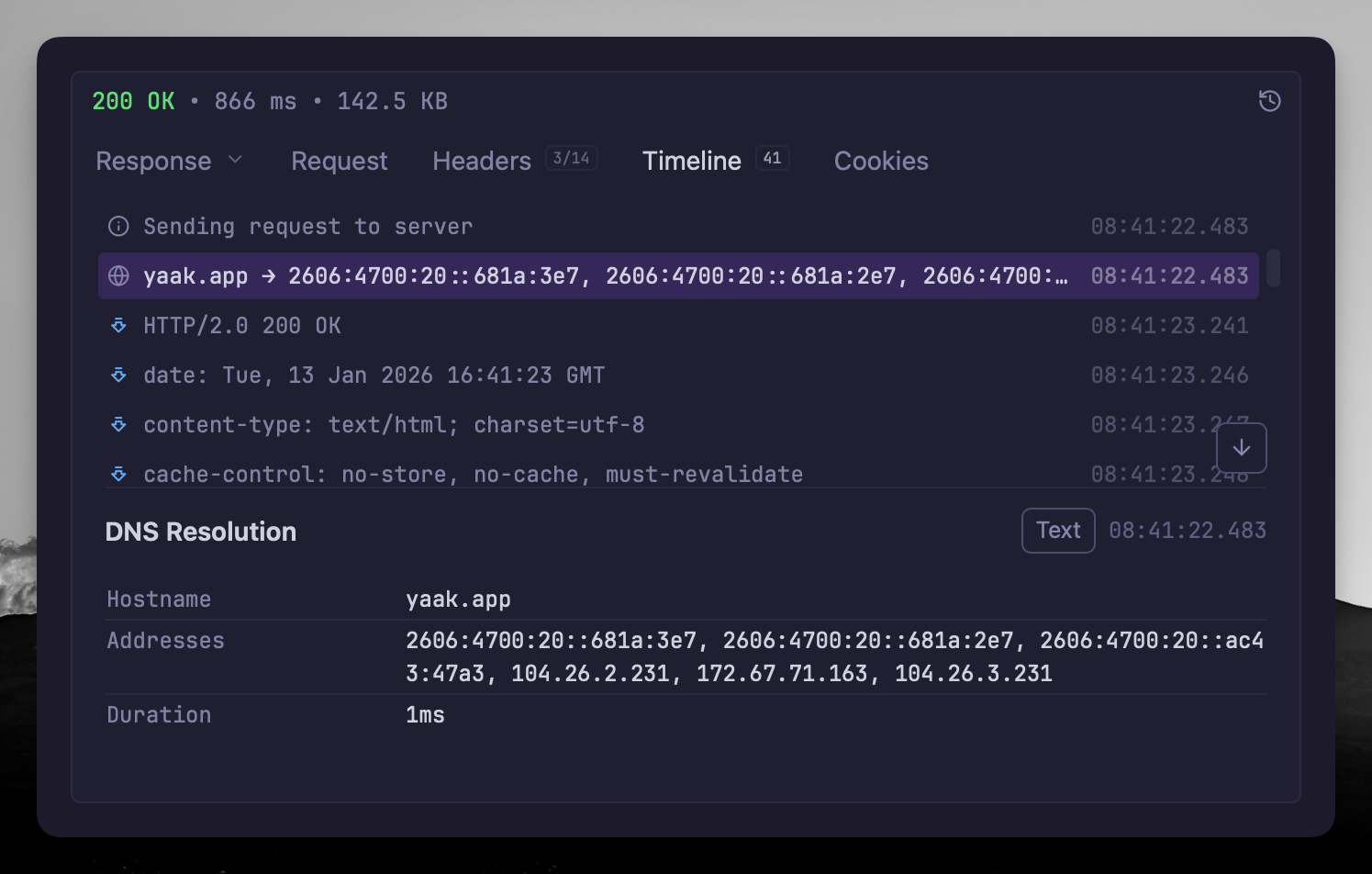
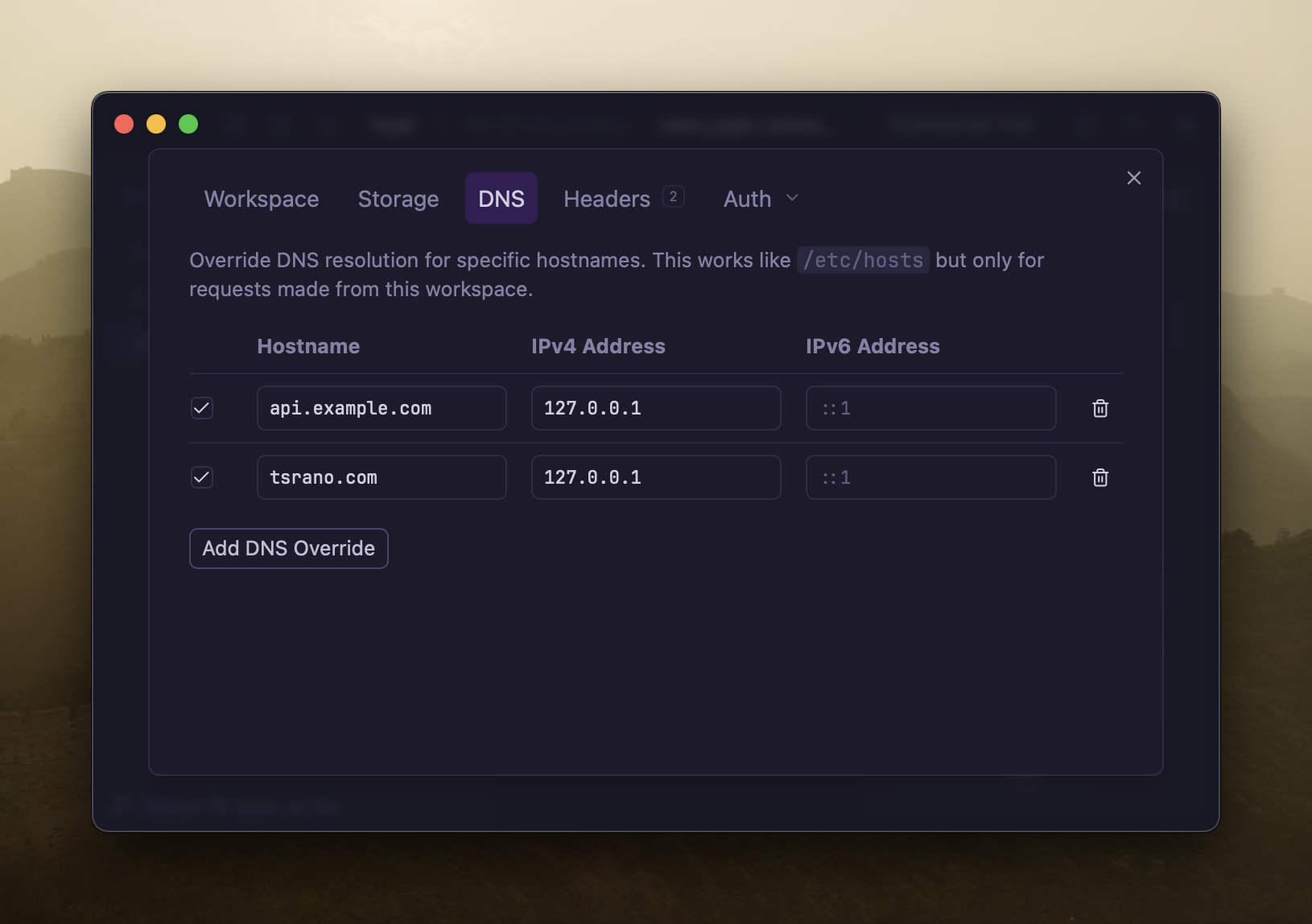
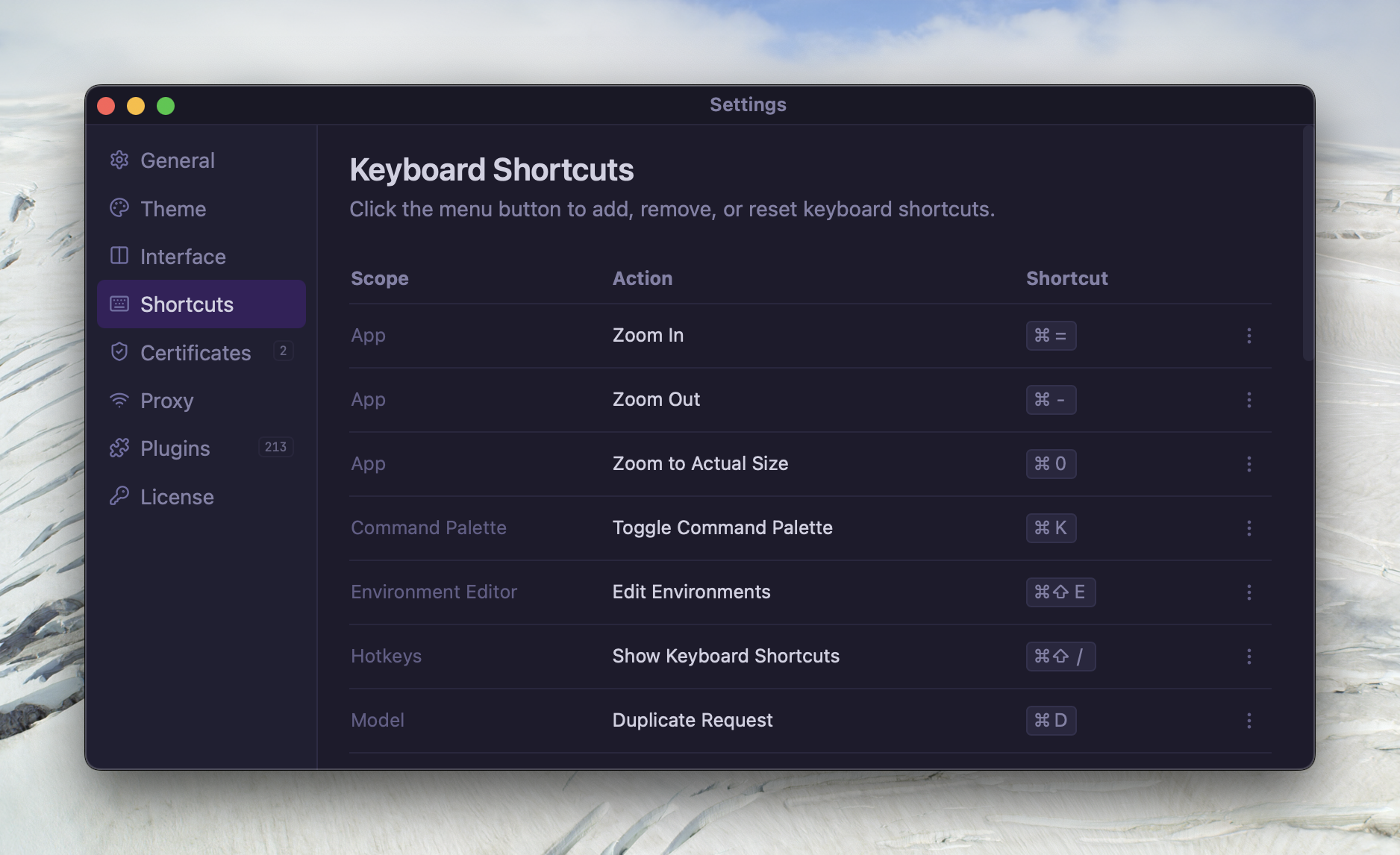
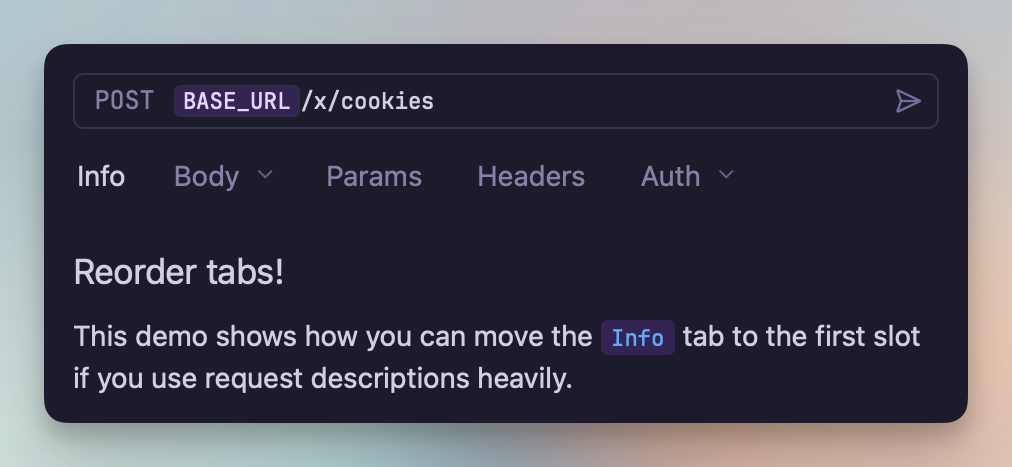
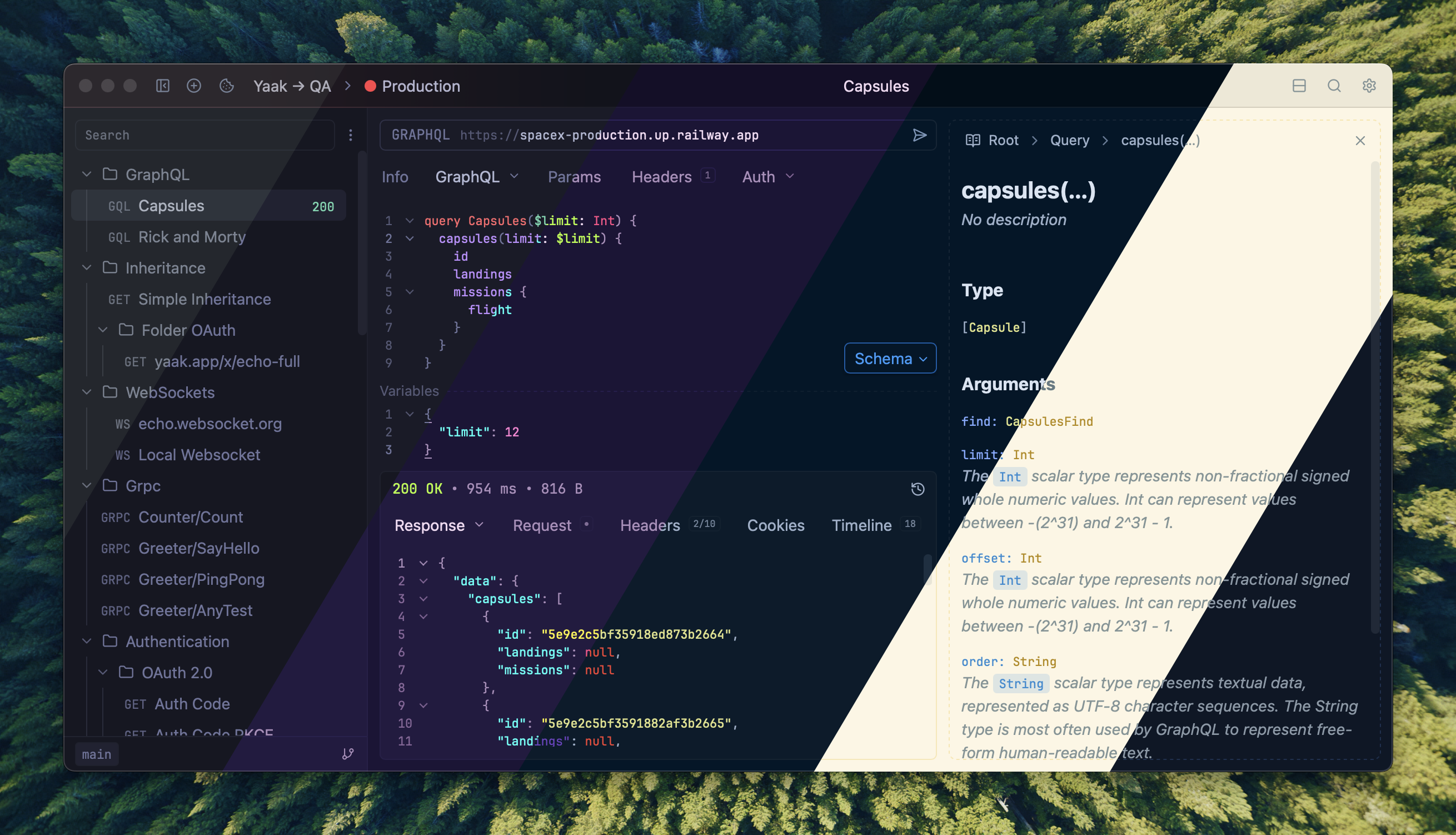
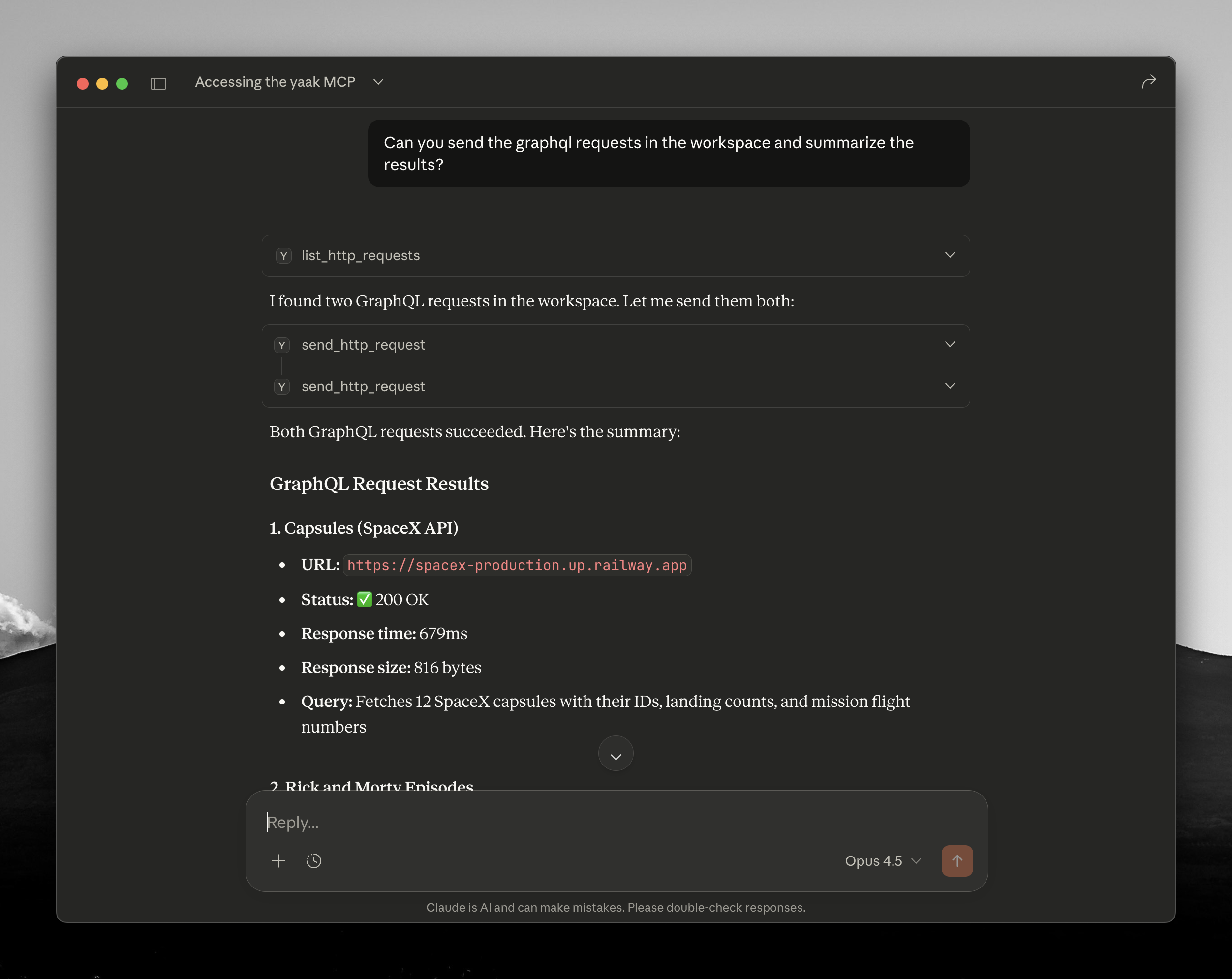
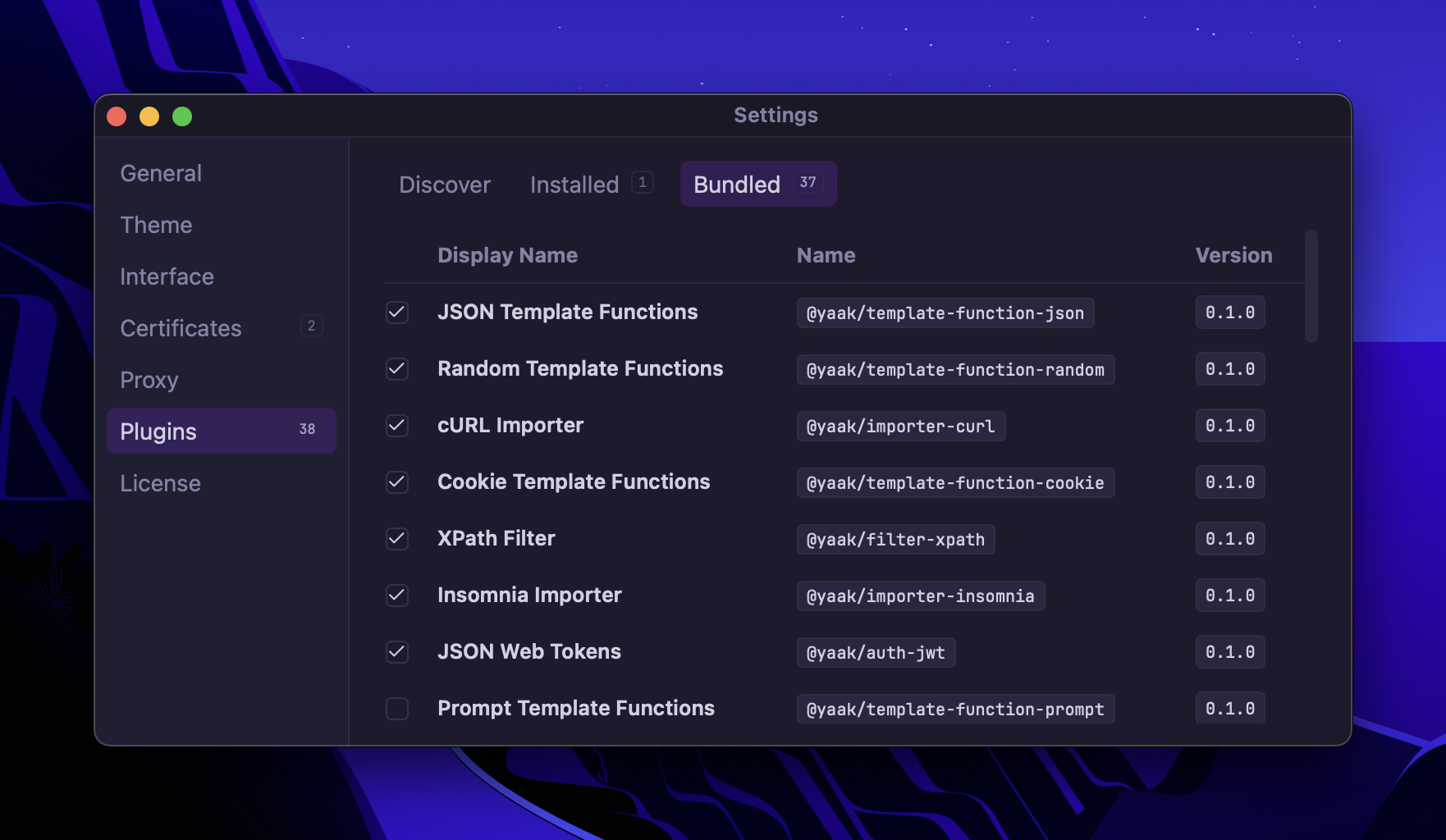
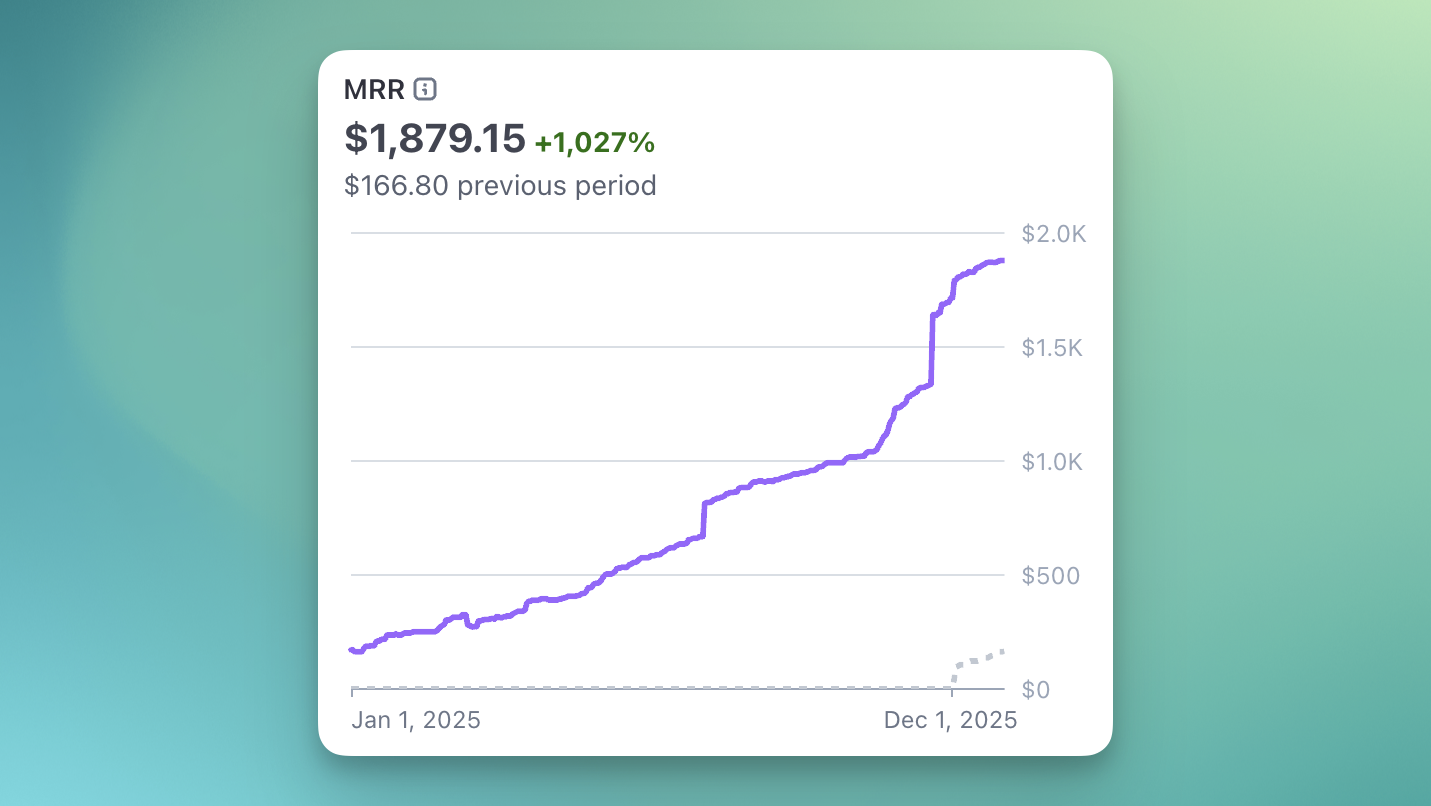
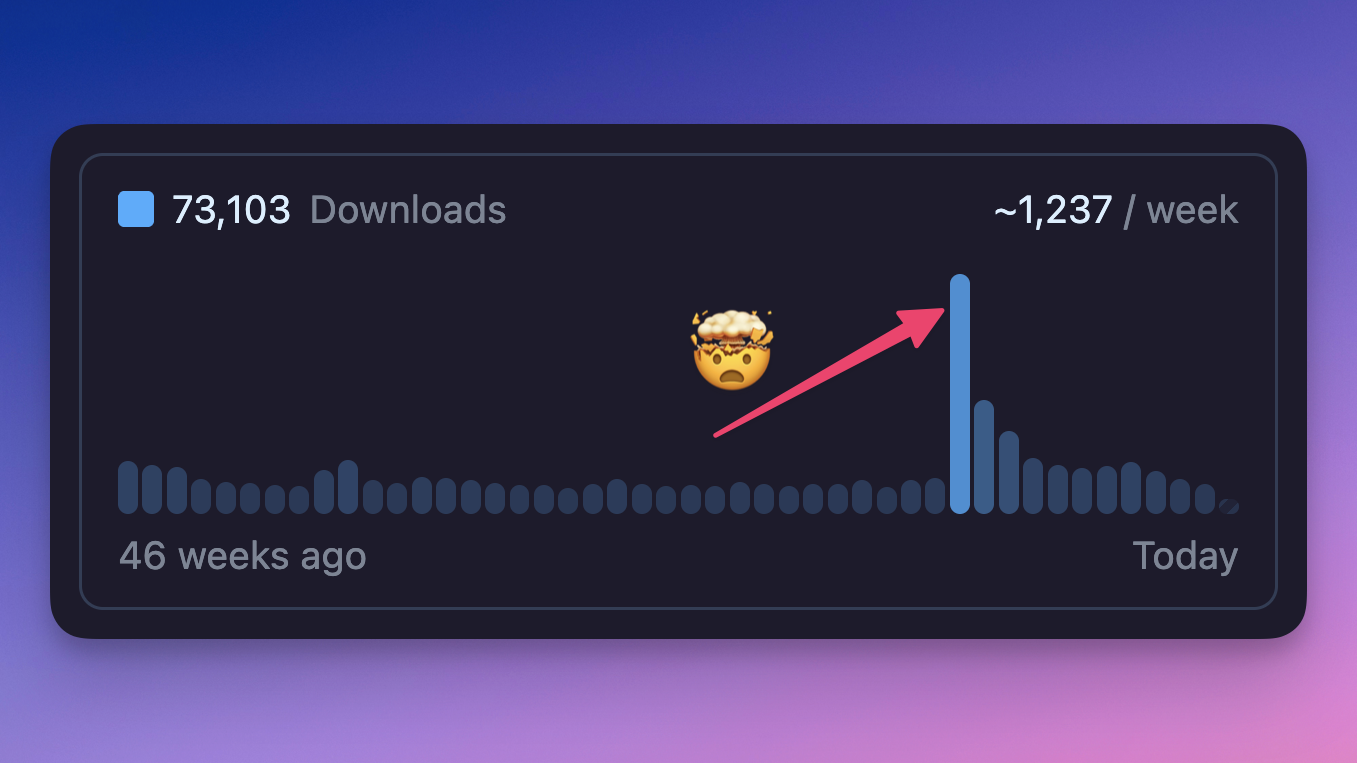
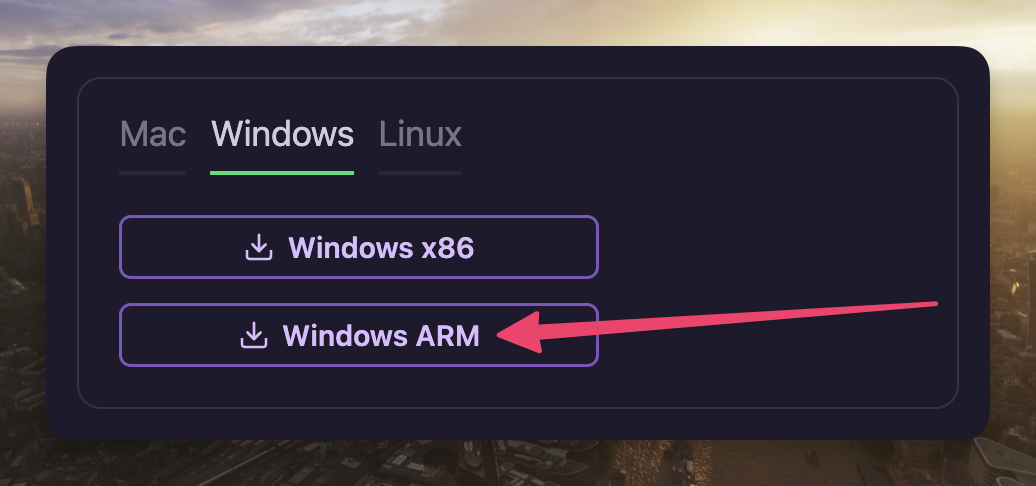
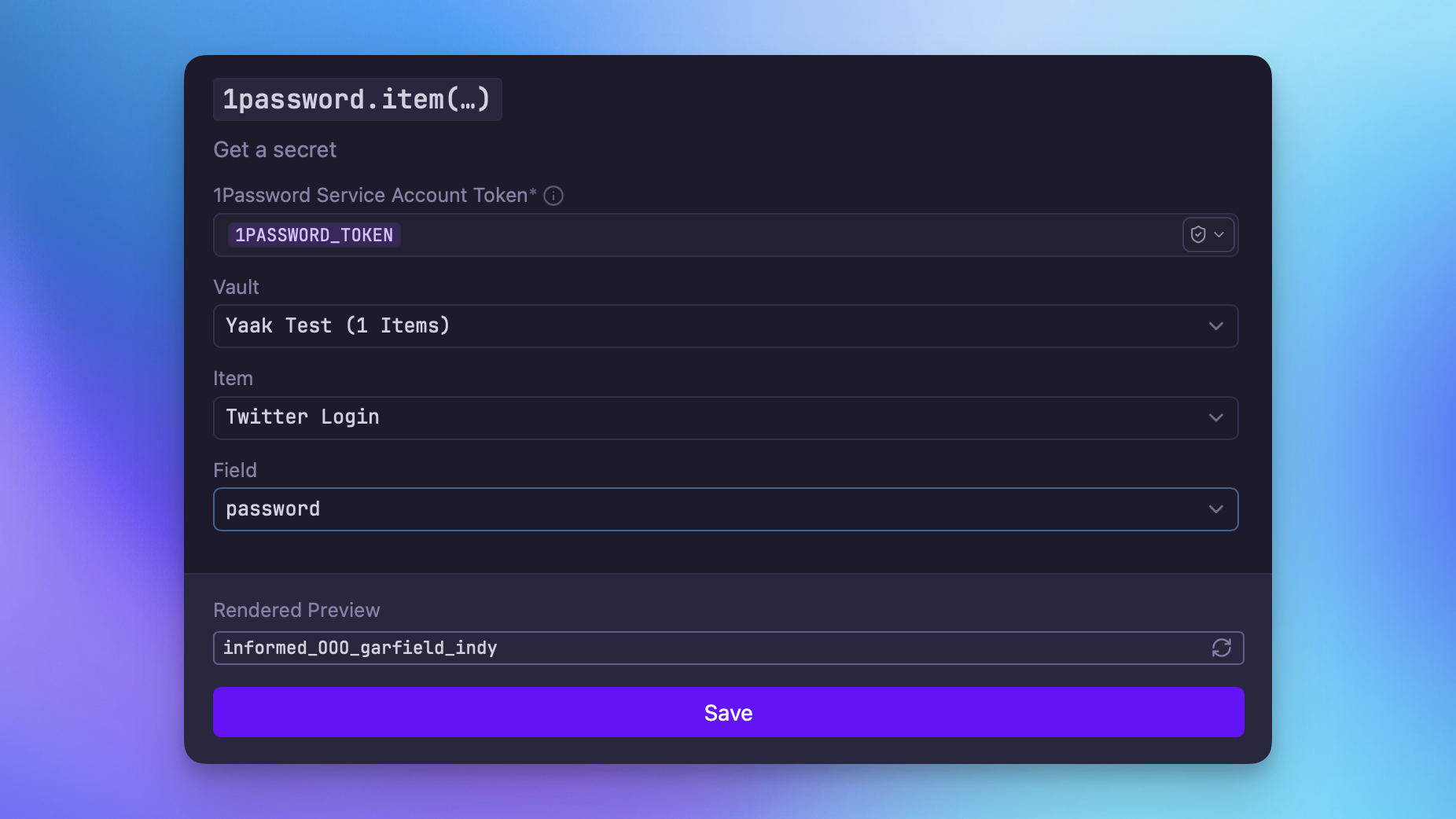
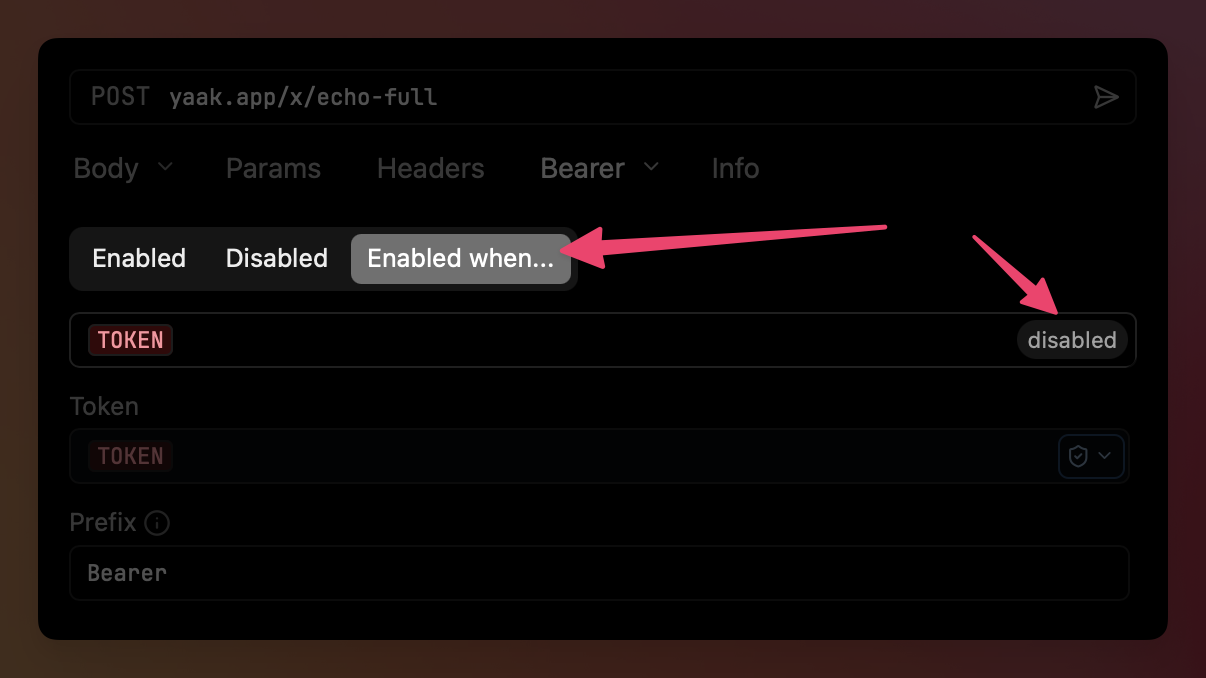
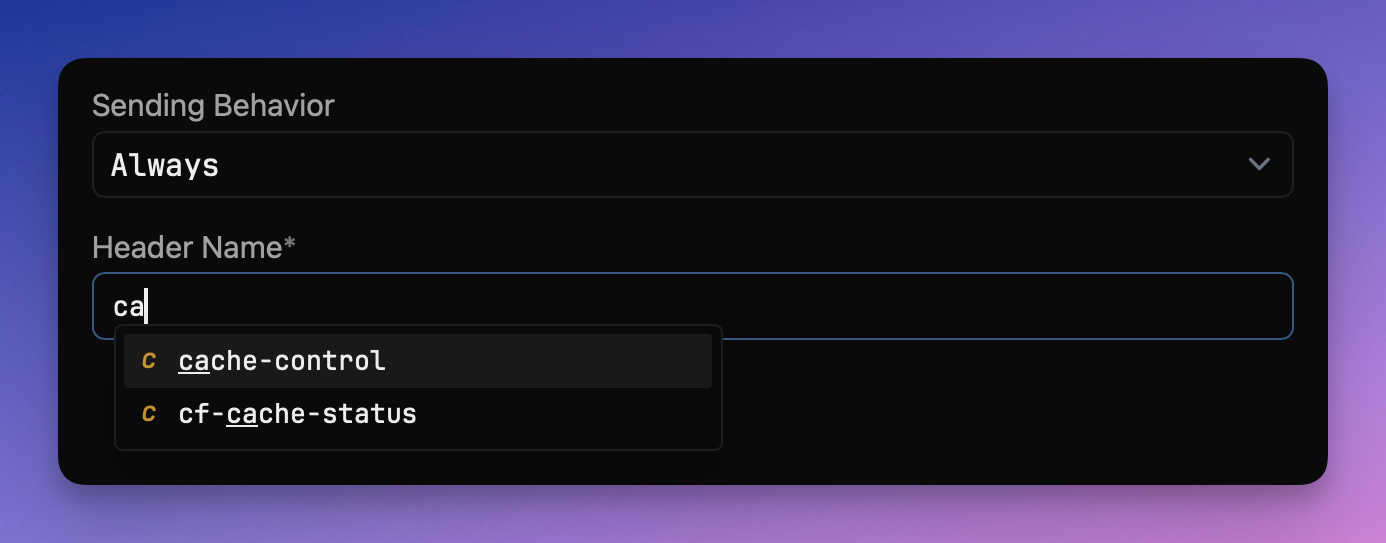
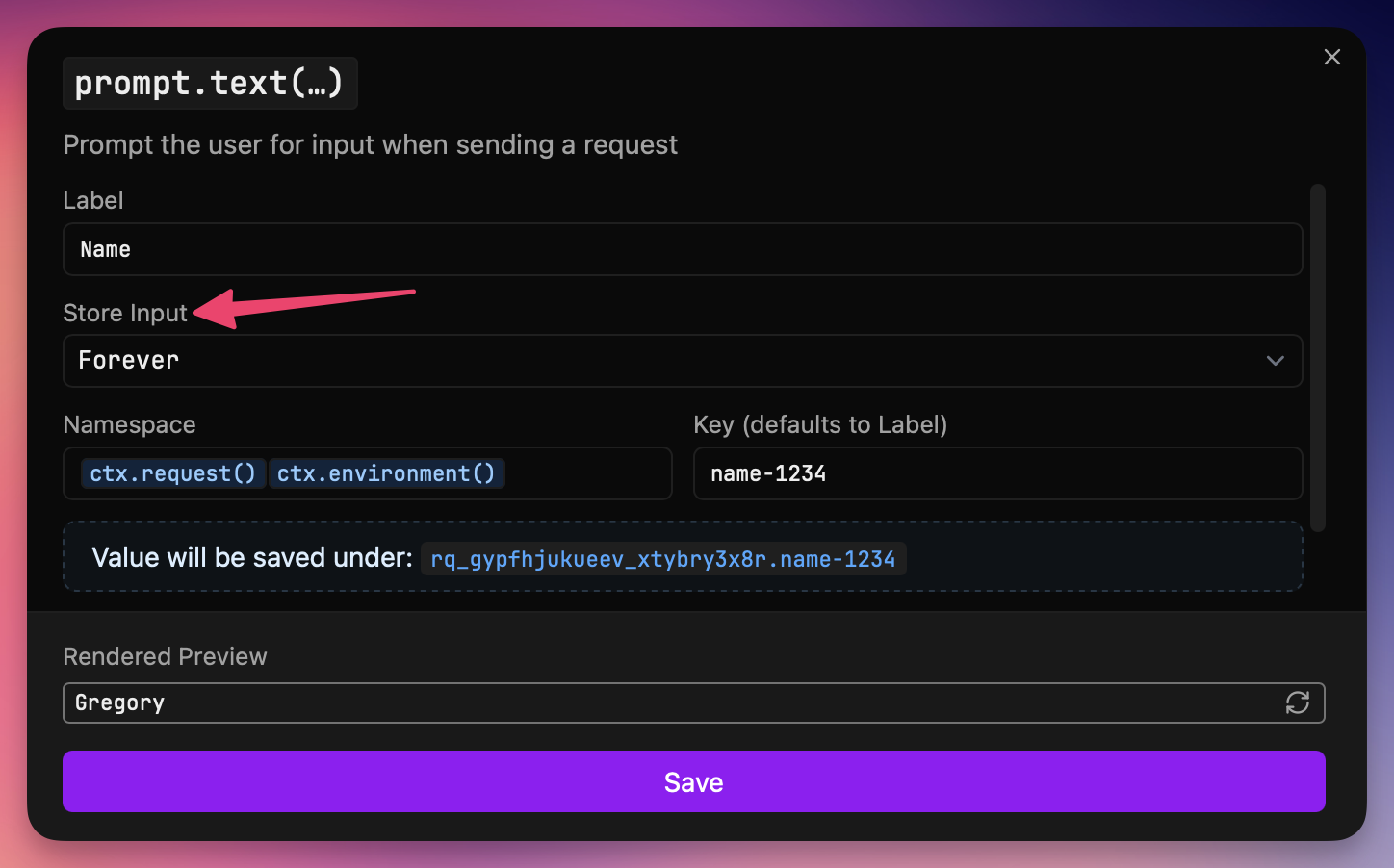
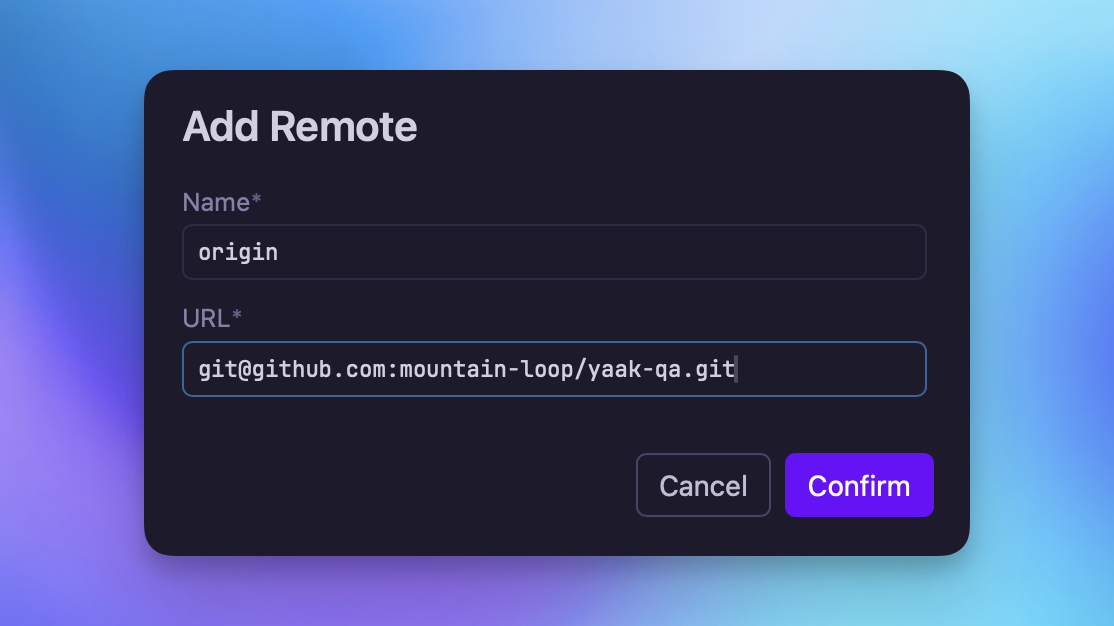
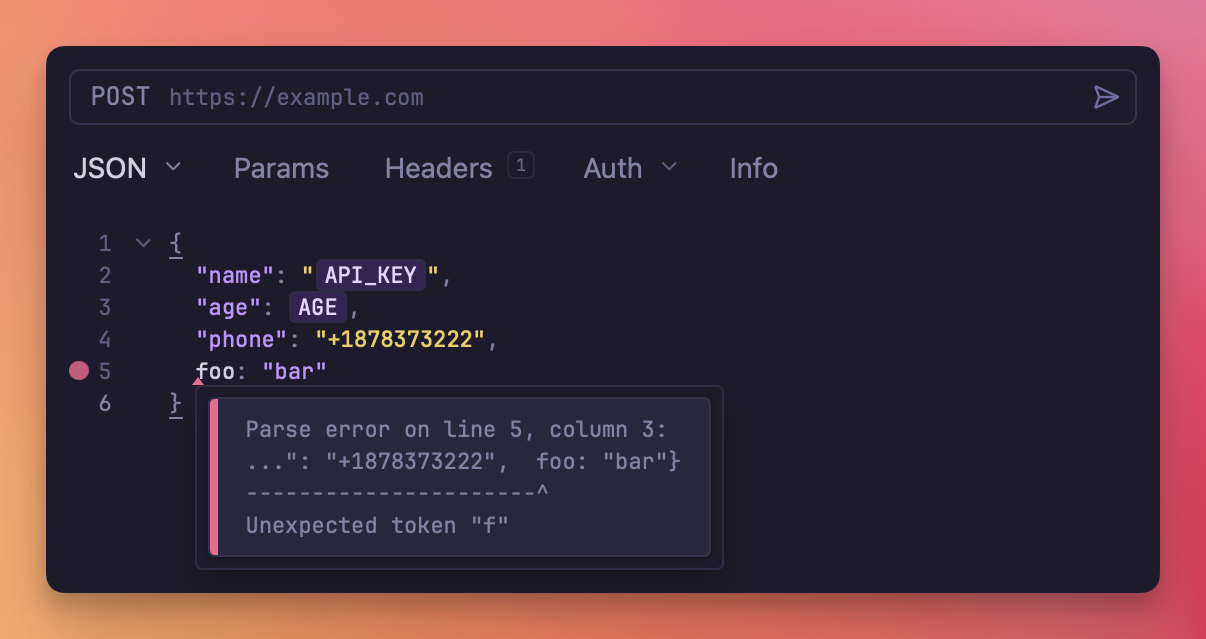
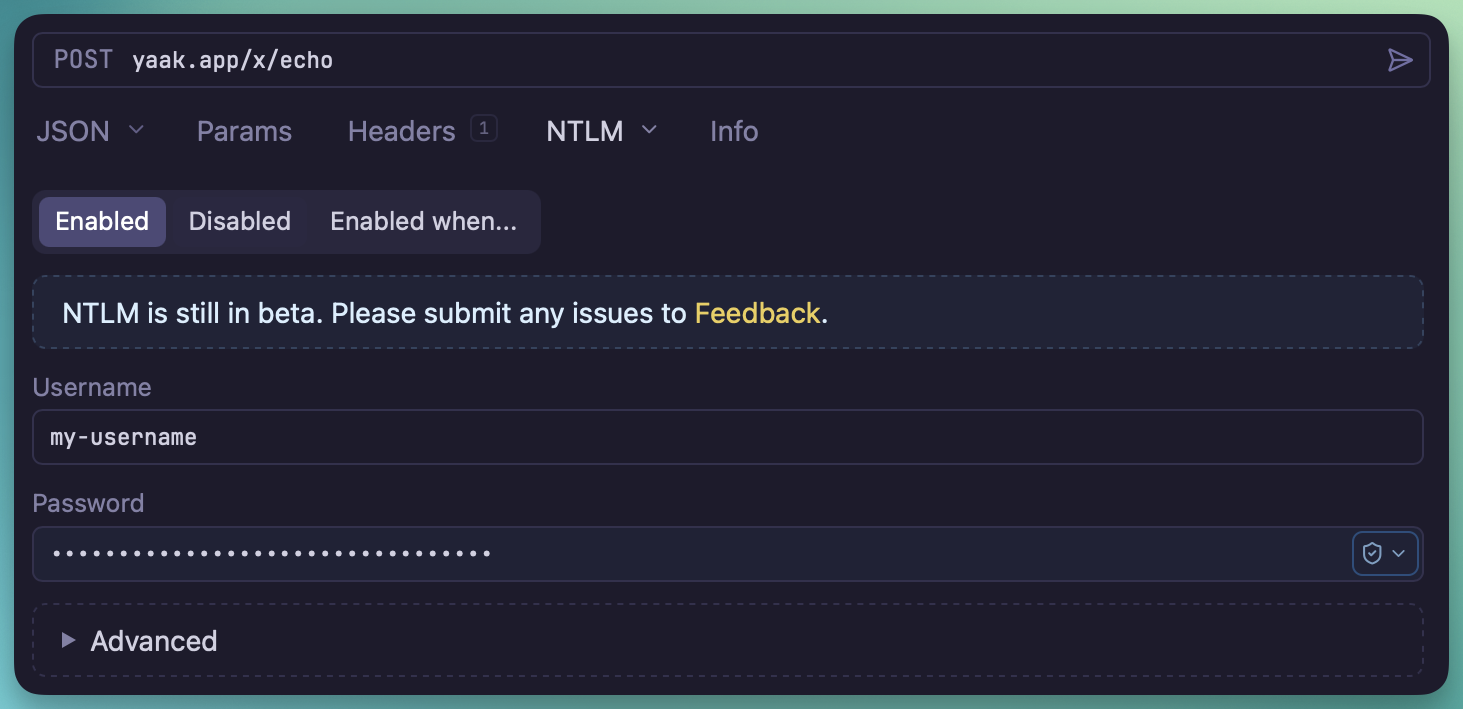
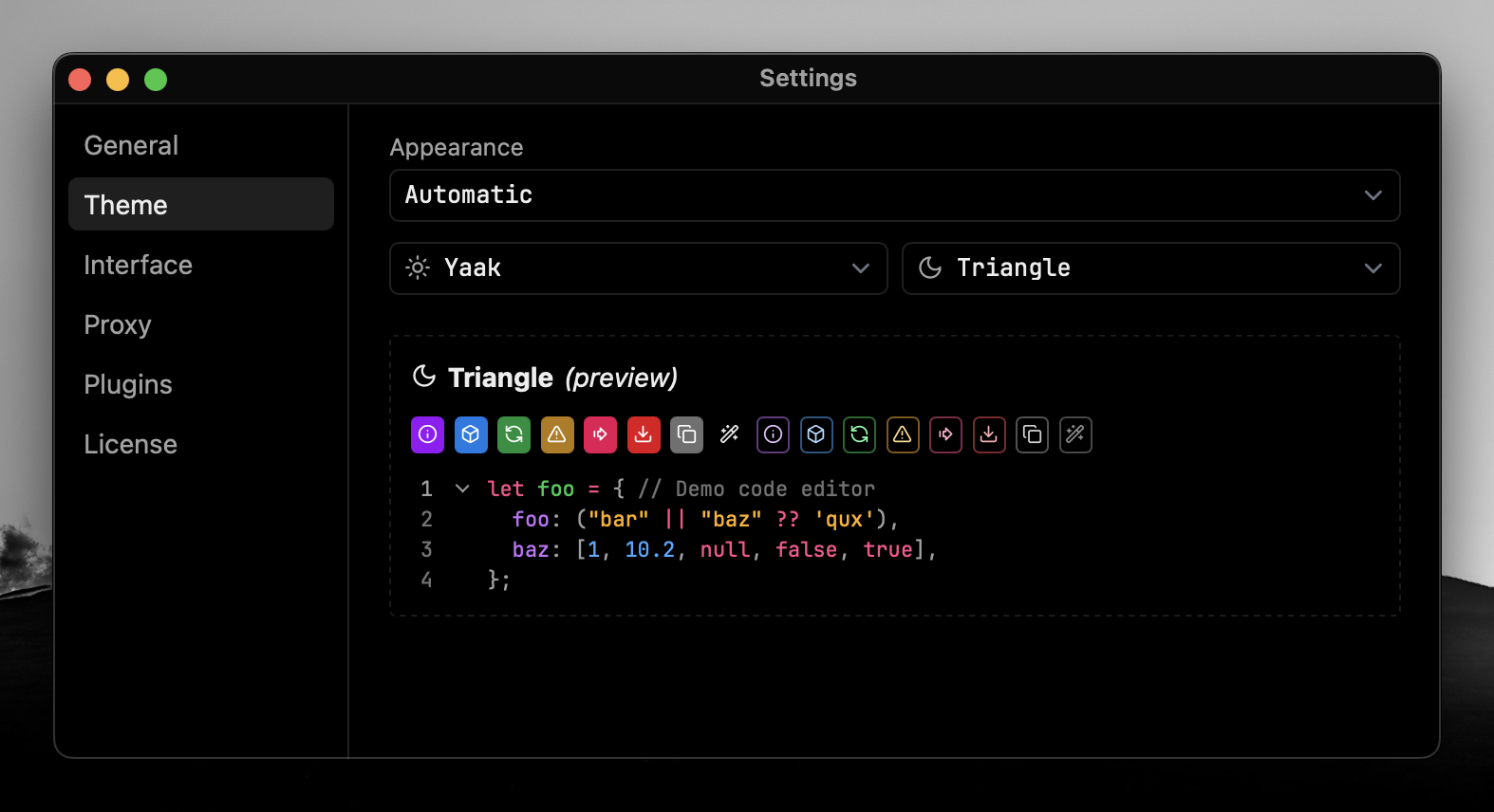
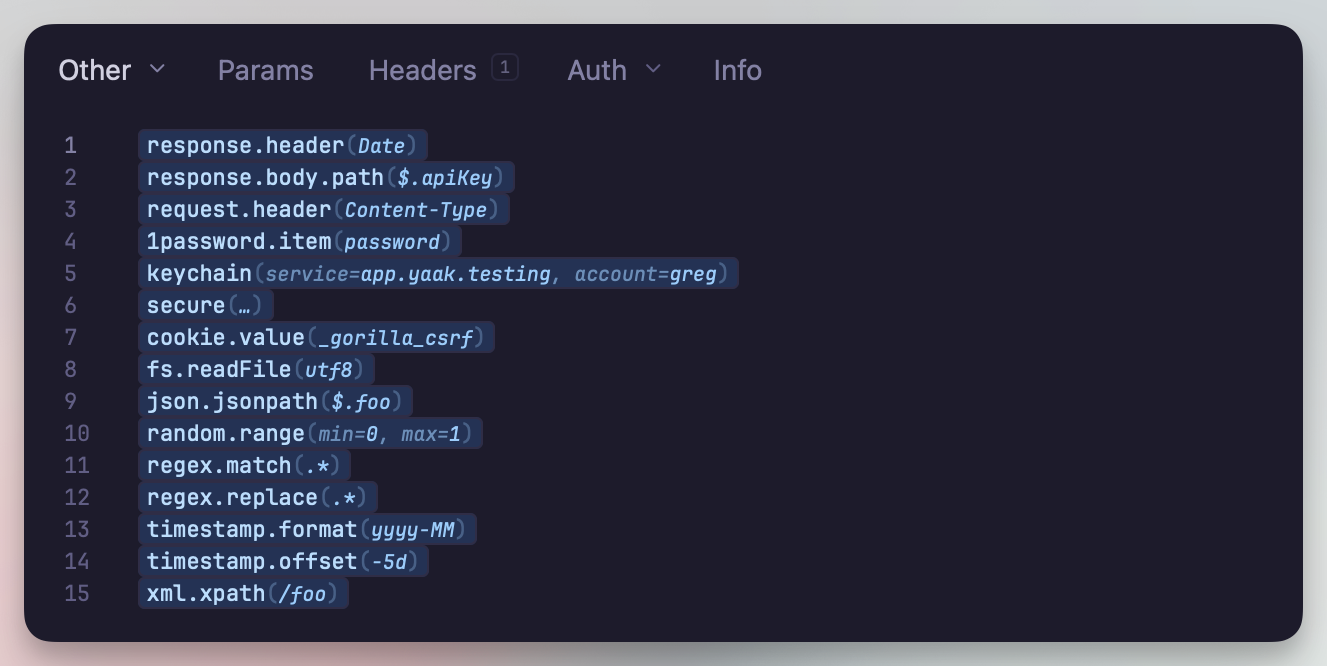
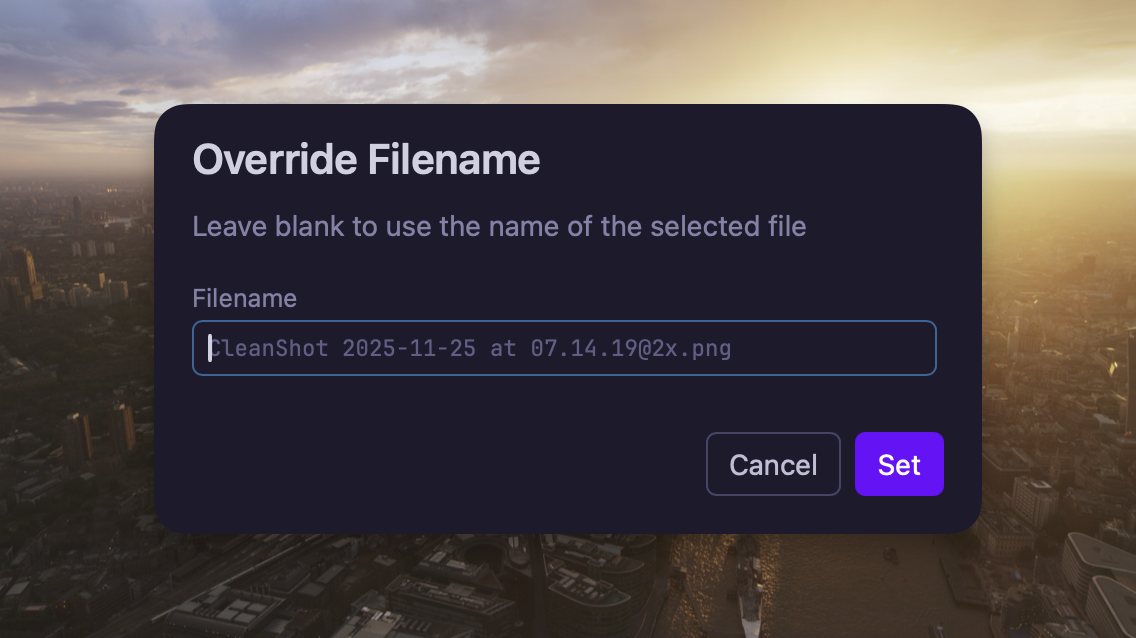
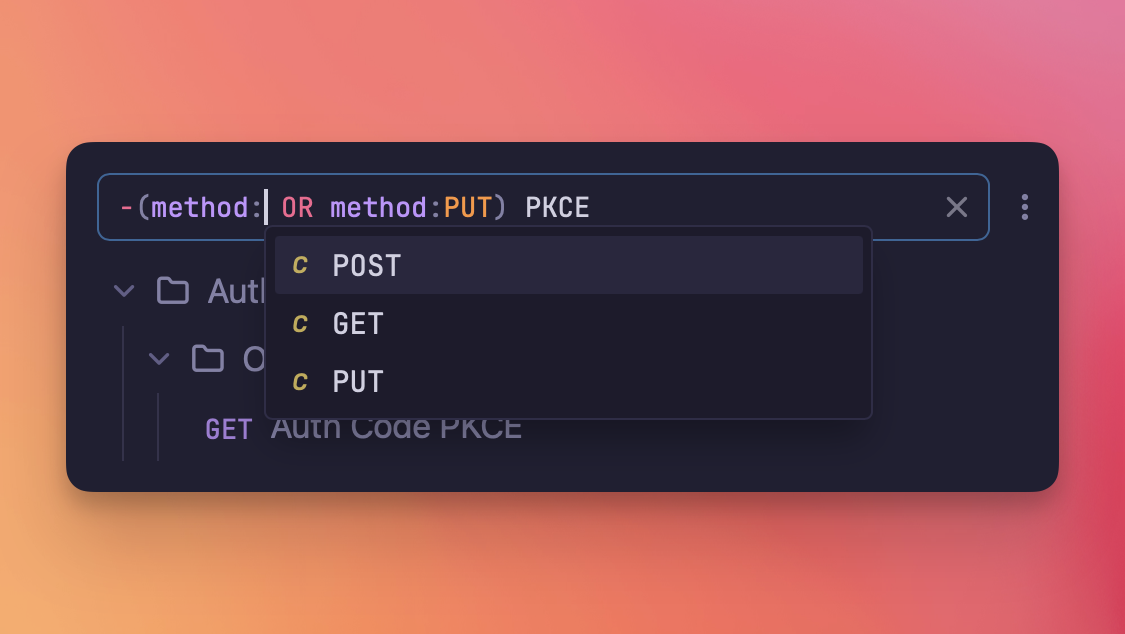
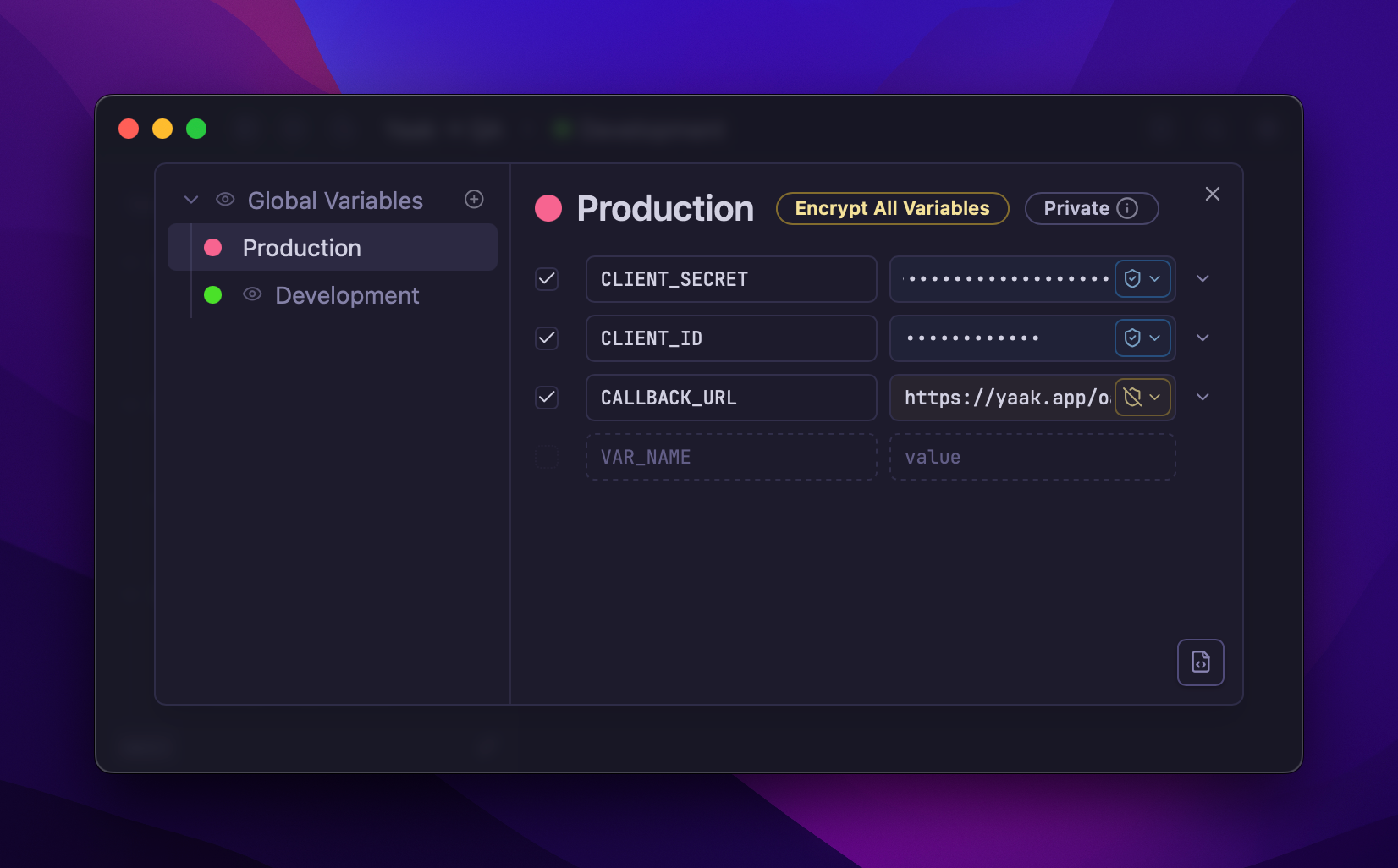
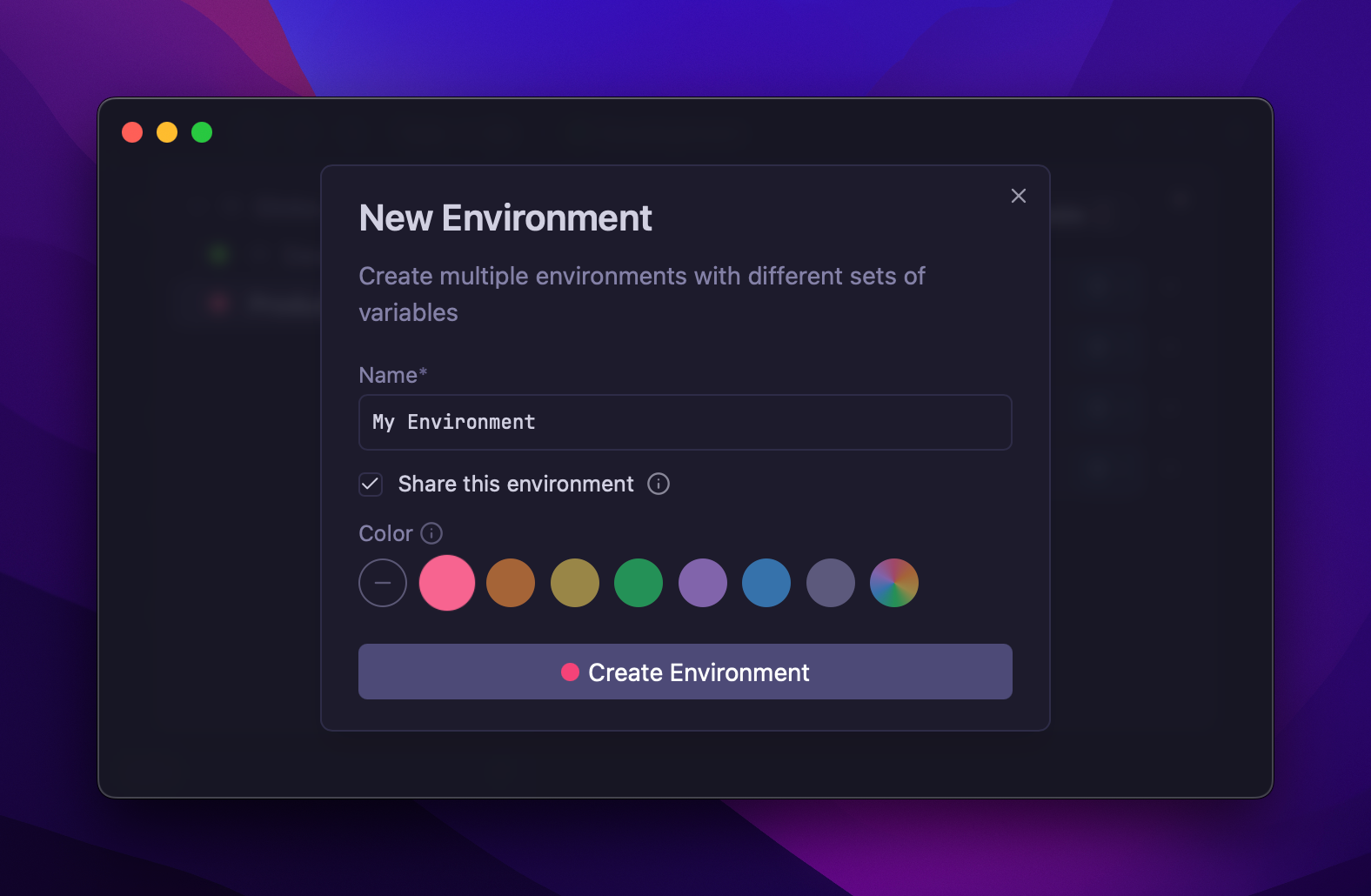
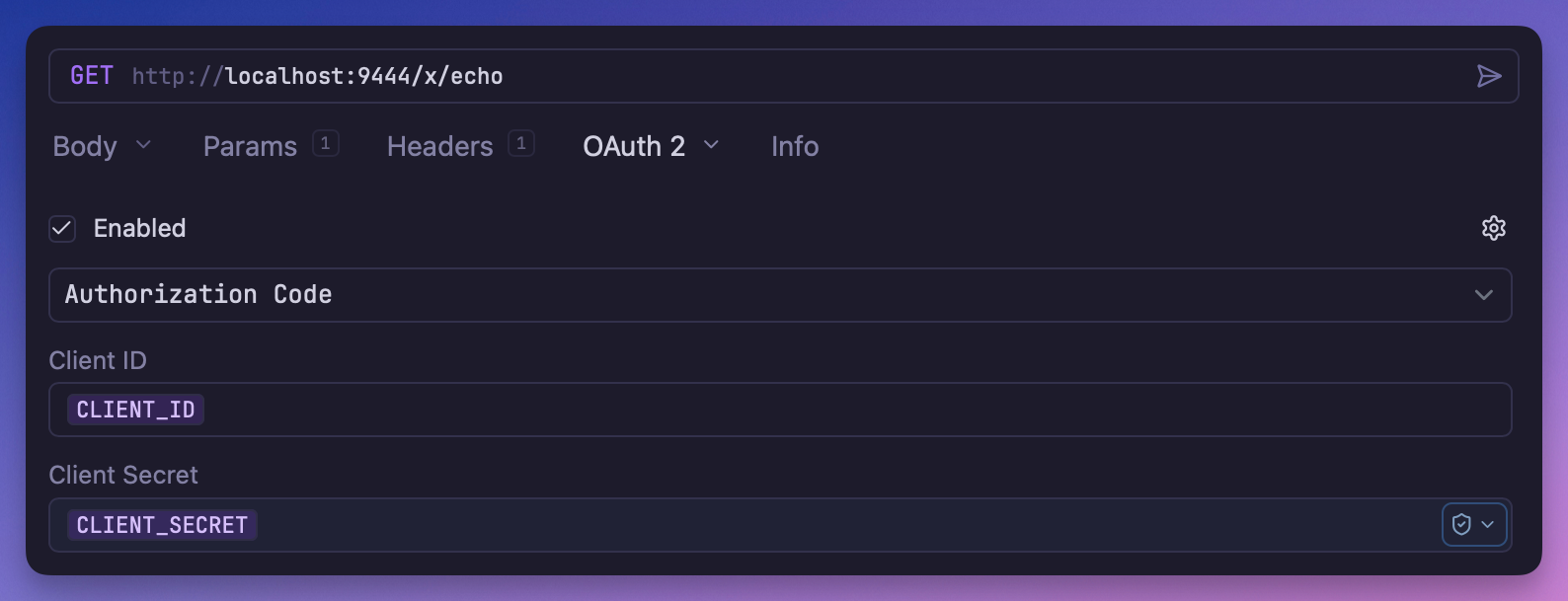
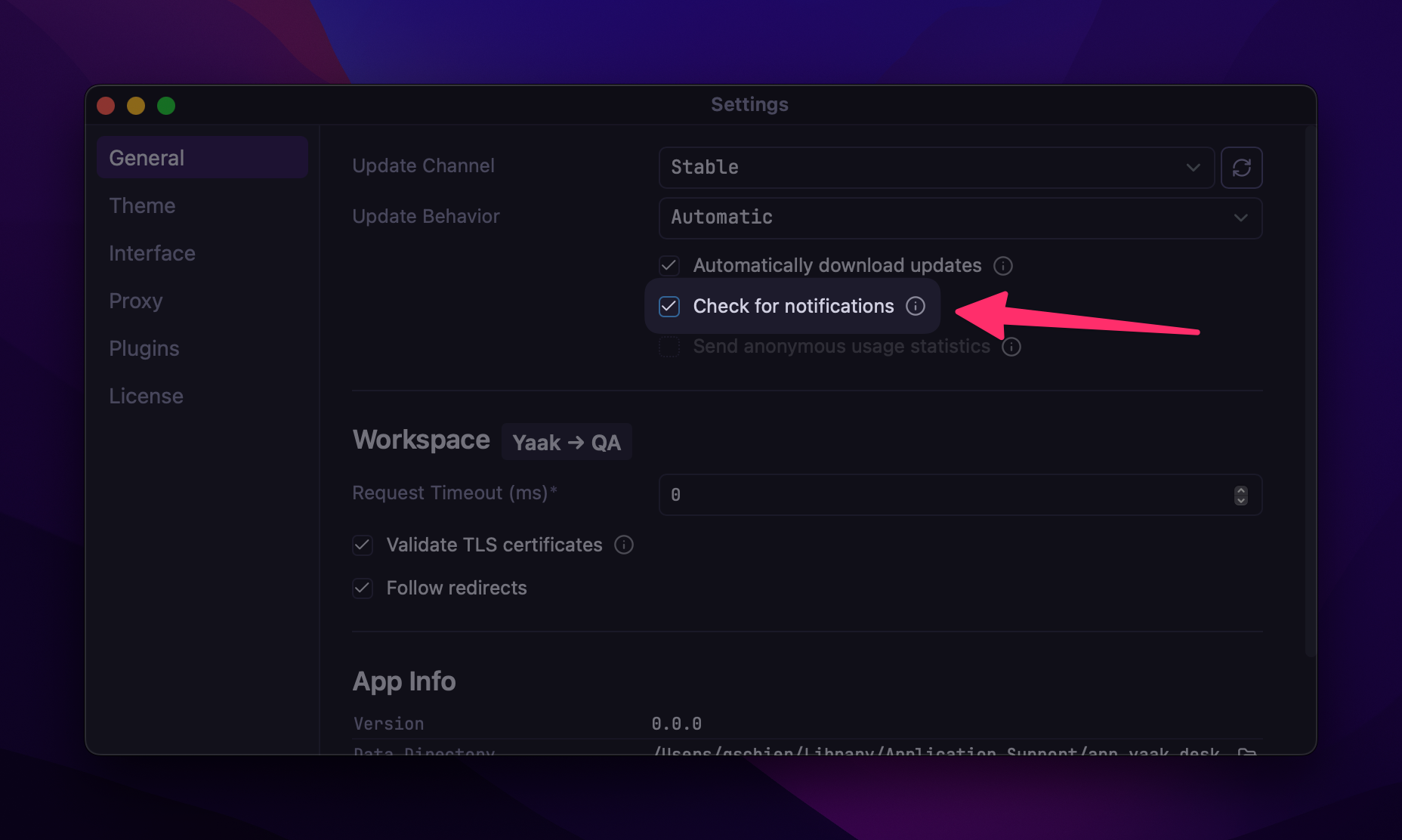
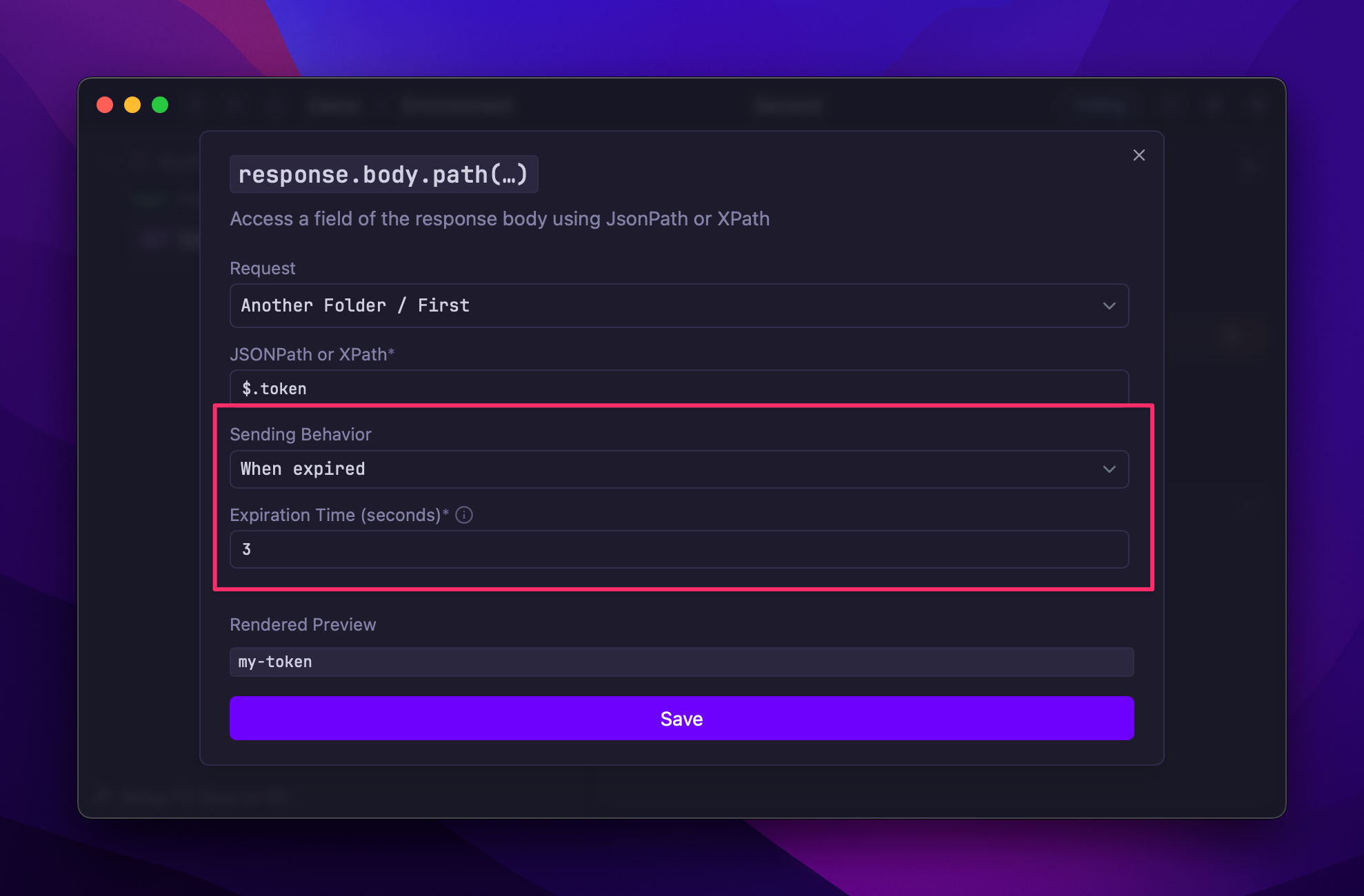
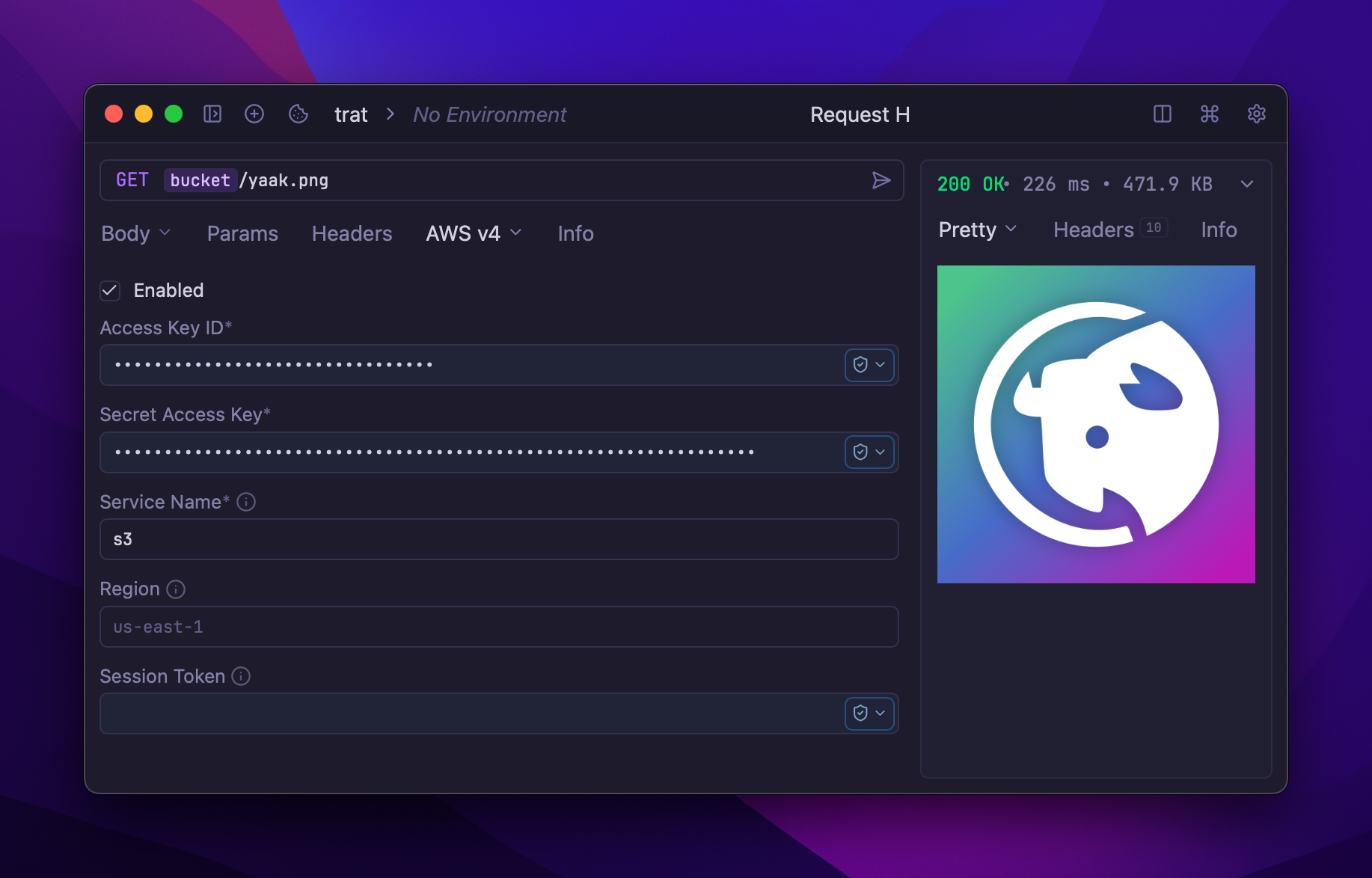
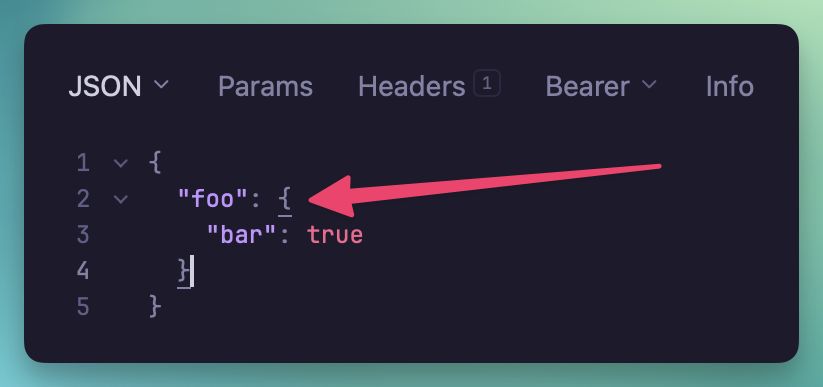
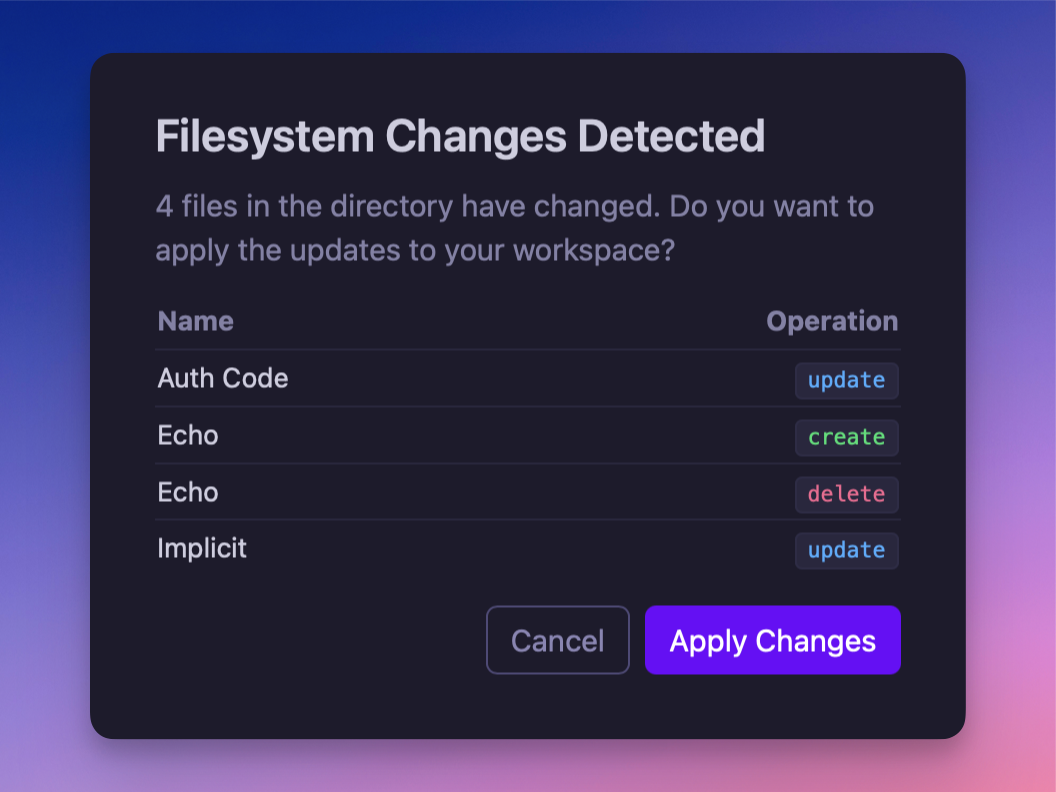
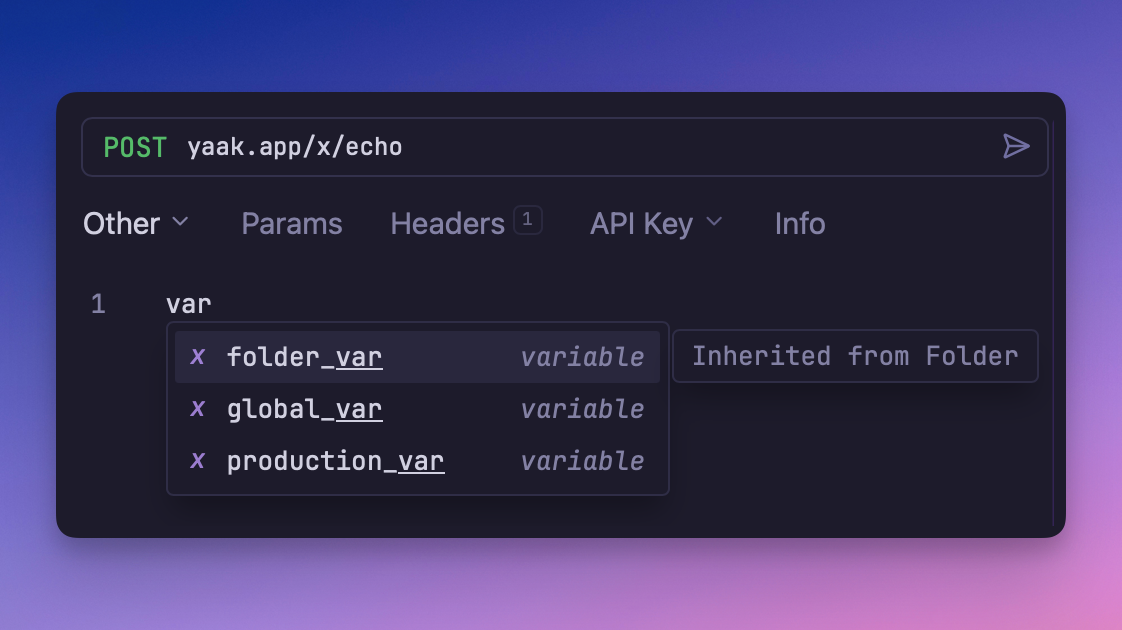
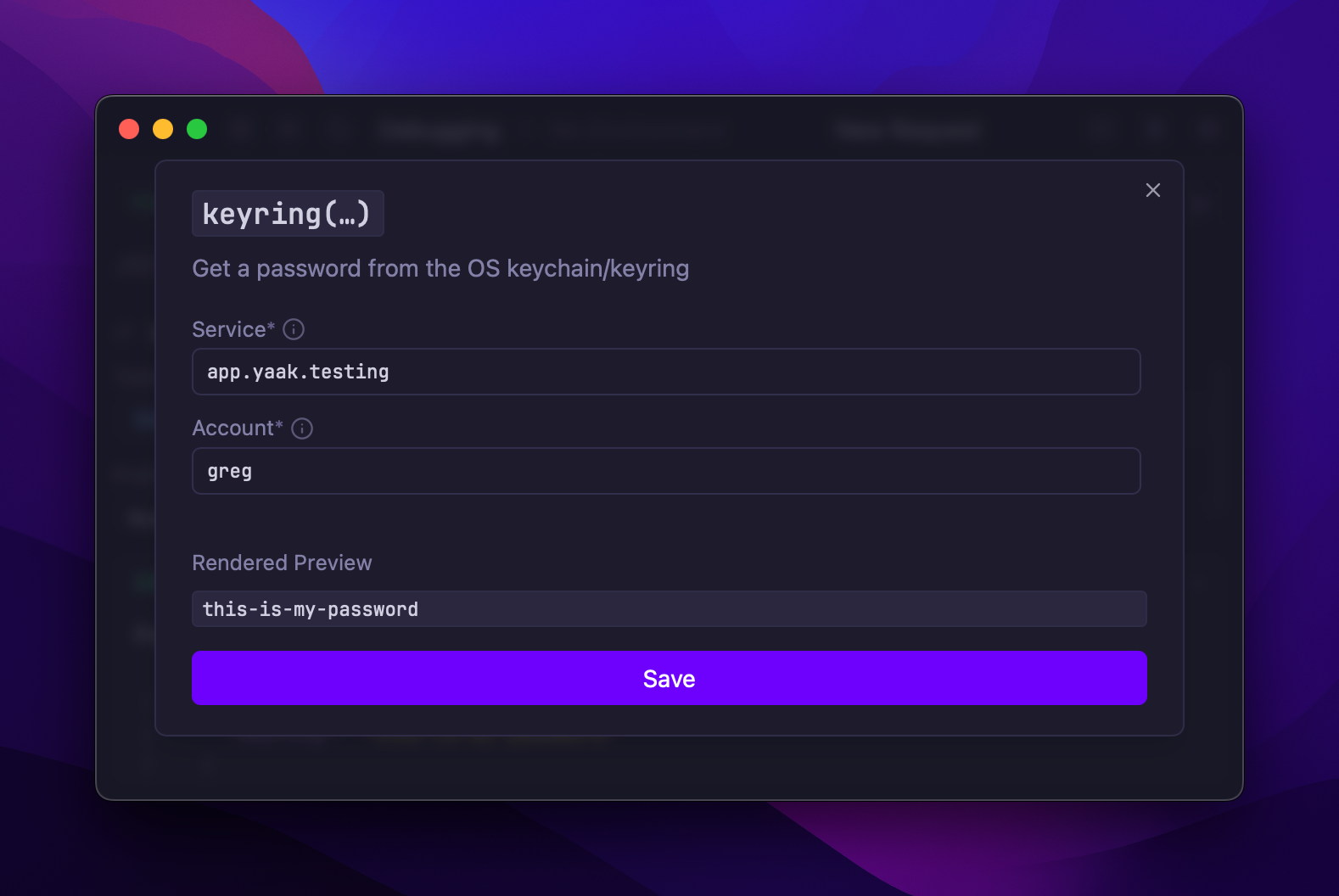
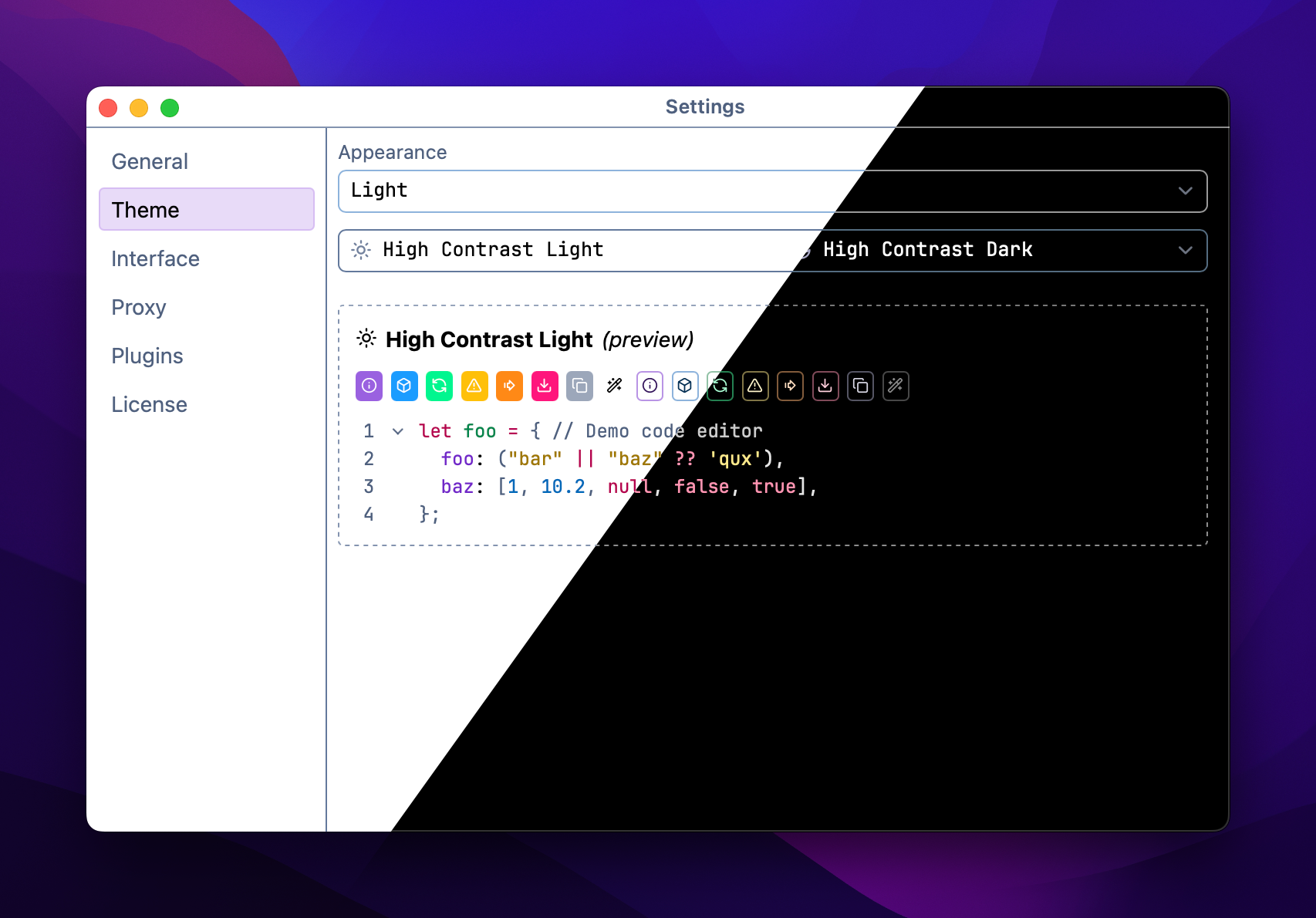
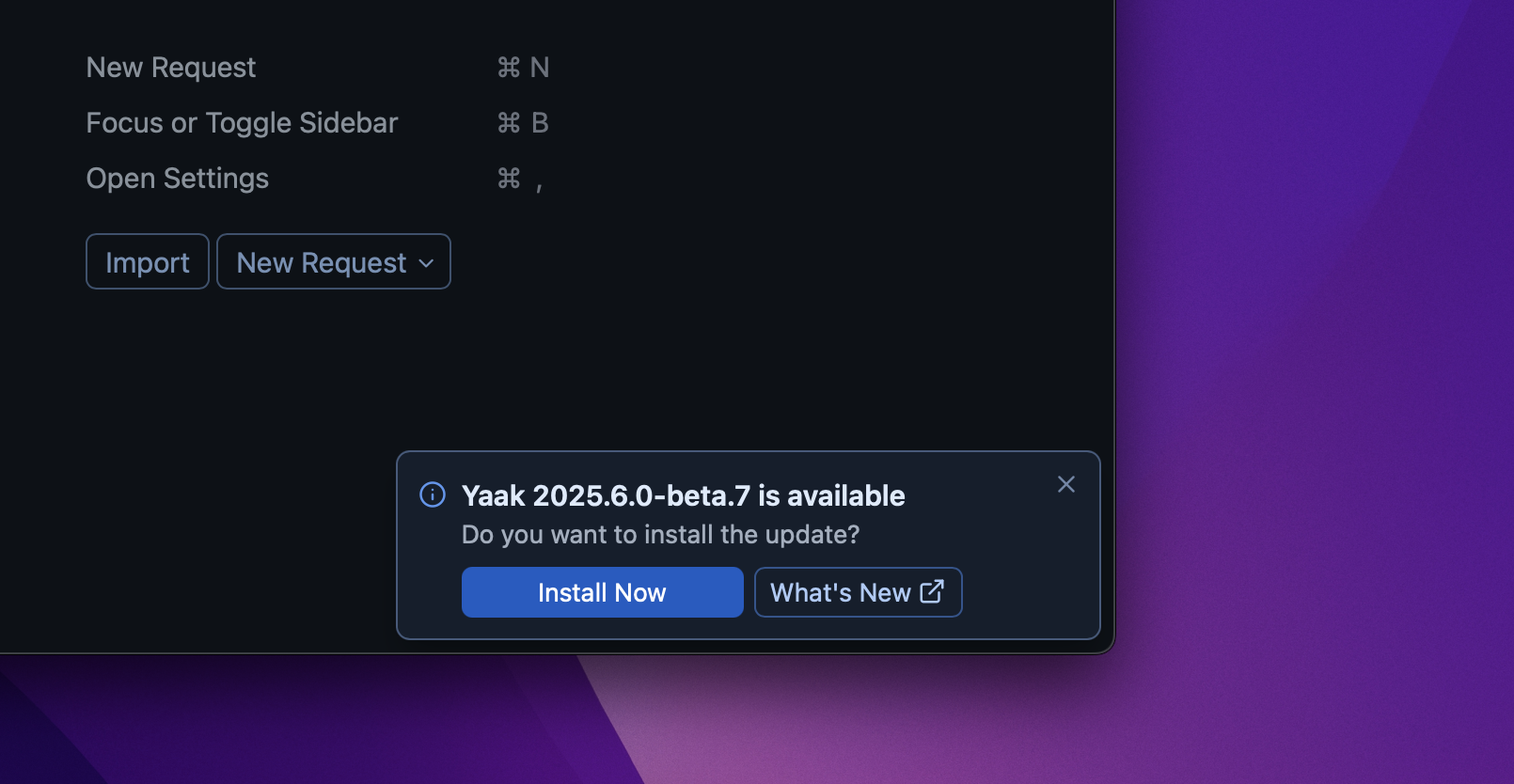
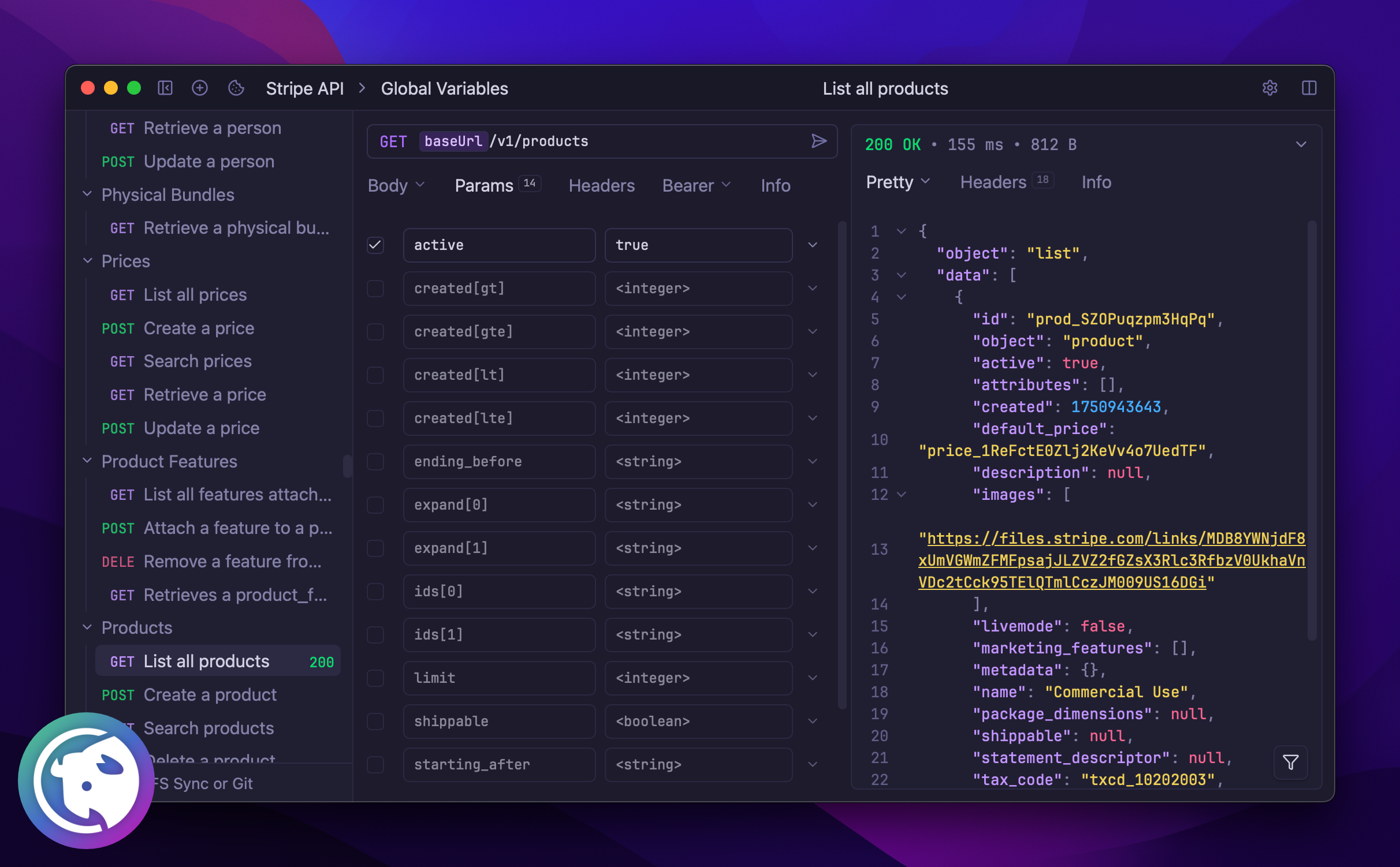
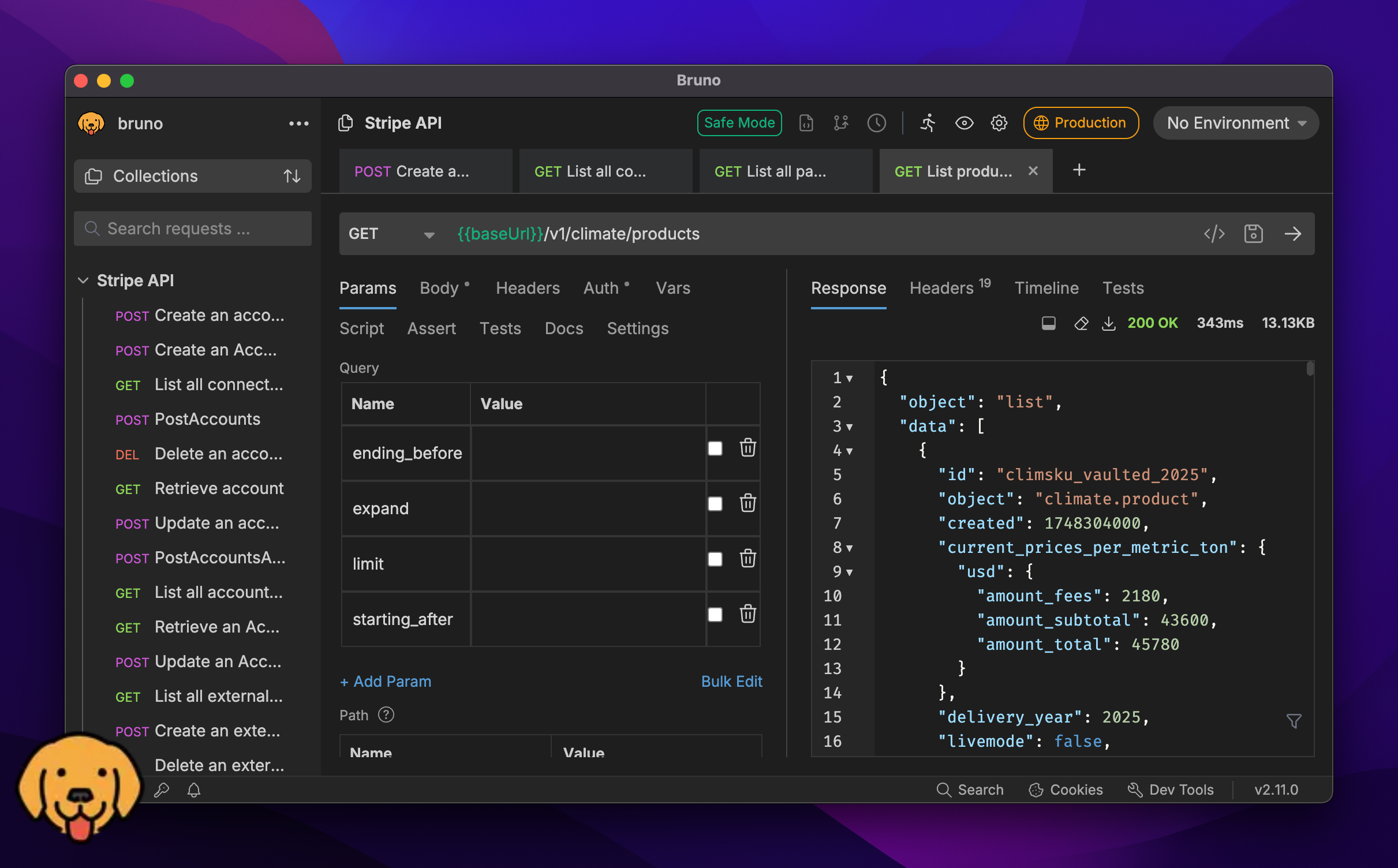
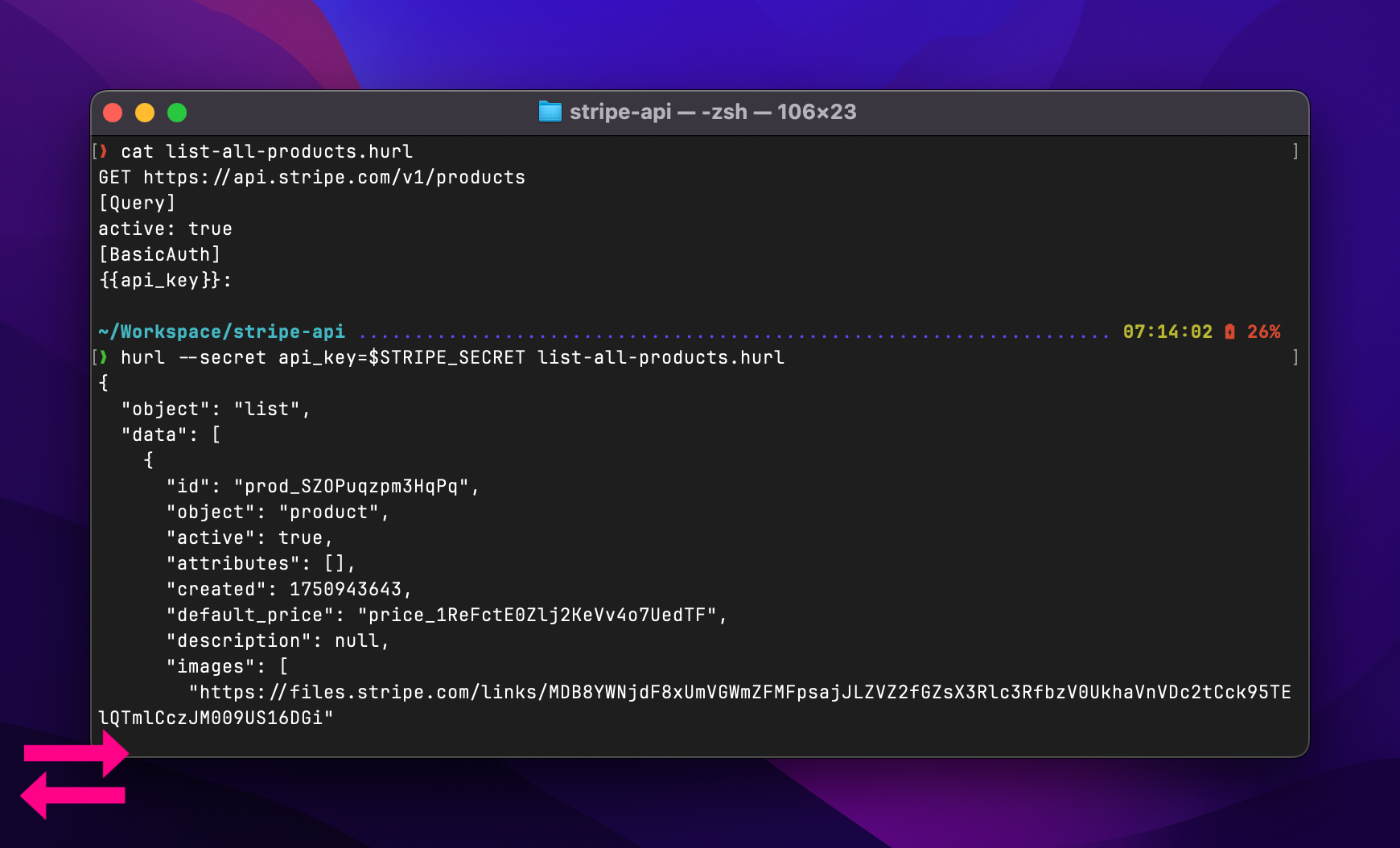
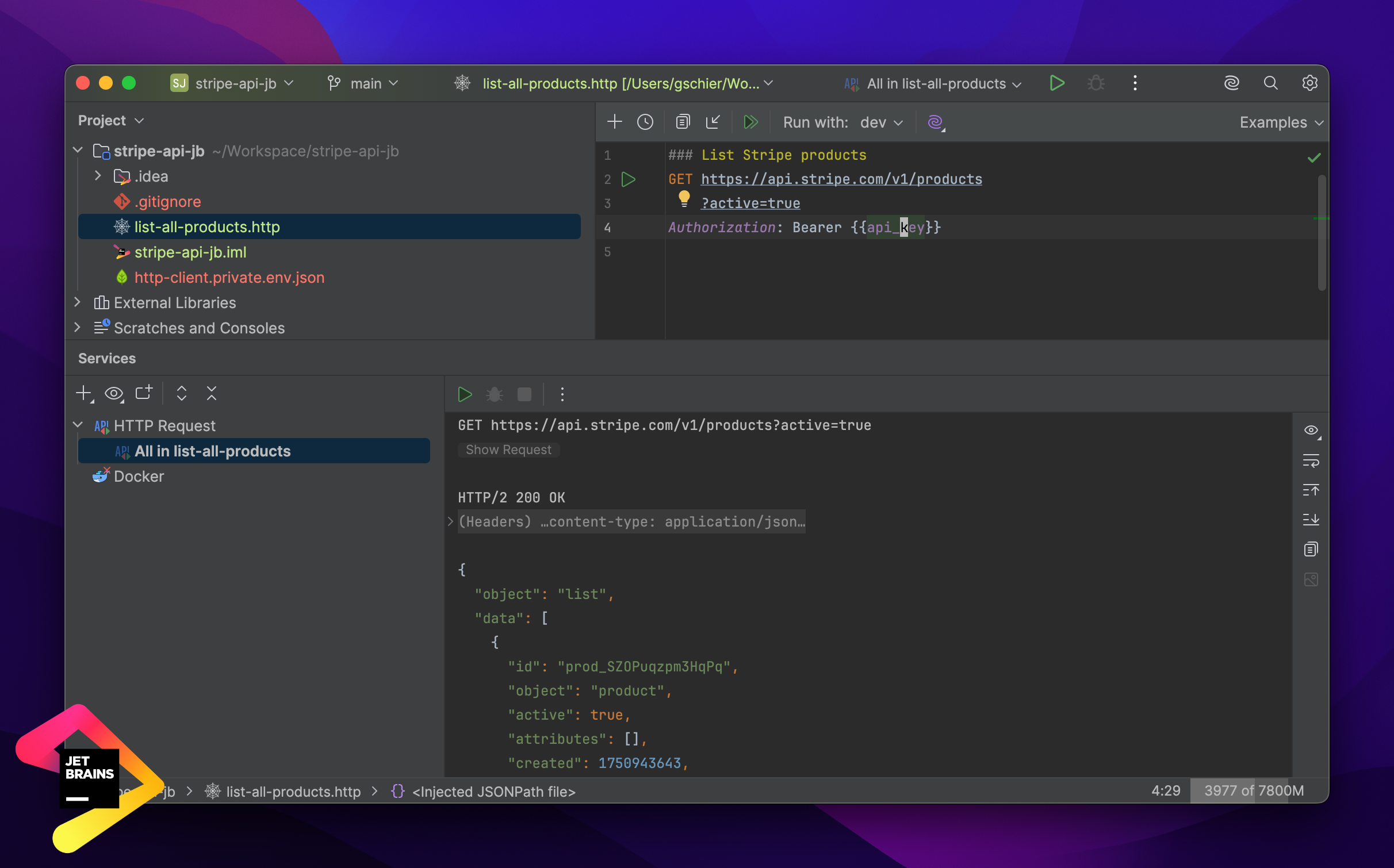
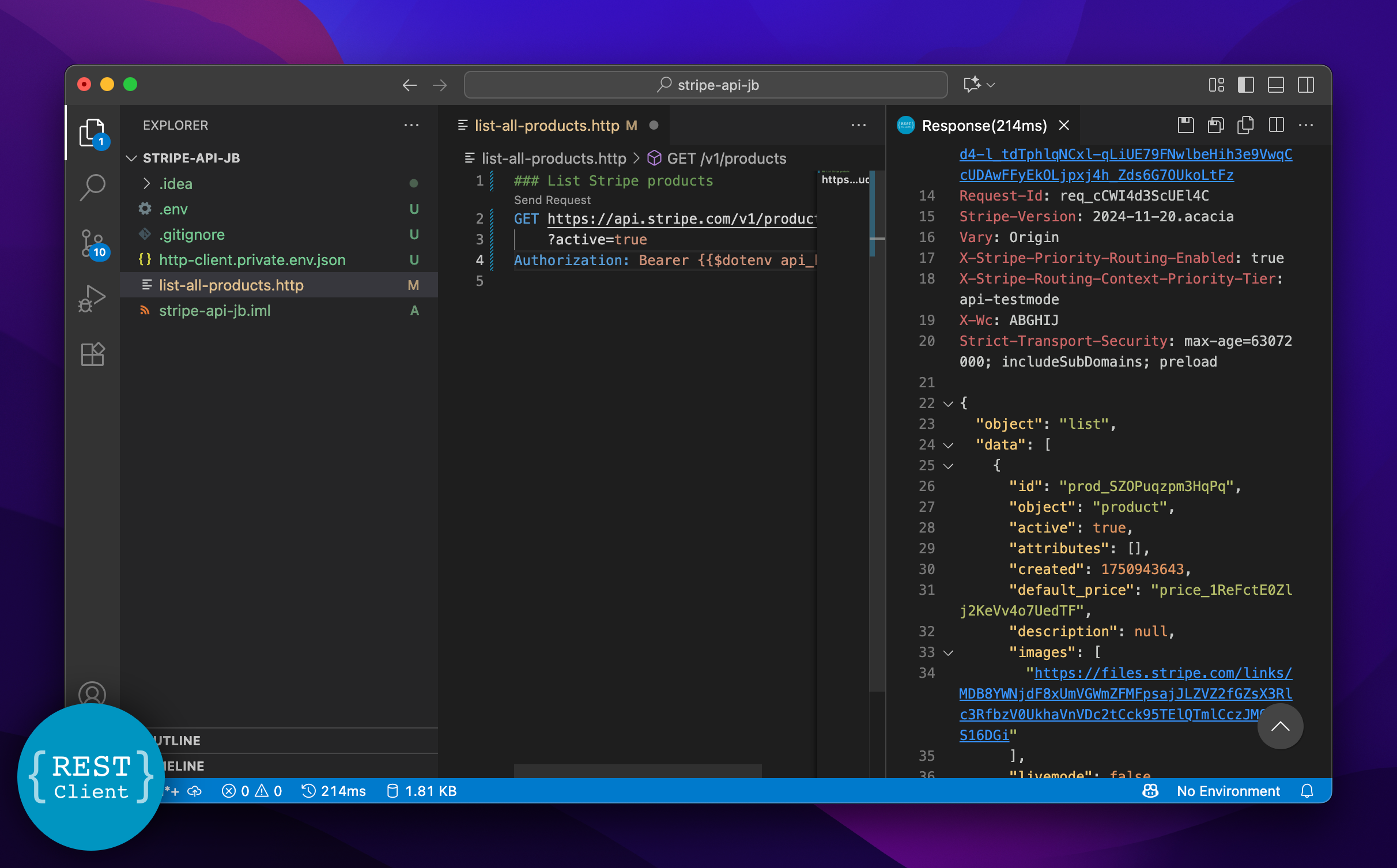

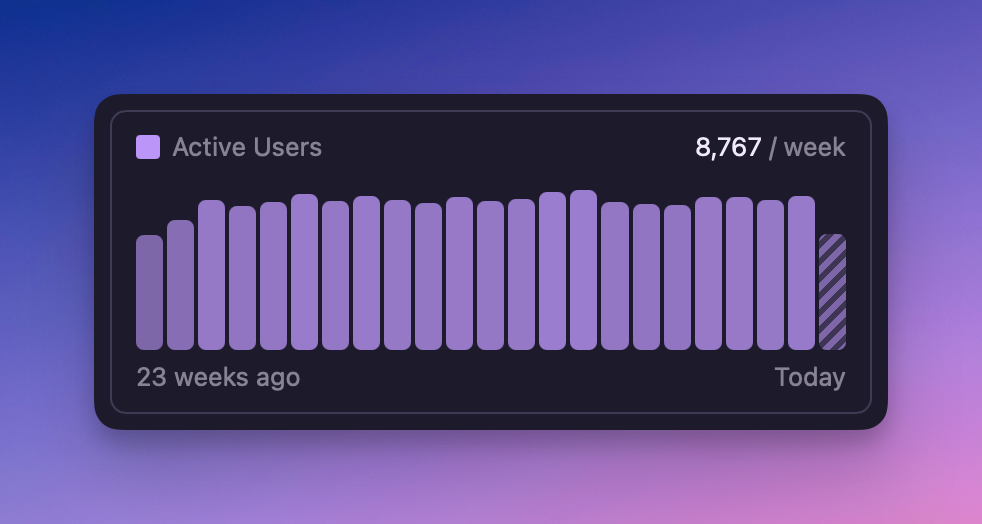
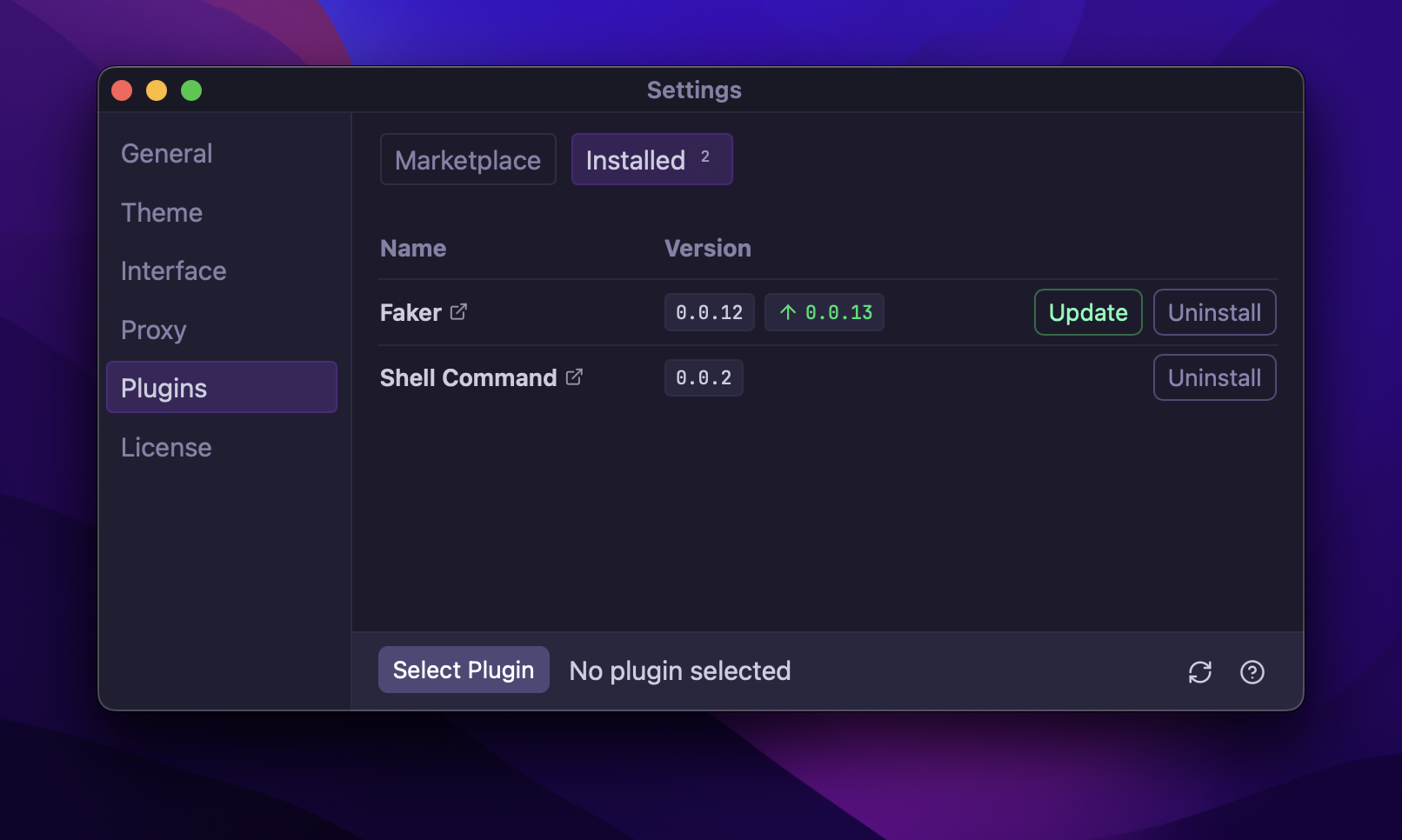
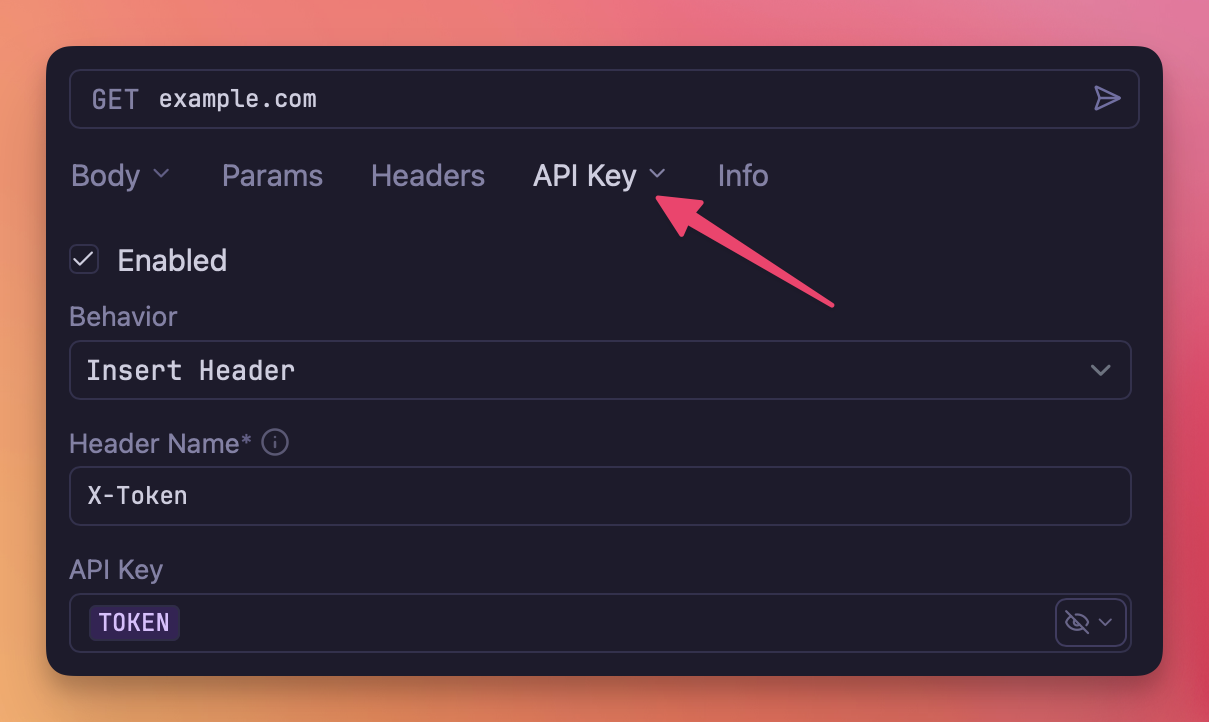
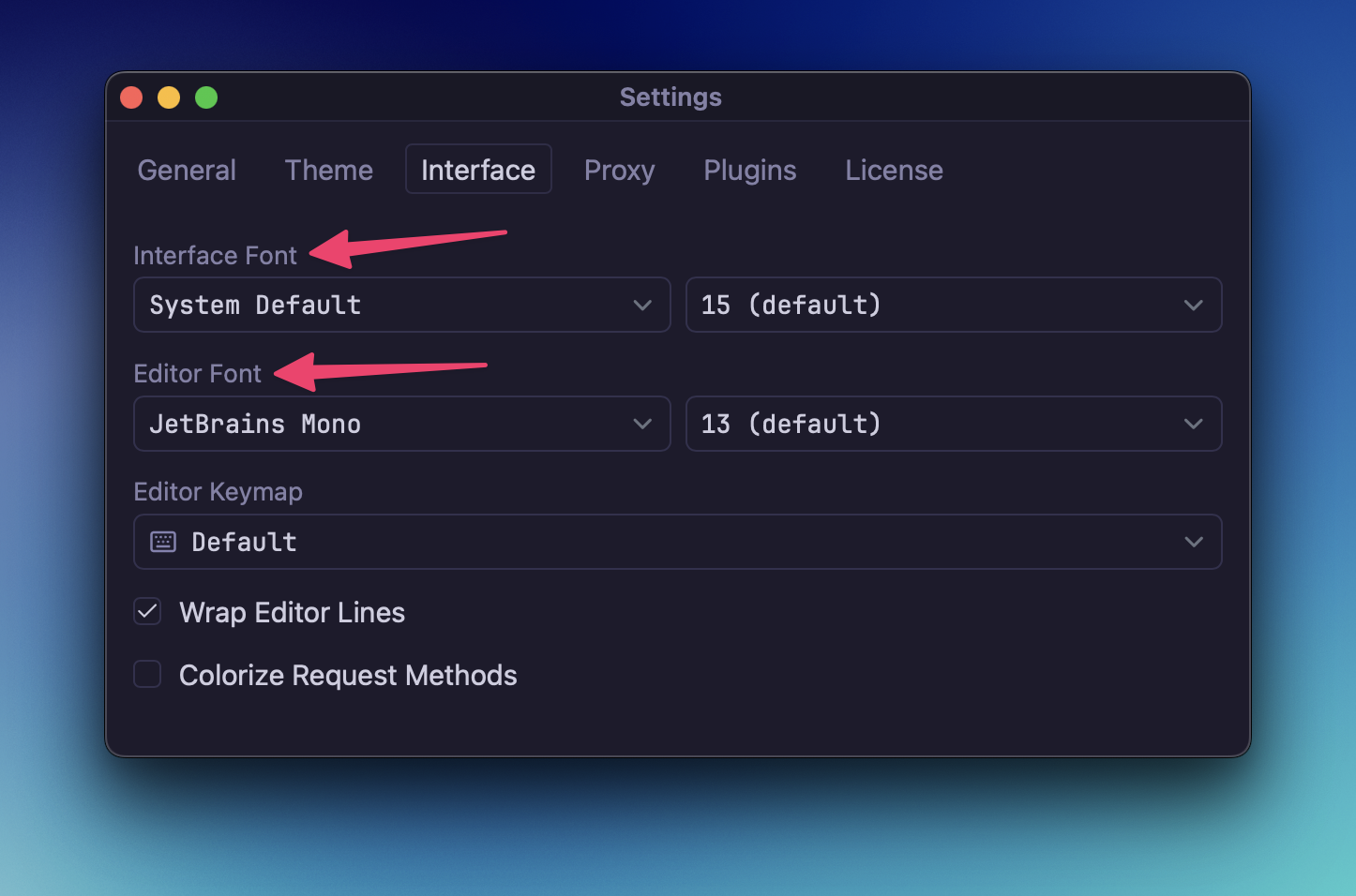
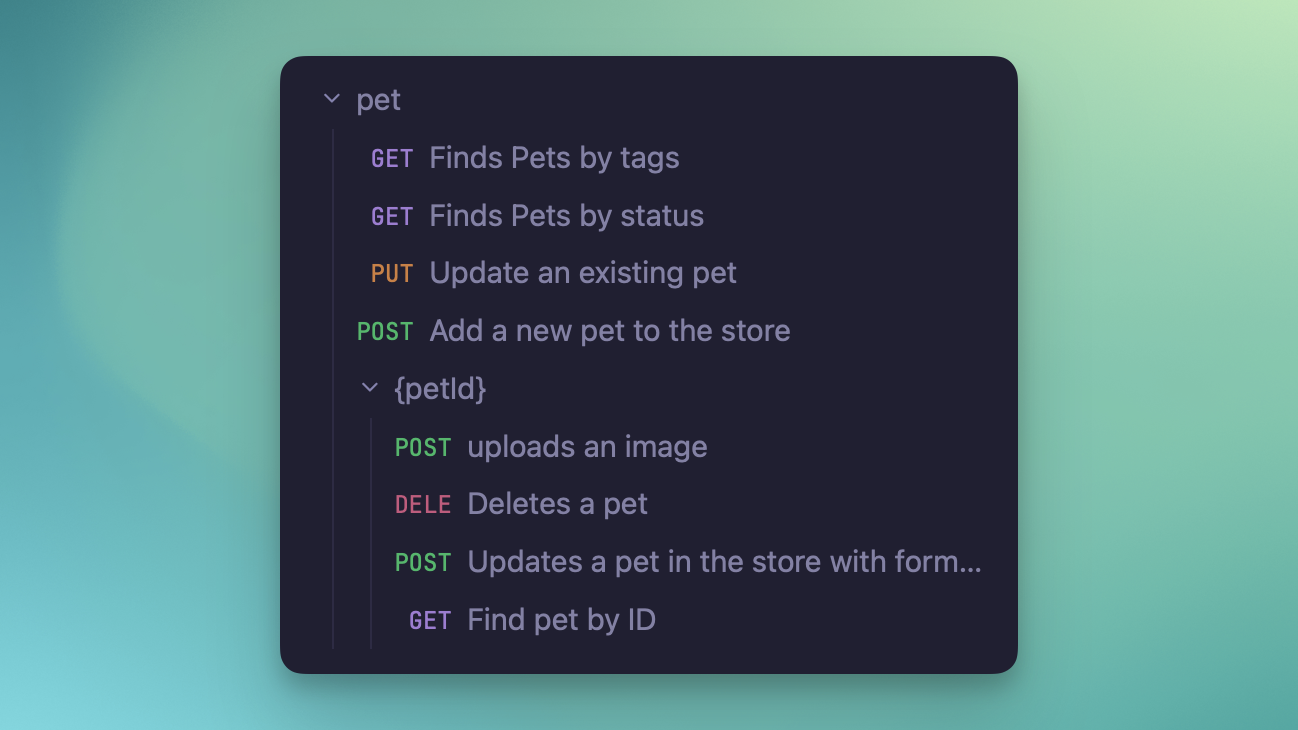
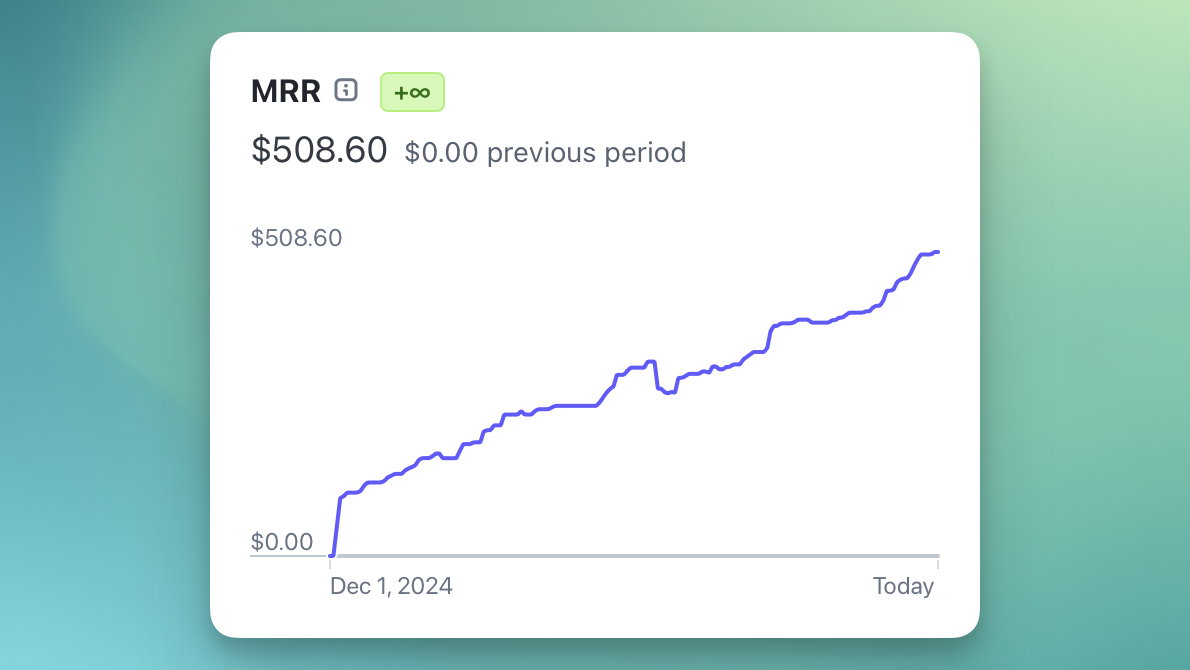
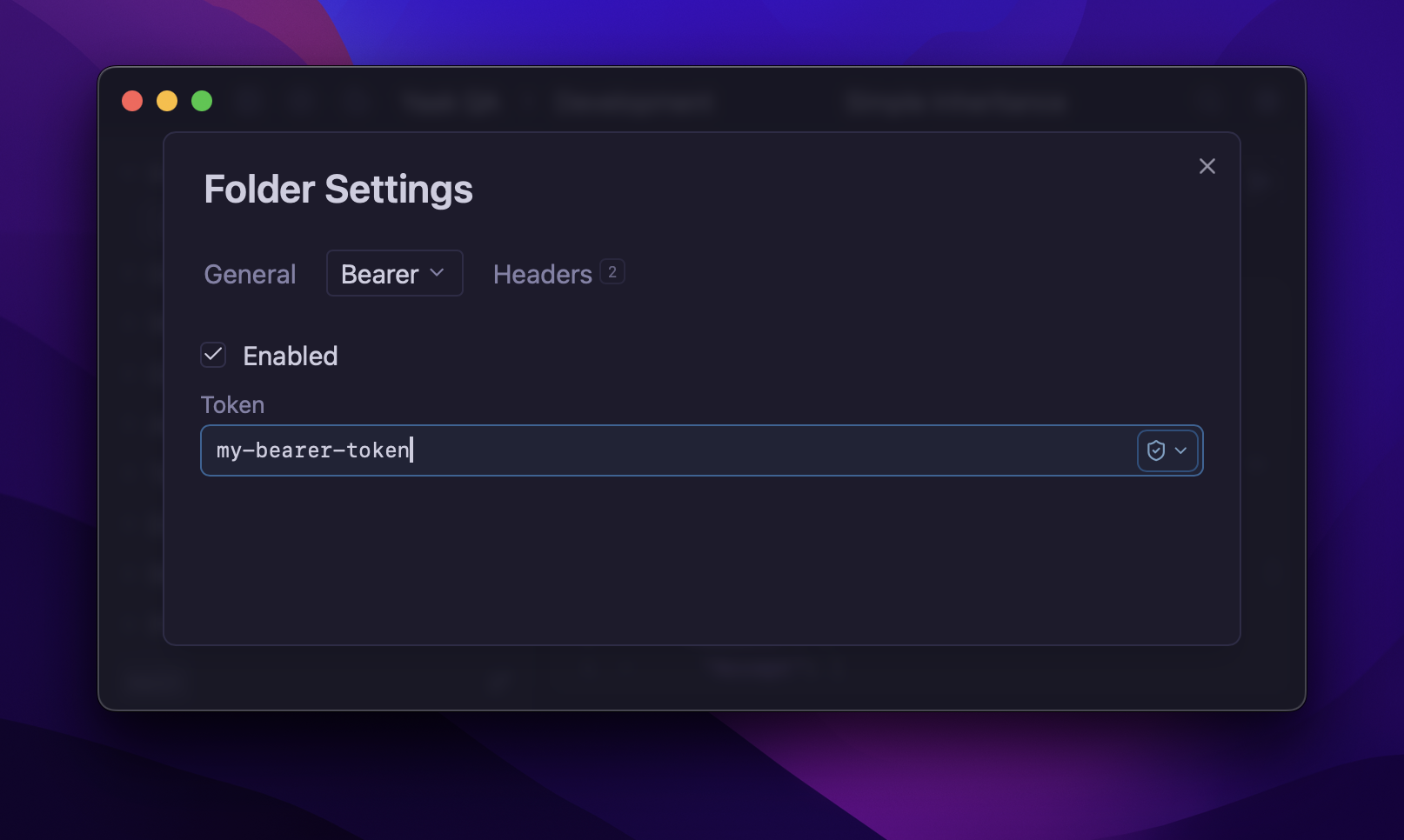
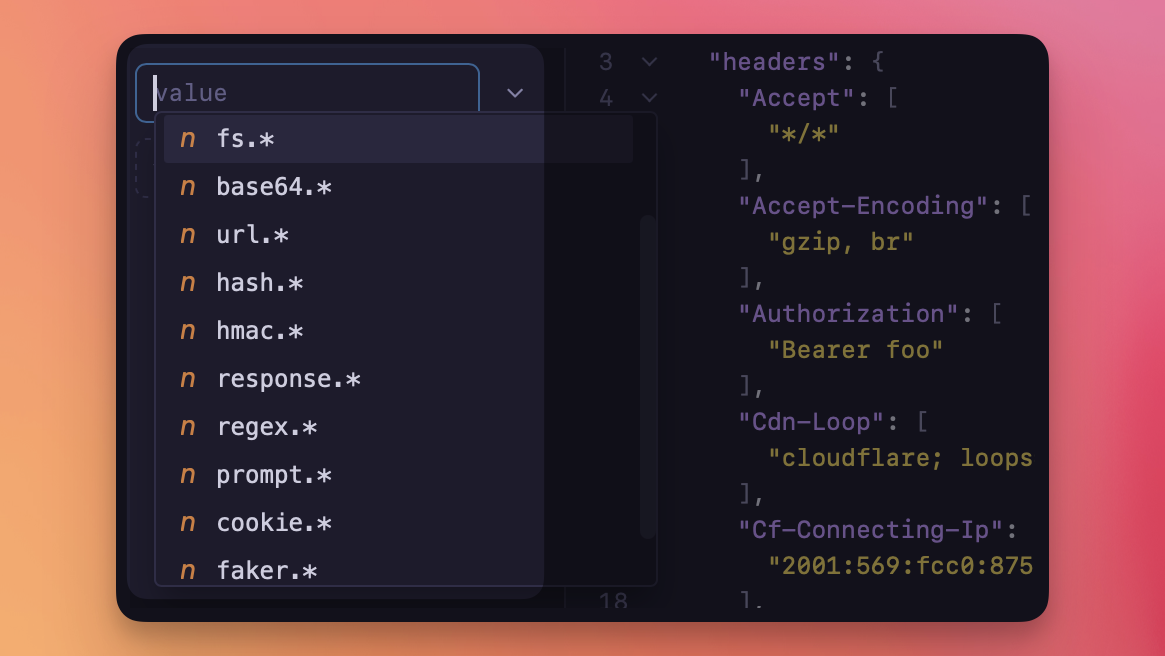
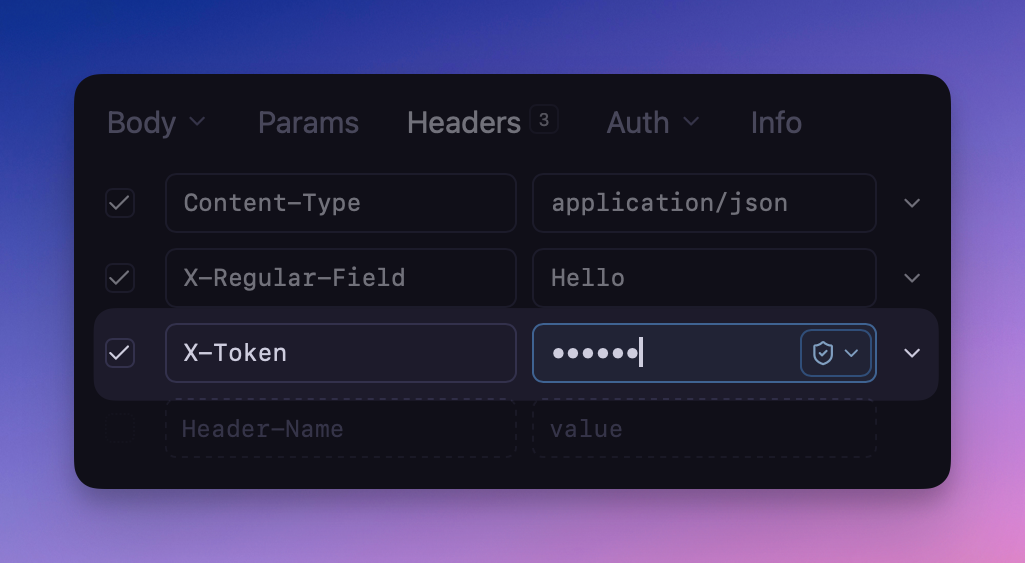
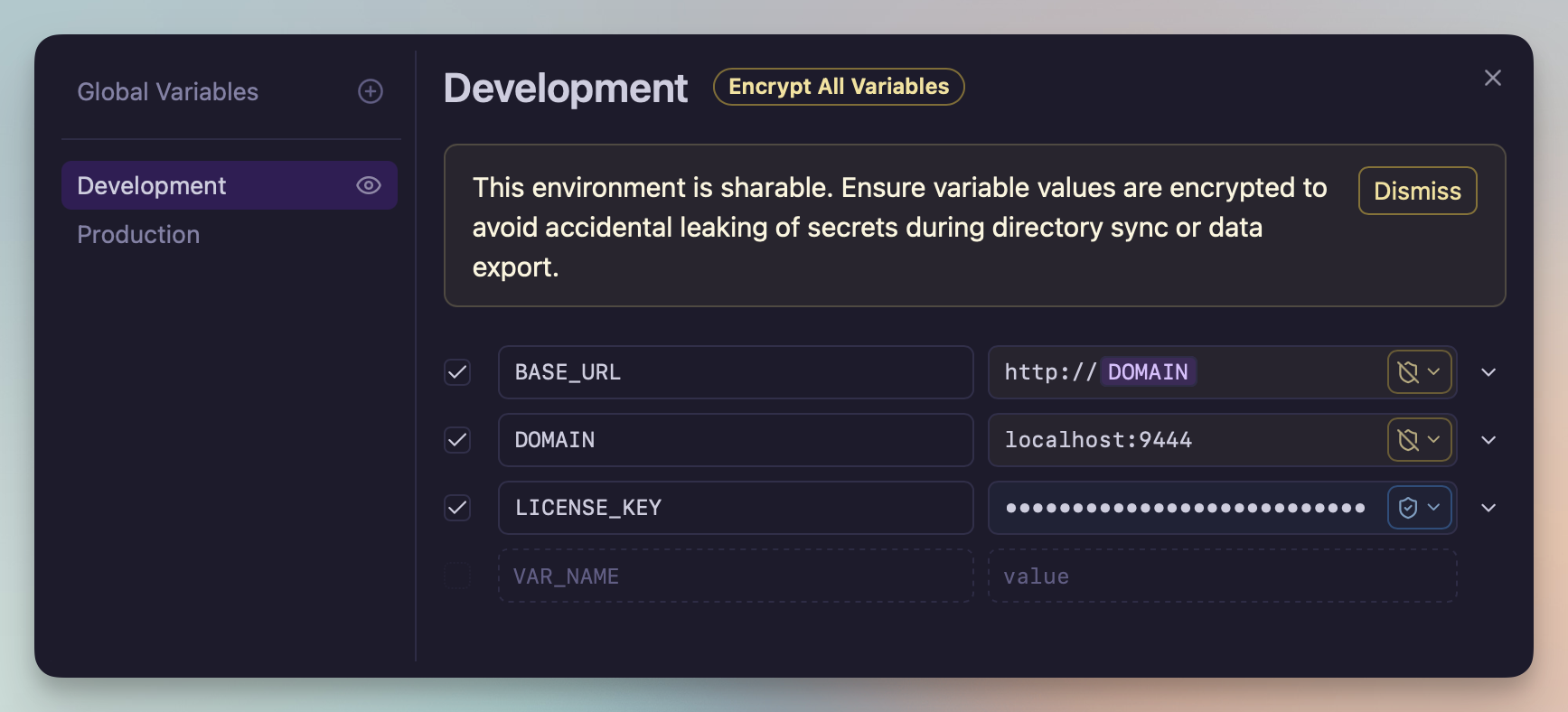
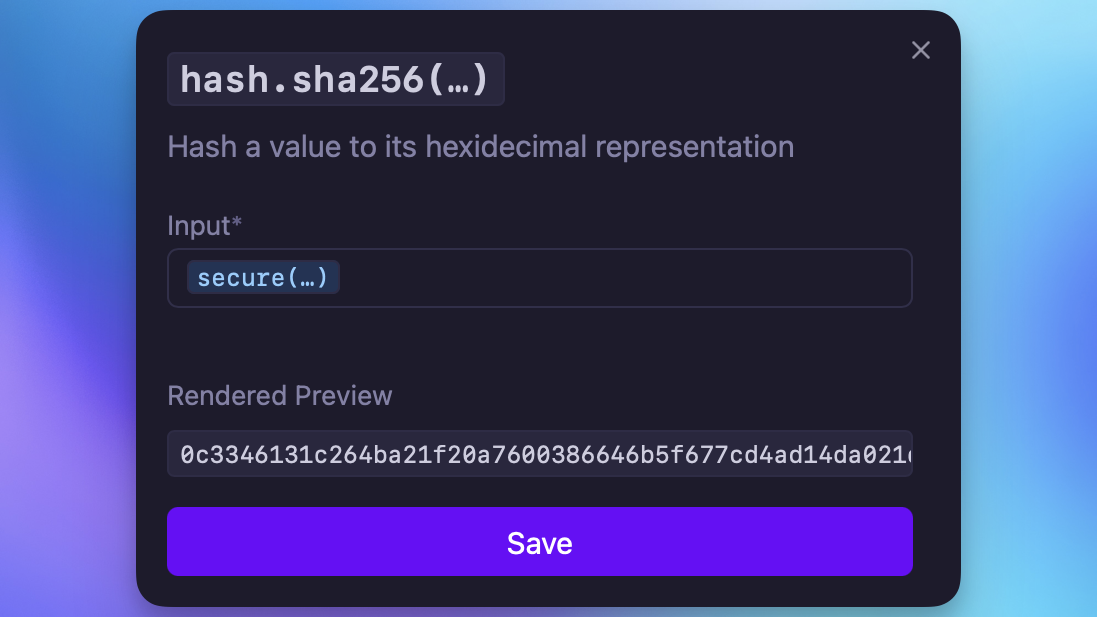
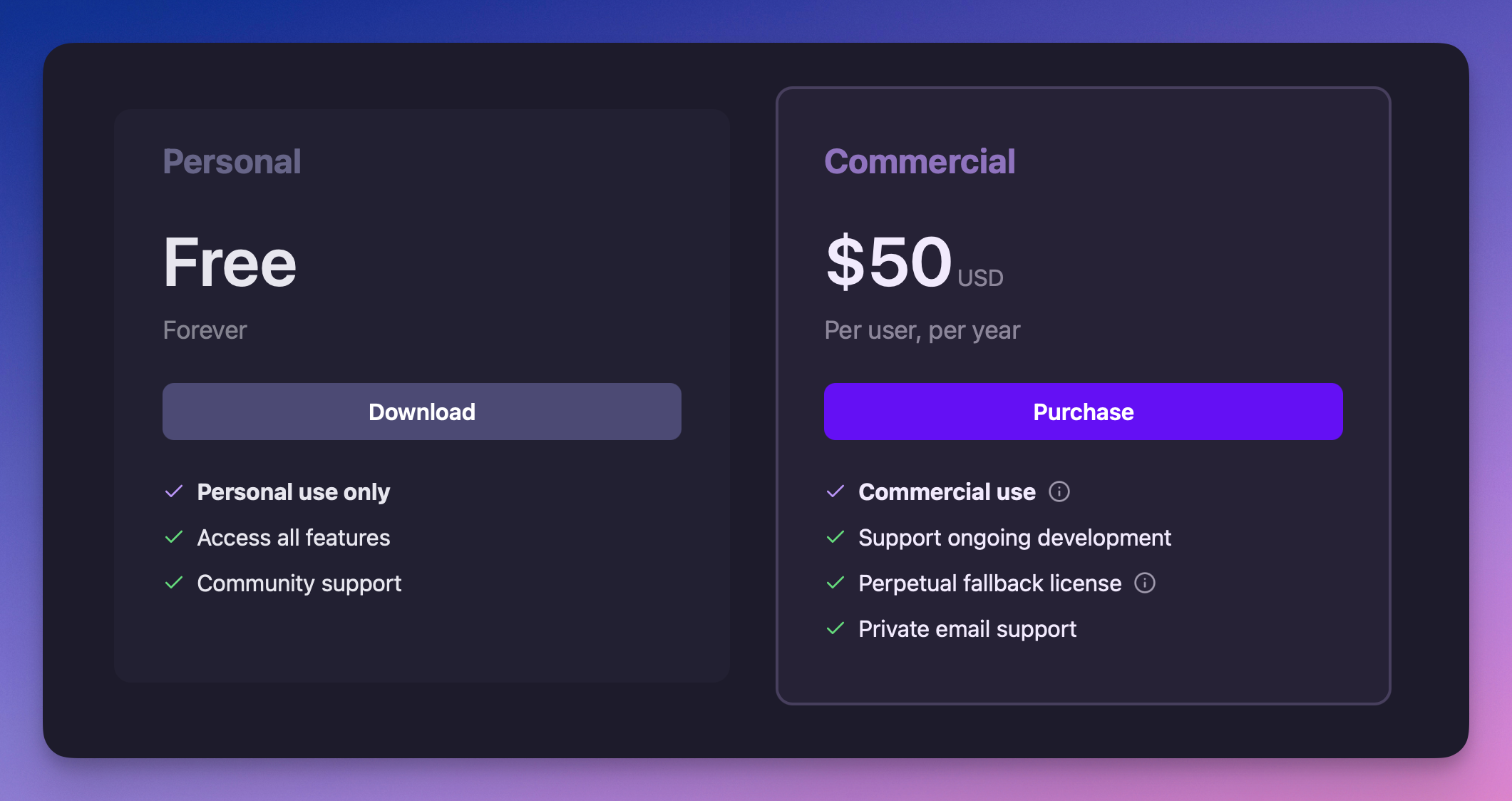
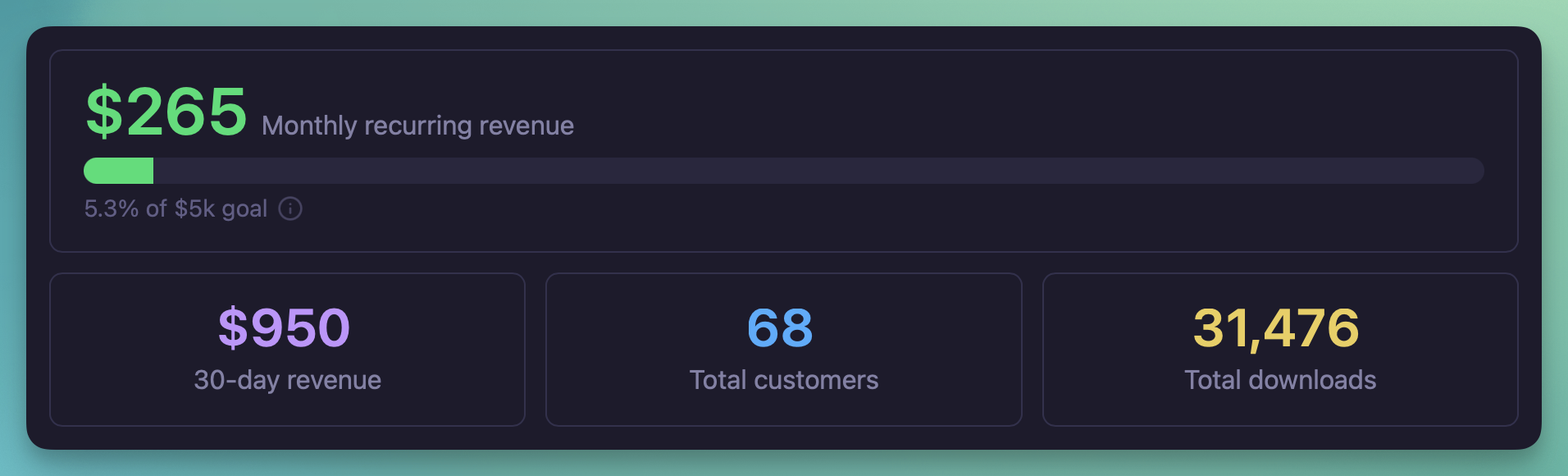
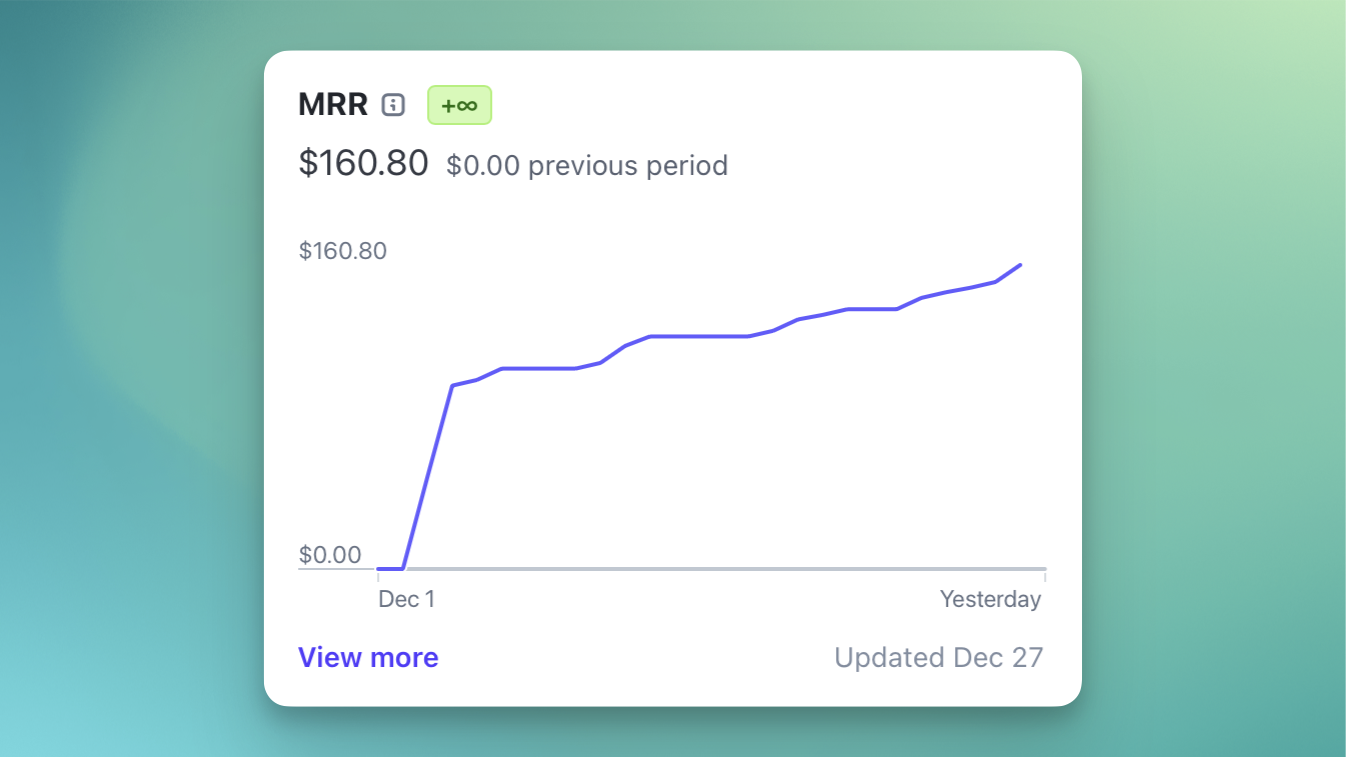 Monthly recurring revenue
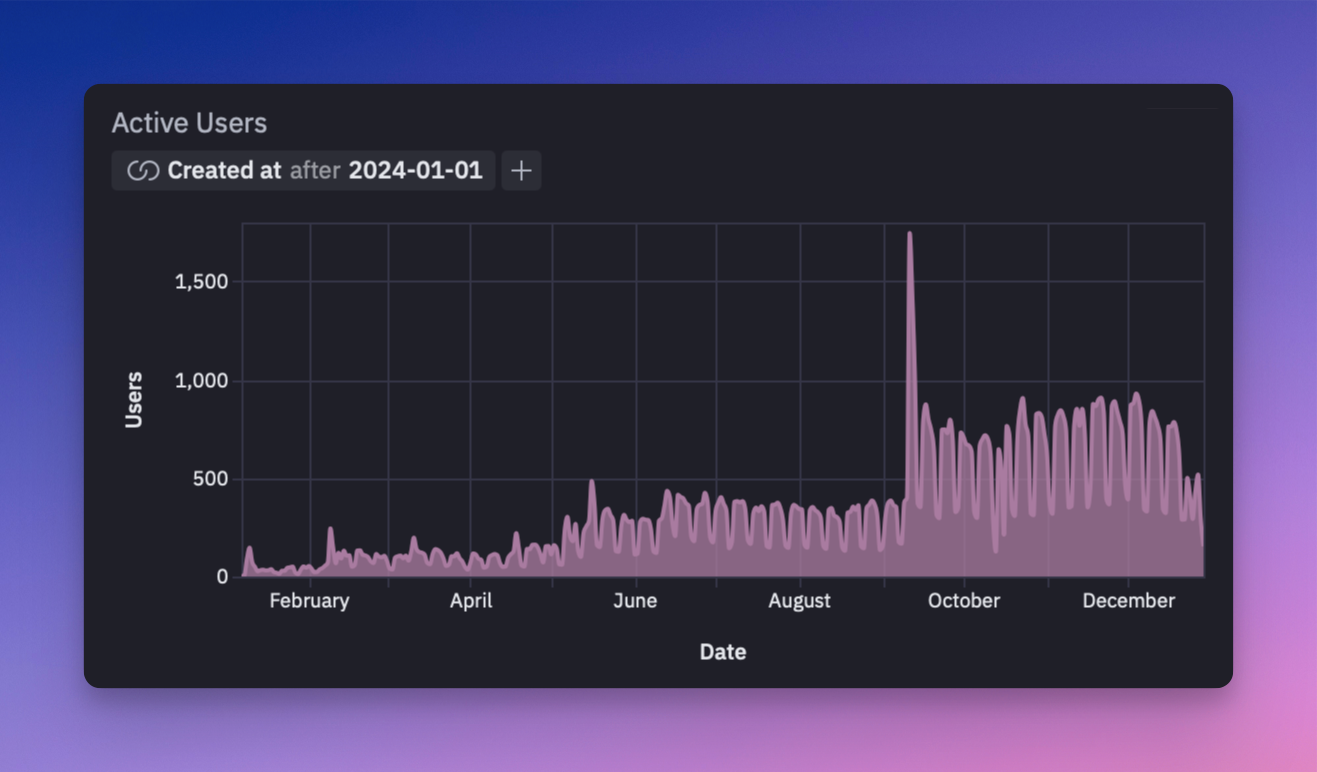 Daily active users since launch
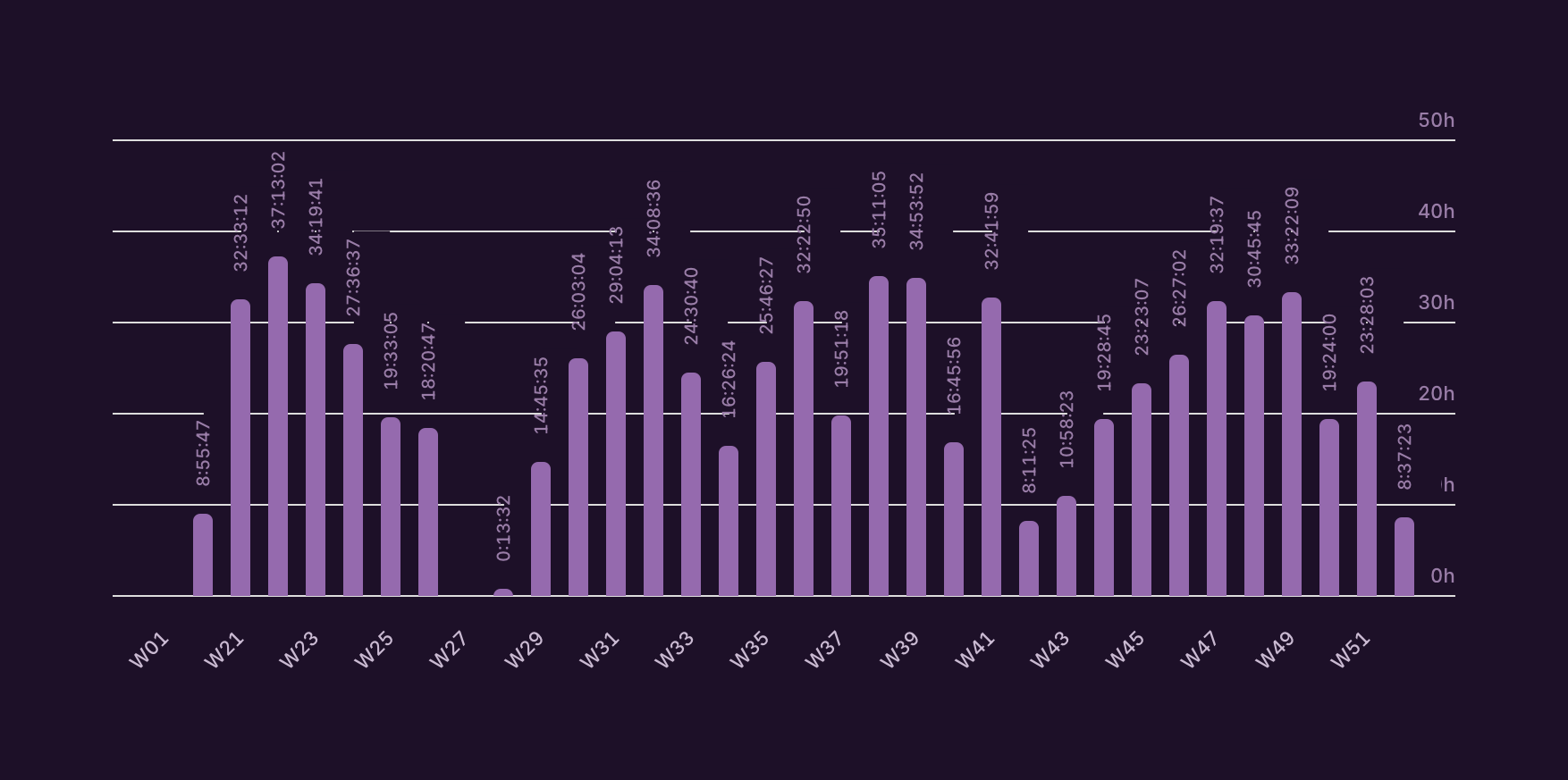 Weekly hours worked since going
full-time in May
Weekly hours worked since going
full-time in May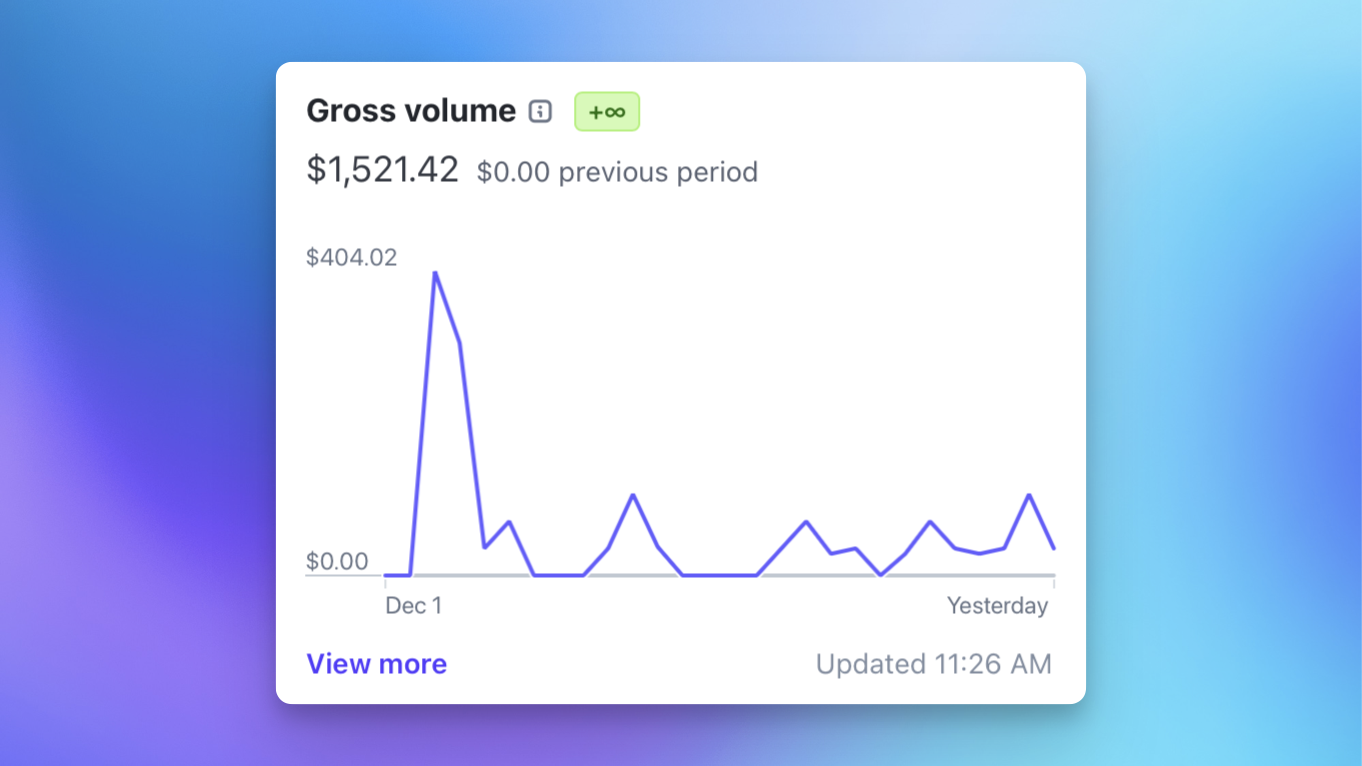 Gross revenue since
introducing a commercial-use license
Gross revenue since
introducing a commercial-use license