Show full content
I've been building Audist — a macOS app for recording and transcribing meetings — as a solo side project. It started as an attempt to replace Granola, a meeting notes app I was using but wanted more control over. Rather than keep paying for a subscription, I decided to build my own. AI tooling made that feel achievable as a solo developer, and I used it throughout the entire development process. The repo is open at github.com/yoonwaiyan/audist. It's still in alpha, actively being developed, and I'm working on expanding platform support. If you want to try it and give me feedback, I'd genuinely appreciate it.
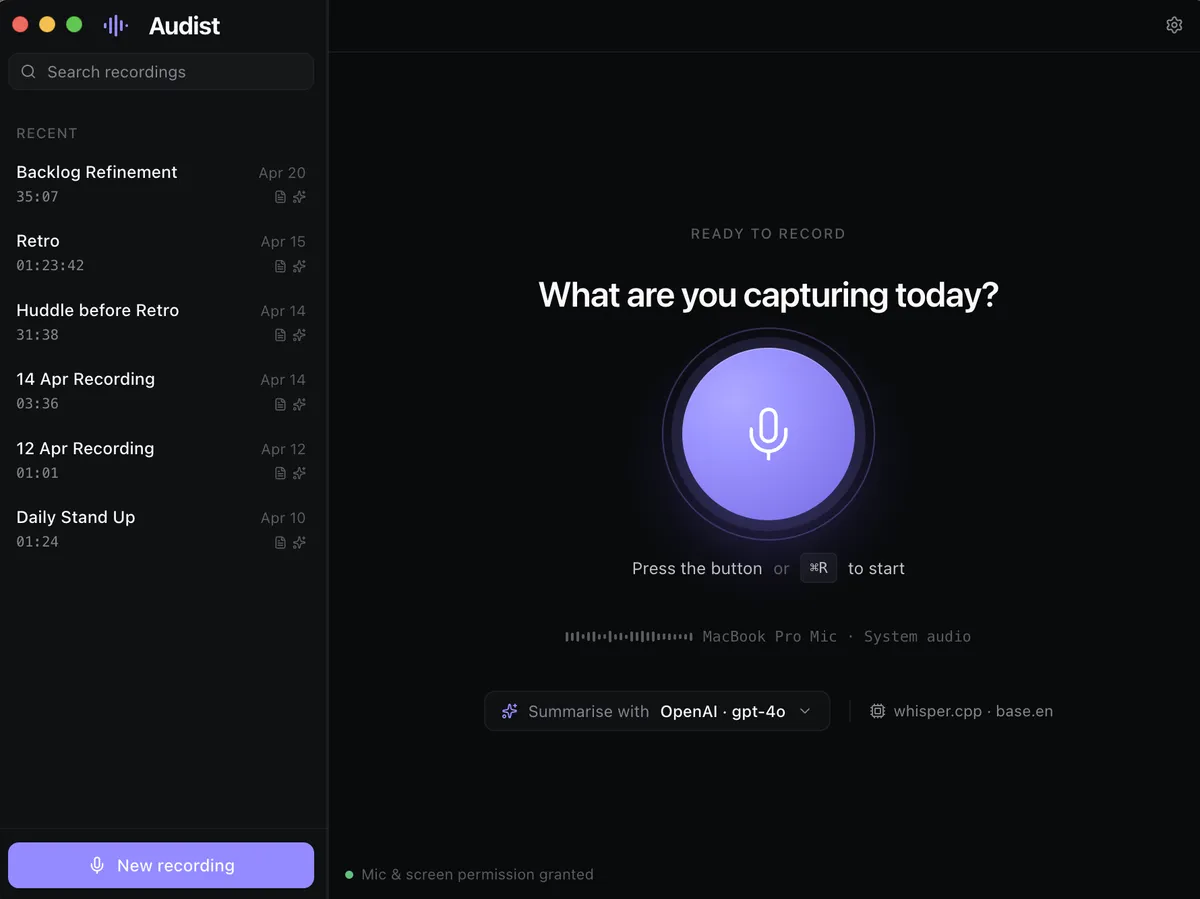
This is a write-up of the honest, practical lessons I picked up — not a hype piece. A lot of it is about where AI genuinely helped, where it fell short, and what workflows I'd set up differently if I started again.
Start with structure, not codeThe single most valuable thing I did early on was write a PRD before touching any code. I used Claude Chat (Opus) to draft it, then used it again to break the PRD down into Linear tickets that I could prioritize and work through one at a time.
This sounds obvious, but it's easy to skip when you're excited about a new project and AI makes it feel like you can just start building. The problem is that vibe-coding without a clear scope produces noisy, hard-to-control sessions. Having a PRD gave every session a specific, bounded goal — and that made a measurable difference in both output quality and token efficiency.
The lesson: AI is an accelerator inside a structured process, not a replacement for one. Without structure, you're just moving fast in a random direction.
Small tickets are not just good practice — they're a token strategyOn Claude Code Pro, I didn't hit token exhaustion in a 2-hour development cycle as long as the work was properly scoped. When I tried to do too much in one session — multiple features, unclear requirements, exploratory debugging — the sessions became noisier, more expensive, and produced worse output.
Splitting work into small, well-defined tickets isn't just good engineering hygiene. In the context of AI-assisted development, it's also how you get predictable, efficient sessions. The ticket scope becomes the session scope, and that alignment matters.
Hardware-dependent features are where vibe-coding breaks downThe hardest part of building Audist was the mic capture. Audio device handling in Electron sits at an awkward intersection of Chromium's MediaStream APIs, macOS permission scoping, and Electron's sandboxing model — and none of that is easy to test programmatically.
Both Codex and Claude Code struggled with this. Not because the AI was bad, but because there was no fast feedback loop. Every hypothesis required a manual test cycle. Token costs climbed quickly without clear progress.
E2E tests help in general, but they can't simulate a real microphone in a way that catches the class of bugs I was dealing with. The root cause wasn't something you could write a deterministic test for.
The lesson: Vibe-coding is most efficient when the feedback loop is tight. For hardware I/O, audio devices, camera access, or anything that requires physical interaction to verify, budget significantly more time and expect manual debugging to be unavoidable.
Design-to-code requires a deliberate handoffI designed Audist in Figma Make. The problem is that AI-generated design files can't be directly handed to a coding agent — the file formats are structurally incompatible. The workable path was to export the Figma Make output into a sibling repo, which let Claude Code read the design files as regular files during implementation.
Keeping both the design prototype and the production codebase on the same UI stack (React, same component library) also mattered. It reduced the translation gap and made porting more consistent. Where the stacks diverged, Claude needed more manual correction.
One other limitation: some interactions that Figma Make generates are too implicit for a coding agent to follow without explicit instruction. Those had to be handled manually rather than delegated.
AI design tools burn quota fastBoth Claude Design and Figma Make have generous-feeling quotas until you start using them seriously. Iterating on a non-trivial app from scratch exhausts both quickly.
This isn't a dealbreaker, but it changes how you use them. They're best suited for high-value, directional decisions — initial layout, component structure, visual language — rather than pixel-level iteration. For detailed refinement, manual work is still necessary regardless of tool.
Claude vs Codex: mostly even on code, not on writing
For UI implementation tasks, I genuinely couldn't tell a consistent quality difference between Codex (GPT-4.5) and Claude Code (Sonnet 4.6). Both produced reasonable output and both needed manual refinement on details.
The clearer difference showed up on writing and structural tasks. When I asked Codex to write the first draft of my AI learnings notes and then asked Claude to improve the structure, Claude's output was noticeably better. A useful workflow from this: Codex for fast first drafts, Claude for restructuring and refinement.
The Claude tooling ecosystem has real fragmentation
A few practical friction points worth knowing about:
Account switching: Claude Code CLI handles this cleanly (claude auth login). Claude desktop does not — there's no easy way to switch accounts, which is a real limitation when working across personal and work contexts.
Skills and MCP servers don't travel between tools. Claude Code, Cursor, Cline, and other agents each have their own config format and location. Adding an MCP server in one doesn't add it to the others. My solution was to centralize everything in ~/.agents/mcp-servers.json as a single source of truth, with a sync-mcp Python script that converts and pushes the config to each tool's expected format. It handles field differences (e.g. Cline has autoApprove, disabled, and timeout fields that Claude Code doesn't use) and uses file modification times to resolve conflicts.
Desktop vs CLI tradeoffs: Claude desktop is better for mixed research and planning workflows — connectors like Notion and Linear are available across platforms without per-project setup, and you can drag and drop screenshots directly. Claude Code CLI is better for anything involving the repo directly.
You learn domains you didn't expect toOne thing I didn't anticipate: working with AI on a real project teaches you things you weren't trying to learn. The learning is applied and context-driven, which makes it stick differently than reading documentation.
From building Audist:
- Mic capture internals — Debugging the audio issue forced me to actually understand how Chromium's MediaStream API works, how Electron layers on top of it, and where macOS permission boundaries sit in that stack.
- macOS notarization — Distributing without Apple's Developer Program means users have to manually bypass Gatekeeper (right-click → Open, or
xattr -rd com.apple.quarantine). It works, but it's not a sustainable UX for real users. Notarization is a necessary step before any serious distribution. - QEMU for lightweight VMs — I needed a Linux environment and didn't want the overhead of VirtualBox. I asked AI to give me the minimal setup steps and exact commands for QEMU, and it produced a working guide that compressed what would have been hours of documentation into a single, actionable session.
AI is particularly good at this: generating step-by-step guides with exact commands for unfamiliar tooling, scoped to what you're actually trying to do.
What I'd do differently- Set up skills earlier. I only configured the
changelogskill initially. Adding skills for token efficiency practices, coding standards, and release standards earlier would have reduced overhead across more of the development cycle. - Establish the MCP sync setup from day one. Fragmentation across tools is a real cost that compounds over time. A centralized config from the start saves repeated work.
- Don't try to debug hardware paths with AI alone. Plan for manual time on anything that can't be tested programmatically.
Audist is at audist.app and the source is at github.com/yoonwaiyan/audist. It's still alpha — I'm actively adding features and working on multi-platform support. If you try it, I'd love to hear what you think.