GeistHaus
log in Β· sign up

zkbro

Part of neocities.org

Personal small-web space with a focus on tech tinkering, running and gardening.

stories
πŸ—“οΈ Weeknote 2026-W20
Show full content

I put out my back on Tuesday, so had the remainder of the week off, seeing docs and physios, lying down, light exercises and popping anti-inflams. My spondylolisthesis on the L5 S1 has given me grief since 2005 when I first put it out as a landscape gardener. I've been in maintenance mode ever since. I let the ball drop recently, and with my physical job, it is no wonder it tweaked again. I'll be back at work tomorrow, but it's not 100% just yet.

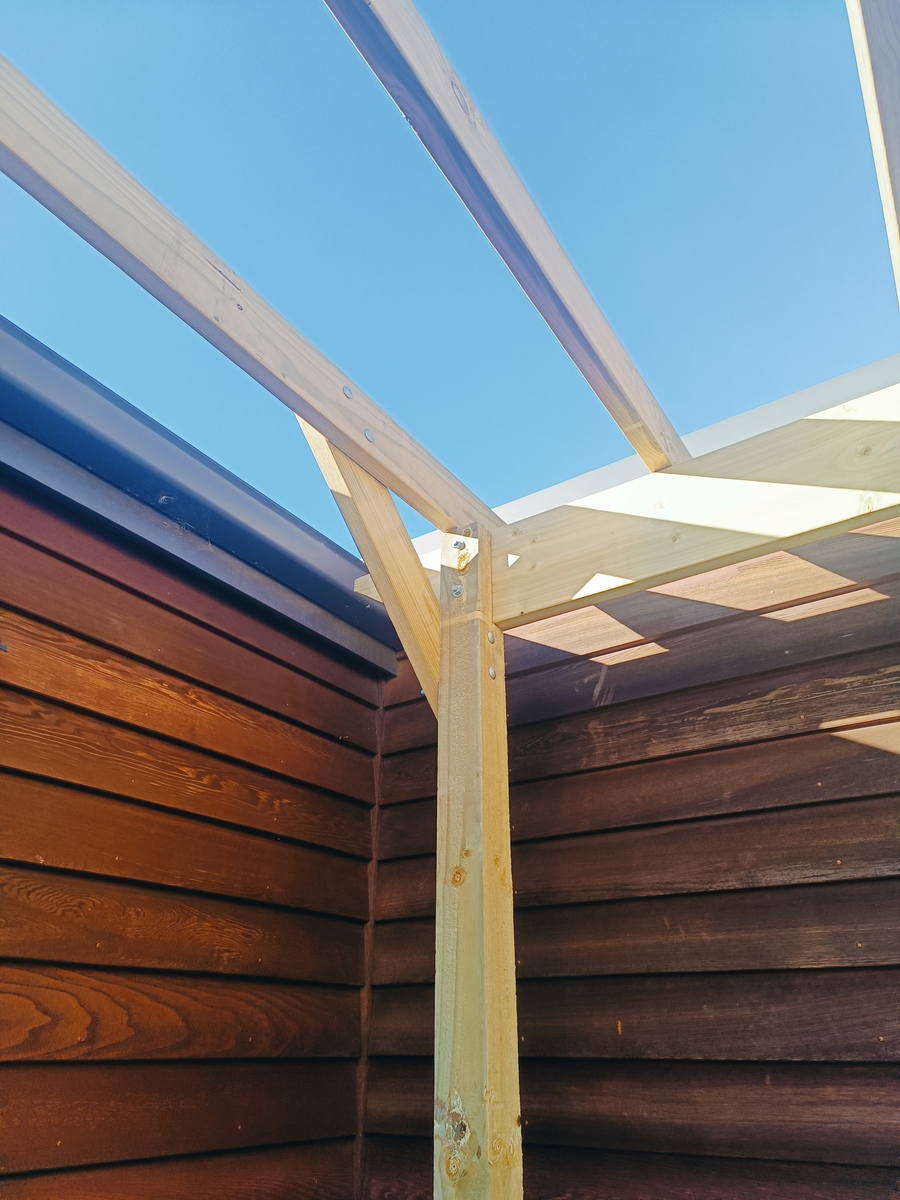
My uncle is visiting. It is good to catch up. Good chats. We are doing a little bit on the pergola, but only light work as I'm mindful of the back.

Bracing added to the corners

On Saturday We walked Sawpit Gully in Arrowtown, a short 7km loop which is my go-to for visitors. It is the time of year when it gets a bit treacherous with ice on the trails out that way.

Frosty Arrowtown

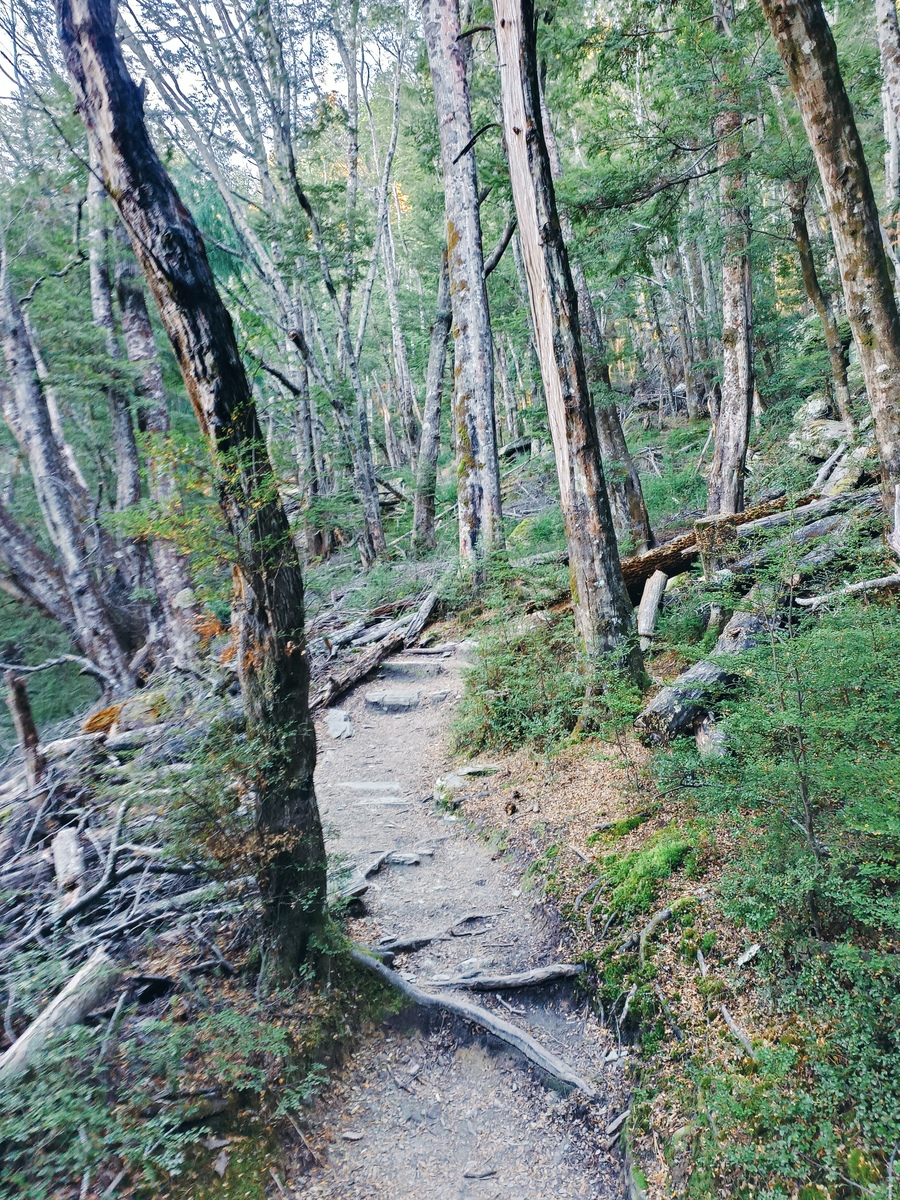
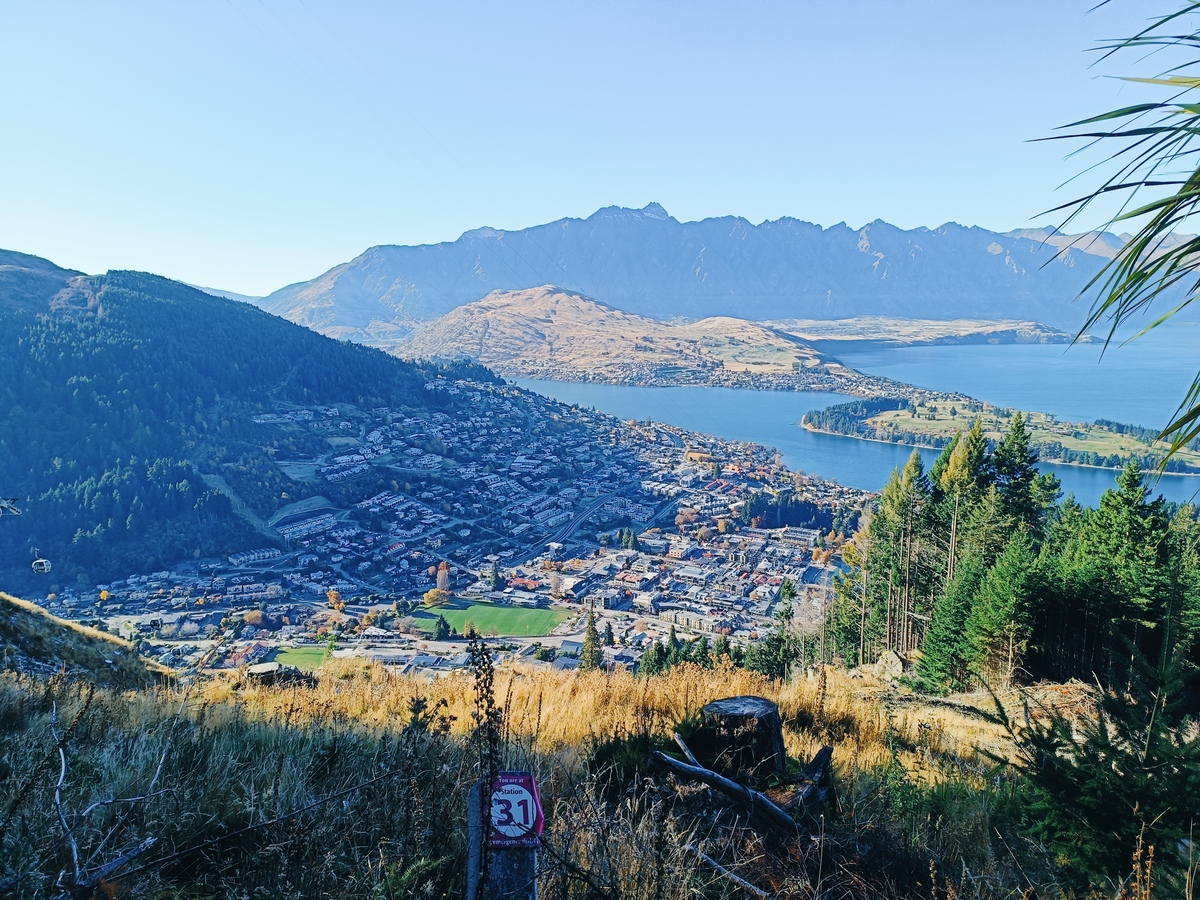
Today we walked the Tiki trail, which is a bit more sheltered, but straight up. It was a good amount of exercise for our battered bodies.

Love this trail
Queenstown views

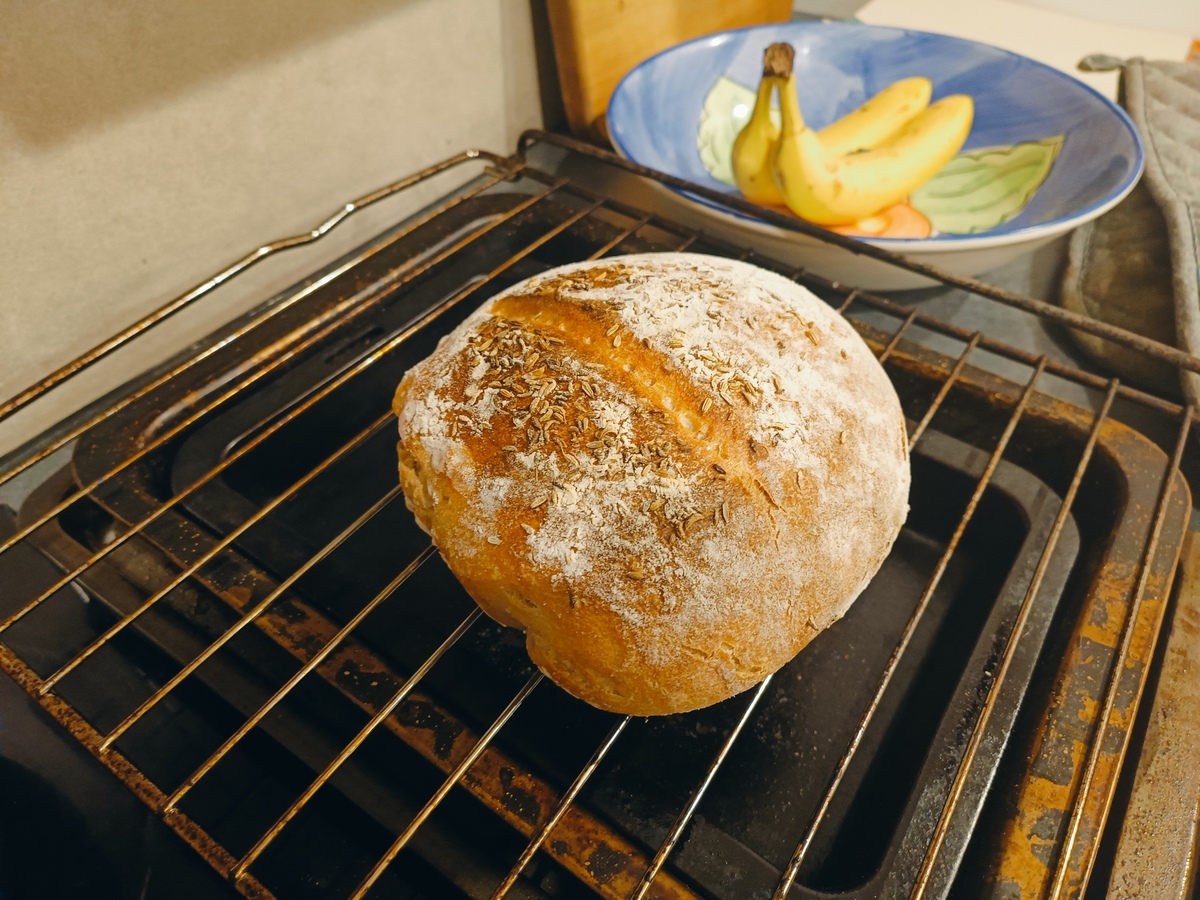
With the time off work, I baked the sourdough finally. I forgot about the timing of things. You need to plan for 24 hours of folding, resting, refridgerating, baking. I ended up baking it at 9pm last night because thats how the time aligned. For a Sunday morning bake, I think I need to start Friday evening with the first "feed". I'll work on the routine.

It was like a brick

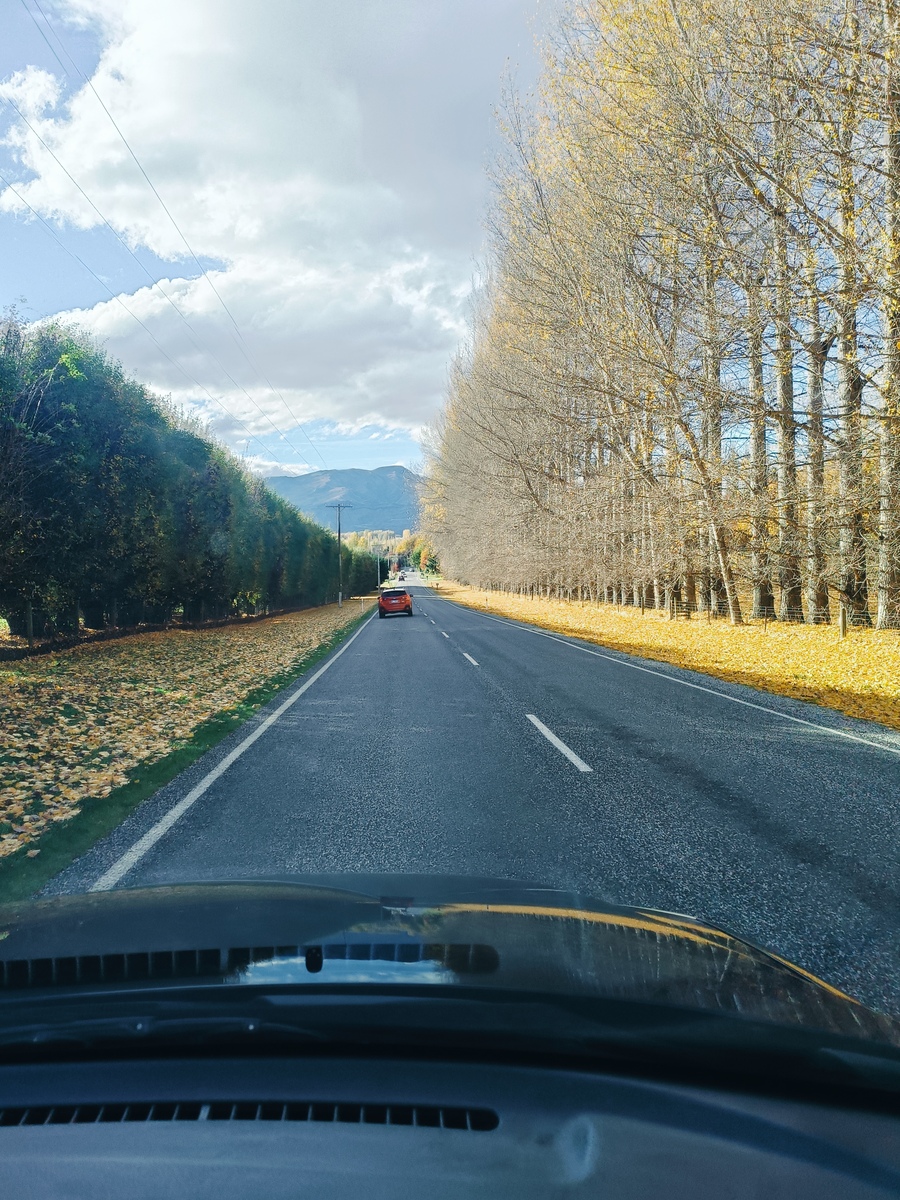
Weather is fresh but sunny. Not many leaves left on the trees. Winter is very close.

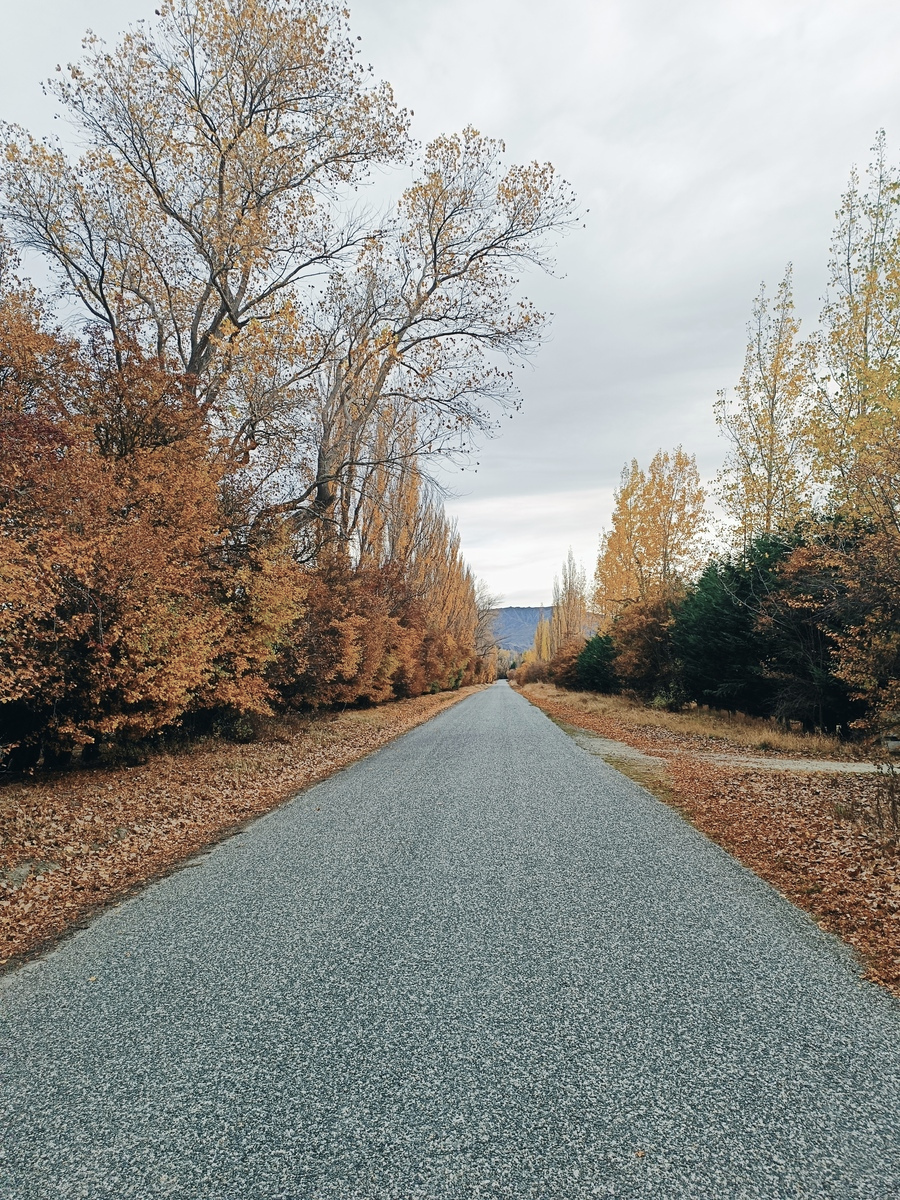
Golden tree tops becoming golden carpet

I installed Debian 13 Trixie. It was a pretty straight forward upgrade from 12. As part of it I tried out some new backup methods which I will use carrying forward.

πŸ’» Tools

  • Galculator - Simple calculator. Surprised Xfce doesn't come with it pre-installed.

  • BorgBackup - Simple CLI backup utility with tight documentation. Can be used on both client and server machines. It is impressively quick to both backup and retrieve, recognises file changes so reduces duplication. A lot of front-ends to go with it, like BorgWarehouse below, but for my laptop as the client, this is perfect.

  • BorgWarehouse - Server side web GUI for BorgBackup. Has minimal functions which is great. Just set up a repository and share a key. Was available in the TrueNAS community application list too so it was a no-brainer for me.

  • GNU Stow - Symlink farm manager which I've started using for storing dotfiles/config files/systemd service files in the one place. Still wrapping my head around the best process to stow when folders exist and cause conflict. Creating a reverse-stow shell script (rstow.sh) helped me get files and folders into the original stow directory, rather than manually creating the paths.

πŸ“Ί Watched

  • Cold Echoes (2025) - My kiwi cousin plays the lead bad dude in this Icelandic film. It was fun to watch, but the script was pretty bad.

  • Industry (Season 1) - It's ok. Not enough likeable characters.

https://html-chunder.neocities.org/posts/weeknote-2026-w20/
Installing Debian 13 Trixie
Show full content

Had this one on the todo list for a while. Finally got around to it. This is essentially a revamped post of my 2024 Setting up Debian and GNOME DE notes. Since then I've dropped some software like zellij, added a few more, moved from GNOME to Xfce, and changed some preparation processes to make life a little easier during the upgrade. I know that I could have just followed these steps and done an upgrade, and it seems Debian is pretty good at doing this successfully, but I like to do a clean install as it gives me a chance to clean out the junk, find new workflows and force some documenting for future me (thus this post).

Preparation

Ensure all dotfiles, config files and systemd service files are stowed in my ~/.dotfiles directory, and that directory has been pushed to the Forgejo repository on the Raspberry Pi.

PARA folders are backed up using BorgBackup onto the TrueNAS Supermicro server BorgWarehouse respository.

Prepare a USB stick with the new OS

Reboot with stick in tapping F12 on my Dell laptop, load via USB, and run through the installation steps.

Once in Add user to sudo group
su
sudo usermod -aG sudo [username]
groups [username] # check user has been added
exit
Enable firewall
sudo apt install ufw
sudo ufw enable
sudo ufw logging off
sudo ufw status verbose
Install available packages through apt
sudo apt install borgbackup btop buku feh galculator gimp git imagemagick jhead newsboat peek pipx qbittorrent ripgrep rsync stow syncthing tmux tmuxp tree vlc xsane xsel
Clone dotfiles stow repository and spit out all the symlinks

In ~/ git clone... repo.

cd dotfiles
stow xyz
Extract PARA folders from TrueNAS
borg list ssh://borgwarehouse/./3281bb14  ## "borgwarehouse" is defined in my .ssh/config file which was restored via stow in the previous step.
cd /
borg extract --list ssh://borgwarehouse/./3281bb14::zkbro-2026-05-10T12:02:04  ## or whatever the latest backup is.
Additional software installations Install yazi
curl -sS https://debian.griffo.io/EA0F721D231FDD3A0A17B9AC7808B4DD62C41256.asc | sudo gpg --dearmor --yes -o /etc/apt/trusted.gpg.d/debian.griffo.io.gpg

echo "deb https://debian.griffo.io/apt $(lsb_release -sc 2>/dev/null) main" | sudo tee /etc/apt/sources.list.d/debian.griffo.io.list

sudo apt update
sudo apt install yazi
Install Surfshark VPN client
curl -f https://downloads.surfshark.com/linux/debian-install.sh --output surfshark-install.sh #gets the installation script
cat surfshark-install.sh #show script’s content
sh surfshark-install.sh #installs surfshark
Install tailscale
curl -fsSL https://tailscale.com/install.sh | sh
Install neocities-cli

neocities-cli is installed via ruby, so first install ruby-full and a bunch of other crap:

sudo apt install ruby-full build-essential ruby-dev libssl-dev zlib1g-dev

Now install neocities-cli:

sudo gem install neocities
Install async-neocities

This is to make it quicker to upload my website to Neocities. First, install latest version of Node.js (see https://tecadmin.net/install-latest-nodejs-npm-on-debian/):

sudo apt-get install curl software-properties-common
curl -fsSL https://deb.nodesource.com/setup_22.x | sudo bash -
sudo apt-get install -y nodejs

Then to install async-neocities:

npm install async-neocities
Install Librewolf
sudo apt update && sudo apt install extrepo -y
sudo extrepo enable librewolf
sudo apt update && sudo apt install librewolf -y
Uninstall Firefox
sudo apt remove --purge firefox-esr
rm -rf ~/.mozilla/
Install software from binaries Install duckdb
curl https://install.duckdb.org | sh
Software-specific Customisation Librewolf

See Configuring Librewolf

Configure syncthing

Just get the thing started. Config file symlinked out of ~/dotfiles has it already set up as before. My Android didn't even blink.

systemctl enable syncthing@zkbro.service
systemctl start syncthing@zkbro.service
Install/inject python libraries into pipx environments

Not 100% I am using pipx correctly, but I have been injecting all the packages under pylsp once installed.

pipx install python-lsp-server
pipx inject python-lsp-server [package-name]

Kinda fucked this up, but most of it is under python-lsp-server:

zkbro@laptop:/etc/apt/sources.list.d$ pipx list --include-injected 
venvs are in /home/zkbro/.local/share/pipx/venvs
apps are exposed on your $PATH at /home/zkbro/.local/bin
manual pages are exposed at /home/zkbro/.local/share/man
   package pandas 3.0.3, installed using Python 3.13.5
    - f2py
    - numpy-config
   package python-lsp-server 1.14.0, installed using Python 3.13.5
    - pylsp
    Injected Packages:
      - bs4 0.0.2
      - datetime 6.0
      - duckdb 1.5.2
      - feedgen 1.0.0
      - feedparser 6.0.12
      - fitdecode 0.11.0
      - fitparse 1.2.0
      - folium 0.20.0
      - geopy 2.4.1
      - gpxplotter 0.2.12
      - gpxpy 1.6.2
      - python-lsp-black 2.0.0
      - python-lsp-ruff 2.3.1
      - pyudev 0.24.4
      - reportlab 4.5.1
   package wheel 0.47.0, installed using Python 3.13.5
    - wheel

Download fit2gpx.py and paste into /home/zkbro/.local/share/pipx/venvs/python-lsp-server/lib/python3.13/site-packages/. For whatever reason I can't inject this package.

Configure git

See Setting up Git (The Odin Project) for a good how-to.

git config --global user.name "Your Name"
git config --global user.email "yourname@example.com"
git config --global init.defaultBranch main
git config --global pull.rebase false

And confirm:

git config --get user.name
git config --get user.email
Additional packages needed for Garmin mounting in Xfce
sudo apt install gvfs-backends gvfs-fuse libmtp-runtime mtp-tools
Desktop Environment Customisation Appearance

All I did here was move the top bar to the bottom and removed the bottom shortcuts panel.

Set keyboard shortcuts

In Keyboard --> Application Shortcuts set xfce4-appfinder to Super+L and thunar to ALT+E

In Window Manager --> Keyboard set Maximize Window to Super+KP 5


Well, that was 175 lines shorter than my last post, so I must have made things easier. I haven't noticed anything different except codeblock syntax highlighting breaking in zola (config file change in a newer version), and that the newsboat v2.36-1.1 RSS TUI is available in apt which is compatible with FreshRSS, unlike v2.21-1.5 in Bookworm. Was really looking forward to reading RSS in my terminal. Hoorah.

During the process I also tried a couple of tiling window managers - i3 and ratpoison (cool name), because I've got some kind of addiction to trying these things, but also because I don't really use desktops so why not just use something that manages my windows? And they are supposedly lighter weight than even Xfce, so if we can free up some RAM why not? Anyway it felt a bit too much... I'm still learning helix and tmux shortcuts, so to throw that on top I'll probably tie my fingers in a knot. I also believe that multi-tasking is a myth, so just have everything fullscreen - no tiling, and I agree with points made in Xah Lee's post Why tiling window manager sucks, but I know I'll enjoy learning the thing. So maybe one day. For now though, Trixie and Xfce is running smoothly so happy days.

https://html-chunder.neocities.org/posts/debian-13-trixie-2026/
Managing dotfiles with GNU Stow and Forgejo
Show full content

Note, I am not a sysadmin professional, so please if you notice wrong terminology or things I am doing wrong, get in touch so I can learn and fix it up. Brandon does a much better write-up of this, which is where I first heard about Stow and committed to use one day.

Since my migration from Windows to Linux a couple of years ago, I have forever been installing and customising tools to suit my needs wants. That is the beauty of Linux for me. It gives me a level of freedom that Windows never gave me. I'm making an assumption there though... I never tinkered in Windows with static site generators, text editors, network monitors, git, etc etc. I imagine it can all be done, but surely all that is easier, and faster, with the use of a Linux terminal emulator and apt package manager? As a tinkerer, Linux is easier, not harder as we were led to believe.

With that said, by tailoring our workflows and digital environments via configuration files and custom scripts, we add complexity. Luckily there are more tools out there to then reduce complexity. It sometimes takes a bit to set up, but once it's all going, it generally looks after itself. Git for version control, Syncthing for syncing, BorgBackup for general backups, and here now I'll run through my GNU Stow setup for config file backup and deployment. I am also trialing this with systemd service files and ssh keys.


GNU Stow is a "symlink farm manager". As far as I know, symlinks are essentially like a traditional shortcut where there is a source file stored elsewhere and the symlink just points to it (that is a big simplification). By reading subfolder paths to create symlinks, Stow is a great way to deploy these symlinks for config files and the likes, which can be scattered all over a machine.

Stow is available via apt:

sudo apt install stow

If you have a folder, say ~/dotfiles/ and within there files and folders like .bashrc and .ssh/config, and at the ~/ level your type stow dotfiles, it will create symlinks at ~/.bashrc and ~/.ssh/config respectively, which link back to this dotfiles directory. Then, when you edit say ~/.bashrc, you will be editing the ~/dotfiles/.bashrc file, which is tucked in with all the other files you are stowing.

Turn this ~/dotfiles folder into a remote Git repository, and you've got all your config files at the ready for any machine that can access it. Just clone the repo and start stowing. I've got the repo stored on a Forgejo instance on my Raspberry Pi. It may be more appropriate to store it off-site on Codeberg however.

Rather than stowing the entire ~/dotfiles folder in one go, I like to create individual folders for each package or function. This means I can pick and choose one by one when they are required. Useful for when you use multiple machines for different purposes. My current stow folder looks like this:

zkbro@laptop:~/dotfiles$ tree -L 1
.
β”œβ”€β”€ async-neocities
β”œβ”€β”€ bashrc
β”œβ”€β”€ buku
β”œβ”€β”€ certs
β”œβ”€β”€ helix
β”œβ”€β”€ lagrange
β”œβ”€β”€ librewolf
β”œβ”€β”€ neocities
β”œβ”€β”€ ssh
β”œβ”€β”€ stew
β”œβ”€β”€ syncthing
β”œβ”€β”€ systemd
β”œβ”€β”€ tmuxp
β”œβ”€β”€ tut
└── yazi

As an example, the ssh subfolder has a config file and ssh keys, and looks like:

zkbro@laptop:~/dotfiles/ssh$ tree -a
.
β”œβ”€β”€ .ssh
β”‚Β Β  β”œβ”€β”€ config
β”‚Β Β  β”œβ”€β”€ id_ed25519
β”‚Β Β  β”œβ”€β”€ id_ed25519_borgwarehouse
β”‚Β Β  β”œβ”€β”€ id_ed25519_borgwarehouse.pub
β”‚Β Β  β”œβ”€β”€ id_ed25519_forgejo
β”‚Β Β  β”œβ”€β”€ id_ed25519_forgejo.pub
β”‚Β Β  β”œβ”€β”€ id_ed25519.pub
β”‚Β Β  β”œβ”€β”€ id_rsa
β”‚Β Β  β”œβ”€β”€ id_rsa.pub
β”‚Β Β  β”œβ”€β”€ known_hosts
β”‚Β Β  └── known_hosts.old

So, when in ~/dotfiles I type stow ssh, it will create a symlink ~/.ssh/ to that directory:

zkbro@laptop:~$ ls -a | grep ssh
lrwxrwxrwx  1 zkbro zkbro       17 May 14 10:02 .ssh -> dotfiles/ssh/.ssh

Now, like I mentioned earlier, when I edit say ~/.ssh/config, I will actually be editing ~/dotfiles/ssh/.ssh/config, which is regularly backed up in a Forgejo repository. Likewise if I create a new ssh key, because the folder is symlinked, that ssh key will be part of the repo.


I am yet to pull all these into a new system, and I will no doubt hit some problems, especially since I'm trying systemd service files where I always have ownership issues. I have probably missed some important files too, which I'll soon discover, but I'll update the repo as I go.

I've seen others use chezmoi for similar use-cases, but this looks a little advanced for me.

I started this post saying software like this reduces complexity, but I think I was wrong there. I've made my system more complex, but I have simplified the workflow of restoring configuration files.

https://html-chunder.neocities.org/posts/managing-dotfiles-with-gnu-stow-and-forgejo/
Backing up my PARA folders with TrueNAS and BorgBackup
Show full content

I am preparing to move from Debian 12 Bookworm to 13 Trixie, and rather than do a straight upgrade, I like to take the opportunity to wipe the machine completely and start afresh. This is prompting me to do some overdue backups, so I can pull everything into the new OS when all installed.

These instructions are for backup of my PARA folders only - that's Projects, Areas, Reference and Archive folders. My media is handled separately. For now anyway. This is a learning curve for me. All my backups in the past has been dumping things on external usb hard drives. I'm still a way off anything robust like a 3-2-1 backup strategy, but I feel like I'm making some steps in the right direction.

I have a TrueNAS operating system running on a Supermicro server, housing 4x 4TB hard drives (overkill, but futureproofing). My media is already stored there on a different dataset. Rather than doing my usual slow copy of my PARA data to a couple of external hard drives for an OS upgrade, I thought I'd start to actually utilise the power of TrueNAS and dedicated backup software, rather than syncing tools like rsync and syncthing (they have their own purpose).

TrueNAS has BorgWarehouse available in the App list, which is the server-side of BorgBackup, which I have come across before. BorgBackup is available in the Debian apt package manager so I will use that on the client side (my laptop). I am really impressed by the simplicity of it, the demos, and the documentation. That's a win-win-win-win.

I am doing a separate backup of my dotfiles and systemd service files using a GNU Stow and Forgejo workflow. I am still working on that one. Again, I am enjoying learning about these dedicated software packages to tackle specific use-cases.

There is a slight double-up of backing up repos in my ~/02-Areas/repos folder, which are pushed to Forgejo on my Raspberry Pi, but that's no problem. The more the merrier.


Install BorgBackup on laptop.

sudo apt install borgbackup

In TrueNAS --> Apps --> Discover Apps, install BorgWarehouse. Leave default settings.

Login with admin/admin

Update password

Back on laptop, create an SSH key:

ssh-keygen -t ed25519 -f ~/.ssh/id_ed25519_borgwarehouse
cat ~/.ssh/id_ed25519_borgwarehouse.pub

Copy the key, and back in BorgWarehouse, create a repository using that public key.

To make it easier going forward for ssh, in my ~/.ssh/config I added:

Host borgwarehouse
    HostName 192.168.x.x
    Port xxxx
    User borgwarehouse
    IdentityFile ~/.ssh/id_ed25519_borgwarehouse

The ssh port was created on installation, and can be viewed in the TrueNAS app details under Workloads.

Initialise an encrypted empty repository:

borg init -e repokey-blake2 ssh://borgwarehouse/./3281bb14

3281bb14 is the repository name that was generated on creation. repokey-blake2 is the BLAKE2b encryption mode.

Create a backup of my PARA folders:

borg create --stats --progress --compression lz4 ssh://borgwarehouse/./3281bb14::{user}-{now} \
 ~/01-Projects \
 ~/02-Areas \
 ~/03-Reference \
 ~/04-Archive

This creates a compressed timestamped archive of multiple folders:

------------------------------------------------------------------------------                                                                                                                 
Repository: ssh://borgwarehouse/./3281bb14
Archive name: zkbro-2026-05-10T11:55:17
Archive fingerprint: 7c4fd84443e99d34c4307e97049b5e39f571c3c210e1f0e8848a9899190288d4
Time (start): Sun, 2026-05-10 11:55:22
Time (end):   Sun, 2026-05-10 11:57:00
Duration: 1 minutes 37.51 seconds
Number of files: 90712
Utilization of max. archive size: 0%
------------------------------------------------------------------------------
                       Original size      Compressed size    Deduplicated size
This archive:               10.90 GB              7.79 GB              6.03 GB
All archives:               10.90 GB              7.79 GB              6.03 GB

                       Unique chunks         Total chunks
Chunk index:                   63514                92682
------------------------------------------------------------------------------

That's quick!

Somewhere along the line I accidently whacked CTRL-C mid-process, which locked the appplication down, so I had to kill a couple of suspended processes in btop, then enter borg break-lock ssh://borgwarehouse/./3281bb14.

Now if I change a file or two, then run the same command above, borg will append changes only, making it super fast.

zkbro@laptop:~$ mv 02-Areas/notes/apt.md 02-Areas/notes/apt2.md
zkbro@laptop:~$ borg create --stats --progress --compression lz4 ssh://borgwarehouse/./3281bb14::{user}-{now} ~/01-Projects ~/02-Areas ~/03-Reference ~/04-Archive
Enter passphrase for key ssh://borgwarehouse/./3281bb14: 
------------------------------------------------------------------------------                                                                                                                 
Repository: ssh://borgwarehouse/./3281bb14
Archive name: zkbro-2026-05-10T12:02:04
Archive fingerprint: 9e5529afa8dad4ff71a543aa5460e148f491b783c318d87cf434cf1d0a3763e2
Time (start): Sun, 2026-05-10 12:02:12
Time (end):   Sun, 2026-05-10 12:02:19
Duration: 6.25 seconds
Number of files: 90712
Utilization of max. archive size: 0%
------------------------------------------------------------------------------
                       Original size      Compressed size    Deduplicated size
This archive:               10.90 GB              7.79 GB            133.62 kB
All archives:               21.81 GB             15.59 GB              6.03 GB

                       Unique chunks         Total chunks
Chunk index:                   63516               185364
------------------------------------------------------------------------------

6.25 seconds with a deduplicated size of 133.62kb (Borg recognising it doesn't need to duplicate unchanged files). Brill!

To list archives:

zkbro@laptop:~$ borg list ssh://borgwarehouse/./3281bb14
Enter passphrase for key ssh://borgwarehouse/./3281bb14: 
zkbro-2026-05-10T11:55:17            Sun, 2026-05-10 11:55:22 [7c4fd84443e99d34c4307e97049b5e39f571c3c210e1f0e8848a9899190288d4]
zkbro-2026-05-10T12:02:04            Sun, 2026-05-10 12:02:12 [9e5529afa8dad4ff71a543aa5460e148f491b783c318d87cf434cf1d0a3763e2]

Use borg diff to check differences:

zkbro@laptop:~$ borg diff ssh://borgwarehouse/./3281bb14::zkbro-2026-05-10T11:55:17 zkbro-2026-05-10T12:02:04
Enter passphrase for key ssh://borgwarehouse/./3281bb14: 
[ctime: Sat, 2026-05-09 09:55:59 -> Sun, 2026-05-10 12:01:53] [mtime: Sat, 2026-05-09 09:55:59 -> Sun, 2026-05-10 12:01:53] home/zkbro/02-Areas/notes
added         500 B home/zkbro/02-Areas/notes/apt2.md
removed       500 B home/zkbro/02-Areas/notes/apt.md

That's it. My data is backed up. Now, to extract the entire archive to my current directory, I just pick out the latest archive:

borg extract ssh://borgwarehouse/./3281bb14::zkbro-2026-05-10T12:02:04

or a specific folder, also printing extraction as it runs (with --list):

borg extract --list ssh://borgwarehouse/./3281bb14::zkbro-2026-05-10T12:02:04 home/zkbro/01-Projects

There are a lot more features in both the client and server side of Borg, but for now I'm happy this will serve it's purpose in temporarily holding my files while I upgrade my operating system.

It doesn't look like there's a scheduler function built into BorgBackup, but my next steps might be to setup something like a cronjob or systemd timer. Borgmatic and BorgUI both make scheduling easier. To be continued...

https://html-chunder.neocities.org/posts/backing-up-para-with-truenas-and-borg/
Configuring Librewolf
Show full content

How I set up my Librewolf browser.

Thanks to Benjamin Brunzel for how to set up the custom CSS, and Michael KjΓΆrling for how to make the scrollbar larger.

Set Librewolf as default browser:
xdg-settings set default-web-browser librewolf.desktop
Set keyboard shortcut

In Debian Xfce, Keyboard --> Application Shortcuts and map exo-open --launch WebBrowser to ALT-W.

Install plugins

Keyboard mapping is found in Settings --> Extensions --> Manage Extensions --> Cog wheel --> Manage Extension Shortcuts. I had to remap a couple in my Xfce keyboard application shortcuts that were competing.

Create a custom CSS stylesheet to minimise the toolbar

As per userChrome.org, find your Profile Directory:

Click the menu button --> Help --> More Troubleshooting Information --> Application Basics --> Profile Directory --> Open Directory. Profile directory will open.

Create .../chrome/userChrome.css in the Profile Directory and paste this code (this is exactly from Ben's post):

/* asciijungles's userChrome.css
 * write to ~/.config/librewolf/librewolf/{yourProfile}/chrome/userChrome.css
 */

/* hide header tab bar */
#TabsToolbar {
    visibility: collapse !important;
}
/* hide huge sidebar header*/
#sidebar-header, #search-box {
    display: none!important;
}
#sidebar-header {
    display: none !important;
}

/* minimize sidebar splitter */
#sidebar-splitter {
    background-color: black!important;
    width: 1px!important;
    border: 0px!important;
}

Enable the new stylesheet to load on every startup:

  • about:config
  • userprof
  • Switch toolkit.legacyUserProfileCustomizations.stylesheets to True.
Make scrollbar bigger, square and always visible
  • about:config
  • widget.gtk.overlay-scrollbars.enabled = false
  • widget.non-native-theme.gtk.scrollbar.thumb-size = 1
  • widget.non-native-theme.scrollbar.style = 4
  • widget.non-native-theme.scrollbar.size.override = 20
Other minor changes
  • Reload tabs on startup
  • Disable ResistFingerprinting to load window at full size on startup

That's the gist of it.

https://html-chunder.neocities.org/posts/configuring-librewolf/
Autumn 2026
Show full content

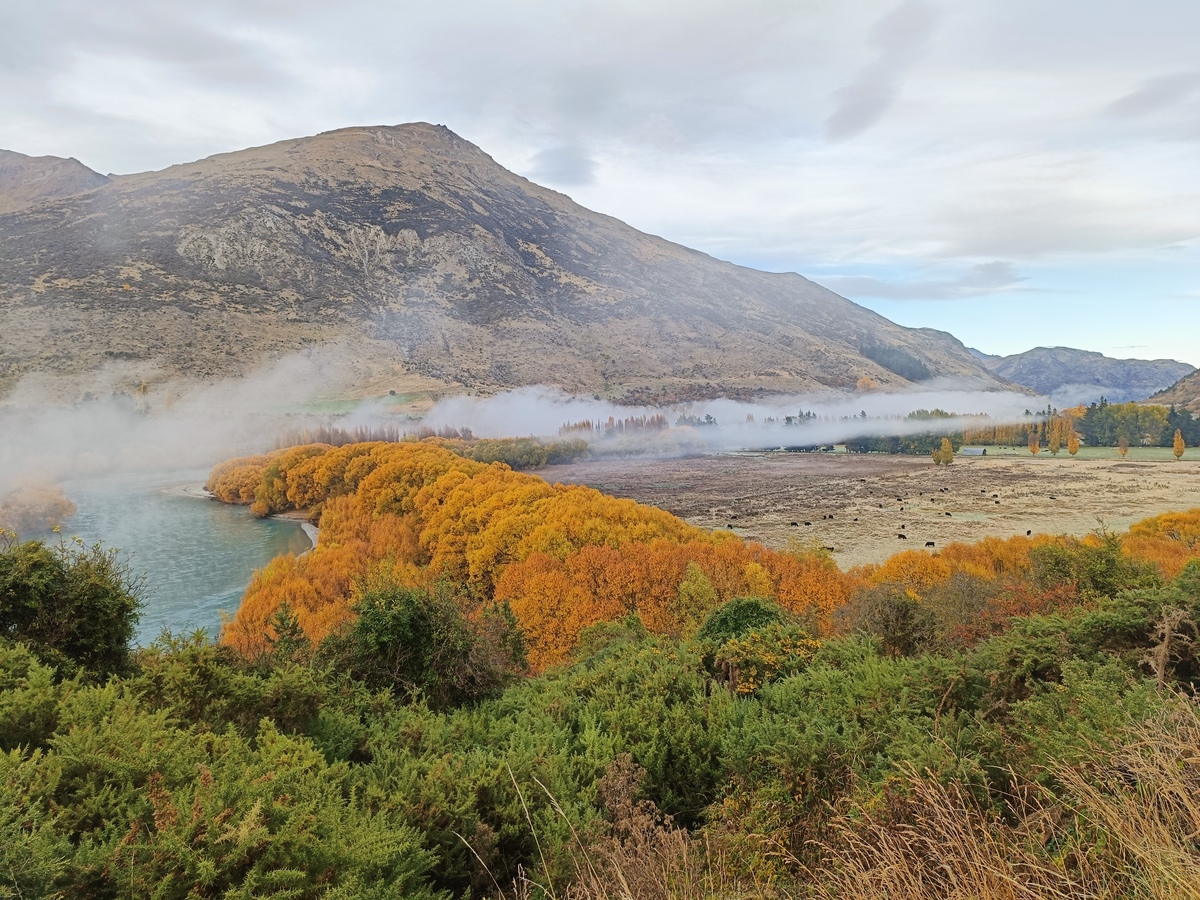
This has been the most beautiful Autumn I've experienced in Queenstown. We've had unusually still days so all the leaves are hanging on. There is an orange glow everywhere. I've been leaving slightly earlier in the mornings before work so I can stop on the way at this spot and simply breathe, before the day destroys me. When I used to holiday here, rather than live, I used to love the drives anywhere on these cusp seasons. It is truly a remarkable place.

Lake Hayes on dawn
https://html-chunder.neocities.org/posts/autumn-2026/
Tree planting at Whitechapel Reserve
Show full content

I joined a group of volunteers today to plant some natives at Whitechapel Reserve, just 9km ride from home. The community planting day was organised by Whakatipu Reforestation Trust, who to date, have planted over 135,000 natives throughout the Whakatipu Basin. They put on a morning tea with lots of home-baked treats. We've had some amazing Autumn weather, so it was good to get out and do something with it.

One of the areas we were planting on Whitechapel Reserve
Willows showing off their bronze canopy while a morning mist hovers above the Kawarau River
More colours on the way out
https://html-chunder.neocities.org/posts/tree-planting-at-whitechapel-reserve/
I can't finish blog posts
Show full content

When I read blogs I see so many tight impactful words of wisdom is just two or three paragraphs. How the hell do you do it? Every time I go to write something my mind wanders on a million tangents, I never feel like I've given enough context on anything, so I start explaining myself, which lead to more tangents, and then I lose excitement for my original idea, and give up.

Wait no, I think I know what's happening. I'm writing for you, not me. Damnit. I thought I wasn't doing that. Why do I do that? I don't need to explain to myself. Maybe that's the trick. Pretend there is no audience.

This was a brainfart. Here's my middle ground while I figure it out. Three little blinking dots that say "Even though there is much more I'd like to say, I've simply run out of puff, so I'm leaving it here"...


  • 19,349 paragraphs were deleted in the making of this post.
  • I'm kinda chuffed I learnt a technical solution (@keyframes) to a psychological problem right in the middle of writing about it. Yet another type of tangent!
  • Maybe now I'm just not going to make sense to anyone...
https://html-chunder.neocities.org/posts/i-cant-finish-blog-posts/
πŸ—“οΈ Weekendnote 2026-W17
Show full content

Today the Autumn colours were out in full swing. Temperatures were fresh, but not glove weather. I went to Bunnings to pick up nail punches for my pergola build (wrong size, should've just used screws), The Warehouse to pick up cheap coffee, and Pack N Save to get a Sunday roast (currently cooking) and some other weekly supplies. Hardware store, department store, supermarket - the NZ dream. Bleh.

On the ride back I stopped at a loaded apple tree, put a couple in my backpack (it was a heavy pack by now), and ate one while I rolled on home. A friend and her little bub waved me down at a playground so had a nice chat enroute.

This is the Shotover Bridge, going over the Shotover River, which is the only way into town from the East and North, and my home. On this side of the bridge there are three big suburbs locally, and commuters from Wanaka and Cromwell join the party too. With only one lane each way it bottlenecks regularly. On the other side is Frankton, the main shopping area - industrial area, supermarkets, department stores etc, and then beyond is the main town, Queenstown, or a departure South.

Shotover Bridge and main road into town.

There is a footbridge to the right out of shot, which is where I ride my bike, then swing under the Shotover Bridge before coming up the other side to join a bike lane alongside the road. At the top of the hill I'm basically at the start of all the shops. It's just over an hour round trip to do some errands.


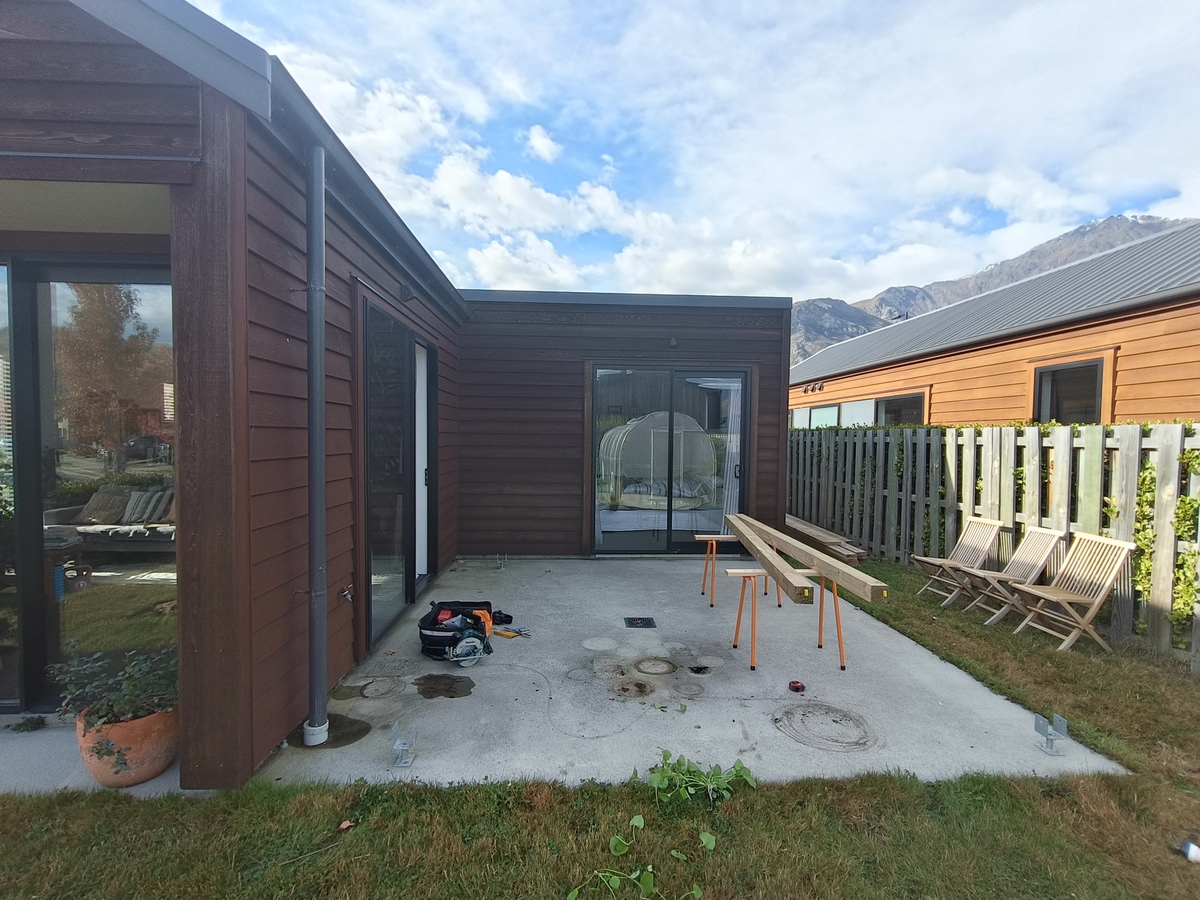
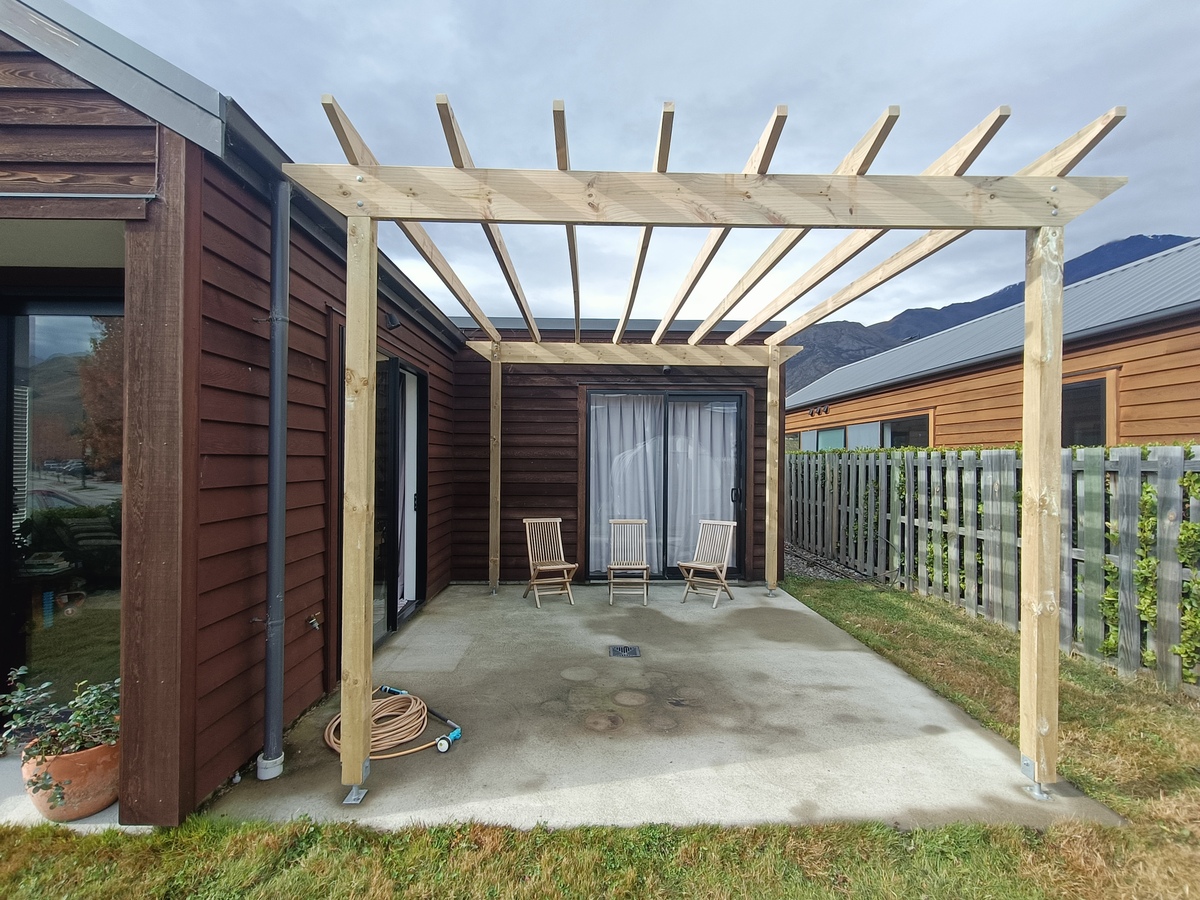
I built most of a pergola this weekend. It was difficult. Don't look too close. I'm not confident it is stable enough so will throw in some upper braces in the coming weeks, hopefully before it topples over. If I were to do it again I'd use 4-sided post supports, not 2 sided, or at least would have turned two of them 90 degrees so there's a bit more anchoring each direction. I'll add some palings across the top for a little more cover, and stability. I got tired and bored so this will do for now. When I stain the house again, I'll whack a coat or two on this too. One day I might pave the area. BBQ and seating required.

Before shot.
After shot.

I'm really just writing this post to test out my new website design. I wanted to play with <figcaption>s, which I only just realised were a thing. I figured I would try and keep the theme going. Simple and bold, hard edges etc. The photos displayed on this page are small GIFs stretched to 100% width, so they should load fast, but are also clickable to the larger, but also compressed, photos. I actually like how the GIFs look all blury. Almost like a dithered effect I see around the traps a lot.

I need to figure out how to make a shortcut in Helix to paste in the complete <figure> HTML code snippet. I'm also using <span> which is a bit limiting. Flexing is probably the way to go.

Anyway, the style of the site has given me more joy than expected. The dark mode yellow/black looks kind of like a chalkboard. The mobile responsiveness on the menu bar is surprisingly stylish with the angled buttons. I'll pretend I planned that.


TOOLS

Latest finds. For a full history of all the tools I've discovered and used over my years of blogging see the tools page. It's an interesting journey. I didn't know what SSH was just two years ago!

  • iNaturalist mobile app - A great little app to capture and discovery flora and fauna in the area. When I have a spare 5 minutes I've been loading the map and just looking up some local discoveries. It's a good way to learn some names. Our area has a huge collection so the tool must be used by a lot of folk.

  • rss-bridge FilterBridge - I cannot for the life of me get filters to work in FreshRSS, but managed to do it via this tool. Bye bye hashtag spammers.

  • Little Snitch via Rodrigo - Tidy looking network monitor. I couldn't get it to work unfortunately.

  • ncal - quickly check calendar in the terminal. I like ncal -bw -A 2 which shows weeknumbers and the next two months, and highlights the current day.

zkbro@laptop:~$ ncal -bw -A 2
                                   2026
          April                       May                       June             
 w| Su Mo Tu We Th Fr Sa    w| Su Mo Tu We Th Fr Sa    w| Su Mo Tu We Th Fr Sa   
14|           1  2  3  4   18|                 1  2   23|     1  2  3  4  5  6   
15|  5  6  7  8  9 10 11   19|  3  4  5  6  7  8  9   24|  7  8  9 10 11 12 13   
16| 12 13 14 15 16 17 18   20| 10 11 12 13 14 15 16   25| 14 15 16 17 18 19 20   
17| 19 20 21 22 23 24 25   21| 17 18 19 20 21 22 23   26| 21 22 23 24 25 26 27   
18| 26 27 28 29 30         22| 24 25 26 27 28 29 30   27| 28 29 30               
                           23| 31
  • paste image rename Obsidian plugin - using to retain original image filenames when adding from my phone. It is the default setting so absolutely no config changes required.

  • surfshark-vpn - CLI tool for the Surfshark VPN. I had no idea this was available. Looks like it is discontinued for whatever reason, but it works fine with my same account.

  • DitherEffect - Webtool for dithering (and othering) images.

https://html-chunder.neocities.org/posts/weeknote-2026-w17/
πŸ”— Link Stash | 26th April 2026
Show full content

Fresh dump of interesting and/or useful web links I've found recently. Full link stash here.

This week: More randomness.


343. Brutalist Web Design PDF guides on Brutalist web design. Just flicking through gave me a bunch of ideas. Their Brutalist framework website describes the philosophy as CRUDE (Creatively Cynical & Confrontational - Raw, Rugged and Real - Uncompromisingly Unconventional & Unpolished - Deliberately Deconstructive & Dysfunctional - Extremely Exciting & Enthralling). It reminds me of concrete styling with hard edges, zines, punk and anarchy. The only two guides available are from 2023 and 2024, so it's possible the others won't ever see the light of day. TAGS: brutalist, inspo, resources, style
342. Passweird Password generator. "Passwords too gross to steal". Love the artwork on the site too. Found this while looking up brutalist website designs in the Brutalist Substyles reference guide. Was a pleasant surprise. I'll probably use it for random username generation, or passwords that I'll share with friends. It gives me a laugh. They are pronouncable too which I find helps when you have to type or tap these things out (before it makes it into your password manager of course!). Examples: SIck1y0RG4Ns37@6, $N0TTYhOl346]0, cRuddymAy0+67, SLuRpybRAIn$2~88. TAGS: password-generator, tool, username-generator
341. Kagi Small Web Quite a trove of small web sites. An open source project that aggregates posts from websites listed on their smallweb.txt, but had a headstart by pulling an original list from other small web directories like ooh.directory and personalsit.es. There is a "river" view and search bar, you can click through posts one by one, or choose a topic. Also mobile apps and browser extensions. TAGS: aggregator, blogs, directory, small-web
340. Bubbles Another aggregator of blogs, via Stephen. Blogs were initially sourced from ooh.directory, indieblog.page, Bear Blog, blogroll.org, IndieWeb Webring, and personalsit.es (it's a big list) and newer blogs are added via emailing them by the looks of it. You can upvote posts, which I'm not a fan of, and top ranked posts are shown in the "top" page which is the landing page. The "new" tab is simply sorted by date. Much better. I have no idea how the "hot" posts get on that list. Anyway, bookmarked just in case I finish reading everything else on the internet and need some more content. Ha! TAGS: aggregator, blogs
339. Urban Commuter Interesting bunch of articles on the art of commuting in both new and familiar environments. Could see this as a handy resource for travelling, but also how to handle the everyday in this crazy world. TAGS: commuting, security, travel
338. Blogosphere An aggregator of blog posts. Initial set of blogs came from Ye Olde Blogroll, but now can be submitted on the site. Links take you to the author's site. I like the plain style (this is the textier version of blogosphere.app) and the main page is ordered by date, newest to oldest. TAGS: aggregator, blogs, directory
337. Random Notes | Scott Nesbitt A minimal personal notes site giving me a bit of inspo at the moment. It is very plain and text only which is perfect. I find I can concentrate better when reading on sites like these, though it is probably the writing itself. Posts like On being an individual spark some thoughts. TAGS: blog, minimal, personal, style, text
336. Design Systems News | PJ Onori A regular curation of discovered articles related to design systems. Lots of tips and deep dives into specific topics. A lot is a little advanced for my crappy little web building and tinkering world, but they are nice to read and spark some small ideas sometimes. Links will take you to other author sites which again are a trove of interesting articles. PJ provides some thoughts on each article. TAGS: curation, design-systems, style
335. On Privacy | 47nil Not the author's landing page, but a good introduction to their site, which I love for the simplicity and freedom of writing in private. I am going through some similar thoughts, and built a website with similar intentions. Some notes are as small as a sentence only. Others are longer thought-pieces. Their links page sent me down another rabbithole. TAGS: blog, minimal, personal, style, text
334. John Labovitz's E-Zine-List A big list of old online digital magazines and zines. Pretty sure most of them aren't going anymore, but the Wayback Machine has done a good job in archiving these gems. TAGS: curation, zines
333. Spunk Library Collection of articles related to anarchy and the likes. It's an archived website which is no longer updated, the latest content was from 1999 by the looks of it. Still, there is a lot there in the catalogues. I particularly like the Entire Title Index. TAGS: anarchy, curation, resources
332. Sprout Distro Collection of downloadable PDF zines on anarchy topics. TAGS: anarchy, curation, zine
331. Open Subtitles Downloadable subtitle files for movies and TV series. TAGS: subtitles

Full link stash here.

https://html-chunder.neocities.org/posts/link-stash-20260426/
New website design
Show full content

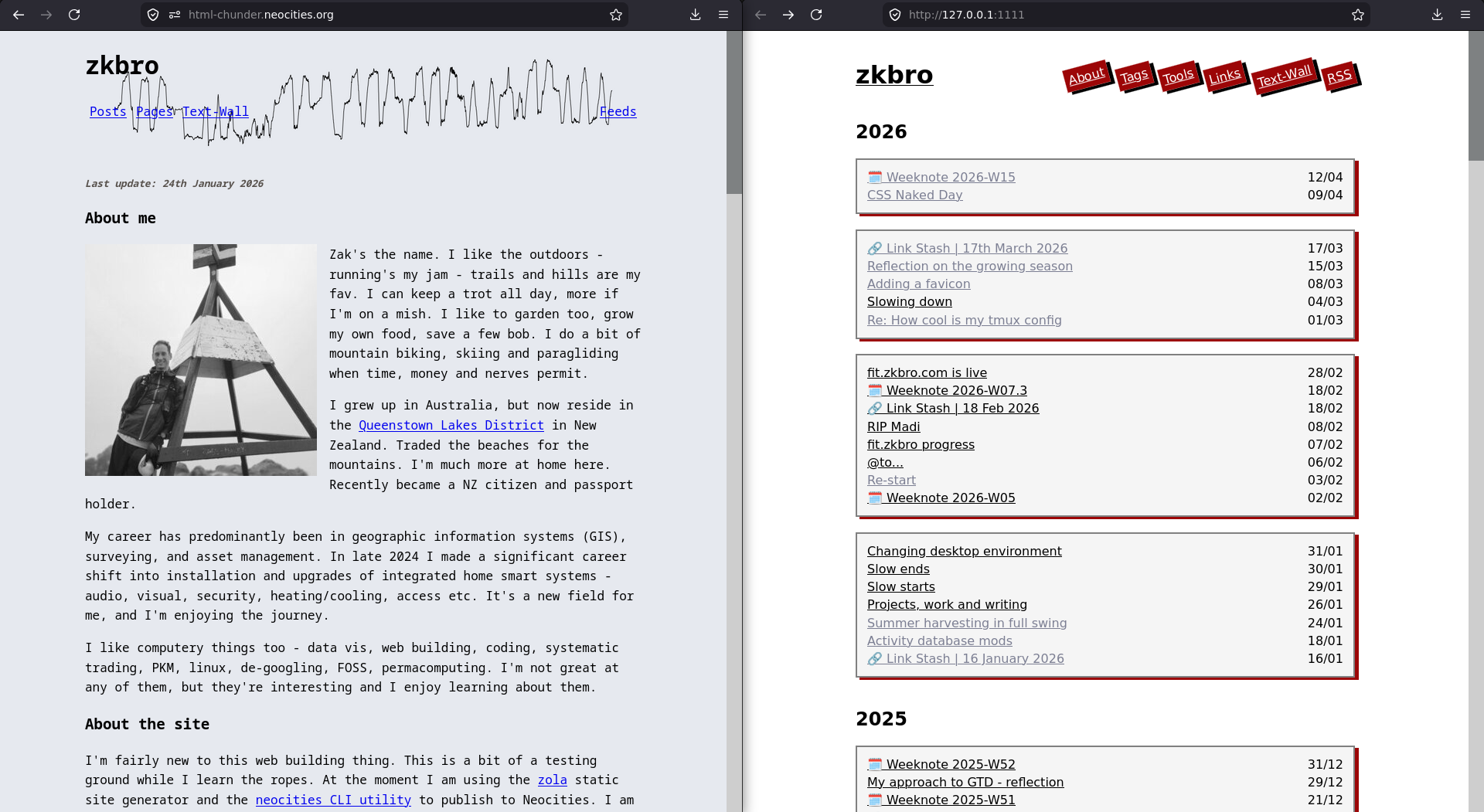
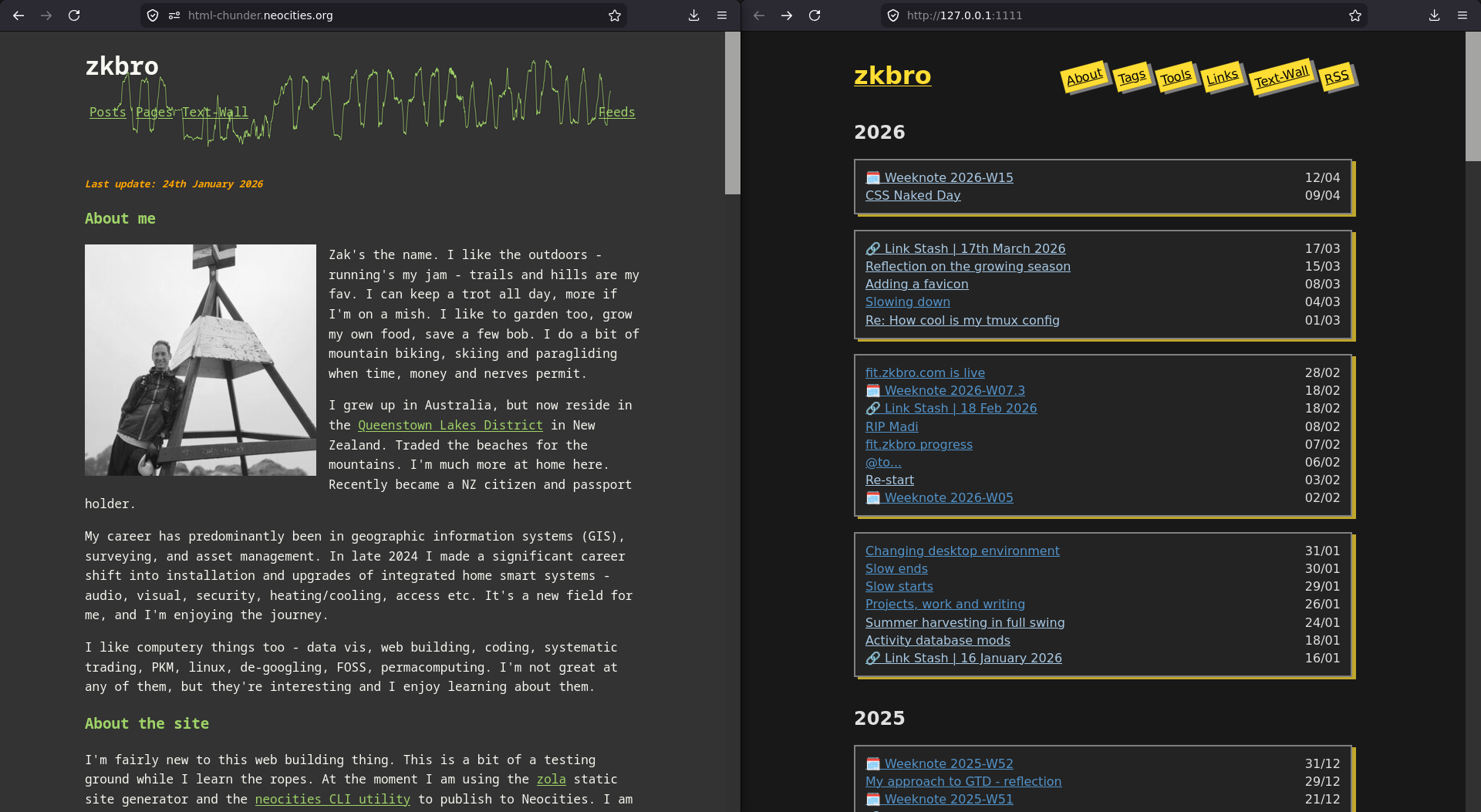
Trying something different. I want to strip back a few things, work with just posts, tags and a couple of pages. It's a bit of a work in progress, but I've mustered something I'm relatively happy with. Here are some before and after shots in light/dark mode:

I've fallen onto this style because it is a reflection of how I feel right now, which is not much. My site has always been a means of expression and a kind of log of my life, both via design and words. A new design is a start. It might start to encourage me to put some words here on things I'm working through, but for now this will do.

https://html-chunder.neocities.org/posts/new-design/
πŸ—“οΈ Weeknote 2026-W15
Show full content

It's been a while. I've been in a slump. I won't write about it here. I've tried, but it is too complex for me to put into coherent words. I've been writing privately because it doesn't need to make sense and I can just stop mid thought. I mean I could do that here, but it'd be a waste of your eye space. I will drop these themes though:

  • Work.
  • The world is pissing me off and I can't unsee it.
  • I feel like an outsider, a coward and fraud.

However, I must've turned a corner this last week, as I've started to look at things within my control that can get me back on track. They're small things, but I think they are keeping me sane. So this is those things.

Homebrews

I've ramped up my kombucha (bigger vessel, more yield), started fermenting ginger and making ginger ale, and kicked off a sourdough starter again (not quite ready for baking, but it sure is alive). Not only are these things delicious, they are very fun to watch them bubble and grow, and they are very inexpensive ways to eat and drink nice things.

Volunteering

I went to a tree planting day just around the corner. We planted natives along a steep bank. It was a genuinely nice day with nice people. A few familiar faces from Council (my previous job). It was really nice to catch up with them, and to meet some other locals. I got there early to help with the set up, moving weed mats, tree guards, buckets of compost and plants into place.

I have started contributing more to OpenStreetMap data of my local area. A couple of times a while back I loaded CoMaps and was a little annoyed that there were some points of interest missing which I needed at the time. I didn't do anything about it, but just switched to Google Maps and didn't load CoMaps again for a while. Rather than ignore that shit, I've started to act on it. If I am going to advocate community-led tools like CoMaps and OpenStreetMap to friends, I want to do my part and be involved.

Selling my shit

I finally sold my paraglider. I've had it on the market for over a year, come close to selling it a couple times, but the cost was always just that little bit too much, or buyers only wanted the wing or reserve by itself. I gave in to a low offer because I just wanted it out of my garage. The buyer was excited though. He just finished is PG2 certification the day before so he was stoked he's got a full kit to get going on his own. I'm really happy it's with someone who will get some use out of it now.

On a roll, I spruced up an old manual push mower I had in the garage, posted it on marketplace, and within 10 minutes had it sold. Again the dude was so happy. This made me happy too.

My clutter gives me anxiety. I don't own stuff. Stuff owns me. By freeing me of these things I have more mental space. I don't have a huge deal, but big things like those take up space and I feel guilty that I don't use them. I'm looking at a guitar in the corner of my room right now...

Reading

I've picked up reading again. I canned a book I was struggling through and went for books I know I'll enjoy. Currently I'm reading A New Green History of the World by Clive Ponting. It's kinda old (this is a 2007 update of his 1991 release), but it is very interesting so far.

I read Fight Club by Chuck Palahniuk ****, The Art of Spending Money by Morgan Housel *** and The Courage to be Disliked by Ichiro Kishimi and Fumitaki Koga ****.

Simplifying a blog

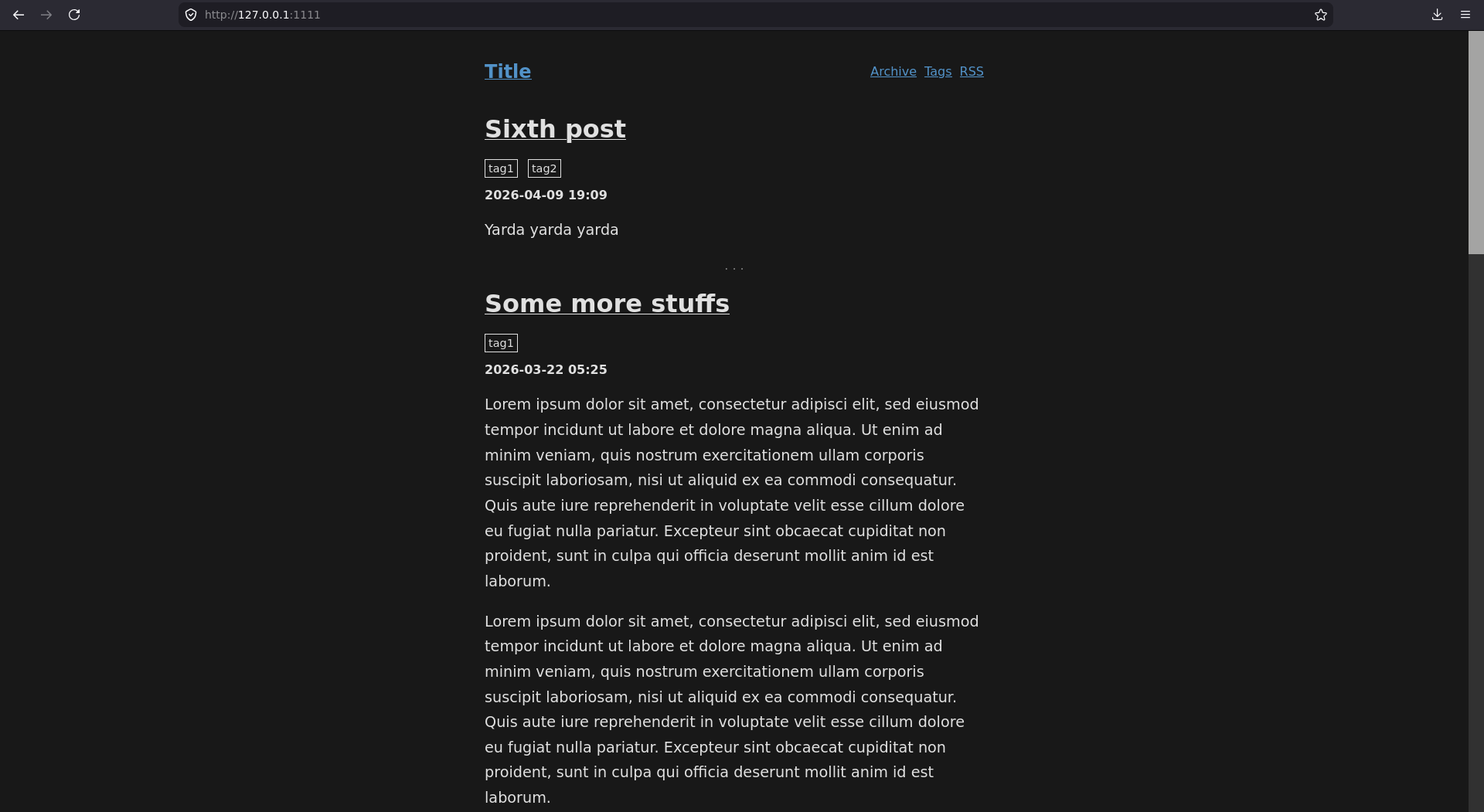
I'm getting over having to think about a blog vs quick-post, I've offloaded my activities to another site, and I don't write lists or update my crop-log any more. I've never utilised tags, but I figured out how to do it when I created my activities site. I also like very few things on the screen. So, I have created a new style which has just a main page, an archive page, and tags pages:

I haven't decided if I'll just replace this site willy nilly or move to a new site completely. I never intended to hang onto "html-chunder" for as long as I have. I named it that because thats what it was when I started. I was just spewing code into HTML until I figured out a style I wanted. It eventually got to a state that I was happy with, but I never got around to changing the domain name.

The time is right now. I am changing. My site should change with me. I might leave this one as is, and write a parting post, and start on blog.zkbro.com or something.


I've also renting out the spare room again. It is a young couple only for 2 weeks. They are good folk to talk to and very tidy and respectful.


So what has made me feel a little better? It must be the interactions with people (folk at the tree planting day, housemates, marketplace peoples), simplifying things (blog, decluttering) and doing some basic stuff (reading, homebrewing). I will try and remember this for future me.

https://html-chunder.neocities.org/posts/weeknote-2026-w15/
πŸ”— Link Stash | 17th March 2026
Show full content

Fresh dump of interesting and/or useful web links I've found recently. Full link stash here.

This week: I accidently closed a bunch of tabs I was saving for bookmarking by crashing my browser. I could have recovered them, but chose not too. The blank slate is nice. I went one step further and removed the tab bar completely in Librewolf, after reading Ben's Building a LibreWolf Browser Setup with reasonable privacy and Vim Keybindings article. Now I rarely have more than one tab open, have more reading space, and less distractions. My interneting is changing. Maybe one day those lost tabs will appear in my eye-space again, maybe not. These ones made it in before and after the event.


330. Guerilla Gardening and the Art of Plant-based Protest Really like how this article describes guerrilla gardening, a "deceptively gentle strain of activism". A fight against "aesthetically bland and politically toxic" environments. I think I have a calling. TAGS: activism, guerrilla-gardening
329. The Resistance Hub A well curated and tidy resource hub on resistance. It's not based on fear, but on preparedness. Plenty of free PDF downloads, and recommended reading. The resilience toolkit page sent me down a rabbithole - I like how the domains are structed - physical, mental, social, economic and planning resilience. The resistance toolkit focuses on non-violent actions, from digital security to street-level tactics. Some great principles to live by, embed in organisations or apply as an individual. TAGS: resilience, resistance, resources
328. Kanban Reading Board | ReadBeanIceCream ReadBeanIceCream shares his barebones kanban setup for tracking his reading. Simply utilising folder structure and naming conventions (and grep, tree, and a small script) he's come up with a pretty smooth method that does what it needs to do. If I kickstart my reading habit again I might give something like this a go. TAGS: blog-post, kanban, plain-text, reading, tracking
327. CLOAK - Concealment Layers for Online Anonymity and Knowledge Lots of tips for maintaining privacy online. Inspired by MITRE ATT&CK. Well organised with search. Not very in-depth, but some links are shared, and I can easily follow up with wider web searches. TAGS: how-to, infosec, privacy
326. How I use Wireshark | Julia Evans Julia shares some of her use-cases for Wireshark. TAGS: blog-post, how-to, networking, sysadmin, wireshark
325. Wireshark A powerful FOSS network analysis GUI tool that I would like to learn to help me grasp a few more networking concepts. The user guide is extensive. TAGS: foss, networking, sysadmin, tool
324. Change your default date format to the least ambiguous | Practical Betterments Complete rundown of why the best date format to use is the best date format to use. Spoiler - 2026-02-26 and the corresponding human readable 2nd February 2026 wins. I'll be flicking this to anyone who thinks otherwise (work colleague insists on DDMMYY. YUCK!) TAGS: best-practice, dates
323. mixflow Another chill radio station, via Rodrigo TAGS: radio
322. Linux becoming a Windows / OSX clone | Ciprian Dorin Craciun There are a lot of linux distros out there. This is a refreshing post from someone knowledgeable to keep me falling for the hype. A few personal thought nuggets on differences in distros helps me understand the ecosystem a bit better. I've been happy with Debian for my short time in Linux, but funnily enough the only one I MAY try next is openSUSE, which the author uses (or used at time of writing at least). But still, I'm probably not going to change any time soon unless its to refresh myself on installing an OS, and giving my laptop a spring clean. TAGS: blog-post, contrarian-thinking, distros, linux
321. The Cheapskate's Guide to Computers and the Internet What the title says, but so much more. Lots of sub-topics of computers and internet like permacomputing, networking, and online communities. A heap of resources and links to the wider web. TAGS: frugal-computing, permacomputing, sustainability

Full link stash here.

https://html-chunder.neocities.org/posts/link-stash-20260317/
Reflection on the growing season
Show full content

Summer crops are still producing in full swing, so thought I'd jot down some thoughts, while they're fresh, on what went well and what didn't so I can tweak some things next year.

In the greenhouse
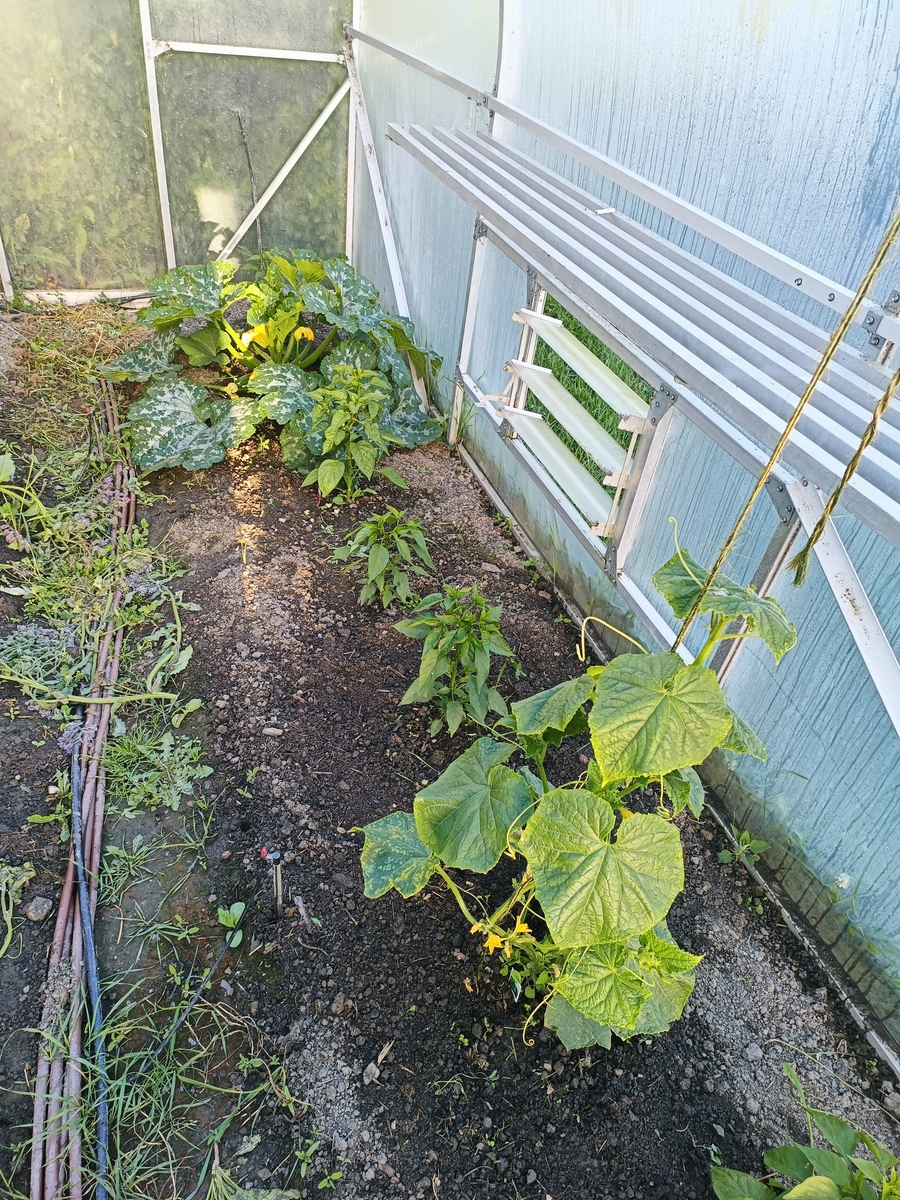
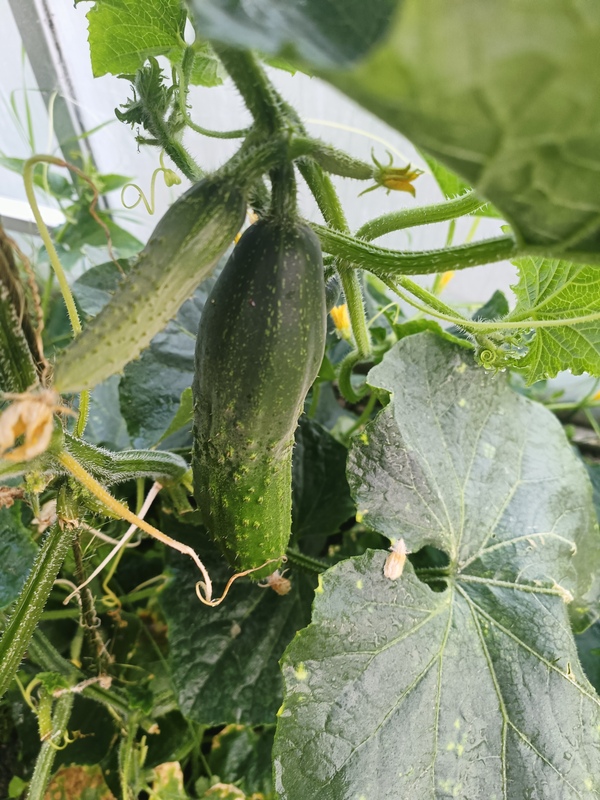
  • One zucchini and one cucumber is more than enough. I have just kept up with the zucchini's, but a couple of cucumbers were donated to the compost pile because I couldn't get to them in time.

  • All my tomatoes were self-sown from previous seasons, however they ended up all being cherry tomatoes. Kept 7 in total, and have kept up. I think 3 cherries and 3 regulars will be better next year. I like Romas.

  • Greenhouse is great for cucumbers and tomatoes, pruning to a single leader and tying to the top rail. It can seem a bit heavy handed to trim so much back, but yields were still strong.

  • Zucchini ended up taking up a fair bit of room in the greenhouse. It liked it there, so I will do it again next year, but dedicate a single bay (out of the 12) to it.

  • 6 chillis is too much. 2 will do. The "wild fires" are delicious, and mild. I've only been eating them green so far, but they're meant to be red. They're long and plants produce a lot. Will collect the seed.

  • Capsicum "redskin" doing well in the greenhouse. Plant 2 next year.

  • Capsicum "lunchbox red" also doing well. Bugs seem to bore holes, but I've never seen one inside. They're a good in-between while the redskins grow. 1 is enough. Produces well.

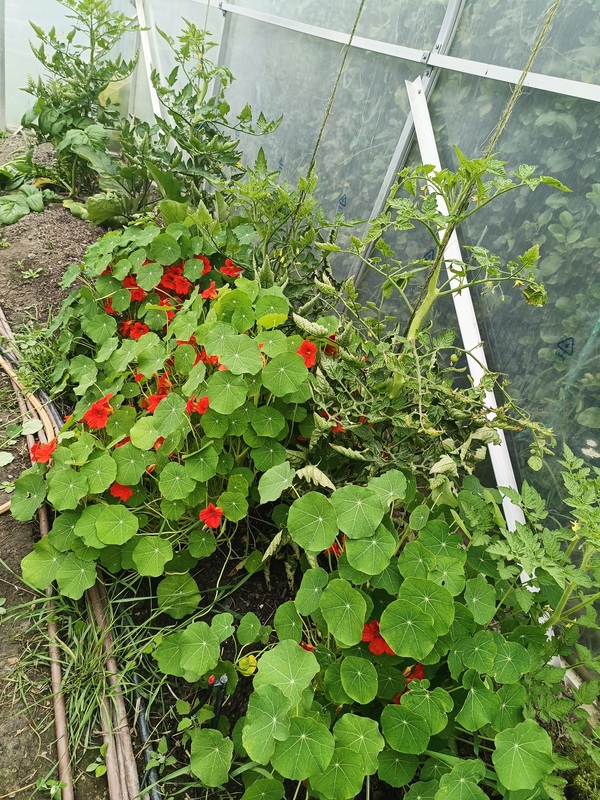
  • Nasturtiums and borage were beautiful in the greenhouse, and the bees loved them, but they took up a lot of room. Saved seed of the nasturtiums (more than enough borage in the soil). Will plant out in the fruit tree orchard next year.

  • Old seeds of my greens mix are starting to fail (mesculin mix is no longer a mix, just mustard). I bought new spinach for the last sow and it's looking good. Will stick to my fav 4 mix next year - Rocket, Spinach, Red Russian Kale, Tatsoi.

  • Trial of greens plantings in front of cucumbers and chillis got a bit leggy. Rocket did ok, but it was still a bit busy. Stick to dedicated bays next year. 5 cuts is about what each planting receives. Plant successions at cut 2.

  • Eggplants slower to produce. Only just started harvesting my 2 plants. Will monitor and decide if I want more next year. I have a delicious marinated eggplant recipe I want to give a crack again if they don't all make it into my cooking.

  • More radish. Best snacks while I'm in the garden.

  • Keep the succession plantings of beets up. They've been great in roasts and shredded fresh in salads and sandwiches.

  • 1 bay of silverbeet is enough, probably reduce to 3 rather than 4. Got busy. Also had an unexpected glut out in the fruit tree orchard once weeds were removed.

  • Scarlett runner beans doing well, happy running up the back of the greenhouse with the steel mesh in front of brown onions.

  • Plant more brown onions. Didn't feel right buying them a couple times. Maybe down at allotment. Need to make extra beds.

  • Keep up spring onions. They go in everything.

Backyard
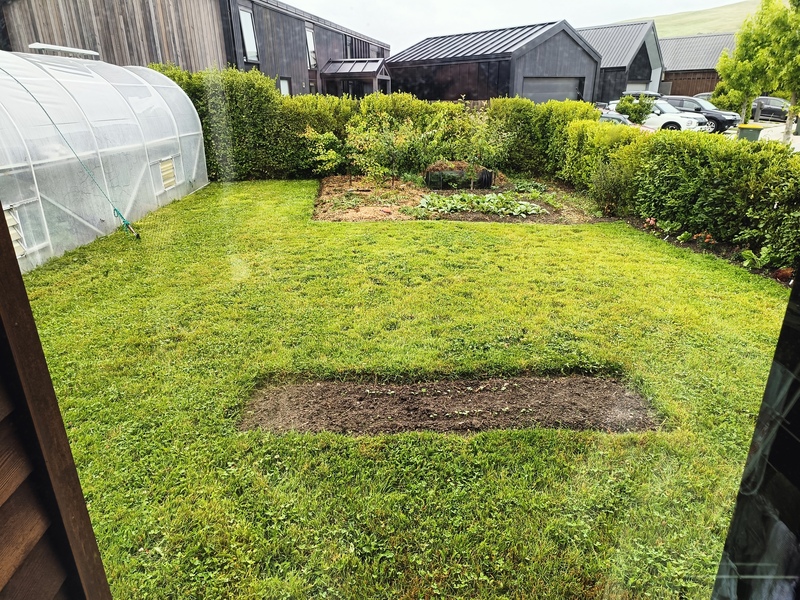
  • Time to extend more into the lawn. Keep grass to the left for now, but extend in front of orchard.

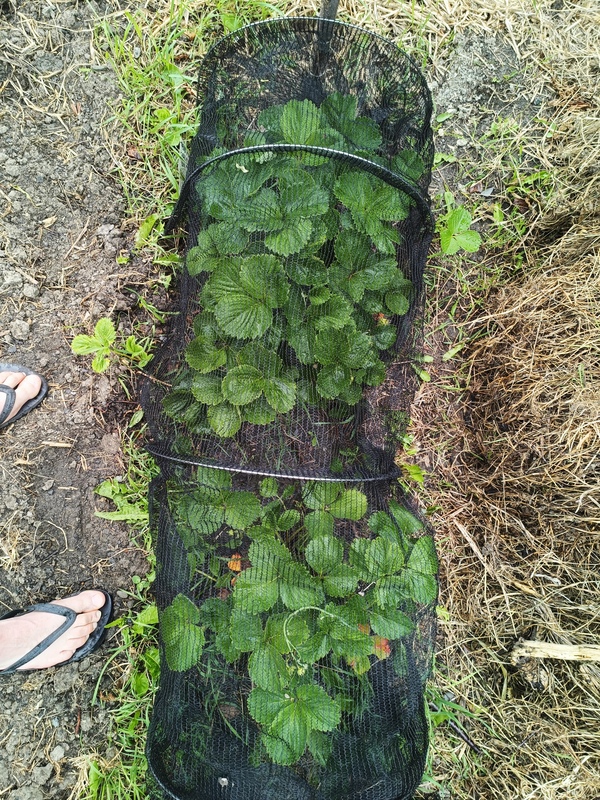
  • Strawberries under fruit trees doing really well. Thanks to dad for covering up with netting, much to the dismay of the blackbirds. I'm trying to save some runners to spread into a new area.

  • Apple and 1 plum tree produced in the orchard. Little moth traps seemed to work, though I cut the string off a bit late when I saw them ringbarking. Keep an eye on it next year. No apricots yet.

  • I thought I was pruning quite a bit to keep the trees small, but I can do better. They hardly blinked. Keep reading up on the art of tiny tree pruning, though just do it. All the information is conflicting. I'm sticking with the idea that Summer pruning just after the solstice is best for the hard prunes to reduce size because they energy has switched to going back into the trunk, while Spring prunes will promote new bushy growth because photosynthesis is in full swing (or something like that).

  • Prepare 3 new tree planting areas over winter for (ideally) peach, nectarine and persimon.

  • "The graveyard" is useless. Dries out too quick with the western sun. Unless I extend it to be a proper bed, leave for the grass to grow over again.

Down at the allotment
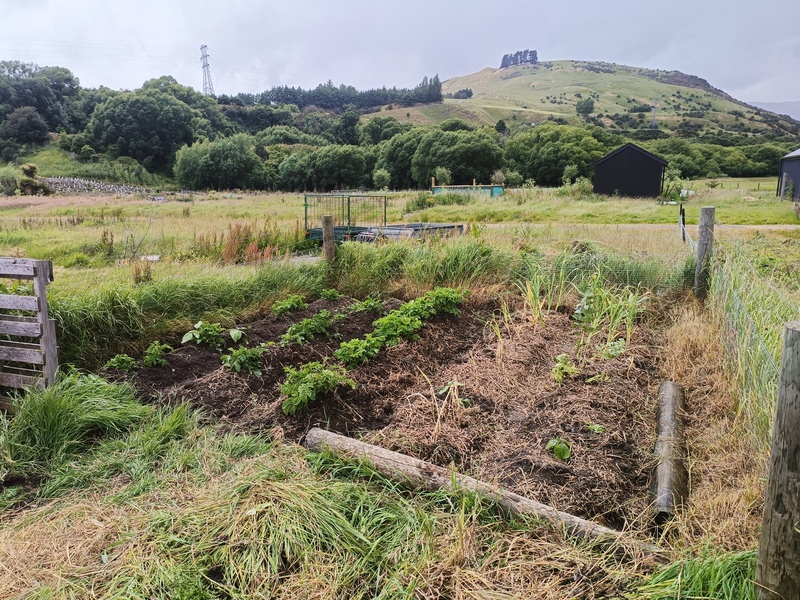
  • Garlic did not do too well because of water-logging. Couldn't help that. Will do 3 rows this winter.

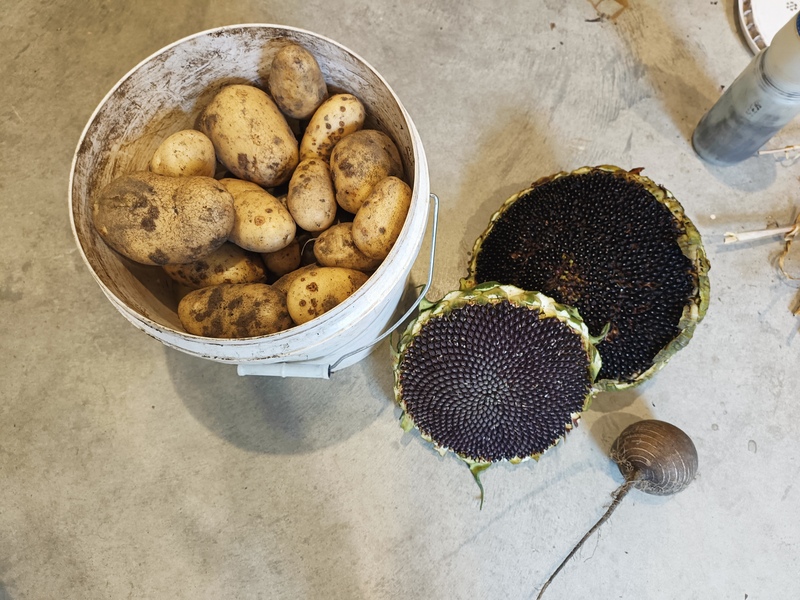
  • Potatoes did well despite thinking I lost them all to mould from leaving them in the garage too long after dicing the eyes up. A lot of little spotty blemishes, which word on the street sounds like I'm not alone. They haven't seemed to affect the taste or quality, just appearance. 3 beds are enough, though there will be a crossover with garlic, so maybe I'll just have 2 (only have 5 rows available currently).

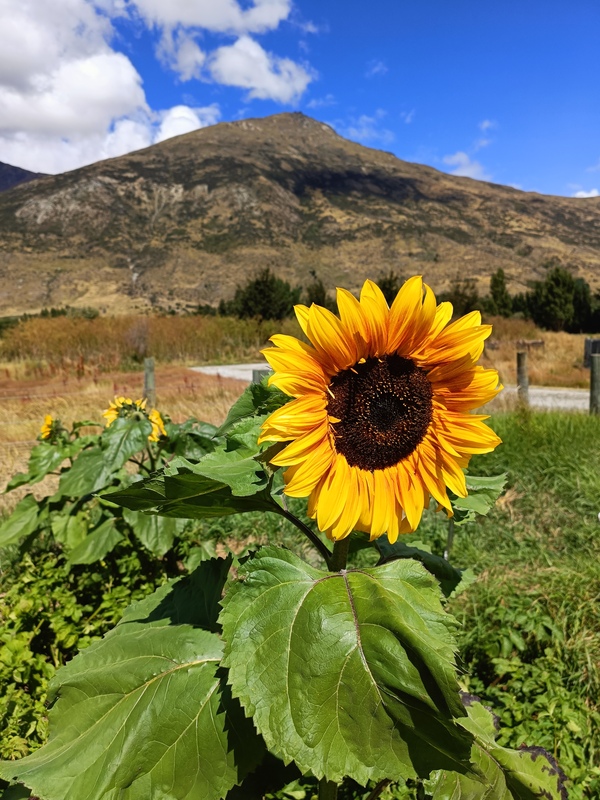
  • My random scattering of sunflowers were a delight to see down at the allotment. Saving seed. I'm going to put these everywhere. Guerilla gardening?

Other notes
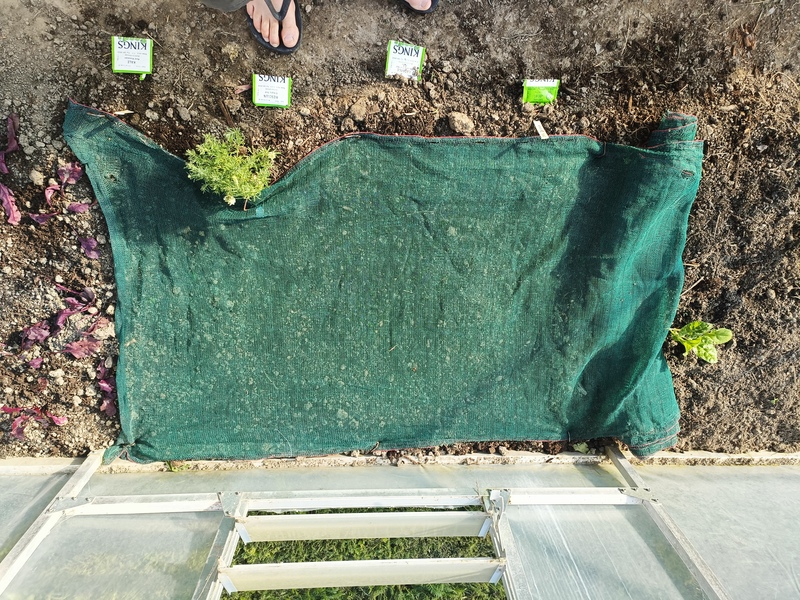
  • Shadecloth on direct-sows works really well keeping water dispersed, soil from drying out, and pesky birds eating the seed. Find more shadecloth.

  • I didn't grow corn. I want corn. New beds in front of orchard?

  • More berries. Can never have enough. Prepare new beds over winter. Do more lurking at that big berry patch around the corner so I can find the owner and ask for shoots. In front of orchard? May need to do some borders to prevent from spreading. Research. Blueberries should be ok.

  • More perennials. Prepare an area for asparagus. Find out when shoots are available. Same time as potatoes?

  • Plant out rosemary in corners of backyard garden beds, and at front letterbox.

  • Pumpkin. None this year. Last year in the greenhouse was fun making a tunnel, until they fell off. Not the best spot. Might do some guerilla gardening out at the bus stop across the road or my front verge.

  • Broccoli. I love the stuff, but never figured out when the best time to plant is. Just plant. Figure out how not to have some many seedling failures.

  • Chooks. Design new garden beds around the almost certainty that I will be getting chooks again. bok bok.

  • Donate more. Take to work. Be more social with the neighbours.

Next actions
  • Sow more beets, carrots, spring onion and greens in greenhouse for Winter.

  • Planting garlic and broad beans down at the allotment for Winter.


https://html-chunder.neocities.org/posts/growing-season-2025-26/
Adding a favicon
Show full content

I just discovered what a favicon was so added one to my site. Not sure using a picture is the best for a tiny weeny icon, but I did it anyway. I used favicon.io by simply uploading a trimmed png and downloading the converted icon. This is the full size of the photo I used:

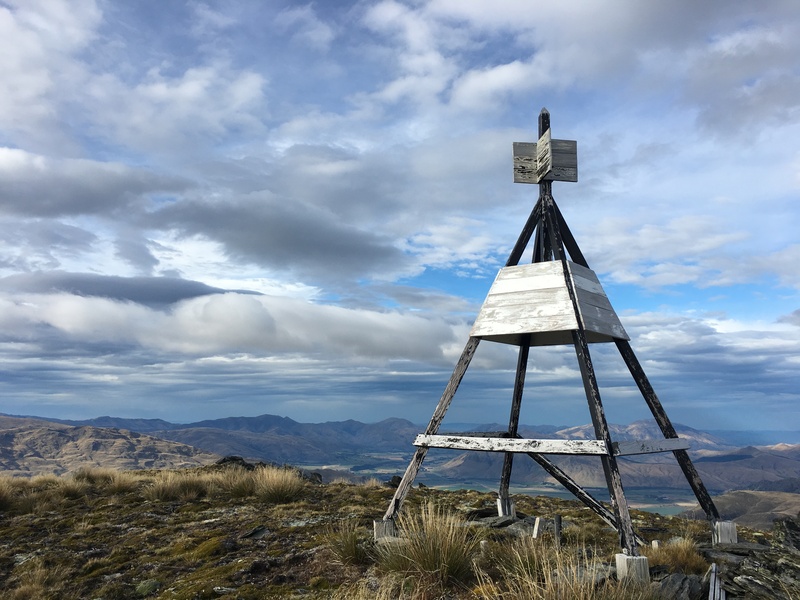
It was my first trig bag after I moved to New Zealand. I did it as part of local running legend Mal Law's call to arms for raising funds for men's mental health. I was 10 weeks late to his year-long mission to climb 1 million feet (305,000 meters) in elevation gain.

My comparitively sane goal was to bag 42 trigs in the remaining 42 weeks of the year. Coming from my previous job as a surveyor, it was an incredibly fun way to explore my new home. This trig is A32B, 50mm galvanised iron pipe set in concrete, four meter beacon. It's little sister A32C nearby, so it was a double-bagger.

It was a grunty climb off the beaten track straight up from Kingston behind the popular Shirt Tail track. I took the easier way down the farm track for the return.

Here is the logged activity, and this is a little google map I created to track progress of all the trigs I was targetting (I ended up bagging 43). Hoping I can fix my little injury niggles so I can get back out doing some things like this again. Seems like another life.

https://html-chunder.neocities.org/posts/adding-a-favicon/
Slowing down
Show full content

I'm trying to be a bit more mindful in my activities lately as a means to reduce stress, and perform better physically and mentally, with clarity, in the things that are important to me. I'm finding a lot of what I'm doing could be attributed to slow living. Slow living can mean a lot of things, though this is what it looks like for me right now. I wrote it as a reminder to myself trying to capture my likes and dislikes which I feel have opposite stress impacts on me.

  • Slow errands - Get on my bike. Avoid the traffic. Enjoy the trails. Enjoy the fitness. Enjoy the smiling trail users.

  • Slow food - Grow veg. Spend time in the garden. Feel and smell the soil. Observe. Feed the soil. Cook from the garden. Seasonal foods. Take that knowledge to the supermarket. Don't overpay for out-of-season produce from across the world. Preserve and freeze excess. Avoid processed food. Try new recipes.

  • Slow web - Consume with intent. Avoid services that are designed to lure and trap. Enjoy the indie web, smol web, small web, gemini and gopher. Consume with intent!! Use RSS. Be OK to "mark all as read". Cull, mute, or filter where necessary. Don't put pressure on myself to write blog posts. Do a challenge, but don't be afraid to stop. Weeknotes can be missed, late, or substituted with a weaknote. Write wherever or whatever I want. Don't let expectations of others dictate what or when I write.

  • Slow communication - More email, less comments.

  • Slow coding - Enjoy the process. Be OK that I can't do a thing. It's not my job. Look for alternative methods. Avoid AI. Use forums for help if it gets to that point. Keep it as a hobby, there is no urgency. It is all nice-to-do, not a necessity. Tidy old code. Focus on structure. Use git.

  • Slow computing - Use what I have. Save and restore hardware. Look after my equipment. Secure it digitally and physically. Make measured purchases if I really need to.

  • Slow purchases - Utilise my @to-buy.md table. Review wishlist against my personal areas of responsibilities. Avoid impulse-purchases. Use dedicated savings bucket. Prioritise second-hand and local products.

  • Slow mornings - Give myself time. Stretch, read and feel the morning air outside. Sit with my thoughts. Go to bed early to give myself the best opportunity.

  • Slow fitness - Increase steadily. Listen to the body. Do strengthening exercises. Stretch. Have rest days. Track progress. Avoid hard workouts after strenuous non-fitness activities like a 10 hour day at work, or a weekend of gardening. Load is constant.
  • Slow appointments - Don't over-commit. Utilise the calendar. Be early. Plan for delays. Plan for costs.

  • Slow work - Don't let urgency and negativity from others affect me. Be methodical and professional. Don't take unnecessary risks. Continue a work journal for reflection and collation of questions for my seniors.

  • Slow projects - Plan them out. Define scope boundaries, objectives and outcomes in my Project Initiation Documents. Keep the PID updated. Don't overcommit.

There's other little obscure things like walking my foodscraps down to my allotment compost bay. Picking up rubbish on my routes, so next time I pass, or someone else passes, it doesn't exist. Mindful polishing of cutlery. Washing one window at a time so I don't get exhausted. Cutting my lawn edges with a manual trimmer, one pavement length at a time.

I feel like some of this is becoming second nature. I wonder if others purposely live a "slow lifestyle", or it just comes natural. Slow cafes sound nice for folk into cafes. I'm not big on meditation (though I feel like some of these are a form of meditation). Just remembered I do like my shakti mat! I fall asleep on it every time, instantly. I'll get that out tonight. File that one under slow evenings.

https://html-chunder.neocities.org/posts/slowing-down/
Re: How cool is my tmux config
Show full content

Love a "how I use x" post. As a fellow tmux user, this is my response to Hyde's How cool is my tmux config post.

I use tmuxp to create session layouts. They are saved in ~/.tmuxp/. I currently have only a few:

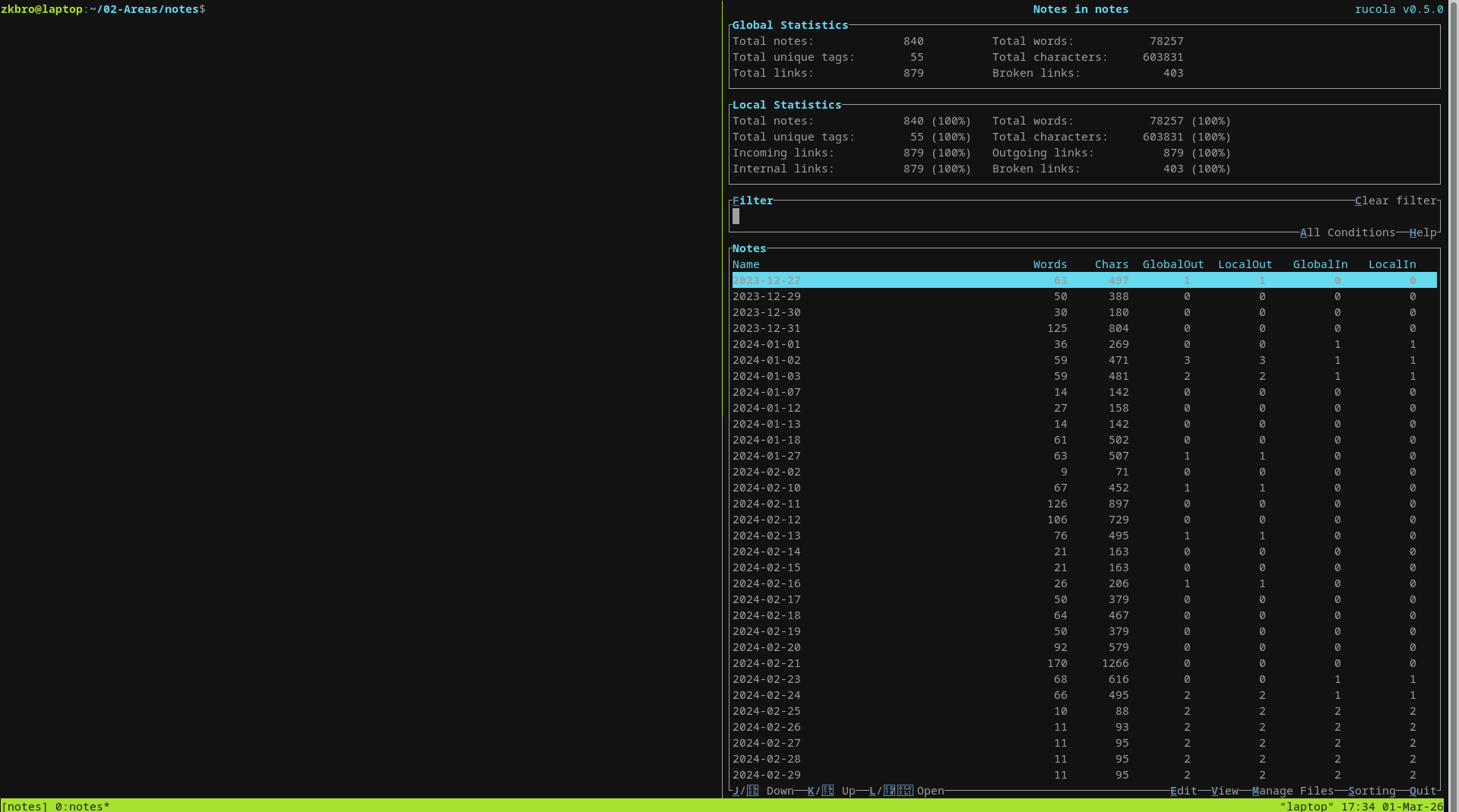
  • notes.yaml - opens 2 panes in my notes folder, one with rucola open, which is a fantastic markdown note manager.
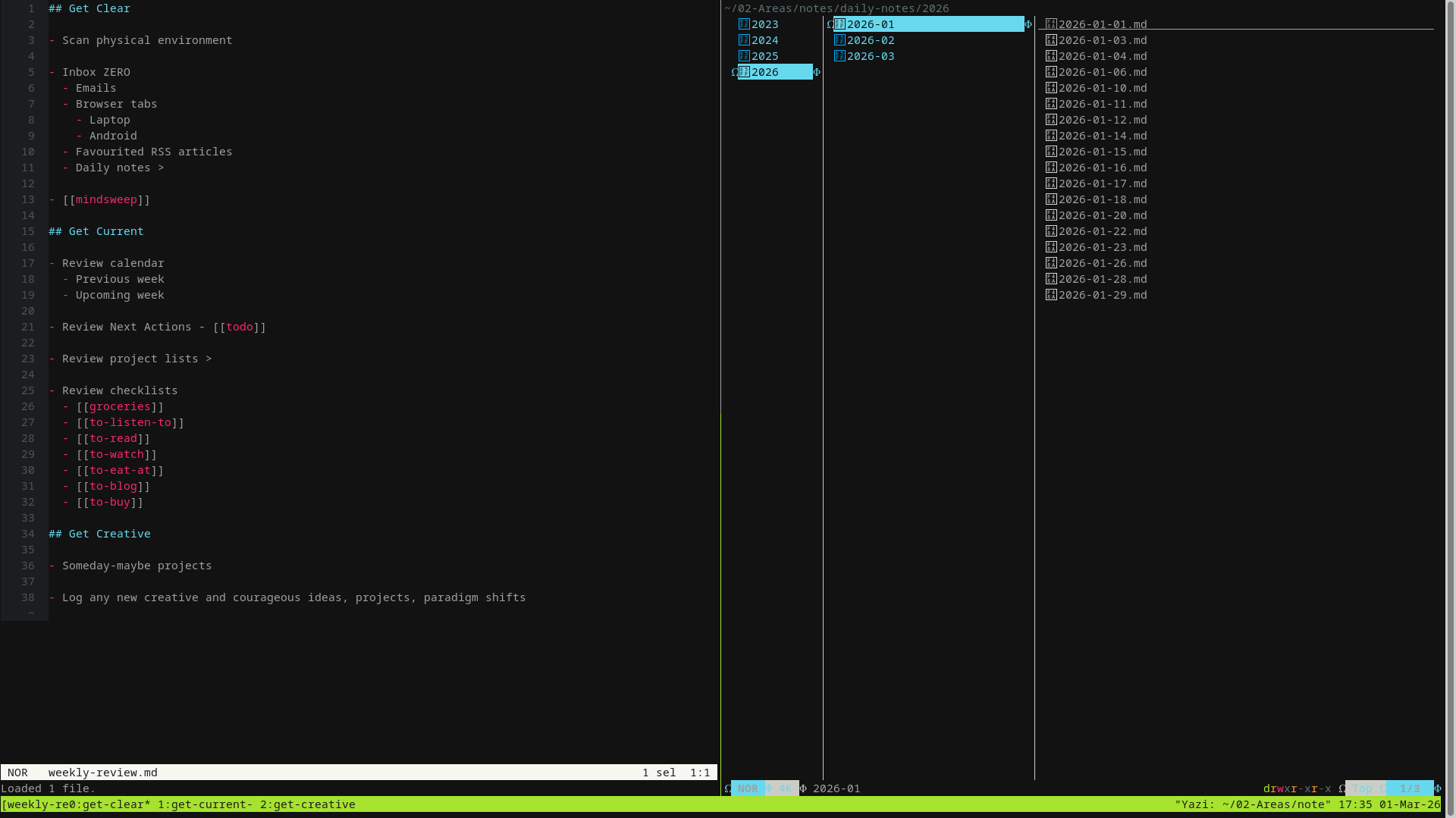
  • weekly-review.yaml - opens 3 windows, each layed out in the GTD weekly review format.
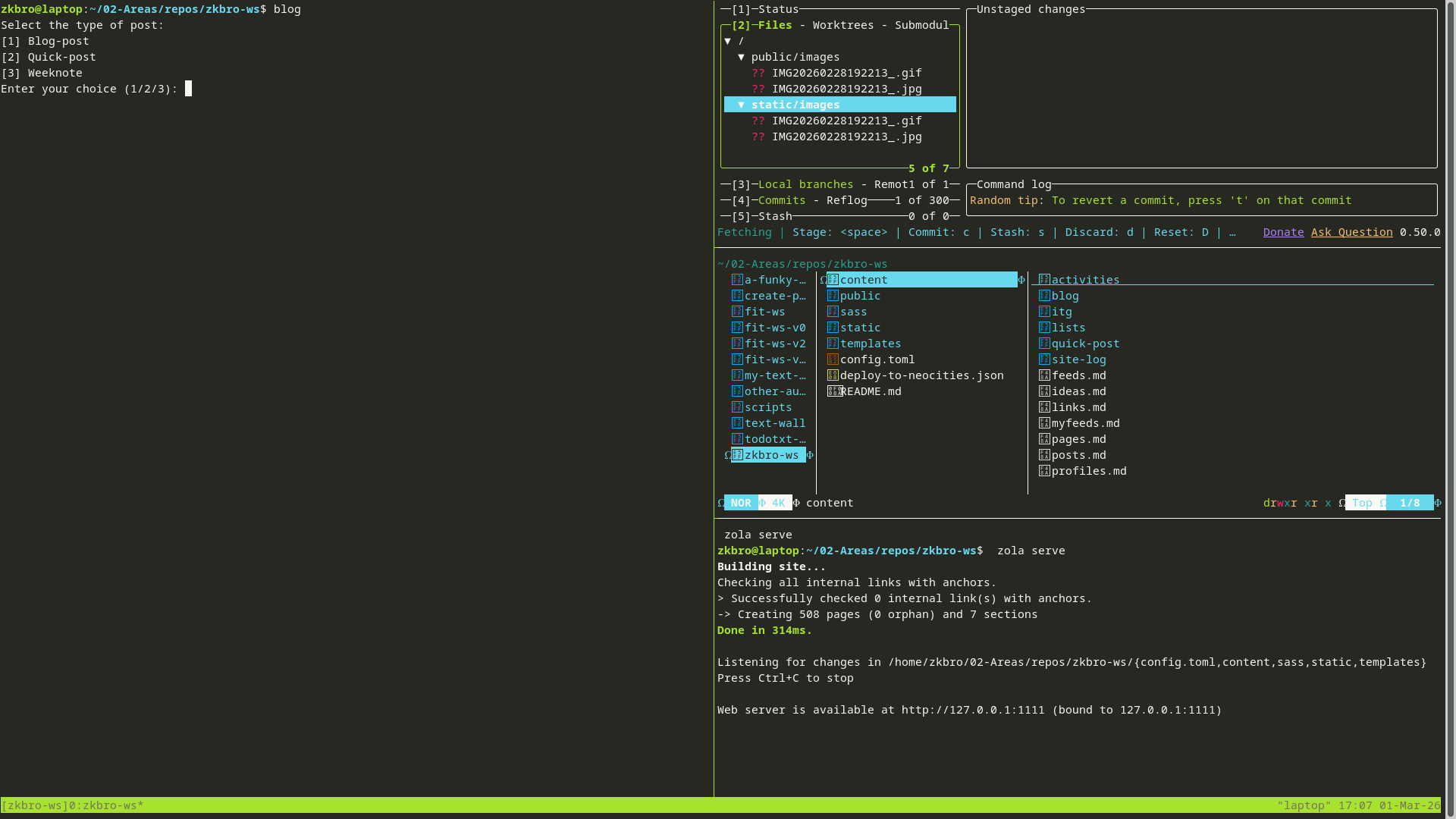
  • zkbro-ws.yaml - opens all the relevant tools like lazygit, yazi and zola running zola serve, and pane space to write new posts edit files for my website
  • fit-ws.yaml - same as above for a different website

I create aliases in ~/.alias to quickly load the workspaces from the terminal:

alias tmb='tmuxp load ~/.tmuxp/zkbro-ws.yaml'
alias tmf='tmuxp load ~/.tmuxp/fit-ws.yaml'
alias tmn='tmuxp load ~/.tmuxp/notes.yaml'
alias tmw='tmuxp load ~/.tmuxp/weekly-review.yaml'

I don't use any fancy terminal emulators - just gnome-terminal in GNOME and xfce4-terminal in Xfce.

I use Helix as my text editor, which itself has some pretty nifty window and pane management, and file pickers. I am contemplating making more use of them in a tmux session for coding projects, which I haven't set up yet.

zkbro-ws:

notes:

weekly-review:

Here's one of the tmuxp files (zkbro-ws.toml):

session_name: zkbro-ws
start_directory: "~/02-Areas/repos/zkbro-ws"
windows:
  - layout: main-vertical
    options:
      main-pane-width: 50%
    panes:
      - focus: true
      - shell_command:
          - lazygit
      - shell_command:
          - yazi
      - shell_command:
          - zola serve
    window_name: zkbro-ws

If anyone has an example of a coding IDE setup using tmux/helix/yazi, I'd love to see it for some ideas.

https://html-chunder.neocities.org/posts/re-how-cool-is-my-tmux-config/
fit.zkbro.com is live
Show full content

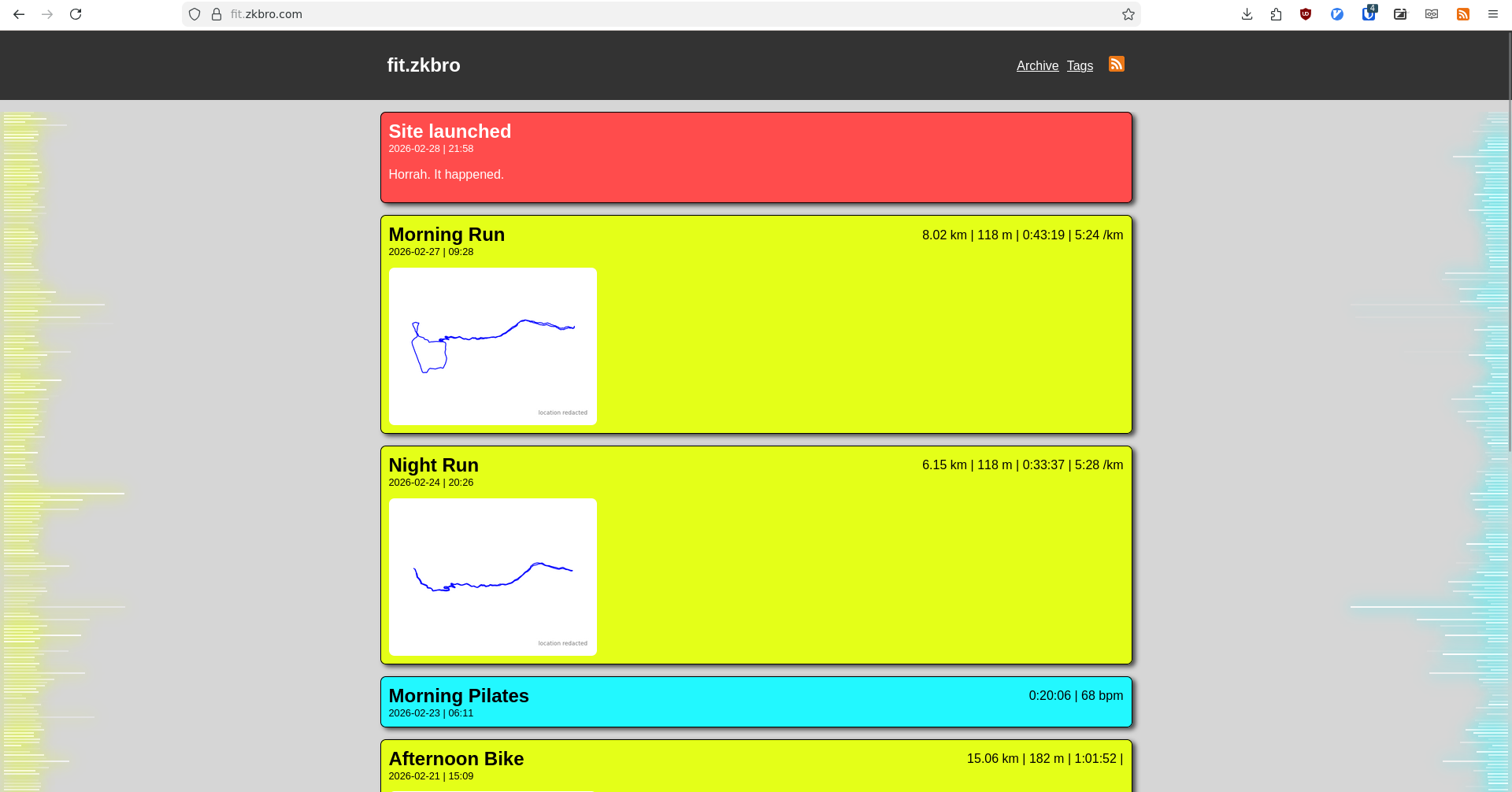
A little nudge, and fit.zkbro.com is now at a stage I'm happy enough for it to be online:

It's far from over, but the hard yards are done.

About the data

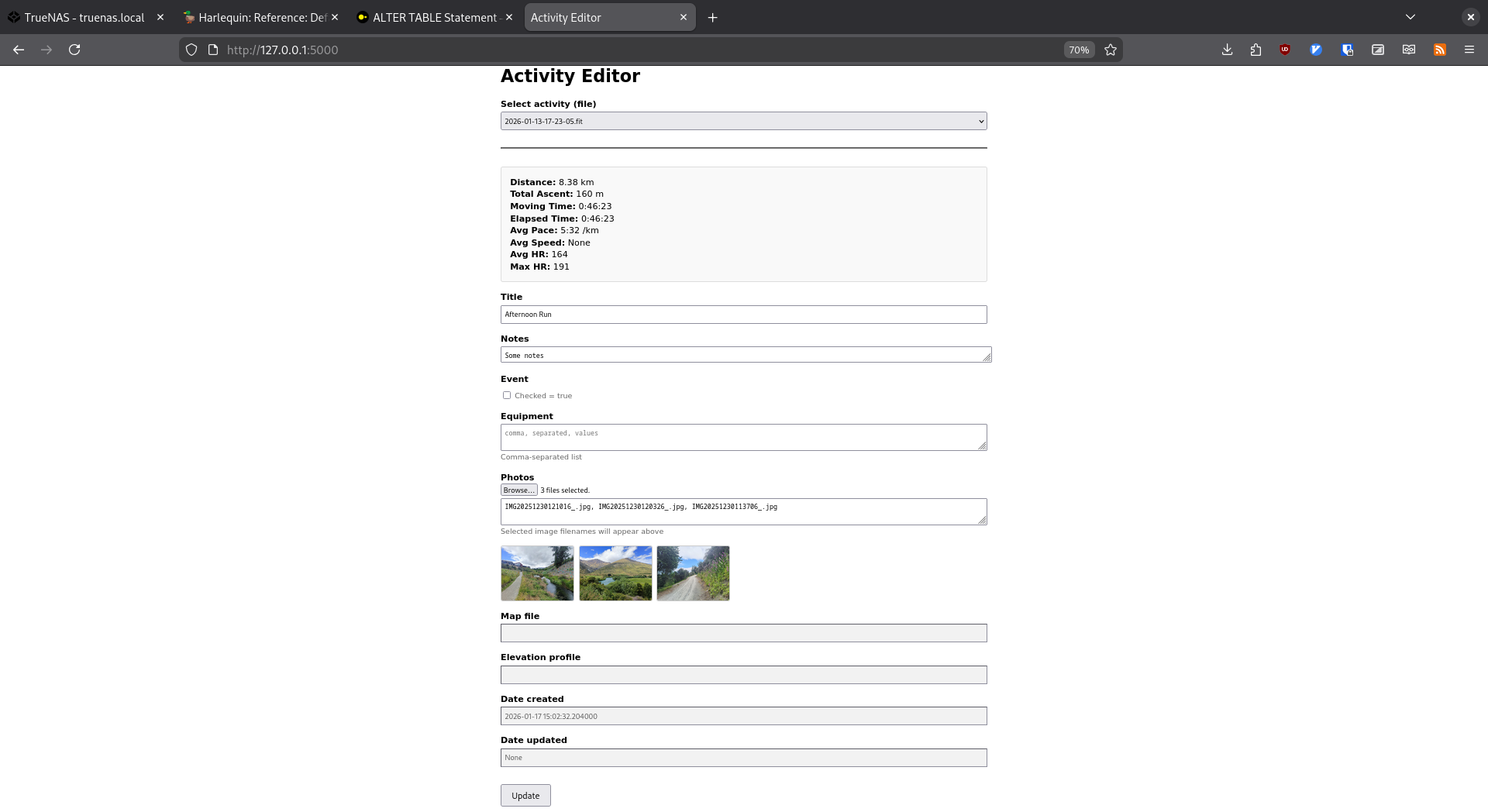
I've got 16 years of recorded activities up, back to 2010. It took a bit of data wrangling, but I eventually got it all into the one duckdb database. I then created a bunch of related tables for custom data and metric conversions. Now ALL the data sits in that database, including notes, map and graph filenames, and when I build the activity pages for the website, the relevant data is pulled into the markdown frontmatter, which is then handled by Zola and Tera to be presented on the website. Nothing sits in the body of the markdown files. I can edit the database locally using the activity-editor:

About the site

The site is built with Zola. It's what I know the most, and it was an opportunity to learn more parts of it I hadn't delved into before. I didn't use a pre-built theme, just built from scratch, learning slowly as I went. The underlying Tera framework is proving very useful.

Some funky things I've added which got me into new territory:

The side-data-bars (not visible on mobile) are just empty padded flexboxes, each representing an activity, the length depicting distance on the left side and elevation on the right. They have clickable links to the corresponding activity page, which may be some fun random browsing. There is random transparency which gives it a cool neon effect, and which I will link to some other metric later down the track (heart rate or difficulty or something). It is in cronological order. I used Tera arrays to build the data.

Tags. Endless possibilities. Tags here are either activity types or events.

Pagination. I did this at the bottom of the individual tag pages only. I used the w3 schools example for the look, but came up with my own structure. Struggled to get it going on the main page because I'm concatenating sections there.

Redacted maps. Activities close to sensitive areas (home, family homes etc) don't have maps. Just an outline. A map would typically be pretty useless here anyway. I kept maps for everything else though, as they can be a handy reference.

Todo
  • Tidy the HTML and CSS. It is an utter mess.
  • Fix the pagination page numbers next to the ... more ... elements not set correctly.
  • Add the dynamic header image that I use on this site, or a variation of.
  • Photos - thumbnails on main page and activity pages. Option for inline photos?
  • Notes to be able to include linebreaks. Had to remove linebreaks to get into frontmatter. Probably just a script update required.
  • Articles look janky on the main page when there is the small location redacted image. Need something to fill the space, or remove the map.
  • Equipment (shoes, bikes etc) - displayed on activities, specific pages for, stats etc.
  • Archive page - update list style, what metrics to show etc.
  • Stats page - calendar view, heatmap, latest peaks, latest etc.
  • Activity charts - HR, splits, etc.
  • Fix the stats/notes flexing in the activity pages.
  • Not completely in love with my colour scheme...
  • Box styling will probably change too.
  • WTF is a favicon?
  • And so on...
https://html-chunder.neocities.org/posts/fit-zkbro-com-live/
πŸ—“οΈ Weeknote 2026-W07.3
Show full content

Hey, I've been getting a couple of emails, mentions and links from around the small/indie/human web, and I just want to say that means a lot. I started building this site (and a couple of prior prototypes) half because I was in a rut at my previous job and wanted to lean into my geek side I left dormant for a couple of decades to see if there was still an interest there (there absolutely is), and half because I wanted to start unbundling thoughts and expressing myself, something I don't think I do too well in the physical world (though I still don't do it much here either). What I did not expect was to actually feel like I was part of a community. When I read my RSS feed and click through to a familiar site, I have this voice or image of those authors in my head as I read. When you're linking to someone's page it's like your saying "have you seen what old mate down the road just did, check it out! radballz!" Then we all have a yarn via Re: posts or emails or webmentions or whatever. It's pretty unreal. Actually, it's all very real. So thanks for making this web rad. Thanks for dropping in. Thanks for saying hi, no matter how small our interaction.

I rambled a bit on this one. Sorry not sorry.

🩸 My ear unblocked itself, or so I thought, so I was OK to postpone the audiologist appointment to fit around work. It did briefly block again on Monday though so I knew it was still an issue. I finally got in this morning. They got the sucker thingymabob on it, and well, there was a lot of gunk. Nurse was impressed. I picked up some spray they had there for sale. Hopefully that will be enough preventative so I don't have to return every year. Anyway, it's good to not feel a bit lop-sided and half deaf.

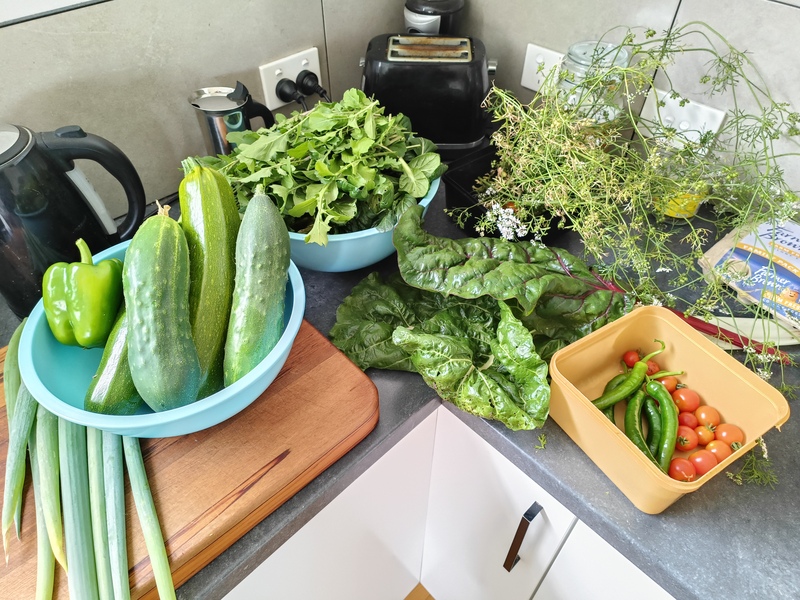
🌱 Harvesting zuchs, spuds, greens of all kinds, spring onion, capsicums, chilli, tomato, cucumbers. Eggplant are just about ready for their first pickings. Zucchini fritters and omelettes are a regular thing.

🧹 I mopped the floor. Hadn't done it for a while. It was quick and easy, and the result was great. I do have an ongoing issue around the stovetop though with crumbs and oil splatterings. Might go to the op shop and find something I can use as a kitchen mat.

🏒 Work has looked like this this last week:

  • Replaced 2x worn gate swing arm motor worm screw nuts
  • Positioned smoke detectors, PIR sensors and siren in preparation for ceiling lining
  • Paired fobs with a gate
  • Picked up TV lifter from powder coating joint
  • Reassembled TV lifter
  • Investigated existing data cabling in house and installed new UniFi WAP in study
  • SSHd into new WAP and adopted into remote UniFi server hosted by another org (we have been granted access) using the set-inform command. TODO we need to transfer to our own network now Lightspeed are no longer being used.
  • Identified patched data outlet in study 2 back at AV rack, tested, re-wired incorrectly terminated 8P8C connectors, and patched into switch
  • Updated patch legend
  • Added tenant to Sonance system so they can control AV from mobile, not just the iPad
  • Penetrated shed for camera cabling
  • Ran conduit, flexi and 14-4 speaker cable for outdoor bbq/pool area. Left to the side awaiting trenching
  • Prewired keypad, PIR, garage door opener, REX, and two cameras in shed, running via comms box
  • Ran conduit for fiber internally to rack
  • Ran conduit for fiber out to street ready for trenching
  • Positioned speaker wall and ceiling speaker cable in music room and took measurements prior to lining
  • Dropped conduit on site for external work
  • Very informal toolbox meet just looking at week ahead
  • Picked up infrared thermometer left on site, my bad.
  • Lining of cottage had begun, readjusted cable positioning accordingly
  • Prewired shed with KNX for keypads and sensors, cat6 for camera and WiFi
  • Visited two sites for recce on way through. One requires visit tomorrow to run conduit into house via a concrete slab being poured
  • Tested and replaced faulty ceiling speakers in penthouse suite in town. 2 of the 4 were ok. Left on site.
  • Troubleshooted distorted feedback. Loose cables and unsuitable output distributions down in the service room racks were the culprit
  • Ran conduit into concrete framing for future external cable runs
  • Picked up supplies
  • Ran conduit, security, lan, and cat6 to future gate motors and control box. Noisy outdoor site. Roadworks just outside the work site too.
  • Exposed conduit running under driveway
  • Picked up extra supplies. Had to extend our run under the driveway with 32mm conduit.
  • Back at workshop loaded van for tomorrow's rack build
  • Mounted data rack and security cabinet to wall in service room
  • Cut 25mm holes through steel soffit, added rubber grommets and ran speaker cable
  • Started patching in data cables

🧠 Been thinking a lot about homesteading again lately. I've been enjoying the garden and cooking from the garden. I miss having chooks. I'm also thinking a lot about slow living and frugality and the many urban homesteading projects I could do to work towards these. I have so much fun in the garden, just touching dirt is enough to recharge my batteries. I enjoy brewing my kombucha (I'm finally getting it to taste not like vinegar) and I want to give bread baking another crack.

Subsequently in order to give myself more time there, I am trying to reduce how much I tinker on tech projects that have a loose thread towards some potential future career or small business. The purchase of my second-hand Microserver was half need for personal storage and media server, half a piece of hardware I can learn system administration on for some potential future career or small business. The Microserver and Raspberry Pi tinkerings definitely has helped me get some of the funner work in my current job related to network configurations and self-hosting solutions. And I do enjoy the tinkering and learning. One of the biggest feelings I get is a feeling of freedom. There's not much I can't get my computer hardware to do within my needs. Though I still feel like I've been angling too much brain energy trying towards intertwining my interests and career trajectories. It's time for some seperation.

This does not mean I will stop tinkering. One of my favourite things I'm doing right now is creating my new activities website (more below). This is purely for my own enjoyment. Scaling it back to plain HTML and CSS is giving me a sense of slow living (slow tinkering?). There is no urgency around it. It just relaxes me. The scaling back is also just scaling it back to my skill level. Advanced Zola theming and javascript get a bit tricky for me, especially when they're already done for you and you try and unbundle what's going on. Maybe I will revisit some javascript one day, and like the HTML and CSS, build it from scratch and enjoy that process, but for not for now.

I still have a bunch of things to do with my servers. They are just that little bit extra effort required because I'm not very skilled there. When I revisit those projects I will be scaling back again and taking my time to learn with purpose - whatever that project's objectives may be. But none of these projects will anything like "to gain skills in x to set myself up for future y career".

I will leave that for work professional development projects. I have enough there that will also help me enjoy my current job more (my biggest stressor at the moment is being underqualified). The boss wants to put me through the Integrated Systems Technician certification, and Homey training. Using Homey is just the start of our journey into energy monitoring in our already integrated KNX systems. A perfect single device to get learning on. The IST curriculum covers everything we do. There is further CEDIA certification like network administration which may be a thing I tackle later. Hopefully I get some time AT work to do this though. Some negotiation needs to happen there.

So clear separation between work/career projects and personal tech projects. Less urgency on personal tech projects. That leaves me with more time and energy for those physical gardening and urban homesteading type projects.

πŸ’» As mentioned, the only tech project I've been working on is my activities website. I'm glad I decided to design and structure it without a pre-configured theme. I'm still using the Zola SSG to build the site, but I'm writing all the HTML and CSS with the help of Tera which is built into Zola. Big wins this week was creating a "tags" page and setting up pagination. The Zola documentation isn't great, so it is a slow process, but that is fine... there is no rush for this. There are also some limitations I'm hitting, like the inability to paginate a concatenated set of sections. But I am finding workarounds and happy with how it's turning out.

The next steps are finalising pagination index pages, then creating a script that generates all the markdown files for the 3000+ activities to suite the structure I've come up with.

πŸ›‘οΈ I'm not sure how big a deal it is, but my local IP address was showing in a warning message on my public forgejo landing page. I figured out how I could change it to show localhost instead. Alex Chan's fantastic recent post The bare minimum for syncing Git repos made me wonder why I have forgejo at all. Her setup sounds very achievable. Also, pretty sure I've posted local IPs for my Raspberry Pi previously. Don't think showing a 192.168.x.x address is an issue? But the less the better I guess. I should go back and find those posts.

πŸ’» Tools

  • duckdb.yazi via Dom - plugin for the yazi file manager to preview DuckDBs, CSVs, jsons etc in the terminal. Pairing with the toggle-pane.yazi plugin and adding a keymap to load the DB into a client is proving very powerful.

  • flameshot - screen capturing with all the nifty markup tools included

  • minder via Farooq - This is exactly the mindmapping tool I was after. Minimal, quick and simple with a nice style out of the box. Auto node layouts are good as well, to fix the mess I make. And available through apt. Brill. I'll be migrating from Freeplane which is powerful, but I always struggled to become familiar with.

  • whosthere - basic TUI for LAN scanning and port scanning on the devices. I should just learn to remember ip and nmap and grep commands but I'm lazy.

πŸ“Ί Watched

  • Mr Inbetween TV Series 1, 2 & 3 - Dry dark Aussie humour. Follows a heavy-for-hire, who has some good ethics (for a hitman), but crosses a lot of bad people. Think Chopper Read meets Curb Your Enthusiasm. Scott Ryan as lead is fantastic.

  • Hellraiser (1987) - Never seen this one. Workmate mentioned it. The demon things are cool, especially chatty-teeth-face. Might have to watch the other ones.

  • Assault on Precinct 13 (1976) - Rewatch. Early John Carpenter flick. Love this era of film. Soundtrack popped up randomly on my Jellyfin which reminded me to watch it again. The score is very Carpenter, pulsing throughout the flick like a heart beat. Great classic.


I want to end these weeknotes betterer.

https://html-chunder.neocities.org/posts/weeknote-2026-w07-3/
πŸ”— Link Stash | 18 Feb 2026
Show full content

Fresh dump of interesting and/or useful web links I've found recently. Full link stash here.

This week: These are kind of becoming a monthly thing. It's generally how long it takes me to bookmark 10 things, which I feel is a nice digestible number for these posts. I "favourite" a million things in my RSS reader, but don't they generally don't make it into my buku bookmarks. I used to put them in, with the tag "blog-post", or something else appropriate. Maybe I'll do that again. Maybe I won't.


320. The Anarchist Library A heap of reading here. via Parker TAGS: anarchy, books, reading
319. Grindhouse Cinema Database (Genres) Been enjoying some old classics lately and this is a good list sorted by category. Posters, details and links to trailers. A bit hard to source a lot of the lesser-known ones (cinemageddon used to be my go-to but my account was disabled from inactivity), but a good browse anyway. TAGS: film, grindhouse
318. OverTheWire Bandit FULL Walkthrough | MayADevBe When I get stuck on an OverTheWire Bandit level I find these walkthroughs get me through, but keep me educated at the same time. The "Little bit of theory" sections are short, but well written and easy to understand. Once through a level, I'll backtrack and read a bit on the man pages of the tools used to wrap my head around it more. TAGS: blog-post, overthewire, walkthrough, wargames
317. Phrack Magazine I've bookmarked this latest article of Phrack Magazine, rather than the main page, because I thought it really captured the essence of the hacker culture right now - which is as it always was - "about *freedom*. Freedom to think, to question, to build and break without limits." But brings us back to current circumstance... "That spark is hard to find now, but it still lives in the rarest of places". There is some really good writing in here. TAGS: anarchy, cyberculture, freedom, hacking, magazine
316. Contrast Finder Useful tool for finding foreground colours that work with background colours, or vice-verca. Flags were the ratio won't work any longer for web accessibility. TAGS: colour, css, html, style, tool
315. The Art of Command Line If someone were to load up Linux or some other UNIX OS for the first time, I would tell them to scim through this as a primer, but it's probably more useful for an intermediate user. So many useful little nuggets in here. TAGS: cli, docs, linux
314. Tmux Cheatsheet Constantly forgetting... TAGS: cheatsheet, docs, tmux
313. Mirror Sydney So much history of Sydney on this website. Seeing some places I've visited before, and just broader photos of streets, buildings, and utilities bring back memories of the city. TAGS: pschogeography, sydney
312. color-hex My favourite colour explorer. Includes palettes. TAGS: colour, css, hex-codes, html
311. Micropelago This is so cool. Essentially a tool that users and "caretakers" install and run on their personal devices to host and mesh a network of shared disk space. I imagine just about everyone has a few gigabytes spare, and maybe some bandwidth, probably less so the ability to leave a machine running all the time. But there are many of us out there that could do, and I think this'd be a really rad way to share resources. TAGS: community, networking, open-source

Full link stash here.

https://html-chunder.neocities.org/posts/link-stash-20260218/