Show full content
It feels like the first true version of the game. You sit on your actual living room floor playing with strange objects from another dimension.

It feels like the first true version of the game. You sit on your actual living room floor playing with strange objects from another dimension.
Hi!
This is a Mega-Update ® that focuses on features that people have been requesting for a long time.
I have a ton of stuff in Miegakure that could be shared with 4D Toys but what takes development time is not the cool 4D stuff but all the UI/UX around it. First of all because there is the VR version, the mouse/keyboard version, and the touchscreen version, which all require slightly different custom interfaces, but also because I always want to have the 2D/3D levels to show the lower dimensional version of the same thing, in order to explain what is actually going on. So that’s like six different variations!
But in any case, here is a large batch.
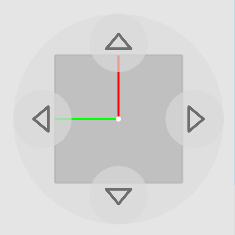
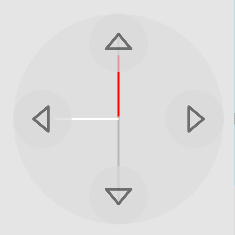 (If you can see the red and green lines but the white line is perpendicular to the screen, you are aligned normally, i.e. you can see the two regular horizontal dimensions but not the 4th dimension. But if you can see the white line, you have traded one of your regular dimensions for the 4th dimension)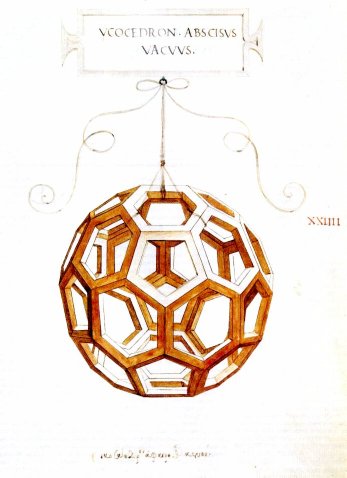
** As with the previous update, there is a page to the right of the level select hub. After you play the relevant levels the new buttons will be unlocked **
Miegakure development is progressing nicelyI’ve been giving monthly updates on Patreon.
You can support the development of Miegakure and related work with this Patreon I originally made for my quaternion article/video (Let’s remove Quaternions from every 3D Engine: An Interactive Introduction to Rotors from Geometric Algebra).
In many ways Miegakure is more than a game:
If you would like to support us, the Miegakure team would be very grateful. I have never asked before, even though I could have, because it would not have mattered. It matters now!
I will also post exclusive previews of what we are working on!
Thank you for supporting the small team behind the game!
I have been really liking the ability to post more often, and more privately on Patreon!
One of the shapes people requested the most for 4D Toys is the Klein Bottle, so I finally added it!
I originally wasn’t very keen on adding the Klein Bottle for a strange reason: because it’s a 2D shape when sliced it would give thin 1D lines, which are obviously too thin to be interesting to look at. But people kept requesting it, and after thinking about it I figured I could give thickness to the lines by sweeping a circle across the 2D surface to get a 3D surface. This would look way better than simply extruding the Klein Bottle in 4D.
I also wanted to use this update as an opportunity to make a great video about Klein Bottles because the current ones on YouTube are in my opinion unnecessarily confusing. For example I don’t think it’s good to start with how the Klein bottle is two Möbius strips glued together. And I knew I could make better illustrations of the constructions.
Also, and importantly, none of the previous Klein bottle videos on YouTube properly explain the 4D part of it (the fact that a Klein Bottle has to self-intersect in 3D, but not in 4D). I was uniquely suited to fix that, ahah.
In the end, I am very proud of the illustrations I came up with. For example: showing the exact same perspective / construction for the Möbius Strip and the Klein Bottle really makes it clear what is going on! And as a bonus you get how the Klein Bottle is made out of two Möbius strips in an incredibly straightforward way…
It was obvious to me that the same construction could be done in higher dimensions to make what I call a “Spherinder Klein Bottle” which is a 3D version of the 2D Klein Bottle. Well, technically the “thickened” 2D Klein bottle in 4D Toys is also three-dimensional, but in a less interesting way since it’s just the Cartesian product of the 2D Klein Bottle with a 1D circle… Anyway, interestingly it looks almost simpler when sliced than the 2D Klein bottle.
Relatedly, because people have asked me before: yes there is a Klein bottle in Miegakure, and it shows up in a yet another unexpected way.
As always, thank you for your patience and enthusiasm!
By the way, I’ve decided to more seriously update the Patreon I originally made for my quaternion article/video. In many ways Miegakure is more than a game: It is revolutionizing how people explore scientific concepts with games, its YouTube channel is an educational tool in its own right with millions of views and many thousands of subscribers, scientific research developed for the game is published alongside it, etc… If you would like to support us, the Miegakure team would be very grateful. I will also post exclusive previews of what we are working on!
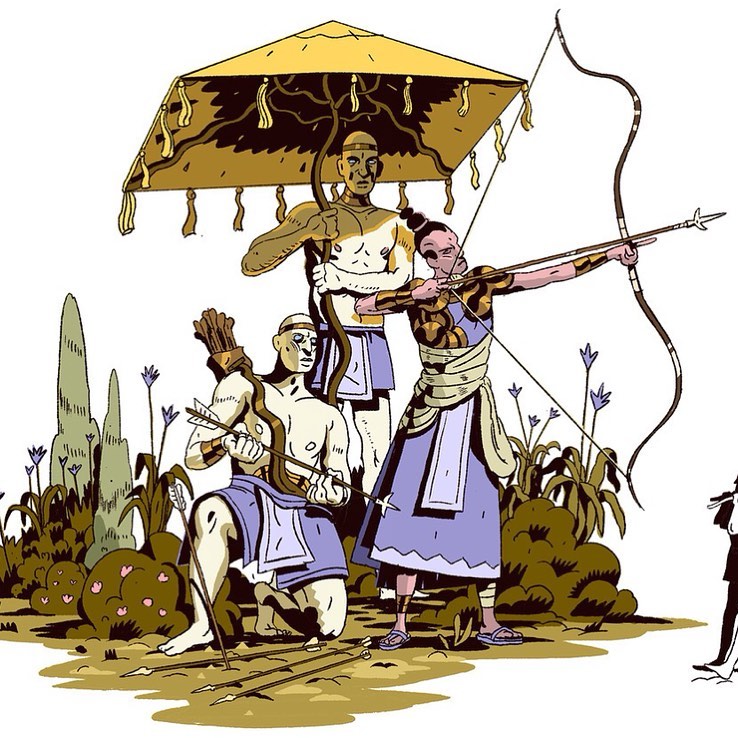
Hi, here is the update since last time! Among other things:
– We polished the main characters with improvements to the 3D models, inverse kinematics for the feet, cloth simulation, better collision detection, etc.. That kind of polish seemed very important since the player is looking at the main character all the time. We also fixed issues with the character rig we were using.
– I cleaned up and improved the way shaders are implemented in the game, so that it is very easy to create new textures (ex: as grass, sand, rocks…). I improved and added new types of procedural textures. One example is Gabor noise, which is great for anisotropic patterns.
During development I often programmed specific systems because I had no idea that it was possible to do much better. For example, I had specific systems for drawing specific types of object (cubic-shaped rocks, buildings, vegetation…) which all got replaced by only two or three systems (ex: tetrahedral meshes). So now I worked everything around them, and simplified the code, which allowed complexity to be put elsewhere where it is more needed.
– Similarly, I finalized the sound code, since at this point it is clear what we actually needed. For example: all sounds now change in a similar way based on what should be heard across the 4th dimension.
– We finished all the large building scenes except one, and put them in the game with the final (PBR) lighting and they really look super great!
The game looks much more refined and polished compared to what we have shown so far. Some changes also make it much more immersive. I love our concept art by Kellan Jett; it is really original and gives the world a truly unique feel. We worked hard to bring it to life in 3D (well, actually 4D ahah) and do it justice. The fact that the game gives the sense of a world, and not just a series a puzzles in an abstract place is very exciting to me.
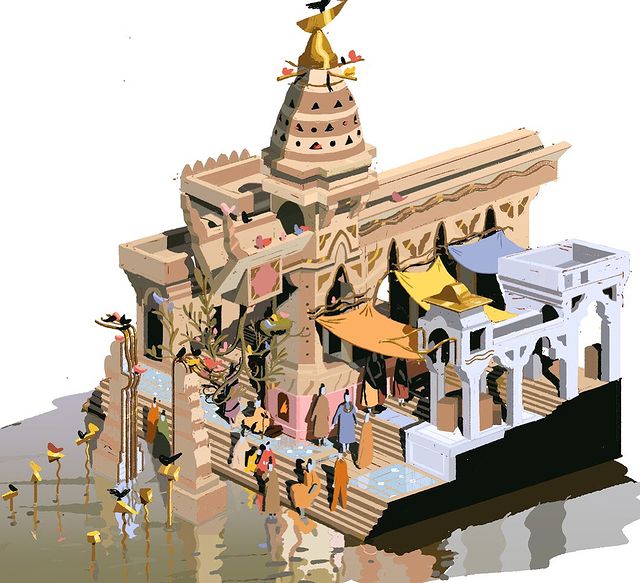
– For a fun few days break I also quickly cleaned up a mechanic that I wasn’t sure was going to be in the game, and made the few puzzles for it. The game is going to be very rich and dense!
– We also did the final polish on many “one-off things” in the game (I shall remain vague about this for now ahah).
Generally I have now done a final polish pass on almost every part of the game, and now basically the only thing left, for realsies, is we need to go through most levels and give them a final look, by placing (and sometimes making) props, and creating specific types of 4D objects/textures! (As I said before, all the puzzle design has been done for a long time). So this is a pretty exciting time!
As always, thank you for your patience and enthusiasm.
It’s very exciting for work from a game (and a first for an indie game) to be presented in the SIGGRAPH Technical Papers program! Thank you all for your patience during development of the game, as you can see it can get pretty involved, ahah!
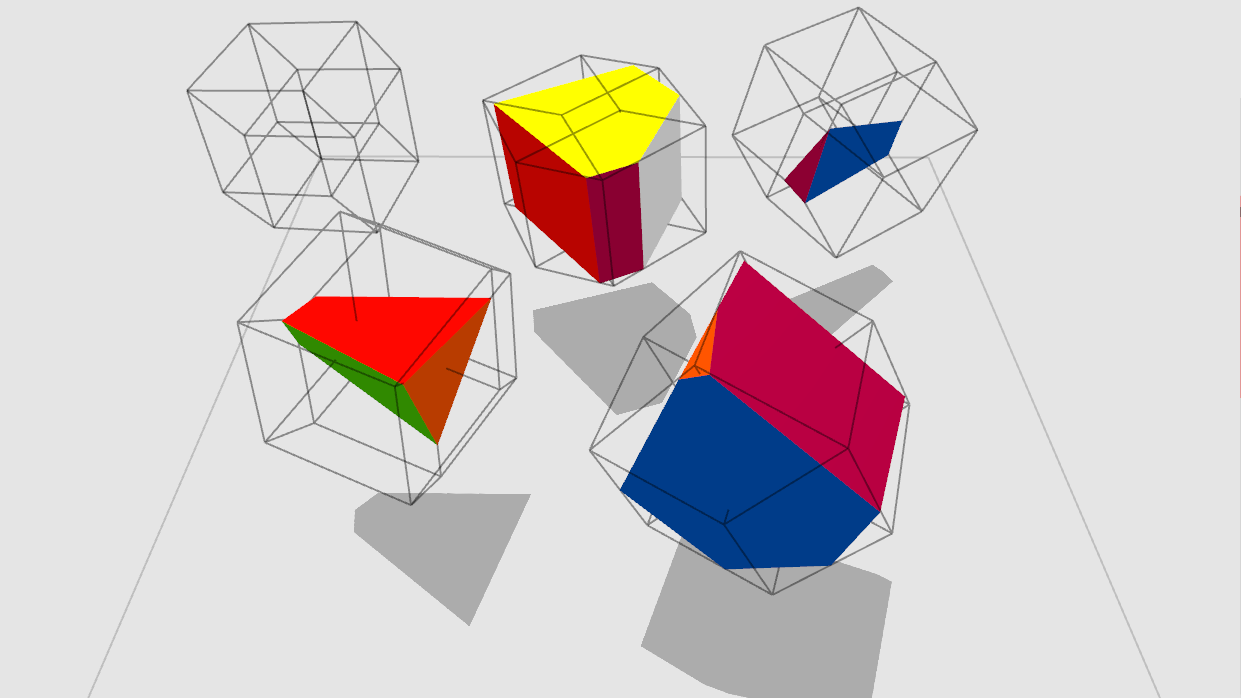
4D Toys Update (iOS) (Steam VR + Mouse & Keyboard).
New button: Wireframe Projections.
When enabled, the edges of objects are projected onto the current slice.
That means that no matter where the slice is, the edges of the objects will always be visible.
It’s an “old school” way of displaying 4D objects which you may have seen before!
Try it in the 2D Levels!
I had fun going back to every level to check it out. It lets you see the movement of the objects even if you are not in the same slice.
As with the previous update, there is a new page at the right-most end of the level select hub. After you play the relevant level there the button will be unlocked.
The 2D/3D version gives an idea of what exactly these lines are showing:
Note: for simplicity each 4D toys update is now called 1.x, where x is the number of the update.
Development on Miegakure is going well.
Modeling the large buildings is very far along and will be done soon.
I polished many things across the entire game.
In July I recorded my SIGGRAPH 2020 Talk about my Technical Paper on n-Dimensional rigid body dynamics, and will post it publicly soon.
I started working with a new artist to *really* nail down the final look of the game and environments across the whole game in a more integrated way. In the process we finally fully switched the engine to Physically Based Rendering (It was an easy switch, actually, contrary to what could be expected!)… and it makes the game look even better.
These were my thoughts as we nailed down the look of the game, and about how 4D space constrains our art direction in Miegakure:
In Miegakure we procedurally generate many 4D meshes and 3D textures. Just like 3D objects have a surface that is 2D, 4D objects have a surface that is 3D! The game also has many regular 3D meshes (with 2D textures) which are embedded in the 4D world, by giving them 4D thickness.
At first it might seem difficult to generate procedural 3D textures which are as detailed as 2D ones made by hand. And we need both at the same time!
In order to have details that aren’t noisy during transition, for a while I was using a combination of a 2D texture and a 3D texture, where the 2D texture contained more detail but was not affected by the slicing, and was just projected onto the sliced object’s surface. This was a hack, which you can see in the trailers: the high frequency detail of the texture just either slides or streches.
However too much 3D texture detail looks bad during the “transition” anyway. (The transition is what I call the time when the slice rotates 90 degrees after you press the 4D rotate button.) If the slice goes through many tiny objects as it rotates, the time each tiny object will be visible will be very short. This would look like many appearing/disappearing objects. The smaller the objects, the quicker they will be appearing/disappearing. In this video of an MRI of a fruit, the tiny seeds look noisier than the larger overall shape as the slice changes (but the colors are all grayscale and the size is still fairly big so it doesn’t look bad). So if a 3D texture has too much small detail, even if it looks good as a static 2D slice, it will look very noisy during the transition. So actually we don’t want to generate too much 3D texture detail, even if we can!
By the way there is a noise issue in 3D too: when the 3D camera moves over quickly changing detail it can create aliasing (a “shimmering” effect). Much of our 3D handmade content (large buildings, trees…) was already made to be less noisy in that sense. Stylized games have an easier time avoiding this problem since they often contain large flat regions of color.
Also, note that we can replace texture detail by geometric detail. This is part of what happened in the games industry with the transition to Physically-Based Rendering. Textures in PBR are not supposed to contain lighting/shadow information, only material information. For example, a rock texture might just be a simple gray color, and if we want actual cracks in the stone we model them as geometry (or normal maps) instead of dark lines in the texture. One of the goals of PBR is to make sure that the props will look good under many lighting conditions: for example a texture where the dark shadows are already stored in the texture (as opposed to computed using the light source) makes it harder to do that. Here is an example comparison/explanation.
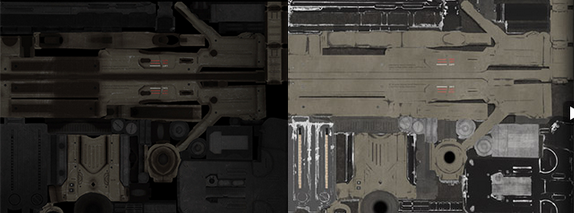
So it is in some sense more correct to use geometric detail instead of texture detail anyway. And most of the time it is simpler to procedurally generate geometry, so!
Miegakure can display more 4D geometric detail now compared to when development started. But there is obviously a similar limit for geometric detail where too much looks noisy.
So we can’t have too much texture/geometry detail, but on the other hand I don’t want the game to have very large flat section of colors like so many games have these days. I think it doesn’t work very well with the dioramas seen from far away, where all the visuals are condensed in a small section of the screen. I think it’s fine for the visuals to be simple if they fill a large area like the entire screen, but if they don’t then it does not give enough interesting stuff to look at.
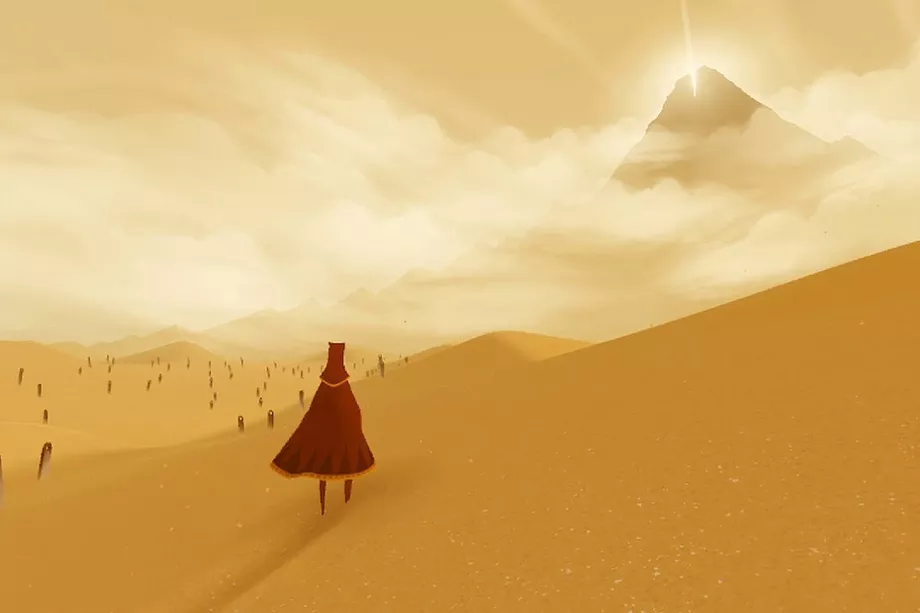
The slicing mechanic also forces upon the game a certain level of realism. For example the tree canopies need to look good when sliced. We could model the canopy with a small number of large flat planes to give a nice painterly/low-noise vibe. This looks good in a regular game, but not when sliced, because the inner structure of the planes is revealed. It just looks like a bunch of simple intersecting planes instead of many tiny leaves creating a canopy. So we need to model leaves more realistically, but we can always make them mostly the same color to reduce noise, as shown here:
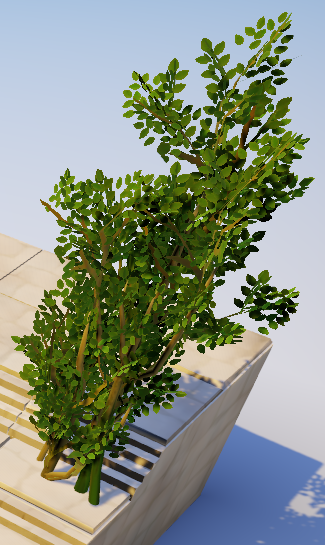
So to summarize: we want detail (enough to look good when sliced, and in dioramas, etc…), but not so much that it looks noisy (in the 3D and 4D sense). Compared to texture detail, geometric detail is easier to make and more correct (in the PBR sense and in how it doesn’t require 4D hacks). The final result is a combination of these constraints. It looks much more polished than before. I can’t wait to show it!
Here is another 4D Toys Update (iOS) (Steam VR + Mouse & Keyboard).
It adds three buttons:
A new page of shapes has been added, with one new level for each button. Visiting each of these levels unlocks the corresponding buttons. Also, all special buttons are now gathered into a new menu button. This lays the groundwork for easily adding new features in future updates!
Btw, the SIGGRAPH conference started and my talk on nD Rigid Body Dynamics is now online (I will post it publicly in a few weeks). The Q&A session is on Wed Aug 26 at 9:00AM PDT!
Excited to announce that my technical paper “N-Dimensional Rigid Body Dynamics” was accepted to SIGGRAPH 2020! Very proud to present research developed for 4D Toys & Miegakure at such a prestigious conference.
Here is the link to the paper and the abstract:
I present a formulation for Rigid Body Dynamics that is independent of the dimension of the space. I describe the state and equations of motion of rigid bodies using geometric algebra. Using collision detection algorithms extended to nD I resolve collisions and contact between bodies. My implementation is 4D, but the techniques described here apply to any number of dimensions. I display these four-dimensional rigid bodies by taking a three-dimensional slice through them. I allow the user to manipulate these bodies in real-time.
Btw I believe it is basically unheard of to have work from an indie game presented in the SIGGRAPH technical papers track?
The paper is full of really fun and beautiful math (obviously Geometric Algebra based, see my recent article) that makes me happy. One reviewer called the work “whimsical,” and they’re not wrong, ahah.
Most of this work (including writing the paper) is from ~2012, but I added a section on the (4D) Dzhanibekov effect at the suggestion of the reviewers. Many thanks to them for helping me greatly improve the paper.