This month has been very busy conference-wise. I had 4 conferences in a row, so I was flying from country to country and giving talks for 2 weeks. As I usually do after conferences, this post sums up my experiences and feedback I got from these conferences, in chronological order.
This was a rather low-budget Italian conference that took place in Cesena, a city near Bologna. Despite the extremely low ticket price, they managed to pull off a very decent one day conference, which is very admirable. Italian food is so good that I’d recommend visiting this country even if it’s just for the food! They were very nice hosts, and I thoroughly enjoyed my time there.
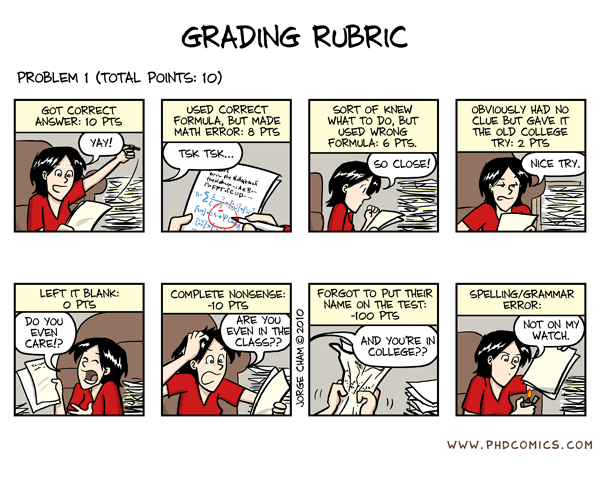
My talk was right after Jeremy Keith’s, who is a very well-known and experienced speaker that knows how to make audiences delirious (in a good way), so I was naturally a bit nervous about the unavoidable comparison. Despite my fears, my talk was very well received. Here’s a sample of the twitter feedback I got:
Next stop was Berlin and JSConf’s European sister conference. This was one of the most well organized conferences I’ve been to: The food, the coffee, the afterparties, the wifi, the projectors, everything was top notch. Also, it had a get-together the day after the conference (called “hangover.js”) which I think is great and more conferences should start adopting this tradition. It eases the pain of the conference being over and you get to say goodbye to a few folks you weren’t able to catch at the afterparty. It also featured many cool ideas, like a gal drawing live visualizations of the talks (Here’s mine) and a singer to open the conference in the first day singing a song to …Brendan Eich (!). I made new friends, had lots of fun and everything was awesome.
I was a bit more nervous about my talk for two reasons: Firstly, it was my first JavaScript talk, and secondly, it had no live demos like my CSS talks, which is a big part of why people like them. It went much better than I expected, and I got very good feedback and even though I went hugely overtime (I had 30 minutes and did 55!) nobody complained. Thankfully, it was right before lunch so I didn’t eat up another speaker’s time (which is part of the reason I love the pre-lunch spot so much). I didn’t get the super-enthusiastic feedback I get from my CSS talks, but it was good enough to not be disappointed. Here’s a sample:
I was looking forward to Fronteers the most, since it’s my favorite conference. It might not be the one with the most money or the biggest, but it has a special place in my heart for a number of different reasons (not all of which I can write in a public blog post). It was the first international conference I ever attended (in 2010) and I’ve met there so many people I used to only know (and admire) as a name & avatar before. It’s the conference I’ve had the most fun at, in both years I’ve been there. Everyone, the volunteers, the attendees, the speakers, everyone is awesome. There is something magic about this conference, as most of its speakers and attendees think about it in the same way (Christian Heilmann for example calls it “his special conference” and he goes to A LOT of conferences). It doesn’t just feel like a professional conference, it feels like a big, loving, open, web development family that gets together once a year to celebrate the advances in our field.
But this time, I wasn’t just an attendee. I wasn’t a regular speaker either. I was also hosting a workshop, my first full day workshop. I was super stressed about that, and in retrospect, it was the most exhausting thing I have ever done. Some other speakers told me it felt so exhausting because it was my first, I really hope they’re right. Luckily, attendees loved it, and they didn’t seem to notice my progressively getting tired after the 4th hour. Here’s some of the feedback I got:
My talk was the next day, and even though I was afraid it would be bad due to being tired from the workshop and the pre-party, I think it was my best talk ever. I was much more relaxed, and I got the most enthusiastic feedback I ever have. My hand literally got tired favoriting tweets, and I’m pretty sure I missed some. Here’s a small sample:
Oslo is a city I’ve been to many times in the past, so there was nothing new to see there. I didn’t make it to the speakers dinner & pre-party due to my late flight, which kinda sucked but it’s my fault since it took me a long while to decide on my flight dates. The conference itself was a bit more design-focused that I’d like, but very well organized. It took place in the same hotel the speakers were staying at, which is always a good thing. It also had the best coffee I’ve ever drank at a conference, and one of the best I’ve tasted in general. I also loved the idea of having multiple projectors, so that everyone in the audience can see clearly. They had the very original idea of not only drawing caricatures for every speaker (here’s mine, I also got it in a nice frame) but also having the artist in the venue to draw caricatures for attendees as well!
My talk went smoothly, and received very good feedback:
That’s it. I now get to rest for a while. Next stop is SWDC in November, which will host the première of my new talk “CSS in the 4th dimension: Not your daddy’s CSS animations” which will be about CSS transitions & animations, from the basics all way to badass secrets.
Thanks to all the conference organizers for inviting me and for the attendees for attending and giving feedback on my talks. You are all awesome, and it was the best 2 weeks ever. :)
I always loved Github’s ability to publish pages for a project and get the strain out of your server. However, every time I tried it, I struggled to keep the gh-pages branch up to date. Until I discovered the awesome git rebase.
Usually my github workflow is like this:
git add .
git status // to see what changes are going to be commited
git commit -m ‘Some descriptive commit message’
git push origin master
Now, when I use gh-pages, there are only a few more commands that I have to use after the above:
git checkout gh-pages // go to the gh-pages branch
git rebase master // bring gh-pages up to date with master
git push origin gh-pages // commit the changes
git checkout master // return to the master branch
I know this is old news to some of you (I’m a github n00b, struggling with basic stuff, so my advice is probably for other n00bs), but if I had read this a few months ago, it would’ve saved me big hassles, so I’m writing it for the others out there that are like me a few months ago.
Now if only I find an easy way to automate this… :)
I wrote this script while at the airport travelling to Oslo and during the Frontend 2011 conference. I think it’s amazing, and it makes authoring CSS3 a pleasure.
I’m writing this blog post while eating some of the amazing Lindt chocolates I got for free 10 days ago at Frontend conference in Zurich. But it wasn’t a good experience only because of them!
First of all, it gave me the opportunity to visit Zurich for free, and meet an old friend for the first time. A girl we used to be penpals with at primary school & junior high when she was still living in Athens and I in Lesvos. She is now living in Zurich and doing her PhD in ETH. I arrived in Zurich a day earlier and stayed in her place that first night. We caught up and I had a great time.
Secondly, the rest of the speakers are great people and fun too, it was a pleasure to meet them. Especially Smashing Magazine’s Vitaly Friedman. He’s a very kind guy, nothing like what you’d expect from somebody so successful. I also got the chance to meet Robert again, who was lots of fun as always. Those Swedes have a great sense of humor!
The conference itself was very nice, although small (only 200 people). Many inspiring talks, although I couldn’t attend them all because they were split into multiple tracks in one day. I would very much prefer it if it had 1 track and was 2 days. The 2nd day was an unconference, where attendees could speak, about whatever they wanted. I decided to get some sleep the second day, so I arrived a bit later, and didn’t attend many talks. It was kinda sad that it finished so early, around 4pm almost everyone was gone and most speakers were flying back the same day.
My talk went great, although I had the most technical glitches I’ve ever faced in a talk. That was my fault, not the conference’s. I guess I should learn to stop tweaking my slides at the last moment, cause things might break (and this time they did). Despite those glitches however, the audience loved it. Here’s a small sample of the twitter feedback I got:
A week ago, I released Chainvas. It was a spin-off script I wrote while developing my cubic-bezier tool, to make using the Canvas API a bit less painful. However, unlike similar attempts to make the Canvas API chainable, most of my code was written in a very generic manner, and was actually able to make every API chainable. However, when I released it, even though I mentioned that it can be used for other APIs and provided some examples, practically everyone that shared the link on twitter or other means (thank you .net magazine for the newsletter mention btw!) focused on what Chainvas did for Canvas.
Actually, while using Chainvas myself, I found it immensely more useful for chaining DOM methods and setting multiple element properties at once. Chainvas had a lot of potential, that most people were missing. And then it dawned on me: I should modularize the library! A generic chaining library at its core and additional modules for making the different APIs chainable. And I did it.
On the way to that, I added IE8 compatibility, and tested in many other browsers, thanks to Browserstack. I actually found that Chainvas’ core even works in IE6! I also wrote unit tests, a much more extensive documentation, added a script generated table of contents and designed a logo and a Chainvas pride banner.
Also, since it was now modular, it needed a build script. I badly wanted to make this client side, so I followed this architecture:
Every module is included in chainvas.js and chainvas.min.js, along with a header comment that follows a specific syntax.
The user selects a compression level and then, the relevant script is downloaded through XHR and split into parts according to the module headers. Then a module list is generated with checkboxes for the user to select the ones they want to include.
When the user checks and unchecks those checkboxes, the URL of the download link changes to a data URI that contains the script.
This approach has the disadvantage that there is no default filename, and the “Save page as…” link is deactivated in Chrome (why Chrome??). However, I like the idea so much, I don’t mind these shortcomings.
That’s about it. Enjoy and let me know about any bugs.
A few days ago, I had a talk at a conference in Zurich (I’m going to write more about it in another post). The talk was about “10 things you might not know about CSS3”. The first of those things was how you can do bouncing transitions with cubic-bezier() instead of an easing keyword. As usual, my slides included a few live demos of the functionality, in which I edited the cubic-bezier() parameters and the audience could see the transition produced.
However, in the case of cubic-bezier() that’s not enough. No matter how much you see someone changing the parameters, if you don’t picture it in a 2D plane, it’s very hard to understand how it works. So, the night before, I searched for a tool I could use to show them how bezier curves are formed. I found plenty, but all of them restricted the the coordinates to the 0-1 range. I’m not sure if the cause is ignorance about the spec changes or that Webkit hasn’t caught up with those changes yet (but it will, soon). The only one that supported values out of range was this one from the Opera Dragonfly developers, but I found it kinda impossible to adapt.
For my talk, I tried to adapt one of them but it was late so I gave up after a while and ended up just showing them a screenshot. And the day after the talk, I started adapting this to my needs (ever tried coding at a conference? It’s awesome, you get to ask questions from very knowledgeable people and ger replies straight away). And then I started cleaning up the code, changing how it worked, adding features. At this point, I think the only thing that’s left from that tool is …the HTML5 doctype. After 3-4 days, I finished it, and got it its own domain, cubic-bezier.com (I was surprised it was still free).
Given that this tool is not only for developers, but for badass developers that care about stuff like cubic-bezier(), I think I can safely assume they’re using a top notch browser. So, I went crazy with using cool modern stuff:
HTML5: Canvas, localStorage, History API, range inputs, oninput event, output, classList, data- attributes
So far, I’ve tested it in modern versions of Chrome, Firefox, Opera and Safari and it seems to work. I haven’t tested it in IE10 (too lazy to open vm), although I want it to work there too, so if it doesn’t let me know. :)
It’s definitely not the first time someone writes a script to make the canvas API chainable, as a quick Google search will confirm.
However, I think my attempt has merit, because it’s not really focused in chaining canvas methods, but just about every API you use it on and because it’s super small, only 1KB!
Thought I’d let you know that my Smashing Magazine article with that title was published today. It discusses why, how, when and where to report browser bugs, as well as how to make a good bug report.
Get comfortable and make a big cup of coffee before you dive in, as it’s quite long (4000 words).
steps() is a relatively new addition to the CSS3 animations module. Instead of interpolating the values smoothly, it allows us to define the number of “frames” precisely. So I used it to create headers that have the well-known animated “typing effect”:
As you can see, the number of characters is hardcoded in the steps() function, but that’s the only place. Everything else is totally flexible. Apart from the font: It has to be monospace, so that every character has the same width.
Also, this particular way requires a solid background and an extra <span>. You can avoid these limitations by directly animating the width of the heading itself, but this requires a fixed target width hardcoded in the animation, so 2 things that need to be changed for every heading:
If you’re having trouble understanding how it works, take a look at this simpler example, with just the cursor.
Gecko (Firefox) and Webkit only at the moment, since other engines haven’t implemented CSS animations yet. However, both examples degrade very gracefully in other browsers (IMO at least).
Whenever I wanted to convert a CSS named color to RGB, I used to open the CSS3 colors spec in a new tab, search in the page and copied the values. Every time it felt even more tedious. I didn’t want to search in long tables, I wanted to type the color somewhere and get the values back, in an easy to copy format. So, after yet another color lookup earlier today, I decided to scratch my own itch and do it myself.
Of course, I didn’t plan to include a whole database of CSS colors in the website. My idea was much simpler: Use the named color to draw a rectangle in a <canvas> and then read the R,G,B values through ctx.getImageData().
I got the core functionality done in under 10 minutes, so I started adding stuff. I added a hex and HSL representation, I used canvas.toDataURL() to get a data URI of the rectangle and use it as a dynamic favicon*, I made the colors sharable and bookmarkable by using an old-fashioned hash. Also, I realized it actually supports any CSS supported color represenation by design, not just named colors.
Regarding the color conversions themselves, I took extra care to avoid redundancy. So values < 1 don’t have leading zeroes (.5 instead of 0.5) and when the hex color is in the format #xxyyzz it gets converted to #xyz. When it’s an RGBA color, it still converts it to hex, since those values will be supported in CSS4.
Since it’s for developers, I didn’t bother at all with fallbacks.
CSS3: gradients, media queries, box-sizing, background-clip, border-radius, shadows, RGBA
ES5: Array#map()
Selectors API
The reason the input’s border appears weird on Webkit is this long standing Webkit bug. Also, for some reason my nice dynamic favicons don’t display on Firefox, although they display fine in Webkit and Opera.
Yesterday, I was watching some season 6 episodes of Futurama (btw, this is their best season ever!) and I noticed the URLs in the website I was in (let’s call it foo.com). They were like:
I thought to myself “hey, this looks very clean and readable”. And then I noticed that it only has 1 less character than its non-rewritten counterpart:
However, I’m pretty sure you agree that the second one is much harder to read. I asked for opinions on twitter, and got many interesting replies. Apart from the ones that completely missed the point, these were the core explanations:
They’re all visual noise, but we always have slashes in a URL, so using the slash to separate keys and values as well only introduces 1 separator instead of 3 (@bugster@craigpatik@nyaray)
Ampersands and equal signs are harder to type than slashes. They’re both in the top row and ampersands even need the Shift key as well. (@feather)
Ampersands and equal signs have semantic meaning in our minds, whereas slashes not as much (@snadon)
Regarding hierarchy and RESTful design, the first example isn’t exactly correct. If it was hierarchical, it should be foo.com/futurama/seasons/6/episodes/9. As it currently stands, it’s key-value pairs, masquerading as hierarchical. However, it still reads better.
So I’m leaning towards the first three explanations, although I think all of them have a grain of truth. Which makes me wonder: Did we choose the wrong characters for our protocol? Could we have saved ourselves the hassle and performance overhead of URL rewriting if we were a bit more careful in choosing the separators back then?
Also, some food for thought: Where do you think the following URLs stand in the legibility scale?
For example, yesterday I was trying to write code for something and it ended up beng harder than I expected. It’s one of those rare cases where you can fully imagine how the solution should work, enough to tell it to another person, but you can’t put your thoughts to code and you feel you’re not smart enough.
I find that in those cases, it helps a lot to open a new editor window and try to write code that just works. Without being elegant, fast or maintainable. Just something that works properly. And after you manage to put your thoughts into (bad) code, it’s easy to refine it from there and end up with good code.
Just don’t stop at the bad code, like many beginners do. It’s like when designers sketch a rough draft for a logo, before drawing the digital version. Could you imagine how horrible it would be if they wanted to stop there and give the rough sketches to the client instead? :)
For ages, we couldn’t utilize the sibling combinators (~ and +) to ease the pain of creating star rating widgets, because of this stupid Webkit bug. Nowadays, not only it’s fixed, but the fix has already propagated to Chrome and Safari 5.1. So, we can at least use the sibling combinator to make coloring the stars easier.
But can we use no JavaScript for a rating widget and make it just with CSS?
Actually, we can. By adapting Ryan Seddon’s technique for custom radio buttons with CSS, we can turn a series of radio buttons into stars that change colors (for the purposes of this demo they’re just unicode characters that change colors, but in your case they may as well be images) and use the sibling combinator to color the previous stars. Aseriesofradiobuttonsiswhatmanypeopleuseasastarratingwidgetfallback anyway, so the markup required is not necessarily more than usual. The only thing that needs to be done differently is their reverse ordering: The highest ratings need to go first, due to the way CSS3 selectors work (this limitation might be removed in CSS4, but that’s a long way ahead).
Of course, you’d still need JS to attach an event handler if you want the votes to be registered through AJAX, but that’s not part of the rating widget per se (it could still work as part of a regular form).
What’s best is that it’s fully keyboard accessible (focus and then use keyboard arrows) and screen reader accessible (although VoiceOver will also pronounce the generated stars, but that won’t happen if you use images instead of unicode stars). I’m guessing it could become even more accessible with proper ARIA, but I’ll leave that as an exercise to the commenter :D
In browsers that don’t support :checked (essentially only IE < 9), it degrades to a series of radio buttons (haven’t verified that it does, but it should do).
So, here it is:
Legal note, for those who need it: This code is MIT licensed.
I was thinking today how blessed I feel for being a part of the worldwide web development community (and the broader programming community). In a world where throwing shit at others is an acceptable way of climbing to the top, our industry is a breeze of fresh air. Here are a few reasons why I find our industry unique, in a very good way:
In which other industry is it common for people to spend several hours, days or in some cases even months, working on something to give it away for free, just to help people?
In which other industry do people help you and promote you just because they think you’re good, without getting anything out of it?
In which other industry do people listen to you, not because of your titles, degrees and “decades of experience”, but because of what you actually know?
In which other industry can you go to a big professional conference with jeans and a t-shirt and be in the majority? (And the best part is, even if you don’t like that kind of outfit and you prefer to wear a suit, you still fit in, cause appearances just don’t matter)
Judging whether someone’s work is good is a very rational and objective process (unlike arts). Sure, the various criteria have different weights for every person, but the criteria are the same for everyone, more or less (correctness, speed, maintainability, readability etc).
Even though it’s a male dominated field, I’ve never* experienced any discrimination or lack of respect due to my gender. Quite the contrary actually.
I’ve yet to meet a developer that lacks a sense of humor.
Work for us is our passion, not a chore. Yes, there are passionate people in every field, but in our industry it’s the norm, not the exception.
You don’t need to hide your geekiness. Instead, you’re encouraged to embrace it.
Yes, I know that not all of them are true for every single person that happened to be a web developer. I’m talking about the part of the industry that’s active and that I meet in conferences, meetups, twitter etc.
So, what are your reasons for liking our industry, if any? Lets keep this post happy and not whine about what we DON’T like please. :)
*Well, except one bad joke once, but he recently said he’s sorry and his intentions were good throughout, so I don’t count it.
Today I stumbled upon this tutorial, which from the screenshot, looked very interesting. So, I read on, and to my horror I noticed the author suggesting some questionable practices, the worst of which was using 3 HTML elements for every tag, including nonsense markup like <span class="circle"></span>.
So, I thought I’d take a chance at trying to recreate this effect without any extra markup. And it turned out to be quite easy, although using CSS gradients limits browser support a bit (IE10, Firefox 3.6+, Chrome, Safari 5.1).
They have the same disadvantage as the originals: They depend on the background color. However, unlike the originals, they come at less code, they’re scalable without changing a million values (as shown in the “bigger” section) and of course, no extra markup.
As some people that have been following me for a while know, the 140 character limit on twitter bugs me a lot sometimes, and I’ve tried to find a way to overcome it previously as well. The most common ways these days seems to be either cutting down the long tweet into multiple pieces (yuck) or using a service to host the longer tweet and post a summary with a link to it.
The latter isn’t an entirely horrible option. However, I see 3 big downsides:
I’m not very comfortable with the idea of some external service hosting my content which could close down any time due to failure to monetize their website. In that case, I’d be left with some dead links that are of no value and my content would be lost forever. Yes, they usually warn you in advance in such cases, but such news could be missed for a number of reasons.
People (including yours truly) don’t plan those things in advance. They just seek services like that at the exact moment when they want to post a long tweet. Being greeted with a prompt to use Twitter Connect is NOT nice. For starters, it slows me down. Also, I don’t want to give permission to every website on the effing interwebs to post on my twitter timeline. I owe it to my followers to be responsible and not risk filling their timelines with crap.
Most of these websites look like someone puked and what came out happened to be HTML and CSS. The only exception I’ve found is twtmore, but it still suffers from #1 and #2.
So, like every developer with a healthy amount of NIH syndrome, I decided to write my own :D
My goals were:
It had to be entirely client-side (except initially getting downloaded from the server of course). This way, whoever is concerned can download the full website and decode their tweets with it if it ever goes down. Also, being entirely client side allows it to scale very easily, as serving files is not a very resource intensive job (compared to databases and the like).
No Twitter Connect, the tweets would get posted through Twitter Web Intents.
It had to look good. I’m not primarily a designer, so I can’t make something that looks jaw-droppingly amazing, but I can at least make it look very decent.
If I was gonna go through all the hassle of making this, I may as well try to keep it under 10K, so that I could take part in the 10K apart contest. (I haven’t submitted it yet, I’ll submit a few days before the deadline, as it seems you can’t make changes to your submission and I want to polish the code a bit, especially the JS — I’m not too proud about it)
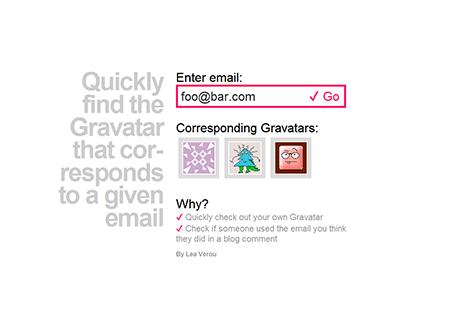
I managed to succeed in all my goals and I really liked the result. I ended up using it for stuff I never imagined, like checking if a twitter username corresponds to the account I think (as it shows the avatars). So I went ahead and came up with a name, bought a domain for it, and tweeplus.com was born :)
Yes, I like it. The plus means “more”, which is fitting and + kinda looks like a t, so it could be read as “tweet” as well. Yes, I know that the word “twee” has some negative connotations, but oh well, I still like the name. Whoever doesn’t can just not use it, I won’t get depressed, I promise. :P
A relatively new feature, Twitter automatically wraps URLs in t.co links, making them only 20 characters long.
All the text of the tweet is stored in the URL hash (query string will also work, although the output uses a hash). Some research revealed that actually browsers can handle surprisingly long URLs. Essentially, the only limit (2083 characters) is enforced by Internet Explorer. I decided to limit tweets to 2000 characters (encoded length), not only because of the IE limit, but also because I wouldn’t like people to post whole books in t.co links. We don’t want Twitter to start taking measures against this, do we? :)
A hard part was deciding which encoding to use (twitter is quite limited in the characters it parses as part of a URL).
My first thought was base64, but I quickly realized this was not a very good idea:
The encoding & decoding functions (btoa() and atob() respectively) are relatively new and therefore not supported by older browsers. I’m fine with the app hardly working in old browsers, but existing links must as a minimum be readable.
It uses approximately 1.34 characters per ASCII character. Unicode characters need to be URL-encoded first, otherwise an Exception is thrown. URL-encoding them uses 6 characters, which would result in 8 characters when they’re base64 encoded.
Then I thought of using URL-encoding for the whole thing. The good thing with it is that for latin alphanumeric characters (which are the most) it doesn’t increase the string length at all. For non-alphanumeric characters it takes up 3 characters and 6 characters for Unicode ones. Also, it’s much more readable.
Still, implementing it was tricky. It doesn’t encode some characters (like the dot), even though twitter doesn’t accept them as part of a URL. Also, escape() and encodeURI() behave differently and the Unicode encoding returned by the former isn’t accepted by Twitter. So I had to combine the two and do some substitutions manually.
When the textarea changes, the hash does too. The whole thing is a form with action=“http://twitter.com/intent/tweet”, so submitting it does the right thing naturally. I keep a hidden input with the tweet and the textarea has no name, so it doesn’t get submitted.
Usernames, hashtags and URLs get extracted and linkified. Usernames also get an avatar (it’s dead easy: Just use twitter.com/api/users/profile_image?screen_name={username} where {username} is the user’s username)
Internal “pages” (like “About” or “Browser support”) are essentially long “tweets” too.
A little easter egg is that if the browser supports radial gradients, the gradient follows the mouse, creating a spotlight effect. This looks nice on Chrome and Firefox, and really shitty on IE10, probably due to bugs in the gradient implementation (which I have to reduce & report sometime).
Which is really sad, because SVG is awesome. It lets you do what CSS gradients do and much more, in quite a small filesize, as it’s just text too. However, the browser needs to generate a DOM for every SVG graphic, which results in sluggishness.
Mouse over the 2 divs. They both use a spotlight effect that’s dynamically updated according to the position of the mouse cursor. One of them does it with an SVG (through a data URI), the other one through a CSS radial gradient.
The test only works in Chrome, Firefox nightlies and perhaps IE10 (haven’t tested in Windows). Why? Because Opera doesn’t support radial gradients yet (however you can see how slow SVG is in it too), and Firefox before the nightlies used to have a bug with gradients in SVG through data URIs. Also, jsFiddle seems not to work in Webkit nightlies for some reason, but I’m too lazy right now to make a self-hosted test case.
Thanks a lot to Christian Krebs (lead developer of Opera Dragonfly) who inspired these tests after a discussion we had today regarding CSS gradient performance.
Edit: According to some commenters, they’re the same speed on Windows and Linux, so it could be an OSX issue. The only way to know for sure is to post more results, so go ahead and post yours!
Also, some commenters say that this is not a fair comparison, because it generates a new SVG every time. I have several arguments to reply to this:
We also generate a new gradient every time, so it is fair.
You can’t manipulate an SVG used for a background, so it’s not an option for backgrounds. JS doesn’t run in it and you don’t have access to its DOM. The only way to do that would be to use an inline SVG embedded in HTML and the element() CSS3 function. However, that’s only supported by Firefox, so not really a pragmatic option.
In case you haven’t noticed, in addition to my talk at Fronteers 2011, I’ll also be holding a full day workshop the day before the conference. The title of that workshop is “CSS3 for developers” and I wanted to explain a bit what it’s going to be about and why I chose to target web developers only.
First of all, even though I do design websites and I really love design (not only web design), I consider myself primarily a developer. So, I think I can communicate better with other devs, rather than designers, since we “speak the same language”. Secondly, most CSS3 talks and workshops are presented by and targeted to, designers. Developers end up feeling left out and in return they tend to consider CSS an inferior technology which isn’t for them. CSS might not be a programming language, but it is code, and to fully master, it requires a very similar skillset to programming. It’s no wonder that most people that actually do research on CSS and/or write the specifications are not designers.
Besides, CSS3, in essence, is about creating web applications that download faster and are easier to develop, maintain and edit. There are very few things that can’t be done at all with CSS2.1. CSS3 just allows us to do them better: Less HTTP requests, less kilobytes to download, less presentational JavaScript, more flexibility. CSS3 is mostly about coding speed, flexibility, performance, maintainability. None of these are artistic pursuits, they’re all purely developer goals!
It will be about many well-implemented and popular CSS3 features, like border-radius, shadows, gradients, new background properties, selectors, media queries, transforms, transitions etc. The key difference from most CSS3 talks & workshops will be the depth these will be covered in and the different perspective (practical information rather than artistic or “inspirational”). I usually opt in for depth rather than breadth for my talks, and expect the same from this workshop. The feedback I get most frequently for my talks is “I thought I knew everything about topic X, but yet I learned so much!”. I’ll do my best to maintain this reputation for this workshop as well. ;)
In addition to learning how CSS3 stuff can be used, information about browser support, fallbacks and performance will be provided.
Hey, I agree. And it’s not just that: Listening to someone talk about a given topic and trying it out yourself are two very different things. I believe that you only really learn something when you actually use it. That’s why it won’t be done like that. ;) It will be very hands on and there is going to be at least one small exercise per almost everything explained. The exercises are going to be performed in a little web app designed exclusively for this workshop, so that you won’t need to bother with prefixes or write HTML and irrelevant CSS code just to try out a new property. And what’s best, you can take that app at home with you and practice what you learned as much as you want!
Of course that means that every attendee will have to bring their own laptop (or borrow one from a friend).
Workshop attendance is priced at €350 (€275 for Fronteers members) and you can get your ticket here: http://fronteers.paydro.net/
To make the experience better and more educational, we limited the number of attendees to 30. That might mean you need to rush: there are currently tickets available, but in a few days there might not be any left!
It’s been a few days since this year’s CSS Summit and my talk there. Where most people would assume that public speaking in a “real” conference is more daunting, I was much more nervous about this one, since it was my first talk at an online conference. I wouldn’t be able to see the faces of the audience, so how would I be able to tell if they like it or are bored shitless? Also, the whole idea of me, alone in a room, giving a talk to my laptop sounded kind of awkward, to say the very least.
Contrary to my fears, it was a very pleasant experience. In some ways, it’s much better than real-life conferences, the main one being the number of questions you get. In most real-life conferences you should be lucky to get more than 3 or 4 questions. Also, they’re usually at the end, so most attendees forget the questions they had at the beginning and middle of the talk (it happens to me a lot too, when I attend others’ talks). In the CSS Summit, I answered questions after every section of my talk, and there were quite a lot of them.
The attendees had a group chat in which they talked about the presentation, posted questions and discussed many other stuff. That group chat was the other thing I really liked. It might surprise some people, but even though I’m not afraid of public speaking, I’m quite shy in some ways and I almost never talk to someone first. So, if I didn’t know anyone at a conference and vice versa, I’d probably sit in a corner alone with nobody to talk to during the breaks. The chat makes it much easier for attendees to get to know each other. On the minus side however, “meeting” somebody in a chat is not by any means the same as really meeting someone f2f in a real-life conference.
Regarding my talk, it went surprisingly well. No technical hiccups like some of the other talks, no me going overtime as I was afraid I would (since I had to be slower), no internet connection failing on my part (like it sometimes does lately). I received lots of enthusiastic feedback on both the chat and twitter. I couldn’t even favorite them all, as the tweets were so many! That’s the 3rd good thing about online conferences: People tweet more, since they’re at home with their regular connection and not with a crappy conference wifi or a smartphone on expensive roaming.
I don’t usually post shameless plugs like that, but I’m so excited about this I decided to make an exception. A few minutes ago I found out that I’m shortlisted in the “Brilliant newcomer” category of The .net awards!!!
Thank you so much @ everyone that nominated me and/or plans to vote for me. I really appreciate it guys*! :)
* “guys” in that context is used in a gender neutral fashion, I’m not only thanking the men :P
I’ll start with a little backstory, if you want to jump straight to the meat, skip the next 4 paragraphs.
In the past few months, my CSS research has been getting some attention and I’ve been starting to become somewhat well-known in the CSS industry. A little known fact about me is that JavaScript has always been one of my loves, almost as much as CSS (even more than it in the past). Ironically, the first time I was asked to speak in a big conference, it was about JavaScript, even though I ended up choosing to speak about CSS3 instead.
Lately, I’ve started wanting to get more into the JavaScript industry as well. I’m quite reluctant to submit speaking proposals myself (every conference or meetup I’ve given a talk so far has asked me to speak, not the other way around) and most JavaScript conferences expect you to submit a proposal yourself. I also couldn’t think of a good topic, something I was passionate about and hasn’t already been extensively covered.
This changed a few weeks ago. While I was writing my <progress> polyfill, it dawned on me: Polyfills is something that’s JS-related and I’m passionate about! I love studying them, writing them, talking about them. I quickly searched if there were any talks about polyfill writing already and I couldn’t find any. So, I decided to submit a proposal to JSConf EU, even though the call for speakers had passed 10 days ago. When I read @cramforce’s tweet that they had decided on most of the speakers, I spent a few days stressed as hell, checking my inbox every few minutes and hoping that my gut feeling that I would get accepted was right.
And it was! 3 days ago I received an email from JSConf EU that my proposal was accepted!! I can’t even begin to describe how happy and excited I am about it. And nervous too: What if they know everything I’m going to say? What if they hate my talk? What if the JavaScript industry is really as sexist as some people claim and they dismiss me because of my gender? I decided to put my fears aside and start working on my slides, as I couldn’t wait until later (even though I have multiple deadlines creeping up on me right now…).
A big part of writing polyfills is feature detection. Before trying to implement a feature with JavaScript, you first have to check if it’s already supported. So, a substantial portion of my talk will be about that. How to detect if APIs, HTML elements, CSS properties/values/selectors etc are supported. There are already established solutions and techniques about most of these, except CSS selectors. Modernizr doesn’t detect any, and judging from my Google search nobody has written about any techniques for doing so in a generic fashion.
A really simple way to detect CSS selectors support is using document.querySelector() in a try...catch statement. If the selector is not supported, an error will be thrown. However, that’s not really reliable, as the Selectors API is not supported in IE < 8. So, I thought of another idea: What if I turn the hassle of reading out a stylesheet via the DOM methods (browsers drop stuff they don’t understand) into a feature detection method?
The basic idea is creating a new <style> element with an empty rule and the selector we want to test support for, and then read out the stylesheet through the DOM methods to see if a rule actually exists. I’ve so far tested it in Firefox, Opera and Chrome and it seems to work. I haven’t tested it in IE yet, as I currently have too many apps running to turn on the vm, so it might need a few fixes to work there (or I might be unlucky and the idea might not work at all).
Yesterday, for some reason I don’t remember, I was looking once more at Paul Irish’s excellent list of polyfills on Github. I was really surprised to see that there are none for the <progress> element. It seemed really simple: Easy to fake with CSS and only 4 IDL attributes (value, max, position and labels). “Hey, it sounds fun and easy, I’ll do it!”, I thought. I have no idea how in only 1 day this turned into “OMG, my brain is going to explode”. I’ve documented below all the pitfalls I faced. And don’t worry, it has a happy ending: I did finish it. And published it. So, if you’re not interested in long geeky stories, just jump straight to its page.
Most progress bars out there use 2 elements: One for the container and one for the value bar. I was pretty stubborn about not using an extra element. I wanted to use pseudo-elements instead and keep the DOM tree as clean as I found it. And there it was, the first problem: How to set the width?
CSS3 attr() and calc() are hardly supported and attr() is not even allowed in calc(), so I quickly realized that a pure CSS solution was out of the question. However, if I used JavaScript, how would I set a different width for every progress::before? You can’t set that in an inline style, and assigning every <progress> element an ID and adding separate rules seems a bit too intrusive to me. Think about it for a second, what would you do?
I realized I had to control the width of the pseudo-element through CSS properties of the parent container somehow. And then it dawned on me: If the pseudoelement has display:block, it will automatically get the parent width, minus the padding and borders. There it was, this was my solution. I just had to set padding-right accordingly, so that the value bar gets the width it needs to be! And I had already given it box-sizing: border-box, as it was in Webkit’s UA stylesheet, so I didn’t have to worry about padding changing the width of the element. The first problem was solved.
The static part was quite easy indeed. Selecting all <progress> elements and using their attributes to set an appropriate padding-right was pretty much run of the mill. But that wasn’t enough. What happens if you set the properties through script? What happens if you set the attributes? The progress bar should update accordingly, it had to be dynamic. A static progress bar is not much of a fallback. It might be acceptable for <meter>, since in most interfaces it’s used in a static way. But a progress bar needs to change in order to show um, progress.
First step was adding the properties that are in its DOM Interface. “Easy, I’ll add them to the prototype” thought my naïve self. So, I needed to find which prototype, I didn’t want to add them in every HTML element of course. So I eagerly typed Object.prototype.toString.call(document.createElement('progress')) in Firebug’s console and it slapped me in the face with an '[object HTMLUnknownElement]'. D’oh! I had forgotten that unknown elements share a common prototype named like that. So, I had to add them to each one individually. I hated that, but since it was the only way, I did it and moved on.
Of course, I didn’t just assign a static value to them, otherwise they wouldn’t solve much: The progress bar would still be static. I assigned getters and setters that used the value and max attributes to return what they should. Assigning getters and setters to a property is a whole new problem by itself, as some browsers use __defineGetter__/__defineSetter__ and some others the ES5 standard Object.defineProperty. But I had solved that one before, so it didn’t slow me down.
The getters and setters solved the issue one-way only: If you set the properties, the progress bar and its attributes would be updated. That would be enough for most authors using the polyfill, but no, I wanted it to be perfect. “If you change the attributes, the progress bar and its properties should too!” my annoyingly pedantic inner self insisted. “And what if you dynamically add more <progress> elements?”.
There are two ways to do stuff when attributes change and elements get added: Polling and mutation events. The advantage of polling is its perfect browser support, which comes at a big cost: It’s horrible performance-wise. Also, polling introduces a delay that could be unacceptable in some cases, especially considering how short the duration of some progress bar use cases is. So, I went with mutation events, even though they are deprecated (seriously W3C? deprecating something, without providing a solid alternative??) and don’t have perfect browser support. After all, it was the only way (I don’t consider polling a real option in this case).
After messing around a little, it seemed to work great in Opera 10.63 and Firefox 5, which I had open for my tests. It was time to write some unit tests and check it out in more browsers. Instead, I opted to style it, as a desperate attempt to delay my confrontation with IE8 a bit longer (and for good reason, as it turned out later). Given that CSS is kinda my specialization, I expected styling to be a piece of cake and even relaxing. Instead, it came with it’s fair share of trouble and hard dilemmas.
If you notice the native progress bars in OSX, you will see that they use gradients. I mocked up something similar with CSS gradients, which wasn’t easy, as I wanted to keep the hue/saturation information in the background-color only, for easy modifications and Webkit uses a regular gradient with color stops that have different hues and saturations. And then I realised that this was not going to show up at all in IE8-IE9, which were 2 major browsers that my polyfill would target. No gradient may be acceptable in determinate progress bars, but it’s not an option in indeterminate ones: Scrolling diagonal stripes is the convention and there’s no other way to communicate this status to the average user.
So I decided to go with the old way of using raster images for gradients (through a data URI). Another painful slap in the face was when I realized that those moving stripes need to be semi-transparent. To do that, my options were:
CSS3 animations - no good in my case, as it’s crucial to show up and their browser support isn’t that good
SVG with SMIL - Much better browser support than CSS3 animations, but still no go in IE
APNG - Only supported by Firefox and Opera, even after all these years
I happened to be chatting with Tab Atkins at the moment, and he suggested I go with plain ol’ GIFs. I was originally negative, but after thinking about it I realized that antialiasing is not that crucial in 45deg stripes, especially when they’re moving. I tried it, I liked the result, so I kept it. Phew, that one was easy.
After spending a few hours tweaking the gradients and the CSS (yes, hours. I said I’m an obsessive perfectionist, didn’t I?) I finally wrote some unit tests and fired up Virtualbox to test with IE8. I prepared myself for the worst, and secretly hoped I’d be pleasantly surprised. Instead, I faced a developer’s worst nightmare. Two words: Stack overflow.
The culprit was a classic IE bug with DOM properties and HTML attrtibutes that I had blissfully forgotten: IE thinks they’re the same. I had added getters and setters (or etters, as I like to call both) to the max and value properties which used the max and value attributes, resulting in infinite recursion in IE8.
This was the hardest of all problems, and I never completely solved it: A few unit tests still fail in IE8 because of it, although there’s no infinite recursion any more. Luckily, this bug was fixed in IE9, so the polyfill works flawlessly there.
My first idea was the obvious one: to duplicate the values somewhere. In a lookup table, in another property, somewhere. I didn’t quite like the idea, so I kept brainstorming. And then it dawned on me. They’re already duplicated somewhere, and not only it’s not redundant, but actually encouraged: in the WAI-ARIA attributes!
To clarify, when progress elements are natively supported, they already have built-in ARIA roles and attributes. However, when they’re not, you should add them yourself, if you want the control to be accessible. From my research, there was a progressbar role, and it required the attributes aria-valuemin, aria-valuemax, aria-valuenow and aria-labelledby. I implemented all but the latter, as it proved too much of a hassle for very few edge cases (how many people put IDs in their labels without using aria-labelledby themselves?). So, aria-valuemax was already duplicating max and aria-valuenow was duplicating value. I changed everything to use those instead.
After lots of head-scratching, IE-cursing and feeling that my brain was going to explode all over my laptop, I managed to kinda have it working. I knew in advance that some unit tests would fail, as it doesn’t support mutation events. I eventually gave up when I realized that the last unit test in the “static” category failed because getAttribute('max') returned null, since IE had completely removed the attribute from the DOM tree. It was the last straw and made me say “That’s it, I’m done with this piece of shit”.
After IE, it was Safari’s turn. I knew that I could only target Safari 5, as Safari 4 doesn’t support etters on DOM elements and Safari 5.1 will probably support progress elements natively, since they’ve been in Webkit for ages. I launched Safari without fear. “How can it possibly not work in Safari? It will probably be fine, maybe just need a one or two little tweaks in the worst case”, I reassured myself thinking.
The progress bars were not even showing. At all. My first guess was that it was a one time rendering error. When it persisted after a few reloads, I opened the dev tools to see what the hell happened. I saw a series of errors like this:
<progress> is not allowed inside <label>. Content ignored.
Unmatched encountered. Ignoring tag.
At first, I thought the problem was the label. So I made all labels external. And then still got the same errors for the <li>s. And every other element I tried. Even when I put them directly into the <body>, Safari complained that they are not allowed to be inside it! It turned out that this was a bug in a build of Webkit, and coincidentally, this build was the one Safari 5 uses.
There wasn’t much to think about in this one: They’re not in the DOM, so I can’t do anything about them. It’s mission impossible.
After IE8’s and Safari5’s cruel rejection, I was quite dispirited. IE8 had already caused me to make my code uglier and more verbose, and now Safari 5 flat out refuses to accept any treatment. It worked flawlessly in Firefox 3.5, but that didn’t cheer me up much. I decided that this has already taken up too much of my time. It’s now the community’s turn. Have any ideas about how further improvement? Maybe some more unit tests? I’ll be waiting for your pull requests! :) Github repo
We all know about the proprietary (and imho, horrible) -webkit-box-reflect. However, you can create just as flexible reflections in Firefox as well, by utilizing -moz-element(), some CSS3 and Firefox’s capability to apply SVG effects to HTML elements. And all these are actually standards, so eventually, this will work in all browsers, unlike -webkit-box-reflect, which was never accepted by the CSS WG.
For every element, we generate an ::after pseudoelement with the same dimensions and a position of being right below our original element.
Then, we make it appear the same as our element, by giving it a background of ‑moz-element(#element-id) and no content.
Reflections are flipped, so we flip it vertically, by applying transform: scaleY(‑1);
If we want the reflection to have a little distance from the element (for example 10px like the demo), we also apply a transform of translateY(10px)
We want the reflection to not be as opaque as the real element, so we give it an opacity of around 0.3-0.4
At this point, we already have a decent reflection, and we didn’t even need SVG masks yet. It’s essentially the same result -webkit-box-reflect gives if you don’t specify a mask image. However, to really make it look like a reflection, we apply a mask through an SVG and the mask CSS property. In this demo, the SVG is external, but it could be a data URI, or even embedded in the HTML.
Won’t work with replaced elements (form controls, images etc).
If you have borders, it gets a bit more complicated to size it properly
Doesn’t degrade gracefully, you still get the pseudoelement in other browsers, so you need to filter it out yourself
Bad browser support (currently only Firefox 4+)
You need to set the reflection’s background for every element and every element needs an id to use it (but this could be done automatically via script)
It’s supposed to be used by 2 people taking turns (click twice for the other sign).
Basic idea:
It uses hidden checkboxes for the states (indeterminate means empty, checked means X, not checked means O) and labels for the visible part
When it starts, a little script (the only js in the demo) sets the states of all checkboxes to indeterminate.
It uses the :checked and :indeterminate pseudo-classes and sibling combinators to change the states and show who won.
Once somebody clicks on a checkbox (or in this case, its label) they change it’s state from indeterminate to either checked or not checked, depending on how many times they click on it.
As a bonus, it’s perfectly accessible through the keyboard (although I assume it’s not screen reader accessible).
A <table> would be much more appropriate for the markup, but I decided to sacrifice semantics in this case to make the demo simpler.
All modern browsers support the indeterminate state in checkboxes (for Opera you will need the latest Opera.Next), however this demo doesn’t work on old Webkit (Chrome and Safari) because of an old bug that made the sibling combinators (+ and ~) static in some cases which has been fixed in the nightlies. It should work in Firefox, Opera.next, Webkit nightlies and IE9, although I haven’t tested in Opera.next and IE9 to verify.
This post is about an idea I’ve had for ages, but never found the time to actually start working on it. Maybe because it looks like a quite big project if done properly, so it’s scary to do it on my own without any help.
jQuery has a huge amount of code that deals with browser bugs and lack of implementations. For example, it needs a full-fledged selector engine, to cater for old browsers that don’t support the Selectors API. Or, it needs code that essentially does what the classList API is supposed to do, because old browsers don’t support it. Same goes for nextElementSibling (the .next() method) and tons of other stuff. However, not everyone needs all this. Some projects don’t need older browsers support, either due to the developer mindset or due to their tech-savvy target group. Also, some people only write demos/proof-of-concepts for modern browsers only and don’t need all this code. Same goes for intranet apps that are only designed for a particular modern browser. Last but not least, this code bloat makes the jQuery library hard to study for educational purposes.
However, even in a browser that supports all the modern stuff, the jQuery API is still more concise than the native methods. Besides, there are tons of plugins that depend on it, so if you decide to implement everything in native JavaScript, you can’t use them.
What I want to build is a fork of jQuery that is refactored so that all the extra code for working around browser bugs removed and all the code replaced by native functionality, where possible. All the ugliness removed, leaving a small, concise abstraction that only uses the current standards. Something like jQuery: The good parts. It could also serve as a benchmark for browser standards support.
The API will work in the exact same way and pass all unit tests (in modern browsers, in cases where they are not buggy) so that almost every plugin built on top of it will continue to function just as well. However, the jQuery library itself will be much smaller, with more elegant and easy to understand code.
So, who’s with me? Do you find such an idea interesting and useful? Would you want to contribute? If so, leave a comment below or send me an email (it’s in the about page). Also, please let me know if you can think of any other uses, or if there’s already something like that that I’ve missed.
Last week, I was in London to give 2 talks. The first one was last Thursday, in one of the conferences I wanted to go ever since I learned my first CSS properties: Web directions @media. The second one was 2 days later in a smaller event called Standards.next.
I managed to get my @media talk early on schedule, so I could relax afterwards and enjoy the rest of the conference. Before I saw the feedback on twitter I thought they hated it, since the audience was silent and didn’t laugh at any of my jokes and asked no questions afterwards. However, I was wrong: The tweets about it were enthusiastic! Here’s a small sample:
The morning before my Standards.next talk, I woke up with a sore throat, a running nose and a blocked ear. I even thought about cancelling my talk, but I’m one of those people that have to be dying to change their schedule. So I went, and I’m glad I did, as I got to attend Peter Gasston’s incredible talk on CSS3 layout. I really learned so much stuff from that!
As for my talk (“CSS Secrets: 10 things you might not know about CSS3”), it went fine after all. I had some trouble hearing the questions, due to the blocked ear, but nothing too bad. I had trouble with my last demo, as I got confused and used background-origin: padding-box; instead of content-box, but nobody there hated me because of it, like I was afraid would happen if I ever screwed up one of my demos :)
That event was much smaller (it took place in a small room in a pub), so the tweets were much fewer, but still very positive:
I found out afterwards that one particular lady in the audience complained about my pronunciation of the words “fuchsia” and “ems”. That’s what I would’ve said to her if I heard: “Here’s some breaking news to you: Not everyone is a native english speaker. Shocking, isn’t it? I would really be interested to hear your pronunciation if you ever did a presentation in Greek. KKTHXBAI”
Overall, I had a great time in London. I hadn’t been there for more than 10 years, so I had forgotten how beautiful city it is. I loved attending and speaking at both of those events, and I would like to thank Maxine Sherrin and John Allsopp for inviting me to @media and Bruce Lawson for inviting me at Standards.next.
This is probably one of the things that everyone thinks they know how to do but many end up doing it wrong. After coming accross yet one more super fragile snippet of code for this, I decided a blog post was in order.
You want to remove the pound sign (#) from location.hash. For example, when the hash is "#foo", you want to get a string containing "foo". That’s really simple, right?
What most developers seem to miss is that in modern, JavaScript-heavy applications, a hash can contain any unicode character. It doesn’t necessarily have to correspond to the value of an actual id attribute in the page. And even when it does, ID attributes can now contain almost any unicode character. Another thing sometimes forgotten is that there might be no hash in the page. Even in a URL that ends in #, location.hash is actually equal to "" (the empty string) and not "#".
This one is the most recent, found in a book I was tech reviewing:
var hash = location.hash.match(/#(\w+)/)[1];
which has quite a few issues:
Returns wrong results when there is any non-latin or non-alphanumeric character in the hash. For example, for the hash #foo@o#bar$%huh hello, just "foo" would be returned.
Throws a TypeError when location.hash is empty, since .match() will return null.
Other variations of this pattern I’ve seen include using explicitly defined character classes instead of \w, adding an anchor (^) before the pound sign (which is an excellent idea for performance) and checking if .match() actually returned something before using its result. However, they usually also fall into at least one of the 2 aforementioned issues.
Another approach a friend of mine once used was this:
var hash = location.hash.split(‘#’)[1];
This also has its issues, which are ironically less than the first one, even though it seems a far more naive approach.
With the same test hash, it would at least get the "foo@o" part, which means it only fails when the hash contains a pound sign
When there’s no hash, it doesn’t throw an error, although it returns undefined instead of the empty string.
The approach I usually use is far simpler than both of the above and probably looks too loose:
var hash = location.hash.substring(1);
However, let’s examine it a bit:
With our weird test hash, it actually returns the correct result: “foo@o#bar$%huh hello”
When no hash exists, it correctly returns the empty string
“But it assumes there’s a pound sign at the start of the string!” I almost hear some of you cry. Well, that could be a real concern, if we were dealing with an arbitrary string. In that case, we would have to check if there’s actually a pound sign first or if the string even exists. However, with location.hash the only case when that is not true, is when there is no hash. And we got that case covered. ;)
Edit: As pointed out in the comments, you may also use location.hash.slice(1) instead of substring. I kinda prefer it, since it’s 4 bytes shorter.
If however you’re obsessed with RegExps and want to do it with them no matter what, this is just as bulletproof and almost as short:
var hash = location.hash.replace(/^#/, ‘’);
If for some reason (OCD?) you want to do it with .match() no matter what, you could do this:
var match = location.hash.match(/^#?(.*)$/)[1];
In that case, since the pound sign is optional, since .match() never returns null. And no, the pound sign never erroneously becomes part of the returned hash, because of the way regex engines work.
Sorry for that. I know that for some of you, this is elementary. But the guy who wrote that book is very knowledgable (the book is really good, apart from that code snippet) so I thought this means there are many good developers out there who get this wrong, so this post was needed to be written. If you’re not one of them, you can take it as a compliment.
In modern complex layouts, sometimes the point where a hash will transport you to will be entirely different than the one you actually wanted. If you prevent the default event, you will save yourself from the page jump, but the hash won’t change either. You can accept the regular behavior and change scrollTop after the jump, but the user will still see a distracting flicker. Chris Coyier found a great workaround last year but it’s not meant for every case.
I decided to start writing a blog post after every talk I give, to be able to go back and remember what I thought about each event, what feedback my talk got etc. And I’m starting with Geek Meet May 2011.
I was very surprised to hear that the event was sold out just 18 minutes after Robert’s announcement! According to him, that set a new record for it!
This event was kinda challenging in many ways. I was the only speaker, so if I failed, everyone would notice. Also, I had to give 2 talks and one of them was brand new, which is always stressful.
However, the crowd there was awesome! Not only they were very relaxed, but they had a great sense of humor too. I don’t think I had ever been in an event that was so relaxed. And their reaction to my talks was so encouraging, I don’t think I have ever heard such loud clapping in my life!
I’m saving the feedback I got here, to bottle the feeling:
I’ll start by saying I love the loosely typed nature of JavaScript. When I had to work with strongly typed languages like Java, it always seemed like an unnecessary hassle. On the contrary, my boyfriend even though very proficient with HTML, CSS and SVG, comes from a strong Java background and hates loosely typed scripting languages. So, to tempt him into JS and keep him away from heavy abstractions like Objective-J, I wrote a little library that allows you to specify strongly typed properties (and since global variables are also properties of the window object, those as well) of various types (real JS types like Boolean, Number, String etc or even made up ones like Integer) and constants (final properties in Java). It uses ES5 getters and setters to do that and falls back to regular, loosely typed properties in non-supporting browsers.
Also, as a bonus, you get cross-browser Function.prototype.bind and Array.prototype.forEach and a robust type checking function: StronglyTyped.is(type, value).
You define strongly typed properties by using the corresponding methods of the StronglyTyped object. For example, the following snippet defines a boolean property called “foo” on an object literal:
var o = {};
StronglyTyped.boolean(o, ‘foo’, true);
console.log(o.foo); // prints true
o.foo = false;
console.log(o.foo); // prints false
o.foo = ‘bar’; // TypeError: foo must be of type Boolean. bar is not.
You define constants by using the constant method of the StronglyTyped object. For example, the following snippet defines a global MAGIC_NUMBER constant:
The property types currently supported by StronglyTyped are:
Array
Boolean
Date
Function
Integer
Number
RegExp
String
null and undefined are valid in every type. NaN and Infinity values are accepted in both the Number and the Integer types.
If you want to use a type that’s not among the above but either is native to the browser (for example Element) or a global object, you can use the generic method StronglyTyped.property(type, object, property [, initialValue]):
var o = {};
StronglyTyped.property(‘Element’, o, ‘foo’, document.body);
console.log(o.foo); // prints a representation of the <body> element
o.foo = document.head;
console.log(o.foo); // prints a representation of the <head> element
o.foo = 5; // TypeError: foo must be of type Element. 5 is not.
It should work on every browser that supports Object.defineProperty or __defineGetter__ and __defineSetter__. As you can see from kangax’s awesome compatibility tables for Object.defineProperty and __define(G|S)etter__, those are:
Firefox 3.5+
IE8 (only on DOM elements)
IE9+
Opera 10.5+
Chrome 5+
Safari 4+
Konqueror 4.4+
However, it’s only verified to work in:
Firefox 4 (Win and OSX)
IE9+
Opera 11.10 for OSX, Opera 11 for Windows
Chrome (Win and OSX)
Safari 5 (Win and OSX)
This doesn’t mean it won’t work in the rest, just that it hasn’t been tested there (yet). You can load the unit tests (sort of…) in a browser you want to test and let me know about the results. :)
I’ve been using this trick for quite a while, but I never thought to blog about it. However, I recently realized that it might not be as common as I thought, so it might be a good idea to document it in a blog post.
If you follow the discussions on www-style, you might have noticed the proposal for a @supports rule to query property and value support. Some people suggested that it should also test for selectors, for example whether a certain pseudo-class is supported. However, you can do that today, albeit in a limited manner (no OR and NOT support).
The main principle that you need to keep in mind is that browsers are expected to drop rules with selectors they don’t understand, even partially. So, if only one selector in a group cannot be parsed, the whole rule will be dropped. This means we can construct selector “tests”, which are use cases of the selector whose support we want to test, that will not match anything, even if the selector is supported. Then, we include that selector in the beginning of our selector group. If all this is unclear, don’t worry, as there’s an example coming next :)
only in browsers that support the attribute equality selector, the :checked pseudo-class and the ::before pseudo-element. We need to try to think of a selector that includes all of them but matches nothing. One such selector would be #foo[type="checkbox"]:checked::before. Even in supporting browsers, this matches nothing as there’s no element with id=“foo”. We can reduce the test for every rule to conserve bandwidth: For example, we don’t need to include tests for the attribute selector in any of them, since they are present anyway in all three rules. Also, we may eliminate ::before from the second test and we don’t need any test for the 3rd one, since it includes all features we want to test for. To sum up:
An important caveat of this technique is that Internet Explorer up to version 7 will split selectors before parsing them, so it will completely ignore our filters :( (Thanks to Ryan Seddon for finding that out).
Disclaimer: The original idea about custom checkboxes belongs to Ryan Seddon, although his code was quite different.
I finally got around to doing what I wanted to do for quite a few months: Create a gallery with all the basic patterns I was able to create with CSS3 gradients. Here it is: CSS3 Pattern Gallery
Also, it includes a brand new pattern, which is the hardest one I have ever made so far: Japanese cubes. Thanks to David Storey for challenging me about it.
Supported browsers:
Firefox 4 (the patterns themselves work on 3.6 too but the gallery doesn’t due to a JS limitation)
Opera 11.10
IE10
Google Chrome
Webkit nightlies
However bear in mind that every implementation has its limitations so a few of them won’t work in all the aforementioned browsers (for example Opera doesn’t support radial gradients and Firefox doesn’t support explicitly sized ones).
I recently saw Paul Irish’s jQuery invert page plugin. It inverts every color on a webpage including images or CSS. This reminded me of the invert color keyword that’s allowed on outlines (and sadly only supported by Opera and IE9+). So I wondered how it could be exploited to achieve the same effect through CSS alone. Turned out to be quite simple actually:
Not even pointer-events:none; is needed, since outlines don’t receive pointer events anyway, and there’s no issue with scrollbars since they don’t contribute to scrolling. So this is not even CSS3, it’s just plain ol’ CSS 2.1.
And here’s a bookmarklet to inject it into any given page: [Invert page](javascript:(function(){var%20style=document.createElement(‘style’);style.innerHTML=‘body:before%20{%20content:%22%22;%20position:fixed;%20top:50%25;%20left:50%25;%20z-index:9999;%20width:1px;%20height:%201px;%20outline:2999px%20solid%20invert;%20}’;document.body.appendChild(style)})();)
**Note:**This will only work on Opera and IE9+ since they’re currently the only ones supporting the color keyword ‘invert’ on outlines. However, it’s probably possible to add Firefox support too with SVG filters, since they support them on HTML elements as well.
As for why would someone want to invert a page… I guess it could be useful for people that can read white text on dark backgrounds more easily, April fools jokes, konami code fun and stuff like that.
Update: Mozilla is planning to never support invert because there’s a loophole in the CSS 2.1 spec that allows them to do that. However, you can push them to support it by voting on the relevant issue.
When I was writing my linear-gradient() to -webkit-gradient() converter, I knew in advance that I would have to use a quite large regular expression to validate and parse the input. Such a regex would be incredibly hard to read and fix potential issues, so I tried to find a way to cut the process down in reusable parts.
Turns out JavaScript regular expression objects have a .source property that can be used in the RegExp constructor to create a new RegExp out of another one. So I wrote a new function that takes a string with identifiers for regexp replacements in and replaces them with the corresponding sub-regexps, taken from an object literal as a second argument:
/**
 * Create complex regexps in an easy-to-read way
 * @param str {String} Final regex with  for replacements
 * @param replacements {Object} Object with the replacements
 * @param flags {String} Just like the flags argument in the RegExp constructor
 */
RegExp.create = function(str, replacements, flags) {
	for(var id in replacements) {
		var replacement = replacements\[id\],
			idRegExp = RegExp(' + id + ', 'gi');

		if(replacement.source) {
			replacement = replacement.source.replace(/^\\^|\\$$/g, '');
		}

		// Don't add extra parentheses if they already exist
		str = str.replace(RegExp('\\\\(' + idRegExp.source + '\\\\)', 'gi'), '(' + replacement + ')');

		str = str.replace(idRegExp, '(?:' + replacement + ')');
	}

	return RegExp(str, flags);
};
If you don’t like adding a function to the RegExp object, you can name it however you want. Here’s how I used it for my linear-gradient() parser:
I hate -webkit-gradient() with a passion. Its syntax is cumbersome and it’s really limited: No angle support, no <length>s in color stop positions, no implied color stop positions, no elliptical gradients… So, I was really happy, when Webkit implemented the standard syntax this January. However, we’re still stuck with the horrid -webkit-gradient() for quite a while, since older Webkit browsers that don’t support it are widely used at this time.
Today, I decided to finally spare myself the hassle of converting my standard gradient syntax to -webkit-gradient() by hand. Tasks like that shouldn’t be handled by a human. So, I coded a little script to do the chore. Hope it helps you too: View demo
It currently only supports linear gradients, but I plan to add radial ones in the future. Also, when I get around to cleaning up the code a bit, I’ll add it on Github.
(Hope I didn’t leave in any very stupid bug, it’s really late here and I’m half asleep.)
Just found out how to do beveled corners and simulate negative border radius without images, by utilizing CSS gradients once again. It’s amazing how many CSS problems can be solved with gradients alone. Read the text in the dabblet below to find out how (or just check the code):
It also falls back to a solid color background if CSS gradients are not supported. It will work on Firefox 3.6+, Chrome, Safari, Opera 11.10+ and IE10+.
PS: For my twitter friends, I had already written this when the robbers came and I was about to post it. I might have been really calm, but not as much as making CSS experiments the same day I was robbed and threatened by a gun :P
Lately there has been a rise in the usage of CSS preprocessors such as LESS and SASS, which makes sense given the simultaneous increase of CSS3 usage. I’ve frequently argued with fellow front-end web developers about whether they should be used or not and I decided to finally put my thoughts in writing.
To start, I can fully understand the advantage of using such preprocessors over vanilla CSS3. I hate listing all the vendor prefixes, and not being able to use variables, mixins or nesting just like the next web developer. All this syntactic sugar can simplify your workflow by a great deal and make writing CSS3 incredibly fun. However, I still refrain from using them, and I’ll explain why below.
When I’m writing CSS, I try to keep the filesize as small as possible. I’m not a filesize hypochondriac, I try to balance filesize and readability and I prefer to err on the side of the latter. I’m not one of those people that will use #000 instead of black just to save a byte and I use lots of indents and newlines (later minification takes care of that). However, in cases when the readability impact is small and the filesize impact is large (and minification won’t help), I will do the optimization.
For example, consider the following case: Let’s suppose you have 3 rules (#foo, #bar and #baz) that will both use the same CSS rotate transformation, among other CSS declarations. Using a mixin is simple (using the LESS syntax in this example):
which at 290 bytes, is even smaller than the first one. The differences would be even bigger if you had to specify a different transform-origin.
Of course you can still do such optimizations when using CSS preprocessors, but since you don’t have the ugliness in front of you and the file you’re working with remains small, it’s easy to forget and just do what’s easy. You lose sight of the big picture. But it’s the big picture (or big file, in this case ;)) that your users eventually download.
Same goes for nesting: Instead of actually putting some thought into the selectors you choose, you can just nest and let the preprocessor sort it out, usually in the straightforward but unavoidably verbose way.
LESS is better in this aspect, since it also offers a client-side version, so the user downloads the small file you wrote, and all the expansion is done in their machine. However, this has the (big, IMO) disadvantage that all your CSS becomes dependent on JavaScript to work and that your users have to download the LESS code, which isn’t that small: 33KB minified which is way larger than most stylesheets (granted, if you gzip, it will be smaller, but this is true for stylesheets as well).
Eventually, CSS will start supporting all this sweetness. Tab Atkins has already drafted a proposal and soon Webkit nightlies will implement the functionality. After that, I think it’s safe to assume that within 2 years Firefox and Opera will also implement the (by then) standard and within 1-2 more even IE. Then we’ll need another 2-3 years to be able to start using it (adoption rates of new browser versions will have increased too). This means that in as little as 6 years, we might be able to use CSS variables, mixins and nesting in vanilla CSS. All the code written for today’s preprocessors will eventually have to be rewritten. Maybe even sooner, since when a standard is published, I think it’s safe to assume (or hope) that the new versions of CSS preprocessors will deprecate their old syntax and start supporting and recommending the standard way, effectively becoming polyfills (which I definitely support). So, coding for a CSS preprocessor today feels a bit like building castles on sand.
Preprocessors make debugging CSS harder, since the CSS you see in Web Inspectors like Firebug or Dragonfly is not the CSS you wrote. The line numbers don’t match any more and the CSS itself is different. A lighter form of the same problem also occurs with minifiers, but you can delay using them until you’re done with the site. With CSS preprocessors, you have to use them from the beginning if you want to really take advantage of them.
Also, when I develop my CSS, I want to be able to instantly preview the changes in the file by just refreshing the browser. With preprocessors this becomes harder (although not impossible).
With every new syntax, comes more effort required by someone to start working on our code. We either have to only collaborate with people proficient in the CSS preprocessor of our choice, or teach them its syntax. So we are either restricted in our choice of collaborators or need to spend extra time for training, both of which are nuisances.
Also, what happens if the preprocessor stops being updated? Granted, most (if not all) are open source, but the community’s interest might shift to something else. Many open source projects have eventually died due to lack of interest. And let’s not forget the law of leaky abstractions…
Yes, both concerns are valid for every framework, in every language, but at least PHP frameworks or JavaScript libraries are more needed than CSS preprocessors, so it’s a tradeoff is that’s worth it. For CSS preprocessors, I’m not so sure.
I have to admit that even though I’ve read quite a bit on CSS preprocessors and talked with fellow web developers about them, I don’t have hands-on experience with them. Maybe I will change my mind if I actually do so. Besides, I think that if someone uses a CSS preprocessor carefully, with knowledge of the points mentioned above, it can actually turn out to be beneficial. However personally, I prefer to wait at least until they start supporting the (future) standard syntax, whenever that happens.
I recently changed my Web Directions @media talk title & abstract to something more specialized. Instead of discussing under-hyped CSS3 features in general I will only focus on one CSS3 feature (more hyped than the ones I was planning to show, but all the hype is only about very basic use cases): CSS3 Gradients:
With most browsers adding increasing support, and the simplicity of providing fallbacks for those that don’t, CSS3 gradients are something we can start to use right now. They benefit our users with faster websites and ourselves with more time in our hands to spend in other things, since they are easy to create, edit and update. A very powerful feature that can also be utilized for a surprising number of design effects, even ones that don’t resemble gradients at all. In this talk, Lea will explore CSS3 gradients in great depth and it’s almost guaranteed that no matter your expertise level, you will walk out having learned new things.
I tested a draft of this talk with a meetup group in Oslo (Framsia) and it went very well. I got reviews like “I was amazed that you managed to speak almost an hour of CSS3 gradients and still keep the crowd interested” (thanks Legendre!). Even Bruce Lawson, who happened to be there, told me he didn’t know like 70% of the material presented! :)
I’m looking forward to it since it’s a topic I’m passionate about, and I hope to see you there! Don’t forget that you can use the coupon code WDVEROU when registering to take £50 off the current price.
PS: I don’t like the title very much, so if you have anything more witty to suggest, feel free. ;)
The pointer-events property allows authors to control whether or when an element may be the target of user pointing device (pointer, e.g. mouse) events. This property is used to specify under which circumstance (if any) a pointer event should go “through” an element and target whatever is “underneath” that element instead. This also applies to other “hit testing” behaviors such as dynamic pseudo-classes (:hover, :active, :focus), hyperlinks, and Document.elementFromPoint().
The property was originally SVG-only, but eventually browsers and the W3C adopted a more limited version for HTML elements too.
It can be used in many use cases that weren’t possible before (or the solution was overly complicated), one of them being to create custom-looking <select> drop downs, by overlaying an element over the native drop down arrow (to create the custom one) and disallowing pointer events on it. Here’s a quick example:
-webkit-appearance: none was needed in Webkit to turn off the native OSX appearance (in OSX and maybe Safari on Windows, I didn’t test that). However, since that also removes the native drop down arrow, our custom arrow now obscures part of the text, so we had to add a 30px padding-right to the select element, only in Webkit. You can easily detect if pointer-events is supported via JS and only apply this it if it is (eg by adding or removing a class from the body element):
if(!(‘pointerEvents’ in document.body.style)) {
…
}
However, there is one caveat in this: Opera does include pointerEvents in HTML elements as well, but it does not actually support the property on HTML. There’s a more elaborate feature detection script here as a Modernizr plugin (but the code is quite short, so you can adapt it to your needs).
Also, don’t try to replicate the behavior in JavaScript for browsers that don’t support this: it’s impossible to open a <select> drop down with JavaScript. Or, to put it differently, if you manage to do it, you’ll probably be the first to. Everything I could think of failed and I spent hours yesterday searching for a way, but no avail.
A while ago, I wrote a post on creating simple patterns with CSS3 gradients. A common pattern I was unable to create was that of a regular, non-rotated checkerboard. However, I noticed today that by giving a different background-position to every triangle in the pattern tile, a checkerboard can be easily created:
View in Gecko or Webkit. Webkit seems to have an odd rendering bug, so it needed a background-size override and it still doesn’t look perfect. Oh well, reported the bug and moved on.
I always loved that Firebug and Dragonfly feature that allows you to increment or decrement a <length> value by pressing the up and down keyboard arrows when the caret is over it. I wished my Front Trends slides supported it in the editable examples, it would make presenting so much easier. So, I decided to implement the functionality, to use it in my next talk.
If you still have no idea what I’m talking about, you can see a demo here: View demo
You may configure it so that it only does that when modifiers (alt, ctrl and/or shift) are used by providing a second argument to the constructor and/or change the units supported by filling in the third argument. However, bear in mind that holding down the Shift key will make it increment by ±10 instead of ±1 and that’s not configurable (it would add too much unneeded complexity, I’m not even sure whether it’s a good idea to make the other thing configurable either).
You may download it or fork it from it’s Github repo.
And if you feel creative, you may improve it by fixing an Opera bug I gave up on: When the down arrow is pressed, the caret moves to the end of the string, despite the code telling it not to.
I recently had to convert a database of a large Greek website from single-byte Greek to Unicode (UTF-8).
One of the problems I faced was the stored PHP serialized data: As PHP stores the length of the data (in bytes) inside the serialized string, the stored serialized strings could not be unserialized after the conversion.
I didn’t want anyone to go through the frustration I went through while searching for a solution, so here is a little function I wrote to recount the string lengths, since I couldn’t find anything on this:
My initial approach was to do it with regular expressions, but the PHP serialized data format is not a regular language and cannot be properly parsed with regular expressions. All approaches fail on edge cases, and I had lots of edge cases in my data (I even had nested serialized strings!).
Note that this will only work when converting from single-byte encoded data, since it assumes the stored lengths are the string lengths in characters. Admittedly, it’s not my best code, it could be optimized in many ways. It was something I had to write quickly and was only going to be used by me in a one-time conversion process. However, it works smoothly and has been tested with lots of different serialized data. I know that not many people will find it useful, but it’s going to be a lifesaver for the few ones that need it.
It’s based on the relationship between :nth-child and :nth-last-child. As you can see, the number of total rules is O(N) and the number of selectors in every rule is also O(N).
However, what you really want, is to just target the first element. The others can be targeted with just a sibling selector. With my improvement, the number of total rules is still O(N), but the number of selectors in every rule becomes just 2, making this trick practical for far larger numbers of children:
/* one item */
li:first-child:nth-last-child(1) {
width: 100%;
}
/* two items */
li:first-child:nth-last-child(2),
li:first-child:nth-last-child(2) ~ li {
width: 50%;
}
/* three items */
li:first-child:nth-last-child(3),
li:first-child:nth-last-child(3) ~ li {
width: 33.3333%;
}
/* four items */
li:first-child:nth-last-child(4),
li:first-child:nth-last-child(4) ~ li {
width: 25%;
}
And here’s a fiddle to prove it:
Yes, I know that with Flexbox and the other layout modules, techniques such as these are soon becoming obsolete, but I think they are still useful right now. I’m also aware that you can emulate this particular example with table display modes, but a) Table display modes have other implications that are sometimes undesirable and b) Widths are just an example, you could come up with other ways to style the elements based on their total count, which can’t be emulated by CSS tables.
Just a quick note to let you know I’m speaking at this year’s @media Web Directions conference, which will take place during May 26–27 in London, UK. I’m very excited about this, since I always considered @media one of the top front-end conferences in the industry :)
By now most of you know how to use the core CSS3 features in your designs to embed custom fonts and easily create rounded corners, drop shadows, and scalable designs with media queries. But there is still a large area of CSS3 that remains unexplored by most web designers and developers. In this talk Lea will present many CSS3 features that are useful but underrated, as well as uncommon ways of utilising the CSS3 features you already know about, in order to do much more with even fewer images and less code.
Although it’s on the design track, I expect it to appeal to both developers and designers.
You can use the coupon code WDVEROU to take £50 off the current price. ;)
I had grown sick of my previous blog style and its various bugs (since it was put together in just a few hours), so I decided to make a new, more minimalistic one. Best viewed in browsers that support CSS gradients, like Firefox, Safari and Chrome. I also finally got around to making a logo for myself, although I’m not sure I’ll keep it. I also switched to HTML5, using Toolbox as a base.
I want to make a few more changes, but I have to go to sleep sometime :p
I also started using DISQUS for the blog comments. I like it when a blog I read has it (since it offers a few features I find convenient, like comment editing for instance), so I wanted to offer it to my readers too. It’s a shame that in some of their buttons they haven’t added the standard CSS3 border-radius declarations, but only the prefixed proprietary ones, so they’re square in Opera (and probably IE9). I’m fed up with seeing this in websites, TOPSY’s widget also does it. However, their carelessness will backfire soon, when browsers stop supporting the prefixed versions *evil grin*
You’re probably familiar with CSS3 gradients by now, including the closer to the standard Mozilla syntax and the ugly verbose Webkit one. I assume you know how to add multiple color stops, make your gradients angled or create radial gradients. What you might not be aware of, is that CSS3 gradients can be used to create many kinds of commonly needed patterns, including checkered patterns, stripes and more.
View demo (Works in Webkit, Firefox 3.6+, Opera 11.50+ and IE10+)
The main idea behind the technique is the following, taken from the CSS3 Images spec:
If multiple color-stops have the same position, they produce an infinitesimal transition from the one specified first in the rule to the one specified last. In effect, the color suddenly changes at that position rather than smoothly transitioning.
I guess this makes it obvious how to create the tile for the stripes (unless you’ve never created a striped background before, but teaching you this is beyond the scope of this post). For example the gradient for the horizontal stripes is:
Why transparent instead of the actual colors we want? For flexibility. background-color serves two purposes here: Setting the color of half the stripes and serving as a fallback for browsers that don’t support gradients.
However, without anything else, the tile will occupy the whole container. To control the size of each tile, you can use background-size:
To create the picnic-style pattern, you just overlay horizontal stripes on vertical stripes.
The hardest one to figure out was the checkered pattern. It consists of two 45° linear gradients and two -45° linear gradients, each containing ¼ of the dark squares. I still haven’t managed to think of a way to create a regular checkerboard (not at 45°) without needing an unacceptably large number of gradients. It will be very easily possible if conical gradients start being supported (currently they’re not even in the spec yet).
Can you think of any other popular patterns that can be created with CSS3 and no images? If so, let me know with a comment. Cheers! :)
I wrote the first version of rgba.php as a complement to an article on RGBA that I posted on Februrary 2009. Many people seemed to like the idea and started using it. With their valuable input, I made many changes and released v.1.1 (1.1.1 shortly after I posted the article due to another little fix) on October 2009. More than a year after, quite a lot of people still ask me about it and use it, so I decided to make a github repo for it and release a new version, with a much easier to use syntax for the URL, which lets you just copy and paste the color instead of rewriting it:
I had to build the edit tags interface for an application I’m working on, so I took a good look at how these are implemented across many popular applications nowadays. It seems there are a few patterns that are used over and over, and I’m unsure which one is the most preferable by users, they all have their advantages and disadvantages. In this post I’m going to describe these patterns and list some of the pros and cons I think they have. For simplicity, I will focus on the tag editing interface itself, ignoring any tag suggestions and other extra features.
Impossible to edit a tag, you have to remove it and add the corrected version
Hard to delete many tags at once
Disconnected new and existing tags, making it hard to get the bigger picture
foursquare’s implementation was the worst I’ve tested: There’s no (discoverable?) way to delete or edit a tag and when you add one via the text field it doesn’t get cleared which is confusing because it makes it seem like an edit tags field although it’s an add tags field, as I found out the hard way (by creating a “pizza, pasta” tag instead of 2 tags: pizza and pasta).
There’s no editing in last.fm’s implementation, but the pattern easily allows for that, for example by using contentEditable on the tag s
last.fm chooses to implement this by faking the tags being inside an input field: Technically they’re implemented just like in pattern #1 above, with the difference that they visually appear to be inside the same box and every time a user inserts a comma (which is the tag separator) the tag they just typed is removed from the text field and a new link with a delete button is created just before the text field, which is much smaller than it looks.
As with most UI questions, I don’t think there’s a definite answer to that. It heavily depends on the audience too: A more technically inclined user might be more comfortable with the 2nd approach since it’s the least restrictive one. The average casual internet user might prefer the 3rd approach. I don’t think there’s any case where pattern #1 is better than pattern #3, except when development time is a concern (pattern #1 is a bit easier to implement, although #2 is the easiest of all).
My initial attempt for the application I’m building was to use a hybrid approach of #2 and #3: When the user clicked on “Edit tags”, the tag container would get a contentEditable attribute and the idea was that every time a comma or any other non-permitted character would be inserted a new tag would be created (or if we were in the middle of one, it would get split into 2). That would have all the advantages of #2 and #3, except one-click deletion. It would also have the advantage that the user is directly editing the interface, which is usually a good idea usability-wise. I hate to admit I gave up on it for the time being, because it proved harder to implement than it seemed and I had to move on, so I went with #2. I might revisit it sometime in the future though if I still think it’s a good idea and nobody has done so by then.
Admittedly, percentages in border-radius are not one of the most common use cases. Some even consider them an edge case, since most people seem to set border-radius in pixels or --rarely-- ems. And since it’s not used very frequently, it’s still quite buggy. A bit of a chicken and egg case actually: Is it buggy because it’s used rarely or is it used rarely because it’s buggy? My vote would go to the first, so the purpose of this post is to let people know about why percentages in border-radius are incredibly useful and to highlight the various browser whims when it comes to rendering them.
Before we go into discussing implementations, let’s first examine what the right thing to do is, i.e. what the specification says:
Percentages: Refer to corresponding dimension of the border box.
The two length or percentage values of the ‘border-*-radius’ properties define the radii of a quarter ellipse that defines the shape of the corner of the outer border edge (see the diagram below). The first value is the horizontal radius, the second the vertical radius. If the second value is omitted it is copied from the first. If either length is zero, the corner is square, not rounded. Percentages for the horizontal radius refer to the width of the border box, whereas percentages for the vertical radius refer to the height of the border box.
It’s the only way of utilizing border-radius to draw a circle or ellipse, i.e. a rounded shape without any straight lines whatsoever (without knowing the dimensions in advance).
As you will see below, Firefox used to have a bug, or actually a different interpretation of the spec, which I think is a quite commonly needed use case, even more than ellipses: It always drew a regular curve for the corners (quarter of a circle) with the maximum possible radii. This is a very commonly needed shape in UI design. If you’re using OSX, you’re seeing it everywhere: the buttons, the scrollbars, even Skype (notice the blue or grey shading around the usernames in a chat). As I’m writing this post, I can see the same shape in the buttons of Wordpress’ admin panel. And as the current spec stands, there’s no way to do that. You have to know the height (or width, if you want a vertical shape) in advance, which even when possible, makes border-radius depend on the value of other attributes (such as line-height) and you have to remember to change it every time you change those, which causes maintenance headaches. And what’s worse is that the Backgrounds & Borders module is almost done, so it’s quite unlikely that this will change anytime soon. :(
As noted in this comment by David Baron, that assumption wasn’t exactly correct about Firefox’s old rendering. It just resolved % as relative to width in every case (kinda like percentages in margins) and when the height was smaller than the width, it applied the rules for radii that are too big, which say to reduce it equally. A straightforward deduction is that we do have a standards-compliant way to get the behavior from old versions of Firefox, in every browser: Just specify a very big radius, like 9999px.
As I mentioned above, Gecko up to Firefox version 4 beta 6 always draws a regular curve for the corners with the largest radii applicable, resulting in a shape that is either a perfect circle or a rectangle with a semicircle on top and bottom (if height > width) or right and left (if width > height).
Minefield (latest Gecko nightlies)
In the latest nightlies this bug is fixed, and it follows the spec to the letter. I can’t help but wonder if this was a bug, a misinterpretation of the spec or a deliberate disagreement with it.
WebKit nightlies
Webkit was late to support percentages in border-radius, but it seems to be the first (it or IE9, I’m not sure) to follow the spec to the letter --concerning corner radii at least-- and renders an ellipse (horizontal radius = width/2, vertical radius = height/2) no matter what. Webkit however seems to be having serious trouble with borders, rendering them with variable width strokes (!).
Opera 11
Presto (Opera) is the weirdest when it comes to rendering a percentage border-radius. I can’t figure out the algorithm it uses to determine the radii of the corners even if it was to save my life, it even changes according to window size in my testcases! Since I’ve been using border-radius:50% regularly, I’ve had the pleasure of observing Opera’s rendering in many different designs and I still can’t find a pattern. It’s particularly funny when rendering the little fuchsia comment bubbles in the homepage of my blog: Every one of them has a different radius, even if they are about the same size. It even got one of them right and rendered it as an ellipse once!
Internet Explorer 9
Trident (IE9), along with the latest Gecko nightly is the only 100% correct one when it comes to rendering the testcases, which is not surprising since the IE team boasted quite a lot for their bulletproof border-radius implementation. Well, their CSS3 support might be a bit lacking, but at least the bits they actually implement aren’t buggy. Kudos for that.
Note: Of course all bugs mentioned above have been reported to the respective browser vendors (except the Gecko one that is already fixed in the nightlies).
About a week ago, I was in Warsaw, Poland to give my first talk at a big conference, Front Trends 2010. As every first-time speaker, I was extremely nervous and worried that everything would go bad. That my talk would be boring or too basic or that I would just freeze at stage, unable to say a word. It was a 2-hour talk with a break in between, so I was also terrified that nobody would show up the second hour.
Contrary to my fears and insecurities, it went better than I could have ever hoped. The feedback on twitter and in general was enthusiastic! There wasn’t a single negative comment. Even people I look up to, like Tantek Çelik, PPK, Jake Archibald or Robert Nyman had something good to say! And instead of nobody showing up the second hour, the audience almost doubled!
At this point, I would like to thank Christian Heilmann for helping me become less nervous before my talk by going through all my slides with me and offering his invaluable advice for every part (I forgot to follow most of it, but it really helped in my attitude). I can’t thank you enough Christian!
Many attendees asked me for my slides and presentation framework. You can find my slides online here or download them. However, before you follow those links, read below:
I originally ran my presentation in Firefox 4 beta so I was testing mainly in that and Minefield (Firefox’s nightly releases). It supports other browsers too (Chrome 7, Opera 10.6+), but it still displays better in Firefox or Minefield and is (surprisingly) faster in them.
Opera has issues with a few unicode characters I used in some places and won’t display Helvetica Neue even if it’s installed (@font-face is not an option with that font, for legal reasons)
Any non-Gecko browser will not display CSS gradients, since Gecko is the only engine so far that supports the standard syntax. Therefore the gradient demos and the multiple backgrounds demo won’t work in non-Gecko browsers.
Some slides are a bit slow on Webkit. The first slide is extremely slow in it, you have been warned.
Opera and Webkit have (different) bugs with border-radius: 50%, so some things using it will look funny.
I have only tested in OSX browsers. I have no idea how it will perform on Windows or Linux distros yet.
It’s a 2-hour talk and the presentation was designed to run locally. It’s not small and it will take a while to load. That’s due to the images used, as you can easily see from the zip archive.
The editable examples many of you liked are based on this CSS mindfuck by Anne van Kesteren. It’s smart and convenient, but beware: It breaks really, really easily. It’s good for changing the code realtime, but it will most likely break if you try to add extra code.
In case you’re not feeling very adventurous today, or you’re just using a computer with only unsupported browsers, here’s the presentation as a series of images (not interactive, but still the same info):
By popular demand, I’m also releasing my presentation framework, for which in the meantime I found a name (CSSS, inspired by S5), designed a logo and made a simpler, sample presentation with a different, simpler theme. I released it in a public repo on Github (finally got around to learning the basics of Github and loved it!). Please note that this is a very first version and I haven’t been able to test it much, especially on Windows, since my Mac is quite new and I keep postponing to install some virtualization software. A friend reported that Firefox 3.6 on Windows has serious issues with it, although it runs fine on my FF3.6 copy for Mac. It doesn’t work at all in IE, even IE9, as I don’t yet have IE to test it out. Please report any issues on Github’s bug tracker and eventually I --or someone else, you’re all welcome :p-- will fix them (don’t forget to mention exact browser version and OS). If you’re using Safari, press Ctrl+H for something cool ;) (it works on the others too, but it’s slower and not smooth)
Some may ask: “If CSS3 degrades so gracefully and we can use it today as you told us in your talk, then why all these issues with different browsers in CSSS or your FT presentation?”. First of all, these are not everyday use cases. Projects like CSSS or my FT presentation are quite experimental, use a lot of CSS3, including many edge cases and I could have devoted more time to make them degrade more gracefully, but given the target audience, I don’t think it’s worth it much. It’s expected that there might be rendering problems in some browsers or that they might be slow, browsers need edge cases to highlight problems in their implementations of the new stuff before it’s finalized. Every time I experiment with CSS3, I find at least one browser bug, which I generally try to report (don’t let that scare you though, as I said, I have a penchant for edge cases).
You may have also noticed I redesigned my blog. As you may have noticed, I have fallen in love with that Rainbow Wood wallpaper by Luke Roberts and I just had to put it in my blog too :P The new design has a few issues with Opera at the moment, but I hope to fix them soon. It will also look better to those that have Helvetica Neue installed.
I recently posted my first suggestion to www-style, the official W3 mailing list for CSS development. It was about allowing attr() values inside calc(). In this post I’ll describe in greater detail why I believe this is necessary, since not everyone follows www-style. If anyone has something to add in the discussion, you may post in the list, it’s public.
As you can easily find out in the specification, the W3 is planning for attr() to play a much bigger role in tomorrow’s CSS than it played in CSS 2.1, where it was originally defined, which opens up exciting possibilities. In a nutshell, we’re going to be able to use attr() in any property, for any type of value, let it be <length>, <number>, <color> or anything else. If the type is not obvious, we’re able to define it, via the second parameter and include a fallback value in the 3rd one. We might even be able to do things like float: attr(X); (keywords are still under consideration).
On the other hand, as you’re probably already aware of, since calc() is one of the hyped CSS3 features, we’re finally going to be able to do calculations with different types of units, for example calc(100% - 30px), which is something web designers requested for years.
You can easily see from the grammar presented in the specification for calc() that it does not allow attr() values to be used as operands in the calculations. To me, this is an obvious oversight. Since attr() values can be used anywhere, including where lengths and numbers are allowed, not being able to use them in calc() is absurd. As David Storey pointed out, this could be enormously useful when used in conjunction with the new form control attributes (min, max, step and the like) or HTML5 custom data attributes (data-x).
Philosophically, it makes perfect sense that attr() should be allowed anywhere a <length> or <number> or <angle> or … is. We can’t expect attributes to only hold semantic and not presentational data, but expect these data to be ready to be utilized for presentation purposes, without any calculations whatsoever.
The first use case I can think of is the one that inspired me to suggest this. A while ago, I was researching CSS-based bar charts and progress bars. It turned out that there is no practical and purely semantic solution for specifying the bar widths. Either you have to include inline styles or you bloat your CSS with countless classes or ids, one for each width or —even worse— bar. In cases where you just want to use the displayed percentage of the bar as its width as well, attr() can actually help. However, as you can see, this is not always the case. Most of the times the bar values are not percentages or you want to also perform calculations on the percentage, for example include padding (because usually you display the number as well) or cut it in half to prevent the bar chart from appearing very big, etc, in which calc() combined with attr() could be a lifesaver.
One could argue that bar charts and progress bars are not legitimate CSS use cases but hacks that work around the lack of cross-browser SVG support, and it’s very possible that they are right (although the addition of elements like <progress> in HTML5 is by itself an argument for the opposite). However, the use cases are not limited to that. Αny kind of stylistic treatment that is supposed to convey some kind of fraction or number (progress, temperature, distance etc) will benefit from keeping the actual data in a data-x attribute and utilize them via attr() and calc().
Admittedly, coming up with more generic use cases is not very easy, since they greatly depend on the particular application. However, the same difficulty arises when trying to come up with use cases for the attr() function by itself when used for the numerical types (<number>, <length> etc), in properties other than content. Perhaps this is the reason that not even the specification contains any practical examples for it either. I guess almost any real-life use case for attr(*, number|integer|length|angle|frequency|em|px|…, *) is also a use case for this.
So far I’m optimistic about it, since almost all participants in the discussion were positive. However, calc() has already started being implemented (by Mozilla), so as time goes by, it will be increasingly harder to make changes to its grammar.
What do you think? How would you use it if it’s implemented?
Edit: Sometime in Spring 2012, the issue was brought up again, and the CSS WG agreed that attr() should be permitted in calc(). Now it’s just a matter of browsers catching up to the spec. :)
A couple hours ago, I received a notification email from Goodreads and unlike usually, I decided to actually visit the site (by the way, I believe that Goodreads, i.e. a last.fm for books, is an awesome idea but poorly implemented).When I did, I was quite annoyed to find out that I wasn’t already logged in, so I had to remember which one of my many passwords I had used for it and try them one by one. This is not a Goodreads fail, but a fairly common nuisance, since most (if not all) social websites behave that way.
“What if there was some magic involved?” Bill Scott & Theresa Neil advise interaction designers to ask themselves in a book I’m currently reading (highly recommended by the way). Well, I guess, if there was some magic involved, the site would “understand” that my click was initiated from an email and would automatically log me in and let me view whatever I was trying to.
What’s the point of asking for a password if the user can prove they have access to the associated email account? Such access is usually all that’s needed for someone to break into an account, theirs or not (via the forgotten password feature). So, it doesn’t help security much, just makes it slightly more time-consuming for potential impostors, while turning legitimate users with a weak memory (like yours truly) away from the site.
I’m not sure whether it’s a good or a stupid idea, I’m not really suggesting it, just expressing a thought. :) I have some concerns myself too:
It’s definitely harder to implement.
All links sent in notification emails must contain some special token, like reset password links do (I’ve never seen it implemented otherwise). The tokens in reset password links expire after a while, so probably these should too, for security reasons. And what happens after that? A regular login is required? Doesn’t this render the whole idea a bit pointless, since notification emails are frequently read 1+ days after they’re sent?
Usually a frequent user receives a bunch of email notifications per day. Isn’t it a bit too risky to have dozens of such powerful emails floating around in your inbox? On the other hand, it doesn’t seem more dangerous than using the “remember me” feature while logging in: Anyone that manages to get ahold of your laptop for a minute is able to use your account in most SN sites, one way or another. However, the “remember me” feature is a classic case where usability triumphed security, at least in cases where the computer isn’t shared.
Thinking of the “remember me” feature gives me another idea: It could be optional and active by default. Perhaps with a link to easily deactivate the feature in every such email. On the other hand, more options = more confusion.
Also, to avoid the issues stated in #3, this feature could be activated only if the user in question was inactive for a while. Frequent users don’t need it that much and even if they did, they don’t run away so easily, so it’s not as crucial.
Just a quick note to let you know that I’m speaking in this year’s Front-Trends conference, which will take place in Warsaw, Poland on October 21-22. Front-Trends is a new conference (starting this year) but the organizers have managed to put together an impressive line-up (Crockford, PPK, Paul Bakaus, Dmitry Baranovskiy, Tantek Çelik, Robert Nyman and more).
My talk will introduce many aspects of CSS3, some of them in good depth (eg. selectors). Here is the official abstract:
With browsers constantly adding support for CSS3, especially now that even IE jumped in the game, it’s quickly becoming a necessary tool of the trade. CSS3 offers exciting possibilities and changes the way that we design and develop websites.
In this 2-hour practical session, full of real world use cases, you will learn:
Everything you ever wanted to know about CSS3 selectors
Transparency and new color formats, including RGBA
New ways to work with backgrounds, including CSS gradients, multiple background images and natively supported CSS sprites
Rounded corners and border images
Box and text shadows
Transforms, transitions and their potential downsides
New values, including calc(), attr() and new units
Browser support information and techniques to take advantage of the exciting new stuff with respect to browsers of the past, to create experiences that are enjoyable for everyone
Tickets are very cheap (Just €198) but they’re selling quite fast, so if you want to come, hurry up!
About a year ago, prof. Vasilis Vassalos of Athens University of Economics and Business approached me and asked for my help in a new course they were preparing for their Computer Science department, which would introduce 4th year undergrads to various web development aspects. Since I was always complaining about how outdated higher education is when it comes to web development, I saw it as my chance to help things change for the better, so I agreed without a second thought.
This is one of the main reasons I didn’t have time to write many blog posts for the past months: This activity took up all my spare time. However, it proved to be an interesting and enlightening experience, in more than one ways. In this blog post I’ll describe the dilemmas we faced, the decisions we made and the insights I gained throughout these 6 months, with the hope that they’ll prove to be useful for anyone involved in something similar.
The goals of a university course differ from the ones of a professional seminar or conference session in many ways, the key one being that most of its students will (professionally) utilize the things they learned in the future and not right after they walk away from class. So, the stuff being taught must be useful even after a couple years have passed. Also, issues of the present might not be issues of the future and what isn’t possible today (due to browser support issues) will probably be tomorrow. These observations led us to decide against teaching proprietary stuff. Instead, we only included things which come with a specification that has reached a fairly stable state (with the exception of very widespread non-standard stuff, such as innerHTML). We also decided not to address workarounds and browser incompatibilities at all, since these would probably be out of date in a few years. Also because, if we teach everything else right, they should be able to learn these by themselves, if needed (we did teach feature detection techniques though, those are timeless ;-)). We also included many cutting edge topics (CSS3, HTML5, ES5, SVG…) since we believe that they will be necessary tools of the trade tomorrow. To be pragmatic however, we did not teach stuff that no browser has implemented yet, besides perhaps a brief mention.
To make things easier for the students, we used Firefox 3.6 for everything. We tested their assignments there, we used it to present something in the labs etc. Why Firefox?
It’s at a quite good level of standards compliance and implements many modern technologies & features
Fewer bugs (Webkit implements stuff faster, but in more buggy ways)
It has the best development tools (Firebug)
With Brendan Eich being Mozilla’s CTO, we all know how progressive Firefox is when it comes to JavaScript.
Of course, this doesn’t mean it’s the only right choice. Google Chrome for example would be another good pick.
Another useful observation was that 4th year Computer Science students already know programming quite well, especially Java. So, we did not need to go through the basics of programming syntax like introductory books or seminars frequently do. Consequently, we skipped explaining how control structures or operators work in JavaScript or PHP and just focused on their differences from Java and other languages.
Another dilemma we faced was whether we should teach stuff on popular frameworks and whether we should allow them in the homeworks. We decided against allowing them in the homeworks because I believe that someone must not use a framework just to skip learning about the intricacies of a language. They should be used after the basics have been consolidated, in order to save time. Also because if everyone skips learning and just uses an abstraction to do the heavy lifting from the very beginning, who will write the abstractions after all? Another reason was that a large portion of every JavaScript framework is about handling cross-browser differences. However, these had no place in our course, so a JS framework wasn’t as necessary as it is in day to day web development. Regarding teaching them, we thought it would be a good idea to introduce students to the popular JS & PHP frameworks in the last lectures, but there was no time left. Maybe next year.
To sum up, the course content ended up being (I’m listing client-side matters more extensively, since they are also the focus of this blog):
General stuff about web application architecture and how the HTTP protocol works
We presented a small web application example (an AJAX shopping cart) in order for the students to get an idea about how everything clicks together
Markup languages
SGML
DTDs
HTML and XHTML
Basic structure of an (X)HTML document
Content model, block vs inline elements
Basic HTML elements
headings & paragraphs
lists (ordered, unordered, definition lists)
tables
grouping elements (div & span)
Doctypes, the HTML5 doctype
The incentives behind XHTML & the future ((X)HTML 5)
(X)HTML Validation
HTML forms
How forms work, GET vs POST
Form controls, shared attributes
The various input types (+ the new ones HTML5 brings)
Other form controls (buttons, <select> lists, textareas)
Basic form accessibility (labels & fieldsets)
Working with Multimedia (old methods, HTML5 video & audio elements, comparison)
XML and XPath, XQuery, XSLT
CSS
CSS standards
CSS rules
Validation
Adding CSS to a page (linking/embedding methods)
Media targeting (The media attribute, @media rules, media queries)
CSS selectors
Introduction to the DOM
Basic selectors (Universal selector, Type selector, Class selector, Id selector)
Classes vs Ids
Attribute selectors (all 6)
Pseudo-classes (including most of the CSS3 ones)
Pseudo-elements
Simple selectors & simple selector sequences
Combinators (all 4)
Selector grouping
XML namespaces & CSS
Cascading & Inheritance
The problem: Conflicts
Specificity
Origin
!important
Inheritance
The special value inherit
Properties & values
Keywords
Numerical values & units
Colors (including CSS3 colors)
How shorthands work
Unsupported values & providing fallbacks
Box model
width & height
Block level & inline level elements (reminder from the HTML lectures)
The display property
border
padding
margin
Positioning
The position property
Positioning types (absolute, relative, fixed)
z-index
float
Problems with floats, the clear property
Generated content
::before and ::after
Static generated content
Dynamic generated content (attributes & counters)
JavaScript
Adding JS to a document
Separation of concerns
A first, annotated, example (a simple script that generates tables of content from headings)
A brief mention of WebGL (we also showed the video of Google’s web based DOOM game)
Best practices
When JS is disabled
Feature detection
Regular expressions
Ajax (including data interchange formats, like JSON, other async data transmission techniques, including dynamic script loading & JSONP, usability concerns)
SVG
Server side web development
PHP (also covering OOP in PHP extensively)
Database driven websites
State & session management
REST
SOAP
Web application security
Note:For brevity reasons, the lists above do not include introductory stuff such as:
It’s very hard to momentarily change your mindset and try to imagine that you live in a modern, fully standards-based web development world, where old browsers, proprietary stuff, hacks and compatibility workarounds have no place. A world where IE doesn’t exist. However, it’s the world that all our material assumed, for the reasons stated above. And it’s beautiful, so much that it becomes addictive and makes you hate all these bugs & incompatibilities that we have to face today even more.
The students were given 3 assignments throughout the semester, each covering:
1st assignment: HTML, CSS, XPath, XSLT
2nd assignment: JavaScript, Ajax, SVG
3rd assignment: Server side web dev + CSS, JavaScript, Ajax
These homeworks accounted for 30% of their final grade (10% each), which probably should have been more.
We searched for exercises on these topics from other universities but couldn’t find anything, so we made our own. I’ve translated them, in case someone finds them useful, given that there’s a great shortage of such material in the intertubes. You can get them through the links below, along with their complementary files.
I think 1.A and 1.B are excellent exercises to make the students fully understand how CSS selectors work and avoid them resulting to only use the 4-5 basic ones just because they don’t understand the rest (like many web developers do). It’s a pity that many of them resulted to online scripts for the conversion (but luckily it was easy to spot: These answers were way more verbose than the corresponding “handmade” ones, and in some cases even incorrect!)
I also think 1.C is an excellent exercise for cascading & inheritance practice. Some of the cases were even quite tricky (for instance, the way specificity works for :not() or how grouping works if one of the selectors is invalid) and treated almost all factors that someone should know to predict which rule …overrules. It’s important however that the student justifies the answer, because otherwise they can just test it in a browser and write down the result, without understanding why.
I’m not sure yet if freeform questions were a good idea, but (hopefully) they got them to practice their critical thinking and do some research (we hadn’t presented :checked and :lang() in class). We didn’t expect many to get the 3rd one right, but we were pleasantly surprised.
What I like in 3.A is that I believe it enforces the Separation of Concerns guideline, since they cannot alter the HTML file (something even professionals commonly do to get something done, the quick & dirty way…) so they have to move all presentation to the CSS file. It also contained a quite tricky part: Maintaining state without JavaScript, by utilizing the :checked pseudo-class and some combinators (a technique made popular quite recently by Ryan Seddon). Obviously, this is not a good way to change views in a photo gallery (too much wasted bandwidth), but it was perfect as a CSS exercise. To my surprise, more than half of the students got it right, which indicates that we probably did a good job explaining CSS Selectors :)
I like exercise 1 because it teaches them how they can take somebody else’s work, extend it and make it more generic and useful. This is something that’s frequently done in web development. By the way, the deviation in the solutions was quite interesting. Others had implemented a recursive algorithm, others approached it in an Object Oriented manner and others took the classic iterative route.
Exercise 2 lets them practice event delegation, unobtrusive progressive enhancement via JavaScript, decisions to improve performance (and still, it’s unbelievable how many students made choices that were obviously terrible performance-wise. I still remember one script that created another DOM element on every mouseover!)
Exercise 3 combines many of the technologies they learned in the previous lectures. It also lets them practice their critical thinking by comparing the methods afterwards. Most students picked the CSS method, which would also be my choice, for such a simple bar chart (however, anything rational got full points, I don’t think there’s a correct answer here, it depends on many factors).
I like exercise 4 because it introduces them to the concept of writing JavaScript that is intended to be used by other developers, and not just in a particular project (along with 2 perhaps). However, none of the students fully understood what it was about. All of them fired the HTTP request when ajaxForm() was called and most of them also implemented callback() and errorCallback(), which wasn’t supposed to be their job.
Exercise 5, besides serving well as regular JavaScript practice, it also lets them learn more about cutting edge technologies such as localStorage, Web databases or offline web apps.
In this assignment, the students practiced in PHP, combined everything else they’ve learned and understood better how everything clicks together to bring a fully-fledged web application to life. We didn’t get many submissions, since most students were busy with other assignments these days but most of the ones we got were awesome, I had an extremely hard time picking the best one.
Most mistakes are not very original: They tend to appear over and over again in unrelated assignments. Most of them are caused either by ambiguities in the description or because the student didn’t bother to read all of it. Also, the most frequent excuse for not doing something right is “it wasn’t in the description!”. So, they have to be as detailed as possible, including even stuff that’s obvious to someone more experienced.
Plagiarism is not a myth, but a real and frequent problem. Students copy from other students, from scripts posted online and from any source they can get their hands on. :( However, only teaching the standards makes it much easier to spot (at least when it comes to copying from the internet) since most scripts posted online have to account for browser incompatibilities.
We only held 3 hands-on lectures (2 hours each), due to time availability issues of everyone involved in the course. I taught the first 2 and another TA was responsible for the 3rd one. Details below:
The students had to write an HTML file for the single page personal website of some fictional web developer and then use CSS to style it in a certain way. The process was guided, in order to keep all of them on the same track. The site was carefully designed to demonstrate many key CSS concepts & features at once.
The students were given an HTML and a CSS file and they had to fill in a .js file that had some parts missing (replaced by TODO comments as placeholders) to complete a very simple ajax rating widget.
Never provide downloadable slides with the things the students must write by themselves prior to the lecture. They’ll just copy-paste everything from the pdf, even if they have to fix spacing afterwards. If you absolutely have to, make sure the text is not selectable.
It takes students far more time to write code than you planned for
When the students don’t understand something, most of them won’t ask. :( It’s best if you personally explain things to anyone having difficulties, but there’s usually not enough time for that
I found out that I love teaching. Successfully helping a student with a problem they had or something they did not understand was sometimes enough to make my day. Preparing material for the course --although exhausting-- was one of the most interesting and creative things I have ever done. Even the actual teaching is thrilling. It’s very challenging to try to keep the students’ interest, since most of them will resort to chatting with their buddies instead of paying attention way more easily than professionals would during a conference talk. However, if you manage to do so, it can be quite rewarding.
I hate grading. It’s boring, time-consuming, carries a lot of responsibility and you have to ensure every point you deduct is justified, because you might have to defend your judgement in case a student complains. Sometimes it can also freak you out completely (“OMGWTF, how could they understand it so wrong?? Why didn’t they ask?”) These strips sum it up perfectly (and with a good dose of humor):
There has been a recent flood of CSS experiments that utilize CSS3 features to convert some meaningless markup to spectacular pictures. It all started when David Desandro used CSS3 to draw the Opera logo. This seemed to inspire lots of other folks who created similar demos:
I can certainly share their enthusiasm and I am also amazed by their results. Besides that, I think that pushing CSS3 to the edge like that, helps us understand the spec better, which leads us to find and file browser bugs or write comments regarding the spec itself. Filing bugs is crucial at this stage, with all browser vendors gradually adding experimental --and frequently buggy-- CSS3 support to their products. Also, don’t get me wrong: I can easily see the benefits of reducing the number of images in a web application interface (far quicker/easier modifications, less HTTP requests and most of the time, less bandwidth).
However, I’m afraid we’re losing sight of the big picture. These aren’t demos that are or will ever be legitimate CSS use cases. Even after universal CSS3 browser support is achieved, they would (and should) still be considered “hacks”. Almost all the arguments pro their usage also apply to more suitable ways of including images in web applications:
Fewer HTTP requests: Same with any kind of embedded image (data URIs, inline SVG and so on)
Scalable: Same with SVG and symbols embedded in custom fonts
Easier to modify: Same with SVG
Less bandwidth (in some cases): Same with SVG (and it can be cached too, when not inline)
And apart from these, these illustrations require non-semantic crap to be included in the markup which, besides issues of theoretical purity, makes it harder for other people to use them.
As for the graceful degradation argument, yes, this does only apply to CSS “images”. But in this case, is it really an advantage? I seriously doubt it. People won’t notice rounded corners if they’re missing from an interface, but they’re definitely going to notice a blocky Opera logo. And they’re not used in thinking that their browser has something to do with how an image renders, so they’ll just blame the website.
CSS is supposed to enhance the presentation of a document or interface, not to be (ab)used for the creation of illustrations from scratch. It’s supposed to separate presentation from structure, not generate stuff. There are other technologies that are far more suitable for this (*cough*SVG*cough*). I think we should use our energy and creativity to make CSS3 demos that people will actually use in the future when all this is fully supported, not stuff doomed to be eternally considered hackery.
“Where should we draw the line?” one might ask. For example, is a Pure CSS analog clock a CSS abuse case? Or even my own CSS iPhone keyboard? Now that’s a good question! A rule of thumb seems to be “if it inherently (=not due to browser support issues) involves a bunch of empty (or with meaningless content) HTML elements, then that’s a bad sign” but that might be overly strict. What’s your take on it?
Disclaimer:Yes, I’m fully aware that most of the time, such experiments are created just for fun by their (very talented) authors, which are perfectly aware of all the things mentioned above. However, I’ve also grown tired of reading comments by people that seem to to think that “This is the future of the web!”. Let’s hope it’s not.
commonly used to add numbering to section headings or re-create an
's counters in order to style them (since browser support for ::marker is ridiculous).
Have you ever thought of applying the counter to different elements than the ones being counted? This way we’re able to count elements and display their total count somewhere with CSS alone! (and with the variety of selectors in CSS3, I see great potential here…). I’m referring to something like:
ul { counter-reset:foo; }
li { counter-increment:foo; }
p::after { content:counter(foo); }
From my tests, this works flawlessly in Firefox, Safari, Opera and Chrome (I’ve only checked the latest stable though), as long as the element that displays the count comes after the elements being counted (in the markup).
Another underutilized aspect of CSS counters (well, far less underused than the above, but still) is how we can combine multiple in the same pseudoelement. For instance, to count rows and cells of a table and display the count inside each cell:
Which displays counters like A1, A2, A3, B1, B2, B3, etc in the cells. When the content property is more properly implemented, you wouldn’t even need the last rule.
Last but not least, a CSS3 Reversi UI (no images used!) I created a while ago that demonstrates the above (and various other things, like --finally-- a use case for :empty :P ). Looks fine only in Firefox and Opera 10.5, due to lack of support for inset box shadows in Safari and buggy support in Chrome. Works fine in all 4 of them (IE is out of the question anyway).
The displayed counts of each player’s pieces (top right corner) are just CSS counters. Same goes for every cell’s name. This is mostly a proof of concept, since it’s impossible to determine if someone won by CSS alone, so we would have to count the pieces in JS too.
As a game it’s not finalized, you are basically only able to play against yourself and it doesn’t know when somebody won, so it’s not very useful or enjoyable. If someone wants to take it up and develop it further be my guest.
Note to avoid confusion: CSS Counters are not CSS 3. They are perfectly valid CSS 2.1. The “CSS3” in the title (“CSS3 Reversi”) is due to other techniques used in it’s UI.
This might seem elementary to those of you that are DBAs or something similar, but it was fascinating to find out (not to mention it greatly helped what I had to do), so I decided to post it, in case it helps someone else too. A few moments ago I found out that whereas a query along the lines of…
SELECT title, COUNT(1) as replies
FROM post INNER JOIN thread USING(threadid)
WHERE **UNIX\_TIMESTAMP(NOW()) - post.dateline < 86400**
GROUP BY threadid
ORDER BY replies DESC
LIMIT 5
took a whopping ~10 seconds on a post table of around 2,000,000 rows and a thread table of around 40,000 rows, the following:
SELECT title, COUNT(1) as replies
FROM post INNER JOIN thread USING(threadid)
WHERE **post.dateline > UNIX\_TIMESTAMP(NOW()) - 86400**
GROUP BY threadid
ORDER BY replies DESC
LIMIT 5
took a mere 0.03 seconds!
Probably, MySQL wasn’t able to utilize the B+ tree index of the dateline column in the first query, whereas in the second, things were a bit more obvious to it. This can also be observed by examining the information about the execution plan that EXPLAIN provides:
mysql> explain select t.threadid, t.title, count(1) as replies from vb3\_post as p inner join vb3\_thread as t using(threadid) where unix\_timestamp(now()) - p.dateline < 86400 group by p.threadid order by replies desc limit 5;
+----+-------------+-------+------+---------------+----------+---------+------------+-------+---------------------------------+
| id | select\_type | table | type | possible\_keys | key      | key\_len | re         | rows  | Extra                           |
+----+-------------+-------+------+---------------+----------+---------+------------+-------+---------------------------------+
|  1 | SIMPLE      | t     | ALL  | PRIMARY       | NULL     | NULL    | NULL       | 39859 | Using temporary; Using filesort |
|  1 | SIMPLE      | p     | ref  | threadid      | threadid | 4       | t.threadid |    49 | Using where                     |
+----+-------------+-------+------+---------------+----------+---------+------------+-------+---------------------------------+
2 rows in set (0.01 sec)
```

```
mysql> explain select t.threadid, t.title, count(1) as replies from vb3\_post as p inner join vb3\_thread as t using(threadid) where p.dateline > UNIX\_TIMESTAMP(NOW()) - 86400 group by p.threadid order by replies desc limit 5;
+----+-------------+-------+--------+-------------------+----------+---------+------------+------+----------------------------------------------+
| id | select\_type | table | type   | possible\_keys     | key      | key\_len | ref        | rows | Extra                                        |
+----+-------------+-------+--------+-------------------+----------+---------+------------+------+----------------------------------------------+
|  1 | SIMPLE      | p     | range  | threadid,dateline | dateline | 4       | NULL       | 1171 | Using where; Using temporary; Using filesort |
|  1 | SIMPLE      | t     | eq\_ref | PRIMARY           | PRIMARY  | 4       | p.threadid |    1 |                                              |
+----+-------------+-------+--------+-------------------+----------+---------+------------+------+----------------------------------------------+
2 rows in set (0.00 sec)
```

So, don't rest assured that MySQL will use your indexes every time it should. It seems that sometimes you have to explicitly point it out.
I thought the idea is awesome, but lacks a few features:
It doesn’t use the native browser algorithm for selecting the elements. Granted, it’s not that tough to code your own properly, but I trust a browser implementation more (IE doesn’t support these altogether, so it’s out of the question anyway).
Doesn’t allow you to test for nth-last-child, nth-of-type, nth-last-of-type (and especially the last two are a lot harder to understand for most people)
Doesn’t allow you to add/remove list items to see the effects of the selector with different numbers of elements (especially needed if nth-last-child, nth-of-type, nth-last-of-type were involved)
So, I decided to code my own. It allows you to test for all 4 nth-something selectors, supports adding/removing elements (the selected elements update instantly) and uses the native browser implementation to select them (so it won’t work on IE and old browsers).
*Yes, :root and :empty also belong to those, but are rarely used. All other structural pseudoclasses are actually shortcuts to some particular case of the aforementioned 4 :)
The only thing that bugged me about it was something he pointed himself out as well:
This technique has only 1 drawback I can think of, IE support is not a drawback for me, you can’t use a big sprite image to save all the radio and checkbox states, they need to be individual images. Using CSS generated content to insert an image doesn’t give you control of the image position like a background image does.
And then I wondered “but hey, why can’t we use background images?”. It seemed pretty obvious to me that we could combine a transparent text color with normal css sprites and a display of inline-block in the ::before pseudo-element to achieve the exact same effect. I verified that my initial assertion was actually correct, and tested it in Firefox, Chrome, Safari and Opera (the latest only, no time for testing in older ones at the moment) and it seems to work fine.
Yeap, this is yet another of those things that make no practical sense but are fun to make just to see whether it can actually be done. It’s also a proof of the fact that when I have too many things to do, I tend to procrastinate more. :P
Here it is (resize the window to get the narrow version ;)):
It should look correct in Firefox 3.6, Chrome 4 and Safari 4. It looks best on Firefox 3.6 due to it’s ability to render subpixel distances, whereas other browsers just round everything to the closest pixel. It also looks best in computers with Helvetica installed (it’s installed by default on macs btw) but it should look sufficiently OK with Arial too, since it’s a rip-off of Helvetica ;) (the only problem with Arial is that the line-height of the buttons with the symbols will be slightly different since the custom font’s measurements are based on Helvetica Bold) Also, ironically, it doesn’t look ok in the iPhone!
For those of you that don’t use one of the aforementioned browsers as your primary and are way too bored to switch (or don’t even have them installed (!)), here are two screenshots from Firefox 3.6 (nicely cropped to only contain the keyboard):
Screenshot of the wide versionScreenshot of the narrow version
As for how it’s done, as you can easily see, most of it is run-of-the-mill for someone with a decent grasp on CSS3: media queries, CSS gradients, shadows, border-radiuses and RGBA. The only tricky part is the symbols for shift, backspace and international. I have to admit I cheated a bit here: I didn’t use images, but I used @font-face with a custom font that just contains these 3 symbols. The reasons behind that are that this way I wouldn’t have to create 2 versions of the symbols (light and dark, for pressed and normal states respectively) and that they are vector, so they scale (try zooming in).
Please note that there’s no functionality attached to it. It’s just an interface. I wasn’t interested at making an on-screen keyboard in general, I was just interested to see if a keyboard visually identical to iPhone’s is possible with CSS alone. If someone wants to actually use it and/or develop it further, you’re free to do so, as long as you keep the comment at the start of the css file. ;)
An interesting discussion about this could be “What would be the ideal markup to semantically style a keyboard?”. Personally, I just paid attention to the more pragmatic objectives of making the keys focusable, and keeping the complexity of the DOM tree to a minimum, so you might find it semantically wrong (I used a <ul> for the container, <li>s for the rows and <button>s for the keys) – but what is right actually in this case? Is a keyboard a list or a table of keys? I don’t think so…
I wanted a simpler, more minimalistic (and wider!) theme for a while now. The other one was too restrictive. I had designed it when I had absolutely no content, and few changes were made to it afterwards.
So, today that I was too sad and furious to do anything productive, I spent a few hours redesigning the blog (creative venting…). Please note that it’s just a few hours’ work (with no mockup), so it’s bound to be a bit rough around the edges. I will refine it more as time goes by.
(and just like the previous one, it’s best viewed in more CSS3-supporting browsers, like Firefox, Chrome or Safari. If we can’t use the latest bells n’ whistles in our personal blogs, where can we? ;))
Here’s a screenshot from the previous theme:
R.I.P. my first wordpress theme.
PS: Yeah, I know I haven’t posted in a while. I have started lots of posts, but didn’t finish any. I hope I’ll have something complete to post soon.
Today I needed to quickly find the Gravatars that corresponded to a bunch of email addresses for some reason (don’t ask). After a bit of googling and wandering around in Gravatar’s official site and others, I firgured out it’s probably much quicker to write a short PHP script for that myself, than keep looking.
Here it is, in case someone ever needs to do something similar: (click on the screenshot)
(has anyone noticed my latest love affair with Helvetica/Arial? :P )
While taking a look on the 2nd 24ways article for 2009, I was really surprised to read that “The Web Storage API is basically cookies on steroids, a unhealthy dosage of steroids. Cookies are always a pain to work with. First of all you have the problem of setting, changing and deleting them. Typically solved by Googling and blindly relying on PPK’s solution.” (bold is mine)
Of course, there’s nothing wrong with PPK’s solution. It works just fine. However, I always thought his readCookie() function was too verbose and complicated for no reason. It’s a very common example of someone desperately trying to avoid using a regular expression. I googled for “javascript read cookie” and to my surprise, all examples found in the first results were very similar. I never understood why even experienced developers are so scared of regular expressions. Anyway, if anyone wants a shorter function to read a cookie, here’s what I use:
function readCookie(name) {
// Escape regexp special characters (thanks kangax!)
name = name.replace(/([.*+?^=!:${}()|[\]\/\\])/g, ‘\\$1’);
var regex = new RegExp(‘(?:^|;)\\s?’ + name + ‘=(.*?)(?:;|$)’,‘i’),
match = document.cookie.match(regex);
return match && unescape(match[1]); // thanks James!
}
Update:Function updated, see comments below.
I’ve been using it for years and it hasn’t let me down. :)
Probably lots of other people have come up and posted something similar before me (I was actually very surprised that something like this isn’t mainstream), but I’m posting it just in case. :)
I recently wanted to post something on twitter that was just slightly over the 140 chars limit and I didn’t want to shorten it by cutting off characters (some lyrics from Pink Floyd’s “Hey You” that expressed a particular thought I had at the moment – it would be barbaric to alter Roger Waters’ lyrics in any way, wouldn’t it? ;-)). I always knew there were some ligatures and digraphs in the Unicode table, so I thought that these might be used to shorten tweets, not only that particular one of course, but any tweet. So I wrote a small script (warning: very rough around the edges) to explore the Unicode characters that browsers supported, find the replacement pairs and build the tweet shortening script (I even thought of a name for it: ligatweet, LOL I was never good at naming).
My observations were:
Different browsers support different Unicode characters. I think Firefox has the best support (more characters) and Chrome the worst. By the way, it’s a shame that Chrome doesn’t support the Braille characters.
The appearance of the same characters, using the same font has huge differences across browsers. A large number of glyphs are completely different. This is very apparent on dingbats (around 0x2600-0x2800).
For some reason unknown to me, hinting suffers a great deal in the least popular characters (common examples are the unit ligatures, like ㏈ or ㎉). Lots of them looked terribly unlegible and pixelated in small sizes (and only in small sizes!!). Typophiles feel free to correct me if I’m mistaken, but judging by my brief experience with font design, I don’t think bad hinting (or no hinting at all) can do that sort of thing to a glyph. These characters appeared without any anti-aliasing at all! Perhaps it has to do with Cleartype or Windows (?). If anyone has any information about the cause of this issue, I would be greatly interested.
It’s amazing what there’s in the Unicode table! There are many dingbats and various symbols in it, and a lot of them work cross browser! No need to be constrained by the small subset that html entities can produce!
I might as well write a bookmarklet in the future. However, I was a bit disappointed to find out that even though I got a bit carried away when picking the replacement pairs, the gains are only around 6-12% for most tweets (case sensitive, of course case insensitive results in higher savings, but the result makes you look like a douchebag), but I’m optimistic that as more pairs get added (feel free to suggest any, or improvements on the current ones) the savings will increase dramatically. And even if they don’t I really enjoyed the trip.
Also, exploring the Unicode table gave me lots of ideas about scripts utilizing it, some of which I consider far more useful than ligatweet (although I’m not sure if I’ll ever find the time to code them, even ligatweet was finished because I had no internet connection for a while tonight, so I couldn’t work and I didn’t feel like going to sleep)
By the way, In case you were wondering, I didn’t post the tweet that inspired me to write the script. After coding for a while, It just didn’t fit my mood any more. ;-)
While exploring browser-supported Unicode characters, I noticed that apart from the usual @ and . (dot), there was another character that resembled an @ sign (0xFF20 or @) and various characters that resembled a period (I think 0x2024 or ․ is closer, but feel free to argue).
I’m wondering, if one could use this as another way of email hiding. It’s almost as easy as the foo [at] bar [dot] com technique, with the advantage of being far less common (I’ve never seen it before, so there’s a high chance that spambot developers haven’t either) and I think that the end result is more easily understood by newbies. To encode foo@bar.com this way, we’d use (in an html page):
foo@bar․com
and the result is: foo@bar․com
I used that technique on the ligatweet page. Of course, if many people start using it, I guess spambot developers will notice, so it won’t be a good idea any more. However, for some reason I don’t think it will ever become that mainstream :P
By the way, if you’re interested in other ways of email hiding, here’s an extensive article on the subject that I came across after a quick googlesearch (to see if somebody else came up with this first – I didn’t find anything).
I loved elastic textareas since the very first moment I used one (at facebook obviously). They let you save screen real estate while at the same time they are more comfortable for the end user. It’s one of the rare occasions when you can have your UI cake and eat it too!
However, I never liked the implementation of the feature. In case you never wondered how it’s done, let me explain it in a nutshell: All elastic textarea scripts (or at least all that I know of) create a hidden (actually, absolutely positioned and placed out of the browser window) div, copy some CSS properties from the textarea to it (usually padding, font-size, line-height, font-family, width and font-weight) and whenever the contents of the textarea change they copy them to the hidden div and measure it’s dimensions. It might be good enough for facebook, where the styling of those textareas is fairly simple and consistent throughout the site, or any other particular site, but as a generic solution? I never liked the idea.
So, I tried to explore a different approach. As Andrea Giammarchi recently wrote“This is almost intrinsic, as developers, in our DNA: we spot some interesting concept? We rewrite it from scratch pretending we are doing it better!” and I’m no exception (although in this case I don’t think I did it better, I just think it has potential). The basic idea is quite naive, but it works quite well in most browsers (Internet Explorer being the black sheep as usual): Test if the textarea is scrollable, and if so, increase it’s rows attribute and try again. If it’s not scrollable initially, try decreasing it’s rows attribute until it becomes scrollable (and then ++ it).
It works flawlessly on Firefox and quite well on Safari, Chrome and Opera (it just slightly twitches when it enlarges in those). Stupid Internet Explorer though repaints too many times, causing a flicker at the bottom when the user is typing, something really disturbing, so I can’t consider the script anything above experimental at the moment. I’m just posting it in case anyone has an idea of how to fix the aforementioned issues, because apart from those it has quite a few advantages:
Should work with any CSS styles
No library requirements (unlike all the others I know of)
For the record, I don’t think that a script should be needed for things like that. This looks like something that should be handled by CSS alone. We basically want the height of an element to adjust as necessary for it’s contents to fit. We already use CSS for these things on other elements, why not form controls as well?
So, since it’s release I’ve received suggestions from many people regarding this script. Some other ideas were gathered during troubleshooting issues that some others faced while trying to use it. I hope I didn’t forget anything/anyone :)
You may now specify the size of the generated image (thanks Sander Arts!)
If the PHP version is below 5.1.7 the call to imagepng() uses 2 parameters instead of 4, to workaround the bug found by Bridget (thanks Chris Neale for suggesting the use of phpversion()!)
Added error_reporting() to only allow for fatal errors and parse errors to go through (I should had done this anyway but I completely forgot). This solves an issue that Erin Doak pointed out, since they had set up notices to be displayed and even a reference to an undefined index made the whole script collapse.
Mariotti Raffaele pointed out that apache_request_headers() was not defined in all PHP installations. After looking into it a bit, I found out that it’s available only when PHP is installed as an Apache module. After some more research it turned out that the only way to get the If-Modified-Since header otherwise is an .htaccess, so I ruled that out (It would complicate the workaround I think and I doubt all hosts allow .htaccess (?). On the other hand, an .htacess would also allow for some URL rewriting goodness… Hmmm… Should I consider this?). So, if the function is not available, it serves the file with an 200 response code every time, instead of just sending a 304 response when the If-Modified-Since header is present.
Igor Zevaka for pointing out that the Expires header wasn’t a valid HTTP date.
In case anyone is interested, this is my take on the “challenge” that Brad Neuberg posted today on Ajaxian. It needs more properties, but it’s very easy to extend. I guess I should also add CSS3 values (RGBA/HSL(A) colors, CSS gradients etc) but oh well, I’m currently in a hurry. I will, if anyone actually finds it useful (?).
It didn’t prove much of a challenge actually and I honestly doubt it’s educational value (actually it’s value in general), but it was an interesting thing to do while drinking my first coffee in the morning – I really enjoyed writing it :)
I consider CSS3’s text-shadow one of the most exciting CSS3* properties, which offers us a lot more effects than it’s name suggests. Of course, it can be used for creating drop shadows for text, and it carries out that task very well, but it’s inherent flexibility allows it to be also used for glow effects, outlines, bevels, extruded text, inset text, fuzzy text and many others (until browser bugs and backwards compatibility come into play… :(). This post is about various findings of mine (and others’, where a source is provided) regarding this property, including browser bugs and inconsistencies, effects that can be achieved with it, compatibility woes etc.
There are some variations (the color could be first instead of last, the blur radius can be omitted if it’s equal to zero and the color may be omitted if it’s the same as the text color) and you may include multiple comma delimited shadows.
You may read more about the syntax in the official specification.
It helps if you imagine the algorithm for drawing the text shadow as follows:
Create a (most of the times differently colored) clone of the text and place it behind the text.
Move it according to the X and Y offsets (positive values move it to the right and bottom respectively)
If a blur radius is specified and it’s > 0, blur it accordingly (the specification doesn’t mention the blurring algorithm to be used, so each browser vendor may choose any blurring algorithm they prefer, and judging by my experiments, it seems they took advantage of this freedom). In all cases however, the bounding box of the blurred text can extend no further than the bounding box of the original text plus (+) the specified blur radius on each side.
Repeat for the rest of the shadows, if more than 1 are specified. The order in which shadows are drawn seems to be a subject of debate, judging by the wording of the specification and the various existing implementations.
You will find the experiments I performed here. I tried to come up with (or find) interesting uses of the property. I also tried to make some of them “pretty”, so they could be useful to others, but given the fact that these were primarily created for testing purposes, this wasn’t achievable for all of them. Next to each experiment is the CSS used to produce the effect (directly fetched from the <style> tag via JavaScript). You’d better not view it with IE until you read below or you might have some freaky nightmares tonight :P
Screenshots from various browsers: (mouse over the thumbnails to see which browser was used for each one)
Apparently, some browser bugs were exposed in these experiments:
Opera 10 and Safari don’t display the shadow when the text color is transparent (demonstrated in Experiment #5). Opera 9.6 doesn’t seem to support transparent as a text color, so it ignores it.
When the text color is RGBA, Safari applies transparency to the shadow, equal to the Alpha component (demonstrated in Experiment #8).
Opera paints the shadows in the order they were specified, whereas all others use the reverse. According to the current version of the specification, Opera is the only correct one, but I doubt that web designers will give her credit for it :p (Experiment #8)
Google Chrome uses a crappy blurring algorithm (Experiments #5 and #7)
Safari and Chrome don’t default to the text color when no color is specified in text-shadow, but to transparent. (Experiment #2)
Opera is seriously messed up when it comes to transparent shadows, as demonstrated by Experiment #9. I can’t even describe the bug (try messing with the text-shadow value a bit and you’ll see why…). Luckily, I can’t think of a single case where a transparent text-shadow would be useful :P
You can see a bit of the shadow in Google Chrome even if the offsets and blur radius are all 0 (Experiment #9). I’m not sure if this is a bug, but it’s inconsistent with the other implementations.
Even if you ignore the bugs above, there are slight rendering variations when multiple blurred shadows are involved (or they are more apparent in those cases), as demonstrated by experiments #2, #6 and #7.
Firefox’s implementation seems to be the clear winner here…
A note about the above observations: When no version number is mentioned, 3.5 is implied for Firefox, 10 for Opera and 4 for Safari and Chrome.
As you might have noticed, I have managed to completely avoid mentioning Internet Explorer up to this point. It’s no surprise that our dearest browser doesn’t support the text-shadow property. However, it does support some filters (DropShadow and Shadow) that could be used to provide a very small subset of the different kinds of text shadows, although they severely mess up the font anti-aliasing (just like all IE filters). Also, if the parent or siblings of the text node in question have backgrounds or borders an extra element is needed to enclose the text node (you’ll see in the experiments why…). For these reasons, I highly doubt whether they are worth it and I don’t use them personally. However, if you are interested you can see a brief demonstration of these two filters in Experiments #3 (DropShadow) and #6 (Shadow, actually 4 of them).
This could be used instead of the text-shadow, when the blur radius is 0, since browser support for the :before pseudo-element is better than browser support for text-shadow (even IE8 supports that, yay). Here is a thorough (although slightly outdated) tutorial on this technique. However,this workaround severely hurts separation of presentation and content/structure, since the content has to be duplicated in the CSS. Repeating something greatly increases the chance that the two copies become inconsistent, since people tend to be forgetful. Also, you have to know in advance the exact height of the text (in lines), another maintenance headache. For these reasons, I don’t use this workaround either.
In my humble opinion, the text shadow is usually just icing on the cake and not something crucial to the design, so it doesn’t hurt if it won’t show in some old and/or crappy browsers. It degrades gracefully in most cases (ok, you’ll have to wait a few years before using it in ways that don’t) so it doesn’t hurt usability/accessibility either. It’s just one of the little treats I like to offer to visitors that were smart enough to use a decent browser. :-)
text-shadow is a very flexible property, with probably the best browser and editor – even Dreamweaver acknowledges it’s existence! – support among all notable CSS3* properties. It also degrades gracefully most of the times (the experiments above shouldn’t be considered “most of the times”! :P ) and this is why it’s probably also the most widely used CSS3* property.
I think it could be improved even more by allowing for the inset keyword (just like inset box-shadows – sadly only Firefox 3.5 supports those at the time) and a fourth parameter could be used to enlarge or shrink the shadow (currently the only way to enlarge it is by blurring it, which isn’t always desirable) although it would complicate the shorthand (the blur radius would probably become required – so that the browser can tell them apart). However, a separate property could be used to solve that (text-shadow-size?). I guess we could combine the :before technique, with transparent text color (in the :before pseudo-element) and a text-shadow for that to imitate such an effect (I can elaborate if this seems obscure) although I haven’t actually tried it (however, even if it works, it’s too much of a hassle).
Anyway, I guess it’s too late for such suggestions, so let’s focus on what we actually will get (?) which is more than sufficient :-)
Yesterday, I was editing a CSS file and I was wondering how many bytes/KB would a particular addition add to it, in order to decide if it was worth it. Since, I had found myself wondering about the exact same thing multiple times in the past, I decided to make a simple standalone HTML page that would compute the size of any entered text in bytes, KB, MB, etc (whatever was most appropriate). It should be simple and quick and it should account for line terminator differences across operating systems.
About half an hour later, I was done. And then it dawned on me: Someone else might need it too! Since .com domains are, so cheap, hey, let’s get a domain for it as well! There are severalsiteswithadomainthatarewaysimpler than that anyway. A friend that was sitting next to me suggested “sizematters.com” as a joke, but as it turned out, bytesizematters.com was free, so we registered it. And there it is, less than a day after, it’s aliiive. :P
Any feedback or suggestions are greatly welcome!
For instance, should I implement a very simple minification algorithm and display bytesize for that as well, or is it too much and ruins the simplicity of it without being worth it? [edit: I did it anyway]
Should I implement a way to compare two pieces of text and find out the difference in byte size (could be useful for JavaScript refactoring)? [edit:I did it anyway**]**
Yeah, yeah I know, bevels are soooo 1996. And I agree. However, it’s always good to know the capabilities of your tools. Talented designers will know when it’s suitable to use a certain effect and incapable ones will abuse whatever is given to them, so after a lot of thought, I decided to blog about my discovery.
Even though not directly mentioned in the spec, CSS3 is capable of easily creating a bevel effect on any element. Moreover, if the element has rounded corners, the bevel follows that as well. Before explaining the technique, let’s think about how a bevel actually gets drawn. It’s essentially two inner shadows, that when combined, create the illusion of a 3d appearance: a light one from the top left corner and a dark one from the bottom right corner. CSS3 includes the ability to create inner shadows, if you specify the keyword “inset” in the box-shadow declaration (currently only supported by Firefox 3.5). Moreover, the CSS3 spec allows for multiple box shadows on the same elements.
Now, let’s examine an example (only works in Firefox 3.5):
Of course, if implemented in a real world website, you should also add the -webkit- and -o- CSS3 properties to provide a closer effect for the other browsers and be ready for the time when the ones that aren’t implemented yet in them will finally make it (for instance, when Webkit implements inset box shadows, it will work in it as well).
If a web application has some sort of registration system (and most do), the registration page should be one of the most attractive, inviting, usable pages of it. It should make you to want to register, not repulse you. We don’t want the user to give up in the middle of filling it because they are fed up with it’s length or bad usability, or -even worse- not even attempt to do so, do we?
The most popular websites usually take this rule to heart and employ the simplest registration forms: Only the basic fields required, and most of the times, even without password/email confirmation.
I was wondering lately - what would be the simplest possible registration form? It should have the minimum number of fields required: Username and password and a field for some kind of human verification.
At this point, some readers might argue “Hey, why not an email field as well?”. In my opinion, the email is not always a required field. Let’s see why it’s being asked for in most cases: Unique identification (to prevent double accounts) and for sending out notifications for important events. However, it’s useless for the first purpose due to all these disposable email websites. As for the second purpose, since notifications can be switched off (and if not, then they are essentially considered spam), it could be regarded optional and we don’t include optional fields in registration forms, do we? ;-)
Of course, in websites that use the email instead of a username to let their users log in, you may just substitute the username field above with an email field (since in that case, the username is what could be considered optional) and we also have two fields. Smart readers might have noticed another pattern here: The only fields that are truly required for a registration form are the same ones that are required for a login form plus a human verification field.
And then it dawned on me: We can make the registration process almost as quick as logging in! We could use the same form for both actions. The submit button label could indicate the dual nature of the form, for instance “Log in or register”. If the username (or email) doesn’t exist, we could then ask the user whether they want to create a new account and present them the human verification field at that point. There is no need for a password verification field, since we could just have a checkbox for displaying what the user typed, if they feel insecure about it.
I find 3 inherent issues with this approach:
Security. If a login attempt fails, the user will know whether he got the username or the password wrong. However, in most websites, you can easily check whether a username exists anyway, so I don’t consider this a real concern. I just included it because I’m certain that if I didn’t, somebody would point it out to me in the comments.
Despite being a more usable approach by nature, it’s not by any means a convention yet. Until it becomes one, I’m afraid that some users will be confused by its extreme …simplicity! Funny, isn’t it?
We won’t be able to employ Ajax verification for the registration form, since it will essentially be a login form as well, and until the user submits, we won’t know what they plan to do (login or register). Having an Ajax verification script there by default will confuse existing users as hell (as in “What do they mean by ‘Username is taken’? WTF??”). So, we have to sacrifice some usability to gain some usability. The question is: Is the usability we gain more than the usability we sacrifice? What do you think?
As you can see by the problems mentioned above, it’s still a rough-on-the-edges idea (I just thought about it and I haven’t refined it yet), but I think it’s interesting. What are your thoughts?
In most cases password masking is indeed useless, but still, there are several cases where you need that kind of protection. He also points that out, suggesting a checkbox to enable the user to mask their entered password if they wish to do so. He also suggests that checkbox being enabled by default on sites that require high security.
I think the checkbox idea is really good, as long as it works in the opposite way: Password masking should always be the default and you should check the checkbox to show the characters you typed. This is in line with what Windows (Vista or newer) users are already accustomed to anyway:
This can (and should) be done with JavaScript alone: if the user has it turned off, no problem, just a regular old password field. Of course the checkbox should also be dynamically added, to prevent users with disabled JS from viewing a checkbox that does nothing at all.
This seems easy at first, even without a library (although, in this particular case, a library would greatly reduce the amount of code required, so much that I’m tempted to include a jQuery version as well):
window.onload = function() {
	var passwords = document.getElementsByTagName('input');
	for(var i=0; i<passwords.length; i++) {
		if(passwords\[i\].type == 'password') {
			var password = passwords\[i\];

			var showCharsCheckbox = document.createElement('input');
				showCharsCheckbox.type = 'checkbox';
				showCharsCheckbox.onclick = (function(input) {
					return function() {
						input.type = this.checked? 'text' : 'password';
					};
				})(password);

			var showCharsLabel = document.createElement('label');
				showCharsLabel.appendChild(showCharsCheckbox);
				showCharsLabel.appendChild(document.createTextNode('Show characters'));

			// If the password field is inside a <label> element, we don't want to insert our label in there as well!
			var previousSibling = /label/i.test(password.parentNode.nodeName)? password.parentNode : password;

			// Check whether it's the last child of it's parent
			if(previousSibling.nextSibling) {
				previousSibling.parentNode.insertBefore(showCharsLabel, previousSibling.nextSibling);
			}
			else {
				previousSibling.parentNode.appendChild(showCharsLabel);
			}
		}
	}
}
However, nothing is ever simple, when you also need to support our beloved Internet Explorer. Most moderately experienced JavaScript developers have probably already understood what I’m talking about: The all time classic IE bug (still present in IE8…) in regards to setting an element’s type attribute. You can only set it once, for elements that are not already in the DOM. After that, it becomes read-only, and any attempt to set it results in a “The command is not supported” error. And when I say “any” attempt I mean it:
element.setAttribute()
element.type
element.setAttributeNode()
element.removeAttribute() and then element.setAttribute()
element.cloneNode(), then one of the above, then replacing the node with the clone
everything fails miserably.
I’ve encountered this problem several times in the past as well, but I could always think of an alternative way to do what I wanted without having to work around it. In this case, I don’t think there is one. So we’re left with two possible scenarios:
Perform an easy test in the beginning to see whether this bug exists and proceed only if the browser isn’t naughty. This could be done with the following:
Wrap the statement that IE chokes on in a try…catch construct and in the catch(e) {…} block create a new input element, copy everything (where everything is at least: attributes, properties, event handlers - both traditional ones and listeners) from the password field into it (except the type attribute of course!) and replace the original password field with it. After the first time, the text field could also be reused, to improve performance. If you have a shortage of trouble in your life, you may attempt it, I currently do not. :P It can be a very simple task for particular cases, but a generic solution that would work in any site (or even in most sites) seems a really daunting, tedious and downright boring task. I also hope there might be a better solution, that I haven’t thought of. Any ideas?
First of all, sorry for my long absence! I haven’t abandoned this blog, I was just really, really busy. I’m still busy, and this probably won’t change soon. However, I will still blog when I get too fed up with work or studying (this is one of these moments…). Now, let’s get to the meat.
In most web applications, even the simplest ones, the need for form handling will arise. There will be forms that need to be submitted, checked, processed or returned to the user informing them about any errors. A good empirical rule I try to follow is “Try not to produce URLs that don’t have a meaning if accessed directly”. It sounds simple and common-sense, doesn’t it? However, as Francois Voltaire said, “common sense is not so common”. I’ve seen variations of the following scenario several times, in several websites or even commercial web application software:
Lets assume we have a two step process, like a registration form with an arguably¹ bad usability. The hypothetical script is called register.php (PHP is just an example here, the exact language doesn’t matter, it could be register.jsp or anything else). The user fills in the information required for the first step, and if they get it right, they advance to something like register.php?step=2 to complete the rest of the information. They fill in their information there as well, and submit the form. Everything is fine.
What we have done this way is that we have effectively created a completely useless URL. If someone tries to access register.php?step=2 directly (via their history for instance), we don’t have the POST data from the first step, so we either have to redirect them to the first step or, even worse, assume they are actually coming from the first step and present it to them full of errors telling them they got everything wrong. In both cases we have duplicate content, and in the second one, usability suffers a great deal.
So, the right way is to pass step=2 via POST as well. This way, the URL stays as it was (register.php) and we avoid all the problems mentioned above. So, we end up doing something like this:
... form fields here ...
<input type="hidden" name="step" value="2" />
<input type="submit" value="Create my account" />
This works fine. However, there’s still room for improvement. We could get rid of the extra input element by utilizing the submit button. Yeah, it’s a form element too, even though we often overlook that and just focus on styling it. If we give it a name, it will get sent along with the other form fields. So instead of the html above, we can do that:
... form fields here ...
<input type="submit" name="step" value="2" />
Now usability suffers! Instead of our nice “Create my account” button, the user now sees a cryptic “2”. Who cares if it works or if it requires less code, if nobody understands how to register, right? Luckily for us, we don’t have to use the <input /> tag to create submit buttons. A better (in terms of styling, semantics, markup clarity etc), albeit less known, alternative exists: The <button /> tag. When using the <button /> tag, the label of the button is derived from the markup within the start and end tags (yeah, we can also have html elements in there, not only text nodes, in case you’re wondering), not from the value attribute. So, we can set it’s name and value attributes to whatever we want, and the user won’t notice a thing:
... form fields here ...
<button type="submit" name="step" value="2">Create my account</button>
It’s really simple, although not done often. I guess it’s one of these “OMG how come I’ve never thought about this??” kind of things. :P
¹ I firmly believe we should eliminate the number of steps required in any procedure and especially in registration forms that users are bored to fill in anyway. However, there’s an exception to that: If the form has to be big for some reason, breaking it into steps actually makes it more usable, since the user is not overwhelmed with all these fields. Another situation when this approach is favorable is when the second step is determined according to the data from the first, although thanks to JavaScript and Ajax, this is becoming obsolete nowadays.
In the past, I used MySQL for any of my DBMS needs. It wasn’t really an informed decision based on solid facts, actually I had never really given it any thought. It was what most developers used, it was what vBulletin used (one of the main projects of my company is based on vBulletin), it was what most hosts had pre-installed, in other words, it was the popular choice and I went with the crowd.
Unlike most decisions taken that way, this one turned out to be correct (so far at least). In the university where I study (yeah, I do that too occasionally :P ), there is a great and extremely useful class on Database Systems offered in my semester. The only drawback is that it’s done on MS SQL Server. Consequently, I had to work with it quite a lot, and my conclusion was that MySQL is far superior (mostly syntax-wise as I don’t have the deep knowledge required to judge them fairly for other things, so don’t expect a deep analysis about performance or security - as far as I’m concerned, they are equally good at those). Here are a few reasons:
No ENUM datatype. Yeah, of course I can define a column with a char/varchar type and add a constraint to only allow for particular strings, but this kinda defeats the purpose of memory saving that the ENUM datatype in MySQL offers.
No INSERT IGNORE. Instead you have to go through hell to simulate that in MS SQL Server.
I hate it that I can’t use “USING(columnlabel)” in a JOIN query and I have to use “ON(table1.columnlabel = table2.colmnlabel)” all the time. Yeah, I know that the first one isn’t standard, but it’s shorter, cleaner, more elegant, and …you can still use “ON(…)” if you don’t like it. Having more options is never bad, is it?
With MySQL you may insert multiple rows at once elegantly (“INSERT INTO tablename (…), (…), …”), without using the “INSERT INTO tablename SELECT (…) UNION ALL SELECT (…) UNION ALL …” hack. Moreover, the elegant MySQL way also happens to be the standard, a standard that SQL Server doesn’t follow.
Triggers can only run per statement, and not per row. This isn’t really important, since for most cases, it’s more efficient to define a per statement trigger anyway, but it doesn’t do any harm to have an extra option, does it?
Paging is dead-easy on MySQL: SELECT * FROM foo LIMIT 10,20 . With MS SQL Server you have to jumpthroughhoops to do the same thing, especially if your query is not trivial.
In MySQL, when you want to convert an integer to a hex string, you just call HEX(). In SQL Server you have to call an undocumented function and do some string manipulation to do the exact same thing.
MySQL runs on every platform, whereas with MS SQL Server you’re stuck with Windows.
Last but not least, MySQL is free (and when it’s not free, it’s at least cheap) and opensource :-)
I’ve previously discussed many times the color picker I have to create, and blogged about my findings on the way. An essential component of most color pickers is a slider control.
I won’t go through much techincal details or JavaScript code in this article (after all the usability guidelines presented don’t only apply to JavaScript applications, and this is why I used Adobe Kuler as a good or bad example for some of them), it’s been done numerous times before and I prefer being a bit original than duplicating web content. You can google it and various implementations will come up if you need a starting point.
Some might argue that I suffer from NIH syndrome, but I prefer to code things my way when I think I can do something even a bit better. After all, if nobody ever tries to reinvent the wheel, the wheel stands no chances of improvement. In this case, I wanted to build the most usable slider ever (at least for color picking uses), or -from an arguably more conservative point of view- something significantly more usable than the rest (if you think about it, the two statements are equivalent, the first one just sounds more arrogant :P ).
I started by thinking about the way I personally use sliders and other form controls, and what bothers me most in the process. Then I combined that with the previously-done accessibility guidelines and the best slider implementations I’ve encountered (from a usability perspective), and here is what I came up with.
It should be ARIA-compatible, so that disabled users can easily utilize it.
It should be focusable, so that you can Tab to it.
Of course the thumb should be draggable (why would you call it a slider otherwise anyway?)
Of course the slider should be labeled so that the user knows what to use it for.
Normal, hover and focus states should be different (at least in browsers supporting the :hover and :focus pseudo-classes)
You should be able to click somewhere in the rail and have the thumb instantly move there. Many slider implementations use animations for that, and even though I admit it raises the wow factor, I don’t think it’s good for usability. When I choose something, I want it to be instantly selected, I don’t want to wait for the pretty animation to finish, even if it’s short. Other implementations don’t move the slider to the point of the rail that you clicked, but just a bit towards it. I find that very annoying. I clicked there because I want the slider to go there, not towards there! If I wanted to increment/decrement it a bit, I’d use other methods (read below).
It should be keyboard-navigable. I think the ideal key-mappings are:
Left and right arrow keys for small adjustments
Page up/down and Ctrl + left and right arrow keys for big adjustments.
Esc to focus out (blur)
Home and End to navigate to the minimum and maximum respectively
It should respond to the mousewheel (and this is where all current implementations I’ve tested fail misreably) when focused. Small adjustments for normal mousewheel movement, big adjustments if the Ctrl key is pressed as well. The pitfall to that is that you can’t cancel the default action (zoom in/out) in Safari. Why the Ctrl key and not Alt or Shift? Because we are accustomed to using the Ctrl key as a modifier. Alt and Shift are used more rarely. Especially designers (and for most color pickers they are a significant part of the target audience) are used in using the Ctrl key together with the mousewheel, since that’s a popular way for zooming or scrolling in most Adobe CS applications. Another important consideration when designing a mousewheel-aware slider, is to bind the event to the document element once the slider thumb is focused and unbind it when the slider thumb is blurred. Why? Because in most such cases, we don’t like to have to keep out mouse pointer on the slider to adjust it with the mousewheel. It being focused should suffice for letting the app know that this is what we want to adjust.
The exact numerical choice of the user should be visible, not only in an indicator that is positioned in a static place, but also above the slider thumb and have it move as the slider thumb moves. I don’t want to have to look at two different places to see what I have selected! (the slider thumb and the indicator) Why above the slider thumb? Because if it’s below, the mouse pointer is likely to hide it. This movable indicator should be hidden once the user focuses out (as long as we provide another one that is positioned statically). Adobe Kuler does this fairly well, although it suffers from a few issues: When you click on the slider rail, the indicator doesn’t show up.
The user should be able to click at some point in the rail and start dragging right away, without lifting their mouse button in the meantime. Even though this sounds common-sense, I’ve seen many implementations that fail at it (including Kuler’s).
So, that’s it! What do you think? Could you come up with anything else to add?
A while ago, I posted a script of mine for creating 2-color cross-browser imageless linear gradients. As I stated there, I needed them for a color picker I have to create. And even though 2-color gradients are sufficient for most components, in most color spaces, I had forgotten an important one: Hue. You can’t represent Hue with a 2-color gradient! So, I had to revise the script, and make it able to produce linear gradients of more than 2 colors. Furthermore, I needed to be able to specify a fully transparent color as one of the gradient colors, in order to create the photoshop-like 2d plane used by the picker (and no, a static image background like the one used in most JS color pickers wouldn’t suffice, for reasons irrelevant with this post). I hereby present you Cross-browser, imageless, linear gradients v2!
The API has stayed just the same, with the following differences:
You may specify the keyword “transparent” instead of a #RRGGBB color (that was such a pain to implement btw!).
When creating a Gradient object, color strings are now defined in an array. Example:
var g = new Gradient(200, 100, [‘#000000’, ‘#ff1166’, ‘#23ff46’], true);
When calling g.paint() it now takes 2 arguments instead of 3: The new color array (or null if you don’t want that to change) and the direction (true for vertical, false for horizontal). For example:
g.paint([‘#000000’, ‘#ff1166’, ‘#23ff46’], true);
2 new methods have been added: g.setColorAt(index, color) and g.direction(newDirection). The first allows you to set a particular gradient color (index starting from 0) and the second to alter or toggle the direction (if you specify a direction parameter, you set the direction, if you call it with no parameters, it toggles from horizontal to vertical).
The fields g.startColor and g.endColor have been replaced by the array g.colors.
Update: v2.0.1 Fixed a small bug with the ‘transparent’ keyword that affected multi-color gradients in browsers != IE when the transparent color wasn’t first or last.
First of all, sorry for not posting as frequently as before. I’m feverishly working on a new project with a really tight deadline and I don’t have as much time as I previously did.
For reasons that are irrelevant to this post, I have to write lots of Java code. So, sorry if I disappoint my fellow readers, but this post isn’t about JavaScript or CSS, it’s about Java. I wanted to display “pretty dates” (a bit like Twitter’s, for example “yesterday”, “5 minutes ago”, “last year” and so on) in a few places and I couldn’t find a Java implementation, so I decided to code my own.
For anyone that might need it, here it is:
import java.util.Date;

/**
 * Class for human-readable, pretty date formatting
 * @author Lea Verou
 */
public class PrettyDate
{
	private Date date;

	public PrettyDate() {
		this(new Date());
	}

	public PrettyDate(Date date) {
		this.date = date;
	}

	public String toString() {
		long	current = (new Date()).getTime(),
			timestamp = date.getTime(),
			diff = (current - timestamp)/1000;
		int	amount = 0;
		String	what = "";

		/**
		 * Second counts
		 * 3600: hour
		 * 86400: day
		 * 604800: week
		 * 2592000: month
		 * 31536000: year
		 */

		if(diff > 31536000) {
			amount = (int)(diff/31536000);
			what = "year";
		}
		else if(diff > 2592000) {
			amount = (int)(diff/2592000);
			what = "month";
		}
		else if(diff > 604800) {
			amount = (int)(diff/604800);
			what = "week";
		}
		else if(diff > 86400) {
			amount = (int)(diff/86400);
			what = "day";
		}
		else if(diff > 3600) {
			amount = (int)(diff/3600);
			what = "hour";
		}
		else if(diff > 60) {
			amount = (int)(diff/60);
			what = "minute";
		}
		else {
			amount = (int)diff;
			what = "second";
			if(amount < 6) {
				return "Just now";
			}
		}

		if(amount == 1) {
			if(what.equals("day")) {
				return "Yesterday";
			}
			else if(what.equals("week") || what.equals("month") || what.equals("year")) {
				return "Last " + what;
			}
		}
		else {
			what += "s";
		}

		return amount + " " + what + " ago";
	}
}
In this post I’m going to share some tips to increase a site’s usability that are very quick to implement. Not all of them are cross-browser, but they are the icing on the cake anyway, nobody would mind without them.
This is a personal favorite. When you use CSS to style a button, or when you use an image (either as a background image or in the tag) to depict a fancy button, it will remain the same when being pressed in some or all browsers (depending on the case). You can use this easy trick to let the user know that he actually clicked something that is, indeed, clickable:
which actually moves the button 1 pixel to the right and 1 pixel to the bottom when it’s being clicked. Try it, it’s actually quite convincing.
Other, equally quick options are: making the border inset, giving to the text a text-indent of 1px, reversing a gradient background (if you already use the reversed version somewhere else in the site, it is quick since you don’t have to use an image editor just for that), or a combination of them.
This is a webkit-only tip, but as I said, it’s just the icing on the cake, so who cares? If a smooth transition is crucial to your design, by all means, write a script for that or use a library. If you were planning to go the CSS-only way anyway, this will significantly increase the user experience for webkit users.
Let’s suppose that the links in your page are normally blue, and red on hover. To make the transition from blue to red smooth for webkit users, only 2 lines are needed in the CSS:
a {
color:blue;
transition-property: color;
transition-duration: 1s;
}
a:hover {
color:red;
}
The first one (transition-property) tells the browser which CSS property to smoothly transition and the second one (transition-duration) how long you want the whole effect to last. It’s important to place those in the normal CSS rule and not the one with the :hover pseudoclass, because otherwise there will be no transition when the user mouses out of the element. Please note that you currently need to also include browser prefixes for these properties or just use -prefix-free.
We all know that most browsers don’t like dingbat-only fonts. However, there are some dingbats that are available in most web-safe unicode fonts. For instance, review the following examples:
There are named html entities for some of them, others have to be used by their hex unicode index like ꯍ (you have to test the last ones a lot, since not all are web-safe enough).
Of course, if you have the time, by all means, use normal icons. If you don’t however, I find symbols to be a handy alternative. Sometimes I also use them as icon placeholders in work in progress until I find the time to design real icons.
This won’t work on IE and Firefox 3. You can increase readability of tables and some types of lists by slightly alternating the background color of the rows. You’ve probably seen this effect numerous times and it’s usually done via JavaScript or the server side code that generates the table. You can quickly do it with plain CSS3 however, if you don’t mind it not working in IE and older browser versions or don’t have the time for a complete cross-browser solution:
This won’t work in IE and older browser versions. If a particular page has lots of content, navigable by anchors (for example a FAQ page), you can use the CSS3 :target pseudo-class to let the user know where they landed:
h3:target {
background:#FFFBCC;
}
The h3 will only get a #FFFBCC background when it’s actually the landing point for the user. For example, if it has the id “foo”, it will get an #FFFBCC background when the user navigates to #foo.
It will greatly help me to make a future project of our company more usable (some of its features at least) and it only takes a few minutes (it contains 10-19 questions, depending on your responses).
Any suggestions, corrections, questions etc are of course welcome.
Thanks a lot in advance to everyone that takes the survey! :D
Of course, when it ends and I find the time to analyze the results, I’ll post them here for anyone interested. (Hint: That means that if you are interested in the results, you can promote the survey yourself as well, since more responses = more accurate results)
I frequently meet these “hardcore” developers that deep (or not so deep) inside them, tend to underestimate JavaScript developers and boast about their own superiority. I’m sure that if you spent an important percentage of your career working with JavaScript and are even barely social, you definitely know what I’m talking about. It’s those desktop application programmers or these back-end developers that tend to consider JavaScript a toy, and try to convince you to engage in “more serious stuff” (if they appreciate you even a little; if they don’t they just mock you endlessly and/or look down on you).
Funnily enough, when most of these people are required to write JavaScript for some reason, one of the following happens:
They write 2000-style code, which is usually the reason that most of them underestimate JavaScript so much: They think that everybody codes in JavaScript like themselves.
They desperately look for “a good library” because “it’s not worth wasting my time to learn that stuff”.
They actually learn the darn language and the relevant browser quirks and change their attitude towards JavaScript developers.
Oh r’ly? Is it because JavaScript doesn’t follow what you’ve learned to expect from most languages? Well, newsflash: Assembly doesn’t either and every programming language is actually an abstraction to it. It’s in fact much harder to write the same thing in a language that lacks what we’ve learned to expect. Think about low level coding: Even the simplest tasks seem hard. At a smaller extent, it’s the same with JavaScript: Things that are easy to do in other languages, are a pain in JavaScript, even if we leave out the implementation differences across browsers. For instance, in Java there is a built-in class for most common tasks. JavaScript isn’t that rich, and it penalizes you for every external library you use, by forcing your users to download extra Kilobytes of code. JavaScript is probably the only modern language in which short code isn’t only elegance, but also a necessity.
Also, in other languages, you only have to deal with one implementation. Even when using Java to code for multiple operating systems, the differences are minor for most applications. With JavaScript, you are dealing with at least 5 implementations with many differences and bugs to circumvent. Writing a piece of code that works in one browser is not good enough, you have to make it work across all major browsers, in all their versions that still have significant market share. And yeah, this is most of the times just as dreadful as it sounds, if not more.
Of course, I’m not implying that everyone who wrote a script in JavaScript is a developer, just like everyone that wrote a Hello World application in C++ is not a programmer. JavaScript is notorious for being used mostly by amateurs for the following reasons:
Most people that ever wrote a webpage needed something that could only be done with JavaScript. Most of these people weren’t developers and didn’t have any interest in programming.
Because of (1) there are many JavaScript tutorials and books around for accomplishing simple tasks, most of them being leftovers from the 2000 era and promote bad code practices. During that era, people didn’t care about nice code, usability, accessibility and cross-browser functionality. They just wanted to get the job done spending the least possible time and they only cared if it worked in Internet Explorer.
Most people just copy and paste stuff from the tutorials mentioned in (2), leading to duplicate functionality, bad code, bad usability, complete absence of accessibility and buggy results in browsers other than the target one. This caused JavaScript to be related to these vices although these things were actually caused by abusing the language.
It may have been a toy in the 2000 era where your mind is still stuck. Currently, browser vendors are constantly adding new features to it, in order to make it able to compete with a fully-fledged programming language and competent front-end developers have been pushing JavaScript to an extent that was unimaginable when it was first introduced. If you are not convinced, pay a visit to Chrome Experiments (as the name suggests, you are advised to use Google Chrome when viewing them).
JavaScript is not a light version of Java, nor is it a light version of any programming language. It has a soul of it’s own, so stop comparing it to other languages and pointing out the areas where it lacks. Open your eyes instead to see the areas where it’s superior to all other languages you probably know (lambda for instance).
Newsflash: You are wrong, again. You can code in JavaScript for the server, create Windows executable files (.exe), create plugins and extensions for a plethora of applications, and actually even Flash’s ActionScript is based on ECMAScript, a standard that was derived from and currently controls JavaScript implementations.
I didn’t have any particular individual in mind when writing this post, so if you think it’s about you, get over it. My memory is too bad to do so anyway. ;)
I am not implying that JavaScript is the best programming language around. I actually don’t think there is such a language. My point was that JavaScript is not inferior to the others. That doesn’t mean I consider it superior either.
I don’t claim to be a programming guru (anyone who does so is usually ignorant anyway), nor do I claim to be always right. Feel free to argue, if you have thought a valid counterargument. :)
As Math.log currently stands, it’s a bit useless. It only calculates natural logarithms (base e). We can easily modify it however, to calculate logarithms of any base:
Math.log = (function() {
	var log = Math.log;
	return function(n, a) {
		return log(n)/(a? log(a) : 1);
	}
})();
We can now specify the base as a second parameter, or still use the default one (Math.E) if we don’t specify one, so older scripts won’t break or if we want a shortcut to the natural logarithm. ;)
As I mentioned in an earlier post of mine, I have to create a color picker, so I’ve already started to write the code for the Color class it’s going to use. I need it to natively support RGB, HSL, Lab and CMYK. And the latter part is causing unexpected trouble.
It seems that there is the notion out there that conversion from CMYK to RGB is easy. Newsflash: It’s not. As every graphic designer knows, the CMYK color gamut is smaller than the the RGB color gamut (even the sRGB color gamut). You can’t take a CMYK color and convert it to an out-of-CMYK-gamut RGB color! That’s nonsense! And it’s precisely what most conversion algorithms and color pickers out there do! Even Adobe Kuler!!! Since yesterday, I’ve studied dozens of algorithms and color pickers that claim to do CMYK -> RGB conversion, and every single one of them is wrong.
You can test a color picker that claims to support CMYK, or a CMYK <–> RGB conversion algorithm in the following simple way: Test how it converts the color CMYK(100%, 0, 0, 0) to RGB. If the result is rgb(0,255,255) then the algorithm is crap. rgb(0, 255, 255) is neither the same color, nor is it even in the CMYK color gamut! So basically, these algorithms convert a CMYK color to an RGB color that is outside of the CMYK color gamut! A color that cannot be represented with CMYK is supposed to be the result of a CMYK->RGB conversion? This is madness!
So far the only CMYK -> RGB converter that I’ve seen and does it right, is the one used by Adobe CS products (Photoshop, Illustrator, etc). And that makes me wonder why Kuler does it the wrong way, since they have already figured the algorithm! It’s crazy!
What’s even more strange is that I can’t even find which sRGB colors are usually out of the CMYK color gamut, so that I can adjust the algorithm I use properly (even if it just clipped the color to the nearest in-gamut one, it would be an improvement). I’ve been searching since yesterady even for that with no luck. I hope I don’t end up using the wrong algorithm myself too…
I have to write a color picker in the near future and I wanted it to have those little gradients on top of the sliders that show you the effect that a slider change will have on the selected color. Consequently, I needed to create imageless gradients, in order to easily change them. My very first thought was creating many div or span elements in order to show the gradient. I rejected it almost instantly, for ovbious reasons (*cough* performance *cough*). My second thought was SVG for the proper browsers, and gradient filters for IE. As it turned out, inline SVG was too much of a hassle and I didn’t want to use Data URIs. My final thought was canvas for the proper browsers and gradient filters for IE.
Since I consider such a script very entertaining, I didn’t google it at all, I started coding right away. Time to have fun! :D After finishing it though, I googled it just out of curiosity and didn’t like the other solutions much (either the solution itself, or the code), so I decided to post it in case it helps someone. I also made a little test page, so that you may test out how it works. :)
The script is a class for the creation of linear 2-color gradients in any browser. It’s used like this:
var g = new Gradient(200, 100, '#000000', '#ff1166', true);
document.body.appendChild(g.canvas);
You can create and manipulate the Gradient object at any point (during or after DOM parsing) but you have to insert the element somewhere in the DOM after the DOM has finished parsing (which is common sense).
All the parameters in the constructor are optional and can be manipulated later. Their order is width, height, startColor, endColor, vertical.
Some notes:
Its object oriented and doesn’t throw any strict warnings
Tested in IE6, IE7, IE8, Firefox 3, Safari 4b and Opera 9.6. Probably works with older versions of Firefox, Opera and Safari as well (as long as they support <canvas>), I’m just not able to test in them currently.
All it’s methods return the object, so they can be chained.
You can modify it to support RGBA as well, but you’d have to use a different format for IE (extended hex) and a different one for the proper browsers. I didn’t need that and it would make the script unnecessarily complex, so I didn’t implement it.
Limitations (all these limitations are enforced by IE’s gradient filter):
Only does linear gradients
The gradient can be either vertical or horizontal. No other angles.
The HTML Element that is being used to render the gradient. Either a <canvas> or a <span>. You have to use it at least once, in order to insert the element in the DOM. I preferred not to do this automatically, since it would be too restrictive.
I usually view mockups in a browser, so that the impression I get is as close as possible to reality (I learned this the hard way: A mockup that seemed great in the neutral and minimalistic environment of a picture viewer, ended up looking way too fancy when viewed in a browser, something that I realized after having worked for 6 months on the site). If you do the same, I’m sure you’ll feel my pain: Every time I do that, I have to carefully scroll down just as much as to hide the margin that the browser adds, and left just as much as to center the image. Not to mention the click required to enlarge the image to full-size.
Not any more! I was so fed up today, that I wrote a little bookmarklet that does this. It enlarges the image to full size, removes the margins and scrolls the page left so that the image is centered. It works on any recent browser I’ve tested, and I think it will probably work in most browsers that web designers use (hint: not old IEs) :P
It was my first presentation ever, actually, the first time I talked to an audience for more than 1 minute :P . This caused some goofs:
When introducing myself, I said completely different things than I intended to and ended up sounding like an arrogant moron :P
I tried not to look at the audience too much, in order to avoid sounding nervous, and this caused me to completely ignore 2 questions (as I found out afterwards)! How embarrasing!
At a certain point, I said “URL” instead of “domain” :P
Also, I had prepared some screenshots (you’ll see them in the ppt) and the projector completely screwed them up, as it showed any dark color as black.
Apart from those, I think it went very well, I received lots of positive feedback about it and the audience was paying attention, so I guess they found it interesting (something that I didn’t expect :P ).
Here is the presentation:
Please note that Slideshare messed up slide #8 and the background seems semi-transparent grey instead of semi-transparent white.
By the way, I also thought afterwards that I had made a mistake: -ms-filter is not required if we combine the gradient filter with Data URIs, since IE8 supports Data URIs (for images at least). Oops, I hate making mistakes that I can’t correct.
As someone who dealed a bit with print design in the past, I consider CMYK colors the easiest color system for humen to understand and manipulate. It’s very similar to what we used as children, when mixing watercolors for our drawings. It makes perfect sense, more than HSL and definately more than RGB. I understand that most of us are so accustomed to using RGB that can’t realise that, but try to think for a moment: Which color system would make more sense to you if you had no idea and no experience at all with any of them?
Personally, even though I have lots more experience with RGB, given the fact that most of my work will be displayed on screen and not printed on paper, when I think of a color I want, I can instantly find out the percentages of Cyan, Magenta, Yellow and blacK needed to create it. I can’t do that with HSL or RGB, I’d have to play a little bit with the color picker’s sliders. I sometimes start by specifying a color in CMYK and then tweaking it via RGB or HSL to achieve the exact color I need (since the CMYK gamut is smaller than the RGB gamut) and I find that much faster than starting with RGB or HSL right away.
Also, when you don’t have a color picker, it’s much easier to create beautiful colors with CMYK than it is with RGB. For example the CMYK magenta (0% Cyan, 100% Magenta, 0% Yellow, 0% blacK) is a much better color than the RGB Magenta (255 Red, 0 Green, 100% Blue).
Given the above, I’ve always thought how much I wanted to be able to specify CMYK colors in my CSS. I agree that sometimes this would result in crippling myself, since as I said above the CMYK gamut is smaller, but it has other significant advantages that I think it would make it a useful option for some people. There are algorithms available for CMYK to RGB conversion, and the browser could use those to display the specified color on the screen. Then, if the user decided to print the page, The CMYK colors could be used as-is for the printer. Another advantage, as none of the current CSS color formats allow us to control that. People who don’t find the CMYK color system easier for them to understand, they could still use it for their print stylesheets.
Also, graphic designers who decided to switch to web design would find it much easier to specify color values in a format they are already comfortable with.
To sum it up, the advantages that I think this option would provide us are:
A color system that’s easier for most people to understand and manipulate.
The colors you get when combining “easy” CMYK values (0%, 50%, 100%) are more beatuful than the ones you get with “easy” RGB values (0, 128, 255). Bored people and people without a taste in color selection would create more beatuful websites this way and our eyes wouldn’t hurt.
We would be able to specify how our colors will get printed, something that is not currently possible at all. Extremely useful for print stylesheets.
It would be easier for graphic designers to switch to web design.
And the format is very easy to imagine:
background-color: cmyk(0, 100, 50, 0);
or
background-color: cmyk(0%, 100%, 50%, 0%);
or
background-color: cmyk(0, 1, 0.5, 0);
So, what do you think? Useful or useless?
Edit: As it turns out, I’m not crazy! The W3 already considers this for CSS3 with the 3rd format (from 0 to 1)! However, no browser supports it yet, not even Webkit nightlies… :(
If you are following the current news on web development, you probably heard that the new Safari 4 has a great feature: It natively allows the user to select multiple files via a single input control, if you specify a value for the attribute multiple:
Sure we can, but we should provide fallbacks for the other browsers. Using these features will put pressure on the other browser vendors to implement them as well and generally, native is always better.
Opera supports accessing those min and max properties as properties of the element. So, it’s quite trivial to check whether Opera-style multiple inputs are supported:
var supportsMin = (function(){
	var fi = document.createElement('input');
	fi.type = 'file';
	return fi.min === '' && fi.max === '';
})();
In Safari 4 the check would be equally simple, if it supported accessing the multiple attribute as a property. Then we could easily check whether it’s boolean and conclude that Safari-style multiple inputs are supported:
var supportsMultiple = (function(){
	var fi = document.createElement('input');
	fi.type = 'file';
	// The second check is probably redundant but what if in the future an implementor
	// decides to make the file inputs to handle multiple selections by default?
	// Yeah, it's not likely, but it's not entirely impossible.
	return fi.multiple === false || fi.multiple === true;
})();
Ok, we all know that IE will probably take years to implement similar functionality. But usually, the Mozilla team implements new and exciting stuff quite fast.
If they do implement it in the way suggested, the code posted above will work for that too, without any changes - The advantages of feature detection baby! ;)
When using CSS, we can just include both declarations, one using rgba, and one without it, as mentioned in my post on cross-browser RGBA backgrounds. When writing JavaScript however, it’s a waste of resources to do that (and requires more verbose code), since we can easily check whether the browser is RGBA-capable, almost as easily as we can check whether it suppports a given property. We can even follow the same technique to detect the support of other CSS3 values (for instance, multiple backgrounds support, HSLA support, etc).
The technique I’m going to present is based on the fact that when we assign a non-supported CSS value on any supported CSS property, the browser either throws an error AND ignores it (IE-style), or simply ignores it (Firefox-style). Concequently, to check whether RGBA is supported, the algorithm would be:
Get the color (or backgroundColor, or borderColor or any property that is widely supported and accepts color values) value of the style object of any element that exists in the page for sure (for instance, the first script tag) and store it in a variable.
Assign an RGBA color to the color property of that element and catch any errors produced.
Assign to a variable whether the color of that element did change (boolean true or false).
Restore the previous color to the color property, so that our script doesn’t interfere with the designer’s decisions.
Return the stored result.
and it would result in the following code:
function supportsRGBA()
{
	var scriptElement = document.getElementsByTagName('script')[0];
	var prevColor = scriptElement.style.color;
	try {
		scriptElement.style.color = 'rgba(1,5,13,0.44)';
	} catch(e) {}
	var result = scriptElement.style.color != prevColor;
	scriptElement.style.color = prevColor;
	return result;
}
The code above works, but it wastes resources for no reason. Every time the function is called, it tests RGBA support again, even though the result will never change. So, we need a way to cache the result, and return the cached result after the first time the function is called.
This can be achieved in many ways. My personal preference is to store the result as a property of the function called, named 'result':
function supportsRGBA()
{
	if(!('result' in arguments.callee))
	{
		var scriptElement = document.getElementsByTagName('script')[0];
		var prevColor = scriptElement.style.color;
		try {
			scriptElement.style.color = 'rgba(0, 0, 0, 0.5)';
		} catch(e) {}
		arguments.callee.result = scriptElement.style.color != prevColor;
		scriptElement.style.color = prevColor;
	}
	return arguments.callee.result;
}
There is a rare case where the script element might already have rgba(0,0,0,0.5) set as it’s color value (don’t ask me why would someone want to do that :P ), in which case our function will return false even if the browser actually supports RGBA. To prevent this, you might want to check whether the color property is already set to rgba(0,0,0,0.5) and return true if it is (because if the browser doesn’t support rgba, it will be blank):
I used to take pride in my short, bulletproof and elegant String and Number type checks:
// Check whether obj is a Number
obj + 0 === obj

// Check whether obj is a String
obj + '' === obj
I always thought that apart from being short and elegant, they should be faster.
However, some quick tests gave me a cold slap in the face and proved my assertion to be entirely false. When comparing the following 4 methods for string and number type checking:
Contructor method: obj.constructor === String or obj.constructor === Number
It turned out that the Object.prototype.toString method was 50% faster than my method, and both typeof and constructor methods were a whopping 150% faster than my method! No wonder jQuery uses the typeof method for their String/Number tests.
Now that I think about it, it does actually make sense - my method converts obj to a String or Number, then concatenates/adds it with another String/Number, then compares value and type. Too much stuff done there to be fast. But I guess I was too innocent and subconsciously thought that it wouldn’t be fair if elegant and short code wasn’t fast too.
Of course the overall time needed for any of these tests was neglible, but it’s a good example of how much appearances can be deceiving - even in programming! ;)
Don’t use instanceof alone, since it fails for String and Number primitives. The instanceof method also fails for Strings and Numbers created in another window, since their constructor there is different. Same happens with the Constructor method mentioned above.
It seems that if you need a bulletproof check the only method you can use is the Object.prototype.toString method and luckily, it’s one of the fastest (not the fastest one though), so I guess we can safely elect it as the ideal method for String and Number checks (and not only for arrays, as it was first made popular for).
PS: For anyone wondering what the quote in the title reminds him/her, its from the Matrix Revolutions movie.
Ever wanted to run a snippet of JavaScript on a browser that doesn’t support a console in order to debug something? (for instance, IE6, Opera etc)
You probably know about Firebug Lite, but this either requires you to already have the bookmarklet, or include the script in the page. Although Firebug Lite is a great tool for more in depth debugging, it can be tedious for simple tasks (eg. “What’s the value of that property?”).
Fortunately, there is a simpler way. Do you remember the 2000 era and the javascript: URIs? Did you know that they also work from the address bar of any javascript-capable browser?
For instance, to find out the value of the global variable foo, you just type in the address bar javascript:alert(foo). You can write any code you wish after the javascript: part, as long as you write it properly to fit in one line.
Of course these URIs are a no-no for websites, but they can be handy for simple debugging in browsers that don’t support a console. ;)
You might just dislike JavaScript libraries and the trend around them, or the project you’re currently working on might be too small for a JavaScript library. In both cases, I understand, and after all, who am I to judge you? I don’t use a library myself either (at least not one that you could’ve heard about ;) ), even though I admire the ingenuity and code quality of some.
However, when you take such a brave decision, it’s up to you to take care of those problems that JavaScript libraries carefully hide from your way. A JavaScript library’s purpose isn’t only to provide shortcuts to tedious tasks and allow you to easily add cool animations and Ajax functionality as many people (even library users) seem to think. Of course these are things that they are bound to offer if they want to succeed, but not the only ones. JavaScript libraries also have to workaround browser differences and bugs and this is the toughest part, since they have to constantly keep up with browser releases and their respective bugs and judge which ones are common enough to deserve workaround and which ones are so rare that would bloat the library without being worth it. Sometimes I think that nowadays, how good of a JavaScript developer you are doesn’t really depend on how well you know the language, but rather on how many browser bugs you’ve heard/read/know/found out. :P
The purpose of this post is to let you know about the browser bugs and incompatibilities that you are most likely to face when deciding againist the use of a JavaScript library. Knowledge is power, and only if you know about them beforehand you can workaround them without spending countless debugging hours wondering “WHAT THE…”. And even if you do use a JavaScript library, you will learn to appreciate the hard work that has been put in it even more.
Some of the things mentioned below might seem elementary to many of you. However, I wanted this article to be fairly complete and contain as many common problems as possible, without making assumptions about the knowledge of my readers (as someone said, “assumption is the mother of all fuck-ups” :P ). After all, it does no harm if you read something that you already know, but it does if you remain ignorant about something you ought to know. I hope that even the most experienced among you, will find at least one thing they didn’t know very well or had misunderstood (unless I’m honoured to have library authors reading this blog, which in that case, you probably know all the facts mentioned below :P ) . If you think that something is missing from the list, feel free to suggest it in the comments, but have in mind that I conciously omitted many things because I didn’t consider them common enough.
getElementById('foo') also returns elements with name="foo" in IE and older versions of Opera.
getElementsByTagName('*') returns no elements in IE5.5 and also returns comment nodes in all versions of IE (In case you’re wondering: DOCTYPE declaration will count, Conditional comments will not).
getElementsByClassName() in Opera (even Opera 10 Alpha) doesn’t match elements with 2 or more classes when the one you’re looking for is not the first but it’s also a substring of the first. Read the discussion between me and John Resig on the latter’s blog post mentioned below if this seems a bit unclear.
If your code involves preformatted elements (for instance if you are making a syntax highlighter), beware when setting the innerHTML of those: IE won’t preserve line breaks (\r\n s) and whitespace. You have to use outerHTML, which will actually replace the element so you should find a way to obtain a reference to the newly created one in case you still need to perform stuff on it.
To make matters worse, in both cases above, you need to use document.body instead of document.documentElement when in Quirks mode.
John Resig (of the jQuery fame), recently posted a great presentation, which summarized some browser bugs related to DOM functions. A few of the bugs/inconsistencies mentioned above are derived from that presentation.
When using IE’s attachEvent() the this reference inside the callback refers to the useless window object
eventObject.target is eventObject.srcElement in IE
eventObject.stopPropagation() is eventObject.cancelBubble = true; in IE
eventObject.preventDefault() is eventObject.returnValue = false; in IE
There are many more event object incompatibilities for specific events (the ones above are for all events). Take a trip to QuirksMode for more information.
IE leaks horribly (especially IE6) in various cases.
If you register the same event handler X times, IE fires it X times.
Although most CSS properties are converted to their JavaScript equivalents in a standard way (characters after dashes are Uppercase, others are lowercase, the dashes get removed), float is an exception: It’s converted to cssFloat in most browsers and styleFloat in IE. Check which one exists and use that.
Getting the current (computed) style of an element is another complete mess. IE uses element.currentStyle[propertyJS] whereas standard compliant browsers use document.defaultView.getComputedStyle(element, null).getPropertyValue(propertyCSS). And as if this wasn’t enough, there are various problems associated with specific properties or browsers, like:
IE returns the cascaded values and not the computed ones (for instance, it might return ems for a property that was specified in ems, and not pixels). Dean Edwards has thought a very clever hack to workaround this and didn’t even blog about it (it’s simply a comment in a blog post of Erik Arvidsson’s!).
Any hidden (via display:none;) element, yields a width/height/top/right/bottom/left value of zero.
auto or normal might be returned for properties that are left at their defaults. For instance, IE does this with width/height for elements that don’t have dimensions explicitly set via CSS.
In most browsers, shorthands (like border) will yield a blank string. You’d have to use the most specific property (for instance, border-left-width).
Colors will be returned in different formats across browsers. For instance, IE uses #RRGGBB whereas Mozilla uses rgb(red, green, blue).
Never, EVER use a browser detect to solve the problems mentioned above. They can all be solved with feature/object detection, simple one-time tests or defensive coding. I have done it myself (and so did most libraries nowadays I think) so I know it’s possible. I will not post all of these solutions to avoid bloating this post even more. You can ask me about particular ones in the comments, or read the uncompressed source code of any library that advertises itself as “not using browser detects”. JavaScript Libraries are a much more interesting read than literature anyway. :P
I’m not really sure to be honest, it depends on how you count them. I thought that if I put a nice round number in the title, it would be more catchy :P
Recently, PPK stated that he hates Google Chrome’s automatic updates. I disagree. In fact, I think that all browser vendors should enforce automatic updates as violently as Google Chrome does. There should be no option to disable them. For anybody.
This might sound a bit facist at start, but imagine a world where all browsers would get automatically updated, without the possiblity of an opt-out. If you went online, you would be bound to have the very latest version, regardless of how computer (i)literate you were (Many — if not most — home users that don’t upgrade are like that because they think it’s too difficult for their computer expertise level). Sure, if you were a developer you wouldn’t be able to test a website in older browser versions. But why would you need to do so? If everybody had the latest browser version, you would only develop for the latest version and perhaps for the next one (via nightlies and betas, that could still be separate in that ideal world).
Imagine a world where your job wouldn’t have to involve tedious IE6 (and in a few weeks, no IE7 either), Firefox 2, Opera 9.5 and Safari 3.1- testing. A world where you would spend your work hours on more creative stuff, where you wouldn’t want to bang your head on the wall because you know you did nothing wrong but the ancient browser that you are currently testing in is just incompetent and YOU have to fix it’s sh*t. A world where the size of your Javascript code (and the JS libraries’ code) would be half its size and constantly decreasing as new browser versions come out. A world where you would only have 1 CSS file in most websites you develop. A world where you wouldn’t feel so bad because IE8 doesn’t support opacity, border-radius or SVG, because you would know that in 1-2 years everyone would have IE9 and it will probably support them. A world where designing a website would be as much fun as designing your personal blog.
Doesn’t such a world sound like a dream? Would it harm anyone? Users would browse a much lighter and beautiful web, with a more feature-rich and secure browser. Developers would work half as much to produce better results and they would enjoy their work more.
Oh come on, that isn’t a good enough reason to not make that dream come true! Companies and individuals could be allowed to have an older version of the browser installed as well. They still wouldn’t be able to opt out from the automatic upgrade, but they could apply somehow to have an older version of the browser in the same system as well. Similarly to what happens now with browser betas. People would use the older version to access corporate intranet applications and obsolete sites and the latest version to surf the web. I may be overly optimistic, but I think that if a user had both versions of a browser installed, (s)he would prefer the latest wherever (s)he can. Perhaps another step towards enforcing that would be if the OS prevented an older browser version from being set as the default browser, but I guess that would be too hard to do, especially if the browser in question is not the OS default one.
First of all, happy Valentine’s day for yersterday. :) This is the second part of my “Using CSS3 today” series. This article discusses current RGBA browser support and ways to use RGBA backgrounds in non-supporting browsers. Bonus gift: A PHP script of mine that creates fallback 1-pixel images on the fly that allow you to easily utilize RGBA backgrounds in any browser that can support png transparency. In addition, the images created are forced to be cached by the client and they are saved on the server’s hard drive for higher performance.
The code above actually draws a gradient from rgba(0,0,255,0.33) to rgba(0,0,255,0.33) using a Microsoft-proprietary “extended” hex format that places the Alpha parameter first (instead of last) and in the range of 00-FF (instead of 0-1). The rest is a usual hex color, in that case #0000FF.
Caution: The “gradients” that are created via the gradient filter are placed on top of any backgrounds currently in effect. So, if you want to have a background image as well, the result may not be what you expected. If you provide a solid color as a background, it will also not work as expected (no alpha transparency), since the gradients created are not exactly backgrounds, they are just layers on top of backgrounds.
Filters cause the text rendering to be aliased and especially when it’s bold and there is no background-color set it becomes completely unreadable. (the worst disadvantage if you ask me)
Filters only work with IE. What about Firefox 2- and Opera 9.6-?
Filters are lengthy (especially now that you have to include 2 different syntaxes) so they significantly increase the size of your CSS when used frequently.
You have to convert the red, green and blue values to hex to use that method.
To use a filter, the element has to have Layout. This is usually done via zoom:1. More non-standard clutter in your CSS.
Doesn’t play along well with other workarounds, since it doesn’t modify the background of the element.
So, personally, I only use that approach sparingly, in particular, only when “no/minimum external files” is a big requirement.
My favored approach is to use rgba() for all RGBA-capable browsers and fallback pngs for the ones that don’t support RGBA. However, creating the pngs in Photoshop, or a similar program and then uploading them is too much of a fuss for me to bare (I get bored easily :P ). So, I created a small PHP script that:
Creates a 1-pixel png image with the parameters passed for red, green, blue and alpha. No need to convert to hex.
Supports named colors, to speed up typing even more for colors that you use commonly in a site (it includes white and black by default, but you may easily add as many as you like).
Stores the generated images on the server, so that they don’t have to be created every time (generating images on the fly has quite an important performance impact).
Forces the images to be cached on the browser so that they don’t have to be generated every time (even though their size is very small, about 73 bytes).
Browsers that are RGBA-aware will follow the second background declaration and will not even try to fetch the png. Browsers that are RGBA-incapable will ignore the second declaration, since they don’t understand it, and stick with the first one. Don’t change the order of the declarations: The png one goes first, the rgba() one goes second. If you put the png one second, it will always be applied, even if the browser does support rgba.
Before you use it, open it with an editor to specify the directory you want it to use to store the created pngs (the default is 'colors/') and add any color names you want to be able to easily address (the defaults are white and black). If the directory you specify does not exist or isn’t writeable you’ll get an error.
Caution: You have to enter the alpha value in a scale of 0 to 100, and not from 0 to 1 as in the CSS. This is because you have to urlencode dots to transfer them via a URI and it would complicate things for anyone who used this.
Edit: It seems that IE8 sometimes doesn’t cache the image produced. I should investigate this further.
IMPORTANT: If your PHP version is below 5.1.2 perform this change in the PHP file or it won’t work.
You can’t be spontaneous in your CSS and changes are difficult. Every time you want to use RGBA, you have to resort to some converter to create the png and it’s data:// URI. Unless you are some kind of a cyborg with an embedded base64 encoder/decoder in your head :P
Larger filesize (you have to use 4-5 declarations (the rgba() one, the data:// one, 2 filters, one for IE7- and one for IE8 and a zoom:1; to give the element “layout” so that filters can be applied) instead of 2, and the data:// URI has the same size as the png). Also, the data:// URI can not be cached so every time you use it, you increase the filesize even more. Ok, you save an http request per use, but is it worth it?
and some advantages:
You will not see the site without a background for even a single millisecond. Since the png is embedded in the CSS, it’s loaded as soon as the CSS itself is loaded. If your site background is too dark and you rely on the RGBA background to make the content legible, you might want to consider this solution.
No external files, no extra http requests.
The filter method works in IE6- without the script for transparent PNGs.
It’s also for every CSS property that accepts color values. However, backgrounds in most cases are the easiest to workaround. As for borders, if you want solid ones, you can simulate them sometimes by wrapping a padded container with an RGBA background around your actual one and giving it as much padding as your desired border-width. For text color, sometimes you can fake that with opacity. However, these “solutions” are definitely incomplete, so you’d probably have to wait for full RGBA support and provide solid color fallbacks for those (unless someone comes up with an ingenious solution in <canvas>, it’s common these days :P ).
This is the first one from a series of articles I’m going to write about using CSS3 properties or values today. I’ll cover everything I have found out while using them, including various browser quirks and bugs I know of or have personally filed regarding them. In this part I’ll discuss ways to create rounded corners without images and if possible without JavaScript in the most cross-browser fashion.
I will not cover irregular curves in this article, since I’ve yet to find any person who actually needed them, even once, including myself and browser support for them is far worse.
Caution: The contents of a container with border-radius set are NOT clipped according to the border radius in any implementation/workaround mentioned below, and no, setting overflow to hidden won’t help (and even if it did, you’d risk text missing). You should specify a proper border-radius and/or padding to them if you want them to follow their container’s curves properly. This could allow for some nice effects but most of the time it’s just a pain in the a$$.
Firefox supports rounded corners since version 2. However incomplete support in version 2 made designers sceptical to use them. The problem was that the rounded corners created were aliased back then, and also did not crop the background image, so if you had one, no rounded corners for you. This was fixed in FF3, so now more and more designers are starting to use them. The syntax is
You don’t need to specify all these properties though, even if you wan’t different measures per corner, as -moz-border-radius functions as a regular CSS shorthand, allowing us to specify all 4 corners at once. It can be used in the following ways:
-moz-border-radius: [Top-left and Bottom-right] [Top-right and bottom-left];
-moz-border-radius: [Top-left] [Top-right and bottom-left] [Bottom-right];
-moz-border-radius: [Top-left] [Top-right] [Bottom-right] [Bottom-left];
A good mnemonic rule for the order of the values is that they are arranged clockwise, starting from Top left.
Safari also implements CSS3 border-radius, but in a quite different way. If you want to set all four corners to the same border-radius, the process is almost identical. The only thing needed is:
-webkit-border-radius: [Number][unit]
However, things start to get tricky when you want to specify different radiuses per corner. Webkit does not support a shorthand syntax, since it chose to implement the spec closely, sacrifycing clarity but allowing for more flexibility. To cut a long story short, Webkit supports irregular curves instead of just circle quarters on each corner, so if you try to add 2 values, the result will be horrendous.
So, you have to specify all four properties (or less if you want some of them to be square). To make matters even worse, the way the names of the properties are structured is different. There is one more dash, and the position of the corner styled by each property is not at the end but before -radius:
Caution: If the dimensions of your element are not enough to accomodate the rounded corners, they will be square in Webkit-based browsers. Specify a min-width/min-height or enough padding to avoid this.
Since Google Chrome is based on Webkit, its border-radius support is like Safari’s. However, it’s haunted by an ugly bug: It renders the rounded corners aliased. :(
The bad news is that Opera does not implement the CSS3 border-radius yet (it will in the future, confirmed). The good news is that it allows for SVG backgrounds since version 9.5. The even better news is that it supports data:// URIs, so you can embed the SVG in your CSS, without resorting to external files as someone recently pointed out to me. Alexis Deveria was clever enough to even create a generator for them, so that you could easily specify the background, border width and border-color and get the data URI instantly. This is a quite useful tool, but lacks some features (for instance you might want the background to be semi-transparent, like the one used in this blog). It’s ok for most cases though.
While Opera’s current lack of border-radius support is disappointing, you can utilize it pretty well with this method and if you know SVG well enough yourself you can create stunning effects.
There’s no need to tell you that IE doesn’t support border-radius or SVG backgrounds, even in it’s latest version, right? You probably guessed already. There is some hope here though, a clever guy named Drew Diller carefully researched the MS-proprietary VML language and came up with a script that utilizes it to create rounded corners in IE. The bad news is that MS when releasing IE8 fixed some things and messed up others, so the script barely works on it. It also has some other shortcomings, but for most cases it can be a great tool (for IE7 and below, unless MS surprises us and fixes the VML regressions in IE8 before the stable). Also, if rounded corners are not crucial to your design and you don’t get too much traffic from IE users, you might consider ignoring IE altogether and having square corners in it. This way you’re also serving the greater good, since when IE users see your site in a supporting browser, they’ll conclude that “Oh, this browser shows the web nicer!” and the site will still be just as usable (in most cases rounded corners are not that crucial for usability, although they enchance it a bit).
I hope this article helped you learn something new. If you found any mistakes or inaccuracies, don’t hesitate to leave a comment, I don’t know everything and I’m not god. :)
One thing I have in mind is creating a PHP script that takes care of all these incompatibilities for you and caches the result. I don’t know if I’ll ever find the time to write it though, especially before someone else does :P
As you probably know already, when browsers implement an experimental or proprietary CSS property, they prefix it with their “vendor prefix”, so that 1) it doesn’t collide with other properties and 2) you can choose whether to use it or not in that particular browser, since it’s support might be wrong or incomplete.
When writing CSS you probably just include all properties and rest in peace, since browsers ignore properties they don’t know. However, when changing a style via javascript it’s quite a waste to do that.
Instead of iterating over all possible vendor prefixes every time to test if a prefixed version of a specific property is supported, we can create a function that returns the current browser’s prefix and caches the result, so that no redundant iterations are performed afterwards. How can we create such a function though?
The way CSS properties are converted their JS counterparts: Every character after a dash is capitalized, and all others are lowercase. The only exception is the new -ms- prefixed properties: Microsoft did it again and made their JS counterparts start with a lowercase m!
Vendor prefixes always start with a dash and end with a dash
function getVendorPrefix()
{
	var regex = /^(Moz|Webkit|Khtml|O|ms|Icab)(?=[A-Z])/;

	var someScript = document.getElementsByTagName('script')[0];

	for(var prop in someScript.style)
	{
		if(regex.test(prop))
		{
			// test is faster than match, so it's better to perform
			// that on the lot and match only when necessary
			return prop.match(regex)[0];
		}

	}

	// Nothing found so far?
	return '';
}
Caution: Don’t try to use someScript.style.hasOwnProperty(prop). It’s missing on purpose, since if these properties aren’t set on the particular element, hasOwnProperty will return false and the property will not be checked.
In a perfect world we would be done by now. However, if you try running it in Webkit based browsers, you will notice that the empty string is returned. This is because for some reason, Webkit does not enumerate over empty CSS properties. To solve this, we’d have to check for the support of a property that exists in all webkit-based browsers. This property should be one of the oldest -webkit-something properties that were implemented in the browser, so that our function returns correct results for as old browser versions as possible. -webkit-opacity seems like a good candidate but I’d appreciate any better or more well-documented picks. We’d also have to test -khtml-opacity as it seems that Safari had the -khtml- prefix before the -webkit- prefix. So the updated code would be:
function getVendorPrefix()
{
	var regex = /^(Moz|Webkit|Khtml|O|ms|Icab)(?=[A-Z])/;

	var someScript = document.getElementsByTagName('script')[0];

	for(var prop in someScript.style)
	{
		if(regex.test(prop))
		{
			// test is faster than match, so it's better to perform
			// that on the lot and match only when necessary
			return prop.match(regex)[0];
		}

	}

	// Nothing found so far? Webkit does not enumerate over the CSS properties of the style object.
	// However (prop in style) returns the correct value, so we'll have to test for
	// the precence of a specific property
	if('WebkitOpacity' in someScript.style) return 'Webkit';
	if('KhtmlOpacity' in someScript.style) return 'Khtml';

	return '';
}
By the way, if Webkit ever fixes that bug, the result will be returned straight from the loop, since we have added the Webkit prefix in the regexp as well.
There is no need for all this code to run every time the function is called. The vendor prefix does not change, especially during the session :P Consequently, we can cache the result after the first time, and return the cached value afterwards:
function getVendorPrefix()
{
	if('result' in arguments.callee) return arguments.callee.result;

	var regex = /^(Moz|Webkit|Khtml|O|ms|Icab)(?=[A-Z])/;

	var someScript = document.getElementsByTagName('script')[0];

	for(var prop in someScript.style)
	{
		if(regex.test(prop))
		{
			// test is faster than match, so it's better to perform
			// that on the lot and match only when necessary
			return arguments.callee.result = prop.match(regex)[0];
		}

	}

	// Nothing found so far? Webkit does not enumerate over the CSS properties of the style object.
	// However (prop in style) returns the correct value, so we'll have to test for
	// the precence of a specific property
	if('WebkitOpacity' in someScript.style) return arguments.callee.result = 'Webkit';
	if('KhtmlOpacity' in someScript.style) return arguments.callee.result = 'Khtml';

	return arguments.callee.result = '';
}
Please don’t use this as a browser detection function! Apart from the fact that browser detects are a bad way to code 99.9% of the time, it’s also unreliable for IE, since Microsoft added a vendor prefix in IE8 only. Before that it followed the classic attitude “We have a large market share so standards and conventions don’t apply to us”.
There are some browsers that support multiple prefixes. If that is crucial for you, you may want to return an array with all prefixes instead of a string. It shouldn’t be difficult to alter the code above to do that. I’ll only inform you that from my tests, Opera also has Apple, Xn and Wap prefixes and Safari and Chrome also have Khtml.
I wish there was a list somewhere with ALL vendor prefixes… If you know such a page, please leave a comment.
Math.round, Math.ceil and Math.floor are very useful functions. However, when using them, I find myself many times needing to specify a precision level. You don’t always want to round to an integer, you often just want to strip away some of the decimals.
We probably all know that if we have a function to round to integers, we can round to X decimals by doing Math.round(num*Math.pow(10,X)) /Math.pow(10,X). This kind of duck typing can get tedious, so usually, you roll your own function to do that. However, why not just add that extra functionality to the functions that already exist and you’re accustomed to?
Let’s start with Math.round. It’s the most needed one anyway.
Firstly we’ll have to store the native function somewhere, since we’re going to replace it. So we do something along the lines of:
Math._round = Math.round;
Now let’s sigh replace the native Math.round with our own:
And guess what? It still works the old way too, so your old scripts won’t break.
So now, let’s go to Math.ceil and Math.floor. If you notice, the only thing that changes is the function name. Everything else is the same. So, even though we could copy-paste the code above and change the names, we would end up with triple the size of the code that we need and we would have also violated the DRY principle. So we could put the names of the functions in an array, and loop over it instead:
Why the closure? To allow us to be free in defining our variables without polluting the global namespace. In case Array.prototype.forEach() was cross-browser or if you have mutated the Array prototype to add it for non-supporting ones, you could easily do that:
However, nothing comes without a cost. In this case, the cost is performance. In my tests, the new function takes about twice the time of the native one. Adding a conditional to check if the precision is falsy and use the native function directly if so, doesn’t improve the results much, and it would slow the function down for precision values > 0. Of course the speed would be just as much if the function was a normal one and not a replacement for Math[something], that doesn’t have anything to do with it.
Ever wondered which JavaScript library (if any) is hidden beneath the bells & whistles of each site you gazed at? Since I am a curious person, I find myself wondering every time, so after a bit of research, I wrapped up a little bookmarklet that instantly told me the answer every time.
The logic behind it is that every JavaScript library creates at least one global variable with an easily recognizable name. For most JavaScript libraries, this is simply their name (Prototype, jQuery, DOMAssistant, MooTools, dojo). For some others, its something close enough to their name (YAHOO for YUI, Scriptaculous for script.aculo.us, Ext for ExtJS). So if you check the precence of this global variable, you are effectively checking for the precence of the related framework. Most of them also contain a property with their version (which is usually named ‘version’ or ‘Version’ or ‘VERSION’ (in YUI)) - in fact the only library that did not contain such a property was DOMAssistant. So, after a sneak peek at their code, I could easily set up some conditionals that check whether a certain library exists in the page and if so, alert its name and version. If multiple libraries exist at the same page, multiple popups will appear.
Sometimes when using JavaScript, you need to determine whether a certain CSS property is supported by the current browser or not. For instance when setting opacity for an element, you need to find out whether the property that the browser supports is opacity, -moz-opacity (MozOpacity), -khtml-opacity (KhtmlOpacity) or the IE proprietary filter.
Instead of performing a forwards incompatible browser detect, you can easily check which property is supported with a simple conditional. The only thing you’ll need is a DOM element that exists for sure. A DOM element that exists in every page and is also easily accessible via JS (no need for getElementsByTagName), is the body element, but you could use the <head> or even a <script> tag (since there is a script running in the page, a <script> tag surely exists). In this article we’ll use document.body, but it’s advised that you use the head or script elements, since document.body may not exist at the time your script is run.
So, now that we have an element to test at, the test required is:
if('opacity' in document.body.style)
{
	// do stuff
}
Of course you’d change document.body with a reference to the element you’d like to test at (in case it’s not the body tag) and 'opacity' with the name of the actual property you want to test. You can even wrap up a function to use when you want to check about the support of a certain property:
function isPropertySupported(property)
{
	return property in document.body.style;
}
The only thing you should pay attention to, is using the JavaScript version of the CSS property (for example backgroundColor instead of background-color)
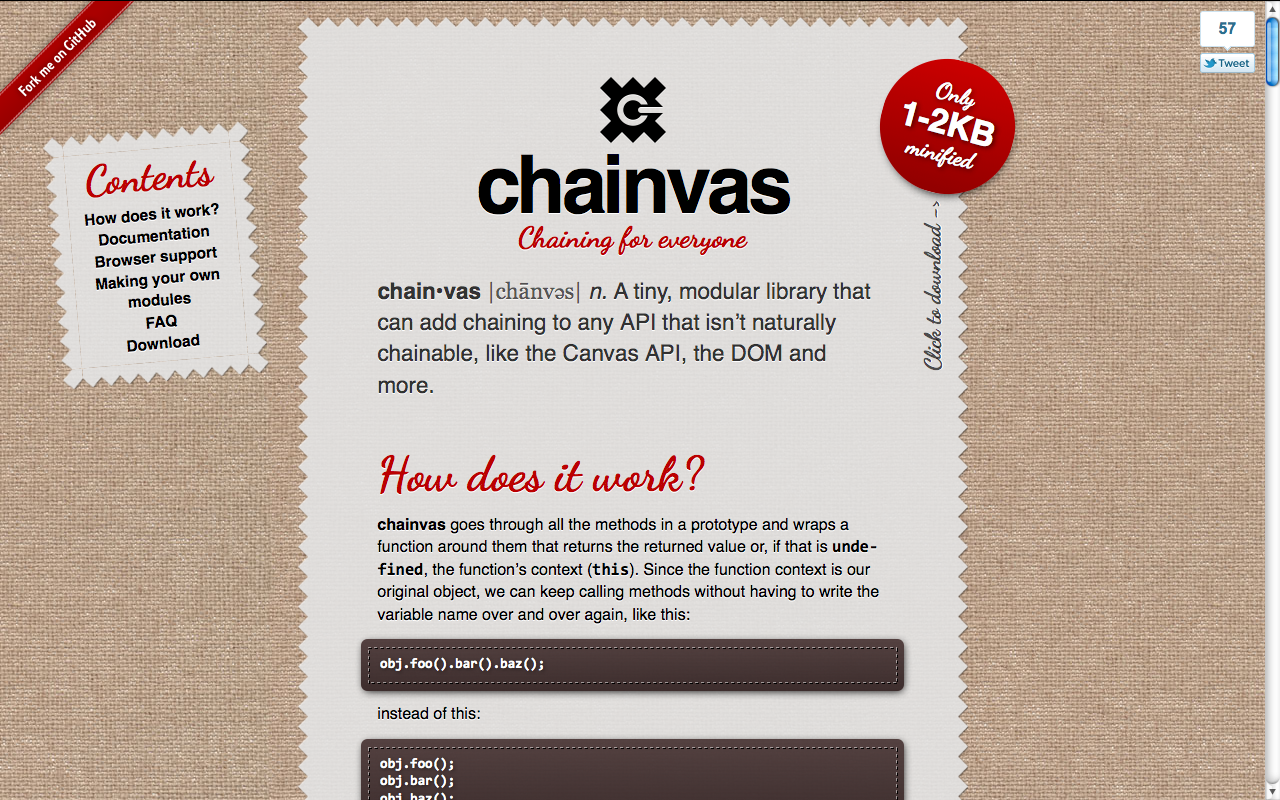
 Actually, while using Chainvas myself, I found it immensely more useful for chaining DOM methods and setting multiple element properties at once. Chainvas had a lot of potential, that most people were missing. And then it dawned on me: I should modularize the library! A generic chaining library at its core and additional modules for making the different APIs chainable. And I did it.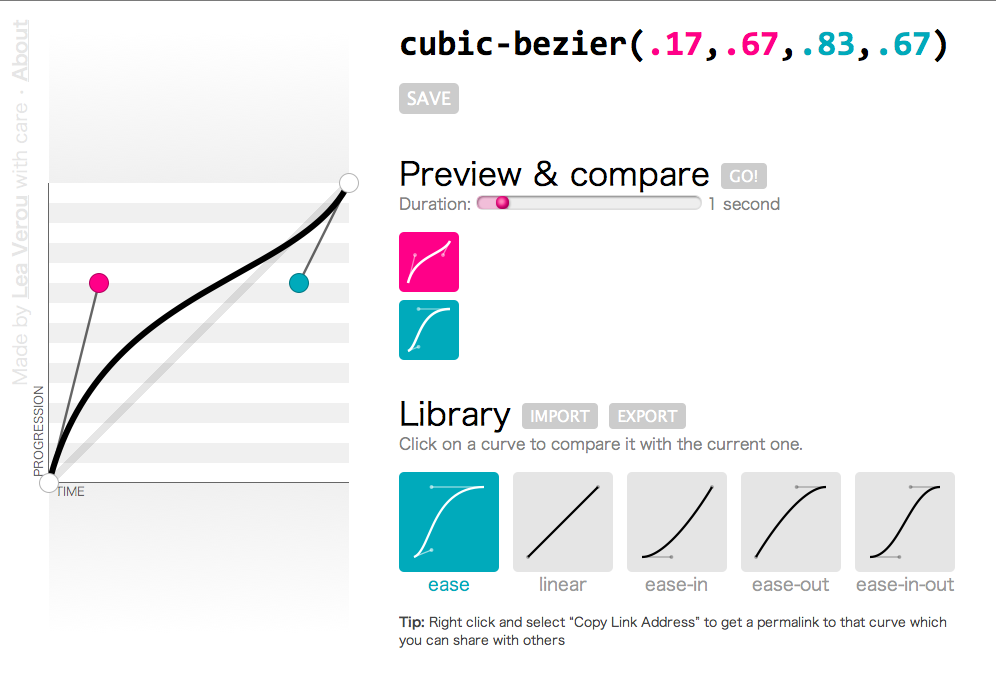
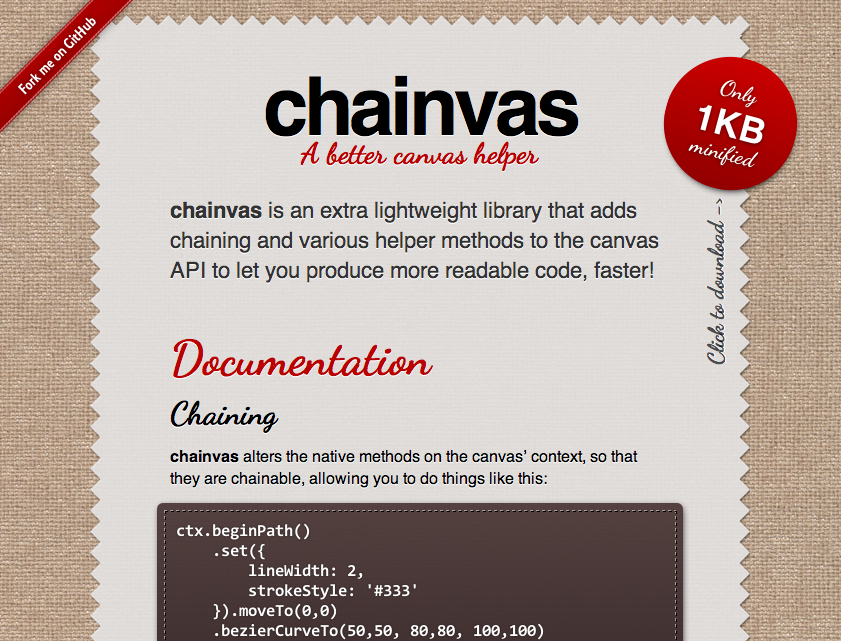
 Whenever I wanted to convert a CSS named color to RGB, I used to open
  As some people that have been following me for a while know, the 140 character limit on twitter bugs me a lot sometimes, and I’ve tried to find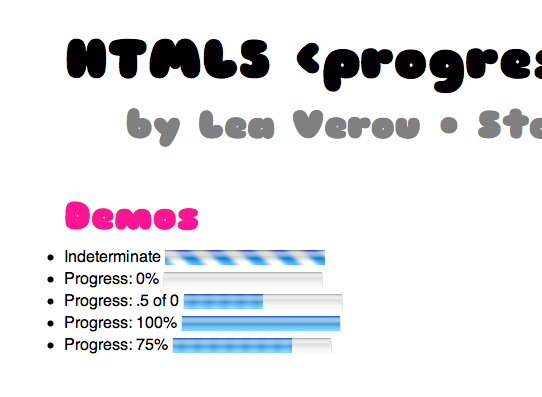

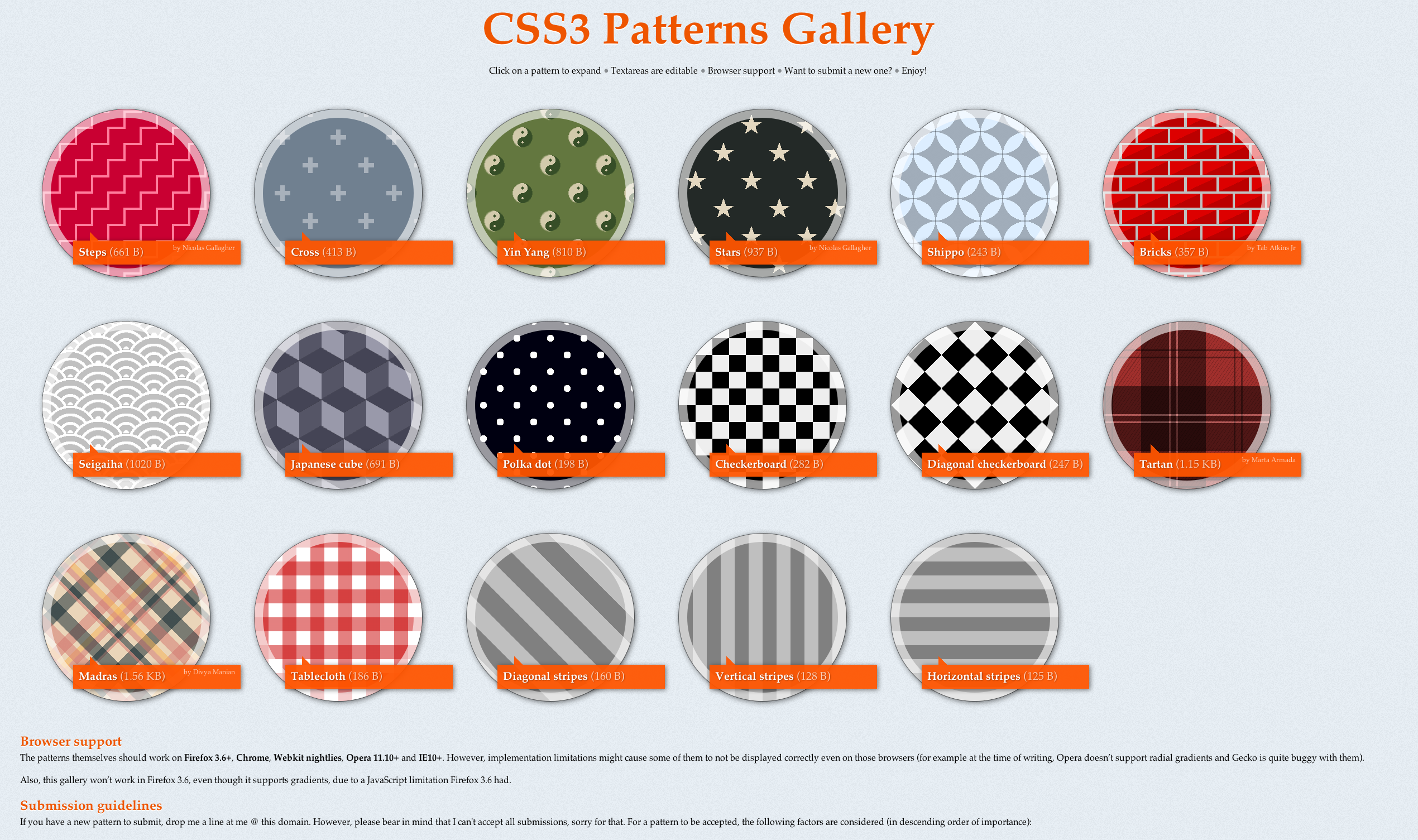
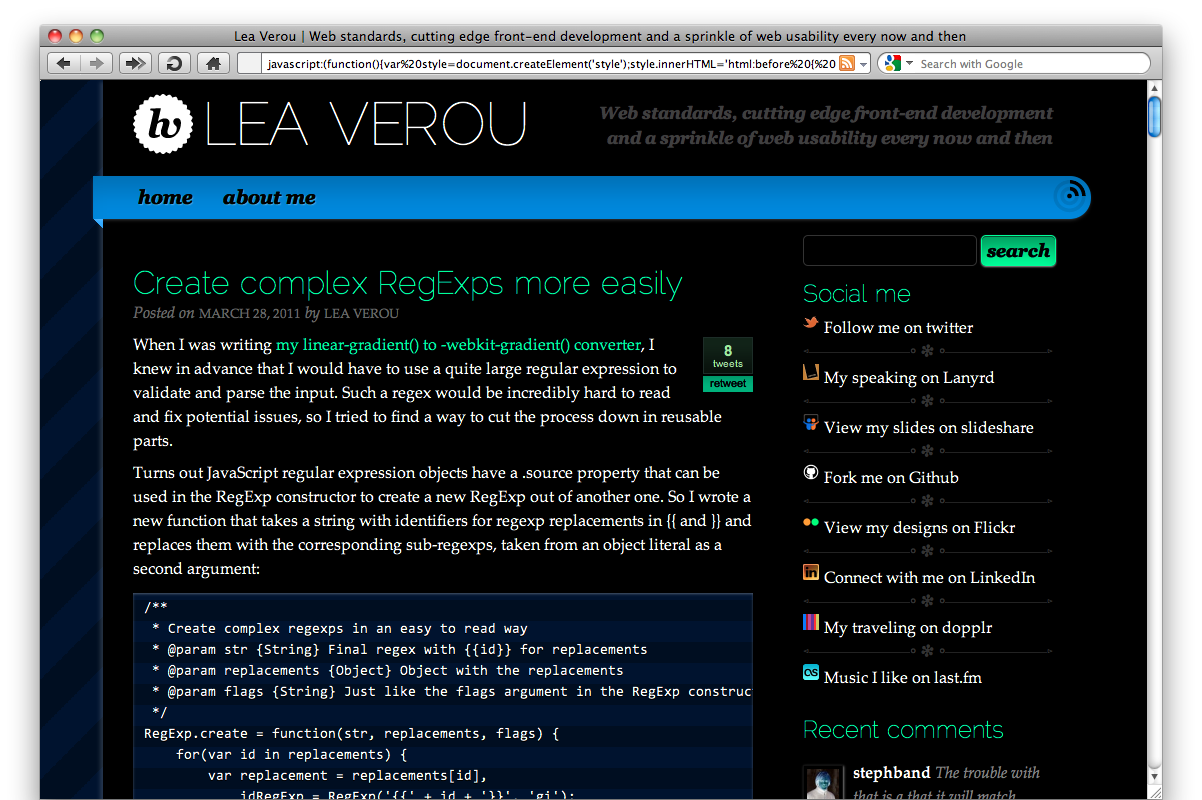
 I hate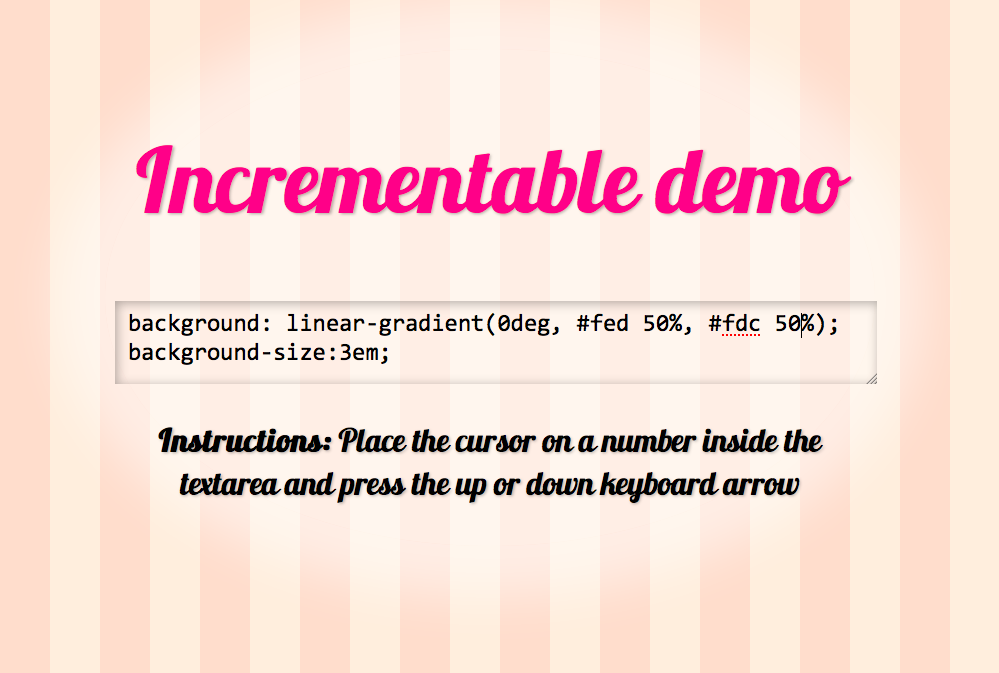

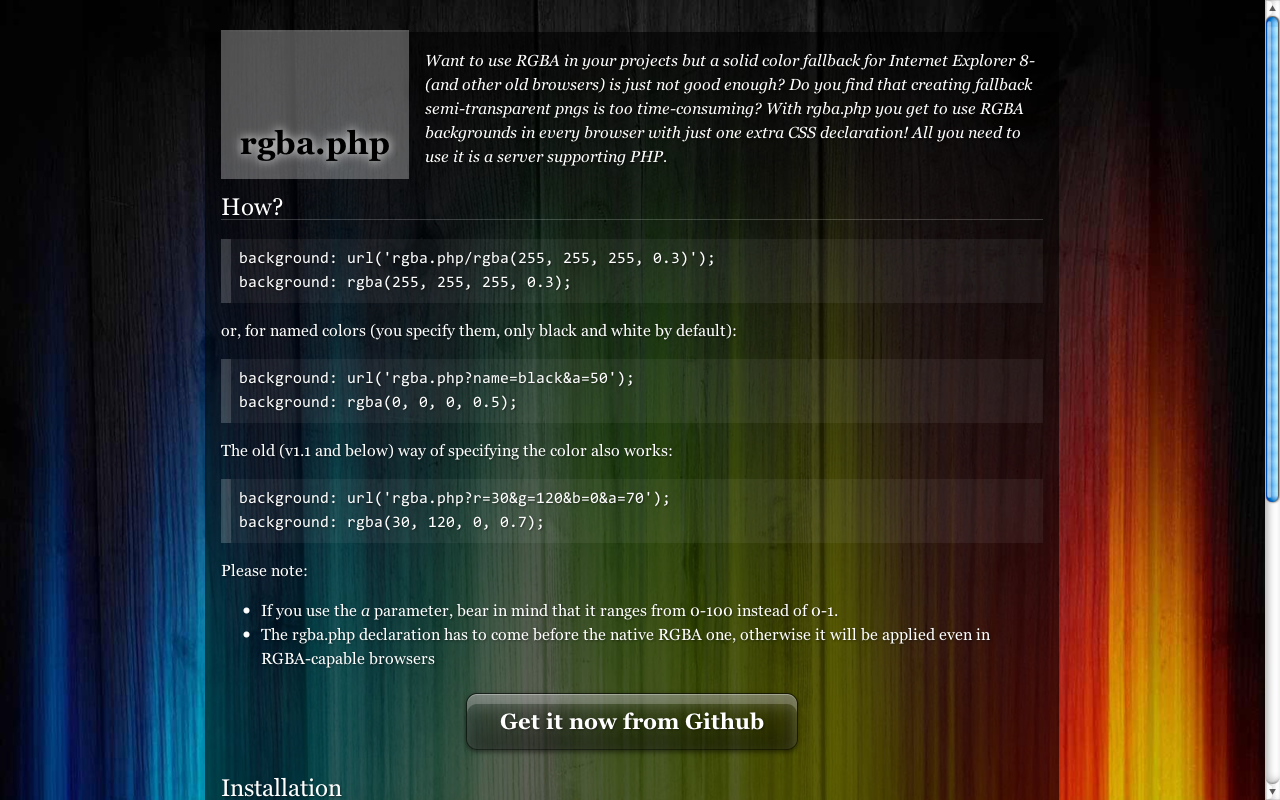

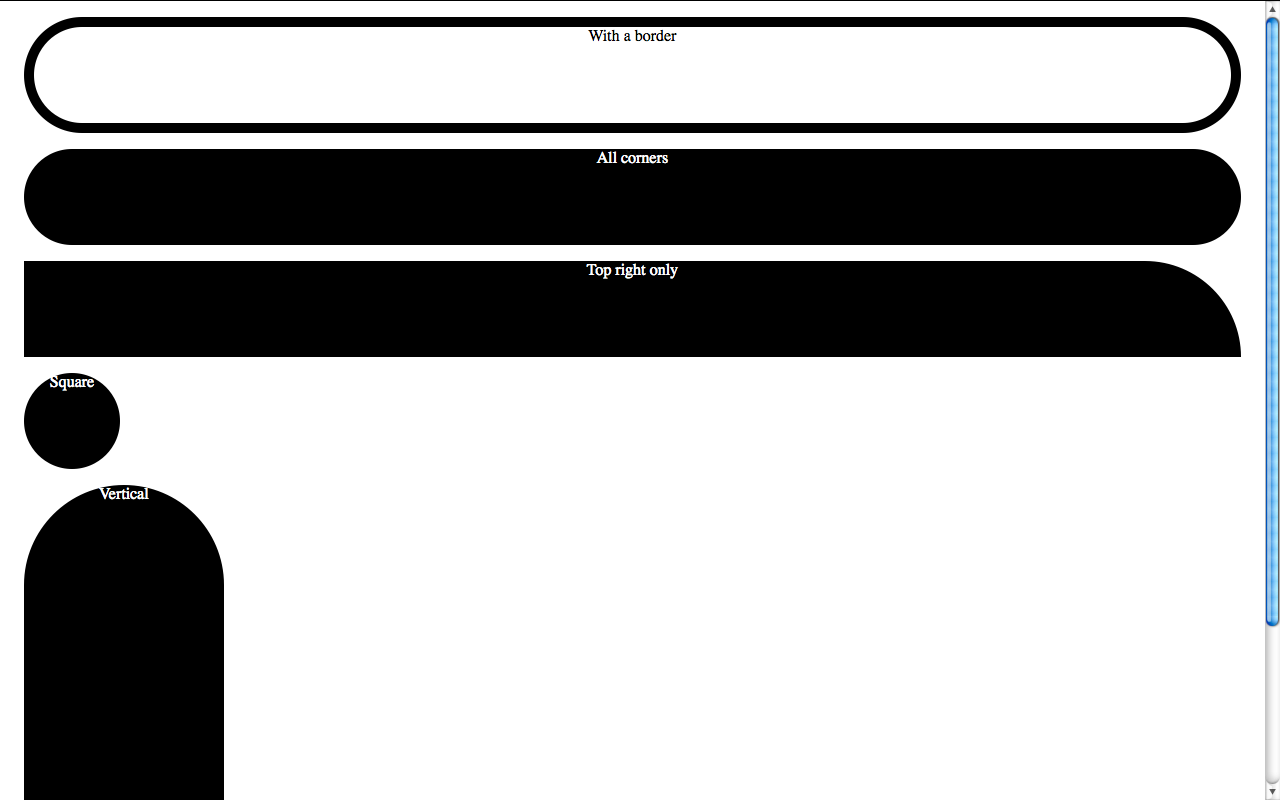
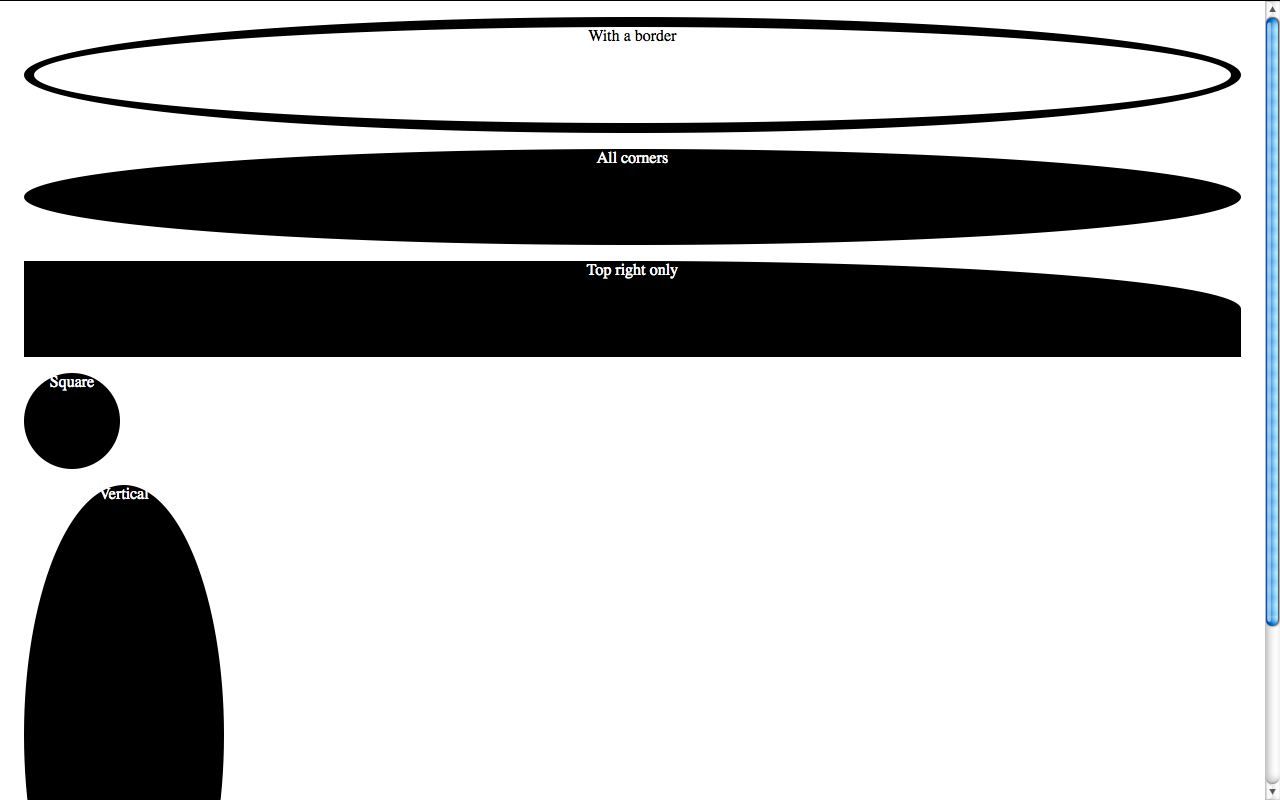
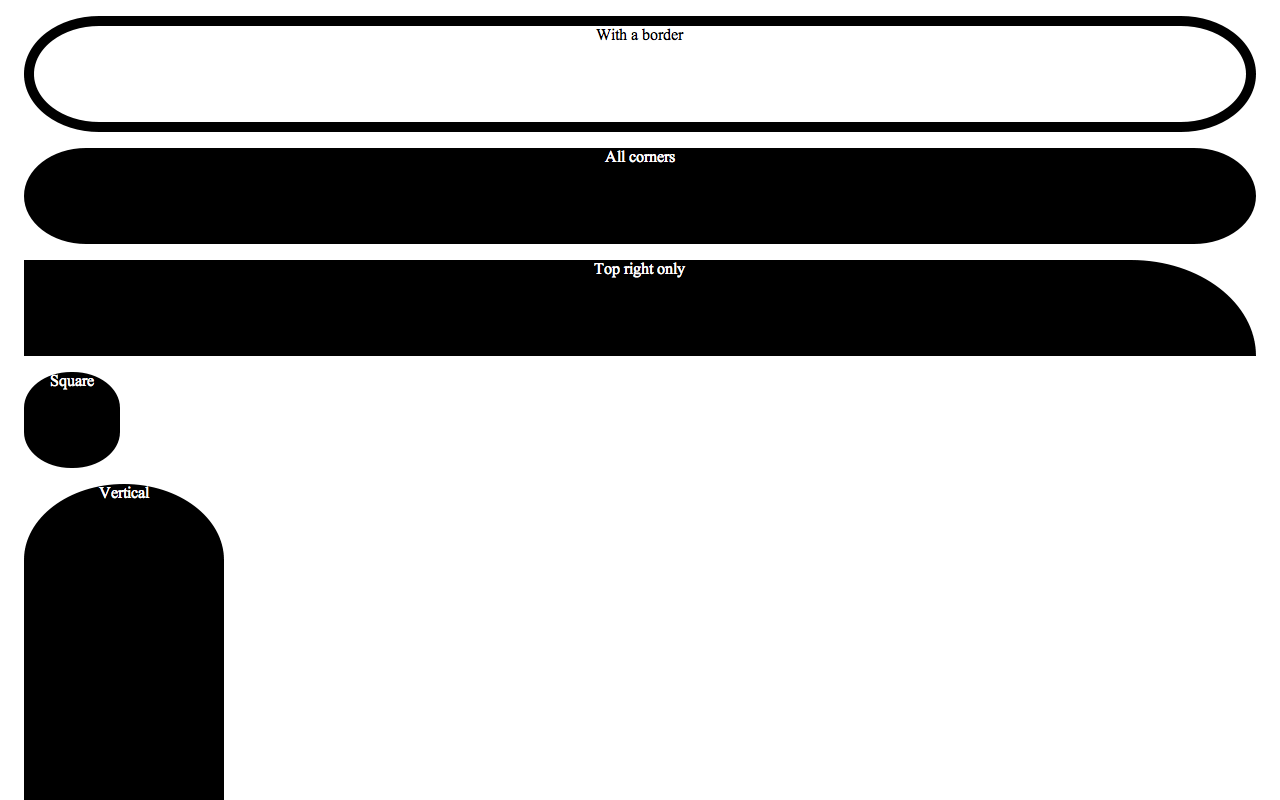


 A couple hours ago, I received a notification email from