GitHub - secretGeek/AwesomeCSV: 🕶️A curated list of awesome tools for dealing with CSV.
🕶️A curated list of awesome tools for dealing with CSV. - secretGeek/AwesomeCSV
🕶️A curated list of awesome tools for dealing with CSV. - secretGeek/AwesomeCSV
A list of command-line tools for manipulating structured text data - dbohdan/structured-text-tools
Mads Hartmann

As a programmer, I know that grep, sed and awk are powerful for processing text, but they sometimes aren't that straight-forward for specific tasks, as I need to think about how to filter the lines and the columns out. So I wonder if there is a handy way to do these tasks? After using it for a while, I think using regex directly can help, so I launched a re.findall service building on top of Python re.findall API.
A set of a misc tools to work with files and processes - mk-fg/fgtk
A set of a misc tools to work with files and processes - mk-fg/fgtk
AWK is a text-processing language with a history spanning more than 40 years. It has a POSIX st [...]
Paul Bauer, computer programmer working at Datadog, has professional interest in: resilient software engineering, functional programming, databases, profiling, remote work, personal knowledge management.
Lightweight yet powerful formatter plugin for Neovim - stevearc/conform.nvim
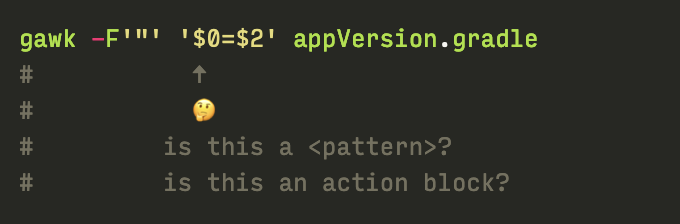
The trick to understanding awk in all its terse glory is to understand its defaults. Most solutions you see in the wild are a clever symphony of awk defaults stacked on top of each other. In this post, I break down one of the most popular one-liners which should hopefully make future awk-ing pretty straight forward.
Did you know that GNU awk has an option to save the changes back to the source files?
Examples and brief explanations for cryptic awk one-liners.

How to delete local branches whose remote has been deleted