
Set up 2FA on Ubuntu with YubiKeys
Use your yubikey, combined with your publickey, to ssh into your favorite Ubuntu server with the touch of a finger.
Community guide to using YubiKey for GnuPG and SSH - protect secrets with hardware crypto. - drduh/YubiKey-Guide
Use your yubikey, combined with your publickey, to ssh into your favorite Ubuntu server with the touch of a finger.

Authenticate your commits, plus get them the "Verified" badge on GitHub
Learn how to provision VM on the cloud with DNS records and cloudflare caching.
Blog/Website about 3D, Linux, VFX compositing, computer science and Francesco Yoshi Gobbo aka FraYoshi's life/passions in general.
How to use and configure a Yubikey
Welcome to the Holy Dev newsletter, which brings you gems I found on the web, updates from my blog, and a few scattered thoughts. You can get the next one into your mailbox if you subscribe.What is happeningI have helped recently on a large JavaScript and React frontend and have been shocked by its complexity. So I am trying to understand how to make frontends simple (which is not easy :)). It lead so far to my study of "A simple front-end architecture that works" (presented below). Stay tuned! On a related note, I am reading the 2012 report from the STEPS project, which postulates that our codebases are 100, 1000 times larger than they need to be (oh yes!) and explores ways to improve that. Their approach is to use small, purpose-built languages and it produces very promising results.
After last year’s pandemic shock, this year has brought more hope and motivation to people. I’ve felt motivated to learn new things, deep-dive into unknown areas and finally change some things in my life. In this post I’ll share with you my most valued (software) tools, productivity tips, some books worth reading and finally some failure and success with regards to my habits. Health # Wim Hof Method # Last year just before the (pandemic) winter blues was about to begin I’ve had enough of that feeling something you cannot control was already part of my daily life.

80 comments
ssh-keygen can sign and verify signatures, and it's way better than PGP
A birthday, the island of Custard, more public keys and a new earworm.

Today I was again setting up OpenPGP application on a new Yubikey. After over two years I already forgot how tedious that can be… I’m writing this blog post to create a clear trace of what I needed to do today and hopefully, when the time comes to set up an another key, it’ll be as easy as opening up a blog entry.
I came across a great guide to using a YubiKey with SSH and GPG a couple years ago which helped push me over the fence and acquire my own YubiKey. Following that setup guide, I set up my keys offline using a Tails Linux boot USB with a OneRNG hardware random number generator. While a fun exercise, I must note that it’s not for the faint of heart, especially if done on a recent MacBook Pro (with a touchbar) or incompatible hardware. However, it did help explain some of the features available in GnuPG, and this came in handy recently while exploring the new support for elliptic curve cryptography in YubiKey firmware 5.2.3, the version installed in my later YubiKey 5Ci purchase. While I originally created PGP keys using the same guide last year with RSA keys, since those keys were expiring soon, it seemed like a good idea to look in to switching to Curve25519 keys. GnuPG has added some improved support for this algorithm along with supporting this updated YubiKey firmware to transfer these keys to a YubiKey. In this brief guide, I’ll go over how to generate an appropriate PGP key that can be used both in a YubiKey and for use with SSH. For more general info about using smartcards with GnuPG, see this guide from GnuPG.
How many time did you lose your phone that contains all your 2FA ? or your hard disk along with your private keys, ssh or/and gpg? I did, aloooooot and it was excruciating every time, locked from your accounts, it is more likely to lose your phone/disk or have it damaged than your keychain. YubiKey is a physical hardware device, that can save different type of authentication, GPG keys, ssh keys, 2FA, and even static password. It even supports U2F with Firefox and chrome, which you can also use with Google now, and there is more.
Yubikeys are great. Many use them just for 2 factor authentication. But Yubikeys are capable to hold your GPG keys also. And you can use your GPG keys for SSH authentication. So here is the story of how I carry my SSH keys in my pocket all the time in (almost) pain-free and relatively secure way. You have two options for creating GPG keys: creating directly on Yubikey or creating on your computer and import to Yubikey.
Notes by `dpc`
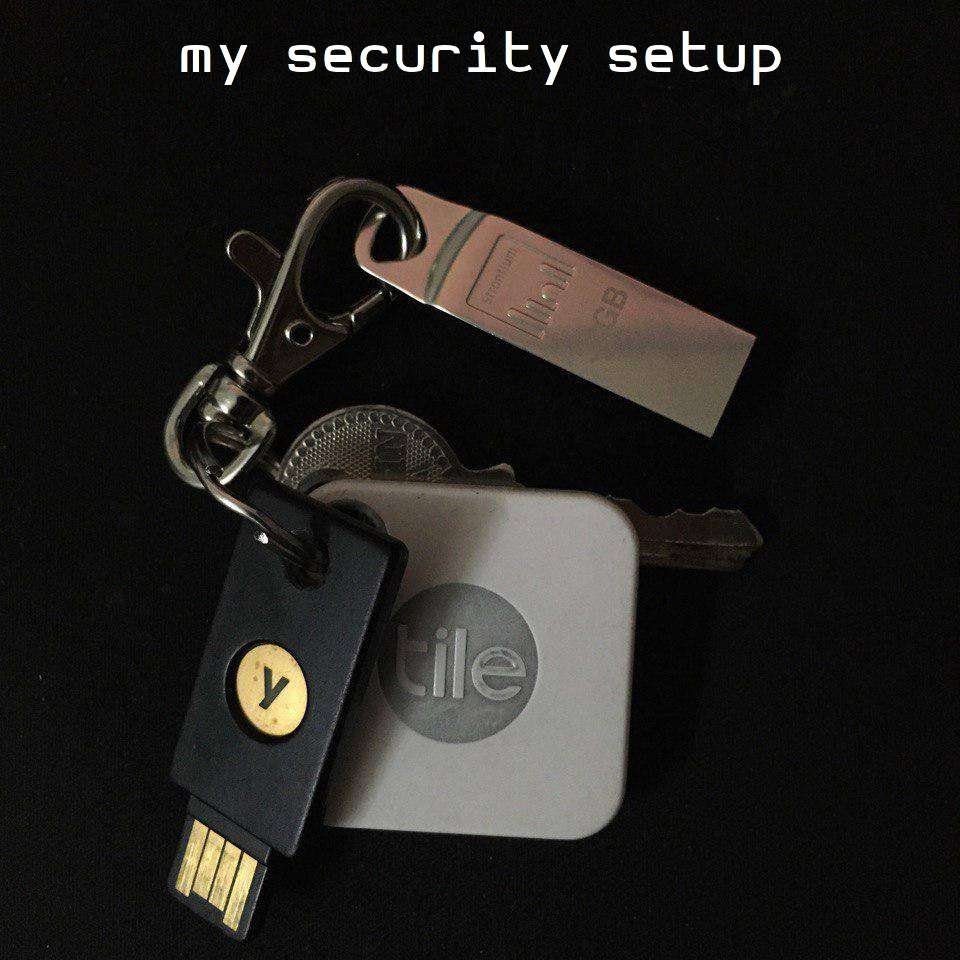
I upgraded my encryption setup recently, so I thought I should write about it, just in case it is helpful to someone else. As a security professional, I have a different threat model from most folks, and as such my setup does involve a bit more complexity than what I’d recommend to everyone. But if you are an at-risk individual (journalist, person holding hundreds of bitcoins or other digital assets, activist) or if you are a linux user with a lot of free time - you might consider duplicating some of this.
It is a universally acknowledged truth that remembering your passwords is a bad idea. The modern Internet user will inevitably be required to register for many services, and websites, and inventing a new password for each one will quickly overwhelm him or her. The burden of memorizing one’s passwords is too great to bear. Unless, of course, we grant that passwords may be reused—that we shall never do. Once we are satisfied that keeping all of one’s passwords in one’s head is a bad idea, we shall proceed to delegating this task to computers. If your computer is managing your passwords, you are free to use a different one for every entity, and you are enabled and encouraged to create very long and random passwords.

How I set up my home lab to be my very own cloud.
Suggestions on how to (somewhat) securely handle secrets in the terminal.