ImageMagick | Mastering Digital Image Alchemy
imagemagick.orgImageMagick is a powerful open-source software suite for creating, editing, converting, and manipulating images in over 200 formats. Ideal for developers, designers, and researchers.

Senior performance architect (Netflix)

We get a lot of questions about how we generate these images dynamically. Here is the answer.
Tricks for image modifications using command line tools - siakaramalegos/images-on-the-command-line
A curated list of CTF frameworks, libraries, resources and softwares - apsdehal/awesome-ctf
The combination of API Gateway and Lambda is very powerful. It allows you to build some complex functionalities without maintaining any virtual machines yourself. Lambda can be hooked up to many other (AWS) Services including DynamoDB, Kinesis and S3. This paradigm, better known as serverless, is truly upcoming for years now and its certainly time to jump on the bandwagon if you haven’t done so already. One of the better-known use cases of AWS Lambda is the generation of thumbnail images as images are inserted into S3. In this blog post we will go one step further and generate images based on the URL and return the image as a binary through API Gateway. The number of possibilities this unlocks are pretty much countless, including the generation of charts, bar codes, dynamic icons and much more.
Web interface for browsing, search and filtering recent arxiv submissions - karpathy/arxiv-sanity-preserver

The Melian Dialogue offers insight into the incentives of states to abuse their power. It applies to world politics and international justice.
In this seminar we apply the main ideas of Thomas Hobbes to international relations. We see how Realism prepares us for world politics.
The Ring of Gyges is a thought experiment by Plato to examine human nature and how justice works. Here we apply it to international relations.

Between a recent post here on PetaPixel about the Beauty of Space Photography, and my own experiments on blending series of images using averaging
We've all been there—you forgot to scale down an image before adding it to the page. The image looks fine, but it is wasting users' data and hurting page performance.

Wow, time flies when you’re busy. As seen on the OML site, we’ve announced we’re working on our next game. With that out of the bag, I’ll probably be blogging about the progress of it, obstacles I run into, and things that are helping us along with the development that might prove useful to other iOS devs. With that, the first major issue we’ve come across is trying to develop 2D assets for a game that is planned to run in 3 different resolutions.
TimelapseThing is a Python script that includes a number of tools for working with timelapse image series (in JPG format). It can be used to deflicker images (if some images in the series are mildy under- or over-exposed), merge a series of JPGs into a video, batch crop and resize, expand a series into a longer series, and lighten/darken/median merge using a sliding window approach (see below) for artistic effect and artifact removal (such as someone walking across your timelapse and getting caught in a frame). The heavy lifting is done using ImageMagick’s convert tool, and ffmpeg for video creation, so these tools are required.
Reactive file manager for Meteor. Contribute to Meteor-Community-Packages/Meteor-CollectionFS development by creating an account on GitHub.

More adventures in deep learning and cheap hardware.
Recently, I’ve been interested in improving the performance of my website, especially on the ‘Drawings’ page, where I showcase some of my artwork. Images are often the most common cause of poor website performance, due to their large file size. I found a neat tool called Lighthouse that helps debug performance issues and provide suggestions for improvements. I ran Lighthouse on the previous version of my drawings page, and got the following:

Thoughts on Ruby, Rails, open source software, programming, and life.
Time-lapse app for Raspberry Pi computers. Contribute to geerlingguy/pi-timelapse development by creating an account on GitHub.
Circe, a Client for IRC in Emacs. Contribute to emacs-circe/circe development by creating an account on GitHub.
Circe, a Client for IRC in Emacs. Contribute to emacs-circe/circe development by creating an account on GitHub.
What is the cost of your non-responsive images? Contribute to yoavweiss/Sizer-Soze development by creating an account on GitHub.
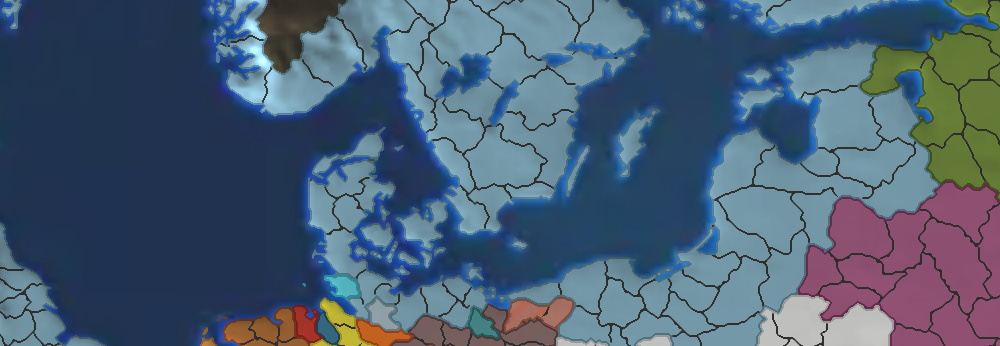
There are several ways one can replicate EU4’s map. The most popular methods have been to either create a bitmap image and suffer from scaling issues or derive a bitmap tracing routine to convert into vector graphics. However to create the most realstic and performant render, one should turn to the GPU. I talk about how we accomplished this in Rakaly.
Goal We want to superimpose (or overlay) our logo image on top of all images in the current directory.

Tinkering: prototype your way out of uncertainty Ten years ago I found myself near Portland talking to Bill, a brilliant colleague who was working at one of HP’s printer divisions. We were both worried about the lack of tools available for the particular set of problems we were working on —figuring out the algorithms that decide which drops to print, and when, in an ink-jet printer. It turned out we had both been thinking along the same lines: we wanted a set of libraries for image processing, written in C++ for speed, and accessible from Python for ease of prototyping. We were all avid users of the available toolkits for manipulating images (the classic pbm, ImageMagick) but there was nothing out there that could meet our rather special needs.

A quick guide for creating a pdf from multiple images in Terminal

By Anton Garcia Diaz After decades of the unrivaled dominance of JPEG, recent years have witnessed the appearance of new formats — WebP and HEIC — that challenge this position. These have only partial, but significant, support by major players among ...

9 patch images in Android are great but if you happen to have a family of graphics to convert, it can get pretty tedious. I had a collection of button graphics that needed converting to 9 patches u…
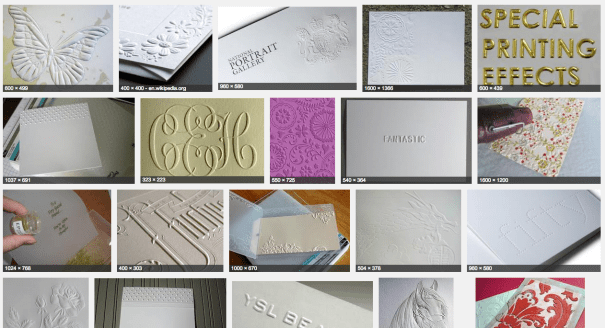
Earlier, I showed you how to extrude images in OpenSCAD, and a beginner’s guide to OpenSCAD. This time it’s a more advanced method on how to emboss images onto a surface in OpenSCAD, wh…
It turns out that transmitting and receiving SSTV signals is pretty easy, using just a raspberry pi as a transmitter and an RTL-SDR as a receiver. There are a few programs which you’ll need to install before you begin:
How much CPU cores does your computer have? 2-8, I think. It’s very time to use them all, isn’t it? But there are plenty of Unix utils such as grep, find, wc etc., which have no idea about parallel data processing. They can’t split their input into 8 pieces and spawn the corresponding number of threads or processes to process it using all the power of your modern CPU. Definitely, this problem is quite interesting and practical to rest unsolved. According to the Unix philosophy, 1) it is good for programs to do one thing well; 2) it is a good idea to combine simple programs to do complex things. grep do pattern matching well. How about parallelization? There is an utility know as GNU Parallel which main purpose is to execute arbitrary jobs in parallel on one or even multiple machines. The program is quite complex and multifunctional, look at man and tutorial. Here, I want just to give a little flavor of it.

Overview *bleed attacks are hot right now. Most notably, there's been Heartbleed and Cloudbleed . In both cases, out-of-bounds reads in s...

An explanation As mentioned in my previous post, I really wanted to optimize my hexo blog for speed. I’ve started a new project and decided hexo would be a good fit for it. Since I’ve grown used to hexo, it will make development faster. Albeit it’s not a blog I’m working on, but a webpage for a local blacksmith. That will involve quite a few images and just a few text entries/pages. Being able to deploy to S3 is also a benefit - no need to manage anything - and since the webpage is going to be pretty static I’m thinking hexo is a good way to go. The problem though, is that most of the themes that hexo has are quite slow out of the box. For this walkthrough, I’ll be doing a demo repo with a standard hexo init followed by a clone of the theme edinburgh. I have a repo setup with all the steps tagged, so you should be able to see the exact changes I’m making. I’ll include step links just after the heading for each section if you’re interested in following along. Let’s get going then.
If you find yourself in need of easily converting a full directory of images, say a web sequence of about 100 PNGs, to the webp format then you’ve come to