
Spark Files: Keeping Track of Your Ideas, Concepts & Thoughts
Spark files were my introduction to keeping digital notes.
Extension for Visual Studio Code - Markdown linting and style checking for Visual Studio Code
Spark files were my introduction to keeping digital notes.

Compendium of impressions from an odyssey with my most preferred day-to-day IDE, not only for Python/MLOps
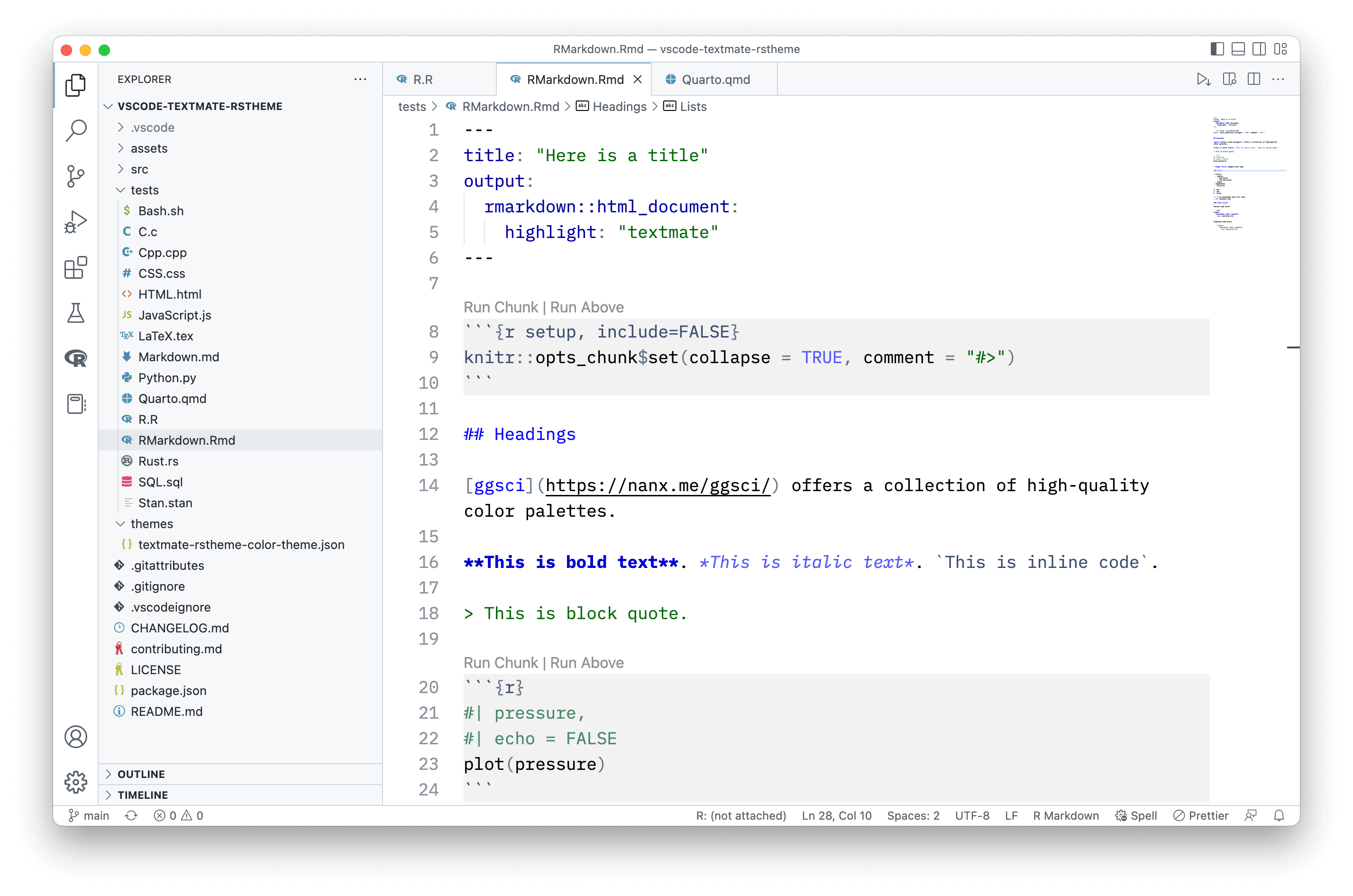
I published a light theme for VS Code inspired by the TextMate (default) theme in RStudio IDE.
Markdown Architectural Decision Records. Contribute to adr/madr development by creating an account on GitHub.
Expand your development workflow with task integration in Visual Studio Code.
会写 Markdown 的人很多,但写得好 Markdown 的人却很少。有没有什么工具能充当「秘书」,检查文件中的 Markdown 语法和风格,并且提出解决方案、自动修复问题,甚至自动补齐中英文之间的「盘古之白」呢?本文介绍的 Markdown 语法检查器(linter)就能做到。

Search: markdownlint
"If you can't measure it, you can't manage it." [A brief analysis of markdownlint rule popularity]
My name is David Anson. I work at Microsoft where I've helped build client, server, and web apps. I contribute to OSS. I blog about anything that interests me.

It's fast, lightweight, widely-adopted and ludicrously-customisable. Better yet, you can easily share extensions and settings between VS Code projects.
Hashnode unfortunately has been hard at work pushing their web3 tag, as well as various blockchain and NFT hackathons. This¹ is completely² untenable for various reasons, which means I’m moving my blog to disassociate from that company as much as I can.

I’ve gone through the setup and daily use of a number of editors over the years including most current popular ones for front end development (i.e. sublime, atom, and vs code) and for me VS code is the best choice for front end development at the moment. The team has put a lot of effort into making it a great javascript experience out of the box and it shows (VS code itself is written in typescript and the team uses vs code to build vs code) and with some additional work you can have the best experience while writing javascript.
Marcus Kazmierczak's blog about code, data visualization, and life

After experimenting with all kinds of text editors, from Atom (RIP 🙏) to Scrivener, I’ve settled on Visual Studio Code for my writing (with a dose
If one is good, two must be better [markdownlint-cli2 is a new kind of command-line interface for markdownlint]

In this series, we are taking a look at some of my favorite VS Code extensions. Extension in VS Code are invaluable to speed up your work and make you more productive. In this post, we are going to look at Markdown Lint which provides Markdown/CommonMark linting and style checking for markdown files. Markdownlint has make my markdown output much more predictable and easier for others dev to follow.

With social media and microblogging all the rage on the Internet these days, why even blog? I'm going to tell you, through one of the oldest Internet things I know of: being tagged to fill out a template.