Source: Apple. In what I expect will be an overarching theme at WWDC 2026, Apple’s Accessibility group took the wraps off an impressive collection of features coming later this year. The announcement, which is timed to lead into Global Accessibility Awareness Day on Thursday, emphasizes existing features and technologies that the company says will gain […]
Show full content
Source: Apple.
In what I expect will be an overarching theme at WWDC 2026, Apple’s Accessibility group took the wraps off an impressive collection of features coming later this year. The announcement, which is timed to lead into Global Accessibility Awareness Day on Thursday, emphasizes existing features and technologies that the company says will gain deeper capabilities thanks to Apple Intelligence.
For starters, VoiceOver will become more descriptive, allowing a device’s camera to be used to describe the user’s surroundings or a scanned document in greater detail. The feature will also make use of the Action button to trigger the camera and allow users to ask questions and make follow-up inquiries about what’s in the viewfinder. The Magnifier will gain voice controls, too, so users can simply ask it to zoom in, for example.
Source: Apple.
Voice Control will get similar enhancements. Rather than requiring a defined set of commands that need to be memorized to control a device, the feature will allow users to invoke actions with natural language, such as, “Tap the orange folder.”
Accessibility Reader will be able to handle more complex written layouts that include tables, columns, and other traditionally challenging formatting. If there’s one thing that LLMs have become extremely good at, it’s scraping the web and learning how to parse the meaningful parts of a webpage. While I’d have preferred that the web not have been pillaged as fuel for models in the first place, I’m glad at least part of that is going towards making the web and other text more readable for people who need it.
One of my favorite demos that Apple showed off during my briefing was a short video shot on an iPhone that had subtitles added to it on the fly using an on-device model. We’ve grown so accustomed to subtitles being available with the TV shows, movies, and YouTube videos we watch that they feel like they’re missing from the home movies we shoot and share with friends and family. Later this year, though, subtitles will be available for all types of video, generated privately on device.
Vision Pro wheelchair control. Source: Apple.
The Vision Pro uses state-of-the-art eye tracking for interacting with your environment. Apple announced that it is extending that technology to motorized wheelchairs by working with partners TOLT Technologies and LUCI. The system allows a motorized wheelchair to be maneuvered by the user simply looking at controls inside the Vision Pro. The video showing off the feature was impressive and makes perfect sense if you’ve ever used the Vision Pro.
Apple also announced a new accessory with an accessibility angle. You may have seen the Hikawa Grip and Stand collection, a series of colorful accessories designed to make it easier for people to hold an iPhone more securely. Designed late last year by artist Bailey Hikawa, the Hikawa Grip and Stand is being mass-produced by PopSockets and sold in Apple retail stores in 20 markets starting today.
Finally, a bunch of other accessibility features are coming to Apple platforms later this year, including:
Vehicle Motion Cues, face gestures for taps, and eye-select in Dwell Control for visionOS,
Touch Accommodations setup customization,
Improvements to MFi hearing aid pairing and handoff across devices,
Larger Text support in tvOS,
Name Recognition in over 50 languages,
An API for adding human sign language interpreters to FaceTime, and
Support for Sony’s Access game controllers on iOS, iPadOS, and macOS.
With all the overblown hype surrounding artificial intelligence, it’s refreshing to see Apple putting it to practical use in ways that are meaningful to its users. One thing I’ve learned from following the work of Apple’s Accessibility team over the years is that there’s no one-size-fits-all approach to accessibility. The solutions are as unique as the people they serve. Apple has always offered a wide range of APIs and user features to make their hardware and apps available to as many people as possible, but Apple Intelligence promises to take the company’s longstanding commitment and make it more flexible and powerful for more people than ever before.
Today, Apple announced the finalists for the Apple Design Awards in six categories: Delight and Fun Inclusivity Innovation Interaction Social Impact Visuals and Graphics Each category includes three finalists for a total of 18 apps and games from across Apple’s platforms: Delight and Fun Finalists in this category provide memorable, engaging, and satisfying experiences enhanced […]
Show full content
Today, Apple announced the finalists for the Apple Design Awards in six categories:
Delight and Fun
Inclusivity
Innovation
Interaction
Social Impact
Visuals and Graphics
Each category includes three finalists for a total of 18 apps and games from across Apple’s platforms:
Delight and Fun
Finalists in this category provide memorable, engaging, and satisfying experiences enhanced by Apple technologies.
There is a wealth of excellent apps and games here that do a good job of representing the breadth of design excellence on Apple’s platforms. Congratulations to all the winners.1
Last week, Soapbox Software (Ben McCarthy and Aaron Vegh) released Indigo, an iPhone, iPad, and Mac app that offers a unique take on social media, allowing you to log into both Bluesky and Mastodon in a single app. In the increasingly fractured social media landscape we live in, it’s a fantastic idea. Instead of bouncing […]
Show full content
Last week, Soapbox Software (Ben McCarthy and Aaron Vegh) released Indigo, an iPhone, iPad, and Mac app that offers a unique take on social media, allowing you to log into both Bluesky and Mastodon in a single app. In the increasingly fractured social media landscape we live in, it’s a fantastic idea. Instead of bouncing back and forth between two services that have a lot of overlap for some users, why not use just one?
Like Croissant, Indigo lets you cross-post to Bluesky and Mastodon and is beautifully designed. But unlike Croissant, Indigo is a full-blown timeline app for simultaneously catching up on your Bluesky and Mastodon feeds at the same time.
Depending on who you follow on each service, a mashup of the two has the potential to generate a timeline full of duplicates, but Soapbox took that into account with Indigo. There’s no need to change who you follow or make any other sort of adjustment yourself; instead, the app automatically detects duplicate posts and removes them from sight. However, if for some reason you want to see both, the duplicate post is always available behind the tap of a Crosspost button. It’s a great feature that alerts you to the fact that one of your timelines has been altered while also giving you the chance to check out the other post.
Indigo running on an iPad Pro.
Other touches, such as the color of links, provide subtle clues to convey a post’s provenance, but the shades of blue and purple used are close enough that you might not notice the difference until you run across a Crosspost button. I also appreciate the separate character limit countdowns for each service on the New Post screen, which let you know when you’re going to have to forgo Bluesky for a chattier Mastodon post. Fortunately, the app lets you just post to one or the other service if you’d like by tapping on the character countdown.
All of the other core features you’d expect are available, too. Photos, videos, and GIFs are supported, as are @mentions and hashtags. You can filter who can see your post and who can reply to it, with some inherent differences in the underlying services’ support for those features. The app also includes search, notifications, direct messages, profile viewing, and a bunch of settings you can tweak. That said, power users of apps like Ivory may feel a little constrained in Indigo. It’s an excellent 1.0, but it doesn’t yet match the full functionality of Ivory.
Scrolling dog stories on the Mac.
Indigo strikes me as a good solution for a couple of different types of users. If you want a simple, beautifully designed way to read your Bluesky or Mastodon timeline, this is a great one. While the cross-posting and deduplication features are what will set Indigo apart for many, it works well as a standalone option for either service.
However, I expect the core audience will be people who use both Bluesky and Mastodon and follow many of the same people in both places. Especially if the people you follow cross-post a lot, Indigo greatly improves the experience.
I’ve enjoyed playing around with Indigo for the past few weeks and noticed a couple of things. Despite following roughly the same number of people on both services, the Bluesky accounts I follow are a lot chattier than those on Mastodon. I also have far fewer Crosspost buttons in my timeline than I expected. I guess I just follow very different accounts on each.
If you’ve ever felt the fatigue of jumping back and forth between a Bluesky and Mastodon timeline and found it hard to keep up with both, be sure to give Indigo a try. It makes the entire experience much nicer. You can download Indigo from the App Store on iPhone, iPad, and Mac and unlock its full feature set by purchasing the Ultraviolet tier, which costs $4.99/month, $34.99/year, or a one-time payment of $119.99.
BetterTouchTool has long been one of the Mac’s most versatile customization tools, offering deep control over trackpad and mouse gestures, keyboard shortcuts, Stream Deck buttons, Floating Menus, window actions, Apple Shortcuts, and more. The latest version adds a powerful new Spotlight-like Launcher that brings many parts of your Mac and BTT together in one fast […]
Show full content
BetterTouchTool has long been one of the Mac’s most versatile customization tools, offering deep control over trackpad and mouse gestures, keyboard shortcuts, Stream Deck buttons, Floating Menus, window actions, Apple Shortcuts, and more.
The latest version adds a powerful new Spotlight-like Launcher that brings many parts of your Mac and BTT together in one fast interface. Open it with e.g. a hotkey, gesture, mouse button, or Stream Deck button, then launch apps, run Shortcuts, search and browse files, switch windows, use clipboard history, create reminders or calendar events, control Apple TV, and run BTT actions. The Launcher also handles complex calculations and unit conversions directly in the search field, powered by the excellent Soulver.app.
Your own BTT triggers can appear there too, so personal automations sit alongside apps, files, Shortcuts, and system actions.
One of the Launcher’s most powerful features is native Swift plugin support. Plugins can add rows, commands, nested results, and rich custom interfaces inside the Launcher window, making it possible to build mini apps for BTT: dashboards, device controllers, API clients, automation panels, and more. BetterTouchTool’s built-in h@llo.AI assistants can even create custom Launcher plugins from a prompt, making advanced customization more approachable for Mac power users.
Since BetterTouchTool’s last sponsored MacStories post, input-device support has expanded too. Native Logitech mouse and keyboard support makes many Logitech devices directly configurable in BTT without extra software, including special keys and remappable buttons. Normal mouse support has gained scroll modifiers, e.g. for smooth scrolling, drag gestures, and trackpad-like interactions such as fluid space switching and zooming, while Magic Trackpad and Magic Mouse users continue to get new options for deep gesture customization.
Enjoy the latest episodes from MacStories’ family of podcasts: AppStories This week, John and Federico kick off the app swap challenge, with each of them giving the other three apps to use. We’ll be checking in on how it’s going each week with a final roundup of the results of the experiment after WWDC. On […]
Show full content
Enjoy the latest episodes from MacStories’ family of podcasts:
This week, John and Federico kick off the app swap challenge, with each of them giving the other three apps to use. We’ll be checking in on how it’s going each week with a final roundup of the results of the experiment after WWDC.
On AppStories+, we each pick aspirational apps and OS features that we wish we used more but don’t.
This week, mysterious Valve shipments are heading to the U.S., GameHub hits 6.0, one of us got multiple Steam Controllers, and plastic versus aluminum.
On NPC XL, Brendon, John, and Federico share apps and tips for Android gaming.
It’s just the boys today, as Chris has a slew of updates, while Matt has joined a new cult. They also try their darnedest to understand the appeal of mouse gestures in browsers.
On Cozy Zone, the gang roasts your (yes, your!) old Home Screens.
This week, an Italian movie dubbing controversy, the role of tech in the first-ever sub-two hour marathon, John’s high-tech running shoes, and a jangle-pop EP for your listening pleasure.
AppStories, Episode 484, ‘An App Swap Challenge’ Show Notes
This episode is sponsored by:
Steamclock: We make great apps. Design and development, from demos to details.
An App Swap Challenge: Pick Three Apps for Each Other to Try for a Month and Report Back
NPC XL is a weekly members-only version of NPC with extra content, available exclusively through our new Patreon for $5/month. Each week on NPC XL, Federico, Brendon, and John record a special segment or deep dive about a particular topic that is released alongside the “regular” NPC episodes. You can subscribe here.
Comfort Zone, Episode 100, ‘Don’t Let Tech Companies Electrocute You’ Show Notes
Things Discussed
For even more from the Comfort Zone crew, you can subscribe to Cozy Zone. Cozy Zone is a weekly bonus episode of Comfort Zone where Matt, Niléane, and Chris invite listeners to join them in the Cozy Zone where they’ll cover extra topics, invent wilder challenges and games, and share all their great (and not so great) takes on tech. You can subscribe to Cozy Zone for $5 per month here or $50 per year here.
MacStories Unwind, ‘Is It the Shoes?’ Show Notes
Links and Show Notes
MacStories launched its first podcast in 2017 with AppStories. Since then, the lineup has expanded to include a family of weekly shows that also includes MacStories Unwind, Magic Rays of Light, Comfort Zone, NPC: Next Portable Console, and First, Last, Everything that collectively, cover a broad range of the modern media world from Apple’s streaming service and videogame hardware to apps for a growing audience that appreciates our thoughtful, in-depth approach to media.
If you’re interested in advertising on our shows, you can learn more here or by contacting our Managing Editor, John Voorhees.
Source: Apple. Yesterday, Apple published a new page on its Developer site highlighting the contributions of 50 prominent members in the Apple developer community. The page recognizes individuals from around the world and across a variety of disciplines, from technical writing, content creation, and education to event organizing and accessibility advocacy. Each profile includes a […]
Show full content
Source: Apple.
Yesterday, Apple published a new page on its Developer site highlighting the contributions of 50 prominent members in the Apple developer community. The page recognizes individuals from around the world and across a variety of disciplines, from technical writing, content creation, and education to event organizing and accessibility advocacy. Each profile includes a photo, a short biography, and a link to the person’s LinkedIn profile.
It’s great to see Apple give this well-earned special recognition to those who do so much to improve the lives of users everywhere through their apps and other work. The community of developers that has grown around Apple’s platforms is a priceless asset to the company and its customers, and they deserve to be honored. I hope we’ll see even more of this public positive engagement with developers out of Apple going into and following WWDC.
I highly recommend browsing through the page on the Developer site. You’ll likely see some faces you recognize from our coverage and apps you love, including Hacking with Swift’s Paul Hudson, visionOS educator Joseph Simpson, previous First, Last, Everything guest Robin Kanatzar, Mercury Weather’s Malin Sundberg, and many more. If there’s another developer you think should be recognized in the future, the page includes a link to submit their name to Apple for consideration as well.
Automations in Codex for Mac. It’s hard to spot long-term trends in the AI world when things are changing so quickly on a weekly basis, but if we try and look back at the first five months of 2026, it’s undeniable that the rise of personal AI agents has been a central theme of the […]
Show full content
It’s hard to spot long-term trends in the AI world when things are changing so quickly on a weekly basis, but if we try and look back at the first five months of 2026, it’s undeniable that the rise of personal AI agents has been a central theme of the year. What started as a...
This Story is for Club Members
Get weekly newsletters, exclusive stories, member downloads, and ad-free version of MacStories Unwind.
Monologue for iOS. As I mentioned in a recent issue of MacStories Weekly for Club members, I believe that reliable dictation and text-to-speech are largely solved problems in the AI industry right now for most languages. There are certainly subtle differences between the latest models and not-so-subtle discrepancies when you consider local (and free) transcription […]
Show full content
Monologue for iOS.
As I mentioned in a recent issue of MacStories Weekly for Club members, I believe that reliable dictation and text-to-speech are largely solved problems in the AI industry right now for most languages. There are certainly subtle differences between the latest models and not-so-subtle discrepancies when you consider local (and free) transcription models versus cloud-hosted (and often expensive) solutions, but by and large, LLMs have “fixed” the problem of fast and high-performance speech-to-text transcription. Whether you’re using Superwhisper, Wispr Flow, Aqua Voice, or a local wrapper for Parakeet or Microsoft’s VibeVoice, chances are that your transcribed text will be more than good enough these days. Just like with regular chatbots, benchmarks matter less and less: it’s the overall user experience that defines products that are otherwise very similar to each other.
For transcription apps, especially in 2025, it used to be that a key differentiator was having cross-device support with a mobile app that could also transcribe text. To the best of my knowledge, the folks at Wispr Flow were the first to offer an Android app (in addition to Mac and Windows) plus an iOS app with a custom keyboard that leveraged Live Activities to let you dictate text anywhere on iOS with far greater performance and more features than Apple’s default dictation. Then, Superwhisper, Aqua Voice, and others followed with similar implementations based on custom keyboards and Live Activities. Each app has a slightly different design and slightly different performance, but once again, deep integration with iOS and text input fields is also a solved problem now. No matter which iOS dictation app you choose to go for these days, you’ll probably have a good time with its custom keyboard and sync across iOS and macOS.
Which brings me to what I think is a new kind of differentiator between all these apps now: agent integration and the ability to get your transcribed text out of an app. Sure, I like the ability to quickly and reliably dictate text and have it transcribed in any text field on my Mac, iPhone, or iPad. But what about those times when I just want to dictate something, and I’m not sure where it’ll go yet, but I just want to make sure it gets saved somewhere? I’ve been over this problem before. Furthermore, my growing reliance on Codex as an all-in-one “productivity assistant” app also means that I’m actively seeking out apps and services that can be plugged into Codex via APIs or CLIs. With agents more than ever, the era of siloed apps is over; if I’m supposed to use something for work, it better be extensible and scriptable.
This is where Monologue Notes comes in. Monologue is another dictation app available on macOS, iOS, iPadOS, and watchOS that, unlike others, presents itself with a lovely skeuomorphic design that reminds me of iOS 6 (gone too soon, R.I.P. to a real one, etc.). Like other dictation apps, it supports different “modes” for things like casual texts and formal email messaging, lets you define a custom dictionary of text replacements for frequently dictated names or acronyms, and can be activated on iOS with a custom keyboard and Live Activity in the Dynamic Island. Sadly, Monologue also follows in the footsteps of other apps by not telling you which model is used behind the scenes, but since the transcription is great, I don’t particularly mind the obfuscation. With the exception of its unique visual identity (and the ability to unlock its full feature set as part of an Every bundle, which is a good deal), Monologue falls under the umbrella of comparable functionalities I mentioned above.
What sets Monologue apart, and the reason I’m writing this, is the new Notes feature, which was added in the app’s most recent update. The idea itself is not a stroke of genius: it’s a section of the app where you can go in, dictate freeform thoughts, and have them transcribed and saved in your account. It is literally a notes feature of a dictation app. The novelty lies elsewhere: this note-taking feature of a dictation app was launched from the get-go with an API, CLI, skills, and MCP integrations for agents and chatbots in the form of a toolkit that you can implement however you want.
It shouldn’t come as a surprise that Every – a fascinating company that is a hybrid of media, software development, and consulting – is leading by example in this field. The moment I saw the announcement of Monologue Notes, I knew it was exactly what I’d been looking for: a feature of a native app with exquisite design that is also exposed to and designed for agents to give you (and LLMs) control over your data. It makes sense. When I’m entering something into the app – say, because I’m walking the dogs and using AirPods with the native Watch app – I don’t want that text to be stuck inside Monologue for iOS; I want it to be as portable as possible. This is a general rule I try to follow with all the apps and services I use these days: if they don’t adapt to me and the agents I want to use by offering an API or CLI (and, down the road, App Intents for Apple Intelligence), I immediately discard them as potential options.
Monologue Notes on the Apple Watch.
But back to Monologue Notes. After creating an account, the first thing I did was point Codex for Mac to the repo and ask it to install the skill and CLI. Codex downloaded the skill and told me to manually run monologue onboarding in Terminal to authenticate my account, and the integration was good to go. Now, if I type something like, “What did John mention as an app review idea in our meeting last Tuesday?” or, “What did I save about Shortcuts Playground yesterday?” GPT-5.5 will scan my Monologue Notes, find matches, and give me results. I haven’t done it myself, but I assume you can do the same in Claude with Monologue’s MCP connector or set up a similar system with OpenClaw. The choice (and the data!) is yours.
I wanted to go a step beyond, though. I like Monologue Notes, and I use Notion a lot. Why not combine them? Specifically, my idea was this: what if I could create a system that checked for new Monologue Notes in my account every 30 minutes and, whenever it found one, appended it to my current daily note in Notion? Such a system would allow me to keep using Monologue Notes but also mirror daily recordings to matching daily notes in the note-taking app I primarily use.
As with most things these days, I “built” this by explaining my idea to Codex, which I instructed to create an automation for itself in the Mac app. The ability to run automations on a schedule is one of my favorite features of Codex desktop (after Computer Use); you set up a prompt, choose a model and reasoning effort, and give it a recurring schedule, and you’re off to the races. As long as the Codex app is open, the same prompt will execute over and over, and you’ll be able to inspect its output in the app’s right sidebar.
Codex parsing one of my Monologue Notes.
The automation I set up for Monologue Notes in Codex is deceptively simple. Every 30 minutes, it uses the Monologue CLI to scan for new notes; the concept of “new” is defined by a Notion database that keeps a running log of unique note IDs that were previously processed. If a recent note with an untracked ID is found, the contents of the note are appended – using the built-in Notion connector in Codex – to the current day’s daily note in Notion. That’s it. The automation has been running for several days now in Codex for Mac (which I keep always open on my Mac Studio server), and it hasn’t missed a single note saved in my Monologue Notes library.
My Codex automation mirrors Monologue Notes to my Notion.
Behind the scenes, this automation runs with GPT-5.5 set to Low reasoning effort. One of my favorite changes in OpenAI’s 5.5 release is the fact that GPT-5.5 on Low or Medium is actually a smart model that can match or even surpass the previous GPT-5.4 set to High or xHigh reasoning effort levels. For hybrid automations that combine deterministic processing with intelligent processing by LLMs, you don’t need to consume extra tokens with higher reasoning values; don’t make Codex overthink, and let it run your automations with bare minimum reasoning whenever possible.
Want to unlock the full power of hybrid automation on Apple platforms? Join our Automation Academy and transform how you use your iPhone, iPad, and Mac.
As a Club MacStories+ or Premier member, you’ll get:
Step-by-step guides that make complex automation simple
Ready-to-use, advanced shortcuts you can download and customize
Personal tips and tricks I’ve learned from over a decade of Shortcuts experimentation
Modern hybridautomations that combine Shortcuts, LLMs, and modern desktop agents
Plus, connect with fellow Shortcuts and AI enthusiasts in our members-only Discord, where you can share ideas, get answers to your questions, and see what others are creating.
The Automation Academy is just one of many benefits waiting for you at Club MacStories, which you can join using the buttons below. You can view all of our plans here.
I’ve been liking automations in Codex so much, I made them the topic of my next entry in the Automation Academy series for Club MacStories Plus and Premier members. In the members-only column that you can find here, I explain my Codex automation setup in detail and share the full prompts behind the automations that run on a schedule 24/7 on my local Mac server, including workflows for Notion, Monologue, scraping websites, and more.
The launch of the Monologue Notes feature encapsulates the sort of change I’d like to see in the productivity app space. In the age of coding agents and LLMs, features alone are no longer enough to differentiate your product from a competitor: they can copy you in a matter of days. Instead, it’s paramount to differentiate your product on narrative, user experience, design (now more than ever, I appreciate a great, human-made, non-vibe-slop design), data portability, and integration with AI agents. Monologue has all of these, and that’s why it’s now my default dictation app everywhere.
About two weeks ago, Spark, the email app by Readdle, was updated with a CLI and a set of agentic skills for Claude Code, Codex, and other agents, allowing them read-only access to messages, calendar events, contacts, and meeting notes. These features were extended again a few days ago with new abilities that added email […]
Show full content
About two weeks ago, Spark, the email app by Readdle, was updated with a CLI and a set of agentic skills for Claude Code, Codex, and other agents, allowing them read-only access to messages, calendar events, contacts, and meeting notes. These features were extended again a few days ago with new abilities that added email triage actions and more skills. The approach is clever in its local architecture, which keeps your message data on your Mac while making it available to agents.
CLIs are one of this year’s top app trends, with a wide variety of productivity apps adding them. The reason is simple: agents that work in the Terminal like Claude Code and Codex can use local CLIs, which keeps token usage down because the agent only sees a command’s text output instead of carrying tool schemas with it the way MCP servers do.
Spark works with several agents.
Spark isn’t the first to create an email CLI. The Google-created, but “not an official product,” googleworkspace CLI interfaces with Gmail and a bunch of other Google services, offering over 100 skills. The difference is that a CLI like googleworkspace contacts Google’s Gmail servers and acts on your messages in the cloud, whereas Spark’s CLI acts as a remote control for the Spark app itself, managing the messages locally on your Mac and then syncing them back to Gmail via the desktop app.
I’ve worked with both the googleworkspace CLI and Spark’s, and Spark’s is by far the easier one to use because you don’t need to set up a Google Cloud project or deal with OAuth. The only drawback is that the Spark app needs to be open for its CLI to work because everything happens on your Mac. However, as a practical matter, that’s not a limitation that has impacted me since my email app is open when I’d want to use Spark’s CLI or skills anyway.
Read-only actions are available for all users. Triage actions require a Pro subscription.
There are two levels to what Spark offers. The read-only CLI and skills are available to all users, whether or not they subscribe to Spark Pro. Those actions include the ability to search and summarize messages, fetch context, read threads, and view your calendar, contacts, and meeting notes. A Pro subscription adds message drafting, replying, snoozing, pinning, labeling, moving, and archiving, along with team commenting. It’s an excellent set of actions that uses syntax similar to Gmail, which means it should be familiar to many long-time Gmail users straight out of the box.
And there’s more. Readdle has also released a set of recipes and personas, which are open-source skills. The recipes include instructions for morning and end-of-day email reviews, reviewing of new senders, catching up on messages after vacation, and more. Personas are more holistic approaches to your inbox that apply to an entire email session and have modes. For example, the Founder persona has Rapid Triage, Aggressive Delegation, and Cross-Team Oversight modes. Other personas include Executive Assistant, Freelancer, and Team Lead. Full details of every recipe and persona are available on Readdle’s GitHub page.
Searching email via the command line.
I’ve spent time using the read-only actions of Spark’s CLI with Claude Code, and it’s an excellent option for automating your email. Setup is simple and fast, and it works well. I’m not sure personas are for me, but there are a bunch of interesting ideas among the recipes, which I intend to explore more and use to create my own skills.
Source: Apple. Apple announced that beginning today, users on iOS 26.5 will be able to send encrypted RCS messages to Google Messages users who are on the latest version of that app. Apple says that means a message that is intercepted in transit is unreadable. You’ll be able to tell if your messages are encrypted […]
Show full content
Source: Apple.
Apple announced that beginning today, users on iOS 26.5 will be able to send encrypted RCS messages to Google Messages users who are on the latest version of that app. Apple says that means a message that is intercepted in transit is unreadable. You’ll be able to tell if your messages are encrypted by a lock icon at the top of the screen.
RCS encryption is turned on by default and supported by carriers around the world. I spent some time scrolling through the list of carriers that support RCS encryption, and it’s extensive. You can check if your carrier is on the list at the link above.
newsappstoriesComfort ZoneFirst Last EverythingNPCpodcastunwind
Enjoy the latest episodes from MacStories’ family of podcasts: AppStories This week on AppStories, John shares a tip for moving files with Taildrop before he and Federico dig into Codex and its unique capabilities. On AppStories+, Federico and John have both returned to Apple Reminders and discuss why and how they’re using it. NPC: Next […]
Show full content
Enjoy the latest episodes from MacStories’ family of podcasts:
This week on Next Portable Console, we finally have RG Rotate specs and prices, get excited for the Steam Controller, update listeners on the latest grips available for the Switch 2, and cover the GameHub for Mac beta.
On NPC XL, we revisit GameNative, and Federico turns his Legion Go 2 into a SteamOS device.
Jonathan is joined by Niléane Dorffer, a French-Réunionnese podcaster, writer, and activist, known for being the co-host of Comfort Zone, her writing at MacStories, and her advocacy for trans rights.
With Chris out getting a puppy, Matt and Niléane hold down the fort, celebrating an app and lamenting a mouse. Then, everyone pretends to be someone else for fun.
On Cozy Zone, the gang compares their Mac Docks, and you won’t believe it, monsters were revealed!
This week, Federico wins the wild kingdom award, John is defending against vultures and has a creepy new show to recommend, and Federico closes with a TV check-in.
AppStories, Episode 483, ‘Codex as a Productivity Super App’ Show Notes
This episode is sponsored by:
Mercury Weather: Forecasts, beautifully done. Download now for free.
NPC XL is a weekly members-only version of NPC with extra content, available exclusively through our new Patreon for $5/month. Each week on NPC XL, Federico, Brendon, and John record a special segment or deep dive about a particular topic that is released alongside the “regular” NPC episodes. You can subscribe here.
First, Last, Everything, Season 2, Episode 8, ‘Niléane Dorffer - Activist, Podcaster’ Show Notes
This Episode’s Links
For even more from the Comfort Zone crew, you can subscribe to Cozy Zone. Cozy Zone is a weekly bonus episode of Comfort Zone where Matt, Niléane, and Chris invite listeners to join them in the Cozy Zone where they’ll cover extra topics, invent wilder challenges and games, and share all their great (and not so great) takes on tech. You can subscribe to Cozy Zone for $5 per month here or $50 per year here.
MacStories Unwind, ‘Screaming Peacocks and Roving Coyotes’ Show Notes
It’s Springtime and the Animals Are Back
North Carolina wildlife update
The woodchuck (groundhog) is a relatively recent addition to North Carolina and is considered a squirrel.
When two business colleagues (Rachel McAdams and Dylan O’Brien) become stranded on a deserted island as the only survivors of a plane crash, they must overcome past grievances and work together to stay alive. But they’re not in the office anymore, and an unsettling, wryly humorous battle of wills and wits begins in this original, darkly comedic psychological thriller.
MacStories launched its first podcast in 2017 with AppStories. Since then, the lineup has expanded to include a family of weekly shows that also includes MacStories Unwind, Magic Rays of Light, Comfort Zone, NPC: Next Portable Console, and First, Last, Everything that collectively, cover a broad range of the modern media world from Apple’s streaming service and videogame hardware to apps for a growing audience that appreciates our thoughtful, in-depth approach to media.
If you’re interested in advertising on our shows, you can learn more here or by contacting our Managing Editor, John Voorhees.
Spotify introduced a new feature called Personal Podcasts today that’s really clever. It’s a CLI, a set of agent skills, and a Claude plugin available from GitHub that, once installed, lets users prompt AI agents to create personalized audio that can be listened to like a podcast. Here’s how Spotify explains the feature: People are […]
Show full content
Spotify introduced a new feature called Personal Podcasts today that’s really clever. It’s a CLI, a set of agent skills, and a Claude plugin available from GitHub that, once installed, lets users prompt AI agents to create personalized audio that can be listened to like a podcast.
People are already starting to use their agents to create personal audio that guides their day: from summaries of class notes before an exam to briefings of what’s on their calendar. And they’re asking for a way to listen to it on Spotify, where they already listen to everything else.
Now, we’re making it possible to save and play Personal Podcasts on Spotify. Your agent can generate a daily briefing, private to you, and it’s saved alongside everything else in Your Library. And as always with Spotify, it’s seamlessly integrated across the devices you use.
This is a lot like a tool I built for myself that lives on a Mac mini server and generates a podcast feed from articles I save. I’ve enjoyed the experience so much that I plan to expand my server setup to handle exactly the sort of daily briefings Spotify envisions. What’s great about Spotify’s solution is that it eliminates the sort of tinkering I went through to build a suite of tools on a personal server. Yes, you still need to install a command-line tool, but with an AI agent to help, that’s simple.
I’m actually surprised that no indie developer of a podcast app has built a CLI for side-loading audio yet. The closest thing I’ve found is a Python CLI that automates the web-based uploading of audio to Overcast for premium subscribers. That’s an okay solution, but it’s unofficial, which means changes to the Overcast website could break it. Hopefully we’ll see something like this from more than just Spotify soon.
Source: Apple. Earlier today, Apple profiled the accomplishments of Swift Student Challenge winners. The 350 students who built the winning app playgrounds come from 37 countries and were chosen from the largest pool of participants ever. Susan Prescott, Apple’s vice president of Worldwide Developer Relations said of the competition’s entries: The breadth of creativity we […]
Show full content
Source: Apple.
Earlier today, Apple profiled the accomplishments of Swift Student Challenge winners. The 350 students who built the winning app playgrounds come from 37 countries and were chosen from the largest pool of participants ever. Susan Prescott, Apple’s vice president of Worldwide Developer Relations said of the competition’s entries:
The breadth of creativity we see in the Swift Student Challenge never ceases to amaze us. This year’s winners found remarkable ways to harness the power of Apple platforms, Swift, and AI tools to build app playgrounds that are as technically impressive as they are meaningful. We’re incredibly proud to support their journey and can’t wait to see what they create next.
Of the 350 winners, 50 have been invited to attend WWDC, which kicks off next month.
Apple’s press release spotlights four winners who built app playgrounds. Among those profiled is Gayatri Goundadkar, who built an app called Steady Hands that uses the Apple Pencil’s stabilization technology so people with hand tremors can draw more easily. As Goundadkar says:
When a person draws, my app uses Apple’s PencilKit and Accelerate frameworks to analyze stroke data and recognize tremors. It detects what is intentional and what is not, and removes the tremor component. Every drawing is then displayed in a personal 3D museum, because I wanted them to feel like artists, not patients. When users saw the stabilization working, they felt more confident.
Another winner, Karen-Happuch Peprah Henneh, was inspired by floods in her home country of Ghana to build a real-time pathfinding app called Asuo to help people in flood-prone areas to stay out of harm’s way.
Sign & Say by Courey Jimenez (left) and NodeLab by Aayush Mehrotra (right).
Earlier today, I had a chance to talk to Susan Prescott and two student winners: Courey Jimenez and Aayush Mehrotra. Jimenez drew on her experience working with nonverbal children as a behavioral technician to create an app that combines American Sign Language and Picture Exchange Communication Systems. As Jimenez explained to me:
When you can’t speak your needs, it’s a frustrating thing. So I knew I wanted to build something that was very user friendly and appealing to help mitigate that stress.
Mehrotra, who is just 14, built an app that allows students to explore the complexities of neural networks in a visual and interactive way. He was driven to build something friendly and approachable for students like himself who are interested in machine learning, too.
Every year I’m struck by the creativity of the students who participate in the Swift Student Challenge. Their inspiration is drawn from personal, family, and community experiences and their own passions. And, while their projects vary widely, they all have one thing in common: the excitement of building something and sharing it with others. It’s the same infectious enthusiasm we see over and over in the developers whose apps we cover, which propels the app world forward. Like the students I spoke to today, I can’t wait for WWDC.
There are a lot of ways to connect remotely to a Mac, and I’ve tried most of them. Today, though, I want to focus on one in particular: Astropad Workbench, an app and service for remotely connecting to your Mac that includes unique features that make it a compelling choice on the iPhone and iPad, […]
Show full content
There are a lot of ways to connect remotely to a Mac, and I’ve tried most of them. Today, though, I want to focus on one in particular: Astropad Workbench, an app and service for remotely connecting to your Mac that includes unique features that make it a compelling choice on the iPhone and iPad, but less so when connecting from one Mac to another.
Astropad is the company you probably know from its Luna Display dongle that turns an iPad into a second display for your Mac or PC, Rock Paper Pencil, its iPad screen protector and Apple Pencil tip bundle, and other products. It’s no stranger to remote desktop streaming technology thanks to the Luna Display and the Astropad Studio app that lets you use an iPad as a drawing tablet for a Mac or PC, and it shows with Astropad Workbench. With the app installed and running on your Mac, connecting with an iPhone or iPad is fast and simple. Open the app, tap on a remote Mac’s tile, and with a chime that can be turned off in settings, you’re in.
Remotely controlling my Mac is something I’ve done for years to perform simple tasks when I’m away from my desk. Workbench handles those sorts of tasks well, too. What makes it different, though, is that it was designed with AI tasks in mind. If you’ve ever tried to manage and monitor a long-running task in the Terminal remotely, you know it can be frustrating. While that sort of thing isn’t unique to coding agents, it’s certainly a friction point more people are bumping up against given the rise in popularity of agents.
Enabling Workbench’s unified display.
Workbench addresses this with a few twists that I like a lot. First, the app uses a unified display system that moves all windows, no matter how many displays are connected to your Mac, into a single, unified view on your iPhone or iPad at a resolution that matches your remote device. This helps solve the problem of things like teeny tiny Terminal text nicely.
Dictating a search on MacStories.
Second, the app supports dictation. Remote control apps can be frustrating to use on smaller screens like the iPhone and iPad where pulling up the onscreen keyboard hides most of the remote desktop. With dictation, you tap the microphone icon, dictate your text and hit Return. In my experience, it’s been accurate and effective in letting me control my remote Mac without hiding what I’m doing.
Navigating with the mini map.
Third, Workbench includes a mini map. Toggle it on and it appears onscreen with a simple slider control for zooming in on your Mac’s screen for a more detailed look at part of the screen. The zoom level can also be adjusted with a pinch-to-zoom gesture and a single-finger drag moves the zoomed region around the screen. The iPad version of the app also supports the Apple Pencil for selecting text and tapping UI elements. Plus, you can use two-finger scrolling and click and drag for moving windows around on either an iPhone or iPad’s screen.
However, my excitement about Workbench comes with a caveat because I’ve run into bugs, primarily with my Mac Studio. I haven’t been able to pinpoint the problem, but the app occasionally fails to render the Mac’s screen on my remote device, or I lose the ability to type remotely. It doesn’t happen every time, but it’s frustrating when it does happen. The problem manifests itself most often in Mac-to-Mac remote connections, but it happens on other devices, too. It may be because my Mac Studio is the only Mac I’m using that isn’t either running headless or attached to an Apple display, but I can’t be sure.
Since the initial release of version 1.0 of Workbench, I’ve had fewer problems, but the issues haven’t gone away either, which is too bad. I’d like to use Workbench as my everyday remote desktop app, but I still feel like I need a Plan B in case it fails. This is less of an issue with Mac-to-Mac connections where I can fall back to Tahoe’s excellent built-in Screen Sharing utility. However, with no screen sharing option built into the iPad or iPhone, that means keeping a second app available, which isn’t ideal.
Still, Workbench is an app I plan to continue to use for remotely connecting from my iPhone and iPad. The dictation and mini map features are excellent and truly useful, so I don’t regret signing up for its annual $50 subscription. However, I will also be keeping a close eye on updates for more bug fixes.
It’s hard to beat Tahoe’s Screen Sharing utility.
Also, regardless of any bugs, Workbench won’t replace my use of macOS’s Screen Sharing, which does a better job at maintaining a high resolution connection under good network conditions than any other remote desktop app I’ve tried. Screen Sharing also supports Finder-to-Finder file transfers, which Workbench doesn’t.
The bigger lesson I’ve learned from my remote desktop experiments is that Apple should bring the Mac’s Screen Sharing utility to the iPad and iPhone. Macs have already proven themselves to be a favorite among people using AI agents, as the Mac mini’s increasing popularity suggests. As a result, it’s time for Apple to revisit utilities like Screen Sharing for iOS and iPadOS. What once may have seemed like a power user feature that would barely get used on those devices is now an app many others and I would be excited to see announced at WWDC.
Source: Apple. Apple has released its annual Pride Collection, including a new Apple Watch Pride Edition Sport Loop band, watch face, and iPhone and iPad wallpapers celebrating LGBTQ+ communities. The commemorative Sport Loop uses 11 colors of nylon thread that blend the colors together in a unique way. As Apple’s press release puts it: The […]
Show full content
Source: Apple.
Apple has released its annual Pride Collection, including a new Apple Watch Pride Edition Sport Loop band, watch face, and iPhone and iPad wallpapers celebrating LGBTQ+ communities.
The commemorative Sport Loop uses 11 colors of nylon thread that blend the colors together in a unique way. As Apple’s press release puts it:
The intricate weaving blends one color into the next, creating depth and movement across the band. The resulting design is joyful and vibrant, showcasing a full spectrum of colors that reflect the unique identities that shape LGBTQ+ communities worldwide.
Source: Apple.
The watch face and wallpapers share a similar style of gradient strips of bright colors radiating out from the watch face’s analog clock design and in vertical strips on the wallpapers.
As usual, Apple’s designers have done great work with the band, watch face, and wallpapers. There’s a vibrancy and energy to them that brings them to life.
The Apple Sport Loop is available to order today online and in the Apple Store app for $49 and will be in retail stores later this week. The watch face and wallpapers will be available as soon as the 26.5 releases of watchOS, iOS, and iPadOS are released to the public.
newsApple Arcadeapple tvbaseballF1Friday Night Baseballmoviestvvideogames
It’s a new month and it’s F1 season, which means it’s time for a roundup of everything coming to Apple TV and Apple Arcade in May 2026. This month we’re adding F1 and other sports airing on Apple TV this month, starting with tomorrow’s Miami Grand Prix, and continuing below with the Canadian Grand Prix […]
Show full content
It’s a new month and it’s F1 season, which means it’s time for a roundup of everything coming to Apple TV and Apple Arcade in May 2026.
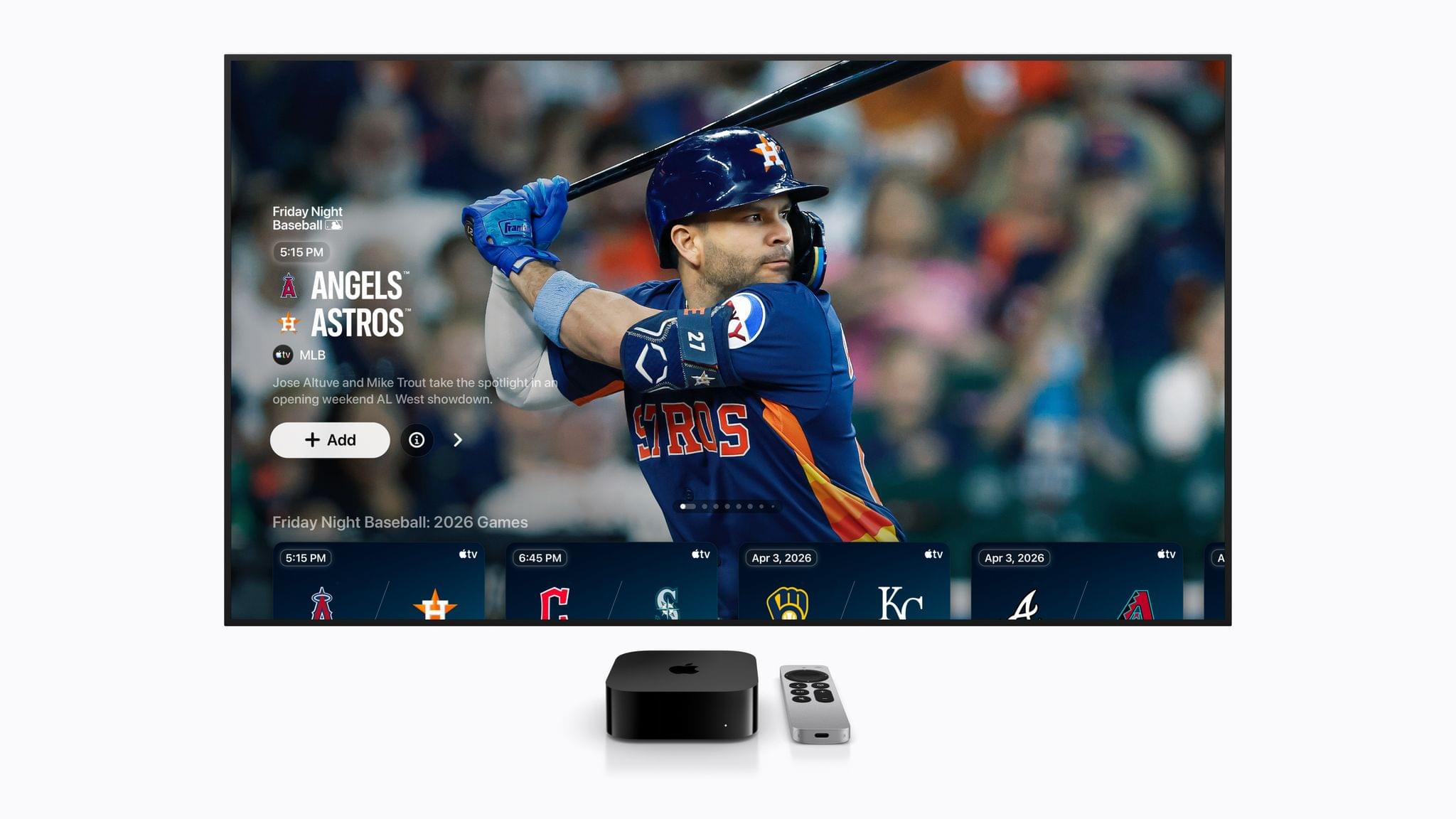
This month we’re adding F1 and other sports airing on Apple TV this month, starting with tomorrow’s Miami Grand Prix, and continuing below with the Canadian Grand Prix and Friday Night Baseball at the end of the month.
Sunday will see the very first U.S.-based race of the 2026 Formula 1 season in Miami, Florida. In addition to Sunday’s race, Apple TV subscribers can watch qualifying round coverage beginning today at 3:25 PM Eastern U.S. time, with qualifying beginning at 4 PM and the race itself beginning at 4 PM Eastern Sunday.
Apple has also created a 3D view of the race track in Apple Maps, a Maps Guide of local hot spots for race attendees, an Apple Music playlist that Apple says captures the energy and excitement of F1, and many other race weekend tie-ins you can check out in this Apple press release.
The game I’m most excited about this month is Perchang World, an update to a classic indie game first released about a decade ago. The version debuting on Apple Arcade for iPhone, iPad, Mac, and Apple TV is an evolution of the original physics puzzler that requires you to use a variety of switches and platforms to guide balls through the game’s brightly-colored, playful environments. The game is narrated by British comedian James Acaster, who judging from the game’s trailer, adds a great sense of humor and fun.
If you’re a fan of pool, Ultimate 8 Ball Pool+, an Arcade adaptation of the HypGames’ App Store version will be available for Arcade subscribers on May 7 too. The game features photorealistic graphics and 3D perspectives as well as one-on-one multiplayer, tournaments, trickshot challenges, and more.
Next Thursday, Apple Arcade will also release Nick Jr. Replay!, a family-friendly game starring characters from Nick Jr. shows like Dora the Explorer and Blue’s Clues & You! and over 50 minigames designed to help kids with math, reading, art, and other learning skills. Finally, Good Pizza, Great Pizza+ is an adaptation of an App Store game, but without In-App Purchases. The game is a cooking simulator where your goal is to take orders, bake pizzas and get them to customers.
Apple TV Shows and Movies
Unconditional (May 8, 2026)
Unconditional promises to start May off with a bang. The brand new thriller follows Orna, whose daughter Gali is arrested for drug smuggling in Russia. The eight-episode show follows Orna as she fights for her daughter’s freedom, which pulls her into the dangerous criminal underground of Moscow.
Maximum Pleasure Guaranteed is a dark comedy/thriller starring Tatiana Maslany as a newly divorced mom who believes she witnesses a murder. Deciding to investigate what happened, Maslany’s character, Paula, is drawn into what appears to be a dangerous larger conspiracy, while also dealing with a battle over custody of her child.
Star City is Apple’s For All Mankind spinoff. Based on the same alternative history events where the Russians land on the moon before America, the show follows the story from the perspective of the Russians. The eight-episode show follows Russia’s cosmonauts, scientists, engineers, and government officials as they race to the moon.
Propeller One-Way Night Coach is an Apple Original movie based on a 1997 children’s book of the same name. The film, which is John Travolta’s first directorial credit, follows Jeff, who loves airplanes, and his mother as they travel to Hollywood. Their one-way journey transforms everyday travel into an adventure filled with an unusual cast of characters.
Round 5 of the 2026 Formula 1 season will take place against the skyline of Montreal, Canada from May 22-24. The semi-permanent 4.36 km track is on Île Notre-Dame, a man-made island in the St. Lawrence River. F1 racing on Circuit Gilles Villeneuve began in the late 70s and has a reputation of unpredictable weather that can cause chaos on the track.
It’s hard to believe that Apple is in the midst of its fifth Friday Night Baseball season. In May, viewers will be treated with the following two game lineup every Friday:
May 8
Minnesota Twins at Cleveland Guardians (7:00 PM Eastern)
St. Louis Cardinals at San Diego Padres (9:30 PM Eastern)
May 15
Toronto Blue Jays at Detroit Tigers (6:30 PM Eastern)
New York Yankees at New York Mets (7:00 PM Eastern)
May 22
Houston Astros at Chicago Cubs (2:00 PM Eastern)
Detroit Tigers at Baltimore Orioles (7:00 PM Eastern)
May 29
Minnesota Twins at Pittsburgh Pirates (6:30 PM Eastern)
Philadelphia Phillies at Los Angeles Dodgers (10:00 PM Eastern)
That’s it for May. I’m personally looking forward to Perchang World and Star City the most. If you’re a Club MacStories Plus or Premier member, drop by the TV and Movies channel in Discord to chat about what you’re looking forward to from Apple TV this month, and be sure to listen to MacStories Unwind, where I’m sure Federico and I will cover some of these shows and games, along with our other media recommendations every week.
newsappstoriesComfort ZoneFirst Last EverythingNPCpodcastunwind
Enjoy the latest episodes from MacStories’ family of podcasts: AppStories This week, John and Federico cover Apple’s executive transition, follow up on OpenAI’s super app, share the apps they’re looking for, and give each other suggestions on how to fill their app gaps. On AppStories+, we round up the tools we’ve built for ourselves that […]
Show full content
Enjoy the latest episodes from MacStories’ family of podcasts:
This week, John and Federico cover Apple’s executive transition, follow up on OpenAI’s super app, share the apps they’re looking for, and give each other suggestions on how to fill their app gaps.
On AppStories+, we round up the tools we’ve built for ourselves that fill gaps we haven’t found apps for.
This week, OnePlus makes a phone controller with only triggers, Tico 0.7.0 brings GameCube and Wii emulation to the Switch, Ayn raises prices, and Steam comes to Android via ROCKNIX.
On NPC XL, Brendon shares his experience installing ROCKNIX and Steam on the Ayn Odin 2 M
Jonathan is joined by Craig Hockenberry, a longtime software designer and developer at The Iconfactory, known for building influential Mac and iOS apps like Twitterific, Tapestry, and Tot.
Matt has released Quick Reads, Niléane has entered her M5 (and Jonny Ive) era, and the whole gang throws their monitors away in favor of that laptop life.
On Cozy Zone, the gang tier lists the Olympic logos from 2000 through 2036. (Yes, 2036!)
This week, Federico and John get ready for the summer with a conversation about vacation bridging, bringing your dog to the beach, and cooling off in the mountains. Then, John shares a blockbuster movie recommendation and a movie bundle deal.
AppStories, Episode 482, ‘Filling the App Gap’ Show Notes
This episode is sponsored by:
Steamclock: We make great apps. Design and development, from demos to details.
Claude: For problems worth solving — get started with Claude today.
NPC XL is a weekly members-only version of NPC with extra content, available exclusively through our new Patreon for $5/month. Each week on NPC XL, Federico, Brendon, and John record a special segment or deep dive about a particular topic that is released alongside the “regular” NPC episodes. You can subscribe here.
First, Last, Everything, Season 2, Episode 7, ‘Craig Hockenberry - Principal, The Iconfactory’ Show Notes
This Episode’s Links
For even more from the Comfort Zone crew, you can subscribe to Cozy Zone. Cozy Zone is a weekly bonus episode of Comfort Zone where Matt, Niléane, and Chris invite listeners to join them in the Cozy Zone where they’ll cover extra topics, invent wilder challenges and games, and share all their great (and not so great) takes on tech. You can subscribe to Cozy Zone for $5 per month here or $50 per year here.
MacStories Unwind, ‘Bridges, Beaches, and Blockbusters’ Show Notes
Unplugged Segment
MacStories launched its first podcast in 2017 with AppStories. Since then, the lineup has expanded to include a family of weekly shows that also includes MacStories Unwind, Magic Rays of Light, Comfort Zone, NPC: Next Portable Console, and First, Last, Everything that collectively, cover a broad range of the modern media world from Apple’s streaming service and videogame hardware to apps for a growing audience that appreciates our thoughtful, in-depth approach to media.
If you’re interested in advertising on our shows, you can learn more here or by contacting our Managing Editor, John Voorhees.
Today, Apple reported its 2026 Q2 earnings, posting quarterly revenue of $111.2 billion. Apple CEO Tim Cook had this to say of the results: Today Apple is proud to report our best March quarter ever, with revenue of $111.2 billion and double-digit growth across every geographic segment. iPhone achieved a March quarter revenue record, fueled by […]
Apple CEO Tim Cook had this to say of the results:
Today Apple is proud to report our best March quarter ever, with revenue of $111.2 billion and double-digit growth across every geographic segment. iPhone achieved a March quarter revenue record, fueled by such extraordinary demand for the iPhone 17 lineup. During the quarter, Services achieved yet another all-time record, and we were excited to introduce remarkable new products to our strongest lineup ever. That included the addition of the iPhone 17e and the M4-powered iPad Air, along with the launch of MacBook Neo, which is captivating customers all around the world.”
As CFO Kevan Parekh noted in Apple’s press release, today’s results include the generation of over $28 billion in operating cash flow.
Going into today’s earnings call CNBC reported that analysts expected strong iPhone growth:
Analysts expect 15% year-over-year revenue growth at Apple from $95.4 billion a year earlier. The main driver is the iPhone, with Wall Street looking for a 20% jump in annual sales, thanks largely to the popularity of the iPhone 17, which went on sale last year.
If you follow our show NPC: Next Portable Console, you probably know about GameHub, an app from controller maker GameSir. GameHub first appeared on Android, where it has become one of the hottest recent developments in handheld gaming because it lets you play Windows PC games on Android devices. That’s not something that’s possible on […]
Show full content
If you follow our show NPC: Next Portable Console, you probably know about GameHub, an app from controller maker GameSir. GameHub first appeared on Android, where it has become one of the hottest recent developments in handheld gaming because it lets you play Windows PC games on Android devices. That’s not something that’s possible on iOS or iPadOS, which Apple tightly controls through the App Store, but macOS is a different story altogether, which is why GameSir is bringing GameHub to the Mac.
Currently in beta, GameHub isn’t the first to bring PC games to the Mac using a software compatibility layer, but it’s one of the more user-friendly implementations, thanks to tight integration with Steam and the Epic Games Store. In fact, GameHub itself is a fork of the Winlator open-source project. And, while it’s still early days for PC games on Android and even earlier for PC games on the Mac, GameHub’s beta is making steady progress as Russ Crandall of Retro Game Corps showed off in his most recent YouTube video:
Of the 20 games Crandall tried, none of which are otherwise available on the Mac, about 60% were playable. As on Android, some games required some tweaking to get them working, but overall, the results were impressive, especially when it comes to games like Pragmata, which has only been out for about a week.
What GameHub for Mac demonstrates is just how capable Apple silicon is. The compatibility layers built to run Windows games on Android, and now the Mac, are complex, but at its core, it’s the sheer horsepower of ARM-based processors that makes this possible, regardless of the OS they run. It also makes me wonder why Apple doesn’t turn its Game Porting Toolkit that helps developers translate PC games to the Mac into a consumer product. It’s been done before with Whisky, a SwiftUI wrapper around the Game Porting Toolkit and Wine, but that project is no longer maintained. It strikes me as a great way to expand the gaming universe on the Mac and encourage more developers to support macOS directly. Maybe we’ll hear something from Apple on the topic at WWDC in June.
In the meantime, you can visit the GameHub website and join its Discord server where you’ll find instructions on joining the beta. And, if you’re interested in learning more about how GameHub and similar solutions work on Android and Mac, a good place to start is with NPC, Episode 48, Steam Emulation on Android Gets Real.
Source: Bloober Team. Top-tier games continue to roll out on Apple’s platforms at a steady clip. Recently, Crimson Desert landed on the Mac on the same day as other platforms, and then last week, Control: Ultimate Edition added support for the iPhone and iPad, joining the Mac version that was released last year. Today, Cronos: […]
Show full content
Source: Bloober Team.
Top-tier games continue to roll out on Apple’s platforms at a steady clip. Recently, Crimson Desert landed on the Mac on the same day as other platforms, and then last week, Control: Ultimate Edition added support for the iPhone and iPad, joining the Mac version that was released last year.
Today, Cronos: The New Dawn, a survival horror game by Bloober Team, joins the Mac gaming scene via Steam. In a post-apocalyptic, retro-tech setting, you play as the Traveller, who has been sent on a mysterious mission by a group called The Collective. Not long after you set out on your quest, you realize you aren’t alone. The landscape is littered with corpses that merge into mutant, zombie-like enemies that you have to fight off with a combination of weapons and melee attacks.
Cronos debuted on the Xbox, PlayStation 5, Switch, PC, and Linux last September, but I didn’t play it on any of those platforms. Instead, I dove in fresh when I got the chance to try it on the Mac, thanks to a few days’ early access. I haven’t played very far into the story yet, but despite not being a huge fan of horror games, I was immediately captivated by the game’s incredible sound design, retro tech vibe, and creepy story.
With limited time, I focused on the game’s performance on two Macs: my M1 Mac Studio connected to a 4K ASUS display and an M4 Max MacBook Pro, both on its own and connected to a BenQ 5K display I’ve been testing. As I expected, the difference between the two Macs was noticeable, showing just how far Apple silicon has come in terms of gaming. My Mac Studio may still pull its weight when it comes to productivity tasks, but the M4 Max MacBook Pro operates on an entirely different level.
Bloober Team is no stranger to Apple silicon, having released The Medium with Metal 3 support for Apple silicon in 2023. The experience shows in the studio’s incorporation of both MetalFX upscaling and hardware-accelerated ray tracing in Cronos.
By default, Cronos’ MetalFX and ray tracing settings are turned off, but both are worth trying along with frame generation because they make a big difference. After some experimentation on my M1 Max Mac Studio, I landed on a pretty consistent 70-75 FPS at 1440p with the help of MetalFX and frame generation. Hardware-accelerated ray tracing isn’t supported by Apple’s M1 family of chips, so that wasn’t an option at all.
As you’d expect, performance was much better on the M4 Max MacBook Pro, which does support hardware-accelerated ray tracing. Starting with the default settings and playing on the MacBook Pro’s display, I turned on ray tracing, MetalFX, and frame generation and got a consistent 55-65 FPS, and turning off ray tracing bumped that more consistently into the 60s. The game struggled a little bit when I connected to an external 5K display, but with a few more tweaks, it was running well, too.
What’s clear is that Cronos pushes the Mac’s hardware hard and that Apple’s latest gaming technologies make a big difference in performance. On the MacBook Pro, the fans spin up loudly soon after starting the game; plus, if you don’t have your laptop plugged in, you may be prompted to switch to Low Power Mode pretty quickly. However, the overall experience on Apple’s most recent hardware has come a long way since the M1 chipset, and with every hardware revision, more games like Cronos become viable. And whether you play it on the Mac or not, Cronos: The New Dawn is worth checking out for a creepy futuristic good time.
Today, when you mention David Smith’s name, most people probably think of Widgetsmith, his runaway success that caught fire on TikTok and is still going strong today. But for me, Pedometer++ is what comes to mind first. Still a couple of years away from releasing my own apps or writing at MacStories, I was fascinated […]
Show full content
Today, when you mention David Smith’s name, most people probably think of Widgetsmith, his runaway success that caught fire on TikTok and is still going strong today. But for me, Pedometer++ is what comes to mind first. Still a couple of years away from releasing my own apps or writing at MacStories, I was fascinated by the dynamics that made the app a success when it debuted in 2013. Part of that success was how quickly David got it onto the App Store in the wake of the iPhone 5s and its M7 coprocessor that made step counting possible.
It didn’t hurt that Pedometer++’s initial release was also free (and the core features still are), but the app’s elegant, simple design played a big part, too. Pedometer++ appealed to a wide audience who appreciated its focus and frequent updates that systematically took it from basic step counting to badges, confetti, workouts, maps, and more. It’s a great example of a developer who jumped on a new hardware feature quickly with a focused initial release and then relentlessly iterated year after year without sacrificing what made that first version a favorite of so many people.
Today’s 8.0 release is focused first and foremost on the Apple Watch, which is the other aspect of so many of David’s apps that I appreciate. Few people know the ins and outs – and frustrations – of watchOS (née WatchKit) development like David does. But despite the platform’s rudimentary beginnings, David has stuck with it, making the best watch version of Pedometer++ that was possible with each turn of the SDK and, later, OS. That’s as true with version 8.0 of the app as it has ever been.
Source: David Smith.
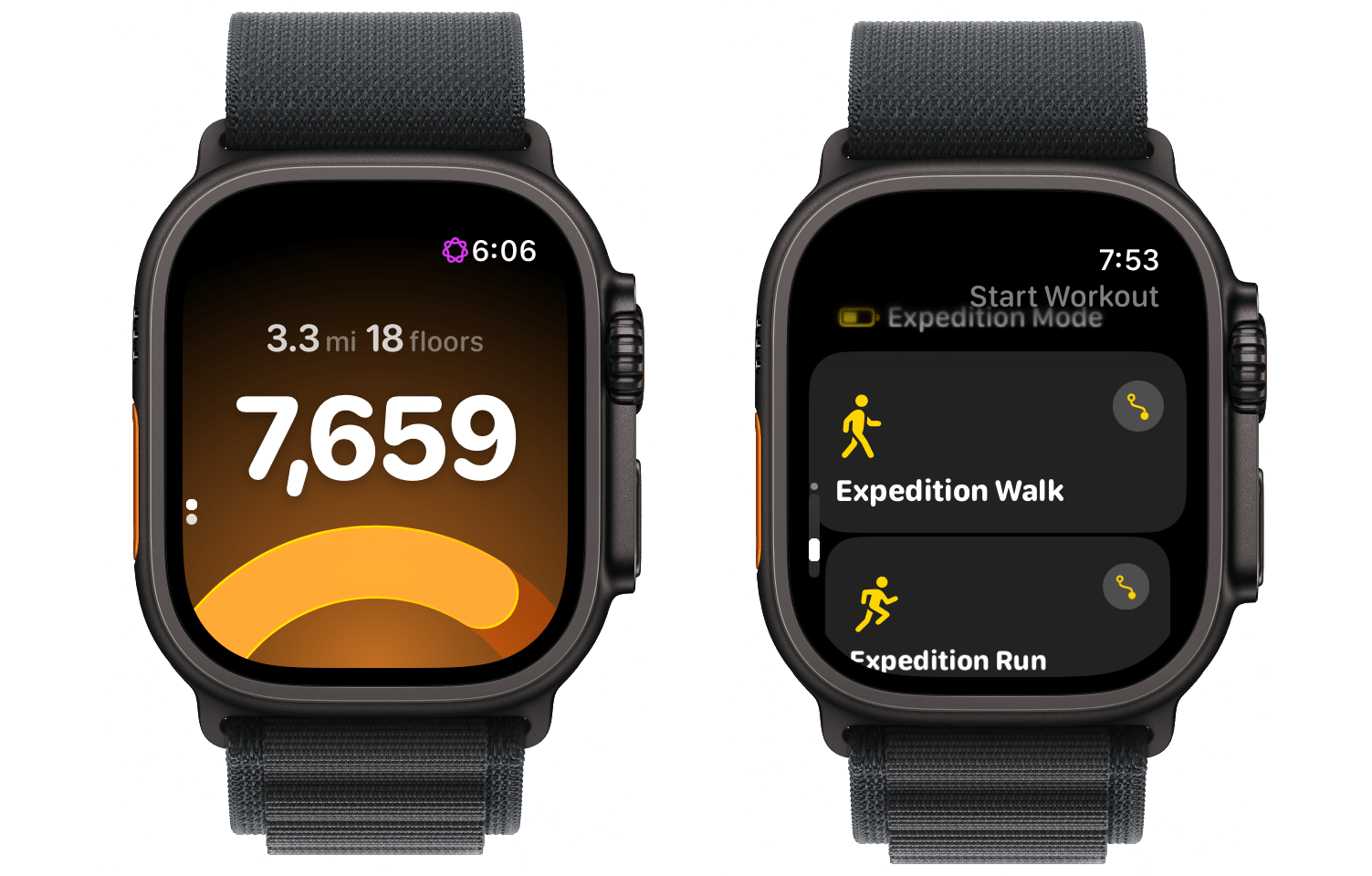
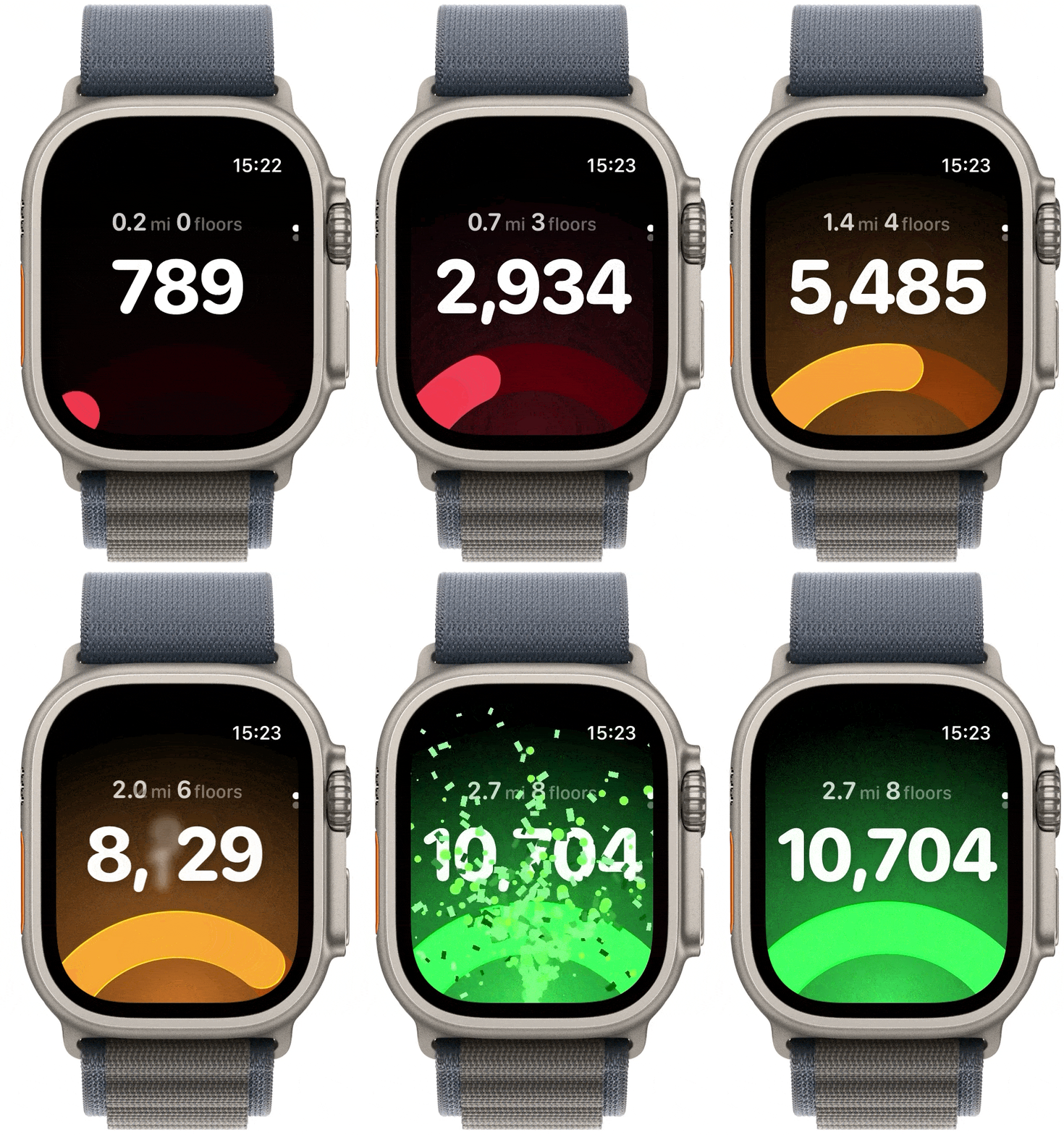
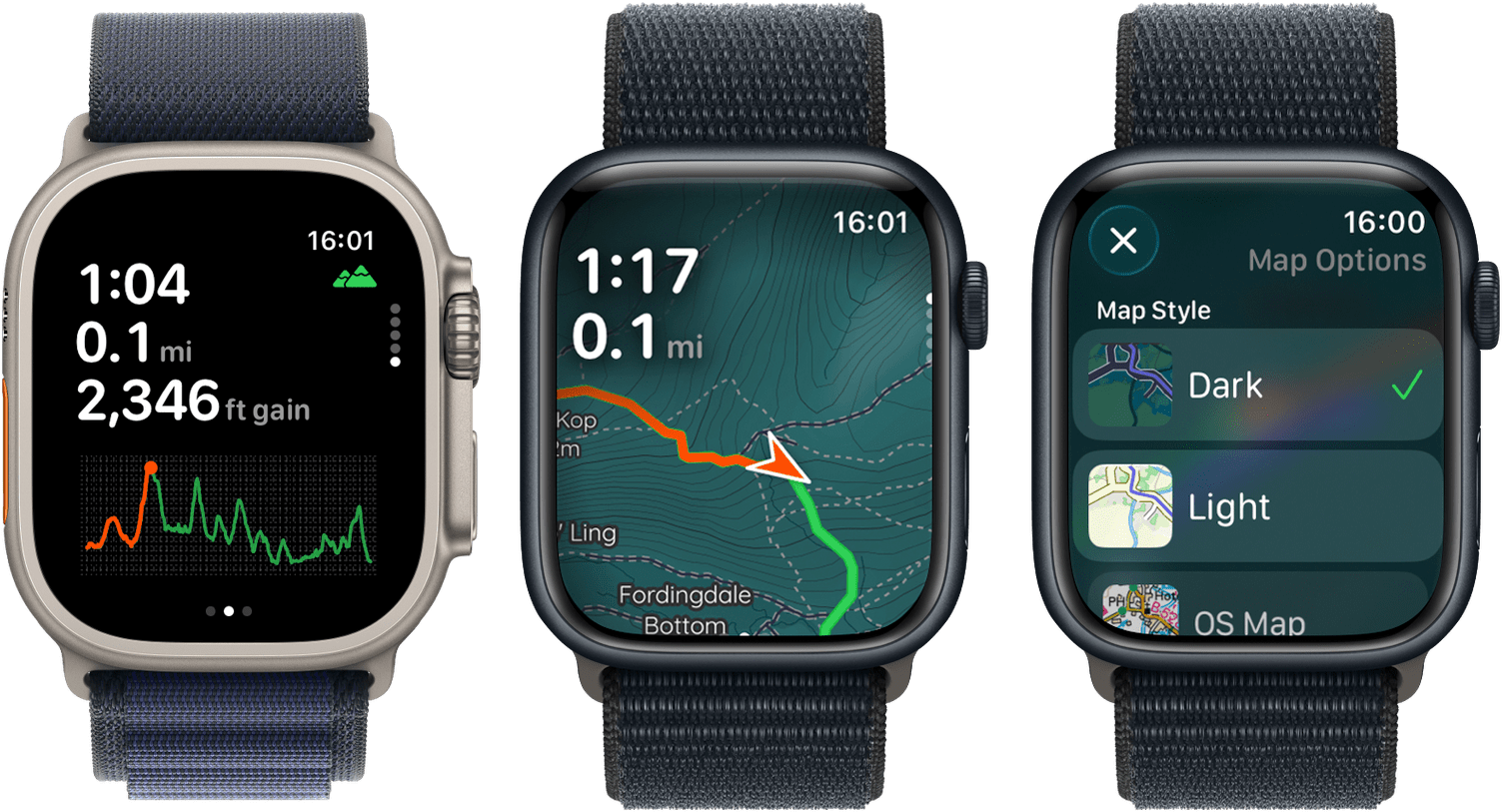
I’ve been playing around with the update since last week, and Pedometer++ 8.0’s watch app is a real treat. The main view focuses on the app’s core metric: your step count, which is displayed as a big, bold number that is easy to parse at a glance as you work out. Below your step count is an arc that fills throughout the day from red to green as you inch towards your step goal. The design is reminiscent of closing your Activity rings, which makes it familiar, but it’s also unique – a mashup that honors the idea of your rings while retaining its own identity. To complete the app’s main view, Pedometer++ also reports the distance and elevation you’ve covered just above your step count.
Source: David Smith.
From the main view, you can rotate the Digital Crown to start a workout. The standard workouts include outdoor and indoor walks and runs, plus outdoor hikes. New to this version are Expedition runs, walks, and hikes, a special type of workout that extends the battery of your Apple Watch up to 40%. The app does this by switching from constant heart rate tracking to the device’s basic tracking. Expedition Mode isn’t the sort of feature most people will use; however, I love it for its innovation and the fact that it was implemented by David, an indie developer, before Apple. The athlete market is a natural, lucrative market for the Apple Watch that Apple tiptoed into with the Ultra, and Expedition Mode is a feature that the device should have had from day one but still doesn’t.
The latest version of Pedometer++ also adds a nicely designed workout view that shows your position on a map alongside workout metrics, keeping your core stats within easy reach. Like the rest of the update, the design of the workout view is top tier.
Apple is due for an Apple Watch renaissance. It’s a great device, but my use of it hasn’t changed a lot over the years. I track workouts, check notifications and the weather, and, well, check the time.
What Pedometer++ shows is that there’s untapped potential there. Even before WWDC, there’s more room to experiment and delight Apple Watch users than most developers are taking advantage of. I wouldn’t be surprised if David senses an opportunity on the horizon, too.
Wearables of all kinds are a natural fit for AI-driven voice assistants, and whether or not a developer’s watch app is part of the AI hype cycle, the focus and attention shift to wearables is going to raise all boats. Pedometer++ 8.0 is ready for the attention. It will be interesting to see if other apps follow suit.
Remodex for iOS. Various OpenAI employees and members of the Codex team have been hinting at a native Codex app for iOS lately. While I very much hope that’s in the cards – especially if the project involves connecting to a remote Mac running the full Codex app – I wanted to highlight an indie […]
Show full content
Remodex for iOS.
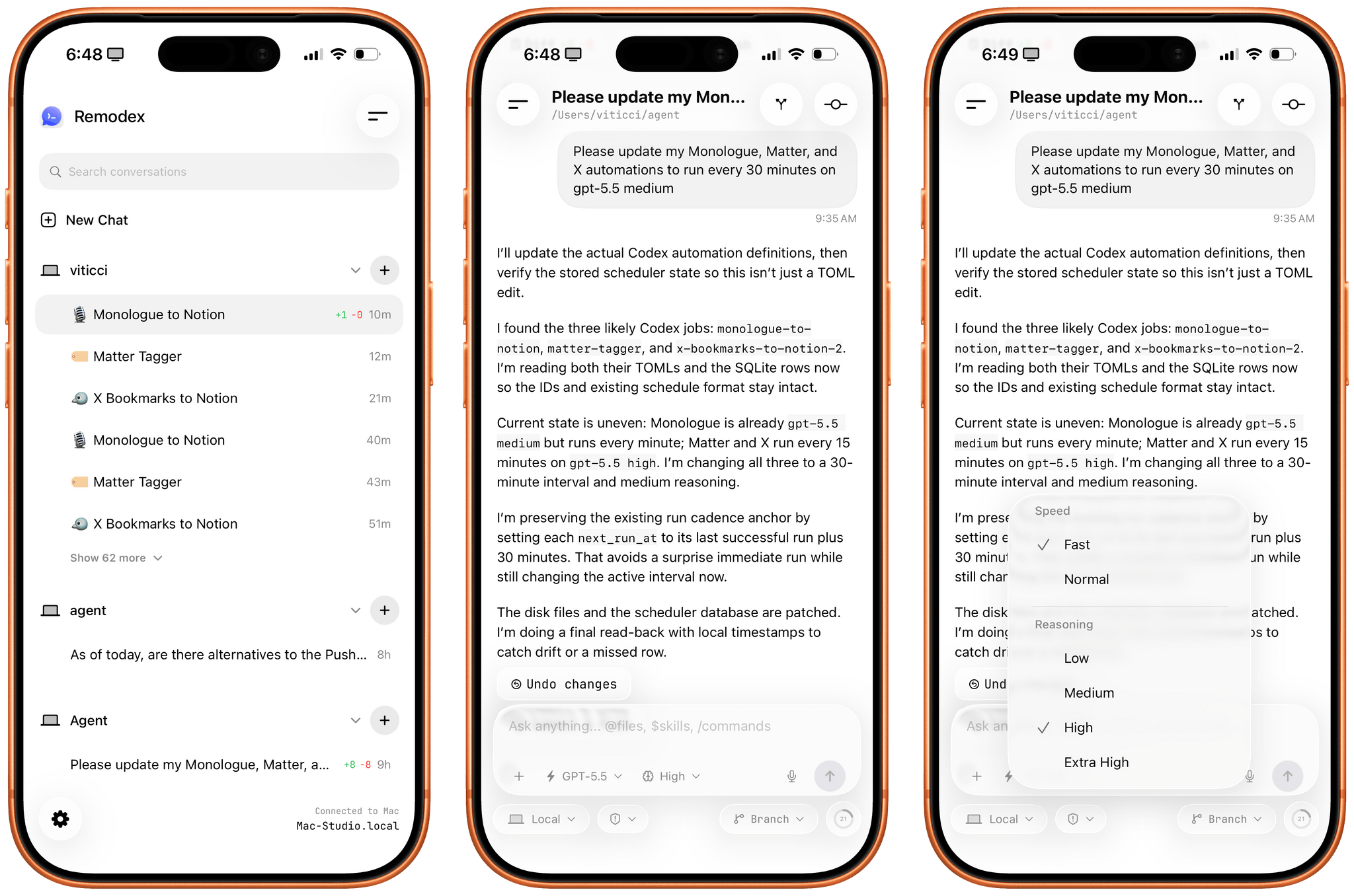
Various OpenAI employees and members of the Codex team have been hinting at a native Codex app for iOS lately. While I very much hope that’s in the cards – especially if the project involves connecting to a remote Mac running the full Codex app – I wanted to highlight an indie utility I’ve been using a lot lately to access my Codex setup on my Mac Studio server from my iPhone.
The app is called Remodex, and it was created by Italian indie developer Emanuele Di Pietro. Remodex, as the name suggests, acts as a remote for the Codex CLI installed on a macOS computer, and it lets you operate your existing projects and chats with a UI that is reminiscent of the official Codex app for Mac. Even better, Remodex is not based on some hack-y workaround: it’s entirely powered by OpenAI’s official (and open-source) Codex App Server.
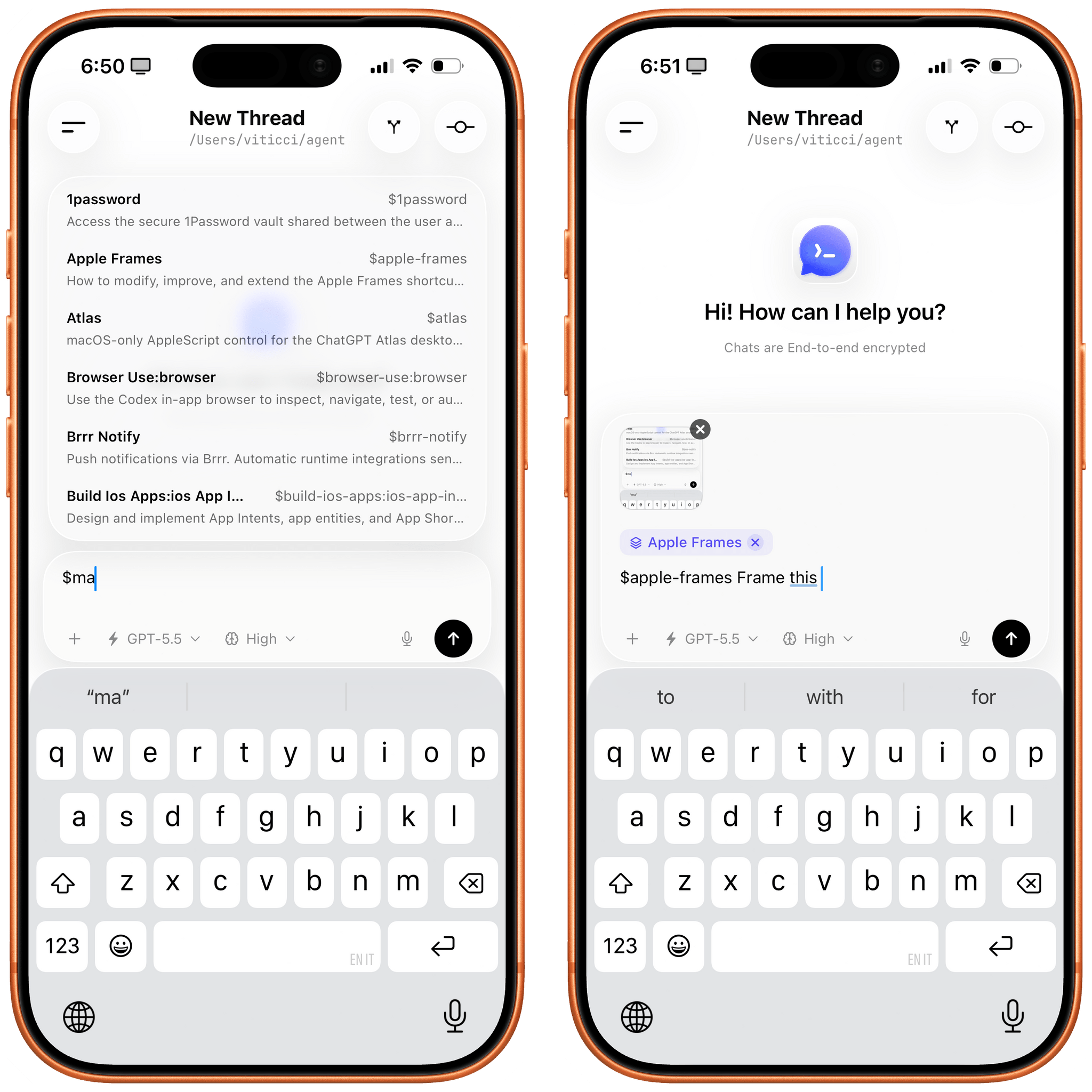
It’s very easy to get started with Remodex. As long as you have the Codex CLI (not the app) installed on a Mac on your network (I use Tailscale), you just need to install a small Remodex server bridge on the Mac, scan a QR code from your iPhone, and you’re in. Remodex takes care of finding all your existing Codex projects (i.e. folders), active conversations, and lets you resume any chat or start a new one with many of the same options you can find in the Codex app. You can use the latest GPT-5.5 model; you can enable Fast mode with speed control; you can upload files and images, and even dictate text, which will be transcribed by Codex running on your Mac. If you use Tailscale, it doesn’t matter whether you’re near your Mac or not: when you open Remodex, it’ll instantly find your Mac on the “local network” and load your existing Codex workspace. Remodex works with your OpenAI subscription previously configured in the Codex CLI because that’s how the Codex App Server works behind the scenes: it lets third-party utilities securely connect to and use Codex since OpenAI, unlike Anthropic, does not prevent third-party tools from doing so.
I’ve had a great time kicking off new tasks and resuming ongoing work from Remodex on iOS, so much so that I’ve put the app in my Dock. Remodex isn’t perfect: sometimes certain responses are loaded out of order, and I found myself having to force-quit the app on a couple of occasions to get it “unstuck” and properly load a conversation again. Those issues weren’t dealbreakers, however: the value I get out of this app is the ability to connect to my local Codex instance, which has access to other tools on my Mac, cron jobs, skills, and other features that are not available in the Codex cloud integration inside the ChatGPT app on iOS. That’s exactly why I’m hoping that OpenAI will “Sherlock” Remodex with an official solution that, in theory, should unlock even more functionalities than Di Pietro’s unofficial client. For now, though, Remodex is the only app I’ve found that lets me do all this with a lovely Liquid Glass design that fully embraces iOS 26 and does not resemble a command-line utility.
Before writing this post, I took the opportunity to chat with Di Pietro about Remodex. “I used the Codex App Server to build the app”, Di Pietro confirmed, adding that “what I love about OpenAI is that they provide tools like this, which we can use to build our own open-source projects”. Indeed, OpenAI’s embrace of the open-source community and third-party integrations built on top of Codex is, at the moment, a major differentiator from Anthropic, whose Claude Code is notoriously closed off. Di Pietro is fully aware of the fact that he may soon have some serious competition in the form of OpenAI itself. “I took on this challenge knowing it was only a matter of time before OpenAI released its own version”, he said. “I managed to get the attention of many people at OpenAI and connect with them more directly, so I guess I still had my wins”, Di Pietro added.
Even if OpenAI does release a native Codex app for iOS, I still think there’s room for creators in the indie development scene like Di Pietro to accept a possible Sherlocking and continue to iterate on their apps with more options for power users, more integrations, and broader platform availability. Remodex, which is free on the App Store with a $3.99/month or $29.99/year subscription to unlock all features, currently does not have an iPad version, doesn’t display the automations, skills, and plugins you have installed in Codex, and doesn’t integrate with other coding agents beyond Codex. Those are all potential features that OpenAI will likely ignore with their debut of Codex for iOS, but which third-party developers can continue offering for advanced users. Di Pietro is also currently working on DP Code, itself a fork of the open-source T3 Code app. “It would be nice to integrate it with Remodex”, Di Pietro said. “That would mean expanding Remodex to include more providers, such as Claude, OpenCode, and Cursor – but I guess that is still up in the air”, he concluded.
I’m biased because the story of an indie Italian developer taking on a project that may soon be Sherlocked by OpenAI is too good for me to pass up, but Remodex is genuinely a fascinating app that works well, has saved me a lot of time I’d have otherwise spent screen-sharing with my Mac, and should serve as an example for OpenAI to take inspiration from.
Until an official Codex app for iOS lands on the App Store, I’ll be working more and more in Remodex, which is playing an essential role in allowing me to use Codex for everything and also enabled me to stop using Claude and OpenClaw as additional agents on my Mac.
newsappstoriesComfort ZoneFirst Last EverythingNPCpodcastunwind
Enjoy the latest episodes from MacStories’ family of podcasts: AppStories This week, we draw from Federico’s experience creating the Apple Frames 4 shortcut and CLI to discuss the multiplier effect that AI agents can have in the hands of someone with deep domain expertise. On AppStories+, we share our AI agent mishaps and horror stories […]
Show full content
Enjoy the latest episodes from MacStories’ family of podcasts:
This week, we draw from Federico’s experience creating the Apple Frames 4 shortcut and CLI to discuss the multiplier effect that AI agents can have in the hands of someone with deep domain expertise.
On AppStories+, we share our AI agent mishaps and horror stories along with additional details on a John’s ongoing HomeKit makeover project.
This week, TrimUI’s slow drip of details on the Brick Pro continues, shipping manifests suggest the Steam Controller may beat the Steam Machine to market, and OnePlus makes a strong bid for weirdest handheld announcement of 2026.
Then on NPC XL, Federico reports on his trip to Romics and the trading card takeover of Italian comic-cons, plus how not to sell a “pristine” Nintendo DS.
Jonathan is joined by Nate Parrott, a designer and coder known for his work as a founding designer at The Browser Company, working on Arc. He also creates playful software and apps that blend utility with whimsy.
Chris and Matt are on their own this week and do a deeper dive into the MacBook Neo after a month using it. Do they still love it? Hate it? Probably somewhere in the middle, huh?
On Cozy Zone, the gang tier lists macOS default wallpapers, and you just know someone’s going to have some very wrong opinions.
This week, John schools Federico on the differences between Eastern and Western North Carolina BBQ before they both share several TV show and album picks for the weekend.
AppStories, Episode 481, ‘Apple Frames 4 and the AI Multiplier’ Show Notes
This episode is sponsored by:
Mercury Weather – Forecasts, beautifully done. Download now for free.
OnePlus reportedly developing an Android gaming handheld targeting FPS games with purple faux leather grips.
Subscribe to NPC XL
NPC XL is a weekly members-only version of NPC with extra content, available exclusively through our new Patreon for $5/month. Each week on NPC XL, Federico, Brendon, and John record a special segment or deep dive about a particular topic that is released alongside the “regular” NPC episodes. You can subscribe here.
First, Last, Everything, Season 2, Episode 6, ‘Nate Parrott - Developer, Designer’ Show Notes
This Episode’s Links
For even more from the Comfort Zone crew, you can subscribe to Cozy Zone. Cozy Zone is a weekly bonus episode of Comfort Zone where Matt, Niléane, and Chris invite listeners to join them in the Cozy Zone where they’ll cover extra topics, invent wilder challenges and games, and share all their great (and not so great) takes on tech. You can subscribe to Cozy Zone for $5 per month here or $50 per year here.
MacStories Unwind, ‘Smoked Meats and Weekend Watches’ Show Notes
BBQ School
MacStories launched its first podcast in 2017 with AppStories. Since then, the lineup has expanded to include a family of weekly shows that also includes MacStories Unwind, Magic Rays of Light, Comfort Zone, NPC: Next Portable Console, and First, Last, Everything that collectively, cover a broad range of the modern media world from Apple’s streaming service and videogame hardware to apps for a growing audience that appreciates our thoughtful, in-depth approach to media.
If you’re interested in advertising on our shows, you can learn more here or by contacting our Managing Editor, John Voorhees.
OpenAI announced GPT-5.5 and GPT-5.5 Pro today, which it says are faster and able to work more autonomously than the company’s previous models. It’s a message that is sure to interest business users whether their goal is accelerating software development or increasing productivity more generally. Some of the areas that OpenAI says GPT-5.5 and GPT-5.5 […]
Show full content
OpenAI announced GPT-5.5 and GPT-5.5 Pro today, which it says are faster and able to work more autonomously than the company’s previous models. It’s a message that is sure to interest business users whether their goal is accelerating software development or increasing productivity more generally. Some of the areas that OpenAI says GPT-5.5 and GPT-5.5 Pro excel at include:
writing and debugging code;
analyzing data;
conducting web research;
creating business documents such as spreadsheets and presentations;
The gains are especially strong in agentic coding, computer use, knowledge work, and early scientific research—areas where progress depends on reasoning across context and taking action over time. GPT‑5.5 delivers this step up in intelligence without compromising on speed: larger, more capable models are often slower to serve, but GPT‑5.5 matches GPT‑5.4 per-token latency in real-world serving, while performing at a much higher level of intelligence. It also uses significantly fewer tokens to complete the same Codex tasks, making it more efficient as well as more capable.
I haven’t tried either model yet, but early reactions seem to support OpenAI’s claims that GPT-5.5 understands user intent better, requiring less precise instructions. The company says it is better at using the tools at its disposal, and checking its own work, too. OpenAI says the Pro model takes that up a notch, working faster on more complex tasks, such as programming, research, and document-intensive workflows. Whether the early hype translates into real-world gains that are noticeable in everday work, remains to be seen, but we shouldn’t have long to wait though, since GPT-5.5 is rolling out to users now.
GPT-5.5 is available in ChatGPT and Codex to Plus, Pro, Business, and Enterprise subscribers, and GPT-5.5 Pro is limited to Pro, Business, and Enterprise subscribers in ChatGPT. Neither model is available through OpenAI’s API, but the company says they will be soon.
While I think it’s fair to take reports from Appfigures and its cohorts with a large grain of salt, its latest report that the App Store is booming rings true to me. As Sarah Perez reports for TechCrunch, first quarter 2026 app releases were up 60% year-over-year. That’s in line with a surge that occurred […]
Another interesting tidbit from Appfigures is that the Utilities app category moved up the top five chart and Productivity apps, which were missing from the Q1 2024 and Q1 2025 top fives, made it into this past quarter’s top five.
The working hypothesis here is that AI-powered tools, like Claude Code or Replit, could be behind the surge of new launches. It also seems possible that we’re hitting some sort of tipping point in terms of AI usability, where it’s easy enough for people to leverage these tools to build their own desired mobile apps more quickly — or even build their first apps ever.
That hypothesis lines up well with the deluge of app pitches we’ve received at MacStories since the end of last year. At first, 2025 just seemed like an unusually busy fall. We always see lots of new apps when Apple refreshes its OSes after all. However, this year, the pace never let up. In fact, the pace accelerated into 2026.
From the view on the ground, this is absolutely the result of AI coding tools. Seasoned developers are releasing new apps more often and updating existing ones faster, and there are more new developers releasing their first apps than ever. Lower barriers to entry and tighter development cycles juiced by coding agents are clearly major factors.
What’s most interesting to me, though, is that the mix of quality apps hasn’t suffered meaningfully. We’ve always been sent a healthy portion of poor quality apps. But from where I sit today, the tidal wave we’ve seen so far isn’t slop. Maybe that will change, and perhaps we’re insulated from it to some degree, but I would have thought that at the pace App Store submissions have increased that there would have been a big difference in the pitches we receive. So far, not so much. Weird, right?

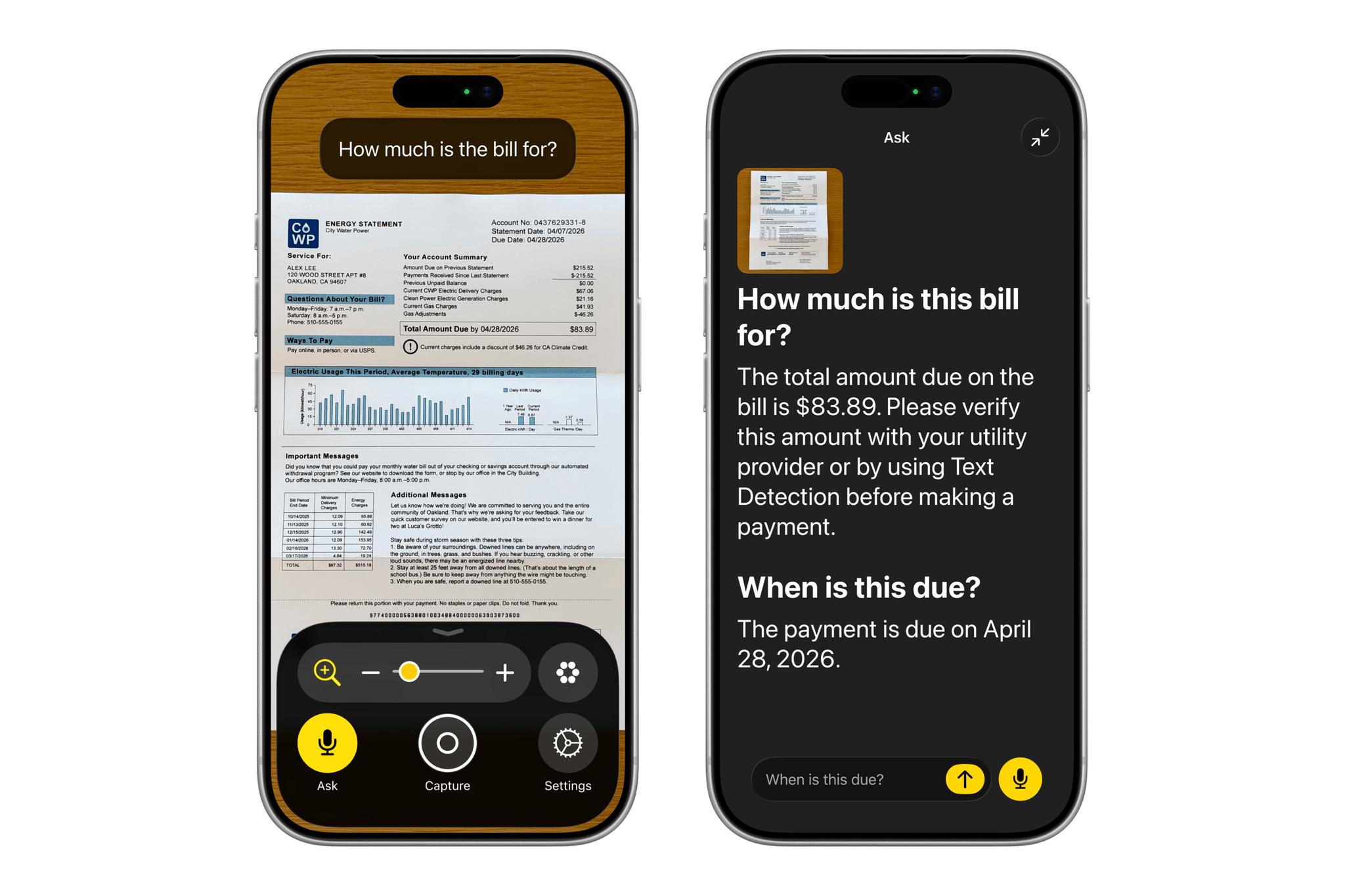
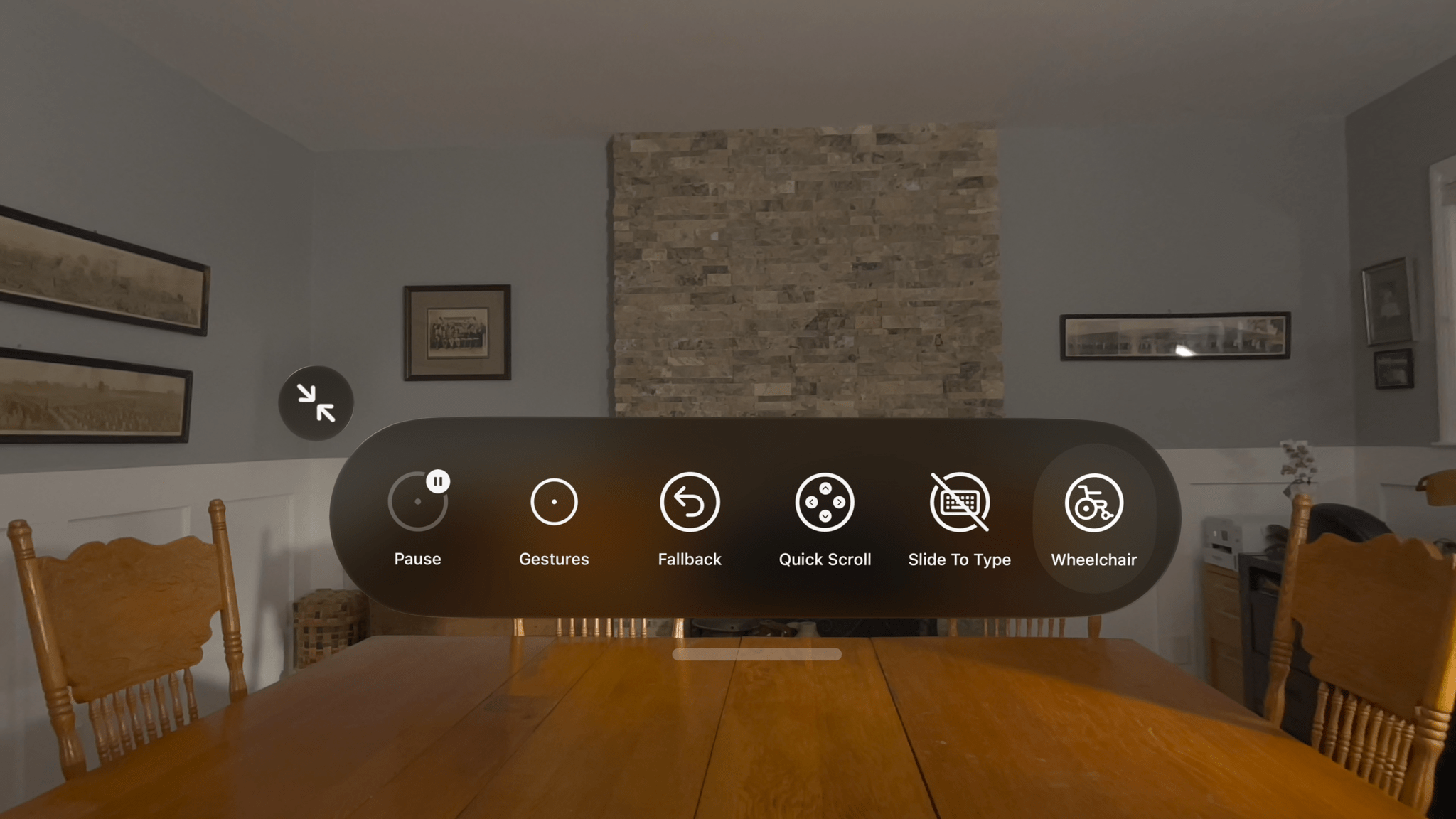
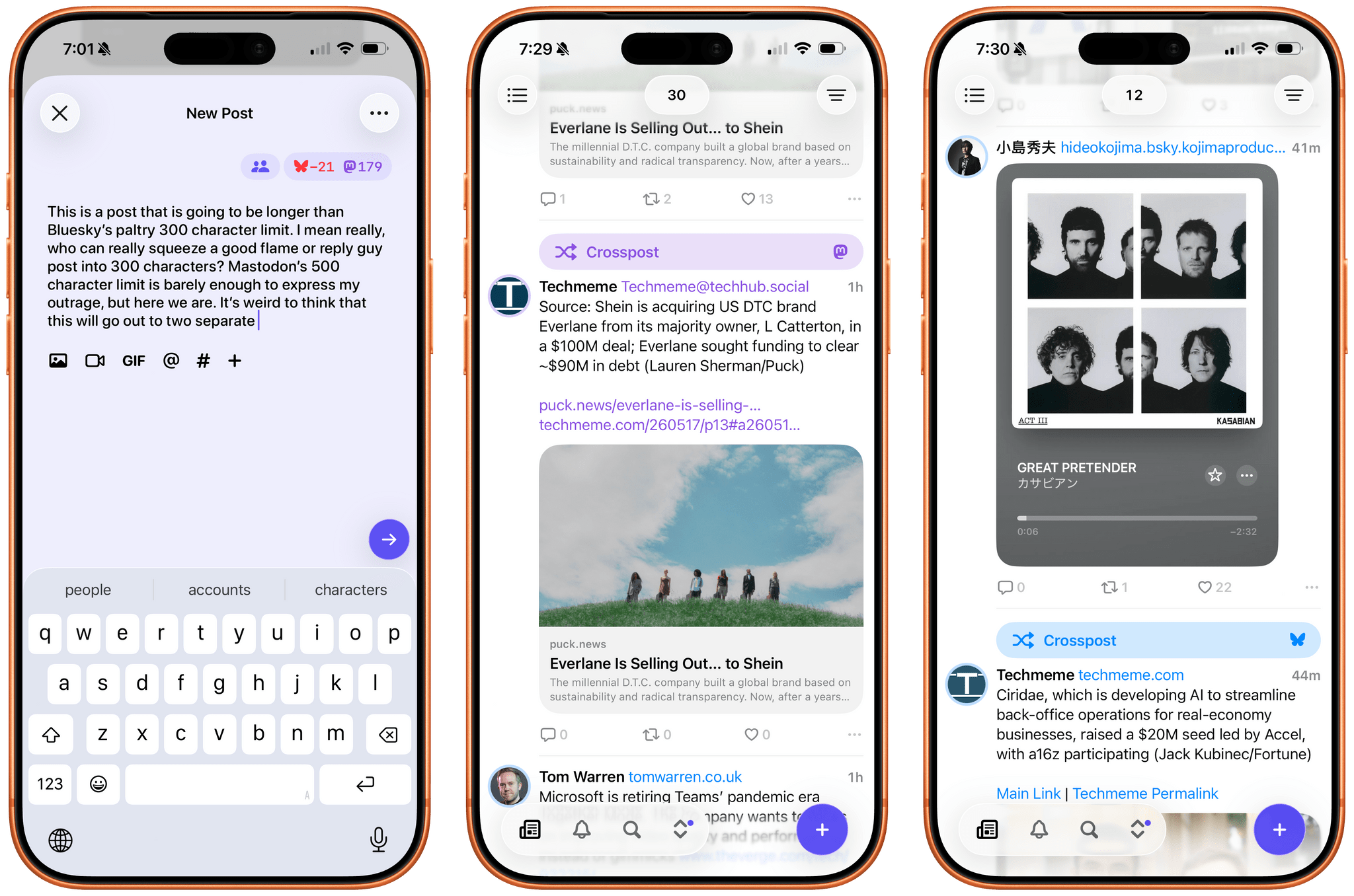
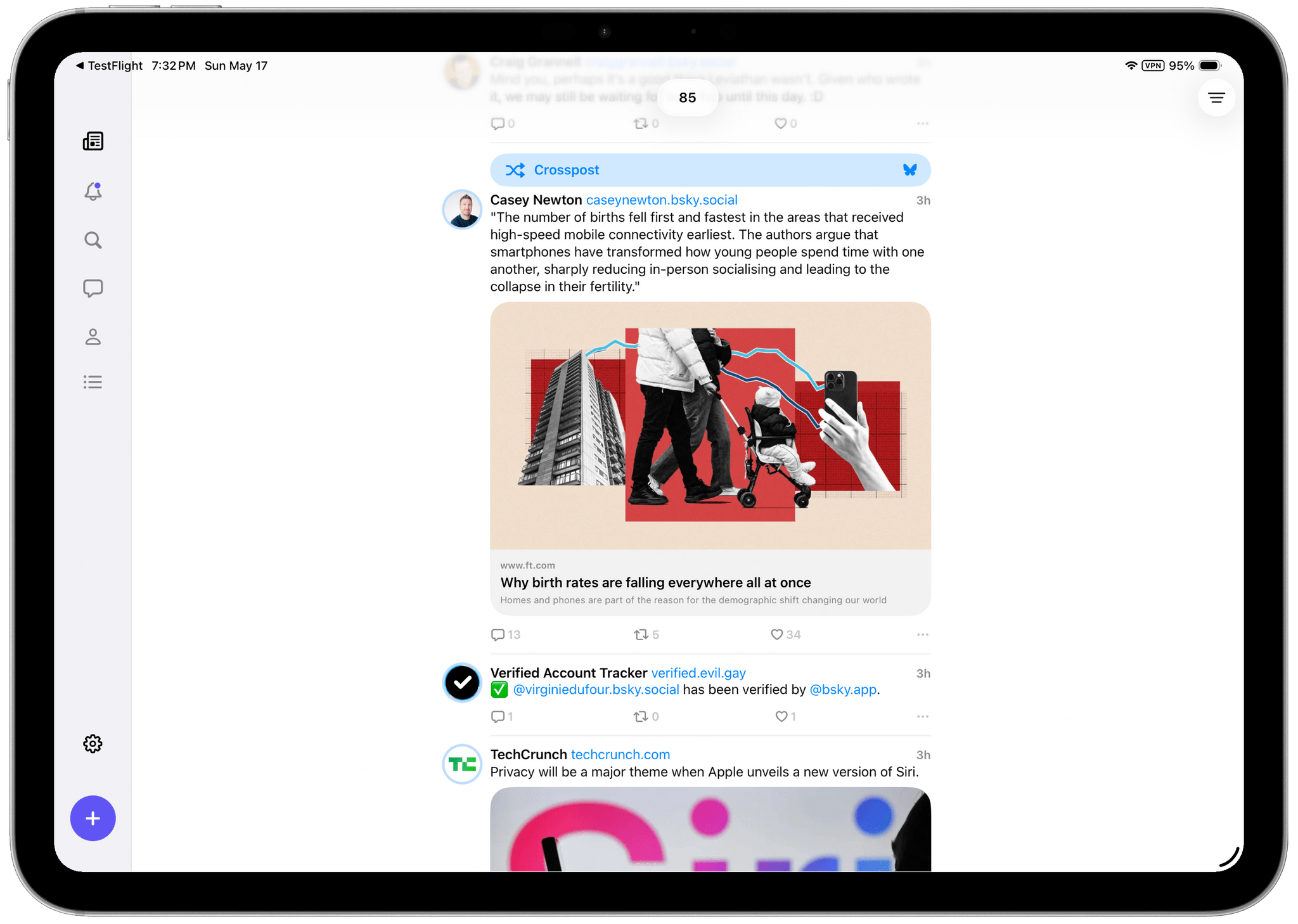

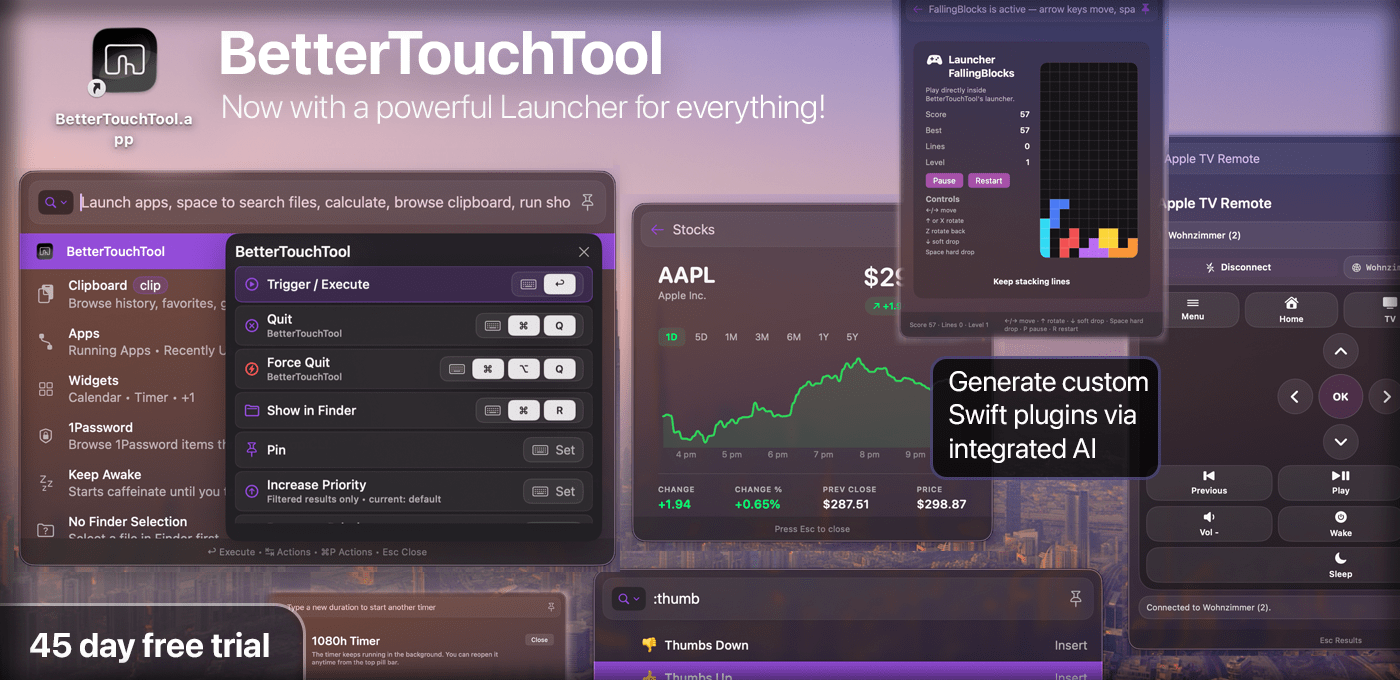






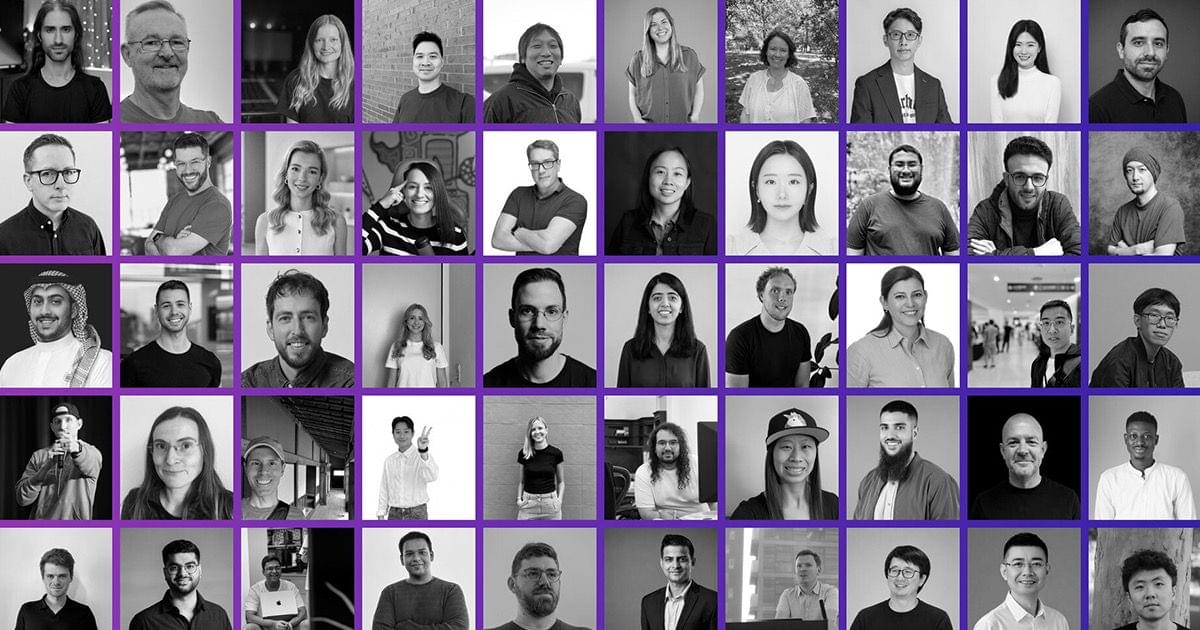
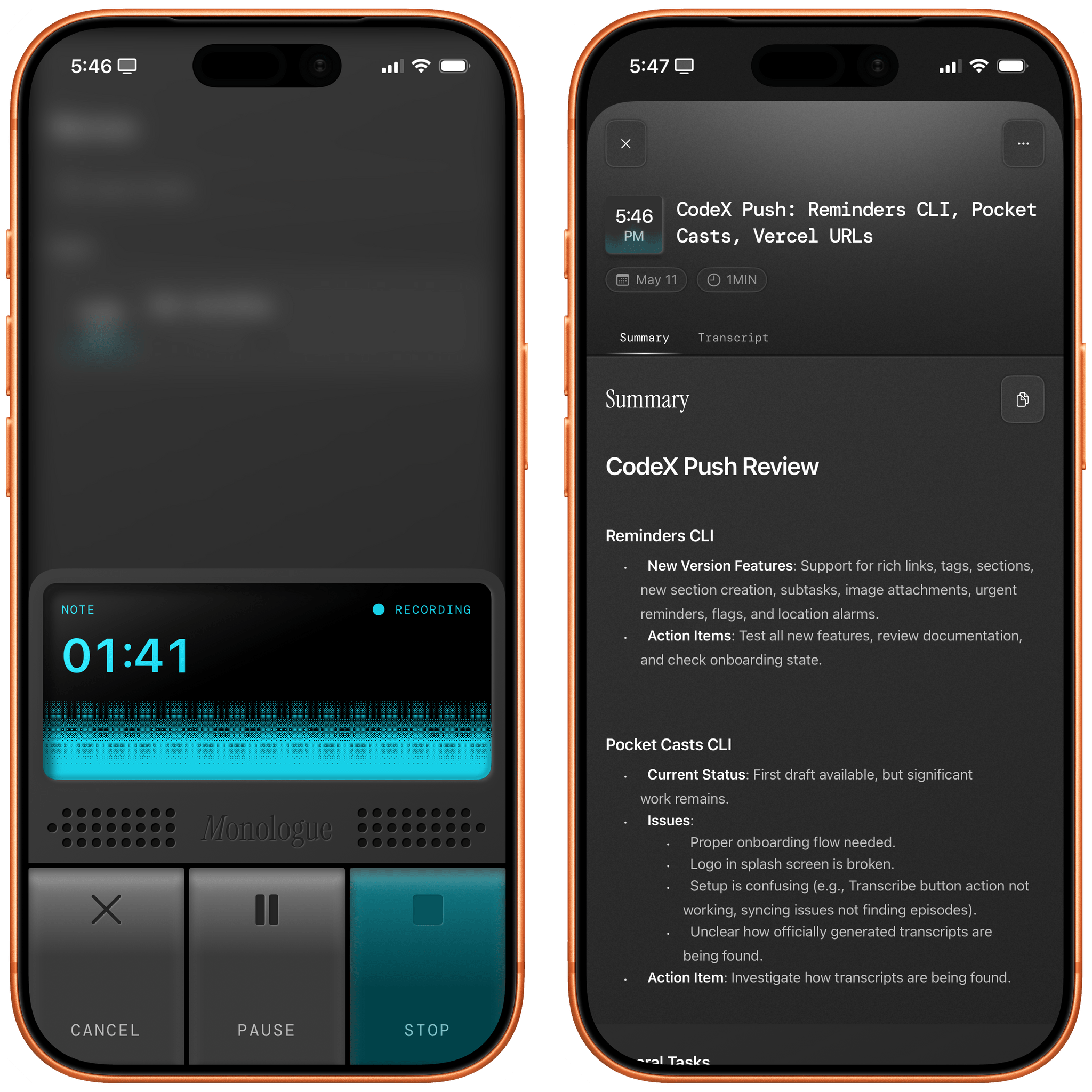
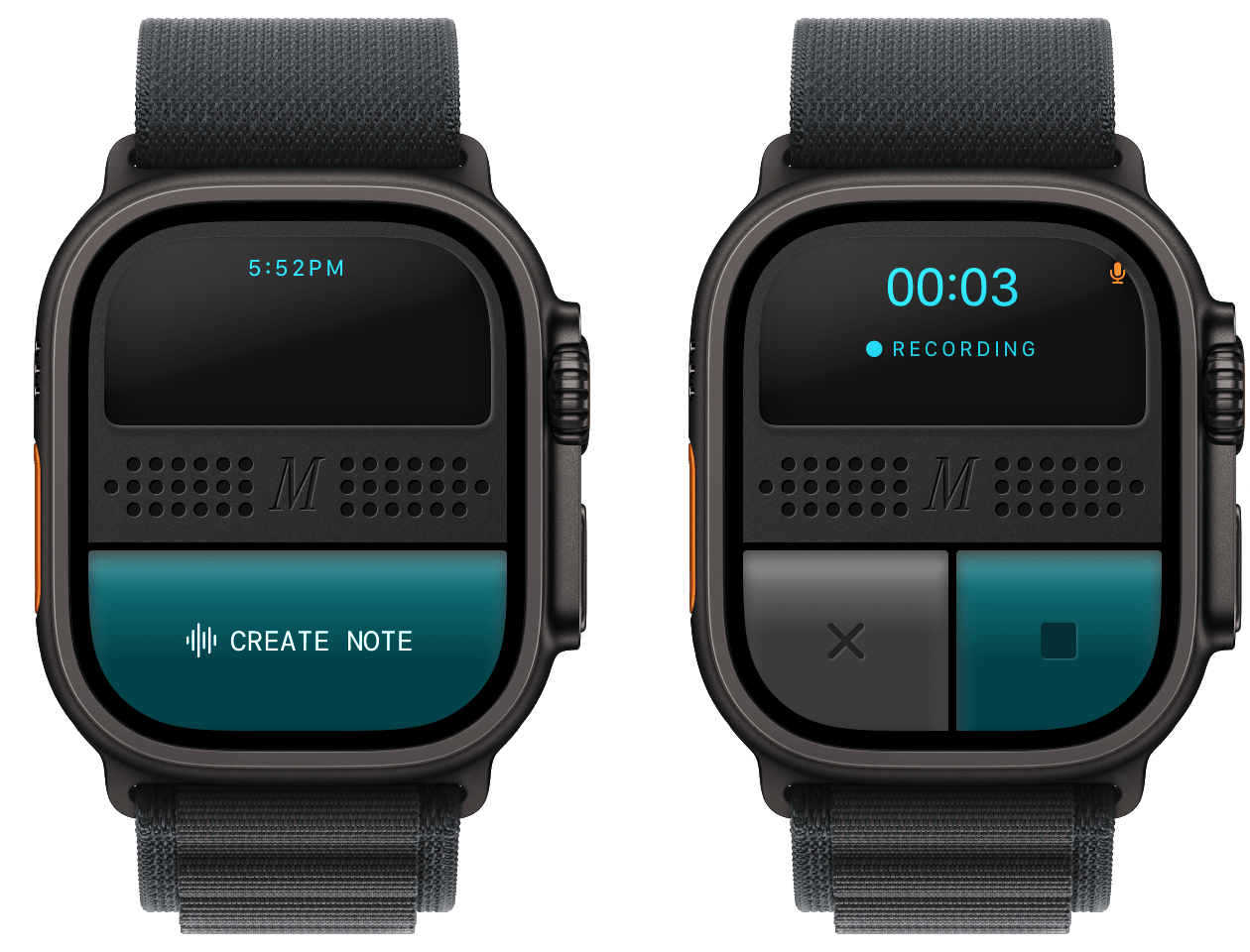
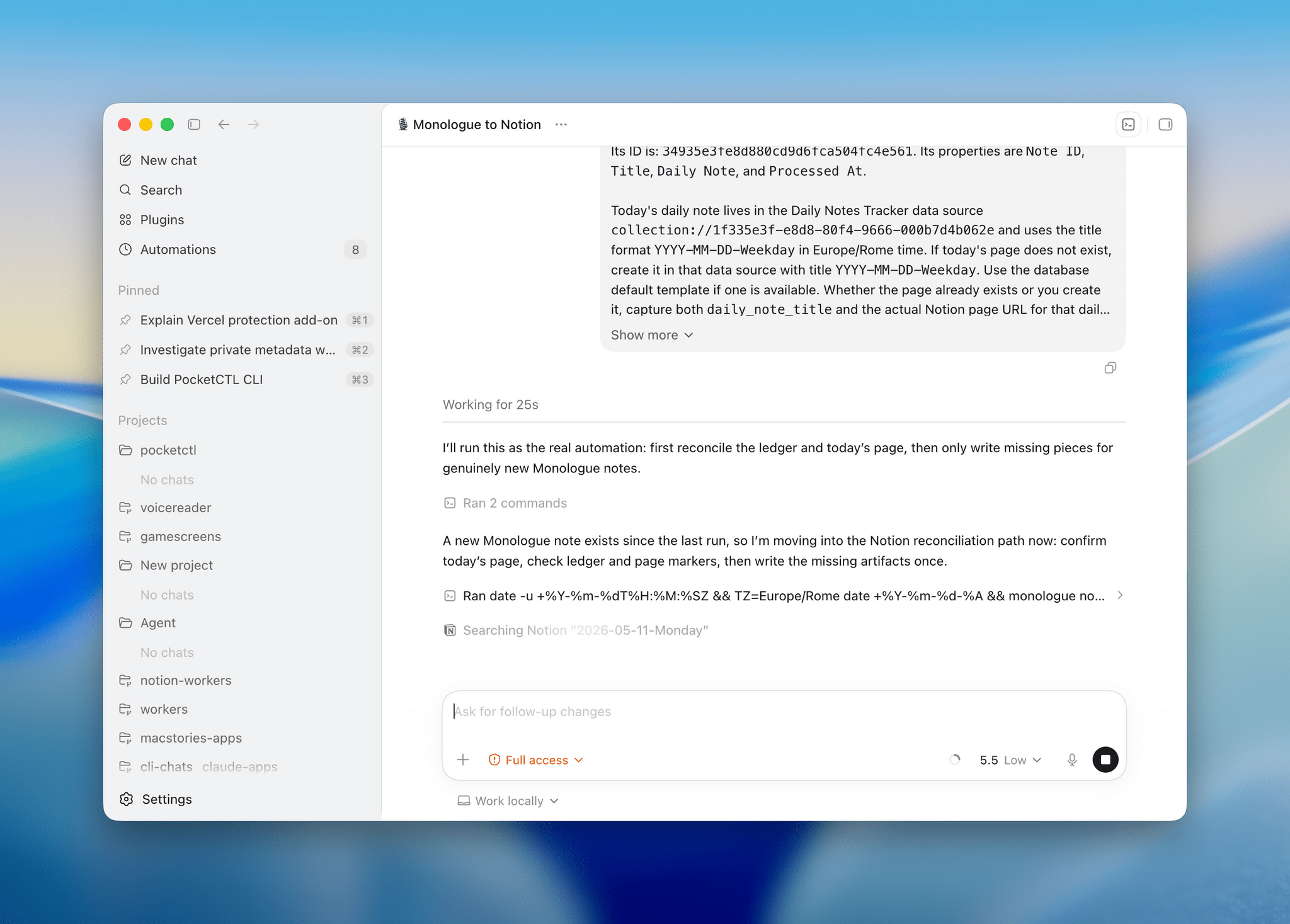
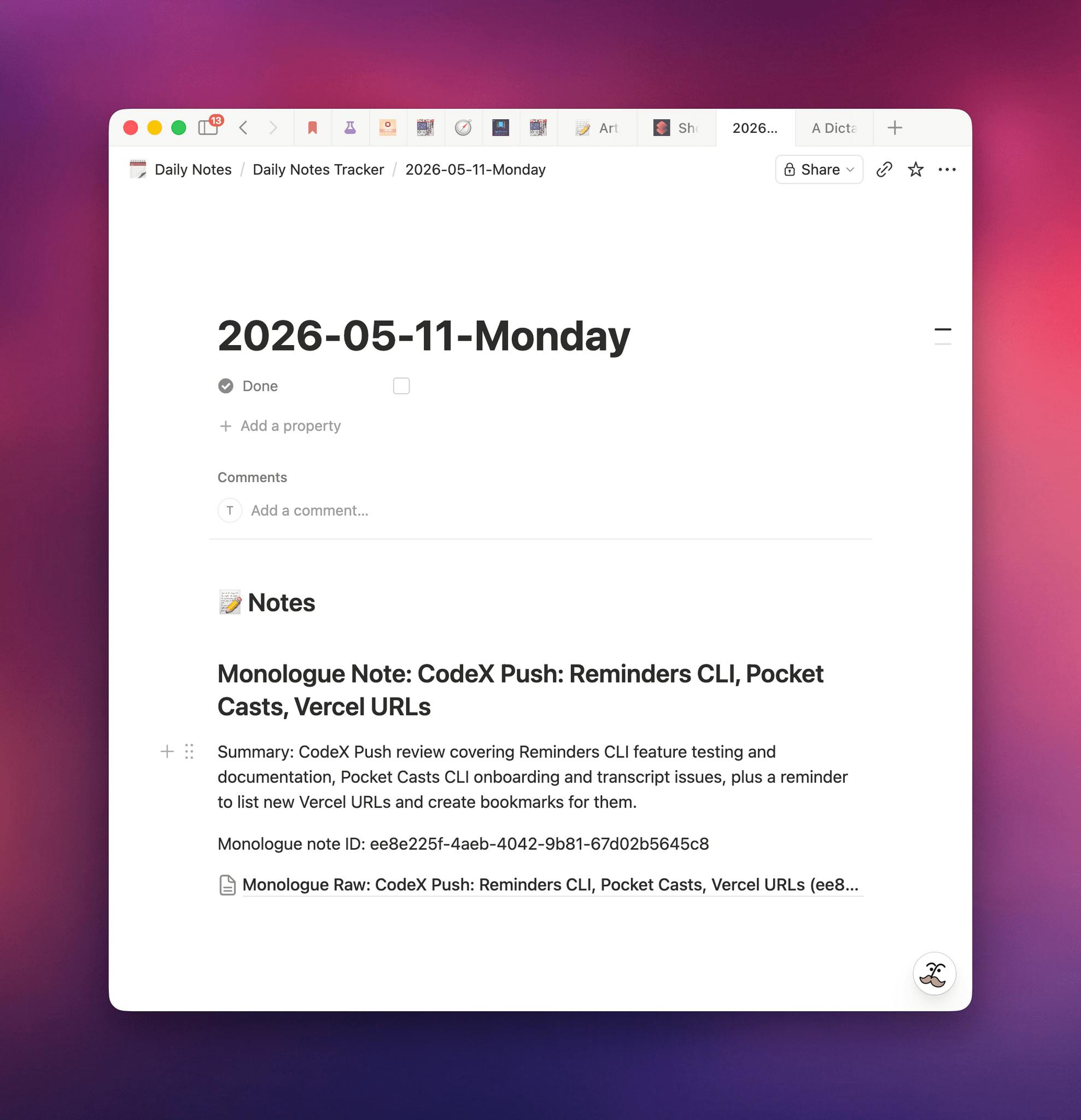
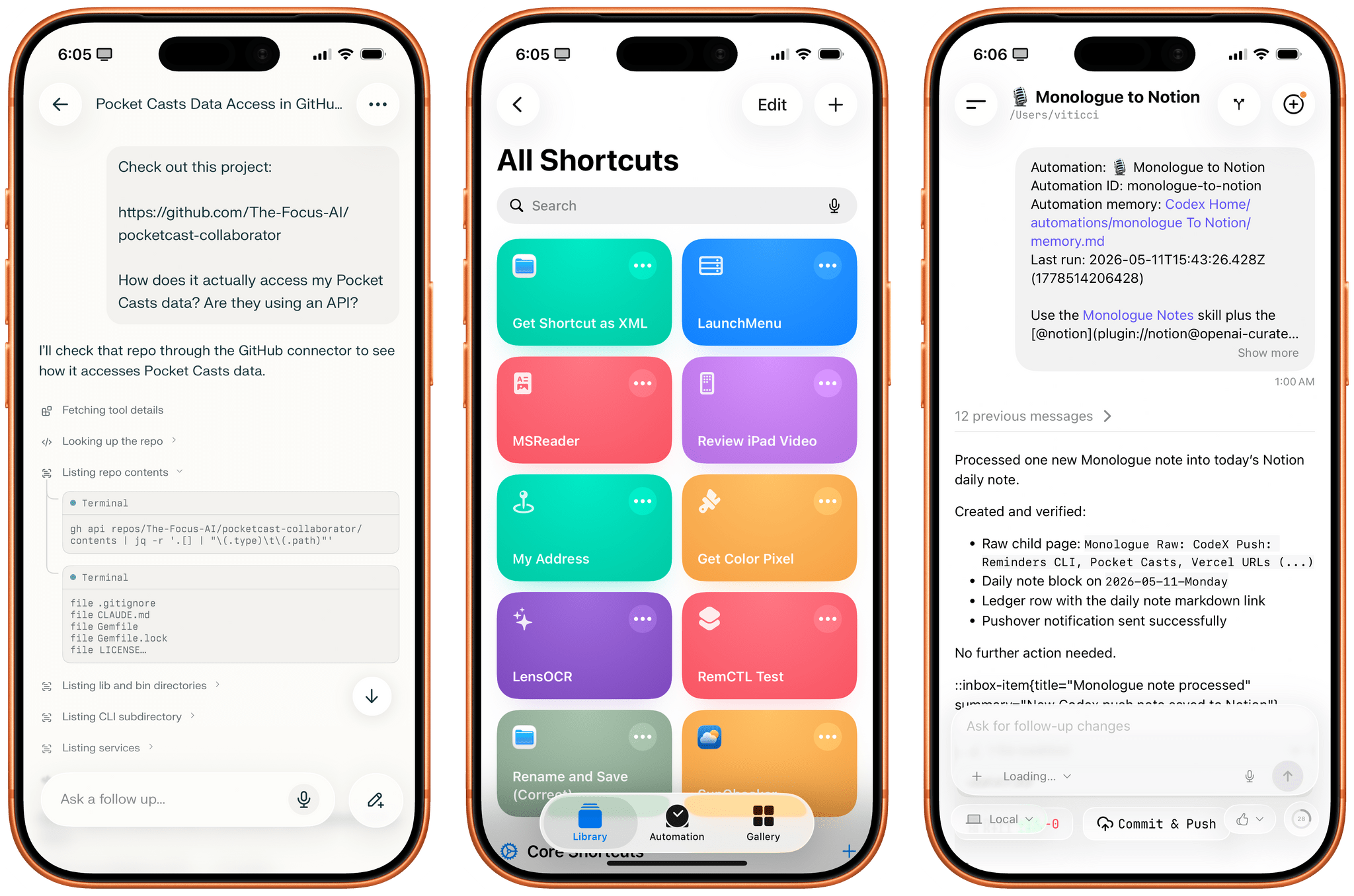
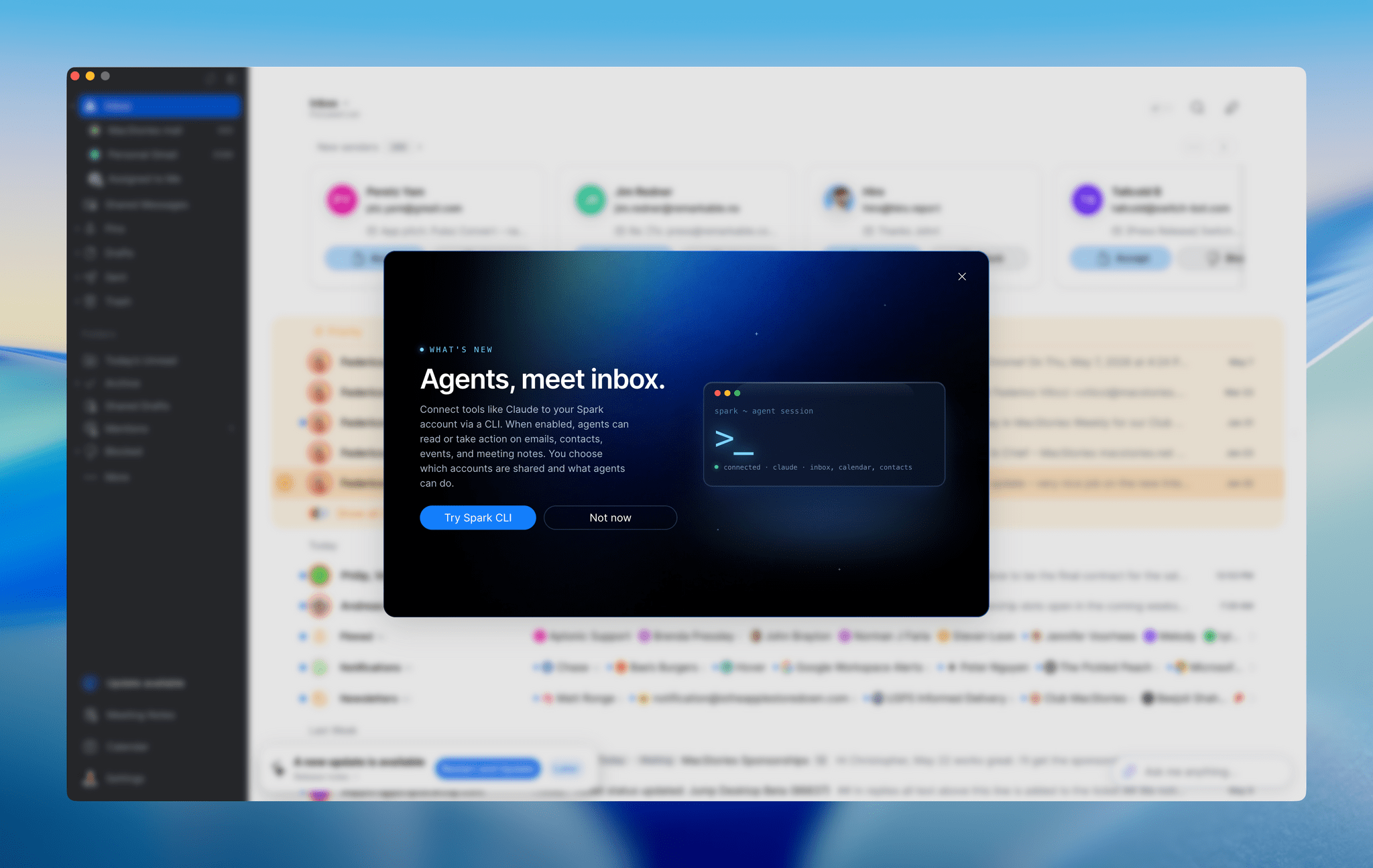
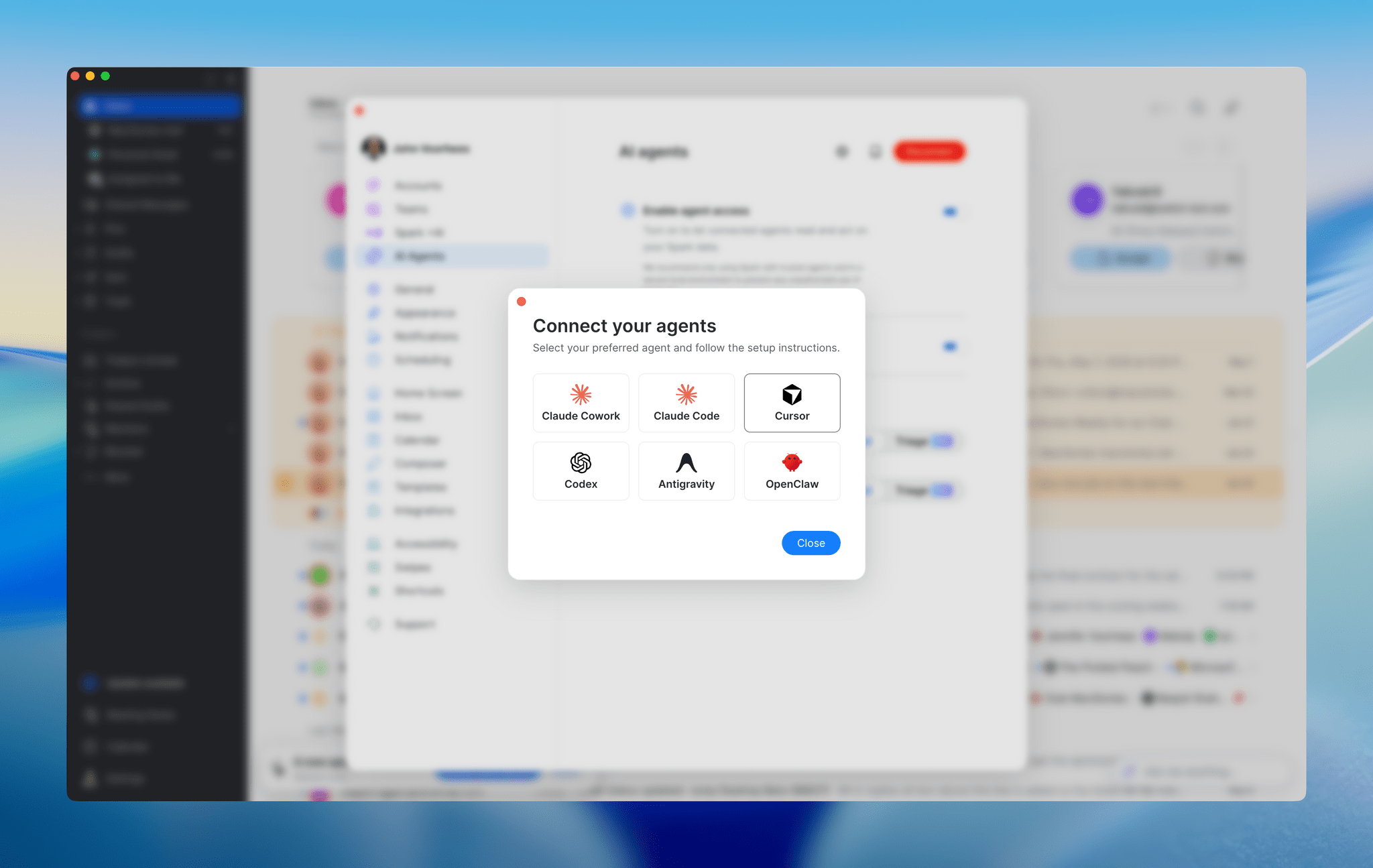
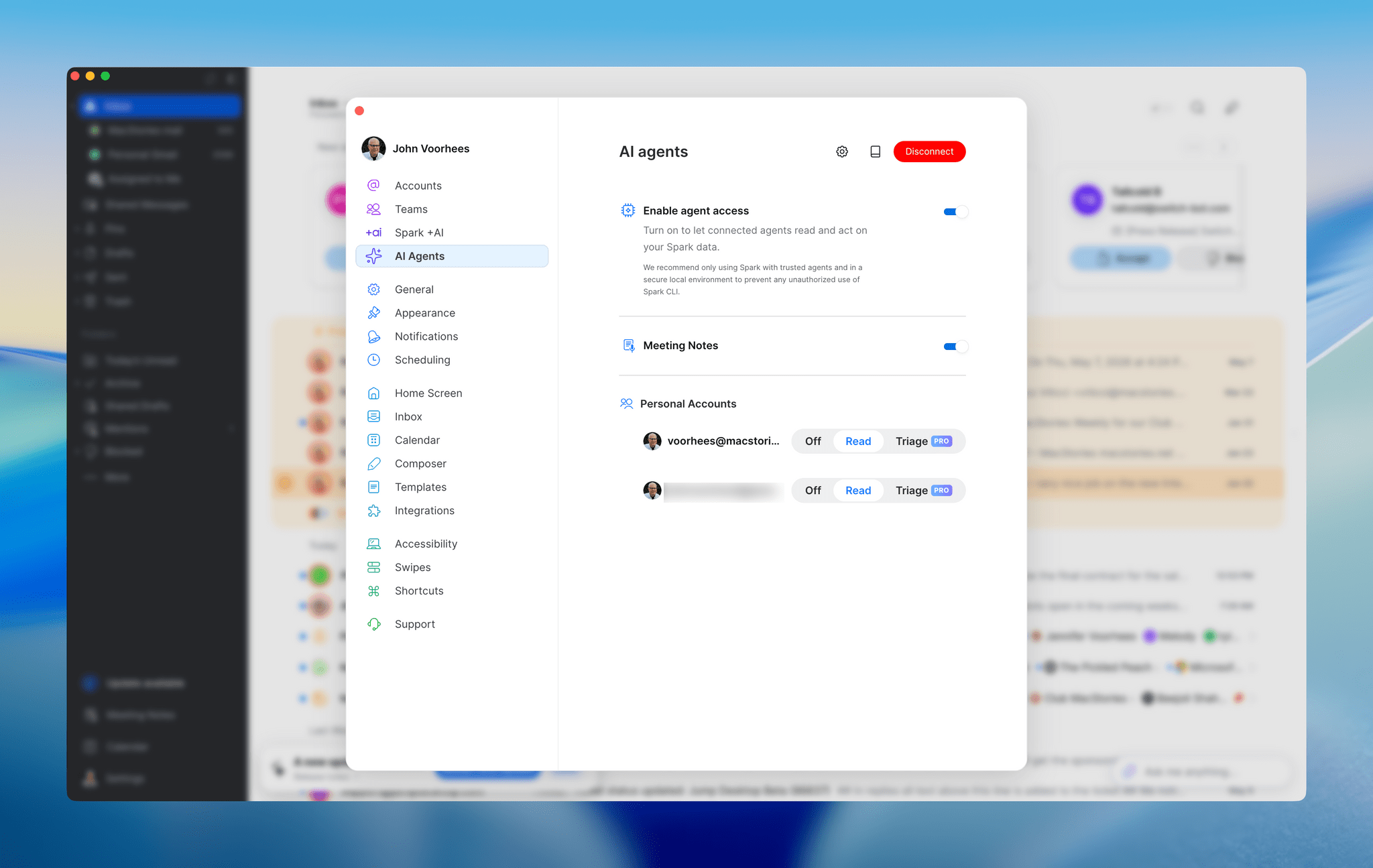
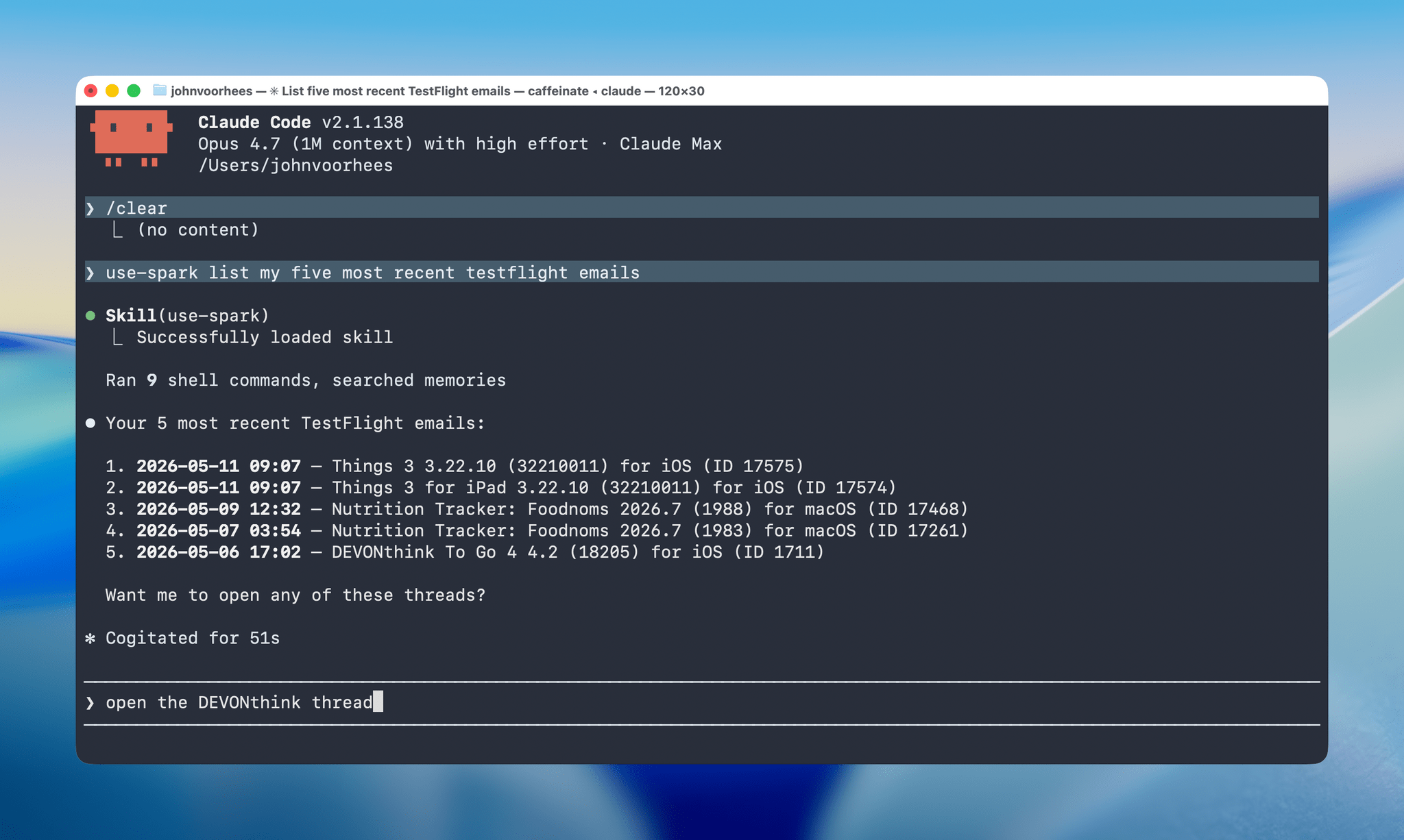
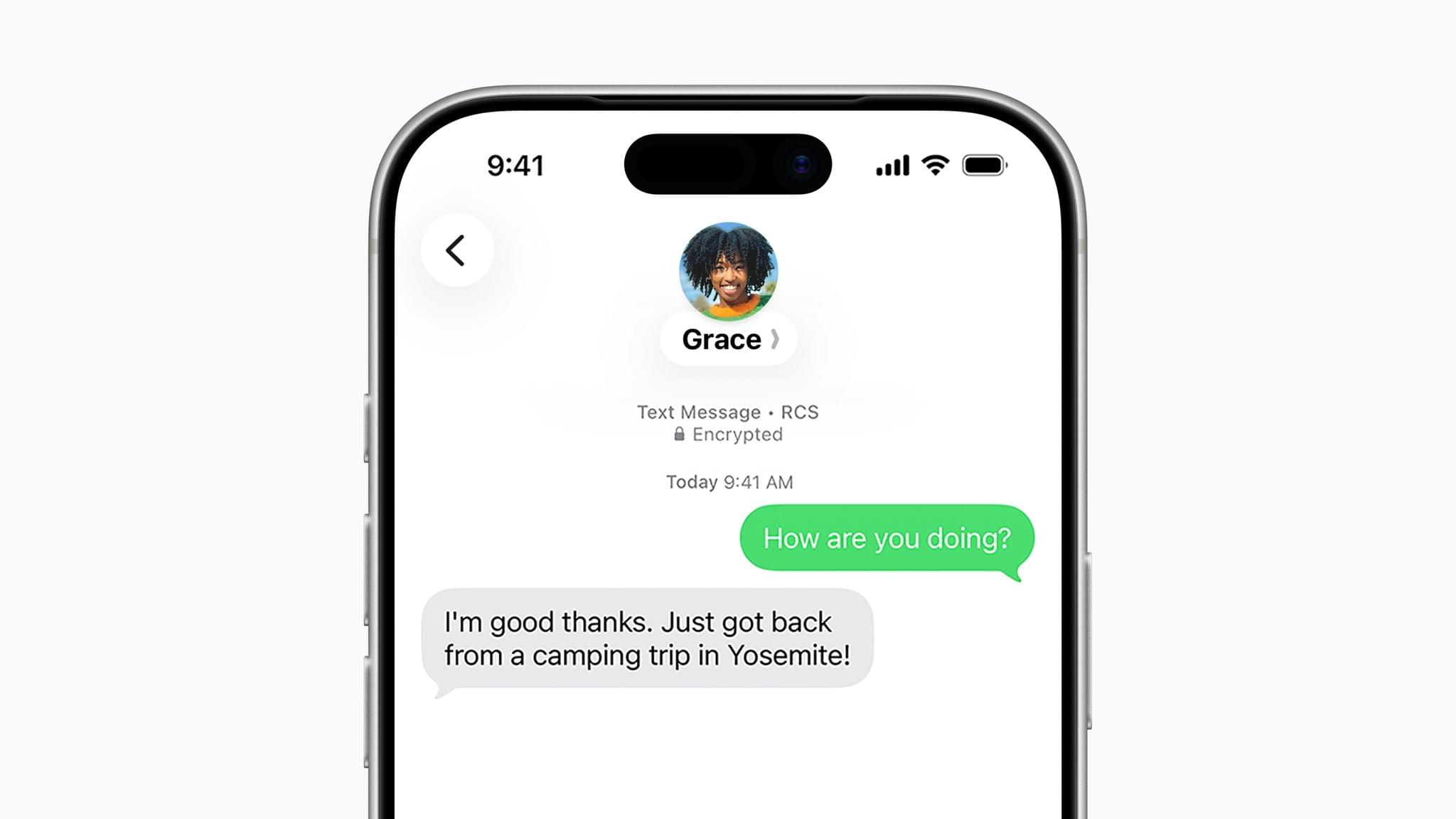
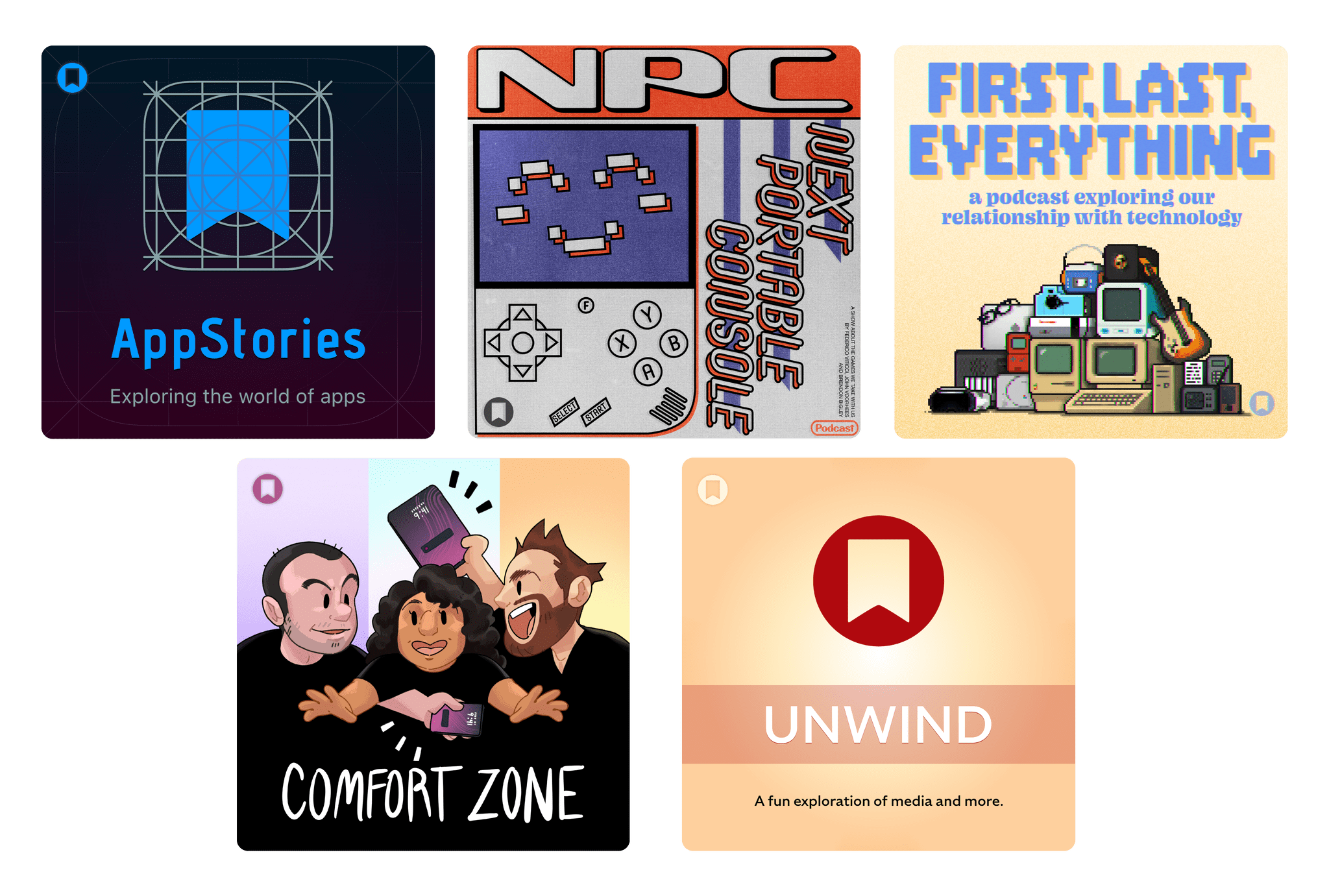
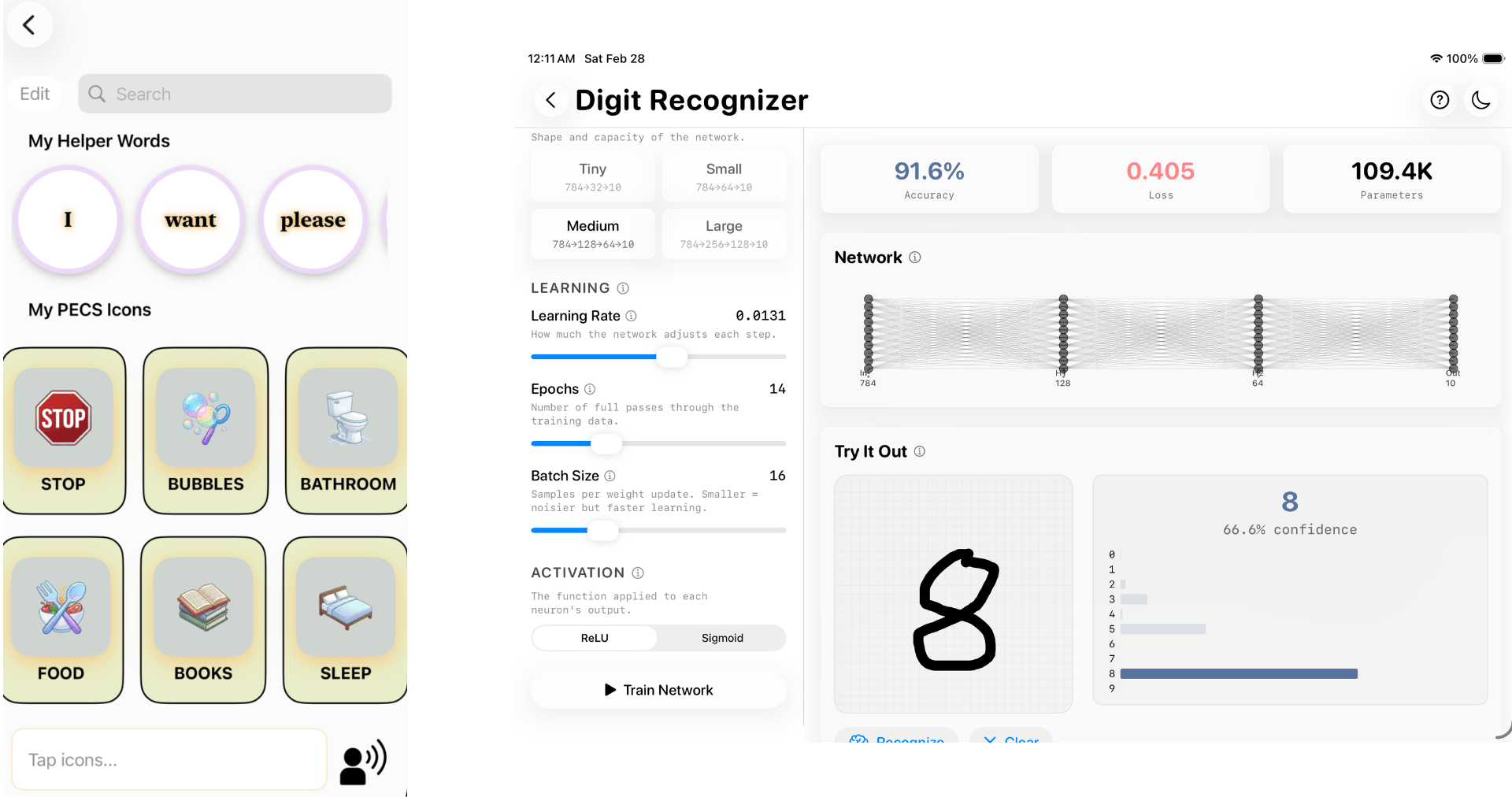
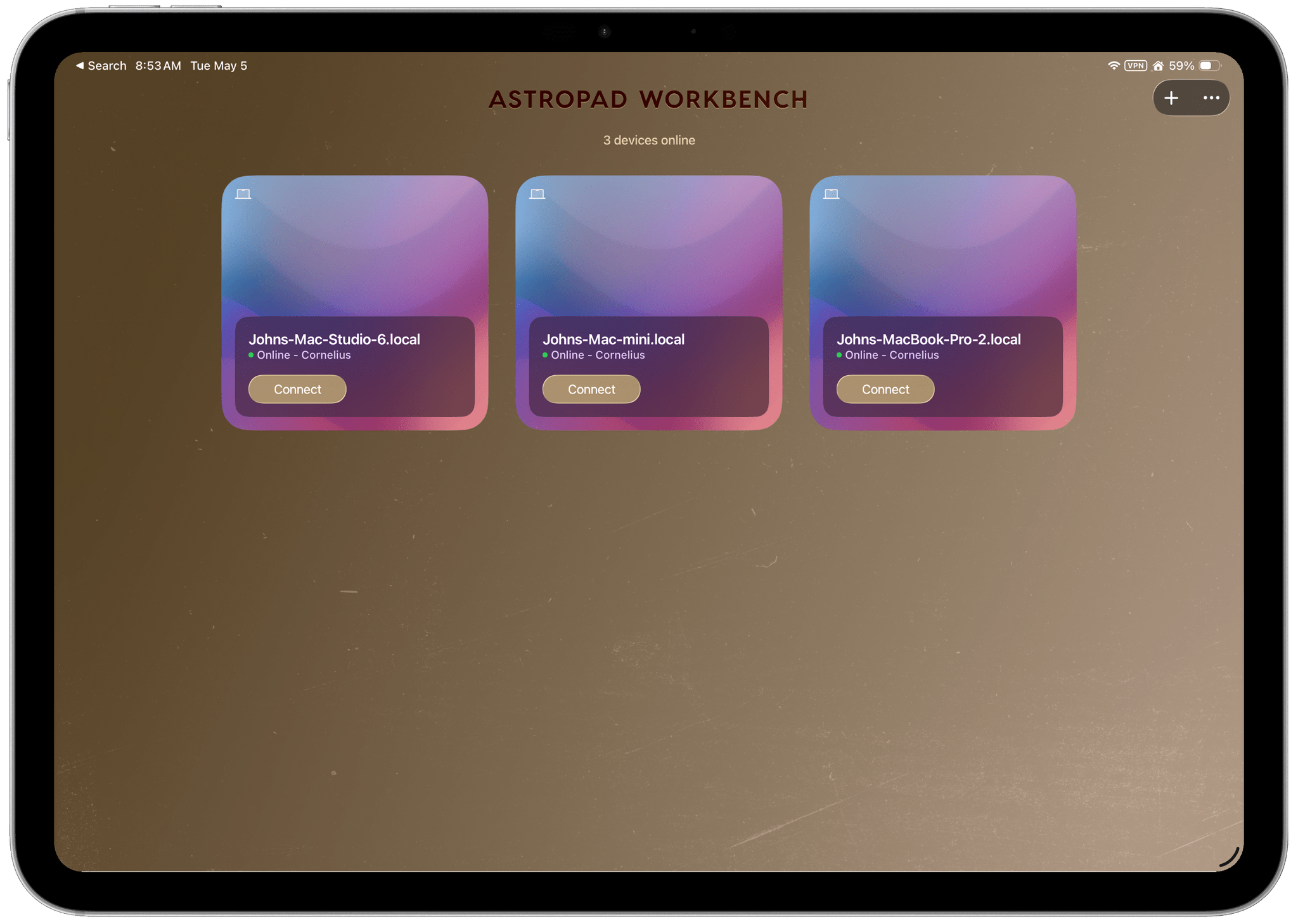
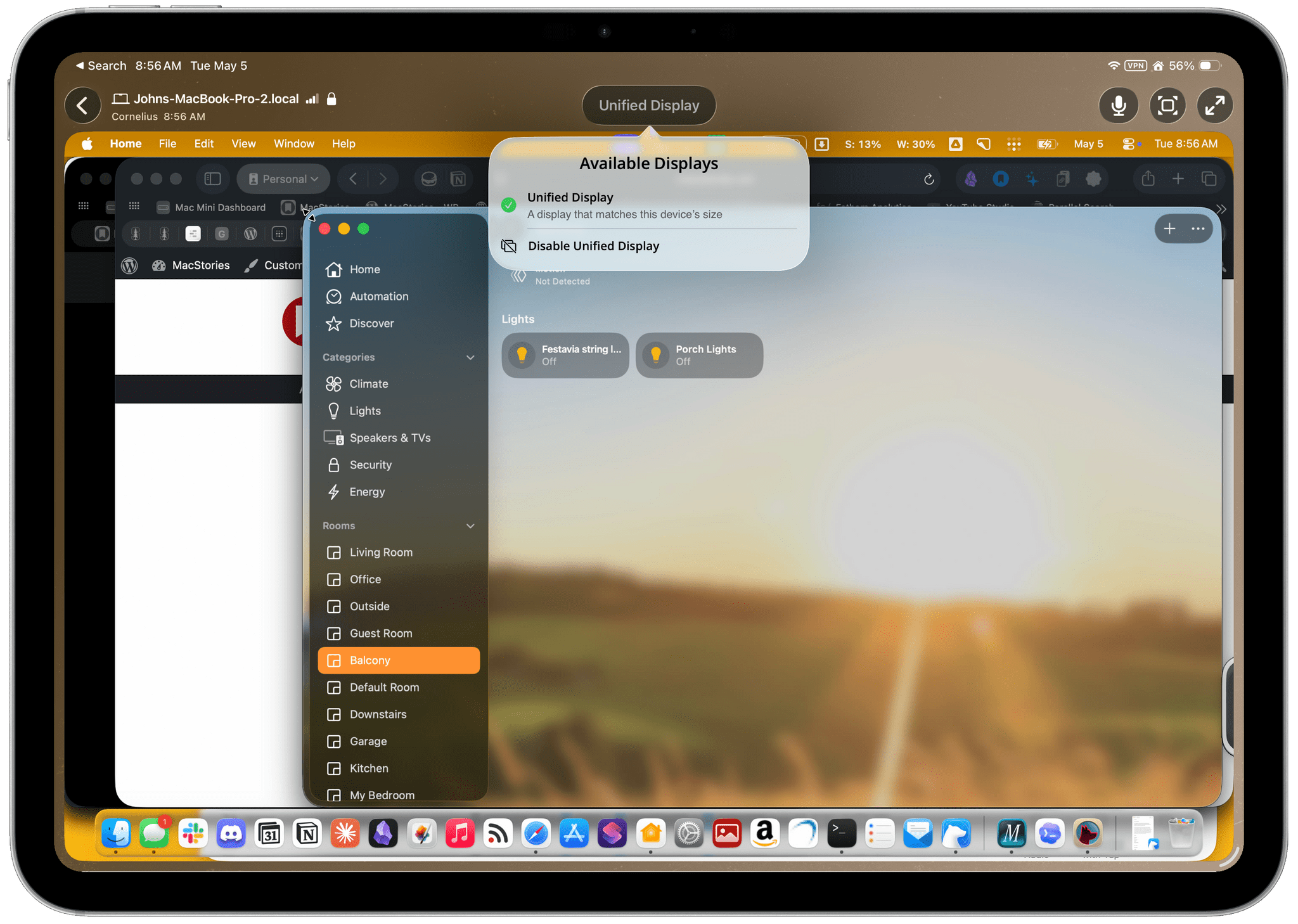
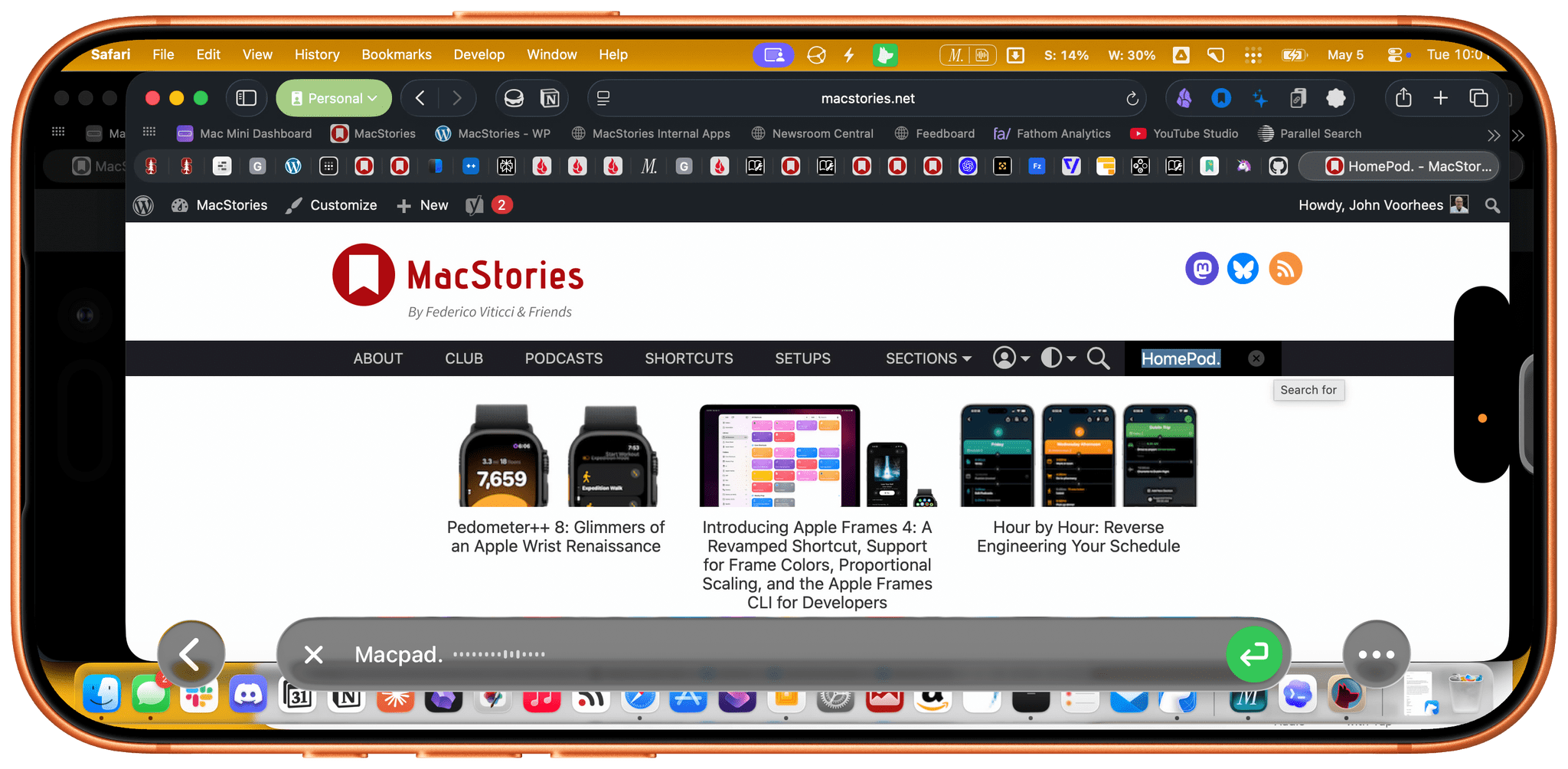
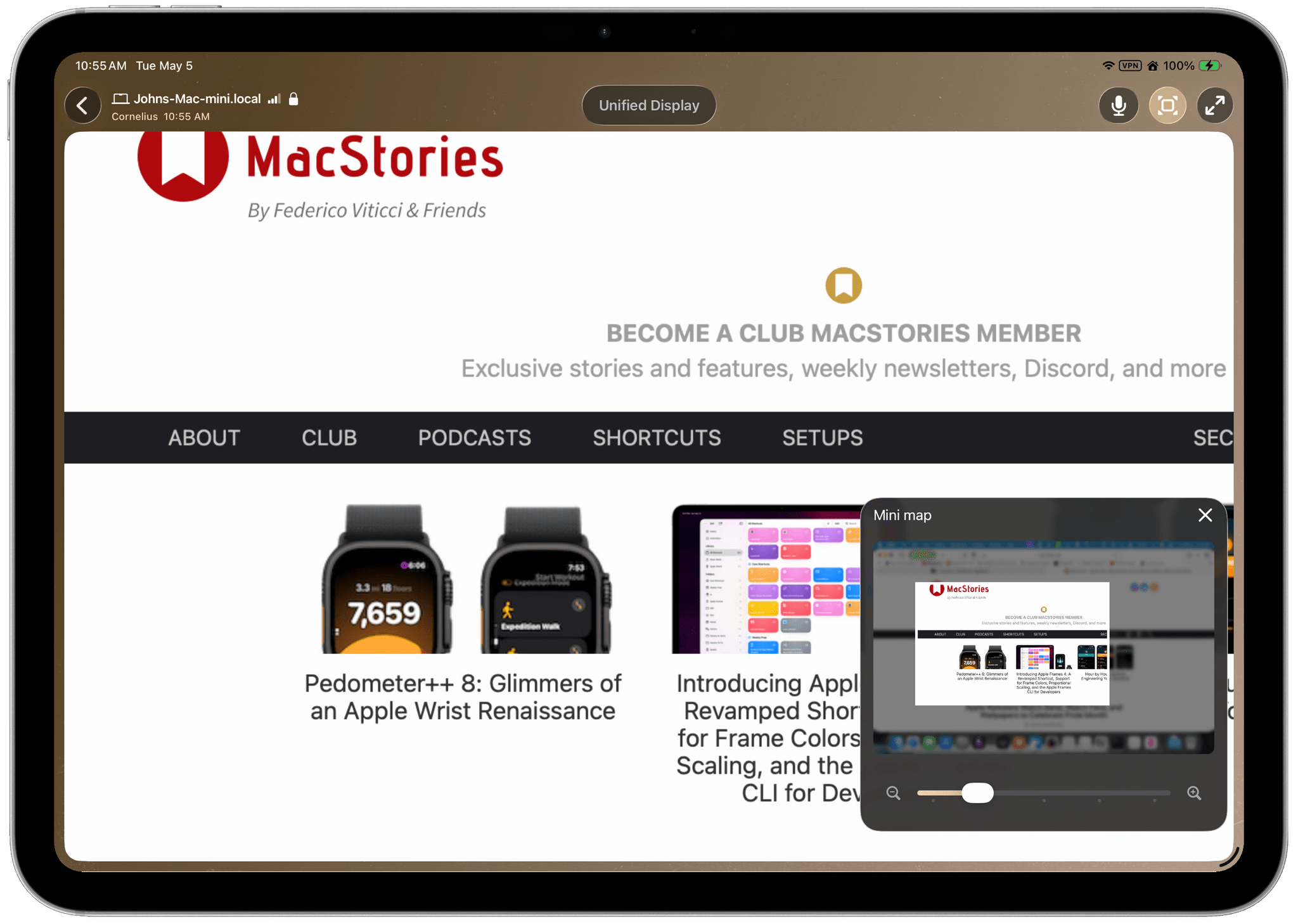
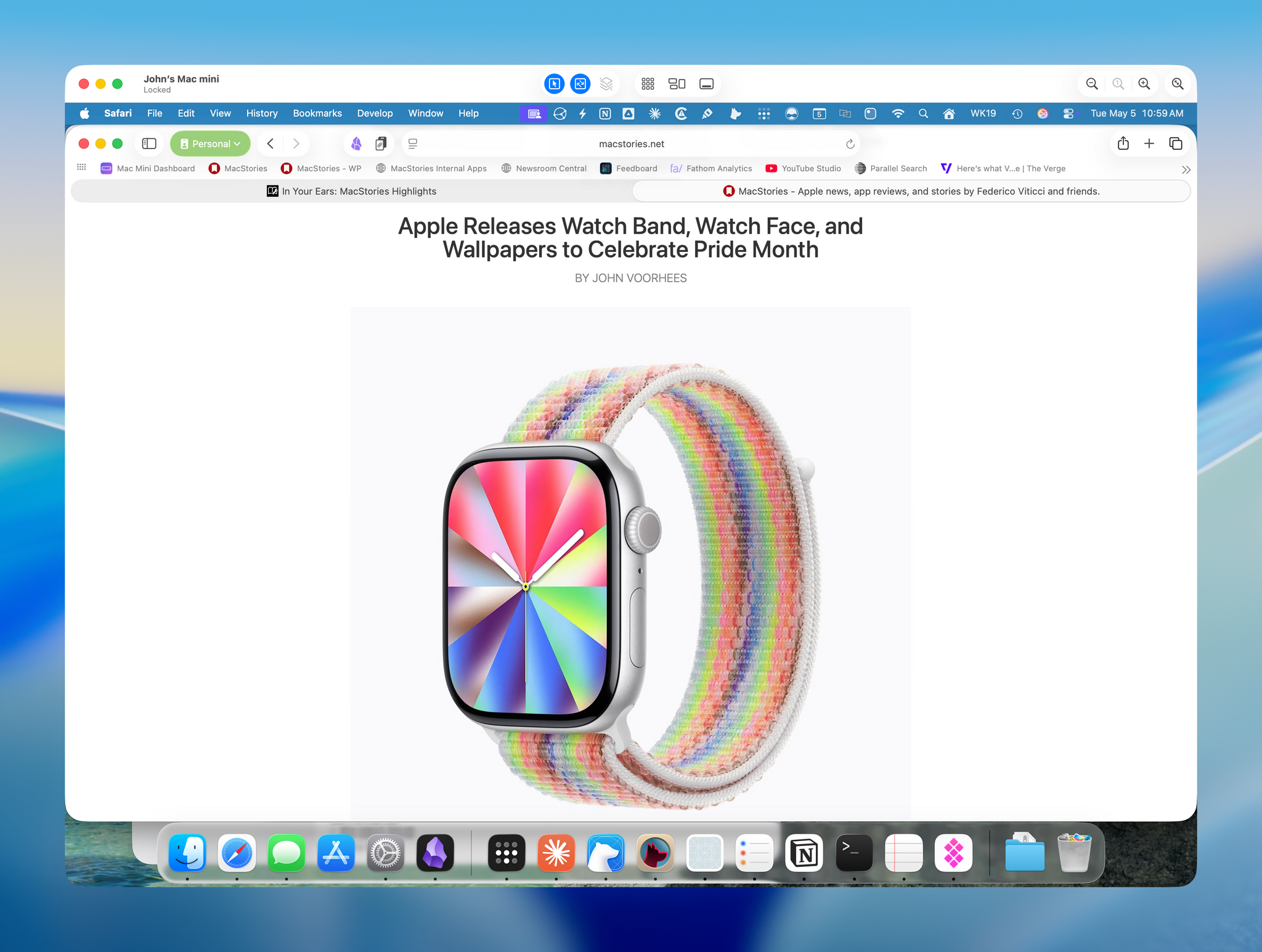
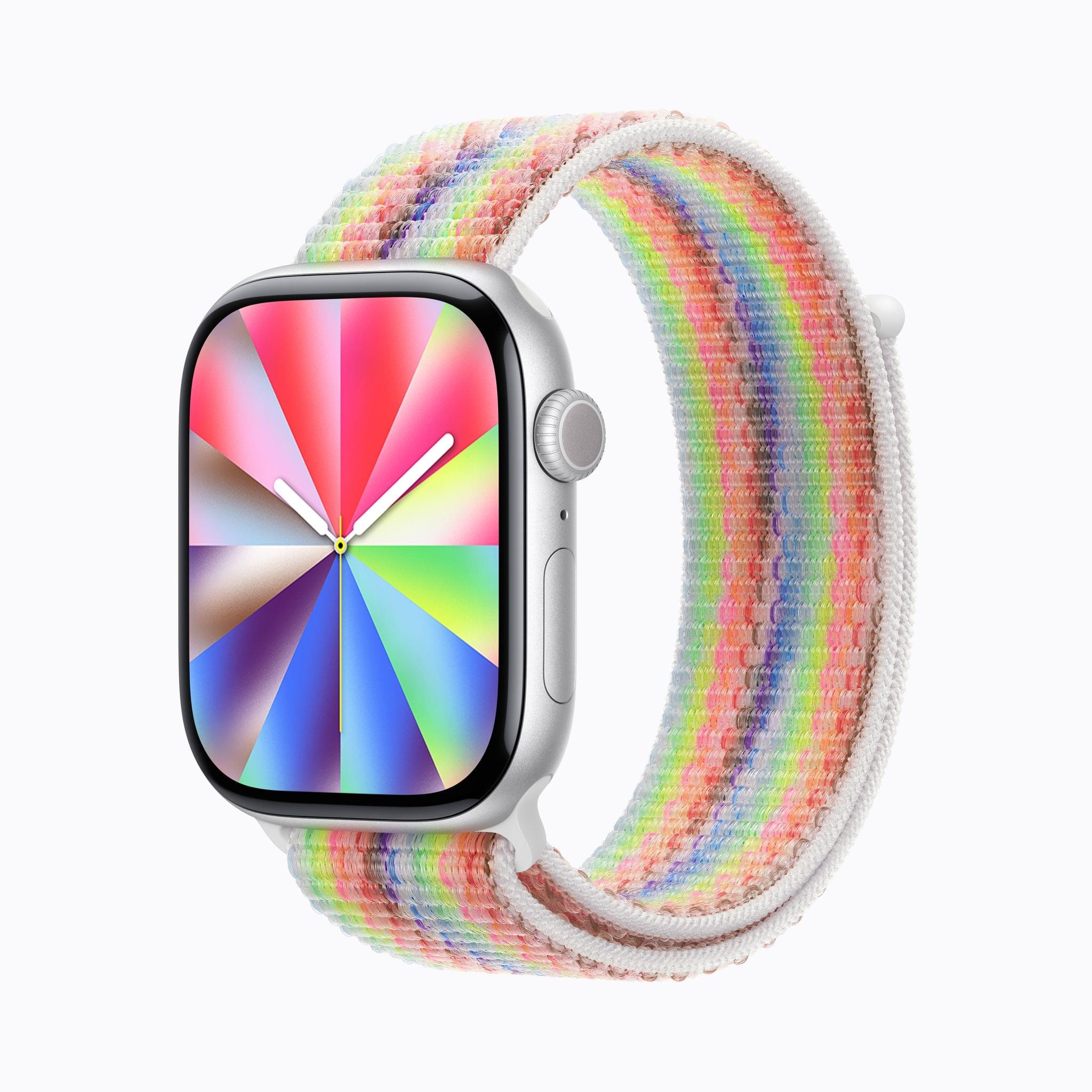
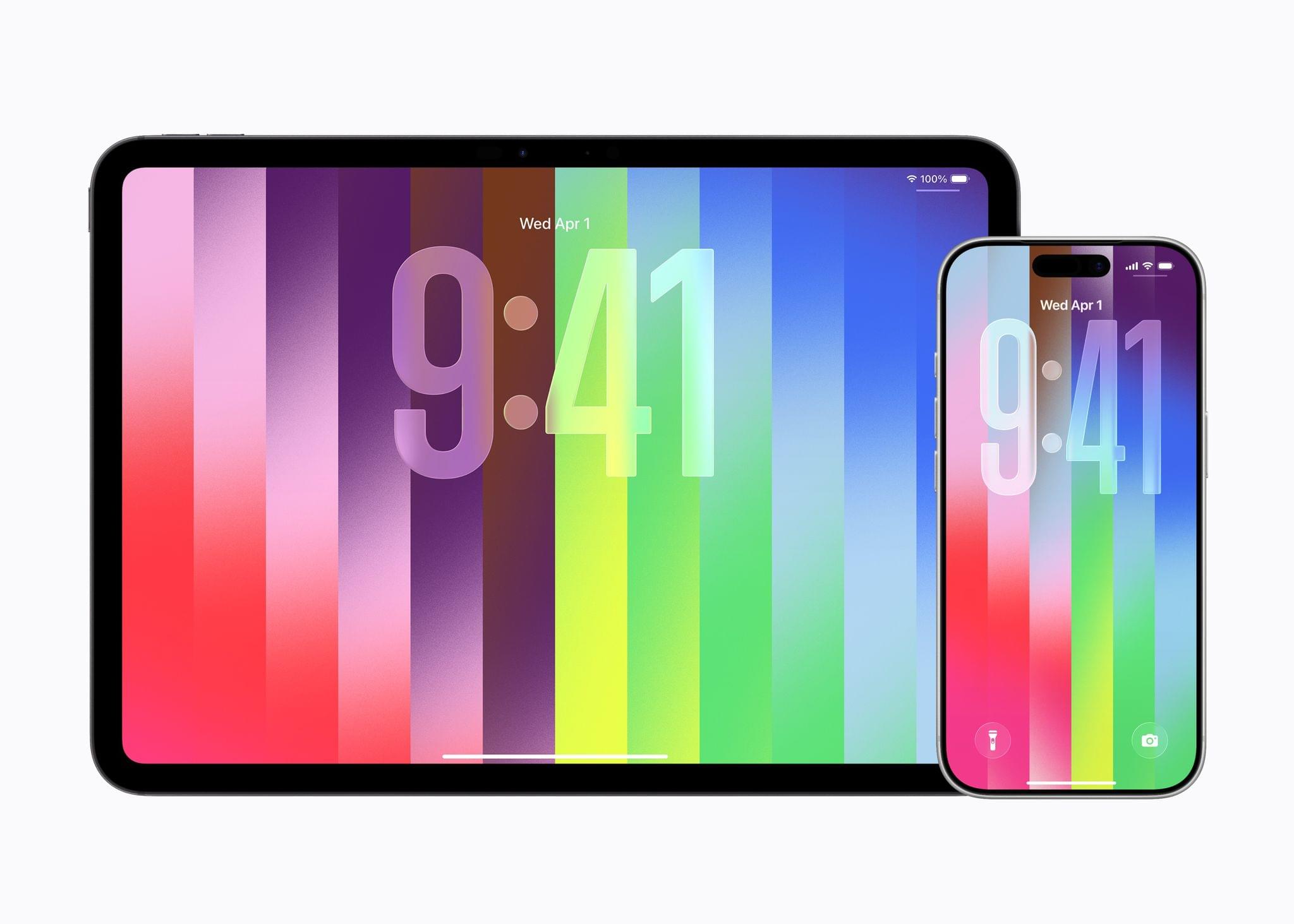


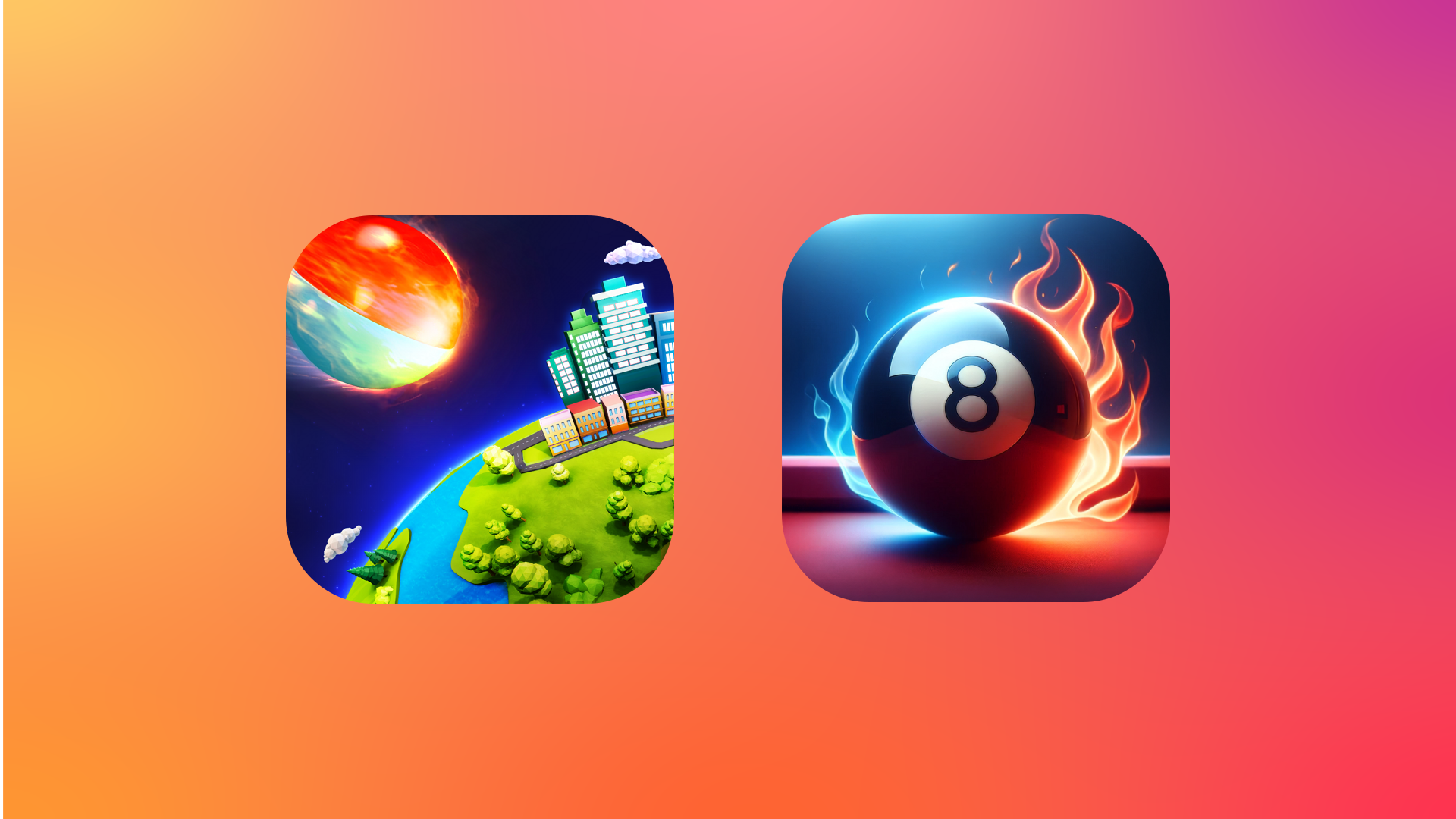


.](https://cdn.macstories.net/untitled-21-1777743518300.png)