GeistHaus
log in · sign up

https://uconsole.net/feed/atom

atom
10 posts
Polling state
Status active
Last polled May 19, 2026 04:28 UTC
Next poll May 20, 2026 06:10 UTC
Poll interval 86400s
ETag "f2b35aec83b4beaf421cb7ac8e9b4b22"
Last-Modified Fri, 26 Dec 2025 19:05:51 GMT

Posts

Hands on with the Openterface KVM Expansion Board for uConsole
AccessoriesReviews

A fully-featured KVM solution for uConsole with excellent latency and impressive build quality. I’ve been testing the Openterface KVM expansion board for the Clockwork uConsole, and it feels like it was designed for exactly the kind of situations I run into in AV work. Most of my day-to-day “emergencies” happen in the back of a […]

The post Hands on with the Openterface KVM Expansion Board for uConsole appeared first on uConsole World.

Show full content

A fully-featured KVM solution for uConsole with excellent latency and impressive build quality.


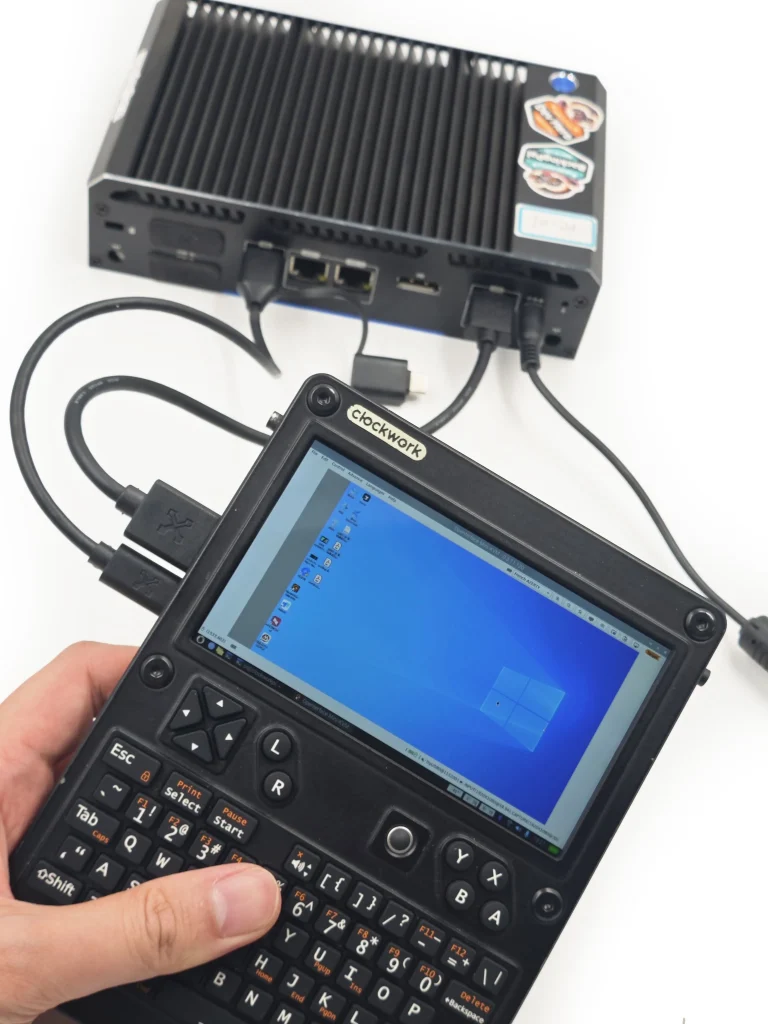
I’ve been testing the Openterface KVM expansion board for the Clockwork uConsole, and it feels like it was designed for exactly the kind of situations I run into in AV work.

Most of my day-to-day “emergencies” happen in the back of a rack, dealing with a headless server or a device that just refuses to come up on the network. Normally, my go-to kit is a portable field monitor with a rechargeable battery and a compact media-center style wireless keyboard/trackpad. It works, but it’s a bit of a juggling act with cables, batteries, and balancing things on top of gear.

The uConsole with this KVM board changes that: it’s a single device that’s both a portable Linux PC and a KVM solution. No separate screen, batteries or keyboards to manage.

Why a KVM matters

When a system won’t boot, or you need to check BIOS/firmware settings, SSH and VNC aren’t options. You need a screen and keyboard directly connected. That’s where a KVM shines, and why I always carry something for these situations.

Compared to Network-style JetKVM

Somewhat ironically, I ordered both this Expansion Card & a similar home-lab favorite product called JetKVM. They both showed up at my house in the same week!

The products serve slightly different use cases. A JetKVM can be plugged into a machine permanently and accessed remotely over the network. I’ve hooked up mine to a 4-port KVM switch so I can switch between a few different machines in my home-lab.
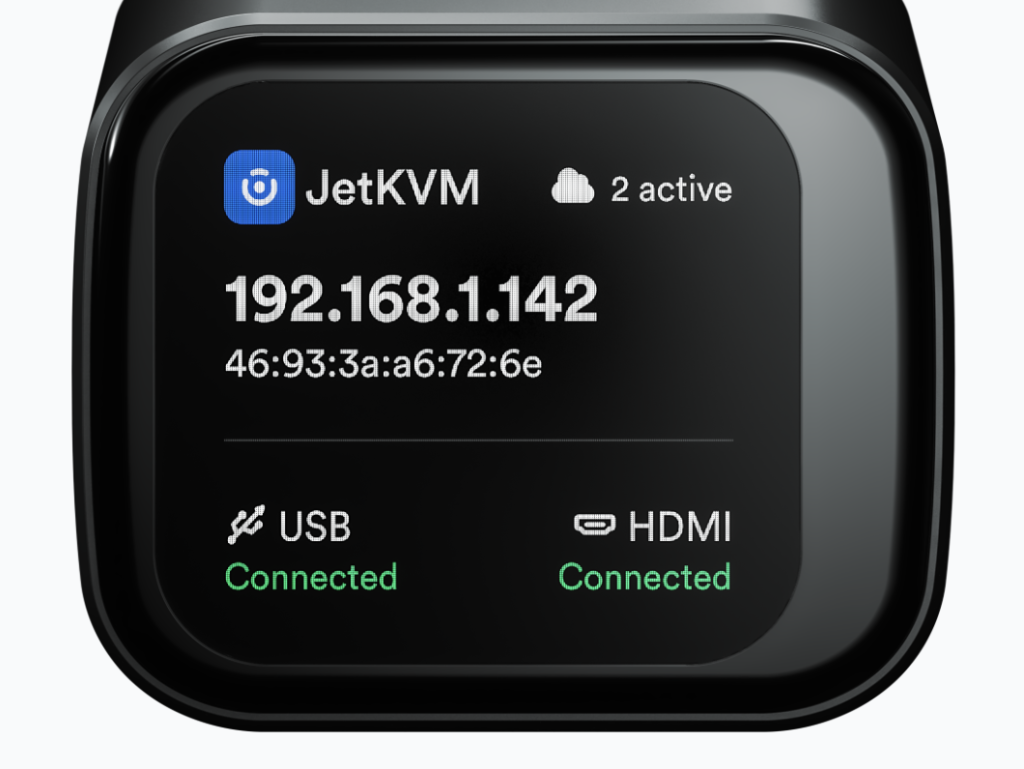
The JetKVM shows clear status of USB & HDMI connectivity, making it easier to confirm your setup.

However, a limitation of this device is that you need a working network and another device to access it. Depending on what kind of a situation you’re in, it might be more practical to be able to work completely offline, one of the features Openterface prides itself in.

That being said, the JetKVM has an extremely polished interface that is hard to beat, and had a much easier time identifying when a valid signal was established on the video and keyboard of the device than on the Openterface.

Latency and video

Testing Notes: Tested on uConsole with CM5

I tried it

  • Keyboard/mouse felt instant—perfectly usable even in BIOS screens.
  • Video was fine at 720p and 1080p, smooth enough for desktop tasks and troubleshooting. You wouldn’t watch a movie or do graphics work through it, but that’s not the point.
  • At higher resolutions, JetKVM still has the edge, but Openterface felt quicker at the “practical” lower resolutions I’d actually use in a rack.

Software setup

Setup was fairly simple, although you can quickly end up on the wrong track. Their docs recommends you use the install script, which doesn’t seem to install the latest version. Their stack uses Flatpak uses which took some time to get setup.

Alternatively if you’re running Rex images you’re likely better off doing just

sudo apt install openterfaceqt

As he has already kindly packaged it for his popular Debian distribution.

Access from Linux, macOS, Windows

As for accessing target machines using the Openterface KVM, here’s what I found:

  • Linux: Worked out fine
  • macOS: had to allow keyboard in macOS first. Mouse tracking wasn’t great. A big issue I have is that I can’t enter the Mac boot loader using the Option key. This made it unusable in that situation.
  • Windows: Worked without issue
  • BIOS: Your mileage may vary. For BIOS that need quick response with an F-key you may have issues

Technical Assessment

Probably the most interesting part of this expansion board is that it’s based on Openterface’s USB-based offerings. This means that the software will continue to improve in order to offer support for a large variety of customers using their product line, not simply the relatively small uConsole community who get their hands on a uConsole and end up purchasing the board.

This is the biggest upside of this product, as with some other expansion boards, you run the risk of not having enough momentum for ongoing development.


Fit and Finish
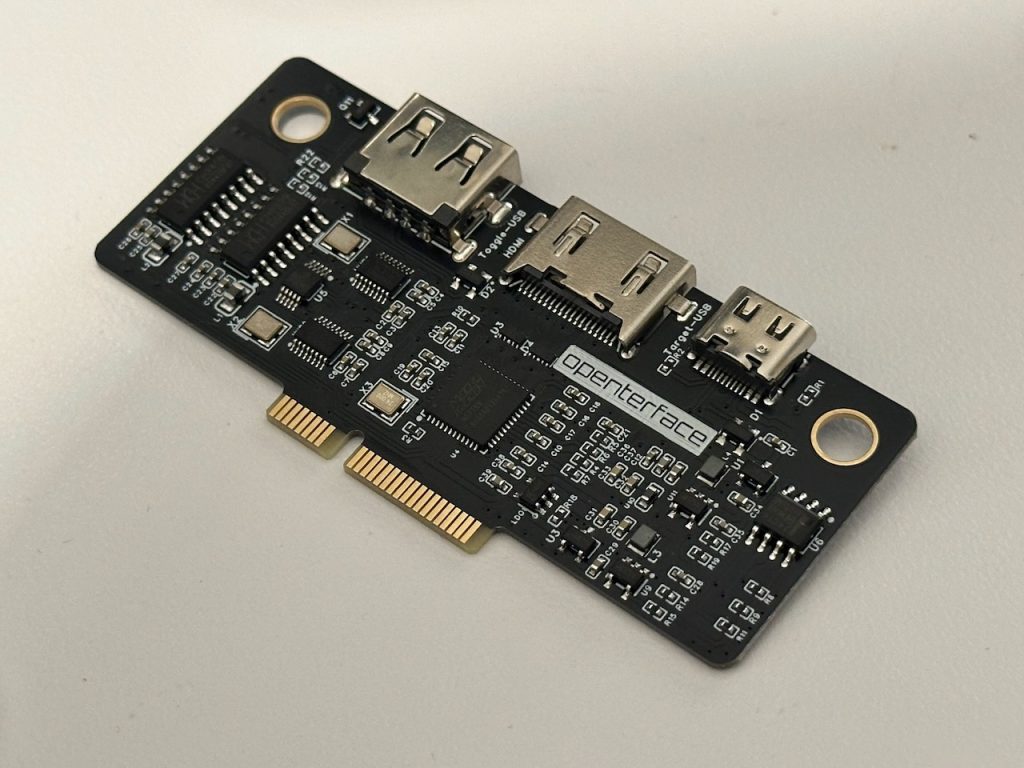
The openterface Expansion Card has a professional-grade build quality.
  • Build Quality: Excellent
  • Installation Experience: Easy
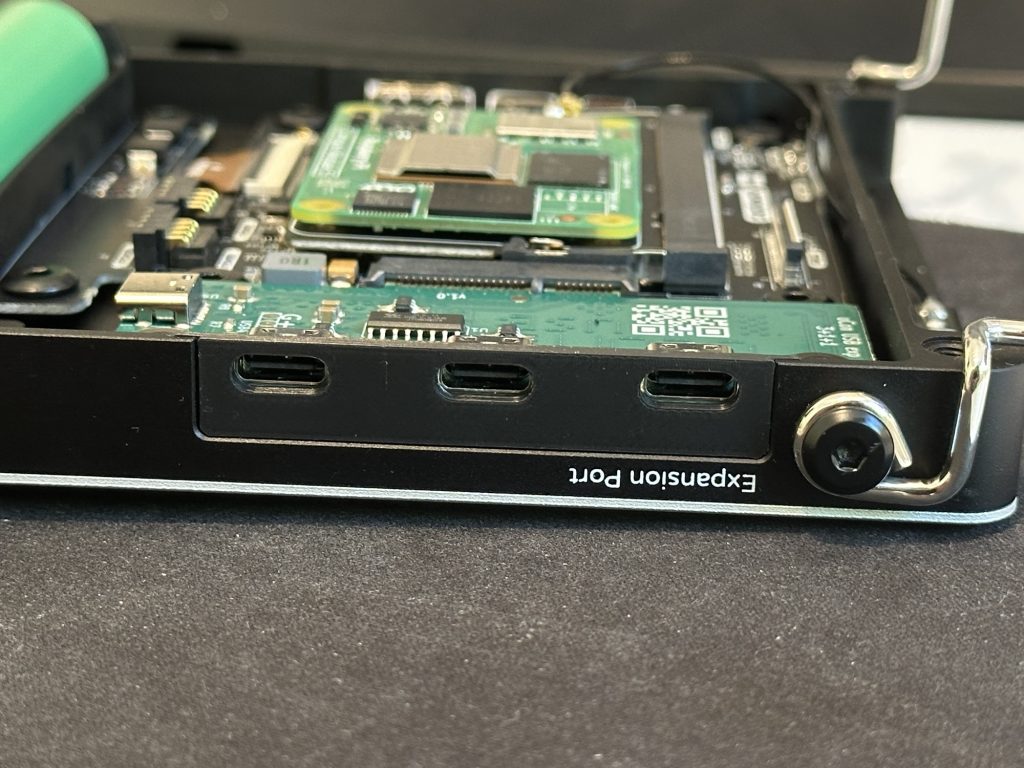
  • Physical Fit: A bit awkward that the plate labels are (intentionally) upside down from the “Expansion Port” label on the uConsole. Also, the plate can wiggle a bit inside the device once installed. Q

Utility and Real-World Use

Real World Use: Fixing a ProxMox install on an HP Workstation
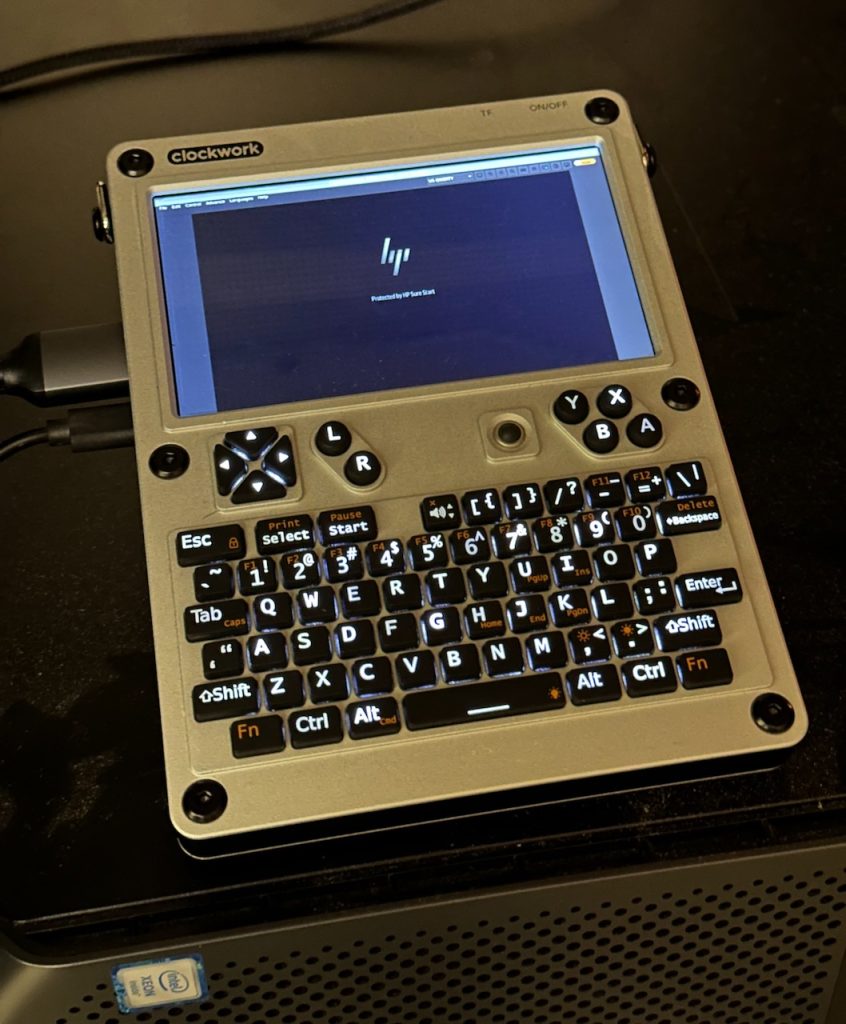
One of the first practical tests I gave the Openterface KVM Ext was on an HP Workstation that failed to boot up after a ProxMox update gone wrong.

This station is headless and without a KVM solution, so it gave a good opportunity to test out the expansion board.

Video signal from the BIOS came up relatively easily once the software was started. Latency was impressive, with no noticeable lag when interacting.

I was able to use the keyboard to interrupt the boot process, although not in every instance. For example, I was able to enter the BIOS menu but not the GRUB boot loader. This is likely an issue with how the target is (or isn’t!) detecting the USB keyboard of the KVM Ext.

Another issue I ran into when running the software was that when not connected to the Internet, the software wanted to “upgrade” my firmware to a non-existant “00000” firmware. When online, it seems to retrieve a version website successfully and doesn’t return this error. Using the updated packages from Rex seems to have resolved this.

Pricing and Availability

Price: $89 USD (Shipping)
Availability: TechxArtisan – Order
Country of Origin: Hong Kong / China
Creator: TechxArtisan / Openterface

Final Verdict

It’s not the highest-res or smoothest KVM on the market, but that’s not what I need when I’m crouched behind a rack. For quick fixes, firmware checks, and server troubleshooting, this feels like the all-in-one tool I wish I had years ago. I hope they will add an option to improve support for the Mac bootloader.

TL;DR:

An incredibly compact and useful addition to the uConsole, making it an essential add-on for administrators & homelabbers. While the software is still under development, I’m confident this tool will get more reliable over time!


Stay tuned for the next review in the uConsole Expansion Series or check out our roundup !

The post Hands on with the Openterface KVM Expansion Board for uConsole appeared first on uConsole World.
https://uconsole.net/?p=3525
Extensions
Elevate uConsole Connectivity with the USB-C Expansion Card
AccessoriesReviews

A straightforward USB 2.0 expansion with a nice balance of internal and external connectivity.

The post Elevate uConsole Connectivity with the USB-C Expansion Card appeared first on uConsole World.

Show full content

A straightforward USB 2.0 expansion with a nice balance of internal and external connectivity.


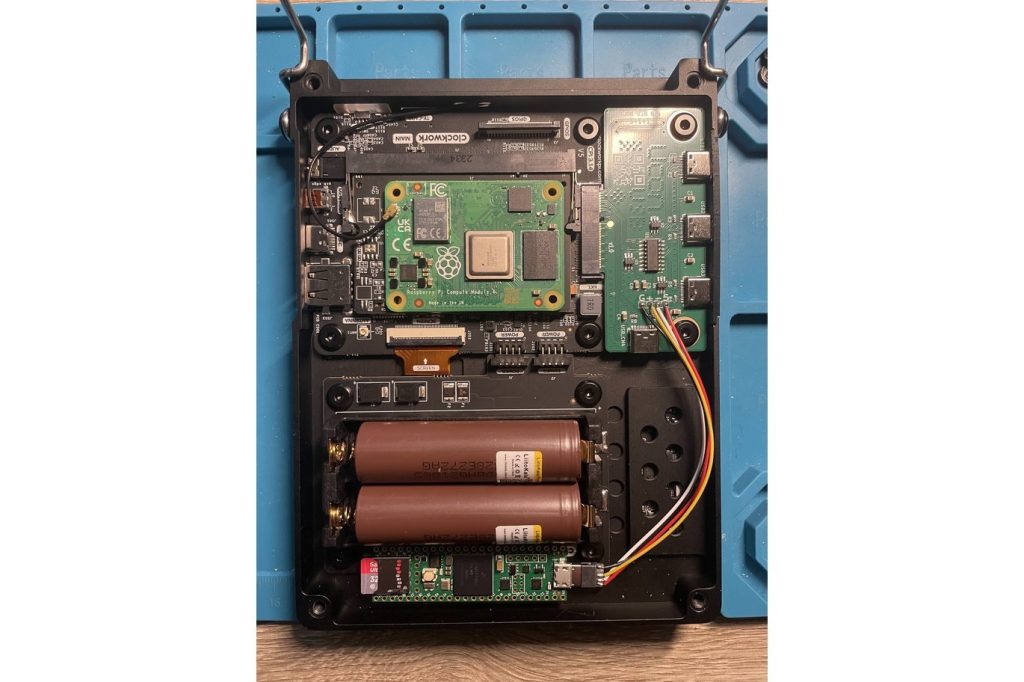
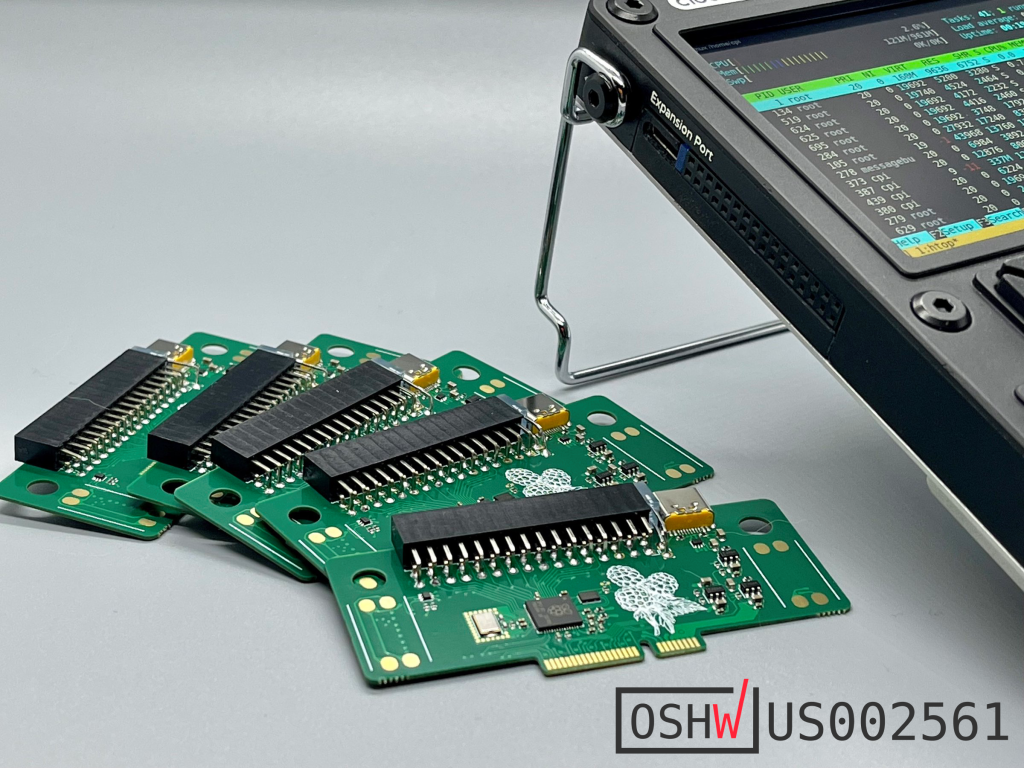
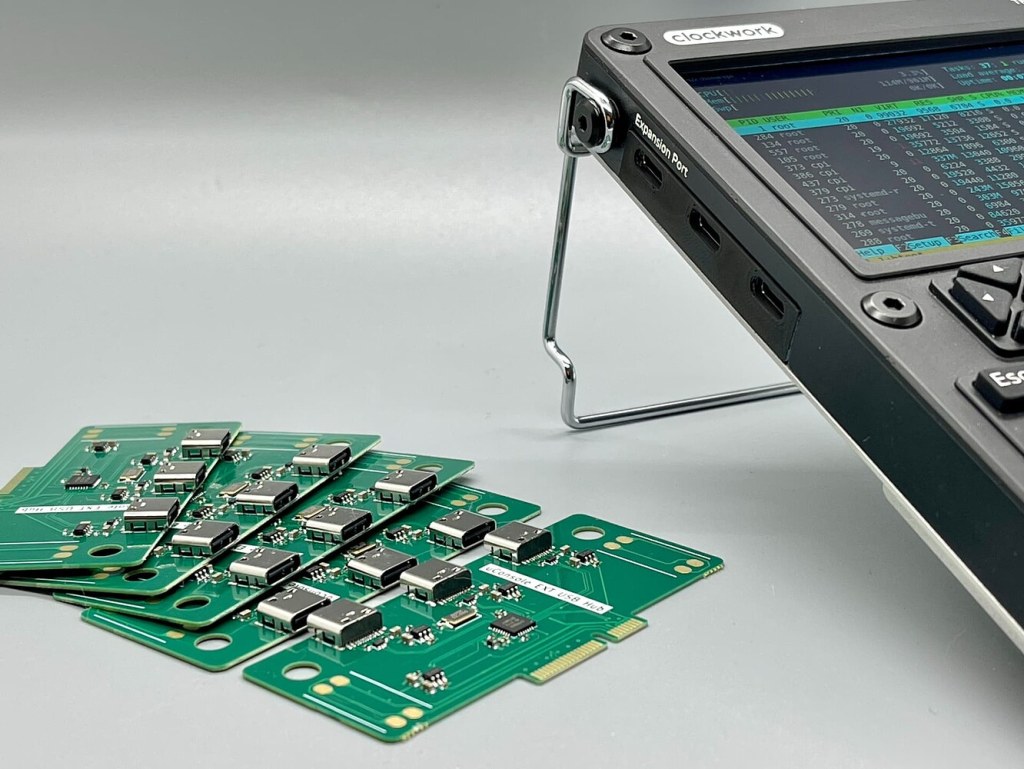
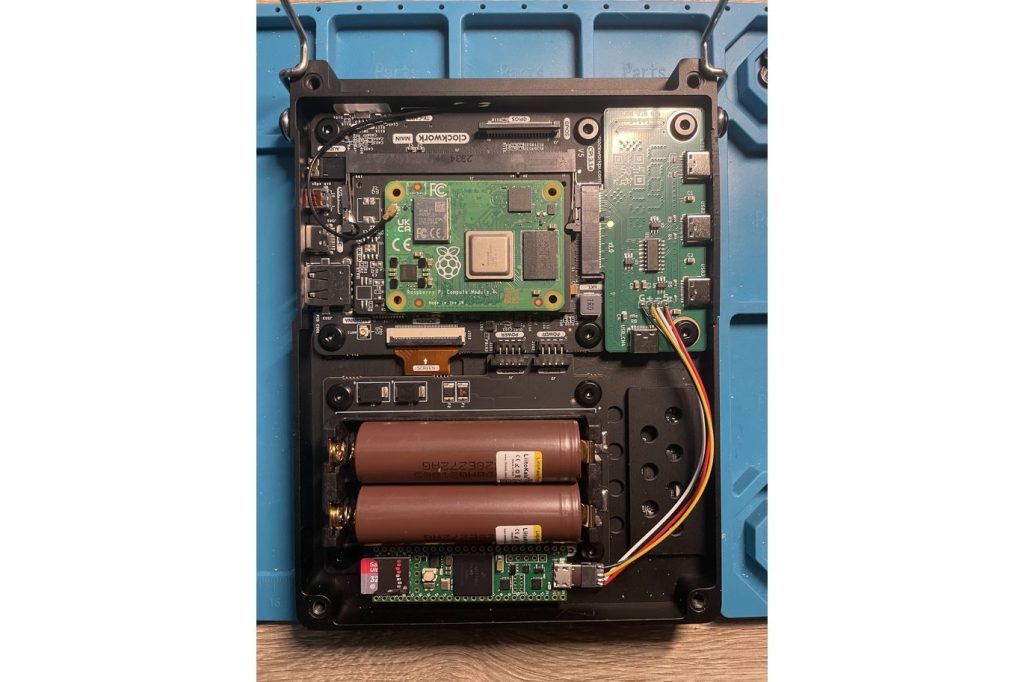
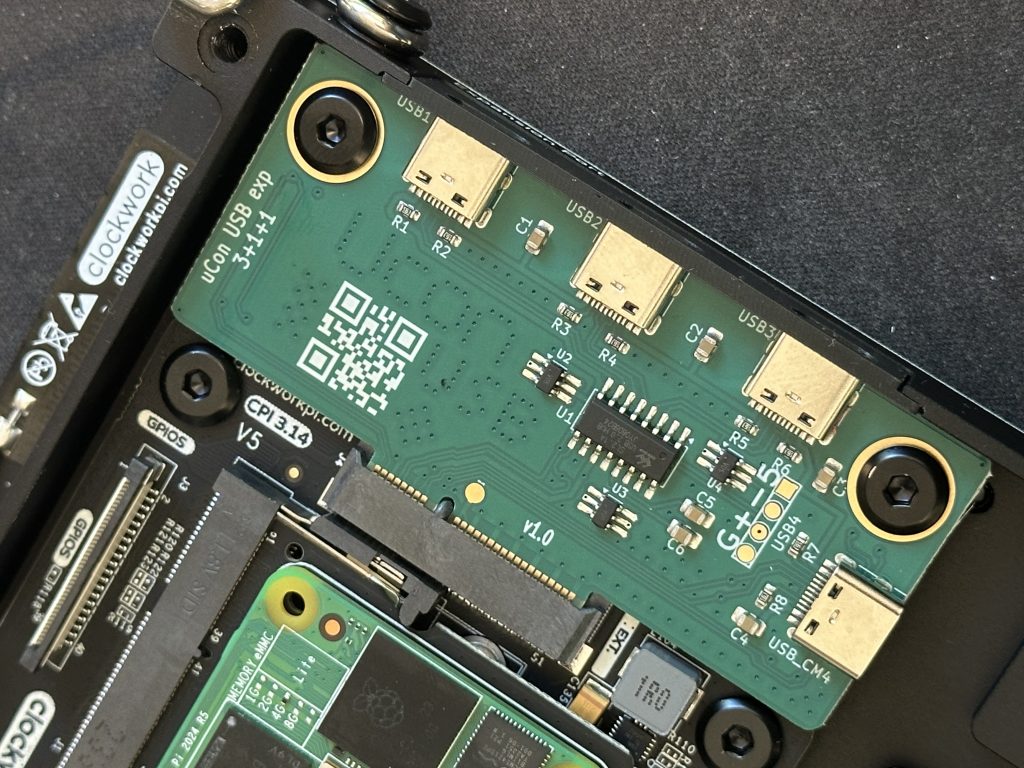
This is a 3 + 1 + 1 USB-C expansion card for the uConsole that provides three external USB-C ports and one internal port, plus an internal header.

As one of the simpler and more obvious expansion cards ideas proposed by the community so far, there are already a few USB boards created.

Something to keep in mind is that a USB hub may not be the best use of your Expansion Card Bay. If you are plugging in USB C peripherals on the regular it’s probably a good fit, but using the expansion bay for use cases that can’t be easily replicated with external hardware might be a better choice. Remember that swapping expansions cards requires a quick disassembly of the device, which likely means affecting your heat compound application as well.

For example, the RF board and upcoming KVM boards integrate a multitude of hardware components, which might make for a more compact alternative to carrying or attaching equivalent peripherals and connecting over USB.

Even the uEther board offers an interesting combo of USB C and Ethernet, so that might be more interesting for some users.

Manufacturer: [Insert if known]
Type: USB-C Expansion (USB 2.0)
Compatibility: Tested on uConsole (CM5)
Use Case: Adds flexible USB-C connectivity for modern accessories and internal wiring.


Pros & Cons
Image courtesy creator, showing internal header use

Pros

  • Internal USB header for internal accessories or mods
  • Three external USB-C ports for quick connectivity
  • Plug-and-play functionality on Raspberry Pi OS
  • Mounts securely with screws
  • Clean design that integrates well with the case

Cons

  • No full-size USB-A port — you’ll need to use the onboard USB-A for those
  • USB 2.0 only — not ideal for high-speed devices
  • Initial alignment during install can be tricky

Technical Assessment

Specs:

  • Interface: USB 2.0 (confirmed)
  • Ports: 3x USB-C (external), 1x USB-C (internal), 1x USB 2.0 header (internal)
  • Chipset: CoreChips SL2.1A
  • Power Draw: [TBD – suitable for standard peripherals]
  • Max Bandwidth: USB 2.0 (480 Mbps theoretical)

Testing Notes:

  • Plug and play on latest Raspbian from Rex (CM5)
  • Recognized all test peripherals without issue

Fit and Finish
Once installed correctly, the ports line up nicely on the port door
  • Build Quality: Solid PCB with clean routing and labeled headers.
  • Installation Experience: Slight misalignment on first attempt; fit perfectly after reseating. Screws are essential to avoid stress on the connector.
  • Physical Fit: Sits flush when installed correctly. No interference with other expansion modules.
  • Thermals and Ventilation: No heat issues observed in normal use.

Utility and Real-World Use

Performance in Practice:
Used with keyboard, USB audio dongle, and external flash drive — all worked instantly. Ideal for peripherals that don’t require high-speed transfer.

Limitations Noticed:
No USB-A port — you’ll need an adapter or hub if you rely on legacy gear.


Software and Driver Notes
  • Native OS Support: Fully functional on Raspberry Pi OS for CM5
  • Manual Driver Required: No

Pricing and Availability

Price: $28 USD
Availability: Tindie – In Stock
Country of Origin: Bulgaria

License: Design files available
Creator: Joe

Final Verdict

TL;DR:

A simple, effective USB 2.0 expansion that works flawlessly out of the box. Great for connecting external peripherals in large quantities. If you want to maximize the utility of your Expansion Bay though, you might want to check out other options.


Stay tuned for the next review in the uConsole Expansion Series!

The post Elevate uConsole Connectivity with the USB-C Expansion Card appeared first on uConsole World.

https://uconsole.net/?p=3485
Extensions
Split from mainstream social media with Cyberspace.online
News

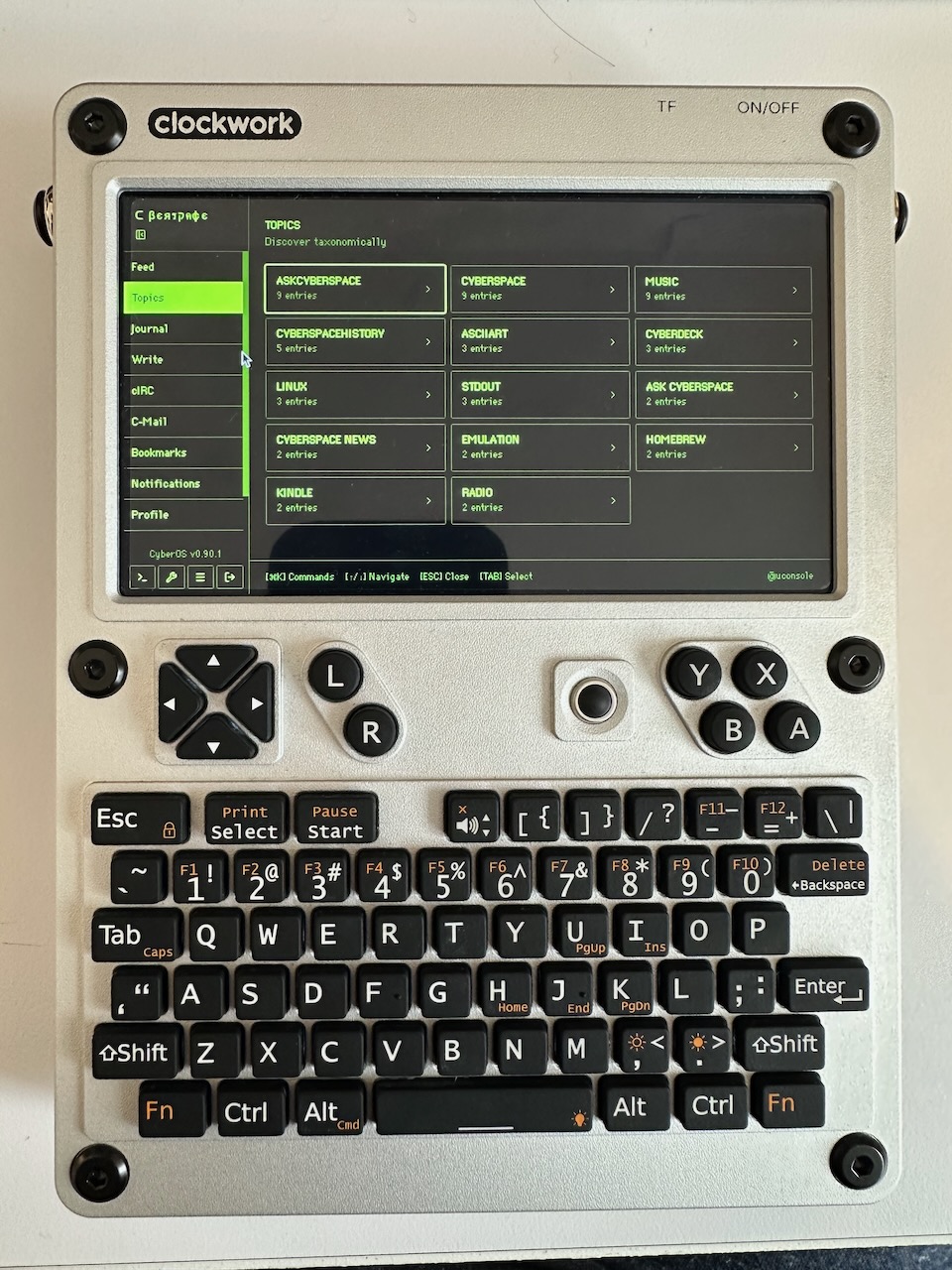
In case you’ve been living under a rock (or maybe spending too much time on TikTok) you’ll want to check out Cyberspace.online, a text-only social network with retro cyber visual themes and no Like button. Cyberspace.online is spreading like wildfire with retro enthusiasts on cyberdeck subreddits and Hackaday. What’s the attraction? For one thing there’s […]

The post Split from mainstream social media with Cyberspace.online appeared first on uConsole World.

Show full content

In case you’ve been living under a rock (or maybe spending too much time on TikTok) you’ll want to check out Cyberspace.online, a text-only social network with retro cyber visual themes and no Like button.

Cyberspace.online is spreading like wildfire with retro enthusiasts on cyberdeck subreddits and Hackaday.

What’s the attraction? For one thing there’s no images, only ASCII art and text like in the BBS days, forcing you to use your thinking cap and actual read text instead of just letting the AI slop ooze into your brain by ways of your eyeballs.

As with any Cybertopic, there’s debate as to why, but as we discussed with Alex a few weeks ago, it’s more about the feeling and the resistance to the status quo more than anything.

If you need some inspiration for what to post on your cyberwall, I’d highly recommend Where the Wizards Stay Up Late: The Origins Of the Internet, a detailed history of how engineers created the ARPANET, the basis of the Internet we use today.

A particular memorable section describes the creation of Request for Comments. Perhaps a theme that could be explored in Cyberspace?


See you over there, follow us at @uconsole !

The post Split from mainstream social media with Cyberspace.online appeared first on uConsole World.

https://uconsole.net/?p=3565
Extensions
Deck Dialogues: How Alex Transformed his uConsole into a Botnet Simulator
Interviews

In this first in a series of interviews with CyberDeck enthusiasts, uConsole World sits down with Alex Tiniuc to hear what he is up to on his uConsole.

The post Deck Dialogues: How Alex Transformed his uConsole into a Botnet Simulator appeared first on uConsole World.

Show full content

When Alexandru Tiniuc reached out about collaborating, I was intrigued. He’s an embedded software engineer with a passion for the uConsole and like many of us, he was drawn to the computer’s cyberdeck charm. We jumped on a video call to talk about his experiences with the device, his thoughts on cyberdeck culture, and what projects he has going.

uCW: What got you interested in the uConsole?

Alex: By trade I’m an embedded software engineer. I’ve mostly worked with microcontrollers and Linux systems, mostly on the IoT side — things like digital radio protocols. More recently, I’ve been working on home routers, the kind of devices that provide Wi-Fi in apartments or houses.

As for the uConsole, I discovered it through an article on a tech news aggregator called Lobsters. The article was titled Post-Apocalyptic Computing, and in it I saw a picture of the DevTerm. That was about six months ago. I left a comment on the article saying, “Wow, that looks super cool, I want to build one.” And I couldn’t stop thinking about this little device ever since.

uCW: Do you have a DevTerm as well?

Alex: No, I don’t. Judging by the reviews, I’m not sure it would suit my use case — it seems like more of a “worse laptop,” whereas the uConsole feels like a more novel handheld computer.

uCW: Yeah, the uConsole seems to have gained more traction than some of those earlier products. The PicoCalc is also taking off. One thing I wanted to ask about — the uConsole supports so many different boards. I don’t know if they ever sold it with the Raspberry Pi Compute Module 3, but you managed to get the CM3 running on it. How did you do that?

Alex: The DevTerm originally launched with the Compute Module 3, then was updated for the Compute Module 4 when that came out. The uConsole is based on an updated DevTerm motherboard, so CM3 support wasn’t too hard.

Getting it running wasn’t difficult. I downloaded Rex’s Debian image from the forums — that’s the go-to Debian distribution these days — plugged it in, powered it up, and it just worked. Honestly, it wouldn’t have been possible without the community. There’s a lot of open-source work behind that image.

uCW: So how did you get hold of your first uConsole?

Alex: After discovering it, I kept checking eBay. About two months ago I placed an order directly with Clockwork, which I’m still waiting on. But the unit I actually use came from eBay — I was at a live concert with my fiancée when I saw an email about an R01 model in gray. It was a bit more expensive than new, but still reasonable, so I ordered it on the spot.

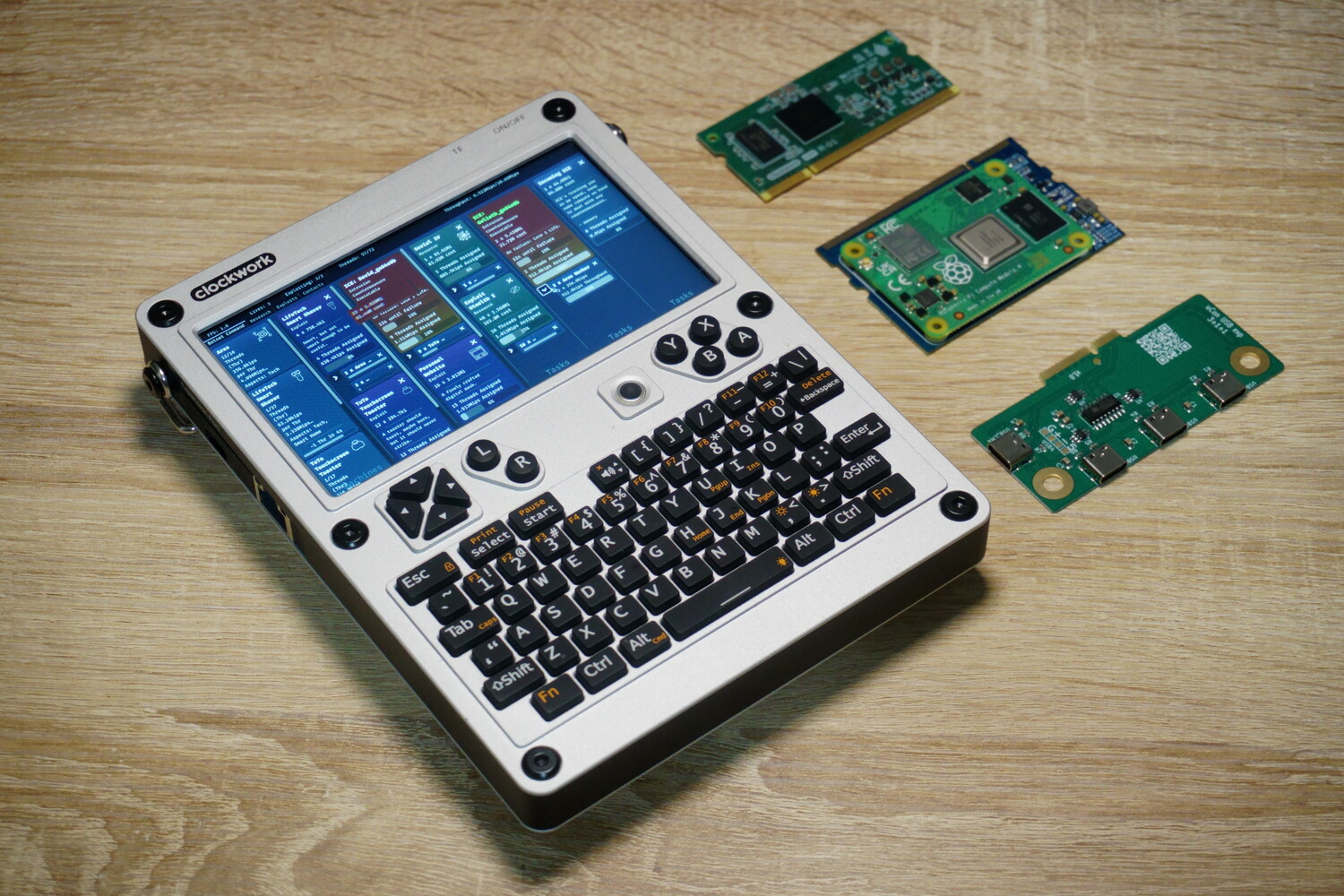
Clockwork Pi uConsole with expansion boards and compute modules

uCW: So you’ve got the RISC-V-based model. Have you done anything interesting with the R-01 chip?

Alex: The R-01 is held back by the lack of a GPU. The CPU is responsive, but graphics are painfully slow. Firefox won’t run — I use a lighter browser without JavaScript. I’ve networked it, connected to other machines over SSH, but the graphical side is very limited.

I’d like to run it headless — no desktop environment, just console. Or maybe cut the screen resolution in half to reduce load. Right now, even a fullscreen animation maxes the CPU. But the chip is otherwise capable, and my Ubuntu image runs a full package manager with everything you’d expect.

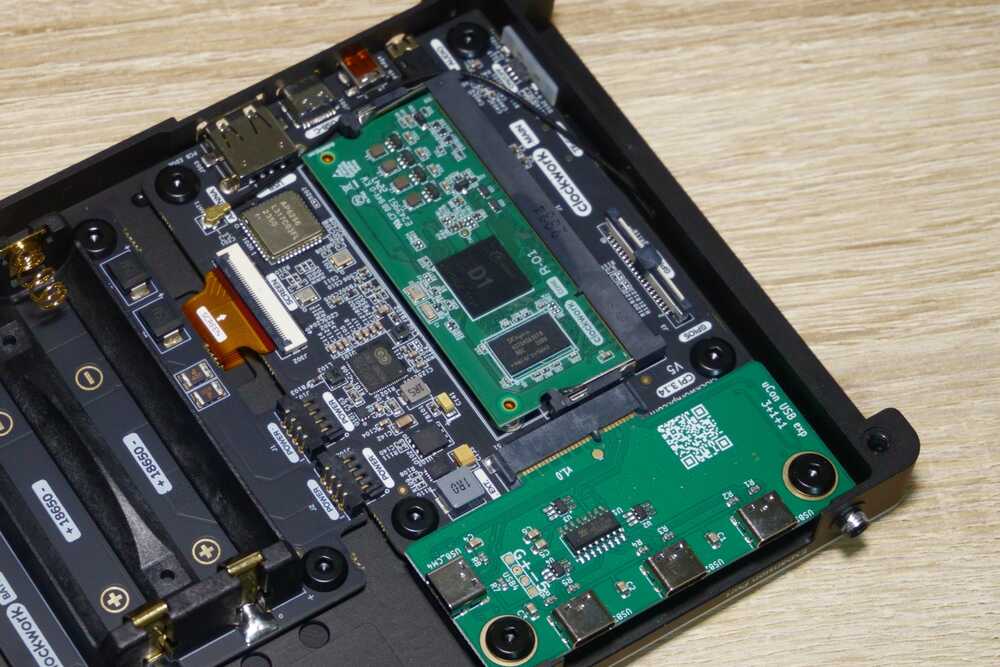
Clockwork Pi uConsole R-01 system board and uCon USB Board

uCW: I heard the R-01 has good battery life though?

Alex: Yes, I measured about 10–12 hours idle. For a terminal or SSH device, that’s excellent.

uCW: Switching gears — what does the term “cyberdeck” mean to you, and how does the uConsole fit in?

Alex: I’ve read a lot of cyberpunk literature. The word “deck” comes from William Gibson’s 1984 novel Neuromancer. In those books, a deck is a portable computer for hacking into systems.

I think the cyberdeck trend today is partly a countercultural reaction to modern computing. Smartphones are all the same: big touchscreen, rear camera, built for consumption, not creation. Cyberdecks let people be more creative, build specialized devices, and step away from mainstream consumer hardware. The uConsole feels like a real-life version of that.

uCW: Do you have other cyberdeck projects on the go?

Alex: Just the uConsole for now. I’m more of a software guy, though I have a degree in electronics. Designing a custom deck takes a lot of CAD and integration work, and I don’t have the time right now.

uCW: Have you modded your uConsole at all?

Alex: My favorite setup includes the uEther expansion board. I’m also working on fitting a three-battery connector inside the case — tricky, but maybe possible with a custom PCB.

I’ve ordered a Hacker Gadgets antenna expander for better Wi-Fi. Out of the box, uConsole connectivity is poor. I also managed to get a second uConsole with 4G expansion board, which was a lucky find. That’ll be very useful once I attach a proper antenna.

uCW: With your expertise, would you ever want to build a 5G modem expansion card?

Alex: That would be tough. Most modern 5G modules come pre-packaged, so in theory you could integrate one. But Pi-based devices have bottlenecks, so even if you had 5G speeds, the rest of the system might not keep up.

uCW: What’s next for your uConsole?

Alex: I found a reseller in China selling CM4 adapters, which I haven’t been able to get otherwise. I’m really excited to upgrade to CM4 — the CM3 is okay for basic browsing, but slow. I’m also waiting on antennas to improve Wi-Fi and make the 4G board more usable.

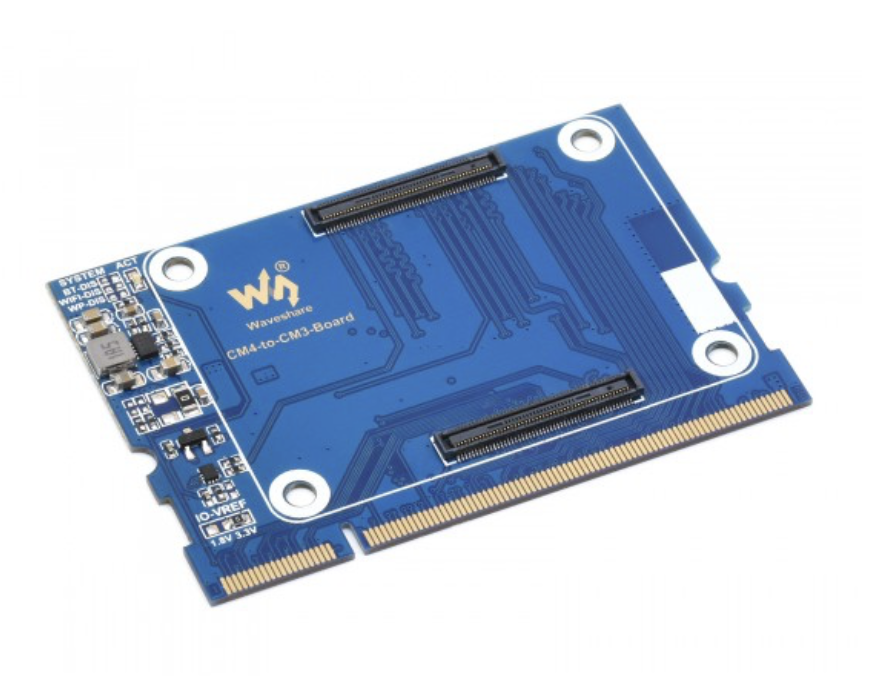
Image of a third party CM4 to CM3

uCW: If you could dream up an expansion board, what would you want?

Alex: An aftermarket CM4 adapter would be top of the list. Beyond that, I’d love an IoT-focused radio module — something like Zigbee, Thread, or Matter. It would make the uConsole a great portable tool for IoT troubleshooting. Thread is probably the best bet, since it’s open-source and getting industry traction.

uCW: You’re also developing a game, right? Tell me about that.

Alex: Yes — it’s a hacking simulator inspired by classics like Uplink and Hacknet called Botnet of Ares. But instead of hacking one or two computers, it lets you exploit millions and build massive botnets.

It fits the uConsole aesthetic perfectly: a sleek, hacker-style device running a hacking simulator. I like the fantasy of it — I’d never exploit systems illegally in real life, but this lets me enjoy the theme safely.

uCW: When do you expect to release it?

Alex: Hopefully next year. Game dev has a saying: “It’s always six months away.” The demo will be free on Steam soon. I’ll also provide an ARM binary for the uConsole. There isn’t really an app store for it, but players will be able to run it manually.

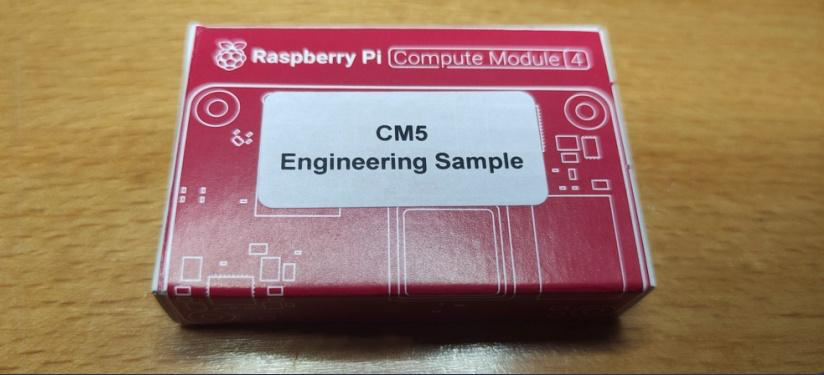
uCW: Well, if you need CM4 or CM5 testing, let me know — I’ve got a CM5 running on mine!

Alex: Excellent, I’ll keep that in mind.

uCW: Before we wrap up — do you have any questions for me?

Alex: Sure — what do you use your uConsole for?

uCW: I do a lot of audiovisual work, often with headless servers. For me, one killer accessory is Openterface’s KVM expansion board — HDMI in, USB out, and battery-powered. The software they wrote is pretty great! It replaces the need to carry a field monitor, battery and keyboard.

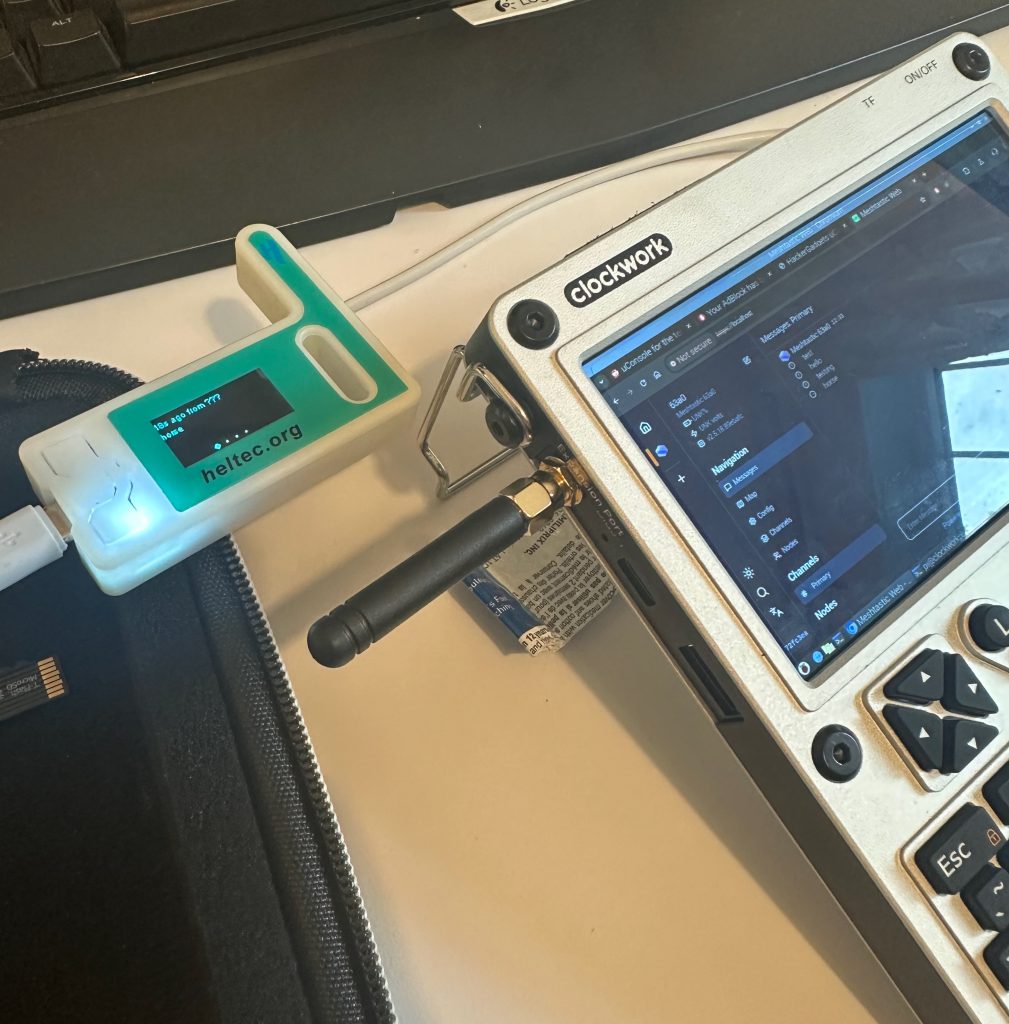
Clockwork Pi uConsole with AIO SDR Radio Meshtastic

I’ve also tested the Hacker Gadgets all-in-one board and used the uConsole as a Meshtastic terminal. I even built a little LLM chatbot relay so I could test mesh range in my rural area without other users nearby. For me, the uConsole is about tinkering around without having to be distracted on my smartphone or sitting at a desk PC.

Alex: I like that. I keep my uConsole free of social media — I want it to be a device for learning, tinkering, and reading technical docs, not for distraction.

uCW: Totally! Thanks so much for your time, Alex

You can follow Alex’s work and updates on Botnet of Ares through his website — and keep an eye out for the demo coming soon.

The post Deck Dialogues: How Alex Transformed his uConsole into a Botnet Simulator appeared first on uConsole World.

https://uconsole.net/?p=3536
Extensions
The Definitive uConsole Expansion Card Roundup [2025]
AccessoriesMods

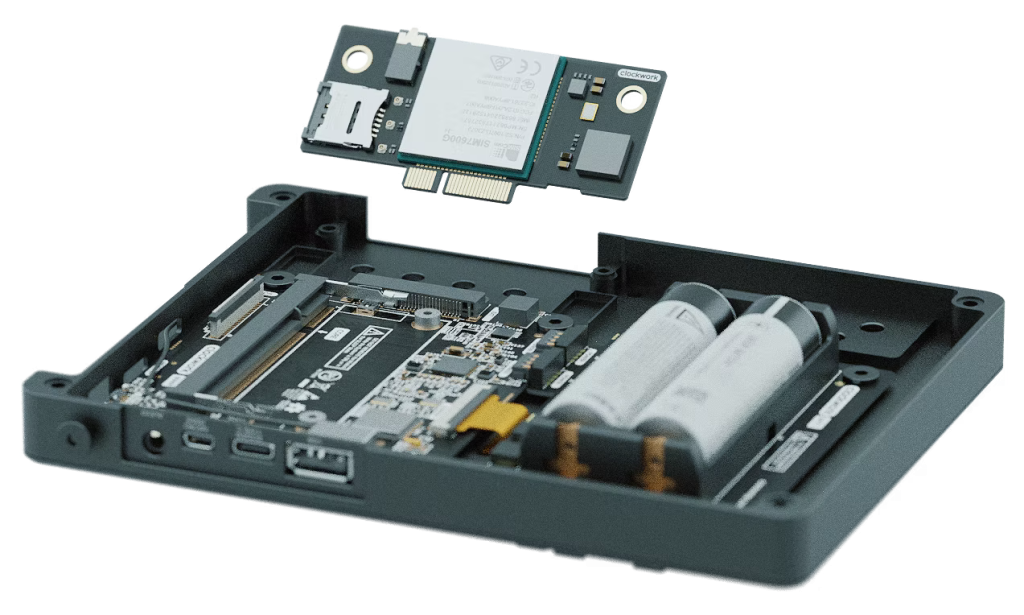
The Clockwork Pi uConsole’s expansion bay is one of its most powerful features and third-party designers are putting it to work.

The post The Definitive uConsole Expansion Card Roundup [2025] appeared first on uConsole World.

Show full content

The Clockwork Pi uConsole’s expansion bay is one of its most powerful features and third-party designers are putting it to work. From SDR radios to USB hubs and GPIO modules, the uConsole Expansion Card ecosystem is expanding rapidly for hackers, tinkerers, and CyberDeckers.

Here’s a current snapshot of known Expansion Cards created or under development as of 2025, including features, prices, and creators. Each Expansion Card listed here has links for where to buy, forum discussion and a detailed review as we publish them.

With all these different cards, you might find yourself swapping them often. Have a look at our USB hub options to keep your expansion bay free for other cool add-ons!

🖥️ Openterface KVM Ext. for uConsole
uConsole with the KVM Expansion Card

Price: $89 USD (Shipping)
Availability: TechxArtisan – Pre-order
Country of Origin: Hong Kong / China
Creator: TechxArtisan / Openterface
Features:

  • HDMI input for video capture
  • USB HID emulation for keyboard and mouse
  • Open-source firmware and host software based on openterface/
  • Low-latency, BIOS-level interaction

Useful For:
This KVM Expansion Card is for turning your uConsole into a portable Keyboard Video Mouse (KVM) making it a true “console”! Ideal for sysadmins and field engineers who need to interface with headless or misbehaving systems over HDMI and USB, without relying on network-based access.

This module is particular promising because it leverages an open source KVM solution so you won’t be constrained by any proprietary drivers.

Links: [Order: Tech x Artisan] [Discord Discussion]


🔌 Joe’s USB Extension Board

Price: $28 USD
Availability: Tindie – In Stock
Country of Origin: Bulgaria

License: Design files available
Creator: Joe
Ports: 3x USB-C
Features: USB 2.0
Useful For: This is one of a few USB hub options now available. It’s great for connecting multiple USB-C peripherals. As with most cards, it does not support powering the uConsole from these ports, and is USB 2.0 only.

For inspiration, Joe shows off how you can use the onboard headers and internal USB port to integrate peripherals inside the case! Check out the Tindie listing below.

Links: [Full Review coming soon] [Tindie] [Forum Discussion]


📡 Hacker Gadgets All-in-One SDR Expansion Board (V1 & V2)

Useful For: RF analysis, GPS logging, ADS-B aircraft tracking, ham radio experimentation.

Price: $78 USD
Availability: Shipping via HackerGadgets
Country of Origin: USA
License: Unknown
Creator: Vileer
Features:

  • RTL2832U + R820T2 SDR
  • GPS module
  • SX1262 for Meshtastic / Lora
  • Real Time Clock (RTC) with CR1220 Battery
  • Extra USB port
  • Antenna mount and antenna kit available optional accessory

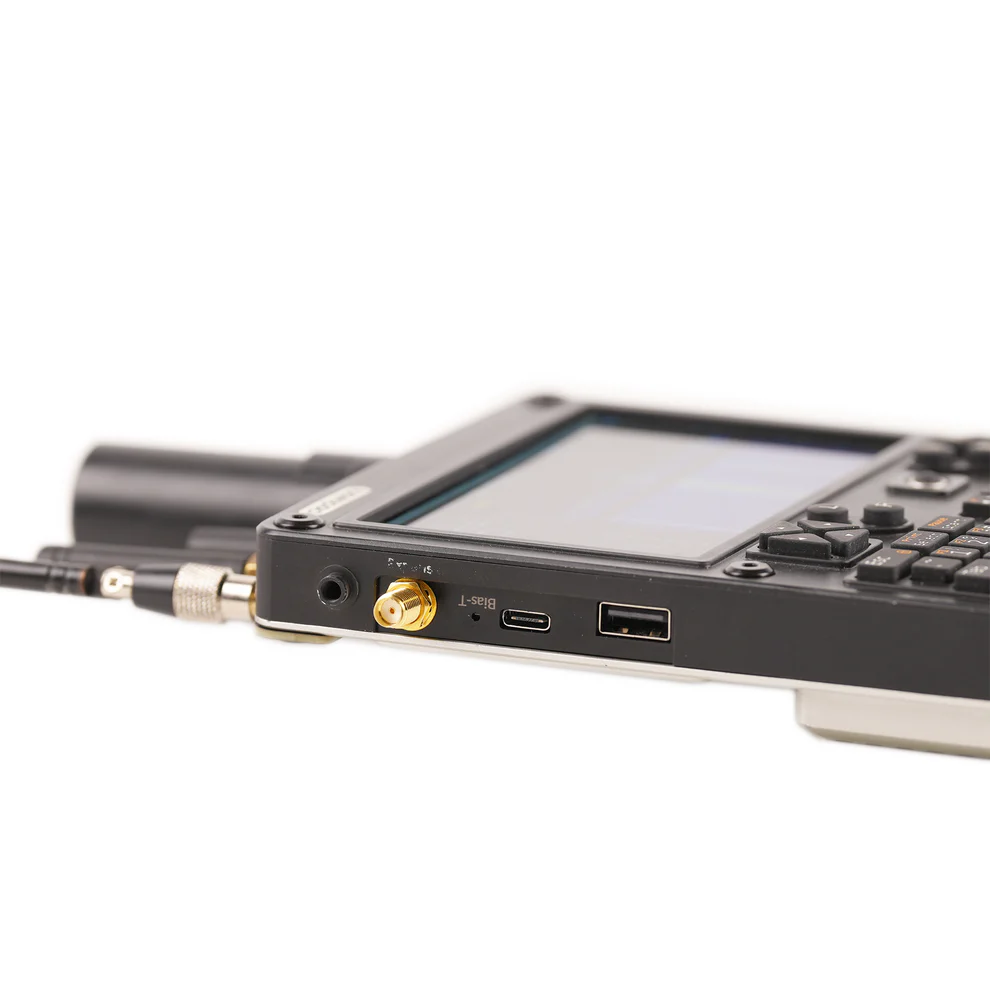
Internal Connections: Features an internal Type-C port and a 2.0mm pitch pin header.

This uConsole Multi-Functional Expansion Board is a comprehensive solution that significantly extends the functionality of your uConsole. With its integrated RTL-SDR, LoRa, GPS, RTC, and USB Hub, this expansion card is perfect for various applications, from radio communication and navigation to precision timekeeping and device connectivity.

Whether you’re a HAM looking to scan on the go or a Meshtastic enthusiast looking to integrate your rig, this hotly anticipated expansion board is sure to make many uConsole users happy when it ships this summer.

The creator offers two accessory kits for the board: an antenna mount for the top of the unit and a kit of antennas tuned for the various RF radios.

UPDATE: Oct 2025

The v2 of the board is now live on HackerGadgets! Trading it’s USB A port for USB type-C, and adding USB3.0 support and gigabit Ethernet, the v2 board is build specifically for custom the Hacker Gadgets uConsole Upgrade Kit, which adds improved support for CM5 pinouts.

Links: [Order: v1 HackerGadgets, v2: HackerGadgets] [Pre-release docs]


🌐 uEther Ethernet + USB-C Expansion Board

Useful For:

Many users have been integrating Ethernet adapters themselves into their enclosures, but this Expansion Card does so cleanly and with a spare USB C to boot. Pre Orders sold out fast, so stay tuned to see if another batch enters production soon.

Ethernet Adapter expansion card with USB type C for ClockworkPi uConsole.

Price: $45 USD
Availability: Out of Stock
Country of Origin: Germany
License: Open Source (MIT)
Creator: Ákos Melczer
Ports: 1x RJ45 Ethernet, 1x USB-C
Features: Wired networking via USB
Features:

  • LAN9500 Hi-Speed USB 2.0 to 10/100 Ethernet Controller
  • Full size RJ45 connector
  • 1x USB type C (USB 2.0 speed)

Links: [Official Review] [Tindie] [Forum Discussion]


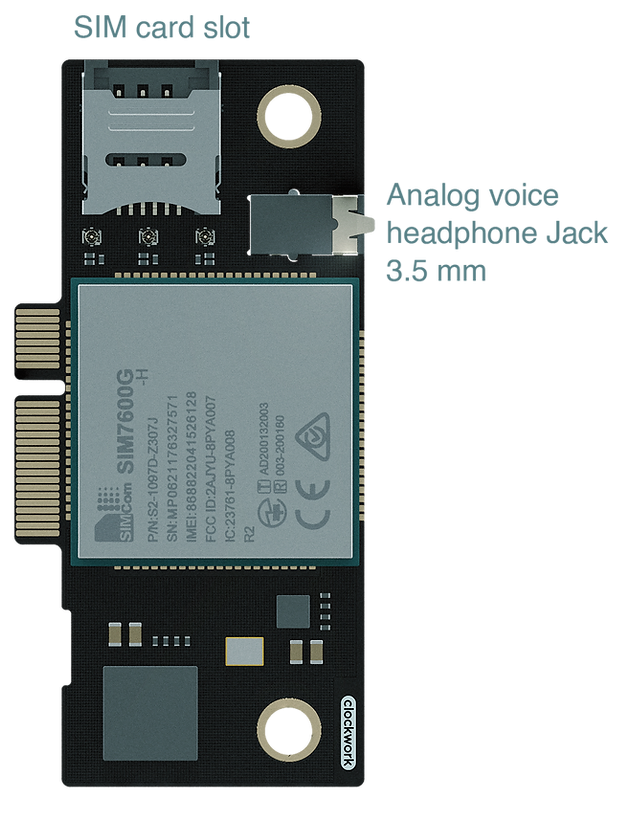
📞 Clockwork Pi LTE Modem Module

Useful For: Cellular connectivity, GPS, and SMS support for mobile apps or telemetry projects. As the original Expansion Card, it can be a useful reference for how to design your own custom cards. Unfortunately Clockwork Pi does not sell the card separately so if you didn’t order one with your unit, you may be out of luck.

Price: With Purchase of uConsole Only
Availability: Bundled with uConsole, in production
Country of Origin: China
Creator: ClockworkPi
Features:

  • Quectel EC25 modem
  • GNSS support
  • SIM card slot

Links: [uConsole Order Page]


🎛️ Quadbit uPico GPIO (RP2040-Based)

Price: $55 USD
Availability: Not in production
License: Certified Open Hardware (CC-BY-SA-4.0)
Country of Origin: Ukraine / USA
Creator: Vitaly

This unique expansion card integrates the RP2040 microcontroller into the uConsole to enhance its GPIO capacity. Unfortunately its creator isn’t able to continue production, however the design is certified open hardware. Interested hackers can grab the design files and commission a PCB order themselves.

  • uPico is a RP2040 powered expansion card designed to enhance the capabilities of Clockwork’s uConsole.
  • Useful for adding general-purpose I/O, I²C sensors, or basic automation functions directly to your uConsole.

Features

  • Internal Speakers Support
  • Type-C (USB 2.0) port with programmable power switch and overcurrent protection
  • 3.3V and 5V external power out with programmable switch and overcurrent protection
  • RP2040 with external Double-Double PMOD compatible connector
  • LED controllable by RP2040

Comes with:

  • 1 x uPico board
  • 1 x Nylon SLS cover bracket
  • Raspberry Pi RP2040 microcontroller
  • I²C and GPIO headers

Links: [Tindie] [Docs] [Forum Discussion]


🔌 QuadBit uHub USB Hub

Price: $42 USD
Country of Origin: Ukraine / USA
Creator: QuadBit / Vitaly
Status: Not in production

As with the uPico, creator Vitaly is no longer producing this card. Have a look at similar USB cards above!

Features:

Fully open-sourced: schematics, PCB design and cover bracket 3D model.
Internal Speakers Support
3 Type-C (USB 2.0) ports with power switch and overcurrent protection
1 internal FFC footprint for USB 2.0 port with power switch and overcurrent protection

Comes with:

1 x uHub board
1 x Nylon SLS cover plate

Links: [Tindie] [Forum Discussion]

The post The Definitive uConsole Expansion Card Roundup [2025] appeared first on uConsole World.

https://uconsole.net/?p=3453
Extensions
uEther Expansion Card Adds Wired Networking Easily to the uConsole
AccessoriesReviews

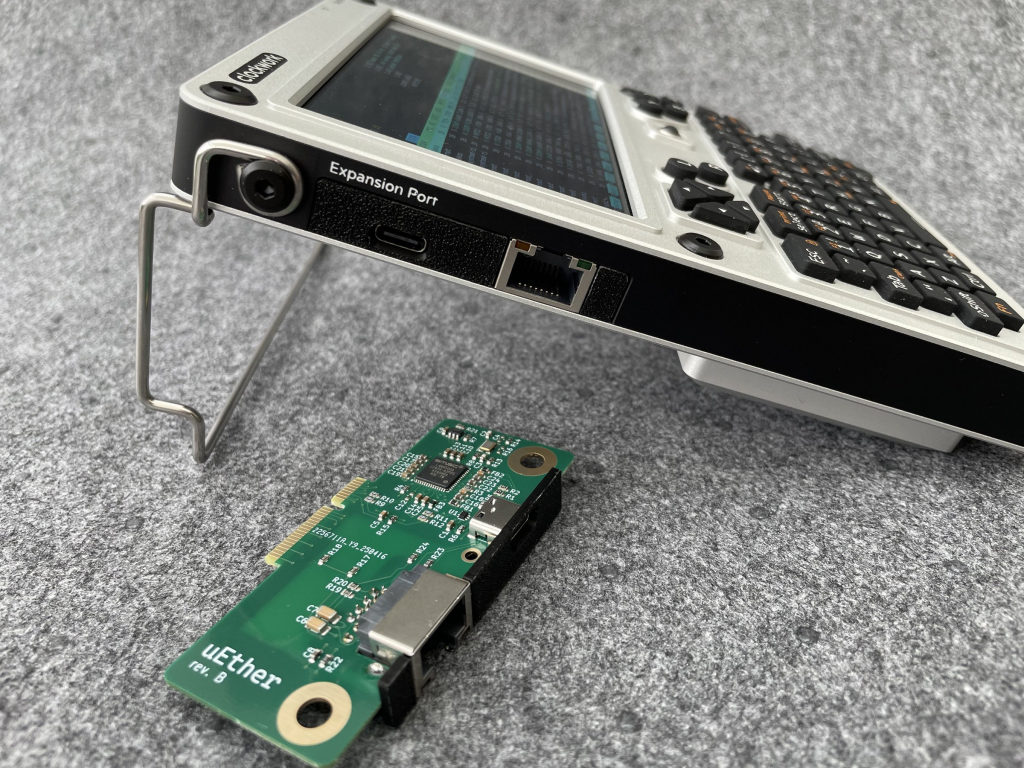
The uEther is a multi-function Expansion Card for Clockwork Pi uConsole that adds a 10/100 Mbps Ethernet NIC and a single USB-C port.

The post uEther Expansion Card Adds Wired Networking Easily to the uConsole appeared first on uConsole World.
Show full content

A reliable 10/100 Ethernet expansion with speaker passthrough and a bonus USB-C port. Ideal for daily wired networking without extra dongles.

What it is:
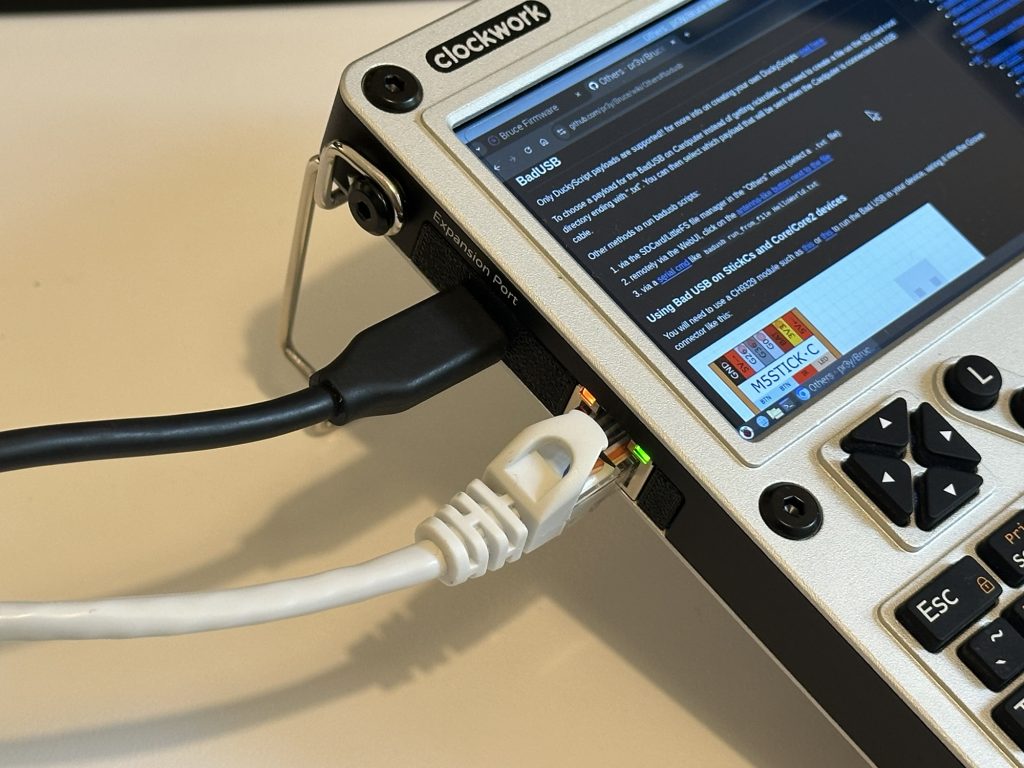
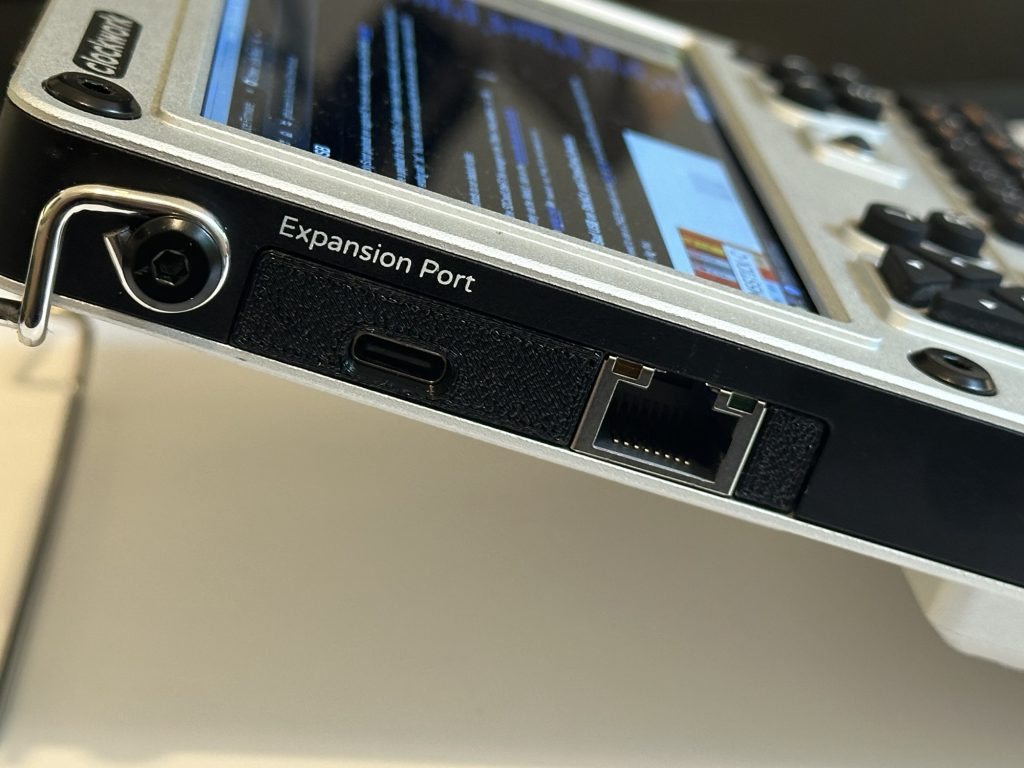
The uEther is a multi-function Expansion Card for Clockwork Pi uConsole that adds a 10/100 Mbps Ethernet NIC and a single USB-C port. For users who need stable wired networking it makes for a great dongle-free experience when connecting to networks on the go.

Manufacturer: WebmasterTD
Compatibility: Tested on uConsole with CM5


Pros & Cons

Pros

  • Full-size RJ45, no XJACK or other nonsense here!
  • Speaker passthrough preserves internal speaker functionality
  • Extra USB-C port for for input devices
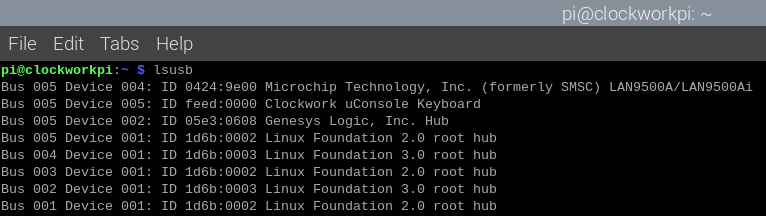
  • Plug and play on Computer Module with no driver needed
  • Great value for the price

Cons

  • Top speed 10/100 Mbps — no Gigabit or mGig Ethernet support
  • Open-source design files have gone offline
  • Not currently in stock

Technical Assessment

Specs:

  • Ethernet: 10/100 Mbps (LAN9500A – Microchip Technology Inc.)
  • Audio: Internal speaker passthrough
  • Interface: USB 2.0 internally
  • Power Draw: Low; not tested under high-load conditions
  • Compatibility: Fully functional on Raspberry Pi OS (Rex build on CM5 as tested)

Fit and Finish
  • Build Quality: Clean soldering and layout; RJ45 jack feels solid. I actually quite like the pebbled finish from the 3D printed cover plate. I wish my uConsole had this finish around the edge to give it a Nikon-like hand feel!
  • Installation Experience: Straightforward fit; screws secure everything well in the case.
  • Physical Fit: No interference with neighboring modules or internal cabling. The RJ45 fits just perfectly in the expansion card bay. I get the sense Clockwork took some measurements before designing the bay!
  • Thermals and Ventilation: No heat buildup under light networking that I observed.

Utility and Real-World Use
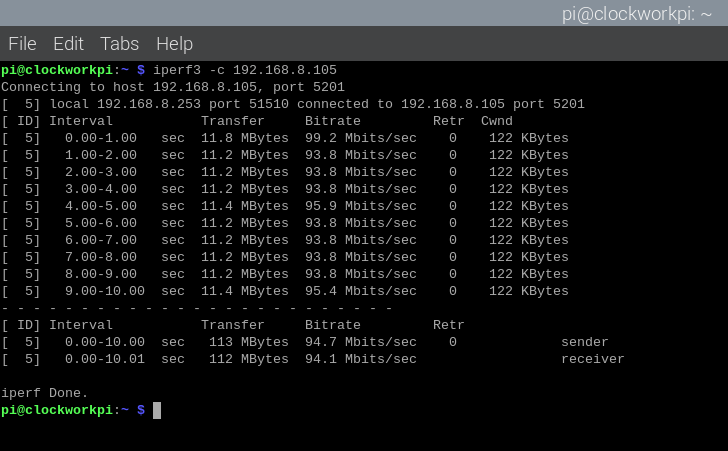
iperf3 achieved the expected 100Mbps transfer speeds
  • Performance in Practice:
    Ethernet was stable during extended SSH sessions and file transfers. Speaker passthrough worked with default internal audio config on CM5, keeping sound routing consistent. The USB-C port was convenient for connecting a keyboard or USB drive without needing a hub.
  • Limitations Noticed:
    10/100 Ethernet is the bottleneck here. I was able to achieve For comparison, when testing with an external USB gigabit Ethernet adapter I achieved a respectable 330Mbps, so don’t expect top speeds with this card. According to the creator, this wasn’t worth the extra complexity.
  • Use Case Notes:
    This is my new default expansion board — wired networking is central to my workflow, and having Ethernet always available (no dongle!) is ideal. Having the USB-C port makes sure my uConsole has both a USB-A and USB-C ready to connect to any peripheral I have on hand.
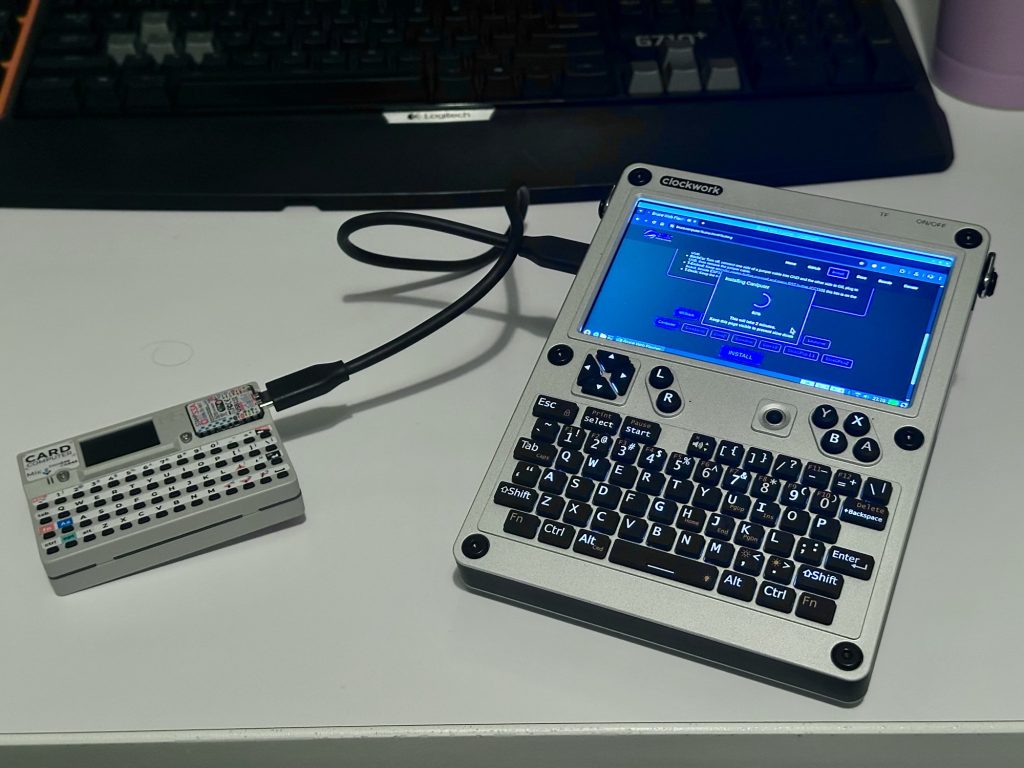
Reflashing my M5 Cardputer using the onboard USB C port.
Pricing and Availability

Price: $45 USD
Availability: Out of Stock
Country of Origin: Germany
License: Open Source (MIT)
Creator: Ákos Melczer (WebmasterTD)
Ports: 1x RJ45 Ethernet, 1x USB-C
Features: Wired networking via USB

Final Verdict

TL;DR:

A thoughtfully designed expansion card with Ethernet, USB-C, and speaker passthrough. Would be perfect with Gigabit support and open-source files, but still highly recommended for networking specialist.


Stay tuned for the next review in the uConsole Expansion Series or check out our roundup !

The post uEther Expansion Card Adds Wired Networking Easily to the uConsole appeared first on uConsole World.
https://uconsole.net/?p=3492
Extensions
Choosing the Right uConsole for your Needs
NewsTutorials

The uConsole is open hardware, meaning it isn’t restricted to a specific chip or platform. The Clockwork Pi team has worked incredibly hard to provide not just one or two Cores or compute chips. They have a total of four different cores! They provide this summary on their website, but what exactly are the differences […]

The post Choosing the Right uConsole for your Needs appeared first on uConsole World.

Show full content

The uConsole is open hardware, meaning it isn’t restricted to a specific chip or platform.

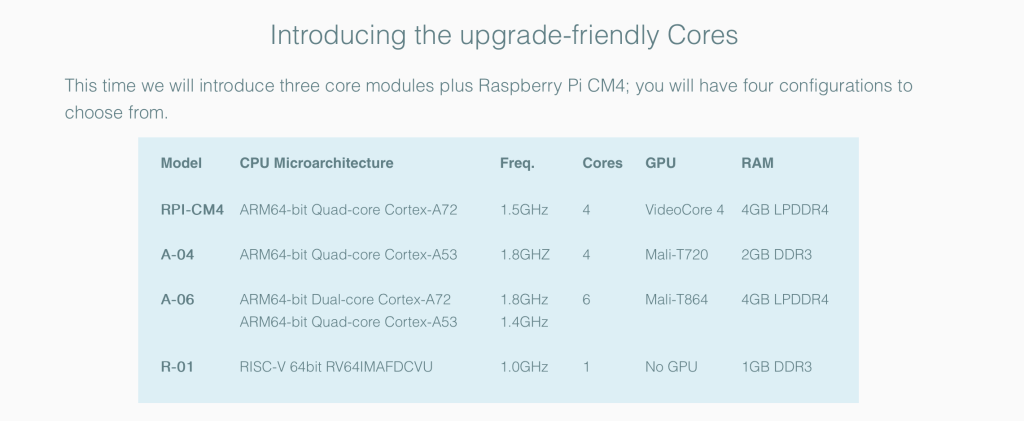
The Clockwork Pi team has worked incredibly hard to provide not just one or two Cores or compute chips. They have a total of four different cores! They provide this summary on their website, but what exactly are the differences between each one? We break them down for you in this article.

Picking a Core

CM4-based (Raspberry Pi 4)

A04 & A06 Cores

While the Raspberry Pi CM4 is indeed ARM64, there are some other non Raspberry Pi ARM cores available for the uConsole. Why would you want to go with these cores over the RPI?

That’s an excellent question, but one factor could be that the Raspberry Pi is not open hardware. In particular, the GPU (VideoCore) is somewhat notorious for being closed source.

There’s an interesting thread on the Clockwork forums that discusses the A04 and A06 cores, the A06 being the more popular option. The A04 is showing out of stock as of this writing on the Clockwork store, so it’s possible there are no immediate production plans for it right now.

In terms of software options, you will be far more limited with these cores.

A-06 Core module (ARM64-bit Dual-core Cortex-A72 + Quad-core Cortex-A53, Mali-T864, 4GB LPDDR4)

A-04

Core module (ARM64-bit Quad-core Cortex-A53, Mali-T720, 2GB DDR3)

(Out of Stock)

RISC V Core

uConsole R-01

(RISC-V 64bit Single-core RV64IMAFDCVU @ 1.0GHz, No GPU, 1GB DDR3)

If you want to go full on into RISC this may be an option, but keep in mind very few users have opted for this core. Most development has been on the CM4 and CM5 Raspberry Pi boards given the wide existing Pi ecosystem.

What about Pi 5?

CM5 is now available and is community supported on the uConsole. There are heat concerns but the performance is excellent. Have a look at the forums to decide if upgrading to CM5 is right for you.

Do you need the Cellular Expansion Card?

The only expansion option sold by ClockworkPi is the 4G Cellular board.

As of this writing, the cellular board can only be ordered as part of your device purchase, and is not sold separately, so keep this in mind in case you were hoping to pick one up later.

Be sure to checkout out our Accessories section to see what 3rd parties are up to with the expansion port!

Which Enclosure Color should I go with?

This one is personal and really up to you! Your options are matte black and matte silver.

The black model is sleek, while the silver option gives it a more vintage look, almost resembling an airline flight computer.

Personally I went with silver as it gives me a little more retro 90s PDA vibes, but the choice is yours!

What are the Shipping Impacts of my model choice?

We’ve heard that the black uConsole enclosure is a bit slower to arrive. I received by Silver CM4 based unit about 6 calendar months after ordering it in January of 2024.

While some feel that you might speed up your order delivery by skipping the CM module, that may no longer have as much an impact with improved lead times of the board.

The post Choosing the Right uConsole for your Needs appeared first on uConsole World.

http://192.168.8.227/?p=3298
Extensions
The Best Cases & Protection for Your uConsole
AccessoriesMods

Your uConsole is a valuable piece of tech, and whether you’re a gamer on the go or a developer in the field, keeping it safe is a top priority. But with so many options on the market, finding the right protection can be a challenge. In this guide, we’ll break down the best shell cases […]

The post The Best Cases & Protection for Your uConsole appeared first on uConsole World.

Show full content

Your uConsole is a valuable piece of tech, and whether you’re a gamer on the go or a developer in the field, keeping it safe is a top priority. But with so many options on the market, finding the right protection can be a challenge.

In this guide, we’ll break down the best shell cases for your uConsole, whether you’re looking for premium protection or a budget-friendly option. From durable foam cases to waterproof solutions, here you’ll find the ideal way to keep your uConsole safe from everyday wear and tear.

If you’re on the hunt for your own case, the dimensions of the uConsole are: 170mmx130mmx26mm.

I have yet to see any custom-molded rubber-style protection for the uConsole quite yet, but drop us a line if you see anything in the wild so we can add it to the list!

Premium Shell Case

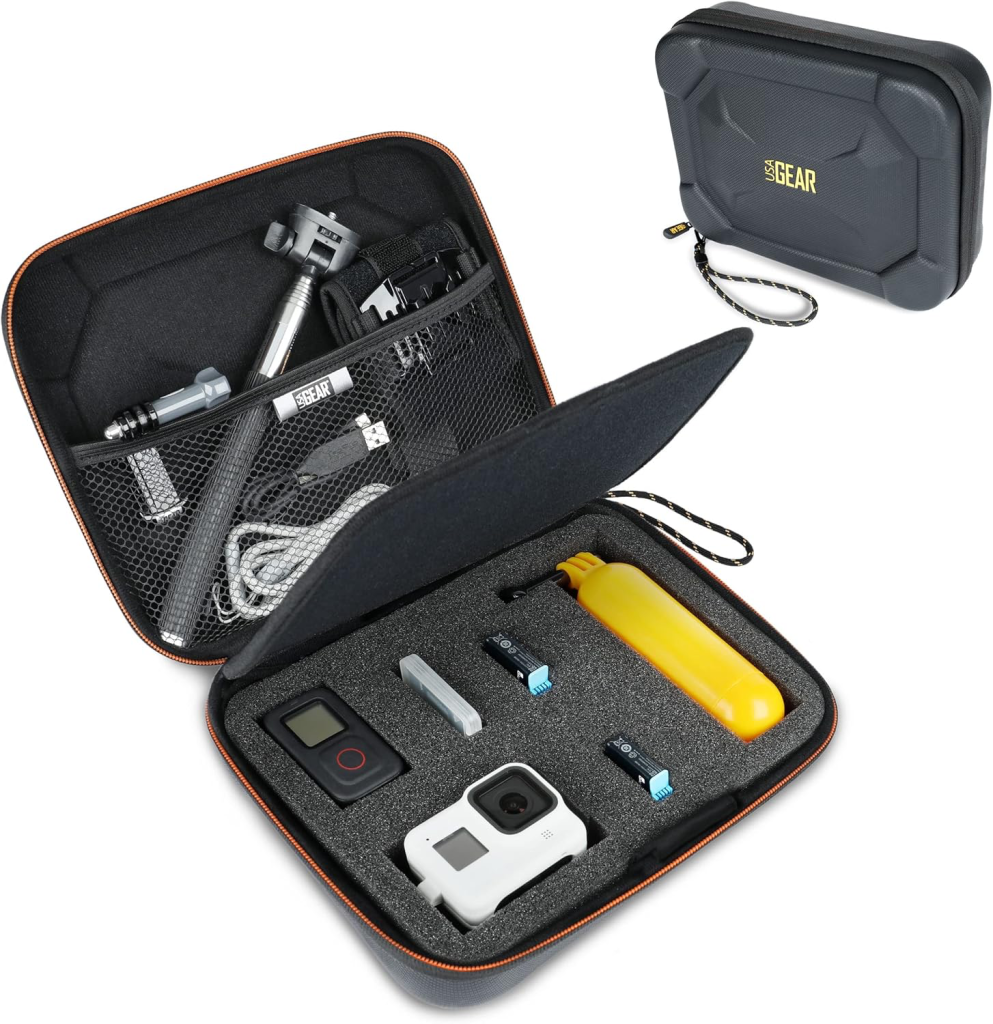
For a high quality option, folks on the uConsole forum have recommended this USA Gear case.

As you can see, it has a bit more padding around the sides to keep your uConsole safe, but might be a bit bulkier.

Image from Arkaium https://imgur.com/a/PhqRKUi
Budget Shell Case

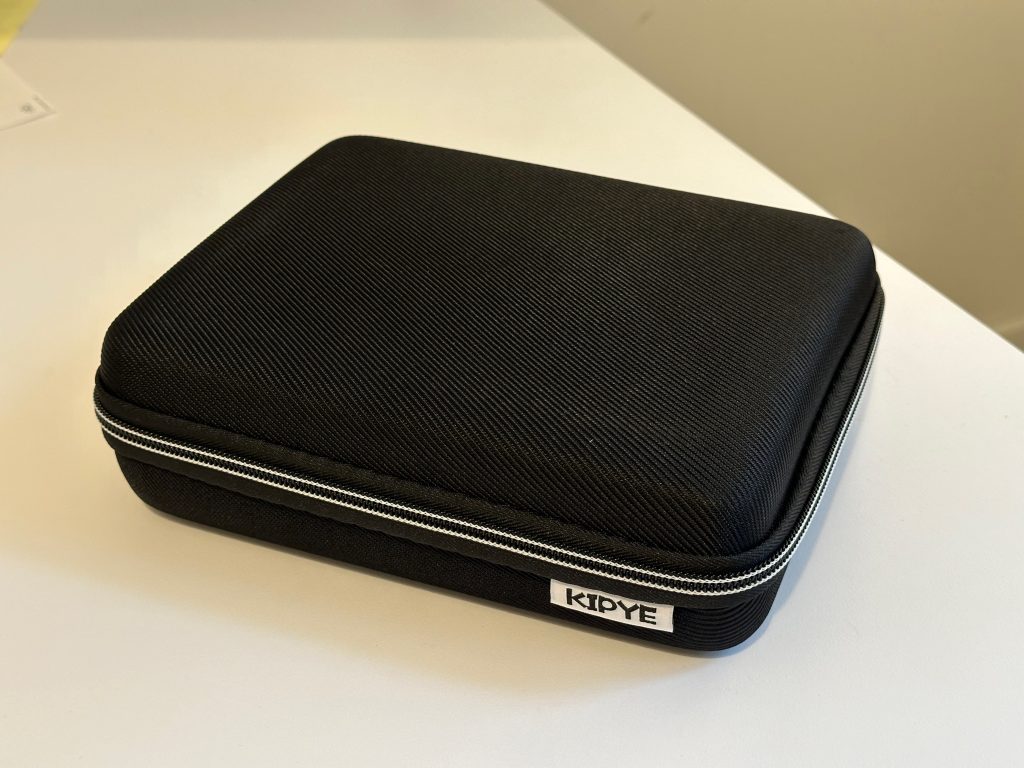
If you’re looking for a more budget options in the shell category, checkout this unit in the “Number 2” size!

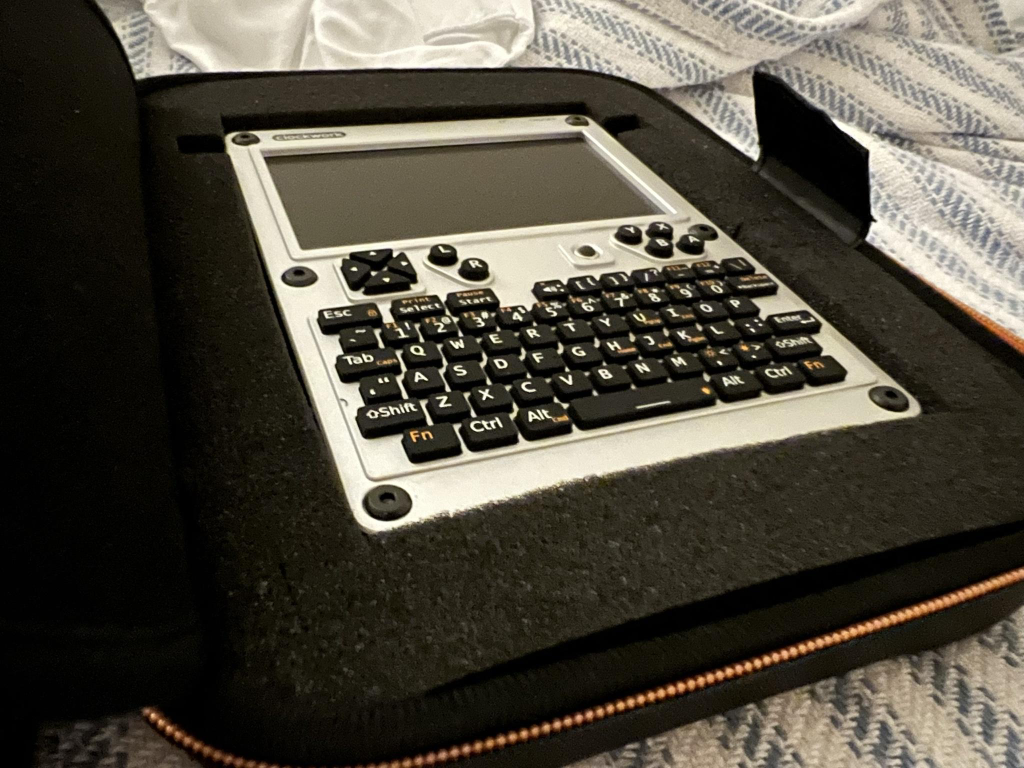
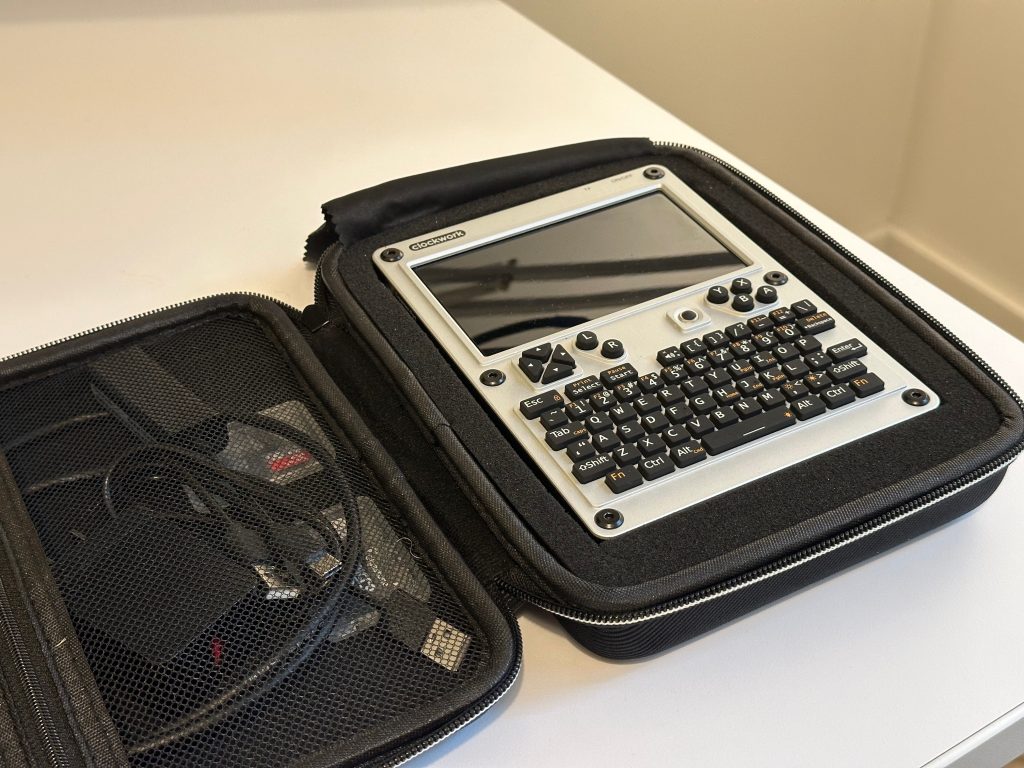
This was the model I ended up purchasing. There’s room for a charger and power cable and even a few SD cards on the left hand side, and fits the uConsole snugly with outer foam protecting the edges.

The back of the uConsole isn’t quite as insulated, but protects from small bumps and scratches.

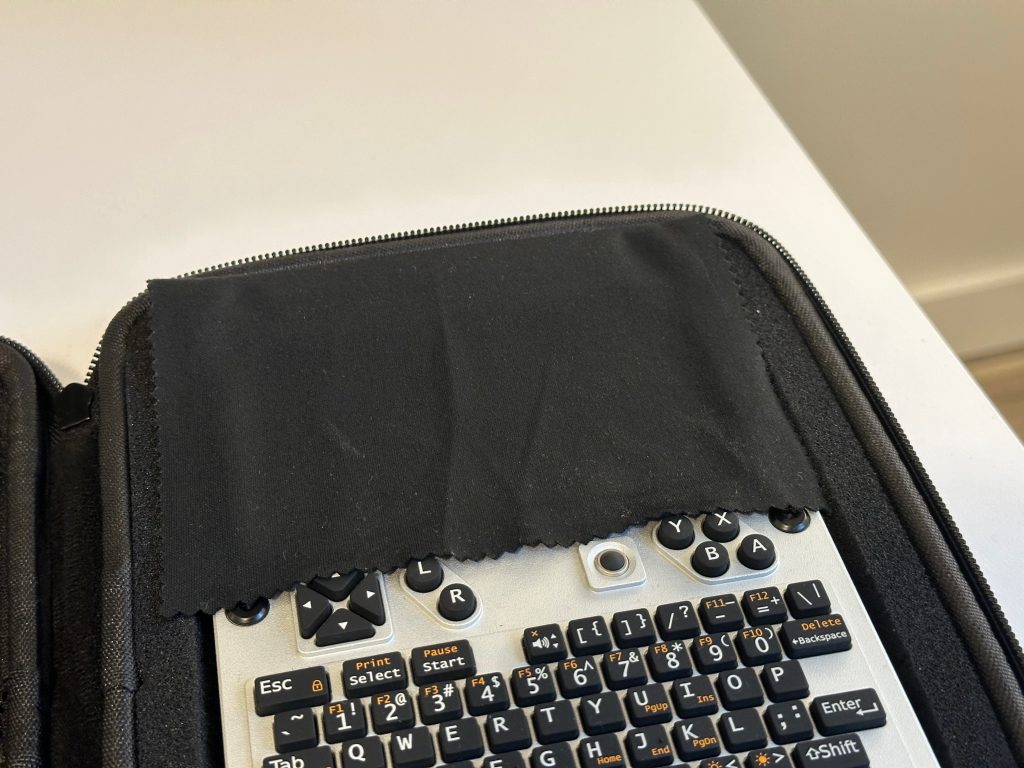
I was a little worried about the screen being scratched by the front zipper or any accessories that might rub up against it when packed away, so I picked up a package of lint-free glasses clothes that were just the right size to cover the display when closed.

I used some white glue to attach the cloth to the foam so that it’s always ready to protect the screen when it’s time to zip it up!

Premium Waterproof Case

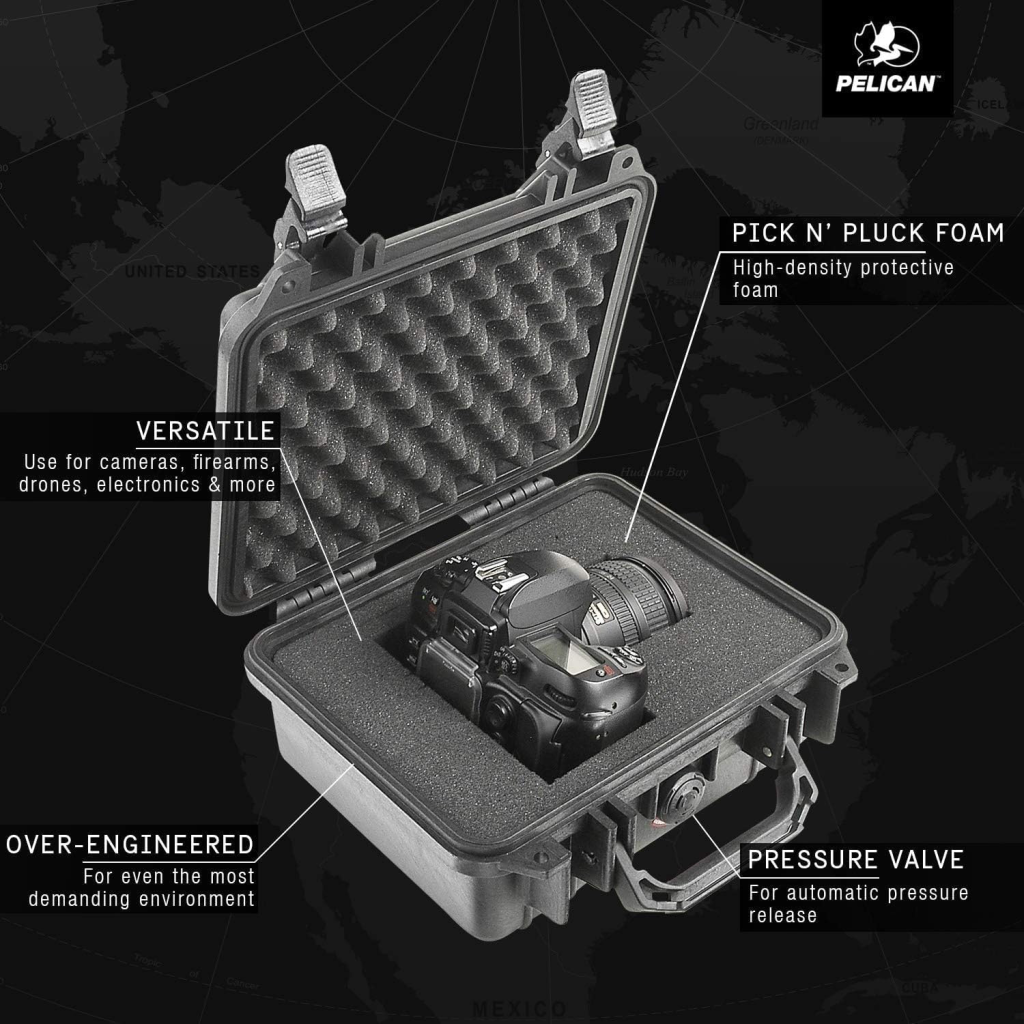
Maybe you’re heading into a harsh environment (or just like to prepare to be in one…) in which case foolproof water resistance is a must. Pelican cases are synonymous with rugged water, dust, and impact resistance, and the Pelican 1200 case that should fit your uConsole just fine!

It has an interior dimension of 9.31 x 7.13 x 4.12 in (23.6 x 18.1 x 10.5 cm), which gives you plenty of room for your uConsole (17 cm x 13 cm x 2.6 cm) and whatever accessories you might need to carry with it.

Budget Waterproof Case

If you don’t need a legendary warranty or guaranteed water resistance, but still want a solid impact resistance case, there are some budget options out there as well.

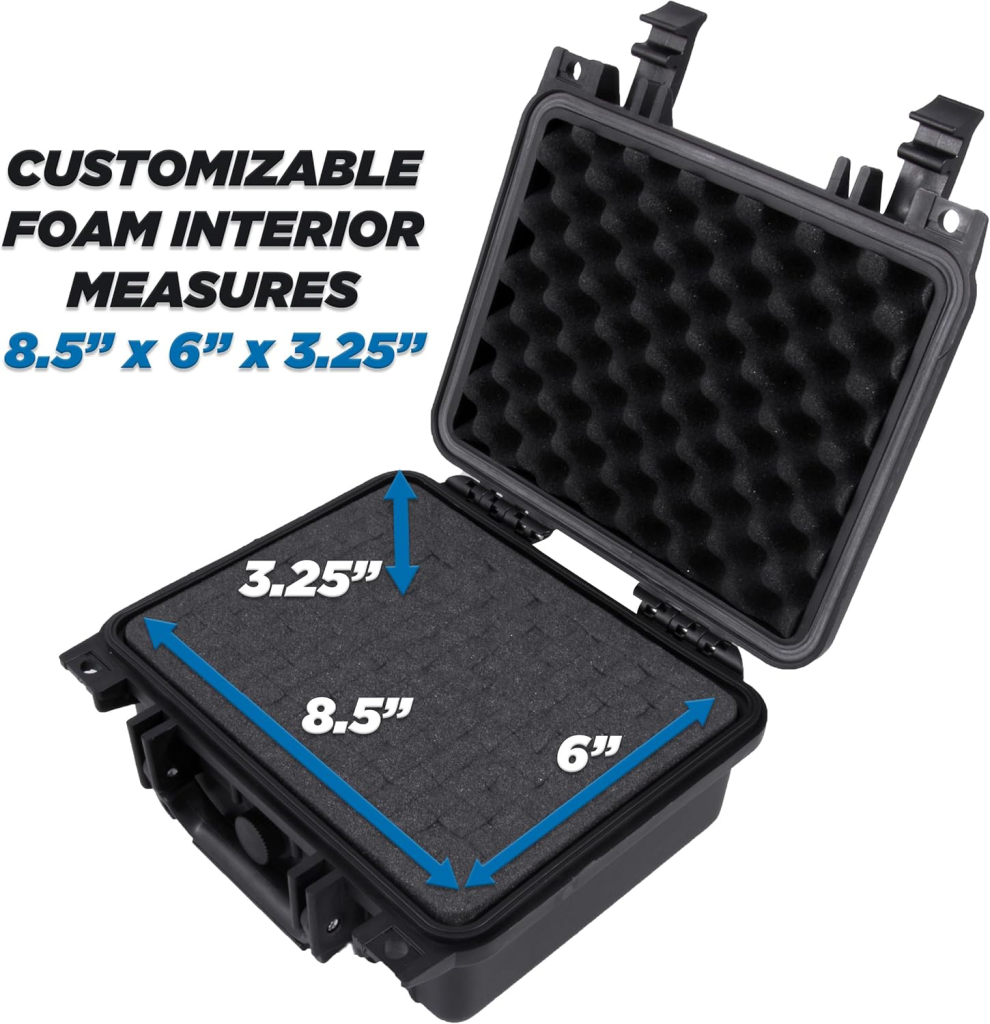
This CaseMatrix Waterproof Hard case is available in many different sizes. You can go with either the 11″ or step up to the 13″ if you want more room for accessories.

For reference, the uConsole is 6.69in x 5.12in 1.06 in.

Shoulder Pouch

The Eastpak “The One” messenger bag is a great little pouch for your uConsole.

Note that the newer style “Buddy” seems to be a little bit smaller and likely wouldn’t fit the uConsole.

Amazon: EastPak The One

Soft screen protection

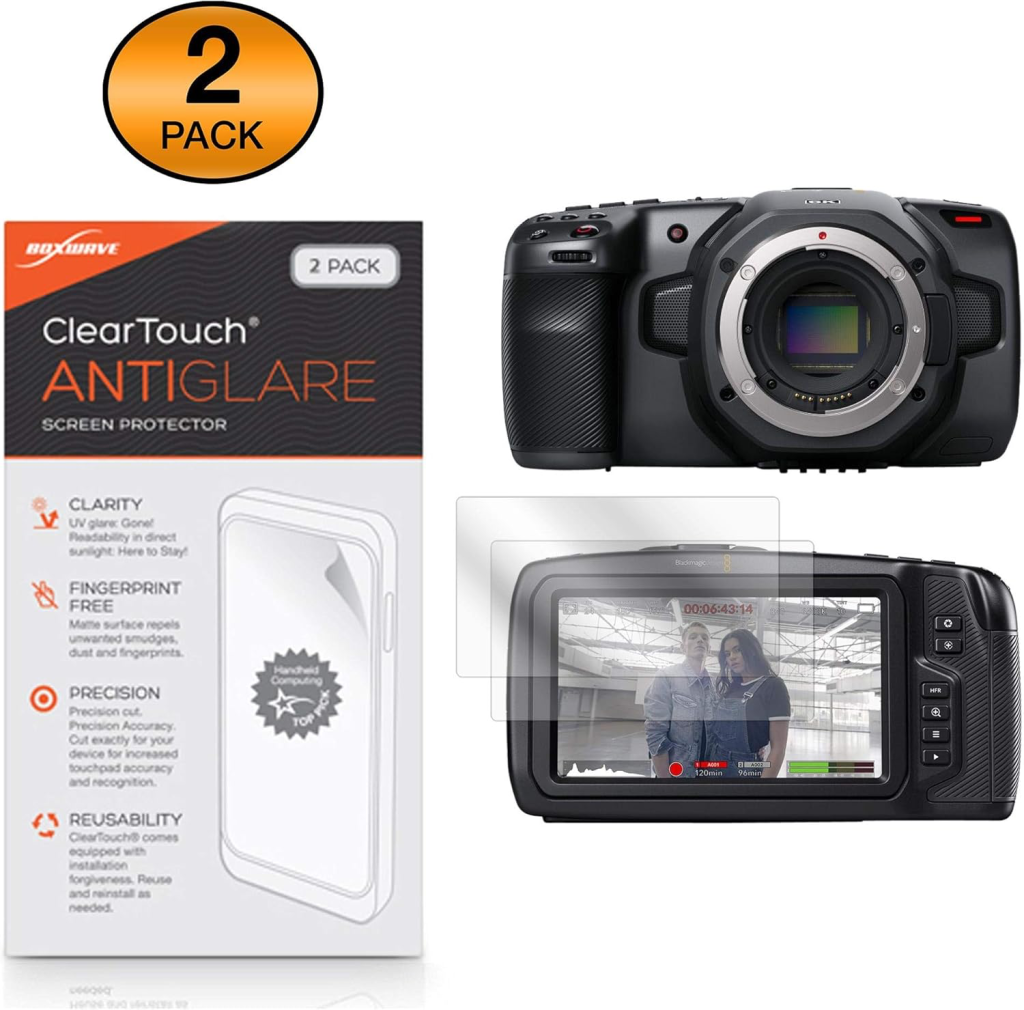
The 7 inch 720p display on the uConsole is the focal point of your uConsole so you’ll want to protect it. Unlike your smartphone display, it’s not protected with any high tech Gorilla glass or anything like that, so I’d recommend a basic screen protector to prevent a few scuffs!

The good news is that the display is a perfect match to the display on the Blackmagic 6K Cinema Camera, meaning screen protectors for this device fit really well.

Here are some options that fit the bill:

Hard screen protection

There’s lots of creativity going on with regards to 3D printed protection for the uConsole.

A Printable project by X-Stranger

Have a look at the uConsole Forums for some inspiration for how you can add a flip top cover for your uConsole using 3D printing or other materials!

The post The Best Cases & Protection for Your uConsole appeared first on uConsole World.
https://startersites.io/blocksy/blog/?p=2645
Extensions
How to Find 18650 Batteries for Your uConsole
AccessoriesTutorials

All uConsoles ship without any batteries, so unless you’re going to stay tethered to your USB charger you’ll need to get a hold of some in order to go mobile with your uConsole (which is why you bought it, right?) Finding quality, inexpensive 18650 batteries isn’t always the easiest thing in the world. Unlike common […]

The post How to Find 18650 Batteries for Your uConsole appeared first on uConsole World.
Show full content

All uConsoles ship without any batteries, so unless you’re going to stay tethered to your USB charger you’ll need to get a hold of some in order to go mobile with your uConsole (which is why you bought it, right?)

Finding quality, inexpensive 18650 batteries isn’t always the easiest thing in the world. Unlike common AA cells, there’s a multitude of different brands and options, and many can be counterfeit.

Protected vs Unprotected Cells

The uConsole should accept both protected and unprotected cells. The ClockworkPi site states “carefully designed the battery holder to make it more compatible with various 18650 battery sizes: Ø18±0.5mm diameter, 65-69mm length.” Choosing whether you want to go with protected or unprotected cells is up to you.

Battery swapping

Keep in mind that while the uConsole is built to be user-serviceable, there is no dedicated battery door for hot swapping batteries, something I realized when assembling my unit!

Disassembling the back panel also means separating the rear aluminum panel from the gooey thermal pad you attach to the CPU. So you probably won’t want to be unscrewing the back all the time just to swap out batteries.

Long story short, plan to invest in a good set of 18650 cells that you keep in your uConsole!

Finding Batteries

The general advice is do not order 18650 cells from Amazon or AliExpress. However, for some of us venturing outside of our convenient Prime shipping might be a struggle.

Here are some different sources for locating appropriate cells for your uConsole that are less likely to be counterfeit!

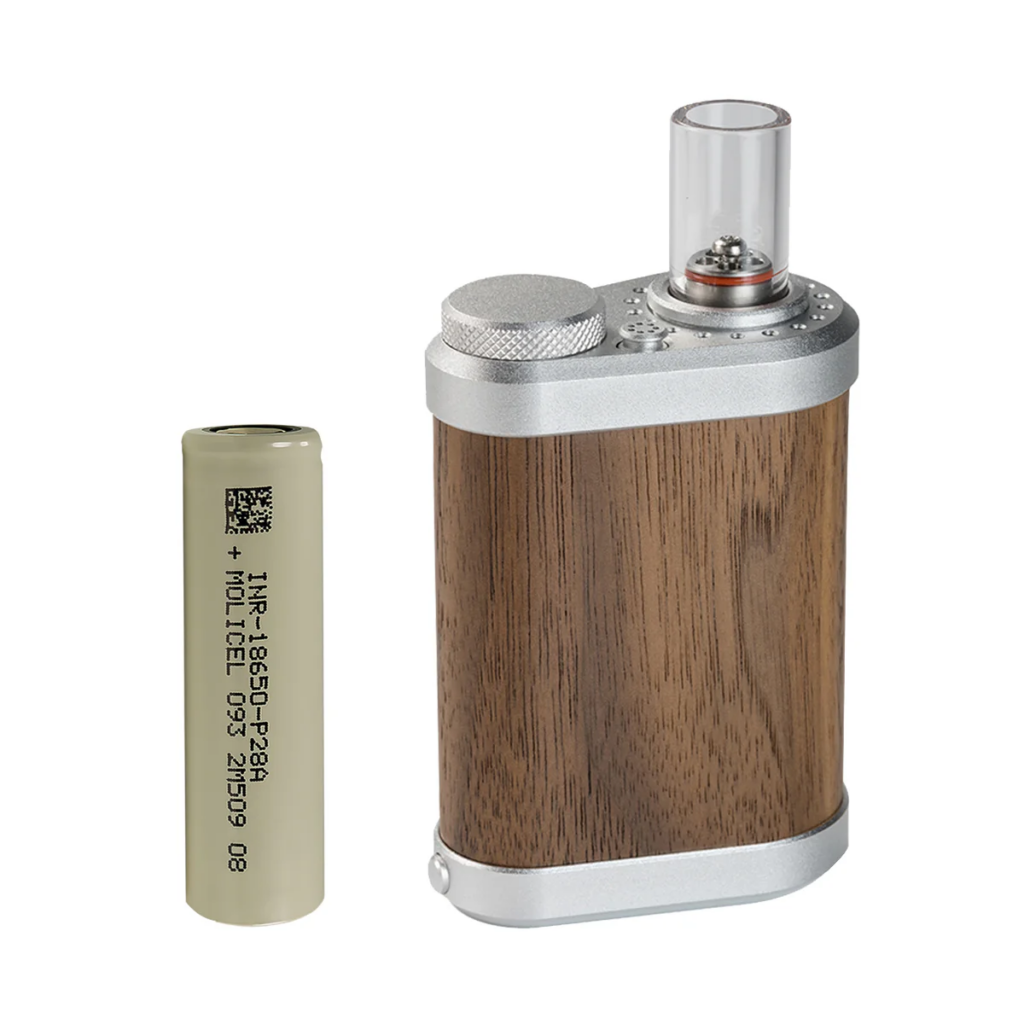
1. Vape & e-cigarette Shops ($$$)

Many eCigarette and vape shops will sell 18650-style batteries in a retail setting which makes them easy to run out and get last-minute, in case your uConsole showed up on your doorstep before you had the chance to order some!

Keep in mind these will usually have a retail markup, and there will be limited selection of brands and capacities. Their quality may vary as well, but generally brick and mortar stores will have done a certain level of research so as not to sell risky products to vapers who keep them in their pockets all day long.

If this sounds too expensive or you hate the smell of bubblegum vape juice, read on!

2. Battery & Electronic Stores ($$$)

Most cities will have an electronic supply or dedicated battery store which will sell you quality cells. These stores will vary by your region, so have a look on Google Maps for battery store.

Many shops focus on units for large DC power banks, solar, UPS and transportation purposes, but they often stock a few different 18650 cells for rebuilding battery packs or in devices like your uConsole!

While brick and mortar electronic supply stores are becoming fewer and far between, there are still some operating storefronts that can help you out!

Have a look in your region for battery store or electronic supply!

3. This Reddit Post

Online retailers can be hit or miss, but thankfully are serious battery builders evaluating their performance.

There is a great subreddit subs dedicated to everyone’s favourite battery cell. Checkout this buying guide with plenty of discussion dating back years.

Source: [Buying 18650 Batteries? Start Here]

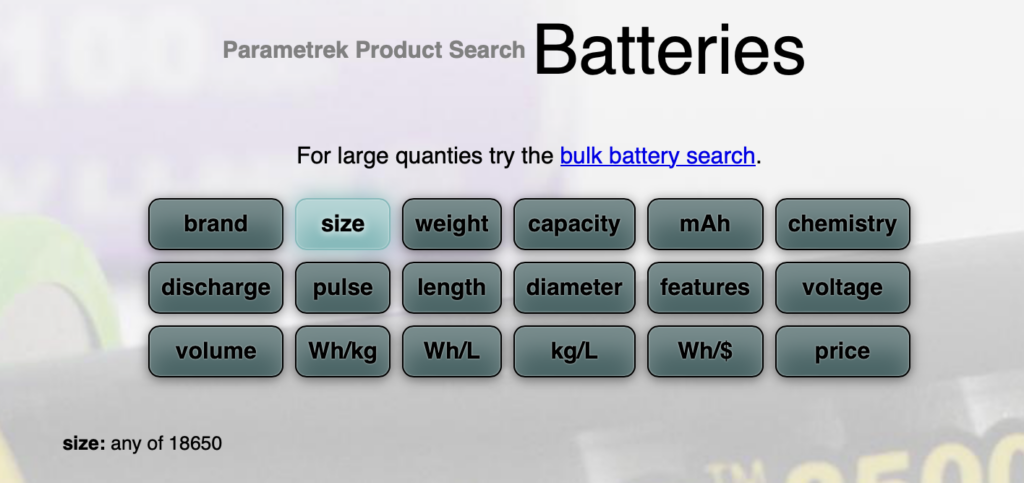
4. Parametrek.com

You may have spotted it on the reddit post above, but Parametric.com offers a great way to source different types of 18650 batteries and associated products. Check it out below!

Source: Parametrek.com

6. Upcycle your old battery packs

This last option is not for the inexperienced, and while I wouldn’t recommend it to everyone, it is personally the route I chose because it was the option I had lying around!

If you have another device like a flashlight that uses 18650 cells you can obviously get going fairly quickly by borrowing them from a device like that. However lots of other batteries use 18650 cells internally and can be “harvested” for your uConsole.

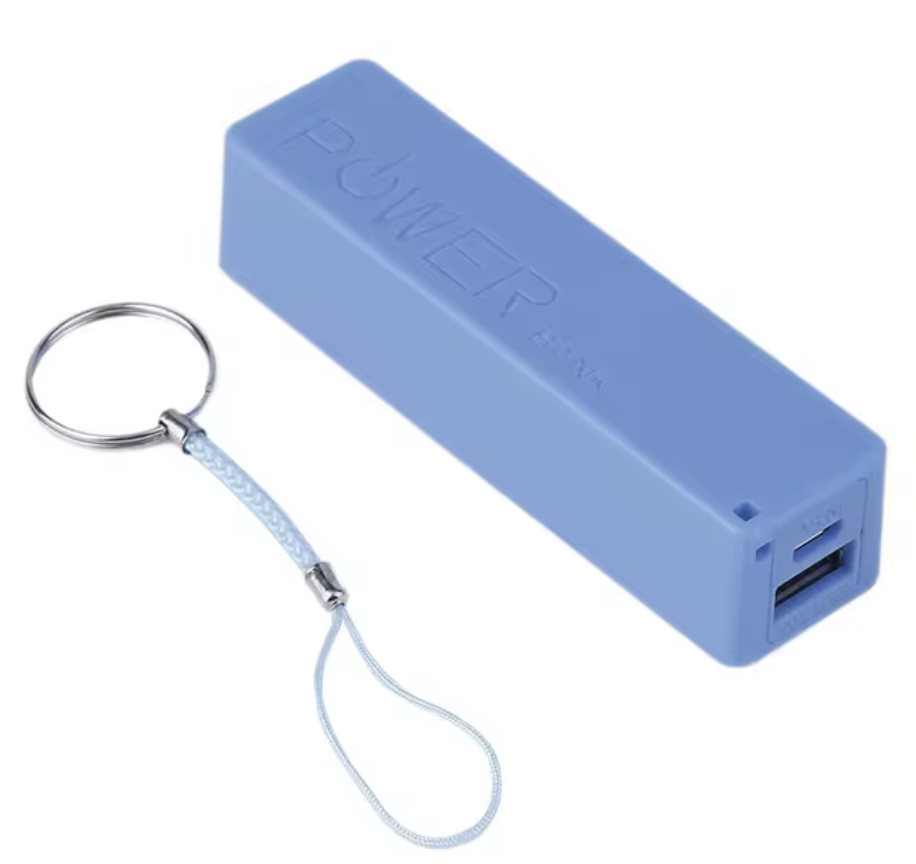
Many cylindrical portable power banks such as this one are simple 18650 cells with a small charging circuit around them. You might have received a few of these as gifts or in a panic buy at the airport before getting on a long haul flight.

They can be disassembled for their cells quite easily, but just be careful not to short them out in the process! Most chargers integrate bare unprotected cells

The post How to Find 18650 Batteries for Your uConsole appeared first on uConsole World.
http://192.168.8.227/?p=3311
Extensions
Start Here: Top Resources to Jumpstart Your uConsole Experience
News

The uConsole is a versatile portable computer for tech enthusiasts and makers looking to dive into the world of hardware hacking or looking construct their own CyberDeck. Whether you’re a seasoned developer or just getting started, the uConsole is a gateway to endless possibilities. When I was getting started I wasn’t sure where to find […]

The post Start Here: Top Resources to Jumpstart Your uConsole Experience appeared first on uConsole World.
Show full content

The uConsole is a versatile portable computer for tech enthusiasts and makers looking to dive into the world of hardware hacking or looking construct their own CyberDeck. Whether you’re a seasoned developer or just getting started, the uConsole is a gateway to endless possibilities.

When I was getting started I wasn’t sure where to find useful information from essential guides and tutorials to communities where you can share your projects and learn from others. Let’s jump in and start hacking!

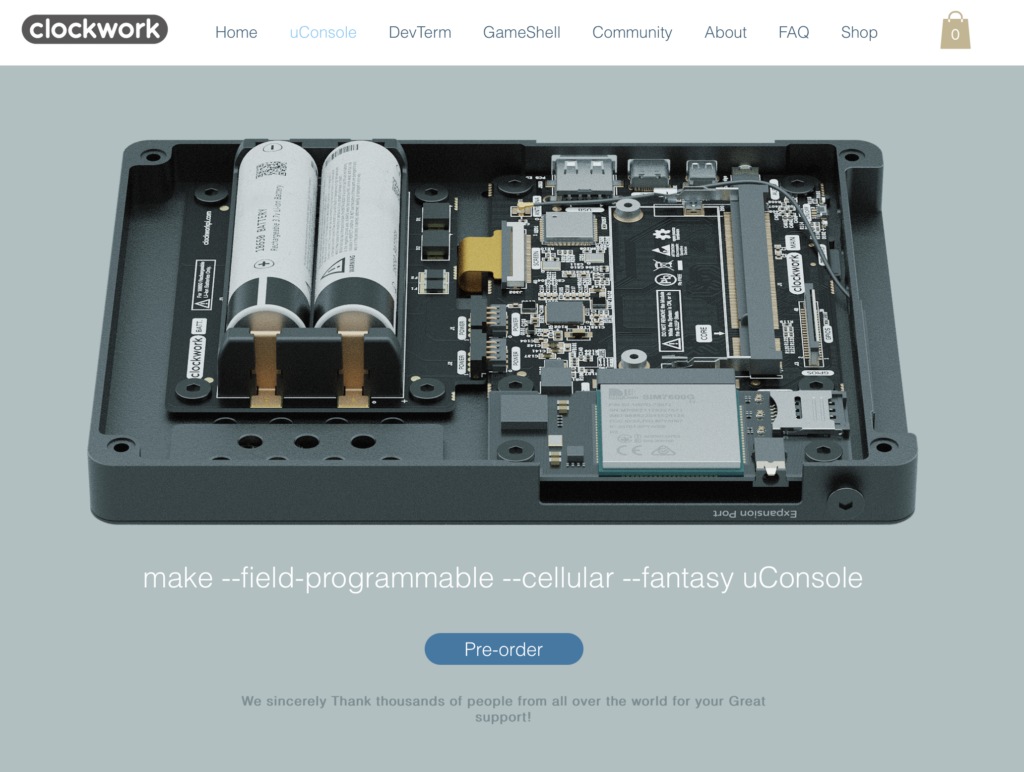
1. ClockworkPi Official Site

The ClockworkPi official site has all of the technical specs, photos and even the open hardware schematics for the uConsole.

The ClockworkPi official site is your primary hub for everything related to the uConsole. Here, you’ll find all the technical specs, high-quality photos, and the open hardware schematics for the uConsole. It’s the best place to start if you’re looking to understand the full capabilities of your device or need official documentation.

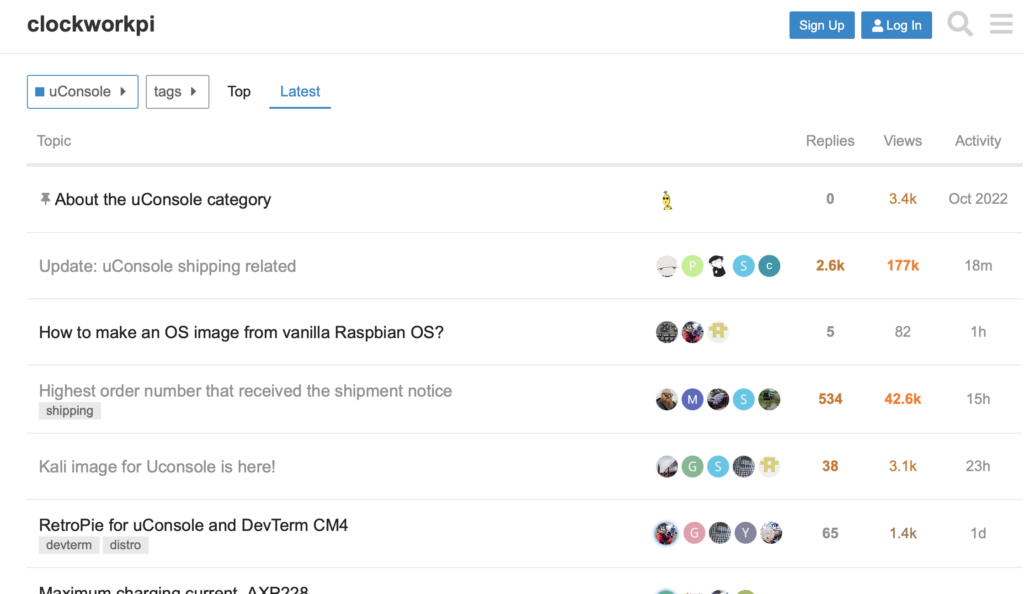
2. uConsole Community Forums

The uConsole Community Forums are the perfect place to connect with other users, share your projects, and get help with any issues you encounter. This active community is full of experienced users who are eager to assist newcomers. Whether you’re troubleshooting, looking for inspiration, or just want to show off your latest hack, this is the place to be.

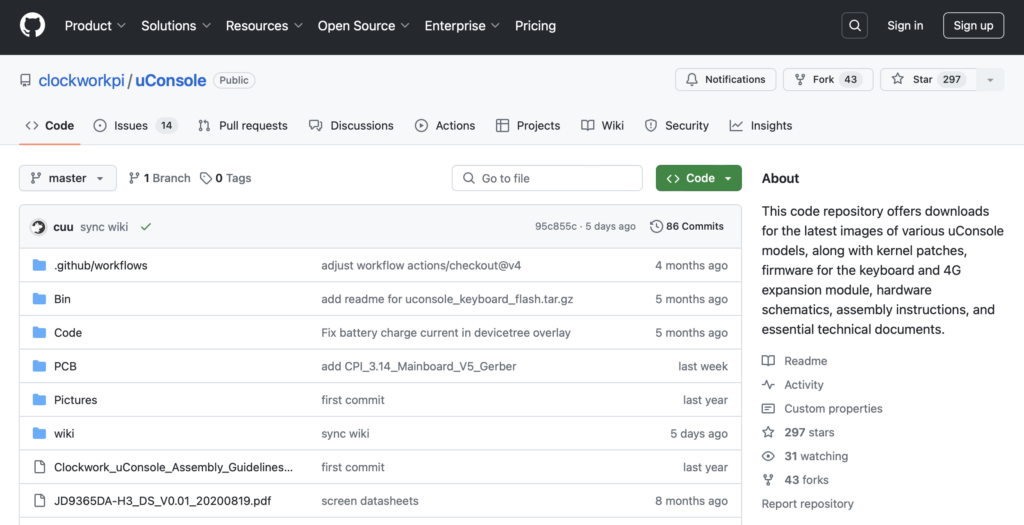
3. ClockworkPi GitHub

ClockworkPi’s GitHub repository is a treasure trove of open-source code, firmware, and software specifically designed for the uConsole. Whether you’re interested in contributing to ongoing projects or downloading the latest updates and tools, the GitHub page is an essential resource.

4. r/ClockworkPi Subreddit

The r/ClockworkPi Subreddit is not as busy as the official community forum, but can help you find crossover activities with the other Clockwork ecosystem. It’s also a great place to get stoked when you see other users posting a shipped order number close to yours!

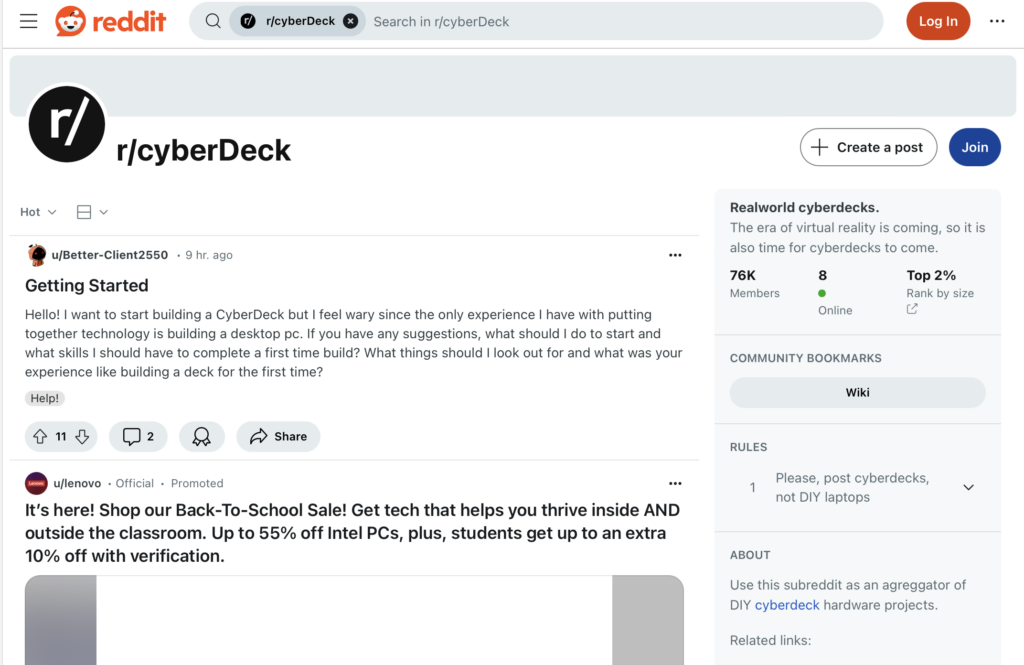
5. r/Cyberdeck Subreddit

While the r/Cyberdeck Subreddit is usually a little for those looking to DIY a portable computing device from scratch, it’s still a fantastic resource for hacking inspiration of your uConsole. This community focuses on building and customizing portable computing devices, and you’ll find plenty of inspiration and guides to create your own cyberdeck using the uConsole. With 76k+ members, it’s a great place to explore what types of portable computing possibilities there could be with the uConsole.

6. Raspberry Pi Forums

The Raspberry Pi Forums might not be uConsole-specific, but as the most popular mainboard for the uConsole, many Raspberry Pi projects make for great uConsole projects.

7. uConsole.net

Of course how could we skip uConsole World? We are an unofficial fan site dedicated to all things uConsole. We features tutorials, accessories, reviews, and project showcases that can inspire your uConsole creations!

The post Start Here: Top Resources to Jumpstart Your uConsole Experience appeared first on uConsole World.
http://192.168.8.227/?p=3266
Extensions