GeistHaus
log in ยท sign up

https://idatum.net/feeds/all.atom.xml

atom
10 posts
Polling state
Status active
Last polled May 19, 2026 00:32 UTC
Next poll May 19, 2026 23:04 UTC
Poll interval 86400s
ETag W/"68311313-c5e11"
Last-Modified Sat, 24 May 2025 00:30:11 GMT

Posts

Running NetBSD 10.1 on a 1998 Toshiba laptop
BSDNetBSD

Notes on running NetBSD 10.1 on a Toshiba Satellite Pro 445 CDT

Show full content
Moving from NetBSD 5.1 to NetBSD 10.1

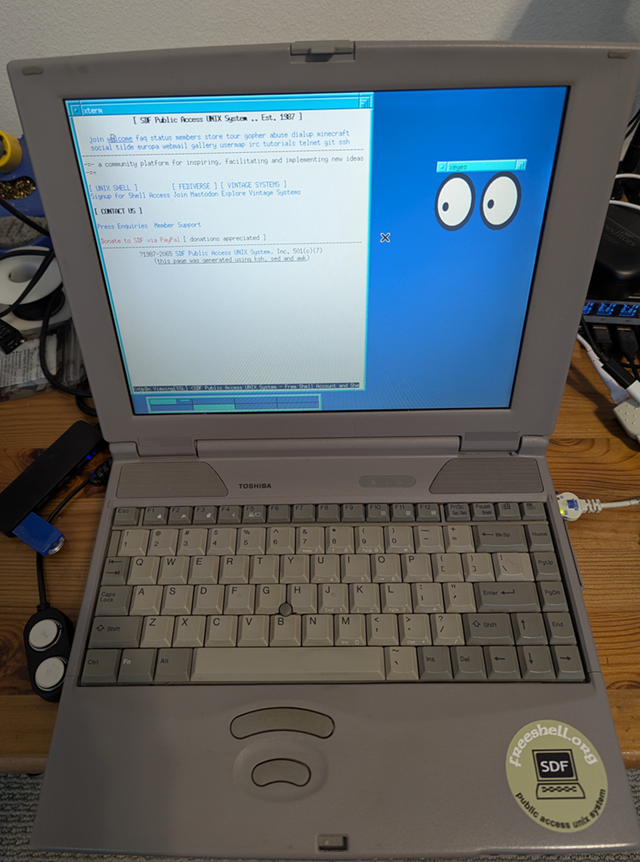
Here are my notes on running NetBSD 10.1 on my first personal laptop that I still keep, a 1998 i586 Toshiba Satellite Pro with 81Mb of RAM and a 1Gb IBM 2.5" IDE HD. In summary, the latest NetBSD runs well on this old hardware using an IDE to CF adapter and several changes to the i386 GENERIC kernel.

During the holiday break time of year I take out my old hardware and make sure it passes a threshold: it can boot the latest NetBSD. Last year (2023) at this time I didn't have an IDE adapter to either externally upgrade the old laptop's original HD from NetBSD 5.1 to 10_RC (at the time) or replace the HD with solid state storage (e.g. Compact Flash drive). I also didn't take the time to aggressivly trim the i386 GENERIC kernel to save available RAM (working with little to start with). The result was a lot of swap space use with 10_RC GENERIC and root on a USB memory stick. My 2023 notes are here.

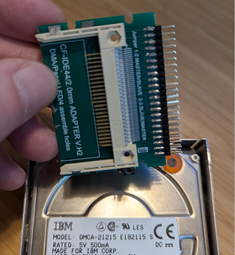
This year I finally got motived and bought a CF to IDE HD adapter: Compact Flash Merory Card to 2.5" 44Pin IDE Hard Disk Drive HDD SSD Adapter

I still had the same problem though: both the FD and CDROM drives long since died, and the BIOS doesn't support PXE, so there was no way to boot an install image on separate storage. I needed to create a custom boot image with NetBSD 10.1.

I'll get into how I created a custom image from a build, and what hardware works and doesn't work.

Building an i386 NetBSD-10.1 release.

This is the most straight forward part. I have an i7-4770, 16gb, amd64 NetBSD build machine that I use build.sh for cross compiling. For an i386 kernel for my old laptop, I needed to strip out a lot of unused drivers and verbose messages. Here is the resulting i386 kernel config.

First, I used CVS to fetch 10.1-RELEASE:

cvs checkout -r netbsd-10-1-RELEASE -P src

I then copied src/sys/arch/i386/conf/GENERIC kernel config to src/sys/arch/i386/conf/TOSHSATPRO. This is the file that has my kernel changes.

In the src directory and with the new kernel config, I built the i386 toolchain, the custom kernel, and a release:

./build.sh -U -u -O ../obj -T ../tools -j8 -m i386 -a i386 tools
./build.sh -U -u -j8 -O ../obj -T ../tools -m i386 -a i386 kernel=TOSHSATPRO
./build.sh -U -u -j8 -O ../obj -T ../tools -m i386 -a i386 kernel=TOSHSATPRO release

I didn't bother fetching and building X. Instead, I used sysinst to install X later. The goal here is to create a minimal system on a storage device that can boot the kernel and root.

Creating a custom boot image on a CF drive.

I used fdisk on my build machine with a USB CF adatper to create a NetBSD partition on a 4gb CF card (/dev/sd0) and then disklabel to create a 2900Mb 'a' 4.2BSD and a 99Mb 'b' swap. Then newfs to format 'a'.

To boot from the CF, using notes from installboot(8), I did the following:

  • fdisk -c mbr /dev/rsd0c
  • installboot -v -m i386 /dev/rsd0a bootxx_ffsv1
  • mount /dev/sd0a /mnt
  • cp boot /mnt
  • mkdir /mnt/kern /mnt/proc
  • tar zxvfp base.tgz ...

All of the files are from my custom i386 release build. Specifically, mbr, bootxx_ffsv1, and boot are under obj/destdir.i386/usr/mdec. The sets: obj/releasedir/i386/binary/sets.

That final step is expanding the sets to /mnt (/ on the CF). For a minimal system, you need base.tgz, kern-GENERIC.tgz, modules.tgz, and etc.tgz. Since I had enough space, I also used comp.tgz, man.tgz, text.tgz, and misc.tgz.

I then renamed /mnt/netbsd to /mnt/netbsd-GENERIC and copied my custom kernel, obj/sys/arch/i386/compile/TOSHSATPRO/netbsd, to /mnt.

I then edited /mnt/etc/rc.conf with the following:

rc_configured=YES
hostname=toshsatpro
wscons=YES
dhcpcd=YES
ntpd=YES
ntpd_flags="-g"
sshd=NO
makemandb=NO

For the last two, I didn't want to start and wait for sshd to create keys. I set that to YES after running sysinst and manually creating entropy. Since I installed man.tgz, I didn't want my feeble i586 133mhz laptop to toil away on first boot indexing man pages, so I set makemandb=NO.

I attached a 3Com PCMCIA NIC that uses the ep driver. I have an IPv6-only network, so I added the following lines to /mnt/etc/dhcpcd.conf:

interface ep0
ipv6only

Finally, I created a minimal /mnt/etc/fstab:

/dev/wd0a / ffs rw 1 1
/dev/wd0b none swap sw 0 0
kernfs /kern kernfs rw
ptyfs /dev/pts ptyfs rw
procfs /proc procfs rw

Note that I need to boot from the IDE adapter, so I need /dev/wd0, not /dev/sd0, for root.

Cool, the initial boot config is completed.

Booting NetBSD 10.1 RELEASE

After replacing the old IBM DMCA-21215 E182115 IDE HD (with NetBSD 5.1) with a CF to IDE adapter and my new boot image, I fired up the old device. It booted!

The complete dmesg is below. With my custom kernel I have 71732 KB available RAM out of 81660 KB total. This is a good improvement over GENERIC which only leaves me with 57900 KB available.

The first step was to run sysinst to complete the configuration. I set the time zone, created entropy, added a user, etc. Later, I added any additional sets I didn't with the first install. With a working network, I also installed pkgin.

What works

I have enough hardware working to enjoy using my old (and first) laptop from the '90s running a modern O/S. Compared to some ARM64 devices I have, I like the real RS-232 port. It even has an LPT port.

I was able to add a USB hub to the single USB 1.0 port and got an Edimax (urtwn) WiFi adapter connected to my 2.4Ghz IoT network. Eventually I'll find my old Cisco Air PCMCIA WiFi card and give that a try. I was also able to connect various USB storage devices. I'll add a USB Bluetooth adapter to the list to try.

The internal NiMh BIOS batteries are long dead so I depend on NTP to set the clock. Shockingly, the original 26 year old Li-ion main battery can still hold a charge at least long enough to move the laptop across the room.

What doesn't work

I'm not able to use more than one PCMCIA device without issues. The laptop has 2 sockets. I first noticed when using a PCMCIA CF adapter with my 3Com NIC up. I get the following error when accessing the CF card adapter (/dev/wd1):

[   262.563457] pcmcia1: card irq 9
[   275.579772] autoconfiguration error: wdc2:0:0: lost interrupt
[   275.579772]         type: ata tc_bcount: 1536 tc_skip: 64000
[   275.579772] wd1a: device timeout reading fsbn 364733 of 364608-364735 (wd1 bn 366781; cn 179 tn 5 sn 29), xfer f5c, retry 0

I'm still debuging this.

I can't get the SoundBlaster audio HW to work. It times out.

I couldn't get an apm0 device in my kernel config to compile with NetBSD 10.1. It worked in 5.1. Hence I don't have any Advanced Power Management. I am able to use the fan utility in pkgsrc/sysutils/toshutils to keep the laptop running cool.

None of these issues are big deal.

Summary

That was a fun project and along the way I once again learned some things about the NetBSD boot process and kernel configuration.

I'll definitely stick with NetBSD 10.1-RELEASE booting from a CF-IDE adapter. It's a great new release, even for a nostalgic 90s laptop. 1998 Toshiba Satellite Pro 445 CDT

Copyright (c) 1996, 1997, 1998, 1999, 2000, 2001, 2002, 2003,
    2004, 2005, 2006, 2007, 2008, 2009, 2010, 2011, 2012, 2013,
    2014, 2015, 2016, 2017, 2018, 2019, 2020, 2021, 2022, 2023,
    2024
    The NetBSD Foundation, Inc.  All rights reserved.
Copyright (c) 1982, 1986, 1989, 1991, 1993
    The Regents of the University of California.  All rights reserved.

NetBSD 10.1 (TOSHSATPRO) #31: Wed Dec 25 20:59:21 PST 2024
    idatum@baker:/home/idatum/netbsd10.1/obj/sys/arch/i386/compile/TOSHSATPRO
total memory = 81660 KB
avail memory = 71732 KB
timecounter: Timecounters tick every 10.000 msec
timecounter: Timecounter "i8254" frequency 1193182 Hz quality 100
mainbus0 (root)
cpu0 at mainbus0
cpu0: Use cpuid to serialize rdtsc
cpu0: Intel 586-class, 133MHz, id 0x543
cpu0: node 0, package 0, core 0, smt 0
pci0 at mainbus0 bus 0: configuration mode 1
pci0: i/o space, memory space enabled, rd/line, rd/mult, wr/inv ok
pchb0 at pci0 dev 0 function 0: vendor 1179 product 0601 (rev. 0x27)
vga0 at pci0 dev 4 function 0: vendor 102c product 00e4 (rev. 0xc2)
wsdisplay0 at vga0 kbdmux 1: console (80x25, vt100 emulation)
wsmux1: connecting to wsdisplay0
wsdisplay0: screen 1-3 added (80x25, vt100 emulation)
drm at vga0 not configured
ohci0 at pci0 dev 11 function 0: vendor 1033 product 0035 (rev. 0x01)
ohci0: interrupting at irq 11
ohci0: OHCI version 1.0
usb0 at ohci0: USB revision 1.0
isa0 at mainbus0
lpt0 at isa0 port 0x378-0x37b irq 7
com0 at isa0 port 0x3f8-0x3ff irq 4: ns16550a, 16-byte FIFO
com1 at isa0 port 0x2f8-0x2ff irq 3: ns16550a, 16-byte FIFO
pckbc0 at isa0 port 0x60-0x64
pckbd0 at pckbc0 (kbd slot)
pckbc0: using irq 1 for kbd slot
wskbd0 at pckbd0: console keyboard, using wsdisplay0
pms0 at pckbc0 (aux slot)
pckbc0: using irq 12 for aux slot
wsmouse0 at pms0 mux 0
attimer0 at isa0 port 0x40-0x43
wdc0 at isa0 port 0x1f0-0x1f7 irq 14
atabus0 at wdc0 channel 0
sb0 at isa0 port 0x220-0x237 irq 5 drq 1: dsp v3.01
audio0 at sb0: playback, capture, half duplex
audio0: slinear_le:16 -> ulinear_le:8 2ch 20000Hz, blk 400 bytes (10ms) for playback
audio0: slinear_le:16 <- ulinear_le:8 2ch 20000Hz, blk 400 bytes (10ms) for recording
opl0 at sb0: model OPL3
midi0 at opl0: SB Yamaha OPL3
wss0 at isa0 port 0x530-0x537 irq 10 drq 0,1: CS4231
audio1 at wss0: playback, capture, full duplex
audio1: slinear_le:16 2ch 48000Hz, blk 1920 bytes (10ms) for playback
audio1: slinear_le:16 2ch 48000Hz, blk 1920 bytes (10ms) for recording
pcppi0 at isa0 port 0x61
midi1 at pcppi0: PC speaker
sysbeep0 at pcppi0
pcic0 at isa0 port 0x3e0-0x3e1 iomem 0xd0000-0xdffff irq 
pcic0: controller 0 (Intel 82365SL Revision 1) has sockets A and B
pcmcia0 at pcic0 controller 0 socket 0
pcmcia1 at pcic0 controller 0 socket 1
attimer0: attached to pcppi0
timecounter: Timecounter "clockinterrupt" frequency 100 Hz quality 0
timecounter: Timecounter "TSC" frequency 132844400 Hz quality 3000
pcic0: controller 0 detecting irqs with mask 0xdeb8:..9..15
pcic0: using irq 9 for socket events
autoconfiguration error: pcic0: WARNING: powerhook_establish is deprecated
uhub0 at usb0: NetBSD (0x0000) OHCI root hub (0x0000), class 9/0, rev 1.00/1.00, addr 1
uhub0: 2 ports with 2 removable, self powered
ep0 at pcmcia0 function 0: <3Com, Megahertz 574B, B, 001>
pcic0: port 0x400-0x41f
pcmcia0: card irq 15
ep0: address 00:50:04:fd:31:c2, 64KB word-wide FIFO, 1:1 Rx:Tx split
tqphy0 at ep0 phy 0: 78Q2120 10/100 media interface, rev. 10
tqphy0: 10baseT, 10baseT-FDX, 100baseTX, 100baseTX-FDX, auto
uhub1 at uhub0 port 1: vendor 1a40 (0x1a40) USB2.0 HUB (0x0101), class 9/0, rev 2.00/1.00, addr 2
uhub1: 4 ports with 4 removable, self powered
umass0 at uhub1 port 1 configuration 1 interface 0
umass0: SMI Corporation (0x090c) USB DISK (0x1000), rev 2.00/11.00, addr 3
umass0: using SCSI over Bulk-Only
scsibus0 at umass0: 2 targets, 1 lun per target
wd0 at atabus0 drive 0
wd0: <SanDisk SDCFH-004G>
wd0: drive supports 1-sector PIO transfers, LBA48 addressing
wd0: 3815 MB, 7751 cyl, 16 head, 63 sec, 512 bytes/sect x 7813120 sectors
wd0: drive supports PIO mode 4, DMA mode 2, Ultra-DMA mode 4 (Ultra/66)
swwdog0: software watchdog initialized
WARNING: 2 errors while detecting hardware; check system log.
boot device: wd0
root on wd0a dumps on wd0b
root file system type: ffs
kern.module.path=/stand/i386/10.1/modules
pcmcia0: card irq 15
wsdisplay0: screen 4 added (80x25, vt100 emulation)
tag:idatum.net,2024-12-26:/running-netbsd-101-on-a-1998-toshiba-laptop.html
OpenBSD 7.6 on a Lenovo T490
BSDOpenBSDLenovo

Notes on running OpenBSD 7.6 on a Lenovo T490

Show full content

EDIT: Flawless upgrade to OpenBSD 7.7 using sysupgrade.

Here are my notes on installing OpenBSD 7.6 on a Lenovo T490 and why I'm happy.

I've been running NetBSD 10 on a PineBookPro for several months and it served me well as a home lab laptop for various chores. That is until it literally split in half! Yes, a back panel screw mount slowly wore out and one bad day I opened the lid and heard a cracking noise and smelled "magic smoke". The metal hinge on the same side was not seated correctly and had enough leverage to do some damage to the remaining mounts. Here's a photo of the tragedy.

In need of a replacement lab laptop, I decided to give a used Lenovo AMD64 device a try. I found some notes online on support in NetBSD 10 and FreeBSD 14.x. I also found many posts on running OpenBSD 7.x on a variety of models.

Ultimately I found a $200 refurbished Lenovo T490 online, with 8Gb ram, an 8th gen i7, 1080p display, and 256Gb SSD. This looked like a good model for OpenBSD 7.6

Installing OpenBSD 7.6

The laptop came with Windows 10 installed and a 1 year warranty. I booted Windows 10 and made sure all the hardware checked out -- looked good. Cool, now time to get Windows off and OpenBSD installed.

I followed the official OpenBSD installation Guide. As with BSD documentation generally, it is thorough and well maintained. I downloaded the amd64 install76.img image and copied to a USB memory stick.

First, you need to boot to BIOS and make sure Secure Boot is off. OpenBSD supports UEFI so I kept the remaining default settings, saved the changes, and restarted. Pressing ENTER on startup allowed me to select the inserted USB stick from the boot menu, and the OpenBSD installation began.

I chose full disk encryption on the SDD drive. Since it's a laptop I use for my home lab, there are several SSH keys and secrets I do not want lost along with a stolen laptop. I went with a passphrase, but you can also use a keydisk.

The OpenBSD installation is straight forward (even the disk encryption part). I rebooted and was pleased to see X prompt me to log in. Everything looked good on first boot.

Hardware

I'm happy with the hardware and everything I need in a laptop works for use around the house and the occasional trip outside (easily tethers to my mobile phone Wi-Fi).

  • Suspend works when closing the lid.
  • The Wi-Fi iwm driver supports 5ghz and is stable; Ethernet em driver works well.
  • The touchpad is good and tap and two finger scroll work; trackpoint works too.
  • The keyboard is the usual good quality Lenovo and volume and brightness keys work.
  • Good USB support.
  • SD card slot works.
  • HDMI output works on my external monitor.
  • The Intel video driver is solid and streaming video on Firefox is suprisingly good.

After a few days of use I was convinced I was going to like this laptop, so I decided to upgrade the RAM from 8Gb to 24Gb. The existing 8Gb is soldered to the board but there is a free RAM slot. I ordered a $30 Crucial RAM 16GB DDR4 3200MHz CL22 CT16G4SFRA32A SoDIMM. Installation requires unscrewing the back panel mount screws and carefully using a pry tool. There are videos etc online, pretty standard for a Lenovo RAM upgrade. With the increased RAM, [0] dmesg and [1] hw.sensors below.

Configuration notes

There are a few configuration changes I made. For the touchpad, I added settings in /etc/wsconsctl.conf to make adjustments to two finger scrolling and to enable tap:

mouse.type=synaptics
mouse.reverse_scrolling=1
mouse.tp.tapping=1,0,0
mouse.tp.scaling=0.165
mouse.tp.edges=0.0,5.0,0.0,5.0

This reverses the default scrolling to what I'm used to (aka "natural" scrolling). I enabled single tap, but disabled two and three finger taps which I don't use and instead use the touchpad buttons.

I didn't change anything to the X configuration other than enabling scrolling using the middle mouse button and the trackpoint. In ~/.xsession:

xinput set-prop "/dev/wsmouse" "WS Pointer Wheel Emulation" 1
xinput set-prop "/dev/wsmouse" "WS Pointer Wheel Emulation Button" 2
xinput set-prop "/dev/wsmouse" "WS Pointer Wheel Emulation Axes" 6 7 4 5

I'm still trying different window managers (default is fine too). Generally, X support is good, with Firefox and Thunderbird all running well.

The video camera works and to enable you need to set kern.video.record=1. I placed this in /etc/sysctl.conf.

The battery life is looking reasonable and I'm still tweaking power settings. I added amd_flags=-A to /etc/rc.conf.local.

Summary

My 2019 refurbished Lenovo T490 feels solid and I am happy running OpenBSD 7.6. It's good to have a BSD laptop back in the lab!

[0] dmesg

OpenBSD 7.6 (GENERIC.MP) #338: Mon Sep 30 08:55:35 MDT 2024
    deraadt@amd64.openbsd.org:/usr/src/sys/arch/amd64/compile/GENERIC.MP
real mem = 25382711296 (24206MB)
avail mem = 24589893632 (23450MB)
random: good seed from bootblocks
mpath0 at root
scsibus0 at mpath0: 256 targets
mainbus0 at root
bios0 at mainbus0: SMBIOS rev. 3.1 @ 0x6ddf6000 (69 entries)
bios0: vendor LENOVO version "N2IET98W (1.76 )" date 01/05/2022
bios0: LENOVO 20N20028US
efi0 at bios0: UEFI 2.6
efi0: Lenovo rev 0x1760
acpi0 at bios0: ACPI 6.1
acpi0: sleep states S0 S3 S4 S5
acpi0: tables DSDT FACP SSDT SSDT SSDT SSDT SSDT TPM2 UEFI SSDT HPET APIC MCFG ECDT SSDT SSDT BOOT SLIC SSDT LPIT WSMT SSDT DBGP DBG2 MSDM BATB NHLT FPDT UEFI DMAR BGRT
acpi0: wakeup devices GLAN(S4) XHC_(S3) XDCI(S4) HDAS(S4) RP01(S4) PXSX(S4) RP02(S4) PXSX(S4) RP03(S4) PXSX(S4) RP04(S4) PXSX(S4) RP05(S4) PXSX(S4) RP06(S4) PXSX(S4) [...]
acpitimer0 at acpi0: 3579545 Hz, 24 bits
acpihpet0 at acpi0: 23999999 Hz
acpimadt0 at acpi0 addr 0xfee00000: PC-AT compat
cpu0 at mainbus0: apid 0 (boot processor)
cpu0: Intel(R) Core(TM) i7-8565U CPU @ 1.80GHz, 1788.65 MHz, 06-8e-0c, patch 000000fc
cpu0: cpuid 1 edx=bfebfbff<FPU,VME,DE,PSE,TSC,MSR,PAE,MCE,CX8,APIC,SEP,MTRR,PGE,MCA,CMOV,PAT,PSE36,CFLUSH,DS,ACPI,MMX,FXSR,SSE,SSE2,SS,HTT,TM,PBE> ecx=77fafbbf<SSE3,PCLMUL,DTES64,MWAIT,DS-CPL,VMX,EST,TM2,SSSE3,SDBG,FMA3,CX16,xTPR,PDCM,PCID,SSE4.1,SSE4.2,x2APIC,MOVBE,POPCNT,DEADLINE,AES,XSAVE,AVX,F16C,RDRAND>
cpu0: cpuid 6 eax=27f7<SENSOR,ARAT> ecx=9<EFFFREQ>
cpu0: cpuid 7.0 ebx=29c67af<FSGSBASE,TSC_ADJUST,SGX,BMI1,AVX2,SMEP,BMI2,ERMS,INVPCID,MPX,RDSEED,ADX,SMAP,CLFLUSHOPT,PT> edx=bc000600<SRBDS_CTRL,MD_CLEAR,IBRS,IBPB,STIBP,L1DF,SSBD>
cpu0: cpuid a vers=4, gp=4, gpwidth=48, ff=3, ffwidth=48
cpu0: cpuid d.1 eax=f<XSAVEOPT,XSAVEC,XGETBV1,XSAVES>
cpu0: cpuid 80000001 edx=2c100800<NXE,PAGE1GB,RDTSCP,LONG> ecx=121<LAHF,ABM,3DNOWP>
cpu0: cpuid 80000007 edx=100<ITSC>
cpu0: msr 10a=a0a0c2b<IBRS_ALL,SKIP_L1DFL,MDS_NO,MISC_PKG_CT,ENERGY_FILT,FB_CLEAR,RRSBA,GDS_CTRL,RFDS_NO>
cpu0: 32KB 64b/line 8-way D-cache, 32KB 64b/line 8-way I-cache, 256KB 64b/line 4-way L2 cache, 8MB 64b/line 16-way L3 cache
cpu0: smt 0, core 0, package 0
mtrr: Pentium Pro MTRR support, 10 var ranges, 88 fixed ranges
cpu0: apic clock running at 24MHz
cpu0: mwait min=64, max=64, C-substates=0.2.1.2.4.1.1.1, IBE
cpu1 at mainbus0: apid 2 (application processor)
cpu1: Intel(R) Core(TM) i7-8565U CPU @ 1.80GHz, 1702.17 MHz, 06-8e-0c, patch 000000fc
cpu1: smt 0, core 1, package 0
cpu2 at mainbus0: apid 4 (application processor)
cpu2: Intel(R) Core(TM) i7-8565U CPU @ 1.80GHz, 1689.75 MHz, 06-8e-0c, patch 000000fc
cpu2: smt 0, core 2, package 0
cpu3 at mainbus0: apid 6 (application processor)
cpu3: Intel(R) Core(TM) i7-8565U CPU @ 1.80GHz, 1689.59 MHz, 06-8e-0c, patch 000000fc
cpu3: smt 0, core 3, package 0
cpu4 at mainbus0: apid 1 (application processor)
cpu4: Intel(R) Core(TM) i7-8565U CPU @ 1.80GHz, 1689.68 MHz, 06-8e-0c, patch 000000fc
cpu4: smt 1, core 0, package 0
cpu5 at mainbus0: apid 3 (application processor)
cpu5: Intel(R) Core(TM) i7-8565U CPU @ 1.80GHz, 1689.33 MHz, 06-8e-0c, patch 000000fc
cpu5: smt 1, core 1, package 0
cpu6 at mainbus0: apid 5 (application processor)
cpu6: Intel(R) Core(TM) i7-8565U CPU @ 1.80GHz, 1689.42 MHz, 06-8e-0c, patch 000000fc
cpu6: smt 1, core 2, package 0
cpu7 at mainbus0: apid 7 (application processor)
cpu7: Intel(R) Core(TM) i7-8565U CPU @ 1.80GHz, 1689.59 MHz, 06-8e-0c, patch 000000fc
cpu7: smt 1, core 3, package 0
ioapic0 at mainbus0: apid 2 pa 0xfec00000, version 20, 120 pins
acpimcfg0 at acpi0
acpimcfg0: addr 0xe0000000, bus 0-255
acpiec0 at acpi0
acpiprt0 at acpi0: bus 0 (PCI0)
acpiprt1 at acpi0: bus 1 (RP01)
acpiprt2 at acpi0: bus -1 (RP02)
acpiprt3 at acpi0: bus -1 (RP03)
acpiprt4 at acpi0: bus -1 (RP04)
acpiprt5 at acpi0: bus 2 (RP05)
acpiprt6 at acpi0: bus -1 (RP06)
acpiprt7 at acpi0: bus -1 (RP07)
acpiprt8 at acpi0: bus -1 (RP08)
acpiprt9 at acpi0: bus 60 (RP09)
acpiprt10 at acpi0: bus -1 (RP10)
acpiprt11 at acpi0: bus -1 (RP11)
acpiprt12 at acpi0: bus -1 (RP12)
acpiprt13 at acpi0: bus 61 (RP13)
acpiprt14 at acpi0: bus -1 (RP14)
acpiprt15 at acpi0: bus -1 (RP15)
acpiprt16 at acpi0: bus -1 (RP16)
acpiprt17 at acpi0: bus -1 (RP17)
acpiprt18 at acpi0: bus -1 (RP18)
acpiprt19 at acpi0: bus -1 (RP19)
acpiprt20 at acpi0: bus -1 (RP20)
acpiprt21 at acpi0: bus -1 (RP21)
acpiprt22 at acpi0: bus -1 (RP22)
acpiprt23 at acpi0: bus -1 (RP23)
acpiprt24 at acpi0: bus -1 (RP24)
acpipci0 at acpi0 PCI0: 0x00000000 0x00000011 0x00000001
acpithinkpad0 at acpi0: version 2.0
acpiac0 at acpi0: AC unit online
acpibat0 at acpi0: BAT0 model "02DL008" serial  3286 type LiP oem "SMP"
"LEN0100" at acpi0 not configured
"INT3403" at acpi0 not configured
acpicmos0 at acpi0
pchgpio0 at acpi0 GPI0 addr 0xfd6e0000/0x10000 0xfd6d0000/0x10000 0xfd6a0000/0x10000 irq 14, 320 pins
"PNP0C14" at acpi0 not configured
"INT0E0C" at acpi0 not configured
acpibtn0 at acpi0: SLPB(wakeup)
"PNP0C14" at acpi0 not configured
acpibtn1 at acpi0: LID_(wakeup)
"PNP0C14" at acpi0 not configured
"INT3400" at acpi0 not configured
tpm0 at acpi0 TPM_ 2.0 (TIS) addr 0xfed40000/0x5000, device 0x0000104a rev 0x4e
"USBC000" at acpi0 not configured
acpipwrres0 at acpi0: PUBS, resource for XHC_
acpipwrres1 at acpi0: USBC, resource for XDCI
acpipwrres2 at acpi0: PXP_, resource for RP05
acpipwrres3 at acpi0: PXP_, resource for RP07, PXSX
acpipwrres4 at acpi0: V0PR
acpipwrres5 at acpi0: V1PR
acpipwrres6 at acpi0: V2PR
acpipwrres7 at acpi0: WRST
acpicpu0 at acpi0: C3(200@1034 mwait.1@0x60), C2(200@151 mwait.1@0x33), C1(1000@1 mwait.1), PSS
acpicpu1 at acpi0: C3(200@1034 mwait.1@0x60), C2(200@151 mwait.1@0x33), C1(1000@1 mwait.1), PSS
acpicpu2 at acpi0: C3(200@1034 mwait.1@0x60), C2(200@151 mwait.1@0x33), C1(1000@1 mwait.1), PSS
acpicpu3 at acpi0: C3(200@1034 mwait.1@0x60), C2(200@151 mwait.1@0x33), C1(1000@1 mwait.1), PSS
acpicpu4 at acpi0: C3(200@1034 mwait.1@0x60), C2(200@151 mwait.1@0x33), C1(1000@1 mwait.1), PSS
acpicpu5 at acpi0: C3(200@1034 mwait.1@0x60), C2(200@151 mwait.1@0x33), C1(1000@1 mwait.1), PSS
acpicpu6 at acpi0: C3(200@1034 mwait.1@0x60), C2(200@151 mwait.1@0x33), C1(1000@1 mwait.1), PSS
acpicpu7 at acpi0: C3(200@1034 mwait.1@0x60), C2(200@151 mwait.1@0x33), C1(1000@1 mwait.1), PSS
acpitz0 at acpi0: critical temperature is 128 degC
acpipwrres8 at acpi0: PIN_
acpipwrres9 at acpi0: PINP
acpivideo0 at acpi0: GFX0
acpivout0 at acpivideo0: DD1F
cpu0: Enhanced SpeedStep 1788 MHz: speeds: 2001, 2000, 1900, 1800, 1700, 1500, 1400, 1300, 1200, 1100, 1000, 800, 700, 600, 500, 400 MHz
pci0 at mainbus0 bus 0
pchb0 at pci0 dev 0 function 0 "Intel Core 8G Host" rev 0x0c
inteldrm0 at pci0 dev 2 function 0 "Intel UHD Graphics 620" rev 0x02
drm0 at inteldrm0
inteldrm0: msi, COFFEELAKE, gen 9
"Intel Core 6G Thermal" rev 0x0c at pci0 dev 4 function 0 not configured
"Intel Core GMM" rev 0x00 at pci0 dev 8 function 0 not configured
pchtemp0 at pci0 dev 18 function 0 "Intel 300 Series Thermal" rev 0x30
xhci0 at pci0 dev 20 function 0 "Intel 300 Series xHCI" rev 0x30: msi, xHCI 1.10
usb0 at xhci0: USB revision 3.0
uhub0 at usb0 configuration 1 interface 0 "Intel xHCI root hub" rev 3.00/1.00 addr 1
"Intel 300 Series Shared SRAM" rev 0x30 at pci0 dev 20 function 2 not configured
iwm0 at pci0 dev 20 function 3 "Intel AC 9560" rev 0x30, msix
dwiic0 at pci0 dev 21 function 0 "Intel 300 Series I2C" rev 0x30: apic 2 int 16
iic0 at dwiic0
"Intel 300 Series MEI" rev 0x30 at pci0 dev 22 function 0 not configured
ppb0 at pci0 dev 28 function 0 "Intel 300 Series PCIE" rev 0xf0: msi
pci1 at ppb0 bus 1
rtsx0 at pci1 dev 0 function 0 "Realtek RTS522A Card Reader" rev 0x01: msi
sdmmc0 at rtsx0: 4-bit, dma
ppb1 at pci0 dev 28 function 4 "Intel 300 Series PCIE" rev 0xf0: msi
pci2 at ppb1 bus 2
ppb2 at pci2 dev 0 function 0 "Intel JHL6240 Thunderbolt 3" rev 0x01
pci3 at ppb2 bus 3
ppb3 at pci3 dev 0 function 0 "Intel JHL6240 Thunderbolt 3" rev 0x01: msi
pci4 at ppb3 bus 4
"Intel JHL6240 Thunderbolt 3" rev 0x01 at pci4 dev 0 function 0 not configured
ppb4 at pci3 dev 1 function 0 "Intel JHL6240 Thunderbolt 3" rev 0x01: msi
pci5 at ppb4 bus 5
ppb5 at pci3 dev 2 function 0 "Intel JHL6240 Thunderbolt 3" rev 0x01: msi
pci6 at ppb5 bus 58
xhci1 at pci6 dev 0 function 0 "Intel JHL6240 Thunderbolt 3" rev 0x01: msi, xHCI 1.10
usb1 at xhci1: USB revision 3.0
uhub1 at usb1 configuration 1 interface 0 "Intel xHCI root hub" rev 3.00/1.00 addr 1
ppb6 at pci0 dev 29 function 0 "Intel 300 Series PCIE" rev 0xf0: msi
pci7 at ppb6 bus 60
ppb7 at pci0 dev 29 function 4 "Intel 300 Series PCIE" rev 0xf0: msi
pci8 at ppb7 bus 61
nvme0 at pci8 dev 0 function 0 "Samsung SM981/PM981 NVMe" rev 0x00: msix, NVMe 1.3
nvme0: SAMSUNG MZVLB256HBHQ-000L7, firmware 5M2QEXH7, serial S4ELNF1N201700
scsibus1 at nvme0: 2 targets, initiator 0
sd0 at scsibus1 targ 1 lun 0: <NVMe, SAMSUNG MZVLB256, 5M2Q>
sd0: 244198MB, 512 bytes/sector, 500118192 sectors
pcib0 at pci0 dev 31 function 0 "Intel 300 Series LPC" rev 0x30
azalia0 at pci0 dev 31 function 3 "Intel 300 Series HD Audio" rev 0x30: msi
azalia0: codecs: Realtek ALC257, Intel/0x280b, using Realtek ALC257
audio0 at azalia0
ichiic0 at pci0 dev 31 function 4 "Intel 300 Series SMBus" rev 0x30: apic 2 int 16
iic1 at ichiic0
"Intel 300 Series SPI" rev 0x30 at pci0 dev 31 function 5 not configured
em0 at pci0 dev 31 function 6 "Intel I219-V" rev 0x30: msi, address f8:75:a4:ba:31:c5
isa0 at pcib0
isadma0 at isa0
pckbc0 at isa0 port 0x60/5 irq 1 irq 12
pckbd0 at pckbc0 (kbd slot)
wskbd0 at pckbd0: console keyboard
pms0 at pckbc0 (aux slot)
wsmouse0 at pms0 mux 0
wsmouse1 at pms0 mux 0
pms0: Synaptics clickpad, firmware 10.32, 0x1e2a1 0x940300 0x378f40 0xf00aa3 0x12e800
pcppi0 at isa0 port 0x61
spkr0 at pcppi0
vmm0 at mainbus0: VMX/EPT
efifb at mainbus0 not configured
uhub2 at uhub0 port 5 configuration 1 interface 0 "VIA Labs, Inc. USB2.0 Hub" rev 2.10/55.43 addr 2
uhub3 at uhub2 port 4 configuration 1 interface 0 "VIA Labs, Inc. USB2.0 Hub" rev 2.10/55.44 addr 3
uhub4 at uhub3 port 2 configuration 1 interface 0 "Terminus Technology USB 2.0 Hub [MTT]" rev 2.00/1.00 addr 4
uhidev0 at uhub4 port 1 configuration 1 interface 1 "Cypress Semiconductor Billboard Device" rev 2.01/0.00 addr 5
uhidev0: iclass 3/0, 239 report ids
uhid0 at uhidev0 reportid 237: input=0, output=0, feature=80
uhid1 at uhidev0 reportid 238: input=0, output=4, feature=0
uhid2 at uhidev0 reportid 239: input=0, output=0, feature=16
ugen0 at uhub4 port 1 configuration 1 "Cypress Semiconductor Billboard Device" rev 2.01/0.00 addr 5
ugen1 at uhub4 port 4 "Yubico Yubikey 4 CCID" rev 2.00/4.45 addr 6
uvideo0 at uhub0 port 8 configuration 1 interface 0 "SunplusIT Inc Integrated Camera" rev 2.01/54.22 addr 7
video0 at uvideo0
ugen2 at uhub0 port 9 "Synaptics Fingerprint Reader" rev 2.00/0.00 addr 8
ugen3 at uhub0 port 10 "Intel Bluetooth" rev 2.00/0.02 addr 9
uhub5 at uhub1 port 3 configuration 1 interface 0 "VIA Labs, Inc. USB3.1 Hub" rev 3.10/55.43 addr 2
uaudio0 at uhub5 port 2 configuration 1 interface 3 "DisplayLink ThinkPad Hybrid USB-C with USB-A Dock" rev 3.20/31.04 addr 3
uaudio0: only one clock domain supported
uaudio1 at uhub5 port 2 configuration 1 interface 4 "DisplayLink ThinkPad Hybrid USB-C with USB-A Dock" rev 3.20/31.04 addr 3
uaudio1: only one clock domain supported
ugen4 at uhub5 port 2 configuration 1 "DisplayLink ThinkPad Hybrid USB-C with USB-A Dock" rev 3.20/31.04 addr 3
ure0 at uhub5 port 3 configuration 1 interface 0 "Lenovo ThinkPad Lan" rev 3.00/31.03 addr 4
ure0: RTL8153B (0x6010), address 80:6d:97:1e:fe:10
rgephy0 at ure0 phy 0: RTL8251, rev. 0
uhub6 at uhub5 port 4 configuration 1 interface 0 "VIA Labs, Inc. USB3.1 Hub" rev 3.10/55.44 addr 5
vscsi0 at root
scsibus2 at vscsi0: 256 targets
softraid0 at root
scsibus3 at softraid0: 256 targets
sd1 at scsibus3 targ 1 lun 0: <OPENBSD, SR CRYPTO, 006>
sd1: 243938MB, 512 bytes/sector, 499585087 sectors
root on sd1a (fcc0c0ec05cf8cbd.a) swap on sd1b dump on sd1b
drm:pid0:intel_ddi_sanitize_encoder_pll_mapping *NOTICE* [drm] [ENCODER:102:DDI B/PHY B] is disabled/in DSI mode with an ungated DDI clock, gate it
drm:pid0:intel_ddi_sanitize_encoder_pll_mapping *NOTICE* [drm] [ENCODER:116:DDI C/PHY C] is disabled/in DSI mode with an ungated DDI clock, gate it
inteldrm0: 1920x1080, 32bpp
wsdisplay0 at inteldrm0 mux 1: console (std, vt100 emulation), using wskbd0
wsdisplay0: screen 1-5 added (std, vt100 emulation)
iwm0: hw rev 0x310, fw ver 46.7e3e4b69.0, address 5c:80:b6:af:08:f2

[1] hw.sensors

hw.sensors.cpu0.temp0=46.00 degC
hw.sensors.cpu0.frequency0=4100000000.00 Hz
hw.sensors.cpu1.frequency0=4400000000.00 Hz
hw.sensors.cpu2.frequency0=4400000000.00 Hz
hw.sensors.cpu3.frequency0=4400000000.00 Hz
hw.sensors.acpithinkpad0.temp0=49.00 degC
hw.sensors.acpithinkpad0.fan0=0 RPM
hw.sensors.acpithinkpad0.indicator0=Off (port replicator), UNKNOWN
hw.sensors.acpiac0.indicator0=On (power supply)
hw.sensors.acpibat0.volt0=11.52 VDC (voltage)
hw.sensors.acpibat0.volt1=12.85 VDC (current voltage)
hw.sensors.acpibat0.power0=0.00 W (rate)
hw.sensors.acpibat0.watthour0=41.91 Wh (last full capacity)
hw.sensors.acpibat0.watthour1=2.10 Wh (warning capacity)
hw.sensors.acpibat0.watthour2=0.20 Wh (low capacity)
hw.sensors.acpibat0.watthour3=41.91 Wh (remaining capacity), OK
hw.sensors.acpibat0.watthour4=50.45 Wh (design capacity)
hw.sensors.acpibat0.raw0=0 (battery full), OK
hw.sensors.acpibat0.raw1=434 (discharge cycles)
hw.sensors.acpibtn1.indicator0=On (lid open)
hw.sensors.acpitz0.temp0=49.00 degC (zone temperature)
hw.sensors.pchtemp0.temp0=50.00 degC
hw.sensors.nvme0.temp0=39.00 degC, OK
hw.sensors.nvme0.percent0=13.00% (endurance used), OK
hw.sensors.nvme0.percent1=100.00% (available spare), OK
hw.sensors.softraid0.drive0=online (sd1), OK
tag:idatum.net,2024-11-03:/openbsd-76-on-a-lenovo-t490.html
Using FreeBSD, ZFS, and IPv6 on Azure
BSDFreeBSDdotnetAzureIPv6SSHOpenBSD

Microsoft Azure is a good choice for a low cost VM instance running FreeBSD root on ZFS with IPv6.

Show full content

I need an external VM that can connect to my home lab IPv6-only network as well as serve a small .NET website. For any server, I tend to look first to any of the BSDs, and it turns out there's a good FreeBSD option on Azure that includes ZFS as the root partition (zroot) as well as IPv6. Also, FreeBSD 14.x has good support for .NET 8.

Here are some notes how I use an inexpensive Azure VM running FreeBSD for various tasks.

Creating an Azure FreeBSD VM with a ZFS root

When creating a VM in Azure, you can choose several operating systems in Marketplace including FreeBSD. In my case I chose FreeBSD 14.1-RELEASE (ZFS) on x64. There is also an ARM64 option, but I want to run .NET 8 workloads and this is not yet fully supported on that platform. I chose a B-series size with 1gb. This is more than enough RAM for my use case.

Choose to only use an SSH key to access the VM. I also enabled a System Assigned Identity since my VM needs read access to a Keyvault secret and a storage account. Otherwise, it's fine to accept the defaults for remaining properties.

Once your shiny new FreeBSD VM is up and running and you access via SSH, the first thing I recommend is changing the default SSH server port. Edit /etc/ssh/sshd_config and change Port from 22 to some other higher port number. This minimizes random scans from showing up in /var/log/auth.log. Now reboot your VM and add a custom Network Security Group (Microsoft.Network/networkSecurityGroups) inbound port rule that matches the new port you chose. You can also change the existing SSH rule from Allow to Deny (or simply delete it).

Adding a public IPv6 address

By default, Azure will create an IPv4-only VM. For dual-stack, what you need to do is add a new IP configuration to your network interface that has an IPv6 address. The first step is to add an IPv6 address space to your Virtual Network (Microsoft.Network/virtualNetworks aka VNET) address spaces. I added 2404:f800:0:1::/64.

Next, edit your default VNET subnet and enable IPv6 addresses. Once set, you can then edit the subnet settings again and add a public IPv6 address. I chose a dynamic IPv6 address and it has been stable.

Configuring FreeBSD for IPv6

Now that the VM configuration has IPv6 set, we next need to configure our FreeBSD VM to receive an IPv6 address from Azure. An Azure VM first needs an internal IPv6 address provided via the address space we added to our VNET address spaces and IPv6 IP configuration. We first need to run sudo pkg install dual-dhclient.

Once you have dual-dhclient installed, add the following to /etc/rc.conf:

ipv6_activate_all_interfaces="YES"
ifconfig_hn0_ipv6="SYNCDHCP accept_rtadv"
dhclient_program="/usr/local/sbin/dual-dhclient"

Now reboot and when you log back in do an ifconfig hn0 and you'll see the internal IPv6 we configured, e.g. inet6 2404:f800:0:1::4 prefixlen 128. The VM now has a local IP that gets you to the VNET's public facing IPv6 that you previously configured in the VNET subnet. Do a simple test:

ping6 -c 3 freebsd.org
PING(56=40+8+8 bytes) 2404:f800:0:1::4 --> 2610:1c1:1:606c::50:15
16 bytes from 2610:1c1:1:606c::50:15, icmp_seq=0 hlim=43 time=69.095 ms
16 bytes from 2610:1c1:1:606c::50:15, icmp_seq=1 hlim=43 time=68.517 ms
16 bytes from 2610:1c1:1:606c::50:15, icmp_seq=2 hlim=43 time=68.514 ms

--- freebsd.org ping statistics ---
3 packets transmitted, 3 packets received, 0.0% packet loss

Cool, we have a dual-stack VM. I can now create IPv6 connections from my Azure VM to my home lab, mainly for specific cases to run my external website.

FreeBSD with .NET and ZFS

FreeBSD has support for .NET which is how I was able to have this option for my VM. When I wrote this, I was running FreeBSD 14.1 and using .NET 8. Microsoft's .NET has been open source and supported on Linux for many years now. It's great to see the FreeBSD community and Microsoft work together to make .NET development available for FreeBSD.

I also really appreciate having ZFS on my VM. I can now create ZFS snapshots and do simple backups.

Adding an SSH tunnel to connect to the FreeBSD VM

My home firewall (OpenBSD) passes in an IPv6 port to a FreeBSD jail that runs a hardened sshd daemon on my IPv6-only home lab VLAN. When I'm away, my laptop usually has IPv6 via my tethered mobile phone and I can connect directly via IPv6. I can also use an IPv6 SSH tunnel for things like connecting remotely to Home Assistant or RDP'ing into my home Windows client. When I can't get IPv6 when away, I need a way to bridge from IPv4 to IPv6.

What I'll show is how I add an SSH reverse tunnel from my home lab SSH server to my FreeBSD VM. I created an A record for my domain (e.g. subdomain.idatum.net) that has the public IPv4 for the FreeBSD VM. I don't need to add an AAAA record, since the point of this is an IPv4 to IPv6 bridge. With NAT64/DNS64 on my IPv6-only VLAN, my SSH server uses an IPv6 with the DNS64 prefix I have in my OpenBSD router /var/unbound/etc/unbound.conf:

# DNS64
module-config: "dns64 iterator"
dns64-prefix: 64:ff9b::/96

And on the same OpenBSD router, /etc/pf.conf:

# NAT64
pass in inet6 from any to 64:ff9b::/96 af-to inet from ($int_if)

I add my home SSH server's client public SSH key to my FreeBSD VM's ~/.ssh/authorized_keys. This let's the SSH server connect using SSH key auth.

I wrote a script that sets up the reverse SSH tunnel, running as the same user that has the SSH client key configured on the VM, something like this:

 1
 2
 3
 4
 5
 6
 7
 8
 9
10
11
12
13
14
15
16
#!/bin/sh
# Open local port on FreeBSD VM to connect to this home SSH server.
host=my-freebsd-vm-dns-name.net
home_lab_ssh_port=22
vm_ssh_port=5001
vm_local_port=5002

while [ true ]
do
    ssh -NT -R $vm_local_port:localhost:$home_lab_ssh_port \
        -o ExitOnForwardFailure=yes \
        -o ServerAliveInterval=2 \
        -o ServerAliveCountMax=2 \
        -6 -p $vm_ssh_port azureuser@$host
    sleep 1
done

host is the DNS record that has my VM's IPv4 address. home_lab_ssh_port is the SSH port to access my home lab. vm_ssh_port is the port we configured earlier in the VM's NSG rules and sshd_config. vm_local_port is the port available at localhost on my VM.

Once the SSH reverse tunnel is set up, I can log in from my FreeBSD VM to my home SSH server. From a remote client, I use something like ssh -t -p 5001 azureuser@my-freebsd-vm-dns-name.net ssh -p 5002 my_home_username@localhost to log into the home SSH server directly. This connects to my FreeBSD VM and creates a terminal session via ssh with my home SSH server. Another way is to use the -J SSH jump host option. The advantage of this is you can use key auth with your local public key in your home SSH authorized_keys, something like this: ssh -J azureuser@my-freebsd-vm-dns-name.net:5001 -p 5002 my_home_username@localhost. Either way, I'm in via IPv4!

Conclusion

I'm happy with my Azure FreeBSD VM. When I'm remote and don't have IPv6, I can tunnel through my inexpensive VM and get access to my IPv6-only home lab. And I can also host my simple website I use for checking on my weather station. ZFS gives me the flexibility of dataset snapshots.

There is only trust from my FreeBSD VM. The FreeBSD VM is not trusted by my home server -- only by creating the SSH reverse tunnel can the VM access my home lab SSH server. My home lab SSH server is running in a FreeBSD jail with stict configuration including SSH key only authorization. Also, I allow list my VM's public IPV6 address in pf.conf for HTTPS connections and block all others -- only my external website can connect for content.

I'll find other uses for my FreeBSD VM running on Azure. Perhaps I'll start experimenting with sending ZFS snapshots from my home ZFS server for an additional backup.

Yes, I could have used a Linux VM on any cloud provider. I chose Azure and it delivers a solid FreeBSD VM with that familiar BSD experience.

Cheers to the BSDs!

tag:idatum.net,2024-09-02:/using-freebsd-zfs-and-ipv6-on-azure.html
NetBSD 10 on a Pinebook Pro laptop
BSDNetBSDPineBookPro

Notes on running NetBSD 10 on a Pinebook Pro from PINE64

Show full content
NetBSD 10 Aarch64

I've been running NetBSD on a RockPro64 since NetBSD 10-BETA, and I'm still happy with it now with NetBSD 10-RELEASE. I'm always looking for hardware to hack NetBSD though, and I recently watched a FOSDEM 2024 video: NetBSD 10: Thirty years, still going strong!. The Pinebook Pro laptop was mentioned at one point, which has the same RockChip SoC as the RockPro64. That reminded me I'd been wanting to give this inexpensive ARM64 laptop a try.

My new Pinebook Pro took a week or so to arrive from the PINE64 store in good shape and included a power supply that plugs into the 5V 3A barrel power port. You have to order laptops seperately because of the battery. I seperately ordered a USB Type A adapter that also uses the power port and I now normally use that. You can also power it from the USB C port which is handy.

First boot out of the box starts with Linux Manjaro - not great, not terrible. I used that to test the hardware, including the video cam, ports, speakers, etc. Everything looked good. It was now time to take the bottom cover off to get to the 64gb eMMC card and copy a NetBSD 10 image.

Booting NetBSD 10-RELEASE

I grabbed the image specifically listed for the Pinebook Pro. I followed the installation documentation, put the eMMC card back in, and the bottom cover back on.

BTW, the PINE64 documentation for the Pinebook Pro is useful, including notes on safely removing the bottom cover.

The first boot is similar to the RockPro64, except of course you don't need a serial console or seperate monitor. Logged in as root, the first thing I did was check dmesg[0].

The included WiFi card is not supported by 10-RELEASE (more than just missing firmware, but NetBSD-CURRENT looks more promising), so I grabbed a Type A USB ethernet adapter (axen driver) and plugged it in and NetBSD recognized it on the USB2 port. Before I connected a network cable, I edited /etc/dhcpcd.conf with specific interface settings that better suits my IPv6-only network. I started with ethernet first since I knew I'd be installing many binary packages from pkgsrc (urtwn Edimax USB WiFi is now what I generally use).

Now connected to the network, I ran sysinst and configured everything needed to reboot and start installing binary packages. I played around with the default ctwm window manager, Firefox115, Thunderbird-115, NetSurf, ImageMagick, xephem, and others.

Cool! I have a NetBSD laptop ๐Ÿ˜Š

Hardware

The screen is good and the backlight can be controlled via sysctl. The keyboard is also good once you get familiar using Fn for common keystrokes.

The touchpad is not great but not terrible. I did upgrade the firmware (see PINE64 docs) and it helped with sensitivity. I have 3 main issues with the touchpad:

  1. The way I touch type (most likely with terrible posture), my palm sometimes bumps the touchpad and the cursor goes flying to some random screen location. This is extremly annoying, but infrequent enough I usually get past it.
  2. There is no scrolling functionality (e.g. 2 fingers on my Windows laptop touchpad scrolls).
  3. No middle mouse button for pasting in X.

It's still adequate though when I don't have a USB wheel mouse attached. To make up for the lack of touchpad scrolling, Fn + up/down arrow navigates effectively on better behaved websites.

For the lack of a middle mouse button gesture on the touchpad, I installed xclip and this has been effective. I usually want to copy/paste something on one xterm to another. Using the touchpad to select and then click on the selection, this will copy to the "primary" X selection. I then use something like $(xclip -o) to include that with a command. I also use the "clipboard" X selection for a copy/paste from, say, Firefox to xterm. For that, I often use xclip -selection clipboard -o in some combination. And finally -- since I'm typing this on my Pinebook Pro right now using gvim -- dmesg | xclip is how I copy/pasted.

Additional notes
  • If you want a serial console for debugging, etc, there is a board switch that changes the audio stereo jack to a UART. I used a simple audio stereo jack breakout and followed the PINE64 docs to get this to work with a USB serial adapter (mine is a USB RTCP2104 TTL adapter) that can handle a speed of 1500000.

  • Audio and webcam work fine. For audio, I wasn't able to choose between speakers or headphone jack only. For the webcam, I had to specially compile OpenCV 4.9 to get this to work with the webcam. It seems there is an issue with kernel video buffer reallocation when changing cam resolution. I'm still debugging this (AMD64 has the same issue). ffmpeg works though, and I can capture at full resolution. But this is not a work laptop and I have zero desire for video calls ๐Ÿ˜Š

  • I use estd to keep the CPU speed at check until needed. There is no active cooling, so if you do a build, you might want to put a fan over the keyboard and/or create separation between the laptop bottom and the surface it's resting on. To control things further, use schedctl -A 4,5 along with security.models.extensions.user_set_cpu_affinity=1 to use the faster cores.

  • The USB C port works for charging, but not for much else in my testing. NetBSD did recognize my Lenovo USB C docking station as an ethernet cdce device and this seems stable. I also tried a USB C ure device and that did not work on the USB C port, but did using a USB3 Type C to A adapter on the USB3 Type A port only after boot. It was unstable though so I don't recommend. Ultimately for best stability, I use a USB3 axen on the USB2 port (via USB hub) or a urtwn on the Type A USB3 port.

  • I pretty quickly replaced the Manjaro Linux that came installed on the eMCC. But you can always install something else on a USB memory stick or SD card and that will boot on the USB2 port before the eMMC. This will be handy when I start experimenting with NetBSD-CURRENT.

Summary

It's great to finally have a BSD laptop around the house, and I'm happy with NetBSD 10-RELEASE on the Pinebook Pro.

One motivation was to have a non-work laptop handy for things I need to check on in my home lab. For example, if want to do a late night check on how that ZFS scrub is going on my FreeBSD server, I don't have to use tmux on my phone, I can grab my shiny new NetBSD laptop instead. Perfect.

[0]dmesg

[     1.000000] Copyright (c) 1996, 1997, 1998, 1999, 2000, 2001, 2002, 2003,
[     1.000000]     2004, 2005, 2006, 2007, 2008, 2009, 2010, 2011, 2012, 2013,
[     1.000000]     2014, 2015, 2016, 2017, 2018, 2019, 2020, 2021, 2022, 2023,
[     1.000000]     2024
[     1.000000]     The NetBSD Foundation, Inc.  All rights reserved.
[     1.000000] Copyright (c) 1982, 1986, 1989, 1991, 1993
[     1.000000]     The Regents of the University of California.  All rights reserved.

[     1.000000] NetBSD 10.0 (GENERIC64) #0: Thu Mar 28 08:33:33 UTC 2024
[     1.000000]     mkrepro@mkrepro.NetBSD.org:/usr/src/sys/arch/evbarm/compile/GENERIC64
[     1.000000] total memory = 3940 MB
[     1.000000] avail memory = 3797 MB
[     1.000000] entropy: ready
[     1.000000] timecounter: Timecounters tick every 10.000 msec
[     1.000000] Kernelized RAIDframe activated
[     1.000000] armfdt0 (root)
[     1.000000] simplebus0 at armfdt0: Pine64 Pinebook Pro
[     1.000000] cpus0 at simplebus0
[     1.000000] psci0 at simplebus0: PSCI 1.1
[     1.000000] simplebus1 at simplebus0
[     1.000000] cpu0 at cpus0: Arm Cortex-A53 r0p4 (v8-A), id 0x0
[     1.000000] cpu0: package 0, core 0, smt 0
[     1.000000] cpu0: IC enabled, DC enabled, EL0/EL1 stack Alignment check enabled
[     1.000000] cpu0: Cache Writeback Granule 16B, Exclusives Reservation Granule 16B
[     1.000000] cpu0: Dcache line 64, Icache line 64, DIC=0, IDC=0, LoUU=1, LoC=2, LoUIS=1
[     1.000000] cpu0: L1 32KB/64B 2-way (256 set) VIPT Instruction cache
[     1.000000] cpu0: L1 32KB/64B 4-way (128 set) PIPT Data cache
[     1.000000] cpu0: L2 512KB/64B 16-way (512 set) PIPT Unified cache
[     1.000000] cpu0: revID=0x180, PMCv3, 4k table, 64k table, 16bit ASID
[     1.000000] cpu0: auxID=0x11120, GICv3, FP, CRC32, SHA1, SHA256, AES+PMULL, NEON, rounding, NaN propagation, denormals, 32x64bitRegs, Fused Multiply-Add
[     1.000000] cpufreqdt0 at cpu0
[     1.000000] cpu1 at cpus0: Arm Cortex-A53 r0p4 (v8-A), id 0x1
[     1.000000] cpu1: package 0, core 1, smt 0
[     1.000000] cpu1: IC enabled, DC enabled, EL0/EL1 stack Alignment check enabled
[     1.000000] cpu1: Cache Writeback Granule 16B, Exclusives Reservation Granule 16B
[     1.000000] cpu1: Dcache line 64, Icache line 64, DIC=0, IDC=0, LoUU=1, LoC=2, LoUIS=1
[     1.000000] cpu1: L1 32KB/64B 2-way (256 set) VIPT Instruction cache
[     1.000000] cpu1: L1 32KB/64B 4-way (128 set) PIPT Data cache
[     1.000000] cpu1: L2 512KB/64B 16-way (512 set) PIPT Unified cache
[     1.000000] cpu1: revID=0x180, PMCv3, 4k table, 64k table, 16bit ASID
[     1.000000] cpu1: auxID=0x11120, GICv3, FP, CRC32, SHA1, SHA256, AES+PMULL, NEON, rounding, NaN propagation, denormals, 32x64bitRegs, Fused Multiply-Add
[     1.000000] cpufreqdt1 at cpu1
[     1.000000] cpu2 at cpus0: Arm Cortex-A53 r0p4 (v8-A), id 0x2
[     1.000000] cpu2: package 0, core 2, smt 0
[     1.000000] cpu2: IC enabled, DC enabled, EL0/EL1 stack Alignment check enabled
[     1.000000] cpu2: Cache Writeback Granule 16B, Exclusives Reservation Granule 16B
[     1.000000] cpu2: Dcache line 64, Icache line 64, DIC=0, IDC=0, LoUU=1, LoC=2, LoUIS=1
[     1.000000] cpu2: L1 32KB/64B 2-way (256 set) VIPT Instruction cache
[     1.000000] cpu2: L1 32KB/64B 4-way (128 set) PIPT Data cache
[     1.000000] cpu2: L2 512KB/64B 16-way (512 set) PIPT Unified cache
[     1.000000] cpu2: revID=0x180, PMCv3, 4k table, 64k table, 16bit ASID
[     1.000000] cpu2: auxID=0x11120, GICv3, FP, CRC32, SHA1, SHA256, AES+PMULL, NEON, rounding, NaN propagation, denormals, 32x64bitRegs, Fused Multiply-Add
[     1.000000] cpufreqdt2 at cpu2
[     1.000000] cpu3 at cpus0: Arm Cortex-A53 r0p4 (v8-A), id 0x3
[     1.000000] cpu3: package 0, core 3, smt 0
[     1.000000] cpu3: IC enabled, DC enabled, EL0/EL1 stack Alignment check enabled
[     1.000000] cpu3: Cache Writeback Granule 16B, Exclusives Reservation Granule 16B
[     1.000000] cpu3: Dcache line 64, Icache line 64, DIC=0, IDC=0, LoUU=1, LoC=2, LoUIS=1
[     1.000000] cpu3: L1 32KB/64B 2-way (256 set) VIPT Instruction cache
[     1.000000] cpu3: L1 32KB/64B 4-way (128 set) PIPT Data cache
[     1.000000] cpu3: L2 512KB/64B 16-way (512 set) PIPT Unified cache
[     1.000000] cpu3: revID=0x180, PMCv3, 4k table, 64k table, 16bit ASID
[     1.000000] cpu3: auxID=0x11120, GICv3, FP, CRC32, SHA1, SHA256, AES+PMULL, NEON, rounding, NaN propagation, denormals, 32x64bitRegs, Fused Multiply-Add
[     1.000000] cpufreqdt3 at cpu3
[     1.000000] cpu4 at cpus0: Arm Cortex-A72 r0p2 (v8-A), id 0x100
[     1.000000] cpu4: package 1, core 0, smt 0
[     1.000000] cpu4: IC enabled, DC enabled, EL0/EL1 stack Alignment check enabled
[     1.000000] cpu4: Cache Writeback Granule 16B, Exclusives Reservation Granule 16B
[     1.000000] cpu4: Dcache line 64, Icache line 64, DIC=0, IDC=0, LoUU=1, LoC=2, LoUIS=1
[     1.000000] cpu4: L1 48KB/64B 3-way (256 set) PIPT Instruction cache
[     1.000000] cpu4: L1 32KB/64B 2-way (256 set) PIPT Data cache
[     1.000000] cpu4: L2 1024KB/64B 16-way (1024 set) PIPT Unified cache
[     1.000000] cpu4: revID=0x4, PMCv3, 4k table, 64k table, 16bit ASID
[     1.000000] cpu4: auxID=0x11120, GICv3, FP, CRC32, SHA1, SHA256, AES+PMULL, NEON, rounding, NaN propagation, denormals, 32x64bitRegs, Fused Multiply-Add
[     1.000000] cpufreqdt4 at cpu4
[     1.000000] cpu5 at cpus0: Arm Cortex-A72 r0p2 (v8-A), id 0x101
[     1.000000] cpu5: package 1, core 1, smt 0
[     1.000000] cpu5: IC enabled, DC enabled, EL0/EL1 stack Alignment check enabled
[     1.000000] cpu5: Cache Writeback Granule 16B, Exclusives Reservation Granule 16B
[     1.000000] cpu5: Dcache line 64, Icache line 64, DIC=0, IDC=0, LoUU=1, LoC=2, LoUIS=1
[     1.000000] cpu5: L1 48KB/64B 3-way (256 set) PIPT Instruction cache
[     1.000000] cpu5: L1 32KB/64B 2-way (256 set) PIPT Data cache
[     1.000000] cpu5: L2 1024KB/64B 16-way (1024 set) PIPT Unified cache
[     1.000000] cpu5: revID=0x4, PMCv3, 4k table, 64k table, 16bit ASID
[     1.000000] cpu5: auxID=0x11120, GICv3, FP, CRC32, SHA1, SHA256, AES+PMULL, NEON, rounding, NaN propagation, denormals, 32x64bitRegs, Fused Multiply-Add
[     1.000000] cpufreqdt5 at cpu5
[     1.000000] gicvthree0 at simplebus0: GICv3
[     1.000000] gicvthree0: iidr 0x0001143b, cpuif non-secure, dist non-secure, priority shift 4, pmr shift 4, quirks 0x1
[     1.000000] gicvthree0: ITS [#0] Devices table @ 0x271000/0x80000, Non-cacheable, Non-shareable
[     1.000000] gicvthree0: ITS @ 0xfee20000
[     1.000000] syscon0 at simplebus0: System Controller Registers
[     1.000000] syscon1 at simplebus0: System Controller Registers
[     1.000000] syscon2 at simplebus0: System Controller Registers
[     1.000000] syscon3 at simplebus0: System Controller Registers
[     1.000000] syscon4 at simplebus0: System Controller Registers
[     1.000000] syscon5 at simplebus0: System Controller Registers
[     1.000000] syscon6 at simplebus0: System Controller Registers
[     1.000000] syscon7 at simplebus0: System Controller Registers
[     1.000000] syscon8 at simplebus0: System Controller Registers
[     1.000000] syscon9 at simplebus0: System Controller Registers
[     1.000000] syscon10 at simplebus0: System Controller Registers
[     1.000000] syscon11 at simplebus0: System Controller Registers
[     1.000000] syscon12 at simplebus0: System Controller Registers
[     1.000000] syscon13 at simplebus0: System Controller Registers
[     1.000000] syscon14 at simplebus0: System Controller Registers
[     1.000000] syscon15 at simplebus0: System Controller Registers
[     1.000000] syscon16 at simplebus0: System Controller Registers
[     1.000000] syscon17 at simplebus0: System Controller Registers
[     1.000000] syscon18 at simplebus0: System Controller Registers
[     1.000000] syscon19 at simplebus0: System Controller Registers
[     1.000000] syscon20 at simplebus0: System Controller Registers
[     1.000000] syscon21 at simplebus0: System Controller Registers
[     1.000000] syscon22 at simplebus0: System Controller Registers
[     1.000000] syscon23 at simplebus0: System Controller Registers
[     1.000000] fclock0 at simplebus0: 24000000 Hz fixed clock (xin24m)
[     1.000000] syscon24 at simplebus0: System Controller Registers
[     1.000000] syscon25 at simplebus0: System Controller Registers
[     1.000000] syscon26 at simplebus0: System Controller Registers
[     1.000000] syscon27 at simplebus0: System Controller Registers
[     1.000000] rkcru0 at simplebus0: RK3399 CRU
[     1.000000] rkcru1 at simplebus0: RK3399 PMU CRU
[     1.000000] gtmr0 at simplebus0: Generic Timer
[     1.000000] gtmr0: interrupting on GICv3 irq 27
[     1.000000] armgtmr0 at gtmr0: Generic Timer (24000 kHz, virtual)
[     1.000000] timecounter: Timecounter "armgtmr0" frequency 24000000 Hz quality 500
[     1.000004] rkiomux0 at simplebus0: RK3399 IOMUX control
[     1.000004] rkgpio0 at rkiomux0: GPIO (gpio0@ff720000)
[     1.000004] gpio0 at rkgpio0: 32 pins
[     1.000004] rkgpio1 at rkiomux0: GPIO (gpio1@ff730000)
[     1.000004] gpio1 at rkgpio1: 32 pins
[     1.000004] rkgpio2 at rkiomux0: GPIO (gpio2@ff780000)
[     1.000004] gpio2 at rkgpio2: 32 pins
[     1.000004] rkgpio3 at rkiomux0: GPIO (gpio3@ff788000)
[     1.000004] gpio3 at rkgpio3: 32 pins
[     1.000004] rkgpio4 at rkiomux0: GPIO (gpio4@ff790000)
[     1.000004] gpio4 at rkgpio4: 32 pins
[     1.000004] rkpwm0 at simplebus0: PWM
[     1.000004] rkpwm1 at simplebus0: PWM
[     1.000004] rkiic0 at simplebus0: Rockchip I2C (400000 Hz)
[     1.000004] iic0 at rkiic0: I2C bus
[     1.000004] rkpmic0 at iic0 addr 0x1b: RK808 Power Management and Real Time Clock IC
[     1.000004] rkreg0 at rkpmic0: vdd_center
[     1.000004] rkreg1 at rkpmic0: vdd_cpu_l
[     1.000004] rkreg2 at rkpmic0: vcc_ddr
[     1.000004] rkreg3 at rkpmic0: vcc_1v8
[     1.000004] rkreg4 at rkpmic0: LDO_REG1
[     1.000004] rkreg5 at rkpmic0: LDO_REG2
[     1.000004] rkreg6 at rkpmic0: vcc1v8_pmupll
[     1.000004] rkreg7 at rkpmic0: vcc_sdio
[     1.000004] rkreg8 at rkpmic0: vcca3v0_codec
[     1.000004] rkreg9 at rkpmic0: vcc_1v5
[     1.000004] rkreg10 at rkpmic0: vcca1v8_codec
[     1.000004] rkreg11 at rkpmic0: vcc_3v0
[     1.000004] rkreg12 at rkpmic0: vcc3v3_s3
[     1.000004] rkreg13 at rkpmic0: vcc3v3_s0
[     1.000004] fan53555reg0 at iic0 addr 0x40: Silergy SYR82X
[     1.000004] fan53555reg1 at iic0 addr 0x41: Silergy SYR82X
[     1.000004] fregulator0 at simplebus0: vcc0v9_s3
[     1.000004] fregulator1 at simplebus0: vcca1v8_s3
[     1.000004] fregulator2 at simplebus0: vcc3v3_ssd
[     1.000004] fregulator3 at simplebus0: vcc3v0_sd
[     1.000004] fregulator4 at simplebus0: vcc3v3_sys
[     1.000004] fregulator5 at simplebus0: vcc_sysin
[     1.000004] fregulator6 at simplebus0: vbus_5vout
[     1.000004] rkiic1 at simplebus0: Rockchip I2C (100000 Hz)
[     1.000004] iic1 at rkiic1: I2C bus
[     1.000004] fusb30x (fcs,fusb302) at iic1 addr 0x22 not configured
[     1.000004] cwfg0 at iic1 addr 0x62: CellWise CW2015 Fuel Gauge IC (ver. 0x70)
[     1.000004] fregulator7 at simplebus0: vcc5v0_otg
[     1.000004] fregulator8 at simplebus0: vcc_12v
[     1.000004] fregulator9 at simplebus0: vcc3v3_panel
[     1.000004] rkiic2 at simplebus0: Rockchip I2C (100000 Hz)
[     1.000004] iic2 at rkiic2: I2C bus
[     1.000004] es8316ac0 at iic2 addr 0x11: Everest Semi ES8316 Audio CODEC
[     1.000004] fregulator10 at simplebus0: vcc5v0_usb
[     1.000004] rkiic3 at simplebus0: Rockchip I2C (100000 Hz)
[     1.000004] iic3 at rkiic3: I2C bus
[     1.000004] com0 at simplebus0: DesignWare APB UART, 64-byte FIFO
[     1.000004] com0: interrupting on GICv3 irq 131
[     1.000004] com1 at simplebus0: DesignWare APB UART, 64-byte FIFO
[     1.000004] com1: console
[     1.000004] com1: interrupting on GICv3 irq 132
[     1.000004] pregulator0 at simplebus0: vdd_log
[     1.000004] fregulator11 at simplebus0: vcc_0v9
[     1.000004] mmcpwrseq0 at simplebus0: Simple MMC power sequence provider
[     1.000004] rkdrm0 at simplebus0
[     1.000004] rkpciephy0 at syscon0: RK3399 PCIe PHY
[     1.000004] rkusb0 at syscon0: USB2 PHY
[     1.000004] rkusbphy0 at rkusb0: USB2 host port
[     1.000004] rkusbphy1 at rkusb0: USB2 OTG port
[     1.000004] rkusb1 at syscon0: USB2 PHY
[     1.000004] rkusbphy2 at rkusb1: USB2 host port
[     1.000004] rkusbphy3 at rkusb1: USB2 OTG port
[     1.000004] /opp-table0 at simplebus0 not configured
[     1.000004] /opp-table1 at simplebus0 not configured
[     1.000004] rkvop0 at simplebus0: RK3399 VOPL
[     1.000004] rkvop0: interrupting on GICv3 irq 151
[     1.000004] rkvop1 at simplebus0: RK3399 VOPB
[     1.000004] rkvop1: interrupting on GICv3 irq 150
[     1.000004] rkpcie0 at simplebus0: RK3399 PCIe
[     1.000004] rkpcie0: link training timeout (link_st 0)
[     1.000004] /power-management@ff310000/power-controller at syscon1 not configured
[     1.000004] rkemmcphy0 at syscon0: eMMC PHY
[     1.000004] /phy@ff7c0000 at simplebus0 not configured
[     1.000004] /phy@ff800000 at simplebus0 not configured
[     1.000004] /dma-controller@ff6e0000 at simplebus0 not configured
[     1.000004] /dma-controller@ff6d0000 at simplebus0 not configured
[     1.000004] rktsadc0 at simplebus0: RK3399 Temperature Sensor ADC
[     1.000004] rktsadc0: interrupting on GICv3 irq 129
[     1.000004] /gpu@ff9a0000 at simplebus0 not configured
[     1.000004] /battery at simplebus0 not configured
[     1.000004] /dc-charger at simplebus0 not configured
[     1.000004] /iommu@ff650800 at simplebus0 not configured
[     1.000004] /iommu@ff660480 at simplebus0 not configured
[     1.000004] sdhc0 at simplebus0: Arasan SDHCI controller
[     1.000004] sdhc0: interrupting on GICv3 irq 43
[     1.000004] sdhc0: SDHC 3.0, rev 16, caps <44edc880/800020f7>, 32-bit ADMA2, 200000 kHz, embedded slot, HS SDR50 DDR50 SDR104 HS200 1.8V, re-tuning mode 1, 1024 byte blocks
[     1.000004] sdmmc0 at sdhc0 slot 0
[     1.000004] /iommu@ff8f3f00 at simplebus0 not configured
[     1.000004] anxdp0 at simplebus0: eDP TX
[     1.000004] /dp@fec00000 at simplebus0 not configured
[     1.000004] /iommu@ff903f00 at simplebus0 not configured
[     1.000004] /iommu@ff914000 at simplebus0 not configured
[     1.000004] panel0 at simplebus0: panel
[     1.000004] /opp-table2 at simplebus0 not configured
[     1.000004] pwmbacklight0 at simplebus0: PWM Backlight, 0-255 (256 steps)
[     1.000004] simpleamp0 at simplebus0: Simple Amplifier
[     1.000004] rki2s0 at simplebus0: I2S/PCM controller
[     1.000004] rki2s0: interrupting on GICv3 irq 72
[     1.000004] dwcmmc0 at simplebus0: DesignWare SD/MMC
[     1.000004] dwcmmc0: interrupting on GICv3 irq 96
[     1.000004] dwcmmc1 at simplebus0: DesignWare SD/MMC
[     1.000004] dwcmmc1: interrupting on GICv3 irq 97
[     1.000004] ehci0 at simplebus0: EHCI
[     1.000004] ehci0: interrupting on GICv3 irq 58
[     1.000004] ehci0: EHCI version 1.0
[     1.000004] ehci0: 1 companion controller, 1 port
[     1.000004] ehci0: Using DMA subregion for control data structures
[     1.000004] usb0 at ehci0: USB revision 2.0
[     1.000004] ohci0 at simplebus0: OHCI
[     1.000004] ohci0: interrupting on GICv3 irq 60
[     1.000004] ohci0: OHCI version 1.0
[     1.000004] usb1 at ohci0: USB revision 1.0
[     1.000004] ehci1 at simplebus0: EHCI
[     1.000004] ehci1: interrupting on GICv3 irq 62
[     1.000004] ehci1: EHCI version 1.0
[     1.000004] ehci1: 1 companion controller, 1 port
[     1.000004] ehci1: Using DMA subregion for control data structures
[     1.000004] usb2 at ehci1: USB revision 2.0
[     1.000004] ohci1 at simplebus0: OHCI
[     1.000004] ohci1: interrupting on GICv3 irq 64
[     1.000004] ohci1: OHCI version 1.0
[     1.000004] usb3 at ohci1: USB revision 1.0
[     1.000004] xhci0 at simplebus0: DesignWare USB3 XHCI (rev. 3.00a)
[     1.000004] xhci0: interrupting on GICv3 irq 137
[     1.000004] xhci0: xHCI version 1.10
[     1.000004] usb4 at xhci0: USB revision 3.0
[     1.000004] usb5 at xhci0: USB revision 2.0
[     1.000004] xhci1 at simplebus0: DesignWare USB3 XHCI (rev. 3.00a)
[     1.000004] xhci1: interrupting on GICv3 irq 142
[     1.000004] xhci1: xHCI version 1.10
[     1.000004] usb6 at xhci1: USB revision 3.0
[     1.000004] usb7 at xhci1: USB revision 2.0
[     1.000004] /saradc@ff100000 at simplebus0 not configured
[     1.000004] rkspi0 at simplebus0: SPI
[     1.000004] rkspi0: interrupting on GICv3 irq 85
[     1.000004] spi0 at rkspi0: SPI bus
[     1.000004] m25p0 at spi0 slave 0
[     1.000004] /syscon@ff320000/io-domains at syscon23 not configured
[     1.000004] /video-codec@ff650000 at simplebus0 not configured
[     1.000004] /video-codec@ff660000 at simplebus0 not configured
[     1.000004] /rga@ff680000 at simplebus0 not configured
[     1.000004] /efuse@ff690000 at simplebus0 not configured
[     1.000004] /syscon@ff770000/io-domains at syscon0 not configured
[     1.000004] /rktimer@ff850000 at simplebus0 not configured
[     1.000004] /iommu@ff924000 at simplebus0 not configured
[     1.000004] ausoc0 at simplebus0: hdmi-sound
[     1.000004] gpioleds0 at simplebus0: green:power red:standby
[     1.000004] armpmu0 at simplebus0: Performance Monitor Unit
[     1.000004] armpmu1 at simplebus0: Performance Monitor Unit
[     1.000004] dwcwdt0 at simplebus0: DesignWare Watchdog Timer
[     1.000004] dwcwdt0: default watchdog period is 15 seconds
[     1.000004] gpiokeys0 at simplebus0: Lid
[     1.000004] gpiokeys1 at simplebus0: Power
[     1.000004] ausoc1 at simplebus0: rockchip,es8316-codec
[     1.000004] rkdrm0: reserved 40 MB DRAM for CMA
[     1.000004] rkfb0 at rkdrm0
[     1.000004] [drm] Supports vblank timestamp caching Rev 2 (21.10.2013).
[     1.000004] [drm] No driver support for vblank timestamp query.
[     1.000004] [drm] Initialized rk 1.0.0 20191109 for rkdrm0 on minor 0
[     1.000004] rkdrm0: initialized rk 1.0.0 20191109 on minor 0
[     1.000004] rkfb0: framebuffer at 0x3a1000, size 1920x1080, depth 32, stride 7680
[     1.000004] warning: /usr/src/sys/external/bsd/drm2/dist/drm/drm_atomic_helper.c:1497: [CRTC:38:crtc-1] vblank wait timed out
[     1.000004] wsdisplay0 at rkfb0 kbdmux 1: console (default, vt100 emulation)
[     1.000004] wsmux1: connecting to wsdisplay0
[     1.000004] wsdisplay0: screen 1-3 added (default, vt100 emulation)
[     1.000004] ausoc0: autoconfiguration error: couldn't acquire cpu dai on hdmi-sound node
[     1.000004] ausoc1: codec: es8316ac0, cpu: rki2s0, aux: simpleamp0
[     1.000004] audio0 at ausoc1: playback, capture, full duplex
[     1.000004] audio0: slinear_le:16 -> slinear_le:16 2ch 48000Hz, blk 1920 bytes (10ms) for playback
[     1.000004] audio0: slinear_le:16 2ch 48000Hz, blk 1920 bytes (10ms) for recording
[     1.000004] spkr0 at audio0: PC Speaker (synthesized)
[     1.000004] wsbell at spkr0 not configured
[     1.000004] timecounter: Timecounter "clockinterrupt" frequency 100 Hz quality 0
[     1.575150] cpufreqdt0: rate: 1416.000 MHz, 1125000 uV
[     1.585148] cpufreqdt4: rate: 1800.000 MHz, 1200000 uV
[     1.615147] sdmmc1 at dwcmmc1
[     1.615147] Lid: lid opened.
[     1.615147] uhub0 at usb4: NetBSD (0x0000) xHCI root hub (0x0000), class 9/0, rev 3.00/1.00, addr 0
[     1.625150] uhub0: 1 port with 1 removable, self powered
[     1.675148] uhub7 at usb7: NetBSD (0x0000) xHCI root hub (0x0000), class 9/0, rev 2.00/1.00, addr 0
[     1.675148] uhub7: 1 port with 1 removable, self powered
[     1.675148] m25p0: JEDEC ID mfgid:0xC8, devid:0x4018
[     1.675148] spiflash0 at m25p0: GigaDevice 25Q127CSIG SPI flash
[     1.675148] spiflash0: 16384 KB, 256 sectors of 64 KB each
[     1.675148] armpmu0: interrupting on GICv3 irq 23
[     1.675148] armpmu1: interrupting on GICv3 irq 23
[     1.685152] uhub5 at usb2: NetBSD (0x0000) EHCI root hub (0x0000), class 9/0, rev 2.00/1.00, addr 1
[     1.685152] uhub5: 1 port with 1 removable, self powered
[     1.685152] uhub2 at usb6: NetBSD (0x0000) xHCI root hub (0x0000), class 9/0, rev 3.00/1.00, addr 0
[     1.685152] uhub2: 1 port with 1 removable, self powered
[     1.685152] uhub1 at usb5: NetBSD (0x0000) xHCI root hub (0x0000), class 9/0, rev 2.00/1.00, addr 0
[     1.685152] uhub1: 1 port with 1 removable, self powered
[     1.685152] uhub6 at usb0: NetBSD (0x0000) EHCI root hub (0x0000), class 9/0, rev 2.00/1.00, addr 1
[     1.685152] uhub6: 1 port with 1 removable, self powered
[     1.685152] uhub3 at usb1: NetBSD (0x0000) OHCI root hub (0x0000), class 9/0, rev 1.00/1.00, addr 1
[     1.685152] uhub3: 1 port with 1 removable, self powered
[     1.685152] uhub4 at usb3: NetBSD (0x0000) OHCI root hub (0x0000), class 9/0, rev 1.00/1.00, addr 1
[     1.685152] uhub4: 1 port with 1 removable, self powered
[     1.685152] IPsec: Initialized Security Association Processing.
[     1.705150] sdmmc2 at dwcmmc0
[     2.985178] sdhc0: autoconfiguration error: timeout waiting for mask 0x3 value 0 (state=0x1fff0a06)
[     2.995178] sdhc0: command or data phase inhibited
[     3.005179] sdhc0: autoconfiguration error: tuning did not complete, using fixed sampling clock
[     3.005179] ld0 at sdmmc0: <0x45:0x0100:DA4064:0x00:0xbf50c945:0x000>
[     3.005179] ld0: 59640 MB, 7603 cyl, 255 head, 63 sec, 512 bytes/sect x 122142720 sectors
[     3.015180] ld0: GPT GUID: 987939cb-c08e-4614-88c3-6749b5d3104f
[     3.015180] dk0 at ld0: "EFI", 163840 blocks at 32768, type: msdos
[     3.015180] dk1 at ld0: "netbsd-root", 121937920 blocks at 196608, type: ffs
[     3.015180] ld0: 8-bit width, HS200, 4096 KB cache, 200.000 MHz
[     3.125181] sdmmc2: 4-bit width, 50.000 MHz
[     3.125181] sdmmc2: SDIO function
[     3.125181] bwfm0 at sdmmc2 function 1
[     3.135181] (manufacturer 0x2d0, product 0xa9bf) at sdmmc2 function 2 not configured
[     3.135181] (manufacturer 0x2d0, product 0xa9bf, standard function interface code 0x2) at sdmmc2 function 3 not configured
[     3.165182] urtwn0 at uhub7 port 1
[     3.165182] urtwn0: Realtek (0x7392) Edimax N150 Adapter (0xb811), rev 2.00/0.00, addr 1
[     3.175183] urtwn0: MAC/BB RTL8188EU, RF 6052 1T1R, address 08:be:ac:42:6d:d5
[     3.175183] urtwn0: 1 rx pipe, 2 tx pipes
[     3.755195] uhub8 at uhub5 port 1: vendor 05e3 (0x05e3) USB2.0 Hub (0x0608), class 9/0, rev 2.00/60.90, addr 2
[     3.755195] uhub8: single transaction translator
[     3.765195] uhub8: 4 ports with 1 removable, self powered
[     4.095203] uhidev0 at uhub3 port 1 configuration 1 interface 0
[     4.095203] uhidev0: HAILUCK CO.,LTD (0x258a) USB KEYBOARD (0x001e), rev 1.10/1.00, addr 2, iclass 3/1
[     4.105203] ukbd0 at uhidev0
[     4.105203] wskbd0 at ukbd0: console keyboard, using wsdisplay0
[     4.105203] uhidev1 at uhub3 port 1 configuration 1 interface 1
[     4.105203] uhidev1: HAILUCK CO.,LTD (0x258a) USB KEYBOARD (0x001e), rev 1.10/1.00, addr 2, iclass 3/0
[     4.125204] uhidev1: 35 report ids
[     4.125204] ums0 at uhidev1 reportid 1: 3 buttons
[     4.125204] wsmouse0 at ums0 mux 0
[     4.125204] uhid0 at uhidev1 reportid 2: input=1, output=0, feature=0
[     4.135205] uhid1 at uhidev1 reportid 3: input=3, output=0, feature=0
[     4.135205] uhid2 at uhidev1 reportid 5: input=0, output=0, feature=5
[     4.135205] uhid3 at uhidev1 reportid 6: input=0, output=0, feature=1039
[     4.135205] uhid4 at uhidev1 reportid 9: input=1, output=0, feature=0
[     4.135205] uhid5 at uhidev1 reportid 30: input=7, output=0, feature=0
[     4.135205] uhid6 at uhidev1 reportid 31: input=0, output=0, feature=1
[     4.135205] uhid7 at uhidev1 reportid 32: input=0, output=0, feature=256
[     4.135205] uhid8 at uhidev1 reportid 34: input=0, output=0, feature=1
[     4.145204] uhid9 at uhidev1 reportid 35: input=0, output=0, feature=1
[     4.655215] uvideo0 at uhub8 port 1 configuration 1 interface 0: Sonix Technology Co., Ltd. (0x0c45) USB Camera (0x6321), rev 2.00/0.00, addr 3
[     4.665216] video0 at uvideo0: Sonix Technology Co., Ltd. (0x0c45) USB Camera (0x6321), rev 2.00/0.00, addr 3
[     4.665216] swwdog0: software watchdog initialized
[     4.675216] WARNING: 3 errors while detecting hardware; check system log.
[     4.675216] boot device: dk1
[     4.675216] root on dk1
[     4.675216] root file system type: ffs
[     4.685216] kern.module.path=/stand/evbarm/10.0/modules
[     4.685216] bwfm0: Firmware file default:    brcmfmac43455-sdio.bin
[     4.685216] bwfm0: Firmware file model-spec: brcmfmac43455-sdio.pine64,pinebook-pro.bin
[     4.695217] bwfm0: Found Firmware file: brcmfmac43455-sdio.bin
[     4.705217] bwfm0: NVRAM file default:    brcmfmac43455-sdio.txt
[     4.705217] bwfm0: NVRAM file model-spec: brcmfmac43455-sdio.pine64,pinebook-pro.txt
[     4.705217] bwfm0: autoconfiguration error: NVRAM file not available
[     4.705217] bwfm0: CLM file default:    brcmfmac43455-sdio.clm_blob
[     4.705217] bwfm0: CLM file model-spec: brcmfmac43455-sdio.pine64,pinebook-pro.clm_blob
[     6.035248] wsdisplay0: screen 4 added (default, vt100 emulation)
tag:idatum.net,2024-06-09:/netbsd-10-on-a-pinebook-pro-laptop.html
ADS-B on a Rock64 with FreeBSD stable/14
BSDFreeBSDRock64ADS-BRTL-SDR

Notes on RTL-SDR USB devices with FreeBSD 14 on a Pine64 Rock64

Show full content

I previously ran NetBSD 10_RC for several months on my Rock64 device. I was able to get the FlightAware version of dump1090 (aka dump1090-fa) to work reasonably well (but usually had a core dump on shutdown). Unfortunately, the full suite of rtl-sdr tools, as well as rtl_433, didn't work well at all. I have details about this experiement at Experimenting with RTL-SDR on NetBSD 10.

FreeBSD has better USB support for RTL-SDR devices and there are images available for the Rock64. I decided to switch to FreeBSD to run dump1090 and rtl_433. These are my notes.

Booting FreeBSD 14 from eMMC storage

You can download a FreeBSD 14 stable image and prepare an SD card to boot. Unfortunately, the kernel provided in the image does not support booting from eMMC. I decided to build a custom FreeBSD stable/14 kernel to add eMMC support.

The FreeBSD arm64 wiki has details on building a custom kernel. I created a custom kernel config at /usr/src/sys/arm64/conf/ROCK64 which includes support for booting from an eMMC card:

include ROCKCHIP
ident   ROCK64

# pass(4) device
device                pass
options               MMCCAM
nodevice      mmc
nodevice      mmcsd

After checking out and pulling stable/14 (git checkout stable/14 ; git pull) in /usr/src I was ready to build a new kernel:

make buildkernel TARGET=arm64 KERNCONF=ROCK64

While that was building, I prepared the eMMC with the Rock64 image and mounted to /mnt:

dd if=FreeBSD-14.0-STABLE-arm64-aarch64-ROCK64-20240314-91c1c36102a6-266971.img of=/dev/da2 bs=1m status=progress
mount /dev/da1p2 /mnt

Once the kernel was built, I installed to the mounted image:

make installkernel TARGET=arm64 KERNCONF=ROCK64 DESTDIR=/mnt

That installs the kernel as well as flattened device tree files. At the time, it looked like the FreeBSD FlattenedDeviceTree page wasn't up to date. To ensure my custom kernel had the correct Rock64 DTB file I explicitely loaded it in /boot/loader.conf:

rk3328-rock64.dtb_type="dtb"
rk3328-rock64.dtb_name="/boot/dtb/rockchip/rk3328-rock64.dtb"
rk3328-rock64.dtb_load="YES"

I then unmounted the eMCC and successfully booted FreeBSD stable/14 from an eMMC card on my Rock64. Two RTL-SDR USB devices were successfully found attached to the USB 3 port (using a powered USB 3 hub):

ugen2.6: <Generic RTL2832U> at usbus2
ugen2.7: <Realtek RTL2832U> at usbus2
Running dump1090-fa

To compile dump1090-fa you need cmake and pkgconf packages, and need to modify the Makefile. Here's the git diff:

diff --git a/Makefile b/Makefile
index abe5b06..b85e4bd 100644
--- a/Makefile
+++ b/Makefile
@@ -3,8 +3,8 @@ PROGNAME=dump1090
 DUMP1090_VERSION ?= unknown

 CFLAGS ?= -O3 -g
-DUMP1090_CFLAGS := -std=c11 -fno-common -Wall -Wmissing-declarations -Werror -Wformat-signedness -W
-DUMP1090_CPPFLAGS := -I. -D_POSIX_C_SOURCE=200112L -DMODES_DUMP1090_VERSION=\"$(DUMP1090_VERSION)\" -DMODES_DUMP1090_VARIANT=\"dump1090-fa\"
+DUMP1090_CFLAGS := -std=c11 -fno-common -Wall -Wmissing-declarations -W
+DUMP1090_CPPFLAGS := -I. -D_POSIX_C_SOURCE=200112L -DMODES_DUMP1090_VERSION=\"$(DUMP1090_VERSION)\" -DMODES_DUMP1090_VARIANT=\"dump1090-fa\" -DM_PI=3.14159265358979323846 -DM_SQRT2=1.41421356237309504880

 LIBS = -lpthread -lm
 SDR_OBJ = cpu.o sdr.o fifo.o sdr_ifile.o dsp/helpers/tables.o

The main issue is lack of M_PI, etc, constants. I was able to solve this without declaring macros in NetBSD but couldn't for FreeBSD. Once built, I created an RC file /usr/local/etc/rc.d/dump1090:

#!/bin/sh

# PROVIDE: dump1090
# REQUIRE: DAEMON NETWORKING
# KEYWORD: shutdown

#
# Add the following lines to /etc/rc.conf.local, /etc/rc.conf or
# /etc/rc.conf.d/dump1090 to enable this service:
#
# dump1090_enable (bool):       Set to NO by default.
#                               Set it to "YES" to enable dump1090.
# dump1090_device (str):        Set to 0 by default.
#                               RTL-SDR device index.

. /etc/rc.subr

name=dump1090
rcvar=dump1090_enable

load_rc_config $name

: ${dump1090_enable:="NO"}
: ${dump1090_device:="0"}
: ${dump1090_gain:="20"}

NET_OPTIONS="--net-heartbeat 60 --net-ro-size 1300 --net-ro-interval 0.2 --net-ri-port 0 --net-ro-port 30002 --net-sbs-port 30003 --net-bi-port 30004,30104 --net-bo-port 30005"

pidfile="/var/run/${name}.pid"
procname="/lab/dump1090/${name}"
command="/usr/sbin/daemon"
command_args="-S -m 3 -s info -l daemon --syslog-tag ${name} -p ${pidfile} ${procname} --quiet --device-index ${dump1090_device} --gain ${dump1090_gain} ${NET_OPTIONS}"

run_rc_command "$1"

And settings in /etc/rc.conf:

dump1090_enable="YES"
dump1090_device="1"
dump1090_gain="20"

I was then able to remotely connect my PiAware Docker container to dump1090 running on my Rock64. The reason I do this is the Rock64 is in outside weatherproof enclosure close to my 1090MHz and 433MHz antennas. I have a good ethernet connection from the Rock64 to my Docker server.

Running rtl_433

FreeBSD has a package for rtl-433, so I had no issues running this on my other RTL-SDR USB receiver. If I run rtl_test this is device 0, and the ADS-B one is device 1. I have to specify this in both configurations. For example, here are the relevent lines in /usr/local/etc/rtl_433.conf:

## Tuner options
# as command line option:
#   [-d <RTL-SDR USB device index>] (default: 0)
#   [-d :<RTL-SDR USB device serial (can be set with rtl_eeprom -s)>]
#   [-d "" Open default SoapySDR device
#   [-d driver=rtlsdr Open e.g. specific SoapySDR device
# default is "0" (RTL-SDR) or "" (SoapySDR)
device        0

I have several 433MHz temperature and humidity sensors and I use rtl_433 to publish to my Mosquitto MQTT broker, with of course the obligatory Home Assistant integration.

Summary

The Rock64 runs FreeBSD 14 well and I've been using it as both an ADS-B and rtl_433 receiver for several weeks now. I'm more comfortable with NetBSD's build.sh, but building a custom FreeBSD stable/14 kernel was straight forward.

I also have a RockPro64 device and I'll keep NetBSD 10 on that -- runs really well.

Overall, a fun project and the Rock64 is a fun little device.

tag:idatum.net,2024-03-24:/ads-b-on-a-rock64-with-freebsd-stable14.html
Remote front gate sensor.
Home automationESP-01MQTTC

Notes on using an ESP-01s for my house front gate sensor.

Show full content

I have a couple use cases for detecting when my house front gate is opened. At night, opening the gate triggers the front porch lights. During the day, I know when packages arrive. When I'm away, I get a picture of the front gate from my doorbell camera.

Here are notes on using a battery powered ESP-01s to notify when the house front gate is opened.

Hardware choice

The gate is about 21 feet (~6.5 meters) from the house. That's not too far, but I didn't want to run wires to power a sensor. I decided to use a 3V CR123A lithium battery. I don't live in an area of extreme temperatures, so it was worth a try.

The plan was to have a sensor detect when a magnet attached to the gate door swings past a mechanical reed switch -- pretty simple. I needed a microcontroller (MCU) that can sleep using minimal battery power and be triggered by the reed switch closing. I also needed that MCU to communicate its state wirelessly.

My first choice was a Digi XBee3 Zigbee 3.0 module. I've had good experience with them, such as monitoring my laundry. The XBee3 can sleep at very low power as a Zigbee end device, and has a pin that can wake it up. Unfortunately, I seemed to end up fighting the Zigbee 3.0 spec more than anything. It can be hours or even days before the gate is triggered, and after a certain period the XBee3 would not associate with a nearby Zigbee router or controller.

Not being happy with the XBee3 for this use case, I looked for another wireless solution. Bluetooth Low Energy (BLE) was an option. I use that already with a small battery device on a house key chain that sends a BLE beacon, which I pick up on a Raspberry Pi (Rpi). When I get close to the house and it's detected, the Rpi sends an MQTT message subscribed to by Home Assistant as an automation. The automation turns on the front porch lights at night. That works pretty well as long as I remove the BLE device from my pocket. It's a very low power signal. My concern here is I wanted to use a small weather proof enclosure (lots of rain where I live) and I may not have been able to pick up a BLE beacon.

Ruling out BLE, I took a look at the ESP8266/ESP32 WiFI MCU devices. Specfically, the ESP-01s (ESP8266) looked promising since it's cheap, small, has just enough GPIO pins, and has a very low power deep sleep mode that can wake up via the RST pin. See Espressif's website. The ESP-01s is the replacement for the older ESP-01. This looked promising and because of the ubiquity of these devices, there is plenty of documentation and resources you can find online. Also, the Arduino libraries looked mature enough, so prototyping would be quick and easy (VSCode + Arduino).

Programming

Programming the ESP-01s is straight forward and in short time I had a prototype working. The plan was to have the ESP-01s wake up and quickly connect to WiFi and publish an MQTT message, then immediately go back to deep sleep. As a bonus, I wanted to include the input voltage reading for the ESP-01s in the MQTT payload so I can monitor the battery health of the CR123A.

I used the ESP8266 WiFiClient to connect to WiFi, along with a couple optimizations to conserve battry and publish the MQTT as quickly as possible. First, I use static IPv4 addresses to avoid DHCP.

Next, after digging around online I learned of this cool trick: Persist the WiFi's BSSID and channel in a struct to the RTC non-volite memory. On awake, I can read the struct back and pass in these values as parameters to the WiFi.begin method.

In my testing, these optimizations saved a second or two, which is of course better for battery life. Also, that time is noticeable when walking the distance from the gate to the front door and waiting for the porch light to automatically turn on.

Here's the struct (K&R braces to save space):

typedef struct {
  uint32_t crc32;
  uint8_t channel;
  uint8_t bssid[6];
  uint8_t padding;
} TRTCWiFi;

Here's roughly what the connection code looks like:

bool connectStaticWifi(int connect_loops=40) {
  IPAddress ip(192, 168, 10, 3);
  IPAddress subnet(255, 255, 255, 0);
  IPAddress gateway(192, 168, 10, 1);
  TRTCWiFi rtcWiFi;
  WiFi.persistent(false);
  WiFi.config(ip, gateway, subnet);
  WiFi.mode(WIFI_STA);
  bool rtcValid = readRTCWiFi(&rtcWiFi);
  for (int j=0; j < 2; ++j) {
    if (rtcValid) {
      WiFi.begin(SSID, PWD, rtcWiFi.channel, rtcWiFi.bssid, true);
    }
    else {
      WiFi.begin(SSID, PWD);
    }
    for (int i=0; i < connect_loops; ++i) {
      if (WiFi.status() != WL_CONNECTED) {
        delay(250);
        Serial.print(".");
        continue;
      }
    }
    if (WiFi.status() != WL_CONNECTED) {
      if (!rtcValid) {
        return false;
      }
      rtcValid = false;
      continue;
    }
    rtcWiFi.channel = WiFi.channel();
    memcpy(rtcWiFi.bssid, WiFi.BSSID(), 6);
    rtcWiFi.crc32 = calculateCRC32(((uint8_t*)&rtcWiFi) + 4, sizeof(rtcWiFi) - 4);
    ESP.rtcUserMemoryWrite(0, (uint32_t*)&rtcWiFi, sizeof(rtcWiFi));
    return true;
  }
  return false;
}

For the MQTT client code, I use the Arduino PubSubClient library. I don't use a certificate to encrypt. More on that later. Here is the main code that when awake, connects, publishes, then sleeps:

  if (connectStaticWifi()) {
    uint16_t vcc = ESP.getVcc();
    WiFiClient wifiClient;
    IPAddress mqttHost(192, 168, 10, 2);
    PubSubClient mqttClient(wifiClient, mqttHost, 1883);
    if (mqttClient.connect("frontgate_client")) {
      mqttClient.publish(String("HA/trigger/") + WiFi.hostname(),
        String("{\"event_type\":\"triggered\",\"VCC\":") + vcc + "}");
      mqttClient.disconnect();
    }
  }
  ESP.deepSleep(0, RF_NO_CAL);

I add Wifi.hostname() to the topic and include the VCC (input voltage) reading in the payload. To have the ADC read the VCC, you have to configure the ESP-01s using this at the top of the source:

ADC_MODE(ADC_VCC);

We now have everything we need to publish an MQTT message when the front gate reed switch wakes up the ESP-01s.

VLAN and Mosquitto MQTT broker configuration

I already had an obligatory IoT VLAN configured for cloud-crap that came with the house (e.g. Ring doorbell). I've finally replaced all this Iosh*T-ness with Unifi devices (e.g. G4 Doorbell Pro). I still use my IoT VLAN though for projects like the front gate sensor.

VLAN isolation is important since I didn't use TLS for the MQTT connection. I'm really strict about using TLS and ACL settings for the rest of my MQTT clients (e.g. the Rpi that publishes BLE devices) running on my main network. Isolating clients to a VLAN that don't encrypt at least lets me control every client that can see the open port to the IoT Mosquitto broker. I especially don't want it visible from my main networks.

I have a low power Intel Atom dual NIC device that runs FreeBSD 14 and Mosquitto 2.0 MQTT broker. One NIC is on the IoT VLAN and the other NIC can access the network I run my main Mosquitto broker. Everything is locked down with PF rules.

I bridge the two Mosquitto brokers. For the IoT NIC listener, I use an ACL file to limit topics. There is a single line in the mosquitto.acl file:

topic write HA/trigger/ESP-xxxxxx

ESP-xxxxxx in the topic is replaced with the unique hostname for my specific ESP-01s -- we saw that code in the ESP-01s. This locks down what can be published to the IoT Mosquitto broker.

Here are the important mosquitto.conf lines for the IoT Mosquitto broker:

listener 1883 192.168.10.2
allow_anonymous true
acl_file /usr/local/etc/mosquitto/mosquitto.acl

connection_messages true
log_type error
log_type warning
log_type notice
log_timestamp true
log_timestamp_format %Y-%m-%dT%H:%M:%S
log_dest syslog

connection main_broker
address my.main.mosquitto.broker:8883
bridge_insecure false
bridge_capath /etc/ssl/certs/
remote_username iotbridge
remote_password ***
remote_clientid iot_mosquitto.service
cleansession false
topic HA/trigger/# out

This configures a listener on the IoT VLAN and creates a bridge to my main Mosquitto broker. Note that I use TLS for that bridge connection. Home Assistant can also subscribe to my main Mosquitto broker.

I can now get an MQTT message published from the front gate ESP-01s to MQTT clients on my main Mosquitto broker.

Home Assistant integration

To create Home Assistant automations that respond to the front gate opening, I created an MQTT Event. Something like this in configuration.yaml:

mqtt: !include mqtt.yaml

And mqtt.yaml:

event: !include mqtt_event.yaml
device_tracker: !include mqtt_device_tracker.yaml

And finally, mqtt_event.yaml:

- name: "Front gate"
  unique_id: mqtt_event.front_gate_trigger
  state_topic: "HA/trigger/ESP-xxxxxx"
  event_types:
    - "triggered"

Note the device_tracker in mqtt.yaml. I use unifi_tracker for home presence detection in Home Assistant. Generally, no household members leave the house without their phone, so I use my Unifi APs to keep track of active phone connections to determine if anyone is home.

When nobody is home, I take a snapshot from my Unifi G4 Doorbell Pro and send it to my phone using signal-cli-rest-api. Usually this is a picture of a package being delivered.

Deployment

Wiring up the ESP-01s to be triggered on the RST pin to wake from deep sleep is really straight forward -- plenty of resources online. I used a socket to make the soldering easy and in case I needed to replace the ESP-01s. Also, I use a battery holder for the CR123A to make battery replacement easy.

I found a small enclosure with an IP65 waterproof rating to house the ESP-01s and the CR123A battery. I sealed up all holes for sensor wires with silicone gel, and added a couple desiccant packets for good measure.

For the gate magnet, it's a neodymium and about 1cm in diameter. I created an indentation in the wooden gate and use silicone gel as an adhesive. The magnet passes just over the reed switch a short distance from the position when the gate is latched.

Remaining RTC code.

Here is the remaining ESP-01s code to read from RTC memory.

// From https://gist.github.com/nazt/e401aa099c81f7b0b26bb89acfa916f2

uint32_t calculateCRC32(const uint8_t *data, size_t length) {
  uint32_t crc = 0xffffffff;
  while (length--) {
    uint8_t c = *data++;
    for (uint32_t i = 0x80; i > 0; i >>= 1) {
      bool bit = crc & 0x80000000;
      if (c & i) {
        bit = !bit;
      }
      crc <<= 1;
      if (bit) {
        crc ^= 0x04c11db7;
      }
    }
  }
  return crc;
}

bool readRTCWiFi(TRTCWiFi * pRTCWiFi) {
  bool rtcValid = false;
  if (ESP.rtcUserMemoryRead(0, (uint32_t*)pRTCWiFi, sizeof(TRTCWiFi))) {
    uint32_t crc = calculateCRC32(((uint8_t*)pRTCWiFi) + 4, sizeof(TRTCWiFi) - 4);
    if (crc == pRTCWiFi->crc32) {
      rtcValid = true;
    }
  }
  return rtcValid;
}
Summary

I now have a suprisingly reliable way to detect when my house front gate is opened. What also surpised me is the battery has been healthy and I have not had to replace it. I installed it in September 2023 and the VCC is still reading around 3.1 VDC.

If I open and close the gate slowly enough, I'll get two trigger events. It's fine, I just account for that in any automation.

One drawback is I can't reliably detect if the gate is not latched. I find out soon enough though if it's windy.

I chose DIY here, but another option I considered was using a Ring Z-Wave sensor: Ring Alarm Outdoor Contact Sensor. Z-Wave has the range and I already have a healthy mesh network. A bit pricy and not as fun though.

Here is the deployment of the front gate sensor in all it's glory, spouse approved. Front gate sensor image

tag:idatum.net,2024-01-13:/remote-front-gate-sensor.html
Upgrading from NetBSD 5.1 to 10_RC1
BSDNetBSD

Notes on upgrading a 1998 laptop from NetBSD 5.1 to 10_RC1

Show full content
NetBSD 5.1 on a 1998 laptop

I still have my old 1998 Toshiba Sattelite Pro 445 CDT with 81MB (yep, 0.08GB) of RAM and the original 1GB HD. I still have a working 3Com PCMCIA NIC but the FD adapter and CDROM bay have long since died.

It's running a 2010 build of NetBSD 5.1 (i386) generally pretty well. It's hard to get any pkgsrc working anymore so it's been static (e.g. Python 2.6.6 ๐Ÿ˜‚). I have to use curl or lynx for anything http related. I can run X11. I definitely do not have it attached directly to the internet.

Often during the holiday break time of year I take these old hardware devices out for a spin. This time I tried to upgrade the old laptop from NetBSD 5.1 to 10_RC1. Without the FD or CDROM drives, I could not use a floppy or CD to boot an install image. The BIOS can't do PXE or recognize a USB device to boot.

Here are some notes to share on getting 10_RC1 and 9.3 to boot.

NetBSD 10_RC1 on 90s hardware

The key takeaway is that NetBSD 10_RC1 does not run well on this old Intel 586-class @132 MHz device -- but it does run and I got it stable. I also gave NetBSD 9.3 a try with similar results.

When I needed to copy a lot of files, I used a modern machine running NetBSD 9.3 (AMD64). I was also able to a build a custom kernel on the same machine for 9.3. For 10_RC1, I hit some issues trying to trim GENERIC and gave up (maybe next winter with 10.1).

Without an install image to boot from, I kept 5.1 on the boot partition (existing HD) and had to use multiboot from the existing boot manager along with a USB thumb drive. Here are the steps for 10_RC1; substitude as needed for 9.3:

  1. On a modern device, prepare a USB thumb drive (mine was 2GB) for the 10_RC1 root partition and userland: Using disklabel -i -I /dev/sd0, create a swap b partition (I used 80MB) and at least a 4.2BSD a partition. Then do newfs /dev/rsd0a. Mount /dev/sd0a to /mnt.
  2. Download the installation sets and tar zxvfp to /mnt/ at least kernel-GENERIC.tgz (as /netbsd), modules.tgz, and etc.tgz. I also added comp.tgz, man.tgz, misc.tgz, and text.tgz. This left me plenty of room on sd0a.
  3. Add empty /proc and /kern directories.
  4. Create /etc/fstab with at least
    /dev/sd0a / ffs rw 1 1
    /dev/sd0b none swap sw 0 0
    kernfs /kern kernfs rw
    ptyfs /dev/pts ptyfs rw
    procfs /proc procfs rw
  5. Edit rc.conf and set rc_configured=YES.
  6. On the laptop, copy the GENERIC kernel to the laptop's 5.1 boot partion as /netbsd10.
  7. Edit the 5.1 /boot.cfg with an added menu:
    menu=NetBSD10_RC1 on sd0a:multiboot netbsd10 root=sd0a console=pc
  8. Put in the USB thumb drive and reboot. When the boot manager prompts, select the new NetBSD10_RC1 menu. It takes a few minutes to boot.
  9. Log in as root and run sysinst to complete configuration, including the network. I also enabled sshd.
  10. Once happy with how things are configured, reboot again to confirm.

At this point, I was able to do pkg_add and install some minimal tools, including tmux (dearly missed on my 5.1 partition).

Additional notes

The dmesg is below.

I first tried using a PCMCIA CF adapter with a comfy 8GB CF card instead of a USB thumb drive. Unfortunately, I started hitting PCMCIA issues ("wdc2:0:0: lost interupt") and I switched to using a USB thumb drive.

The laptop feels slower on both 10_RC1 and 9.3. Without more trimming of the kernel, there's a lot more use of the swap drive.

Summary

That was a fun little project and along the way I learned some things about the NetBSD init process and boot manager.

I'll stick to NetBSD 5.1 on this 90s laptop for now. It was a great release back then. And I will enjoy NetBSD 10 on my Aarch64 devices -- great release for nowadays ๐Ÿ˜Š

[     1.000000] multiboot: Information structure flags: 0x0000000d
[     1.000000] multiboot: Command line: netbsd10 root=sd0a console=pc
[     1.000000] multiboot: 639 KB lower memory, 81024 KB upper memory
[     1.000000] Copyright (c) 1996, 1997, 1998, 1999, 2000, 2001, 2002, 2003,
[     1.000000]     2004, 2005, 2006, 2007, 2008, 2009, 2010, 2011, 2012, 2013,
[     1.000000]     2014, 2015, 2016, 2017, 2018, 2019, 2020, 2021, 2022, 2023
[     1.000000]     The NetBSD Foundation, Inc.  All rights reserved.
[     1.000000] Copyright (c) 1982, 1986, 1989, 1991, 1993
[     1.000000]     The Regents of the University of California.  All rights reserved.
[     1.000000] NetBSD 10.0_RC1 (GENERIC) #0: Sun Nov  5 18:30:08 UTC 2023
[     1.000000]         mkrepro@mkrepro.NetBSD.org:/usr/src/sys/arch/i386/compile/GENERIC
[     1.000000] total memory = 81660 KB
[     1.000000] avail memory = 59264 KB
[     1.000000] timecounter: Timecounters tick every 10.000 msec
[     1.000000] Kernelized RAIDframe activated
[     1.000000] timecounter: Timecounter "i8254" frequency 1193182 Hz quality 100
[     1.000004] mainbus0 (root)
[     1.000004] Firmware Error (ACPI): A valid RSDP was not found (20221020/tbxfroot-275)
[     1.000004] autoconfiguration error: acpi_probe: failed to initialize tables
[     1.000004] ACPI Error: Could not remove SCI handler (20221020/evmisc-316)
[     1.000004] cpu0 at mainbus0
[     1.000004] ACPI Error: AE_BAD_PARAMETER, Thread 3242920000 could not acquire Mutex [ACPI_MTX_Tables] (0x2) (20221020/utmutex-326)
[     1.000004] ACPI Error: Mutex [ACPI_MTX_Tables] (0x2) is not acquired, cannot release (20221020/utmutex-367)
[     1.000004] cpu0: Use cpuid to serialize rdtsc
[     1.000004] cpu0: Intel 586-class, 132MHz, id 0x543
[     1.000004] cpu0: node 0, package 0, core 0, smt 0
[     1.000004] pci0 at mainbus0 bus 0: configuration mode 1
[     1.000004] pci0: i/o space, memory space enabled, rd/line, rd/mult, wr/inv ok
[     1.000004] pchb0 at pci0 dev 0 function 0: Toshiba Host Bridge/Controller (rev. 0x27)
[     1.000004] vga0 at pci0 dev 4 function 0: Chips and Technologies 65554 (rev. 0xc2)
[     1.000004] wsdisplay0 at vga0 kbdmux 1: console (80x25, vt100 emulation)
[     1.000004] wsmux1: connecting to wsdisplay0
[     1.000004] drm at vga0 not configured
[     1.000004] ohci0 at pci0 dev 11 function 0: NEC USB Host Controller (rev. 0x01)
[     1.000004] ohci0: interrupting at irq 11
[     1.000004] ohci0: OHCI version 1.0
[     1.000004] usb0 at ohci0: USB revision 1.0
[     1.000004] isa0 at mainbus0
[     1.000004] lpt0 at isa0 port 0x378-0x37b irq 7
[     1.000004] com0 at isa0 port 0x3f8-0x3ff irq 4: ns16550a, 16-byte FIFO
[     1.000004] com1 at isa0 port 0x2f8-0x2ff irq 3: ns16550a, 16-byte FIFO
[     1.000004] pckbc0 at isa0 port 0x60-0x64
[     1.000004] pckbd0 at pckbc0 (kbd slot)
[     1.000004] pckbc0: using irq 1 for kbd slot
[     1.000004] wskbd0 at pckbd0: console keyboard, using wsdisplay0
[     1.000004] pms0 at pckbc0 (aux slot)
[     1.000004] pckbc0: using irq 12 for aux slot
[     1.000004] wsmouse0 at pms0 mux 0
[     1.000004] attimer0 at isa0 port 0x40-0x43
[     1.000004] wdc0 at isa0 port 0x1f0-0x1f7 irq 14
[     1.000004] atabus0 at wdc0 channel 0
[     1.000004] wdc1 at isa0 port 0x170-0x177 irq 15
[     1.000004] atabus1 at wdc1 channel 0
[     1.000004] sb0 at isa0 port 0x220-0x237 irq 5 drq 1: dsp v3.01
[     1.000004] audio0 at sb0: playback, capture, half duplex
[     1.000004] audio0: slinear_le:16 -> ulinear_le:8 2ch 20000Hz, blk 400 bytes (10ms) for playback
[     1.000004] audio0: slinear_le:16 <- ulinear_le:8 2ch 20000Hz, blk 400 bytes (10ms) for recording
[     1.000004] midi0 at sb0: SB MIDI UART
[     1.000004] opl0 at sb0: model OPL3
[     1.000004] midi1 at opl0: SB Yamaha OPL3
[     1.000004] wss0 at isa0 port 0x530-0x537 irq 10 drq 0,1: CS4231
[     1.000004] audio1 at wss0: playback, capture, full duplex
[     1.000004] audio1: slinear_le:16 2ch 48000Hz, blk 1920 bytes (10ms) for playback
[     1.000004] audio1: slinear_le:16 2ch 48000Hz, blk 1920 bytes (10ms) for recording
[     1.000004] pcppi0 at isa0 port 0x61
[     1.000004] midi2 at pcppi0: PC speaker
[     1.000004] sysbeep0 at pcppi0
[     1.000004] isapnp0 at isa0 port 0x279
[     1.000004] fdc0 at isa0 port 0x3f0-0x3f7 irq 6 drq 2
[     1.000004] pcic0 at isa0 port 0x3e0-0x3e1 iomem 0xd0000-0xdffff irq
[     1.000004] pcic0: controller 0 (Intel 82365SL Revision 1) has sockets A and B
[     1.000004] pcmcia0 at pcic0 controller 0 socket 0
[     1.000004] pcmcia1 at pcic0 controller 0 socket 1
[     1.000004] attimer0: attached to pcppi0
[     1.000004] isapnp0: no ISA Plug 'n Play devices found
[     1.000004] WARNING: system needs entropy for security; see entropy(7)
[     1.013921] timecounter: Timecounter "clockinterrupt" frequency 100 Hz quality 0
[     1.015488] timecounter: Timecounter "TSC" frequency 132717780 Hz quality 3000
[     1.034626] fd0 at fdc0 drive 0: 1.44MB, 80 cyl, 2 head, 18 sec
[     1.034626] pcic0: controller 0 detecting irqs with mask 0xdeb8:..9
[     1.034626] pcic0: autoconfiguration error: can't share irq with cards; polling for socket events
[     1.034626] autoconfiguration error: pcic0: WARNING: powerhook_establish is deprecated
[     1.034626] autoconfiguration error: pcic0: WARNING: powerhook_establish is deprecated
[     1.054630] uhub0 at usb0: NetBSD (0x0000) OHCI root hub (0x0000), class 9/0, rev 1.00/1.00, addr 1[     1.054630] uhub0: 2 ports with 2 removable, self powered
[     1.064617] IPsec: Initialized Security Association Processing.
[     1.534286] ep0 at pcmcia0 function 0: <3Com, Megahertz 574B, B, 001>
[     1.534286] pcic0: port 0x400-0x41f
[     1.534286] pcmcia0: card irq 9
[     1.544312] ep0: address 00:50:04:fd:31:c2, 64KB word-wide FIFO, 1:1 Rx:Tx split
[     1.554306] tqphy0 at ep0 phy 0: 78Q2120 10/100 media interface, rev. 10
[     1.554306] tqphy0: 10baseT, 10baseT-FDX, 100baseTX, 100baseTX-FDX, auto
[     2.353764] wdc2 at pcmcia1 function 0: <SanDisk, SDP, 5/3 0.6>
[     2.353764] pcic0: port 0x420-0x42f
[     2.353764] wdc2: i/o mapped mode
[     2.353764] pcmcia1: card irq 9
[     2.643620] umass0 at uhub0 port 1 configuration 1 interface 0
[     2.643620] umass0: SMI Corporation (0x090c) USB DISK (0x1000), rev 2.00/11.00, addr 2
[     2.643620] umass0: using SCSI over Bulk-Only
[     2.653603] scsibus0 at umass0: 2 targets, 1 lun per target
[     2.853447] atabus2 at wdc2 channel 0
[     2.893435] sd0 at scsibus0 target 0 lun 0: <SMI, USB DISK, 1100> disk removable
[     2.913423] sd0: 1920 MB, 3936 cyl, 16 head, 63 sec, 512 bytes/sect x 3932160 sectors
[     4.162614] wd0 at atabus0 drive 0
[     4.172637] wd0: <IBM-DMCA-21215>
[     4.172637] wd0: drive supports 16-sector PIO transfers, LBA addressing
[     4.172637] wd0: 1160 MB, 2358 cyl, 16 head, 63 sec, 512 bytes/sect x 2376864 sectors
[     4.292562] wd0: drive supports PIO mode 4, DMA mode 1
[     4.292562] atapibus0 at atabus1: 2 targets
[     1.034626] fd0 at fdc0 drive 0: 1.44MB, 80 cyl, 2 head, 18 sec
[     1.034626] pcic0: controller 0 detecting irqs with mask 0xdeb8:..9
[     1.034626] pcic0: autoconfiguration error: can't share irq with cards; polling for socket events
[     1.034626] autoconfiguration error: pcic0: WARNING: powerhook_establish is deprecated
[     1.034626] autoconfiguration error: pcic0: WARNING: powerhook_establish is deprecated
[     1.054630] uhub0 at usb0: NetBSD (0x0000) OHCI root hub (0x0000), class 9/0, rev 1.00/1.00, addr 1[     1.054630] uhub0: 2 ports with 2 removable, self powered
[     1.064617] IPsec: Initialized Security Association Processing.
[     1.534286] ep0 at pcmcia0 function 0: <3Com, Megahertz 574B, B, 001>
[     1.534286] pcic0: port 0x400-0x41f
[     1.534286] pcmcia0: card irq 9
[     1.544312] ep0: address 00:50:04:fd:31:c2, 64KB word-wide FIFO, 1:1 Rx:Tx split
[     1.554306] tqphy0 at ep0 phy 0: 78Q2120 10/100 media interface, rev. 10
[     1.554306] tqphy0: 10baseT, 10baseT-FDX, 100baseTX, 100baseTX-FDX, auto
[     2.353764] wdc2 at pcmcia1 function 0: <SanDisk, SDP, 5/3 0.6>
[     2.353764] pcic0: port 0x420-0x42f
[     2.353764] wdc2: i/o mapped mode
[     2.353764] pcmcia1: card irq 9
[     2.643620] umass0 at uhub0 port 1 configuration 1 interface 0
[     2.643620] umass0: SMI Corporation (0x090c) USB DISK (0x1000), rev 2.00/11.00, addr 2
[     2.643620] umass0: using SCSI over Bulk-Only
[     2.653603] scsibus0 at umass0: 2 targets, 1 lun per target
[     2.853447] atabus2 at wdc2 channel 0
[     2.893435] sd0 at scsibus0 target 0 lun 0: <SMI, USB DISK, 1100> disk removable
[     2.913423] sd0: 1920 MB, 3936 cyl, 16 head, 63 sec, 512 bytes/sect x 3932160 sectors
[     4.162614] wd0 at atabus0 drive 0
[     4.172637] wd0: <IBM-DMCA-21215>
[     4.172637] wd0: drive supports 16-sector PIO transfers, LBA addressing
[     4.172637] wd0: 1160 MB, 2358 cyl, 16 head, 63 sec, 512 bytes/sect x 2376864 sectors
[     4.292562] wd0: drive supports PIO mode 4, DMA mode 1
[     4.292562] atapibus0 at atabus1: 2 targets
[     4.302566] cd0 at atapibus0 drive 0: <TOSHIBA CD-ROM XM-1502BN, 1200002133, 1001> cdrom removable
[     4.302566] cd0: drive supports PIO mode 3, DMA mode 1
[     4.302566] wd1 at atabus2 drive 0
[     4.302566] wd1: <SanDisk SDCFH-004G>
[     4.302566] wd1: drive supports 1-sector PIO transfers, LBA48 addressing
[     4.302566] wd1: 3815 MB, 7751 cyl, 16 head, 63 sec, 512 bytes/sect x 7813120 sectors
[     4.322534] wd1: drive supports PIO mode 4
[     4.622318] swwdog0: software watchdog initialized
[     4.712302] pcmcia1: card irq 9
[     5.411819] pcmcia1: card irq 9
[     5.901510] entropy: best effort
[     5.941481] pcmcia1: card irq 9
[     6.551118] WARNING: 4 errors while detecting hardware; check system log.
[     6.551118] boot device: sd0
[     6.581099] root on sd0a dumps on sd0b
[     6.681039] root file system type: ffs
[     6.710997] kern.module.path=/stand/i386/10.0/modules
[    37.841280] pcmcia0: card irq 9
[    70.960240] wsdisplay0: screen 1 added (80x25, vt100 emulation)
[    71.000217] wsdisplay0: screen 2 added (80x25, vt100 emulation)
[    71.030195] wsdisplay0: screen 3 added (80x25, vt100 emulation)
[    71.060181] wsdisplay0: screen 4 added (80x25, vt100 emulation)
[   296.517085] pcmcia1: card irq 9
[   297.046716] pcmcia1: card irq 9
[   297.636370] pcmcia1: card irq 9
tag:idatum.net,2023-12-24:/upgrading-from-netbsd-51-to-10_rc1.html
Listening to flight details as aircraft pass overhead
SDRFreeBSDRock64ADS-Bdump1090MQTTdotnet

Using TTS to listen to ADS-B output.

Show full content

I live near a busy airport. I can see aircraft flying low enough to make out and guess the airline and model. Wouldn't it be cool to have my computer tell me instead of guessing? Also, it would be nice to know the departure/arrival country and city.

Here are some notes to share on how I use my ADS-B RTL-SDR receiver, adsb2mqtt and an MQTT broker, and text-to-speech (TTS) to play details of nearby passing aircraft.

Publishing MQTT messages with ADS-B details

As explained in ADS-B on a Rock64 with FreeBSD I run the FlightAware maintained dump1090-fa on a FreeBSD device in an outdoor enclosure that is close to my 1090mhz ADS-B antenna.

I run adsb2mqtt in a Docker container (Debian server) that connects to the dump1090-fa port 30003. That repo has details on parameters to adjust which aircraft are processed (i.e. ones you can see from your own location).

This setup has been stable for several months since I switched from running everying on an RPi3 (yes, .NET works on a Raspberry Pi), but you can use anything to host dump1090-fa or run adsb2mqtt with .NET.

Ultimately, I'm now able to process ADS-B messages and publish them to my MQTT broker -- an MQTT client can subscribe to messages of locally passing aircaft.

Enhancing with flight and airline information

Now that I can have an MQTT client subscribe to ADS-B info, I can receive altitude and distance, latitude/longitude, speed, heading, and flight and aircraft (ICAO) numbers.

In order to get more details such as departure/arrival city, more aircraft details, and airline information, we need to access a database of that information. I use a combination FlightAware's JSON files that come with dump1090-fa (dump1090/public_html/db) and FlightAware's AeroAPI. AeroAPI has a free tier based on the number of requests which is more than enough for my use.

I have this implemented in a Python class AdsbSpeech that I use in a Paho MQTT Python client (again, I have this running in Docker). The flight parameter is the JSON payload from the adsb2mqtt message.

With this, I have Python code that can generate a text sentence describing the flight. Using this in a Python MQTT client subscribed to adsb2mqtt messages, I can publish back an MQTT message so any MQTT client that can do TTS can speak that sentence.

As an optimization, I make sure I only publish that message every 30 seconds, as ADS-B info comes in quickly. For an airline passing over at ~5000ft MSL that's about 2 or 3 total messages before it passes outside of my 2.3 nautical mile radius filter.

Using Azure for TTS

Now that I can generate a sentence describing a passing flight, any TTS solution works. If you have Home Assistant Assist set up, that would probably work well (although I never tried).

I use Azure Speech service to generate a wave file. It's cheap and easy to use, and I like their voices. Here's an abbreviated Python code snippet that generates a temporary wave file:

import os
from tempfile import NamedTemporaryFile
from azure.cognitiveservices.speech import SpeechConfig, SpeechSynthesizer
from azure.cognitiveservices.speech.audio import AudioOutputConfig

Speech_config = SpeechConfig(subscription=os.environ['COGS_KEY'], region=os.environ['COGS_REGION'])

def create_wave(text):
    filename = f"{NamedTemporaryFile(dir='/var/www/wav').name}.wav"
    audio_config = AudioOutputConfig(filename=filename)
    ssml = f'<speak version="1.0" xmlns="http://www.w3.org/2001/10/synthesis" \
        xmlns:mstts="https://www.w3.org/2001/mstts" xml:lang="en-US"> \
        <voice name="en-US-JennyNeural"> \
        <mstts:express-as style="newscast"> \
            <prosody rate="+25.00%"> \
            {text} \
            </prosody> \
        </mstts:express-as> \
        </voice> \
        </speak>'
    synthesizer = SpeechSynthesizer(speech_config=Speech_config, audio_config=audio_config)
    _ = synthesizer.speak_ssml_async(ssml).get()
    return filename

One more optimization that I do is make sure I only generate a single wave file available to all clients that happen to be running. For example, I have a client on the upstairs balcony, in WSL2 on my Win11 laptop, even one on my Android phone running termux with termux-api.

What I do is create the TTS wave file, publish the wave filename in MQTT, and a Python Flask app (again, Docker) can access that wave file and allow clients to download. Now MQTT clients can be really simple and no need to have keys to my Azure account etc on other clients. Here's a snippet of a shell script I run in WSL2 on my laptop that will play the wave for passing aircraft:

#!/bin/sh

while true
do
    mosquitto_sub -v -t "ADSB/speech/wave" -u mosquitto_sub -P $(cat ~/.mosquitto_sub) -h mqtt.host -p 8883 | while read msg
    do
        wave=$(echo $msg | awk '{print $2}')
        curl --silent --output - -X POST -H "Content-Type: text/plain" --data "${wave}" "http:myserver/speech/wave" | paplay
    done
done

In this case, it's just about getting audio to work on Linux (no small feat).

Summary
  1. dump1090-fa feeds adsb2mqtt raw ADS-B data; adsb2mqtt generates MQTT messages for nearby flights, filtered by distance from my home.
  2. An MQTT client uses AdsbSpeech class to enhance data and generate a sentence to be used for TTS.
  3. Another MQTT client uses Azure Speech to generate and share via HTTP a generated wave file and publishes the filename to MQTT.
  4. Various devices can use simple client tools like mosquitto_sub and curl to retrieve and play the wave file.

It's a simple pleasure to sit on my balcony and enjoy some plane spotting, now with details played back from my computer.

tag:idatum.net,2023-12-17:/listening-to-flight-details-as-aircraft-pass-overhead.html
Experimenting with RTL-SDR on NetBSD 10
BSDNetBSDRTL-SDRdump1090piaware

Notes on using NetBSD and a USB RTL-SDR.

Show full content

The goal of this experiment is to build and run rtl-sdr tools (specifically rtl_tcp) and dump1090 (aka dump1090-fa) on a Pine64 Rock64 running NetBSD 10. The repo rtl-sdr-bsd has the patches I created.

My Rock64 is positioned closest to antennas I have mounted outside of my house. It has 2 RTL-SDR USB devices attached to the USB3 port, one for ADS-B and the second as a source for rtl_433 ISM band sensor decoding (e.g. weather station).

In trying to use rtl_433, I was unable to run this on NetBSD. It is related to the use of rtlsdr_read_async. With this rtl-sdr.patch applied, I can build rtl_tcp on the Rock64 and remotely connect a separate Linux device running rtl_433 -d rtl_tcp:[rock64] to use the rtl_tcp protocol. The patch adds a -S option to specify using rtlsdr_read_sync in a pthread e.g. rtl_tcp -d 0 -S -a [rock64]. This has been working successfully in my testing across a 5ghz WiFi bridge.

For ADS-B, the dump1090-fa.patch patch allows me to build dump1090-fa on the Rock64. This just patches the Makefile. Running this on the Rock64, I have both ADS-B Exchange and Piaware running in Docker containers that connect remotely. This has also been successful in my testing, but I'm not clear why. It still uses rtlsdr_read_async but I don't see any issues until I try to terminate the process.

More details

To get started creating the rtl_tcp patch for rtl_433 remote connection, I first looked at the patches included with the pkgsrc ham/rtl-sdr package. I then applied those patches to the cloned rtl-sdr Github repo (tagged at v2.0.1). I then made changes to rtl_tcp. Applying the patches from pkgsrc explains why rtl_fm is also modied in my patch.

For dump1090-fa, the Github repo was tagged at v9.0.

To use, clone each repo and apply the patch separately for each (patch -p1). You need gmake for dump1090-fa and cmake for rtl-sdr.

TODO

I chose to patch only rtl_tcp for now since I'm fine running rtl_433 on another Linux device (e.g. in Docker). I patched rtl_tcp by adding a pthread that essentially uses that thread instance how rtlsdr_read_async was used unpatched. I can also similarly experiment with pthreads in other rtl-sdr tools or even rtl_433 directly.

Even though dump1090-fa uses rtlsdr_read_async, I didn't have to patch any source to run it. I just patched the Makefile. I need to understand why having a pthread to handle rtlsdr_read_async and handling the fifo dequeue on the main process thread is stable on NetBSD 10.

I also noticed I can run rtl_adsb unpatched and there might be some learnings there as well.

Ultimately, from what I understand, there needs to be improvements to usb(4) on NetBSD 10 to make these RTL-SDR programs work unpatched.

tag:idatum.net,2023-11-26:/experimenting-with-rtl-sdr-on-netbsd-10.html
Home Automation Notes
Home automation

Notes on home automation.

Show full content

A few notes to share on home automation projects I've implemented and integrated with Home Assistant. I hope any of this helps!

Topic Notes Home Assistant (HA) I keep current on the latest HA Docker image running on a Debian 12 AMD64 server (old i7 Lenovo desktop). The majority of my integrations rely on Z-Wave devices and MQTT, and the HA MQTT integration. Z-Wave JS I run in Docker attached to a AEON Labs Z-Stick Gen5. HA Automations Automations are split between HA automation scripts and scenes, and custom code including a replacement for HA's MQTT Statestream: hass2mqtt. Ultimately I have only a few HA integrations which minimizes risks during upgrades.
With most DIY integrations using MQTT, there's also little chance of any breaking changes. This allows me to implement my own logic on state changes using various custom MQTT clients. Most run on Docker along with HA. MQTT Mosquitto HA App Android Media VLC player via Telnet connected to HA. Bluetooth I use a simple Python daemon running on a couple Raspberry Pi 3 devices to track known Bluetooth MAC addresses and publish to MQTT. BLE A simple Python MQTT client running on a couple Raspberry Pi 3 devices uses sensor.goveetemp_bt_hci and python-bleson projects. These modules have proven solid. The only Bluetooth sensors I have are Govee H5074001 for temperature/humidity (e.g. for monitoring a humidor). ZigBee The majority of my DIY sensor projects use Digi XBee Zigbee Modules. The repo xbeesharp has a .NET 7 C# implementation handling subscribing and publishing to MQTT and translating to and from XBee packets. I then define MQTT sensors in HA.
A specific application of an XBee3 module is xbee3-laundry. Using the module's Micropython, it monitors my home's laundry by monitoring the electrical current usage on both washer and dryer circuits.
I also use an XBee for my DIY garage door opener: An XBee device and a 3.3VDC relay along with a modified LiftMaster 883LM Security+ 2.0 MyQ push button replaces the MyQ cloud solution. I found MyQ to generally be awful ๐Ÿ˜Ÿ I use a Z-Wave door sensor to detect the state of the garage door. There are several threads on HA Community Forum on how to replace MyQ.
Using xbeesharp for these projects allows me to integrate with HA via MQTT publish service. SDR labrfcat has an rflib Python client to control a Minka Aire fan using a YARD Stick One. I created a simple MQTT client daemon that sends commands from HA using MQTT.
I use a few 433 MHz battery powered sensors. These are convenient for deploying to different locations. I run a simple rtl_433 daemon on a Raspberry Pi 3 that publishes to MQTT. I use a Nooelec RTL-SDR adapter and a 433mhz antenna. Sensors are integrated into HA using MQTT via rtl_433. Device tracking unifi_tracker polls each of my Ubiquity Unifi APs and publishes MAC client addresses to MQTT. I define MQTT device_tracker entities to integrate with HA. In my experience this solution has been more reliable than HA's. Plus I prefer to use SSH keys to connect to the APs instead of having to store passwords. The HA MQTT device_tracker entities I defined are used for presence detection. Notifications I use Signal CLI and a Twilio client that publish/subscribe to MQTT. This allows a simple integration with HA for receiving status or sending commands to and from my phone when I'm away without having to keep a remote connection to my HA server. Remote access to HA From my Android phone using Juice SSH client, I do an SSH tunnel (key auth) from HA's port to my phone's localhost. This is a simple and secure way to access HA remotely on-demand.
tag:idatum.net,2022-12-24:/home-automation-notes.html