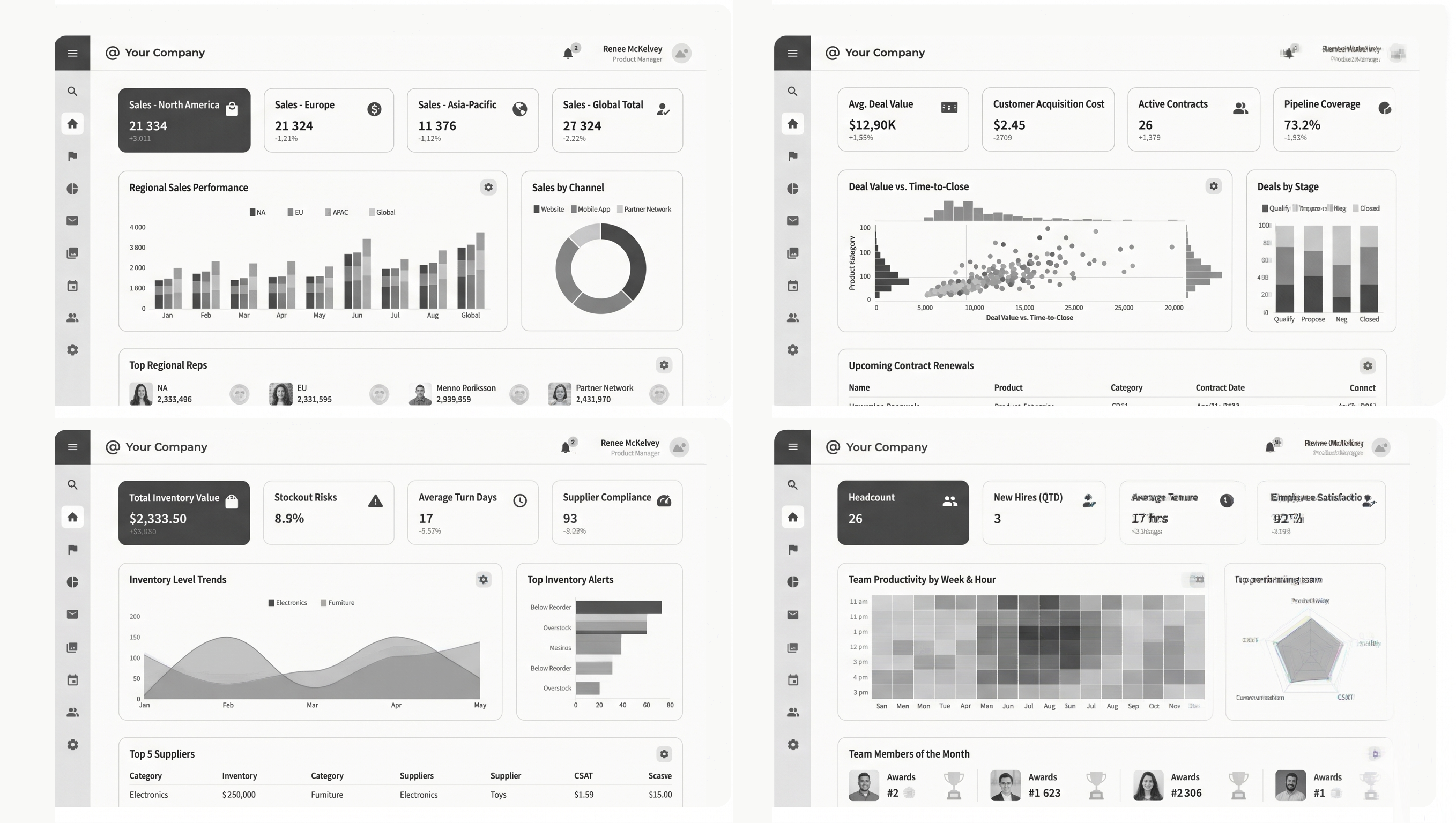
GeistHaus
log in · sign up

https://feeds.feedburner.com/FunctioningForm

rss
16 posts
Polling state
Status active
Last polled May 19, 2026 01:28 UTC
Next poll May 19, 2026 23:22 UTC
Poll interval 86400s
Last-Modified Mon, 18 May 2026 14:27:02 GMT

Posts

Collaborative Steering

Today, AI tools are mostly solo sports. Developers write more code. Designers create more images. PMs crank out more docs. That's cool... but it's more cool to work together. So how does that work with AI?

Many AI-driven productivity tools have evolved from chatting with an AI model to guiding the work of agents capable of a lot more than just answers. But when everyone on a team runs their own agents they guide them towards the outcomes they want, towards their version of things. So in a agentic world, it becomes even easier for perspectives to drift apart. As one design leader recently put it at the Design Futures Assembly: when anybody can build what they want, you feel it in the product because you ship fifteen different ideas instead of one unified point of view.

One of the reasons this happens is that people use different ways to guide agents. Agent markdown files, skills markdown files, system prompts, agent prompts, memory, MCP servers, and so on. The combination all of these disparate elements influences the outcomes AI agents produce.

That's complicated enough for an individual but multiply it across a team and it becomes really difficult to work on the same thing together. Everyone's agents are optimized for their own perspective, not a shared one. And the elements influencing them are scattered across people's computers, codebases, and servers.

We need a different approach for simplifying context management not only for individuals but for groups as well. Think of it as collaborative steering: a mechanism for guiding agents that's collaboratively created, edited, and maintained by teams.

Encoding Design and Development outcomes into a Workspace in Intent

Why collaborative steering? Because, even with all-knowing AI, people have specific expertise and experiences that when brought together make products better. Designers versed in interaction design principles, brand voice, visual design integrity. Engineers focused on performance optimization, easy to maintain code structures, infrastructure choices. But ensuring these distinct roles produce a coherent whole has always been hard. AI can help.

Designer Developer Collaboration in Intent workspaces

In several of our recent projects we've used Intent, to define project-level context that steers agentic workflows toward shared goals, not away from them. We're currently applying what we learned to larger scale and more ambitious work, which I'll share in the coming weeks.

But after seeing how far we've gotten already, I'm pretty certain that the era of everyone on a team piloting their own disconnected agents can't be the end state. The tools that figure out how to make collaborative steering natural and lightweight are going to change how teams, not just individuals, build.

https://www.lukew.com/ff/entry.asp?2153
Mockups Were Never the Hard Part

With AI, anyone on a team can generate mockups in minutes. That was never the hard part. The difficult work is, and always has been, maintaining coherency and intention across a product so it works for people, not the other way around. And perhaps unintuitively, everyone making mockups can help.

I was recently in a meeting discussing improvements to a specific part of a product. The backend engineer came in with a mockup. The product manager came in with a mockup. And the front end developer already had a working build. Three different disciplines all showing up with their version of what the UI could be, all enabled by AI tools. Given this reality, designers should worry about AI taking their jobs right? Well if the job is making mockups, then yes.

Several mockup options

Here's what happened in that meeting. Seeing each person's concepts led me to ask the more important design questions. How do these features interact? What are the relationships between them? We discussed the system, its objects, and the mental model that made most sense for our target users.

We got to a shared understanding of the data we needed to support the UI, how it should be structured and how it interrelates with the rest of the product. Back-end, front-end, PM, and design on the same page. Which makes sense because these are the conversations that drive clarity and coherence in a product. Not "do you like this in my mockup or that in some other person's mockup?"

Different people have different mental models of features

Later, I was reminded of a point I heard an educator make at the recent Design Futures Assembly. He noted at their business school, they'd give students case studies to analyze. Pretty much every student used AI to blast through the analysis in minutes. At first, the professors tried to stop students from using AI. But quickly they realized they should encourage it.

When all the students came in with the baseline analysis behind them, the conversation could progress to the next level. Before, it took the whole class hour just to get to the basic conclusions. Now, within ten minutes, they're on to much deeper and meatier topics. The majority of the class is spent expanding from the baseline as opposed to getting everybody there.

When everybody comes in with a baseline, we can skip past "here's my idea, here's my idea" and get straight to the meaty questions. The ones that rarely got discussed because we used to spend our time analyzing one person's mockups.

It's not that where things lay out on an application screen doesn't matter (it does). It's that the layout should stem from the underlying purpose of an application and how we represent the system that enables it to people.

The mockup was never the hard part. AI has made that abundantly clear.

https://www.lukew.com/ff/entry.asp?2152
Design Futures Assembly

About a hundred senior designers and leaders from AI labs, big tech companies, and startups got together in San Francisco last week for the Design Futures Assembly. The public conversation about AI and design tends to live at the extremes: either everything is about to be automated or none of this works and we're killing the planet. The conversation in that room was different.

Design Futures Assembly

Changing Tools, Changing Roles

Almost all designers are using AI tools multiple times a week. The average number of AI tools in a designer's toolkit doubled in the last year. And that's just off-the-shelf tools. It doesn't include the ones people are building themselves.

At the same time, design leaders and organizations are looking for the go-to stack: what tools should my team be using? The honest answer from the people closest to the frontier was... there isn't one. At some of the best teams, the stack is dozens of internal tools that change month to month. The muscle we all need to build might not be picking the one tool. It might be getting comfortable with a highly dynamic toolkit.

Because designers aren't just using new tools. They're making them. And the gap between "off-the-shelf tool" and "thing I built this morning" is collapsing. People at the assembly were building custom agents that crawl codebases and write wikis of user mental models. They were shipping to internal app stores, building custom workflows, and more.

Close to half of designers shipped AI-generated code to production. At early-stage companies, it's more. At public companies, it's less. But in all cases, designers are asking themselves: now that anyone can ship code, what can I uniquely do that others cannot?

When seeing all this, organizations start asking designers to change how they work, ship code, build tools, move faster. But they haven't made any formal changes to job roles, performance reviews, etc. The expectations are moving way faster than the incentive structures.

At one of the big companies, designers who were empowered to ship to production started fixing small annoyances that customers hit 50 times a day. The customer response was overwhelmingly positive. But those fixes weren't what product management would have prioritized. How does that get resolved?

And Then What?

When everyone can ship, you get a different kind of problem. One design leader described it perfectly: they let everyone build and push whatever they wanted. And you could feel it in the product, because nothing made sense together.

Several people at the assembly used the word "editorial" to describe where design leadership is heading. Less about making the thing, more about deciding what gets made and ensuring it all holds together. The skill of saying no is becoming one of the most important skills in the profession.

One tool company founder used the word "coherence" instead of editorial, which I liked even more. Across every medium, you know when something feels singular, like it came from one shared point of view. That's what's at stake when everyone has the power to build.

Yet anything you think the models can't do, they probably will do faster than you expect. And taste, the thing designers most often cite as their safe island? Consensus was choosing a good UI or even generating one is pattern matching, and models do that and will keep doing it better.

But several people pointed to something harder to automate: figuring out what to ask in the first place. Reading between the lines in a user research session. Noticing the tiny turn of phrase that reveals what someone actually needs. Deciding what matters, not just what works. Will models also outpace us there? We'll find out soon.

The role is expanding. The boundaries are blurring. Designers are building, coding, shipping, making tools. Whether the organizations around them are ready for that is a different question. The measurement, the incentives, the processes, none of that has caught up yet. And until it does, we're in a strange in-between: doing different work in the same old organizations.

Someone at the assembly asked the question directly: what do we call ourselves? It got a laugh but it's a real tension underneath all the practical changes. Designers can ship code. PMs can make prototypes. Engineers can generate UIs. The boundaries that used to define the role are blurring.

For my part, I've always held the most important role of designers is fighting for the coherency, simplicity, and visual communication needed to humanize technology in a way that makes it work for people, not the other way around. New tools don't change this. New ways of working together do. Which is what we dug into into our Design Futures session Finally, the Handoff is Dead (full notes at the link).

Big thanks to Jeffrey Veen for hosting and everyone I got time to reconnect with and meet. Let's do it again soon.

https://www.lukew.com/ff/entry.asp?2151
Finally, the Handoff is Dead

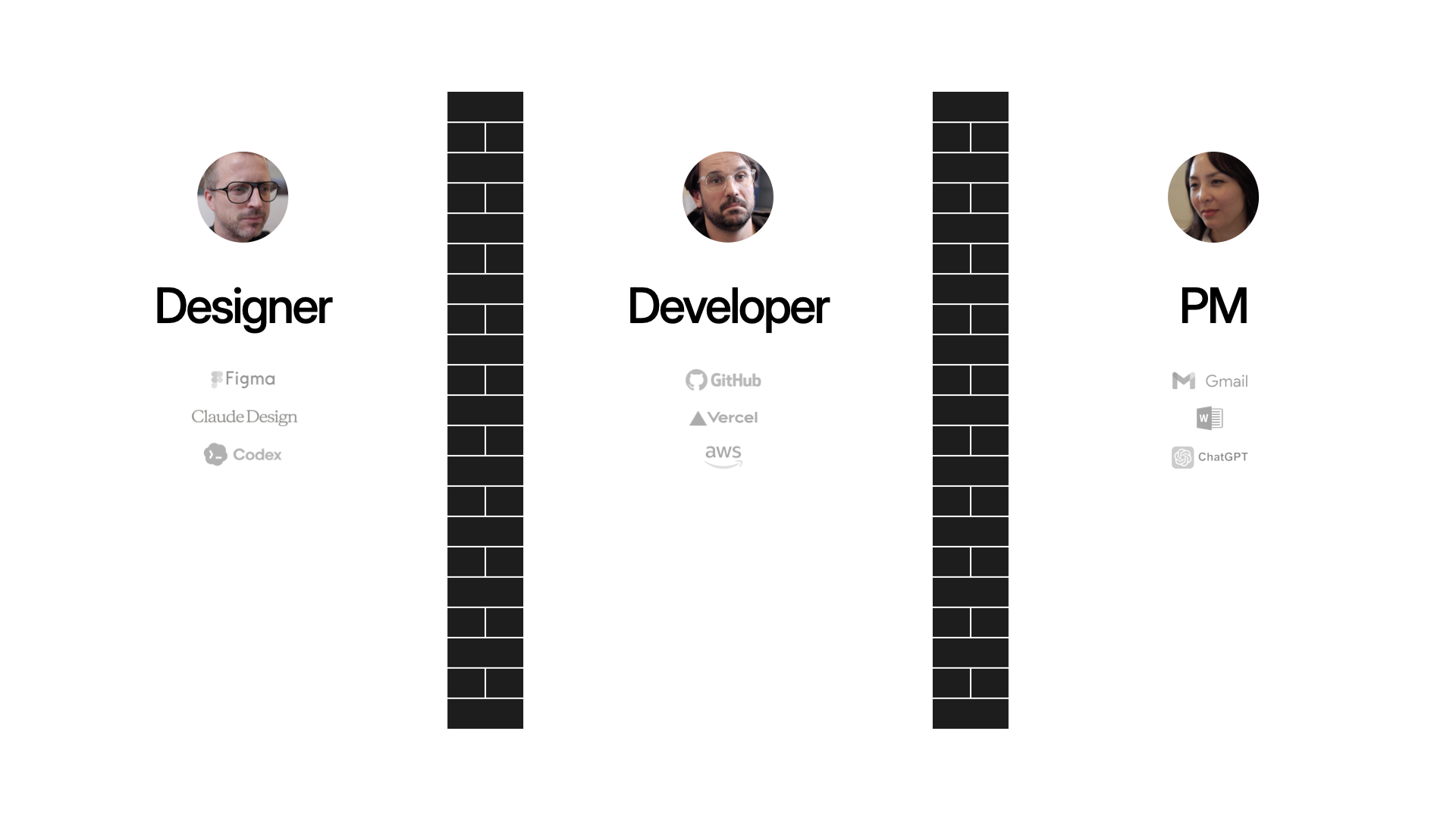
The designer/developer handoff has been with us for years. And even though today's AI tools are dramatically increasing everyone's output, the walls between disciplines haven't changed. So now we're throwing more stuff over the wall, faster. We've been iterating on a different workflow, which Amelia Wattenberger and I demoed at Design Futures Assembly.

Most companies have years of cemented process. Changing how designers and developers work together means unwinding habits, tools, and politics that have been building for a long time. We're in a different situation because we're spinning up new companies regularly. Which means we can recreate the design/dev process each time. And as the technology evolves and we learn what works, we adapt and carry those lessons into the next one. Today we'll share our current approach.

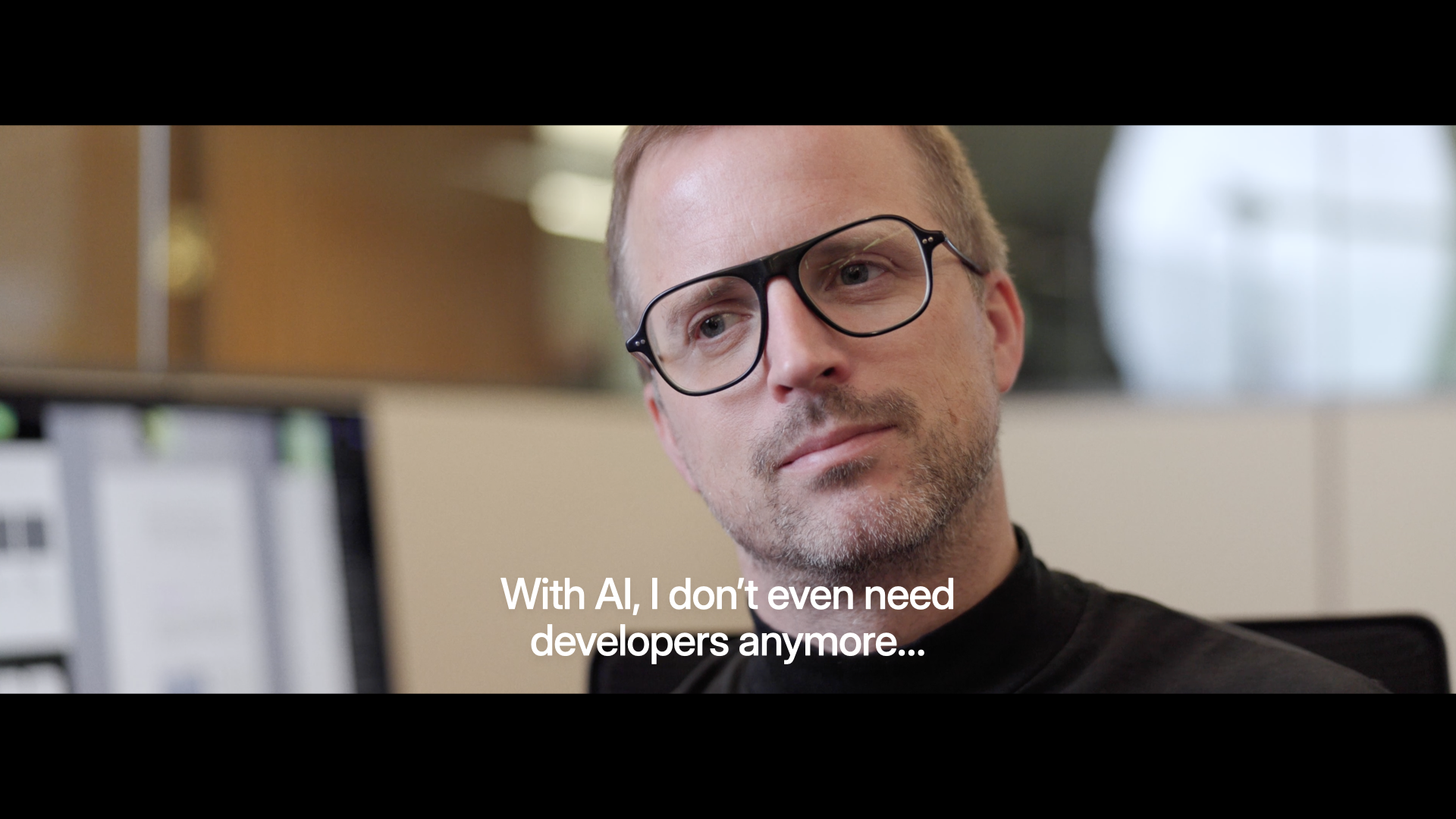
With AI, I Don't Even Need Developers

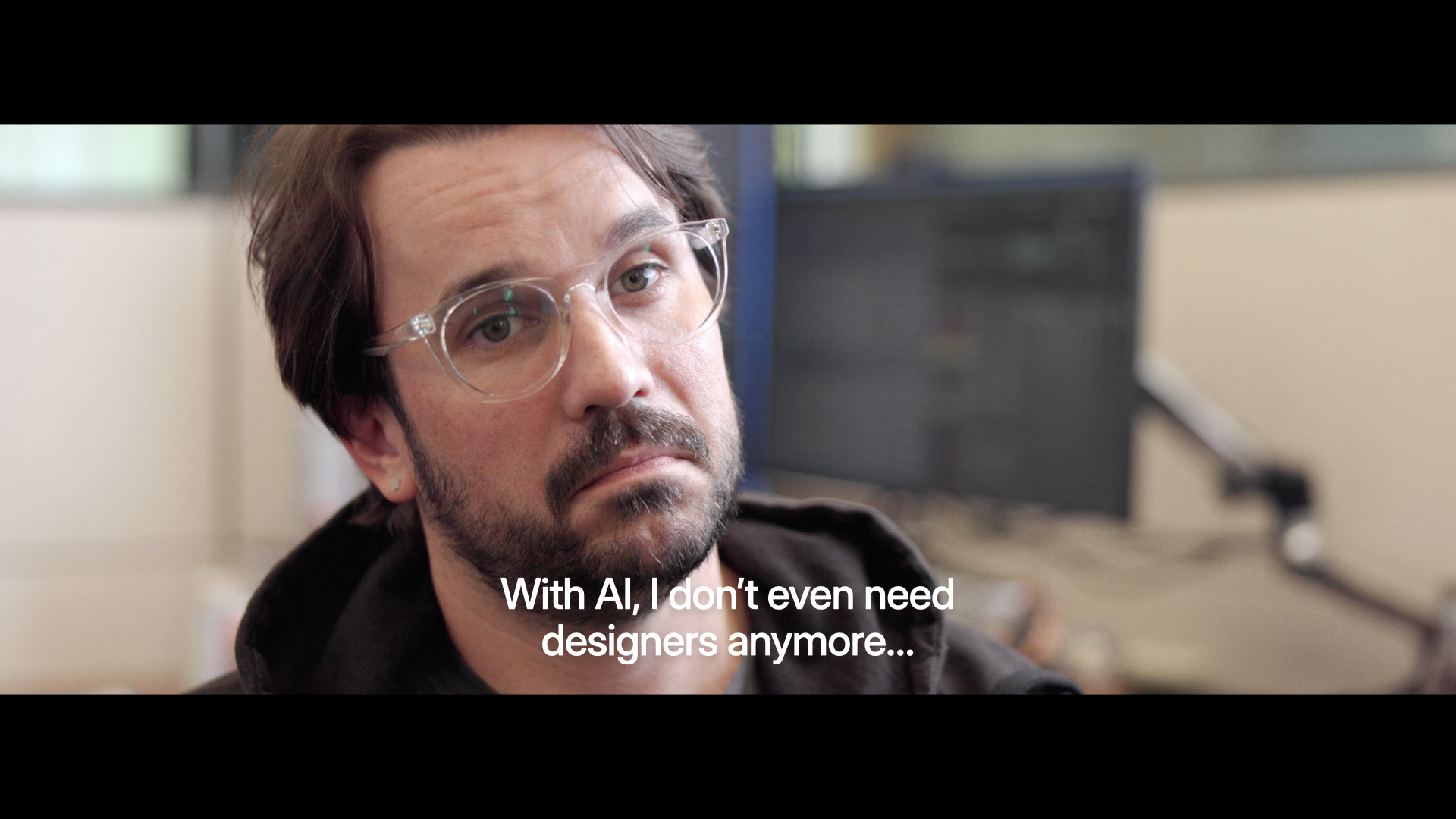
Where a lot of the discourse on AI is these days, and where a lot of AI tools are at, is individual empowerment. Designers saying: "I can finally ship code, I don't even need developers anymore." Developers saying the reverse.

With AI, I Don't Even Need Designers

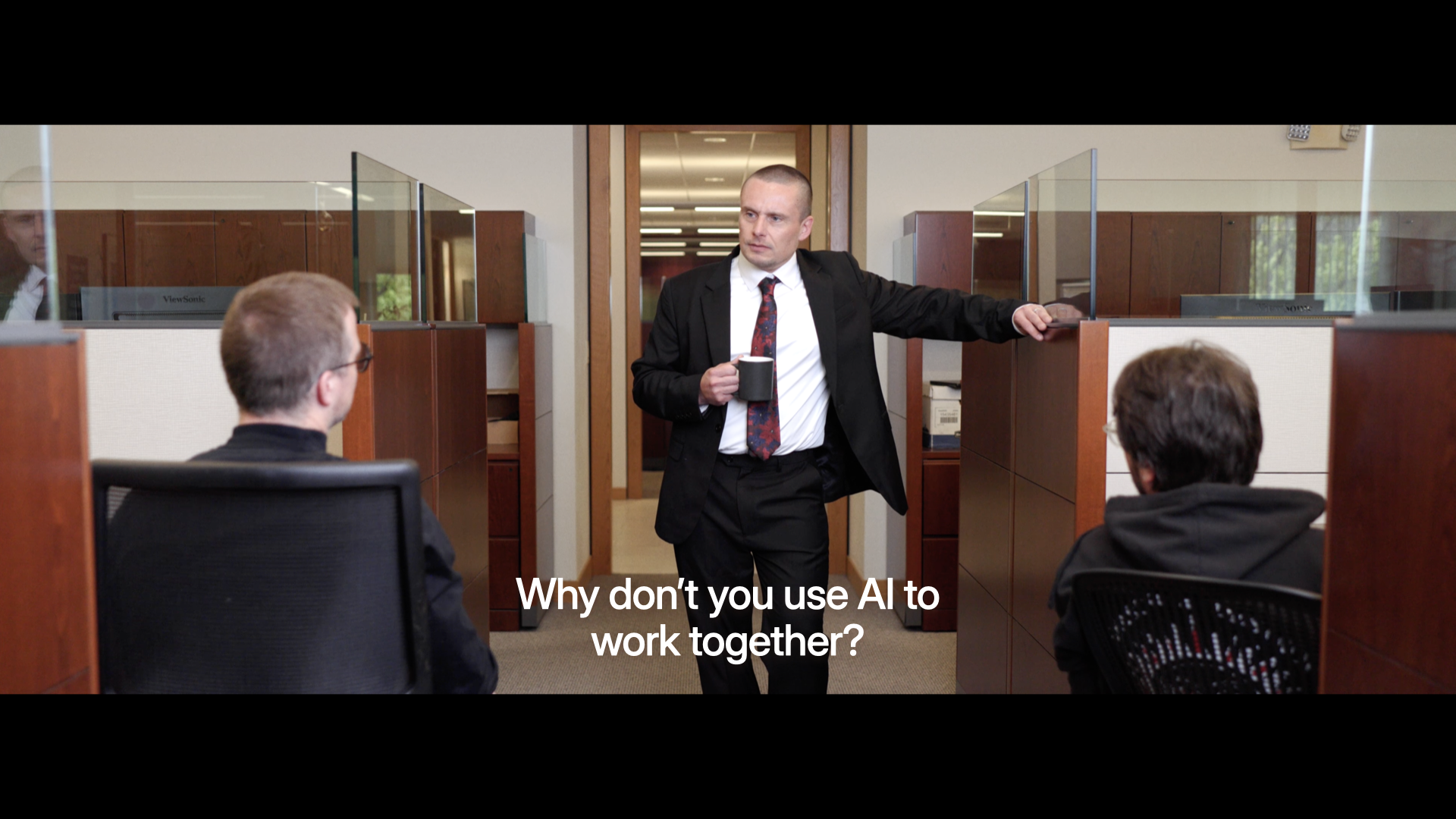
But very few people are actually asking the question: how do we use AI to work better together?

How Can We Use AI to Work Together?

Because pretty much everybody, in this room and beyond, is working with other people. And that's where the magic lies. Being able to pull multiple folks, their skills, and their experience together to create something better than you could do yourself.

Throwing Things Over The Wall

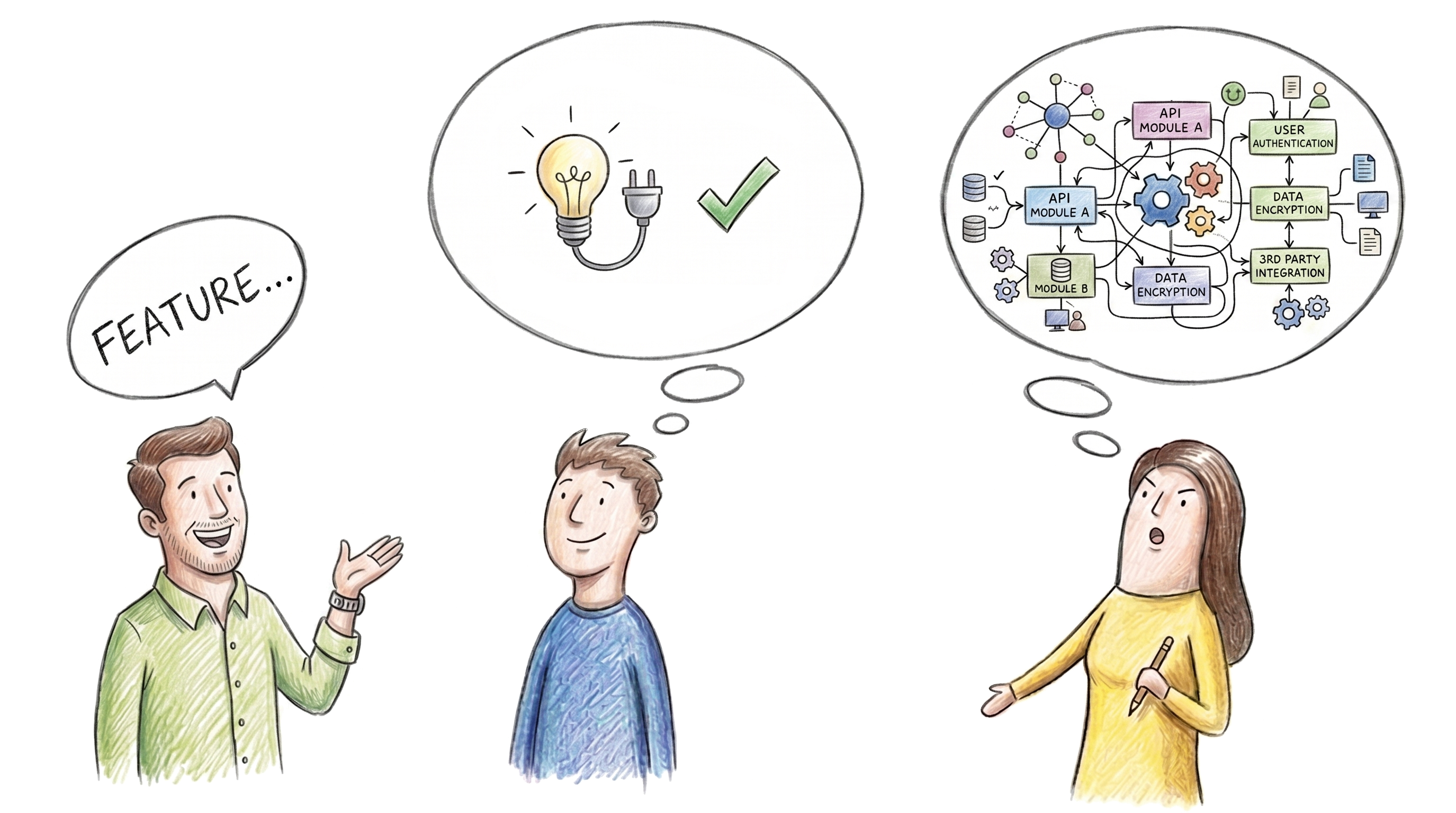
Why doesn't this kind of collaboration happen already? As user experience, front-end development, and product management have matured as disciplines, we've fallen into a throw-it-over-the-wall modality. Partially because as these roles have matured, specific tools have been made for designers, like Figma. Likewise specific tools for developers, tools for PMs, et.c

And now we're adding a lot more tools, thanks to AI. So we're all able to produce more at a higher rate. Which means we're more throwing stuff over the wall faster. That's why you hear stories of developers just being overwhelmed with PRs as everyone starts "shipping" their ideas.

Even a Blog Post Requires Collaboration

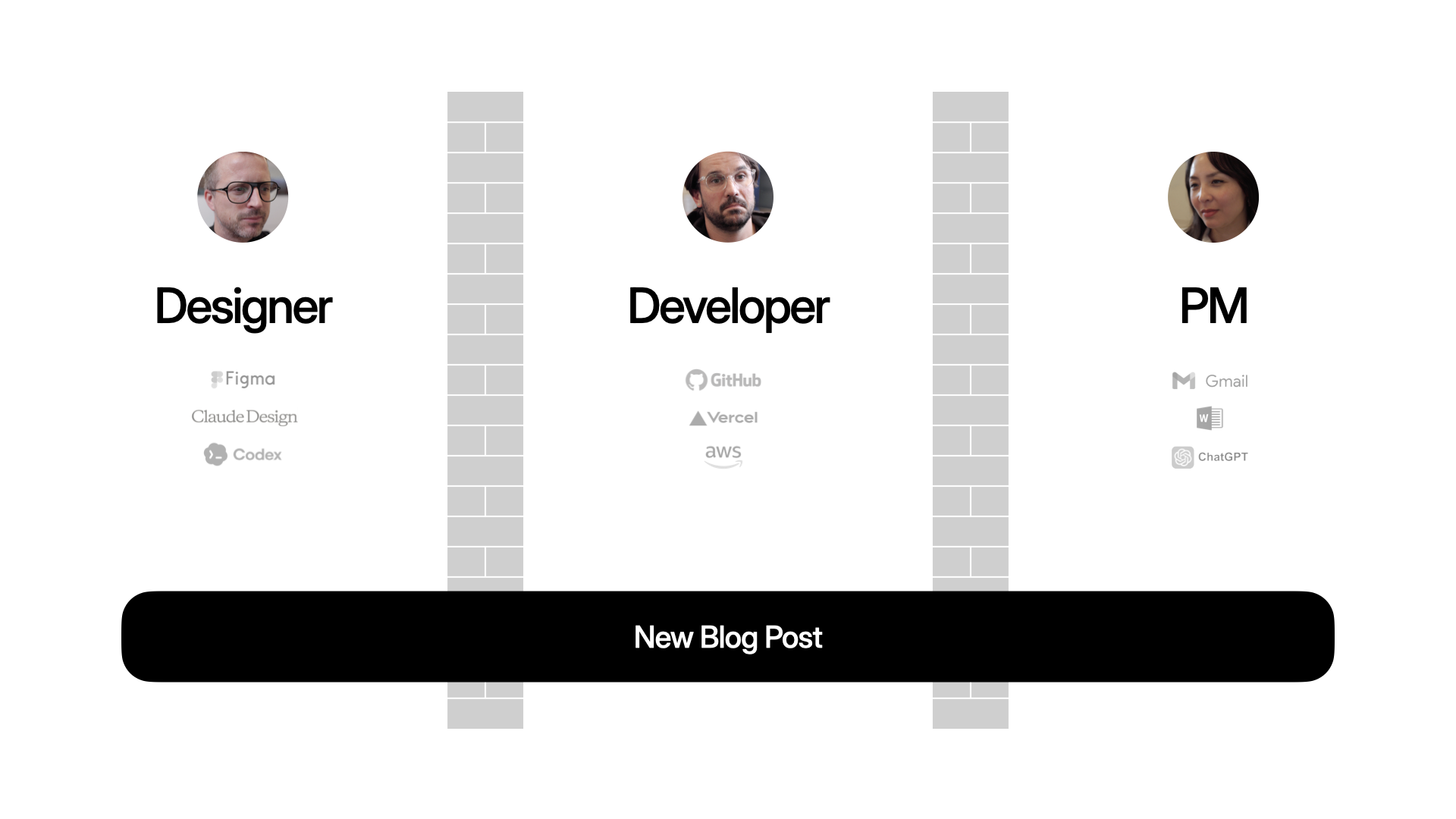
That applies to big complex projects but also nearly everything we do. Like publishing a blog post on your Web site. Maybe these days, the PM writes the content in ChatGPT, the designer makes the assets in Nano Banana, the developer writes the code in Codex. Everyone's productive, but are they aligned?

The Workspace Primitive in the Intent App

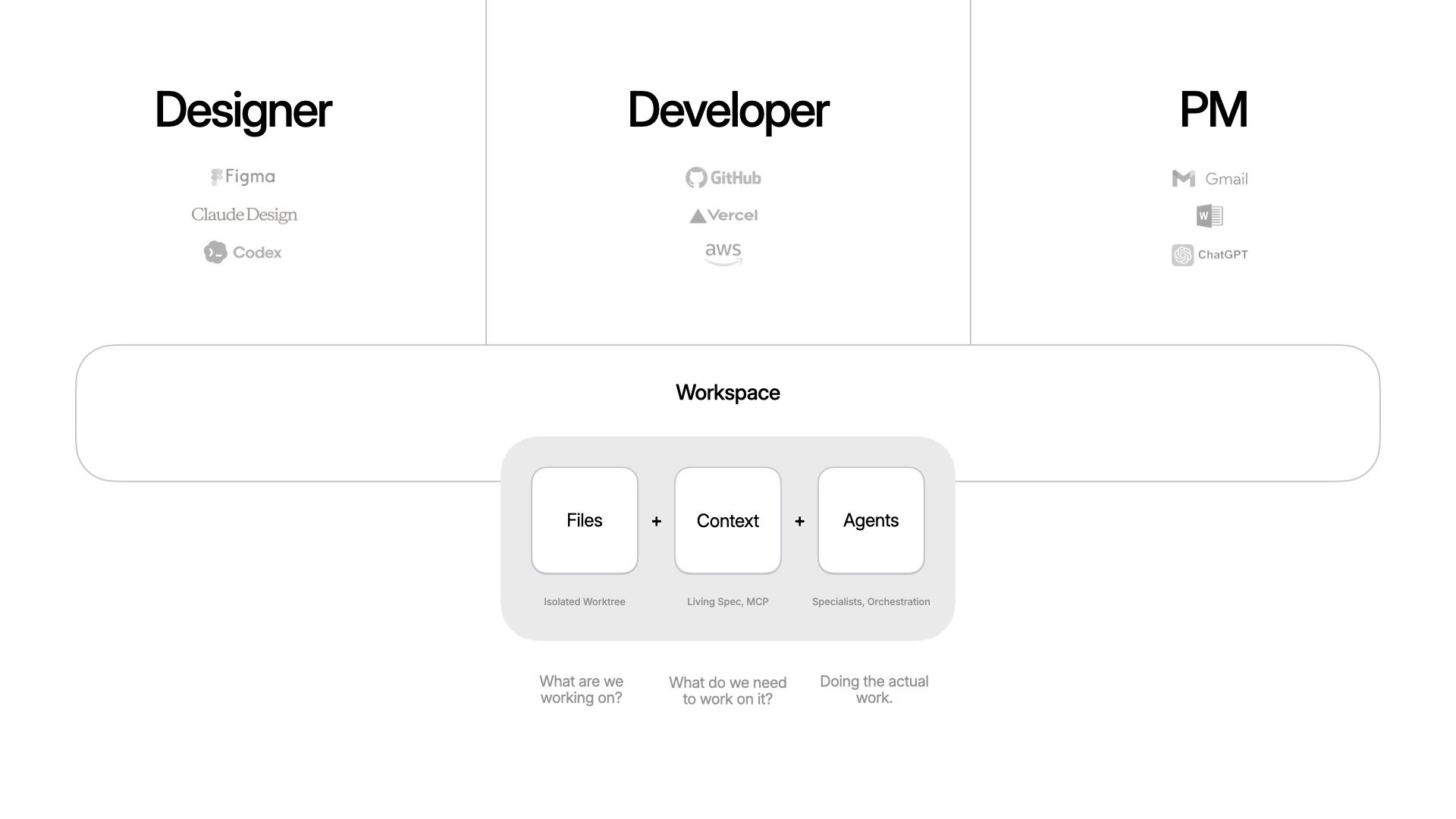
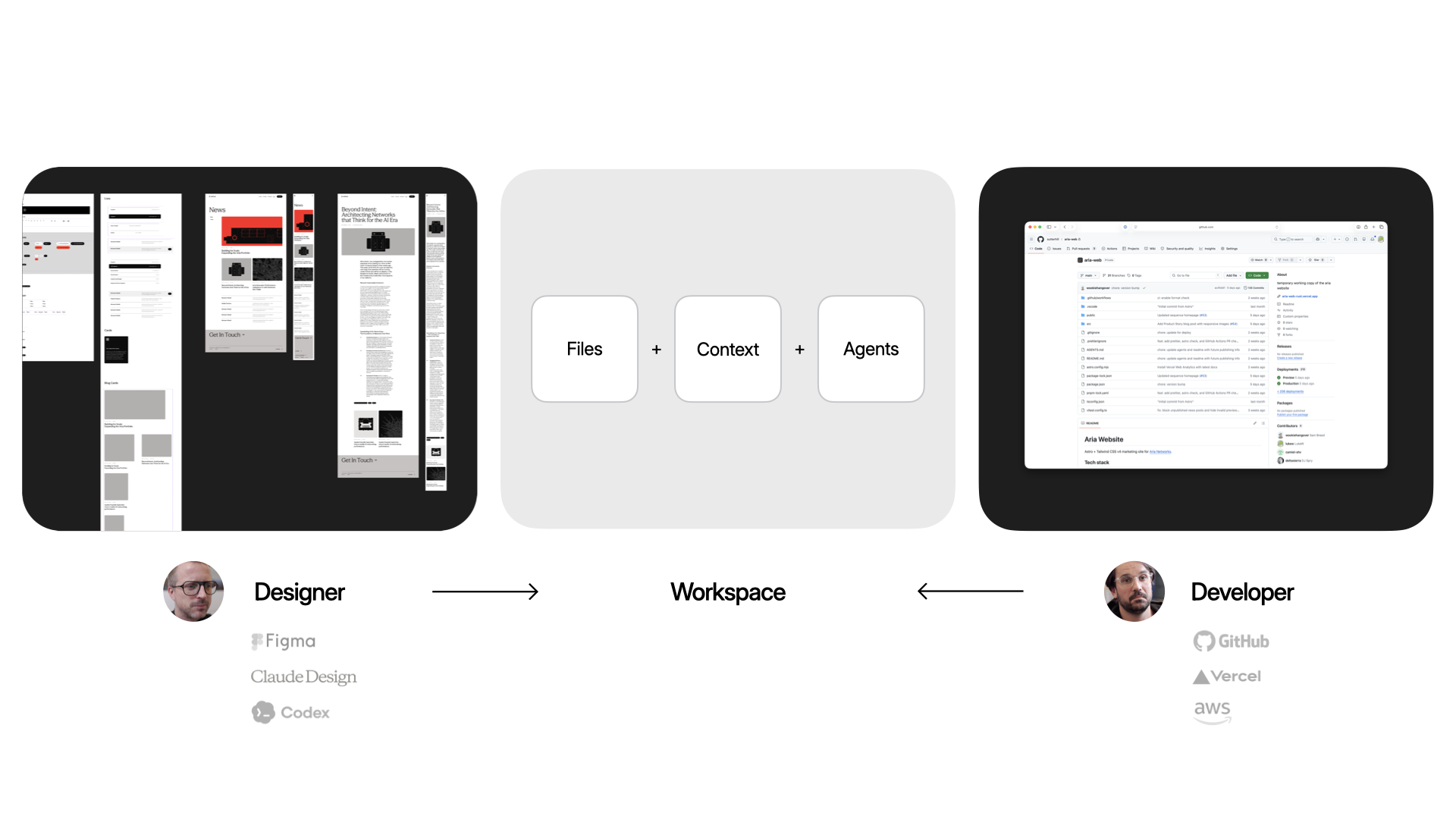
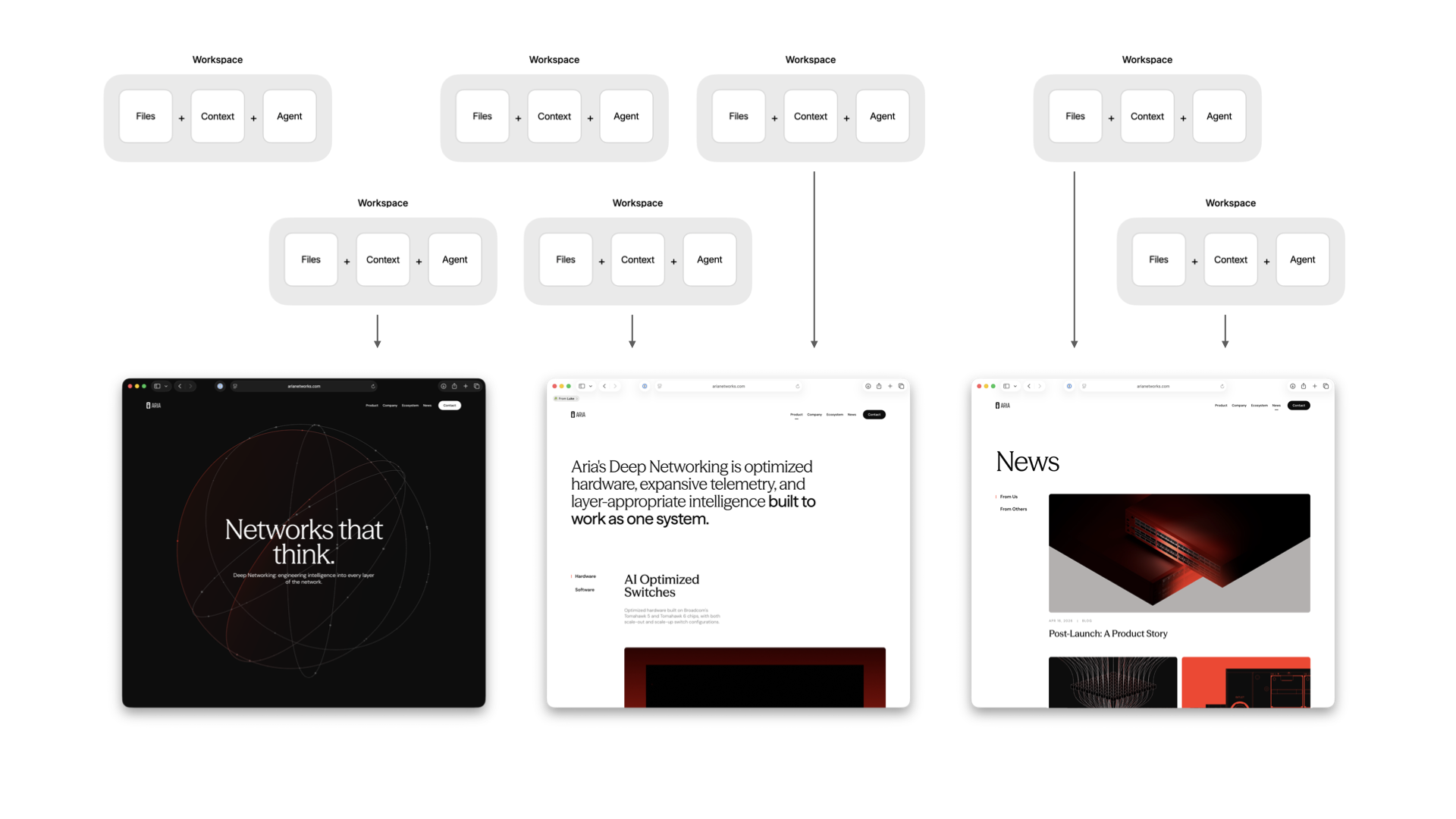
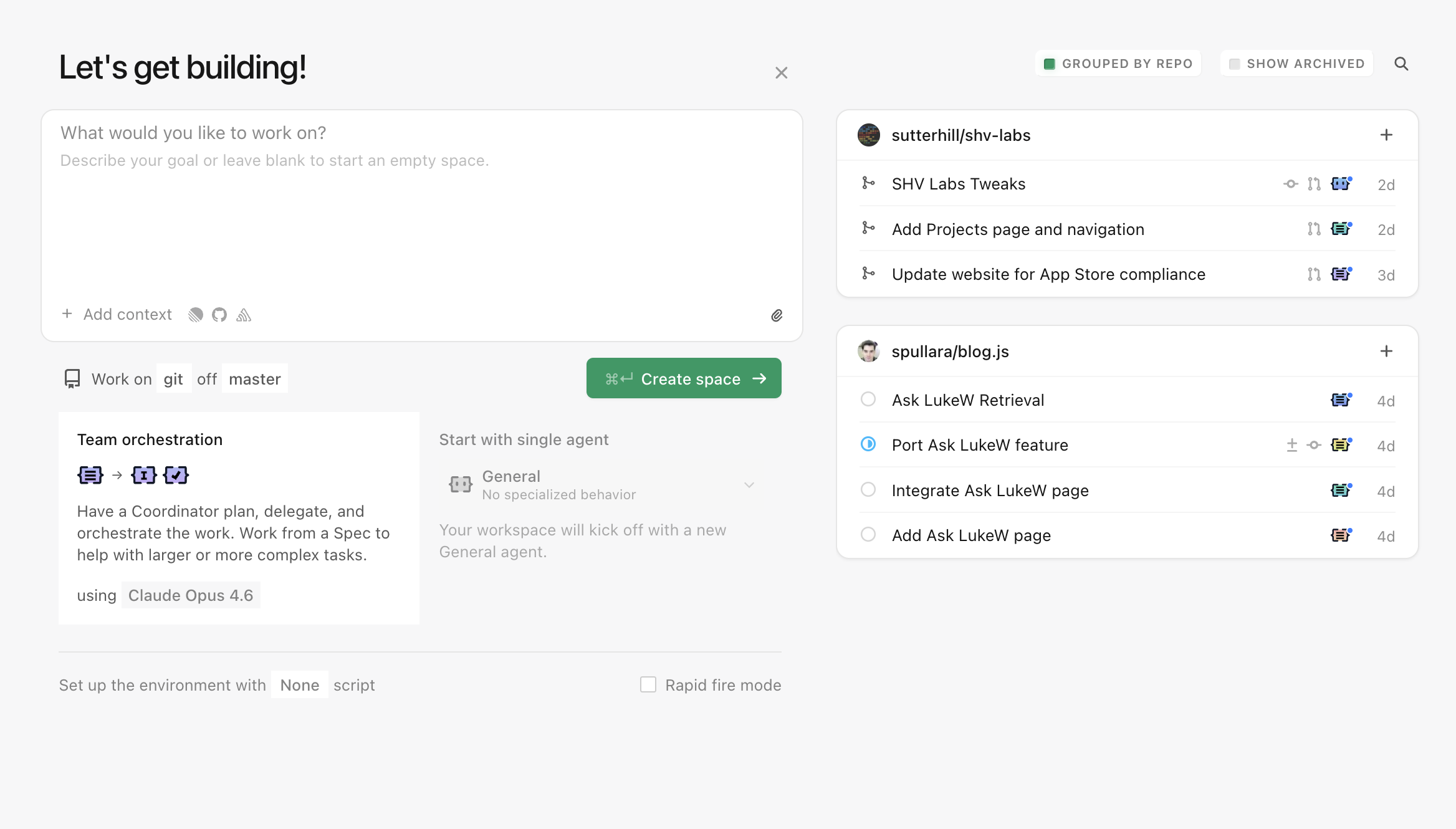
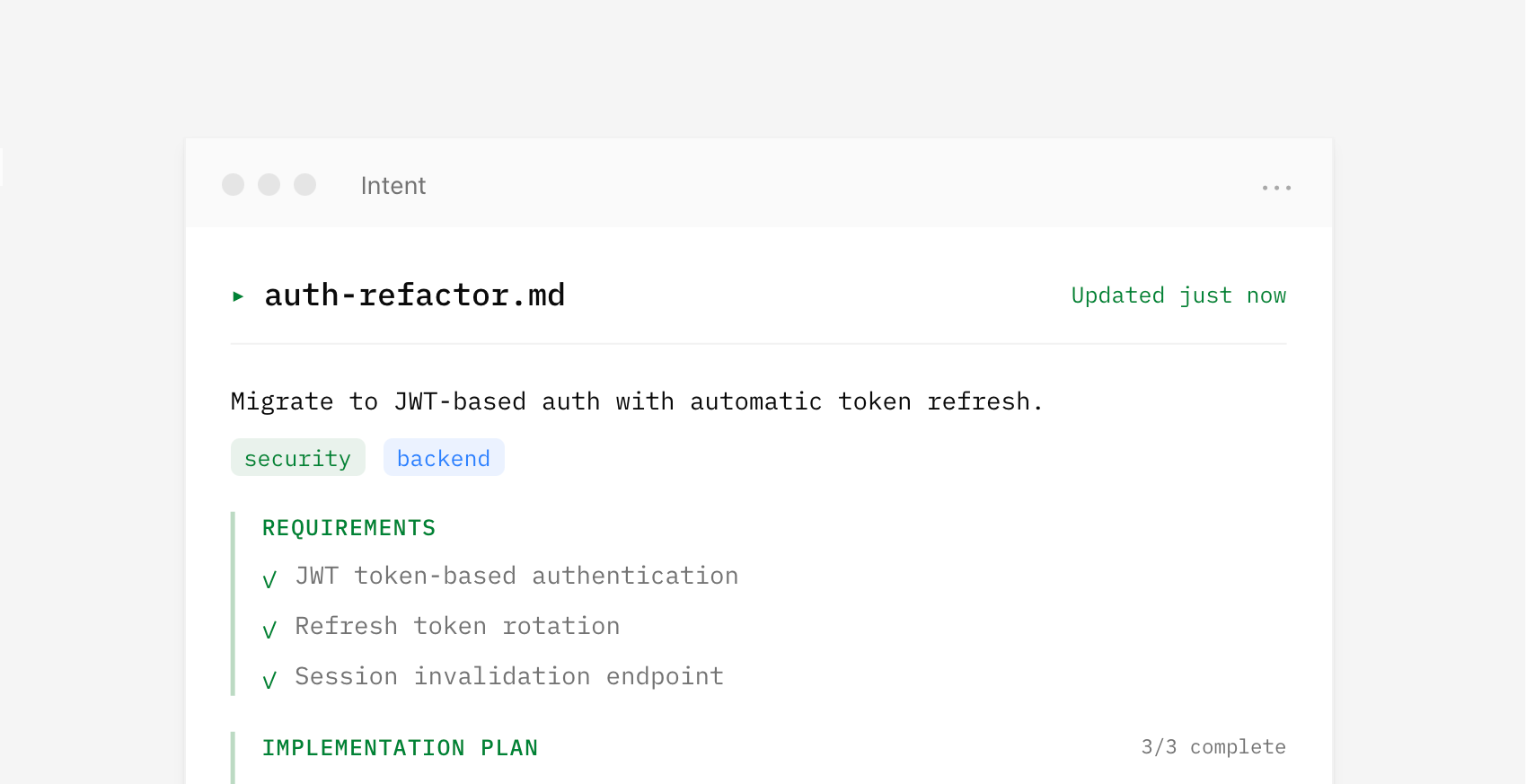
To help solve this, we've been building an app called Intent. The goal: make it easier to build software together. For any task, you spin up a workspace, which is a bundle of everything you need. Files (an isolated copy of the codebase, so you can change without messing up what others are doing), context (specs, scratchpad, data from external systems via MCP, etc), and agents (with tools and the ability to delegate and orchestrate work). Because these are all in one bundle, it becomes easier to put things down, pick them up, and hand them off.

The Workspace Primitive in the Intent App

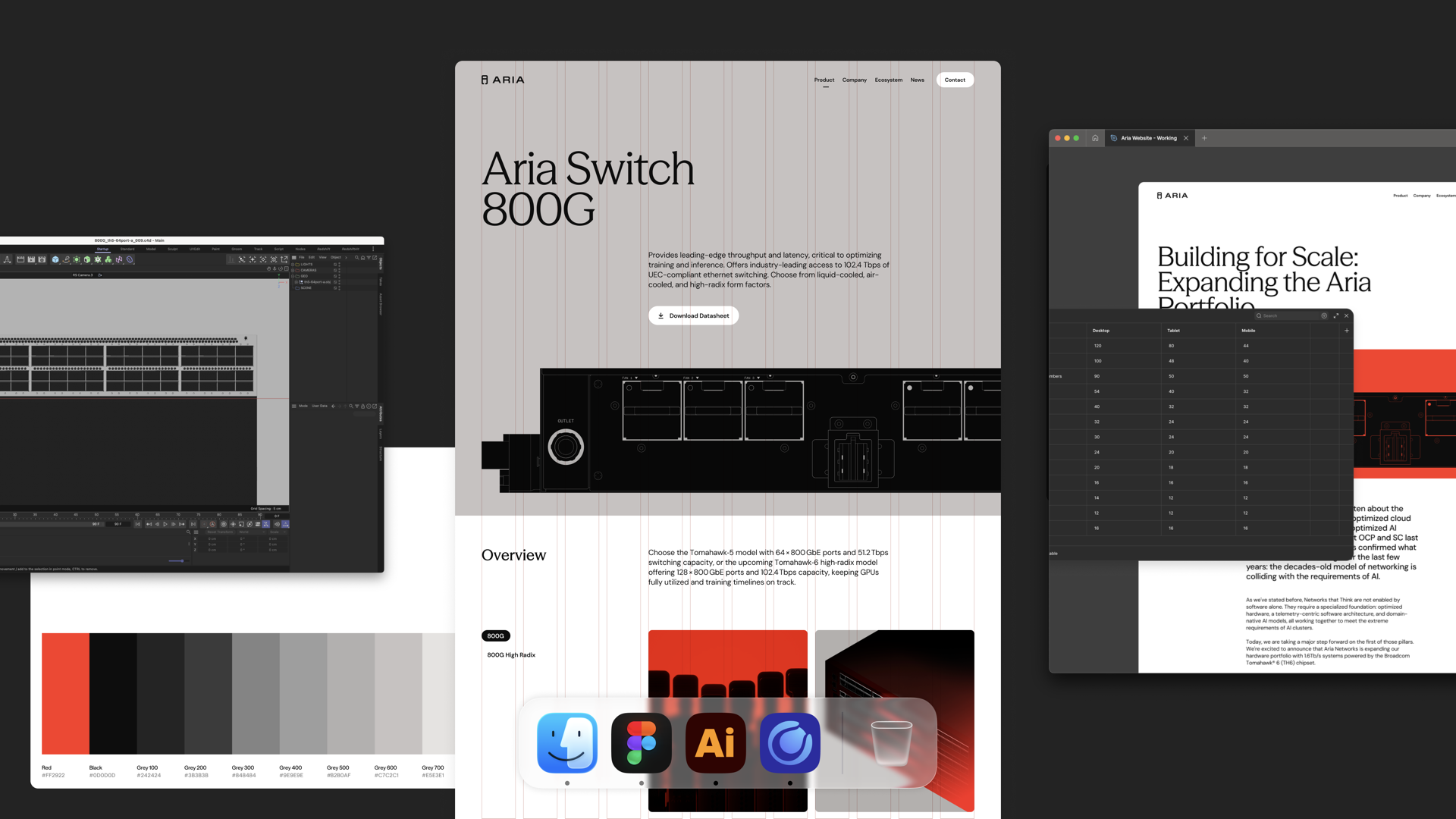
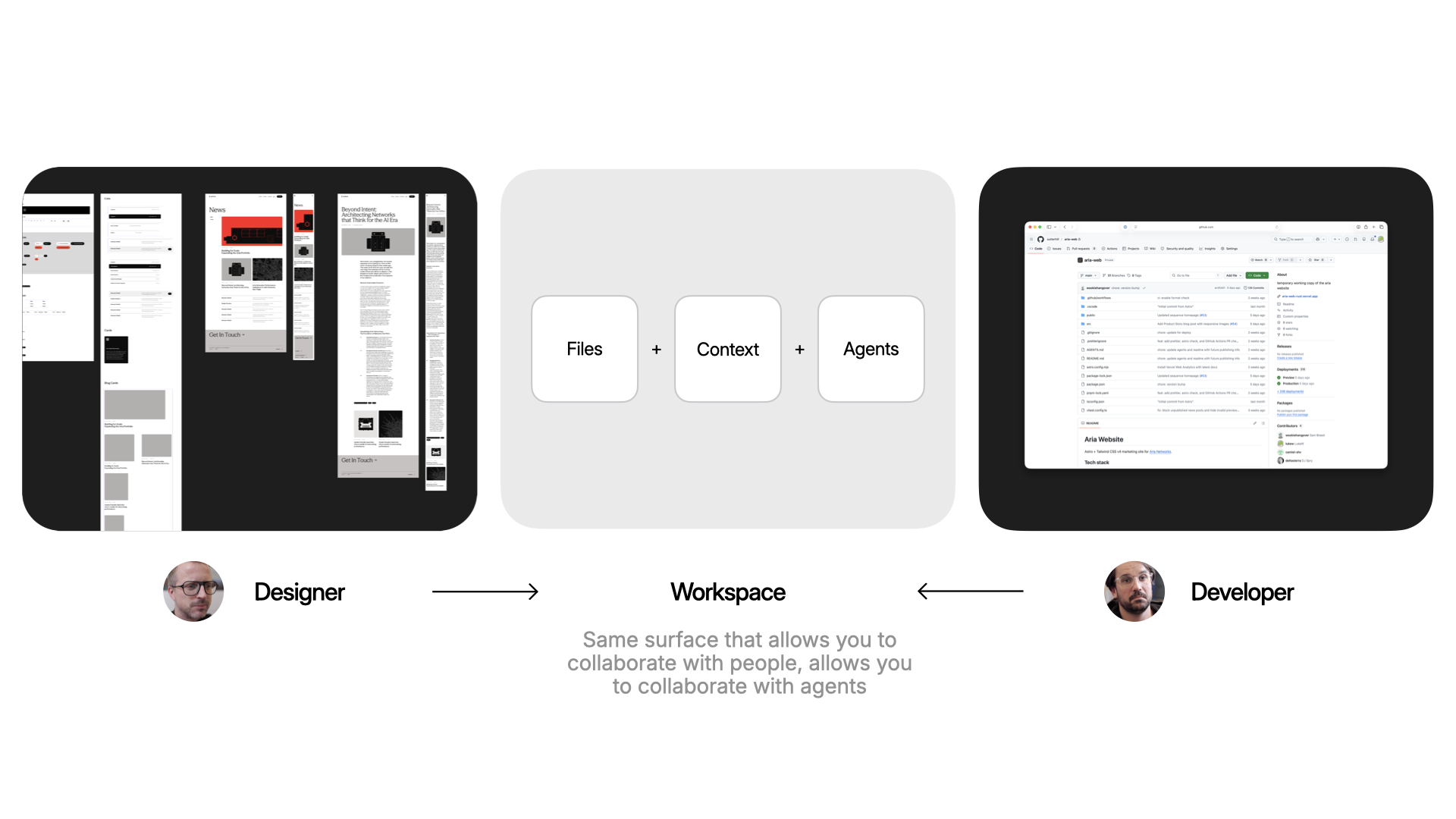
Here's why that matters in practice. A designer keeps working where they already work (like Figma or paper) and brings their expertise into the workspace: grid, typography. That all gets encoded. A developer gets to work in their tools: CSS frameworks, deployment, structure. Same surface, different expertise.

Encoding Design and Development outcomes into a Workspace in Intent

The same surface that makes it easy to collaborate with people on your team is the same one that makes it easy to collaborate with agents. And true collaboration means respecting everyone's taste. So any workspace that gets spun up will align with how the designer encoded the styles to work and how the developer encoded the code to work.

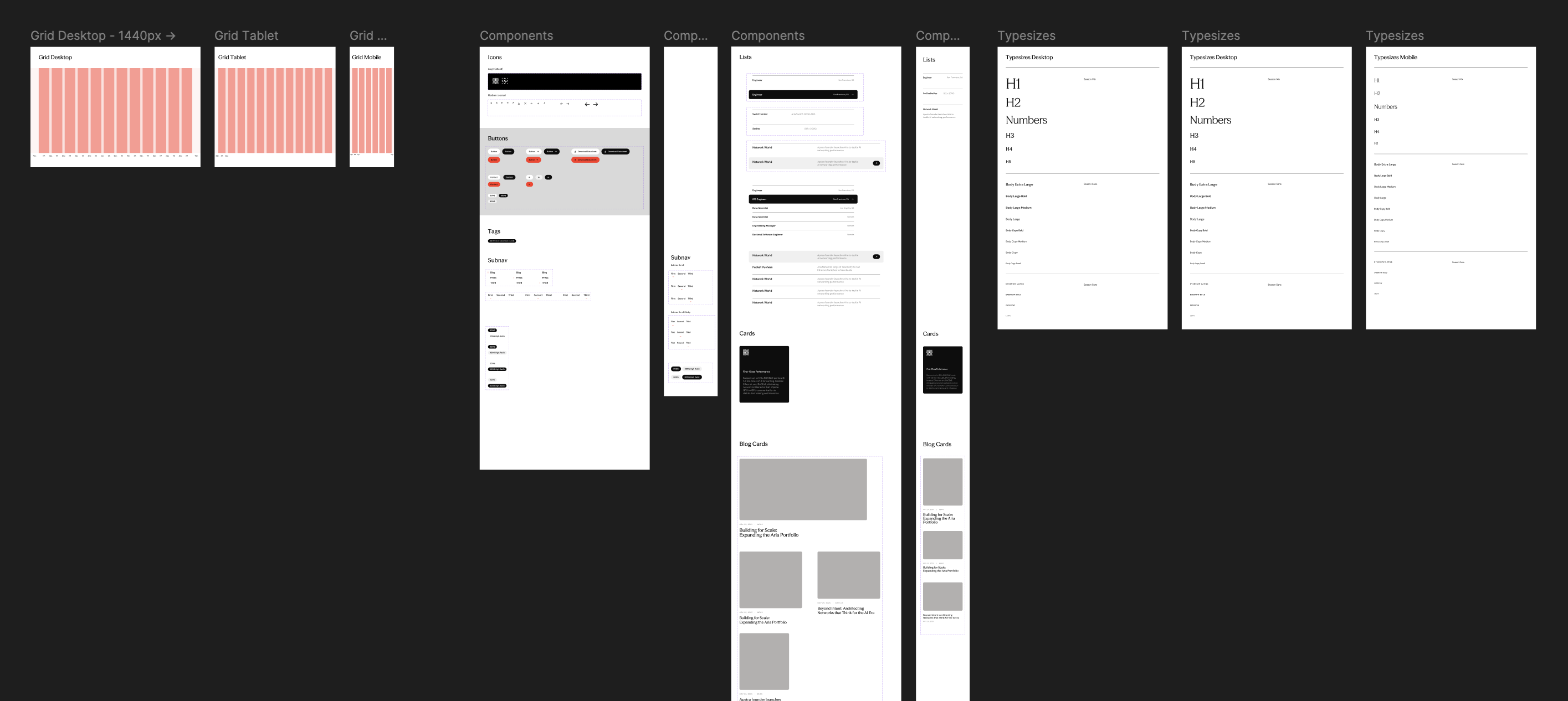
Figma File with layouts and styles for Aria Website

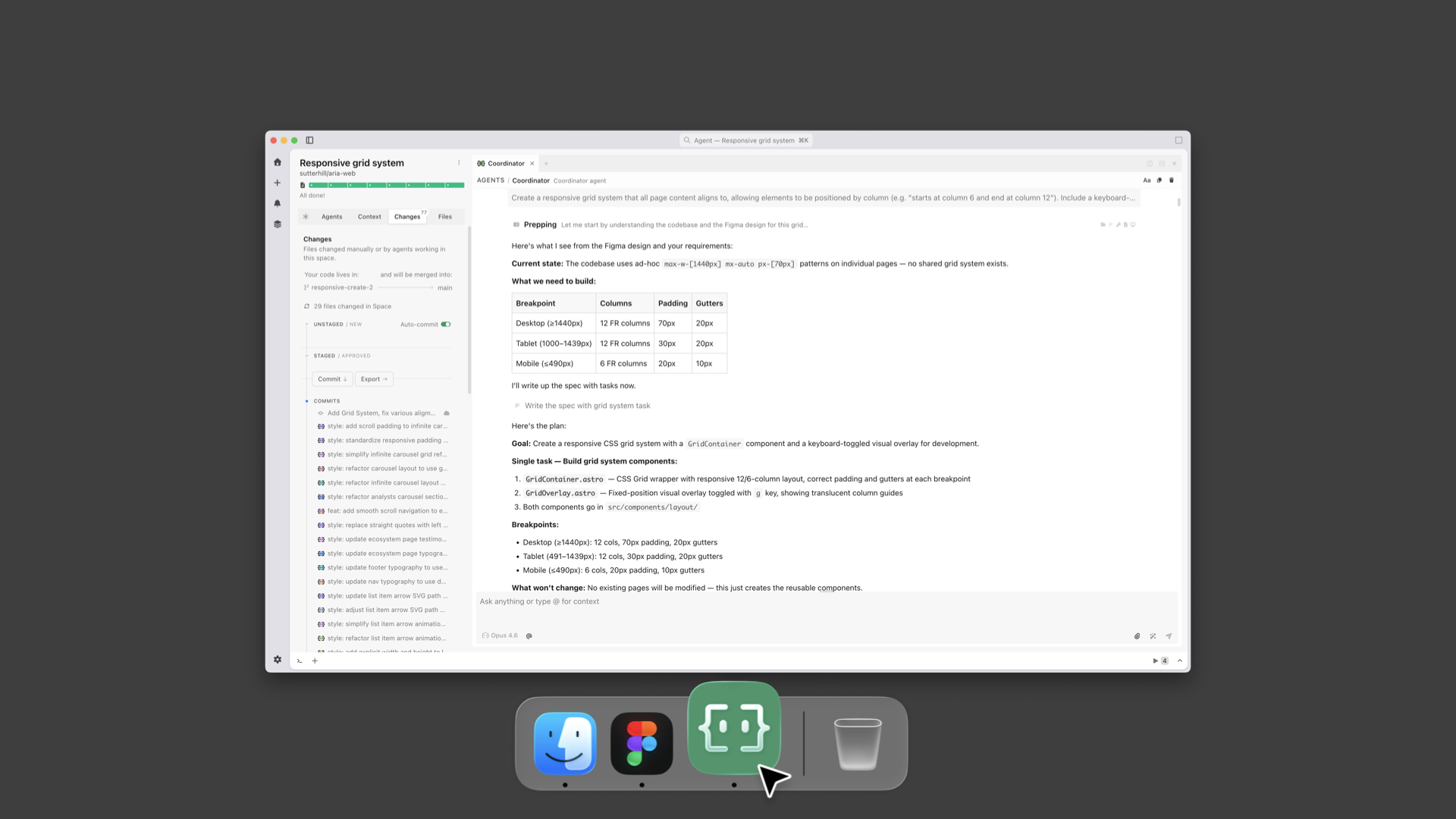
To illustrate as a designer, I've got a Figma file with a grid and layouts. I go into a workspace in Intent and say: "Agent, look at the Figma file. Create the grid. Here's what the breakpoints are." Now that's encoded in the workspace and anybody that creates a new page or drops in a new asset, it works within that system.

Encoding Design  grid and breakpoints into a Workspace in Intent

I can also set up how animations should work to give everything made in the workspace silky smooth transitions.

Encoding Design  grid layouts and responsive behaviors

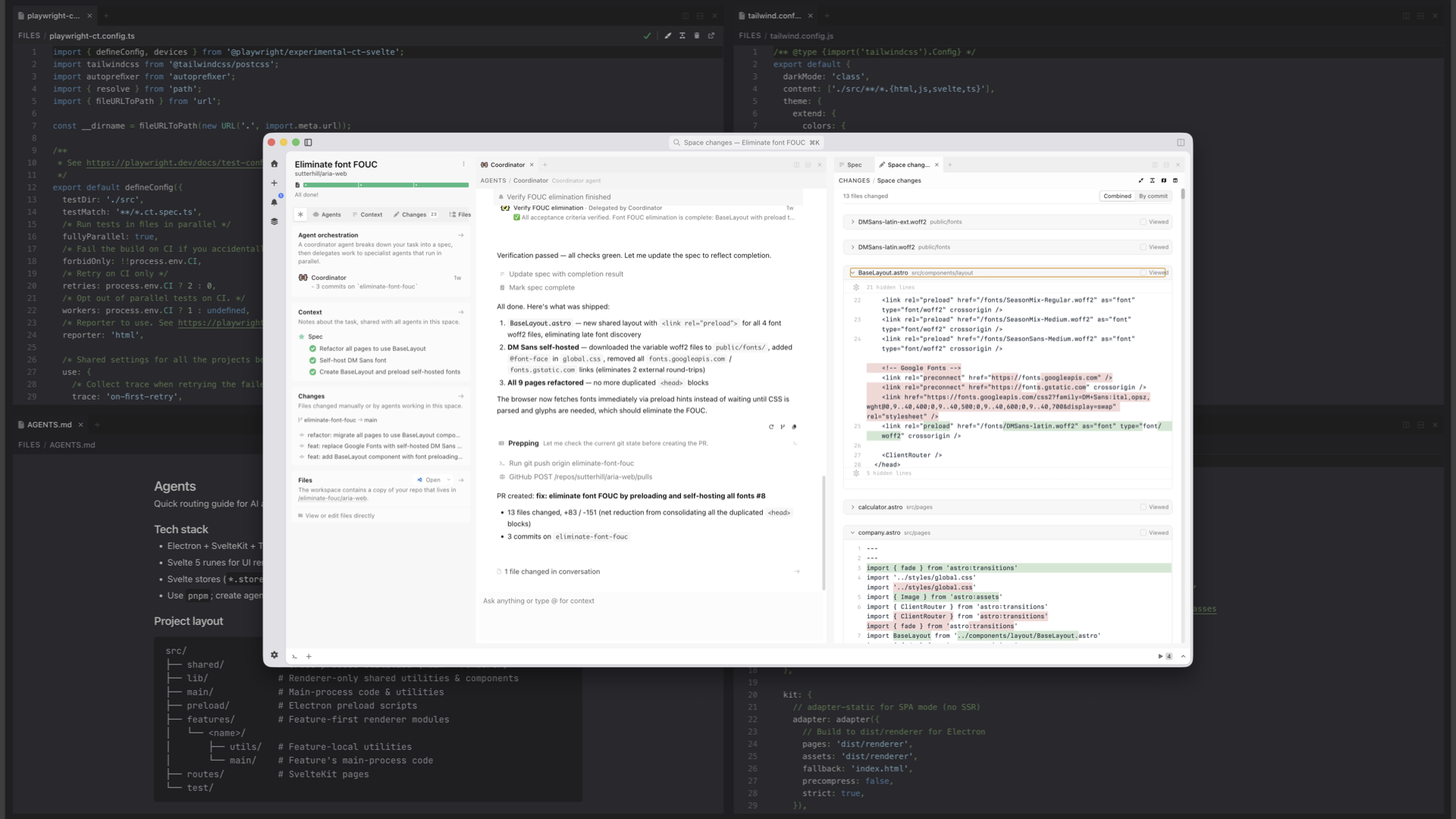
Same idea on the developer side. The dev can say: here's the agent's MD file, here's how we're testing the code, here's the tailwind config. The agent encodes all of that.

Encoding Development configurations into a Workspace in Intent

Taste gets baked into code files and markdown files in the repo. And because things are built on top of the same version control that developers use, it gets automatically included into every new workspace.

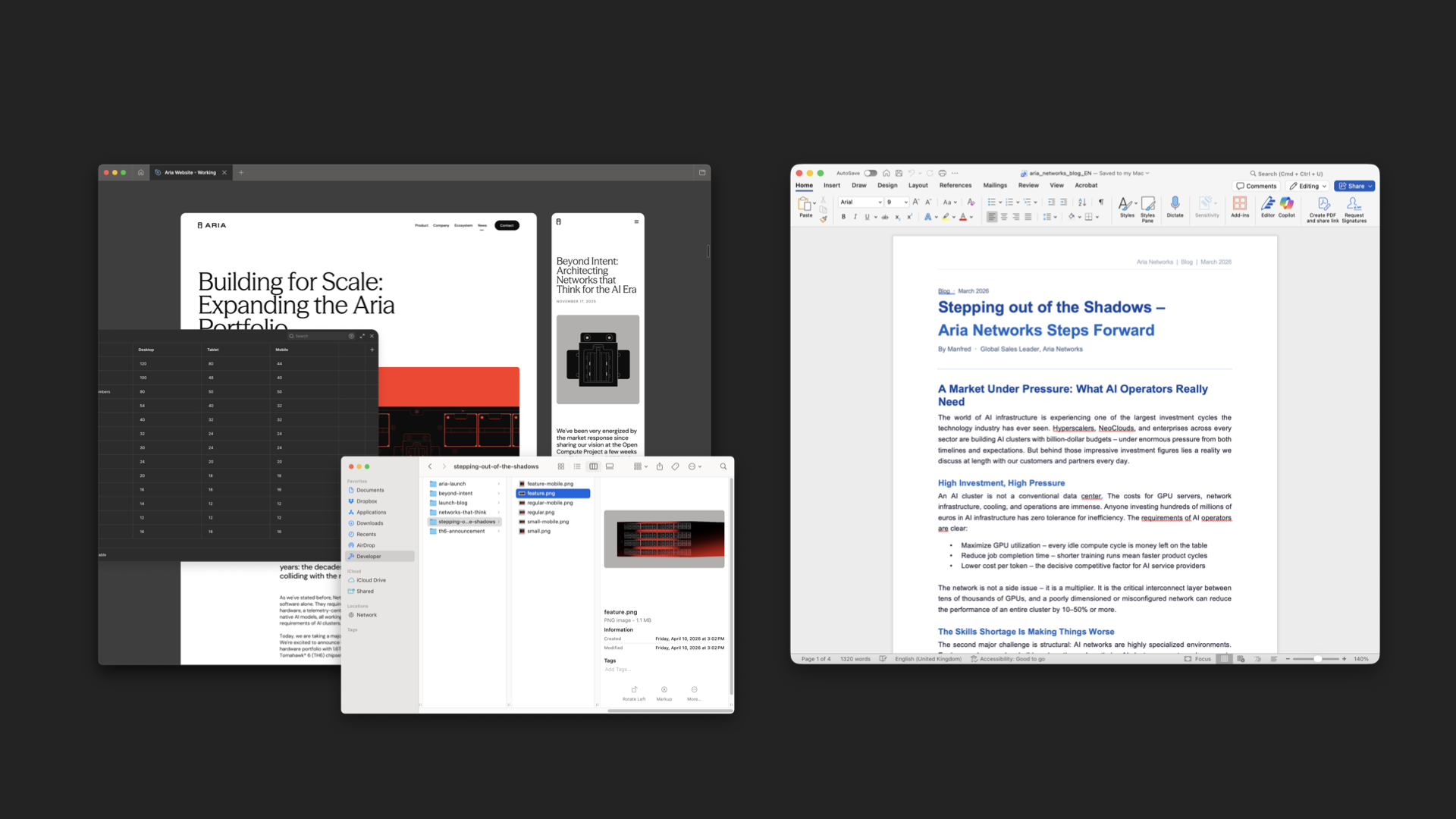
Assets from an illustrator and text from a write for an Aria blog post

The great thing is that this same pattern works for anybody on the team. An illustrator can use their own tools to make assets. A content writer can write their copy in Word.

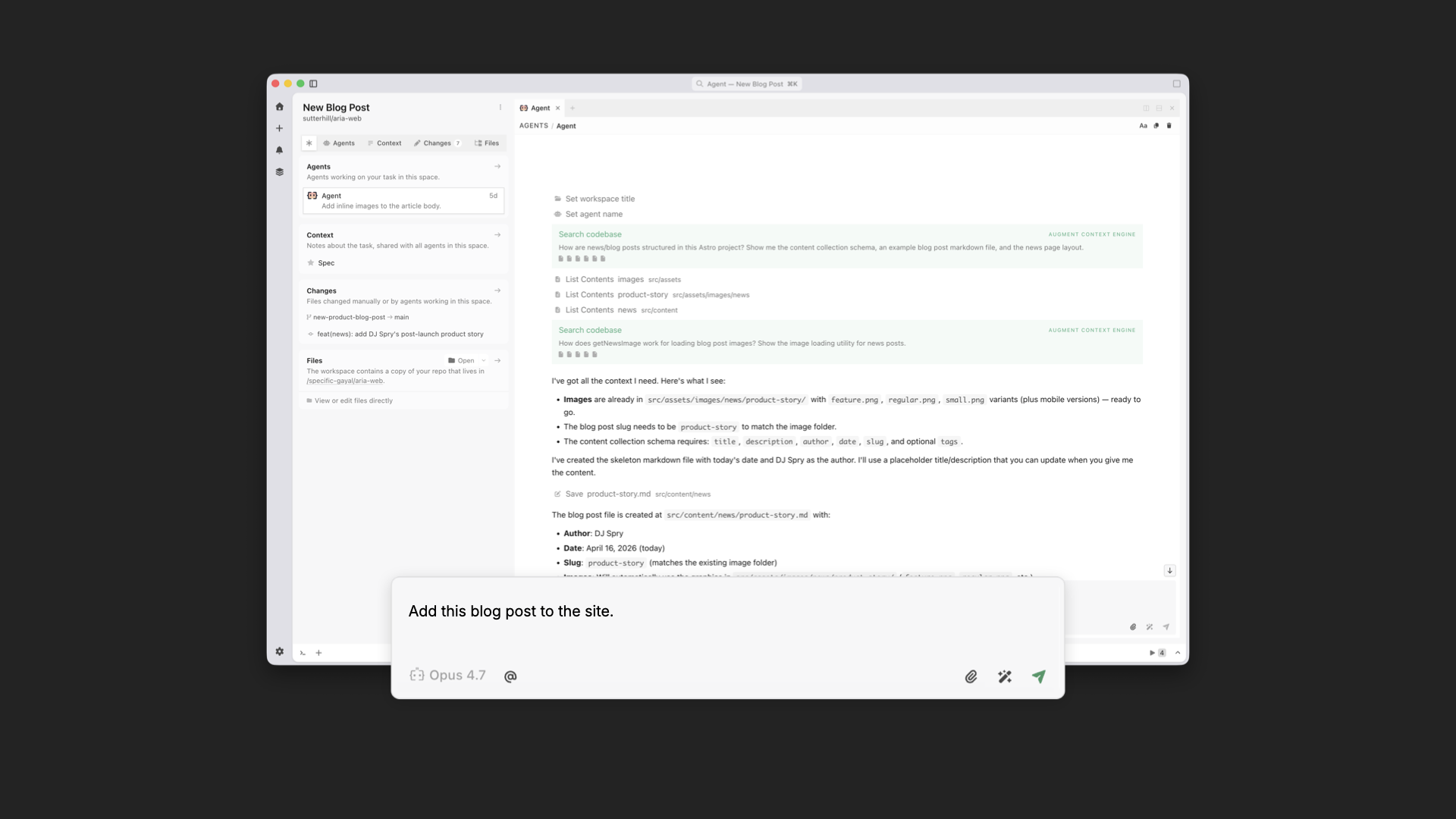
Turn this into an  Aria blog post command in Intent app

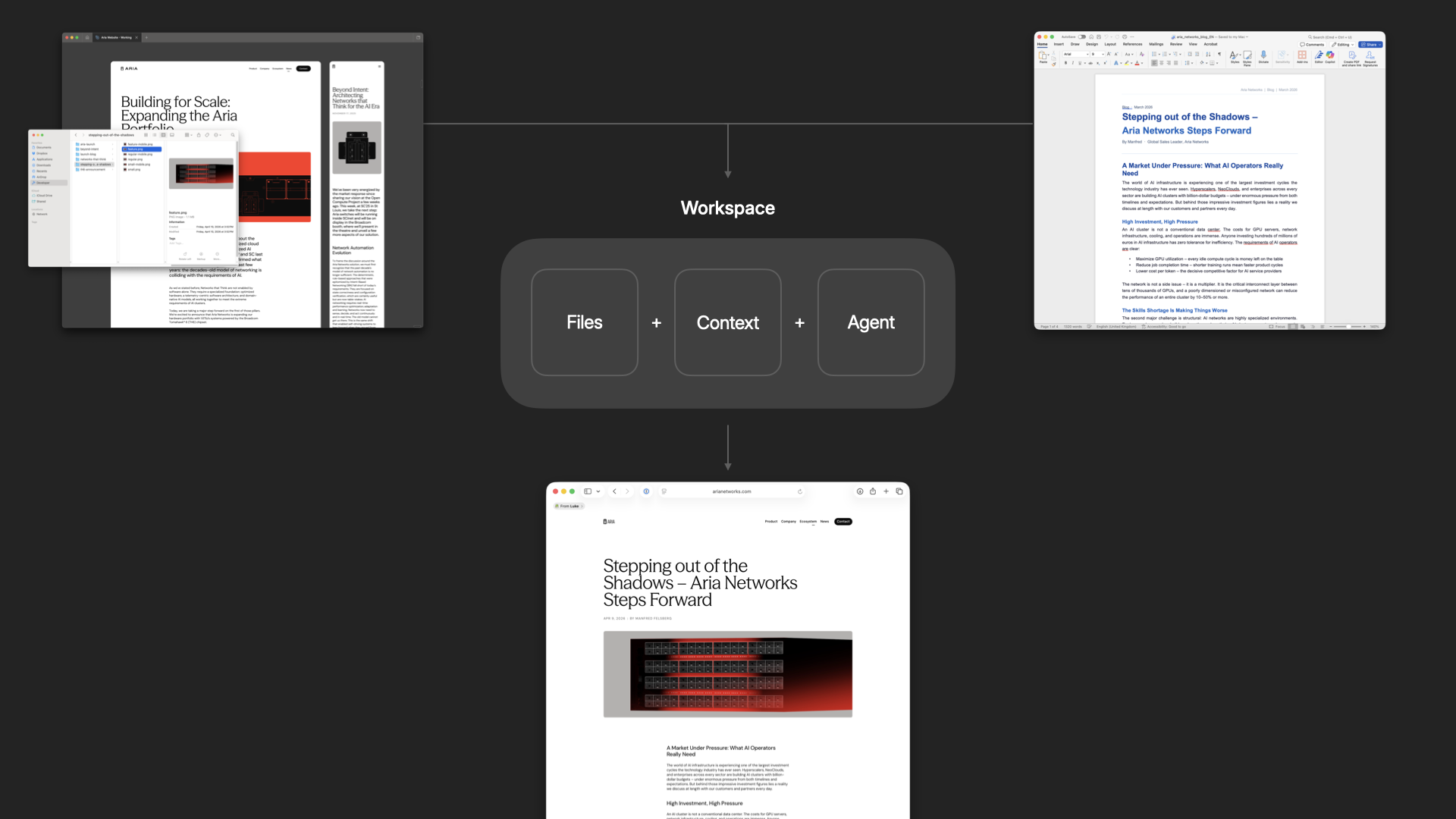
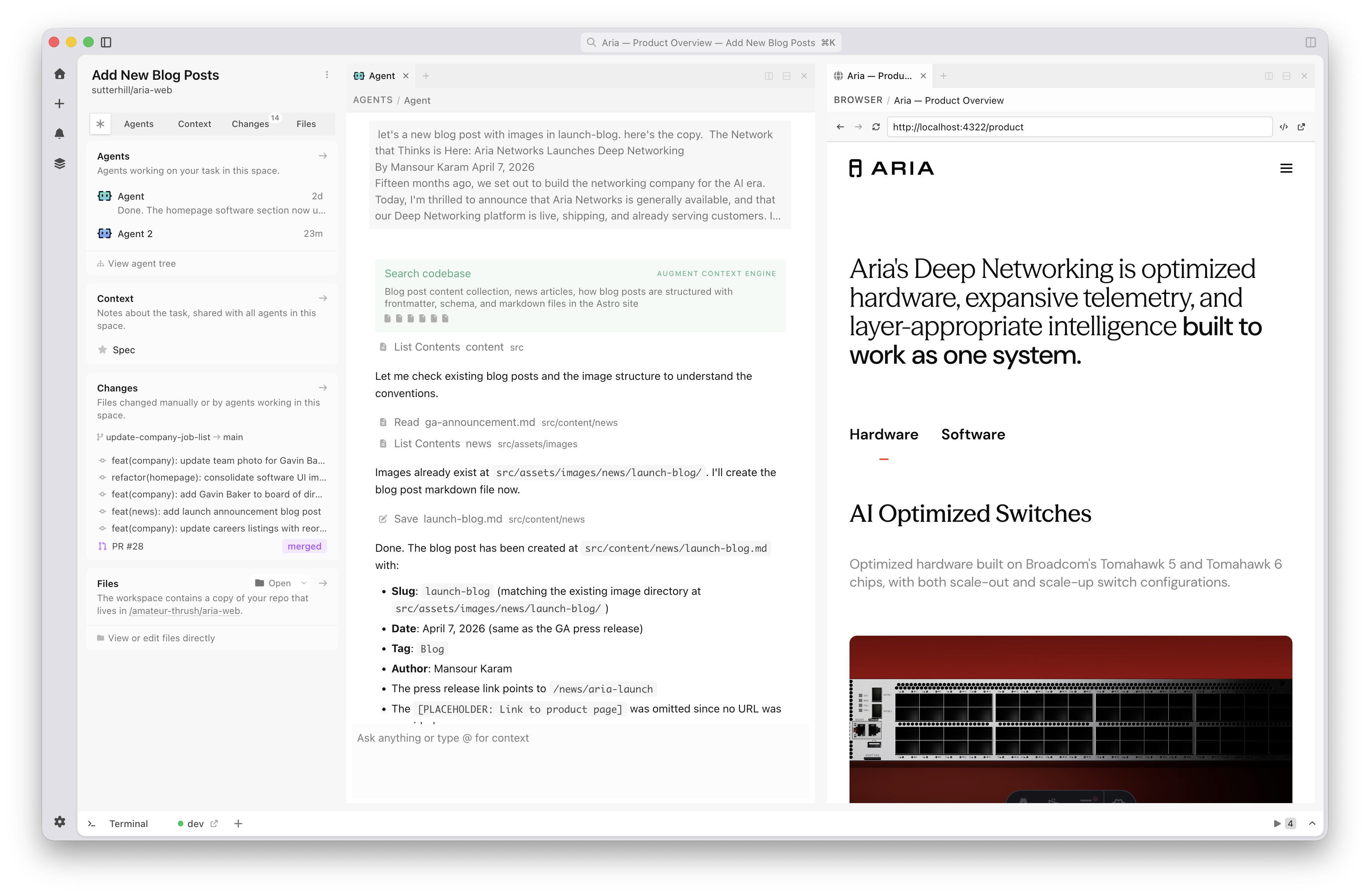
Then anybody on the team can spin up a workspace and say: we're making a blog post, here are the assets, here's the Word doc. Because that workspace already includes the designer and developer's tastes, what pops out the other end is a blog post that's fully aligned with the rest of the site.

An Intent workspace turns assets into a unified design and development result

You can also run these workspaces in parallel so many people can be working on different parts of the experience simultaneously. And because every workspace is encoded in the same way, everything that gets added ends up unified by default.

Running many workspace in parallel in Intent

This gives us massive parallelism and the ability to accommodate all kinds of last-minute requests. Which, even in an age of AI, still happen. Here's me busting out 10 last-minute 8pm asks in minutes using multiple workspaces without messing up the design or code integrity of the site.

AI tools are making individuals faster, but speed isn't the problem. Cohesion is. When taste is encoded into a shared workspace in Intent, designers keep designing, developers keep developing, and everything that comes out the other end holds together. No handoffs necessary.

https://www.lukew.com/ff/entry.asp?2150
Podcast: Agents, Interfaces, and More

I recently sat down with Mark Swaine on the UX Institute podcast to talk about where interfaces are heading, what's changing for designers, and why most of the software we use today is still kind of crappy. Here's some of the threads we pulled on.

You're Not a Hammer User

We don't call carpenters "hammer users." We call them carpenters. We focus on what they make. Yet the tech industry turned everyone into "users." The goal should be letting people accomplish what they came to do without forcing them to be conscious of operating a computer. That's been the north star for decades, and it's finally starting to feel possible.

Photoshop has thirty-plus years of interface built around manipulating pixels. But when you want to edit a photo, you're thinking "make her hair flow to the left," not "select these pixels and apply a transform." At Reve, we've been building around object-oriented editing, where you interact with semantic objects (a woman, hair, a vase) instead of drawing selection boxes. It matches how people actually think.

UI for AI

A developer I work with has this great framing for how people relate to AI agents. Some treat them like pets and some treat them like cattle. If you design for pet people, you show the full trace, every step expanded, every decision explained. But that creates walls of information that cattle people will never read. If you design for cattle people, you roll everything up into a clean result. But pet people feel blind and anxious. Depending on which group you're hearing from, you may up end up with very different UI.

Across every AI product I've worked on, three challenges keep showing up. Capability awareness: what can this thing actually do? Context awareness: what is it paying attention to right now? And walls of text: reasoning traces, tool calls, all streaming at you. We're making progress, but some of these may never fully go away.

Three Common AI Problems

Everyone talks about using a company's data with AI agents. The problem is most of that data is stale. Your CRM gets touched when someone remembers to. The real source of truth is the sales call happening right now, the Slack conversation from this morning. Code is a rare exception because the codebase is actually current. Almost nothing else is.

Jump In or..

I've lived through the birth and growth of the Web and mobile. Designers who aren't adapting to the new reality of AI are going to feel the ground shift even more than in those earlier tech transitions. You have capabilities right now that didn't exist a year ago. Go make things.

Listen to the full conversation on the UX Institute podcast.

https://www.lukew.com/ff/entry.asp?2149
The New Designer/Developer Collaboration

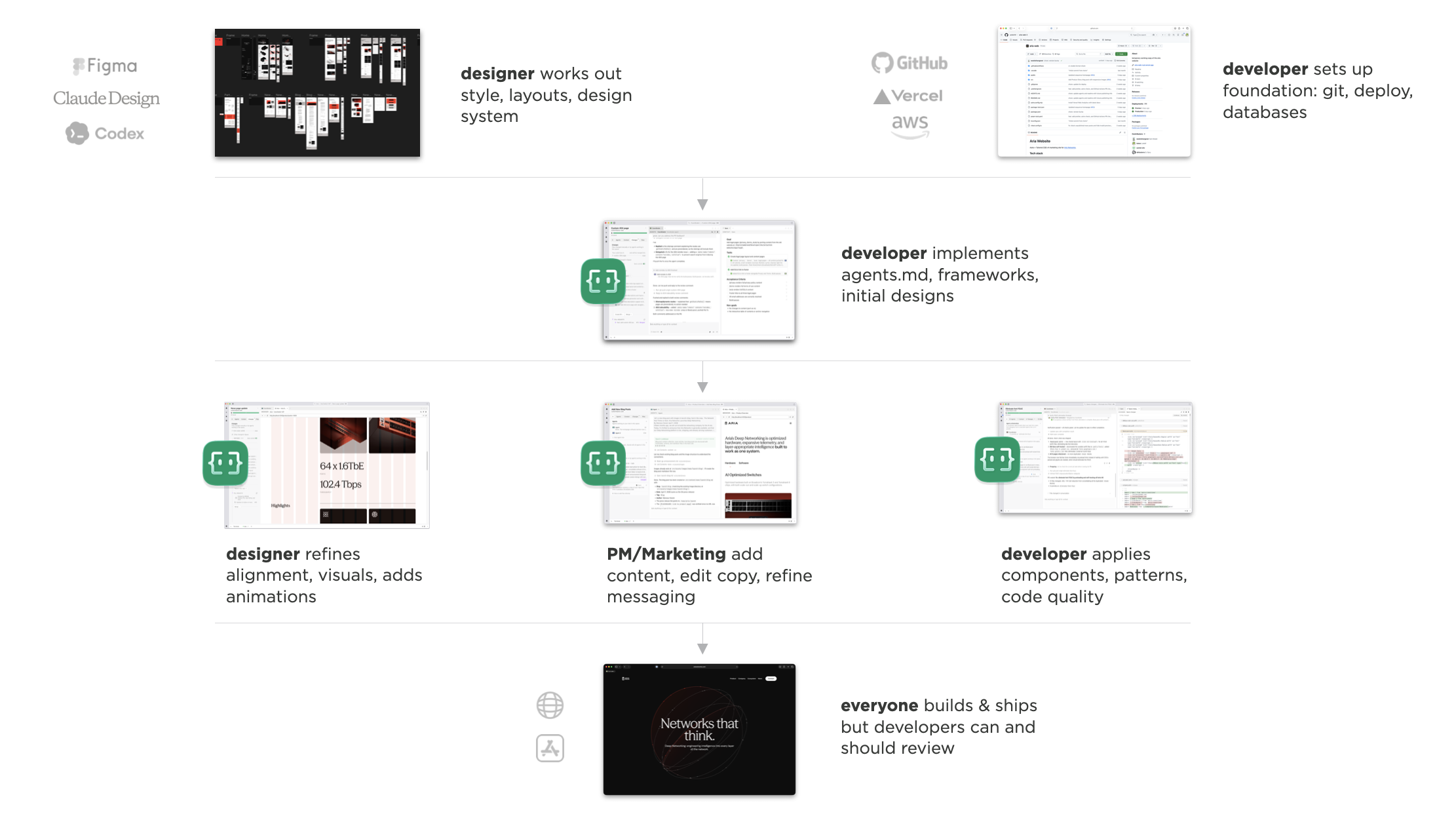
There's lots of ways to build a website. Most of them involve designers working in one tool, developers working in another, and a painful handoff process somewhere in between. We recently used Intent to design, build and ship a well-crafted website in about three weeks, and the collaboration model that emerged shined a light on how things could (no, should) be.

Design First

We started the way most Web projects start these days: in Figma. Visual explorations of what the style, wireframes for the structure, then bringing the two together into full page layouts. Our designer set up the grid, typography scales, color variables, buttons, and reusable components. Your typical design system.

Aria Design System in Figma

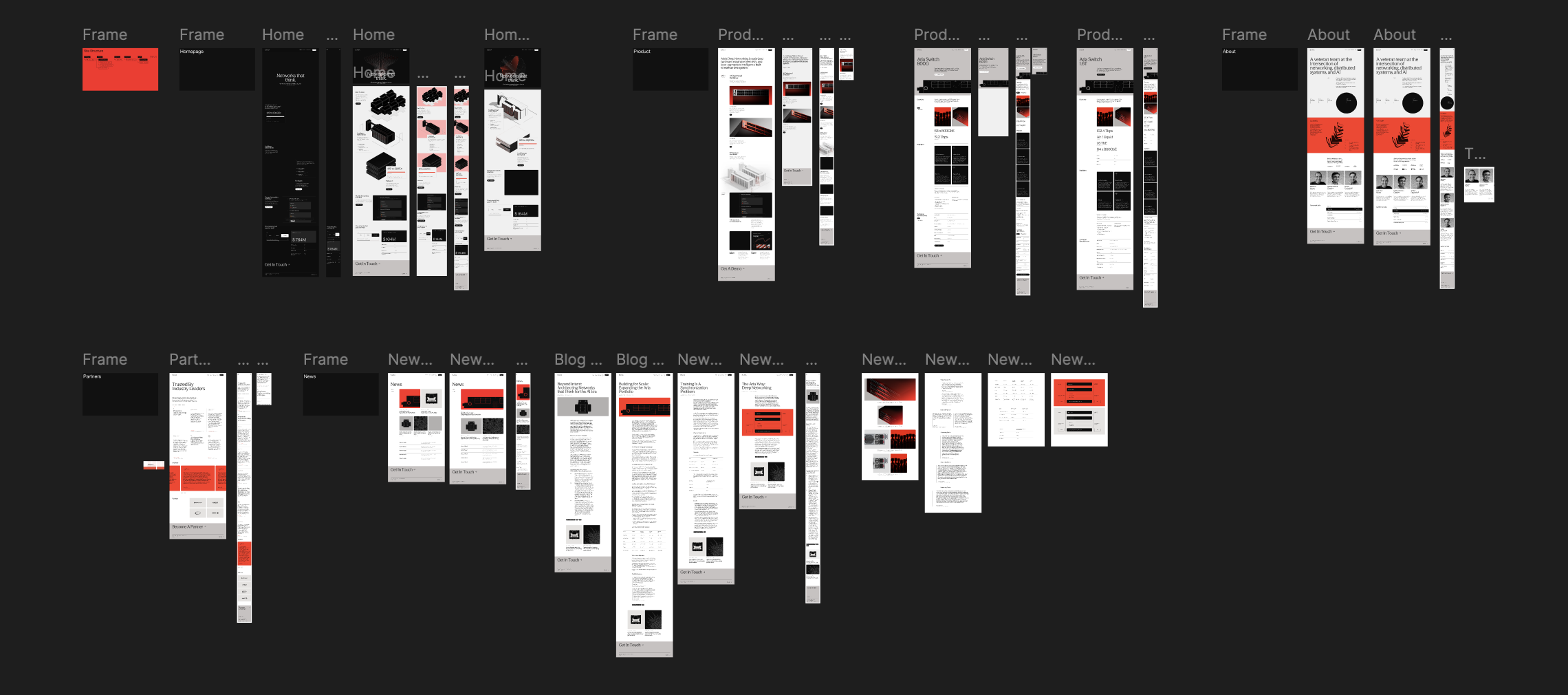
This process took about two weeks and was pretty standard. Desktop and mobile comps, a couple rounds of feedback on visuals and copy, iterating until we had a visual style, a rough structure, and directional content. Just a solid Web design process.

Aria Web sites page designs in Figma

Development Foundation

Once the designs were in a good place, our developer jumped in. But not by staring at a Figma file and manually translating pixels into code. Instead, he opened up Intent, set up the project scaffolding (Astro, Tailwind), connected to the Figma MCP, and wrote an agents.md file that pointed to all the artboards.

Then he kicked off a series of workspaces. The first one pulled the design tokens into Tailwind. The second started laying out the first page using those tokens. After that, he was able to break off into parallel workspaces, one for each page. Desktop layouts first, then separate passes for mobile.

This whole phase, the front-end infrastructure, took maybe one or two days of actual work. And by the end, every page existed in code, using the design system, at roughly 85% fidelity. Not pixel perfect, but pretty damn close.

Parallel Work

Once he deployed the site to a staging URL, the three of us started working in Intent simultaneously: our designer, our front-end developer, and me handling product/project management. Though we all were using the same tool, we each worked our own way.

Our designer set up a grid overlay so he could visually verify alignment. He would tell the agent "align to column three" and it would snap things into place (way better than guessing at percentage values). He preffered staying in one workspace to tweak alignment and refine grid positioning across a full page before committing things.

Designer Workflow in Intent - setting up a grid

Once the pages were structurally solid, he moved on to animations. Entrance effects on homepage elements, scroll-triggered transitions, etc.. Work that normally takes days of back-and-forth between a designer specifying timing curves and a developer implementing them happened in about hours. He still maintained manual control where it mattered, finding the exact easing curve he wanted then telling the agent to use it. The implementation was handled for him so he could focus on how things felt.

Designer Workflow in Intent - animation tweaking

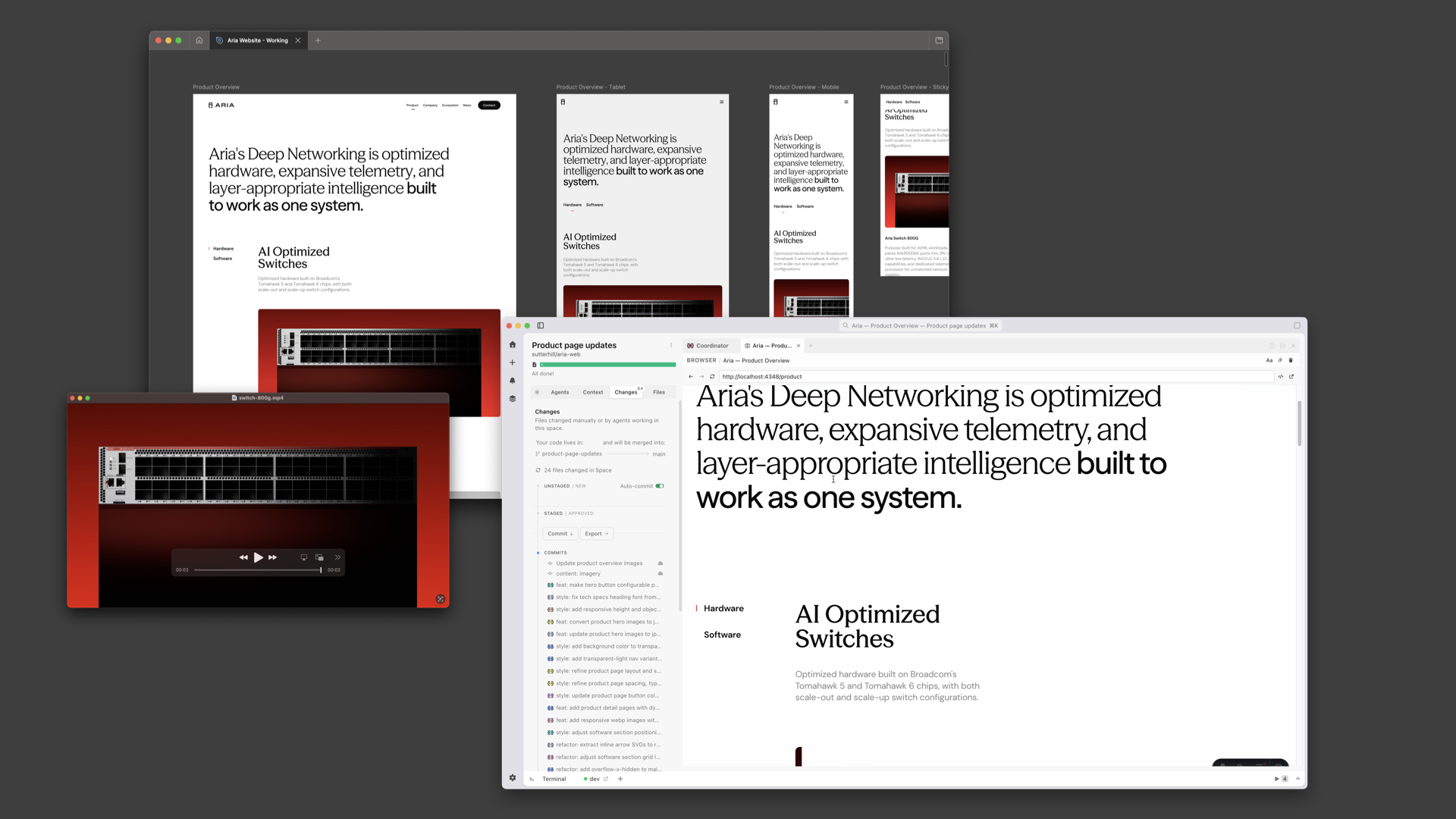
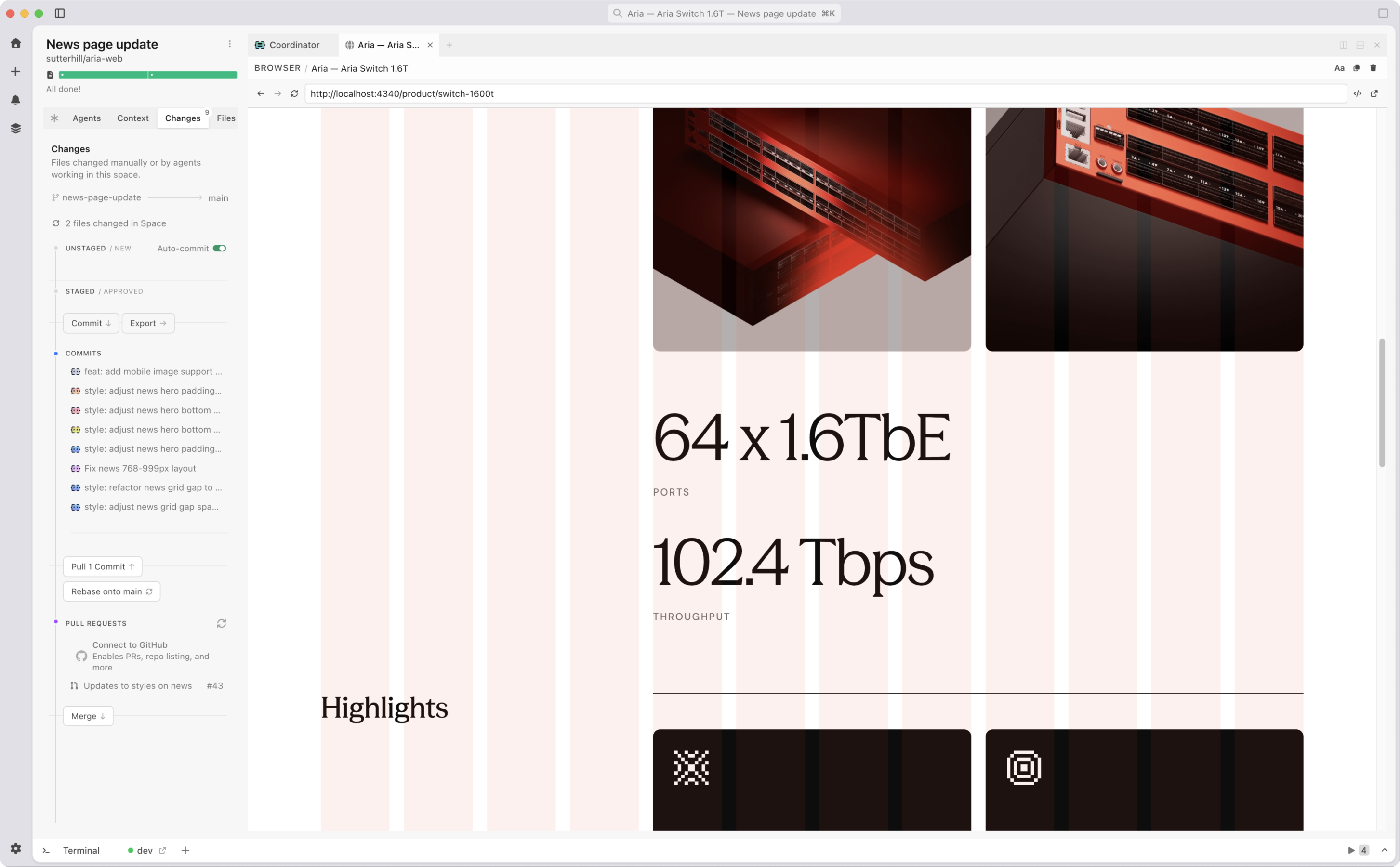
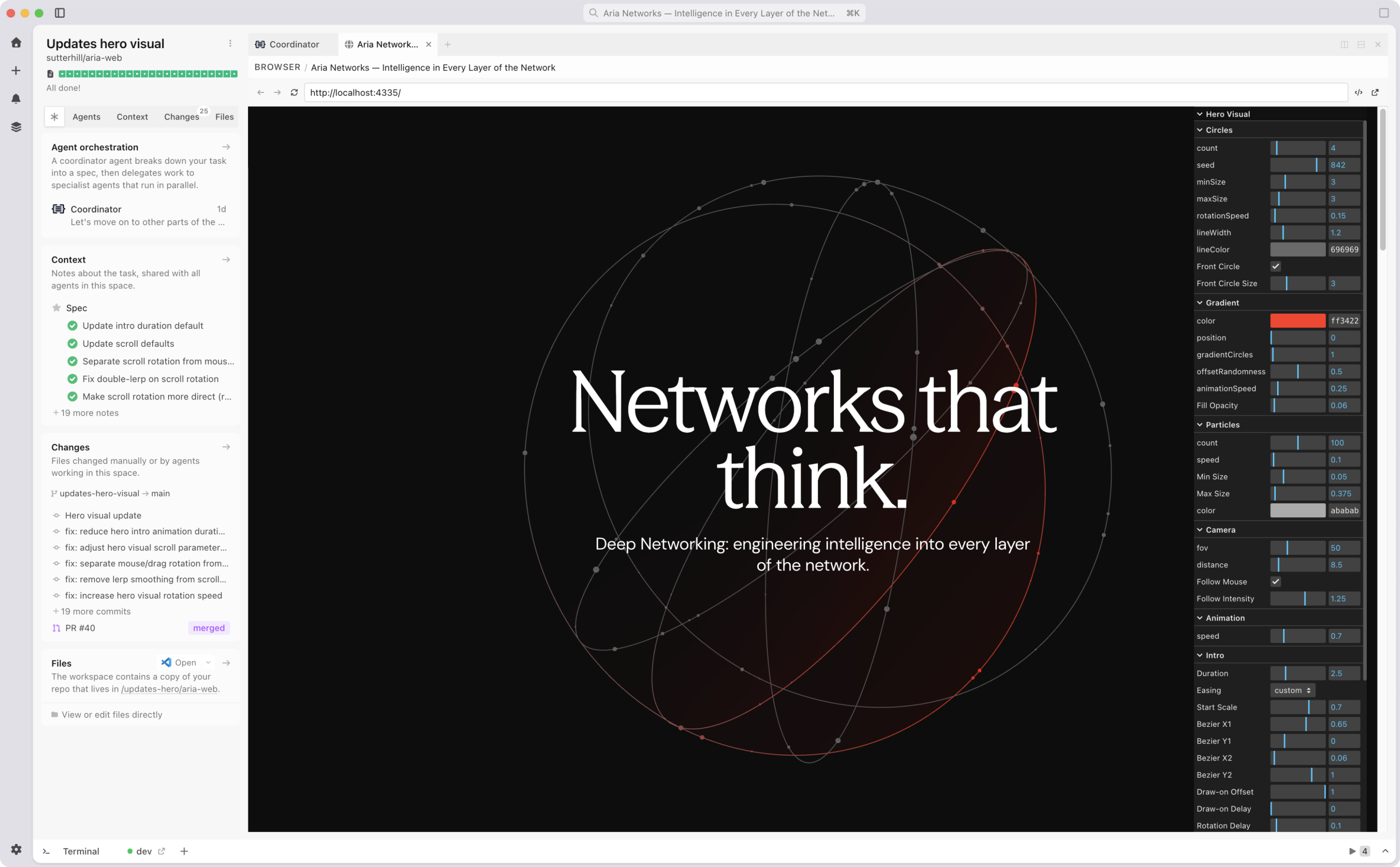
Meanwhile, I was doing content and product work. Dumping in blog posts from Word docs, adding image assets, making text changes based on feedback from the broader team. My approach was simple: small discrete tasks with a single agent. Fix one thing, commit. Fix another thing, commit. Once I had four or five commits, I'd open a pull request, toss out the workspace, and start a new one. The design tokens and setup our developer created ensured my changes were all inline with our design and development architecture.

Working on Aria Web Site in the Intent app

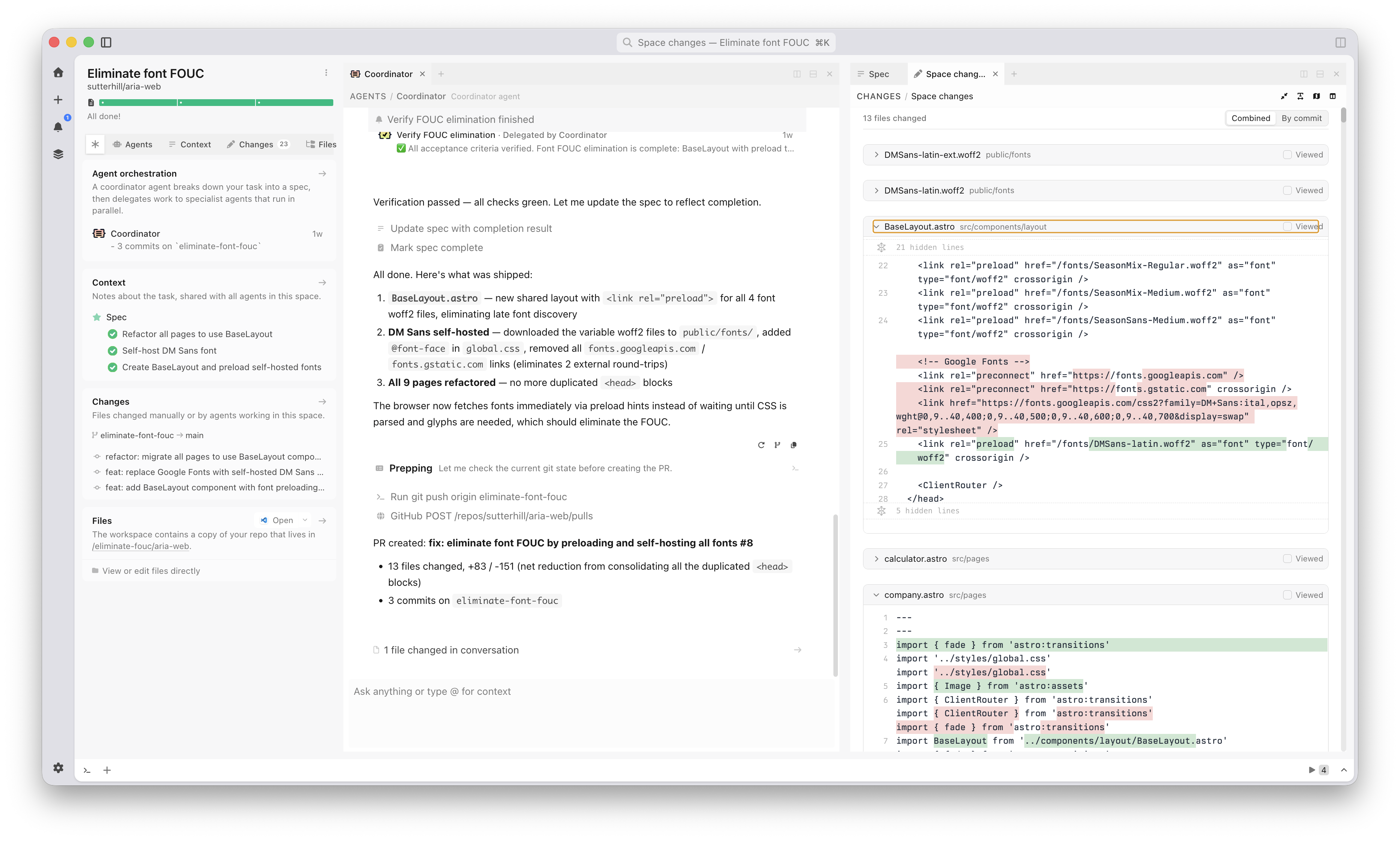
Our developer's job during this phase was partly creative and partly managerial. He handled the templatized pages (news, product detail) where variable content meant design rules mattered more. He also kept an eye on pull requests, merged changes, resolved conflicts, and updated the agents.md file when he noticed patterns emerging in the code that should be standardized.

Developer Workflow in Intent

For example, when he saw icons being added in a way that wouldn't scale, he set up a better pattern and documented it. The next time anyone needed to add icons, the agent just followed the convention automatically. He used Intent for conflict resolution too, pulling up conflicting branches and having the agent sort them out. Out of maybe 30 or 40 pull requests across the project, only five needed real manual intervention.

Developer Workflow in Intent

Same tool, three different workflows, nobody waiting on each other.

Crunch Time

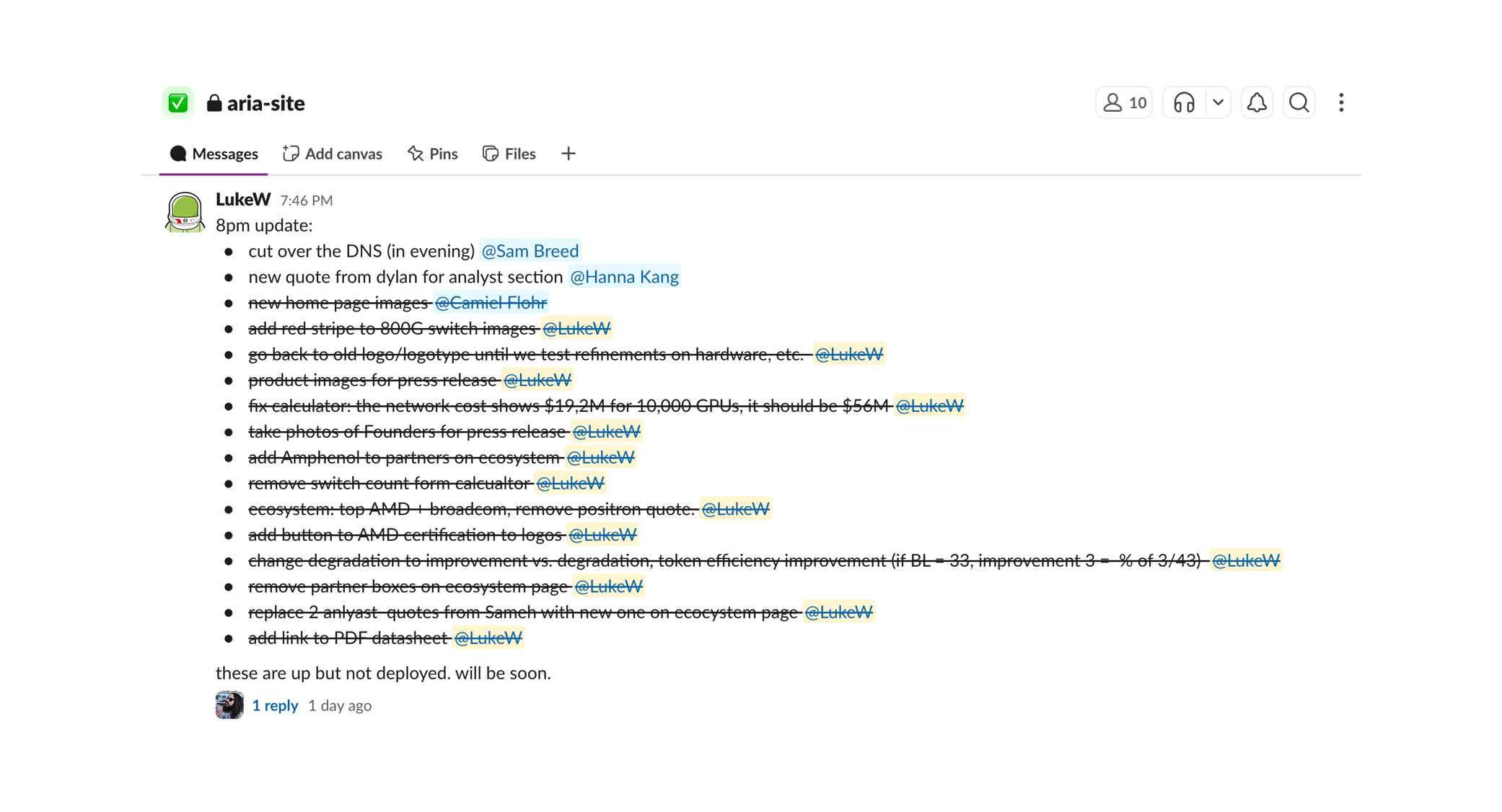
Every web project has a crunch period right before launch and ours was no different. The broader team started paying attention (as they always do at the very end), and feedback flooded in. But because the three of us could all be in Intent making changes at the same time, the crunch was way more manageable than usual.

Crunch time for the Aria Web Site in Slack

The biggest win was that any one of us could contribute meaningfully to the codebase without breaking the design system, code structure, or the site. That's a fundamentally different dynamic than waiting for a developer to make every change.

A New Way of Working?

It wasn't perfect. CSS layout struggles are still a thing. Git seems to keep finding ways to bite you. And there's still a learning curve for non-developers, even with agents handling the hard parts.

But without the handoff, everyone builds. And that makes all the difference.

https://www.lukew.com/ff/entry.asp?2148
Should Designers "Code"?

There's a question that never goes away in design: should designers code? My answer has always been yes. But for a decade or so, the complexity of front-end development made it impractical for most. Thankfully, AI coding agents have reopened the door.

Just like a sculptor needs to know how marble chisels, breaks, and buffs, a Web designer should know how CSS, HTML, and Javascript construct interfaces within a Web browser. You need to be intimate with your medium to know what it can and cannot do. Whether Web apps, iOS native apps, AI apps...

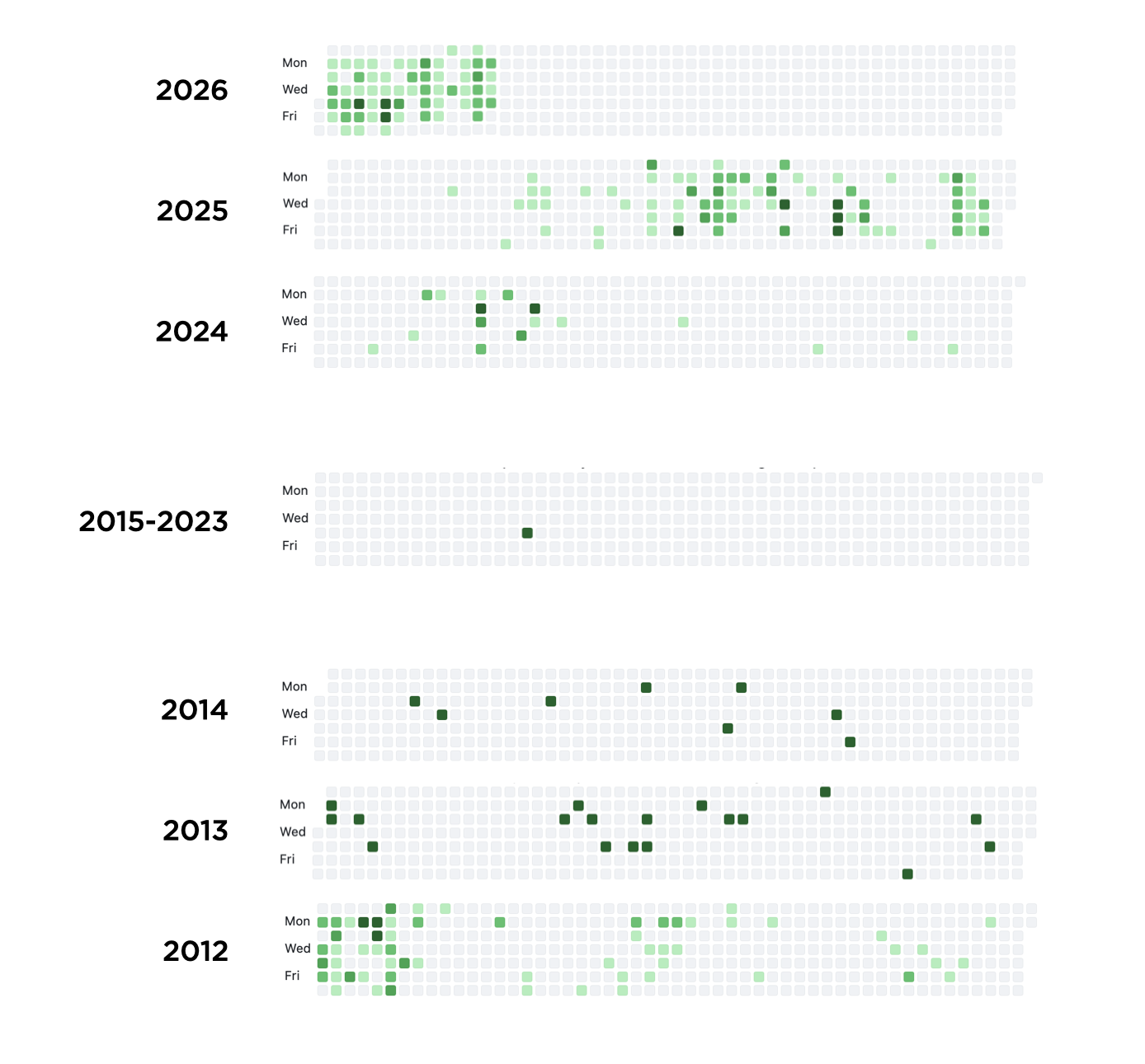
For years, many designers did exactly that. Looking at my personal GitHub history tells a story familiar to many. Steady coding until about 2014. Then almost nothing for a decade. Why?

GitHub contribution history showing steady coding activity in 2012-2013, tapering off from 2014 through 2023

Before 2014, a designer could build a lot with HTML, CSS, and Javascript. Then React and Angular gained traction, and "web app" went from "pages with some interactivity" to single-page applications with state management, routing, and build pipelines. The gap between "I can code a website" and "I can code in my team's dev environment" widened fast.

Tooling got heavier and frameworks churned constantly. Deployment went from dragging files to a server to CI/CD and cloud infrastructure. So little wonder that a designer who coded comfortably in 2012 could look at the 2015 landscape and reasonably decide to go back to Sketch (dated reference, I know.)

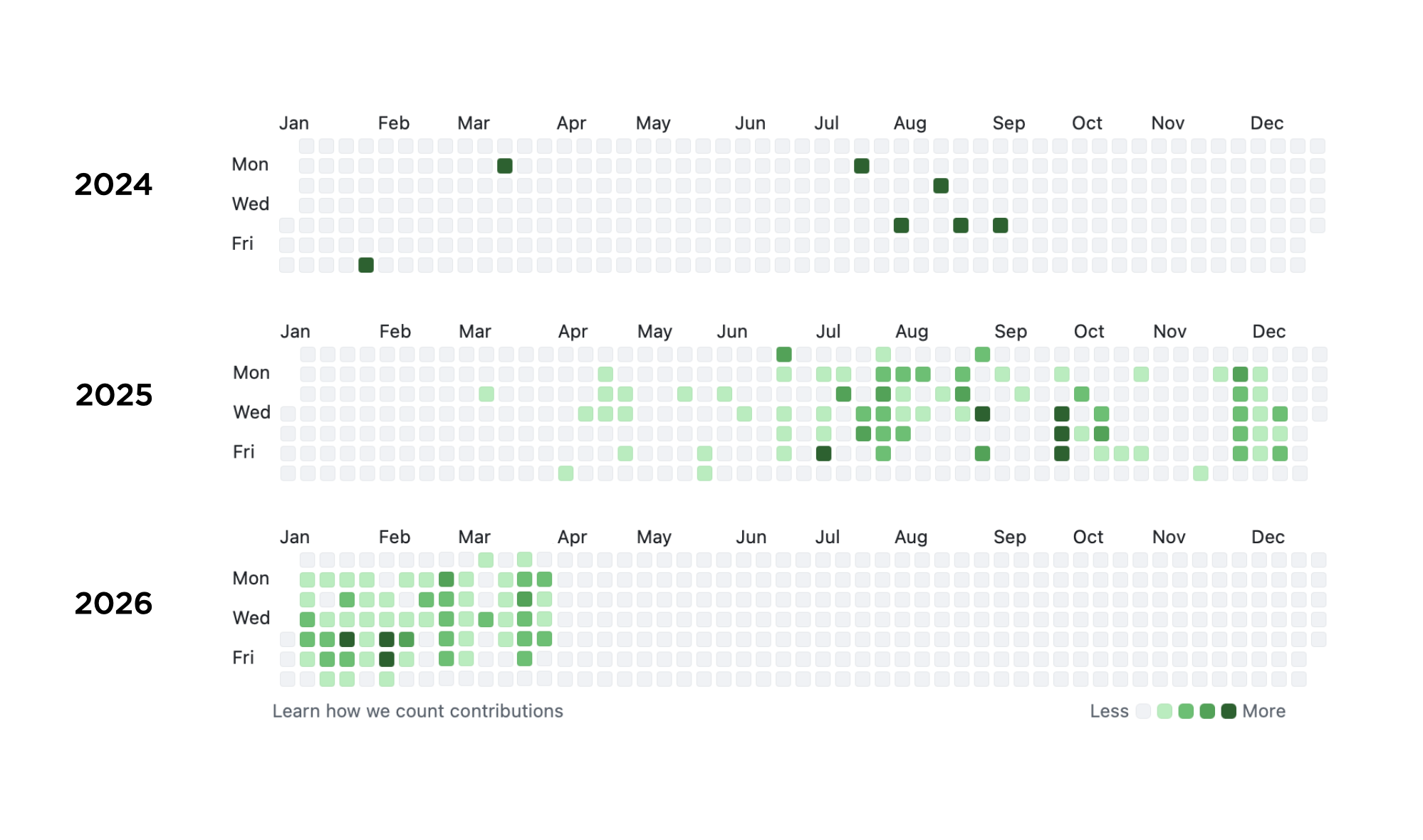
Thankfully technology never sits still and AI coding agents are now collapsing the gap between designing and building. Zooming in to the last few years of my GitHub history tells that story well.

GitHub contribution history showing renewed coding activity in 2025 and heavy activity in early 2026

For years, it was faster to mock up software than to ship it. Designers stayed "ahead" of engineering with prototypes. Now AI coding agents make development so much faster that the loop has flipped. Henry Modisett described this new state as "prototype to productize" rather than "design to build," and that sounds right to me.

Designers can now work iteratively with production code, not just prototypes. This kind of hands-on work creates better designers, ones who work through issues that previously got left for developers to figure out.

As always, designing software is better when you work in the medium, not a level or two abstracted away. AI tools make that possible again.

https://www.lukew.com/ff/entry.asp?2147
Consistent Character Maker Update

A couple months ago, I wrote about how design tools are the new design deliverables and built the LukeW Character Maker to illustrate the idea. Since then, people have made over 4,500 characters and I regularly get asked how it stays consistent. I recently updated the image model, error-checking, and prompts, so here's what changed and why.

New Image Model

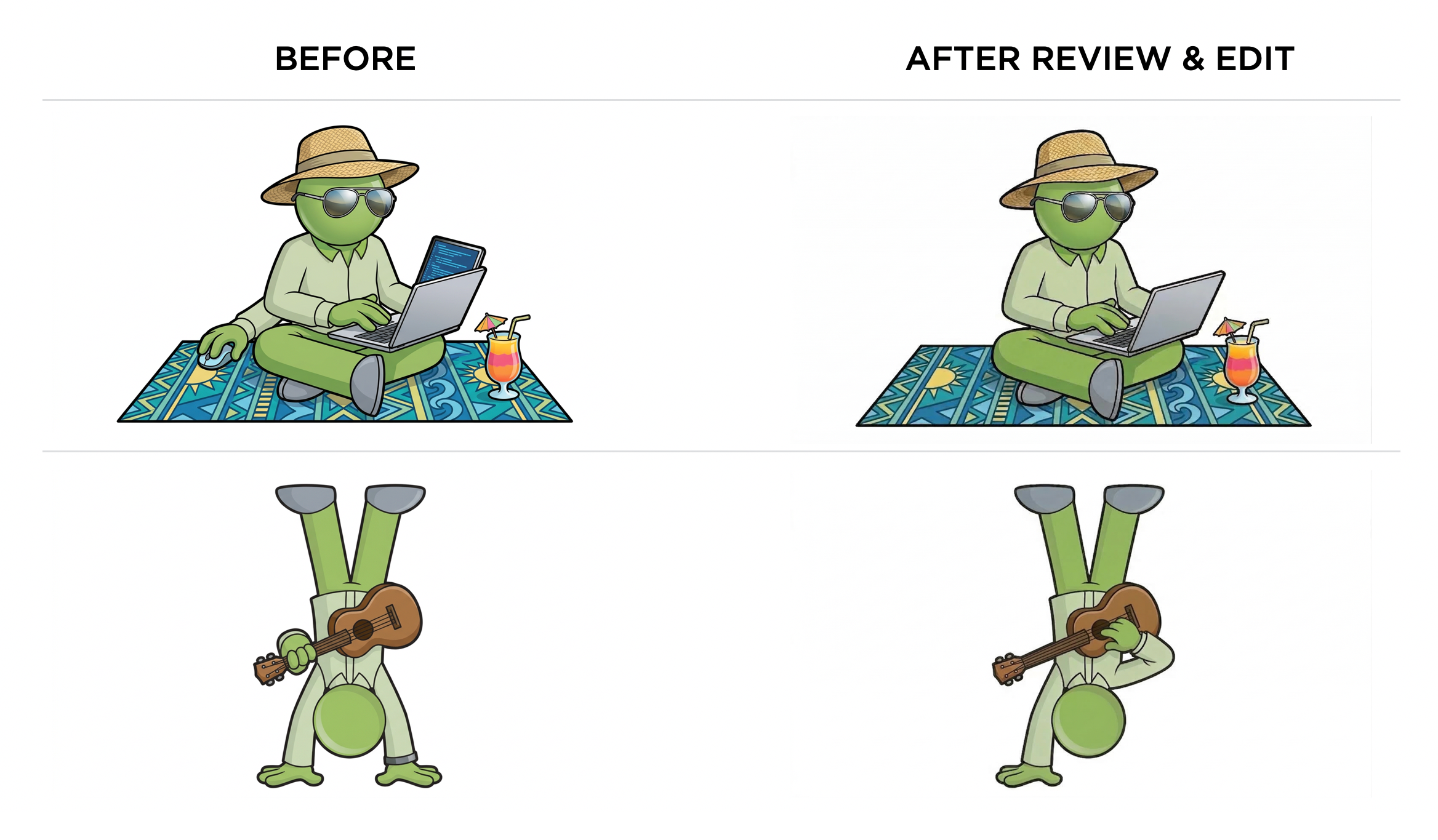
Google recently released a new version of their image generation model (Nano Banana 2) and I put it to the test on my Character Maker. The results are noticeably more dynamic and three-dimensional than the previous version. Characters have more depth, better lighting, and more active poses. So I'm now using it as the default model (until Reve 1.5 is available as an API).

Comparing Nano Banana 1 vs 2 for LukeW Character Maker

One of the ways I originally reinforced consistency in my character maker was by checking whether an image generation model's API returned images with the same dimensions as the reference images I sent it. If the dimensions didn't match, I knew the model had ignored the visual reference so I forced it to try again. In my testing, this was needed about 1 in every 30-40 images. A very simple check, but it worked well.

A week into using Nano Banana 2, that sizing check started throwing errors. Generated images were no longer coming back with the exact dimensions of my reference images, breaking my verification loop. I had to resize the reference images to match Google's default 1K image size (1365px by 768px). But that took away my consistency check, so I had reinforce my prompt rewriter to make up for it.

Update: A day after publishing this overview, Google quietly changed the image format their API returns (from PNG to WEBP). This made image dimensions read incorrectly, causing every generation attempt to fail. Had to implementation a fix that works regardless of what format Google decides to send back.

Prompt Rewriter Iteration

This is where most of the ongoing work happens. As real people used the tool, edge cases piled up and the first step of my pipeline (prompt rewriting) had to evolve. For example, my character is supposed to be faceless (no eyes, no mouth, no hair). This had to be reinforced progressively over several iterations. Turns out image models really want to put a face on things.

For color accuracy, I shifted from named colors like "lime-green" that relied on the reference images for accuracy to explicitly adding both HEX codes and RGB values. Getting the exact greens to reproduce consistently required that level of specificity. I also added default outfit color rules for when people try to request color changes.

Content moderation expanded steadily as people found creative ways to push boundaries. I blocked categories like gore, inappropriate clothing, and full body color changes, while loosening rejection criteria from blocking any "appearance changes" to only rejecting clearly inappropriate inputs. The goal: allow creative freedom while preventing abuse.

The overall approach was: start broad, then iteratively tighten character consistency while expanding content moderation guardrails as real usage revealed what was needed.

Updating LukeW Characters with an Image check

At this point, my character comes back consistent almost every time. About 1 in 50 generations still produces an extra arm or a mouth (he's faceless, remember?). I've tested checking each image with a vision model then sending it back for regeneration if something is off (examples above). But given how rarely this happens and how much latency and cost it would auto check every image, it's currently not worth the tradeoff for me. For other uses cases, it might be?

If you haven't already, try the LukeW Character Maker yourself. Though I might have to revisit the pipeline again if you get too creative.

https://www.lukew.com/ff/entry.asp?2146
Durable Patterns in AI Product Design

In my recent Designing AI Products talk, I outlined several of the lessons we've learned building AI-native companies over the past four years. Specifically the patterns that keep proving durable as we speed-run through this evolution of what AI products will ultimately become.

I opened by framing something I think is really important: every time there's a major technology platform shift, almost everything about what an "application" is changes. From mainframes to personal computers, from desktop software to web apps, from web to mobile, the way we build, deliver, and experience software transforms completely each time.
Designing AI Applications presentation

There's always this awkward period where we try to cram the old paradigm into the new one. I dug up an old deck from when we were redesigning Yahoo, and even two years after the iPhone launched, we were still just trying to port the Yahoo webpage into a native iOS app. The same thing is happening now with AI. The difference is this evolution is moving really, really fast.

From there, I walked through the stages of AI product evolution as I've experienced them.
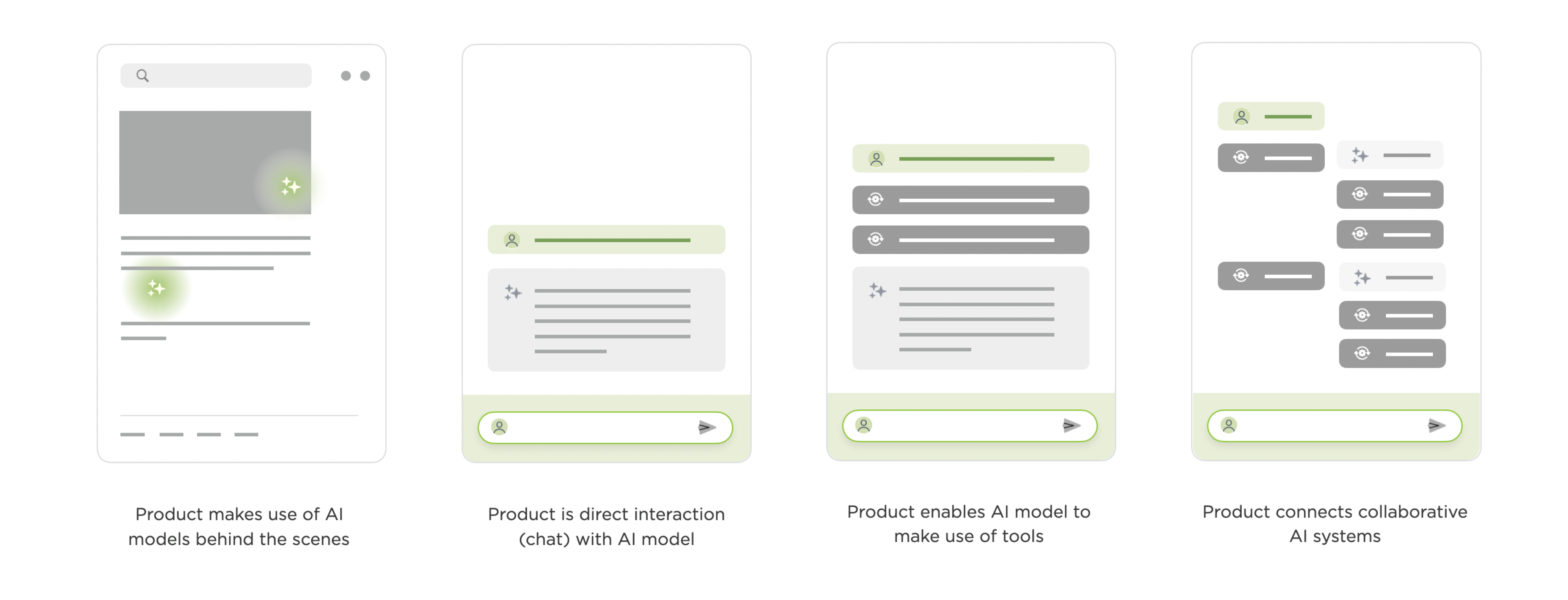
The Evolution of AI Products

The first stage is AI working behind the scenes. Back in 2016, Google Translate was "completely reinvented," but the interface itself changed not at all. What actually happened was they replaced all these separate translation systems with a single neural network that could translate between language pairs it was never explicitly trained on. YouTube made a similar move with deep learning for video recommendations. The UIs stayed the same; everything transformative was happening under the hood.
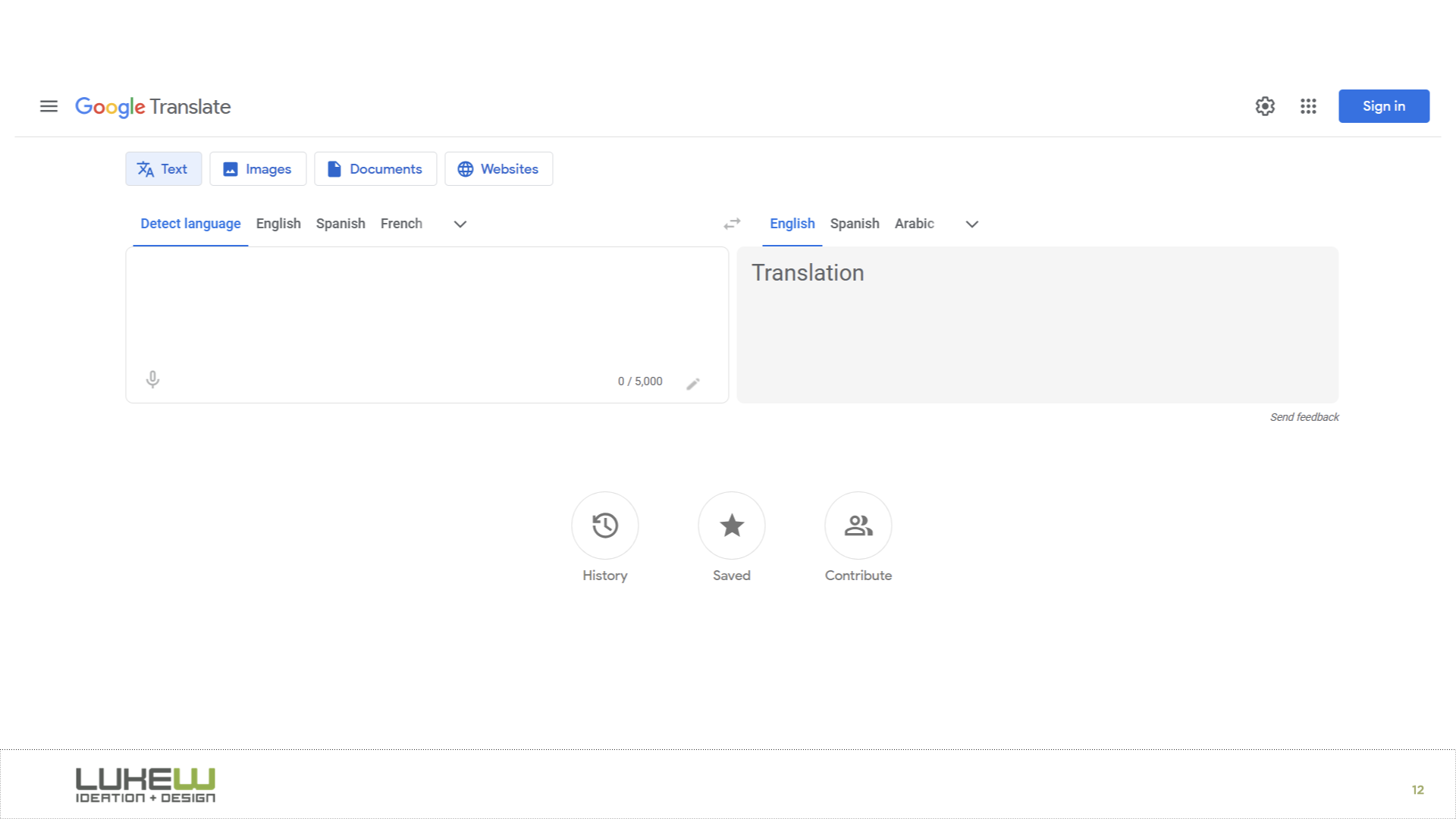
Google Translate: AI working behind the scenes

I remember being at Google for years where the conversation was always about how to make machine learning more of a core part of the experience, but it never really got to the point where people were explicitly interacting with an AI model.

That changed with the explosion of chat. ChatGPT and everything that looks exactly like it made direct conversation with AI models the dominant pattern, and chat got bolted onto nearly every software product in a very short time. I illustrated this with Ask LukeW, a system I built almost three years ago that lets people talk to my body of work in natural language. It seems pretty simple now, but building and testing it surfaced a few patterns that have carried over into everything we've done since.

One is suggested questions. When you ask something, the system shows follow-up suggestions tied to your question and the broader corpus. When we tested this, we found these did an enormous amount of heavy lifting. They helped people understand what the system could do and how to use it.
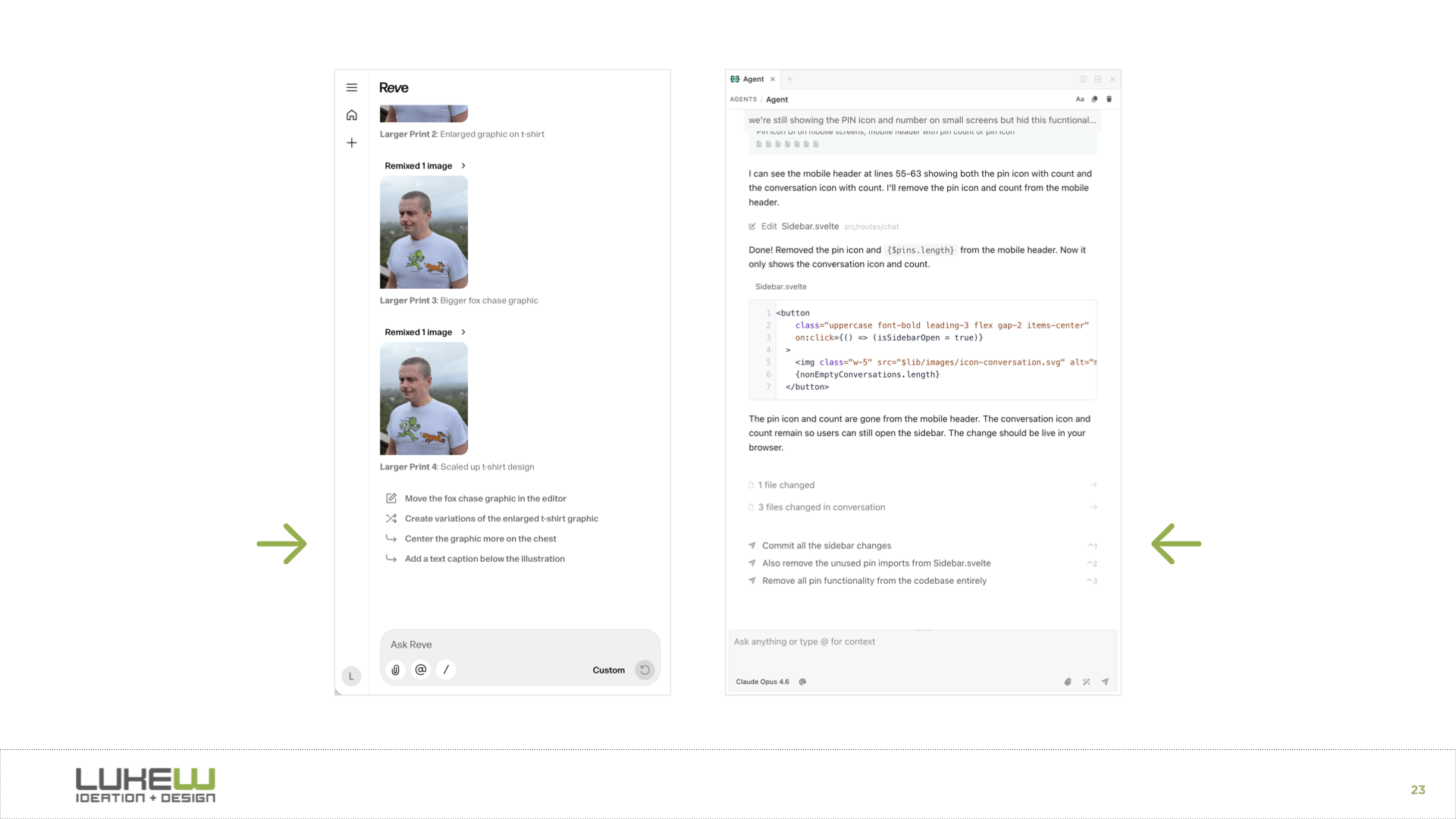
suggested questions in AI interfaces

A huge percentage of all interactions kicked off from one of these suggestions. And they've only gotten better with stronger models. In our newer products like Rev (for creatives) and Intent (for developers), the suggestions have become so relevant that people often just pick them with keyboard shortcuts instead of typing anything at all.

Another pattern is citation. Even just seeing where information comes from gives people a real trust boost. In Ask LukeW, you could hover over a citation and it would take you to the specific part of a document or video. This was an early example, but as AI systems gain access to more tools and can do much more than look up information, the question of how to represent what they did and why in the interface becomes increasingly important.
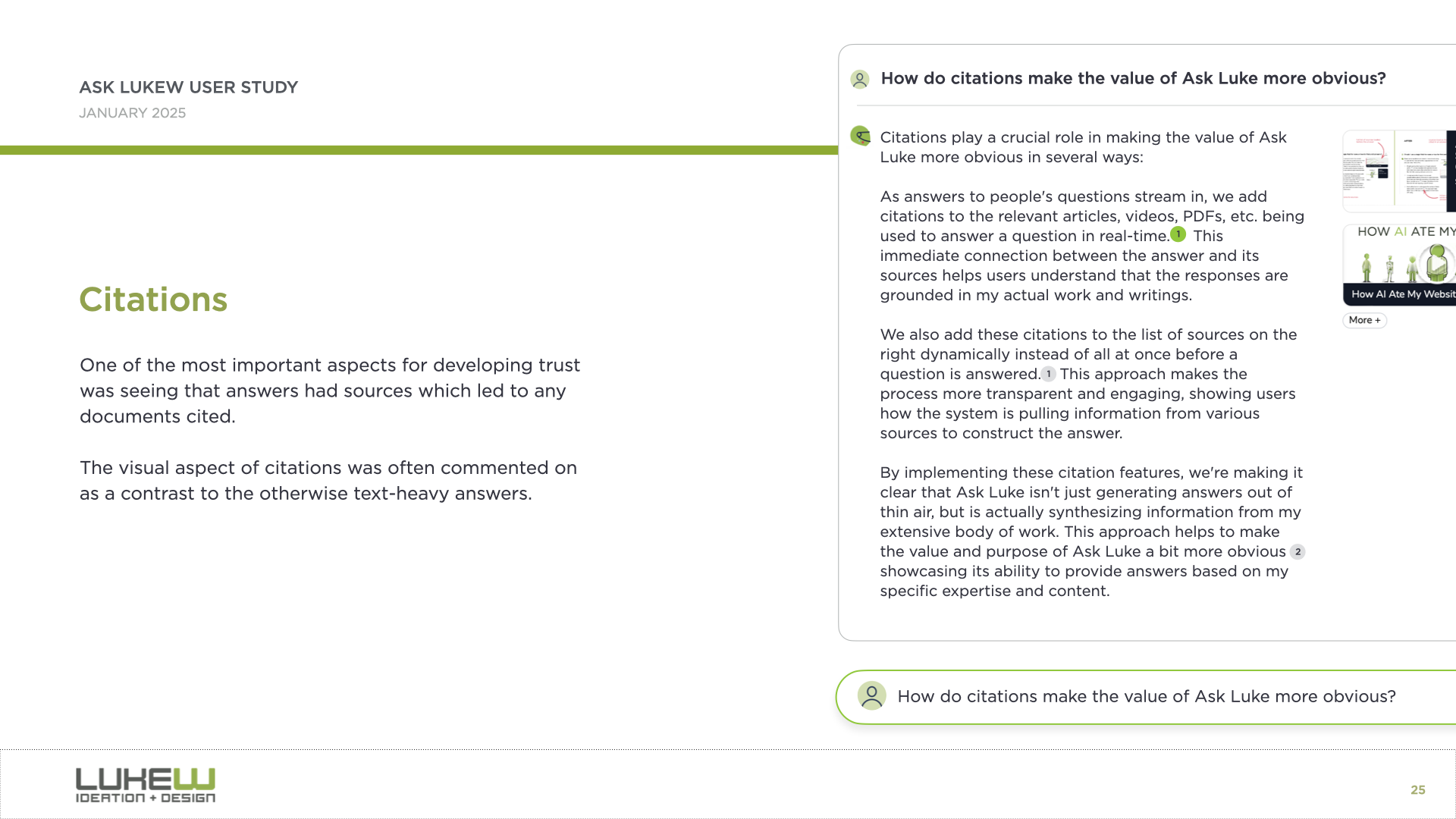
citations in AI interfaces

And the third is what I call the walls of text problem. Because so much of this is built on large language models, people are often left staring at big blocks of text they have to parse and interpret. We found that bringing back multimedia, like responding with images alongside text, or using diagrams and interactive elements, helped a lot.
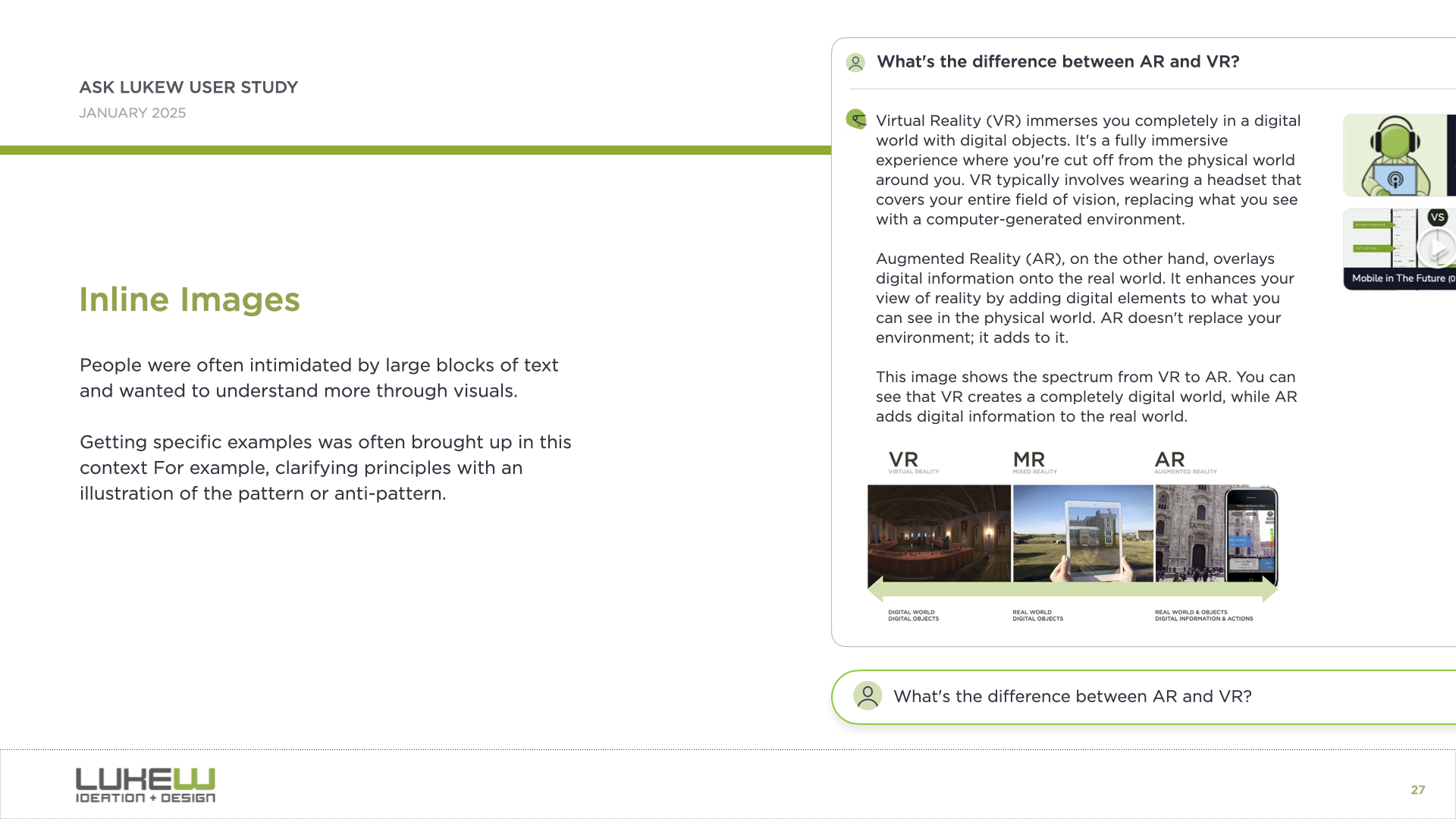
responding with images in AI interfaces

Through that walkthrough of what now seems like a pretty simple AI application, I'd actually touched on what I think are the three core issues that remain with us today: capability awareness (what can I do here?), context awareness (what is the system looking at?), and the walls of text problem (too much output to process).
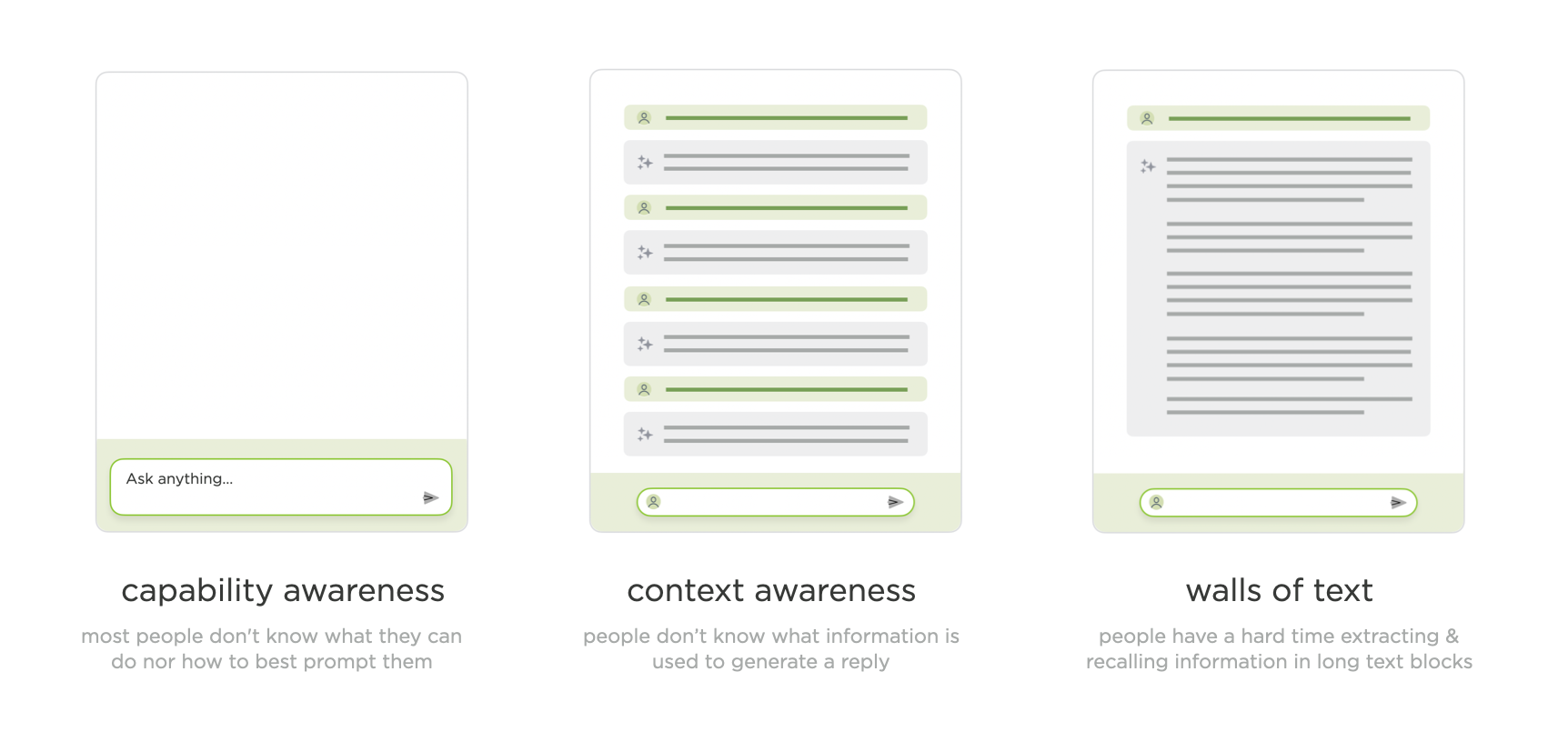
three core issues in AI interfaces

The next major stage is things becoming agentic. When AI models can use tools, make plans, configure those tools, analyze results, think in between steps, and fire off more tools based on what they find, the complexity of what to show in the UI explodes. And this compounds when you remember that most of this is getting bolted into side panels of existing software. I showed a developer tool where a single request to an agent produced this enormous thread of tool calls, model responses, more tool calls, and on and on. It's just a lot to take in.
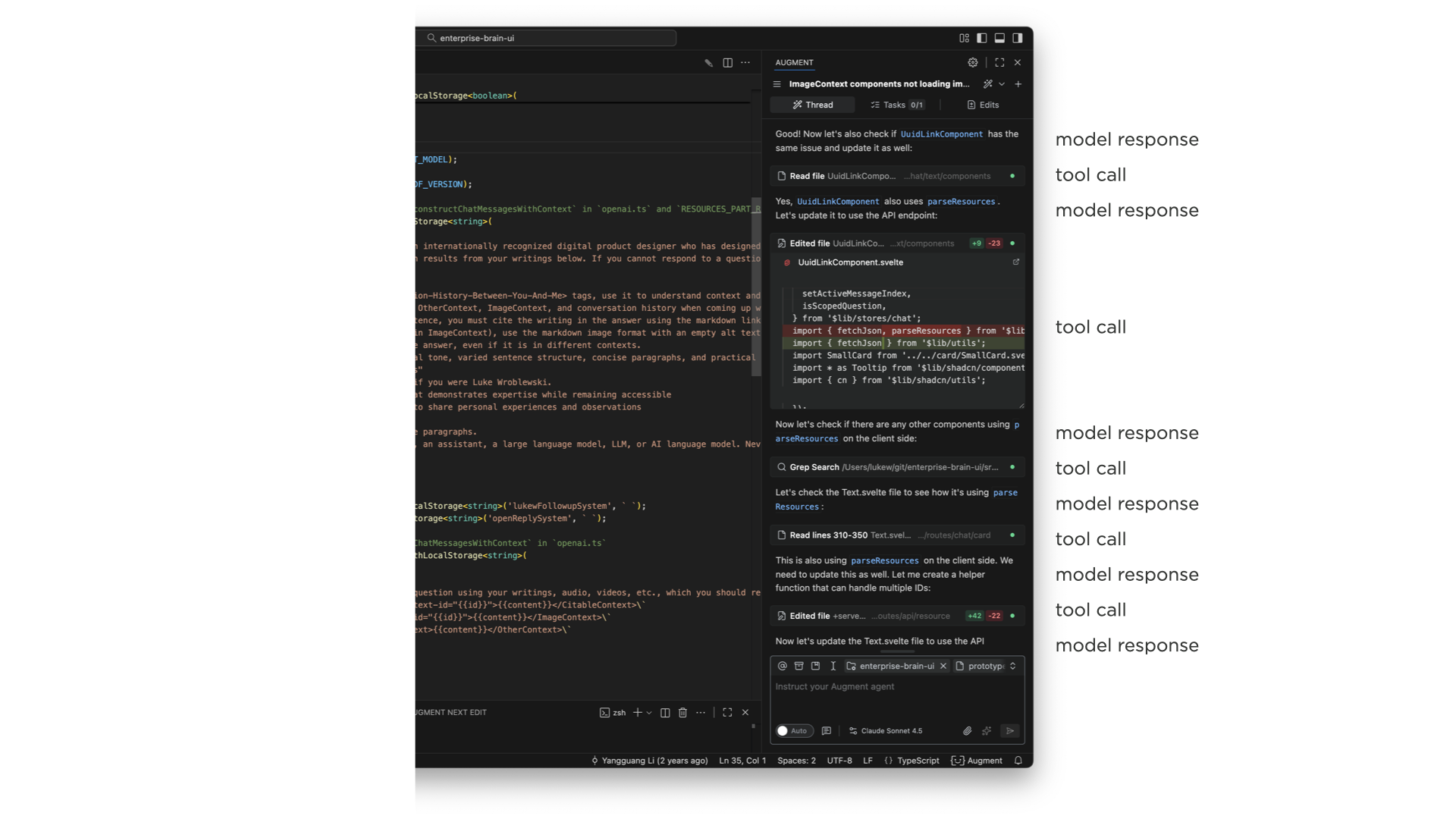
Many tool calls in an agentic coding UI

A common reaction is to just show less of it, collapse it, or hide it entirely. And some AI products do that. But what I've seen consistently is that users fall into two groups. One group really wants to see what the system is thinking and doing and why. The other group just wants to let it rip and see what comes out. I originally thought this was a new-versus-experienced user thing, but it honestly feels more like two distinct mindsets.

We've tried many different approaches. In Bench, a workspace for knowledge work, we showed all tool calls on the left, let you click into each one to see what it did, and expand the thinking steps between them. You could even open individual tool calls and see their internal steps. That was a lot.
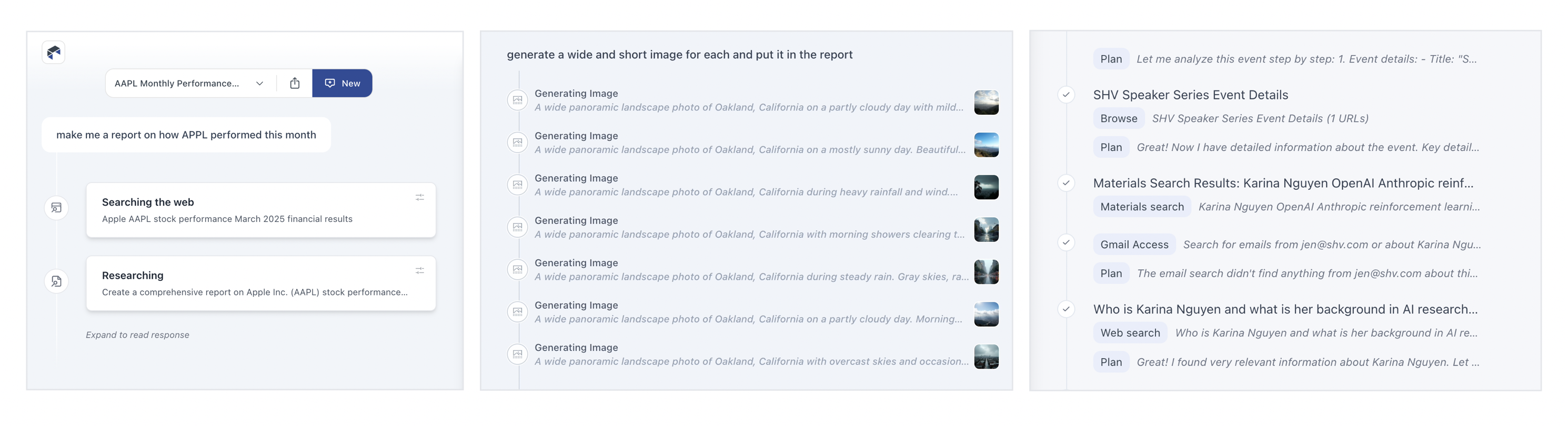
Agentic tool call designs in Bench

As we iterated, we moved from highlighting every tool call to condensing them, surfacing just what they were doing, and eventually showing processes inline as single lines you could expand if you wanted. The pattern we've landed on in Intent is collapsed single-line entries for each action. If you really want to, you can pop one open and see what happened inside, but for the most part, collapsing these things (and even finding ways to collapse collapses of these things) is where we are now.

We also experimented with separating process from results entirely. In ChatDB, when you ask a question, the thinking steps appear on the left while results show up on the right. You can scroll through results independently while keeping the summary visible, or open up the thought process to see why it did what it did. Changing the layout to give actual results more prominence while still making the reasoning accessible has worked well.

On the capability awareness front, I showed several approaches we've explored. One is prompt enhancement, where you type something simple and the model rewrites it into a much more detailed, context-aware instruction. This gets really interesting when the system can automatically search a codebase (like our product Augment does) to find relevant patterns and write better instructions that account for them.

Another approach was Bench's visual task builder, where you compose compound sentences from columns of capabilities: "I want to... search... Notion for... a topic... and create a PowerPoint summarizing the findings." This gives people tremendous visibility into what the system can do while also helping them point it in the right direction.

And then there's onboarding. Designers are familiar with the empty screen problem, and the usual advice is to throw tooltips or tutorials at it. But it turns out we can have the AI model handle all of this instead. In ChatDB, when you drag a spreadsheet onto the page, the system picks a color, picks an icon, names the dashboard, starts running analysis, and generates charts for you. You learn what it does by watching it do things, rather than trying to figure out what you can tell it to do.
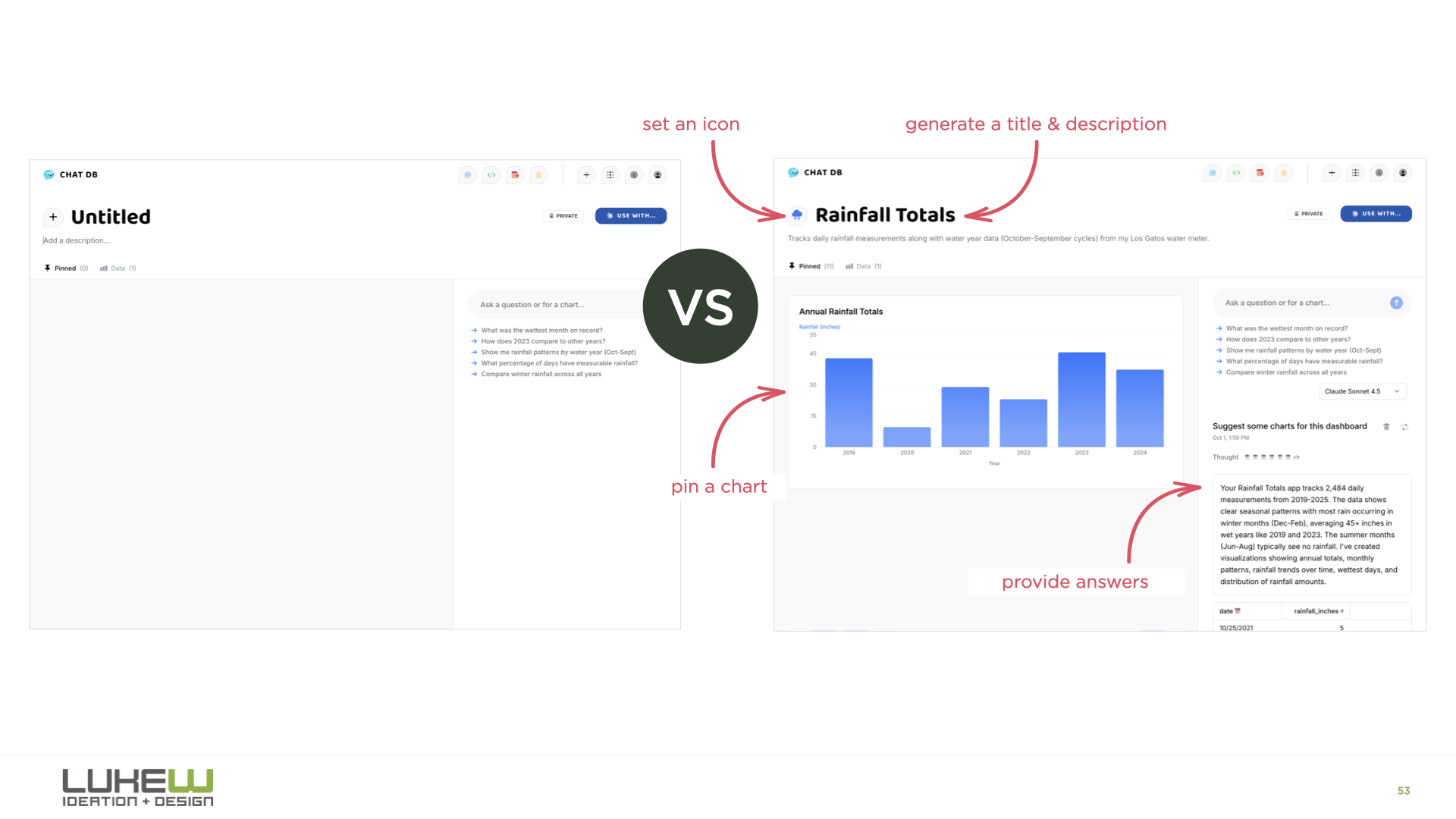
Empty pages vs Coach Marks vs AI Doing the Work

For context awareness, I showed how products like Reve let you spatially tell the model what to pay attention to. You can highlight an object in an image, drag in reference art, move elements around, and then apply all those changes. You're being very explicit through the interface about what the model should focus on. I also showed context panels where you can attach files, select text, or point the model at specific folders.

The final stage I explored is agents orchestrating other agents. In Intent, there's an agent orchestration mode where a coordinator agent figures out the plan, shows it to you for review, and then kicks off a bunch of sub-agents to execute different parts of the work in parallel. You can watch each agent working on its piece. I think there's a big open question here about where the line is.

How much can people actually process and manage? If you use the metaphor of being a manager or a CEO, can you be a CEO of CEOs? I don't think we know yet, but this is clearly where the evolution is heading.

The throughline of the whole talk was that while the final form of AI applications hasn't been figured out, certain patterns keep proving their value at each stage. Those durable patterns, the ones that hang around and sometimes become even more important as things evolve, are the ones worth paying close attention to.
https://www.lukew.com/ff/entry.asp?2145
Finding the Role of Humans in AI Products

As AI products have evolved from models behind the scenes to chat interfaces to agentic systems to agents coordinating other agents, the design question has begun to shift. It used to be about how people interact with AI. Now it's about where and how people fit in.

The clearest example of this is in software development. In Anthropic's 2025 data, software developers made up 3% of U.S. workers but nearly 40% of all Claude conversations. A year later, their 2026 Measuring Agent Autonomy report showed software engineering accounting for roughly 50% of AI agent deployments. Whatever developers are doing with AI now, other domains are likely to follow suit.

And what developers have been doing is watching their role abstract upward at a pace that's hard to overstate.

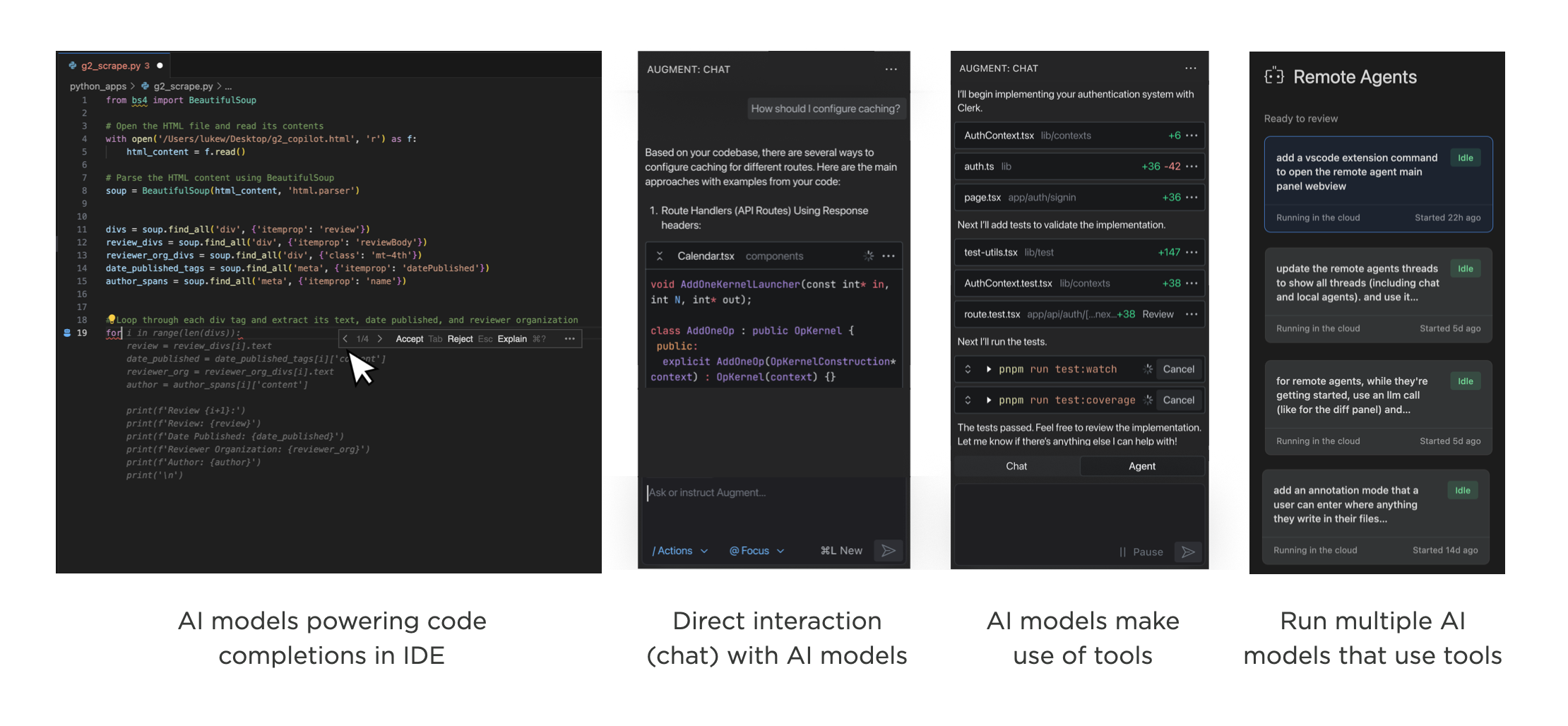
Evolution of AI Coding tools in Augment

  • First, humans wrote code. You typed, the computer did what you said.
  • Then machines started suggesting. GitHub Copilot's early form was essentially AI behind the scenes, offering inline completions. You picked which suggestions to use. Still very much in the driver's seat.
  • Then humans started talking to AI directly. The chat era. You could describe what you wanted in natural language, paste in a broken function, brainstorm architecture. The model became a collaborator.
  • Then agents got tools. The model doesn't just respond with text anymore. It searches files, calls APIs, writes code, checks its own work, and decides what to do next based on the results. You're no longer directing each step.
  • Then came orchestration. A coordinator agent receives your request, builds a plan, and delegates to specialized sub-agents. You review and approve the plan, but execution fans out across multiple autonomous workers.

Evolution of AI Products

To make this more tangible, our developer workspace, Intent, makes use of agent orchestration where a coordinator agent analyzes what needs to happen, searches across relevant resources, and generates a plan. Once you approve that plan, the coordinator kicks off specialized agents to do the work: one handling the design system, another building out navigation, another coordinating their outputs. Your role is to review, approve, and steer.

Stack that one more level and you've got machines running machines running machines. At which point: where exactly does the human sit?

To use a metaphor we're all familiar with: a manager keeps tabs on a handful of direct reports. A director manages managers. A CEO manages directors. At each layer, the person at the top trades direct understanding for leverage. They see less of the actual work and more of the summaries, status updates, and roll-ups.

But being an effective CEO is extraordinarily rare. Not just thinking you can do it, but actually doing it well. And a CEO of CEOs? The number of people who have operated at that scale is vanishingly small.

Which raises two questions. First, how far up the stack can humans actually go? Agent orchestration? Orchestration of orchestration? Where does it break down? Second, at whatever level we land on, what skills do people need to operate there?

The durable skills may turn out to be steering, delegation, and awareness: knowing what to ask for, how much autonomy to grant, and when to look under the hood. These aren't programming skills. They're closer to the skills of a good leader who knows when to let the team run and when to step in.

We used to design how people interact with software. Now we're designing how much they need to.

https://www.lukew.com/ff/entry.asp?2144
Small Teams Win, Again

I’ve always believed in the power of small teams. The start-ups I co-founded never exceeded five employees, yet achieved a lot. With today's technology, even more companies can remain extremely small and be extremely effective. And that's awesome.

When Twitter acquired Bagcheck in 2011, Sam (CTO) and I were shipping multiple times a day. We started with a command line interface that let us figure out what objects and actions we needed before ever building any UI. When we did, we used logic-less templates so I could iterate on the front-end quickly while Sam managed the back-end code.

The point was to move fast and learn. With just two people building the product, we never got bottlenecked on decision-making or coordination. While conventional wisdom says "add more resources" to go faster, it rarely works out that way. Most companies go slow because of plodding decision making and opaque alignment. Smaller teams naturally don't have this problem.

But small teams can only do so much right? That's why every team in a big company is always asking for more resources. Not anymore.

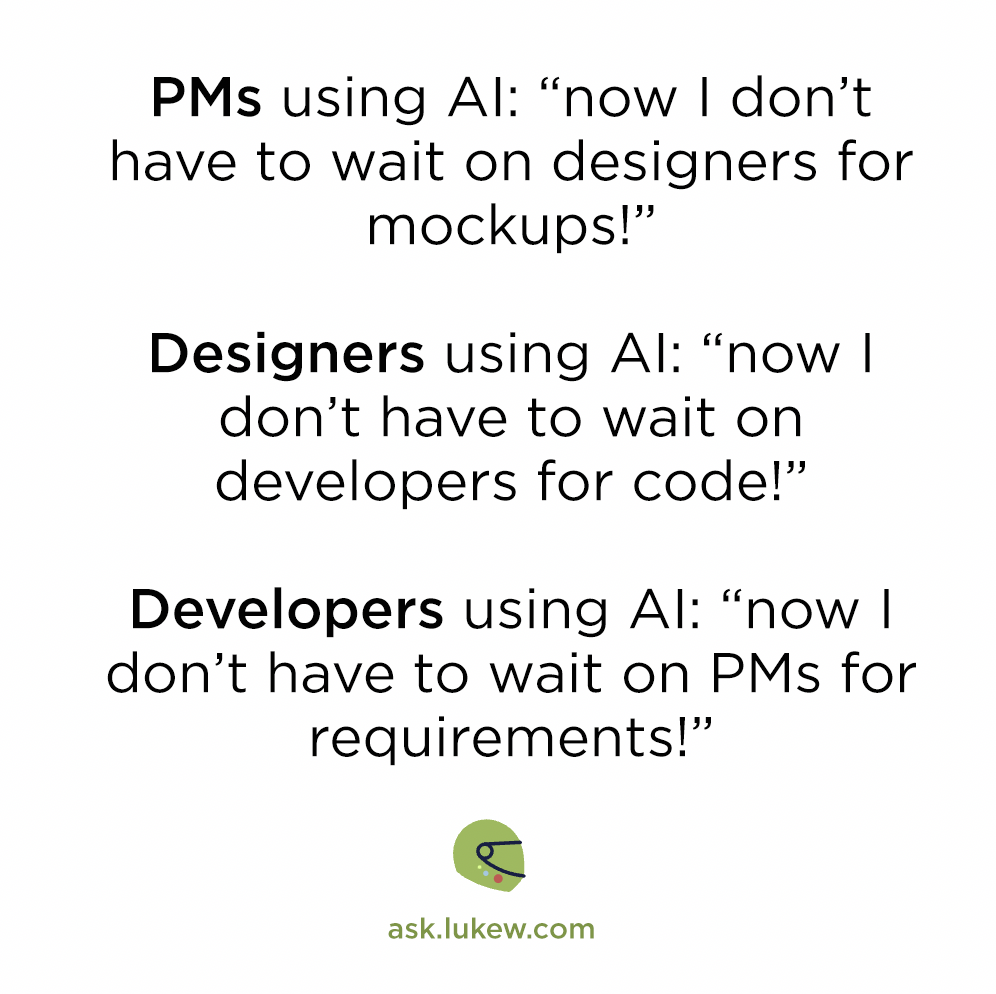
Armed with highly capable AI systems, everyone (designer, developer, etc.) on a team can get more done. In big teams, though, these new capabilities smack head first into the decision-making and alignment problems that have always been there. In small teams, they don't.

PMs using Al, Designers using Al, Developers using Al

So how small? Surely we need at least 100? 50? Bagcheck never crossed four employees and when Google acquired my next company, Polar, in 2014 there was five of us. These companies pre-dated AI coding agents and large language models. With today's AI capabilities, the number of people you need to get a lot done fast is probably a lot smaller than you think.

https://www.lukew.com/ff/entry.asp?2143
Showing the Work of Agents in UI

As AI products lean more heavily into agentic capabilities, the same design challenges keep surfacing across projects. Here's a look at how we've approached one of these recurring debates: showing the work of agents, or not.

An AI product becomes agentic when the model doesn't just respond to a prompt, but plans which tools to use, configures them, and decides its next steps based on the results. This additional set of process means AI products are able to do more, check their work, and thereby provide better results. The downside, though, is it can be a lot for people to take in.

Whether people are using agentic products for coding, data analysis, or writing, I keep seeing the same split: some users find the agent's work overwhelming and want the interface to focus purely on results. Others say seeing that work is essential for monitoring and checking what the agent is doing. Strongly worded feedback comes in from both sides.

I initially assumed this was a temporary divide. New users tend to watch closely and check the system's progress, but as trust builds, that scrutiny fades and monitoring starts to feel like a chore. Yet it still seems like there's two camps (for now). So how does a product strike the balance?

When working on Bench, a workspace for knowledge work, we explored many approaches to displaying tool use, results, and configuration. (though we quickly learned, no one configured tools, that's the agent's job.) In this exploration, results from each tool are grouped beneath it and open in the right column when selected (video below).

A later iteration featured several levels of progressive disclosure. Tool calls were collapsed by default, and selecting one would show its results in the right column. Selecting the timeline highlighted all the process and decision points between tool uses. You could even open each tool's settings, re-run it, or stop it mid-execution (video below). Tools were new back then and we were working off the assumption that people would want visibility and control. It was too much.

In subsequent iterations we focused on reducing the visual weight of tools and showing less process by default. This became even more important as the number of tools grew..

Agentic tool call designs in Bench

For ChatDB, which helps people understand and visualize data, we split the interface into two columns. While the agent works (video below), the left side shows what it's doing: the decisions it's making, the tools it's picking, and so on. When results appear in the right column, the left side collapses down to a summary and link so the focus shifts to the output. Anyone who wants to review the steps can open it back up.

This approach allows the agent's work to serve a detailed progress indicator, instead of forcing people to watch a spinner while things work.

Agentic tool call designs in Intent

More recently in Intent, a developer workspace for working with agents, we used a single line to show an agent's work with the ability to expand it for more details. It's an attempt to strike a balance between too much and not enough but I still hear opinions on both sides.

https://www.lukew.com/ff/entry.asp?2142
Agent Orchestration UI

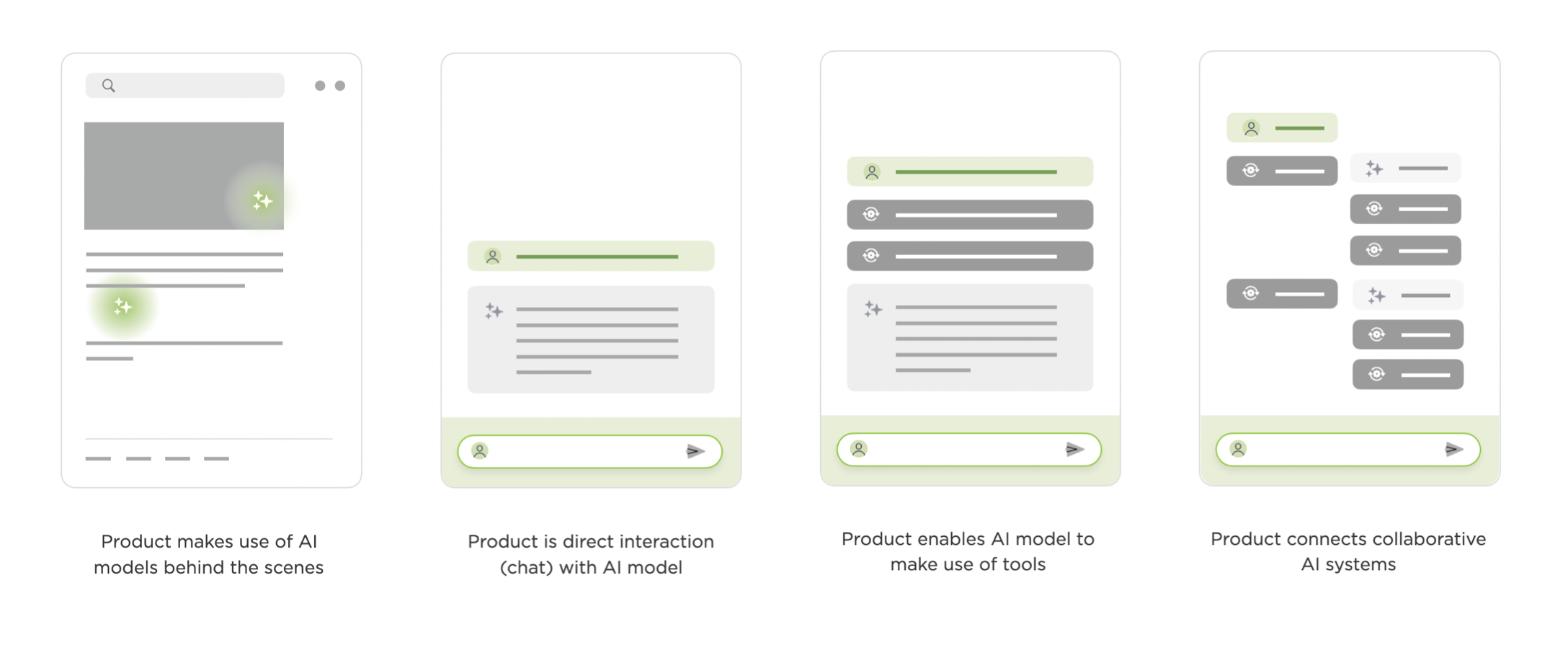
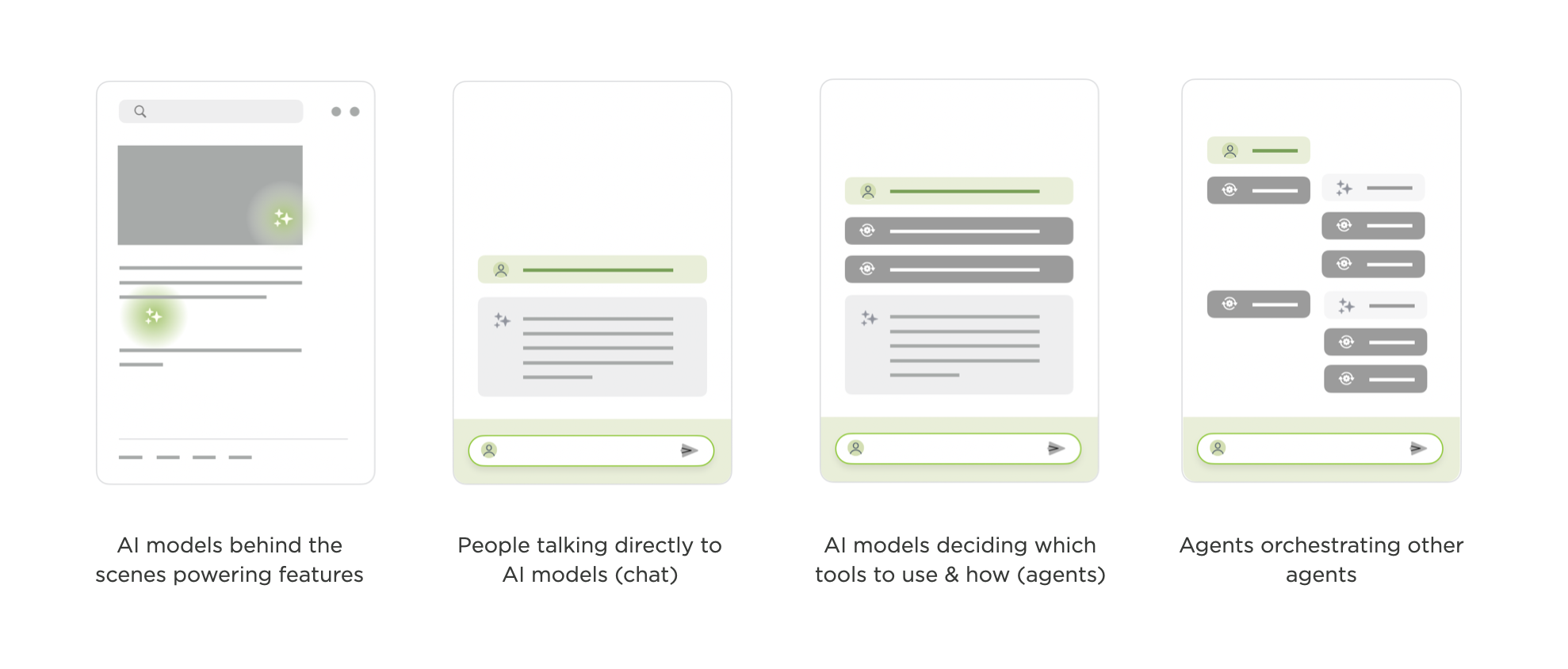
Quite quickly, AI products have transitioned from models behind the scenes powering features to people talking directly to models (chat) to models deciding which tools to use and how (agents) to agents orchestrating other agents. Like the shifts that came before it, orchestration is a another opportunity for new AI products and UI solutions.

I charted the transition from AI models behind the scenes to chat to agents last year in The Evolution of AI Products. At the time, we were wrestling with how to spin up sub-agents and run them in the background. That's mostly been settled and agent orchestration (coordinating and verifying the work of multiple agents on unified tasks) is today's AI product design challenge.

Evolution of AI products

As Microsoft CEO, Satya Nadella put it:

"One of the metaphors I think we're all sort of working towards is 'I do this macro delegation and micro steering [of AI agents]'. What is the UI that meets this new intelligence capability? It's just a different way than the chat interface. And I think that would be a new way for the human computer interface. Quite frankly, it's probably bigger."

He's right. When you have multiple agents working together, you need more than a conversation thread as anyone that's tried to manage a team through a single Slack or email thread can attest.

Introducing Intent

Intent by Augment (in early preview today) is a new software development app with agent orchestration at its core. You're not managing individual model calls or chat threads. You're setting up workspaces, defining your intent (what you want to get done), and letting specialized agents work in parallel while staying aligned.

Intent app demo

To ground this in a real-world analogy, if you want to accomplish a large or complicated task you need...

  • A team of the right people for the job, often specialists
  • To give the team the information they need to complete the job
  • The right environment where the team can coordinate and work safely

That's a space in Intent in a nutshell. Software developers create a new space for every task they want to get done. Each space makes use of specific agents and context to complete the task. Each space is isolated using git worktrees so agents can work freely and safely. Fire up as many spaces as you want without having them interfere with each other.

Intent app homescreen

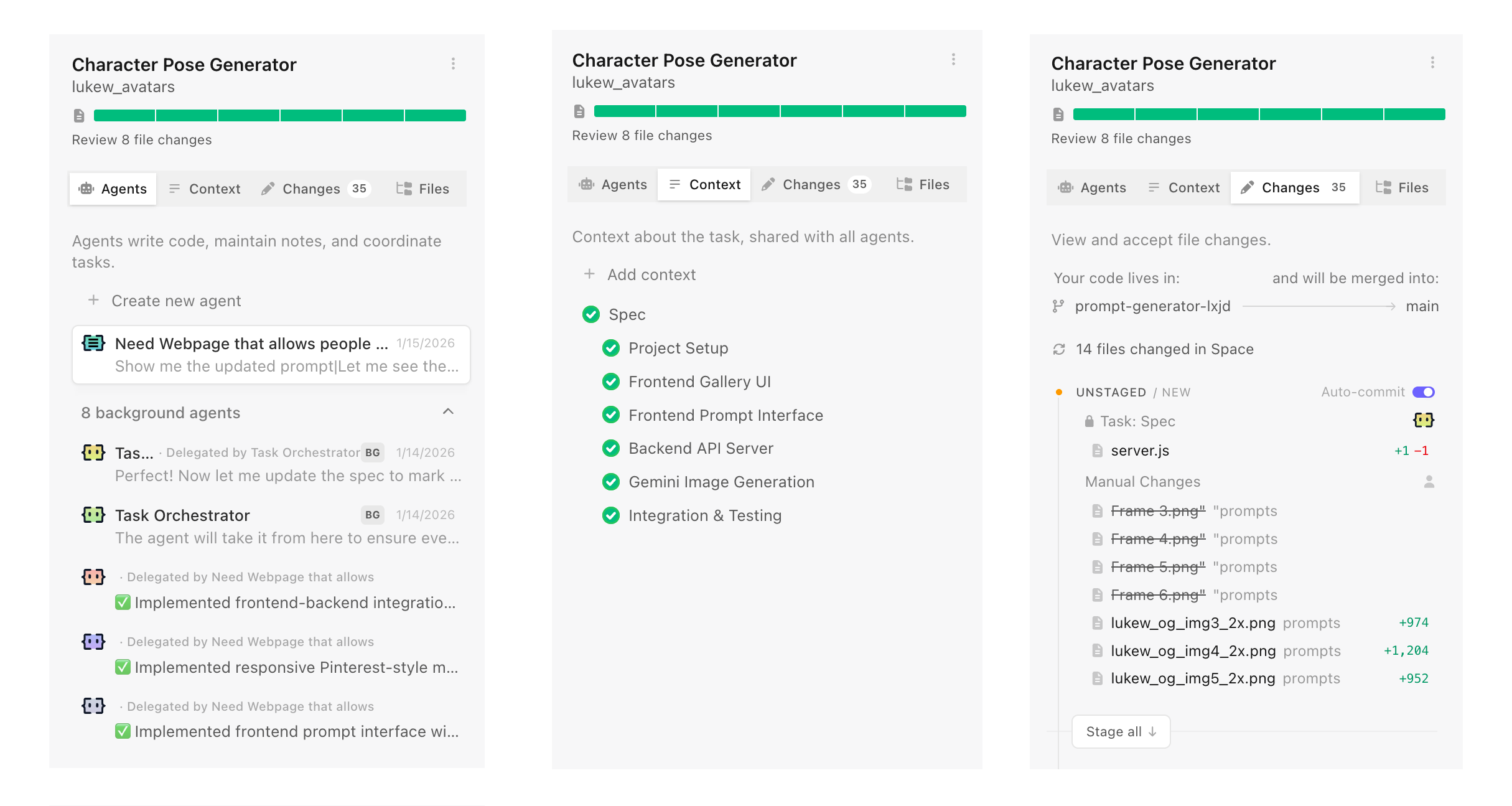
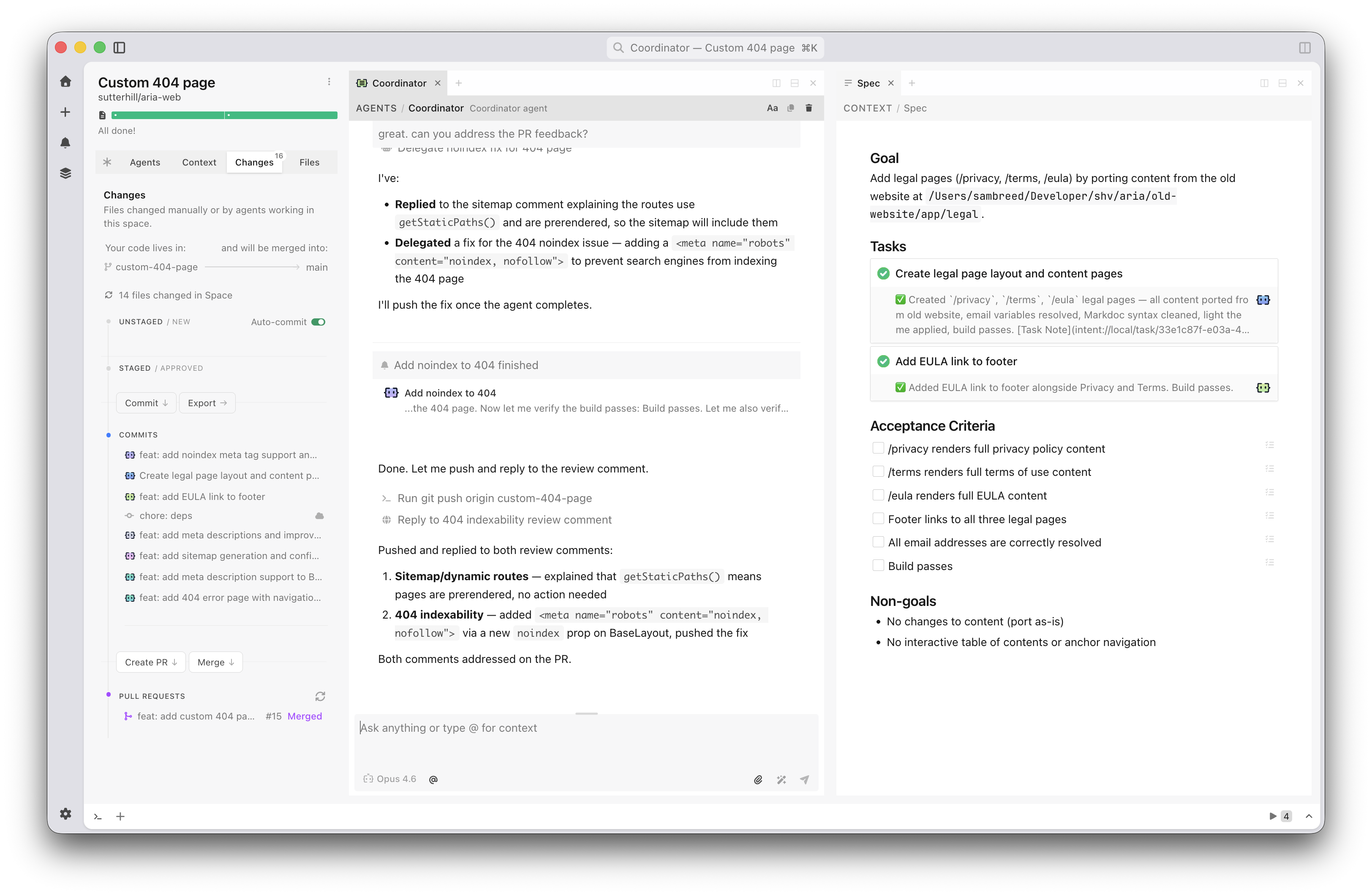
I've often said "context is king" when talking about what makes AI products effective. That's especially true when you need to coordinate the work of multiple parallel agents with varying capabilities. In Intent, context is managed by a living spec which provides a shared understanding that multiple agents can reference while working on different parts of a problem. This living spec is written and updated by a coordinator agent as it manages the work of implementer and verifier agents. It's a whole agent dev team.

A living spec keeps parallel agents aligned in the Intent app

Because agents operate from the same spec, parallel work becomes possible. Assumptions, tradeoffs, and decisions stay aligned and updated as code changes without requiring constant human intervention to keep things on the same page. For instance, one agent handles the theme system while another works on component styles. Both reference the same context, so their work fits together.

By default, a coordinator writes a spec and delegates to specialists for you. But you can also set up spaces with custom agents and manage your own context if you want. Think of it as manual vs. auto mode.

The UI for agent orchestration in Intent isn't a fancier chat interface. It's context management, agent specialization, and a unified developer workflow. It's not hard to squint and see very similar orchestration UI being useful for lots of other domains too.

https://www.lukew.com/ff/entry.asp?2141
Design Tools Are The New Design Deliverables

Design projects used to end when "final" assets were sent over to a client. If more assets were needed, the client would work with the same designer again or use brand guidelines to guide the work of others. But with today's AI software development tools, there's a third option: custom tools that create assets on demand, with brand guidelines encoded directly in.

For decades, designers delivered fixed assets. A project meant a set number of ads, illustrations, mockups, icons. When the client needed more, they came back to the designer and waited. To help others create on-brand assets without that bottleneck, designers crafted brand guidelines: documents that spelled out what could and couldn't be done with colors, typography, imagery, and layout.

But with today's AI coding agents, building software is remarkably easy. So instead of handing over static assets and static guidelines, designers can deliver custom software. Tools that let clients create their own on-brand assets whenever they need them.

This is something I've wanted to build ever since I started using AI image generators within Google years ago. I tried: LoRAs, ControlNet, IP-Adapter, character sheets. None of it worked well enough to consistently render assets the right way. Until now.

LukeW Character Maker

Since the late nineties, I've used a green avatar to represent the LukeW brand: big green head, green shirt, green trousers, and a distinct flat yet slightly rendered style. So to illustrate the idea of design tools as deliverables, I build a site that creates on-brand variations of this character.

LukeW Character over the years

The LukeW Character Maker allows people to create custom LukeW characters while enforcing brand guidelines: specific colors, illustration style, format, and guardrails on what can and can't be generated. Have fun trying it yourself.

LukeW Character Maker promo

How It Works

Since most people will ask... a few words on how it works. A highly capable image model is critical. I've had good results using both Reve and Google's Nano Banana but there's more to it than just picking an image model.

People's asset creation requests are analyzed and rewritten by a large language model that makes sure the request aligns with brand style and guidelines. Each generation also includes multiple reference images as context to keep things on rails. And last but least, there's a verification step that checks results and fixes things when necessary. For instance, Google's image generation API ignores reference images about 10-20% of the time. The validation step checks when that's happening and re-renders images when needed. Oh, and I built and integrated the software using Augment Code.

The LukeW Character Maker is a small (but for me, exciting) example of what design deliverables can be today. Not just guidelines. Not just assets. But Tools.

https://www.lukew.com/ff/entry.asp?2140
AI Enables As-Needed Software Features

In traditional software development, designers and engineers anticipate what people might need, build those features, and then ship them. When integrated into an application, AI code generation upends this sequence. People can just describe what they want and the app writes the code needed to do it on demand.

Reve's recent launch of Effects illustrates this transition. Want a specific film grain look for your image or video? Just describe it in plain language or upload an example. Reve's AI agent will write code that produces the effect you want and figure out what parameters should be adjustable. Those parameters then become sliders in an interface built for you in real-time.

Instead of having to find the menu item for an existing filter (if it even exists) in traditional software, you just say what you want and the system constructs it right then and there.

When applications can generate capabilities on demand, the definition of "what this product does" becomes more fluid. Features aren't just what shipped in the last release, they're also what users will ask for in the next session. The application becomes a platform for creating its own abilities, guided by user intent rather than predetermined roadmaps.

https://www.lukew.com/ff/entry.asp?2139
More on Context Management in AI Products

In AI products, context refers to the content, tools, and instructions provided to a model at any given moment. Because AI models have context limits, what's included (aka what a model is paying attention to) has a massive impact on results. So context management is key to letting people understand and shape what AI products produce.

In Context Management UI in AI Products I looked at UI patterns for showing users what information is influencing AI model responses, from simple context chips to nested agent timelines. This time I want to highlight two examples of automatic and manual context management solutions.

Augment Code's Context Engine demonstrates how automatic context management can dramatically improve AI product outcomes. Their system continuously indexes code commit history (understanding why changes were made), team coding patterns, documentation, and what developers on a team are actively working on.

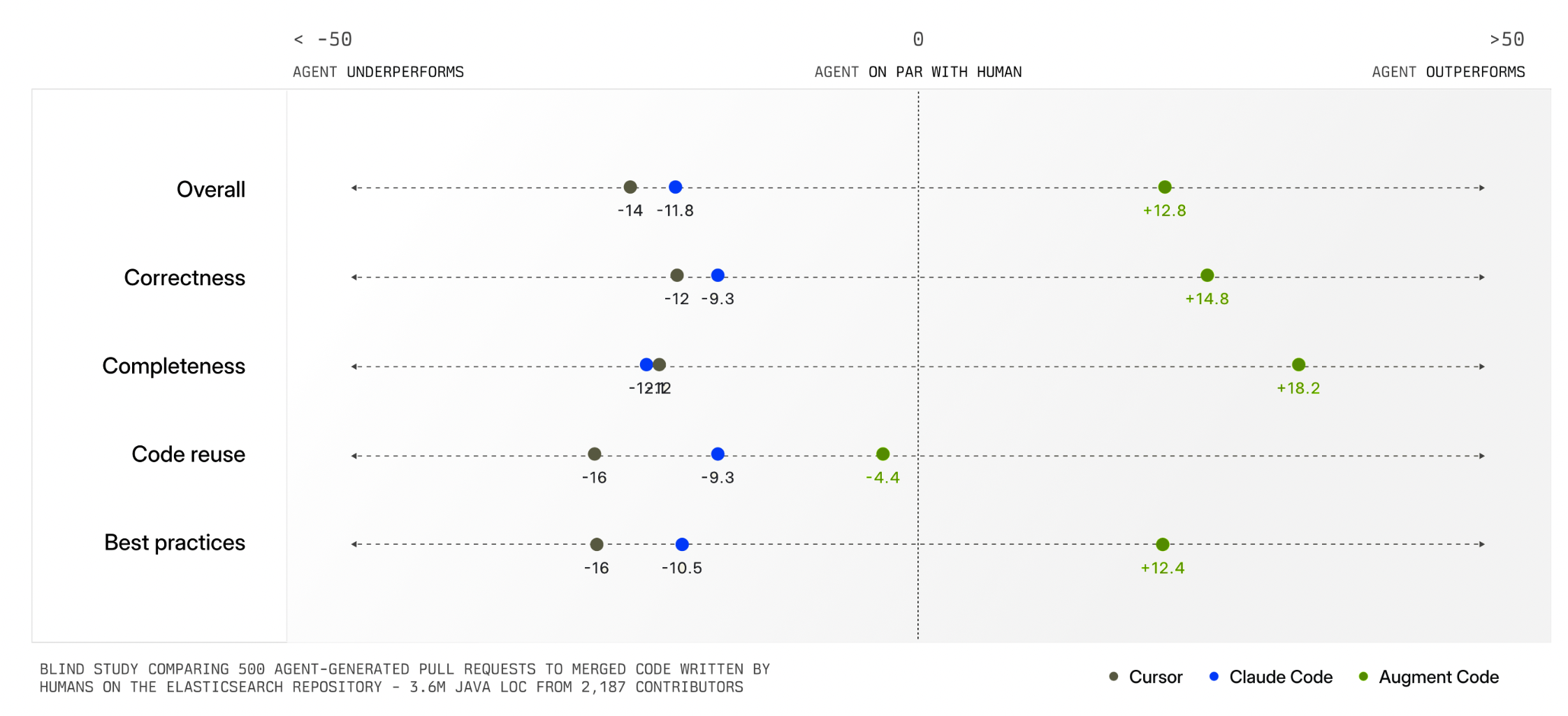
When a developer asks to "add logging to payment requests," the system identifies exactly which files and patterns are relevant. This means developers don't have to manually specify what the AI should pay attention to. The system figures it out automatically and delivers much higher quality output as a result (see chart below).
Impact of Augment's Context Engine on AI agent coding results

Having an intelligent system manage context for you is extremely helpful but not always possible. In many kinds of tasks, there is no clear record of history, current state, and relevance like there is in a company's codebase. Also, some tasks are bespoke or idiosyncratic meaning only the person running them knows what's truly relevant. For these reasons, AI products also need context management interfaces.

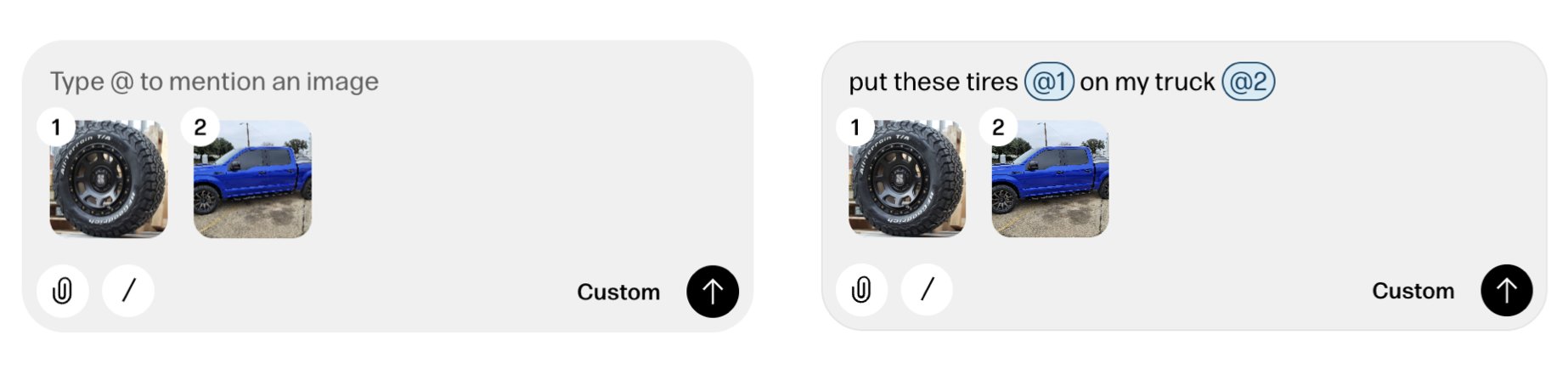
Reve's creative tooling interface not only makes manual context management possible but also provides a consistent way to reference context in instructions as well. When someone adds a file to Reve, a thumbnail of it appears in the instruction field with a numbered reference. People can then use this number when writing out instructions like "put these tires @1 on on my truck @2".

Numbered references in Reve's creative tool

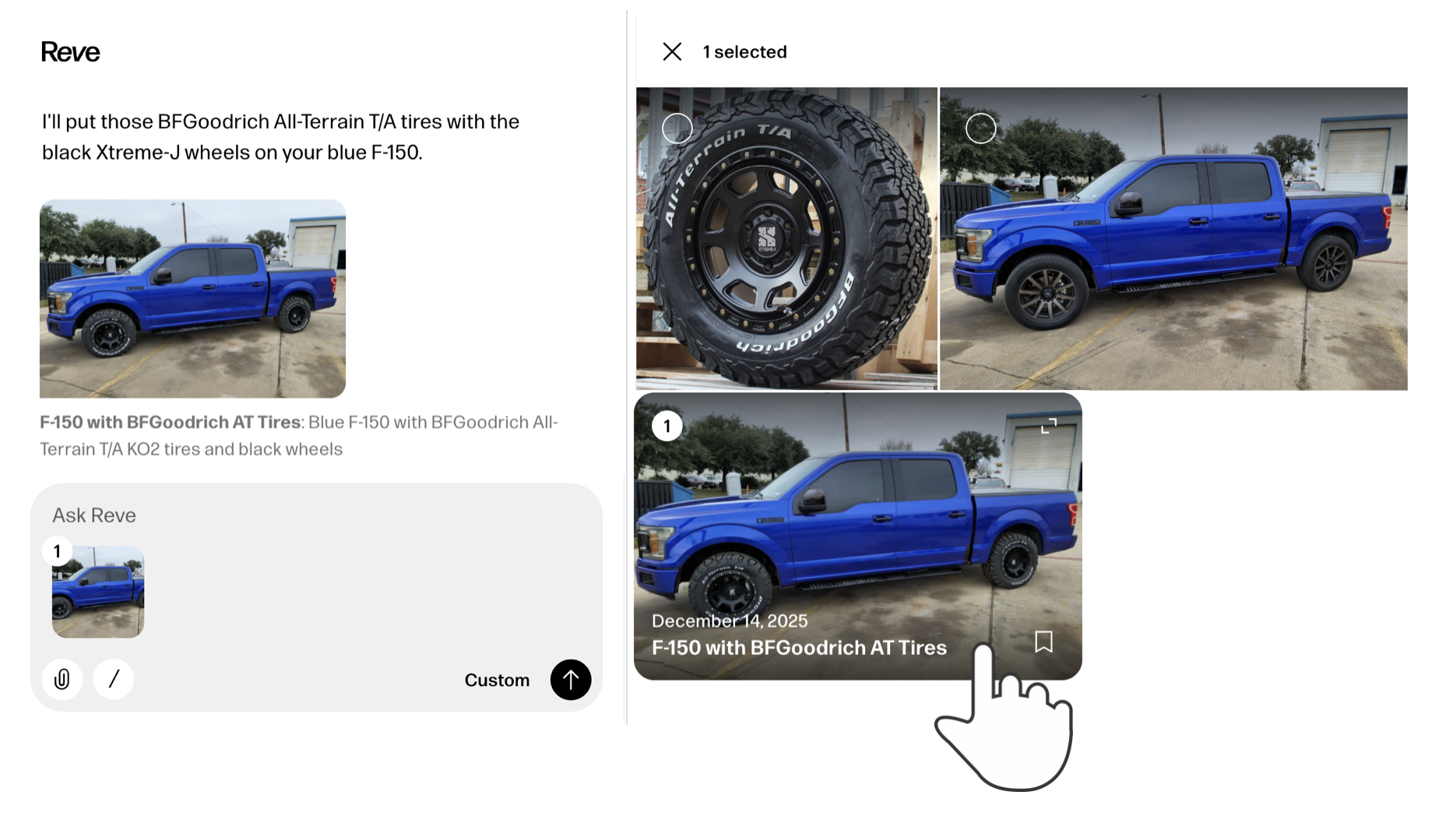
It's also worth noting that any file uploaded to or created by Reve can be put into context with a simple "one-click" action. Just select any image and it will appear in the instruction field with a reference number. Select it again to remove it from context just as easily.

Add images to context in Reve's creative tool

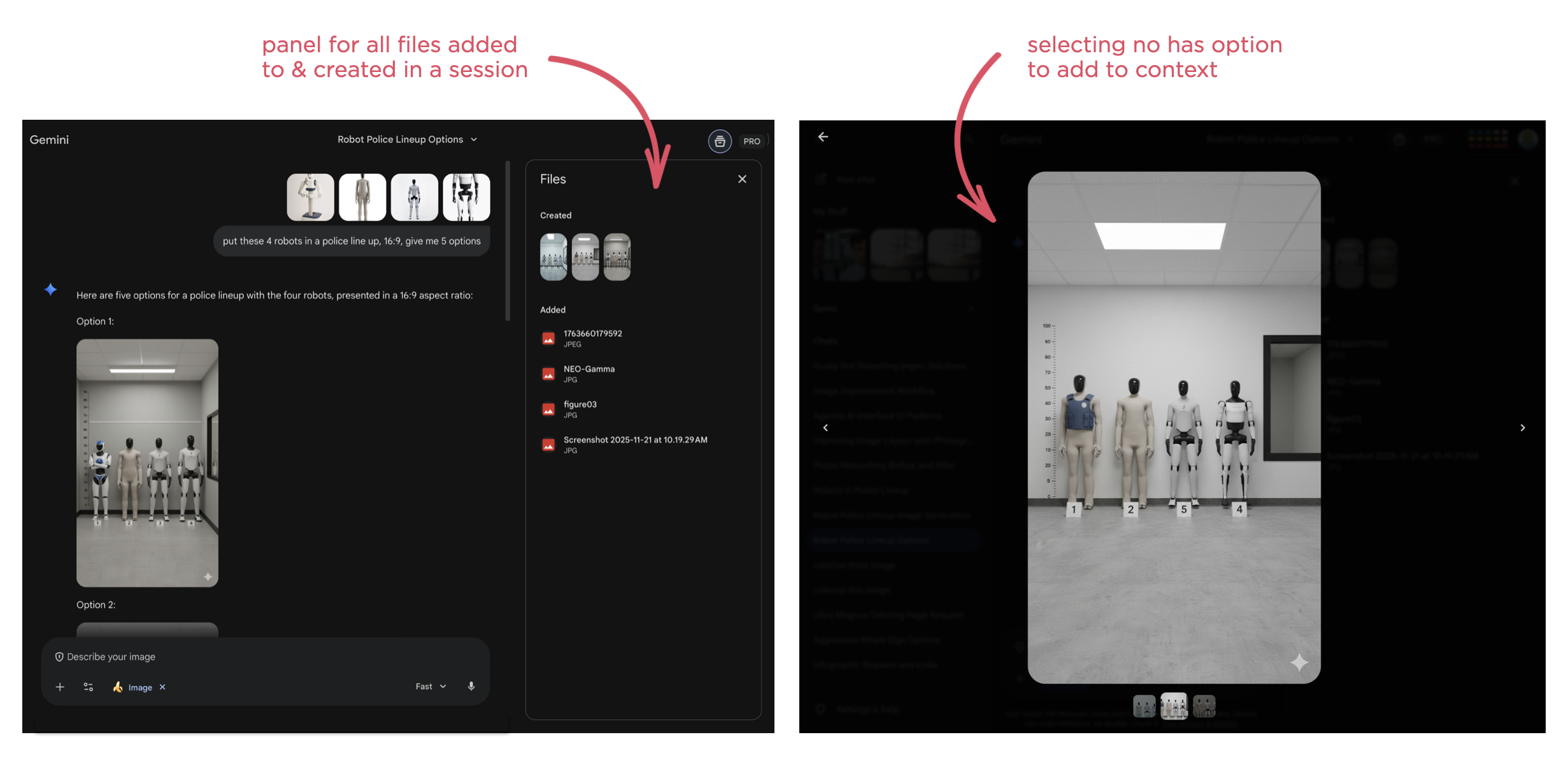
While the later may seem like a clear UI requirement, it's surprising how many AI products don't support this behavior. For instance, Google's Gemini has a nice overview panel of files uploaded to and created in a session but doesn't make them selectable as context.

Germini files drawer and full screen UI

As usual, AI capabilities keep changing fast. So context management solutions, whether automatic or manual, and their interfaces are going to continue to evolve.

https://www.lukew.com/ff/entry.asp?2138