GeistHaus
log in · sign up

https://auzaiffe.wordpress.com/feed/atom

atom
6 posts
Polling state
Status active
Last polled May 19, 2026 14:07 UTC
Next poll May 20, 2026 11:39 UTC
Poll interval 86400s
Last-Modified Mon, 19 Jan 2026 14:28:04 GMT

Posts

Sample Decorrelation in BRDF Preconvolution for Image Based Lighting
Uncategorizedcomputer-graphicsgamesreal-timerenderingtechnology
Introduction During my time as a member of the HDRP team at Unity, one of the systems I contributed to was the split-sum approximation-based image-based lighting, more precisely for the Sheen lighting model (rough cloths), back in 2018. Recently, while implementing IBL for the engine I’m building at my job, I revisited the HDRP code … Continue reading Sample Decorrelation in BRDF Preconvolution for Image Based Lighting
Show full content
Introduction

During my time as a member of the HDRP team at Unity, one of the systems I contributed to was the split-sum approximation-based image-based lighting, more precisely for the Sheen lighting model (rough cloths), back in 2018.

Recently, while implementing IBL for the engine I’m building at my job, I revisited the HDRP code (as I consider it a very good open-source reference for real-time rendering, which I cannot recommend enough). After having the whole thing working as expected in my new implementation, a weird seam appeared on two of the faces of the convolved LD term (X+ and X-).

At first I thought I had made a mistake, but then I checked a RenderDoc capture of an HDRP frame and realized the same problem was there. Weirdly enough, nobody had complained about it and I don’t recall seeing it in captures at the time, but it seems this issue has been there forever.

If I were still a Unity employee I would probably have simply fixed the issue and that would be the end of the story, but currently I do not have any way of pushing this fix to HDRP and this bug is likely to affect URP as well. Hopefully Unity devs see this blog post and fix it, or if someone uses HDRP as a reference, make sure to read this.

The Visual Artifact
IBL applied to a cube in Unity’s HDRP
RenderDoc capture of an HDRP frame, mip0 of the pre-convolved LD texture, X+

RenderDoc capture of an HDRP frame, mip2 of the pre-convolved LD texture, X+
Context: BRDF Pre-convolution for Image Based Lighting

There are several methods for implementing image-based lighting in real-time rendering. The approach discussed here is the split-sum approximation introduced by Brian Karis in his SIGGRAPH 2013 course “Real Shading in Unreal Engine 4” [1]. This method relies on precomputed lookup textures (a 2D texture and a cubemap for each microfacet BRDF) to approximate the integral of the rendering equation for the given BRDF.

The approximation splits the integral into two independent parts:

  1. FGD integration: Precomputes the Fresnel and geometric terms into a 2D lookup texture as a function of the perceptual roughness and the dot product between the view direction and normal (NdotV).
  2. LD prefiltering: Convolves the environment map with a simplified BRDF lobe, storing the result in a mipmapped cubemap where each mip level corresponds to a different roughness value.
Rendering equation for a microfacet BRDF
Preconvolving Efficiently

The FGD texture is static, so it can be generated once independently of how frequently the environment map changes. However, the LD convolution can be performed in real-time by engines.

This may be necessary if you have dynamic reflection probes or a dynamic environment map (with moving clouds, for instance). Thus, you need to perform this convolution each frame and ensure that your signal is completely noise-free for material evaluation.

For LDR textures, it is not too complex to produce noise-free results for the LD convolution within a console-compatible real-time budget, given the relatively low variance of the various samples being combined. However, if you have HDR content (which is more interesting and likely more realistic), you need either a large number of samples or a non-brute-force approach.

Values in the [0.0, 2.0] range
Values in the [0.0, 48k] range

Many options are available for reducing the cost and variance. Here is a non-exhaustive list:

  • Prefiltering the cubemap into its mip levels
  • Pre-generating a sequence with good domain coverage
  • Adaptive sample count based on roughness per mip level
  • BRDF importance sampling
  • Environment map importance sampling
  • Multiple importance sampling
  • Clamping the input cubemap to more reasonable values (don’t do it or don’t tell your artists)

In HDRP, all of these are implemented (except the last one), which makes this convolution “cheap” at runtime. However, our bug is due to a combination of two optimizations.

An unlucky combination

Here is pseudo-code that summarizes the global steps of the LD convolution:

// The base resolution of the texture
const uint32_t baseRes = 1024;

// For each mip
for (uint mipIdx = 0; mipIdx < mipCount; ++mipIdx)
{
    // Resolution of the current mip
    const uint32_t mipRes = baseRes >> mipIdx;

    // For each face
    for (uint cubeFace = 0; cubeFace < faceCount; ++cubeFace)
    {
        // For each pixel
        for (uint yIdx = 0; yIdx < mipRes; ++yIdx)
        {
            for (uint xIdx = 0; xIdx < mipRes; ++xIdx)
            {
                // Evaluate the view direction
                float3 viewDir = evaluate_view_direction(mipRes, cubeFace, xIdx, yIdx);

                // Generate a local frame
                float3x3 localBasis = get_local_frame(-viewDir);

                // For each sample
                for (uint sampleIdx = 0; sampleIdx < sampleCount; ++sampleIdx)
                {
                    // Generate a 2D random sample
                    float2 u = your_favorite_sequence(sampleIdx, sampleCount);
                    
                    // Importance sample the signal (BRDF, Envmap, MIS, etc)
                    float3 L = importance_sample(...);
                    
                    // Accumulate contribution, normalize, etc.
                    ...
                }
            }
        }
    }
}

In this pseudo code, each pixel uses the exact same sequence, which introduces bias, correlation and aliasing.

This is mathematically incorrect, but it doesn’t really matter on its own as it is mostly imperceptible in most cases. Remember, we are doing real-time rendering here, bias is often acceptable! On top of that, the split-sum approximation is mathematically biased anyway, so who cares really?

LD term, mip2 on the Z- face, not showing any issues

The visual issue is caused by this wrongful usage of the sequence combined with this specific code:

// Ref: 'ortho_basis_pixar_r2' from http://marc-b-reynolds.github.io/quaternions/2016/07/06/Orthonormal.html
float3x3 get_local_frame(float3 localZ)
{
    ...
}

// Generate a local frame
float3x3 localBasis = get_local_frame(-viewDir);

Don’t get me wrong, this local frame generation is very useful and stable, but it has a singularity exactly where we are looking.

As I previously discussed in this blog post on NDF and VNDF GGX importance sampling [2], a local tangent frame is required for these sampling methods.

If the signal is anisotropic, the exact basis definition is important, but if the signal is isotropic (which is the case for the LD convolution), it doesn’t really matter as long as it doesn’t introduce any bias in the integration that would fail at the singularity, which is exactly what happens here.

To understand why this happens, consider an 8×8 grid of pixels around the center of either the X+ or X- face, as shown in the figure below. The pixels in green are on the left half of the face and the pixels in red are on the right half.

Now suppose we have an arbitrary sequence of 2D samples used for importance sampling within the [0, 1]² domain, as shown in the figure below.

Going from pixel to pixel while staying on the same side, we have only slight variations in the generated local basis, in practice, the samples are warped very slightly within the domain. However, once we cross the center boundary, one of the tangent axes flips direction. Due to this axis flip, the sample coverage pattern mirrors itself, creating a visible discontinuity at the seam. This is exactly what we observe in the artifact.

Solution(s)

There are multiple ways to fix this. The bad news is that they all increase the variance of the final signal, as we’ll be trading bias/correlation for variance. Here are a few solutions:

  • Use a low-discrepancy blue noise function. This would allow you to keep the sample quality high and filterable using a simple gaussian blur [3].
  • Introduce a seed per pixel that would use a different part of the sequence that you already have, but this will make the variance skyrocket per pixel as we’d lose the benefit of pre-computed sequences and would be inefficient once you’ve reached the maximum size of your sequence (for the lowest mips for instance).
  • Use a local-basis-less VNDF importance sampling method [2].
  • For each pixel rotate in a stochastic fashion the local arbitrary basis.
  • Accept that ugly line and pretend it doesn’t exist.

Here is how it looks before and after fixing the issue:


X+ face of the LD texture, mip2, before
X+ face of the LD texture, mip2, after

Conclusion

This bug is a perfect example of how multiple seemingly reasonable optimizations can interact in unexpected ways. Using a pre-generated low-discrepancy sequence is good practice, and using an efficient local frame generation is equally sensible, but combine them and TADA, a singularity creates visible artifacts.

In practice, this issue went unnoticed for years because it’s rarely visible in complex production assets with varied environment maps and surface properties. The seam only becomes apparent under very specific conditions: it requires a rough metallic plane, white specular color, with no roughness variation facing exactly the X+ or X- direction to be observable. This explains why it survived so long in production code. Most real-world scenes have varied surface orientations and roughness maps that mask the artifact.

For those implementing their own IBL systems or using HDRP as a reference, the key takeaway is simple: ensure sample or basis decorrelation across pixels, whether through blue noise offsets, per-pixel seeds, or using sampling methods that don’t require constructing a local basis. The choice depends on your performance budget and quality requirements.

If you’re a Unity developer reading this, the fix should be straightforward to implement. I’d be happy to see this resolved in future HDRP versions.

References

[1] Karis, B. (2013). Real Shading in Unreal Engine 4. SIGGRAPH 2013 Course: Physically Based Shading in Theory and Practice. https://cdn2.unrealengine.com/Resources/files/2013SiggraphPresentationsNotes-26915738.pdf

[2] https://auzaiffe.wordpress.com/2024/04/15/vndf-importance-sampling-an-isotropic-distribution/

[3] Heitz, E., & Belcour, L. (2019). A Low-Discrepancy Sampler that Distributes Monte Carlo Errors as a Blue Noise in Screen Space. ACM SIGGRAPH Talks.

http://auzaiffe.wordpress.com/?p=230
Mapping FFTs to a Sphere: An Unexpected Journey
Uncategorized
Recently, my colleague Jonathan Dupuy and I, published a paper called “Concurrent Binary Trees for Large-Scale Game Components” (details here). To showcase our technique, we’ve developed and released a demo. It renders 1:1 scale planets at 250+ FPS on a PS5 grade GPU (AMD 6650 XT). The executable demonstrates the technique on two planets that … Continue reading Mapping FFTs to a Sphere: An Unexpected Journey
Show full content

Recently, my colleague Jonathan Dupuy and I, published a paper called “Concurrent Binary Trees for Large-Scale Game Components” (details here). To showcase our technique, we’ve developed and released a demo. It renders 1:1 scale planets at 250+ FPS on a PS5 grade GPU (AMD 6650 XT).

The executable demonstrates the technique on two planets that use different ways to generate the displacement data.

  • An Earth-sized water planet (let’s call it Earth)
  • A Moon-sized celestial satellite (let’s call it Moon)

For the Earth, we went with the classic multiband Philips Spectrum + Inverse FFT approach (4 bands in our case). Which in my opinion, produces good enough results for what we’re trying to achieve.

For the Moon, we used the albedo and elevation maps that the NASA provides on its website.

The deformation step of the update pipeline

One of the tricky things that we had to answer for rendering the Earth is the eternal: How do you map a 2D repeatable texture onto a sphere without having visible singularities?

There are many ways to do this. One is having multiple evaluations of the simulation and blending those while toning down each simulation to eventually hide the singularities. In our case (mainly for performance reasons) we wanted to have only one FFT simulation evaluation per vertex (for the displacement) and per fragment (for the normals). We already had to do 4 texture fetches per evaluation, which is quite a lot.

Long story short, the idea is to have a mapping that is mirrored around the equator while locally killing the horizontal displacement to avoid having a seam. It actually works surprisingly well.

Point projection

Longer story, we didn’t go with the classic Latitude/Longitude representation as it has two singularities (at the poles). Our starting point ended up being a function that projects each point of the surface of a sphere onto a disk.

float2 project_position_to_disk_naive(float3 posNPS)
{
    float r = acos(posNPS.y) / HALF_PI;
    float s = (posNPS.x * posNPS.x + posNPS.z * posNPS.z);
    float p = s != 0.0 ? 1.0 / sqrt(posNPS.x * posNPS.x + posNPS.z * posNPS.z) * r :  0.0;
    float up = posNPS.x * p;
    float vp = posNPS.z * p;
    return float2(up, vp);
}
Disk projection at the north pole


This function takes as an input a normalized planet space position (NPS) (this is simply the world space position with the origin at the center of the planet divided by the radius of the planet) and returns a normalized sampling UV. At the first glance, the mapping looks quite nice from a top down view, but there are four major drawbacks:

  • A massive singularity in lower part of the hemisphere
  • A less and less orthogonal tangent space basis as we move away from the north pole
  • Strong precision artifacts since we’re relying on the square root and trigonometric functions (and we’re operating in simple precision floating points)
  • The area of each tile varies a lot which as the effect of compressing the FFT band into smaller areas
Disk projection at the south pole
SP floating point artifacts due to the disk projection

The first step to handle these artifacts is to apply an absolute value to the y coordinate. This will mirror the pattern at the equator.

float2 project_position_to_disk_improv(float3 posNPS)
{
    float r = acos(abs(posNPS.y)) / HALF_PI;
    float s = (posNPS.x * posNPS.x + posNPS.z * posNPS.z);
    float p = s != 0.0 ? 1.0 / sqrt(posNPS.x * posNPS.x + posNPS.z * posNPS.z) * r :  0.0;
    float up = posNPS.x * p;
    float vp = posNPS.z * p;
    return float2(up, vp);
}

Doing this modification, we get something like this. Which has three benefits:

  • Gets rid of the singularity
  • Mitigate the orthogonality issue with the local tangent space basis
  • The area of each tile is roughly the same

But this has a drawback, a new pattern appears at the equator. This pattern doesn’t introduce any discontinuities in the sampling coordinates, but it introduces artifacts in the final mesh.

The FFT simulation produces both vertical and horizontal displacements in the tangent space of the planet. Which when mirrored produces either stretching or overlapping artifacts on each side of the equator.

Stretching artifacts at the equator
Overlapping artifacts at the equator

The next trick that we use is dampening the horizontal displacement in the neighborhood of the equator. We start this at 5km from the equator. This helps to get rid of these artifacts and already looks much better:

// Equation-reduction chopiness (5kms around the equator)
float elevation = saturate(abs(float(positionPS.y)) * 5000);

// Evaluate the displacement
float3 displacement = EvaluateDisplacement(sampleUV, elevation, distanceToCamera, _PatchSize, _Choppiness, _PatchFlags);
NdotV view of the geometry at the equator
Wireframe view of the geometry at the equator

We also need to get rid of the artifacts caused by SP floats. To achieve that, we’ll be doing the projection with double precision floating points (DP floats). Thus, we need to have a double implementation of the inverse square root and of the arccos functions

  • Inv_Sqrt: We start from the fast inverse square root method and make sure there are three iterations of Newton’s method to get something precise enough (otherwise we get visible artifacts)
  • ArcCos: We’ve used this one found on shadertoy, but has an inconsistent behavior when we’re getting closer to zero, we had to adapt the projection routine at the northen hemisphere
double invsqrt_double(double number)
{
    double y = number;
    double x2 = y * 0.5;
    uint low, high;
    asuint(number, low, high);
    int64_t i = (int64_t(high) << 32ull) | int64_t(low);
    // The magic number is for doubles is from https://cs.uwaterloo.ca/~m32rober/rsqrt.pdf
    i = 0x5fe6eb50c7b537a9 - (i >> 1);
    y = asdouble(uint(i & 0xffffffffull), uint((i >> 32ull) & 0xffffffffull));
    y = y * (1.5 - (x2 * y * y));   // 1st iteration
    y = y * (1.5 - (x2 * y * y));   // 2nd iteration
    y = y * (1.5 - (x2 * y * y));   // 3nd iteration
    return y;
}

double acos_double(double x)
{
    double y = abs(clamp(x, -1.0, 1.0));
    double sqrtY = y != 1.0 ? sqrt_double(1.0 - y) : 0.0;
    double z = (-0.168577 * y + 1.56723) * sqrtY;
    return x > 0.0 ? z : 0.5 * PI;
}

double2 project_position_to_disk(double3 posNPS)
{
    // The acos is not viable close to the origin, we can actually use the coords straight away when we are close to the origin.
    double v = abs(posNPS.y) + 1e-10;
    if (v <= 0.999)
    {
        // Normalize the coordinates
        double r = acos_double(v) / HALF_PI;
        double s = (posNPS.x * posNPS.x + posNPS.z * posNPS.z);
        double p = s != 0.0 ? invsqrt_double(posNPS.x * posNPS.x + posNPS.z * posNPS.z) * r :  0.0;
        double u = posNPS.x * p;
        double v = posNPS.z * p;
        return double2(u, v);
    }
    return posNPS.xz / HALF_PI;
}

Sampling routine

Now, let’s talk about the sampling itself. The naïve sampling routine looks something like this:

    // Process each band
    for (uint bandIdx = 0; bandIdx < NUM_WATER_BANDS; ++bandIdx)
    {
        // Evaluate the sampling UV
        double2 bandUV = frac_double2(sampleUV / double(patchSize[bandIdx]));

        // Read the displacement
        float3 bandDis = _DisplacementBuffer.SampleLevel(displacement_buffer_sampler, float3(bandUV, bandIdx), 0, 0).xyz;

        // Distance based attenuation
        float att = lerp(1.0, 0.0, saturate((distanceToCamera - patchSize[bandIdx] * DISPLACEMENT_BAND_ATTENUATION_START) / (patchSize[bandIdx] * DISPLACEMENT_BAND_ATTENUATION_END)));
        
        // Apply the attenuation
        att *= (patchFlags >> bandIdx) & 0x1;
        displacement += bandDis * att;
    }

    // Swizzle the deformations
    displacement = float3(-displacement.y, displacement.x, -displacement.z);

    // Adjust the horizontal displacement
    displacement.xz *= lerp(0.0, choppiness, elevation);

    // Return the result
    return displacement;

You’ll note that we do not feed directly the sampling UVs to the SampleLevel function and that’s because the sampler fails to handle properly the repeat operation with doubles. We need to do it ourselves so we had to implement a frac_double function for that.

double floor_double(double v)
{
    double r = double(int64_t(v));
    return v < 0 ? r - 1 : r;
}

double frac_double(double v)
{
    return v - floor_double(v);
}
Artifacts due to the repeat pattern using the sampler
Fixed artifacts by manually doing the repeat operation


We have more artifacts due to the sampler’s discretization not handling properly the double-precision floating points (and that mainly for the larger band). To correct that, we manually do the bilinear interpolation for the band 0. Note that this artifact is less perceptible when sampling the normals, thus we don’t have to do this.

    // Evaluate the sampling UV
    double2 bandUV = frac_double2(sampleUV / double(patchSize.x));

    // For the first band, we do the bilinear interpolation manually due to interpolator float point precision issues
    double2 unnormalized = bandUV * 256;
    unnormalized.y -= 0.5;
    int2 tapCoord = (int2)floor_double2(floor_double2(unnormalized) + 0.5);

    // Read the 4 points (don't forget to wrap)
    float3 p0 = _DisplacementBuffer.Load(int4((tapCoord) & (256 - 1), 0, 0)).xyz;
    float3 p1 = _DisplacementBuffer.Load(int4((tapCoord + int2(1, 0)) & (256 - 1), 0, 0)).xyz;
    float3 p2 = _DisplacementBuffer.Load(int4((tapCoord + int2(0, 1)) & (256 - 1), 0, 0)).xyz;
    float3 p3 = _DisplacementBuffer.Load(int4((tapCoord + int2(1, 1)) & (256 - 1), 0, 0)).xyz;

    // Do the bilinear interpolation
    float2 fraction = float2(frac_double2(unnormalized));
    float3 i0 = lerp(p0, p1, fraction.x);
    float3 i1 = lerp(p2, p3, fraction.x);
    displacement = lerp(i0, i1, fraction.y);
Artifacts due to the sampler for the band 0
Fixed sampling for the band 0

The next step is to build a local tagent space that will be used for applying the displacement and normal disturbance. After deriving our parametrization, here is the corresponding code:

float3x3 get_local_frame(float3 posNPS, float2 uv)
{   
    // In case we are close to the origin, we don't need to evaluate the local frame
    float u2 = uv.x * uv.x;
    float v2 = uv.y * uv.y;
    float u2v2 = u2 + v2;
    float sqrt_u2v2 = sqrt(u2 + v2);
    float u2v2_32 = (sqrt_u2v2 * u2v2);
    float T = (HALF_PI * sqrt_u2v2);
    float B = T < 1e-5 ? T : sin(T);
    float A = T < 1e-5 ? 1.0 - T : cos(T);

    // Tangent
    float tu_x = PI * u2 * A / (2 * u2v2) + v2 * B / u2v2_32;
    float tu_y = -PI * uv.x * B / (2.0 * sqrt_u2v2);
    float tu_z = 0.5 * uv.x * uv.y * (PI * A / u2v2 - 2.0 * B / u2v2_32);

    // Bitangent
    float btv_x = 0.5 * uv.x * uv.y * (PI * A / u2v2 - 2.0 * B / u2v2_32);
    float btv_y = -PI * uv.y * B / (2.0 * sqrt_u2v2);
    float btv_z = PI * v2 * A / (2 * u2v2) + u2 * B / u2v2_32;

    // Normalize the results
    float3 tang, bitang;
    if (abs(uv.x) >= 1e-7)
        tang = normalize(float3(tu_x, tu_y, tu_z));
    else
        tang = float3(1, 0, 0);

    if (abs(uv.y) >= 1e-7)
        bitang = normalize(float3(btv_x, btv_y, btv_z));
    else
        bitang = float3(0, 0, 1);

    // Flip operation in case we are in the lower hemisphere
    if (posNPS.y < 0.0)
    {
        tang.y = -tang.y;
        bitang.y = -bitang.y;
    }

    // return the basis
    return float3x3(tang, posNPS, bitang);
}

Now let’s move to the normal evaluation. We use the same parametrization as for the displacement, but as you can see in the next screenshots we have a line artifact at the center of the image (left) and that is due to the sampler failing to do properly the mip selection.

Artifacts due to the sampler mip selection routine
Fixed mip selection routine

To correct this artifact, the same way we do it for the displacement, we have to manually do the repeat operation. On top of that, we need to handle the mip selection and feed that as an input to the SampleGrad function. Given that we have to do the frac ourselves, we cannot naïvely use the ddx/ddy function to have the per pixel-gradients (functions that do not support doubles). We need to have a routine to adjust the gradient depending what was the result of the frac for the neighboring worker threads.

Depending on the render path, we need to take advantage of either the helper lane derivatives or the compute shader derivatives that were added in SM 6.6.

float pick_closest(float p, float n, float s)
{
    float nC = n + s;
    float distX0 = p - n;
    float distX1 = p - nC;
    return abs(distX0) < abs(distX1) ? n : nC;
}

float2 compare_and_pick(float2 p, float2 n, float s)
{
    return float2(pick_closest(p.x, n.x, s), pick_closest(p.y, n.y, s));
}

void evaluate_frac_derivatives(float2 bandUV, out float2 uvDDX, out float2 uvDDY)
{
    // Evaluate the derivatives
    float2 ddxUV = ddx(bandUV);
    float2 uvX = bandUV + ddxUV;
    uvX = compare_and_pick(bandUV, uvX, 1.0);
    uvX = compare_and_pick(bandUV, uvX, -1.0);
    uvDDX = bandUV - uvX;

    float2 ddyUV = ddy(bandUV);
    float2 uvY = bandUV + ddyUV;
    uvY = compare_and_pick(bandUV, uvY, 1.0);
    uvY = compare_and_pick(bandUV, uvY, -1.0);
    uvDDY = bandUV - uvY;
}

// Compute the UV coord
float2 bandUV = float2(frac_double2(sampleUV / patchSize[bandIdx]));

// Evaluate the derivatives for the sampling
float2 uvDDX, uvDDY;
evaluate_frac_derivatives(bandUV, uvDDX, uvDDY);

// Sample the surface gradients
float3 bandSG = _SurfaceGradientTexture.SampleGrad(surface_gradient_texture_sampler, float3(bandUV, bandIdx), uvDDX, uvDDY, 0).xyz;

Fun fact: In our demo, we’ve used the surface gradient framework to represent and combine the normals.

And with that, we can achieve an artifact-free projection and sampling of our 4 FFT bands on the geometry generated by the technique presented in our paper.

Camera above the water surface

For more details, I invite you to check the demo source code that you can find in this github repo.

http://auzaiffe.wordpress.com/?p=129
VNDF importance sampling for an isotropic Smith-GGX distribution
Uncategorized
In this blog post, you will find an implementation for importance sampling a VNDF (GGX-Smith) isotropic distribution that is 15% faster than the current state of the art and doesn’t require building a local basis. Here is the HLSL implementation: Where wi is the view vector in world space, n the normal in world space, … Continue reading VNDF importance sampling for an isotropic Smith-GGX distribution
Show full content

In this blog post, you will find an implementation for importance sampling a VNDF (GGX-Smith) isotropic distribution that is 15% faster than the current state of the art and doesn’t require building a local basis.

Here is the HLSL implementation:

float3 sample_vndf_isotropic(float2 u, float3 wi, float alpha, float3 n)
{
    // decompose the floattor in parallel and perpendicular components
    float3 wi_z = -n * dot(wi, n);
    float3 wi_xy = wi + wi_z;

    // warp to the hemisphere configuration
    float3 wiStd = -normalize(alpha * wi_xy + wi_z);

    // sample a spherical cap in (-wiStd.z, 1]
    float wiStd_z = dot(wiStd, n);
    float z = 1.0 - u.y * (1.0 + wiStd_z);
    float sinTheta = sqrt(saturate(1.0f - z * z));
    float phi = TWO_PI * u.x - PI;
    float x = sinTheta * cos(phi);
    float y = sinTheta * sin(phi);
    float3 cStd = float3(x, y, z);

    // reflect sample to align with normal
    float3 up = float3(0, 0, 1.000001); // Used for the singularity
    float3 wr = n + up;
    float3 c = dot(wr, cStd) * wr / wr.z - cStd;

    // compute halfway direction as standard normal
    float3 wmStd = c + wiStd;
    float3 wmStd_z = n * dot(n, wmStd);
    float3 wmStd_xy = wmStd_z - wmStd;
    
    // return final normal
    return normalize(alpha * wmStd_xy + wmStd_z);
}

Where wi is the view vector in world space, n the normal in world space, alpha the isotropic roughness and u a pair of random values (usually they are stratified and dithered).

You can find the GLSL implementation on Jonathan’s github.

For what’s remaining, we’ll give more details about the speedup.

Last year, with my colleague Jonathan “Omar” Dupuy, we published a paper at HPG 2023 named “Sampling Visible GGX Normals with Spherical Caps”. The article provides a new way to approach the visible normal distribution function (VNDF) importance sampling routine using spherical caps. While offering a new perspective into how to approach the problem, it also provides a substantial speedup (45% on average for the sampling routine itself) w/r to the previous state of the art by Heitz.

Spherical cap distribution of reflected rays.
Reflection of parallel rays.

The sampling algorithm is as follows:

  • Convert the view vector to a local space where the normal is (0, 0, 1), this requires having or building a world to local matrix (WorldToLocal).
  • Stretch the local space view vector using the anisotropic roughness (ax and ay) properties of the surface.
  • Use the sampling routine (Heitz or Ours), this produces a normal according to the visible normal distribution function.
  • Stretch back the sampled local space normal using the anisotropic roughness (ax and ay) properties of the surface.
  • Convert back the sampled light direction into world space using the LocalToWorld matrix.
  • Reflect (in world space) the input view vector w/r to the sampled microfacet normal to produce a local space light direction.

Once we have generated this direction, we shall use it, for instance, to trace the following section of the light path.

The questioning we had was: Is there a way to have a specialized routine for the isotropic case (given that it is the most frequent one) that would make either the sampling process faster or avoiding to build a local basis (or both?).

Building the local basis

Currently, when you are doing VNDF importance sampling for the isotropic case (at least for games), you do not have a tangent space basis available because the tangent itself is not available for the pixel/texel we are trying to shade (for GBuffer packing constraints, or simply vertex to fragment payload size). This usually means, we’ll try to build a local basis on the fly and transpose it for the last step of the sampling routine. A common way of building this basis is the following:

In practice this works fine, but requires branching and storing 9 FP32 values in the VGPRs during the whole routine (plus the cost of the generation).

The insight we had is: For the isotropic case, we can see the WorldToLocal and LocalToWorld transformations as reflect operations w/r to the half vector between the normal in world space and normal in local space (Z Up).

Both the usual technique and our proposal have a singularity (in practice, we don’t observe issues in either cases):

  • For the state of the art approach, it happens when N and V are aligned.
  • For our approach it happens when the normal vector is (0, 0, -1).

Peformance

We needed to evaluate the potential speedup of our method. To do so, we profiled both the state of the art approach and ours. The benchmark consists of a fragment shader generating 1024 light directions while varying for each generation the random numbers, the view vector and the normal vector to avoid the compiler caching the transformation matrix or simplifying evaluations that are variant.

When comparing to the previous state of the art method, we have an average speedup of 15%, which in our opinion is interesting.

Appendix:

PDF of an isotropic sample

When combining VNDF importance sampling with other techniques such as multiple importance sampling (MIS) or resampled importance sampling (RIS), it is important to have the PDF of the sample that was generated beyond it’s actual evaluation. This is not new data, but we thought it would be interesting to have it with the importance sampling routine:

float pdf_vndf_isotropic(float3 wo, float3 wi, float alpha, float3 n)
{
    float alphaSquare = alpha * alpha;
    float3 wm = normalize(wo + wi);
    float zm = dot(wm, n);
    float zi = dot(wi, n);
    float nrm = rsqrt((zi * zi) * (1.0f - alphaSquare) + alphaSquare);
    float sigmaStd = (zi * nrm) * 0.5f + 0.5f;
    float sigmaI = sigmaStd / nrm;
    float nrmN = (zm * zm) * (alphaSquare - 1.0f) + 1.0f;
    return alphaSquare / (M_PI * 4.0f * nrmN * nrmN * sigmaI);
}
http://auzaiffe.wordpress.com/?p=81
Extensions
Digital Dragons 2019
Uncategorized
Earlier this week, I had the chance to attend the Digital Dragons Game Dev conference. It happened to be my first time in poland and it was pretty cool to get an occasion to visit a new country (I also had a “mind blown” moment when I understood why the conference is named “Digital Dragons”). … Continue reading Digital Dragons 2019
Show full content

Earlier this week, I had the chance to attend the Digital Dragons Game Dev conference. It happened to be my first time in poland and it was pretty cool to get an occasion to visit a new country (I also had a “mind blown” moment when I understood why the conference is named “Digital Dragons”).

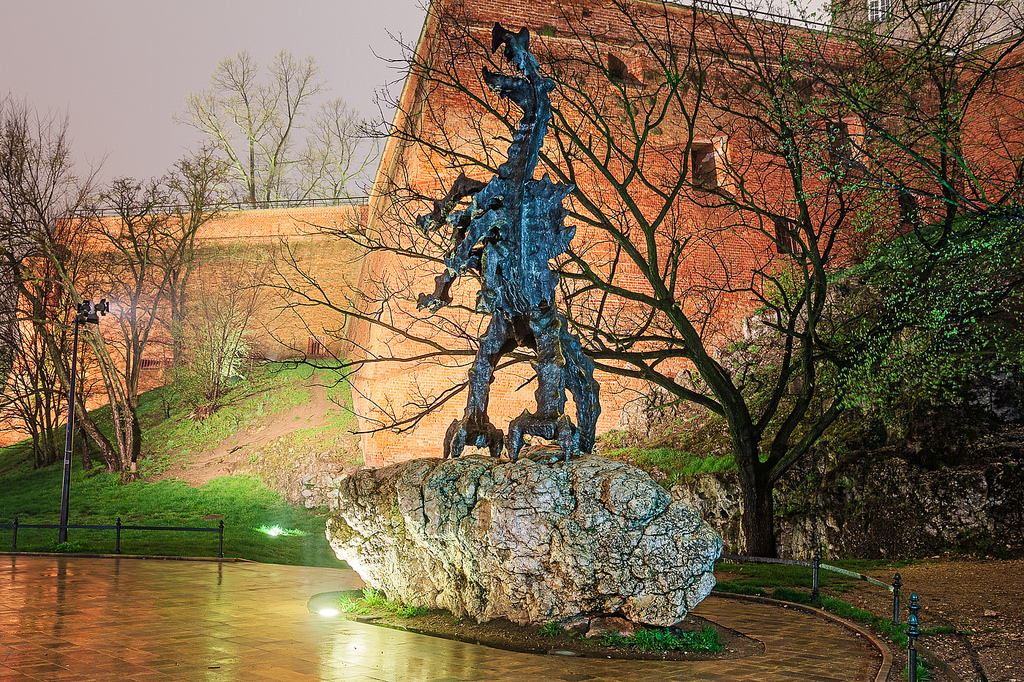
Related image

Wawel Dragon Statue in Kraków

I was giving a talk about my recent work at Unity about real time ray tracing. I hope the people in the room enjoyed it and hopefully learned new stuff.

Here you can find a copy of my slides.

Digital Dragons 2019 – Leveraging Ray Tracing Hardware Acceleration In Unity

I didn’t write any notes for the slides, apologies for that. However, the recording of the video should be available at some point. In any case, you always can reach out to me on twitter if you want to discuss something or if there is something not clear on the slides.

I also wanted to say that while I was there, I took some time to try some of the indie games that were presented and I was impressed by the quality of the games that I had a chance to try. As a game dev, I am always happy to experience such a thing.

Digital dragons is a very good conference, I was glad to be there and I clearly recommend it.

http://auzaiffe.wordpress.com/?p=77
A hybrid rendering pipeline for realtime rendering: (When) is raytracing worth it?
Uncategorized
First of all, let’s be clear about this: in this blog I am only expressing my personal opinion (not my employer’s). As a result of my experience, it is then by definition subjective (sometimes even wrong). However, the goal here is to rationalize it. Okay, let’s talk about the herd of elephants in the room. … Continue reading A hybrid rendering pipeline for realtime rendering: (When) is raytracing worth it?
Show full content

First of all, let’s be clear about this: in this blog I am only expressing my personal opinion (not my employer’s). As a result of my experience, it is then by definition subjective (sometimes even wrong). However, the goal here is to rationalize it.

Okay, let’s talk about the herd of elephants in the room.

Image result for elephants in the room

Trendy

Today (25 March 2019) is a very trendy time to be doing raytracing in games/interactive experiences.

Nvidia is pushing hard its usage in the game industry: Ads everywhere, plenty of GDC talks, demonstrations at their conference (GTC), a book that is there to convince you to add it to your game production and even better you could win that same book at almost all their GDC talks.

Image result for nvidia rtx

Jensen Huang Nvidia’s CEO presenting the RTX line GPUs

They have massively invested in making this feature a trend, and one would even say that it is a successful campaign. At GDC, there were plenty of talks about developers explaining how they did their integration, or how developers should be doing it. Game developers (including Dice, 4A, Eidos, and many others) went down the “RTX ON/OFF” road at last minute on big IPs to showcase how great it is. Major game engines (Unity/Unreal) also invested in it. Even AMD announced that they were working on raytracing support for their GPUs.

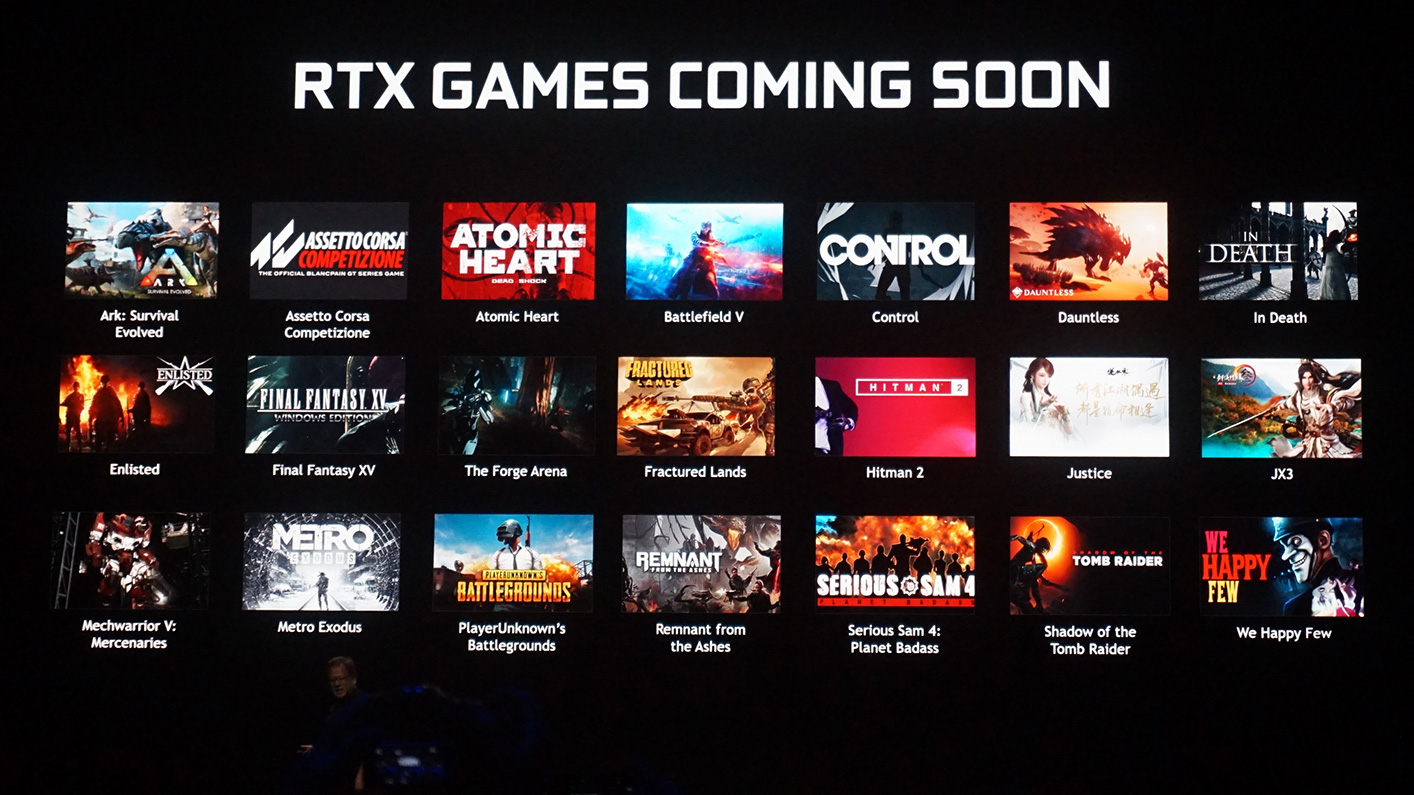
Image result for nvidia rtx

Game titles that have been announced to use raytracing

The press coverage is also impressive. Raytracing is advertised as “simple” and solving all the problems we have been tackling forever in 3D graphics development. Everyone can understand it, and it almost sounds like if you buy an rtx card or use the raytracing APIs, 3D rendering solves itself. Spoiler alert: it doesn’t.

Don’t get me wrong, I think it is amazing that we are in an era where we can have GPU hardware that is able to run BVH traversal in such short time on such high complexity scenes (geometry, materials and lighting). It is for sure a first step towards having it part of the rendering pipeline apis/tools and there are useful things to be done with it. However, I think the over-excitement that we are seeing as game developers is frustrating for reasons that I’ll try to express in this post series.

Reach

Raytracing dedicated hardware is a PC only, high-end devices, Nvidia feature. Meaning that even if it is available in the Vulkan and DX12 standard APIs, only an infinitely small percentage of users are going to take advantage of it. That simple fact makes investing in it a complex decision for the majority of game developers (especially small and average sized ones).

Image result for AMD intel

Two major vendors haven’t released raytracing hardware (yet)

Yes, I am aware of the recent announcement to add support of it on previous Nvidia GPUs (link). In practice, they are announcing that they will be supporting the fallback layer that they dropped in November 2018 (given that there is no dedicated BVH traversal hardware on those).

fallbackLayer.PNG

In game development best practices, I think extensions are to be avoided whenever possible (I am not including consoles and I am not limiting this statement to GPUs). If they imply big changes, a lot of work on the developer side, and on top of that, most of users are not going to take advantage of them, there are only a few reasons that would push devs to use them.

Do not forget that you can’t test them as much as other features because they are usually tied to a specific set of hardware and most test beds are not designed like that. That adds complexity to the process of integrating them into a game production.

Here are the few reasons that I think would push developers of doing it despite all the previous things:

  • The extensions are console extensions and then there is a huge amount of users that are going to be impacted
  • The developer has a personal interest into making the feature part of the standard gamedev tools
  • The developer is trying to make a technological statement
  • The developer has a partnership with the vendor
  • The developer has a partnership with API developer

I am not even mentioning that we haven’t heard about any plan of supporting this on platforms that have the biggest reach for gamedevs: consoles. Game developers will start to figure out the best usage of this technology when the millisecond clock is going to knock.

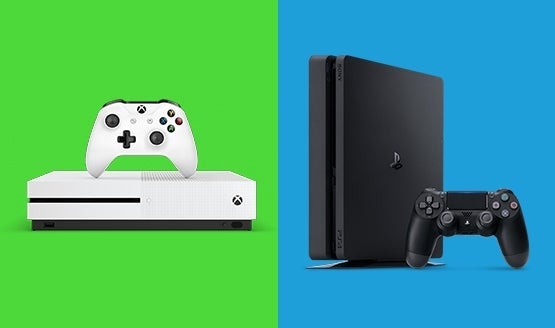
Image result for ps4 xbox

Integration

Let’s ignore what was mentioned before and suppose that everyone is convinced of using it, I am sorry to say: it doesn’t “just work”. Pretty much everyone that worked on it so far has reported the difficulties of making it part of an actual game dev production.

Image result for it just works

A general problem with the D3D12 API is that it is pain to integrate into a pre-existing production ready engine. The lower-level paradigms that D3D12 brings to the table are often incompatible with the ones that D3D11 implementations have. Some implementations might even end up with higher frame costs while using a lower level API.

Don’t get me wrong, I think the new reach of graphics developers is really good to have and in theory gives access to higher performance, but that doesn’t change the struggle that it is in practice for game developers to write cross APIs abstractions.

On the other side, the current raytracing APIs is a high level one: very little is exposed to the developers (BVH structures are opaque, no control over the recursive TraceRay coherence and dispatch, cheating is required to support skinned meshes and particles, transparents are a nightmare, material LOD along recursion is hard, etc.).

Image result for raytracing api

Simplfied Raster and Raytraced Pipelines compared by Nvidia

While it is probably the best thing to do for an initial launch, it is still a new API and everyone is expecting it to take some time before reaching the maturity of the already existing graphics APIs.

That said, the paradigms that raytracing implies on an engine are pretty different from the ones that rasterization does. While it is possible to do an integration, it changes a lot in terms of what resources should be available at what time (rendering states, per draw data, material LODs, geometry LODs etc.). That means that in order to make it work, you need to re-think parts of your engine.

The spatial partitioning structures that are already in place become obsolete and alternatives are to be found (frustum based partitioning, shadow cascades, geometry culling, light culling, etc). All the data that are camera/raster dependent also become problematic to handle (camera relative rendering, mip selection, DDX/DDY, procedural vertex animation, etc).

That said, there are solutions (more like workarounds) for all the things that have been mentioned in this section. I am just trying to point some of the struggles that developers are facing when trying to make this part of their engine.

Cost

Obviously, there is a reason why game developers didn’t use raytracing before in this context and it is not just because there was no API for it. Multi-sampled, full screen raytracing and shading is bloody expensive.

RaytracedPrimary9.PNG

Nine bounces to achieve convincing rendering for the refractive bottles in Unity HDRP

While in theory the complexity of rasterization is O(N) and Raytracing is O(Log(N)) (if we ignore recursion), the inherent cost of bvh traversal and cache incoherency plays a lot in the process in making harder the latter one to scale (unless everything is perfectly smooth and thus there is no ray diffusion, which is not the generic use case).

In addition to that, hardware and software engineers have converged over the years to GPU architectures and usage that have an efficiency that is very hard to compete with. We’ve become really good in rendering infinitely complex data while having tools to measure everything to understand how to make it optimal.

GPU raytracing API / architecture is new to the realtime game, while I believe that it brings something that is hard to achieve otherwise, it is inefficient in its primitive form and it is a challenge for it to be able to compete with rasterization in some parts of the rendering pipeline.

Another thing worth mentioning is the denoising/filtering solutions that Nvidia is offering as out of the box. While the result is looking good, unfortunately a single profiling of it forces the developers to look for cheaper/more scalable solutions. A screen space pass that takes 3ms on a very high end graphics card (2080 Ti) is too much, and I am not even talking about the machine learning filters that are not 100% reliable (having in mind that the full rendering can take less than 3ms on those cards).

Image result for quake 2 path tracing

Pre/post denoising of an image in the “path traced” Quake 2 using SVGF

Raytracing also implies a lot of additional render target/resource allocations which is already a struggle in current render pipelines without raytracing. Developers then need to be even more careful with their resource management and re-use in order to make it acceptable.

Raytracing profiling/validation tools are just starting to be a thing, Nvidia announced at GDC the full set of features that they will be adding to Nsight Graphics in order to measure the various costs that a given DispatchRays implies and that will help making the usage of the raytracing APIs a real thing in game production. I am happy to have that from now on!

Screenshot of Nsight graphics for the raytracing acceleration structure (RAS) view

Usage

The global perception that I feel for the moment is the following one: Raytracing is here and it is going to solve all the hacky things that we had to do to make rendering possible. That is simply not true.

While it simplifies a lot of things and makes them more physically accurate, reaching the quality of productions that are not using rasterization would mean launching a number of rays that is just incompatible with the notion of realtime/interactive.

Note that even in offline rendering, some effects are not done using raytracing because it increases significantly the frame cost or constraints too much the compositing process (Depth of field).

Right now, most of the developers that integrated raytracing based effects, implemented effects that are the cheapest possible while tackling problems that are very complex to resolve using other approaches (I didn’t say impossible). A non-exhaustive list would be:

  • Rough reflections (Accurate indirect specular)
  • Ambient occlusion
  • Indirect diffuse (or/and rough indirect specular)
  • Area light visibility (or shadows depending on the implementation)
  • Directional light shadows (as an infinite disk light)


RaytraceReflections.PNG

Raytraced reflections in Unity HDRP (1SPP +  Filtering)

Other effects have been demonstrated, but I would say right now these are the ones that have been investigated by game developers while keeping performance in mind.

What I am trying to say here is: For developers that spent extensive time during a raytracing variant of these effects, the viable solution lies somewhere in between the screen-space/rasterization based approach and the full raytraced pass (I recommend the SEED and Frostbite talks on raytraced reflections and the Metro Exodus Talk on Indirect Diffuse/Indirect Specular, links at the bottom of the page).

Developers are just starting to figure out what would be the best usage of this API with all the knowledge that they have accumulated through the years.

I’d say right now (and I hate to say this), the raytracing trend feels a lot like the machine learning trend. An old technology became popular again, and everyone states that it will solve all the problems of the world (and it will not). However, there are some configuration where there is a clear win.

On the other side there are many configurations where rasterization techniques are more practical and more efficient.

Image result for planar reflection

Planar reflections in UE4

Image result for PCSS shadows

Soft sun shadows using PCSS – Need for Speed

Something that I intentionally did not talk about, is the viability of all of this in a semi-interactive context. For producing movies/video parts for instance. The real-time constraint can be relaxed to a certain point (it can go up to a few seconds per frame when rendering in 4k/8k). It is then possible to achieve a lot while using a hybrid pipeline rendering pipeline.

Art Direction

Raytracing has a lot of impact on the art direction of the game. More physically accurate, is not always what artists are looking for.

Image result for rtx on rtx off

Giving the timing of the raytracing integration that game developers had to deal with (late into the production state), it was really hard for them to keep intact the art direction that was defined during pre-production state.

Some of the replacements (light probes versus raytraced indirect diffuse for instance) change drastically the look of the game. We can then end up with a game not looking better with raytracing-based effects but just looking different (or sometimes worse).

RtxOnMetro.png

Character looking too dark with raytraced indirect diffuse in Metro Exodus

Also I saw a lot RTX ON/OFF comparisons where developers are making everything shiny to demonstrate the tech while it does not serve the content.

JusticeReflections.PNG

(too) Smooth raytraced reflections in Justice

OFF ON blue games cartoon

Smooth reflections in spongebog.

I guess this one will be easier to handle in upcoming game productions. Developers and artists will have the raytracing option in mind during the pre-production of the game and will make sure that it is interesting for them to use. If it does not bring anything to  your game, do not use it.

Worth it?

I would say raytracing hardware definitely brings something to the table. While not being a magical solution, it offers new perspectives that will change, on the long term, how we do things in realtime rendering. There are things to take right now for interactive experiences and lots to build for real-time ones.

I may have sounded hopeless, but that is far from being my current state of mind. I think this is just the beginning and the exciting part is ahead of us. Papers that take advantage of this new API in a smart way are starting to pop, and I am pretty excited with the all the possibilities that this offers.

Image result for ray tracing gpu gems

Recently released Ray Tracing Gems, link at the bottom of the page

We have been experimenting in HDRP with this new API, If you are interested, the next thing that I will be covering is the raytracing “Integration into HDRP“.

image (2).png

Screenshot from the BMW Unity Realtime raytracing Demo

If you made it to here: thanks for reading and I hope you learned something or at least enjoyed it.

Thanks to Francesco, Julien and Sebastien for proofreading this post!

References:

DD2018: Tomasz Stachowiak – Stochastic all the things: raytracing in hybrid real-time rendering

IT JUST WORKS: RAY-TRACED REFLECTIONS IN ‘BATTLEFIELD V’ – Jan SchmidJohannes Deligiannis

EXPLORING THE RAY TRACED FUTURE IN ‘METRO EXODUS’ (PRESENTED BY NVIDIA) Oles ShyshkovtsovBen ArchardDmitry ZhdanSergei Karmalsky

ADVANCED GRAPHICS TECHNIQUES TUTORIAL: “SURFING THE WAVE(FRONT)S WITH RADEON GPU PROFILER” & “DEBUGGING AND PROFILING DXR & VULKAN RAY TRACING” Dominik Baumeister, Aurelio Reis

Spatiotemporal Variance-Guided Filtering: Real-Time Reconstruction for Path-Traced Global Illumination

Ray Tracing Gems – Real-Time Rendering

Real-Time Ray Tracing of Correct* Soft Shadows  – Eric Heitz

RAY-TRACED WATER CAUSTICS WITH DXR (PRESENTED BY NVIDIA) – Holger Gruen

http://auzaiffe.wordpress.com/?p=49
Extensions
A hybrid rendering pipeline for realtime rendering: Introduction
Uncategorized
This post is not technical, it is just an introduction to what I’ll be presenting in upcoming ones. Last year, I joined Unity technologies as a Graphics Engineer and more precisely the High Definition Render Pipeline (HDRP) team. The ambition was to investigate and see what were the options to benefit from the recently announced … Continue reading A hybrid rendering pipeline for realtime rendering: Introduction
Show full content

This post is not technical, it is just an introduction to what I’ll be presenting in upcoming ones.

carShot2

Last year, I joined Unity technologies as a Graphics Engineer and more precisely the High Definition Render Pipeline (HDRP) team. The ambition was to investigate and see what were the options to benefit from the recently announced hardware that had dedicated pipelines for BVH traversal.

With Sebastien, we did not want to write a hacky demo code that would be thrown away after a show, but we wanted to have a real/maintainable integration with everything else that lives into HDRP and that is already used by developers in production.

HDRP is a high end cross platform rendering pipeline that targets high quality production in unity, the exact same code is used for PC, PS4 base and pro, XBOX one and one X, VR devices, offline production and more. Thus there is an extensive set of features that we had to take into account everytime we wanted to make a change for adding a raytracing effect or constraint.

Initially, the work was done in the context of the raytracing video demo (https://unity.com/ray-tracing) that was demonstrated initially at GDC and GTC 2019.

carShot

In collaboration with Sebastien, I was in charge of implementing the render pipeline integration, the raytracing effects, image quality, the shader/material support and user workflow. I obviously didn’t do the content creation part; shout out to Alexandre, Awen and Aymeric from L&S and Kate and Dany from Unity.

I also won’t be covering the backend part because I didn’t own that.

Later, the real time demo was scheduled and thanks to Mike and Laurent that made it possible.

image (5).png

Other people helped with all of this, To name a few: Emmanuel, Francesco, Eric, Arnaud, Joel, Tim, Ionut, Jesper, Tian, Melissa, Natasha.

With a lot of hardwork of these people, we were able to ship and demonstrate something that we were proud of. However, the journey was far from being an easy ride. The three major difficulties were:

  • Current high end realtime pipeline are not designed with the raytracing’s constraints in mind (and they should not until it becomes part of the standard game-dev workflow)
  • Working with beta and then fresh new drivers is hard. Anyone that ever did it can relate.
  • No profiling tools for most of the project, and then very few metrics.

From the various interventions of people that have been doing the same job in other companies, the feedback is pretty much the same.

Pretty much everything that I’ll be describing here and in the upcoming blog posts can be checked in the Scriptable Render Pipeline github repo: https://github.com/Unity-Technologies/ScriptableRenderPipeline

As mentioned at the start of this post, this was simply an introduction to the subject. In upcoming posts, I’ll be discussing technical aspects of our implementation. Here are some of the subjects that will be covered:

  • When is raytracing worth it?
  • Integration into HDRP
  • Raytracing effects
  • Sampling
  • Filtering
  • Feature parity between rasterization and raytracing
  • Scalability, Cost and Optimization
  • Artist workflow
  • Profiling and timings
http://auzaiffe.wordpress.com/?p=4
Extensions