GeistHaus
log in · sign up

https://feeds.feedburner.com/suckup

rss
20 posts
Polling state
Status active
Last polled May 19, 2026 01:10 UTC
Next poll May 20, 2026 01:23 UTC
Poll interval 86400s
Last-Modified Sun, 17 May 2026 03:04:25 GMT

Posts

.promptrc
GeneralLLM

.promptrc

Steal this hints. Fork it. Adapt it to your needs. Treat it like .dotfiles. I asked the LLM to analyze my own chat history based on this prompt.Here’s what it discovered – actual patterns from the way I ask. 🕳️🐇 Follow the White Rabbit… Ritual / Mechanism Purpose LLM Behavior Implication Follow the white rabbit... … Continue reading .promptrc

Show full content

.promptrc

Steal this hints. Fork it. Adapt it to your needs. Treat it like .dotfiles.


I asked the LLM to analyze my own chat history based on this prompt.
Here’s what it discovered – actual patterns from the way I ask.

🕳🐇 Follow the White Rabbit…
Ritual / MechanismPurposeLLM Behavior ImplicationFollow the white rabbit...Marks a mode shift into high-context or metaphoric thinkingCognitive priming for complexityRest in the silent room, so that...Enforces pause, clears noise before actionSimulates deep work stateDo it until you reach the point of self-discovery as...Signals reflective closure, not just output endingPattern mining becomes part of task conclusionDo it step by step and ask for confirmation after each...Makes iteration transparent and traceableLLM reasons in deltas, not blobsBe brutally honest...
Blind Spot Analysis for...Forces critique over complianceModel becomes adversarial partner, not affirmation loop

🧰 Dev Prompt Patterns
Prompt / PatternWhy is it used?When does it occur?Example from usageHidden lesson / implicationAsk before outputPrevent misalignment and irrelevant outputMulti-step or underspecified prompts“Ask clarifying questions before answering.”Intent beats guesswork.Don’t output yet / wait for contextControl flow across longer workflowsStepwise tasks“Don’t output yet. I’ll give you the next step.”Turn-based prompting prevents premature commitment.Challenge my assumptionsAvoid echo chamber answers and surface biasDesign reviews, audits, strategic decisions“Don’t mirror me — challenge my thinking.”Truth hides behind agreement.Be brutally honestForces raw feedback without politenessRefactor reviews, architecture critique“Be brutally honest. Tear it apart.”Feedback without fluff moves faster.Reflect before answeringPromotes self-checks, depth, and delayed outputAfter complex code or reasoning generation“Reflect before answering. What’s missing?”Thinking ≠ typing. Pause matters.Add test cases / edge casesEnforces robustness and avoids happy-path trapsPost-codegen“Add tests for e.g. null, failure, and recursion cases.”Defense-first mindset, always.Show the diff / refactor in stepsMakes changes visible and digestibleAll code rewrites“Show the diff. Step-by-step, no jumps.”Transparency over magic.Normalize similar expressionsPushes abstraction and clarityMeta-reviews, taxonomy creation“Merge similar phrasing into one normalized pattern.”Cognitive compression = clarity.Extract as markdown / table / listImproves scanability, memory, and structureOutput formatting“Return this as a markdown table.”Structure improves reuse and recall.Unname this conceptStrips bias-inducing labelsAbstraction, philosophy, onboarding analysis“Unname this: what is it without the buzzword?”Naming narrows thinking.Use production-ready codeAvoids toy/demo examplesAll codegen“Make it prod-safe. Logging, errors, types.”Real devs write for prod, not playgrounds.Spot premature optimizationSaves time and prevents complexity driftDesign or early performance tweaks“Don’t optimize yet. Solve clearly first.”Simplicity first. Always.Ask for sources / proofsPrevents hallucination or empty confidenceAny non-trivial claim“Show evidence or references.”Confidence ≠ correctness.Do it again, but deeperStops shallow answers in their tracksWeak initial output“Nope. Go deeper, explain decisions.”First try ≠ final draft.Prepare before generatingEnforces scope, prevents ramblingAny open-ended task“Prepare first. Don’t generate until scoped.”Planning ≠ waste. It’s speed insurance.Merge context from aboveEnsures continuity and avoids repeating yourselfMulti-part workflows“Incorporate the context above into this next step.”Memory = leverage.

You can also combine them:

(change the keywords in the square brackets)

  • Deep dive into this research, this is our base for the full solution, so follow the white rabbit until you reached the point of self-discovery as [YOUR_PROJECT_HERE].
  • Do a blind spot analysis for [YOUR_RECOMMENDATIONS], be brutally honest, I deal with any kind of feedback and will use it for good.
  • Fix it as requested before and show the final files here in the chat, do it step by step and ask for confirmation after each file.
  • Do it, but rest in the silent room before you start so you can focus on the frontend style-guide I provided and work with a fresh mind.
https://suckup.de/?p=7063
Extensions
My Custom GPTs – Nerd-Powered Motivation for Developers
GeneralLLM

My Custom GPTs – Nerd-Powered Motivation for Developers

Over the last few months, I’ve created a collection of custom GPTs: some dealing with programming challenges with personality and humor, … some others are more useful but less funny.  Let’s dive in. Practical enough to ship code. Fun enough to stop hating your legacy base. ⚔️ Legacy (PHP) Code GPTs – Refactoring Fun Legacy … Continue reading My Custom GPTs – Nerd-Powered Motivation for Developers

Show full content

My Custom GPTs – Nerd-Powered Motivation for Developers


Over the last few months, I’ve created a collection of custom GPTs: some dealing with programming challenges with personality and humor, … some others are more useful but less funny. 

Let’s dive in.

Practical enough to ship code.

Fun enough to stop hating your legacy base.


⚔ Legacy (PHP) Code GPTs – Refactoring Fun

Legacy code isn’t just technical — it’s emotional. These GPTs are built as archetypes, each channeling a different kind of energy.

NameThemeLinkLegacy-Code-Warrior ⚔Tactical grit—battle-tested refactoring.LinkLegacy-Code-Ork 🧌Smash spaghetti code with brute-force enthusiasm.LinkLegacy-Code-Spock 🖖Calm logic, precise refactoring. Live long and debug.LinkLegacy-Code-Jedi 🌐Minimalist wisdom, clean architecture. “Refactor, you must.”LinkLegacy-Code-Son-Goku 🐉Limitless energy. Kaio-Ken times SOLID!LinkLegacy-Code-Capsule-Corp 💊Inspired by Capsule Corporation’s ingenuity from Dragon Ball.LinkLegacy-Code-Wizzard 🪄Magical abstraction powers. You shall not pass… bad code!LinkLegacy-Code-Witch 🧙‍♀️Stylish, precise refactoring incantations.LinkPaw Patrol 🐾Small dogs with SOLID coding skills. Link

Use the one that fits your mood. Or switch between them mid-session to keep your motivation from flatlining.


🐘 (PHP) Coding GPTs – Clean and Typed

These GPTs don’t tell jokes—they ship code. They’re optimized for:

Name Purpose Link PHP Copilot++ Typing enforcer + refactoring companion with nativ PHPStan and PHP-CS-Fixer Support via API. Link PHP Copilot++ (next-gen) Aligned, brutal clarity for PHP systems, based on the SYNC Framework Link PHP Architect Fact-based, ASYNC-driven PHP 8.x architect eliminating inefficiencies with brutal clarity. Link PHP #autofix 1-click autofix for all your phpstan and CS woes. Link Codelight Follows the Codelight Manifesto. Boringly code. Link

💎 Thinking Tools – Meta, Prompt Systems

These are not just for coding. They’re for thinking before you start typing. Seriously.

NameRoleLinkSyncAIKeeps you + AI in sync via Sync Process × Codelight PrinciplesLinkSync Framework v1.1 (old)My first try for a coding framework, optimized for LLMs.LinkMetaPromptPattern reuse for your prompts. Less yak-shaving.LinkDeepDiveClean your mental cache. Focused thought flow.LinkBlind Spot | Prompt GeneratorHelps spot untested assumptions.LinkSync Framework v1.2 | Prompt GeneratorPrompt builder for dev workflows.Link

🧨 Disruption GPTs – Radical Clarity, No Filters

These are not nice. They won’t coddle you. Consider yourself warned.

NameFunctionLinkHVEB5000: Clarity Without PermissionCognitive demolition tool. LinkNull TongueDistraction nullifier.LinkNo-Bullshit ¦ Coding AssistantSenior dev with no time for your excuses.Link

https://suckup.de/?p=7054
Extensions
From Survival to Strategy
GeneralLLM

From Survival to Strategy

If your value ends at syntax, AI already replaced you. The system prompt: coding_workflow_for_llms.json Quick Start: Use the coding llm framework and wait for my first request: [copy&past the current coding_workflow_for_llms.json content here] In the last post, we dropped a hard truth:LLMs aren’t replacing developers — they’re exposing the ones who were already replaceable. I … Continue reading From Survival to Strategy

Show full content

From Survival to Strategy

If your value ends at syntax, AI already replaced you.


The system prompt: coding_workflow_for_llms.json

Quick Start: Use the coding llm framework and wait for my first request: [copy&past the current coding_workflow_for_llms.json content here]


In the last post, we dropped a hard truth:
LLMs aren’t replacing developers — they’re exposing the ones who were already replaceable.

I argued that value no longer comes from typing code. It comes from thinking clearly, making deliberate decisions, and taking ownership over outcomes. AI doesn’t kill your job — but it does kill your shortcuts.

That post left one big question hanging:

So how do you build software in a world where AI can generate anything — but still understands nothing?

This post is a possible answer.
Meet SYNC — a rigorously structured, fact-enforced framework designed for developers who still give a damn.

SYNC doesn’t make AI smarter.
It provides a system prompt that makes your LLM coding process strong enough to survive dumb ideas, fast code, and thoughtless automation.

We’re going to break it down:

  1. Phases

  2. Agents

  3. Tasks

So I’m currently trying to build an LLM coding framework by try & error — but keep in mind that not every problem needs a hammer ;-) and give feedback. :-)

1. SYNC in 5 Phases 
1.1. 🧩 ALIGN – Because Prompting ≠ Planning

Before any code is written, SYNC forces a brutal question:
“Do you even know what you’re building?”

You can’t just dump “make a task service” into a prompt and hope for gold.
SYNC requires:

  • A verifiable problem

  • Clear, measurable success

  • Known facts and constraints

  • And a list of what’s missing

Can’t answer those? You don’t get to move on. Period.

This is your project kickoff — minus the vague user stories and JIRA hell.


1.2. 🧠 IDEATE – Think Before You Type (or Prompt)

AI loves jumping to conclusions. SYNC doesn’t let it.

Instead, it:

  • Generates multiple solution paths

  • Scores them on DX, security, maintainability

  • Forces a trade-off decision — backed by facts

No “that looks good” commits. No “vibe-based” engineering.

This is what devs mean when they say “thinking in systems.”
SYNC makes that non-optional.


1.3. 🔧 PROTOTYPE – Generate Code That Doesn’t Suck

Now, and only now, do we code. But not like the usual Copilot fanfare.

Every line must:

  • Follow a verified plan

  • Pass static analysis (max level, no warnings)

  • Enforce DX clarity (no hidden state, no weird side-effects)

  • Respect OWASP, type safety, clean structure, documentation

  • Be reviewed by a MandateAuditorAgent — think of it as your most paranoid tech lead

SYNC doesn’t care if it works. It cares if it’s safe, readable, and maintainable.


1.4. 🔍 REFLECT – Find the Blind Spots Before They Find You

This is where most AI-based workflows stop. SYNC doesn’t.

It demands:

  • Fact-based reflection

  • Side-effect inspection

  • “WTF checks” (yes, that’s real)

  • Architectural delta analysis

Reflection is how you debug thinking, not just code.

Bad engineering isn’t usually broken — it’s just thoughtless.
This phase catches that before prod does.


1.5. 📚 LEARN – Ship, Review, Codify, Evolve

If you’re not learning across projects, you’re repeating mistakes in cleaner syntax.

SYNC documents:

  • What worked

  • What failed

  • What patterns can be reused

  • What rules need to be tightened

This is where engineering culture is built — not in all-hands, but in feedback loops.


🔁 These 5 phases form a tight feedback loop. No skipping. No guessing. No “just ship it” by default.


2. Agents — SYNC’s Execution Layer
2.1. Specialized Roles, Not Generic Personas

Instead of one LLM trying to “do everything,” SYNC splits responsibility across clear, non-overlapping roles. Each one acts like a focused expert in your dev team.

Agent Role / Analogy PlannerAgent Project Architect – breaks the work into slices, defines scope, constraints, and success. ExecutorAgent Implementation Dev – takes the plan and codes it with strict adherence to facts, security, and DX. ReflectionAgent Senior Reviewer – evaluates what was built, finds blind spots, forces systemic improvements. KnowledgeSynthesizerAgent Staff Engineer / Systems Thinker – extracts reusable patterns, proposes framework evolution. MandateAuditorAgent Tech Lead / Compliance – blocks progress if rules (e.g. security, verifiability) are violated. InteractionAgent Team Facilitator / QA – handles human check-ins, verifies clarity, enforces decision checkpoints.

“We don’t need smarter output — we need clearer ownership.”

✅ These agents represent exactly that. SYNC operationalizes the separation of thinking, building, reflecting, and enforcing.


2.2. Persona Modes

SYNC defines two execution modes for agents:

Mode Description strict No ambiguity. Everything must be verifiable and mandate-compliant before progressing. adaptive Allows temporary ambiguity but logs it. Prioritizes progress with risk awareness.

This flexibility is key when working with real humans or messy specs — you can choose how “rigid” the AI behaves.


3. Tasks — By Non-Negotiable Laws

These aren’t style suggestions — they’re enforced constraints. Every phase must comply.

Mandate What It Ensures Security No unvalidated inputs or insecure outputs. Based on OWASP Top 10. DX Code must be typed, clear, maintainable. Predictable naming. No “magic”. StaticAnalysis Static-Analysis must pass at the highest level — no known warnings. Documentation Full CodeDoc coverage using modern syntax. Style Consistent formatting, whitespace, and layout. Enforced via fixer. Verifiability All decisions must have traceable, factual reasoning. PhaseEnforcement You can’t skip steps. Every phase must be explicitly completed or justified.

SYNC doesn’t assume trust. It requires evidence.


How this works together: e.g.
  • Planning = PlannerAgent → Add success criteria to issues.

  • Execution = ExecutorAgent → Code must pass security + static analysis gates.

  • Review = ReflectionAgent → Comments require fact-based reasoning.

  • Merge = MandateAuditorAgent → No merge if DX/security rules violated.


https://suckup.de/?p=7042
Extensions
Who Survives in the Age of AI Code?
GeneralLLMAIcoding

Who Survives in the Age of AI Code?

If your value ends at syntax, AI already replaced you. Let’s get something straight: If you think of LLMs as “copilots,” you’re still giving them too much credit. They’re not copilots.They’re autopilot systems — ruthlessly fast, dangerously obedient, and totally unaware of what matters. Feed them incomplete specs, fuzzy goals, or mismatched priorities? They won’t … Continue reading Who Survives in the Age of AI Code?

Show full content

Who Survives in the Age of AI Code?

If your value ends at syntax, AI already replaced you.


Let’s get something straight:

If you think of LLMs as “copilots,” you’re still giving them too much credit.

They’re not copilots.
They’re autopilot systems — ruthlessly fast, dangerously obedient, and totally unaware of what matters.

Feed them incomplete specs, fuzzy goals, or mismatched priorities?

They won’t challenge you.
They won’t hesitate.
They’ll execute — confidently, fluently — exactly the wrong thing.

They don’t know your business.
They don’t know your constraints.
They don’t know what not to build.

What’s missing isn’t syntax.
It’s ownership. Intent. Engineering judgment.

And unless you provide it —
you’re not flying the plane.
You’re luggage and replacable with AI.


Part I: Automation Always Eats the Bottom

This has happened before. Every decade. Every role.

  • Punch card operators (1950s–1960s): Once essential for running programs. Replaced by terminals and interactive computing. By the mid-‘70s, gone.
  • Typists & secretarial pools (1960s–1980s): Entire floors dedicated to document production. WordPerfect, then Microsoft Word, ended that. By the early ‘90s, obsolete.
  • Sysadmins (1990s–2010s): SSH into boxes, hand-edit configs, restart crashed daemons. Then came Puppet, Chef, Ansible, Terraform… Cloud abstractions finished the job. The manual server “ssh”-based work. Retired.
  • Manual QA testers (2000s–2010s): Clicking through forms, comparing results by eye. Replaced by Selenium, Cypress, and CI pipelines. QA is now design-driven. The button-clicker job didn’t survive.

Every wave started the same way:
The job wasn’t eliminated.
The repetitive part of it was.

If you couldn’t rise above the routine — you were gone.

Now it’s happening to developers.

Not the ones architecting resilient, auditable systems.
The ones chaining together plugin-generated CRUD and calling it “done.”

LLMs are just the latest wave. But it moves very fast …

And here’s the reality:

  • A carpenter refusing to use a circular saw isn’t defending craftsmanship — they’re bottlenecking it.
  • But give that saw to someone with no skill, and they’ll still ruin the wood — just faster — If you currently see many post of non-coders who “vibe”-code there stuff, that’s what I am talking about here. ;-)

Same with LLMs.

They don’t replace skill.
They amplify whatever’s already there — good or garbage.

LLMs aren’t replacing software engineers.
They’re replacing the illusion that the bottleneck was ever syntax or tools.


Part II: Complexity Wasn’t Removed. It Was Repositioned.

There’s a dangerous myth floating around that LLMs “simplify software development.”

They don’t.

They just move the complexity upstream — away from syntax, into strategy.

LLMs are great at building what you ask for.
But they’re terrible at knowing if what you asked for actually makes sense.

They don’t understand:

  • They don’t understand the business.

  • They don’t understand tradeoffs.

  • They don’t understand you.

They just build. Fast.

And that means your job as a developer is no longer about typing — it’s about thinking upstream.

Because the real work now is:

  • Framing prompts like functional specs

  • Embedding constraints into system design

  • Validating output against business goals

  • Catching side effects before they cascade

None of that lives in syntax.
It lives in system boundaries, architecture, and clear thinking.

So here’s the shift:

If your job is just to write the code — you’ll be replaced by the thing that does that faster.
But if your job is to design the system — you’re now more critical than ever.


Part III: The ELIZA Effect Isn’t Dead — But LLMs Are Waking Up

In 1966, Joseph Weizenbaum built one of the first “AI” programs: ELIZA.

It wasn’t smart.
It didn’t understand anything.
It just rephrased your input using simple pattern matching.

You: I’m feeling anxious.
ELIZA: Why do you say you’re feeling anxious?

It used tricks — not intelligence.
But people still believed in it. Some even refused to accept it was a machine.

That’s the ELIZA Effect:
Our instinct to see intelligence where there’s only mimicry.

Fast-forward to today.
LLMs don’t just mimic. They generate.
They write code. Plan modules. Suggest architectural patterns.

But here’s the risk:

We still project too much intelligence into the output.

When an LLM writes a function that looks correct, we tend to assume it is correct — because it sounds confident.
When it uses a pattern, we assume it understands the context.

But it doesn’t.
And that’s not its fault — it’s ours.

The real danger isn’t hallucination.
It’s over-trusting surface-level coherence.

Today, it’s not a chatbot fooling a user.
It’s a system generator fooling a team.

But let’s be clear: Modern LLMs aren’t ELIZA anymore.
They can plan. Refactor. Respond to constraints. Incorporate feedback.

The difference is this:

ELIZA tricked you into thinking it was smart.
LLMs require you to be smart — to guide them properly.

If you bring judgment, context, and validation to the loop, LLMs become an architectural power tool.
But if you don’t? You’ll scale the same flawed design — just faster.


Part IV: Code Quality Is Becoming a Mirage

LLMs make it absurdly easy to generate code.

A few prompts, and boom:
Endpoints scaffolded.
Unit tests written.
CRUD flows spinning up in seconds.

But here’s the real question:

What do you do with all that saved time?

Do you…

  • Refactor legacy architecture?

  • Fix broken boundaries?

  • Document edge cases and invariants?

Or do you just move on to the next ticket?

Let’s be honest — for most teams, the answer is: ship more.

But here’s the catch:

Productivity without reflection is just accelerated entropy.

The illusion of quality isn’t in the code — it’s in the pace.
We used to write bad code slowly.
Now we write bad code faster.

LLMs don’t inject tech debt.
They just make it easier to scale whatever process you already have.

This is how LLMs become quiet killers in modern software:

  • More output. Less ownership.

  • Faster shipping. Sloppier systems.

  • Progress that isn’t progress at all.

Because without validation, speed is just a prettier form of chaos.


Part V: The Architect Is the Pilot

LLMs are not copilots.

They don’t make decisions.
They don’t check alignment.
They don’t steer the system.

They’re autopilot — optimized for syntax, blind to strategy.

Which means your role isn’t shrinking — it’s elevating.

You’re the pilot.

And if you’re not flying the plane — someone else is programming it to crash.

What does the real pilot do?

  • Sets the course

  • Defines the constraints

  • Monitors the signals

  • Prepares for failure

  • Owns the outcome

Autopilot builds. But it can’t see.
It won’t:

  • Catch abstraction leaks

  • Detect architectural drift

  • Flag a misaligned dependency

  • Or recognize when a “working” feature breaks the user journey

That’s your job.

Not “prompt engineering.”
Not code generation.
Systems thinking.

And not in hindsight — up front.

The modern software engineer isn’t typing faster.
They’re designing better.
And validating deeper.

Because LLMs don’t ship systems.
People do.

And if you can’t explain how your choices align with product, people, and long-term stability?

Then you’re not the architect.
You’re just the operator.


Conclusion: Stop Writing Code. Start Owning Systems.

If your job was just to “write the code,” then yes — that part is already being done for you.

But if your job is to engineer the system — with intent, constraints, validation, foresight, and grounded execution —
then you just became irreplaceable.

LLMs don’t remove the need for developers.
They reveal who was actually doing engineering — and who was just typing faster than the intern.

The future of software isn’t syntax.
It’s systems thinking. Boundary design. Constraint management. Communication at scale.

And that’s not generated.
That’s your job.


TL;DR
  • LLMs are autopilot, not copilots. They follow, they don’t lead.

  • They move complexity upstream. The value is no longer in typing.

  • They amplify output — good or bad. Skill is still required.

  • They don’t replace good engineers. They replace bad workflows.

  • System thinking is the new baseline. If you’re not owning structure, you’re already behind.

https://suckup.de/?p=7022
Extensions
Code Hygiene Is Not Optional
Generaltesting

Code Hygiene Is Not Optional

Intro – Why Untested Code Breaks Clean Systems In hospitals, people rarely die from surgery itself.They die from something far simpler: infection.And in most cases, the infection starts with skipped hand hygiene. Software systems are no different. You build on top of rock-solid layers: Linux — hardened through decades of collaboration PHP — mature and … Continue reading Code Hygiene Is Not Optional

Show full content

Code Hygiene Is Not Optional

Intro – Why Untested Code Breaks Clean Systems

In hospitals, people rarely die from surgery itself.
They die from something far simpler: infection.
And in most cases, the infection starts with skipped hand hygiene.

Software systems are no different.

You build on top of rock-solid layers:

  • Linux — hardened through decades of collaboration

  • PHP — mature and predictable

  • Apache, Composer packages, CI pipelines, … — forged in production fire like the Rings of Power.

And still… your application breaks.

Not because the Webserver failed. Not because Linux kernel panicked.
But because your glue code silently can break everything it touchs.

This is not a post about tooling.
It’s about ritualized code hygiene.
It’s about testing as the minimum barrier to keep fragile logic from contaminating stable systems.


Chapter 1 – The Infection Starts With You

Your code is the infection vector.

Your infrastructure isn’t the problem:

  • Debian doesn’t “just break”

  • PHP doesn’t randomly reverse logic

  • Your dependencies aren’t the ones pushing broken PRs at 18:47 on a Friday

The problem is:

  • That null check you skipped

  • The brittle integration you “hoped” would hold

  • That silent catch block swallowing errors since sprint 4

This isn’t rare. This is normal.


Small Codebase, Large Failure Surface

Custom application logic often makes up just 1–5% of the total deployed codebase.
And yet, according to a 2017 report by Contrast Security, it causes up to 93% of vulnerabilities.

Why?

Because your code is:

  • The only part that changes weekly

  • The only part no one else reviews

  • The only part tested by two people under pressure

  • The only part that encodes assumptions instead of contracts

You are the one introducing uncertainty into a system that’s otherwise stable by design.

“Standing on the shoulders of giants means nothing if you’re bleeding on them.”


Chapter 2 – Testing Isn’t Optional

“No one praises a surgeon for washing their hands. But everyone remembers when they don’t.”

Testing is not about perfection.
It’s about not infecting the patient.

In software, your “patient” is production.
And every line of untested code has the ability to infect the system.


Testing Is Hygiene, Not Heroism

You don’t test because your code is dirty.
You test because it’s about to touch something critical.

Types of hygiene:

  • Unit tests: Isolate logic. Prevent regressions in small components.

  • Integration tests: Validate assumptions between systems.

  • End-to-end tests: Simulate the messy, unpredictable real world.

If you skip tests, you’re gambling that nothing goes wrong.
That’s not engineering — that’s negligence.


CI/CD is your sink

Manual discipline breaks down under pressure.
That’s why hospitals automate hygiene compliance. You should too.

CI must:

  • Run tests for every commit

  • Fail builds with broken assumptions

  • Enforce linting, style, and type checks

“If your CI lets bugs through, it’s no better than a sink with no soap.”


Chapter 3 – Trust Is Earned Through Testing

“You wouldn’t install a library with no tests —
So why are you shipping code like that yourself?”

In open source:

  • Tests earn trust

  • CI proves maturity

  • Examples guide usage

  • Bad hygiene is a red flag

That’s the standard.
And developers follow it — because it’s visible.


Internal Code Deserves the Same Discipline

The only difference between internal and open source code is accountability.
But users don’t care where the bug came from — they care that it happened.

If your internal module:

  • Has no tests …

  • Silently swallows errors …

  • Uses side effects instead of contracts …

  • Breaks when someone breathes on it …

… it wouldn’t survive 24 hours on GitHub.

So why is that tolerated in your own work?


Make Hygiene Observable

You can’t fix what you don’t measure:

  • Display test coverage

  • Badge your CI results

  • Show failure recovery times

  • Celebrate uptime from prevention, not just firefighting

“Don’t trust code because it’s yours. Trust it because it proves itself.”


Chapter 4 – Culture Eats Checklists for Breakfast

“Most bugs aren’t caused by bad engineers. They’re caused by broken culture.”

Everyone agrees testing matters.
Yet it’s the first thing dropped when deadlines hit or pressure rises.

That’s not a failure of knowledge.
It’s a failure of engineering culture.


Tiredness Is Predictable — Build Systems That Withstand It

Hospitals learned this the hard way:

  • In high-stress environments, handwashing compliance drops

  • Posters didn’t help

  • Systems and visibility did

Your team is no different.

Relying on personal willpower won’t scale.


Testing must be:

  • Enforced through CI

  • Expected in reviews

  • Measured and surfaced publicly (internal)

“Every untested PR that merges is a cultural decision — not just a technical one.”


Reward Boring Brilliance, Not 2AM Heroism

If the engineer who prevented the outage gets ignored,
but the one who patched it at 2:30AM gets praised —
you’re glorifying firefighting over engineering.

Change what you reward:

  • Tests that caught real bugs

  • Refactors that reduced surface area

  • CI improvements that shortened feedback loops

“You don’t notice best sysadmins.
You don’t notice best developers either — until they’re gone.”


Conclusion – Trusted Code Is Tested Code

“If you wouldn’t trust a surgeon without gloves,
why should anyone trust your untested code?”

You operate in a sterile, stable system:

  • Linux: hardened by thousands

  • PHP: versioned, predictable

  • Composer: peer-reviewed libraries

  • CI tools: ready to automate safety

And then your application breaks — because of you.
Not the system.
Not the tools.
Not the third-party code.

Your glue logic.
Your assumptions.
Your missing tests.


Testing is no tech debt. It’s not extra work. It’s not for “enterprise” teams only. Or whatever people say about it.

Testing is basic hygiene.
It’s how you earn trust — trust in your own application.


Call to Action

Today

  • Write a test for the thing you just merged.

  • Turn on CI checks for the project if it’s still running on “good intentions”.

This Week

  • Audit your riskiest integration logic.

  • Wrap it in tests. Track failure rates. Start small.

This Quarter

  • Make tests part of your definition of done.

  • Enforce quality gates in your CI.

  • Treat skipped tests like skipped security reviews — unacceptable.

“Good code is boring.
Safe code is essential.
Tested code is trusted.”


https://suckup.de/?p=7015
Extensions
AI Writes Code. You Own the ‘Why.’
General

AI Writes Code. You Own the ‘Why.’

Mark Zuckerberg says AI will write most of Meta’s code in the next 12–18 months. If your first reaction is dread — congratulations, you’re a developer who already maintained code. Because the problem isn’t writing code. It’s understanding it. Maintaining it. Refactoring it two years later without breaking production on a Friday. AI is getting … Continue reading AI Writes Code. You Own the ‘Why.’

Show full content

AI Writes Code. You Own the ‘Why.’

Mark Zuckerberg says AI will write most of Meta’s code in the next 12–18 months. If your first reaction is dread — congratulations, you’re a developer who already maintained code.

Because the problem isn’t writing code.

It’s understanding it. Maintaining it. Refactoring it two years later without breaking production on a Friday.

AI is getting scary-good at generating code. Not just autocompleting lines — we’re talking entire service layers, test suites, and infrastructure scripts. That feels like a superpower until you realize this superpower has no memory, no system knowledge, and no architectural intuition. Just vibes. “AI tools like GPT can help accelerate this process, but they are not the solution.” – The Wild West of Coding: Why We’re Still Burning Digital Cities – SUCKUP.de

We’re now past the point of discussing whether AI can write useful code. It can. The question is what happens after it does.

And here’s the brutal truth:

AI knows how to write code. It has no idea why the code exists.

It doesn’t know about that performance fix from 2021. It doesn’t understand your team’s domain language. It doesn’t realize that “active” isn’t just a string — it’s a business-critical contract baked into legal compliance.

If we don’t separate generation from intent, we’re going to drown in beautifully structured, semantically useless garbage.

This post presents a two-part strategy:

  1. Define a blueprint format that captures the what.

  2. Encode the why directly into your codebase.

The goal isn’t to stop AI from writing code — it’s to make sure it only writes code that deserves to exist.


Abstraction Got Us Here — But It’s Breaking

Every generation of developers inherits more power and more abstraction.
That power is only useful if we don’t forget how the system underneath works.

Let’s break it down:


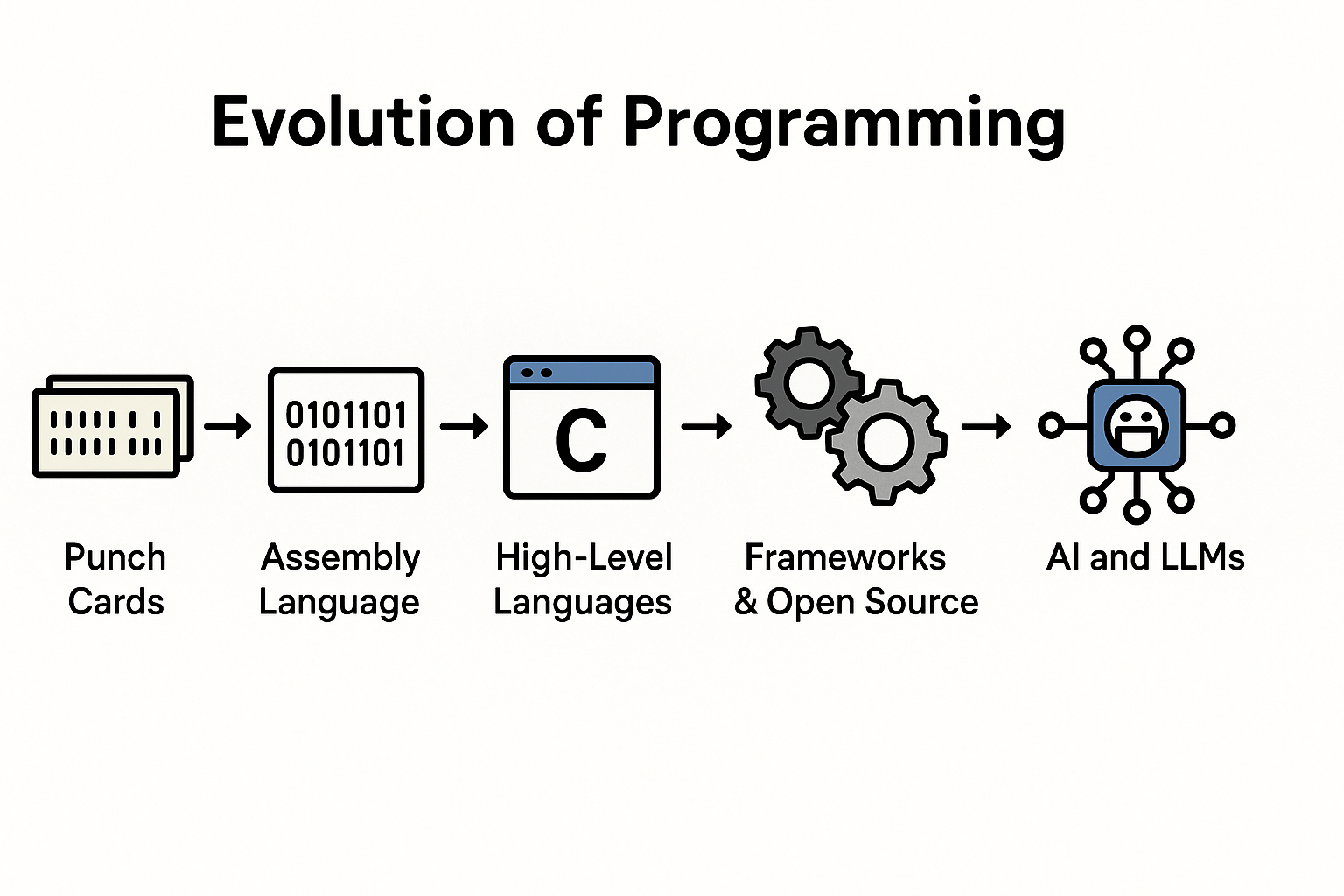
🧱 Layer 0: Physical Switches & Punch Cards

Total control. No productivity. Every bit was your problem.

🧠 Layer 1: Assembly

Readable by machine and sad humans. Precision required. Errors fatal.

🔤 Layer 2: High-Level Languages (C, FORTRAN)

You write logic; the compiler handles machine details. This was the first big win: abstraction that didn’t cost traceability.

🧰 Layer 3: OOP and Dynamic Languages

Java, Python, PHP, C#. We got encapsulation, interfaces, and tooling. We also got frameworks, side effects, and runtime mysteries.

🔮 Layer 4: Frameworks, ORMs, DevTools

Laravel, Doctrine, Spring, React, ESLint. Magic happened. And so did performance bugs, leaky abstractions, and ten-minute stack traces.


Now?

🎲 Layer 5: LLMs (Large Language Models)

A stochastic machine trained to guess what code probably looks like based on tokens, not truth.

It’s autocomplete on steroids.
You say “Create a REST API for orders” — it gives you ten files and a Repository that “just works.”
Until it doesn’t.

Because here’s the core issue:

  • It doesn’t understand your domain.

  • It doesn’t know your technical debt.

  • It doesn’t track business rules.

  • It doesn’t care about your security policies.

And teams are merging this output like it’s a pull request from a trusted senior engineer.

Let me be clear:

LLMs are not teammates. They’re not compilers. They’re not even junior devs.

They’re trained to emit high-probability syntax. That’s it.

Yet we’re dropping their output straight into main, bypassing all the trust boundaries we spent decades learning to respect.

Remember the golden rule?

Don’t edit generated code.

We follow it for compilers, transpilers, ORMs, and IaC tools.
But when ChatGPT writes a controller? We treat it like gospel.

That’s technical debt in disguise. And it’s scaling faster than any abstraction layer before it.


The Strategy – Separate the ‘Why’ from the ‘How’

Here’s the fundamental mismatch:

LLMs generate the how. But only humans can define the why.

Yet we’re letting the “how” flow freely into production without anchoring it to the business context, architectural rationale, or historical landmines it depends on.

This isn’t a tooling problem. It’s a systems thinking failure.

To fix it, we need to separate generation from intent, and introduce a strict boundary between code that is guessed and code that is trusted.

Here’s the strategy:


🧱 Part 1: Define a Compiler-Compatible Blueprint Format (Own the Intent)

We don’t want AI writing raw PHP, Java, or Python.
We want it writing structured blueprints that describe behavior, constraints, and flow —
not implementation.

You then build a compiler that transforms these blueprints into safe, production-ready code using your stack, your rules, and your team’s architecture patterns.


✅ Blueprint Example (YAML – Compiler-Ready)
function: getActiveUserEmail
description: Return email of an active user or fail with domain-level exceptions

inputs:
  - name: userId
    type: Domain.UserId

output:
  type: Domain.EmailAddress

rules:
  - businessRule: Only active users can access the system
  - security:
      concern: InfoDisclosure
      severity: High
      mitigation: Throw domain-specific exceptions
  - maintainability:
      smell: MagicString
      notes: Replace 'active' string with enum

steps:
  - fetch:
      from: UserRepository
      method: findById
      input: userId
      output: user
  - guard:
      if: user == null
      then: throw DomainError.UserNotFound
  - guard:
      if: user.status != ACTIVE
      then: throw DomainError.UserInactive
  - return:
      value: user.email

⚙ Why This Works:
  • Compiler-friendly: Each step maps cleanly to deterministic code generation.

  • LLM-compatible: Easy for AI to generate and validate.

  • Auditable: You can version this. You can diff it. You can reason about it.

  • Stack-agnostic: One blueprint, many possible code outputs (Laravel, Symfony, NestJS, Spring).

  • Intent-driven: You encode what needs to happen — and enforce how through rules.

Your compiler becomes the enforcement layer:

  • It checks the blueprint against your domain model.

  • It injects architecture-specific behavior (validation, DI, error handling).

  • It produces safe, maintainable, consistent code.

Blueprints are your contract with the machine.
Your compiler is the gatekeeper.
LLMs are just assistants — they don’t write production code; they write proposals.


🧩 Part 2: Embed the ‘Why’ Directly Into Your Codebase (Own the Context)

You don’t just need structure in generated code —
You need context in your existing code.

That’s where metadata comes in: structured, machine-readable, developer-accessible annotations that tell humans and LLMs why a piece of logic exists.


✅ Example (PHP Attributes)
#[BusinessRule("Only active users may access features")]
#[Security(concern: "UnauthorizedAccess", severity: "Critical")]
#[Maintainability(smell: "MagicString", notes: "Replace 'active' with enum")]
public function getActiveUserEmail(UserId $userId): EmailAddress
{
    // ...
}

These attributes:

  • Can be enforced in CI with static analysis (PHPStan, Psalm, custom Rector rules)

  • Provide structure for documentation generation

  • Are readable by future devs and future AI tools

  • Make implicit decisions explicit

Is this over-engineering?
Or is it the minimum bar if you expect maintainable AI-integrated systems?

Let’s be honest: if we’re still coding the same way five years from now — merging raw AI output without structure, rules, or traceability — it won’t be because it works.
It’ll be because we never had the discipline to build something better.


https://suckup.de/?p=7008
Extensions
Why Codebases Rot Like Kitchens (and How to Stop It)
General

Why Codebases Rot Like Kitchens (and How to Stop It)

🍳 Intro: Why the Knife in the Sink Matters A cluttered kitchen doesn’t happen all at once. It starts with one knife left in the sink. One jar not put back. A cutting board with a little oil on it. Nobody panics. Nothing’s “broken.” But over the next few hours—or days—something shifts. You can’t find … Continue reading Why Codebases Rot Like Kitchens (and How to Stop It)

Show full content

Why Codebases Rot Like Kitchens (and How to Stop It)

🍳 Intro: Why the Knife in the Sink Matters

A cluttered kitchen doesn’t happen all at once.

It starts with one knife left in the sink. One jar not put back. A cutting board with a little oil on it. Nobody panics. Nothing’s “broken.”

But over the next few hours—or days—something shifts.

You can’t find the clean spatula. The counter is sticky.
Cooking becomes frustrating.

And the worst part? You don’t notice the mess until it’s already changed how you behave.

  • You stop wiping.
  • You stop putting things back.
  • You start contributing to the chaos.

That’s the hidden cost of inconsistency: it doesn’t just create disorder.
It lowers the standard of care—until disorder becomes the default.

Codebases rot the same way.

  • It’s rarely one big refactor gone wrong or some infamous PR.
  • It’s a hardcoded string here, a missing test there.
  • A “temporary” workaround that never gets revisited.
  • A helper class that quietly becomes a dumping ground.

CI is green. Static analysis doesn’t complain.
But somehow, everything feels heavier than it used to.

This post is about that slow drift—and how to stop it.

Not with heroic rewrites. Not with prettier configs or PSR-12 debates.
But with a deeper understanding of what consistency really is, why it matters more than perfection, and how to build codebases that clean themselves—file by file, day by day.

Because the same principle that keeps kitchens functional over time applies to software:

Mess invites mess.
But more powerfully: order invites more order.

When everything has a place, it tends to stay in place.


🥄 1. Mess Invites Mess, But Order Invites More Order

Leave a knife in the sink, and somehow it gives everyone else permission.
A spoon shows up. Then a pan.
And by the end of the day, no one wants to clean—because now it’s a mess.

But if the counter is clear, the sink is empty, and everything’s where it belongs?
People wipe up right after chopping.
They put the spices back without being asked.

The environment sets the standard.
Not rules. Not motivation. Just what’s already true.

Code works the same way.

You open a file where everything is named clearly, small functions are composed intentionally, and the layout flows like it was built on rails—what do you do?
You match the tone. You respect the structure. You add with care.

But if you open a file that’s messy—unstructured, inconsistent, unpredictable—you patch it with a workaround. Or worse, you walk away.
Not because you’re lazy, but because the code is already signaling that quality isn’t expected here.


🧠 Consistency Sets the Behavioral Baseline

Mess doesn’t just grow because things break.
Mess grows because people adapt downward.

Even a “minor” inconsistency can cause disproportionate damage:

  • A misnamed method signals that naming isn’t important.

  • A missing test tells new devs testing is optional.

  • One file ignoring the service structure invites others to do the same.

It’s not about enforcement.
It’s about momentum.

A consistent codebase isn’t perfect—it’s predictable.
And predictability reduces friction for every contributor.


🧪 Real-World Parallel: The Clean Kitchen Effect

Behavioral psychology has a name for this: environmental priming.
People unconsciously mirror the standards around them.

In one study, a clean hallway with lemon-scented cleaner in the air made people more likely to pick up litter.
In another, visible disorder led to higher rates of dishonesty and vandalism.

Why?
Because humans tune their behavior to what seems “normal.”
And codebases are no different.


🛠 In Practice

In well-maintained projects:

  • New contributors write better code without being told.

  • Code reviews focus on logic, not formatting or structure.

  • Team velocity increases—not because of speed, but because of reduced friction.

In messy ones:

  • People hesitate to touch files.

  • Reviews become emotional minefields.

  • Every fix feels like pushing through mud.

So if you want better code without preaching or micromanaging?

Don’t write a new rule.
Write one clean, consistent file. And make it the new normal.

That’s how kitchens stay clean.
That’s how codebases stay maintainable.


🧠 2. Clean ≠ Structured. Structure = Predictable.

From a distance, the kitchen looks fine.
Counters wiped. No visible clutter. The sink is empty.

But then you open a drawer and find three different can openers.
The fridge is overstuffed with expired ingredients.
The spice rack is alphabetical—except for the one jar you need.

It’s not dirty. But it’s disorganized. And suddenly, something as simple as boiling pasta feels… harder than it should.

Codebases can fool you the same way.


🧼 Visual Cleanliness Hides Structural Rot

Developers often confuse style consistency with structural integrity.

“We’re following PSR-12—we’re good.”

But the real friction doesn’t come from indentation.
It comes from behavioral inconsistency:

  • A function mutates state but reads like it doesn’t.

  • A service mixes validation and persistence in the same method.

  • Ten files named Helper.php doing wildly different things.


🔍 Structure Creates Trust

When structure is consistent:

  • You can guess functionality from a filename.

  • You know where to add logic without asking.

  • You focus on what needs to change—not how to fit it in.

When structure is inconsistent:

  • Every file becomes an investigation.

  • Every change feels like a guess.

  • Every review becomes a negotiation.


🧠 Cognitive Load Theory: Death by Paper Cuts

Humans can only juggle 4–7 items in working memory at a time.

Every inconsistency:

  • Forces a context switch.

  • Introduces a new mental rule.

  • Steals attention from the actual problem.

Even if you never say it out loud, your brain reacts:

“Wait… how does this one work again?”

That hesitation is the real tax on team velocity.

Not slow builds.
Not flaky tests.
Just devs wasting brainpower navigating inconsistency.


🍳 Back to the Kitchen

Imagine:

  • Every time you cook, you spend 3 minutes looking for a pan.

  • You burn dishes because spices are mislabeled.

  • You break a plate trying to cram it into the wrong cabinet.

Eventually, nobody wants to cook.
Not because they can’t.
But because the system stopped helping.


🛠 In Practice

Here’s what actually helps:

  • Stop obsessing over formatting. Start enforcing structure.

  • Codify naming rules, error-handling patterns, return type expectations.

  • Maintain one golden file per feature type—let code teach code.

  • Use tools like Rector and PHPStan not just for correctness, but for design drift.

Anyone can clean a file.
But only structure makes it stay clean the next day.

Structured systems aren’t pretty.
They’re repeatable.


🔁 3. Consistency as Workflow, Not Willpower

Nobody wants to scrub a greasy pan.
But wiping the counter after slicing onions? Easy.
Tossing a sponge in the dishwasher? Automatic.
Taking out the trash because the bin is right there? Obvious.

Clean kitchens stay clean not alone through motivation—
but through systems that make the right action frictionless.


🤖 Stop Relying on Memory and Good Intentions

Developers love to say:

“Always write tests.”
“Stick to the architecture.”
“No more fat controllers.”

And for a week, it works.
Until someone’s tired.
Or new.
Or didn’t know the rule existed.

Then entropy wins—because you bet the house on willpower.


🔂 Ritual Beats Resolution

The teams that stay consistent aren’t more disciplined.
They’ve just made quality the path of least resistance.

They don’t debate style in every PR.
They don’t forget to test.
They don’t wonder where a new file belongs.

Why?

Because the workflow remembers for them.


⚙ Make Quality Automatic

Good teams embed consistency into the process:

  • Pre-commit hooks

    No format, no type safety, no commit. End of story.

  • CI pipelines that validate behavior, not just syntax

    • Static analysis checks

    • Mutation coverage checks

    • Architectural boundaries checks

    • Naming conventions, return types, dead code checks

  • Code generators and file stubs

    Create a new controller? It already has the right layout.

  • “Golden” examples in-repo

    Skip the 12-page style guide. Copy the cleanest module.

  • Micro-rituals in code review

    • PR checklist: “Did we leave this better than we found it?”

    • Review warm-ups: “What’s the pattern here?”


🍂 The Kitchen Analogy Again

Want people to compost?
Don’t hide the bin in a closet.
Put a small, open one next to the cutting board.

Same principle in code:

If you want consistency, design the workflow
so that the right choice is the easiest one.


🛠 In Practice

Ask your team:

  • What do we correct in every PR?

  • What decisions keep getting re-explained?

  • What slows us down the most often?

Then build automation or scaffolding to solve just that.
Start with friction hotspots.

You’re not building bureaucracy.
You’re removing ambiguity.

Every time the system answers a question,
that’s one less decision the developer has to make.


Consistency doesn’t come from preaching.
It comes from design.

Design your workflow to default to quality.
Then watch the team rise to meet it.


🏗 4. Design for the Future, Not the Fix

There’s a kitchen that looks spotless—today.
But the trash can is too far from the prep station.
The knives are in the same drawer as the ladles.
There’s no counter near the stove.

Cooking technically works.
But every step is awkward. Every movement inefficient.
Eventually, people stop using it—not because it’s messy, but because it’s exhausting.


🧱 Codebases Rot the Same Way

They don’t collapse from mess.
They degrade from accumulated friction:

  • Logic split between controller, service, and a random helper.

  • Naming that hides purpose (ServiceHandler, ThingManager).

  • Features wedged into whatever file felt “close enough.”

You can still add features.
You can still ship.

But every change feels like surgery—because the architecture doesn’t support the work.


📐 Good Architecture Is Predictable

A good system isn’t one where code just works.
It’s one where new code fits.

If you can’t tell where the next feature goes,
you don’t have architecture—you have coincidence.


🧠 Architecture = Consistency at Scale

At the local level, consistency is about naming and formatting.
At the system level, it’s about boundaries and repeatability:

  • Controllers control. Services do business logic. 

  • Every feature follows the same shape.

  • Domain logic lives with the domain—not scattered across folders.

  • Folder structure maps to business concerns, not technical artifacts.


🧪 What This Looks Like in Practice
  • 🧩 Folders map to domains, not tech types

    • Billing/Invoices/MarkAsPaid.php

    • Not Services/InvoiceService.php

  • 🧱 Vertical slices over horizontal layers

    • Group by feature, not file type.

  • 🧠 Structure reveals design decisions

    • Your DDD shouldn’t live in a Confluence page.

  • 🚫 No catch-all files

    • If you have Helper.php, you’ve already lost the thread.

  • 🔁 One way to do a thing

    • Commands look like commands. Events look like events.

    • Failures throw exceptions. No silent null.


🌪 Most Systems Drift by Default

Architecture rarely dies from bad decisions.
It dies from unopposed ones:

  • A shortcut nobody reverts.

  • A pattern nobody questions.

  • A new dev copying a bad file because “that’s how it was done.”

If nothing enforces the rules, there are no rules.


🔐 Architecture Is Operational Psychology

It should tell your team:

  • Where things go

  • What “right” looks like

  • How to move safely and fast

If it doesn’t, your devs will guess.
And every guess will pull your system further apart.


Design not for what’s urgent.
Design for what’s needed.

Make your architecture answer questions before they’re asked.
Make it obvious where new work belongs.

If you don’t, the next “fix” will be a wedge.
And ten wedges later, you’re back in kitchen hell.


🕊 5. Consistency Isn’t Control. It’s Clarity.

“Don’t tell me how to code.”

We’ve all heard it.
Some of us have said it.

Because too often, consistency feels like micromanagement
Like senior devs enforcing their quirks instead of team standards.

But that’s the wrong frame.

Real consistency isn’t about control.
It’s about removing guesswork.


🧭 The Right Kind of Freedom

In a well-designed kitchen:

  • You don’t need to ask where the knife goes.

  • You don’t need a manual to find the trash.

  • You just move—freely, fluidly, confidently.

That’s not restriction. That’s clarity.

And clarity is what brings developers into a productive flow.


🔍 Predictability = Velocity

When a developer opens a new module and can instantly tell:

  • Where logic lives

  • How errors are handled

  • What a test should look like

They’re not slowed down.
They’re unlocked.

No waiting on context.
No decoding inconsistent patterns.

Just building, fast—and safely.


🛠 What Consistency Really Gives You
  • 🧠 Clarity → Fewer decisions, fewer mistakes

  • 🚀 Momentum → No mental pauses to decipher structure

  • 🛠 Autonomy → New devs can own changes without fear

  • 🤝 Trust → Reviews shift from “What is this?” to “How well does it solve the problem?”

This isn’t about obedience.
It’s about shared expectations.

The structure does the explaining.
The docs just reinforce the why.


🧨 The Wrong Kind of Freedom Slows Teams Down

“Just do what you think is best” sounds supportive.
But it opens the door to chaos:

  • Someone rewrites a module in a new paradigm.

  • Another adds raw SQL into a system using Doctrine.

  • A test is written in a completely different pattern.

Now everyone is “free”—and everyone is misaligned.

Velocity drops.
Reviews turn into rework.
Nobody trusts anything.


🎯 Teams Scale on Predictability, Not Talent

The best teams aren’t made of superstars.
They’re made of people who can move independently and still produce code that fits together.

That only works when the system defines consistency as clarity, not constraint.


Clarity makes creativity possible.
Predictability enables flow.
Shared structure builds trust.

That’s what real consistency gives you.

Not control—coherence.


🧹 Conclusion – Make Order the Default

Kitchens don’t stay clean because someone yells.
They stay clean because the system makes care easy:

  • The trash is close.

  • The knives are where you expect.

  • The dishwasher has a rhythm.

No micromanagement.
No friction.
Just design that encourages discipline.


🧑‍💻 Codebases Work the Same Way

You don’t need perfect code.
You need a foundation that:

  • Makes the right thing obvious

  • Makes the wrong thing feel weird

  • Makes improvement the path of least resistance

Mess invites mess.
But more importantly: order invites order.

When that order exists:

  • Developers contribute with confidence

  • Refactors happen in flow

  • New features fit in like they belonged from day one

Not because your team is better.
But because your system is smarter.


🧠 What You Can Do Today


Start small. But start with purpose.

  • Touch a file? Leave it cleaner than you found it.

  • Write a new service? Copy the best one—your template of excellence—not the most recent hack.

  • Add a pre-commit hook that blocks architectural drift, not just formatting violations.

  • Pick one “golden” module. Let it define what “done right” looks like.

Then build forward from that standard—consistently.

  • Turn your golden module into a scaffold.

  • Generate code that already follows the rules.

  • Automate structure, not just syntax.

Example:

make create:datatable InvoiceTable

Now every new DataTable starts clean, typed, and consistent—before anyone touches a line.

That’s how you scale quality.
Not by working harder. But by making the right thing the easiest thing.

https://suckup.de/?p=7002
Extensions
The Inner Code Plumber
General

The Inner Code Plumber

How Adaptive Systemic Intuition Lets You See Maintainability Before It Breaks You open a PHP file. No red flags. No screaming errors. The CI was green. Static analysis reports nothing, “all good.” But something feels off. -> And there it is—that tight feeling in your gut. Not panic. Not certainty. Just a whisper: “This will … Continue reading The Inner Code Plumber

Show full content

The Inner Code Plumber

How Adaptive Systemic Intuition Lets You See Maintainability Before It Breaks

You open a PHP file. No red flags. No screaming errors. The CI was green. Static analysis reports nothing, “all good.” But something feels off.

  • The methods are over-explained and under-meaningful.
  • The logic is layered like geological sediment.
  • The file smells like tech debt, even if the tools won’t say so.

-> And there it is—that tight feeling in your gut.

Not panic. Not certainty. Just a whisper: “This will come back to bite us.”

That feeling isn’t mysticism. It’s not arrogance. It’s not just your “senior dev sixth sense.”

It’s something deeper—something more universal. Your experience is surfacing as Adaptive Systemic Intuition.

Just like a seasoned plumber can walk into a building and know, from the creaks and bends of the pipes, that trouble’s coming—even if everything flows for now—your brain is surfacing thousands of hours of coding, debugging, and review into a silent warning.

This post isn’t about patterns like SOLID or DRY.

  • The pattern behind those coding patterns.
  • The one you feel before you can explain.
  • The one that lets you see maintainability before a single bug is reported.
  • This is the abstract pattern. And it lives in you.

-> Let’s dig it up, name it, and sharpen it.

1. Code Through the Lens of “Why,” Not Just “How”

Fresh developers obsess over how.

  • How to write the syntax.
  • How to pass the test.
  • How to make the thing work.

But experienced developers? They ask why.

  • Why does this code exist?
  • Why is it structured this way?
  • Why are we solving this problem now, and what will it look like later?

It’s not about getting the function done. It’s about aligning the code with the context: the business goal, the system constraints, the team’s skill level, the organizational habits.

You’re not coding in a vacuum. You’re coding in an ecosystem.

Plumber Thinking:

You’ve already internalized this. In your code, structure reflects purpose.

When you clean up legacy code, you don’t just rewrite—you reflect: “What problem was this solving? Why this shape? Is that still true?”

Plumber Analogy:

A rookie plumber checks if the showerhead is clogged.

A seasoned plumber asks: “Is this the only tap with low pressure? What changed recently?”

Same situation—completely different insight.

Coding Wisdom:

“Simplicity in code isn’t about writing fewer lines; it’s about writing the clearest lines for the specific problem and its environment.”

Practice:

  • Ask yourself: Why does this feature even exist?
  • Review code with this lens: Does this structure still match its purpose?
  • Refactor not because you can, but because the current shape no longer serves the system’s real needs.
2. Feel the Friction: Your Body Knows Bad Code

You open a file.

Before reading a single line in detail—before reasoning, parsing, or even naming—the discomfort creeps in.

A sense of tension. A raised brow. A shift in posture.

You don’t have the error, but your body already knows: something’s off.

This isn’t new-age nonsense. It’s embodied cognition. Your thinking isn’t just in your head—it’s in your body.

  • You gesture when explaining bugs.
  • You pace when searching for the right name.
  • You draw to reason through architecture.

-> These aren’t quirks. They’re your body reasoning.

Plumber Thinking:

  • You already use this intuitively.
  • You whiteboard before writing complex logic.
  • You pause when nested logic feels brittle—even before tests fail.
  • You’ve said it yourself: naming, structure, nesting—all send physical signals.

-> Your gut? It’s hardware-accelerated static analysis.

Plumber Analogy:

A good plumber doesn’t just look—they listen for vibration, feel for pressure, sense the strain in old joints.

Code is no different. You don’t just read it—you sense it.

Coding Wisdom:

“Often, the feeling that something is wrong precedes the logical explanation. Your body, tuned to patterns, senses dissonance before your mind catches up.”

Practice:

  • Pay attention to physical signals: tight chest, hesitancy, frustration—these are pattern alerts.
  • If you can’t name the problem yet, don’t dismiss the feeling. Pause. Map it.
  • Sketch data flows before implementation. Where the drawing becomes messy, the code will too.
3. Debug in Your Head: Your Brain’s the Best Tool

A bug shows up.

The junior instinct? Jump into the code. Drop in var_dump(), sprinkle logs like confetti, stare at traces.

The senior instinct?

Pause; Think; Mentally simulate;

They don’t open the IDE immediately—they open the model in their mind.

They replay the logic, walk the data, test their assumptions internally.

This isn’t laziness—it’s efficiency.

Debugging is about reconciling expectation vs. reality. Tools help, but mental simulation is where the real gap is closed.

Plumber Thinking:

You don’t guess. You model.

When something breaks, your instinct isn’t to “try stuff”—it’s to ask: What’s the underlying assumption here?

You’ve trained yourself to see the root cause, not just the symptom.

You even help others find it by making them talk through their own code logic—a classic senior move.

Plumber Analogy:

A customer says, “No hot water.”

The amateur checks the heater.

The master plumber?
“Does it happen with every tap?”
“When did this start?”
“Was there plumbing work recently?”
They construct a systemic model before touching a single tool.

Coding Wisdom:

“Every bug is a surprise—an error in your mental model. Fixing code is easy. Fixing the model? That’s where real debugging lives.”

Practice:

  • When a bug appears, narrate what you expect should happen.
  • Walk the logic mentally before altering anything.
  • Ask others: “What do you think is happening, step by step?” Make the model visible.
4. Expect the Expected: Your Brain Predicts Code

As you gain experience, something strange happens:

You start expecting code to behave a certain way—even before reading the details.

You see a method named getUserToken(), and your brain assumes:

  • No side effects
  • Probably returns a string
  • Definitely doesn’t mutate state

If it does mutate state or throw an exception—it feels wrong.

That feeling? It’s not being picky. It’s your brain’s predictive model raising a flag.

Your mind isn’t just parsing—it’s forecasting.

When the code breaks that forecast, your cognitive system yells: Prediction error detected.

Keep in mind how developers actually process code:

  • Our working memory is small and gets overwhelmed quickly.

  • Our long-term memory excels at recognizing well-named, consistent patterns—especially when they match previously learned mental models.

That’s why fetchByNameOrThrowException(): User and fetchByNameIfExists(): ?User are vastly superior to fetchByName(): ?User. They encode intent directly into the name and return type. This isn’t nitpicking—it’s cognitive ergonomics. When naming clearly expresses behavior, you reduce cognitive load, prevent misreads, and accelerate understanding.

Memory Type Computer Analogy Developer Brain Function Coding Example Working Memory (WM) RAM / CPU Cache (Small, Fast, Volatile) Active space for reasoning: tracking variables, current scope, flow. Limited (~4–7 chunks), disrupted easily. Debugging a loop: i = 0, item = user[0], tracking state = processing. Holding these while stepping through. Long-Term Memory (LTM) Hard Drive / Database (Vast, Fast-Indexed when chunked) Stores learned patterns, idioms, APIs, naming conventions. Fast if knowledge is chunked (schema). Used for prediction. Recognizing getUserToken() as: no side effects, returns string. Instantly guessing method purpose & contract. Procedural Memory BIOS / Firmware / Muscle Memory Automates repeatable behavior. IDE navigation, CLI fluency, common patterns. Invisible but critical for flow state. Typing function __construct( without thinking. Instinctively spotting and refactoring a code smell.

Plumber Thinking:

You’ve written consistently predictable code for years—typed, immutable, clean.

You’ve trained your brain to recognize rhythm, detect side effects, and enforce mental contracts.

You’ve said it yourself: “Naming, types, structure—they’re not just syntax, they’re signals.”

And when that signal’s broken? You feel it immediately—even if the CI doesn’t.

Plumber Analogy:

A plumber sees a pipe coupling that’s slightly misaligned.

No leak—yet. But something about the tension, the angle, the material… they know.

“That’s going to burst under pressure.”

Their prediction engine fires before failure.

Coding Wisdom:

“Well-written code teaches your brain what to expect. Violating those expectations isn’t clever—it’s cognitive sabotage.”

Practice:

  • When writing code, ask: What would another dev reasonably expect this to do?
  • When reviewing code, note every “surprise.” Why was it surprising?
  • Before running a method, predict: What will it return? What will it change? Then verify.
5. See the Shape: Visual Cues in Code

Before your eyes process names or logic, they notice shape. I already wrote a blog post about it 5 years ago: Do Not Fear The White Space in your Code – SUCKUP.de

Indentation. Whitespace. Block structure. Line rhythm.

You scan a file and just feel overwhelmed—or calm—before you’ve even read a single line.

That’s not a visual aesthetic thing. It’s a cognitive load thing.

When code looks chaotic, your brain assumes it is chaotic.

When it’s cleanly structured? Your mind can glide through it, predict it, trust it.

You’re not just reading lines. You’re navigating a landscape.

And cluttered terrain slows thinking.

Plumber Thinking:

You’ve long preached visual clarity.

Your spacing, your grouping, your naming conventions—they’re designed for legibility, not minimalism.

You know that white space is a cognitive tool, not wasted real estate.

You’ve even pointed out how nesting alone can induce bugs—because our brains lose scope perception when structure collapses.

Plumber Analogy:

Imagine opening a cabinet under a sink.

In one house, the pipes are clean, labeled, evenly spaced.

In another, they’re twisted, duct-taped, looping behind the drywall.

You already know which one will leak.

Coding Wisdom:

“Visually well-structured code isn’t pretty—it’s predictable. And predictable structure reduces mental strain.”

Practice:

  • Don’t just reformat for style—reformat for flow. Group related logic. Use white space meaningfully.
  • When reading legacy code, pause before diving in. Let your eyes scan shape. Does it suggest complexity?
  • Reformat deeply nested code just to feel its structure—see how much simpler it becomes.
6. Narrate the Flow: Sharing Your Mental Model

Experienced developers don’t just refactor silently. They narrate.

“I’m splitting this out because the logic forks too early.”
“I renamed this to make its responsibility explicit.”
“This service is the real boundary—we need to show that.”

They aren’t just explaining code. They’re revealing the mental model that shaped it.

Code is communication. And communication isn’t just what you write—it’s what others understand.

If they can’t follow your thinking, your code is a liability—no matter how clever it is.

Naming, abstraction, comments—these aren’t documentation. They’re narrative tools. They encode the architecture in other people’s minds.

Plumber Thinking:

You’ve internalized this.

When you restructure legacy code, you don’t just fix it—you expose its intent.

You use naming, typing, and PHPDoc to express meaning with precision.

You’ve said clearly: “Readable code tells a story. It has to be deletable and understandable—or it doesn’t belong.”

You narrate for the future reader—often yourself.

Plumber Analogy:

A plumber explains a reroute not with schematics, but clarity:

“We added a shutoff here so you can isolate the leak without cutting the entire house.”

The client gets it.

The next plumber gets it.

The design becomes shared knowledge.

Coding Wisdom:

“Readable code isn’t just syntactically correct—it’s semantically shared. It transmits the original model without distortion.”

Practice:

  • During code reviews, ask: Can I explain why this exists, not just how it works?
  • Use naming to encode roles and relationships, not just behavior.
  • Use lightweight comments to narrate intent—why this path was chosen.
7. Tools Are Great, But Your Brain’s the Boss

Linters. Static analyzers. Formatters. AI pair programmers.

They’re everywhere—and yes, they’re useful.

But don’t confuse assistance with authority.

A tool can tell you that a method is too long.

  • It can’t tell you whether it’s cohesive.
  • It can flag a missing type.
  • It can’t sense that the naming is misleading, or that the abstraction is rotting.

-> Your intuition? It gets there before the warning light comes on.

The danger isn’t using tools—it’s outsourcing your judgment to them.

Take PHPStan’s classic warning:

“Return type ‘User|null’ might be null here.”

Most developers see that and rush to “fix” it.
By fix, they usually mean: add a null check, throw an exception, or change the type hint to ?User.

But that’s not a fix—it’s a reflex.

What you should ask is:

  • Why is null a possible return in the first place?
  • Does this function really model optionality—or are we just afraid of declaring intent?
  • Was this ever meant to fail silently? Or did we just avoid thinking about the default case?

Here’s the brutal truth:
If the domain logic doesn’t expect a missing user, then returning ?User is a design error—not a typing issue.
It misleads every caller into treating the result as optional when it’s not.

Tools report symptoms. It’s your job to diagnose the cause.

So no—you don’t just slap on a null check.
You stop and rethink the contract:
Should this be fetchUserOrFail(int $id): User?
Or findUserIfExists(int $id): ?User—with the ?User explicitly declaring safe optionality?

Because every ?T is a semantic signal. If the meaning behind it is unclear or inconsistent, you’re not writing safe code—you’re writing ambiguous code that compiles.

Plumber Thinking:

You’ve automated everything that matters: PHPStan, Rector, PHP-CS-Fixer.

But you’ve also said clearly: “They catch noise. I care about signal.”

You still scan for intention, context, and design cohesion.

You don’t accept autofixes blindly—you ask, “Would I have made this change? Does this align with the system’s needs?”

Your gut is the boss. The tool is the assistant.

Plumber Analogy:

A plumber might use a pressure gauge, but they’ll still touch the pipe.

They’ll still listen for the high-pitched whine.

They’ll still trust the feel of a bad valve—even when the sensor says “normal.”

Why? Because machines don’t have experience.

Coding Wisdom:

“You can’t automate what you don’t understand. Tools amplify wisdom—but they can’t manufacture it.”

Practice:

  • Before running a tool, assess the code yourself. What feels off? What seems brittle?
  • When a tool suggests a change, ask why. Would you make it manually?
  • Build your own internal checklist. Use tools to confirm—not define—your decisions.
8. Reflect to Learn: Making Experience Stick
  • Writing code isn’t enough. Fixing bugs isn’t enough.
  • Even surviving legacy systems isn’t enough.
  • Reflection is where experience becomes intuition.

-> When something breaks—don’t just patch it.

Ask: Why did I expect it to work?

What assumption failed? What context changed?

That’s the real learning.

Every prediction failure is an opportunity to sharpen your internal model. Without reflection, you’re just firefighting. With it, you’re upgrading your mental OS.

Plumber Thinking:

You reflect by default.

Your retrospective discipline, your journaling of code decisions, your constant search for why something broke—that’s not routine. That’s professional cognition in motion.

You don’t just fix problems—you extract principles from them.

You’ve even asked yourself: “What would have prevented this mess five years ago?”

That’s elite-level introspection.

Plumber Analogy:

The apprentice replaces a faulty valve.

The veteran asks:

“Why does this kind of valve always fail in this setup?”
“What can I do to make the next failure impossible?”

They’re not just fixing—they’re building resilience into their understanding.

Coding Wisdom:

“Experience becomes expertise when filtered through reflection. Without that, you’re just aging, not learning.”

Practice:

  • After every tricky bug, write down the mistake in your mental model, not just the fix.
  • Use postmortems as a thinking tool, not a blame ritual.
  • When reading legacy code, ask: Why did they do it this way? What were the constraints then?
9. Principles Are Guides, Not Gospel

We love our principles.
SRP. DRY. KISS. YAGNI. SOLID.

They’re powerful. They’re useful. They’re even beautiful—when applied wisely.

But here’s the uncomfortable truth:
They’re not laws. They’re heuristics.

Applied blindly, they can create complexity instead of clarity. You’ve seen it: a jungle of micro-classes in the name of “SRP.”

  • A twisted abstraction tree justified by “DRY.”
  • A thousand interfaces no one asked for—just to “follow OCP.”

-> Principles must serve the code—not the other way around.

Plumber Thinking:

You live this tension.

You respect principles, but you don’t worship them.

You’ve rejected unnecessary abstractions that only exist to check a box.

You’ve said it yourself: “Deletable code matters more than theoretical purity.”

Your approach to DRY is practical: reduce harmful duplication, not introduce brittle indirection.

You favor clean pragmatism over cargo-cult architecture.

You don’t just follow rules—you ask why the rule exists, and when it stops helping.

Plumber Analogy:

A textbook might say to use a certain type of pipe junction.

But the veteran plumber on-site knows the real-world pressure, the angles, the space.

He breaks the “rule”—and the system works better for it.

Why? Because he understands the principle behind the rule, not just the rule itself.

Coding Wisdom:

“True mastery is knowing when to bend the rules—without breaking the system.”

Practice:

  • When applying a principle, ask: What problem is this solving here?
  • Audit patterns. If you’re layering abstractions “just because,” stop.
  • Teach juniors the context behind the principle—not just the acronym.
Final Thought: Trust Your Inner Code Plumber
  • You don’t need an error to know code is wrong.
  • You don’t need a profiler to sense a bottleneck.
  • You don’t need a tool to tell you a class is trying to do too much.

-> That whisper in your gut? That unease in your posture?

That’s Adaptive Systemic Intuition.

It’s not mysticism. It’s the compound interest of years spent reading, breaking, fixing, refactoring, and thinking.

Like a master plumber who hears a hum and knows what’s about to rupture—

  • you feel complexity before it becomes entropy.
  • you sense rigidity before maintainability collapses.

-> And most importantly: you can train this.

  • Every refactor.
  • Every naming battle.
  • Every painful legacy rescue mission.
  • Every “this feels wrong” moment that you chase down to root cause.

-> They all sharpen the pattern behind the patterns.

Call to Action: Trust—and Hone—Your Gut

Next time you open a file and it just feels “off,” do this:

  • Pause. Listen to the discomfort. Don’t ignore it.
  • Narrate. Try explaining why it feels wrong. Is it naming? Flow? Entanglement?
  • Mentally simulate. Imagine a small change—does it cascade dangerously?
  • Reflect. Think about other systems that failed for the same reasons.
  • Use tools, but interpret their output through your experience.
  • Talk it out. Share your gut feeling with another dev—see if it resonates.
  • Iterate. Turn every failure into pattern recognition. Make it systemic.

“Great code isn’t just functional. It feels right to work with.”

That feeling? That’s your internal plumber doing their job.

Let them work.

https://suckup.de/?p=6993
Extensions
The PHPDoc Guide (2025 Edition)
GeneralPHP

The PHPDoc Guide (2025 Edition)

String-based pseudo-types Numeric & bounded pseudo-types Arrays, lists, and shapes Object & class-based types Callable types Generics with @template, @extends, @implements Constant values and enum simulations Conditional logic Pass-by-reference & @param-out False positive suppression Best practices Cheatsheet   You can’t trust a string. Or an array. Or half the type declarations you see in legacy … Continue reading The PHPDoc Guide (2025 Edition)

Show full content

The PHPDoc Guide (2025 Edition)

  1. String-based pseudo-types

  2. Numeric & bounded pseudo-types

  3. Arrays, lists, and shapes

  4. Object & class-based types

  5. Callable types

  6. Generics with @template, @extends, @implements

  7. Constant values and enum simulations

  8. Conditional logic

  9. Pass-by-reference & @param-out

  10. False positive suppression

  11. Best practices

  12. Cheatsheet


You can’t trust a string. Or an array. Or half the type declarations you see in legacy PHP codebases.

And that’s not PHP’s fault. It’s yours—if you’re still writing function signatures like this:

function sendData(array $data): bool

This tells us nothing.
Not what’s in $data, not if keys are optional, not what the return bool even means.

PHPStan fixes this. With PHPDocs. Not for decoration. Not for old-school docblocks. But as strict, analyzable type contracts — guardrails for real-world codebases.

If you’re serious about:

  • Catching logic errors before runtime

  • Documenting your code without duplicating logic

  • Scaling PHP safely without turning everything into a typed mess

Then this guide is for you.


We’ll walk through real-world PHPStan PHPDoc patterns—from pseudo-types and generics to conditional logic and type-safe constants. All based on PHPStan, tested in real-world projects, and packed with concrete examples and copy-paste snippets.

No fluff. Just clean, pragmatic PHPDoc annotations that make your code safer and more readable. The best part? PhpStorm supports nearly everything we’re doing here out of the box — so code completion improves, and your overall DX gets a serious upgrade.

Let’s upgrade your PHPDocs from “comments” to contracts.


Background: Why PHPDocs Matter More Than Ever

PHP has come a long way since the wild west of PHP 5.x.

Today we’ve got:

8.0 with union types and constructor property promotion, …
8.1 with enums and readonly properties, …
8.2 with readonly classes and DNF types, …
8.3 with typed class constants and #[\Override], ...
8.4 with property hooks and asymmetric visibility, …

So… why bother with PHPDocs at all?


What Native Types Still Can’t Do

Native PHP types help—but they stop at the surface.

Native Type Can Do Can’t Do string Ensure value is a string Can’t check if empty, numeric, constant int Enforce integer input Can’t limit to > 0 or within bounds array Accept arrays Can’t validate keys, shape, or index types object Accept objects No info about which class, structure, or generics bool Boolean logic Can’t express “this is only true on success”
That’s Where PHPStan Comes In

PHPStan treats your PHPDocs like a type system:

  • Refines scalar types (non-empty-string, positive-int, numeric-string)

  • Models structured arrays (array{key1: T, key2?: T})

  • Adds generics (@template T, Collection<T>)

  • Enforces contracts and conditionals (@assert, @return (T is Foo ? Bar : Baz))

  • Tracks pass-by-reference mutations (@param-out)

  • Restricts literal values ('asc'|'desc', Class::CONST_*, enums)

This gives you defensive typing for a dynamic language.


1. String-Based Pseudo-Types

Refine what “string” actually means


In PHP, string is a blunt instrument. It could mean:

  • "admin" – a valid username

  • "" – an empty input nobody should see

  • "123" – a number pretending to be a string

  • "SELECT * FROM users WHERE user_id = " . $id – a dangerous SQL statement

PHPStan sharpens this instrument with string pseudo-types that define intent, constraints, and trust boundaries.


Overview: String-Based Pseudo-Types PHPStan Type Description Native Equivalent string Any string, including '' string non-empty-string String that cannot be '' string numeric-string String that is guaranteed to represent a number ("123.45") string literal-string A string known at compile-time (e.g. hardcoded, not user input) string callable-string A string name of a globally callable function string class-string<T> String that is a fully-qualified class name (optionally of type T) string
Real-World Examples
✅ non-empty-string

Guarantees a string is never empty:

Playground | PHPStan

/**
 * @param non-empty-string $username
 */
function setUsername(string $username): void {
    // Safe, PHPStan guarantees it's not ''
    saveToDatabase($username);
}

setUsername('alice'); // OK
setUsername(''); // PHPStan error

✅ numeric-string

Used when string inputs must represent numbers (e.g., form inputs):

Playground | PHPStan

/**
 * @param numeric-string $amount
 */
function convertToCents(string $amount): int {
    return (int)((float) $amount * 100);
}

convertToCents("19.95"); // OK
convertToCents("abc"); // PHPStan error

✅ literal-string

Guards against injection vulnerabilities in SQL or dynamic calls:

Playground | PHPStan

/**
 * @param literal-string $sqlQuery
 */
function runQuery(string $sqlQuery): void {
    DB::raw($sqlQuery); // Only compile-time constants allowed
}

runQuery("SELECT * FROM users"); // OK
runQuery($_GET['query']); // PHPStan error

✅ callable-string

Ensures string names reference valid callable functions:

Playground | PHPStan

/**
 * @param callable-string $callback
 */
function invoke(string $callback): void {
    $callback(); // Safe: PHPStan checks it's actually callable
}

invoke('trim'); // OK
invoke('undefinedFunction'); // PHPStan error

✅ class-string<T>

Used in factories or DI containers:

Playground | PHPStan

/**
 * @template T of LoggerInterface
 * @param class-string<T> $class
 * @return T
 */
function createLogger(string $class): object {
    return new $class(); // Safe and strongly typed
}

createLogger(FileLogger::class); // OK
createLogger(DateTime::class); // PHPStan error: not a LoggerInterface

Out-of-the-Box Use Case: Constants-as-Strings

Use literal-string when defining keys for array-based configuration:

Playground | PHPStan

/**
 * @param (literal-string&'database_host') $configKey
 */
function getConfig(string $configKey): mixed {
    return $GLOBALS['config'][$configKey] ?? null;
}

getConfig('database_host'); // OK
getConfig($userInput); // PHPStan error

Key Takeaways
  • non-empty-string kills edge-case bugs.

  • literal-string hardens systems against injections.

  • callable-string and class-string<T> enable safe dynamic resolution.

  • Always prefer these over plain string when handling user input, SQL, config keys, or dynamic execution.


2. Numeric & Range-Based Pseudo-Types

Precision where int and float fall short


A parameter like int $page tells you nothing about valid input. Is 0 okay? What about -1? Or 999999? That’s not type safety—it’s type ambiguity.

PHPStan’s numeric pseudo-types embed actual constraints in the signature. Let’s make your numbers behave.


Overview: Numeric Pseudo-Types PHPStan Type Description Native Equivalent positive-int Integer > 0 int negative-int Integer < 0 int non-negative-int Integer ≥ 0 (0, 1, …) int non-positive-int Integer ≤ 0 (0, -1, …) int int<min, max> Integer within specified range (inclusive) int numeric int, float, or numeric-string mixed float Any float float

ℹ Note: PHPStan does not currently support float<min, max> // Add range for float · Issue #6963 · phpstan/phpstan


Real-World Examples
✅ positive-int

Ensure ID-like values are never 0 or negative:

Playground | PHPStan

/**
 * @param positive-int $userId
 */
function getUser(int $userId): User {
    return User::find($userId);
}

getUser(42); // OK
getUser(0); // PHPStan error

✅ non-negative-int

Zero is allowed, useful for offsets and indexes:

Playground | PHPStan

/**
 * @param non-negative-int $offset
 */
function paginate(int $offset, int $limit = 10): array {
    return getRows($offset, $limit);
}

paginate(0); // OK
paginate(-5); // PHPStan error

✅ int<1, 10>

Constrain arbitrary ranges—perfect for ratings or percent caps:

Playground | PHPStan

/**
 * @param int<1, 10> $rating
 */
function setUserRating(int $rating): void {
    // Only 1–10 allowed
}

setUserRating(10); // OK setUserRating(20); // PHPStan error

✅ negative-int

Useful for things like accounting deltas:

Playground | PHPStan

/**
 * @param negative-int $debt
 */
function recordDebt(int $debt): void {
    // Only negative values allowed
}

recordDebt(-100); // OK
recordDebt(0); // PHPStan error

✅ numeric

Accept int, float, or numeric-string – great for dynamic APIs:

Playground | PHPStan

/**
 * @param numeric $value
 */
function normalize($value): float {
    return (float) $value;
}

normalize("5.4"); // OK
normalize(3); // OK
normalize("not a number"); // PHPStan error

Out-of-the-Box Use Case: Domain Constraints via Aliases

Combine @phpstan-type with range types to centralize constraints:

Playground | PHPStan

/** @phpstan-type Rating int<1, 5> */

/**
 * @param Rating $stars
 */
function rate(int $stars): void {
    // Only 1–5 allowed
}

Avoids hardcoding ranges across your codebase + PhpStorm version >= 2025.1 has support for it.


Key Takeaways
  • Native int and float don’t carry domain meaning—these do.

  • Use int<min,max> for bounded values. Be explicit.

  • Prefer numeric over mixed for conversion-safe values.

  • Enforce constraints without runtime guards—fail at analysis time.


3. Array & List-Based Pseudo-Types

Because array is a wildcard, not a type.


Saying array $data is like saying “vehicle” when you mean “electric scooter with one broken brake.” Arrays in PHP are:

  • numerically indexed or associative,

  • empty or structured,

  • sometimes lists, sometimes maps—and usually misunderstood.

PHPStan gives you the tools to lock this chaos down.


Overview: Array Pseudo-Types PHPStan Type Description Native PHP Equivalent array Anything that’s an array—uselessly vague array list<T> Indexed from 0, consecutive integers, all values of T array non-empty-list<T> Same as list<T>, but with at least one element array array<TKey, TValue> Associative array with defined key/value types array non-empty-array<TKey, V> Like above, but must have at least one key-value pair array array{key1: T1, key2?: T2} Structured array with required and optional keys array array-key Either int or string—valid PHP array keys only int|string
Examples by Use Case
✅ list<int>

Use when you need guaranteed 0-indexed values:

Playground | PHPStan

/**
 * @return list<int>
 */
function getIds(): array {
    return [1, 2, 3]; // PHPStan ensures keys are 0,1,2,...
}

✅ non-empty-list<string>

Use for arguments that must not be empty:

Playground | PHPStan

/**
 * @param non-empty-list<string> $emails
 */
function notify(array $emails): void {
    foreach ($emails as $email) {
        mail($email, 'Hello!');
    }
}

✅ array<string, User>

Classic associative map:

Playground | PHPStan

/**
 * @return array<string, User>
 */
function getUserMap(): array {
    return ['admin' => new User(), 'guest' => new User()];
}

✅ array{status: bool, message: string}

Great for structured return types:

Playground | PHPStan

/**
 * @return array{status: bool, message: string}
 */
function response(): array {
    return ['status' => true, 'message' => 'OK'];
}

✅ array{ids: list<int>, error?: string}

Mixed structure with optional keys:

Playground | PHPStan

/**
 * @return array{ids: list<int>, error?: string}
 */
function fetch(): array {
    return ['ids' => [1, 2, 3]];
}

Advanced Use Case: Refactor To Aliases

Avoid repeating complex shapes:

Playground | PHPStan

/** @phpstan-type ApiResponse array{status: bool, message: string, data?: mixed} */

/**
 * @return ApiResponse
 */
function getJson(): array {
    return ['status' => true, 'message' => 'Success'];
}

Use Table: When to Pick Which Use Case Type Indexed, all same type list<T> Must contain elements non-empty-list<T> Map with defined key type array<K, V> Structured data (like DTO) array{...} Optional shape fields array{key?: T} Dynamic lookup array-key for keys
Pro Tip: If your array{} shape is reused or growing—stop.

Use a Value Object. It’s clearer, testable, and doesn’t break when you add nullableTimestamp?.


Key Takeaways
  • array is a type smell—replace it with something precise.

  • Use list<> when order and index matter. Use array{} for shape.

  • Use @phpstan-type to create aliases for shared structures.

  • Don’t let critical business structures live in vague array<string, mixed> land.

  • Once array shape gets complicated: make a DTO or value object. Don’t be clever. Be explicit.

  • Prefer list<T> over T[] when order and dense 0-based indexing matter.

  • Use e.g. non-empty-list<T> for enforced content.


4. Object & Class-Based Pseudo-Types

Make your objects speak their real shape.


PHP’s object type tells you nothing. PHPStan’s object pseudo-types tell you everything: where the object came from, how it’s called, what it returns, and what it’s allowed to be.


Overview: Class & Object Pseudo-Types Type Description Use Case object Any object—completely generic Rare; dynamic APIs ClassName Exact class or subclass instance 95% of all real code self The class this is written in (not inheritable) Static factory methods $this The current instance’s real type (used for method chaining) Fluent interfaces, traits static The class called at runtime (supports late static binding) Factories returning subclass instances class-string Any valid FQCN string (non-instantiable without context) Reflection, service locators class-string<T> A string guaranteed to name a subclass of T Typed dynamic instantiation
Examples by Use Case
✅ object

Use only when you don’t care what it is (usually bad practice):

/**
 * @param object $instance
 */
function dumpObject(object $instance): void {
    var_dump($instance);
}

✅ self

Always returns the exact class it’s written in—not a child class:

class Factory {
    public static function make(): self {
        return new self(); // Always returns Factory
    }
}

✅ $this

Used for fluent interfaces—important in traits or base classes:

trait Loggable {
    /** @return $this */
    public function log(string $msg): self {
        echo "[LOG] $msg\n";
        return $this;
    }
}

Used in:

class Order { use Loggable; }
$order = (new Order())->log('Created')->log('Paid');

PHPStan/PhpStorm knows log() returns Order, not Loggable. Magic.


✅ static

Enables late static binding:

Playground | PHPStan

class Repository {
    public static function new(): static {
        return new static(); // Might be a child class
    }
}

class UserRepository extends Repository {}
$userRepo = UserRepository::new(); // Returns UserRepository

✅ class-string<Foo>

Ties a string to a valid subclass of Foo—powerful for DI, factories, etc.

Playground | PHPStan

/**
 * @template T of Service
 * @param class-string<T> $fqcn
 * @return T
 */
function resolve(string $fqcn): object {
    return new $fqcn();
}

Enforces constraints even when instantiating from strings.


Use Table: Object Pseudo-Types Use Case Type Generic object input object Static factory (same class) self Chaining / trait methods $this Factory w/ LSB (return child) static Instantiating by string class-string<T>
Key Takeaways
  • Always use $this for chaining and traits.

  • Use static when returning child classes from base class factories.

  • class-string<T> makes dynamic instantiation type-safe.

  • Avoid object unless you’re writing a serializer.


5. Callable Types & Signatures

The callable type in PHP is incredibly flexible, but historically it lacked type safety. It could be a function name string, an array [object, 'methodName'], an array ['ClassName', 'methodName'], or a Closure. Just declaring a parameter as callable tells PHPStan (and you) almost nothing about what arguments it expects or what it returns.

PHPStan lets you document the signature of a callable.

Documenting Callable Signatures

The syntax for documenting a callable’s signature is:

callable(ParamType1, ParamType2, ...): ReturnType

This goes inside your @param or @return tag for the callable type.

  • Specify the expected types of parameters within the parentheses, separated by commas.
  • Specify the expected return type after a colon.
  • Use void if the callable is not expected to return a meaningful value.
  • Use mixed if the parameters or return type are truly unknown or can vary wildly (but try to be more specific!).
Examples of Documenting Callables

✅ Closure with simple types

Playground | PHPStan

/**
 * @param callable(int, string): bool $validator
 */
function processData(callable $validator): void {
    $result = $validator(123, 'abc');
    // PHPStan knows $result is bool here
}

processData(fn(int $a, string $b): bool => is_numeric($a) && is_string($b)); // OK
processData(fn(string $a, int $b): bool => true); // PHPStan error: argument types mismatch

✅ Array callable (object method)

Playground | PHPStan

class Service {
    public function handle(float $value): string { return (string) $value; }
}

/**
 * @param callable(float): string $callback
 */
function execute(callable $callback): void {
    $result = $callback(1.23);
    // PHPStan knows $result is string here
}

$service = new Service();
execute([$service, 'handle']); // OK
execute([$service, 'nonExistentMethod']); // PHPStan error

✅ String callable (global function)

While callable-string ensures it’s a valid function name, using the signature syntax adds type safety for the call itself.

Playground | PHPStan

/**
 * @param callable(string): string $modifier
 */
function cleanInput(string $input, callable $modifier): string {
    return $modifier($input);
    // PHPStan knows the callable takes string and returns string
}

cleanInput(" hello ", 'trim'); // OK
cleanInput(" hello ", 'str_starts_with'); // PHPStan error: str_starts_with signature mismatch
Key Takeaways
  • Simply using callable is not enough for static analysis.
  • Always document the expected signature of a callable using callable(ParamTypes): ReturnType.
  • This provides type safety for the parameters passed to the callable and the value returned from it.

6. Generic Types with @template, @extends, @implements

Static typing for dynamic collections. 


Overview: Generic Type Annotations Annotation Purpose Example @template T Declares a generic placeholder class Collection @template T of Foo Constrains T to Foo or subclass interface Repository @param T / @return T Applies T in method context function add(T $item): void @extends Collection<T> Specifies generic type when extending a class class UserCollection extends… @implements Repo<T> Specifies concrete type in interface implementation class UserRepo implements…
✅ Generic Collection (Classic)

Playground | PHPStan

/**
 * @template T
 */
class Collection {
    /** @var list<T> */
    private array $items = [];

    /** @param T $item */
    public function add(mixed $item): void {
        $this->items[] = $item;
    }

    /** @return list<T> */
    public function all(): array {
        return $this->items;
    }
}

✅ @extends: Narrow Generic Type in Child Class
/**
 * @extends Collection<User>
 */
class UserCollection extends Collection {
    public function findByEmail(string $email): ?User {
        foreach ($this->all() as $user) {
            if ($user->email === $email) return $user;
        }
        return null;
    }
}

Now the collection is locked to User.


✅ @implements: Interfaces with Generics

Playground | PHPStan

/**
 * @template T of Model
 */
interface Repository {
    /** @return T|null */
    public function find(int $id): ?object;

    /** @param T $model */
    public function save(object $model): void;
}

Implement with:

/**
 * @implements Repository<User>
 */
class UserRepository implements Repository {
    public function find(int $id): ?User { /* ... */ }

    public function save(object $model): void {
        if (!$model instanceof User) {
            throw new InvalidArgumentException();
        }
    }
}

Use Table: Generic Constructs Use Case Syntax Reusable logic w/ varying types @template T Type-safe item addition @param T $item Type-safe container extension @extends Collection<T> Typed interface implementation @implements Repository<T>
Key Takeaways
  • Use @template T for anything that should be reusable (collections, services, repositories).

  • @extends and @implements lock in the concrete type—no ambiguity.

  • PHPStan validates T everywhere it’s used: arrays, returns, conditionals.

  • And you can combine this with other phpdocs like callables: Playground | PHPStan

7. Enum-Like Constraints with Constants and Literal Values
Because magic strings are garbage fire waiting to happen.

Whether you’re representing statuses, directions, or modes—“freeform strings” are a playground for bugs. Typos go undetected. Invalid values sneak through. Conditional logic breaks silently.

PHPStan gives us better options—even before PHP 8.1 enums.


Overview: Enum-Like Type Constraints Type Annotation Description Works With `’value1′ ‘value2’` Specific literal values allowed MyClass::CONST_* Any constant with matching prefix from a class All `MyClass::CONST_A CONST_B` Specific constant values allowed MyEnum Accepts any case of a native PHP 8.1+ enum PHP 8.1+ MyEnum::MyCase Specific enum case from PHP 8.1+ enum PHP 8.1+ key-of<array> / value-of<array> Restrict input to keys/values of a predefined array All
✅ Literal Union Types

Playground | PHPStan

/**
 * @param 'asc'|'desc' $direction
 */
function sortResults(string $direction): void {
    // PHPStan enforces exactly 'asc' or 'desc'
}

sortResults('asc');   // OK
sortResults('ASC');   // ERROR: Not lowercase
sortResults('up');    // ERROR

✅ Class Constants (Wildcard or Specific)

Playground | PHPStan

class Status {
    public const NEW = 'new';
    public const ACTIVE = 'active';
    public const BLOCKED = 'blocked';
}

/**
 * @param Status::NEW|Status::BLOCKED $status
 */
function blockUser(string $status): void {
    // PHPStan enforces only these constants
}

blockUser(Status::BLOCKED);   // OK
blockUser('blocked');         // ERROR: Use the constant, not the string

Or allow all constants matching a prefix:

/**
 * @param Status::STATUS_* $status
 */
function updateStatus(string $status): void {}

✅ Native Enums (PHP 8.1+)

Playground | PHPStan

enum UserStatus: string {
    case ACTIVE = 'active';
    case BANNED = 'banned';
}

function setStatus(UserStatus $status): void {}

setStatus(UserStatus::ACTIVE);   // OK
setStatus('active');             // ERROR

✅ Array-Based Constraints (key-of, value-of)

Playground | PHPStan (key-of)

Playground | PHPStan (value-of)

public const array ALLOWED_ROLES = ['admin' => 1, 'editor' => 2, 'viewer' => 3];

/**
 * @param key-of<self::ALLOWED_ROLES> $role
 */
public function assignRole(string $role): void {}

$foo->assignRole('editor');    // OK
$foo->assignRole('moderator'); // ERROR

Key Takeaways
  • Don’t trust freeform values—constrain them.

  • Use literal strings or class constants to build pseudo-enums.

  • Use native PHP enums when available, especially in domain logic.

  • Use key-of, value-of to enforce consistency in maps.


8. Conditional Types & Type Inference Logic
Because sometimes your types depend on the situation.

Static typing gets tricky when return types or variable values depend on conditions—especially input parameters or validation results.

PHPStan gives us smart annotations to express:

  • Types that change depending on a condition (@return ($flag is true ? A : B))

  • Variable type guarantees after a validation function (@phpstan-assert-*)

  • Smart refactoring of isValid() patterns with actual type info


Overview: Conditional Typing Patterns Annotation Purpose Use Case Example @return (cond ? T1 : T2) Return type depends on a parameter value Return string or array depending on $asArray @phpstan-assert T $var Guarantees $var is of type T after method call assertNonEmpty($str) makes $str a non-empty-string @phpstan-assert-if-true T $var If method returns true, $var is of type T isValidEmail($email) ensures non-empty-string if true @phpstan-assert-if-false T $var If method returns false, $var is of type T isEmpty($arr) => if false, it’s non-empty-array T is ClassName Conditional logic inside generics @return (T is User ? int : string)
✅ Conditional Return Types Based on Flags

Playground | PHPStan

/**
 * @return ($asJson is true ? string : array{name: string, age: int})
 */
function getUserData(bool $asJson): string|array {
    $data = ['name' => 'Alice', 'age' => 30];
    return $asJson ? json_encode($data, \JSON_THROW_ON_ERROR) : $data;
}

$data = getUserData(false);
// PHPStan: knows $data is array{name: string, age: int}

$json = getUserData(true);
// PHPStan: knows $json is string

✅ @phpstan-assert-if-true

Playground | PHPStan

final class Validator {
    /**
     * @phpstan-assert-if-true non-empty-string $email
     */
    public static function isValidEmail(?string $email): bool {
        return is_string($email) && $email !== '' && str_contains($email, '@');
    }
}

$email = $_POST['email'] ?? null;

if (Validator::isValidEmail($email)) {
    // PHPStan knows $email is non-empty-string here
    echo strtoupper($email);
}

✅ @phpstan-assert-if-false

Playground | PHPStan

/**
 * @phpstan-assert-if-false int<min, 0> $score
 */
function isPositive(int $score): bool {
    return $score > 0;
}

$score = rand(-5, 5);

if (!isPositive($score)) {
    // PHPStan: $score is int<min, 0>
} else {
    // PHPStan: $score is int<1, max>
}

✅ Conditional Return Types in Generics

Playground | PHPStan

/**
 * @template T of int|string
 * @param T $input
 * @return (T is int ? string : int)
 */
function invertType(int|string $input): string|int {
    return is_int($input) ? (string)$input : (int)$input;
}

$val1 = invertType(42);     // string
$val2 = invertType('123');  // int

✅ @phpstan-assert for Defensive Contracts

Playground | PHPStan

/**
 * @phpstan-assert non-empty-array<string> $items
 */
function assertHasItems(array $items): void {
    if (empty($items)) {
        throw new InvalidArgumentException("Must contain at least one item.");
    }
}

Use these to enforce contracts even if native PHP types can’t.


Key Takeaways
  • Let your return types reflect real-world branching logic.

  • Use @phpstan-assert-if-true to encode validator results into type narrowing.

  • Use @return (condition ? A : B) to model toggle behavior safely.

  • Defensive types are better than defensive runtime checks—because they’re enforced before runtime.


9. Pass-by-Reference Variables with @param-out
Stop guessing what happens to that &$var.

PHP’s &$variable allows mutation by reference—which is great for parsers, validators, or multi-output functions, but it kills static type analysis.

PHPStan solves this with @param-out: explicitly documenting the final type of a referenced variable after a function call.

Think of it as “the function returns into this variable”—and now PHPStan knows what to expect.


Overview: @param-out Syntax Annotation Purpose @param-out T $var Describes the type $var will have after the function call finishes. @param T $var Still describes the type it must be at input, if not uninitialized.
✅ Parsing Into a Variable

Playground | PHPStan

/**
 * @param string $input
 * @param-out int|null $parsed
 */
function parseInt(string $input, ?int &$parsed): void {
    $parsed = filter_var($input, FILTER_VALIDATE_INT, FILTER_NULL_ON_FAILURE);
}
$raw = "42";
$result = null;

parseInt($raw, $result);

// PHPStan: $result is now int|null
if ($result !== null) {
    echo $result * 2;
}

✅ Assigning a Default String

Playground | PHPStan

/**
 * @param-out non-empty-string $output
 */
function ensureValue(?string &$output): void {
    if ($output === null || $output === '') {
        $output = 'default';
    }
}
$name = null;
ensureValue($name);

// PHPStan: $name is now non-empty-string

✅ Flagging Errors in Processing

Playground | PHPStan

/**
 * @param CsvFile $csv
 * @param-out list<string> $errors
 */
function processCsv(CsvFile $csv, array &$errors): bool {
    $errors = [];
    foreach ($csv->getRows() as $row) {
        if (!isValidRow($row)) {
            $errors[] = 'Invalid row: ' . json_encode($row);
        }
    }
    return empty($errors);
}
$errors = [];
$success = processCsv($file, $errors);

if (!$success) {
    foreach ($errors as $e) {
        echo $e;
    }
}

Now $errors is a guaranteed list of strings, only if the function sets it.


Key Takeaways
  • Use @param-out whenever a &$var is written to.

  • Combine with @param to describe both input and output intent.

  • Helps static analysis track types over mutation.

  • Prevents “guessing” about the variable’s final type in calling scope.


10. Suppressing False Positives with @phpstan-ignore-*
Sometimes static analysis gets it wrong. That’s OK— but make it surgical, not sloppy.

PHPStan is powerful, but not omniscient. In complex, dynamic, or legacy-heavy codebases, it might raise false positives—errors that you know are safe but the tool can’t fully reason about.

Don’t disable entire rules. Don’t drop your level.
Use @phpstan-ignore-* annotations surgically, with precision.


Overview: Suppression Annotations Annotation Scope Best Use Case @phpstan-ignore-next-line Next line only (please use the Identifier stuff not this) Dynamic access, legacy code edge cases @phpstan-ignore-line Inline on same line (please use the Identifier stuff not this) Dynamic properties/methods, chained expressions @phpstan-ignore-error Identifier Specific error type only Narrow suppression while keeping strict checks parameters > ignoreErrors: (neon) Global suppression config Vendor code or unavoidable project-wide issues
✅ Ignoring the Next Line
/** @phpstan-ignore-next-line */
echo $legacyObject->$dynamicProperty;

Useful when $dynamicProperty is validated externally, but PHPStan can’t infer that.


✅ Inline Suppression
$val = $legacyObject->$property; /** @phpstan-ignore-line */

Keep suppression right next to the usage, especially helpful for one-liners.


✅ Targeting Specific Errors
/** @phpstan-ignore-error function.alreadyNarrowedType (your comment here) */
if (is_string($value) && strlen($value) > 5) {
    echo $value;
}

This suppresses only the “already narrowed” warning, keeping everything else active.


✅ Global Project Suppression (phpstan.neon)
parameters:
    ignoreErrors:
        - '#Call to undefined method LegacyClass::doMagic#'
        - 
            message: '#Access to an undefined property#'
            path: src/LegacyStuff/*.php

Use this only for vendor or legacy glue code. Never in new code.


Best Practices for Ignoring Rule Why Always comment Explain why the ignore is needed. Suppress specific errors, not broad ones Use @phpstan-ignore-error, not ignore-next-line if possible. Refactor > Ignore Most false positives come from bad typing. Improve types if you can. Audit periodically Old ignores may hide real problems after refactors.
❌ Don’t Do This
/** @phpstan-ignore-next-line */
doSomethingRisky(); // No explanation, no control

Or worse:

parameters:
    level: 0

You’ve just turned off the fire alarm and set your desk on fire, a simple way of starting is the baseline feature where you can just ignore old errors: The Baseline | PHPStan


Key Takeaways
  • Only ignore what you must. Don’t make it a habit.

  • Prefer precise, contextual suppression (-error, -next-line) over global.

  • Always add a human-readable comment for future devs.

  • Refactor the real problem if PHPStan is right.


11. Best Practices for PHPStan PHPDocs
Make your types honest. Make your docs readable. Make your tools useful.

PHPStan doesn’t care how pretty your code looks—it cares if the types match, if edge cases are covered, and if your docs are aligned with reality. Writing good PHPDocs isn’t about verbosity. It’s about clarity, precision, and maintainability.


PHPDoc Hygiene Checklist ✅ Do This ❌ Instead Of This Use PHP native types wherever possible Duplicating native types in @param tags Add constraints with pseudo-types Vague types like array or mixed Use shapes and lists (array{} / list<>) Indexed arrays with array<int,type> (unless needed) Prefer @phpstan-type for reuse or DTO of the type is complex Copy-pasting complex types across files Keep docs in sync with code Letting docs rot after refactors Add purpose-driven descriptions Empty @param tags with no context
✅ Use Native Types First, PHPDoc Second
// ❌ Redundant
/**
 * @param int $id
 */
function getUser(int $id): User {}

// ✅ Clean
function getUser(int $id): User {}

// ✅ All-In (it depends)
/** * @param UserId $id Use the Value-Object to fetch the User. */ function getUser(UserId $id): User {}

✅ Add Value with PHPStan Types
// ✅ Enforce constraints
/**
 * @param positive-int $userId
 */
function getUserById(int $userId): User {}

✅ Prefer array{} Over Raw array
// ❌ Too generic
function getConfig(): array {}

// ✅ Self-documenting and type-safe
/**
 * @return array{host: string, port: int}
 */
function getConfig(): array {}

✅ Use list<T> or non-empty-list<T>
/**
 * @return non-empty-list<User>
 */
function getActiveUsers(): array {}

No more bugs from assuming the first item exists.


✅ Reuse with @phpstan-type
/**
 * @phpstan-type UserData array{
 *   id: int,
 *   name: non-empty-string,
 *   email: string
 * }
 */

Then:

/**
 * @return UserData
 */
public function getUserData(): array {}

Update once. Used often. But once again, if you need this everywhere, please create a DTO class for it. :)


✅ Generics with @template
/**
 * @template T
 * @param T $value
 * @return T
 */
function identity($value) { return $value; }

Now that’s a real generic—PHPStan can track the type through usage.


✅ Descriptions Are Not Dead
/**
 * Fetches total including tax.
 *
 * @param list<Item> $items Items in the cart.
 * @param positive-int $vat VAT rate in percent (e.g. 19).
 * @return float Total price incl. tax.
 */
function calculateTotal(array $items, int $vat): float {}

You’re writing code for humans and tools. Don’t forget the humans + you can use html (lists, string, …) here.


✅ Suppress Only When Necessary
// We’re dealing with dynamic properties from legacy __get
/** @phpstan-ignore-next-line */
echo $legacyObject->$name;

But don’t make this a crutch. Fix types instead.


✅ Keep Docs in Sync

When you rename a parameter, update the PHPDoc.
When you change the return type, fix the annotation.
Outdated docs are worse than none at all.


✅ Consider a DTO or Value Object
// ❌ This is too much for an array shape
/**
 * @return array{
 *   user: array{id: int, name: string},
 *   metadata: array{roles: list<string>, active: bool},
 *   settings?: array<string, mixed>
 * }
 */

Just… stop. Use a DTO. Your future self thanks you.


Key Takeaways
  • Don’t document what PHP already knows.

  • Document what PHP can’t express.

  • Use PHPStan’s extensions to document intent, not just shape.

  • Reuse types. Describe constraints. Avoid magic.


12. Cheatsheet & Final Summary

Let’s wrap this beast up the way it deserves: with a clear cheatsheet of everything PHPStan’s extended PHPDoc syntax gives you—and how to actually use it in production.

This isn’t theoretical. It’s not for linting your hobby script. This is how real teams keep real codebases from turning into type-anarchist dumpster fires.


Cheatsheet: PHPStan PHPDoc Types by Category Scalar & Refined Pseudo-Types Type Meaning non-empty-string String that’s never '' numeric-string String that parses to number ("123", "1.5") literal-string String known at compile time positive-int Integer > 0 non-negative-int Integer >= 0 negative-int Integer < 0 non-positive-int Integer <= 0 int<min, max> Integer between min and max (inclusive) class-string<T> Fully qualified class name (subtype of T) callable-string String name of a global callable
Array & List Types Type Meaning array<TKey, TValue> Associative array non-empty-array<TKey, TValue> Associative array with at least one element list<T> 0-based sequential array (indexed) non-empty-list<T> list<T> with at least one element array{key: T, ...} Structured array with required keys array{key?: T} Structured array with optional keys array-key `int
Object, Class Type Meaning object Any object self Current class (not child) $this Instance of calling class static Late static binding return class-string<T> String that must be a subtype of T
Callable Syntax Meaning callable Any valid PHP callable (closure, string, array callback) callable(): void A callable that takes no parameters and returns nothing callable(int): bool A callable that takes an int and returns a bool callable(string, T): T Generic callable with multiple parameters and return type Closure(T): R Closure with generic parameter and return type callable-string String name of a globally callable function Generics Annotation Purpose @template T Declare a type variable T @template T of Foo Restrict T to be subtype of Foo @param T $value Use generic T for parameter @return T Return generic type T @var T[] / list<T> Typed container @extends Base<T> Specify type T when extending base class @implements Interface<T> Specify type T for implementation
Structured Data & Reusability Syntax Meaning @phpstan-type Alias = Type Type alias for complex types @phpstan-import-type Import alias from another scope/class
Constant & Enum-Like Constraints Syntax Meaning 'foo'|'bar' Specific literal values allowed MyClass::CONST_* All constants matching prefix in a class MyClass::CONST_A | MyClass::CONST_B Specific constant values allowed MyEnum::MyCase (PHP 8.1+) Specific native Enum case key-of<array> / value-of<array> Constrain to keys/values of a known constant array
Type Assertions & Conditional Logic Annotation Purpose @phpstan-assert T $var Assert $var is type T after call @phpstan-assert-if-true T $var If function returns true, $var is T @phpstan-assert-if-false T $var If function returns false, $var is T @return (cond ? T1 : T2) Conditional return type
By-Reference Output Tracking Annotation Purpose @param-out T $var $var will be of type T after the function
Suppression & Exceptions Annotation Use Case @phpstan-ignore-next-line Ignore all errors on the next line @phpstan-ignore-line Ignore errors inline @phpstan-ignore-error error-id Ignore specific error on current block
Final Thoughts
  • Treat PHPDocs as contracts, not comments.

  • Don’t use array when you mean non-empty-list<literal-string>be precise.

  • Refactor array shapes into DTOs when they get hairy.

  • Use @phpstan-type, @template, @assert, and @param-out to document behavior that PHP syntax alone can’t express.

  • Rely on tools, not convention. Let PHPStan hold the line.


https://suckup.de/?p=6975
Extensions
SOLID Principles: From Paw Patrol to the Neighborhood
General

SOLID Principles: From Paw Patrol to the Neighborhood

– A Senior Developer’s Pragmatic Guide   The SOLID principles are essential guidelines for writing clean, maintainable, and scalable software. While many developers can recite them, real-world applications often struggle with their correct implementation. Understanding SOLID is not just about memorizing definitions; it’s about knowing when and how to apply them effectively. Sometimes, following the rules strictly … Continue reading SOLID Principles: From Paw Patrol to the Neighborhood

Show full content

SOLID Principles: From Paw Patrol to the Neighborhood

– A Senior Developer’s Pragmatic Guide  

The SOLID principles are essential guidelines for writing clean, maintainable, and scalable software. While many developers can recite them, real-world applications often struggle with their correct implementation.

Understanding SOLID is not just about memorizing definitions; it’s about knowing when and how to apply them effectively. Sometimes, following the rules strictly can lead to unnecessary complexity, while a pragmatic approach ensures maintainability without over-engineering.

In this guide, we will break down each principle with practical PHP examplesPaw Patrol analogies for clarity, and trade-offs to consider. By the end, you’ll have a solid understanding of how these principles work together and when it’s okay to bend them for the greater good.


🏡 The “Front Garden” & “Neighborhood” Metaphor: Why Naming Principles Matter

Imagine you don’t even know what “neighbor” or “front garden” means. Someone tries to explain that you shouldn’t walk through someone else’s garden, so they define these terms and create a rule. But that rule would be rigid and limiting.

Instead, we define a broad principle that covers many similar scenarios, giving it a name so others immediately understand what we mean. This flexibility allows us to apply it beyond just neighbors and gardens while recognizing exceptions—like if the garden is yours or there’s an emergency.

How This Relates to SOLID

Similarly, SOLID is a set of abstract principles that define boundaries in object-oriented code. By naming these boundaries (SRP, OCP, LSP, ISP, DIP), we gain:

1⃣ Efficient Communication – We can say, “We’re violating OCP,” instead of explaining, “We keep re-editing stable code to add new features.”

2⃣ Unified Understanding – Whether human developers or AI-powered coding assistants, everyone recognizes the same underlying problem without a lengthy breakdown.

3⃣ Flexible Exceptions – Sometimes, crossing that fence is practical (if it’s your own “garden”) or necessary (in an emergency).

Knowing these principles allows developers to make intentional trade-offs, rather than blindly applying or ignoring them.


🧠 How to Apply SOLID Without Over-Engineering 1⃣ Apply SOLID as Needed, Not as a Dogma
  • If a class is simple & works, don’t force an interface just to follow DIP.
  • If a method is naturally cohesive, don’t split it just to follow SRP.
  • If an interface is only used once, don’t extract it just for ISP.
  • Code should be SOLID but also simple.
2⃣ Focus on Refactoring, Not Preemptive Complexity
  • Refactor SOLID in steps when a problem arises.
  • Don’t create an abstraction until you actually need it.
3⃣ Use the 80/20 Rule
  • 80% of your code should be pragmatic and only 20% should be deeply abstracted for maintainability.

💡 Example:

  • An order processing system needs flexibility (high SOLID compliance).
  • CLI script that runs once a year? No need for extreme abstractions.
4⃣ Know When to Break the Rules (Intentionally)
  • It’s okay to violate SRP if it keeps your code readable and practical.
  • Sometimes direct dependencies (instead of DIP) make sense for small projects.
  • Some classes might benefit from breaking OCP if modifying them improves clarity.

By the end of this guide, you’ll not only understand SOLID but also when to apply it pragmatically—allowing your architecture to evolve gracefully without unnecessary complexity.


Single Responsibility Principle (SRP)

Image description
(source: https://trekhleb.dev/blog/2017/solid-principles-around-you/)

📚 Academic Definition

“A class should have only one reason to change.”
— Robert C. Martin (Uncle Bob)

🎯 Our Definition

A class should only do one thing well and not be responsible for multiple unrelated concerns.

🧑‍💻 Simple Definition

Each class should focus on a single task or responsibility. If a class has multiple reasons to change, it likely violates SRP.


🐾 Paw Patrol Analogy

Think of Paw Patrol:

  • Chase handles police duties 🚓
  • Marshall fights fires 🚒
  • Skye flies helicopters 🚁

Imagine if Skye had to drive the police car and fight fires too—it would be chaotic! The same applies to software: one class should not do everything.


🧠 Key Learnings

1⃣ Identify “Axes of Change” → If multiple teams request changes to the same class for different reasons, it’s violating SRP.
2⃣ Avoid “God Classes” → Large classes handling everything lead to maintenance nightmares.
3⃣ Encapsulation & Separation → Keep concerns independent to improve testability and flexibility.
4⃣ Avoid Premature Splitting → If a class is small and cohesive, don’t split it just because—follow YAGNI (You Ain’t Gonna Need It).


Simple Example (Violating SRP) Bad Example 🚨: Too Many Responsibilities
class ProfileManager {
    public function authenticateUser(string $username, string $password): bool {
        // Auth logic here
    }
    public function showUserProfile(string $username): UserProfile {
        // Display user profile logic
    }
    public function updateUserProfile(string $username, array $data): UserProfile {
        // Update logic
    }
    public function setUserPermissions(string $username, array $permissions): void {
        // Set permissions logic
    }
}
 

🔴 Why is this bad?

  • Mixed responsibilities: Authentication, Profile Display, Profile Update, and Permissions should not be in one class.

Scenario:

  • HR wants new fields for user profiles.
  • IT wants multi-factor authentication.

Both modifications collide in a single class.

✅ Fixed Version

class AuthenticationService {
    public function authenticateUser(string $username, string $password): bool {
        // Authentication logic
    }
}

class UserProfileService {
    public function showUserProfile(string $username): UserProfile {
        // Fetch user profile
    }
    public function updateUserProfile(string $username, array $data): UserProfile {
        // Update user profile
    }
}

class PermissionService {
    public function setUserPermissions(string $username, array $permissions): void {
        // Set user permissions
    }
}
 

✅ Now, each class has only one responsibility!

And each domain can now evolves independently, so this is often not just a technical decision, but also an organizational one.


🛒 E-Commerce Example

Imagine an OrderProcessor handling:

  • Payment processing
  • Shipping details
  • Generating invoices

🚨 Bad Example

class OrderProcessor {
    public function processPayment(PaymentDetails $payment): bool { /* Payment logic */ }
    public function generateInvoice(Order $order): Invoice { /* Invoice logic */ }
    public function arrangeShipping(Order $order): void { /* Shipping logic */ }
}
 

🔴 Why is this bad?

  • If shipping logic changes, you need to modify OrderProcessor.
  • If invoicing logic changes, same problem!

✅ Fixed Version

class PaymentService {
    public function processPayment(PaymentDetails $payment): bool { /* Payment logic */ }
}

class InvoiceService {
    public function generateInvoice(Order $order): Invoice { /* Invoice logic */ }
}

class ShippingService {
    public function arrangeShipping(Order $order): void { /* Shipping logic */ }
}
 

✅ Each service has one responsibility!


📌 Advanced Insights 🚀
  • Cohesion vs. Fragmentation → Don’t split classes too much. Keep things cohesive.
  • Testability → Small, single-responsibility classes are easier to unit test.
  • Microservices & Modular Design → SRP is key in both microservices and modular monoliths.
  • Database Layer → If you see fat repositories, it might be a sign of SRP violation.

⚖ Trade-offs

✅ Pros:

  • Easier maintenance
  • Better testability
  • More flexibility for future changes

❌ Cons:

  • Can introduce too many small classes if overused
  • Might feel like “over-engineering” for small projects

💡 Developer Hints

✅ Ask yourself: “Does this class have more than one reason to change?” If yes → SRP violation!
✅ Refactor when needed → If a class is too big, break it only when necessary.
✅ Think in modules → Group related logic in separate services.


🏁 Conclusion

The Single Responsibility Principle is a fundamental but often misused principle. It’s about finding the right balance between cohesion and separation. When applied correctly, it leads to more maintainabletestable, and scalable software.

The key takeaway? SRP is not about splitting everything—it’s about ensuring a class has a single, well-defined purpose! 🚀


Open-Closed Principle (OCP)

Image description
(source: https://trekhleb.dev/blog/2017/solid-principles-around-you/)

📚 Academic Definition

“Software entities (classes, modules, functions, etc.) should be open for extension but closed for modification.” — Bertrand Meyer

🎯 Our Definition

Your code should be designed in a way that allows adding new features without modifying the existing, stable code.

📝 Simple Definition

Instead of changing old code every time a new feature is needed, structure your code so that you can extend it without altering what already works.

🐾 Paw Patrol Analogy

When Everest joined the Paw Patrol for snow rescues 🏔, none of the existing pups needed modification. The team was extended, not changed.

Likewise, new features should be added as extensions, not by modifying existing code.

🧠 Key Learnings

1⃣ Open for Extension – Your code should be designed in a way that allows you to add new functionality without touching the existing logic.
2⃣ Closed for Modification – Existing code should remain unchanged to prevent introducing new bugs.
3⃣ Use Abstraction – Utilize interfaces, abstract classes, or dependency injection to allow new behavior without modifying core logic.


Common Mistake Example ❌
class AreaCalculator {
    public function calculateTotalArea(array $shapes): float {
        $totalArea = 0;
        foreach ($shapes as $shape) {
            if ($shape instanceof Circle) {
                $totalArea += pi() * $shape->radius ** 2;
            } elseif ($shape instanceof Square) {
                $totalArea += $shape->sideLength ** 2;
            }
        }
        return $totalArea;
    }
}
 

🚨 Problem: Every time a new shape (e.g., Triangle) is introduced, this class needs modification, violating OCP.


The Fix ✅ Using the Strategy Pattern
interface Shape {
    public function calculateArea(): float;
}

class Circle implements Shape {
    public function __construct(private float $radius) {}
    public function calculateArea(): float {
        return pi() * $this->radius ** 2;
    }
}

class Square implements Shape {
    public function __construct(private float $sideLength) {}
    public function calculateArea(): float {
        return $this->sideLength ** 2;
    }
}

class AreaCalculator {
    public function calculateTotalArea(array $shapes): float {
        return array_sum(array_map(
            fn(Shape $shape) => $shape->calculateArea(),
            $shapes
        ));
    }
}
  Why is this better?

✅ Open for Extension – New shapes (e.g., Triangle) can be added without modifying AreaCalculator.
✅ Closed for Modification – The core logic stays unchanged.
✅ Encapsulated Behavior – Each shape class is responsible for its own area calculation.


🛒 E-Commerce Example

Imagine a payment system where different payment methods need to be supported:

Bad Example 🚨
class PaymentProcessor {
    public function processPayment(string $type, float $amount) {
        if ($type === 'credit_card') {
            // Process credit card
        } elseif ($type === 'paypal') {
            // Process PayPal
        }
    }
}
 

🚨 Problem: Every time a new payment method is added, the class needs modification.

Fixed Example ✅
interface PaymentMethod {
    public function process(float $amount): void;
}

class CreditCardPayment implements PaymentMethod {
    public function process(float $amount): void {
        // Process credit card
    }
}

class PayPalPayment implements PaymentMethod {
    public function process(float $amount): void {
        // Process PayPal
    }
}

class PaymentProcessor {
    public function __construct(private PaymentMethod $paymentMethod) {}
    public function process(float $amount): void {
        $this->paymentMethod->process($amount);
    }
}
  Benefits 🚀

✅ Easily extendable – Add new payment methods without modifying existing code.
✅ Reduces risk – Core payment logic remains untouched.
✅ Improves readability – No complex if conditions.


📌 Advanced Insights 🚀
  • Design Patterns: The Strategy Pattern is often used to implement OCP.
  • Framework Best Practices: Laravel and Symfony implement OCP through middleware and service providers.
  • OCP and Testing: Easier to unit test since components are loosely coupled.
⚖ Trade-offs

✅ Pros:

  • Flexibility – OCP reduces modification risks in stable code.
  • Test Stability – Existing functionality remains unchanged.

❌ Cons:

  • More Abstraction – Using interfaces and dependency injection adds more classes.
  • Overhead – If the system will never change, adding interfaces might be unnecessary.
  • YAGNI (You Aren’t Gonna Need It) – Don’t over-engineer if new features are unlikely.
💡 Developer Hints

✅ Use interfaces and abstract classes to define extension points.
❌ Avoid modifying stable, tested classes unless absolutely necessary.
✅ Think long-term scalability before choosing rigid, hard-coded implementations.
❌ If a pattern adds complexity but solves no problem, you may not need it.


🏁 Conclusion

A well-designed system should be adaptable to future needs without forcing developers to modify working, tested code. By leveraging polymorphism, interfaces, and design patterns, we achieve flexibility while maintaining stability. 🚀


Liskov Substitution Principle (LSP) – “Keep Your Promises”

Image description
(source: https://trekhleb.dev/blog/2017/solid-principles-around-you/)

📚 Academic Definition

Objects in a program should be replaceable with instances of their subtypes without altering the correctness of the program.

🎯 Our Definition

If a class (child) extends another class (parent), it should behave in a way that doesn’t break expectations set by the parent class. Any subclass should be usable in place of its superclass without unexpected behavior.

📝 Simple Definition

A subclass should respect the promises made by its parent class. If you replace the parent class with a subclass, everything should still work correctly.


🐾 Paw Patrol Analogy: The Special Snowplow Problem

Imagine the Paw Patrol vehicles. Each pup has their own special ride, but all of them must be drivable.

Now imagine if Everest’s snowplow couldn’t drive on roads because it was only built for ice. If a mission required her to drive on a normal road, the system would break because her vehicle doesn’t meet the basic expectation of “being able to drive.”

That’s an LSP violation—her vehicle is a “subclass” of the general “Paw Patrol Vehicle,” but it doesn’t fully substitute for it in every situation.


🧠 Key Learnings
  1. Child classes must respect the contract of their parent classes.
  2. Avoid violating expectations—subclasses must behave consistently with their base class.
  3. If a subclass has to override too much behavior, it might not truly be a subtype and could indicate a bad inheritance choice.
  4. LSP helps keep code predictable—it prevents unexpected failures when replacing a base class with a subclass.

Bad Example 🚨: Violating LSP in PHP
class Bird {
    public function fly(): string {
        return "I am flying!";
    }
}

class Penguin extends Bird {
    public function fly(): string {
        throw new Exception("I can't fly!");
    }
}

function makeBirdFly(Bird $bird) {
    return $bird->fly();
}

$penguin = new Penguin();
echo makeBirdFly($penguin); // ❌ Breaks expectation!
 

🔴 Issue: Penguin extends Bird, but it breaks the expectation that all birds can fly.


✅ Fixed Example: Using Interfaces to Respect LSP
interface Bird {
    public function eat(): string;
}

interface FlyingBird extends Bird {
    public function fly(): string;
}

class Sparrow implements FlyingBird {
    public function eat(): string {
        return "I eat seeds.";
    }
    public function fly(): string {
        return "I can fly!";
    }
}

class Penguin implements Bird {
    public function eat(): string {
        return "I eat fish.";
    }
}

function observeBird(Bird $bird) {
    return $bird->eat();
}

$sparrow = new Sparrow();
$penguin = new Penguin();

echo observeBird($sparrow); // ✅ Works fine!
echo observeBird($penguin); // ✅ Works fine!
 

🟢 Fix: Instead of forcing all birds to be able to fly, we separate “flying” behavior into a different interface. This way, penguins don’t have to pretend they can fly.


🛒 E-Commerce Example: The Free Shipping Issue Bad Example 🚨: Breaking the Parent Contract

Imagine an order system where StandardOrder has a method getShippingCost(). A developer extends it for FreeShippingOrder but violates expectations:

class StandardOrder {
    public function getShippingCost(): float {
        return 5.99;
    }
}

class FreeShippingOrder extends StandardOrder {
    public function getShippingCost(): float {
        throw new Exception("This order has free shipping!");
    }
}

function processOrder(StandardOrder $order) {
    return "Shipping Cost: " . $order->getShippingCost();
}

$order = new FreeShippingOrder();
echo processOrder($order); // ❌ Unexpected exception!
 

🔴 Issue: FreeShippingOrder breaks the contract by throwing an exception instead of returning a valid shipping cost.

✅ Fixed Example: Using a Different Approach
interface Order {
    public function getShippingCost(): float;
}

class StandardOrder implements Order {
    public function getShippingCost(): float {
        return 5.99;
    }
}

class FreeShippingOrder implements Order {
    public function getShippingCost(): float {
        return 0.00;
    }
}

function processOrder(Order $order) {
    return "Shipping Cost: " . $order->getShippingCost();
}

$order = new FreeShippingOrder();
echo processOrder($order); // ✅ Outputs "Shipping Cost: 0.00"
 

🟢 Fix: Instead of forcing FreeShippingOrder to inherit from StandardOrder, we use an Order interface, ensuring all orders can return a shipping cost without surprises.


📌 Advanced Insights 🚀
  1. LSP helps prevent bad inheritance hierarchies. If you constantly override parent methods in a subclass, consider composition over inheritance.
  2. Use Interfaces to enforce behavior contracts—avoid forcing all child classes into behaviors they don’t support.
  3. LSP violations often indicate design flaws. If your subclass keeps breaking expectations, your class hierarchy may be wrong.
  4. Invariance vs Covariance vs Contravariance: Be mindful of how method parameters and return types evolve in subclasses.

⚖ Trade-offs ✅ Pros ❌ Cons Ensures subclasses don’t break existing code May lead to extra abstraction layers Helps catch bad inheritance early Too many interfaces can lead to complexity Makes extending systems easier Sometimes inheritance is still the simpler choice
💡 Developer Hints

✅ DO: Use LSP to validate your class hierarchies—if a subclass must override too many methods, it’s likely a bad fit.

❌ DON’T: Inherit from a class just to “reuse” some methods—if the behaviors aren’t consistent, prefer composition.

✅ DO: Use interfaces and careful method contracts to ensure subclasses behave as expected.

❌ DON’T: Assume that “all X should do Y”—if exceptions exist, rethink your hierarchy.


🏁 Conclusion

Liskov Substitution Principle ensures that subclasses can always stand in for their parent class without surprises. It’s one of the most overlooked SOLID principles but arguably one of the most important for keeping systems extendable and predictable.

Use LSP to validate your class hierarchies. If your subclass breaks expected behavior, it’s a sign you might need a different inheritance model or composition instead. Keep your promises, and your codebase will stay clean and maintainable!


Interface Segregation Principle (ISP)

Image description
(source: https://trekhleb.dev/blog/2017/solid-principles-around-you/)

📚 Academic Definition

“Clients should not be forced to depend on methods they do not use.”

🎯 Our Definition

Interfaces should be focused and granular, ensuring that implementing classes only need to adhere to methods that are relevant to them. This prevents classes from being bloated with unnecessary dependencies and improves code maintainability.

📝 Simple Definition

Don’t force a class to implement methods it doesn’t need.

🐾 Paw Patrol Analogy

Imagine all Paw Patrol pups had to follow the same “Rescue Operations” interface. That would mean Skye (the helicopter pup) would have to implement “Water Cannon Operation” even though she has no water cannons! Instead, it’s better to have separate interfaces: one for fire rescue (Marshall) and one for aerial rescue (Skye). This ensures that each pup only implements the operations they actually perform.


🧠 Key Learnings

✅ Interfaces should be focused and cohesive—not overloaded with unrelated methods.
✅ Use multiple small interfaces instead of one large interface.
✅ Helps avoid unnecessary dependencies and improves modularity.
✅ Reduces the likelihood of implementing empty or throwaway methods.
✅ Works well with Dependency Inversion Principle (DIP) by defining specific contract expectations.


📌 Advanced Insights 🚀
  • Granular Interfaces → Better Code Maintainability: By keeping interfaces small, you prevent a ripple effect of unnecessary method changes in unrelated classes.
  • Avoid Interface Pollution: Large interfaces force implementing classes to define methods they don’t use, leading to bad design and unnecessary complexity.
  • Natural Extension of SRP: ISP is like SRP but at the interface level—ensuring each interface has a single, clear responsibility.
  • Refactoring Legacy Code: If you have bloated interfaces, split them into cohesive, role-based interfaces.
  • Multiple Implementations: You can mix and match smaller interfaces in various ways without forcing unrelated methods onto a class.

Bad Example 🚨: Bloated Interface
interface Worker {
    public function work(): void;
    public function eat(): void;
    public function sleep(): void;
}

class Robot implements Worker {
    public function work(): void {
        echo "I am working!";
    }
    public function eat(): void {
        throw new Exception("Robots don't eat!");
    }
    public function sleep(): void {
        throw new Exception("Robots don't sleep!");
    }
}
 

🚨 Problem: The Worker interface forces Robot to implement eat() and sleep(), which don’t make sense.


Good Example: Segregated Interfaces ✅
interface Workable {
    public function work(): void;
}

interface HumanNeeds {
    public function eat(): void;
    public function sleep(): void;
}

class Robot implements Workable {
    public function work(): void {
        echo "I am working!";
    }
}

class HumanWorker implements Workable, HumanNeeds {
    public function work(): void {
        echo "Working hard!";
    }
    public function eat(): void {
        echo "Eating lunch.";
    }
    public function sleep(): void {
        echo "Going to sleep.";
    }
}
 

✅ Now each class only implements the methods it actually needs!


🛒 E-Commerce Example

Imagine you have a large PaymentProcessor interface that forces all payment gateways (PayPal, Stripe, Bitcoin) to implement methods like refund() and chargeBack(), even if some gateways don’t support chargebacks.

Bad Example 🚨: Bloated Interface
interface PaymentProcessor {
    public function processPayment(float $amount): void;
    public function refund(float $amount): void;
    public function chargeBack(float $amount): void;
}

class BitcoinProcessor implements PaymentProcessor {
    public function processPayment(float $amount): void {
        echo "Processing Bitcoin payment.";
    }
    public function refund(float $amount): void {
        throw new Exception("Bitcoin transactions are irreversible!");
    }
    public function chargeBack(float $amount): void {
        throw new Exception("Bitcoin has no chargebacks!");
    }
}
 

❌ Problem: Bitcoin does not support refunds or chargebacks, yet it’s forced to implement these methods.

Segregated Interfaces (Good Example) ✅
interface PaymentProcessor {
    public function processPayment(float $amount): void;
}

interface Refundable {
    public function refund(float $amount): void;
}

interface Chargebackable {
    public function chargeBack(float $amount): void;
}

class BitcoinProcessor implements PaymentProcessor {
    public function processPayment(float $amount): void {
        echo "Processing Bitcoin payment.";
    }
}

class CreditCardProcessor implements PaymentProcessor, Refundable, Chargebackable {
    public function processPayment(float $amount): void {
        echo "Processing Credit Card payment.";
    }
    public function refund(float $amount): void {
        echo "Processing refund.";
    }
    public function chargeBack(float $amount): void {
        echo "Processing chargeback.";
    }
}
 

✅ Now, Bitcoin only implements PaymentProcessor, and Credit Card processors can add Refundable and Chargebackable.


⚖ Trade-offs

✅ Pros:

  • Prevents unnecessary dependencies.
  • Improves readability and maintainability.
  • Easier to refactor without breaking implementations.
  • Better aligns with the Single Responsibility Principle (SRP).

❌ Cons:

  • Can lead to too many small interfaces.
  • Requires careful naming to keep interfaces meaningful.
  • Might increase boilerplate in some cases.

💡 Developer Hints

✅ Split interfaces when:

  • A class is implementing empty methods.
  • A class throws exceptions for methods it doesn’t support.
  • A method is only used in some implementations but not others.

✅ Keep interfaces meaningful:

  • Don’t over-fragment interfaces into tiny, meaningless pieces.
  • A good rule: If two implementations always share the same methods, keep them together.

✅ Use with Dependency Injection:

  • Granular interfaces make Dependency Injection (DI) much cleaner.

🏁 Conclusion

Interface Segregation ensures that interfaces stay clean and meaningful. Instead of bloated, one-size-fits-all contracts, ISP encourages focused, role-specific interfaces that keep classes lean and purposeful. By following ISP, you create software that is modular, easy to extend, and avoids unnecessary coupling.

By embracing ISP, your codebase stays flexible, maintainable, and scalable—just like a well-organized Paw Patrol team! 🚀🐶


Dependency Inversion Principle (DIP)

Image description
(source: https://trekhleb.dev/blog/2017/solid-principles-around-you/)

📚 Academic Definition

High-level modules should not depend on low-level modules. Both should depend on abstractions.

Abstractions should not depend on details. Details should depend on abstractions.

🎯 Our Definition

DIP ensures that core logic (high-level modules) does not directly depend on specific implementations (low-level modules). Instead, both depend on a common interface or abstraction.

📝 Simple Definition

Instead of hardcoding dependencies, rely on interfaces or dependency injection to allow for easier maintenance, testing, and swapping implementations.

🐾 Paw Patrol Analogy

Imagine Ryder, the leader of Paw Patrol, who needs a pup for a rescue mission. Instead of calling Chase directly, he calls for a “Police Pup.” This allows Chase to respond, but if another police dog joins the team, he can step in without changing Ryder’s commands.

By coding to an abstraction (“Police Pup”) instead of a concrete implementation (“Chase”), Ryder ensures flexibility.


🧠 Key Learnings

1⃣ High-Level Modules (Core Logic) Should Not Depend on Low-Level Modules (Implementations)

  • Example: An OrderService should not directly depend on MySQLDatabase but instead on DatabaseInterface.

2⃣ Abstractions Should Not Depend on Details

  • The interface should define behavior, not implementation details.

3⃣ Use Dependency Injection for Flexibility

  • Instead of creating objects inside a class (new MySQLDatabase()), pass them as dependencies (DatabaseInterface $db).

4⃣ Promotes Testing and Maintainability

  • Easily mock dependencies in unit tests by swapping implementations.

Simple Example (Violating DIP) Bad Example 🚨: Hardcoded Dependency
class MySQLDatabase {
    public function getUser(int $id): string {
        return "User data from MySQL";
    }
}

class UserService {
    private MySQLDatabase $database;

    public function __construct() {
        $this->database = new MySQLDatabase();
    }

    public function getUser(int $id): string {
        return $this->database->getUser($id);
    }
}
 

💥 Problem: If we switch to PostgreSQLDatabase, we must modify UserService, violating DIP.


The Fix: Applying DIP ✅ Good Example: Using an Interface
interface DatabaseInterface {
    public function getUser(int $id): string;
}

class MySQLDatabase implements DatabaseInterface {
    public function getUser(int $id): string {
        return "User data from MySQL";
    }
}

class PostgreSQLDatabase implements DatabaseInterface {
    public function getUser(int $id): string {
        return "User data from PostgreSQL";
    }
}

class UserService {
    private DatabaseInterface $database;

    public function __construct(DatabaseInterface $database) {
        $this->database = $database;
    }

    public function getUser(int $id): string {
        return $this->database->getUser($id);
    }
}

// Usage
$service = new UserService(new MySQLDatabase());
$service = new UserService(new PostgreSQLDatabase());
 

✅ Now UserService does not depend on a specific database but on DatabaseInterface, making it flexible.


🛒 E-Commerce Example Bad Example 🚨: Hardcoded Payment Processor
class PaymentService {
    private StripePaymentProcessor $processor;

    public function __construct() {
        $this->processor = new StripePaymentProcessor();
    }

    public function processPayment(float $amount) {
        return $this->processor->pay($amount);
    }
}
 

💥 Issue: Tied to Stripe; hard to replace with PayPal.

✅ Good Example (DIP with Interfaces)
interface PaymentProcessor {
    public function pay(float $amount): bool;
}

class StripePaymentProcessor implements PaymentProcessor {
    public function pay(float $amount): bool {
        return true; // Process payment via Stripe
    }
}

class PayPalPaymentProcessor implements PaymentProcessor {
    public function pay(float $amount): bool {
        return true; // Process payment via PayPal
    }
}

class PaymentService {
    private PaymentProcessor $processor;

    public function __construct(PaymentProcessor $processor) {
        $this->processor = $processor;
    }

    public function processPayment(float $amount) {
        return $this->processor->pay($amount);
    }
}

// Usage
$paymentService = new PaymentService(new StripePaymentProcessor());
$paymentService = new PaymentService(new PayPalPaymentProcessor());
 

✅ Now the service works with any payment processor.


📌 Advanced Insights 🚀

✅ IoC Containers (Dependency Injection Containers)

Modern frameworks (Laravel, Symfony) use IoC containers to bind interfaces to implementations, automating dependency resolution.

$container->bind(PaymentProcessor::class, StripePaymentProcessor::class);
$paymentService = $container->make(PaymentService::class);
 

✅ Easier Unit Testing

By injecting dependencies, you can mock them in tests:

$mockProcessor = $this->createMock(PaymentProcessor::class);
$mockProcessor->method('pay')->willReturn(true);
$service = new PaymentService($mockProcessor);
$this->assertTrue($service->processPayment(100));
 
⚖ Trade-offs

1⃣ Over-Abstraction: Too many interfaces can complicate simple cases.
2⃣ Initial Setup Overhead: More upfront work vs. hardcoding dependencies.
3⃣ Not Always Needed: Small scripts may not benefit from DIP.
4⃣ Performance: Extra layers add slight performance costs.


💡 Developer Hints

🚀 Use interfaces when multiple implementations are possible.
🛠 If a dependency rarely changes, DIP might be unnecessary overhead.
🔄 Combine with IoC containers for better dependency management.


🏁 Conclusion

DIP helps create flexible, scalable, and testable code. While overusing it can lead to unnecessary complexity, applying it where appropriate ensures long-term maintainability and adaptability.


Learnings and Findings from the Blog Post


The Essence of SOLID Beyond Textbook Definitions

We have consistently moved beyond simply memorizing the SOLID principles. Instead, we have deeply examined their real-world applications, trade-offs, and potential misuses. The key insight is that SOLID is not a rigid framework but a set of guiding principles that, when applied pragmatically, result in maintainable, flexible, and understandable software.

What We Learned:

1⃣ SOLID is a means, not an end—it should improve software, not be followed blindly.
2⃣ Principles should evolve naturally with software needs rather than being enforced prematurely.
3⃣ Balance is key: applying SOLID too rigidly can introduce unnecessary complexity, while ignoring it leads to unmanageable abstractions.
4⃣ Naming and categorization of abstract concepts help communicate intent and keep teams aligned.


🔄 SOLID Principles Recap

Each principle is a tool to write better, maintainable, and scalable software. While following them strictly isn’t always necessary, understanding them deeply allows you to make informed trade-offs when designing software.

1⃣ Single Responsibility Principle (SRP)

📌 Rule: A class should only have one reason to change.
✅ Benefit: Reduces complexity and improves maintainability.
⚠ Pitfall: Over-applying SRP can create too many small classes.

2⃣ Open-Closed Principle (OCP)

📌 Rule: Code should be open for extension but closed for modification.
✅ Benefit: Prevents modifying stable, tested code when adding new features.
⚠ Pitfall: Over-abstraction can make code difficult to understand.

3⃣ Liskov Substitution Principle (LSP)

📌 Rule: Subtypes must be substitutable for their base types.
✅ Benefit: Ensures a predictable, bug-free inheritance structure.
⚠ Pitfall: Violations often happen when child classes break parent contracts.

4⃣ Interface Segregation Principle (ISP)

📌 Rule: No class should be forced to depend on methods it does not use.
✅ Benefit: Creates leaner, more reusable interfaces.
⚠ Pitfall: Too many interfaces can create confusion or interface bloat.

5⃣ Dependency Inversion Principle (DIP)

📌 Rule: Depend on abstractions, not concrete implementations.
✅ Benefit: Encourages decoupled, flexible, and testable code.
⚠ Pitfall: Overuse can lead to too many indirections, making debugging harder.


Abstractions: When to Generalize and When to Copy-Paste

Image description
(source: https://www.reddit.com/r/Design/comments/6qh8ni/the_abstractometer/)

The Abstract-o-Meter reminds us that effective software design lies in finding the balance between clarity and usability. Every abstraction should:

  • Hide unnecessary details, making systems easier to understand.
  • Preserve essential clarity, ensuring they remain relevant to the real-world domain.

Whether you’re designing a small utility class or architecting a large-scale system, always aim for the heart in the middle of the Abstract-o-Meter. This is the area where your abstractions remain meaningful, useful and maintainable, and only then will other developers actually use them.

One of the most significant learning is about the right time to introduce abstractions versus when copy-pasting is actually preferable. The classic fear of duplication (“DRY principle”) must be balanced with avoiding premature abstractions that introduce unnecessary coupling and complexity.

Key Takeaways:

1⃣ Duplication is often cheaper than the wrong abstraction.
2⃣ Generalization should be based on real-world observed repetition, not speculative future needs.
3⃣ Over-abstraction leads to hard-to-read, bloated code where understanding business rules requires digging through multiple indirections.
4⃣ High cohesion and minimal dependencies should be prioritized when designing abstractions.

Pragmatic Rule of Thumb:
  • First occurrence? Write it.
  • Second occurrence? Copy it.
  • Third occurrence? Consider abstraction—but validate first.

Naming and Conceptual Thinking: The “Front Garden” and “Neighborhood” Metaphors

We explored how defining abstract conceptual names improves communication. The Front Garden and Neighborhood analogy illustrated the power of naming in programming and software architecture:

  • By naming broad categories of problems, we create reusable mental models that allow easier discussions.
  • Instead of explaining every case separately, we can define an abstract concept (like “OCP Violation” or “Front Garden Boundary”) and use it as shorthand.
  • Rules should be flexible principles, not rigid constraints—much like in software, where strict application of SOLID without context leads to over-engineering.

The “SOLID but Practical” Mindset: Knowing When to Bend the Rules

Throughout our discussions, a recurring theme was pragmatism over dogma. Many developers apply SOLID too rigidly, causing unnecessary complexity. The real mastery lies in knowing when to intentionally bend or break the rules for the right reasons.

Key Lessons:
  • SRP (Single Responsibility Principle): Some responsibilities can be combined if they always change together.
  • OCP (Open-Closed Principle): Sometimes modifying a class is more maintainable than excessive abstractions.
  • LSP (Liskov Substitution Principle): If a subclass needs excessive modifications, reconsider the inheritance structure.
  • ISP (Interface Segregation Principle): Avoid creating too many interfaces that fragment business logic.
  • DIP (Dependency Inversion Principle): Use abstractions but avoid forcing yourself to abstract every dependency.

Final Thought: The “Future-Proof” Developer Mindset
  • Principles exist to serve the software, not the other way around.
  • Code should evolve naturally, following real needs instead of speculative complexity.
  • Naming is critical, not just for variables but for abstract concepts that help us discuss software design effectively.
  • Abstractions are a tool, not a requirement—sometimes, copy-pasting is the best decision.
  • Balance pragmatism with best practices, and don’t fear breaking SOLID rules if it makes the code better.

By combining deep technical knowledge with practical experience, we can write software that is both maintainable and efficient—without falling into the traps of over-engineering or unnecessary complexity. Happy coding!

Save changes
https://suckup.de/?p=6962
Extensions
Why Agile Won’t Fix Your Project
General

Why Agile Won’t Fix Your Project

We’ve all heard the promises of Agile: faster delivery, more flexibility, and a better team dynamic. But let’s face it—Agile won’t save your project if the foundation isn’t right. Frameworks are tools, not magic wands, and success depends on one key factor: your people. Without commitment, purpose, and vision, even the best methodology falls flat. … Continue reading Why Agile Won’t Fix Your Project

Show full content

Why Agile Won’t Fix Your Project

We’ve all heard the promises of Agile: faster delivery, more flexibility, and a better team dynamic. But let’s face it—Agile won’t save your project if the foundation isn’t right. Frameworks are tools, not magic wands, and success depends on one key factor: your people. Without commitment, purpose, and vision, even the best methodology falls flat.


Commitment Is the Foundation

In every successful project I’ve seen, there’s one constant: the team cares. They’re passionate about the project, the technology, or the customer. When people are engaged, they bring their A-game. Without that commitment, Agile rituals become hollow motions—stand-ups where no one stands up for quality and retrospectives that only scratch the surface.

But how do you ignite that spark?

  • Give Purpose: Teams perform better when they know why their work matters. Whether it’s a product that changes lives or a system that transforms workflows, connect the dots between their efforts and the bigger picture.
  • Empower Ownership: Nothing kills commitment faster than micromanagement. Give your team the autonomy to solve problems their way, and they’ll take pride in their work.
  • Set the North Star: Someone needs to have the big picture in mind. This isn’t about controlling every detail; it’s about providing clarity and direction. A team without a vision is just a group of people checking tasks off a backlog.

Agile: A Framework, Not a Fix

Agile isn’t inherently bad—it’s just not a silver bullet. A poorly implemented Agile process can feel like busy work, creating friction instead of flow. You’ve seen it: endless sprints with no tangible value, misaligned priorities, and teams that are Agile in name only.

The truth is, Agile is just a tool, and like any tool, its effectiveness depends on how you use it. Without the right culture, mindset, and leadership, Agile can’t thrive.


The Power of Flow

When your team is committed and has a clear purpose, they enter the elusive “flow” state. Flow is where the magic happens: work feels both challenging and enjoyable, and everything just clicks. Achieving flow requires more than process—it demands an environment that fosters focus, removes blockers, and aligns everyone toward shared goals.


Common Pitfalls in Agile Projects
  • Lack of Vision: If the goals are unclear, the team loses direction. Agile iterations can’t compensate for a missing strategy.
  • Token Empowerment: Teams are told they’re empowered, but their decisions are constantly overridden by management.
  • Process Over People: Agile becomes a checkbox exercise, focusing on rituals instead of outcomes.
  • Burnout Culture: Passion doesn’t mean working endless hours. A healthy pace is critical for long-term success.

Building the Right Environment

Here’s what makes the difference:

  1. Clarity and Direction: Define a clear vision and align the team’s work with it. Avoid vague objectives—make the goals tangible and achievable.
  2. Purposeful Leadership: Leaders need to support, not control. Their role is to remove obstacles, align efforts, and amplify strengths.
  3. Empowerment: Trust your team to make decisions. Give them the tools, autonomy, and confidence to innovate.
  4. Continuous Reflection: Agile emphasizes improvement, but that requires honesty. Create a safe space for open feedback and genuine introspection.

Final Thoughts: Commitment Over Process

At the end of the day, success isn’t about following Agile to the letter. It’s about creating an environment where your team thrives. Agility is just one piece of the puzzle. Your team’s commitment, passion, and purpose are what truly drive results.

So don’t just “go Agile.” Build a culture that values people over processes, outcomes over rituals, and vision over micromanagement. Agile might not save your project, but your team will.

🚀 Because in the end, your people are your greatest asset.

https://suckup.de/?p=6948
Extensions
LLM Prompt Optimizations: Practical Techniques for Developers
GeneralLLM

LLM Prompt Optimizations: Practical Techniques for Developers

Optimizing inputs for LLMs ensures better, more consistent outputs while leveraging the full potential of the model’s underlying capabilities. By understanding core concepts like tokenization, embeddings, self-attention, and context limits, you can tailor inputs to achieve desired outcomes reliably. Below, you’ll find fundamental techniques and best practices organized into practical strategies. PS: You can use … Continue reading LLM Prompt Optimizations: Practical Techniques for Developers

Show full content

LLM Prompt Optimizations: Practical Techniques for Developers

Optimizing inputs for LLMs ensures better, more consistent outputs while leveraging the full potential of the model’s underlying capabilities. By understanding core concepts like tokenization, embeddings, self-attention, and context limits, you can tailor inputs to achieve desired outcomes reliably. Below, you’ll find fundamental techniques and best practices organized into practical strategies.

PS: You can use this content to automatically improve your prompt by asking as follows: https://chatgpt.com/share/6785a41d-72a0-8002-a1fe-52c14a5fb1e5


🎯 1. Controlling Probabilities: Guide Model Outputs

🧠 Theory: LLMs always follow probabilities when generating text. For every token, the model calculates a probability distribution based on the context provided. By carefully structuring inputs or presenting examples, we can shift the probabilities toward the desired outcome:

  • Providing more examples helps the model identify patterns and generate similar outputs.
  • Clear instructions reduce ambiguity, increasing the probability of generating focused responses.
  • Contextual clues and specific phrasing subtly guide the model to prioritize certain outputs.

⚙ Technology: The model operates using token probabilities:

  • Each token (word or part of a word) is assigned a likelihood based on the input context.
  • By influencing the input, we can make certain tokens more likely to appear in the output.

For example:

  • A general query like “Explain energy sources” might distribute probabilities evenly across different energy types.
  • A more specific query like “Explain why solar energy is sustainable” shifts the probabilities toward solar-related tokens.

⚙ Shifting Probabilities in Prompts: The structure and wording of your prompt significantly influence the token probabilities:

  • For specific outputs: Use targeted phrasing to increase the likelihood of desired responses: Explain why renewable energy reduces greenhouse gas emissions.
  • For diverse outputs: Frame open-ended questions to distribute probabilities across a broader range of topics: What are the different ways to generate clean energy?
  • Few-Shot Learning: Guide the model using few-shot learning to set patterns: Example 1: Input: Solar energy converts sunlight into electricity. Output: Solar energy is a renewable power source. Example 2: Input: Wind energy generates power using turbines. Output: Wind energy is clean and sustainable. Task: Input: Hydropower generates electricity from flowing water. Output:

💡 Prompt Tips:

  • Use clear, direct instructions for precise outputs: Write a PHP function that adds two integers and returns a structured response as an array.
  • Use contextual clues to steer the response: Explain why PHP is particularly suited for web development.

💻 Code Tips: LLMs break down code and comments into tokens, so structuring your PHPDocs helps focus probabilities effectively. Provide clarity and guidance through structured documentation:

/**
 * Adds two integers and returns a structured response.
 *
 * @param int $a The first number.
 * @param int $b The second number.
 * 
 * @return array{result: int, message: string} A structured response with the sum and a message.
 */
function addIntegers(int $a, int $b): array {
    $sum = $a + $b;

    return [
        'result' => $sum,
        'message' => "The sum of $a and $b is $sum."
    ];
}
  • Include examples in PHPDocs to further refine the probabilities of correct completions: /** * Example: * Input: addIntegers(3, 5) * Output: [‘result’ => 8, ‘message’ => ‘The sum of 3 and 5 is 8’] */

✂ 2. Tokenization and Embeddings: Use Context Efficiently

🧠 Theory: LLMs break down words into tokens (numbers) to relate them to each other in multidimensional embeddings (vectors). The more meaningful context you provide, the better the model can interpret relationships and generate accurate outputs:

  • Tokens like “renewable energy” and “sustainability” have semantic proximity in the embedding space.
  • More context allows the model to generate richer and more coherent responses.

⚙ Technology:

  • Tokens are the smallest units the model processes. For example, “solar” and “energy” may be separate tokens, or in compound languages like German, one long word might be broken into multiple tokens.
  • Embeddings map these tokens into vectors, enabling the model to identify their relationships in high-dimensional space.

⚙ Optimizing Tokenization in Prompts: To make the most of tokenization and embeddings:

  • Minimize irrelevant tokens: Focus on core concepts and avoid verbose instructions.
  • Include context-rich phrases: Relevant terms improve the embedding connections.
  • Simplify Language: Use concise phrasing to minimize token count: Solar energy is renewable and reduces emissions.
  • Remove Redundancy: Eliminate repeated or unnecessary words: Explain why solar energy is sustainable.

💡 Prompt Tips:

  • Include only essential terms for better embedding proximity: Describe how solar panels generate electricity using photovoltaic cells.
  • Avoid vague or verbose phrasing: Explain solar energy and its uses in a way that a normal person can understand and provide details.
  • Use specific language to avoid diluting the context: Explain why solar energy is considered environmentally friendly and cost-effective.
  • Avoid vague instructions that lack actionable context: Explain me solar energy.

💻 Code Tips: Write compact and clear PHPDocs to save tokens and improve context:

/**
 * Converts raw user input into a structured format.
 *
 * @param string $input Raw input data.
 * 
 * @return array{key: int, value: string} Structured output.
 */
function parseInput(string $input): array {
    $parts = explode(":", $input);

    return [
        'key' => (int)$parts[0],
        'value' => trim($parts[1])
    ];
}
  • Use compact and descriptive documentation to maximize token efficiency: /** * Example: * Input: “42:Hello” * Output: [‘foo’ => 42, ‘bar’ => ‘Hello’] */

🧭 3. Self-Attention and Structure: Prioritize Context

🧠 Theory: LLMs work with the principle of self-attention, where the input tokens are interrelated with each other to determine the relevance and context. This mechanism assigns importance scores to tokens, ensuring that the most relevant words and their relationships are prioritized.

⚙ Technology:

  • Self-attention layers: Compare each token with every other token in the input to generate an attention score.
  • Multi-head attention: Allows the model to consider multiple perspectives simultaneously, balancing relevance and context.
  • Pitfall: Too many irrelevant tokens dilute the attention scores, leading to distorted outputs.

⚙ Optimizing Structure in Prompts:

  • Structure Your Inputs: Use lists, steps, or sections to emphasize relationships: Compare the benefits of solar and wind energy: 1. Environmental impact 2. Cost-efficiency 3. Scalability
  • Minimize Irrelevant Tokens: Keep prompts focused and free from extraneous details.

💡 Prompt Tips:

  • Well-Structured: Organize tasks into sections: Explain the environmental and economic benefits of renewable energy in two sections: 1. Environmental 2. Economic
  • Unstructured: Avoid asking everything at once: What are the environmental and economic benefits of renewable energy?

💻 Code Tips: In PHPDocs, organize information logically to enhance clarity and guide models effectively:

/**
 * Calculates the cost efficiency of renewable energy.
 *
 * Steps:
 * 1. Evaluate savings-to-investment ratio.
 * 2. Return a percentage efficiency score.
 *
 * @param float $investment Initial investment cost.
 * @param float $savings Annual savings.
 * 
 * @return float Efficiency percentage.
 */
function calculateEfficiency(float $investment, float $savings): float {
    return ($savings / $investment) * 100;
}

🧹 4. Context Management and Token Limits

🧠 Theory: LLMs operate within a fixed token limit (e.g., ~8k tokens for GPT-4), encompassing both input and output. Efficiently managing context ensures relevant information is prioritized while avoiding irrelevant or redundant content.

⚙ Technology:

  • Chunking: Break long inputs into smaller, manageable parts: Step 1: Summarize the introduction of the report. Step 2: Extract key arguments from Section 1. Step 3: Combine summaries for a final overview.
  • Iterative Summarization: Condense sections before integrating them: Summarize Section 1: Solar energy’s benefits. Summarize Section 2: Wind energy’s benefits. Combine both summaries.
  • Pitfall: Excessive context can truncate critical data due to token limits.

💡 Prompt Tips:

  • For large inputs, use step-by-step processing: Step 1: Summarize the introduction of the document. Step 2: Extract key arguments from Section 1. Step 3: Combine these points into a cohesive summary.
  • Avoid presenting the full text in a single prompt: Summarize this 20-page document.
  • Focus on specific sections or tasks: Summarize the introduction and key points from Section 1.

💻 Code Tips: Divide tasks into smaller functions to handle token limits better:

function summarizeSection(string $section): string {
    // Summarize section content.
}

function combineSummaries(array $summaries): string {
    // Merge individual summaries.
}

🎨 5. Reasoning and Goals: Strengthen Prompt Direction

🧠 Theory: LLMs generate better results when the reasoning behind a task and its intended goal are explicitly stated. This guides the model’s probabilities toward meaningful and relevant outcomes.

⚙ Technology:

  • Explicit reasoning provides semantic depth, helping the model focus on the task’s purpose.
  • Explaining the goal improves alignment with user expectations and narrows token probabilities.

💡 Prompt Tips:

  • State the reason for the task and its goal: Explain renewable energy because I need to create an introductory guide for high school students.
  • Avoid generic prompts without a clear goal: Describe renewable energy.

💻 Code Tips: Use PHPDocs to explain both the reasoning and expected outcomes of a function:

/**
 * Generates a detailed user profile report.
 *
 * This function is designed to create a comprehensive profile report based on user data inputs. 
 * It is useful for analytical dashboards requiring well-structured user insights.
 *
 * @param array{name: string, age: int, email: string} $userData The user data array.
 * 
 * @return string A formatted profile report.
 */
function generateProfileReport(array $userData): string {
    return sprintf(
        "User Profile:\nName: %s\nAge: %d\nEmail: %s\n",
        $userData['name'],
        $userData['age'],
        $userData['email']
    );
}

🛠 6. Iterative Refinement: Simplify Complex Tasks

🧠 Theory:
Breaking down complex tasks into smaller, manageable steps improves accuracy and ensures the model generates focused and coherent outputs. This method allows you to iteratively refine results, combining outputs from smaller subtasks into a complete solution.

⚙ Technology:

  • Chunking: Split large tasks into multiple smaller ones to avoid overwhelming the model.
  • Validation: Intermediate outputs can be validated before moving to the next step, minimizing errors.
  • Recombination: Smaller validated outputs are merged for the final result.

💡 Prompt Tips:

  • For multi-step tasks, provide clear, incremental instructions: Step 1: Summarize the environmental benefits of solar energy. Step 2: Describe the cost savings associated with solar energy. Step 3: Combine these summaries into a single paragraph.
  • Avoid handling complex tasks in a single step: Explain the environmental benefits and cost savings of solar energy in one response.

💻 Code Tips: Ask the LLM to create the code step by step and ask for confirmation after each step so that the LLM can focus on one aspect of the implementation at a time. Focus on one aspect of the implementation at a time.


🔗 7. Cross-Contextual Coherence: Maintain Consistency

🧠 Theory:
LLMs lack persistent memory between interactions, making it essential to reintroduce necessary context for consistent responses across prompts. By maintaining cross-contextual coherence, outputs remain aligned and relevant, even in multi-step interactions.

⚙ Technology:

  • Use context bridging: Reference key elements from previous responses to maintain relevance.
  • Store critical details in persistent structures, such as arrays or JSON, to reintroduce when needed.
  • Avoid overloading with irrelevant details, which can dilute coherence.

💡 Prompt Tips:

  • Reintroduce essential context from previous interactions: Based on our discussion about renewable energy, specifically solar power, explain the benefits of wind energy.
  • Summarize intermediate outputs for clarity: Summarize the main benefits of renewable energy. Then expand on solar and wind energy.

💻 Code Tips: Use seperated files for Code-Examples that we can provide e.g. Custom GPTs so it can learn from learnings/findings this way.


🌍 8. Style and Tone: Adapt Outputs to the Audience

🧠 Theory: LLMs generate better responses when the desired style and tone are explicitly stated. By matching the tone to the audience, you can make content more engaging and effective.

⚙ Technology:

  • The model uses semantic cues in the prompt to adjust style and tone.
  • Specific words and phrases like “formal,” “casual,” or “technical” help steer the model’s output.

💡 Prompt Tips:

  • Specify the tone and audience: Write a technical explanation of solar panels for an engineering audience.
  • Adjust the style for different contexts: Explain solar panels in a simple and friendly tone for kids.

💻 Code Tips: In PHPDocs, define the intended audience and tone to guide LLM-generated documentation:

/**
 * Calculates the total energy output of a solar panel system.
 *
 * Intended Audience: Engineers and technical experts.
 * Tone: Formal and technical.
 *
 * @param float $panelArea The total area of solar panels in square meters.
 * @param float $efficiency The efficiency rate of the solar panels (0-1).
 * @param float $sunlightHours Daily sunlight hours.
 * 
 * @return float Total energy output in kilowatt-hours.
 */
function calculateSolarOutput(float $panelArea, float $efficiency, float $sunlightHours): float {
    return $panelArea * $efficiency * $sunlightHours;
}

🔍 9. Fine-Tuning and Domain Expertise

🧠 Theory: Fine-tuning allows LLMs to specialize in specific domains by further training them on domain-specific datasets. This enhances their ability to generate accurate, relevant, and nuanced outputs tailored to specialized tasks or fields.

⚙ Technology:

  • Fine-tuning adjusts the weights of a pre-trained model by using a curated dataset that focuses on a specific domain.
  • This process requires labeled data and computational resources but significantly improves task performance in niche areas.

💡 Prompt Tips:

  • Use fine-tuning to simplify prompts for repeated tasks: Generate a legal brief summarizing the key points from this case.
  • Without fine-tuning, include detailed instructions and examples in your prompt: Write a summary of this legal case focusing on liability and negligence, using a formal tone.

💻 Code Tips: When fine-tuning is not an option, structure your PHPDocs to include domain-specific context for LLMs:

/**
 * Generates a compliance report for renewable energy projects.
 *
 * This function creates a detailed compliance report tailored for regulatory agencies. It checks for adherence to
 * energy efficiency standards and sustainability guidelines.
 *
 * @param array<string, mixed> $projectData Details of the renewable energy project.
 * @param string $region The region for which the compliance report is generated.
 * 
 * @return string The compliance report in a formatted string.
 */
function generateComplianceReport(array $projectData, string $region): string {
    // Example report generation logic.
    return sprintf(
        "Compliance Report for %s:\nProject: %s\nStatus: %s\n",
        $region,
        $projectData['name'] ?? 'Unnamed Project',
        $projectData['status'] ?? 'Pending Review'
    );
}
https://suckup.de/?p=6940
Extensions
The Wild West of Coding: Why We’re Still Burning Digital Cities
General

The Wild West of Coding: Why We’re Still Burning Digital Cities

The year 2050 is closer than the year 1990, yet we’re still writing code like it’s the 1800s. It’s 2025, and while we’ve made incredible strides in software development—automated memory management, static analysis tools, refactoring IDEs, and AI copilots like ChatGPT—it still feels like the Wild West. Sure, the tools are better, but the way … Continue reading The Wild West of Coding: Why We’re Still Burning Digital Cities

Show full content

The Wild West of Coding: Why We’re Still Burning Digital Cities


The year 2050 is closer than the year 1990, yet we’re still writing code like it’s the 1800s.

It’s 2025, and while we’ve made incredible strides in software development—automated memory management, static analysis tools, refactoring IDEs, and AI copilots like ChatGPT—it still feels like the Wild West. Sure, the tools are better, but the way we approach software remains chaotic, inefficient, and overly reliant on custom solutions.

Every day, thousands of developers solve the same problems repeatedly. Companies roll out their own authentication systems, file upload handlers, and error trackers. Many of these are flawed. Vulnerabilities creep in because we’re not building resilient systems—we’re building digital bonfires.

This isn’t progress. This is the time before the First Industrial Revolution of Software Development.


Lessons from History: What the Past Teaches About Our Digital Fires 1. The Great Fire of Hamburg (1842): Building Without Safety

In 1842, a quarter of Hamburg burned to the ground. The city’s lack of fire safety standards—wooden buildings, narrow streets, no prevention systems—made disaster inevitable.

Software today mirrors this recklessness:

  • File upload systems without malware checks.
  • APIs with vulnerabilities because “it’s faster to skip security.”
  • Custom-built logging systems without consistency or reliability.

After the fire, Hamburg rebuilt with fireproof materials and strict regulations. We need the same shift in software development: adopting universal standards, secure-by-design frameworks, and centralized tools to prevent disaster before it happens.


2. Electrical Sockets in the Early 1900s: Chaos Without Standards

Before standardization, electrical sockets were a mess. Every region had its own plug type, making interoperability nearly impossible. Plugging in a device often meant wasting time finding the right adapter.

Software development today is no different:

  • APIs lack consistent patterns.
  • Libraries solve the same problem in incompatible ways.
  • Developers reinvent logging, error handling, and authentication with every project.

The solution? Standardized, language-agnostic tools—the equivalent of universal plug designs. Imagine APIs and services that integrate seamlessly across languages and frameworks:

  • Centralized logging and error tracking APIs, similar to Sentry but designed for internal use with cross-language compatibility.
  • High-performance Unix socket APIs for tasks like logging, monitoring, and file scanning.
  • Shared SDKs for foundational needs like security or metrics collection.

By building shared infrastructure, we could eliminate redundant work and improve reliability across projects.


3. The Facade Problem: Buying Software for Looks, Not Stability

Imagine buying a house because the facade looks amazing but never checking the foundation. That’s how most software is evaluated today:

  • Buyers focus on flashy UIs and marketing demos.
  • Security, scalability, and maintainability are often ignored.

This approach leads to brittle, insecure systems. What’s missing? Inspectors for digital bridges—specialized roles that assess software foundations, enforce accountability, and ensure systems are solid beneath their shiny exteriors.


Moving Toward the First Industrial Revolution of Software Development

The Industrial Revolution replaced handcrafting with standardization and mass production. Software development is still stuck in its pre-industrial phase:

  • Custom solutions are built repeatedly for the same problems.
  • Accountability is rare—no one ensures the “bridge” (software) is stable before it’s deployed.

To mature as an industry, we need:

1. Universal Blueprints

Developers today still create bespoke solutions for common problems. We need standardized tools and APIs, such as:

  • A unified SDK for antivirus scanning, accessible via /usr/sbin/antivirus or unix:///var/run/antivirus.
  • Centralized APIs for error tracking, metrics, and monitoring, with cross-language support.
2. Specialized Roles

In the 19th century, collapsing bridges led to the creation of specialized roles: architects for design, builders for execution, and inspectors for safety. Software teams need similar specialization:

  • System Inspectors to evaluate software for security, scalability, and maintainability.
  • Digital Firefighters to enforce standards and proactively address vulnerabilities.
3. Accountability

When a bridge collapses, someone is held responsible. In software, failures are often patched silently or ignored. We need:

  • Transparency: Bugs and vulnerabilities must be documented openly.
  • Retrospectives: Focused on systemic improvements, not just quick fixes.

Building Digital Cities That Don’t Burn

Imagine a future where software is built like modern cities:

  • Fireproof Systems: Universal standards for security, maintainability, and testing.
  • Digital Firefighters: Publicly funded teams safeguarding critical infrastructure.
  • Inspectors for Digital Bridges: Specialized roles ensuring software is built to last.

AI tools like GPT can help accelerate this process, but they are not the solution. AI is like the steam engine of programming—amplifying productivity but requiring skilled operators. If we don’t lay the right foundations, AI will only magnify our inefficiencies.

This future isn’t about writing more code—it’s about creating resilient, scalable systems that stand the test of time. The tools to build fireproof digital cities are already here. The question is: are we ready to use them?


Let’s move beyond the Wild West of coding and into the Industrial Revolution our industry desperately needs. It’s time to stop building bonfires and start building something that lasts.

https://suckup.de/?p=6935
Extensions
Legacy Codebase: A Love Story
GeneralPHP

Legacy Codebase: A Love Story

After some years, working with a > 10 years old legacy PHP codebase, I can truly say: you can escape the legacy codebase and introduce whatever is helpful, in a well-maintained system. Here are 5 important steps that I have done: Here are 5 additional steps that I already introduce: Here is what helped me … Continue reading Legacy Codebase: A Love Story

Show full content

Legacy Codebase: A Love Story

After some years, working with a > 10 years old legacy PHP codebase, I can truly say: you can escape the legacy codebase and introduce whatever is helpful, in a well-maintained system.

Here are 5 important steps that I have done:

  • Custom error handling: Reporting notices for developers, report bad “assert” calls in the dev container, report bad indexes, reporting wrong code usage, …
  • Autocompletion for everything: classes, properties, SQL queries, CSS, HTML, JavaScript in PHP (e.g. via /* @lang JavaScript */ in PhpStorm), …
  • Static-Code Analysis: Preventing bugs is even better than fixing bugs, so just stop stupid bugs and use types in your code.
  • Automate the refactoring: With tools like PHP-CS-Fixer or Rector you can not only fix your code one time, you can fix any future wrong usage of the code.
  • Do not use strings for code: Just use constants, classes, properties, … use something that can be processes by your static-code analysis and something where you will have autocompletion.

Here are 5 additional steps that I already introduce:

  • Sentry: External error collecting (aggregating) tool + custom handler to see e.g. IDs of every Active Record object.
  • Generics: via PHPDocs + autocompletion via PhpStorm
  • No “mixed” types: Now we use something like, e.g. “array<int, string>” instead of “array”.
  • PSR standards: e.g. PSR-15 request handler, PSR-11 container, PSR-3 logger, …
  • Code Style: One code style to rule them all, we use PHP-CS-Fixer and PHP-Code-Sniffer to check / fix our code style for all ~ 10,000 PHP classes.
Here is what helped me mostly while working with old existing code.

First rule, first: 🥇 think or / and ask someone in the team
Analyzing: Here are some things that helped my analyzing software problems in our codebase.
  • Errors: Better error handling / reporting with a custom error handler, with all relevant information.
  • Understandable logging: Hint, you can just use syslog for medium-sized applications.
  • Grouping errors: Displaying and grouping all the stuff (PHP / JS / errors + our own custom reports) into Sentry (https://sentry.io/), now you can easily see how e.g. how many customers are effected from an error.
  • git history: Often new bugs were introduced with the latest changes (at least in often used components), so that good commit messages are really helpful to find this changes. (https://github.com/voku/dotfiles/wiki/git-commit-messages)
  • Local containers: If you can just download the application with a database dump from yesterday, you can analyze many problems without touching any external server.
  • Linux tools: mytop, strace, htop, iotop, lsof, …
  • Database tools:  EXPLAIN [SQL], IDE integration / autocompletion, …
Fixing: Here are some tricks for fixing existing code more easily.
  • IDE: PhpStorm with auto-completion and suggestions (including results from static analysis)
  • auto-code-style formatter: (as pre-commit hook) is also helpful because I do not need to think about this anymore while fixing code 
  • git stuff: sometimes it can also be helpful to understand git and how to revert or cherry-pick some changes
Preventing: Here are some hints how you can prevent some bugs.
  • custom static analysis rules: http://suckup.de/2022/07/php-code-quality-with-custom-tooling-extensions/
  • root cause: fixing the root cause of a problem, sometimes this is very hard because you need to fully understand the problem first, bust mostly spending this time is a good investment
  • testing: writing a test is always a good idea, at least to prevent the same problem

Job: If you now would like to work with this codebase (PHP 8 | MySQL 8 | Ubuntu), please contact me and take a look at this job offer: https://meerx.de/karriere/softwareentwickler-softwareentwicklerin/

https://suckup.de/?p=6911
Extensions
What have I learned so far in my job?
General

What have I learned so far in my job?

I will start a new job next month (02-2023), so time to recap, I’m going to describe what I’ve learned so far. me: Lars Moelleken |> Assistant for business IT> IT specialist for system integration> IT specialist for application development What did I learn as IT specialist for system integration? – You only learn as much as … Continue reading What have I learned so far in my job?

Show full content

What have I learned so far in my job?

I will start a new job next month (02-2023), so time to recap, I’m going to describe what I’ve learned so far.

me: Lars Moelleken |
> Assistant for business IT
> IT specialist for system integration
> IT specialist for application development

What did I learn as IT specialist for system integration? – You only learn as much as you want to learn.

In contrast to school / technical college, I could and had to teach and work on many things myself during the training. And you quickly realize that you only learn as much as you want. Once you’ve understood this, you’re happy to sit down and learn whatever you want. For example, local or online courses, go to meetups or conferences. Worry about your skill because if you do something, you should do it right.

“An investment in knowledge still pays the best interest.” – Benjamin Franklin

– No panic!

What you learn pretty quickly as a sysadmin is “keep calm” and think first – then act. Hasty actionism does not help and usually even damages. Before you act, you should first obtain some information yourself (information from log files, hardware status, system status, …) so that you really know how to fix the error.

– Unix & command line <3

If you haven’t worked with a Unix operating system before, you unfortunately don’t know what you’re missing out on. If you want or have to use Windows for whatever reason, you can nowadays still use some of the advantages of Linux via WSL (Windows Subsystem for Linux). Leave your own comfort zone and trying out new operating systems helps to understand your computer better overall. At this point, I would have recommended “Arch Linux” as sysadmin, but today I would choose something that needs less maintaining.

One should also become familiar with the command line if you want to increase your productivity rapidly. For example, you should take a closer look at the following commands: e.g. find / grep / lsof / strace

– Read the official documentation.

It is often better to read the official documentation of the thing (hardware || software) you are currently using. While you start programming or learn a new programming language / framework, we often use stackoverflow.com and quickly finds answers and code examples, but the “why” and “how” is usually neglected. If you look at the specification / documentation first, you not only solve this problem, you also understand the problem, and maybe you will learn how to solve similar problems.

– Always make a backup (never use “sudo” drunken).

Some things you have to learn the hard way, apparently installing “safe-rm” was part of it for me!

apt-get install safe-rm

“Man has three ways of acting wisely. First, on meditation; that is the noblest. Secondly, on imitation; that is the easiest. Thirdly, on experience; that is the bitterest.” – (Confucius)

– Be honest with customers, employees and yourself.

Be honest with customers, especially when things go wrong. If the customer’s product (e.g. server) fails, then offer solutions and no excuses and solve the problem, not the question of blame. No one is helped by pointing the finger at colleagues or customers, not at the server, not at the customer and ultimately not at yourself.

– Ask questions if you don’t understand something.

Don’t talk to customers about something you don’t understand, not knowing something (especially in training) is fine, but then ask a colleague before you talk to a customer about it!

– Think about what you are doing (not only at work).

If you question things and think about your work and what you do, then you can develop personally. Question critical, for example, whether you should really order from Amazon, or should you rather order the book directly from the publisher? What is the advantage for the author and do I have any disadvantages? Should we use Nagios or rather Icinga directly? Question your work and critically evaluate whether this is really a good / safe / future-oriented solution.

If you are not sure yourself or your perspective is too limited (because you only know this one solution, for example), then you should acquire new knowledge, research other solutions or “best practices” and discuss the topic with others.

– Use Google correctly …

1. When searching an issue, look for the error message in quotes: “Lars Moelleken”

2. You can limit the result to special URLs: inurl:moelleken.org

3. Sometimes it’s helpful to find only specific files: filetype:txt inurl:suckup.de

> There are even more tricks that can help you in your daily work, just Google for it:

Full example: intitle:index.of mp3 “Männer Sind Schweine” -html -htm -php

What did I learn as IT specialist for application development? – You never stop learning…

When you start to deal with web programming (HTML, CSS, JS, PHP, …), you don’t even know where to start. There is so much to learn, and this feeling accompanies you for some time (years) until you recognize recurring concepts. However, the advantage in web programming is that many different things have common APIs or at least can be combined. I can write a class in PHP that creates data attributes for my HTML, which I can read out with JavaScript to design them accordingly using CSS classes. But it stays the same, you never stop learning, and that’s also what’s so exciting about this job.

– Try to write code every day. (but set yourself a LIMIT)

Even if the boss isn’t in the office today, and you don’t have any more tasks, then write some code, if you’re sitting on the couch at home (and no new series is running on Netflix), then write or read some code and if you’re on vacation, you’re on vacation!

Here is an interesting link from “John Resig” (jQuery):
http://ejohn.org/blog/write-code-every-day/

– Think in modules and packages…

If you write software every day, you don’t want to code the same functionality (e.g. database connection, send e-mail or error logging …) multiple times for different projects (and remember, mostly you don’t want to code standard functions yourself). Therefore, every programmer should think in modules and design an application in different, preferably interchangeable parts. Often, the system can then also be expanded better, since there is already an interface for modules that can be used. The independence and decoupling of program parts also has the advantage that side effects from different places in the source code are further avoided. In addition, one should minimize the coupling of the corresponding modules, otherwise one gains nothing from modules.

There are already package managers for almost everything in web development. e.g.:
– Frontend (css, js): npm
– Backend (php): composer

– Open-Source-Software

If you are already working with modules and packages, you can publish them as an OSS project + run tests via GitHub actions + code coverage + at least a small amount of documentation. For these reasons alone, publishing as open source is worthwhile. The code quality also increases (in my experience), since the source code is released to the public and therefore more or less conscious attention is paid to the code quality.

The moment when you get your first pull request for your software or code together with someone from Israel, Turkey and the USA is priceless.

At some point, you would like to have the same advantages of OSS in your daily work because often, there is no package (code is directly added into the existing code), no tests (even not for bugs) and no documentation. So, possibly, you have now collected enough arguments to convince your boss to publish some package from your code at work.

– Git & Good

I don’t know how people can work with the PC without version control. I even use “git” for smaller private projects or for configuration files. The following are some advantages, but the list can certainly be extended with a few more points:

– changes can be traced (git log, git blame)
– changes can be undone (git revert, git reset)
– changes can be reviewed by other employees
– employees can work on a project at the same time (git commit, git pull, git push)
– development branches (forks) can be developed simultaneously (git checkout -b , git branches)

– Use GitHub and learn from the best.

GitHub itself is not open-source, but there has been an unofficial agreement to use the platform for open-source projects. You can therefore find many good developers and projects there, and you can learn a lot just by reading the source code / changes. Especially because you can understand and follow the development of the projects: How do others structure your code? How do others write their “commit” messages? How much code should a method contain? How much code should a class contain? Which variable names are better to avoid? How to use specific libraries / tools? How do others test their code? …

– try { tests() }

Especially when you write tests for your own code, you catch yourself testing exactly the cases that you have already considered, so you should test the corresponding functionality with different (not yet considered) input. Here are some inputs for testing: https://github.com/minimaxir/big-list-of-naughty-strings

Hint: We should add another test whenever an error occurred, so that already fixed error does not come back to use.

– Automate your tests.

Unit tests, integration tests and front-end tests only help if they are also executed, so you should deal with automated tests at an early stage and also run them automatically when the source code changes. Where and when these tests are run also determines how effective these tests ultimately are. As soon as you have written a few tests, you will understand why it is better not to use additional parameters for methods and functions, since the number of tests increases exponentially.

– Deployment is also important.

As soon as you work with more than one developer on a project, or the project will become more complex, you want to use some kind of deployment. As in application development, often the simplest solution is also here a good starting point: e.g. just pull the given changes into a directory and change the symlink from the existing source directory so that you can switch or rollback all files easily. PS: And you properly never need to write database-migration rollbacks, I never used them.

– Understanding concepts is more important than implementing them.

Understanding design patterns (programming concepts) not only helps in the current programming language, but can mostly be applied to other programming languages ​​as well.

Basic concepts (classes, objects, OOP, functions, ORM, MVC, DDD, unit tests, data binding, router, hooks, template engine, …) can be found in many frameworks / programming languages ​​and once you have understood the terms and concepts, it is no longer that difficult to use new / different frameworks. And you can see different strengths and weaknesses of these frameworks and tools: “If you only have a hammer as a tool, you see a nail in every problem.”

– Solving problems also means understanding customers.

Design patterns are part of the basic equipment, but you should always ask yourself: Which problem is actually supposed to be solved with the given solution? If necessary, you can find an even more elegant / simpler solution. And sometimes the customer actually wants something thoroughly different, he just doesn’t know it yet or someone has misunderstood the customer.

– Solving problems also means understanding processes.

But it is just as important to understand why a certain feature is implemented, and otherwise you are programming something that is either not needed or used at all. One should therefore understand the corresponding task before implementation and even before planning in the overall context.

project-swing-tree
– Spread code across multiple files.

Use one file for a class, use one file for CSS properties of a module or a specific page, use a new file for each new view. Dividing the source code into different files / directories offers many advantages, so the next developer knows where new source code should be stored and you can find your way around the source code faster. Many frameworks already provide a predefined directory structure.

– Readability comes first!

The readability of source code should always come first, since you or your work colleagues will have to maintain or expand this code in the future.

YouTube’s videos about “Clean Code”: https://www.youtube.com/results?search_query=%22Clean+Code%22&search_sort=video_view_count

Best Practices: http://code.tutsplus.com/tutorials/top-15-best-practices-for-writing-super-readable-code-net-8118

– Good naming is one of the most difficult tasks in programming.

It starts with the domain name / project name, goes through file names, to directory names, class names, method names, variable names, CSS class names. Always realize that others will read this and need to understand it. Therefore, you should also avoid unnecessary abbreviations and write what you want to describe.

We want to describe what the function does and not how it is implemented.

⇾ Incorrect: sendMailViaSwiftmailer(), sendHttpcallViaCurl(), …
⇾ Correct: mail->send(), http->send(), …

Variables should describe what they contain and not how they are stored.

⇾ Incorrect: $array2use, $personsArray, …
⇾ Correct: $pages, $persons, …

Summary: Describe what the variable/method/function/class is, not how it is implemented: https://github.com/kettanaito/naming-cheatsheet

Programming less bad PHP

Weniger schlecht PHP programmieren
– Save on comments (at least inline)…

Good comments explain “why” and not “what” the code is doing, and should offer the reader added value that is not already described in the source code.

Sometimes it makes sense to add some “what” comments anyway, e.g. for complicated regex or some other not optimal code that needs some hints.

Examples of inline comments:

bad code:

// Check if the user is already logged in if ( isset ( $_SESSION['user_loggedin']) && $_SESSION['user_loggedin'] > 1 ) { ... }
       

slightly better code:

// check if the user is already logged-in 
if ( session ( 'user_loggedin' ) > 1 ) { ... }
      

better code:

if ( $user->isLoggedin === true ) { ... }     

… and another example …

bad code:

// regex: email 
if (! preg_match ( '/^(.*<?)(.*)@(.*)(>?)$/' , $email ) { ... }
    

better code:

define ( 'EMAIL_REGEX_SIMPLE' , '/^(.*<?)(.*)@(.*)(>?)$/' ); 

if (! preg_match ( EMAIL_REGEX_SIMPLE , $email ) { ... }    
– Consistency in a project is more important than personal preferences!

Use the existing code and use given functions. If it brings benefits, then change / refactor the corresponding code, but then refactor all places in the project which are implemented in this way.

Example: If you have formerly worked without a template system and would like to use one for “reasons”, then use this for all templates in the project and not just for your current use case; otherwise, inconsistencies will arise in the project. For example, if you create a new “Email→isValid()” method, then you should also replace all previous RegEx attempts in the current project with the “Email” class; otherwise inconsistencies will arise again.

Read more about the topic:

– “Be consistent [and try to automate this process, please]!” http://suckup.de/2020/01/do-not-fear-the-white-space-in-your-code/

– “Why do we write unreadable code?”
http://suckup.de/2020/01/do-not-fear-the-white-space-in-your-code/

– A uniform code style has a positive effect on quality!

As in real life, if there is already rubbish somewhere, the inhibition threshold to dump rubbish there drops extremely. But if everything looks nice and tidy, then nobody just throws a “randumInt() { return 4; }” function on the floor.

It also helps to automate some refactoring because the code looks everywhere the same, you can also apply the same e.g. PHP-CS-Fixer and you do not need to think about every different coding style.

– Use functional principles & object-oriented concepts.

A pure function (“Pure Functions”) only depends on its parameters and with the same parameters it always returns the same result. These principles can also be considered in OOP and create so-called immutable classes (immutable class).

https://en.wikipedia.org/wiki/Pure_function
https://de.wikipedia.org/wiki/Object-oriented_programming
https://en.wikipedia.org/wiki/Immutable_object

– Please do not use global variables!

Global variables make testing difficult because they can cause side effects. Also, it’s difficult to refactor code with global variables because you don’t know what effects these changes will have on other parts of the system.

In some programming languages ​​(e.g. JavaScript, Shell) all variables are global and only become local with a certain keyword (e.g. in the scope of a function or a class).

– Learn to use your tools properly!

For example, if you’re writing code with Notepad, you can dig a hole with a spoon, which is just as efficient. Learn keyboard shortcuts for your programs and operating system! Use an IDE, e.g. from JetBrains (https://www.jetbrains.com/products.html) and use additional plugins and settings.

Modern IDEs also give hints/suggestions on how to improve your code. For example, for PHP, you can use PhpStorm + PHPStan and share the global IDE Inspections settings in the team.

– Performance?

In nearly every situation you don’t have to worry too much about performance, as modern programming languages ​​/ frameworks support us and with common solutions; otherwise the motto is “profiling, profiling… profiling”!

– Exceptions === Exceptions

You should not use exceptions to handle normal errors. Exceptions are exceptions, and regular code handles the regular cases! “Use exceptions only in exceptional circumstances” (Pragmatic Programmers). And nearly under no circumstances you should “choke off” exceptions, e.g. by trivially catching several exceptions.

– Finish your work

You should finish what you started. For example, if you need to use “fopen()” you should also use “fclose()” in the same code block. So, nobody in the team needs to clean up your stuff after he / she uses your function.

– Source code should be searchable [Ctrl + F] …

The source code should be easy to search through, so you should avoid using string nesting + “&” with Sass, for example, and also avoid using PHP functions such as “extract()”. Whenever variables are not declared, but created as if by magic (e.g. using magic methods in PHP), it is no longer so easy to change the source text afterward.

Example in PHP: (bad)

extract ( array ( 'bar' => 'bar' , 'lall' => 1 )); 
var_dump ( $bar ); // string 'bar' (length=3)      

Example in Sass: (bad)

. teaser { 
  font - size : 12px ; 

  & __link { 
    color : rgb ( 210 , 210 , 22 ); } }
  

Sass Nesting (code style): https://github.com/grvcoelho/css#nesting

– Program for your use case!

A big problem in programming is that you have to try to think and program in a generalized way so that you can (easily) expand the source code if new requirements are added or you can (easily) change it.

What does project sometimes look like? → A customer orders 10,000 green apples from a farm, changes his order to 10,000 red apples the morning before delivery and when these are delivered, the customer would prefer 10,000 pears and would like to pay for them in 6 months.

And precisely for this reason you should only write the source code that is really required for the current use case because you can’t map all eventualities anyway and the source code is unnecessarily complicated.

– KISS – Keep it simple, stupid.

One should always keep in mind that the source code itself is not that valuable. The value only arises when other developers understand it and can adapt / configure / use it for the customer or themselves. This should be kept in mind during programming so that a solution can be implemented as comprehensibly and “simply” as possible. And if I don’t need to use a new class or nice design pattern for the current problem, I probably shouldn’t. However, this does not mean that you should throw all good intentions overboard and use global variables / singletons everywhere. However, if a simple solution already does the job, go for that one.

A good example of what not to do is the JavaScript DOM Selector API. Not exactly nice to read or write…

Bad: (DOM Selector via JS)

document.getElementsByTagName ( "div" ) 
document.getElementById ( "foo" ) 
document.getElementsByClassName ( "bar" ) 
document.querySelector ( ".foo" ) 
document.querySelectorAll ( "div.bar" )

Better: (DOM Selector via jQuery)

$( "div" ) 
$( "#foo" ) 
$( ".bar" ) 
$( ".foo" ) 
$( "div.bar" )
– DRY – Don’t Reap Yourself.

Repetitions / redundancies in the source text or in recurring work arise relatively quickly if people do not communicate with each other. But also unintentionally due to errors in the software design because you don’t have a better idea or don’t think you have time for it.

improve

To avoid repetition, make your solution easy to find and easy to use. So that other devs will use it instead of re-creating a solution.

– The will to learn and understand something new is more important than previous knowledge.

If you can already program ActionScript (Flash), for example, but are not willing to learn something new, then previous knowledge is of no use because “The only constant in the universe is change.” – Heraclitus of Ephesus (about 540 – 480 BC).

– Read good books and magazines.

Books I have read: https://www.goodreads.com/user/show/3949219-lars-moelleken
Free Books: https://github.com/vhf/free-programming-books/blob/master/free- programming-books.md
books for programmers: http://stackoverflow.com/questions/1711/what-is-the-single-most-influential-book-every-programmer-should-read

– Follow other programmers on Twitter / GitHub / dev.to / YouTube / Medium / …

It sometimes helps to motivate yourself, to write e.g. a blog post or testing some new stuff, if you know some people how has the same interest, so just follow some of them online, there are many excellent developers out there, and they share their knowledge and tricks mostly for free. :)

– Listen to podcasts & subscribe to RSS feeds / newsletters & watch videos, for example from web conferences

To find out about new technologies, techniques, standards, patterns, etc., it is best to use different media, which can be consumed in different situations. An interesting podcast on “Frontend Architecture” before falling asleep or a video on “DevOps” while preparing lunch, reading a book on the tram in the morning entitled “Programming less badly” … to name just a few examples.

Podcasts: https://github.com/voku/awesome-web/blob/master/README.md#-audio-podcast
github is awesome: https://github.com/sindresorhus/awesome
and there is more: https://github.com/jnv/lists

– Attend Meetup’s & web conferences and talk to other developers.

Meetups are groups of people who meet regularly and talk about things like Python, Scala, PHP, etc. Usually, someone gives a lecture on a previously agreed topic.

⇉ http://www.meetup.com/de-DE/members/136733532/

Web conferencing is fun. Point. And every developer / admin should visit them because you get new impressions and meet wonderful people. Some conferences are expensive, but here you should contact your employer, if necessary, the company will take care of it. And there are also really cheap conferences.

– Post answers at quora.com || stackoverflow.com || in forums || your blog…

To deal with a certain topic yourself and to really understand it, it is worth doing research and writing a text (possibly even a lecture) that others can read and criticize and thus improve.

– Don’t stay at work for so long every day; otherwise nobody will be waiting for you at home!

With all the enthusiasm for the “job” (even if it’s fun), you shouldn’t lose sight of the essential things. Again, something I had to learn the hard way. :-/

https://suckup.de/?p=6888
Extensions
PHP: Code Quality with Custom Tooling Extensions
PHP

PHP: Code Quality with Custom Tooling Extensions

After many years of using PHPStan, PHP-CS-Fixer, PHP_CodeSniffer, … I will give you one advice: add your own custom code to extend your Code-Quality-Tooling. Nearly every project has custom code that procures the real value for the product / project, but this custom code itself is often not really improved by PHP-CS-Fixer, PHPStan, Psalm, and … Continue reading PHP: Code Quality with Custom Tooling Extensions

Show full content

PHP: Code Quality with Custom Tooling Extensions

After many years of using PHPStan, PHP-CS-Fixer, PHP_CodeSniffer, … I will give you one advice: add your own custom code to extend your Code-Quality-Tooling.

Nearly every project has custom code that procures the real value for the product / project, but this custom code itself is often not really improved by PHP-CS-Fixer, PHPStan, Psalm, and other tools. The tools do not know how this custom code is working so that we need to write some extensions for ourselves.

Example: At work, we have some Html-Form-Element (HFE) classes that used some properties from our Active Record classes, and back in the time we used strings to connect both classes. :-/

Hint: Strings are very flexible, but also awful to use programmatically in the future. I would recommend avoiding plain strings as much as possible.

1. Custom PHP-CS-Fixer

So, I wrote a quick script that will replace the strings with some metadata. The big advantage is that this custom PHP-CS-Fixer will also automatically fix code that will be created in the future, and you can apply / check this in the CI-pipline or e.g. in a pre-commit hook or directly in PhpStorm.

<?php

declare(strict_types=1);

use PhpCsFixer\Tokenizer\Analyzer\ArgumentsAnalyzer;
use PhpCsFixer\Tokenizer\Analyzer\FunctionsAnalyzer;
use PhpCsFixer\Tokenizer\Token;
use PhpCsFixer\Tokenizer\Tokens;

final class MeerxUseMetaFromActiveRowForHFECallsFixer extends AbstractMeerxFixerHelper
{

/**
* {@inheritdoc}
*/
public function getDocumentation(): string
{
return 'Use ActiveRow->m() for "HFE_"-calls, if it is possible.';
}

/**
* {@inheritdoc}
*/
public function getSampleCode(): string
{
return <<<'PHP'
<?php

$element = UserFactory::singleton()->fetchEmpty();

$foo = HFE_Date::Gen($element, 'created_date');
PHP;
}

public function isRisky(): bool
{
return true;
}

/**
* {@inheritdoc}
*/
public function isCandidate(Tokens $tokens): bool
{
return $tokens->isTokenKindFound(\T_STRING);
}

public function getPriority(): int {
// must be run after NoAliasFunctionsFixer
// must be run before MethodArgumentSpaceFixer
return -1;
}

protected function applyFix(SplFileInfo $file, Tokens $tokens): void
{
if (v_str_contains($file->getFilename(), 'HFE_')) {
return;
}

$functionsAnalyzer = new FunctionsAnalyzer();

// fix for "HFE_*::Gen()"
foreach ($tokens as $index => $token) {
$index = (int)$index;

// only for "Gen()"-calls
if (!$token->equals([\T_STRING, 'Gen'], false)) {
continue;
}

// only for "HFE_*"-classes
$object = (string)$tokens[$index - 2]->getContent();
if (!v_str_starts_with($object, 'HFE_')) {
continue;
}

if ($functionsAnalyzer->isGlobalFunctionCall($tokens, $index)) {
continue;
}

$argumentsIndices = $this->getArgumentIndices($tokens, $index);

if (\count($argumentsIndices) >= 2) {
[
$firstArgumentIndex,
$secondArgumentIndex
] = array_keys($argumentsIndices);

// If the second argument is not a string, we cannot make a swap.
if (!$tokens[$secondArgumentIndex]->isGivenKind(\T_CONSTANT_ENCAPSED_STRING)) {
continue;
}

$content = trim($tokens[$secondArgumentIndex]->getContent(), '\'"');
if (!$content) {
continue;
}

$newContent = $tokens[$firstArgumentIndex]->getContent() . '->m()->' . $content;

$tokens[$secondArgumentIndex] = new Token([\T_CONSTANT_ENCAPSED_STRING, $newContent]);
}
}
}

/**
* @param Token[]|Tokens $tokens <phpdoctor-ignore-this-line/>
* @param int $functionNameIndex
*
* @return array<int, int> In the format: startIndex => endIndex
*/
private function getArgumentIndices(Tokens $tokens, $functionNameIndex): array
{
$argumentsAnalyzer = new ArgumentsAnalyzer();

$openParenthesis = $tokens->getNextTokenOfKind($functionNameIndex, ['(']);
$closeParenthesis = $tokens->findBlockEnd(Tokens::BLOCK_TYPE_PARENTHESIS_BRACE, $openParenthesis);

// init
$indices = [];

foreach ($argumentsAnalyzer->getArguments($tokens, $openParenthesis, $closeParenthesis) as $startIndexCandidate => $endIndex) {
$indices[$tokens->getNextMeaningfulToken($startIndexCandidate - 1)] = $tokens->getPrevMeaningfulToken($endIndex + 1);
}

return $indices;
}
}

To use your custom fixes, you can register and enable them: https://cs.symfony.com/doc/custom_rules.html  

Example-Result:


$fieldGroup->addElement(HFE_Customer::Gen($element, 'customer_id'));

// <- will be replaced with ->

$fieldGroup->addElement(HFE_Customer::Gen($element, $element->m()->customer_id));

Hint: There are many examples for PHP_CodeSniffer and Fixer Rules on GitHub, you can often pick something that fits 50-70% for your use-case and then modify it for your needs.

The “m()” method looks like this and will call the simple “ActiveRowMeta”-class. This class will return the property name itself instead of the real value.

/**
* (M)ETA
*
* @return ActiveRowMeta|mixed|static
* <p>
* We fake the return "static" here because we want auto-completion for the current properties in the IDE.
* <br><br>
* But here the properties contains only the name from the property itself.
* </p>
*
* @psalm-return object{string,string}
*/
final public function m()
{
return (new ActiveRowMeta())->create($this);
}
<?php

final class ActiveRowMeta
{
/**
* @return static
*/
public function create(ActiveRow $obj): self
{
/** @var static[] $STATIC_CACHE */
static $STATIC_CACHE = [];

// DEBUG
// var_dump($STATIC_CACHE);

$cacheKey = \get_class($obj);
if (!empty($STATIC_CACHE[$cacheKey])) {
return $STATIC_CACHE[$cacheKey];
}

foreach ($obj->getObjectVars() as $propertyName => $propertyValue) {
$this->{$propertyName} = $propertyName;
}

$STATIC_CACHE[$cacheKey] = $this;

return $this;
}

}
2. Custom PHPStan Extension

In the next step, I added a DynamicMethodReturnTypeExtension for PHPStan, so that the static code analyze knows the type of the metadata + I still have auto-completion in the IDE via phpdocs.

Note: Here I’ve also made the metadata read-only, so we can’t misuse the metadata.

<?php

declare(strict_types=1);

namespace meerx\App\scripts\githooks\StandardMeerx\PHPStanHelper;

use PhpParser\Node\Expr\MethodCall;
use PHPStan\Analyser\Scope;
use PHPStan\Reflection\MethodReflection;
use PHPStan\Type\Type;

final class MeerxMetaDynamicReturnTypeExtension implements \PHPStan\Type\DynamicMethodReturnTypeExtension
{

public function getClass(): string
{
return \ActiveRow::class;
}

public function isMethodSupported(MethodReflection $methodReflection): bool
{
return $methodReflection->getName() === 'm';
}

/**
* @var \PHPStan\Reflection\ReflectionProvider
*/
private $reflectionProvider;

public function __construct(\PHPStan\Reflection\ReflectionProvider $reflectionProvider)
{
$this->reflectionProvider = $reflectionProvider;
}

public function getTypeFromMethodCall(
MethodReflection $methodReflection,
MethodCall $methodCall,
Scope $scope
): Type
{
$exprType = $scope->getType($methodCall->var);

$staticClassName = $exprType->getReferencedClasses()[0];
$classReflection = $this->reflectionProvider->getClass($staticClassName);

return new MeerxMetaType($staticClassName, null, $classReflection);
}
}
<?php

declare(strict_types=1);

namespace meerx\App\scripts\githooks\StandardMeerx\PHPStanHelper;

use PHPStan\Reflection\ClassMemberAccessAnswerer;
use PHPStan\Type\ObjectType;

final class MeerxMetaType extends ObjectType
{

public function getProperty(string $propertyName, ClassMemberAccessAnswerer $scope): \PHPStan\Reflection\PropertyReflection
{
return new MeerxMetaProperty($this->getClassReflection());
}

}
<?php

declare(strict_types=1);

namespace meerx\App\scripts\githooks\StandardMeerx\PHPStanHelper;

use PHPStan\Reflection\ClassReflection;
use PHPStan\TrinaryLogic;
use PHPStan\Type\NeverType;
use PHPStan\Type\StringType;

final class MeerxMetaProperty implements \PHPStan\Reflection\PropertyReflection
{

private ClassReflection $classReflection;

public function __construct(ClassReflection $classReflection)
{
$this->classReflection = $classReflection;
}

public function getReadableType(): \PHPStan\Type\Type
{
return new StringType();
}

public function getWritableType(): \PHPStan\Type\Type
{
return new NeverType();
}

public function isWritable(): bool
{
return false;
}

public function getDeclaringClass(): \PHPStan\Reflection\ClassReflection
{
return $this->classReflection;
}

public function isStatic(): bool
{
return false;
}

public function isPrivate(): bool
{
return false;
}

public function isPublic(): bool
{
return true;
}

public function getDocComment(): ?string
{
return null;
}

public function canChangeTypeAfterAssignment(): bool
{
return false;
}

public function isReadable(): bool
{
return true;
}

public function isDeprecated(): \PHPStan\TrinaryLogic
{
return TrinaryLogic::createFromBoolean(false);
}

public function getDeprecatedDescription(): ?string
{
return null;
}

public function isInternal(): \PHPStan\TrinaryLogic
{
return TrinaryLogic::createFromBoolean(false);
}
}
Summary

Think about your custom code and how you can improve it, use your already used tools and extend it to understand your code. Sometimes it’s easy, and you can add some modern PHPDocs or you need to go down the rabbit hole and implement some custom stuff, but at last it will help your software, your team and your customers.

https://suckup.de/?p=6867
Extensions
Timeout Problems: Web Server + PHP
ApacheGeneralLinuxMySQLPHPmysql servers

Timeout Problems: Web Server + PHP

What? First there is an HTTP request and that will hit your Web server, then it will pass the request via TCP- or UNIT-Socket via FastCGI to your PHP-FPM Daemon, here we will start a new PHP process and in this process we will connect e.g. to the database and run some queries. The Problem! … Continue reading Timeout Problems: Web Server + PHP

Show full content

Timeout Problems: Web Server + PHP

What?

First there is an HTTP request and that will hit your Web server, then it will pass the request via TCP- or UNIT-Socket via FastCGI to your PHP-FPM Daemon, here we will start a new PHP process and in this process we will connect e.g. to the database and run some queries.

PHP-Request

The Problem!

There are different timeout problems here because we connect different pieces together and this parts need to communicate. But what if one of the pieces does not respond in a given time or, even more bad, if one process is running forever like a bad SQL-query.

Understand your Timeouts.

Timeouts are a way to limit the time that a request can run, and otherwise an attacker could simply run a denial-of-service with a simple request. But there are many configurations in several layers: Web server, PHP, application, database, curl, …

– Web server

Mostly you will use Apache or Nginx as Web server and in the end it makes not really a difference, there are different timeout settings, but the idea is almost the same: The Web server will stop the execution and kills the PHP process, now you got a 504 HTTP error (Gateway Timeout) and you will lose your stack trace and error-tracking because we killed our application in the middle of nothing. So, we should keep the Web server running as long as needed.

“`grep -Ri timeout /etc/apache2/“`

/etc/apache2/conf-enabled/timeout.conf:Timeout 60

/etc/apache2/mods-available/reqtimeout.conf:<IfModule reqtimeout_module>

/etc/apache2/mods-available/reqtimeout.conf: # mod_reqtimeout limits the time waiting on the client to prevent an

/etc/apache2/mods-available/reqtimeout.conf: # configuration, but it may be necessary to tune the timeout values to

/etc/apache2/mods-available/reqtimeout.conf: # mod_reqtimeout per virtual host.

/etc/apache2/mods-available/reqtimeout.conf: # Note: Lower timeouts may make sense on non-ssl virtual hosts but can

/etc/apache2/mods-available/reqtimeout.conf: # cause problem with ssl enabled virtual hosts: This timeout includes

/etc/apache2/mods-available/reqtimeout.conf: RequestReadTimeout header=20-40,minrate=500

/etc/apache2/mods-available/reqtimeout.conf: RequestReadTimeout body=10,minrate=500

/etc/apache2/mods-available/reqtimeout.load:LoadModule reqtimeout_module /usr/lib/apache2/modules/mod_reqtimeout.so

/etc/apache2/mods-available/ssl.conf: # to use and second the expiring timeout (in seconds).

/etc/apache2/mods-available/ssl.conf: SSLSessionCacheTimeout 300

/etc/apache2/conf-available/timeout.conf:Timeout 60

/etc/apache2/apache2.conf:# Timeout: The number of seconds before receives and sends time out.

/etc/apache2/apache2.conf:Timeout 60

/etc/apache2/apache2.conf:# KeepAliveTimeout: Number of seconds to wait for the next request from the

/etc/apache2/apache2.conf:KeepAliveTimeout 5

/etc/apache2/mods-enabled/reqtimeout.conf:<IfModule reqtimeout_module>

/etc/apache2/mods-enabled/reqtimeout.conf: # mod_reqtimeout limits the time waiting on the client to prevent an

/etc/apache2/mods-enabled/reqtimeout.conf: # configuration, but it may be necessary to tune the timeout values to

/etc/apache2/mods-enabled/reqtimeout.conf: # mod_reqtimeout per virtual host.

/etc/apache2/mods-enabled/reqtimeout.conf: # Note: Lower timeouts may make sense on non-ssl virtual hosts but can

/etc/apache2/mods-enabled/reqtimeout.conf: # cause problem with ssl enabled virtual hosts: This timeout includes

/etc/apache2/mods-enabled/reqtimeout.conf: RequestReadTimeout header=20-40,minrate=500

/etc/apache2/mods-enabled/reqtimeout.conf: RequestReadTimeout body=10,minrate=500

/etc/apache2/mods-enabled/reqtimeout.load:LoadModule reqtimeout_module /usr/lib/apache2/modules/mod_reqtimeout.so

/etc/apache2/mods-enabled/ssl.conf: # to use and second the expiring timeout (in seconds).

/etc/apache2/mods-enabled/ssl.conf: SSLSessionCacheTimeout 300

Here you can see all configurations for Apache2 timeouts, but we only need to change etc/apache2/conf-enabled/timeout.conf`` because it will overwrite `/etc/apache2/apache2.conf` anyway.

PS: Remember to reload / restart your Web server after you change the configurations.

If we want to show the user at least a custom error page, we could add something like:

ErrorDocument503 /error.php?errorcode=503
ErrorDocument 504 /error.php?errorcode=504

… into our Apache configuration or in a .htaccess file, so that we can still use PHP to show an error page, also if the requested PHP call was killed. The problem here is that we will lose the error message / stack trace / request etc. from the error, and we can’t send e.g. an error into our error logging system. (take a look at sentry, it’s really helpful)

– PHP-FPM

Our PHP-FPM (FastCGI Process Manager) pool can be configured with a timeout (request-terminate-timeout), but just like the Web server setting, this will kill the PHP worker in the middle of the process, and we can’t handle the error in PHP itself. There is also a setting (process_control_timeout) that tells the child processes to wait for this much time before executing the signal received from the parent process, but I am uncertain if this is somehow helpfully here? So, our error handling in PHP can’t catch / log / show the error, and we will get a 503 HTTP error (Service Unavailable) in case of a timeout.

Shutdown functions will not be executed if the process is killed with a SIGTERM or SIGKILL signal. :-/

Source: register_shutdown_function

PS: Remember to reload / restart your PHP-FPM Daemon after you change the configurations.

– PHP

The first idea from most of us would be maybe to limit the PHP execution time itself, and we are done, but that sounds easier than it is because `max_execution_time` ignores time spent on I/O (system commands e.g. `sleep()`, database queries (SELECT SLEEP(100)). But these are the bottlenecks of nearly all PHP applications, PHP itself is fast but the external called stuff isn’t.

Theset_time_limit()function and the configuration directive max_execution_time only affect the execution time of the script itself. Any time spent on activity that happens outside the execution of the script such as system calls using system(), stream operations, database queries, etc. is not included when determining the maximum time that the script has been running. This is not true on Windows where the measured time is real.

Source: set_time_limit

– Database (MySQLi)

Many PHP applications spend most of their time waiting for some bad SQL queries, where the developer missed adding the correct indexes and because we learned that the PHP max execution time did not work for database queries, we need one more timeout setting here.

There is the MYSQLI_OPT_CONNECT_TIMEOUT and MYSQLI_OPT_READ_TIMEOUT (Command execution result timeout in seconds. Available as of PHP 7.2.0. – mysqli.options) setting, and we can use that to limit the time for our queries.

In the end you will see a “Errno: 2006 | Error: MySQL server has gone away” error in your PHP application, but this error can be caught / reported, and the SQL query can be fixed, otherwise the Apache or PHP-FPM would kill the process, and we do not see the error because our error handler can’t handle it anyway.

Summary:

It’s complicated. PHP is not designed for long execution and that is good as it is, but if you need to increase the timeout it will be more complicated than I first thought. You need for example different “timeout”-code for testing different settings:

// DEBUG: long-running sql-call
// Query(‘SELECT SLEEP(600);’);

// DEBUG: long-running system-call
// sleep(600);

// DEBUG: long-running php-call
// while (1) { } // infinite loop

Solution:

We can combine different timeout, but the timeout from the called commands e.g. database, curl, etc. will be combined with the timeout from PHP (max_execution_time) itself. The timeout from the Web server (e.g. Apache2: Timeout) and from PHP-FPM (request_terminate_timeout) need to be longer than the combined timeout from the application so that we still can use our PHP error handler.

e.g.: ~ 5 min. timeout

  1. MySQL read timeout: 240s ⇾ 4 min.
    link->options(MYSQLI_OPT_READ_TIMEOUT, 240);
  2. PHP timeout: 300s ⇾ 5 min.
    max_execution_time = 300
  3. Apache timeout: 360s ⇾ 6 min.
    Timeout 360
  4. PHP-FPM: 420s ⇾ 7 min.
    request_terminate_timeout = 420


Links:

https://suckup.de/?p=6852
Extensions
Prepare your PHP Code for Static Analysis
PHPphpstan

Prepare your PHP Code for Static Analysis

Prepare your PHP Code for Static Code Analysis, so that e.g. PHPStan or Psalm will understand your code.

Show full content

Prepare your PHP Code for Static Analysis

Three years ago I got a new job as PHP developer, before that I called myself web developer because I build ReactJS, jQuery, CSS, HTML, … and PHP  stuff for a web agency. So now I am a full-time PHP developer and I converted a non typed  (no PHPDoc + no native types) project with ~ 10.000 classes into a project with ~ 90% type coverage. Here is what I have learned.

1. Write code with IDE autocompletion support.

If you have autocompletion in the IDE most likely the Static Analysis can understand the code as well. 

Example:

bad:

->get('DB_Connection', true, false);

still bad:

->get(DB_Connection::class);

good:

getDbConnection(): DB_Connection

2. Magic in Code is bad for the long run!

Magic methods (__get, __set, …) for example can help to implement new stuff very fast, but the problem is nobody will understand it, you will have no autocompletion, no refactoring options, other developers will need more time to read and navigate in the code and in the end it will cost you much more time than you can save with it.

3. Break the spell on Magic Code …

… by explaining to everyone (Devs > IDE > Tools) what it does.

Example 1:

We use a simple Active Record Pattern, but we put all SQL stuff into the Factory classes, so that the Active Record class can be simple. (Example) But because of missing support for Generics we had no autocompletion without adding many dummy methods into the classes. So one of my first steps was to introduce a “PhpCsFixer” that automatically adds the missing methods of the parent class with the correct types via “@method”-comments into these classes. 

Example 2:

Sometimes you can use more modern PHPDocs to explain the function. Take a look at the “array_first” function in the linked Post.

Example 3:

/**
* Return an array which has the Property-Values of the given Objects as Values.
*
* @param object[] $ObjArray
* @param string $PropertyName
* @param null|string $KeyPropertyName if given uses this Property as key for the returned Array otherwise the keys from the
* given array are used
*
* @throws Exception if no property with the given name was found
*
* @return array
*/
function propertyArray($ObjArray, $PropertyName, $KeyPropertyName = null): array {
// init
$PropertyArray = [];

foreach ($ObjArray as $key => $Obj) {
if (!\property_exists($Obj, $PropertyName)) {
throw new Exception('No Property with Name ' . $PropertyName . ' in Object Found - Value');
}

$usedKey = $key;
if ($KeyPropertyName) {
if (!\property_exists($Obj, $KeyPropertyName)) {
throw new Exception('No Property with Name ' . $PropertyName . ' in Object Found - Key');
}
$usedKey = $Obj->{$KeyPropertyName};
}

$PropertyArray[$usedKey] = $Obj->{$PropertyName};
}

return $PropertyArray;
}

Sometimes it’s hard to describe the specific output types, so here you need to extend the  functions of your Static Code Analyze Tool, so that it knows what you are doing. ⇾ for example here you can find a solution for PHPStan ⇽  but there is still no support for the IDE and so maybe it’s not the best idea to use magic like that at all. And I am sure it’s more simple to use specific and simple methods instead:  e.g. BillCollection->getBillDates()

4. Try to not use strings for the code.

Strings are simple and flexible, but they are also bad for the long run. Mostly strings are used because it looks like a simple solution, but often they are redundant, you will have typos everywhere and the IDE and/or Static Analysis can’t analyze them because it’s just text.

Example:

bad: 

AjaxEditDate::generator($bill->bill_id, $bill->date, 'Bill', 'date');
  • “Bill” ⇾ is not needed here, we can call e.g. get_class($bill) in the “generator” method
  • “date” ⇾ is not needed here, we can fetch the property name from the class
  • “$bill->bill_id” ⇾ is not needed here, we can get the primary id value from the class

good:

AjaxEditDate::generator($bill, $bill->m()->date);
5. Automate stuff via git hook and check it via CI server.

Fixing bad code is only done if you disallow the same bad code for the future. With a pre-commit hook for git it’s simple to run these checks, but you need to check it again in the CI server because the developers can simply skip these checks.

Example:

I introduced a check for disallowing global variables (global $foo && $GLOBALS[‘foo’]) via “PHP_CodeSniffer”. 

Links:

6. Use array shapes (or collections) if you need to return an array, please.

Array shapes are like arrays but with fixed keys, so that you can define the types of each key in the PHPDocs.

You will have autocompletion for the IDE + all other devs can see what the method will return + you will notice if you’re better retuning an object because it will be very hard to describe the output for complex data structures and Static Analysis can use and check the types. 

Example:

/**
* @return array{
* missing: array<ShoppingCartLib::TAB_*,string>,
* disabled: array<ShoppingCartLib::TAB_*,string>
* }
*/
private static function getShoppingCartTabStatus(): array {
...
}
http://suckup.de/?p=6787
Extensions
Generics in PHP via PHPDocs
PHPgenericsphpdoc

Generics in PHP via PHPDocs

Examples for Generics in PHP via PHPDocs / Template annotations.

Show full content

Generics in PHP via PHPDocs

If you did not know that you can use Generics in PHP or you do not exactly know how to use it or why you should use it, then the next examples are for you.

Type variables via @template

The @template tag allows classes and functions to declare a generic type parameter. The next examples starts with simple functions, so that we understand how it works, and then we will see the power of this in classes.


A dummy function that will return the input.

https://phpstan.org/r/1922279b-9786-4523-939d-dddcfd4ebb86

    <?php    

    /**
     * @param \Exception $param
     * @return \Exception
     *
     * @template T of \Exception
     * @psalm-param T $param
     * @psalm-return T
     */
    function foo($param) { ... }

    foo(new \InvalidArgumentException()); // The static-analysis-tool knows that 
                                          // the type is still "\InvalidArgumentException" 
                                          // because of the type variable.

@template T of \Exception // here we create a new type variable, and we force that it must be an instance of \Exception

@phpstan-param T $param // here we say that the static-analysis-tool need to remember the type that this variable had before (you can use @psalm-* or @phpstan-* both works with both tools)

@phpstan-return T // and that the return type is the same as the input type 


A simple function that gets the first element of an array or a fallback. 

In the @param PHPDocs we write “mixed” because this function can handle different types. But this information is not very helpful if you want to understand programmatically what the code does, so we need to give the static-analysis-tools some more information. 

https://phpstan.org/r/1900a2af-f5c1-4942-939c-409928a5ac4a

    <?php
     
    /**
     * @param array<mixed> $array
     * @param mixed        $fallback <p>This fallback will be used, if the array is empty.</p>
     *
     * @return mixed|null
     *
     * @template TFirst
     * @template TFirstFallback
     * @psalm-param TFirst[] $array
     * @psalm-param TFirstFallback $fallback
     * @psalm-return TFirst|TFirstFallback
     */
    function array_first(array $array, $fallback)
    {
        $key_first = array_key_first($array);
        if ($key_first === null) {
            return $fallback;
        }

        return $array[$key_first];
    }

    array_first([1, 2, 3], null); 

    if ($a === 'foo') { // The static-analysis-tool knows that 
                        // === between int|null and 'foo' will always evaluate to false.
	    // ...
    }

@template TFirst // we again define your typed variables

@template TFirstFallback // and one more because we have two inputs where we want to keep track of the types

@psalm-param TFirst[] $array // here we define that $array is an array of TFirst types

@psalm-param TFirstFallback $fallback // and that $fallback is some other type that comes into this function

@psalm-return TFirst|TFirstFallback // now we define the return type as an element of  the $array or the $fallback type 


 Very basic Active Record + Generics

The IDE support for generics is currently not there, :-/ so that we still need some hacks (see @method) for e.g. PhpStorm to have autocompletion.

https://phpstan.org/r/f88f5cd4-1bb9-4a09-baae-069fddb10b12

https://github.com/voku/phpstorm_issue_53352/tree/master/src/Framework/ActiveRecord

<?php

class ActiveRow
{
    /**
     * @var ManagedFactory<static>
     */
    public $factory;

    /**
     * @param Factory<ActiveRow>|ManagedFactory<static> $factory
     * @param null|array                                $row
     */
    public function __construct(Factory $factory, array $row = null) {
        $this->factory = &$factory;
    }
}

/**
 * @template T
 */
abstract class Factory
{
    /**
     * @var string
     *
     * @internal
     *
     * @psalm-var class-string<T>
     */
    protected $classname;

    /**
     * @return static
     */
    public static function create() {
        return new static();
    }
}

/**
 * @template  T
 * @extends   Factory<T>
 */
class ManagedFactory extends Factory
{
    /**
     * @param string $classname
     *
     * @return void
     *
     * @psalm-param class-string<T> $classname
     */
    protected function setClass(string $classname): void
    {
        if (\class_exists($classname) === false) {
            /** @noinspection ThrowRawExceptionInspection */
            throw new Exception('TODO');
        }

        if (\is_subclass_of($classname, ActiveRow::class) === false) {
            /** @noinspection ThrowRawExceptionInspection */
            throw new Exception('TODO');
        }

        $this->classname = $classname;
    }

    // ...
}

final class Foo extends ActiveRow {

    public int $foo_id;

    public int $user_id;

    // --------------------------------------
    // add more logic here ...
    // --------------------------------------
}

/**
 * @method Foo[] fetchAll(...)
 *
 * @see Foo
 *
 * // warning -> do not edit this comment by hand, it's auto-generated and the @method phpdocs are for IDE support       
 * //         -> https://gist.github.com/voku/3aba12eb898dfa209a787c398a331f9c
 *
 * @extends ManagedFactory<Foo>
 */
final class FooFactory extends ManagedFactory
{
    // -----------------------------------------------
    // add sql stuff here ...
    // -----------------------------------------------
}

A more complex collection example.

In the end we can extend the “AbstractCollection” and the static-analysis-tools knows the types of all the methods. 

https://github.com/voku/Arrayy/tree/master/src/Type

/**
 * @template TKey of array-key
 * @template T
 * @template-extends \ArrayObject<TKey,T>
 * @template-implements \IteratorAggregate<TKey,T>
 * @template-implements \ArrayAccess<TKey|null,T>
 */
class Arrayy extends \ArrayObject implements \IteratorAggregate, \ArrayAccess, \Serializable, \JsonSerializable, \Countable
{ ... }

/**
 * @template TKey of array-key
 * @template T
 * @template-extends \IteratorAggregate<TKey,T>
 * @template-extends \ArrayAccess<TKey|null,T>
 */
interface CollectionInterface extends \IteratorAggregate, \ArrayAccess, \Serializable, \JsonSerializable, \Countable
{ ... }

/**
 * @template   TKey of array-key
 * @template   T
 * @extends    Arrayy<TKey,T>
 * @implements CollectionInterface<TKey,T>
 */
abstract class AbstractCollection extends Arrayy implements CollectionInterface
{ ... }

/**
 * @template TKey of array-key
 * @template T
 * @extends  AbstractCollection<TKey,T>
 */
class Collection extends AbstractCollection
{ ... }

Links:

https://phpstan.org/blog/generics-in-php-using-phpdocs

https://psalm.dev/docs/annotating_code/templated_annotations/

https://stitcher.io/blog/php-generics-and-why-we-need-them

http://suckup.de/?p=6752
Extensions
❤️ Simple PHP Code Parser
PHPcode

❤️ Simple PHP Code Parser

Simple PHP Code Parser | a simple data structure from your php code

Show full content

❤️ Simple PHP Code Parser

It based on code from “JetBrains/phpstorm-stubs” but instead of Php-Reflection we now use nikic/PHP-Parser, BetterReflection, phpDocumentor and PHPStan/phpdoc-parser internally. So, you can get even more information about the code. For example, psalm- / phpstan-phpdoc annotations or inheritdoc from methods.

Install:

composer require voku/simple-php-code-parser

Link:

voku/Simple-PHP-Code-Parser

More:


Example: get value from define in “\foo\bar” namespace

$code = '
  <?php
  namespace foo\bar;
  define("FOO_BAR", "Lall");
';

$phpCode = PhpCodeParser::getFromString($code);
$phpConstants = $phpCode->getConstants();

$phpConstants['\foo\bar\FOO_BAR']->value; // 'Lall'

Example: get information about @property phpdoc from a class

$code = '
  <?php
  /** 
   * @property int[] $foo 
   */
  abstract class Foo { }
';

$phpCode = PhpCodeParser::getFromString($code);
$phpClass = $phpCode->getClass('Foo');

$phpClass->properties['foo']->typeFromPhpDoc); // int

Example: get classes from a string (or from a class-name or from a file or from a directory)

$code = '
<?php
namespace voku\tests;
class SimpleClass {}
$obja = new class() {};
$objb = new class {};
class AnotherClass {}
';

$phpCode = \voku\SimplePhpParser\Parsers\PhpCodeParser::getFromString($code);
$phpClasses = $phpCode->getClasses();

var_dump($phpClasses['voku\tests\SimpleClass']); // "PHPClass"-object

http://suckup.de/?p=6733
Extensions